Best 5 Swift IDEs and Code Editors for Your
Next iOS Project
Developing an application is no easy feat. You must build the logic before you begin coding. If
the logic is complex, it can complicate your development process too. When working on building
a complex project, you spend a lot of time coding and testing for bugs.
It can hamper the developer’s productivity. No wonder developers say, “We may not be able to
adhere to the deadlines.”
Not simplifying the process or having the right tools to support development can delay the
deliveries. Additionally, traditional development tools, processes, and methods can lead to further
delays.
Are you planning an iOs app development using the traditional native app development
approach? Without modern methods, it will eventually put your project on the back burner. It can
also make your competition take your seat as they opt for better development methods.
If you don’t want the competition to overtake your progress, invest in the right Swift IDEs and
Code Editors.
With our experience as the leading iOs app development company, we have curated a few IDEs
and editors. Let’s look at them in detail and understand how they can help you.
What is an IDE?
An integrated development environment (IDE) is a complete system of tools that helps
developers build applications effortlessly. You will get tools to code, build the GUI or debug the
application inside the IDE. It is a holistic environment comprising different solutions.
The IDE comprises the source code Swift text editor, where the developers can build the entire
code for the application. They can use the inherent features to ensure the best quality solutions.
Similarly, they can use automation to improve the compilation and testing.
The debugger inside will help with resolving the errors. Several other tools help with build and
deployment as well.
Benefits of IDE
When you plan to use an IDE, you must know the many reasons why. Here we will spell out the
benefits of using the integrated development environment for your business needs.
â—Ź Easier to Get Started: The setup is one of the main reasons for development delay. Your
developer will likely take a lot of time to get the tools ready to build the application.
However, you can accelerate the process with an IDE. All the tools are already available,
making it easy.
â—Ź Accelerates Development: When working with an IDE, you tend to boost the
development processes. For instance, editing or sending the parse code is easier with
IDEs. Similarly, you can easily switch between the build and deploy tasks in the IDE.
â—Ź Excellent Organization: When you are working on multiple tasks and have a lot of files,
keep them organized. That’s where the IDE can help. It ensures a fully organized file
system that makes collaboration and building easy.
â—Ź Stay Up-to-date: The IDE is completely updated with the latest trends and topics. This
makes it easier for the developers to stay updated and be more aware. They would be
able to develop using the best practices as well.
We saw how IDEs and Code Editors are useful. Let’s understand the top IDEs and Code Editors
that can help accelerate development using Swift programming language. These editors will help
you, as the iOS app development company, streamline the processes and accelerate
time-to-market.
What is a Code Editor?
The code editor helps the developers be more productive. It can enhance their coding abilities.
The developers can enter the code and get some suggestions. These editors also offer
error-checking and syntax-highlighting features that can enable better coding solutions.
The code editor can help you prepare quality code. The editors can improve the structure and
offer the essential resources to improve the developer’s ability. You also get features like
auto-completion and code snippets enabling debugging and compilation.
Top Benefits of Code Editor
There are several reasons to choose a code editor for your next project. We have listed out the
top benefits of working with the editor.
â—Ź High-Quality Code: When you work with code editors, you guarantee a quality outcome.
Using features such as syntax highlighting and auto-completion, you will always be ready
with error-free codes. The coding methods would be easier to work with. Simultaneously,
debugging and maintaining the code created via editors would be faster.
â—Ź Improves Productivity: As your developer spends much of their precious time coding,
they cannot focus on innovation or logic. This can be handled when you work with code
editors. They accelerate the coding jobs, which results in more time on hand for the logic
and other facets of development.
â—Ź Risk Mitigation: One of the biggest risks associated with coding is releasing a bugged
code. You might just launch an application full of errors.
That can be prevented when you use a code editor. It will continue highlighting the text that
seems wrong or contains errors. You might be able to recognize the issues with the code in the
early stages.
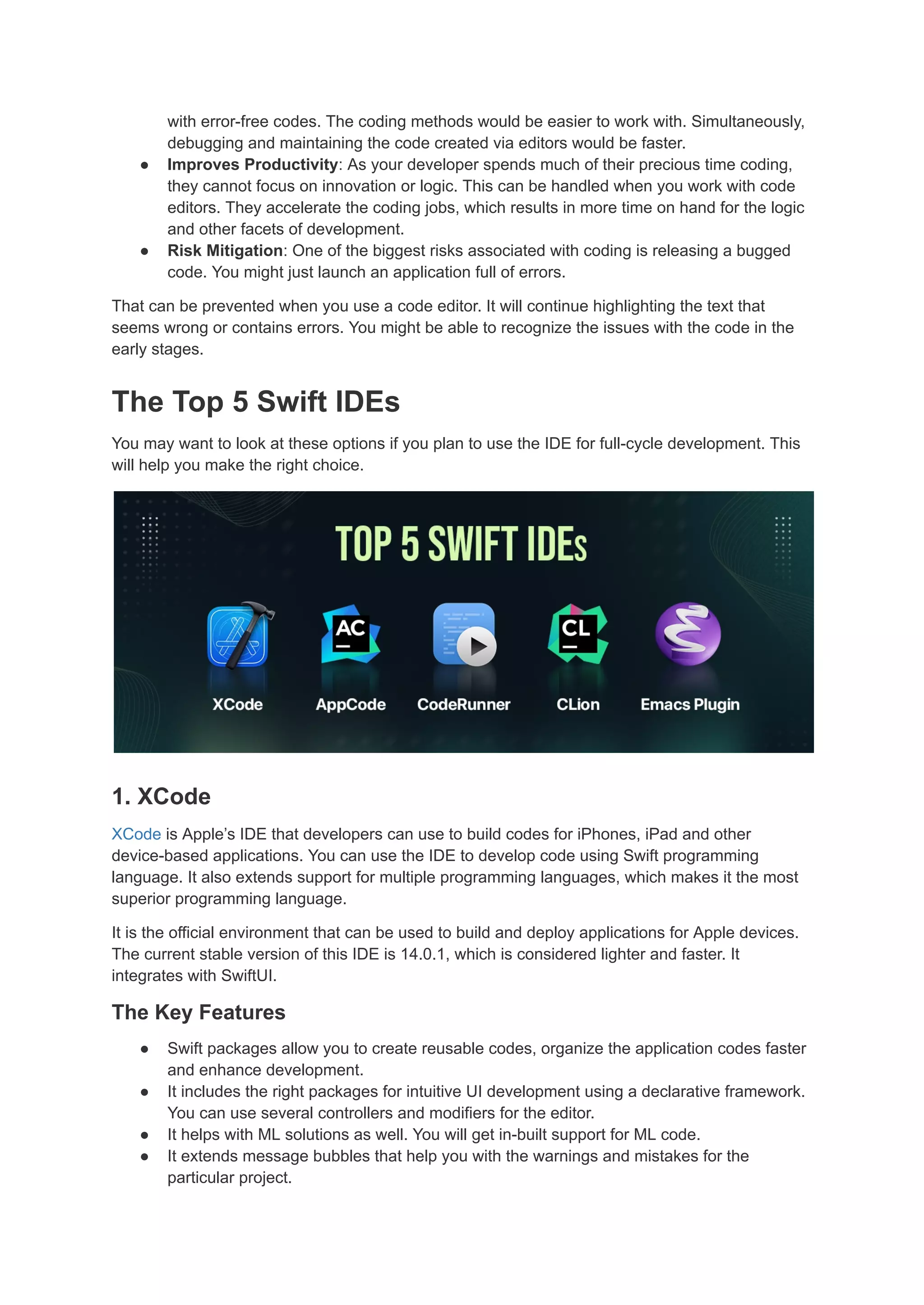
The Top 5 Swift IDEs
You may want to look at these options if you plan to use the IDE for full-cycle development. This
will help you make the right choice.
1. XCode
XCode is Apple’s IDE that developers can use to build codes for iPhones, iPad and other
device-based applications. You can use the IDE to develop code using Swift programming
language. It also extends support for multiple programming languages, which makes it the most
superior programming language.
It is the official environment that can be used to build and deploy applications for Apple devices.
The current stable version of this IDE is 14.0.1, which is considered lighter and faster. It
integrates with SwiftUI.
The Key Features
â—Ź Swift packages allow you to create reusable codes, organize the application codes faster
and enhance development.
â—Ź It includes the right packages for intuitive UI development using a declarative framework.
You can use several controllers and modifiers for the editor.
â—Ź It helps with ML solutions as well. You will get in-built support for ML code.
â—Ź It extends message bubbles that help you with the warnings and mistakes for the
particular project.
â—Ź Tools inside the IDE support your performance requirements and will optimize the
projects.
2. AppCode
This intelligent integrated development environment was created to support Objective-C and
Swift programming languages. It comes with modern libraries and support for modernized coding
that enables swift solutions.
You can automate menial and routine tasks with this code editor, thus increasing coding
efficiency. Several in-built features of this development environment make it usable.
The Key Features
â—Ź The smart editor allows you to code faster and ensures quick code completion. It
provides a smooth project development.
â—Ź You can use the IDE to handle complex tasks while focusing on important and logical
tasks. This ensures efficient coding.
â—Ź You can easily inspect the code you have created with the help of this IDE using the
search/navigation features.
â—Ź Several tools inside the IDE support unit testing and ensures proper test results.
â—Ź You can easily integrate with several third-party tools, including CocoaPods and Reveal.
3. CodeRunner
This is one of the best and most popular Swift IDEs you can use to build iOS applications.
CodeRunner is devised only for iOS, so it doesn’t extend cross-platform support.
However, you can use this IDE when working on multiple Swift projects. It helps focus on multiple
projects and task panes at once.
This is a paid IDE and costs $19.99. It offers a range of advanced editing features and comprises
200 syntax modes. This allows you to create exceptional apps with this single IDE.
The Key Features
â—Ź Intelligent typing allows you to complete the code intuitively and enhance the solutions.
This allows you to improve the developer’s productivity.
â—Ź There are breakpoints throughout the application that allow you to debug faster and
ensure the best results.
â—Ź It comes with a file navigator that allows you to check and correct the sections efficiently.
â—Ź You can easily manage the Vim modes important for creating and running applications.
Read Full Article at:- CLion

Best 5 Swift IDEs and Code Editors for Your Next iOS Project.pdf

  • 1.
    Best 5 SwiftIDEs and Code Editors for Your Next iOS Project Developing an application is no easy feat. You must build the logic before you begin coding. If the logic is complex, it can complicate your development process too. When working on building a complex project, you spend a lot of time coding and testing for bugs. It can hamper the developer’s productivity. No wonder developers say, “We may not be able to adhere to the deadlines.” Not simplifying the process or having the right tools to support development can delay the deliveries. Additionally, traditional development tools, processes, and methods can lead to further delays. Are you planning an iOs app development using the traditional native app development approach? Without modern methods, it will eventually put your project on the back burner. It can also make your competition take your seat as they opt for better development methods. If you don’t want the competition to overtake your progress, invest in the right Swift IDEs and Code Editors. With our experience as the leading iOs app development company, we have curated a few IDEs and editors. Let’s look at them in detail and understand how they can help you. What is an IDE?
  • 2.
    An integrated developmentenvironment (IDE) is a complete system of tools that helps developers build applications effortlessly. You will get tools to code, build the GUI or debug the application inside the IDE. It is a holistic environment comprising different solutions. The IDE comprises the source code Swift text editor, where the developers can build the entire code for the application. They can use the inherent features to ensure the best quality solutions. Similarly, they can use automation to improve the compilation and testing. The debugger inside will help with resolving the errors. Several other tools help with build and deployment as well. Benefits of IDE When you plan to use an IDE, you must know the many reasons why. Here we will spell out the benefits of using the integrated development environment for your business needs. ● Easier to Get Started: The setup is one of the main reasons for development delay. Your developer will likely take a lot of time to get the tools ready to build the application. However, you can accelerate the process with an IDE. All the tools are already available, making it easy. ● Accelerates Development: When working with an IDE, you tend to boost the development processes. For instance, editing or sending the parse code is easier with IDEs. Similarly, you can easily switch between the build and deploy tasks in the IDE. ● Excellent Organization: When you are working on multiple tasks and have a lot of files, keep them organized. That’s where the IDE can help. It ensures a fully organized file system that makes collaboration and building easy. ● Stay Up-to-date: The IDE is completely updated with the latest trends and topics. This makes it easier for the developers to stay updated and be more aware. They would be able to develop using the best practices as well. We saw how IDEs and Code Editors are useful. Let’s understand the top IDEs and Code Editors that can help accelerate development using Swift programming language. These editors will help you, as the iOS app development company, streamline the processes and accelerate time-to-market. What is a Code Editor? The code editor helps the developers be more productive. It can enhance their coding abilities. The developers can enter the code and get some suggestions. These editors also offer error-checking and syntax-highlighting features that can enable better coding solutions. The code editor can help you prepare quality code. The editors can improve the structure and offer the essential resources to improve the developer’s ability. You also get features like auto-completion and code snippets enabling debugging and compilation. Top Benefits of Code Editor There are several reasons to choose a code editor for your next project. We have listed out the top benefits of working with the editor. ● High-Quality Code: When you work with code editors, you guarantee a quality outcome. Using features such as syntax highlighting and auto-completion, you will always be ready
  • 3.
    with error-free codes.The coding methods would be easier to work with. Simultaneously, debugging and maintaining the code created via editors would be faster. ● Improves Productivity: As your developer spends much of their precious time coding, they cannot focus on innovation or logic. This can be handled when you work with code editors. They accelerate the coding jobs, which results in more time on hand for the logic and other facets of development. ● Risk Mitigation: One of the biggest risks associated with coding is releasing a bugged code. You might just launch an application full of errors. That can be prevented when you use a code editor. It will continue highlighting the text that seems wrong or contains errors. You might be able to recognize the issues with the code in the early stages. The Top 5 Swift IDEs You may want to look at these options if you plan to use the IDE for full-cycle development. This will help you make the right choice. 1. XCode XCode is Apple’s IDE that developers can use to build codes for iPhones, iPad and other device-based applications. You can use the IDE to develop code using Swift programming language. It also extends support for multiple programming languages, which makes it the most superior programming language. It is the official environment that can be used to build and deploy applications for Apple devices. The current stable version of this IDE is 14.0.1, which is considered lighter and faster. It integrates with SwiftUI. The Key Features ● Swift packages allow you to create reusable codes, organize the application codes faster and enhance development. ● It includes the right packages for intuitive UI development using a declarative framework. You can use several controllers and modifiers for the editor. ● It helps with ML solutions as well. You will get in-built support for ML code. ● It extends message bubbles that help you with the warnings and mistakes for the particular project.
  • 4.
    ● Tools insidethe IDE support your performance requirements and will optimize the projects. 2. AppCode This intelligent integrated development environment was created to support Objective-C and Swift programming languages. It comes with modern libraries and support for modernized coding that enables swift solutions. You can automate menial and routine tasks with this code editor, thus increasing coding efficiency. Several in-built features of this development environment make it usable. The Key Features ● The smart editor allows you to code faster and ensures quick code completion. It provides a smooth project development. ● You can use the IDE to handle complex tasks while focusing on important and logical tasks. This ensures efficient coding. ● You can easily inspect the code you have created with the help of this IDE using the search/navigation features. ● Several tools inside the IDE support unit testing and ensures proper test results. ● You can easily integrate with several third-party tools, including CocoaPods and Reveal. 3. CodeRunner This is one of the best and most popular Swift IDEs you can use to build iOS applications. CodeRunner is devised only for iOS, so it doesn’t extend cross-platform support. However, you can use this IDE when working on multiple Swift projects. It helps focus on multiple projects and task panes at once. This is a paid IDE and costs $19.99. It offers a range of advanced editing features and comprises 200 syntax modes. This allows you to create exceptional apps with this single IDE. The Key Features ● Intelligent typing allows you to complete the code intuitively and enhance the solutions. This allows you to improve the developer’s productivity. ● There are breakpoints throughout the application that allow you to debug faster and ensure the best results. ● It comes with a file navigator that allows you to check and correct the sections efficiently. ● You can easily manage the Vim modes important for creating and running applications. Read Full Article at:- CLion