1. Install git and create a GitHub account
2. What is git?
3. Important terminologies in git
4. What is GitHub
5. Quick example using git and GitHub
Windows
https://git-scm.com/download/win
Mac
https://git-scm.com/download/mac
Linux (Debian based distro)
$ sudo apt install git
Linux (Arch based distro)
$ sudo pacman –S git
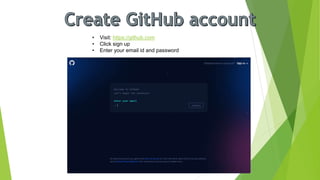
• Visit: https://github.com
• Click sign up
• Enter your email id and password
Git is version control tool
Now what is version control?
• A system that keeps records of your changes.
• Allows for collaborative development.
• Allows you to know who made what changes and
when.
• Allows you to revert any changes and go back to a
previous state.
• Git was made by Linus Torvald
(founder of Linux kernel) to aid in
linux kernel development
• It was made in 2005
• Uses checksum to ensure
data integrity
• Distributed version control
• Free and opensource!
• Cross platform
• Git tracks changes not
versions
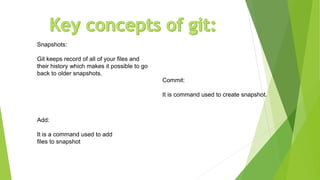
Snapshots:
Git keeps record of all of your files and
their history which makes it possible to go
back to older snapshots.
Commit:
It is command used to create snapshot.
Add:
It is a command used to add
files to snapshot
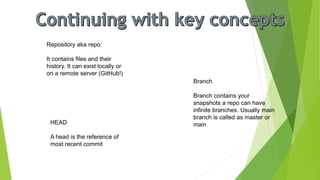
Repository aka repo:
It contains files and their
history. It can exist locally or
on a remote server (GitHub!)
Branch
Branch contains your
snapshots a repo can have
infinite branches. Usually main
branch is called as master or
main
HEAD
A head is the reference of
most recent commit
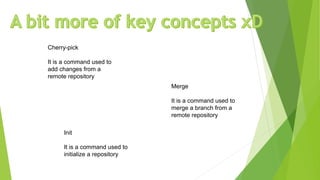
Cherry-pick
It is a command used to
add changes from a
remote repository
Merge
It is a command used to
merge a branch from a
remote repository
Init
It is a command used to
initialize a repository
To create a repo you will require to create a dir or a folder. In Windows you can use GUI to so. On Linux
you use cmd
$ mkdir first-repo
Now, first-repo is your directory where you will initialize a repo.
To initialize a repo
$ git init
Now we can start by adding files to our directory lets say we add HelloWorld.java
$ git add HelloWorld.java
We can check what all files are added to commit using git status
$ git status
It should show HelloWorld.java added to the list
Now will finally commit out change using:
$ git commit –m “My first commit”
Note: My first commit is a message we added to our commit message. It is used to track history
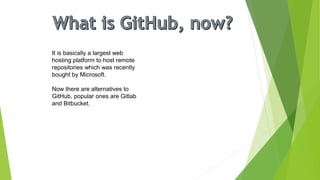
It is basically a largest web
hosting platform to host remote
repositories which was recently
bought by Microsoft.
Now there are alternatives to
GitHub, popular ones are Gitlab
and Bitbucket.
Remember we created our first local repo few slides ago? We will push that to GitHub now!
To get started we will have to created a empty repository on GitHub to-do so visit GitHub’s
webpage, sign in into your account and press + on right top of the page. Create a repository
Name and we are halfway done!
Now lets get back to our first-repo dir launch a terminal and type the following commands
git remote add origin https://github.com/SahilSonar/first-repo
(Note: SahilSonar is my GitHub username and first-repo is empty repo I created on GitHub
change it according to your)
git push –u origin master
(It should ask you your username and password. BTW GitHub now uses a token instead of
password make sure you create a token and enter it instead of your actual password)
GitHub provides benefits for students via their student
developer pack which offers free credits on various
cloud services and tools you can checkout here:
https://education.github.com/pack

Beginner's guide to git and github

  • 2.
    1. Install gitand create a GitHub account 2. What is git? 3. Important terminologies in git 4. What is GitHub 5. Quick example using git and GitHub
  • 3.
    Windows https://git-scm.com/download/win Mac https://git-scm.com/download/mac Linux (Debian baseddistro) $ sudo apt install git Linux (Arch based distro) $ sudo pacman –S git
  • 4.
    • Visit: https://github.com •Click sign up • Enter your email id and password
  • 5.
    Git is versioncontrol tool Now what is version control? • A system that keeps records of your changes. • Allows for collaborative development. • Allows you to know who made what changes and when. • Allows you to revert any changes and go back to a previous state.
  • 6.
    • Git wasmade by Linus Torvald (founder of Linux kernel) to aid in linux kernel development • It was made in 2005 • Uses checksum to ensure data integrity • Distributed version control • Free and opensource! • Cross platform • Git tracks changes not versions
  • 7.
    Snapshots: Git keeps recordof all of your files and their history which makes it possible to go back to older snapshots. Commit: It is command used to create snapshot. Add: It is a command used to add files to snapshot
  • 8.
    Repository aka repo: Itcontains files and their history. It can exist locally or on a remote server (GitHub!) Branch Branch contains your snapshots a repo can have infinite branches. Usually main branch is called as master or main HEAD A head is the reference of most recent commit
  • 9.
    Cherry-pick It is acommand used to add changes from a remote repository Merge It is a command used to merge a branch from a remote repository Init It is a command used to initialize a repository
  • 10.
    To create arepo you will require to create a dir or a folder. In Windows you can use GUI to so. On Linux you use cmd $ mkdir first-repo Now, first-repo is your directory where you will initialize a repo. To initialize a repo $ git init Now we can start by adding files to our directory lets say we add HelloWorld.java $ git add HelloWorld.java We can check what all files are added to commit using git status $ git status It should show HelloWorld.java added to the list Now will finally commit out change using: $ git commit –m “My first commit” Note: My first commit is a message we added to our commit message. It is used to track history
  • 11.
    It is basicallya largest web hosting platform to host remote repositories which was recently bought by Microsoft. Now there are alternatives to GitHub, popular ones are Gitlab and Bitbucket.
  • 12.
    Remember we createdour first local repo few slides ago? We will push that to GitHub now! To get started we will have to created a empty repository on GitHub to-do so visit GitHub’s webpage, sign in into your account and press + on right top of the page. Create a repository Name and we are halfway done! Now lets get back to our first-repo dir launch a terminal and type the following commands git remote add origin https://github.com/SahilSonar/first-repo (Note: SahilSonar is my GitHub username and first-repo is empty repo I created on GitHub change it according to your) git push –u origin master (It should ask you your username and password. BTW GitHub now uses a token instead of password make sure you create a token and enter it instead of your actual password)
  • 13.
    GitHub provides benefitsfor students via their student developer pack which offers free credits on various cloud services and tools you can checkout here: https://education.github.com/pack