Automation Testing
Overview: Accelerating
Quality in Software
Development
Discover how automation testing transforms software quality assurance,
enabling faster releases, higher accuracy, and seamless integration with
modern development practices.
FUNDAMENTALS
What Is Automation Testing?
Automation testing uses specialized
software tools to automatically execute
test cases, replacing repetitive manual
testing tasks with intelligent scripts that
simulate user actions and verify results
against expected outcomes.
This approach enables faster, more
reliable, and infinitely repeatable testing
processes. By automating routine
validation tasks, teams can focus on
exploratory testing and complex
scenarios that require human insight
and creativity.
BUSINESS VALUE
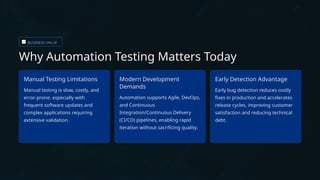
Why Automation Testing Matters Today
Manual Testing Limitations
Manual testing is slow, costly, and
error-prone, especially with
frequent software updates and
complex applications requiring
extensive validation.
Modern Development
Demands
Automation supports Agile, DevOps,
and Continuous
Integration/Continuous Delivery
(CI/CD) pipelines, enabling rapid
iteration without sacrificing quality.
Early Detection Advantage
Early bug detection reduces costly
fixes in production and accelerates
release cycles, improving customer
satisfaction and reducing technical
debt.
From Hours to Minutes: The Power
of Automation
While manual testers painstakingly execute the same test scenarios one at a time, automation testing runs thousands of tests
concurrently across multiple environments, browsers, and devices—transforming testing cycles from days into minutes.
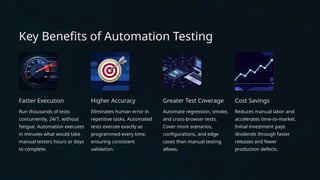
Key Benefits of Automation Testing
Faster Execution
Run thousands of tests
concurrently, 24/7, without
fatigue. Automation executes
in minutes what would take
manual testers hours or days
to complete.
Higher Accuracy
Eliminates human error in
repetitive tasks. Automated
tests execute exactly as
programmed every time,
ensuring consistent
validation.
Greater Test Coverage
Automate regression, smoke,
and cross-browser tests.
Cover more scenarios,
configurations, and edge
cases than manual testing
allows.
Cost Savings
Reduces manual labor and
accelerates time-to-market.
Initial investment pays
dividends through faster
releases and fewer
production defects.
TOOLS & PLATFORMS
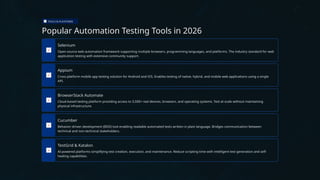
Popular Automation Testing Tools in 2026
Selenium
Open-source web automation framework supporting multiple browsers, programming languages, and platforms. The industry standard for web
application testing with extensive community support.
Appium
Cross-platform mobile app testing solution for Android and iOS. Enables testing of native, hybrid, and mobile web applications using a single
API.
BrowserStack Automate
Cloud-based testing platform providing access to 3,500+ real devices, browsers, and operating systems. Test at scale without maintaining
physical infrastructure.
Cucumber
Behavior-driven development (BDD) tool enabling readable automated tests written in plain language. Bridges communication between
technical and non-technical stakeholders.
TestGrid & Katalon
AI-powered platforms simplifying test creation, execution, and maintenance. Reduce scripting time with intelligent test generation and self-
healing capabilities.
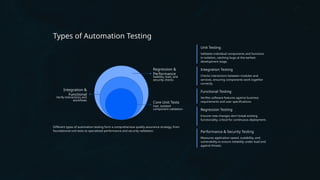
Types of Automation Testing
Regression &
Performance
Stability, load, and
security checks
Integration &
Functional
Verify interactions and
workflows
Core Unit Tests
Fast, isolated
component validation
Different types of automation testing form a comprehensive quality assurance strategy, from
foundational unit tests to specialized performance and security validation.
Unit Testing
Validates individual components and functions
in isolation, catching bugs at the earliest
development stage.
Integration Testing
Checks interactions between modules and
services, ensuring components work together
correctly.
Functional Testing
Verifies software features against business
requirements and user specifications.
Regression Testing
Ensures new changes don't break existing
functionality, critical for continuous deployment.
Performance & Security Testing
Measures application speed, scalability, and
vulnerability to ensure reliability under load and
against threats.
BEST PRACTICES
Best Practices for Successful Automation
1 Choose the Right Tests
Automate stable, high-value test cases like
regression and smoke tests. Prioritize
repetitive scenarios that run frequently.
2 Integrate with CI/CD
Embed tests into Continuous
Integration/Continuous Delivery pipelines for
immediate feedback on every code change.
3 Maintain Test Scripts
Update test scripts regularly to prevent "test
rot" as applications evolve. Invest in
maintainable, well-documented code.
4 Balance Automation & Manual
Combine automation with manual
exploratory testing for comprehensive
coverage. Each approach has unique
strengths.
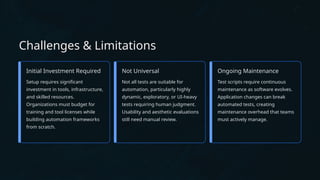
Challenges & Limitations
Initial Investment Required
Setup requires significant
investment in tools, infrastructure,
and skilled resources.
Organizations must budget for
training and tool licenses while
building automation frameworks
from scratch.
Not Universal
Not all tests are suitable for
automation, particularly highly
dynamic, exploratory, or UI-heavy
tests requiring human judgment.
Usability and aesthetic evaluations
still need manual review.
Ongoing Maintenance
Test scripts require continuous
maintenance as software evolves.
Application changes can break
automated tests, creating
maintenance overhead that teams
must actively manage.
The Future of Automation Testing
AI-Driven Testing
AI-powered test creation and self-healing tests reduce manual scripting and
automatically adapt to application changes.
Cloud-Based Platforms
Increased adoption of cloud testing platforms provides unlimited scalability and access
to diverse testing environments.
Continuous Testing
Deeper integration with DevOps enables true continuous testing, providing instant
feedback throughout the development lifecycle.
Strategic Enabler
Automation becomes a core strategic enabler for faster, higher-quality software delivery
and competitive advantage.

Automation Testing Overview Why It Matters in Modern Software Development

  • 1.
    Automation Testing Overview: Accelerating Qualityin Software Development Discover how automation testing transforms software quality assurance, enabling faster releases, higher accuracy, and seamless integration with modern development practices.
  • 2.
    FUNDAMENTALS What Is AutomationTesting? Automation testing uses specialized software tools to automatically execute test cases, replacing repetitive manual testing tasks with intelligent scripts that simulate user actions and verify results against expected outcomes. This approach enables faster, more reliable, and infinitely repeatable testing processes. By automating routine validation tasks, teams can focus on exploratory testing and complex scenarios that require human insight and creativity.
  • 3.
    BUSINESS VALUE Why AutomationTesting Matters Today Manual Testing Limitations Manual testing is slow, costly, and error-prone, especially with frequent software updates and complex applications requiring extensive validation. Modern Development Demands Automation supports Agile, DevOps, and Continuous Integration/Continuous Delivery (CI/CD) pipelines, enabling rapid iteration without sacrificing quality. Early Detection Advantage Early bug detection reduces costly fixes in production and accelerates release cycles, improving customer satisfaction and reducing technical debt.
  • 4.
    From Hours toMinutes: The Power of Automation While manual testers painstakingly execute the same test scenarios one at a time, automation testing runs thousands of tests concurrently across multiple environments, browsers, and devices—transforming testing cycles from days into minutes.
  • 5.
    Key Benefits ofAutomation Testing Faster Execution Run thousands of tests concurrently, 24/7, without fatigue. Automation executes in minutes what would take manual testers hours or days to complete. Higher Accuracy Eliminates human error in repetitive tasks. Automated tests execute exactly as programmed every time, ensuring consistent validation. Greater Test Coverage Automate regression, smoke, and cross-browser tests. Cover more scenarios, configurations, and edge cases than manual testing allows. Cost Savings Reduces manual labor and accelerates time-to-market. Initial investment pays dividends through faster releases and fewer production defects.
  • 6.
    TOOLS & PLATFORMS PopularAutomation Testing Tools in 2026 Selenium Open-source web automation framework supporting multiple browsers, programming languages, and platforms. The industry standard for web application testing with extensive community support. Appium Cross-platform mobile app testing solution for Android and iOS. Enables testing of native, hybrid, and mobile web applications using a single API. BrowserStack Automate Cloud-based testing platform providing access to 3,500+ real devices, browsers, and operating systems. Test at scale without maintaining physical infrastructure. Cucumber Behavior-driven development (BDD) tool enabling readable automated tests written in plain language. Bridges communication between technical and non-technical stakeholders. TestGrid & Katalon AI-powered platforms simplifying test creation, execution, and maintenance. Reduce scripting time with intelligent test generation and self- healing capabilities.
  • 7.
    Types of AutomationTesting Regression & Performance Stability, load, and security checks Integration & Functional Verify interactions and workflows Core Unit Tests Fast, isolated component validation Different types of automation testing form a comprehensive quality assurance strategy, from foundational unit tests to specialized performance and security validation. Unit Testing Validates individual components and functions in isolation, catching bugs at the earliest development stage. Integration Testing Checks interactions between modules and services, ensuring components work together correctly. Functional Testing Verifies software features against business requirements and user specifications. Regression Testing Ensures new changes don't break existing functionality, critical for continuous deployment. Performance & Security Testing Measures application speed, scalability, and vulnerability to ensure reliability under load and against threats.
  • 8.
    BEST PRACTICES Best Practicesfor Successful Automation 1 Choose the Right Tests Automate stable, high-value test cases like regression and smoke tests. Prioritize repetitive scenarios that run frequently. 2 Integrate with CI/CD Embed tests into Continuous Integration/Continuous Delivery pipelines for immediate feedback on every code change. 3 Maintain Test Scripts Update test scripts regularly to prevent "test rot" as applications evolve. Invest in maintainable, well-documented code. 4 Balance Automation & Manual Combine automation with manual exploratory testing for comprehensive coverage. Each approach has unique strengths.
  • 9.
    Challenges & Limitations InitialInvestment Required Setup requires significant investment in tools, infrastructure, and skilled resources. Organizations must budget for training and tool licenses while building automation frameworks from scratch. Not Universal Not all tests are suitable for automation, particularly highly dynamic, exploratory, or UI-heavy tests requiring human judgment. Usability and aesthetic evaluations still need manual review. Ongoing Maintenance Test scripts require continuous maintenance as software evolves. Application changes can break automated tests, creating maintenance overhead that teams must actively manage.
  • 10.
    The Future ofAutomation Testing AI-Driven Testing AI-powered test creation and self-healing tests reduce manual scripting and automatically adapt to application changes. Cloud-Based Platforms Increased adoption of cloud testing platforms provides unlimited scalability and access to diverse testing environments. Continuous Testing Deeper integration with DevOps enables true continuous testing, providing instant feedback throughout the development lifecycle. Strategic Enabler Automation becomes a core strategic enabler for faster, higher-quality software delivery and competitive advantage.