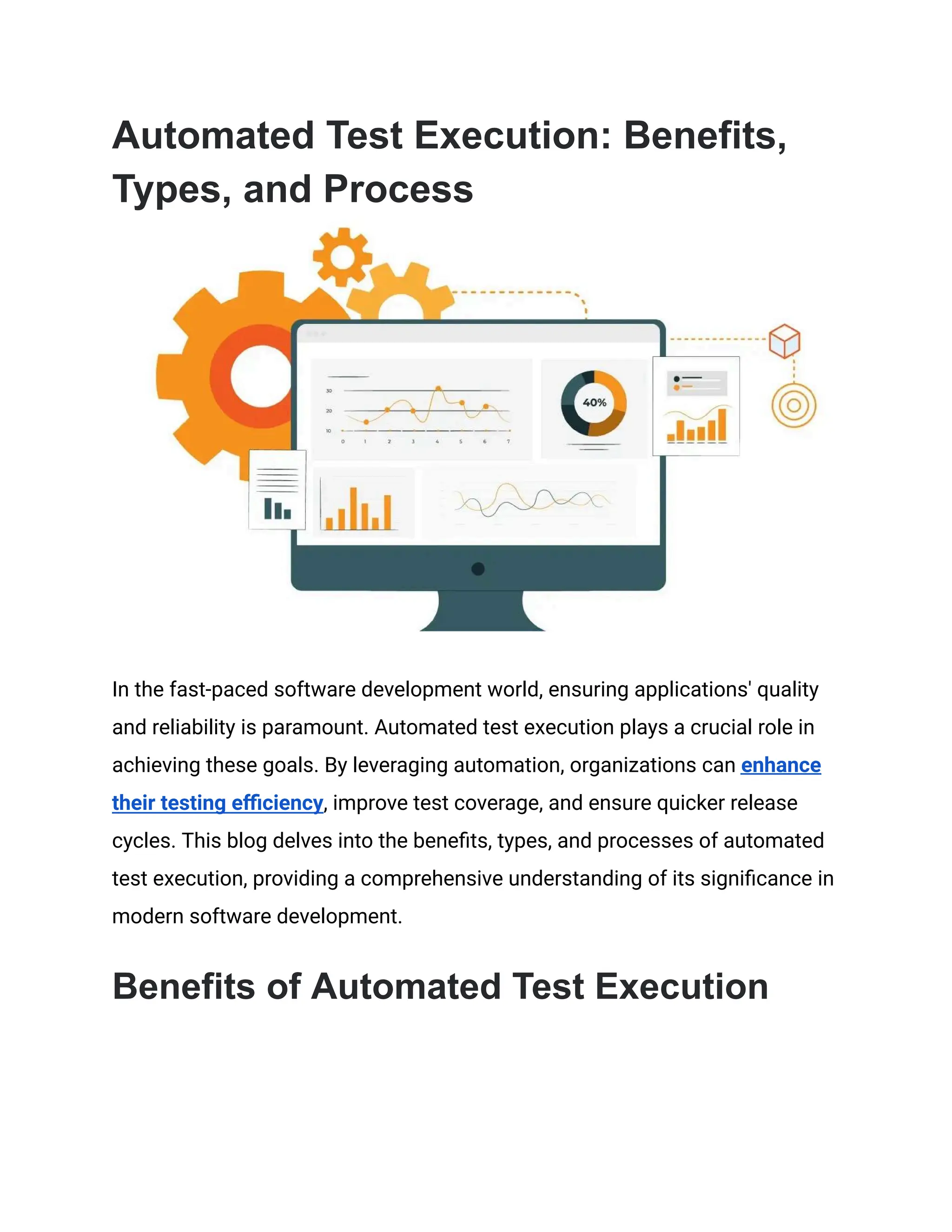
Automated Test Execution: Benefits,
Types, and Process
In the fast-paced software development world, ensuring applications' quality
and reliability is paramount. Automated test execution plays a crucial role in
achieving these goals. By leveraging automation, organizations can enhance
their testing efficiency, improve test coverage, and ensure quicker release
cycles. This blog delves into the benefits, types, and processes of automated
test execution, providing a comprehensive understanding of its significance in
modern software development.
Benefits of Automated Test Execution
Automated test execution offers many benefits that significantly enhance the
software development lifecycle. Here are some of the key advantages in
greater detail:
1. Increased Test Coverage
Automated tests enable comprehensive application coverage, ensuring all
functionalities are tested thoroughly. This includes edge cases, negative
scenarios, and complex workflows that might be missed during manual
testing. With automated test execution, every aspect of the application can be
scrutinized, leading to a more robust and reliable product.
2. Enhanced Efficiency and Speed
Manual testing is time-consuming, especially for large applications with
extensive functionalities. Automated test execution dramatically reduces the
time required to run tests by executing them simultaneously and repeatedly
without human intervention. This increased speed allows for more frequent
testing cycles, quick feedback on code changes, and faster identification and
resolution of defects.
3. Improved Accuracy
Human error is inevitable, leading to inconsistent and unreliable test results.
Automated test execution eliminates these errors by precision-following
predefined test scripts. This consistency ensures that the tests are executed
in the same manner every time, providing accurate and reliable results.
4. Cost Savings
While the initial investment in automated test execution tools and script
development can be substantial, the long-term cost savings are significant.
Automated tests reduce the need for repetitive manual testing. Additionally,
automated tests can be reused across multiple projects and versions, further
reducing testing costs.
5. CI/CD
Automated test execution is a critical component of CI/CD pipelines, enabling
continuous testing as part of the development process. Automated tests are
run automatically whenever new code is committed, providing immediate
feedback and promptly identifying and addressing any issues. This
continuous testing approach supports agile development practices and helps
maintain high software quality throughout the development lifecycle.
6. Reusability
Automated test scripts are highly reusable, making them easy to apply across
different projects, modules, or application versions. Once developed, these
scripts can be executed multiple times without additional effort, saving time
and resources. This reusability also ensures consistency in testing practices
and helps maintain a high-quality standard across all projects.
Types of Automated Test Execution
Automated test execution encompasses various types of testing, each
designed to address specific aspects of software quality. Understanding these
types helps select the right tests to automate and ensures comprehensive test
coverage. Here are the main types of automated test execution:
1. Unit Testing
Unit testing involves testing individual components or units of the software in
isolation. The goal is to ensure that each unit functions as expected. Typically
performed by developers, unit tests are written during the coding phase to
validate the smallest testable parts of an app, like functions, methods, or
classes. Unit tests are essential for catching bugs early in the development
cycle and ensuring the correctness of the codebase.
Benefits:
● Early detection of defects.
● Simplified debugging.
● Improved code quality and maintainability.
2. Integration Testing
Integration testing focuses on different application units or module
interactions. The objective is to ensure that these integrated components
work together seamlessly. Integration tests are critical for identifying issues
that may arise when individual units are combined, such as interface
mismatches, data flow problems, and communication errors.
Benefits:
● Verification of module interfaces.
● Detection of integration issues early.
● Ensured proper data flow between components.
3. Functional Testing
Functional testing verifies that the software behaves according to the
specified requirements. It focuses on testing the user interface, APIs,
databases, security, and overall application functionality. Functional tests are
designed to simulate real user scenarios and validate that the application
performs the intended tasks correctly.
Benefits:
● Validation of software functionality.
● Ensured compliance with business requirements.
● Detection of critical functional issues.
4. Regression Testing
Regression testing ensures that new code changes do not adversely affect
the application's existing functionality. Automated regression tests are
essential for maintaining software stability as they quickly identify any
unintended side effects of recent modifications. This type of testing is
particularly valuable in agile development environments, where frequent
changes are common.
Benefits:
● Maintenance of software stability.
● Quick identification of defects introduced by new changes.
● Reduced risk of functionality degradation.
5. Performance Testing
Performance testing assesses the responsiveness, stability, and scalability of
the application under various load conditions. Automated performance tests
simulate user traffic and measure system performance, including response
times, throughput, and resource utilization. This type of testing is crucial for
ensuring that the application can handle the expected load and provide a
smooth user experience.
Types of Performance Testing:
● Load Testing: Evaluates system performance under expected user
loads.
● Stress Testing: Determines the application's behavior under extreme
conditions.
● Endurance Testing: Assesses the system's stability over prolonged
periods.
● Scalability Testing: Tests the application's ability to scale up or down.
Benefits:
● Identification of performance bottlenecks.
● Ensured application scalability and reliability.
● Enhanced user satisfaction through optimized performance.
6. End-to-End Testing
End-to-end testing validates the entire application workflow, from start to
finish. These tests mimic real user scenarios to ensure all integrated
components function correctly. End-to-end tests cover multiple application
layers, including the front-end, back-end, and database, comprehensively
evaluating the system's behavior.
Benefits:
● Validation of complete application workflows.
● Detection of issues across different components.
● Assurance of seamless user experiences.
Process of Automated Test Execution
The process of automated test execution involves several meticulously
planned and executed steps to ensure effective and efficient testing. Here is a
detailed overview of the process:
1. Test Planning
Scope Definition
In this phase, the scope of the automated testing is defined. This includes
identifying the modules or features to be tested, understanding the
requirements, and setting the objectives for the automation. The scope should
align with the overall project goals and timelines.
Tool Selection
Choosing the right automation tool is crucial. The selection depends on
several factors, such as the application's technology stack, compatibility with
existing tools, ease of use, community support, and cost. Popular tools
include Selenium, Appium, JUnit, TestNG, and more.
2. Test Design
Test Case Identification
Identify the test cases best suited for automation. These typically include
repetitive and time-consuming test cases, regression tests, and cases
requiring multiple data sets.
Test Script Development
Develop detailed test scripts based on the identified test cases. These scripts
should be written in a programming language supported by the chosen
automation tool. It is essential to follow best practices for coding standards,
readability, and maintainability.
3. Test Development
Script Validation
Validate the developed test scripts to ensure they function as expected. This
involves running the scripts in a controlled environment to check for syntax
errors, logical errors, and compatibility issues.
Environment Setup
Set up the test environment to mimic the production environment as closely
as possible. This includes configuring servers, databases, network settings,
and other dependencies. The environment should be stable and consistent to
ensure accurate test results.
4. Test Execution
Initial Execution
Run the automated test scripts for the first time in the test environment.
Monitor the execution to identify any issues or bottlenecks. The initial
execution helps fine-tune the scripts and the environment.
Scheduled Execution
Schedule the automated tests to run regularly, such as nightly builds or
continuous testing during the day. This ensures the application is continuously
tested and any issues are detected early.
5. Test Maintenance
Script Updates
Regularly update the test scripts to accommodate changes in the application,
new features, or modifications in the test environment. Maintenance ensures
that the automated tests remain effective and relevant.
Environment Management
Maintain and update the test environment to reflect the current production
setup. This includes updating software versions, applying patches, and
managing configurations. A stable environment is vital for accurate test
results.
6. Reporting and Analysis
Result Compilation
Compile the test execution results into comprehensive reports. The reports
should highlight key metrics such as pass/fail ratios, execution times, and
defect rates. Visual representations like graphs can help readers understand
the test outcomes.
Defect Analysis
Analyze the results to locate defects and issues in the application. Categorize
the defects based on their severity and impact on the application. This
analysis helps prioritize bug fixes and improve the overall quality of the
software.
How the HeadSpin Platform Can Help
The HeadSpin Platform offers a comprehensive solution for automated test
execution, providing advanced features and capabilities to streamline the
testing process. Here's how HeadSpin can assist in your automated testing
efforts:
Real Device Testing
HeadSpin enables automated testing on real devices, ensuring accurate and
reliable results. Testing on real devices helps identify issues that may not be
evident on emulators or simulators.
Global Device Cloud
HeadSpin's global device cloud provides access to various devices and
network conditions, allowing for thorough testing across different
environments and locations.
Performance Monitoring
HeadSpin's platform includes robust performance monitoring tools that
capture detailed metrics and insights during test execution. These tools help
locate performance bottlenecks and optimize the application.
Seamless Integration
The HeadSpin Platform seamlessly integrates with popular CI/CD tools,
enabling continuous testing and deployment. This integration ensures that
automated tests are integral to the development pipeline.
Comprehensive Test Analytics
HeadSpin offers detailed analytics and reporting features that provide
actionable insights into test results. The analytics help identify trends,
understand test coverage, and improve the application's quality.
AI-Powered Testing
HeadSpin leverages AI and machine learning to enhance automated test
execution. AI-powered testing helps in intelligent test case generation,
anomaly detection, and predictive analytics, making the testing process more
efficient and effective.
Closing Thoughts
Automated test execution is a cornerstone of modern software development,
offering numerous benefits, including increased efficiency, improved accuracy,
and cost savings. Organizations can effectively implement automated testing
to ensure high-quality software by understanding the different types and
processes involved.
The HeadSpin Platform provides a robust solution for automated test
execution, offering advanced features and capabilities to streamline the
testing process. Embracing automated test execution with the right tools and
strategies is essential for faster release cycles, improved software quality, and
enhanced customer satisfaction.
This article was originally published on:
https://www.headspin.io/blog/automated-test-execution-guide

Automated Test Execution_ Benefits, Types, and Process.pdf

  • 1.
    Automated Test Execution:Benefits, Types, and Process In the fast-paced software development world, ensuring applications' quality and reliability is paramount. Automated test execution plays a crucial role in achieving these goals. By leveraging automation, organizations can enhance their testing efficiency, improve test coverage, and ensure quicker release cycles. This blog delves into the benefits, types, and processes of automated test execution, providing a comprehensive understanding of its significance in modern software development. Benefits of Automated Test Execution
  • 2.
    Automated test executionoffers many benefits that significantly enhance the software development lifecycle. Here are some of the key advantages in greater detail: 1. Increased Test Coverage Automated tests enable comprehensive application coverage, ensuring all functionalities are tested thoroughly. This includes edge cases, negative scenarios, and complex workflows that might be missed during manual testing. With automated test execution, every aspect of the application can be scrutinized, leading to a more robust and reliable product. 2. Enhanced Efficiency and Speed Manual testing is time-consuming, especially for large applications with extensive functionalities. Automated test execution dramatically reduces the time required to run tests by executing them simultaneously and repeatedly without human intervention. This increased speed allows for more frequent testing cycles, quick feedback on code changes, and faster identification and resolution of defects. 3. Improved Accuracy Human error is inevitable, leading to inconsistent and unreliable test results. Automated test execution eliminates these errors by precision-following predefined test scripts. This consistency ensures that the tests are executed in the same manner every time, providing accurate and reliable results.
  • 3.
    4. Cost Savings Whilethe initial investment in automated test execution tools and script development can be substantial, the long-term cost savings are significant. Automated tests reduce the need for repetitive manual testing. Additionally, automated tests can be reused across multiple projects and versions, further reducing testing costs. 5. CI/CD Automated test execution is a critical component of CI/CD pipelines, enabling continuous testing as part of the development process. Automated tests are run automatically whenever new code is committed, providing immediate feedback and promptly identifying and addressing any issues. This continuous testing approach supports agile development practices and helps maintain high software quality throughout the development lifecycle. 6. Reusability Automated test scripts are highly reusable, making them easy to apply across different projects, modules, or application versions. Once developed, these scripts can be executed multiple times without additional effort, saving time and resources. This reusability also ensures consistency in testing practices and helps maintain a high-quality standard across all projects. Types of Automated Test Execution Automated test execution encompasses various types of testing, each designed to address specific aspects of software quality. Understanding these
  • 4.
    types helps selectthe right tests to automate and ensures comprehensive test coverage. Here are the main types of automated test execution: 1. Unit Testing Unit testing involves testing individual components or units of the software in isolation. The goal is to ensure that each unit functions as expected. Typically performed by developers, unit tests are written during the coding phase to validate the smallest testable parts of an app, like functions, methods, or classes. Unit tests are essential for catching bugs early in the development cycle and ensuring the correctness of the codebase. Benefits: ● Early detection of defects. ● Simplified debugging. ● Improved code quality and maintainability. 2. Integration Testing Integration testing focuses on different application units or module interactions. The objective is to ensure that these integrated components work together seamlessly. Integration tests are critical for identifying issues that may arise when individual units are combined, such as interface mismatches, data flow problems, and communication errors. Benefits: ● Verification of module interfaces.
  • 5.
    ● Detection ofintegration issues early. ● Ensured proper data flow between components. 3. Functional Testing Functional testing verifies that the software behaves according to the specified requirements. It focuses on testing the user interface, APIs, databases, security, and overall application functionality. Functional tests are designed to simulate real user scenarios and validate that the application performs the intended tasks correctly. Benefits: ● Validation of software functionality. ● Ensured compliance with business requirements. ● Detection of critical functional issues. 4. Regression Testing Regression testing ensures that new code changes do not adversely affect the application's existing functionality. Automated regression tests are essential for maintaining software stability as they quickly identify any unintended side effects of recent modifications. This type of testing is particularly valuable in agile development environments, where frequent changes are common. Benefits: ● Maintenance of software stability.
  • 6.
    ● Quick identificationof defects introduced by new changes. ● Reduced risk of functionality degradation. 5. Performance Testing Performance testing assesses the responsiveness, stability, and scalability of the application under various load conditions. Automated performance tests simulate user traffic and measure system performance, including response times, throughput, and resource utilization. This type of testing is crucial for ensuring that the application can handle the expected load and provide a smooth user experience. Types of Performance Testing: ● Load Testing: Evaluates system performance under expected user loads. ● Stress Testing: Determines the application's behavior under extreme conditions. ● Endurance Testing: Assesses the system's stability over prolonged periods. ● Scalability Testing: Tests the application's ability to scale up or down. Benefits: ● Identification of performance bottlenecks. ● Ensured application scalability and reliability. ● Enhanced user satisfaction through optimized performance.
  • 7.
    6. End-to-End Testing End-to-endtesting validates the entire application workflow, from start to finish. These tests mimic real user scenarios to ensure all integrated components function correctly. End-to-end tests cover multiple application layers, including the front-end, back-end, and database, comprehensively evaluating the system's behavior. Benefits: ● Validation of complete application workflows. ● Detection of issues across different components. ● Assurance of seamless user experiences. Process of Automated Test Execution The process of automated test execution involves several meticulously planned and executed steps to ensure effective and efficient testing. Here is a detailed overview of the process: 1. Test Planning Scope Definition In this phase, the scope of the automated testing is defined. This includes identifying the modules or features to be tested, understanding the requirements, and setting the objectives for the automation. The scope should align with the overall project goals and timelines.
  • 8.
    Tool Selection Choosing theright automation tool is crucial. The selection depends on several factors, such as the application's technology stack, compatibility with existing tools, ease of use, community support, and cost. Popular tools include Selenium, Appium, JUnit, TestNG, and more. 2. Test Design Test Case Identification Identify the test cases best suited for automation. These typically include repetitive and time-consuming test cases, regression tests, and cases requiring multiple data sets. Test Script Development Develop detailed test scripts based on the identified test cases. These scripts should be written in a programming language supported by the chosen automation tool. It is essential to follow best practices for coding standards, readability, and maintainability. 3. Test Development Script Validation Validate the developed test scripts to ensure they function as expected. This involves running the scripts in a controlled environment to check for syntax errors, logical errors, and compatibility issues.
  • 9.
    Environment Setup Set upthe test environment to mimic the production environment as closely as possible. This includes configuring servers, databases, network settings, and other dependencies. The environment should be stable and consistent to ensure accurate test results. 4. Test Execution Initial Execution Run the automated test scripts for the first time in the test environment. Monitor the execution to identify any issues or bottlenecks. The initial execution helps fine-tune the scripts and the environment. Scheduled Execution Schedule the automated tests to run regularly, such as nightly builds or continuous testing during the day. This ensures the application is continuously tested and any issues are detected early. 5. Test Maintenance Script Updates Regularly update the test scripts to accommodate changes in the application, new features, or modifications in the test environment. Maintenance ensures that the automated tests remain effective and relevant. Environment Management
  • 10.
    Maintain and updatethe test environment to reflect the current production setup. This includes updating software versions, applying patches, and managing configurations. A stable environment is vital for accurate test results. 6. Reporting and Analysis Result Compilation Compile the test execution results into comprehensive reports. The reports should highlight key metrics such as pass/fail ratios, execution times, and defect rates. Visual representations like graphs can help readers understand the test outcomes. Defect Analysis Analyze the results to locate defects and issues in the application. Categorize the defects based on their severity and impact on the application. This analysis helps prioritize bug fixes and improve the overall quality of the software. How the HeadSpin Platform Can Help The HeadSpin Platform offers a comprehensive solution for automated test execution, providing advanced features and capabilities to streamline the testing process. Here's how HeadSpin can assist in your automated testing efforts: Real Device Testing
  • 11.
    HeadSpin enables automatedtesting on real devices, ensuring accurate and reliable results. Testing on real devices helps identify issues that may not be evident on emulators or simulators. Global Device Cloud HeadSpin's global device cloud provides access to various devices and network conditions, allowing for thorough testing across different environments and locations. Performance Monitoring HeadSpin's platform includes robust performance monitoring tools that capture detailed metrics and insights during test execution. These tools help locate performance bottlenecks and optimize the application. Seamless Integration The HeadSpin Platform seamlessly integrates with popular CI/CD tools, enabling continuous testing and deployment. This integration ensures that automated tests are integral to the development pipeline. Comprehensive Test Analytics HeadSpin offers detailed analytics and reporting features that provide actionable insights into test results. The analytics help identify trends, understand test coverage, and improve the application's quality. AI-Powered Testing
  • 12.
    HeadSpin leverages AIand machine learning to enhance automated test execution. AI-powered testing helps in intelligent test case generation, anomaly detection, and predictive analytics, making the testing process more efficient and effective. Closing Thoughts Automated test execution is a cornerstone of modern software development, offering numerous benefits, including increased efficiency, improved accuracy, and cost savings. Organizations can effectively implement automated testing to ensure high-quality software by understanding the different types and processes involved. The HeadSpin Platform provides a robust solution for automated test execution, offering advanced features and capabilities to streamline the testing process. Embracing automated test execution with the right tools and strategies is essential for faster release cycles, improved software quality, and enhanced customer satisfaction. This article was originally published on: https://www.headspin.io/blog/automated-test-execution-guide