Arduino Project – Standalone Thermometer with LM35
and an I2C LCD
Sometimes you come up with an idea where you want to
display the temperature readings in real time and show an
alert when the temperature is outside the specified range.
Then you’ll probably need a 16×2 character LCD instead of
a serial monitor.
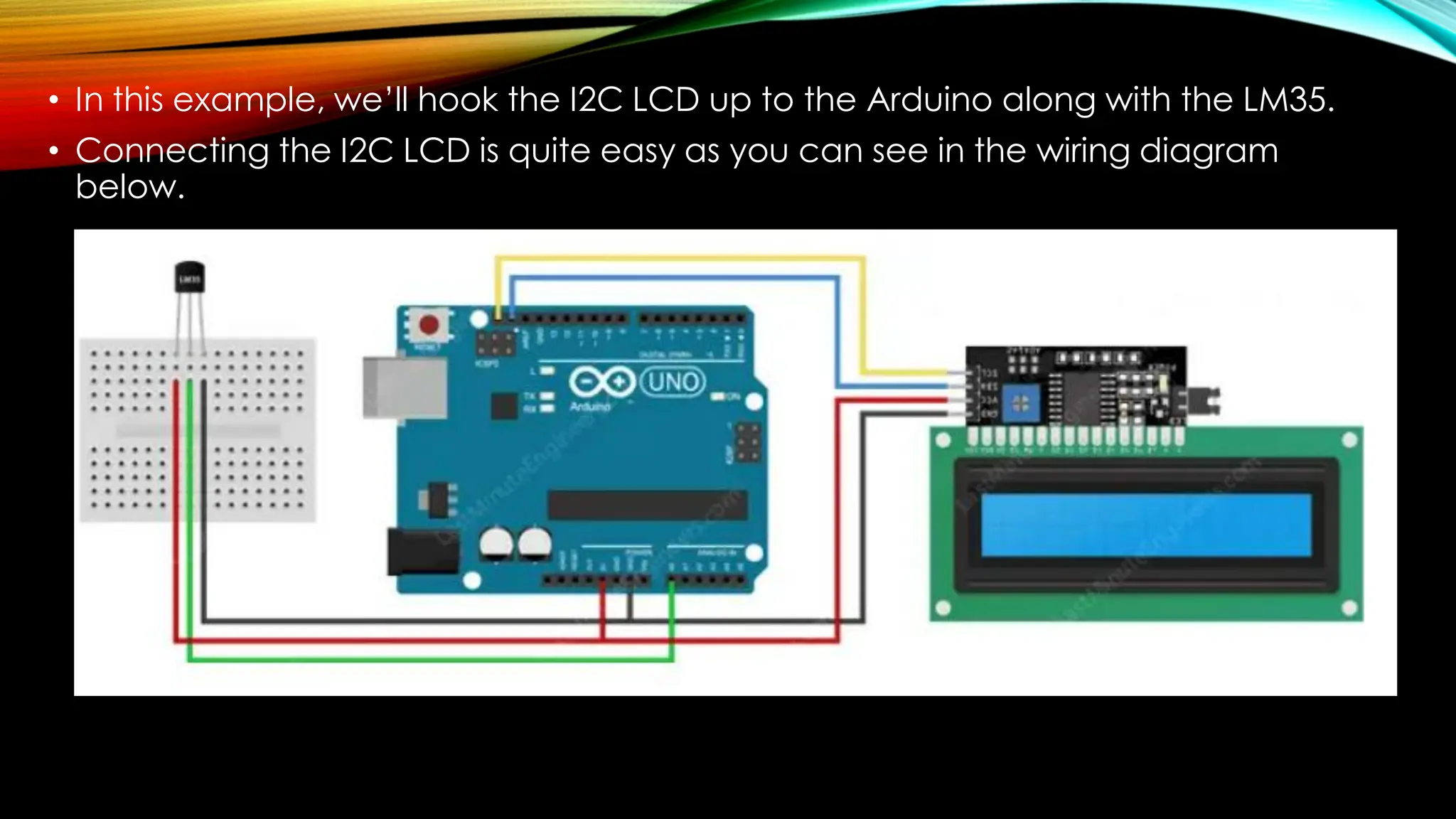
• In this example, we’ll hook the I2C LCD up to the Arduino along with the LM35.
• Connecting the I2C LCD is quite easy as you can see in the wiring diagram
below.
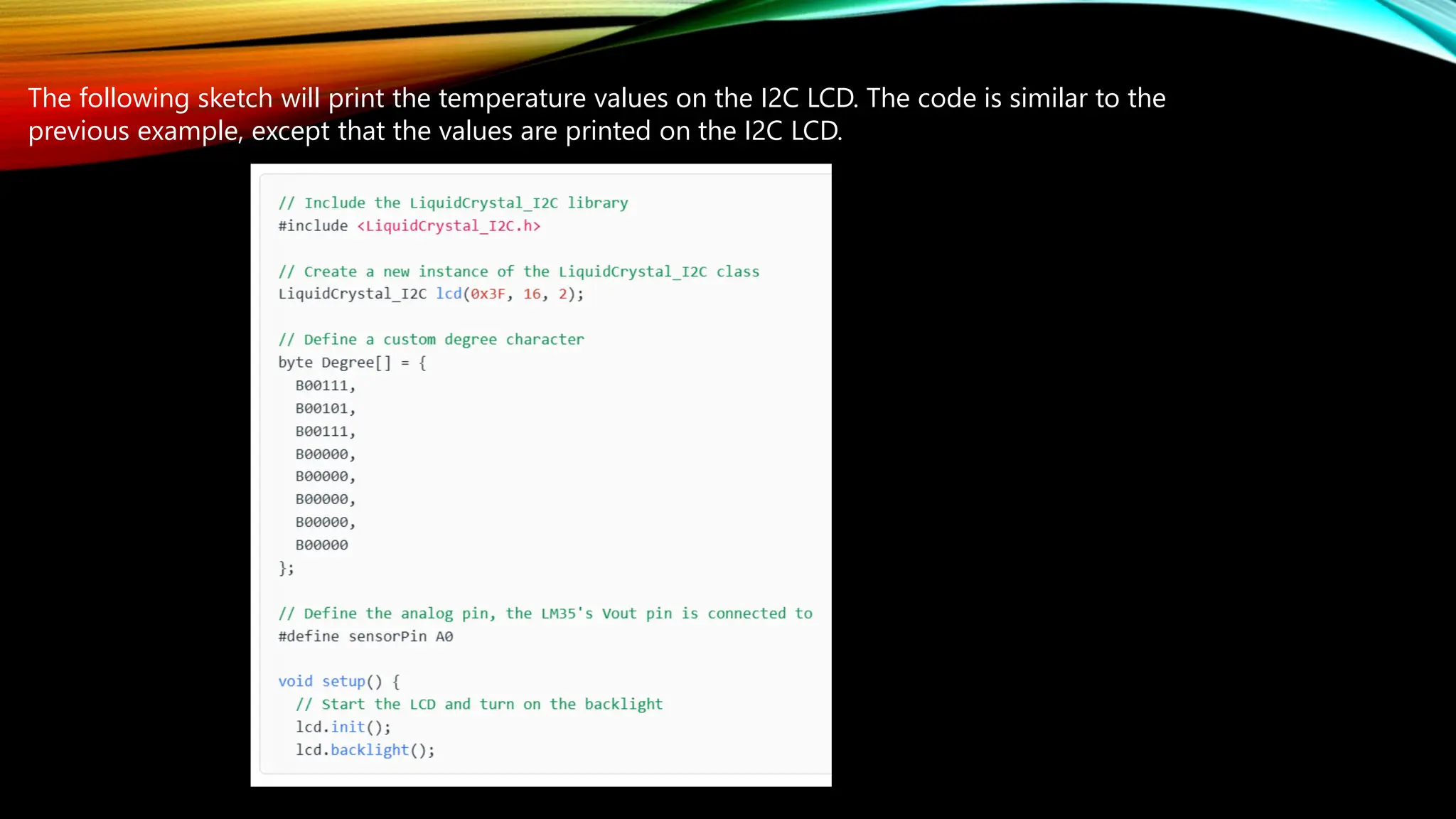
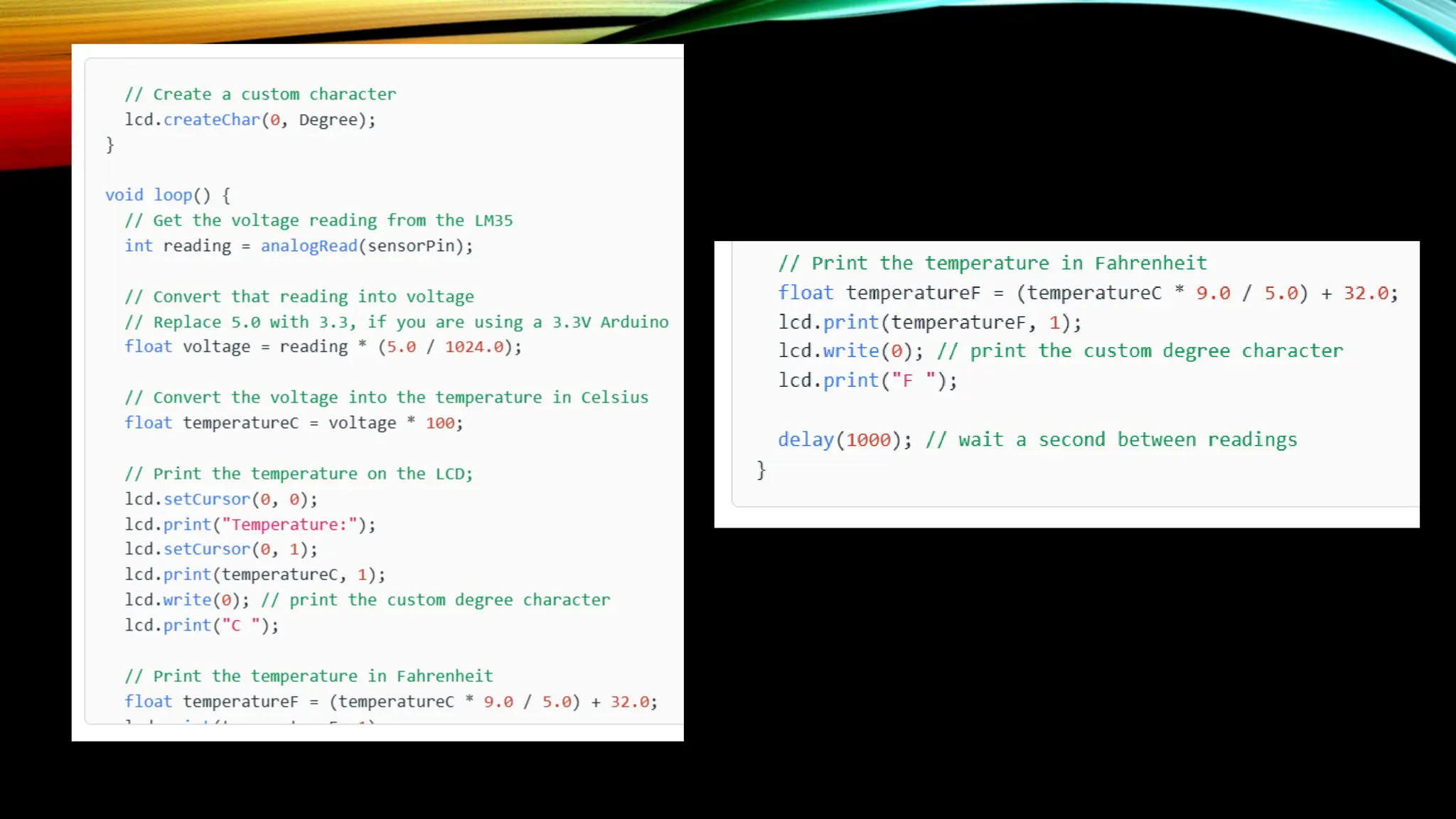
The following sketch will print the temperature values on the I2C LCD. The code is similar to the
previous example, except that the values are printed on the I2C LCD.
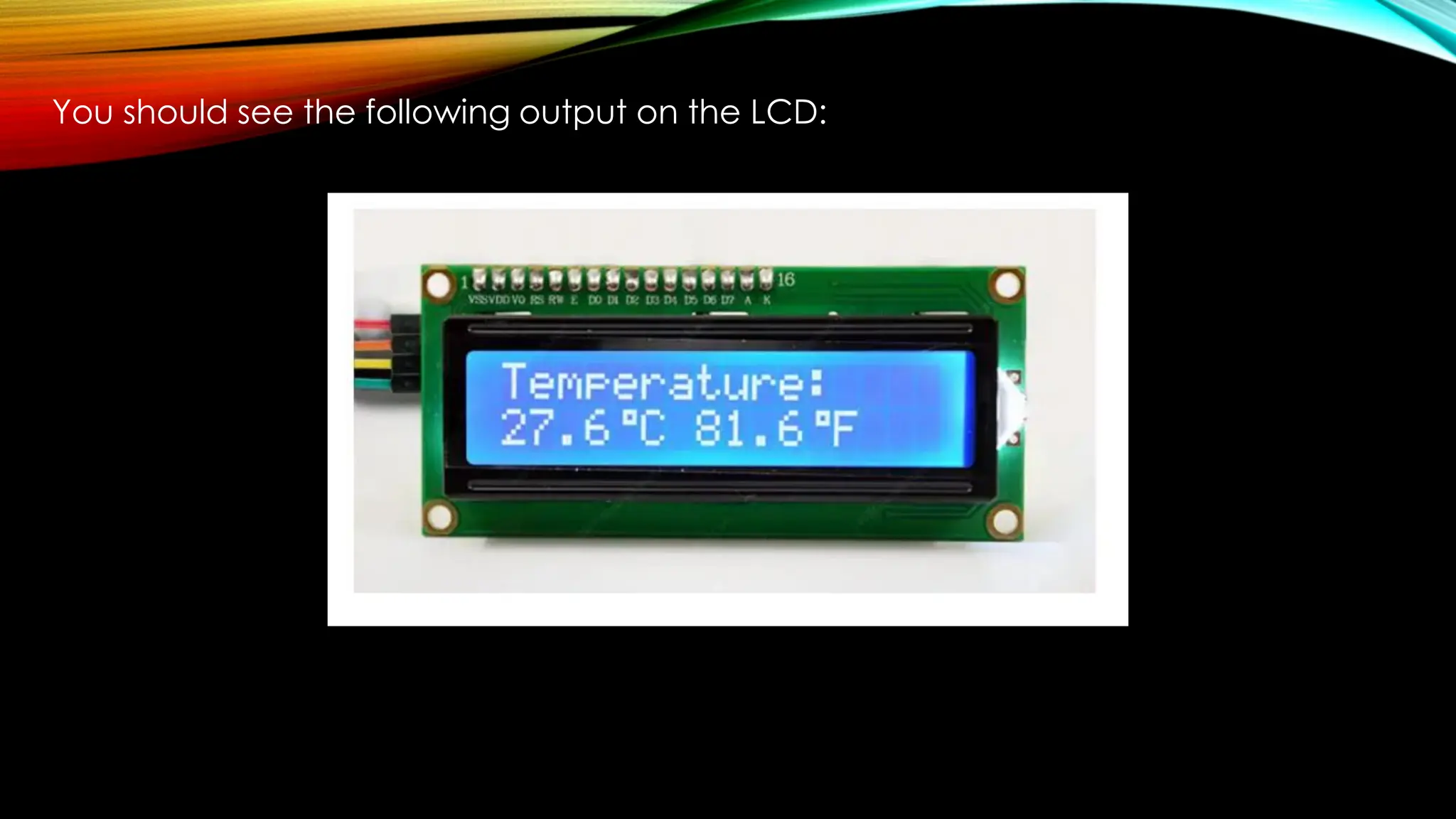
You should see the following output on the LCD:

Arduino Project – Standalone Thermometer with LM35 and an I2C LCD.pdf

  • 1.
    Arduino Project –Standalone Thermometer with LM35 and an I2C LCD Sometimes you come up with an idea where you want to display the temperature readings in real time and show an alert when the temperature is outside the specified range. Then you’ll probably need a 16×2 character LCD instead of a serial monitor.
  • 2.
    • In thisexample, we’ll hook the I2C LCD up to the Arduino along with the LM35. • Connecting the I2C LCD is quite easy as you can see in the wiring diagram below.
  • 3.
    The following sketchwill print the temperature values on the I2C LCD. The code is similar to the previous example, except that the values are printed on the I2C LCD.
  • 5.
    You should seethe following output on the LCD: