Sylvia Isidore
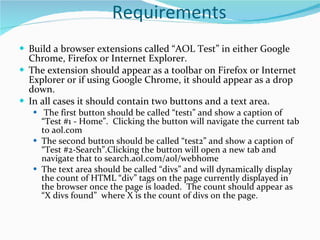
Requirements Build a browser extensions called “AOL Test” in either Google Chrome, Firefox or Internet Explorer.   The extension should appear as a toolbar on Firefox or Internet Explorer or if using Google Chrome, it should appear as a drop down.  In all cases it should contain two buttons and a text area.   The first button should be called “test1” and show a caption of “Test #1 - Home”.  Clicking the button will navigate the current tab to aol.com The second button should be called “test2” and show a caption of “Test #2-Search”.Clicking the button will open a new tab and navigate that to search.aol.com/aol/webhome The text area should be called “divs” and will dynamically display the count of HTML “div” tags on the page currently displayed in the browser once the page is loaded.  The count should appear as “X divs found”  where X is the count of divs on the page.
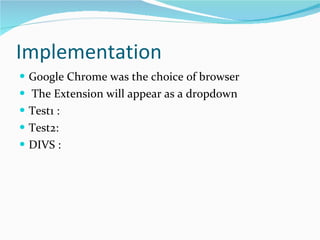
Implementation Google Chrome was the choice of browser The Extension will appear as a dropdown Test1 : Test2: DIVS :
Code 1
Code 2
Screenshot – DEMO

Browser Extension

  • 1.
  • 2.
    Requirements Build abrowser extensions called “AOL Test” in either Google Chrome, Firefox or Internet Explorer.  The extension should appear as a toolbar on Firefox or Internet Explorer or if using Google Chrome, it should appear as a drop down.  In all cases it should contain two buttons and a text area.   The first button should be called “test1” and show a caption of “Test #1 - Home”.  Clicking the button will navigate the current tab to aol.com The second button should be called “test2” and show a caption of “Test #2-Search”.Clicking the button will open a new tab and navigate that to search.aol.com/aol/webhome The text area should be called “divs” and will dynamically display the count of HTML “div” tags on the page currently displayed in the browser once the page is loaded.  The count should appear as “X divs found”  where X is the count of divs on the page.
  • 3.
    Implementation Google Chromewas the choice of browser The Extension will appear as a dropdown Test1 : Test2: DIVS :
  • 4.
  • 5.
  • 6.