UML
(Unified Modeling Language)
1
1. UML (Unified Modeling Language)
• The UML is a standard language for
specifying, visualizing, constructing and
documenting the artifact (work of art/objects)
of software systems as well as for business
modeling and other non- software systems.
• The UML is a very important part of
developing object oriented software and the
software development process.
• UML provides a set of notation (rectangle,
lines, ellipse etc) to create models of system.
• UMLs also facilitate the generation of
analysis and design procedure themselves.
2
• Before using UML, it is important to
clearly understand what exactly is meant by
a model, why is it necessary to create a
model.
• It is a graphical model tools, are very
popular because they are easy to understand
and construct.
•About Modeling: is a proven and well-
accepted engineering techniques.
•Modeling is a architectural artifact which helps
to users visualize the final product.
3
The UML Language for Documenting
• A healthy Software Organization produces
all sorts of artifacts in addition to raw
executable code. These artifacts/objects
includes:
– Requirements
– Architecture
– Design
– Source code
– Project Plan
– Tests
– Prototypes
– Releases
4
Where can the UML be used?
The UML is not limited to modeling
software.
• Enterprise information systems
• Banking and financial services
• Telecommunications
• Transportation
• Defense/aerospace
• Retail
• Medical electronic
• Scientific
• Distributed web-based services 5
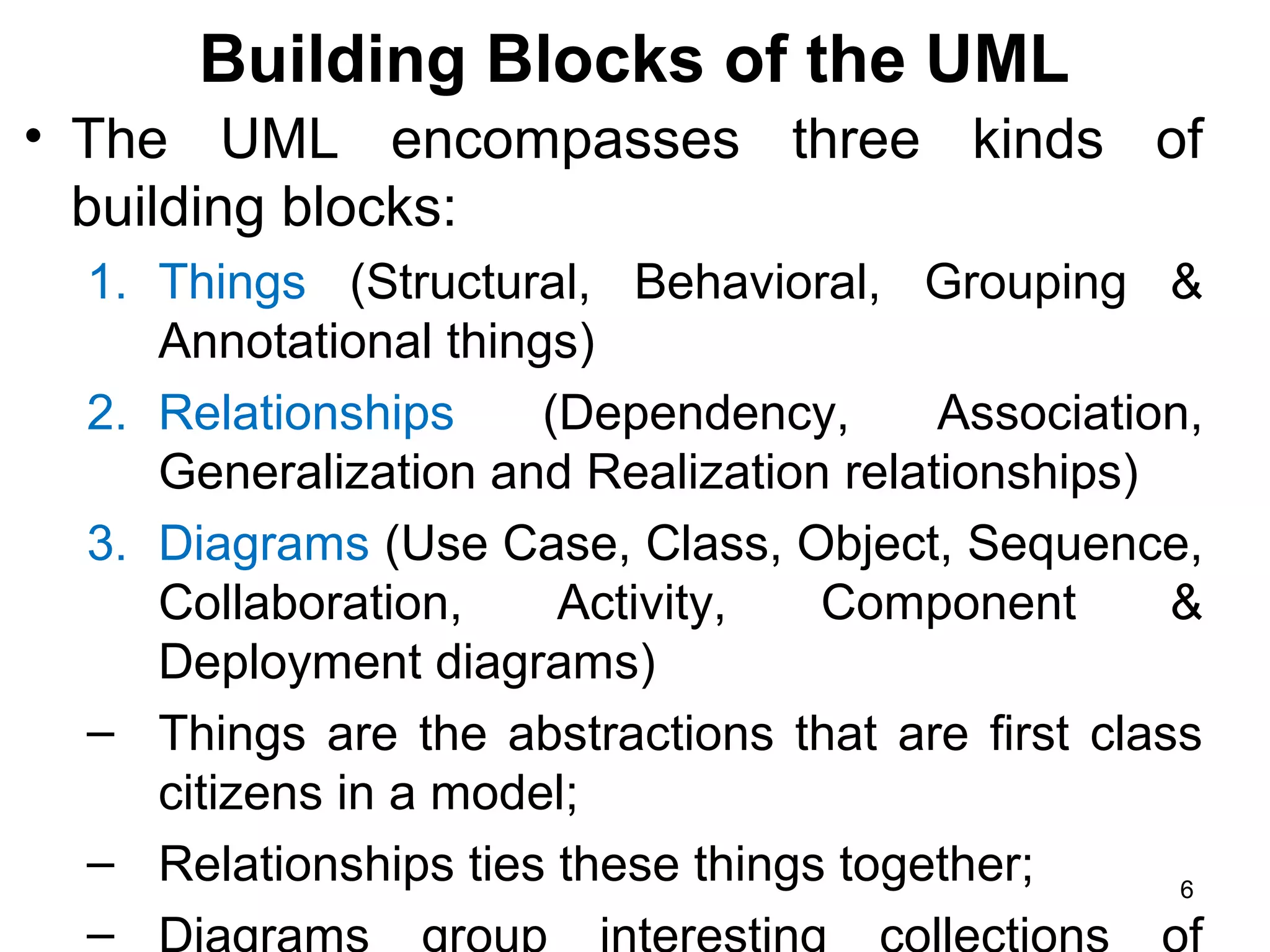
Building Blocks of the UML
• The UML encompasses three kinds of
building blocks:
1. Things (Structural, Behavioral, Grouping &
Annotational things)
2. Relationships (Dependency, Association,
Generalization and Realization relationships)
3. Diagrams (Use Case, Class, Object, Sequence,
Collaboration, Activity, Component &
Deployment diagrams)
– Things are the abstractions that are first class
citizens in a model;
– Relationships ties these things together;
–
6
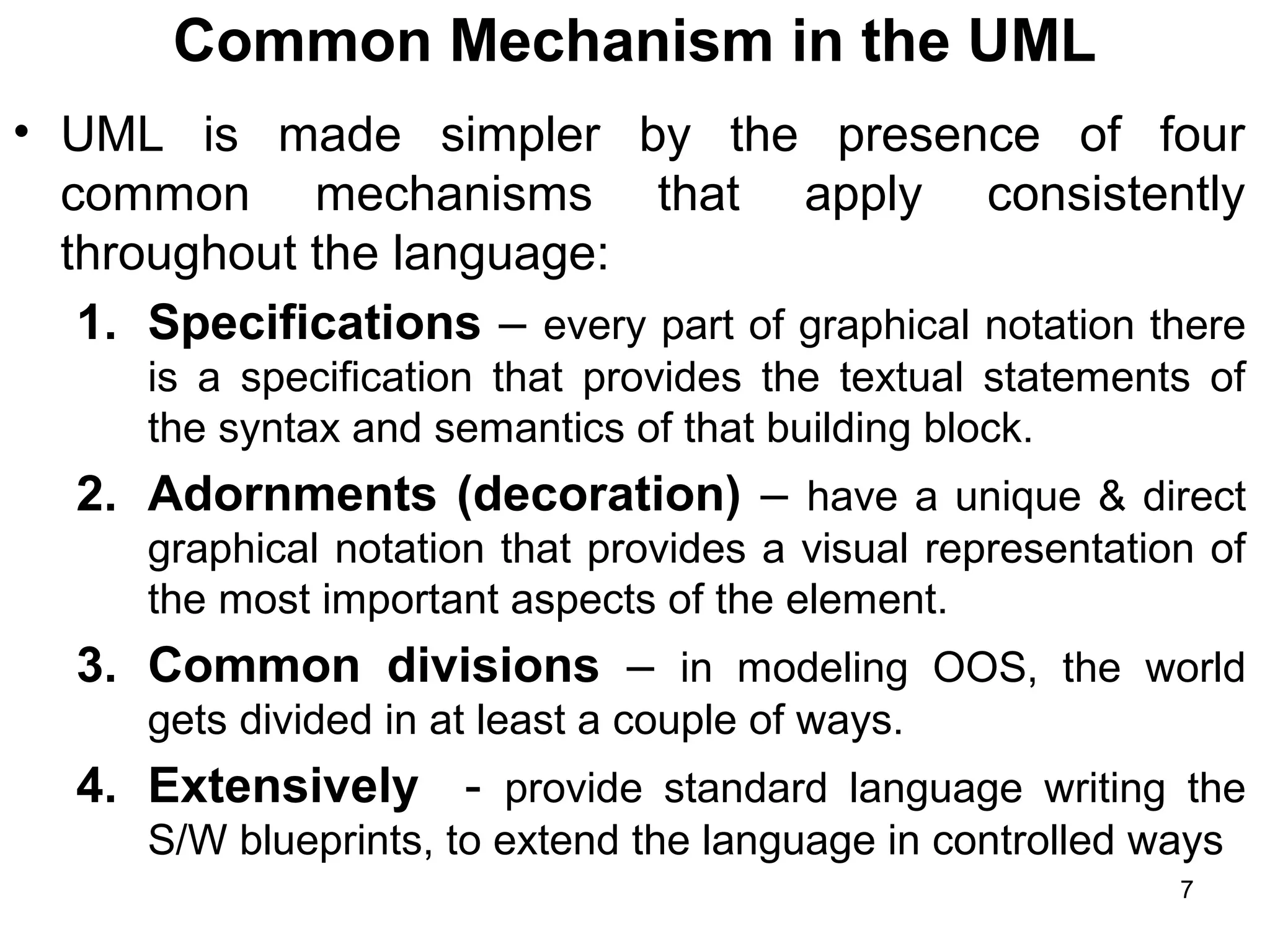
Common Mechanism in the UML
• UML is made simpler by the presence of four
common mechanisms that apply consistently
throughout the language:
1. Specifications – every part of graphical notation there
is a specification that provides the textual statements of
the syntax and semantics of that building block.
2. Adornments (decoration) – have a unique & direct
graphical notation that provides a visual representation of
the most important aspects of the element.
3. Common divisions – in modeling OOS, the world
gets divided in at least a couple of ways.
4. Extensively - provide standard language writing the
S/W blueprints, to extend the language in controlled ways
7
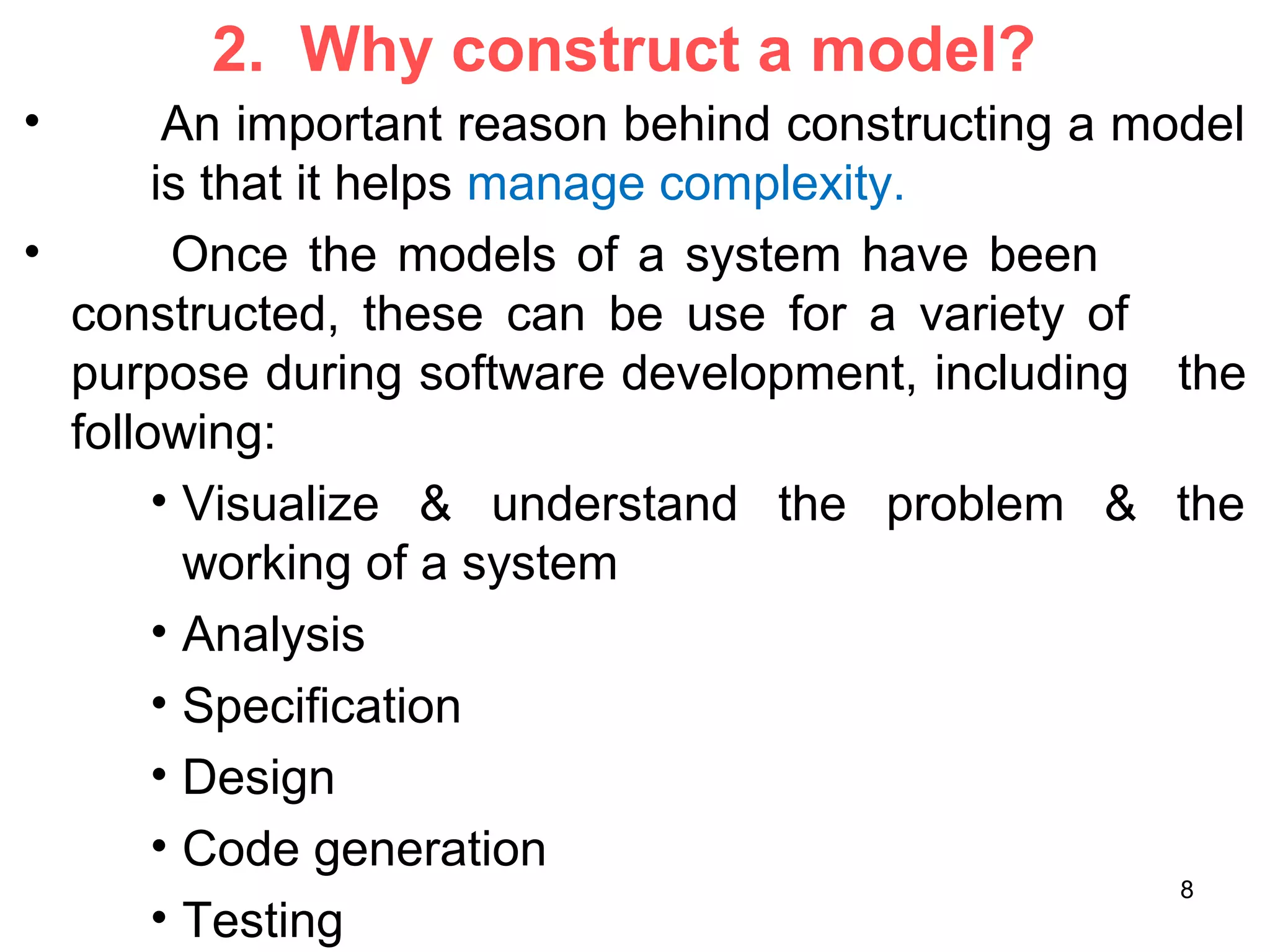
2. Why construct a model?
• An important reason behind constructing a model
is that it helps manage complexity.
• Once the models of a system have been
constructed, these can be use for a variety of
purpose during software development, including the
following:
• Visualize & understand the problem & the
working of a system
• Analysis
• Specification
• Design
• Code generation
• Testing
8
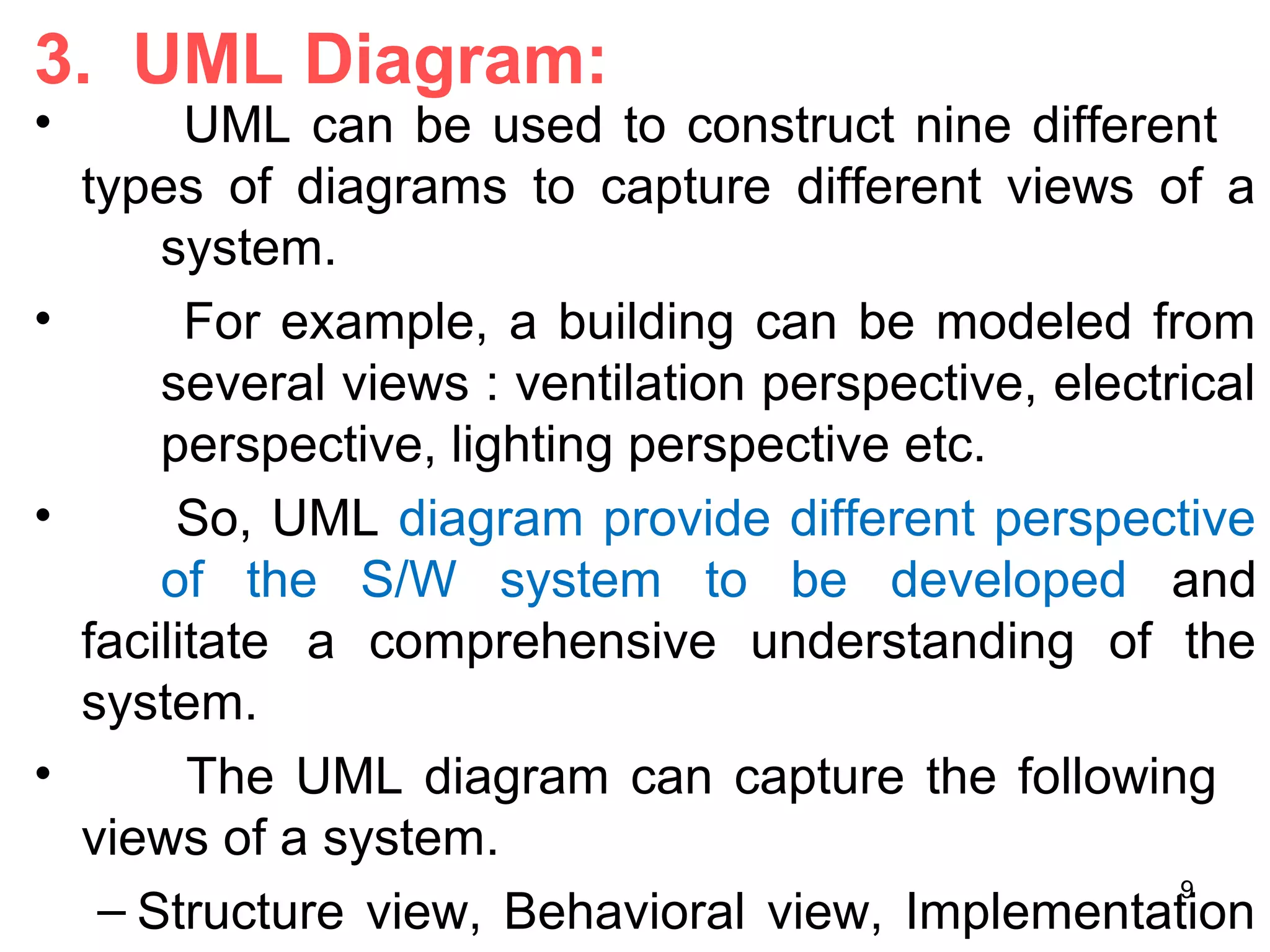
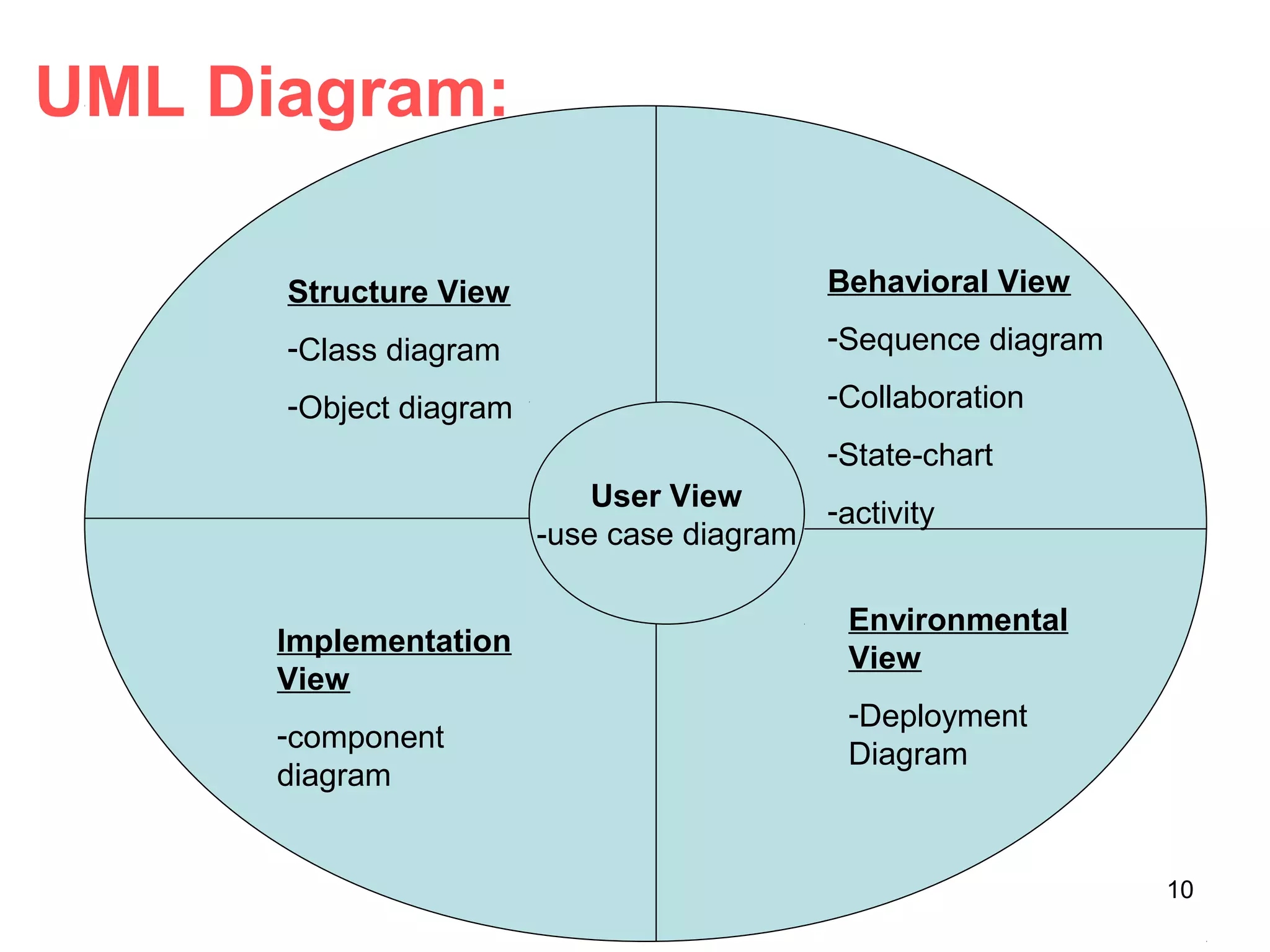
3. UML Diagram:
• UML can be used to construct nine different
types of diagrams to capture different views of a
system.
• For example, a building can be modeled from
several views : ventilation perspective, electrical
perspective, lighting perspective etc.
• So, UML diagram provide different perspective
of the S/W system to be developed and
facilitate a comprehensive understanding of the
system.
• The UML diagram can capture the following
views of a system.
– Structure view, Behavioral view, Implementation
9
UML Diagram:
Structure View
-Class diagram
-Object diagram
Behavioral View
-Sequence diagram
-Collaboration
-State-chart
-activity
User View
-use case diagram
Implementation
View
-component
diagram
Environmental
View
-Deployment
Diagram
10
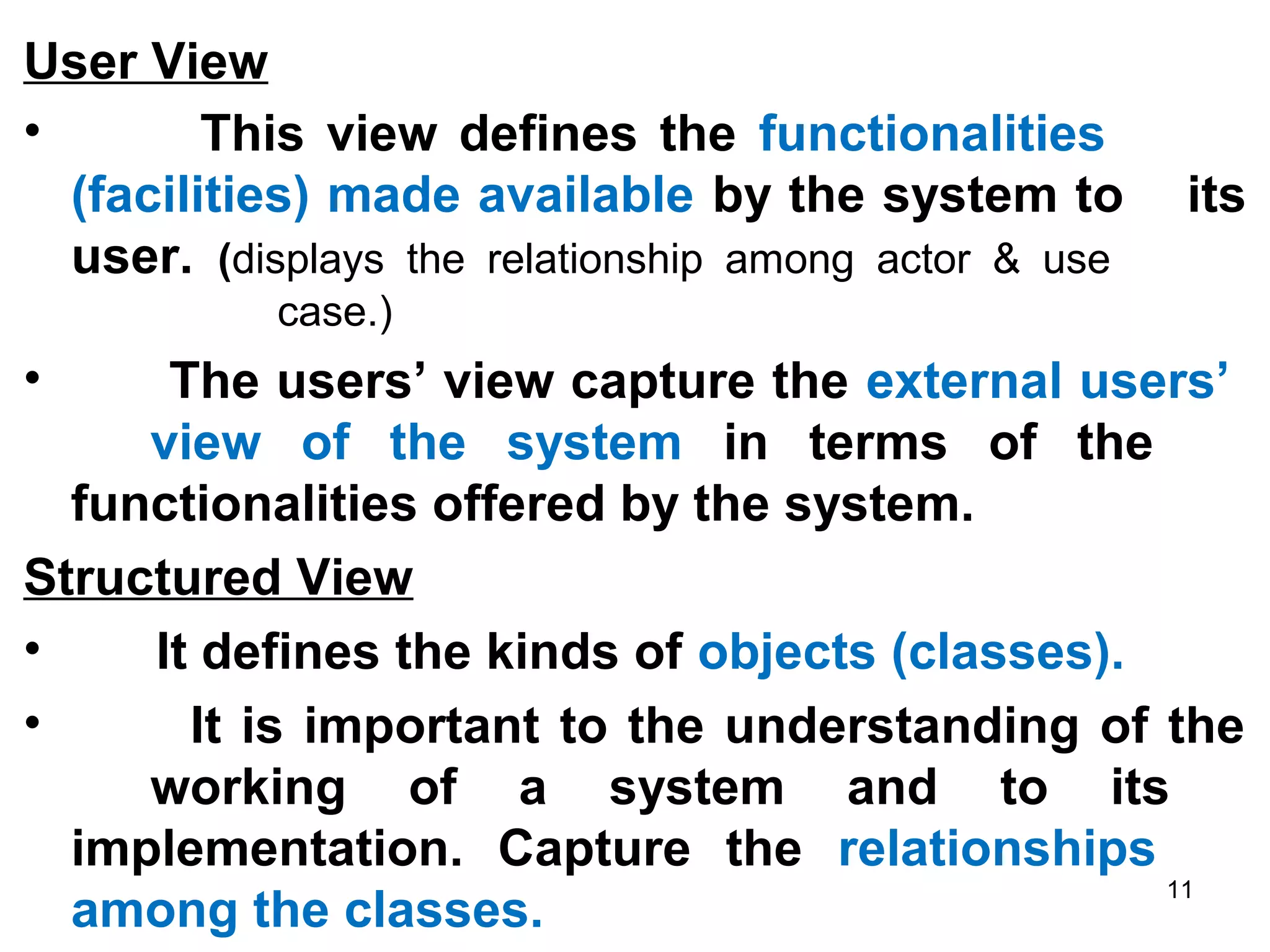
User View
• This view defines the functionalities
(facilities) made available by the system to its
user. (displays the relationship among actor & use
case.)
• The users’ view capture the external users’
view of the system in terms of the
functionalities offered by the system.
Structured View
• It defines the kinds of objects (classes).
• It is important to the understanding of the
working of a system and to its
implementation. Capture the relationships
among the classes.
11
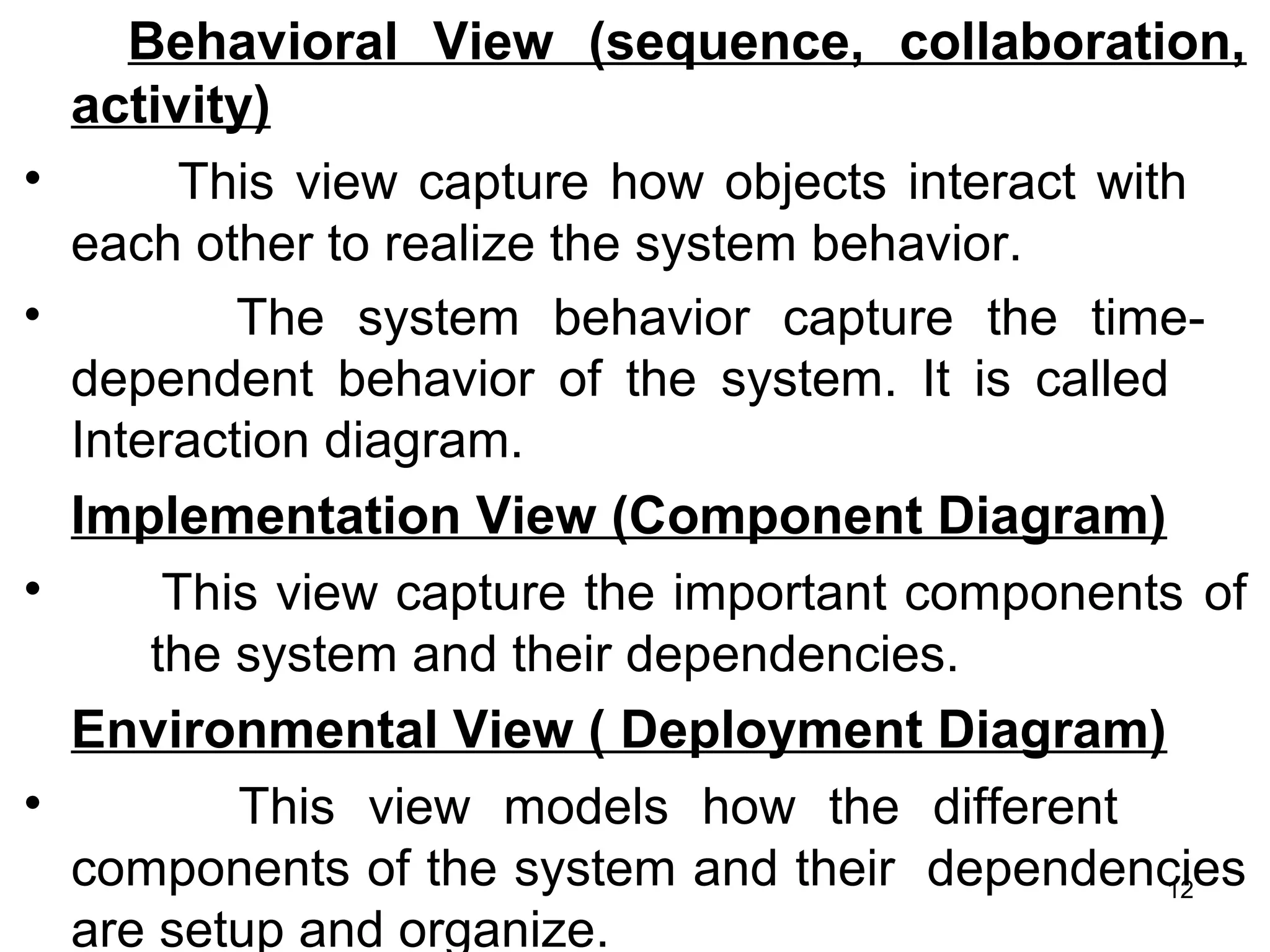
Behavioral View (sequence, collaboration,
activity)
• This view capture how objects interact with
each other to realize the system behavior.
• The system behavior capture the time-
dependent behavior of the system. It is called
Interaction diagram.
Implementation View (Component Diagram)
• This view capture the important components of
the system and their dependencies.
Environmental View ( Deployment Diagram)
• This view models how the different
components of the system and their dependencies
are setup and organize.
12
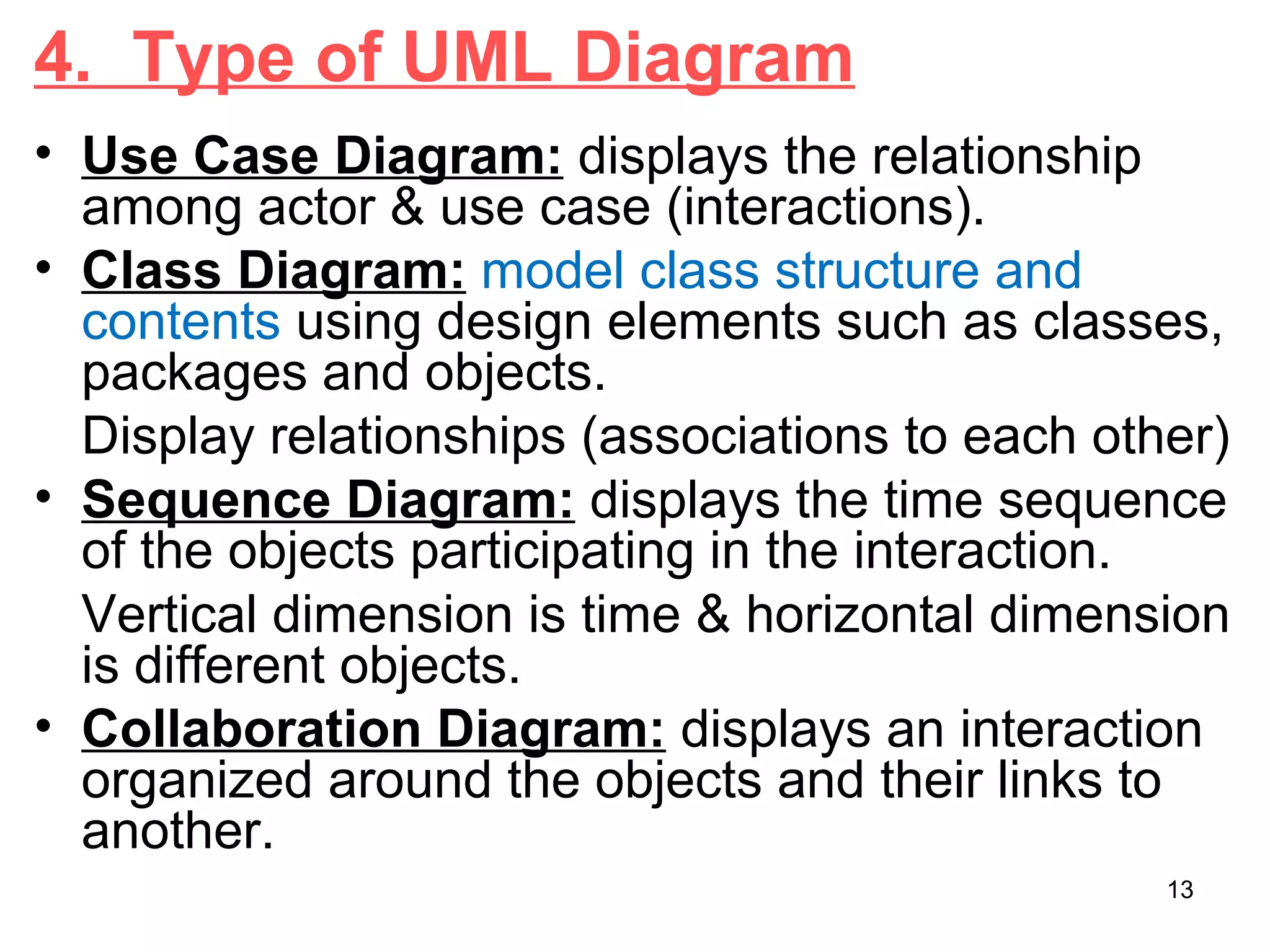
4. Type of UML Diagram
• Use Case Diagram: displays the relationship
among actor & use case (interactions).
• Class Diagram: model class structure and
contents using design elements such as classes,
packages and objects.
Display relationships (associations to each other)
• Sequence Diagram: displays the time sequence
of the objects participating in the interaction.
Vertical dimension is time & horizontal dimension
is different objects.
• Collaboration Diagram: displays an interaction
organized around the objects and their links to
another.
13
• Activity Diagram:
– displays a special states diagram where most of the
states are action states and
– Most of the transitions are triggered by completion of
the action in the source states.
– So, this diagram focused on flows driven by internal
processing.
• Component Diagram:
– Displays the high level packaged structure of the
code itself.
– Dependencies among components are shown,
including source code components, binary code
components & executable components.
• Deployment Diagram:
– Displays the configuration of run-time processing
elements and the software components, processes
and objects that live on them.
14
USE CASE DIAGRAM
• A use case is a set of scenarios that describing an
interaction between a users and a system.
• A use case is a technique used to describes what a
new system should do or what an existing system
already does from the user’s point of view..
• An important aim of use case is to describe the
functional requirements of the system
• The functional of the system is represented by a
complete set of use cases. (system used by users)
• A use case diagram shows the relationship
between actors and user case in a system.
• The two main components of a use case diagram
are use case and actors
15
When to Use: Use Cases Diagrams
• Use cases are used in almost every
project.
• They are helpful in exposing requirements
and planning the project.
• During the initial stage of a project most use
cases should be defined, but as the project
continues more might become visible.
16
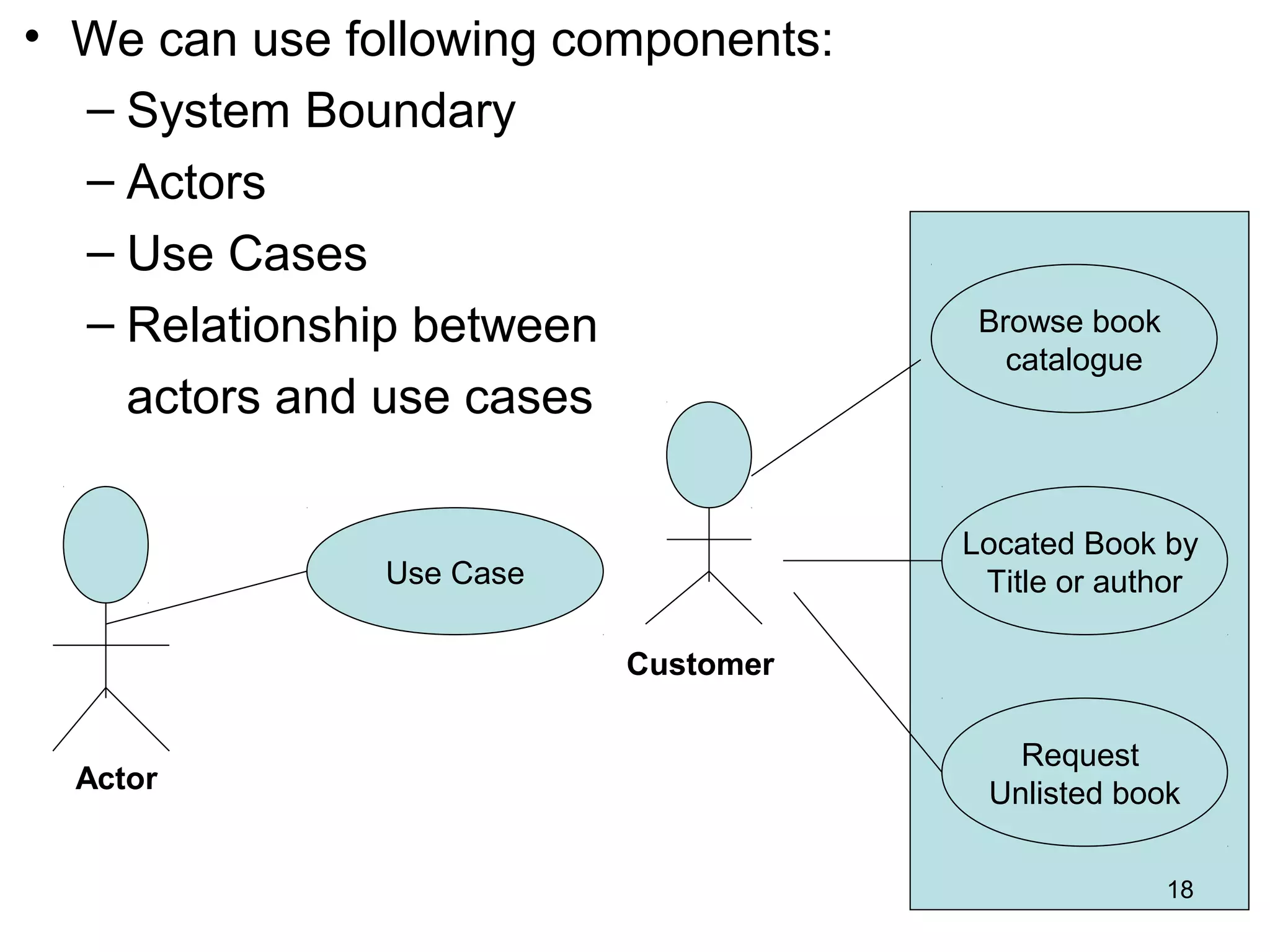
Use case diagrams depict (describe):
• Use cases. A use case describes a sequence of
actions that provide something of measurable value to
an actor and is drawn as a horizontal ellipse.
• Actors. An actor is a person, organization, or external
system that plays a role in one or more interactions
with your system. Actors are drawn as stick figures.
• Associations. Associations between actors and use
cases are indicated in use case diagrams by solid lines.
• System boundary boxes. You can draw a rectangle
around the use cases, called the system boundary box,
to indicates the scope of your system. Anything within
the box represents functionality that is in scope and
anything outside the box is not.
17
• We can use following components:
– System Boundary
– Actors
– Use Cases
– Relationship between
actors and use cases
Actor
Use Case
Browse book
catalogue
Located Book by
Title or author
Request
Unlisted book
Customer
18
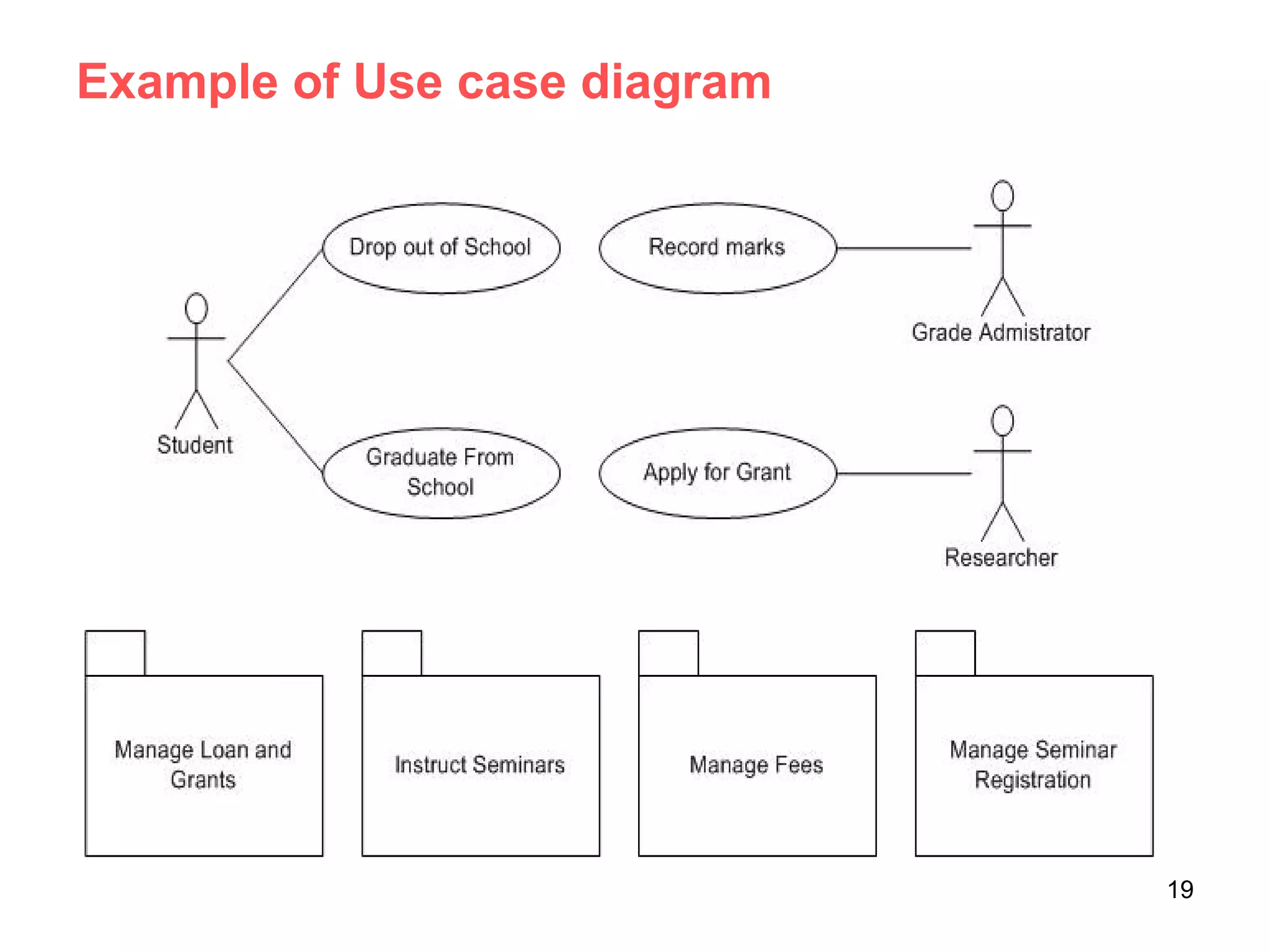
Example of Use case diagram
19
• An actor is represents a user or another
system that will interact with the system you
are modeling.
• A use case is an external view of the system
that represents some action the user might
perform in order to complete a task.
• Use cases are used in almost every project,
helpful in exposing requirements and planning
the project.
20
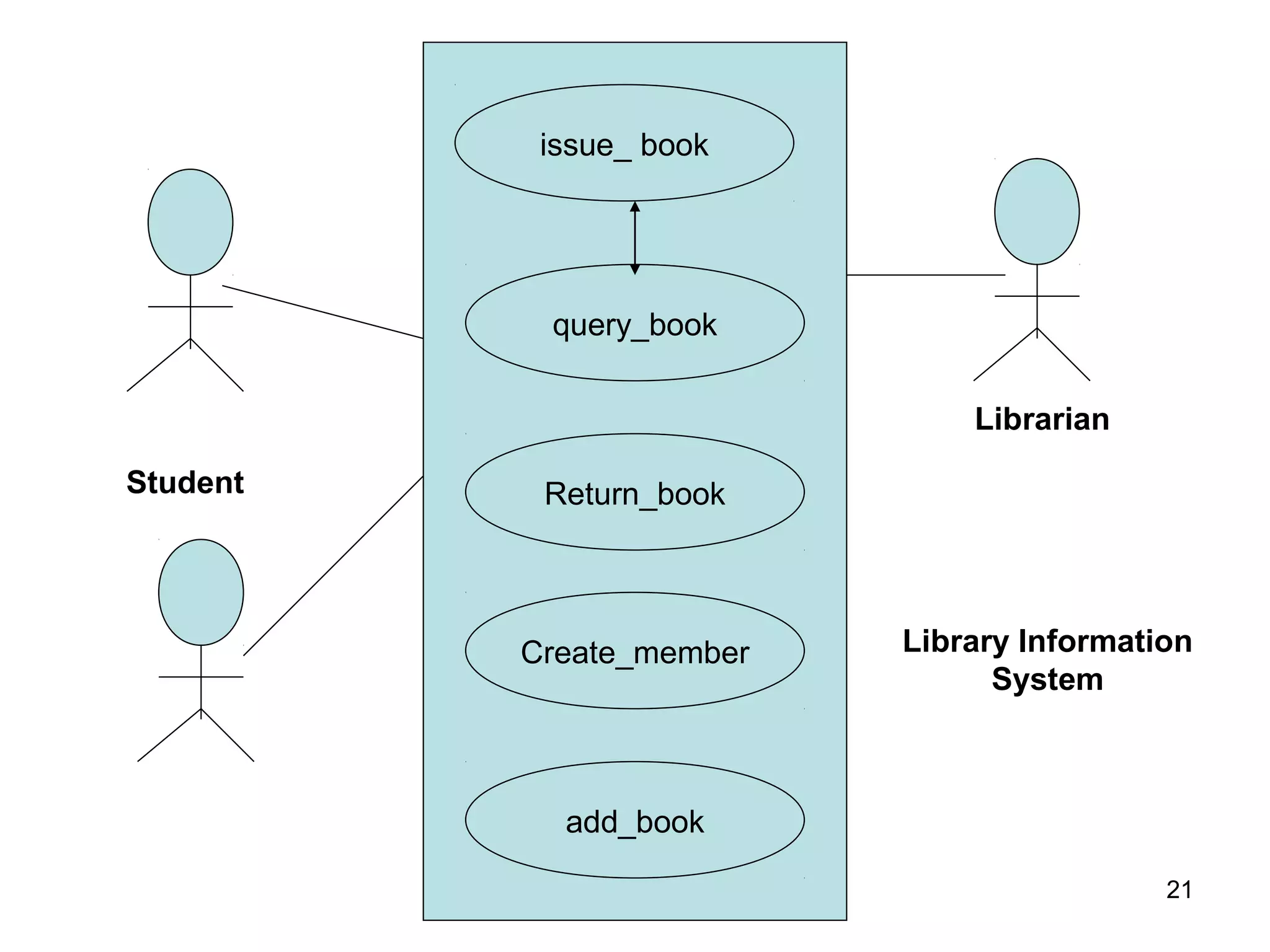
issue_ book
query_book
Return_book
Create_member
add_book
Student
Librarian
Library Information
System
21
Supermarket Prize Scheme
• Use cases are:
– register customer
– register sale
– evaluate register customer and sale
– select winner
22
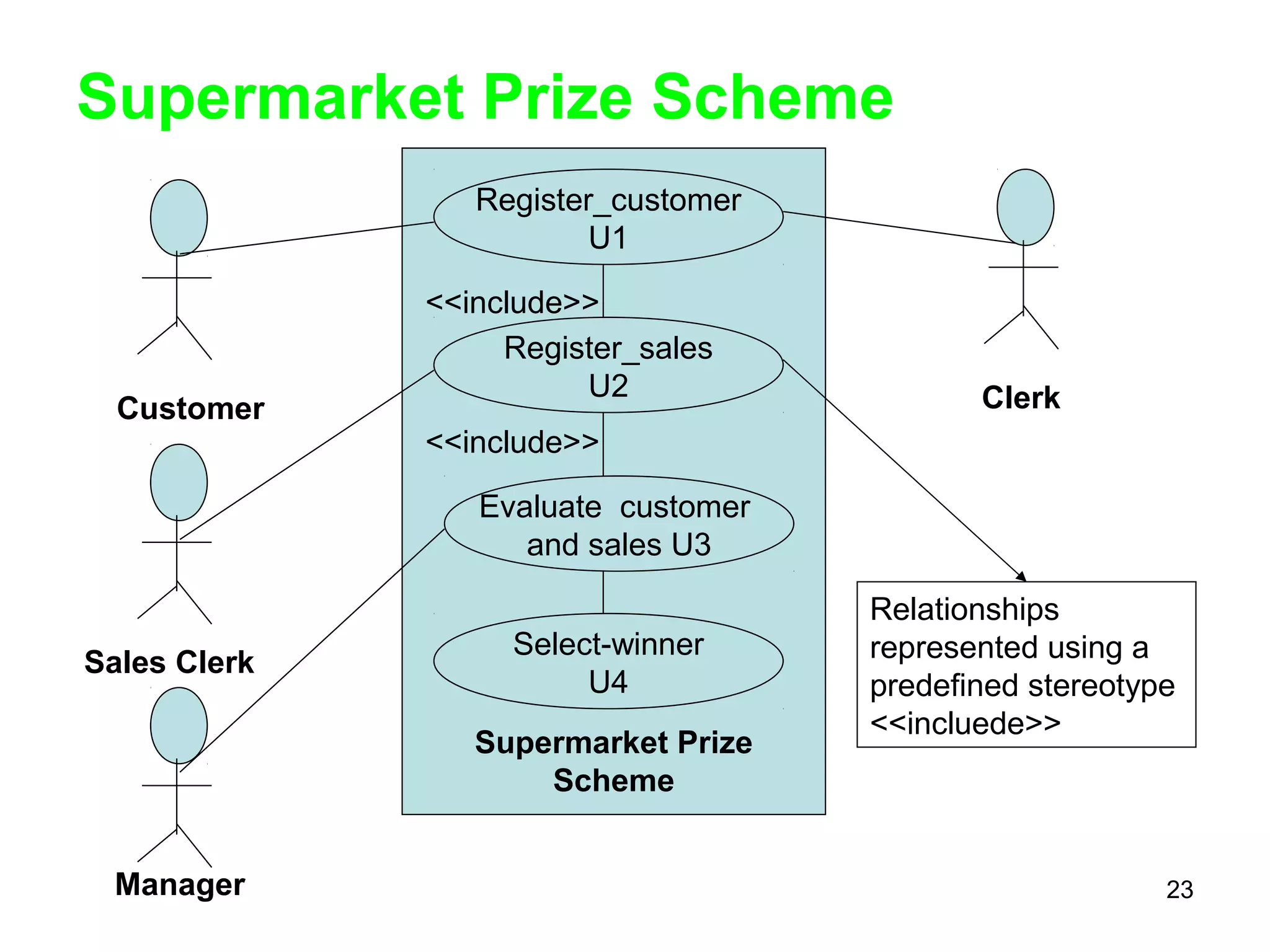
Supermarket Prize Scheme
Register_customer
U1
Register_sales
U2
Select-winner
U4
Supermarket Prize
Scheme
Relationships
represented using a
predefined stereotype
<<incluede>>
<<include>>
<<include>>
Customer
Sales Clerk
Manager
Clerk
Evaluate customer
and sales U3
23
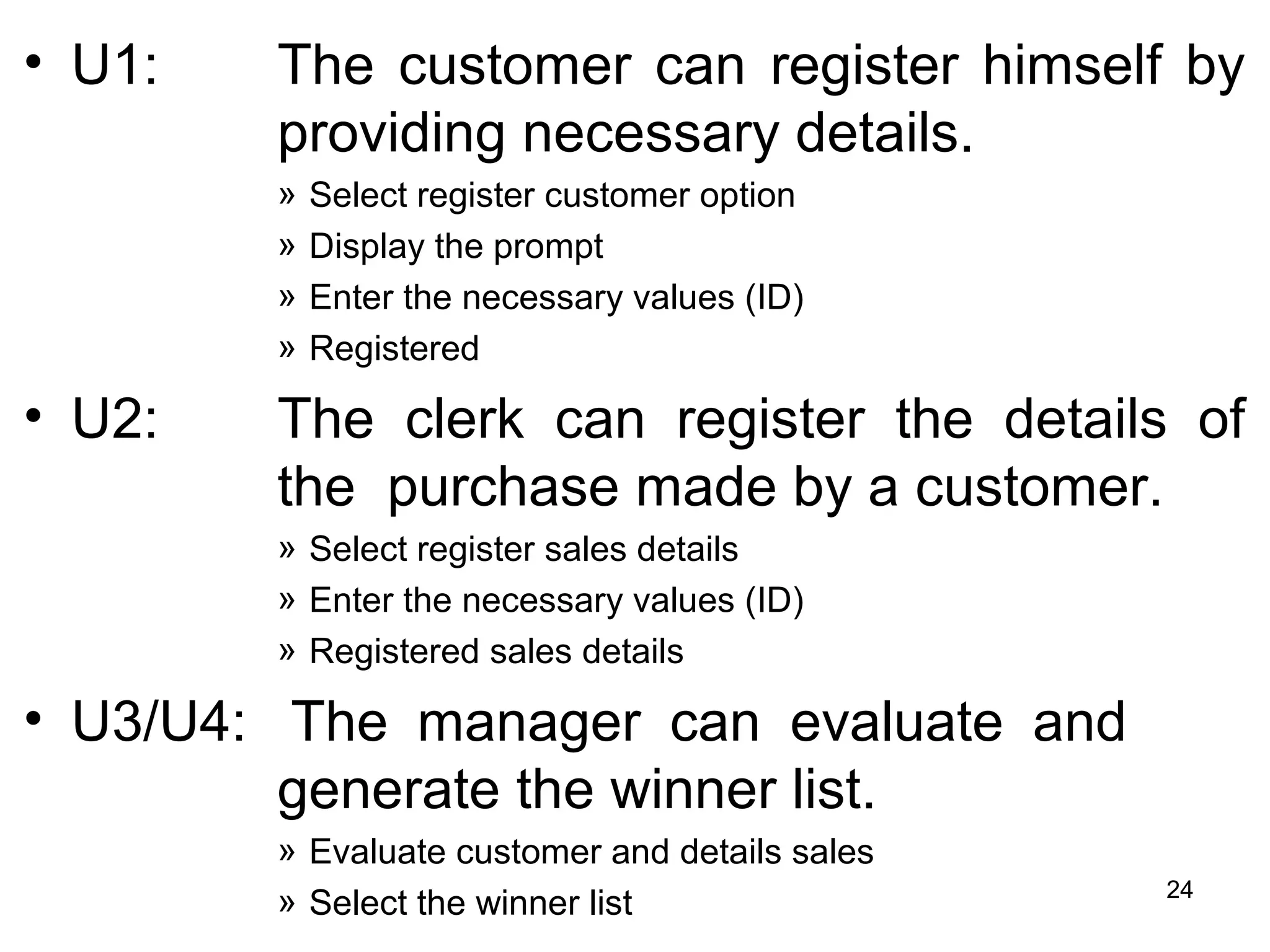
• U1: The customer can register himself by
providing necessary details.
» Select register customer option
» Display the prompt
» Enter the necessary values (ID)
» Registered
• U2: The clerk can register the details of
the purchase made by a customer.
» Select register sales details
» Enter the necessary values (ID)
» Registered sales details
• U3/U4: The manager can evaluate and
generate the winner list.
» Evaluate customer and details sales
» Select the winner list 24
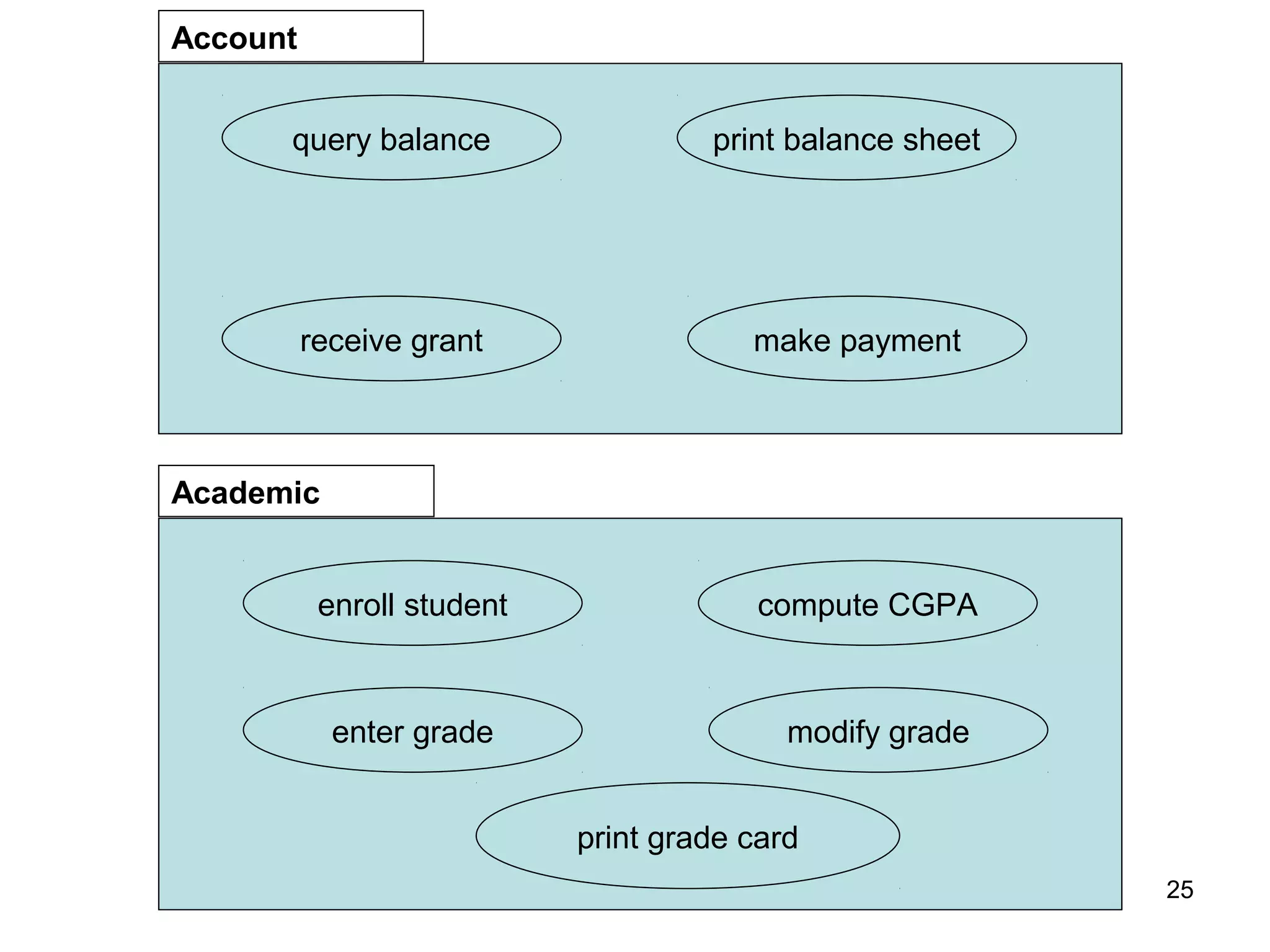
query balance
receive grant
print balance sheet
make payment
Account
enroll student
enter grade
compute CGPA
modify grade
print grade card
Academic
25
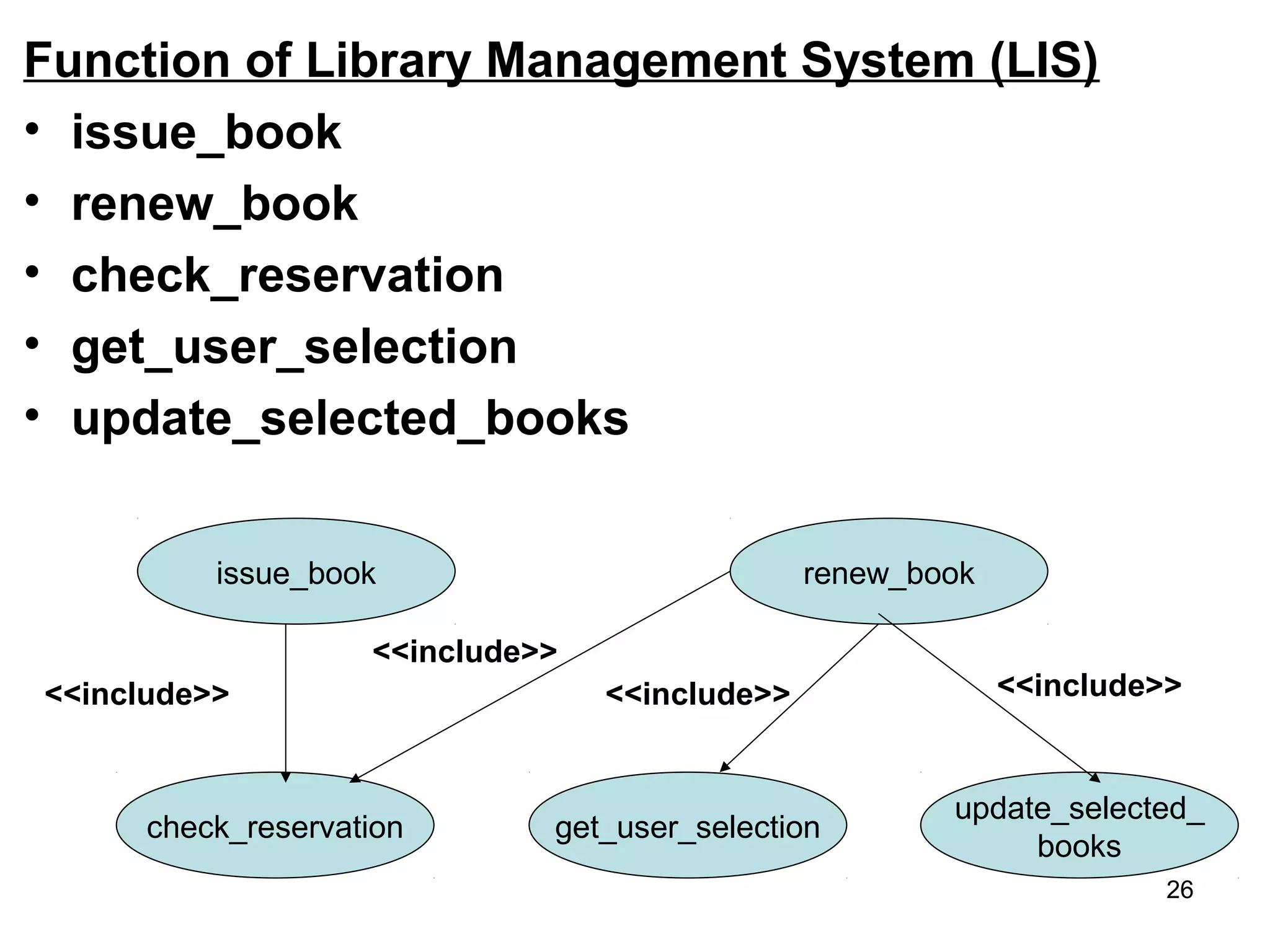
Function of Library Management System (LIS)
• issue_book
• renew_book
• check_reservation
• get_user_selection
• update_selected_books
issue_book
get_user_selection
update_selected_
books
renew_book
check_reservation
<<include>>
<<include>>
<<include>> <<include>>
26
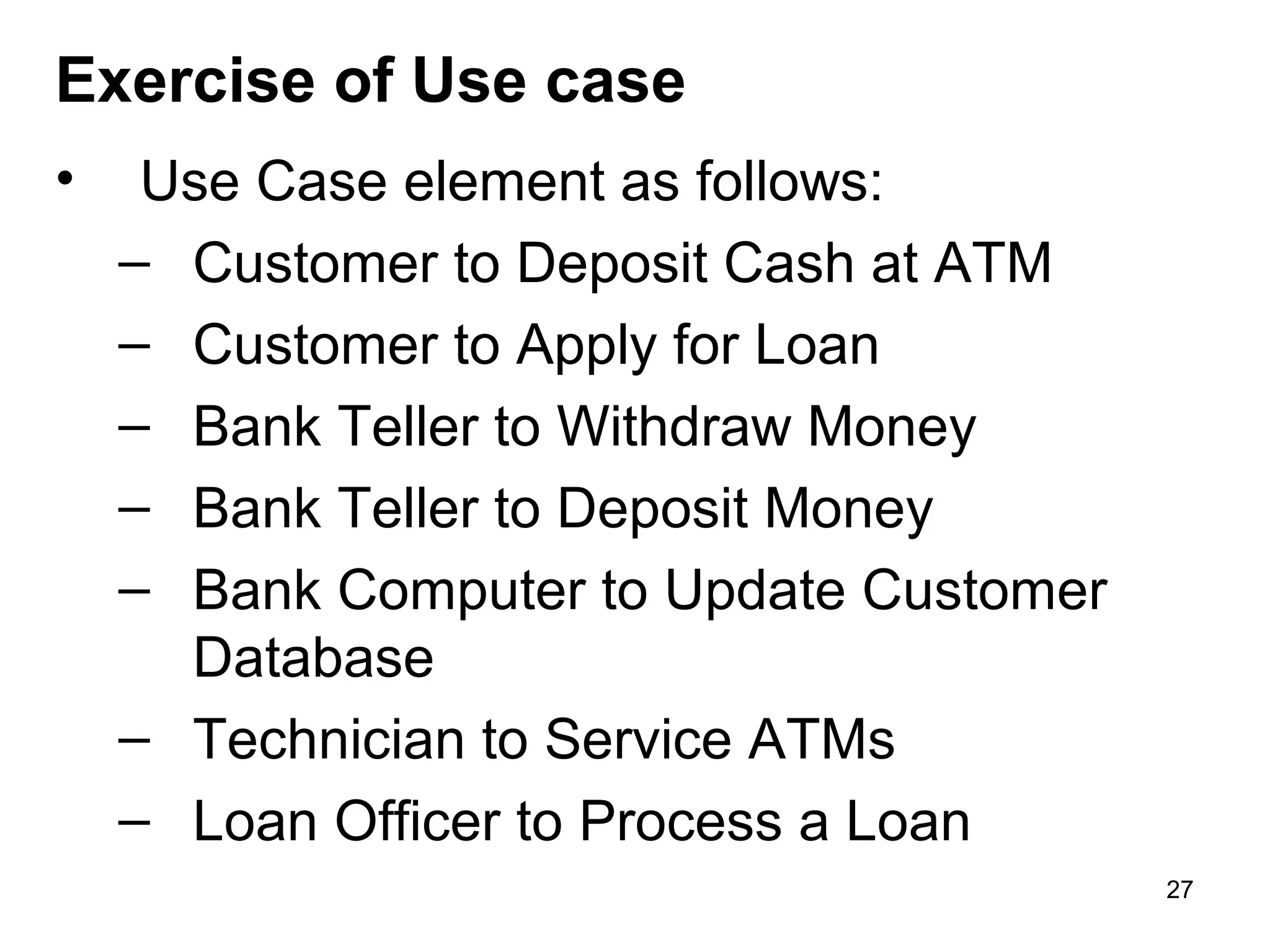
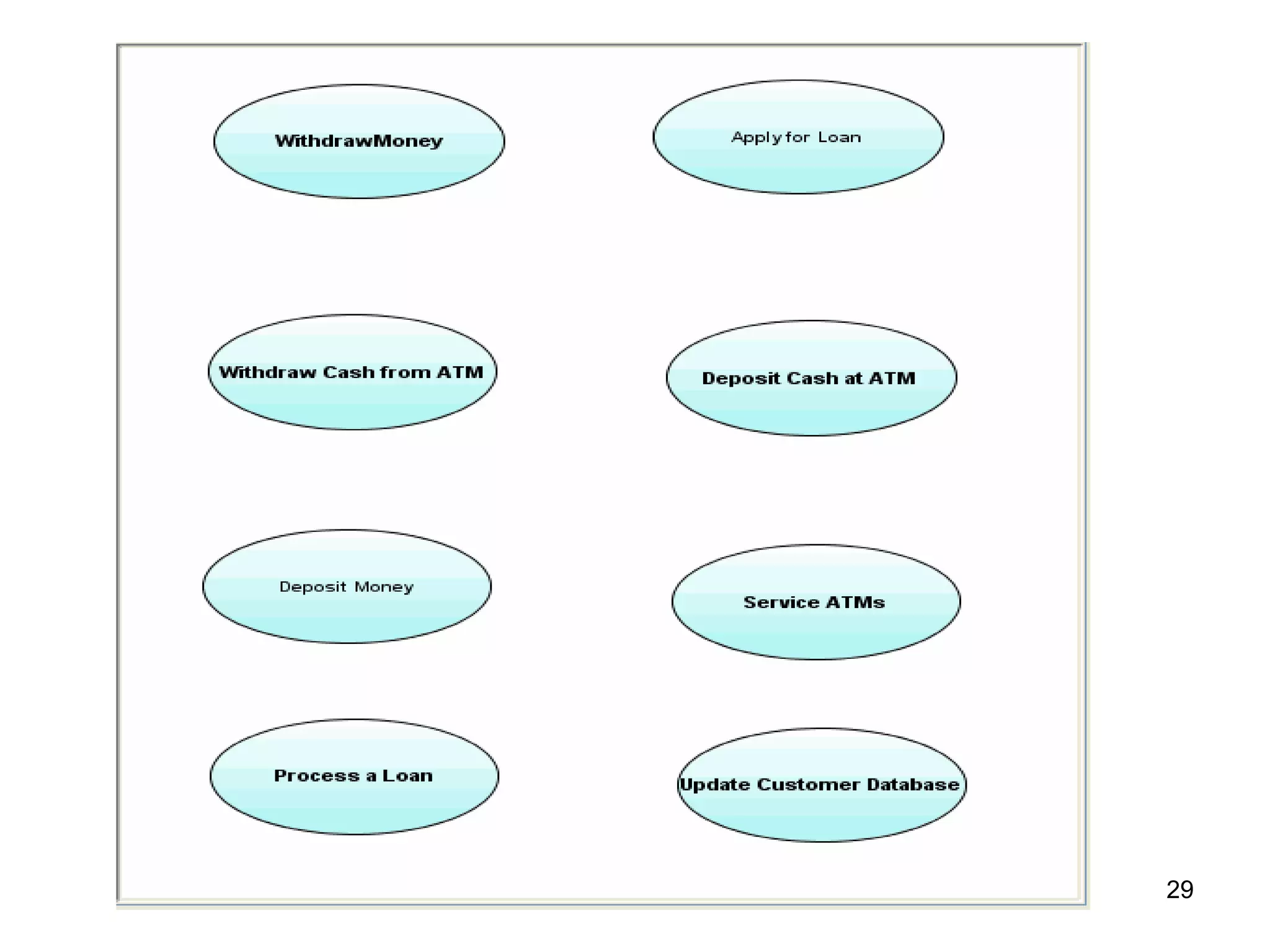
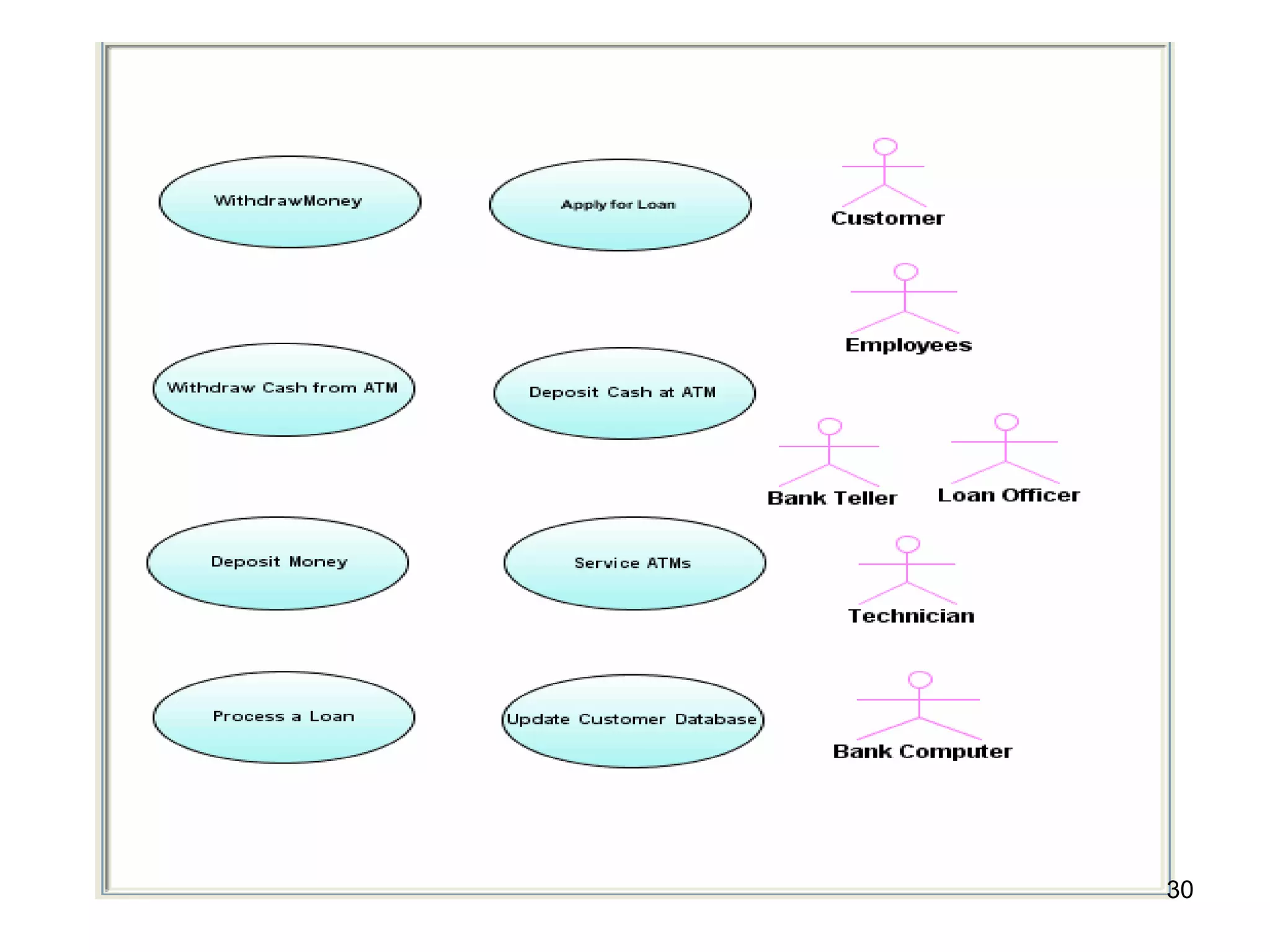
• Use Case element as follows:
– Customer to Deposit Cash at ATM
– Customer to Apply for Loan
– Bank Teller to Withdraw Money
– Bank Teller to Deposit Money
– Bank Computer to Update Customer
Database
– Technician to Service ATMs
– Loan Officer to Process a Loan
Exercise of Use case
27
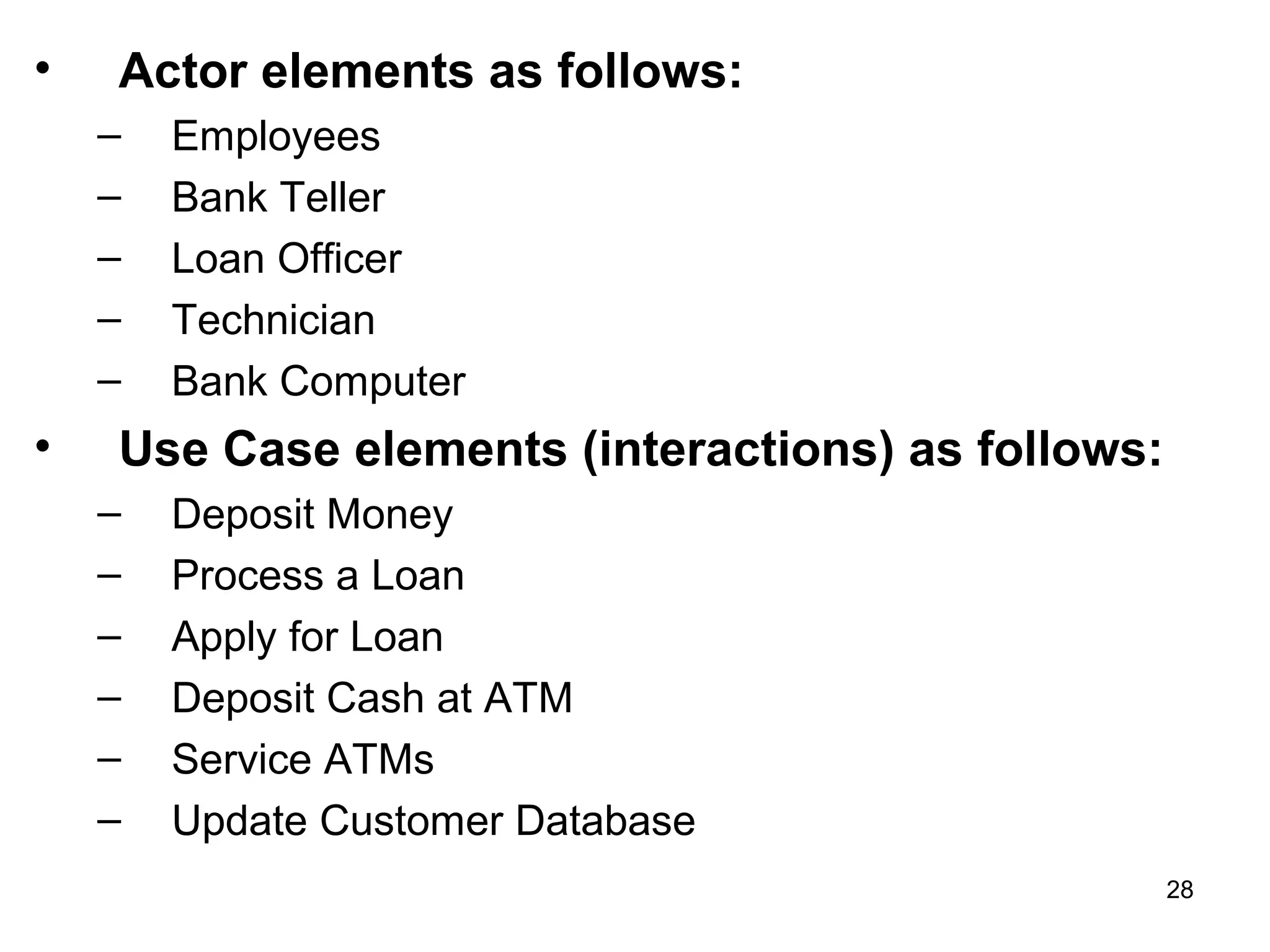
• Actor elements as follows:
– Employees
– Bank Teller
– Loan Officer
– Technician
– Bank Computer
• Use Case elements (interactions) as follows:
– Deposit Money
– Process a Loan
– Apply for Loan
– Deposit Cash at ATM
– Service ATMs
– Update Customer Database
28
29
30
Class
• An object is any person, place, thing, concept,
event, screen, or report applicable to your system.
Objects both know things (they have attributes)
and they do things (they have methods).
• A class is a representation of an object and, in
many ways, it is simply a template from which
objects are created.
• Classes form the main building blocks of an
object-oriented application.
• Although thousands of students attend the
university, you would only model one class, called
Student, which would represent the entire
collection of students.
31
Responsibilities:
• Classes are typically modeled as rectangles
with three sections: the top section for the
name of the class, the middle section for the
attributes of the class, and the bottom
section for the methods of the class.
• For example, students have student
numbers, names, addresses, and phone
numbers. Those are all examples of the
attributes of a student. Students also enroll in
courses, drop courses, and request
transcripts. 32
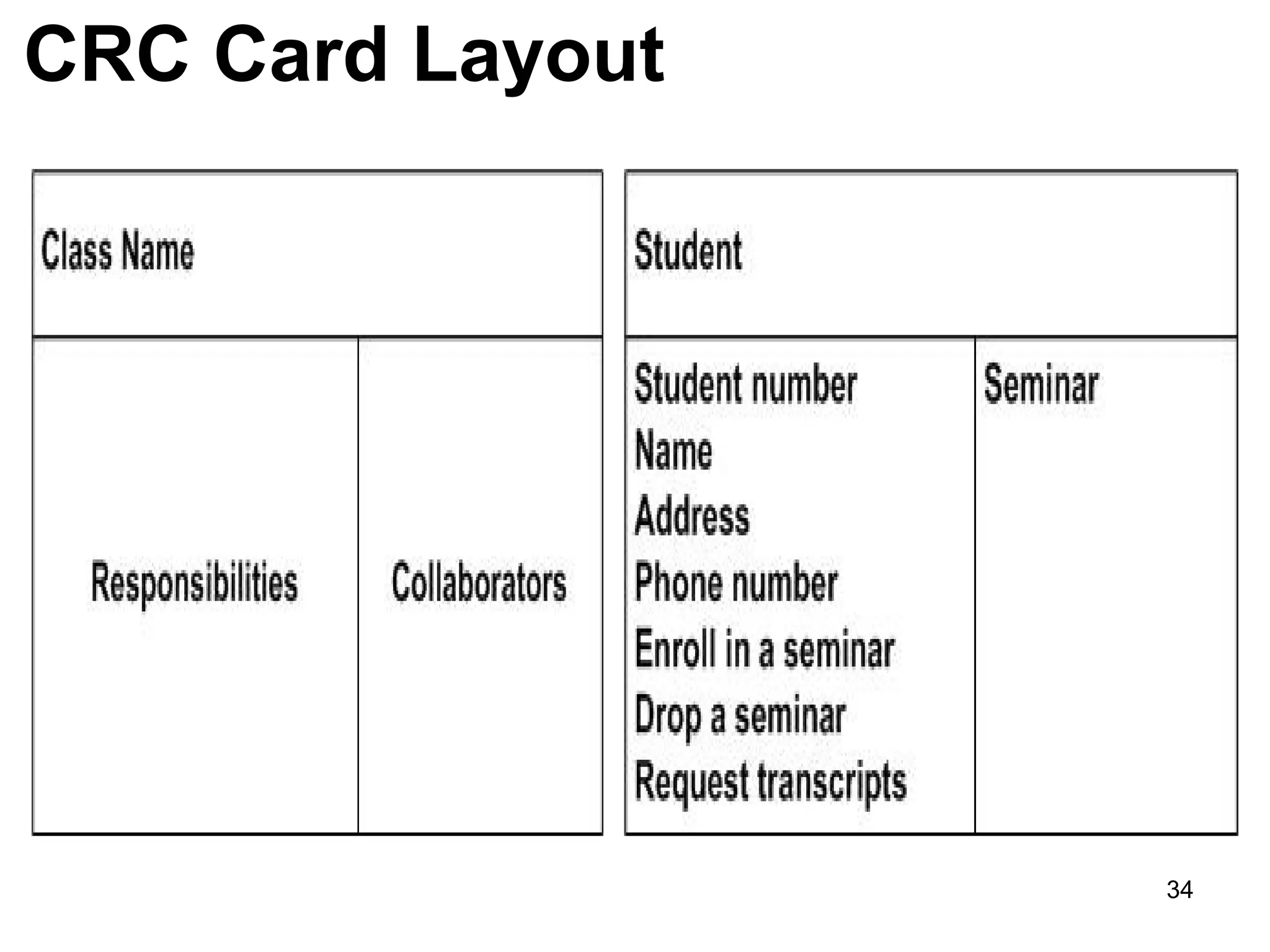
Class Responsibility Collaborator (CRC)
model
• A CRC model is a collection of standard index
cards that have been divided into three sections
because a class represents a collection of
similar objects, a responsibility is something that
knows or does.
• And a collaborator is another class that a class
interact with to fulfill its responsibilities.
• So how do you create CRC models? Iteratively
perform the following steps:
– Find Classes
– Find Responsibilities
– Define Collaborators (collaborates to other classes)33
CRC Card Layout
34
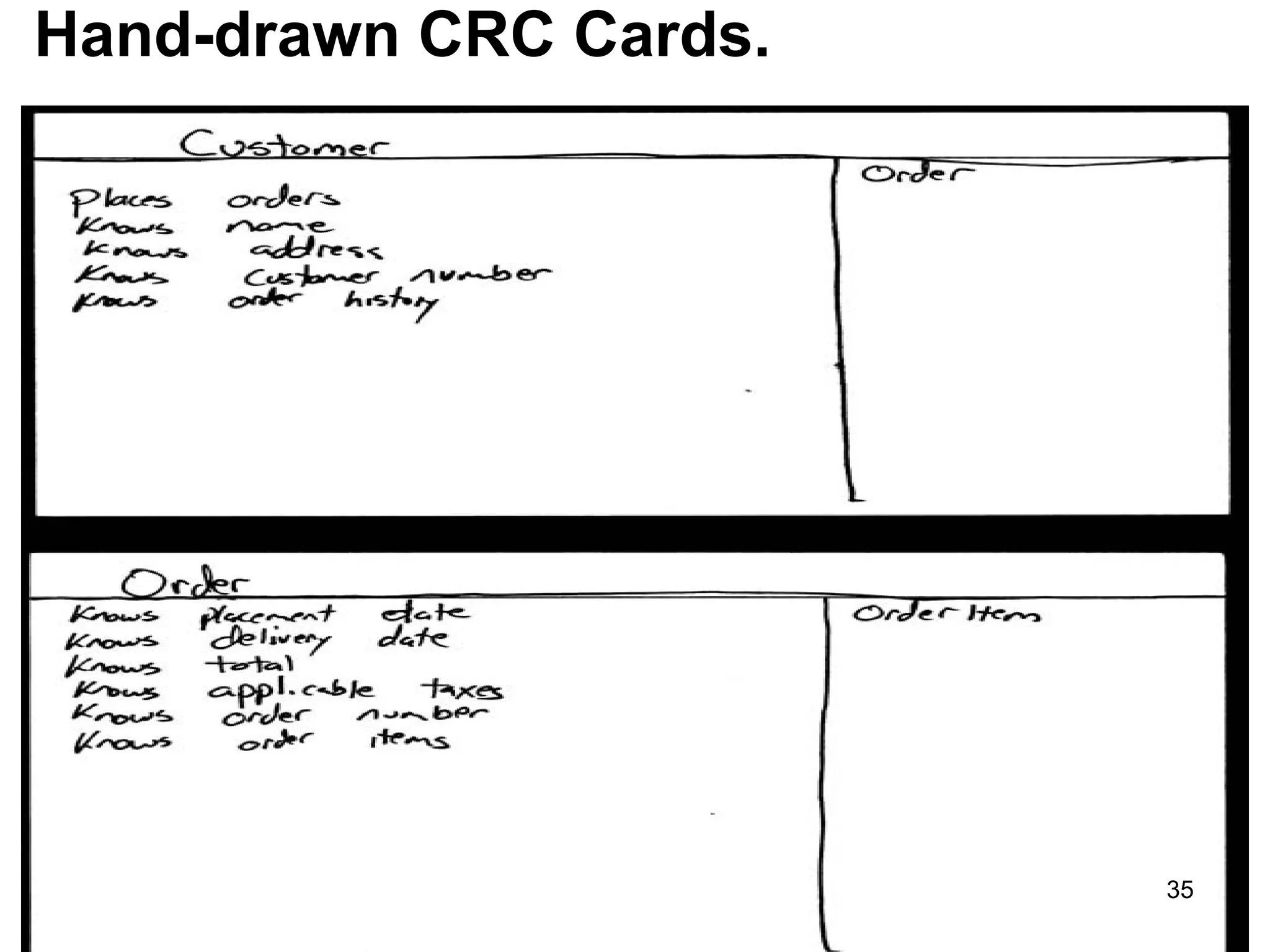
Hand-drawn CRC Cards.
35
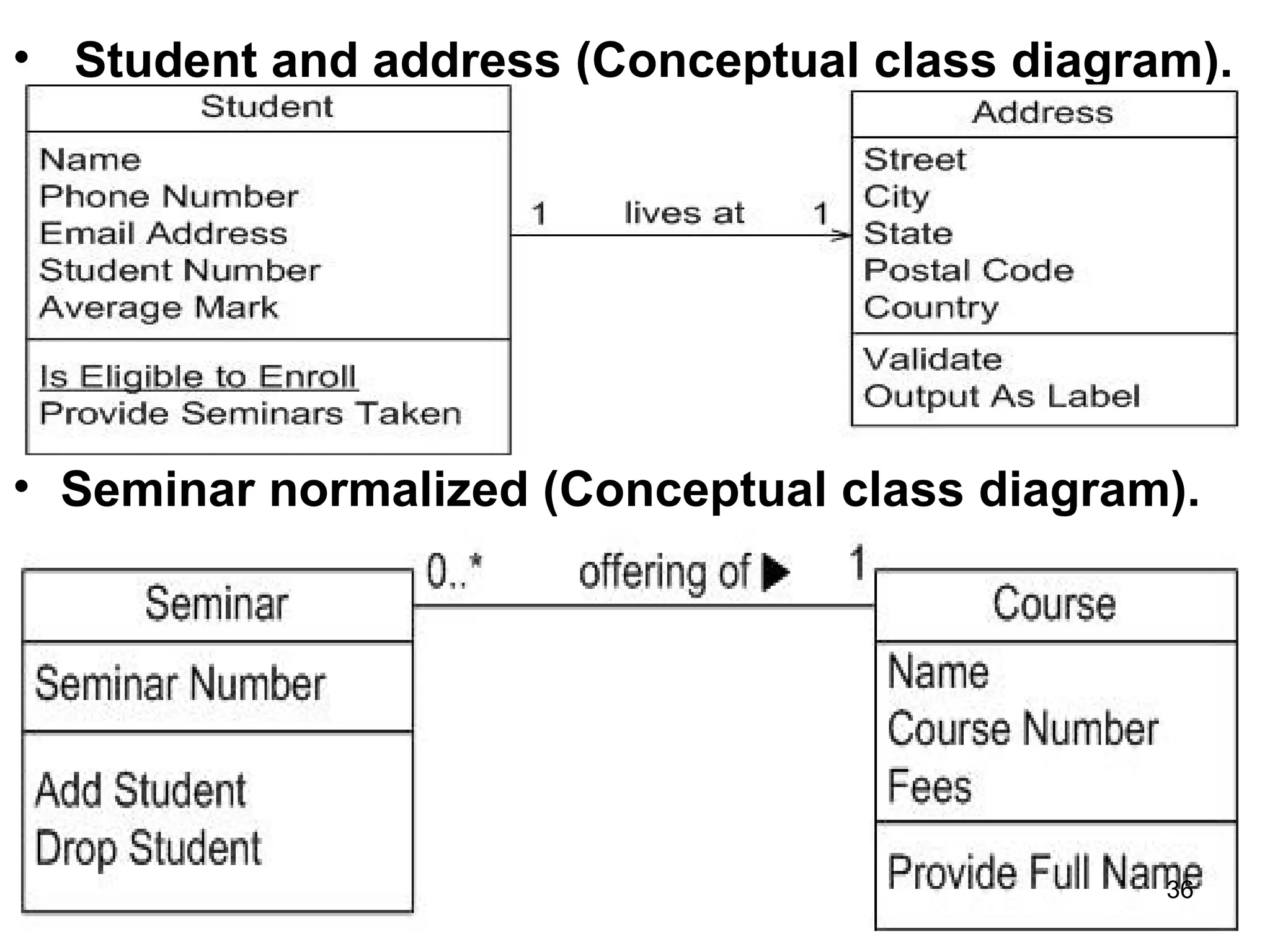
• Student and address (Conceptual class diagram).
• Seminar normalized (Conceptual class diagram).
36
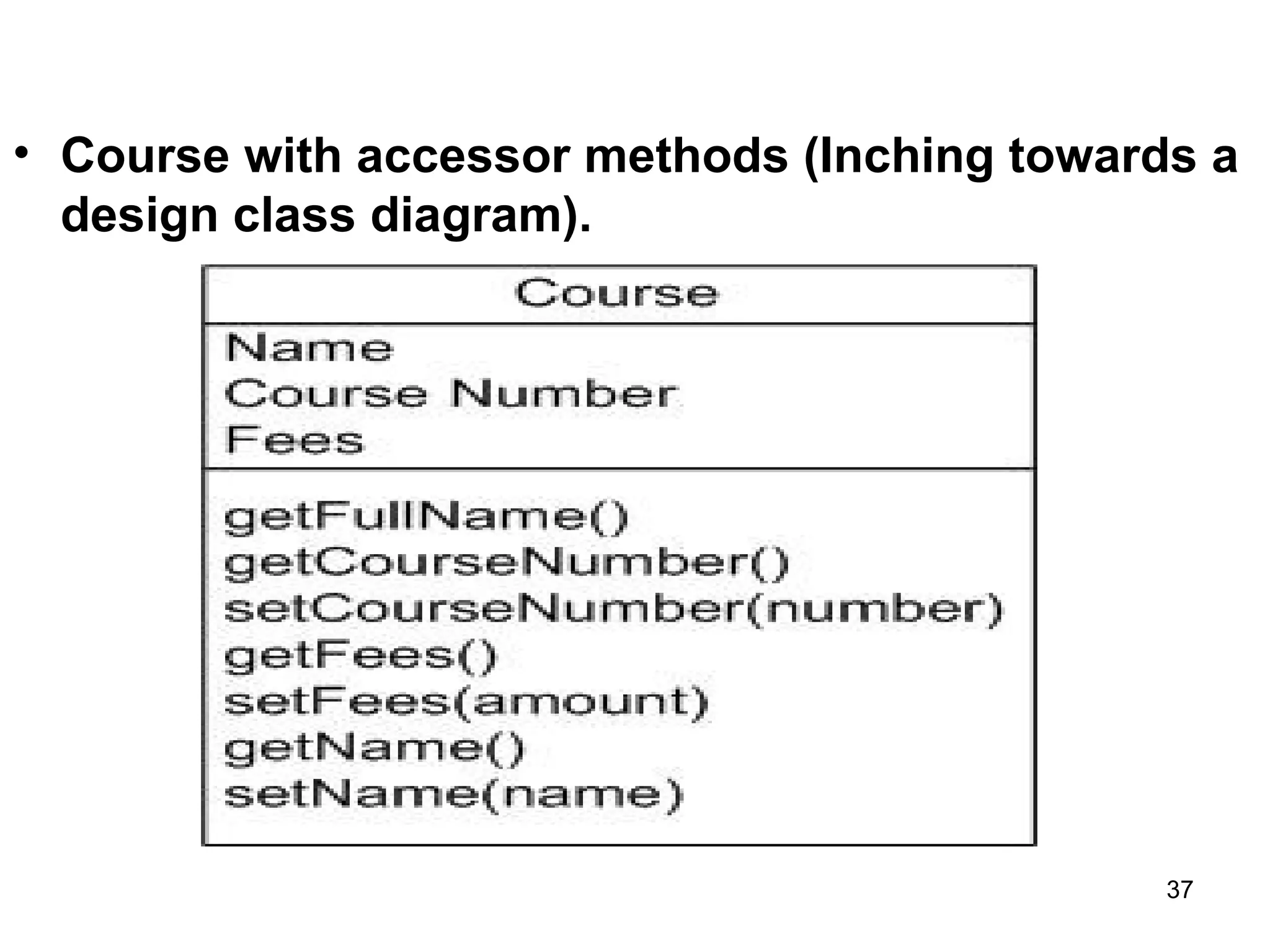
• Course with accessor methods (Inching towards a
design class diagram).
37
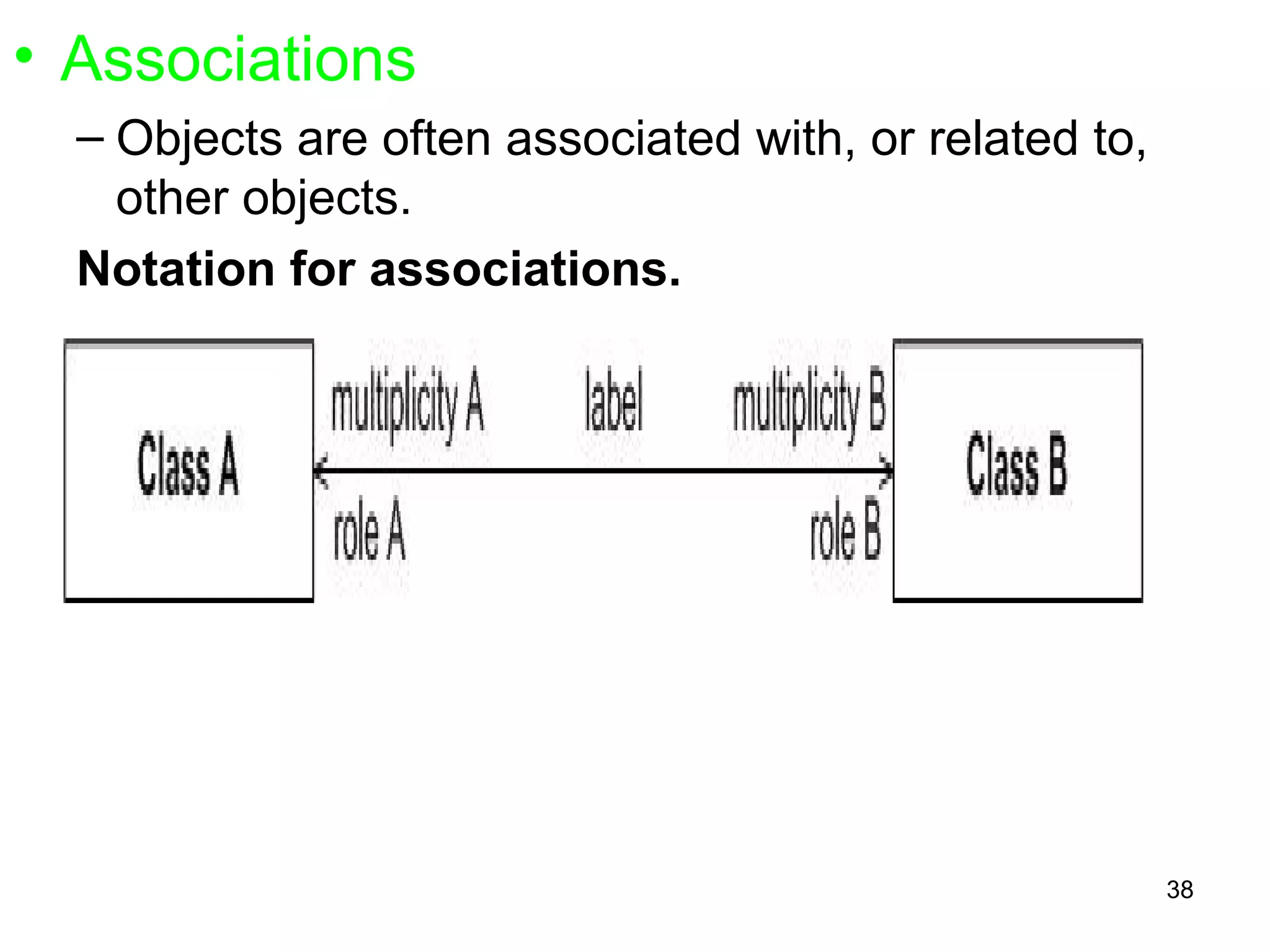
• Associations
– Objects are often associated with, or related to,
other objects.
Notation for associations.
38
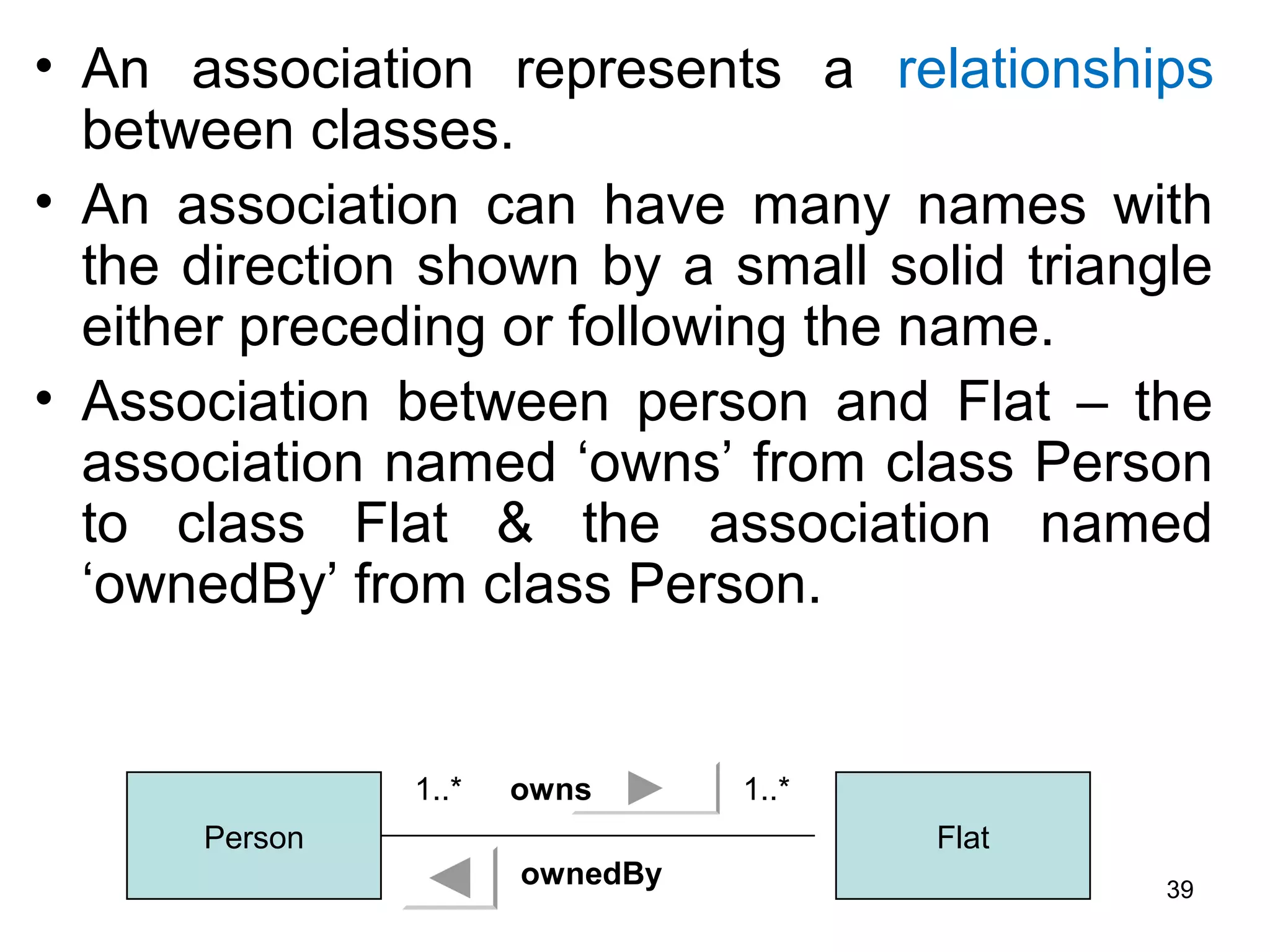
• An association represents a relationships
between classes.
• An association can have many names with
the direction shown by a small solid triangle
either preceding or following the name.
• Association between person and Flat – the
association named ‘owns’ from class Person
to class Flat & the association named
‘ownedBy’ from class Person.
Person Flat
1..* 1..*owns
ownedBy 39
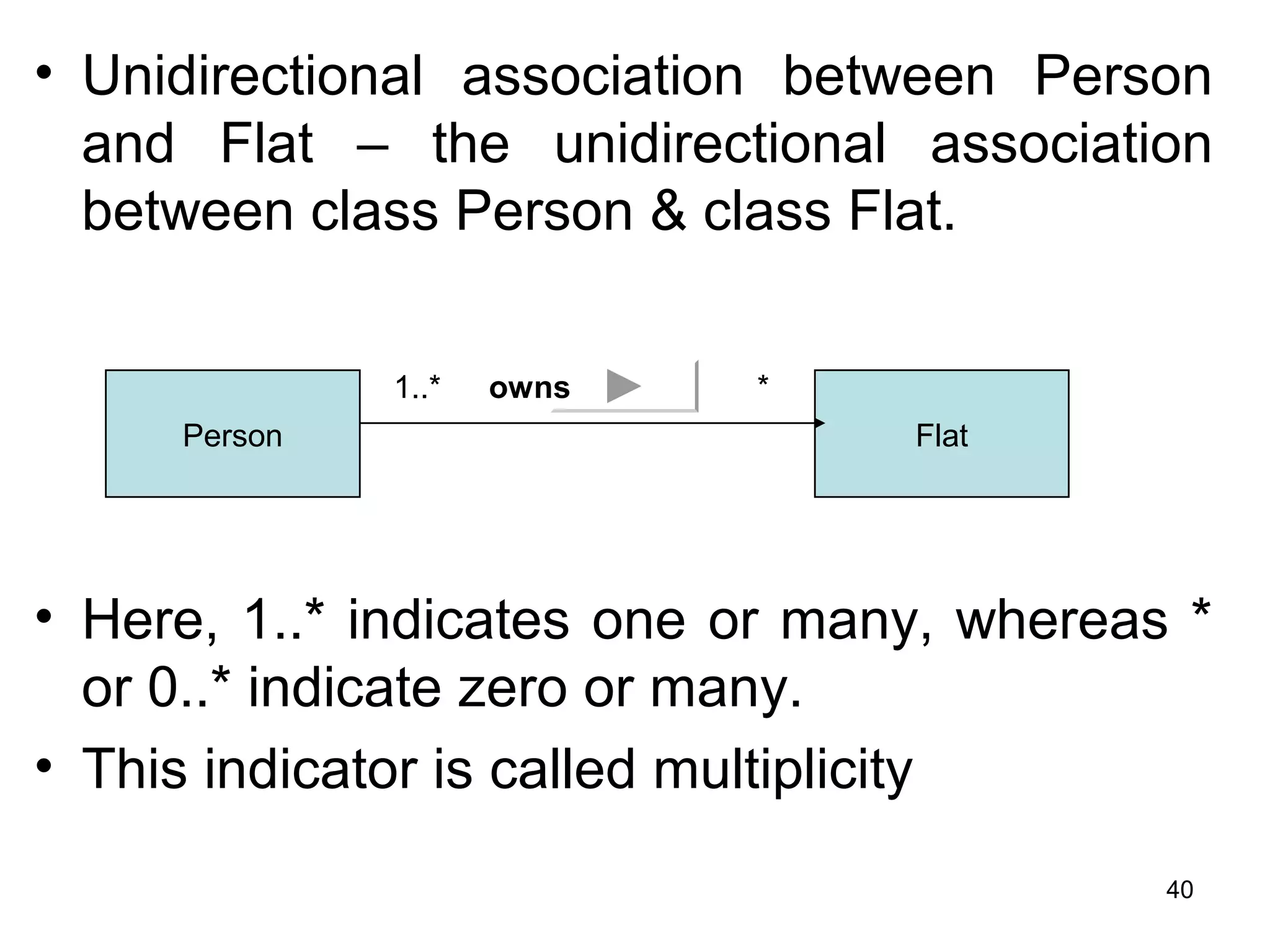
• Unidirectional association between Person
and Flat – the unidirectional association
between class Person & class Flat.
• Here, 1..* indicates one or many, whereas *
or 0..* indicate zero or many.
• This indicator is called multiplicity
Person Flat
1..* *owns
40
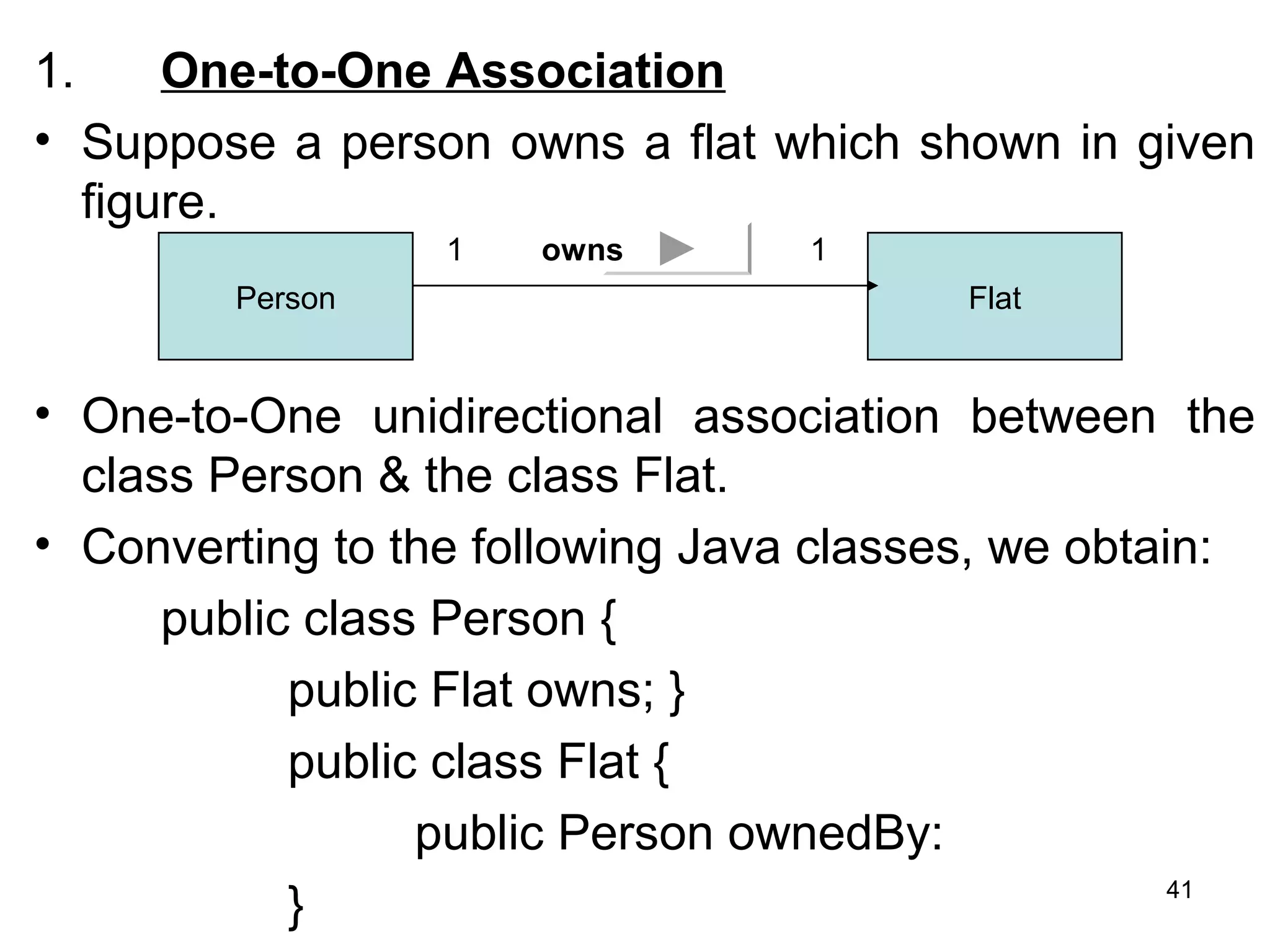
1. One-to-One Association
• Suppose a person owns a flat which shown in given
figure.
• One-to-One unidirectional association between the
class Person & the class Flat.
• Converting to the following Java classes, we obtain:
public class Person {
public Flat owns; }
public class Flat {
public Person ownedBy:
}
Person Flat
1 1owns
41
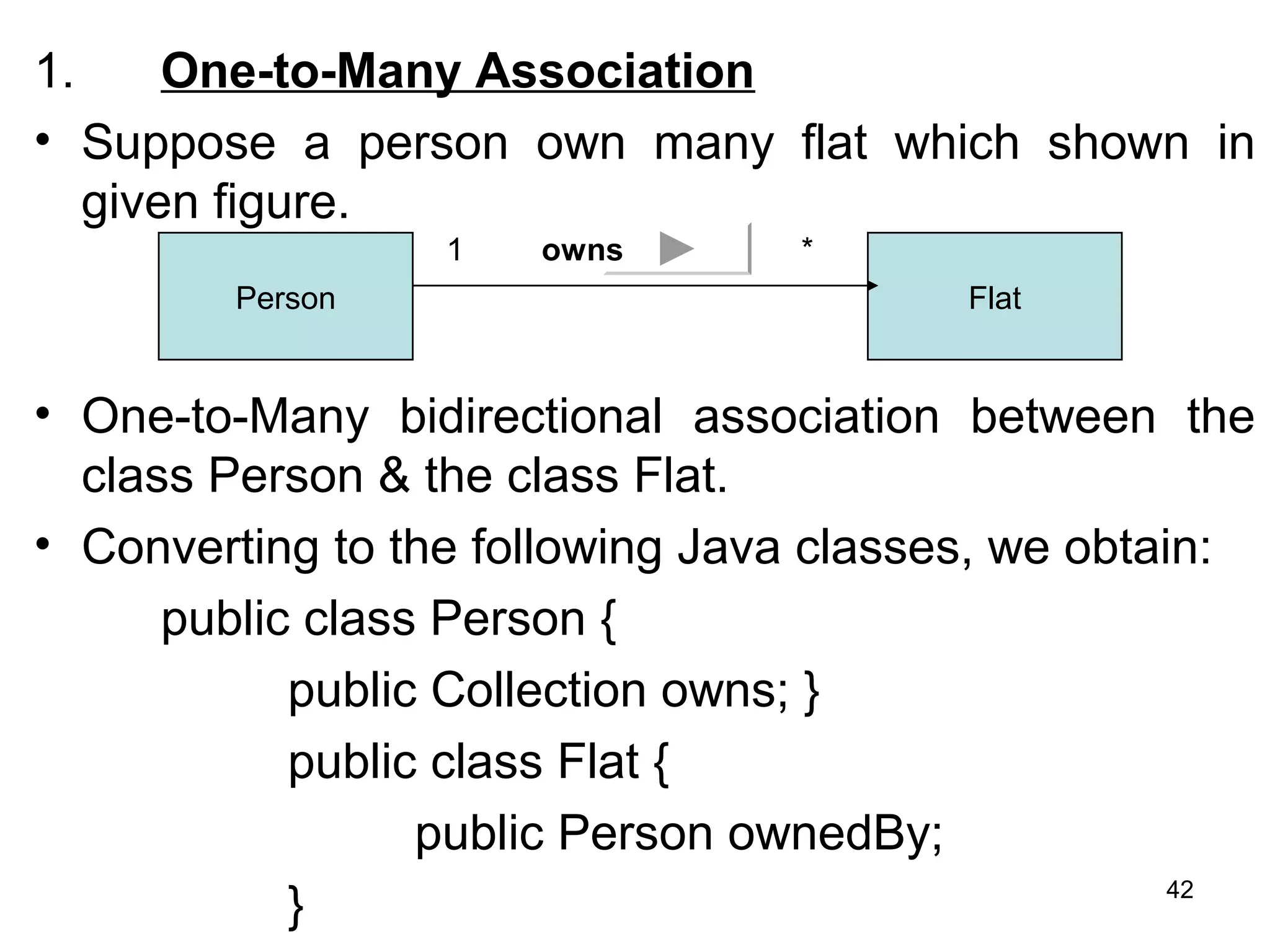
1. One-to-Many Association
• Suppose a person own many flat which shown in
given figure.
• One-to-Many bidirectional association between the
class Person & the class Flat.
• Converting to the following Java classes, we obtain:
public class Person {
public Collection owns; }
public class Flat {
public Person ownedBy;
}
Person Flat
1 *owns
42
• In this case, in the class Person, there will be
a reference to a collection of objects of the
class Flat, and in the class Flat, there will be a
reference to the class Person.
43
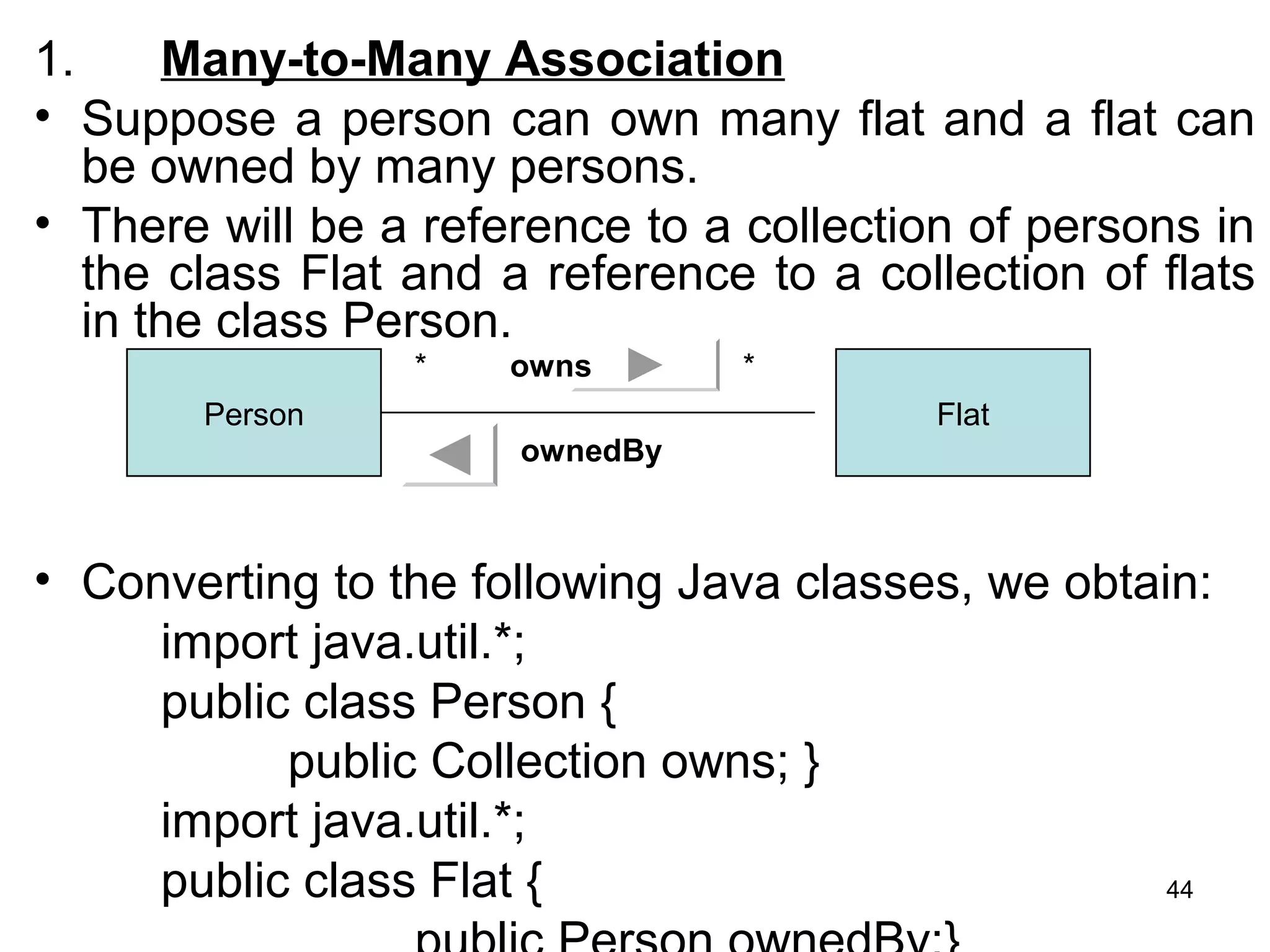
1. Many-to-Many Association
• Suppose a person can own many flat and a flat can
be owned by many persons.
• There will be a reference to a collection of persons in
the class Flat and a reference to a collection of flats
in the class Person.
• Converting to the following Java classes, we obtain:
import java.util.*;
public class Person {
public Collection owns; }
import java.util.*;
public class Flat {
Person Flat
* *owns
ownedBy
44
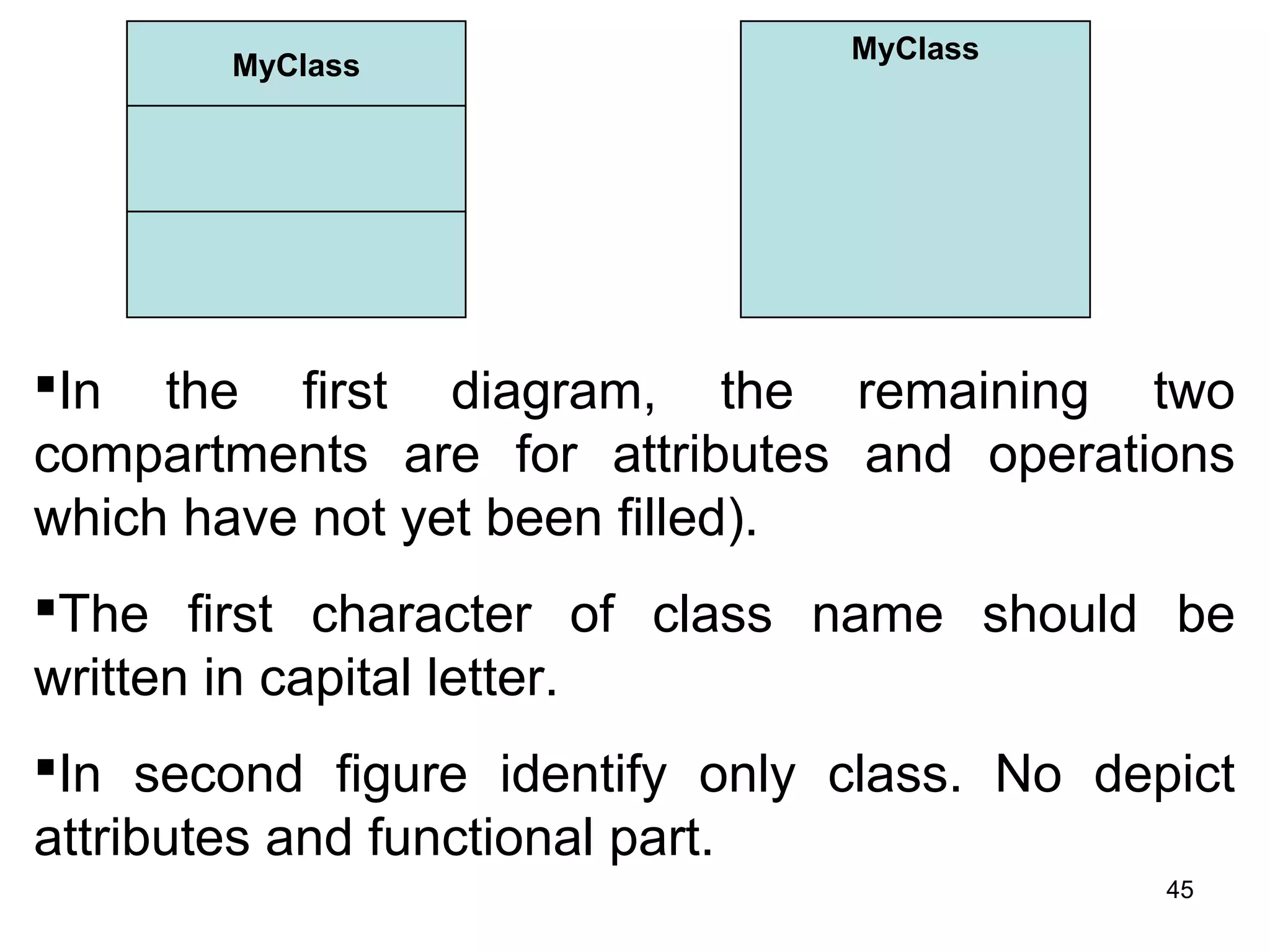
MyClass
MyClass
In the first diagram, the remaining two
compartments are for attributes and operations
which have not yet been filled).
The first character of class name should be
written in capital letter.
In second figure identify only class. No depict
attributes and functional part.
45
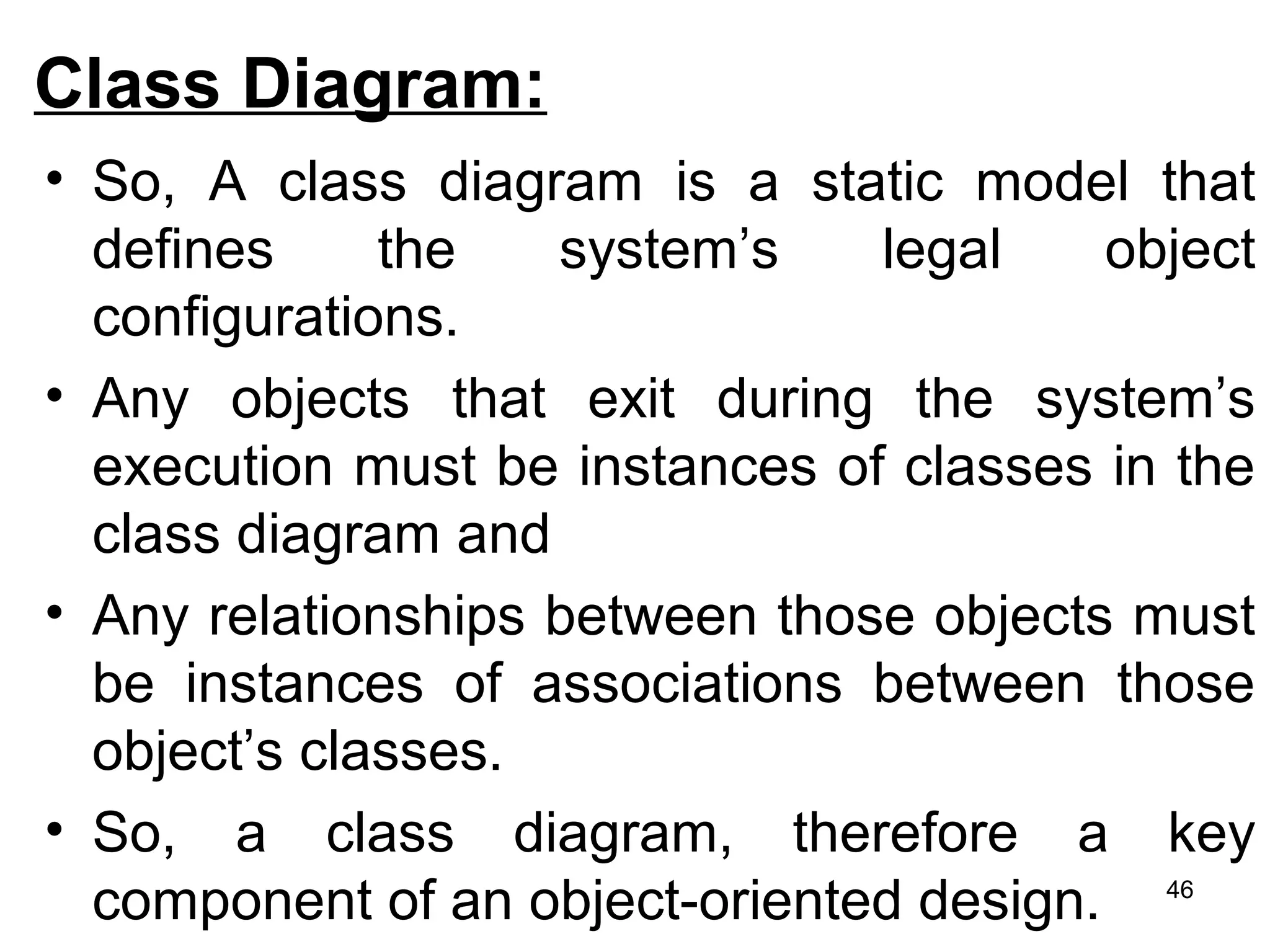
Class Diagram:
• So, A class diagram is a static model that
defines the system’s legal object
configurations.
• Any objects that exit during the system’s
execution must be instances of classes in the
class diagram and
• Any relationships between those objects must
be instances of associations between those
object’s classes.
• So, a class diagram, therefore a key
component of an object-oriented design. 46
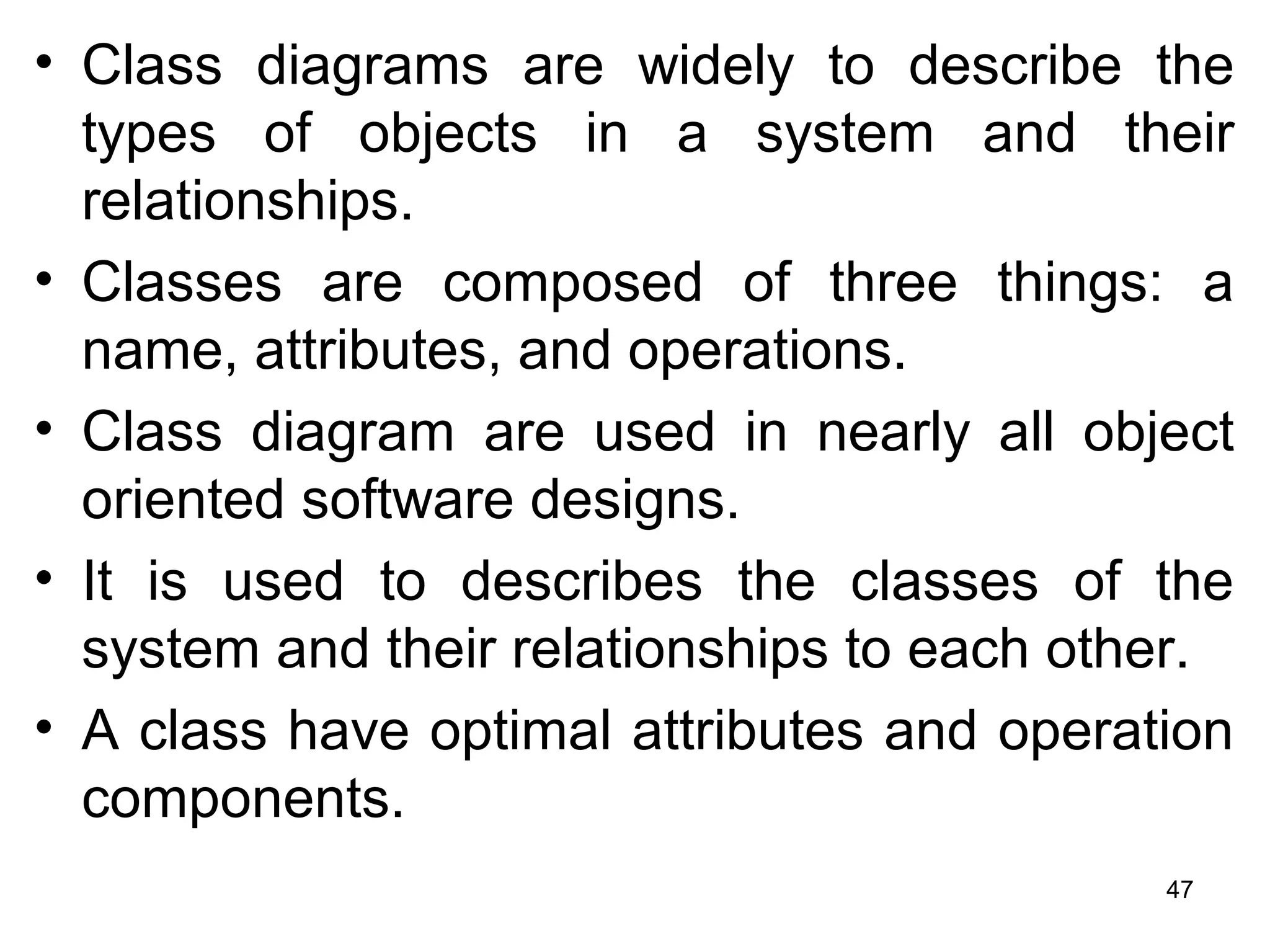
• Class diagrams are widely to describe the
types of objects in a system and their
relationships.
• Classes are composed of three things: a
name, attributes, and operations.
• Class diagram are used in nearly all object
oriented software designs.
• It is used to describes the classes of the
system and their relationships to each other.
• A class have optimal attributes and operation
components.
47
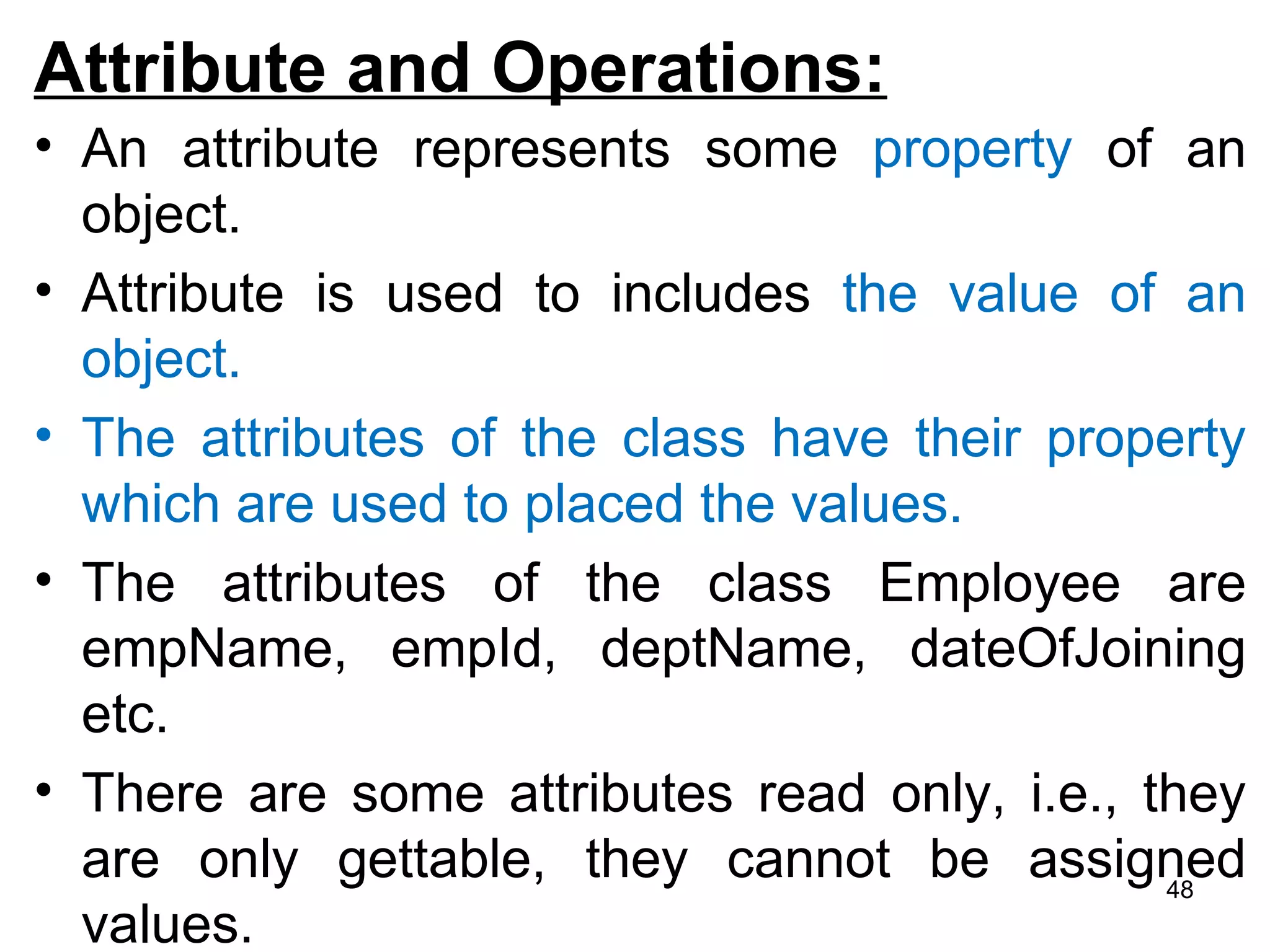
Attribute and Operations:
• An attribute represents some property of an
object.
• Attribute is used to includes the value of an
object.
• The attributes of the class have their property
which are used to placed the values.
• The attributes of the class Employee are
empName, empId, deptName, dateOfJoining
etc.
• There are some attributes read only, i.e., they
are only gettable, they cannot be assigned
values.
48
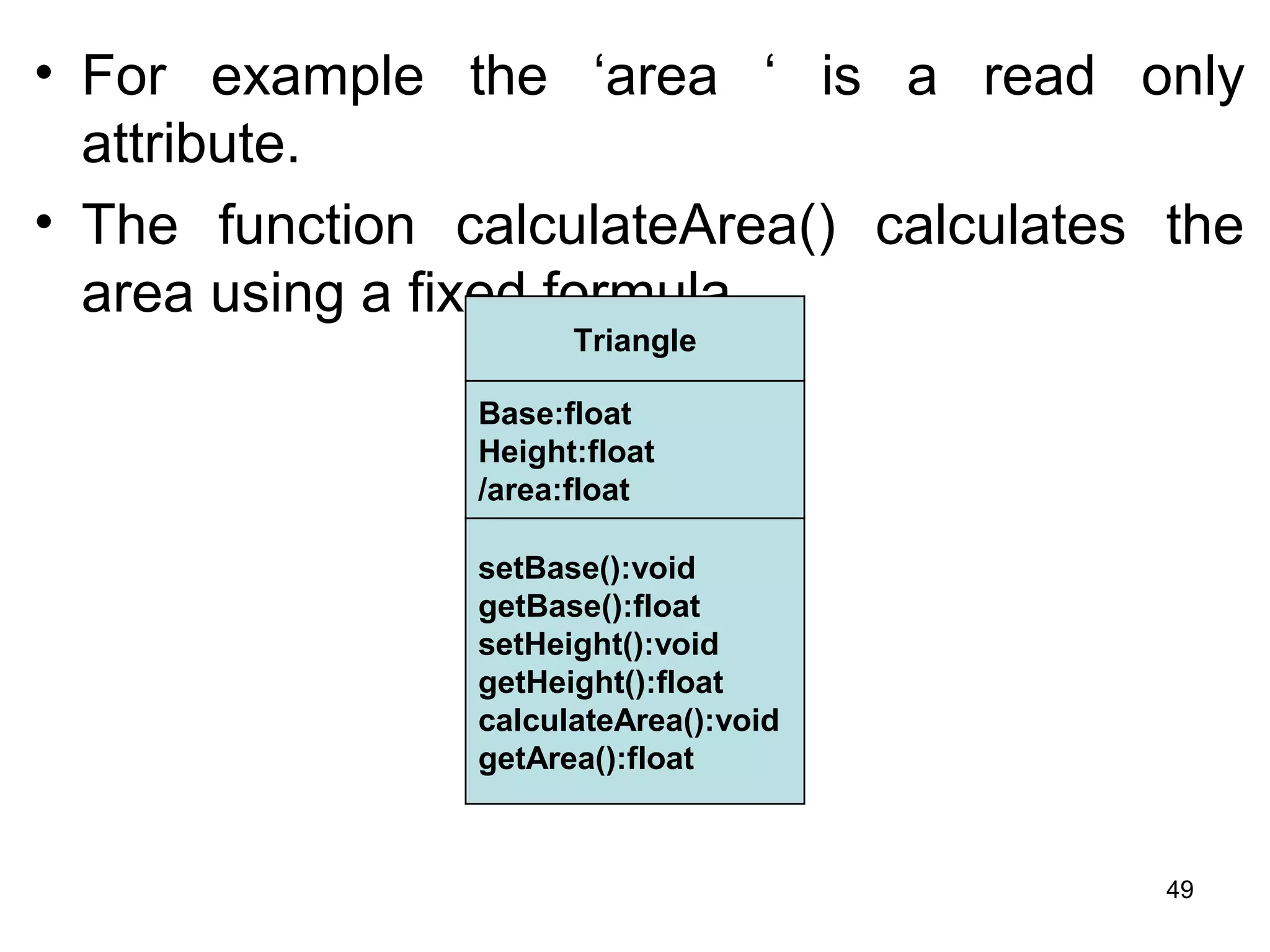
• For example the ‘area ‘ is a read only
attribute.
• The function calculateArea() calculates the
area using a fixed formula.
Triangle
Base:float
Height:float
/area:float
setBase():void
getBase():float
setHeight():void
getHeight():float
calculateArea():void
getArea():float
49
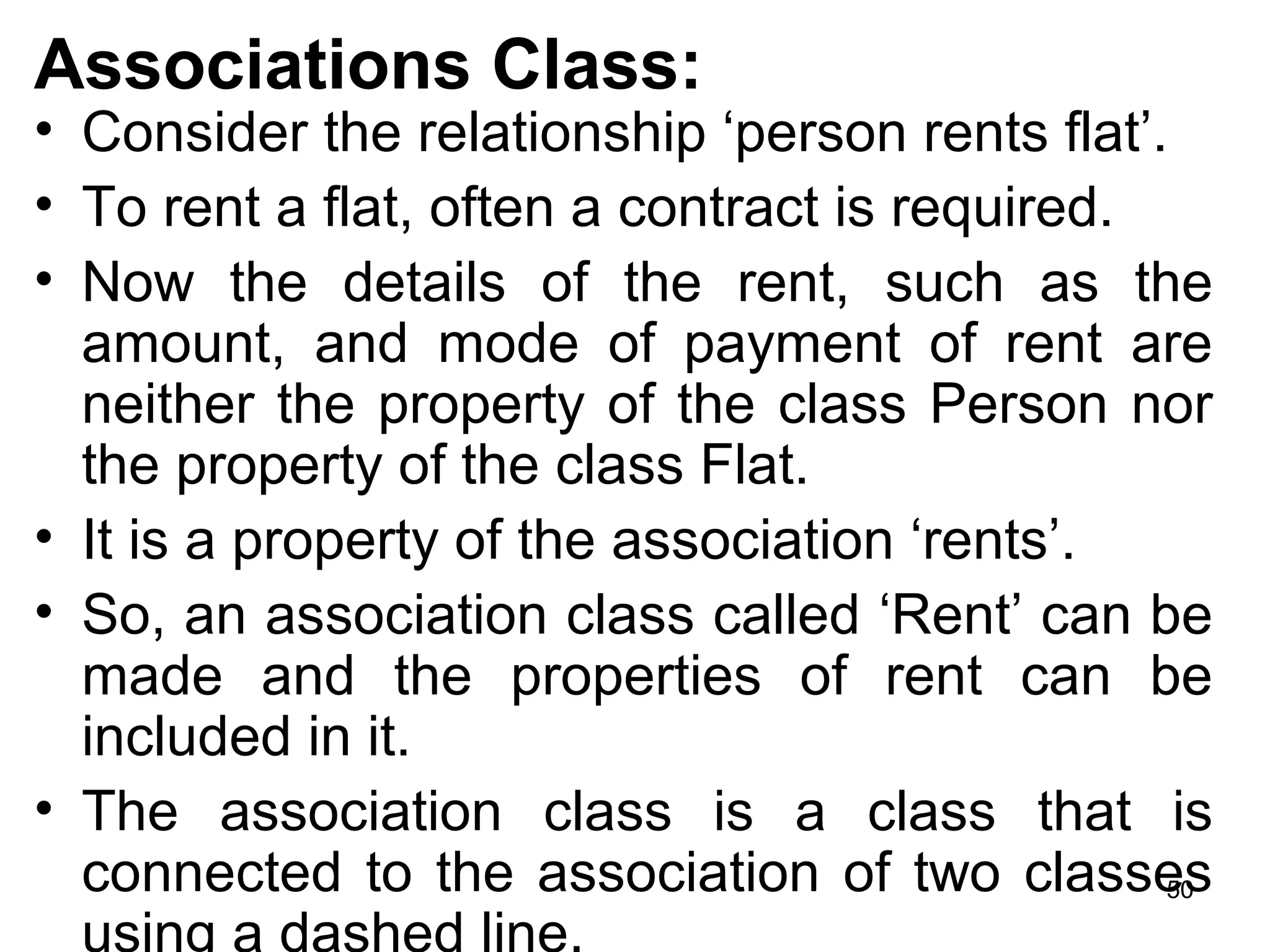
Associations Class:
• Consider the relationship ‘person rents flat’.
• To rent a flat, often a contract is required.
• Now the details of the rent, such as the
amount, and mode of payment of rent are
neither the property of the class Person nor
the property of the class Flat.
• It is a property of the association ‘rents’.
• So, an association class called ‘Rent’ can be
made and the properties of rent can be
included in it.
• The association class is a class that is
connected to the association of two classes
using a dashed line.
50
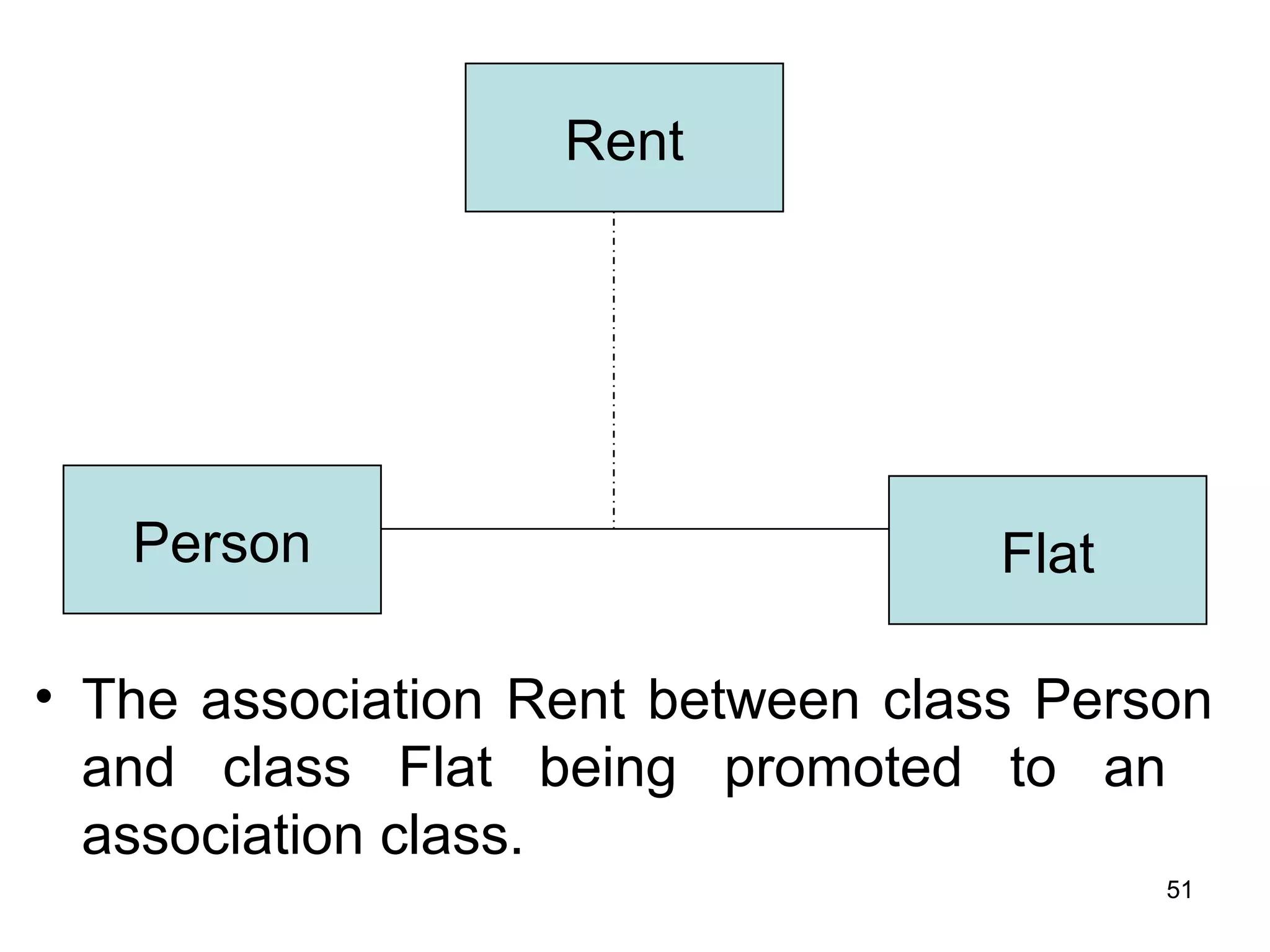
• The association Rent between class Person
and class Flat being promoted to an
association class.
Rent
Person Flat
51
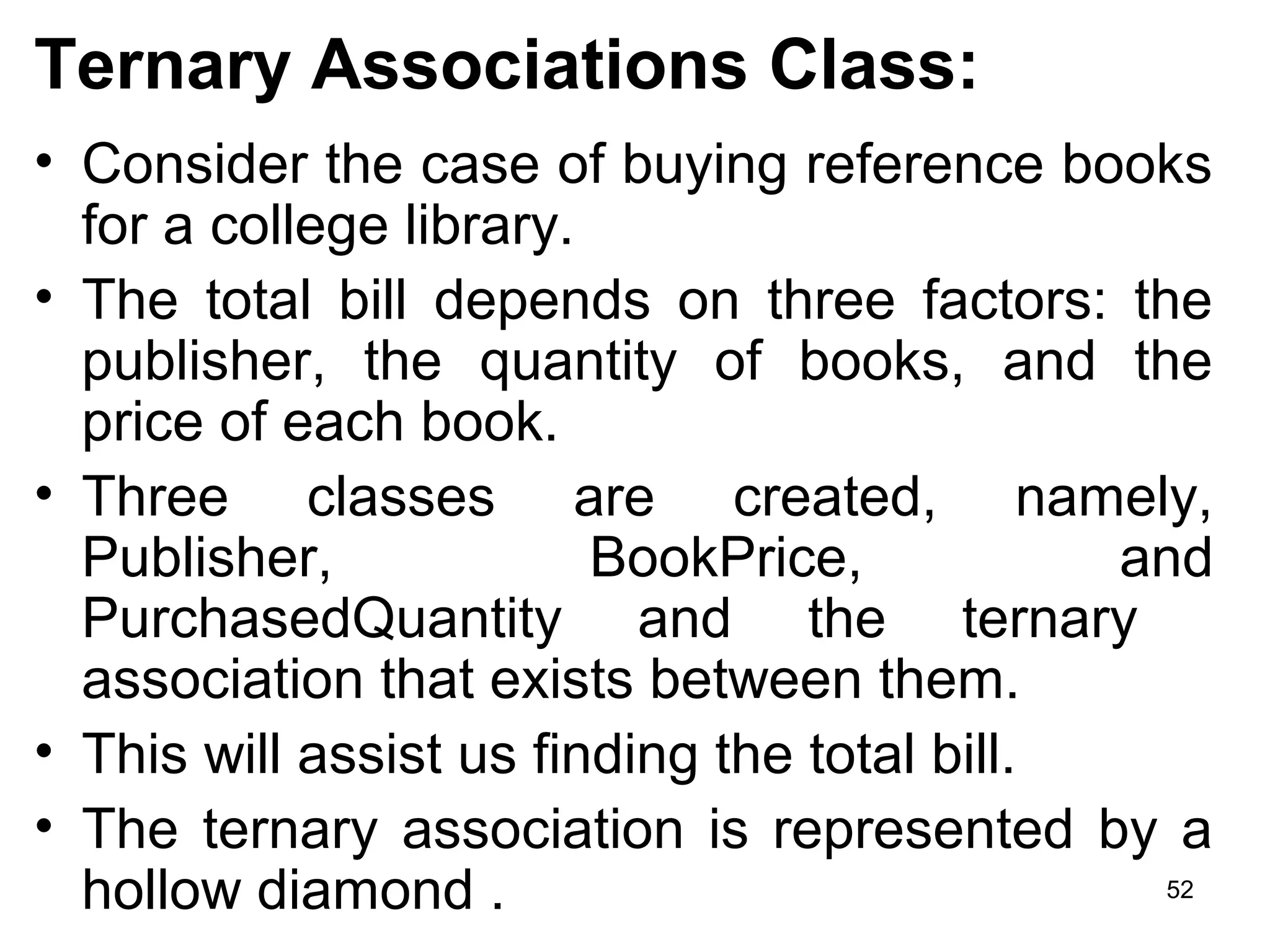
Ternary Associations Class:
• Consider the case of buying reference books
for a college library.
• The total bill depends on three factors: the
publisher, the quantity of books, and the
price of each book.
• Three classes are created, namely,
Publisher, BookPrice, and
PurchasedQuantity and the ternary
association that exists between them.
• This will assist us finding the total bill.
• The ternary association is represented by a
hollow diamond . 52
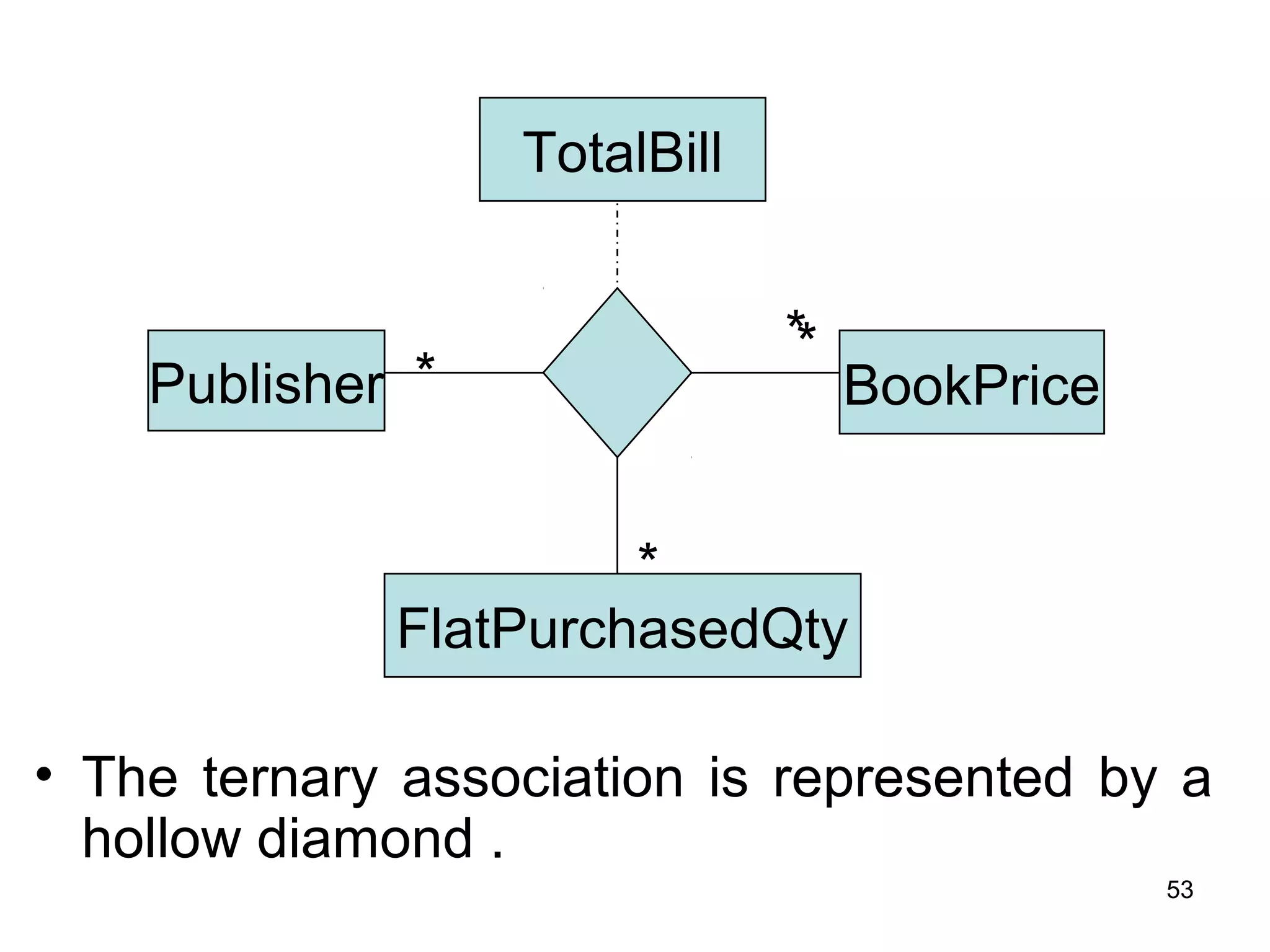
• The ternary association is represented by a
hollow diamond .
*
TotalBill
Publisher BookPrice
FlatPurchasedQty
*
*
*
53
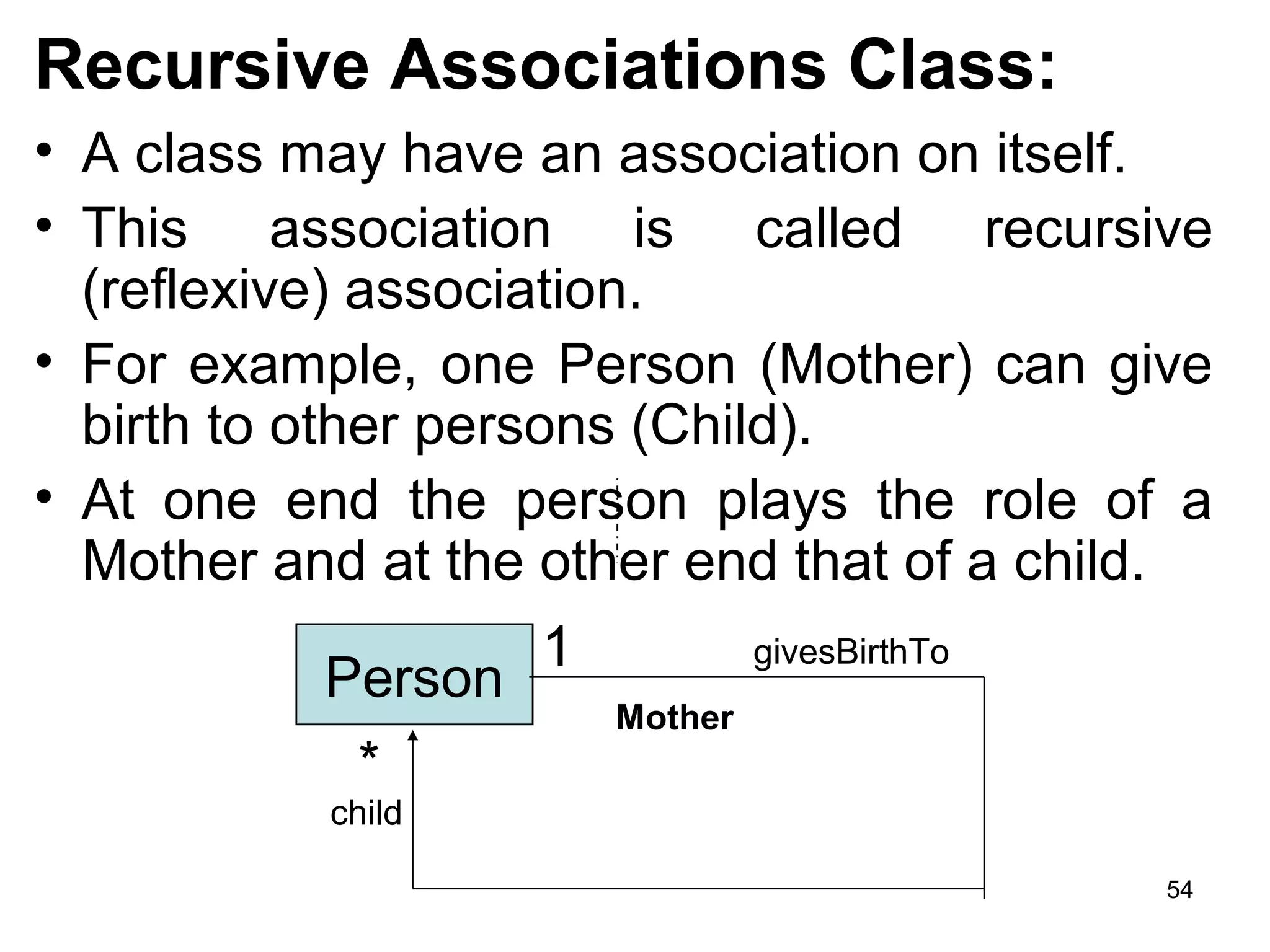
Recursive Associations Class:
• A class may have an association on itself.
• This association is called recursive
(reflexive) association.
• For example, one Person (Mother) can give
birth to other persons (Child).
• At one end the person plays the role of a
Mother and at the other end that of a child.
Person
1
*
givesBirthTo
child
Mother
54
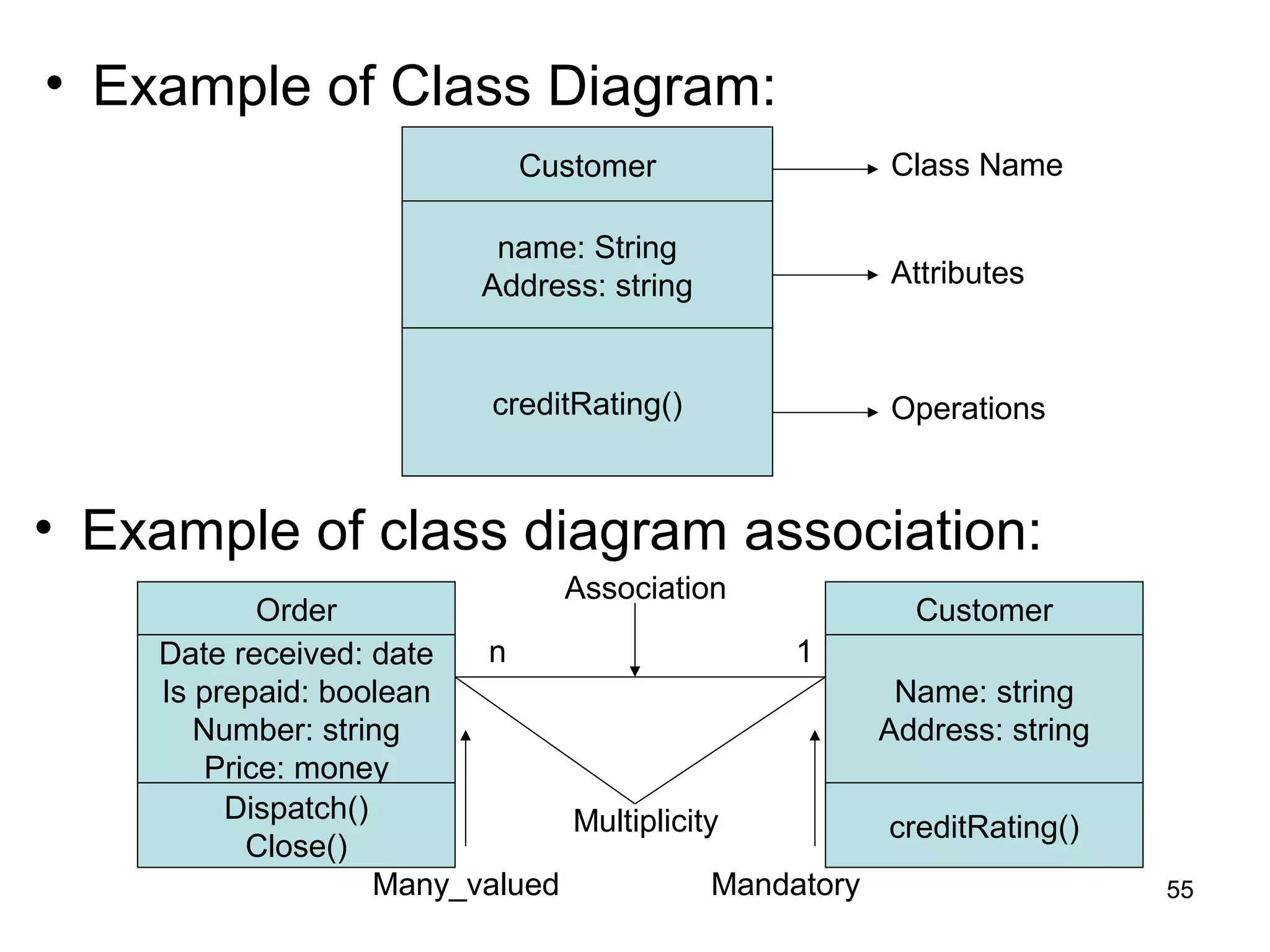
• Example of Class Diagram:
Customer
name: String
Address: string
creditRating()
Class Name
Attributes
Operations
• Example of class diagram association:
Date received: date
Is prepaid: boolean
Number: string
Price: money
Dispatch()
Close()
Order
Name: string
Address: string
creditRating()
Customer
Multiplicity
Many_valued Mandatory
n 1
Association
55
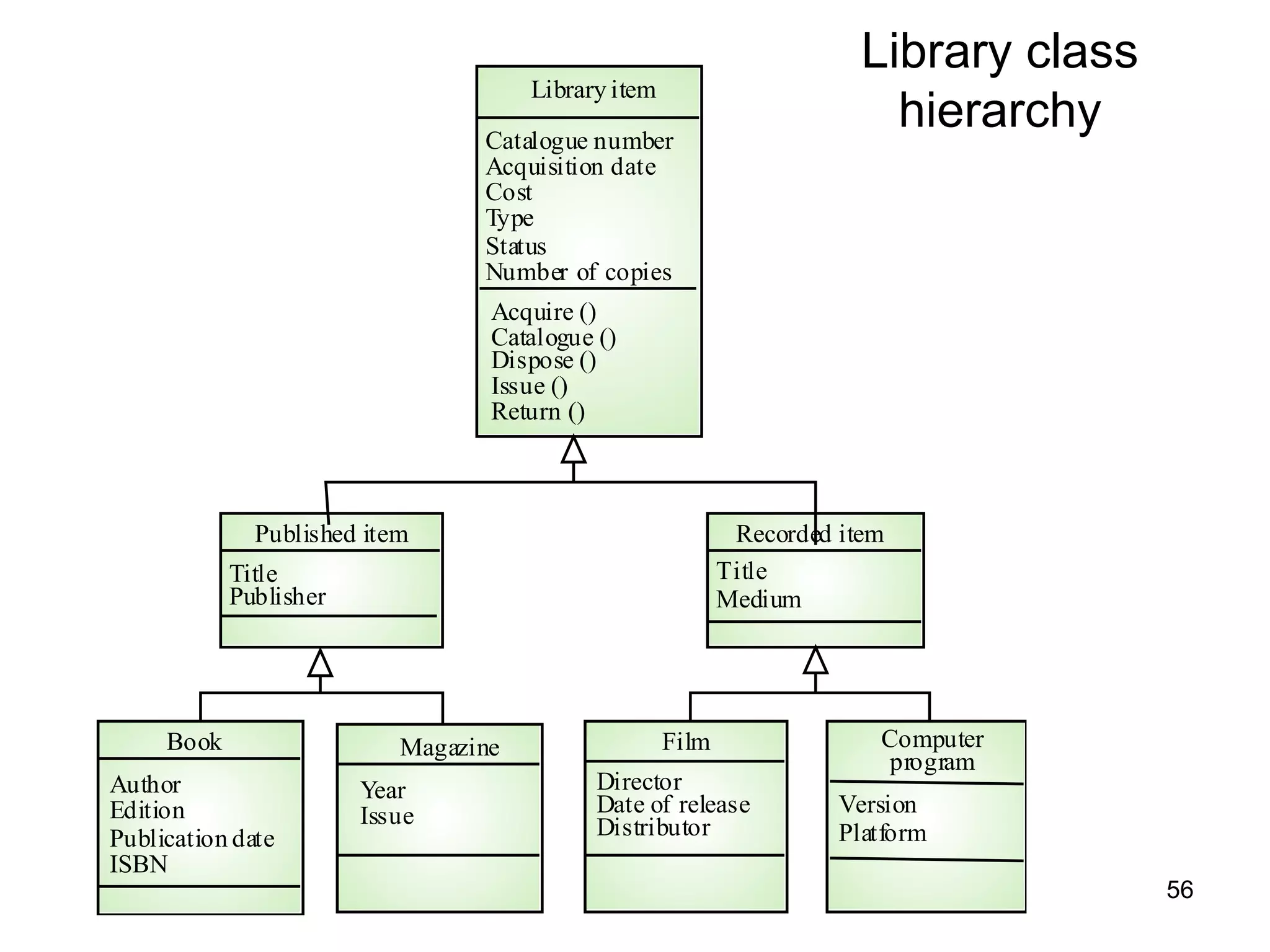
Library class
hierarchyCatalogue number
Acquisition date
Cost
Type
Status
Number of copies
Library item
Acquire ()
Catalogue ()
Dispose ()
Issue ()
Return ()
Author
Edition
Publication date
ISBN
Book
Year
Issue
Magazine
Director
Date of release
Distributor
Film
Version
Platform
Computer
program
Title
Publisher
Published item
Title
Medium
Recorded item
56
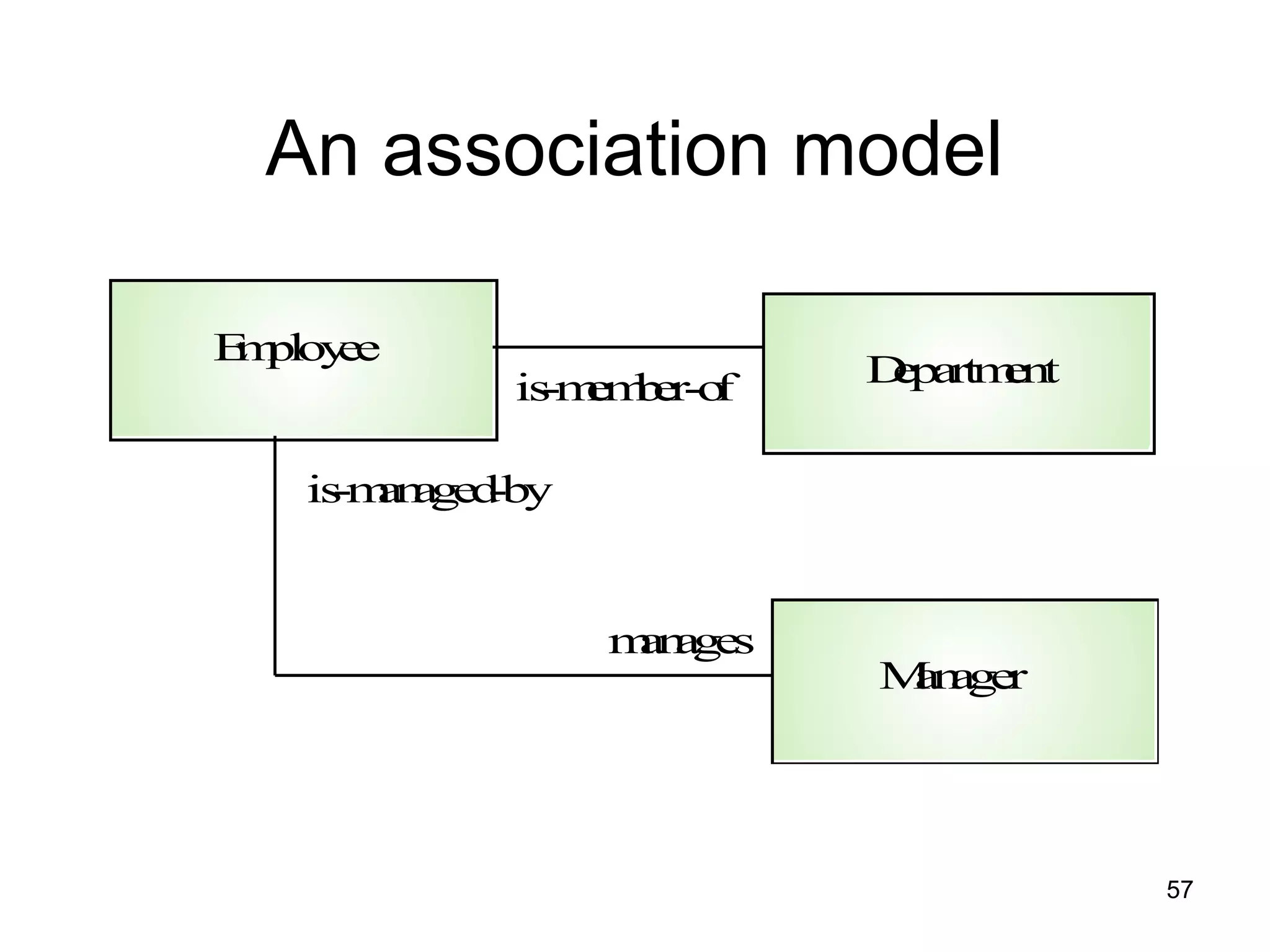
An association model
Employee
Department
Manager
is-member-of
is-managed-by
manages
57
INTERACTION DIAGRAM
• An interaction diagram is a graphical representation
of how object interact with one another in a scenario.
• Interaction diagram are used to illustrate the dynamic
behavior of a community of objects that collaborate
by passing messages in order to perform a certain
task.
• An interaction diagram depicts only the
communication between objects.
• Objects communicate in an interaction diagram by
sending messages.
• A message may carry data with it.
• Use cases have basic and alternate flows. 58
• Each flow could be shown in an interaction
diagram.
• So, use case list the behavior and sequence
diagram can designate the way objects
collaborate to implement the behavior.
• For example:
– Telephone Agent object might send an order
object a cancellineItem message with the data
value 22327(item number).
59
• For example:
Consider the successful scenario of the ‘withdraw
cash’ use case.
Customer inserts a card in the ATM machine.
The machine prompts him for a pin.
Customer enter the pin.
The machine authenticates the pin, and asks the
user to enter the amount that customer wants to
withdraw.
After enter the amount: the machine verifies that at
least Rs. 500 will be left as balance in saving
account if the amount requested by the customer
is given.
It then generates the cash, displays the balance in
the saving account, and outputs the card. 60
– (Class: customer, ATM and server and depict the
association between them)
• UML provides a rich notation in its interaction
diagram to depict a variety of circumstance.
• So, UML provides two types of interaction diagram
(the object-interaction diagram comes in two styles).
1. the sequence diagram – is organized
temporally with the focus on the order in which
messages are sent between objects.
2. the collaboration diagram – is spatially
oriented with an emphasis on the links between
objects.
• So, an interaction is a behavior that comprises a set
of messages exchanged among a set of objects
within a context to accomplish a purpose. 61
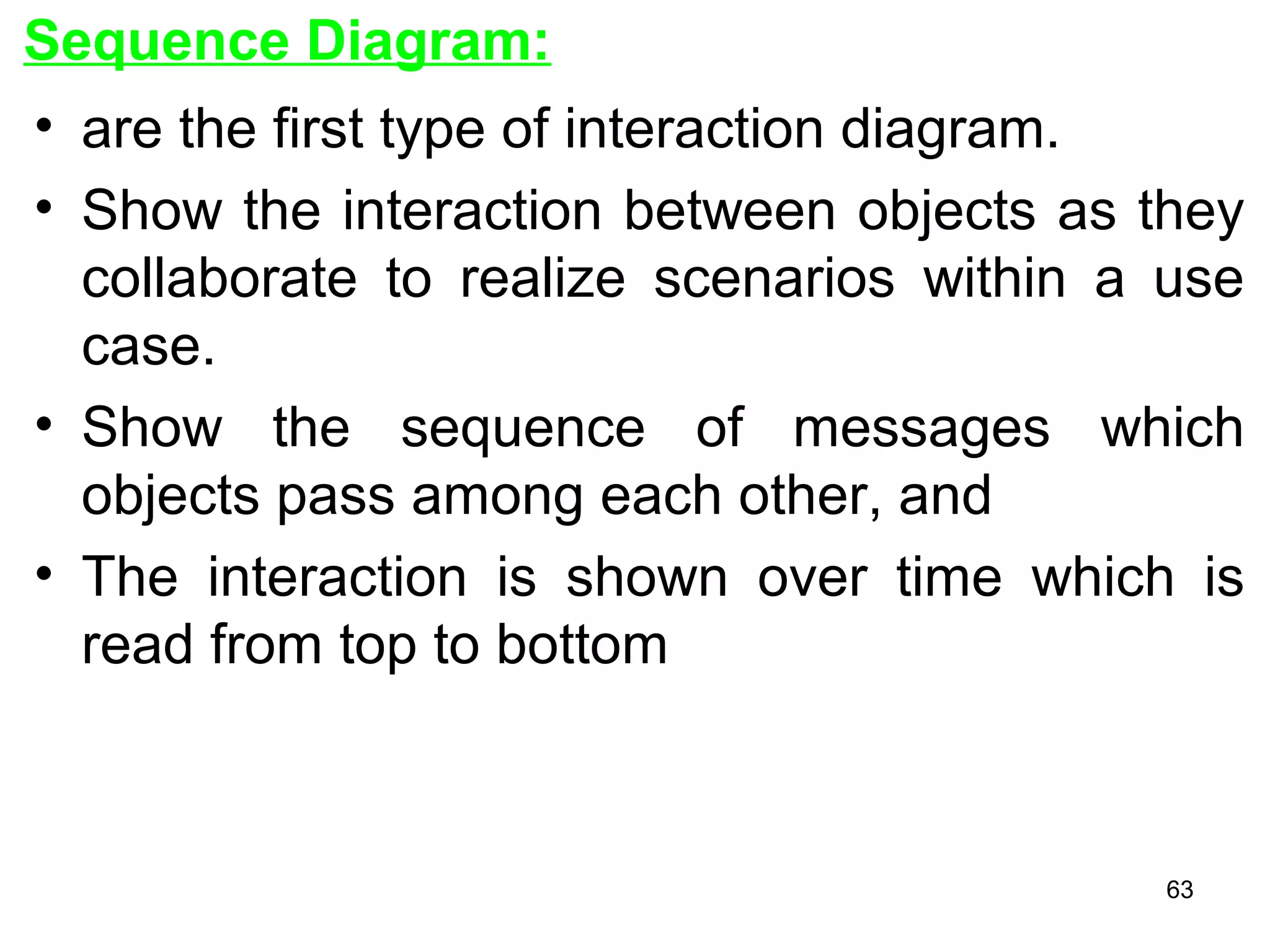
• A message is a specification of a
communication between objects that conveys
information with the expectation that activity
will ensue (proceed).
• Message = is the specification of a
communication among objects that conveys
information.
• Sequencing = when an object passes a
message to another object, the receiving
object might in turn send a message to
another object, which might send a message
to yet a different object and so on.
62
Sequence Diagram:
• are the first type of interaction diagram.
• Show the interaction between objects as they
collaborate to realize scenarios within a use
case.
• Show the sequence of messages which
objects pass among each other, and
• The interaction is shown over time which is
read from top to bottom
63
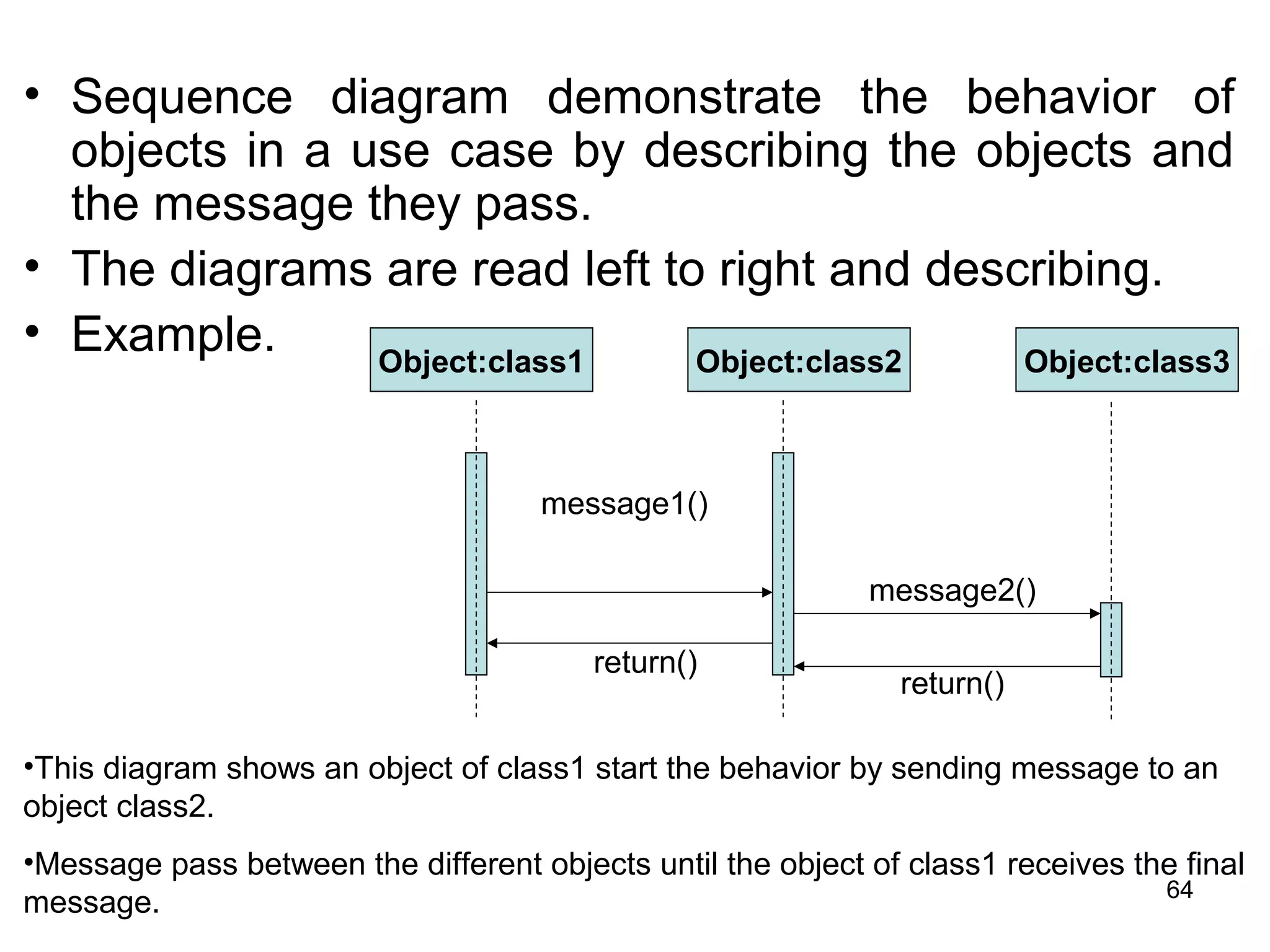
• Sequence diagram demonstrate the behavior of
objects in a use case by describing the objects and
the message they pass.
• The diagrams are read left to right and describing.
• Example. Object:class1 Object:class2 Object:class3
message1()
message2()
return()
return()
•This diagram shows an object of class1 start the behavior by sending message to an
object class2.
•Message pass between the different objects until the object of class1 receives the final
message. 64
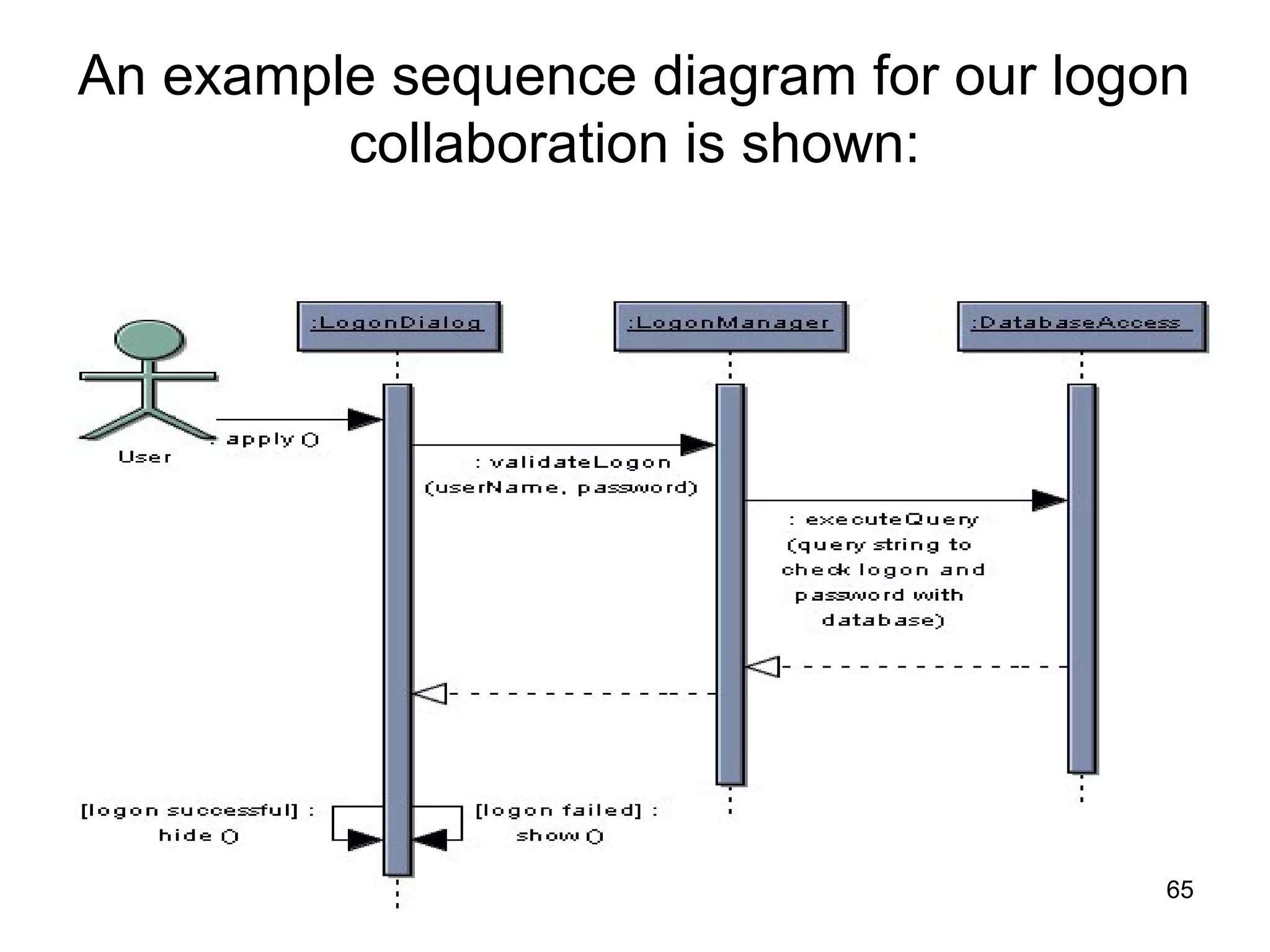
An example sequence diagram for our logon
collaboration is shown:
65
Things to Note:
•The flow of time is shown from top to bottom, that
is messages higher on the diagram happen before
those lower down
•The blue boxes are instances of the represented
classes, and the vertical bars below are timelines
•The arrows (links) are messages - operation calls
and returns from operations
•The hide and show messages use guards to
determine which to call.
•Guards are always shown in square braces [ ] and
represent constraints on the message (the
message is sent only if the constraint is satisfied)
66
•The messages are labelled with the operation
being called and parameters are shown.
•You can choose to enter the parameters or not -
this is dependent upon their importance to the
collaboration being shown
•The sequence numbers are not shown on the
messages as the sequence is intrinsic to the
diagram
67
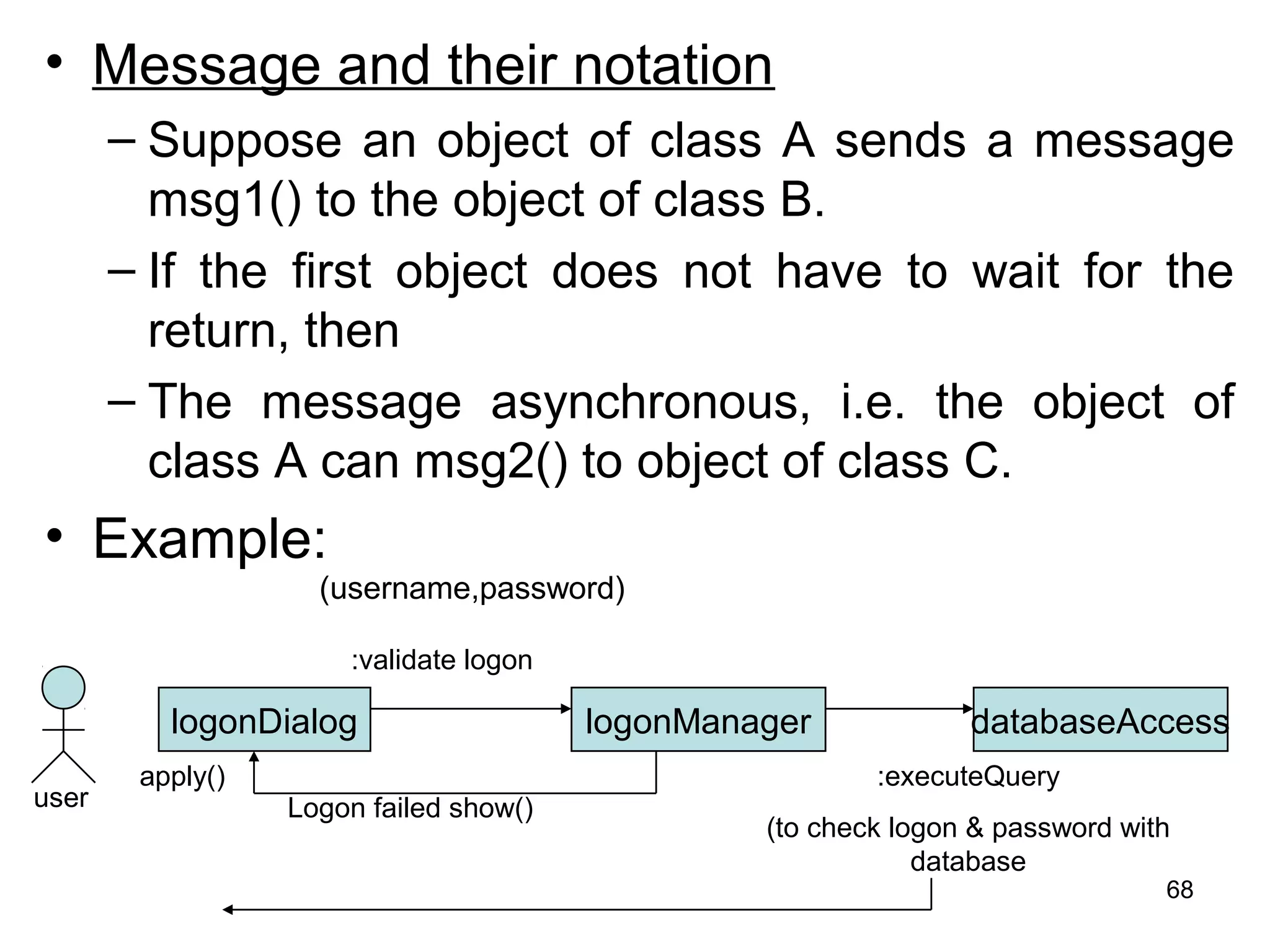
• Message and their notation
– Suppose an object of class A sends a message
msg1() to the object of class B.
– If the first object does not have to wait for the
return, then
– The message asynchronous, i.e. the object of
class A can msg2() to object of class C.
• Example:
logonDialog logonManager databaseAccess
(username,password)
:validate logon
:executeQuery
(to check logon & password with
database
Logon failed show()user
apply()
68
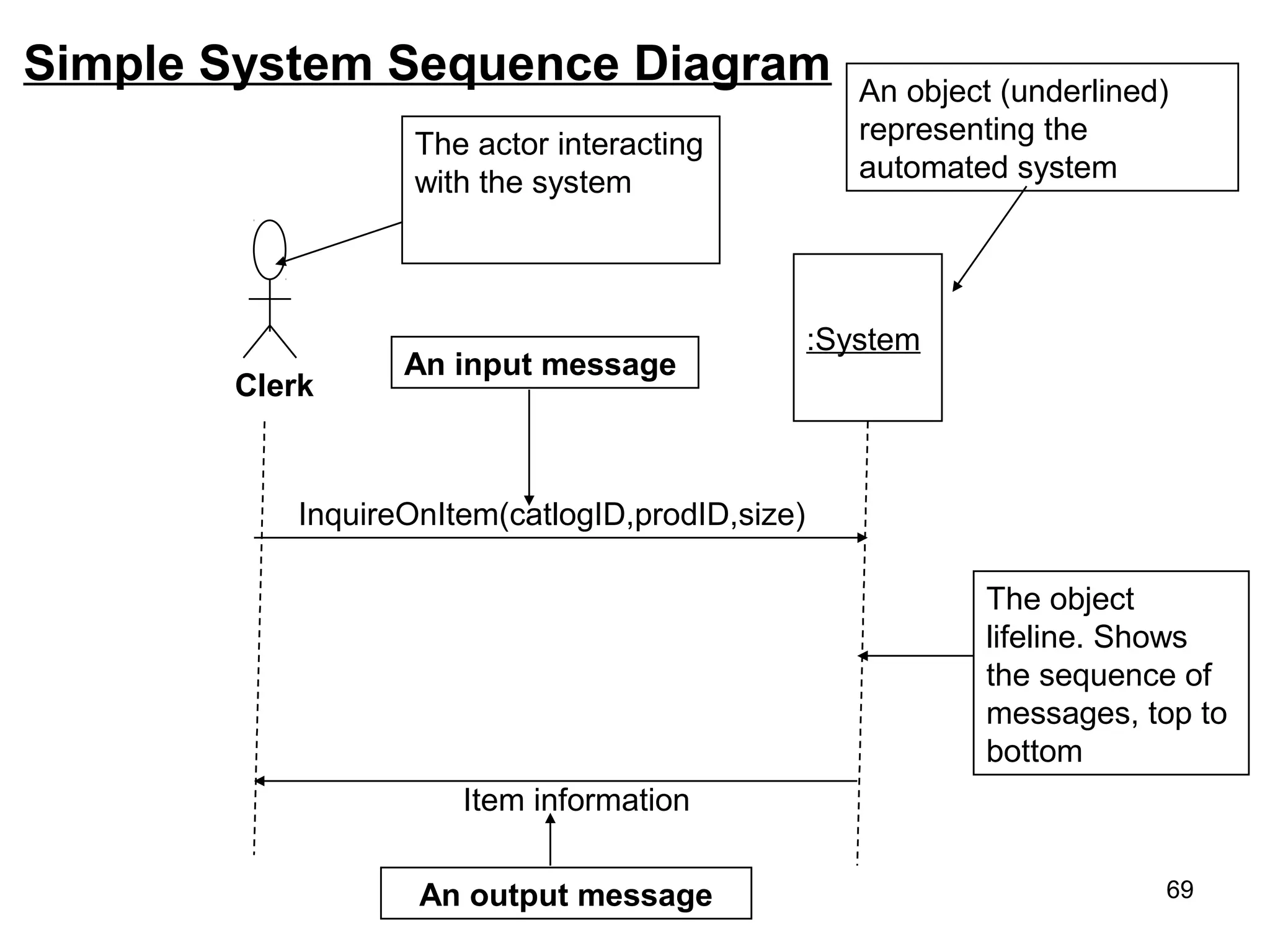
Simple System Sequence Diagram
:System
InquireOnItem(catlogID,prodID,size)
Item information
An output message
An input message
Clerk
An object (underlined)
representing the
automated system
The object
lifeline. Shows
the sequence of
messages, top to
bottom
The actor interacting
with the system
69
• Each message is labeled with the message name.
• Some control information can also be included.
– A condition (e.g. [invalid]) indicate that a message is sent,
only if the condition is true.
– An iteration marker(*) shows that the message is sent
many time to multiple receiver objects, as would happen
when you are iterating over a collection or the elements of
an array. (for every book object).
Library
book issue
control
library book
register
library book library member
issued book Find member borrowing
Display member borrowing
select book book selected
issued bookissued book
find *
[invalid]
70
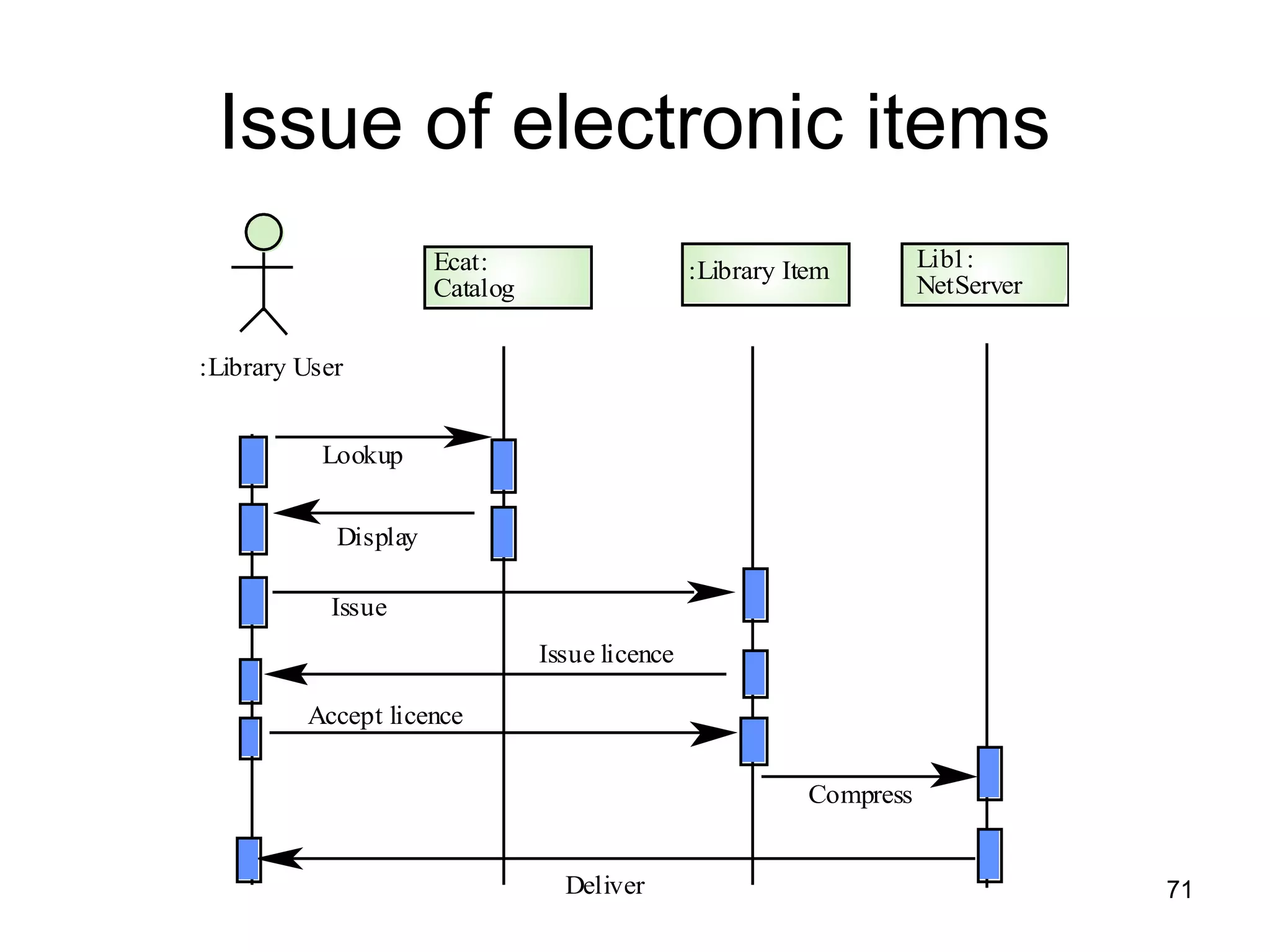
Issue of electronic items
:Library User
Ecat:
Catalog
Lookup
Issue
Display
:Library Item Lib1:
NetServer
Issue licence
Accept licence
Compress
Deliver 71
Assignment of ATM System
Develop:
1. System Startup Sequence Diagram
2. Session Sequence Diagram
3. Transaction Sequence Diagram
4. System Shutdown Sequence Diagram
72
Collaboration Diagram:
• Collaboration diagrams shows the relationship between object
and the order of messages passed between them.
• So, it shows the structured and behavioral aspects explicitly.
• The object are listed as icons and arrows indicate the
messages being passed between them.
• There are many acceptable sequence numbering schemes in
UML.
• For Example.
1: message()
2: message()
Object:class1
Object:class2 Object:class3
1: prepare()
2: new()
:order entry window
:order :delivery item
[in stock]
73
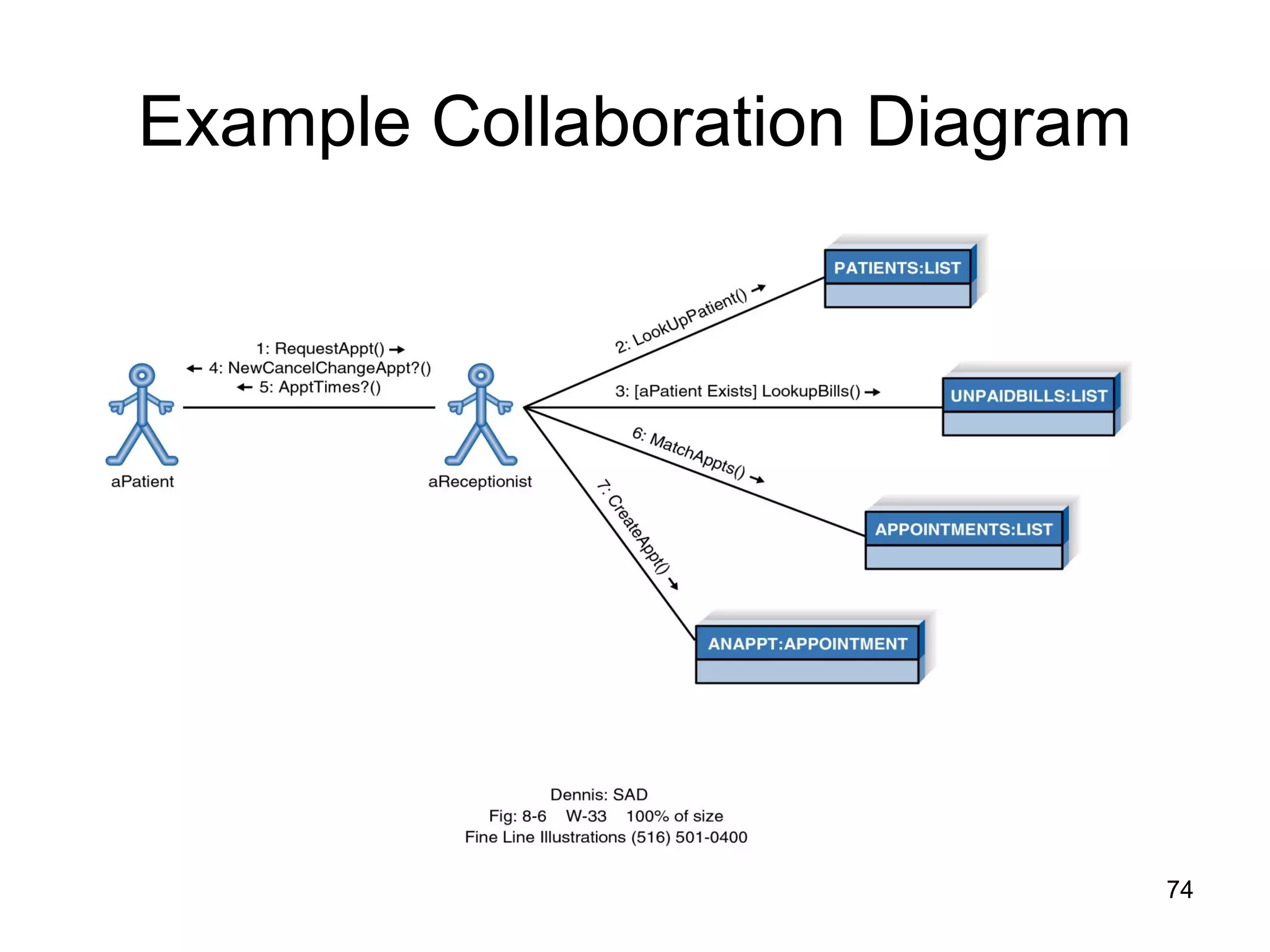
Example Collaboration Diagram
74
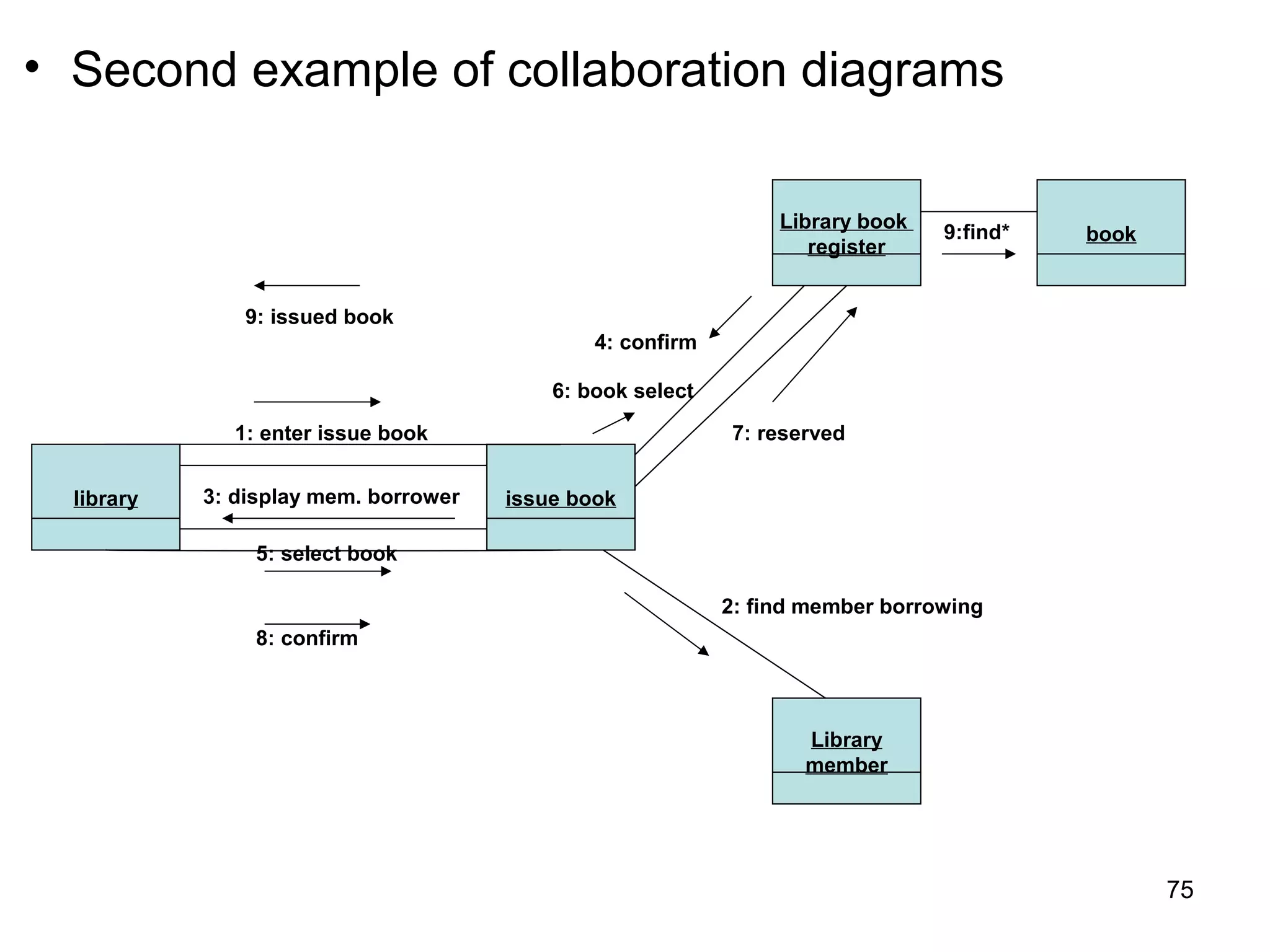
• Second example of collaboration diagrams
library issue book
Library book
register
book
Library
member
1: enter issue book
3: display mem. borrower
9: issued book
5: select book
8: confirm
4: confirm
6: book select
7: reserved
2: find member borrowing
9:find*
75
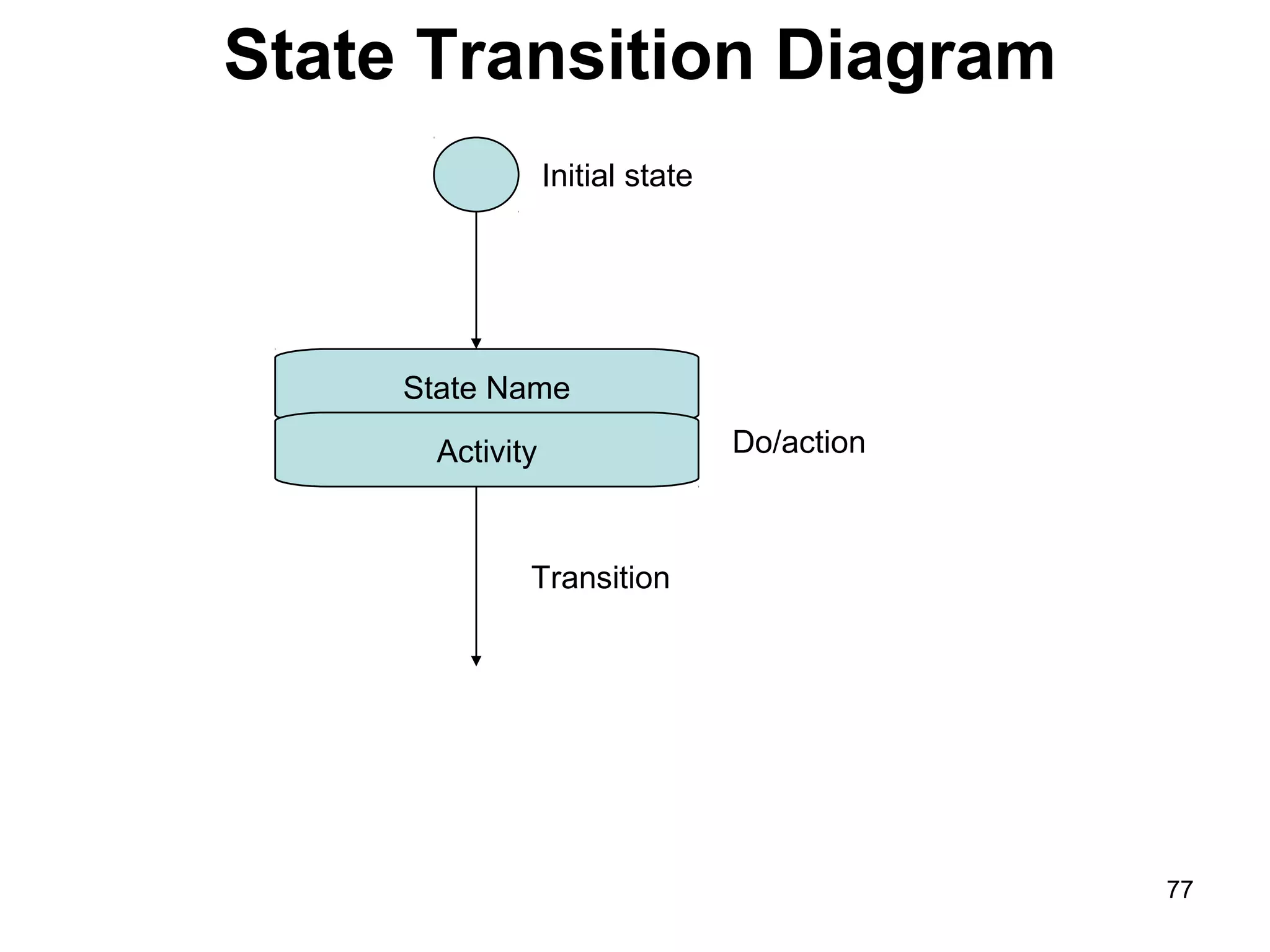
State Transition Diagram
• State diagram are used to describe the
behavior of a system.
• Describe all of the possible states of an abject
as events occur.
• Each diagram usually represents objects of a
single class and track the different states of its
objects through the system.
• State diagram have very few elements.
• The basic elements are rounded boxes or box
representing the object and
• Arrows indicating the transition to the next
state.
76
State Transition Diagram
State Name
Activity
Transition
Do/action
Initial state
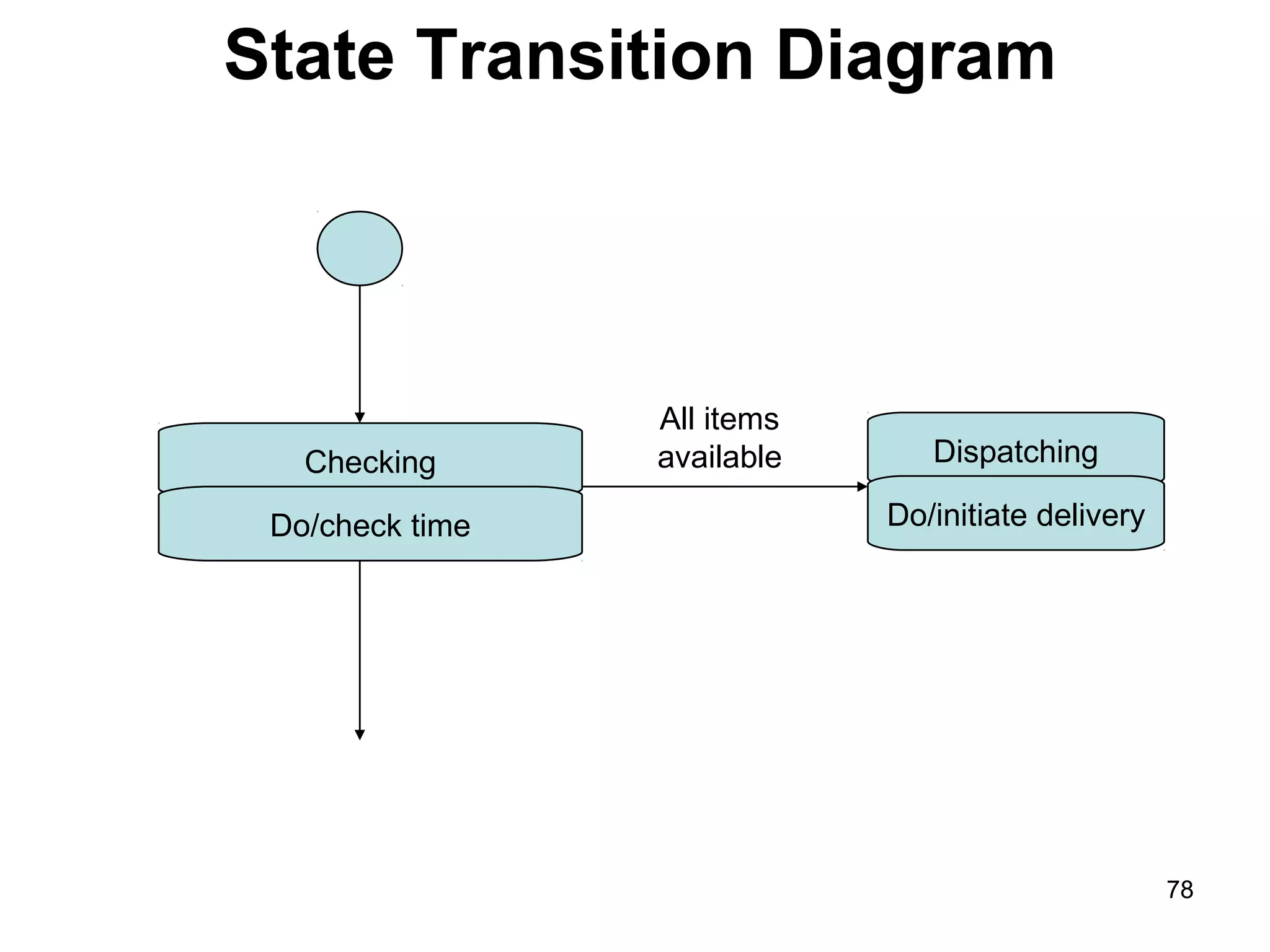
77
State Transition Diagram
Checking
Do/check time
Dispatching
Do/initiate delivery
All items
available
78
Activity Diagram
• Activity diagrams describe the workflow
behavior of a system.
• Activity diagrams are similar to state diagram
because activities are the state of doing
something.
• The main reason to use activity diagram is to
model the workflow behind the system being
designed.
• Activity diagram shows the flow of activities
through the system.
• A fork is used when multiple activities are
occurring at the same time. 79
• Commonly contains:
–Activity state & Action state
–Transition
–Objects
• The following diagram are reads from top to
bottom and have braches and forks to
describe conditions and parallel activities.
• Which is used when multiple activities are
occurring at the same time.
• Below display activity diagrams describe the
workflow behavior of a system.
80
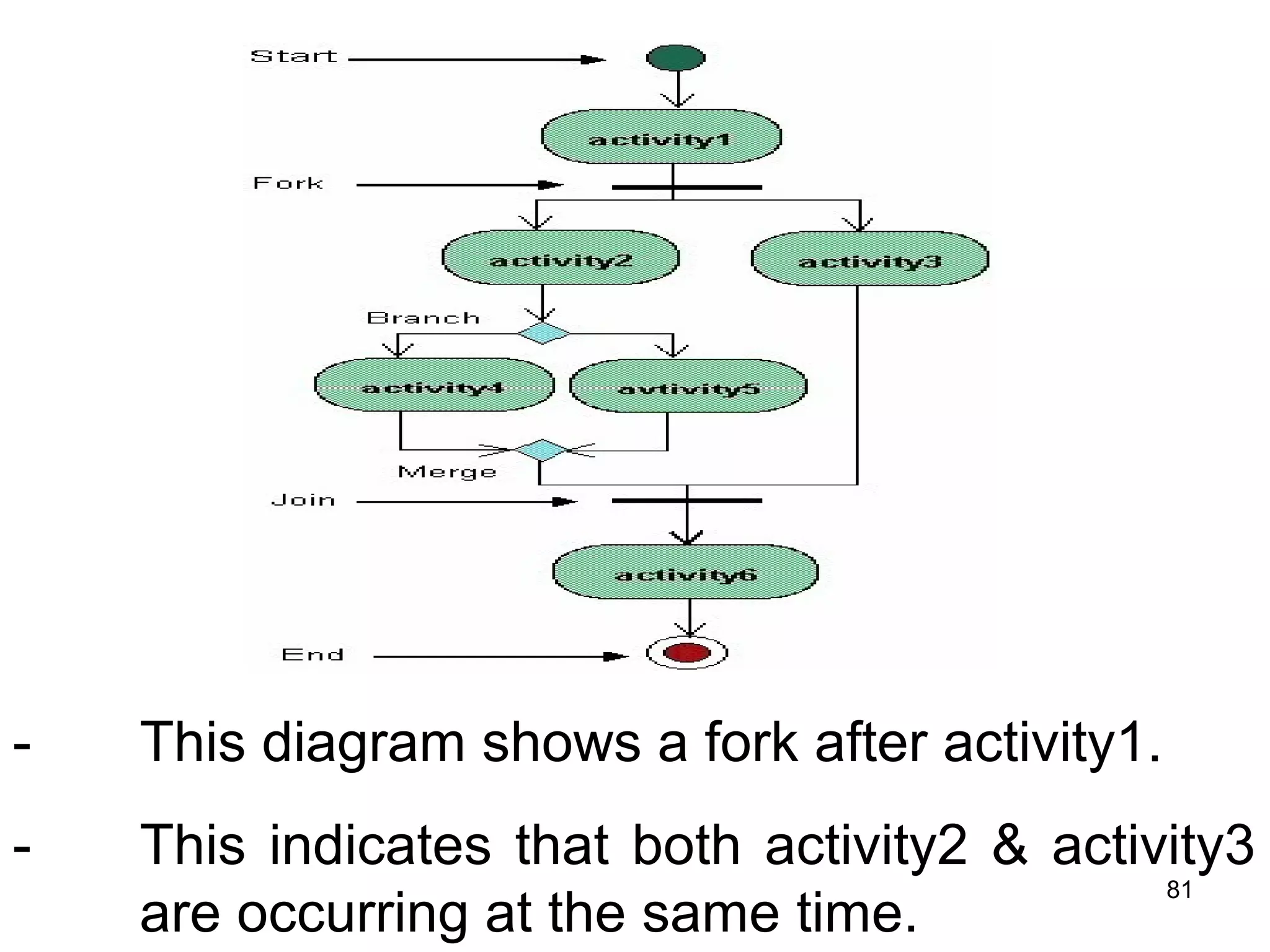
- This diagram shows a fork after activity1.
- This indicates that both activity2 & activity3
are occurring at the same time.
81
-After activity2 there is a branch.
-The branch describes what activities will take
place based on a set of conditions.
82
• This diagram shows the workflow of a system:
Assign tasks
Reschedule
Release work order
[Materials not ready]
[Materials ready]
branch
83
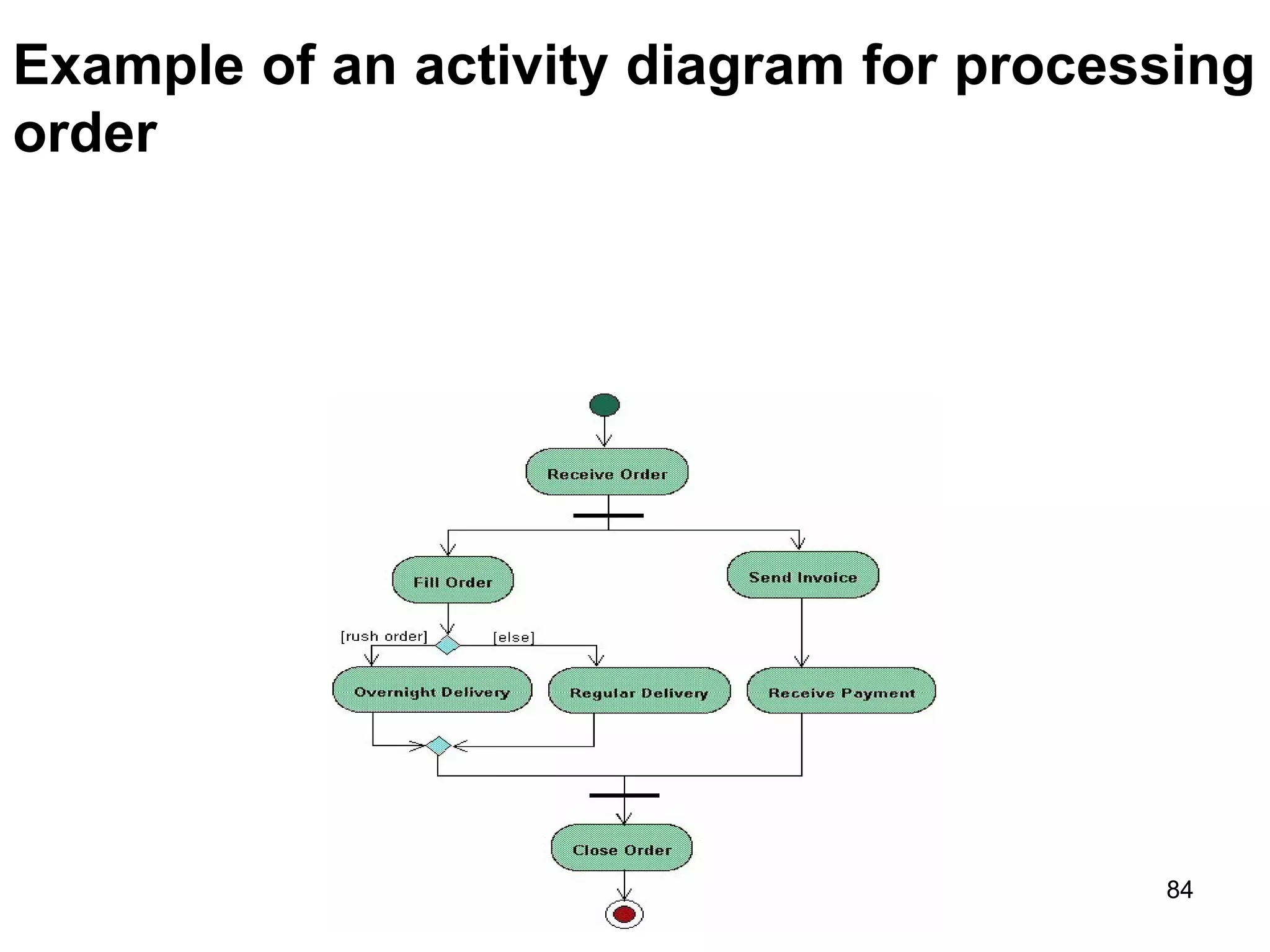
Example of an activity diagram for processing
order
84
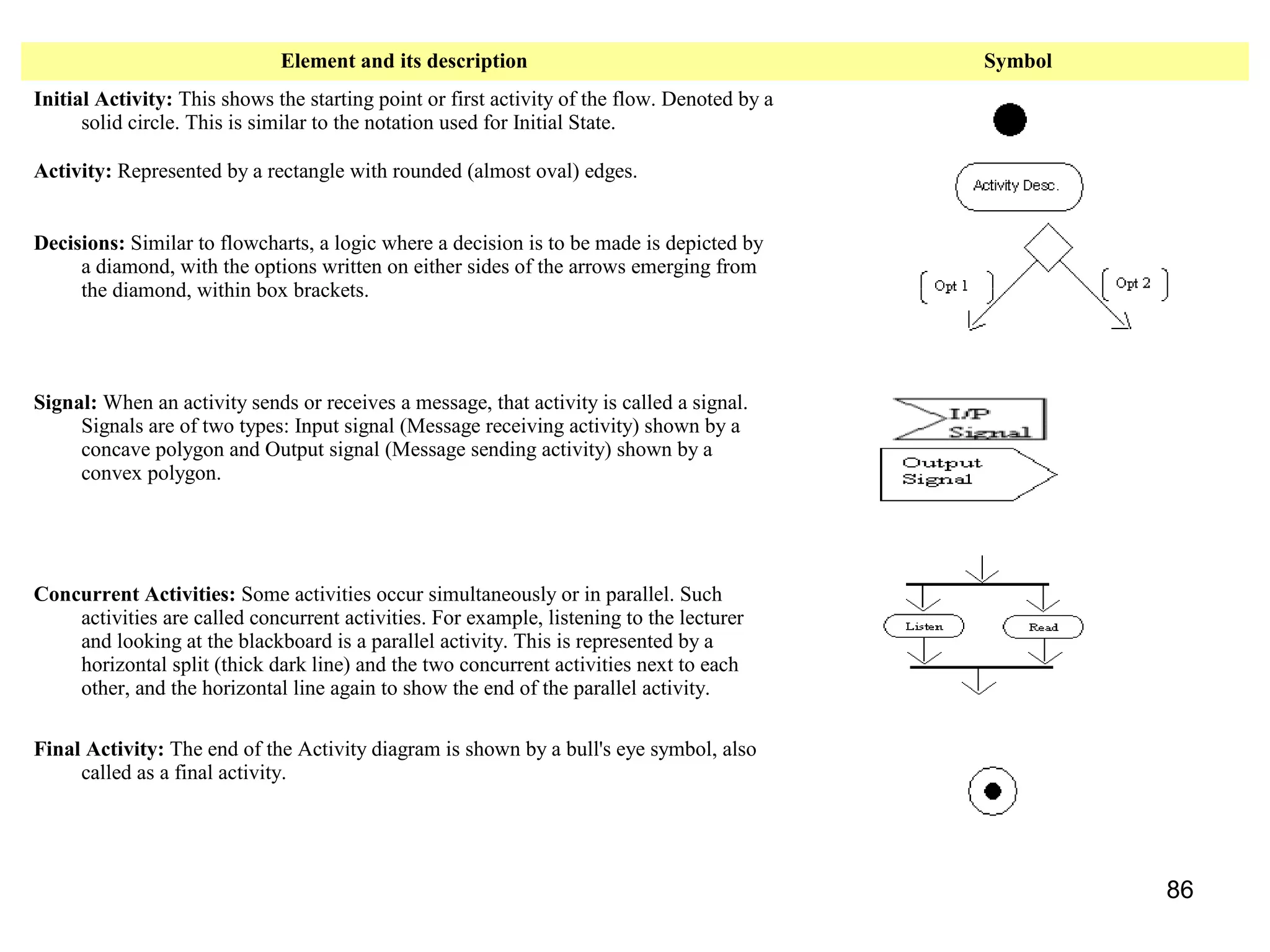
Elements of an Activity diagram
• An activity diagram consists of the following
behavioral elements:
85
Element and its description Symbol
Initial Activity: This shows the starting point or first activity of the flow. Denoted by a
solid circle. This is similar to the notation used for Initial State.
Activity: Represented by a rectangle with rounded (almost oval) edges.
Decisions: Similar to flowcharts, a logic where a decision is to be made is depicted by
a diamond, with the options written on either sides of the arrows emerging from
the diamond, within box brackets.
Signal: When an activity sends or receives a message, that activity is called a signal.
Signals are of two types: Input signal (Message receiving activity) shown by a
concave polygon and Output signal (Message sending activity) shown by a
convex polygon.
Concurrent Activities: Some activities occur simultaneously or in parallel. Such
activities are called concurrent activities. For example, listening to the lecturer
and looking at the blackboard is a parallel activity. This is represented by a
horizontal split (thick dark line) and the two concurrent activities next to each
other, and the horizontal line again to show the end of the parallel activity.
Final Activity: The end of the Activity diagram is shown by a bull's eye symbol, also
called as a final activity.
86
The Physical World
(Implementation View)
• Component diagrams illustrate the
organizations and dependencies among
software components
• A component may be
– A source code component
– A run time components or
– An executable component
87
Component Diagram
• Illustrate the piece of software, embedded
controller, etc. that will make up a system.
• A component diagram has a higher level of
abstraction than Class diagram – usually a
component is implemented by one or more
classes (pr objects) at runtime.
• They are building blocks so a component
can eventually encompass a large portion of
a system.
88
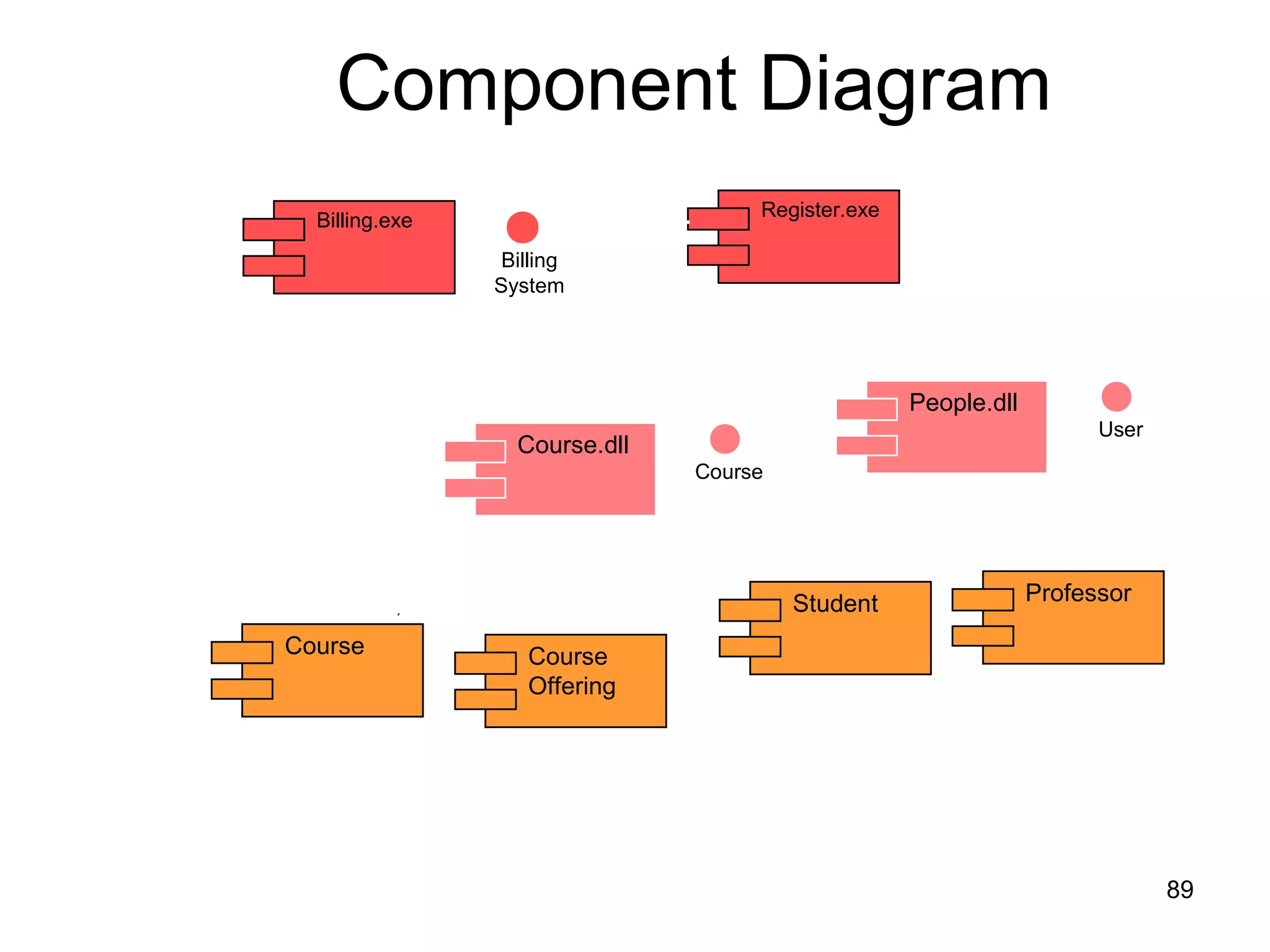
Course Course
Offering
Student Professor
Component Diagram
Course.dll
People.dll
Course
User
Register.exe
Billing.exe
Billing
System
89
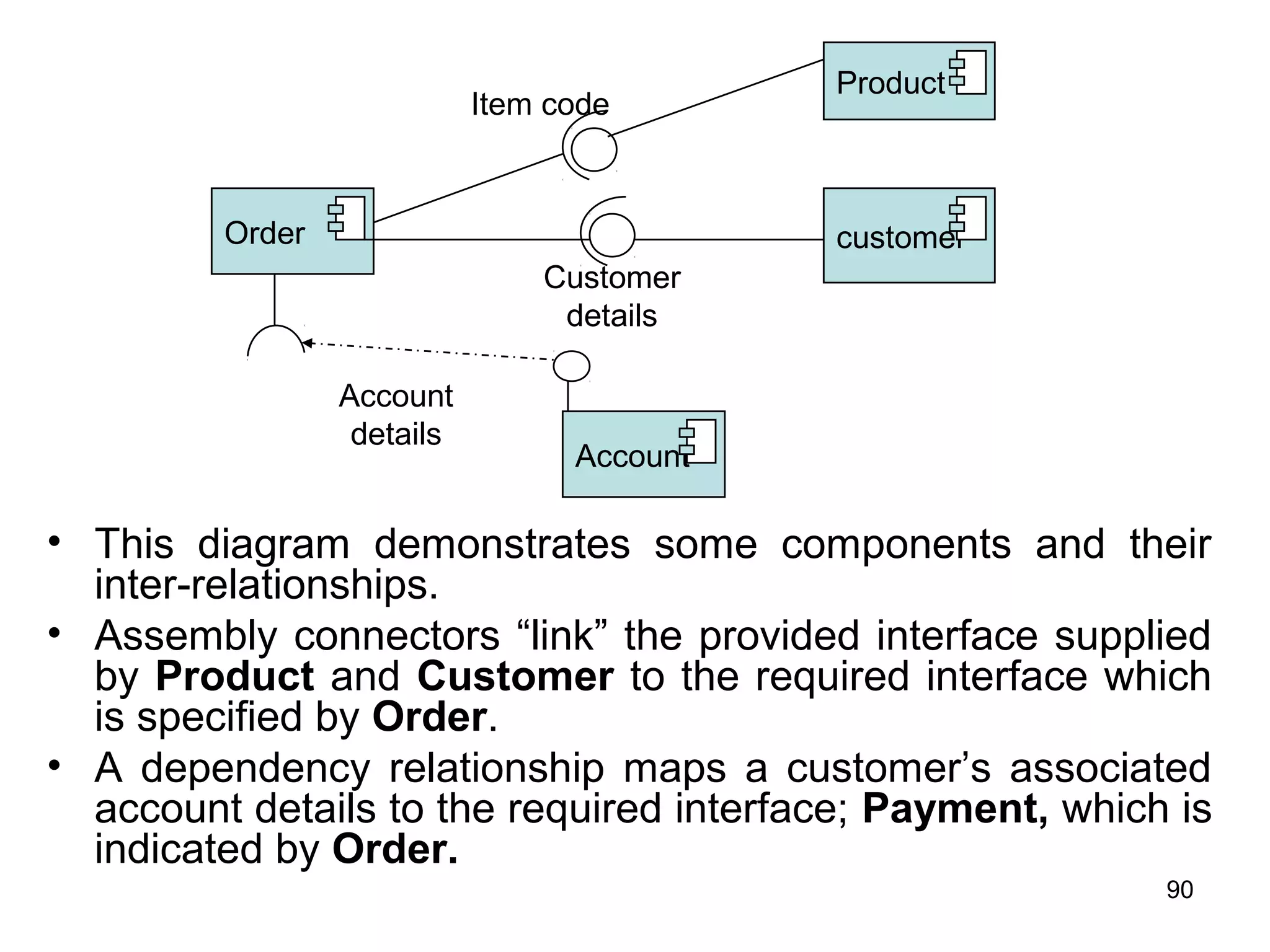
• This diagram demonstrates some components and their
inter-relationships.
• Assembly connectors “link” the provided interface supplied
by Product and Customer to the required interface which
is specified by Order.
• A dependency relationship maps a customer’s associated
account details to the required interface; Payment, which is
indicated by Order.
Order
Product
customer
Account
Item code
Customer
details
Account
details
90
• Exercise:
– Order, Item, Inventory-Item, Customer and
Account are the objects or components.
– Using this components, develop a component
diagram.
• Exercise:
– Course, Course-Section, Student and Course-
Enrollment are the components.
– Develop a component diagram using the above
components.
91
Deploying the System
(Environmental View)
• The deployment diagram shows the
configuration of run-time processing elements
and the software processes living on them
• The deployment diagram visualizes the
distribution of components across the
enterprise.
• It shows the configuration of the hardware
elements (nodes) and shows how software
elements and artifacts are mapped onto those
nodes.
92
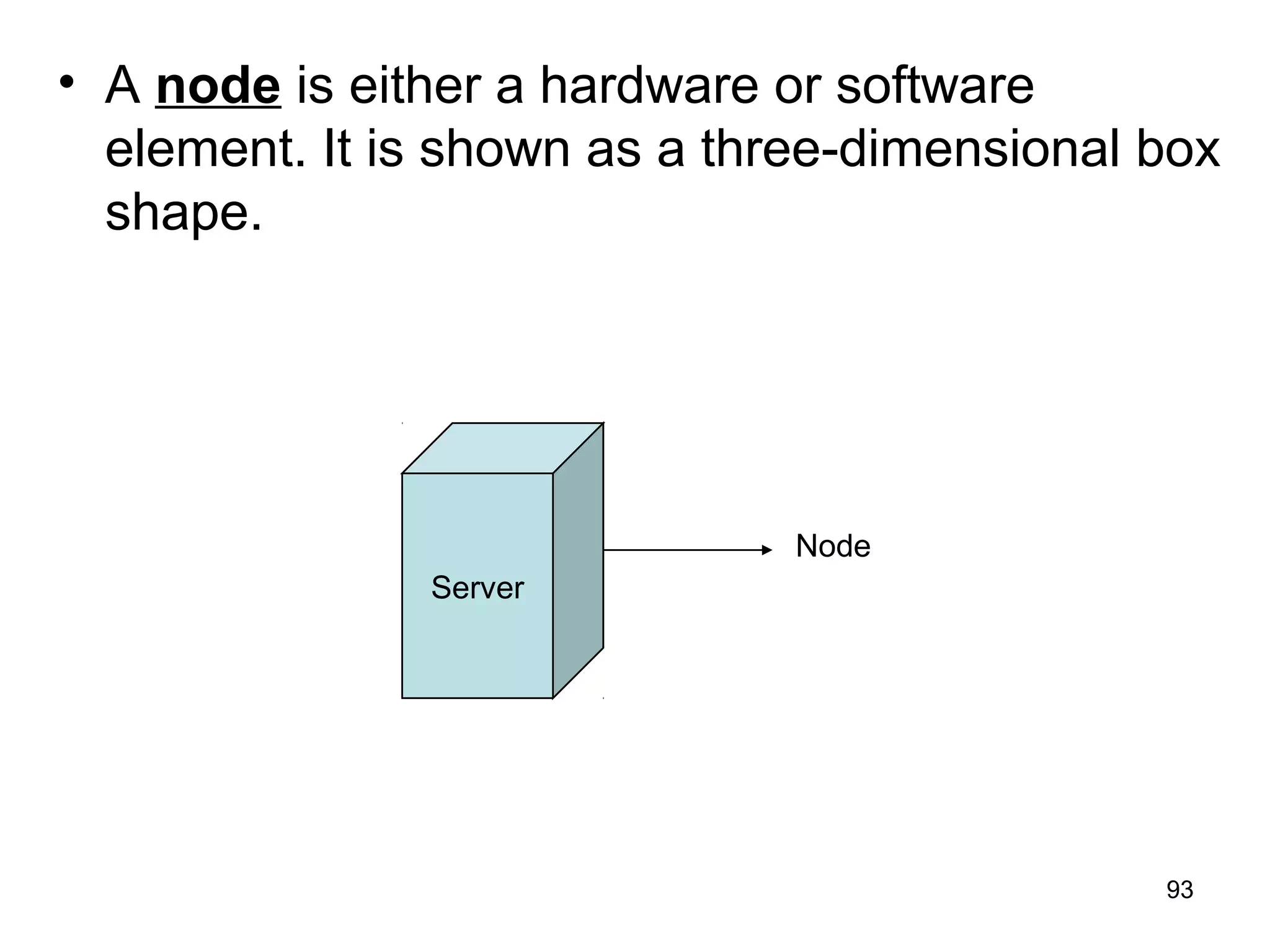
• A node is either a hardware or software
element. It is shown as a three-dimensional box
shape.
Server
Node
93
• A node instance can be shown on a diagram.
An instance can be distinguished from a node
by the fact that its name is underlined and has
a colon before its base node type.
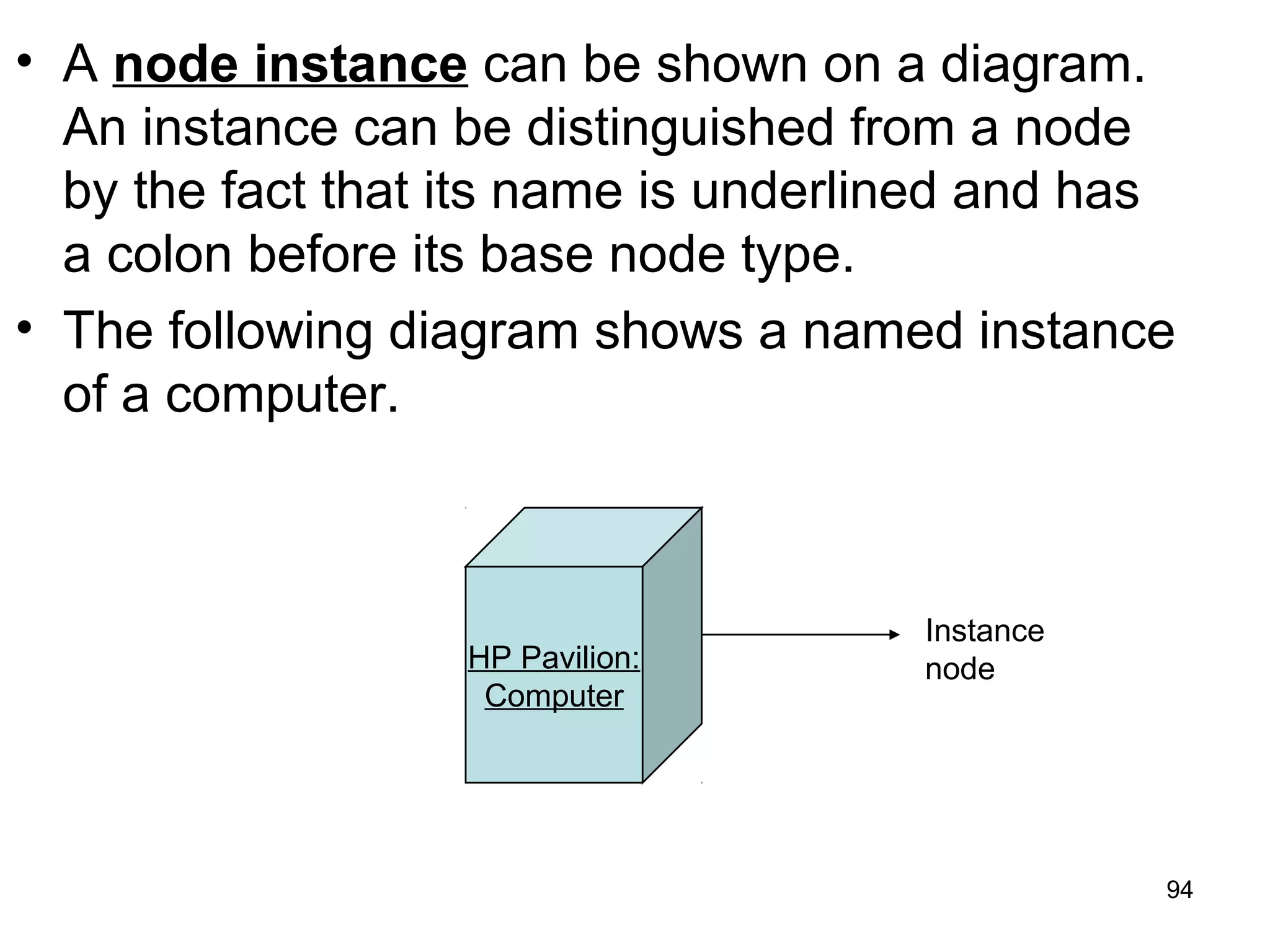
• The following diagram shows a named instance
of a computer.
HP Pavilion:
Computer
Instance
node
94
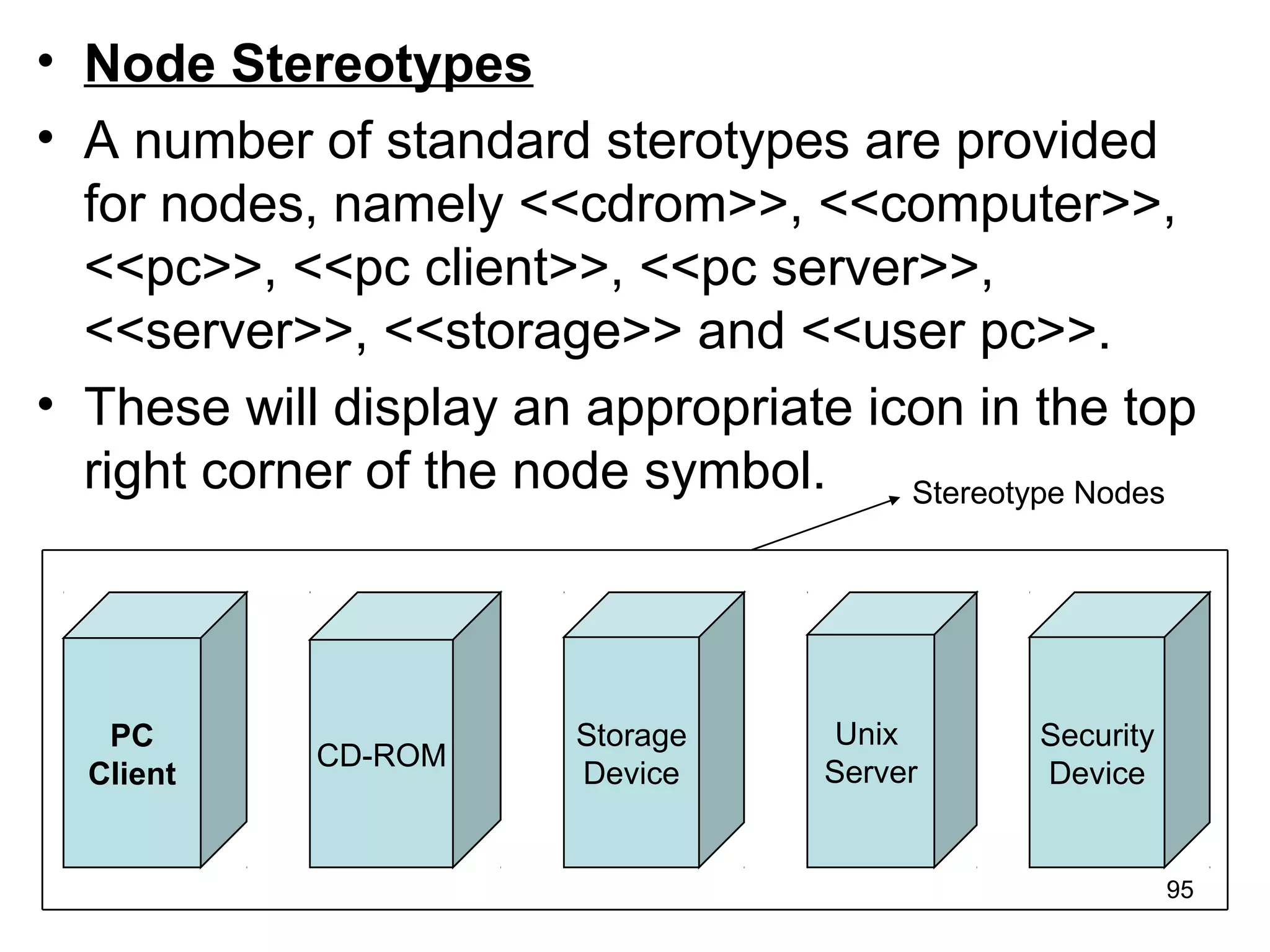
• Node Stereotypes
• A number of standard sterotypes are provided
for nodes, namely <<cdrom>>, <<computer>>,
<<pc>>, <<pc client>>, <<pc server>>,
<<server>>, <<storage>> and <<user pc>>.
• These will display an appropriate icon in the top
right corner of the node symbol. Stereotype Nodes
PC
Client
CD-ROM
Storage
Device
Unix
Server
Security
Device
95
• Artifact
• An artifact is a product of the Software
Development process of SE.
• That may include process model (use case
model), source file, executable, design
document, test report and user manuals etc.
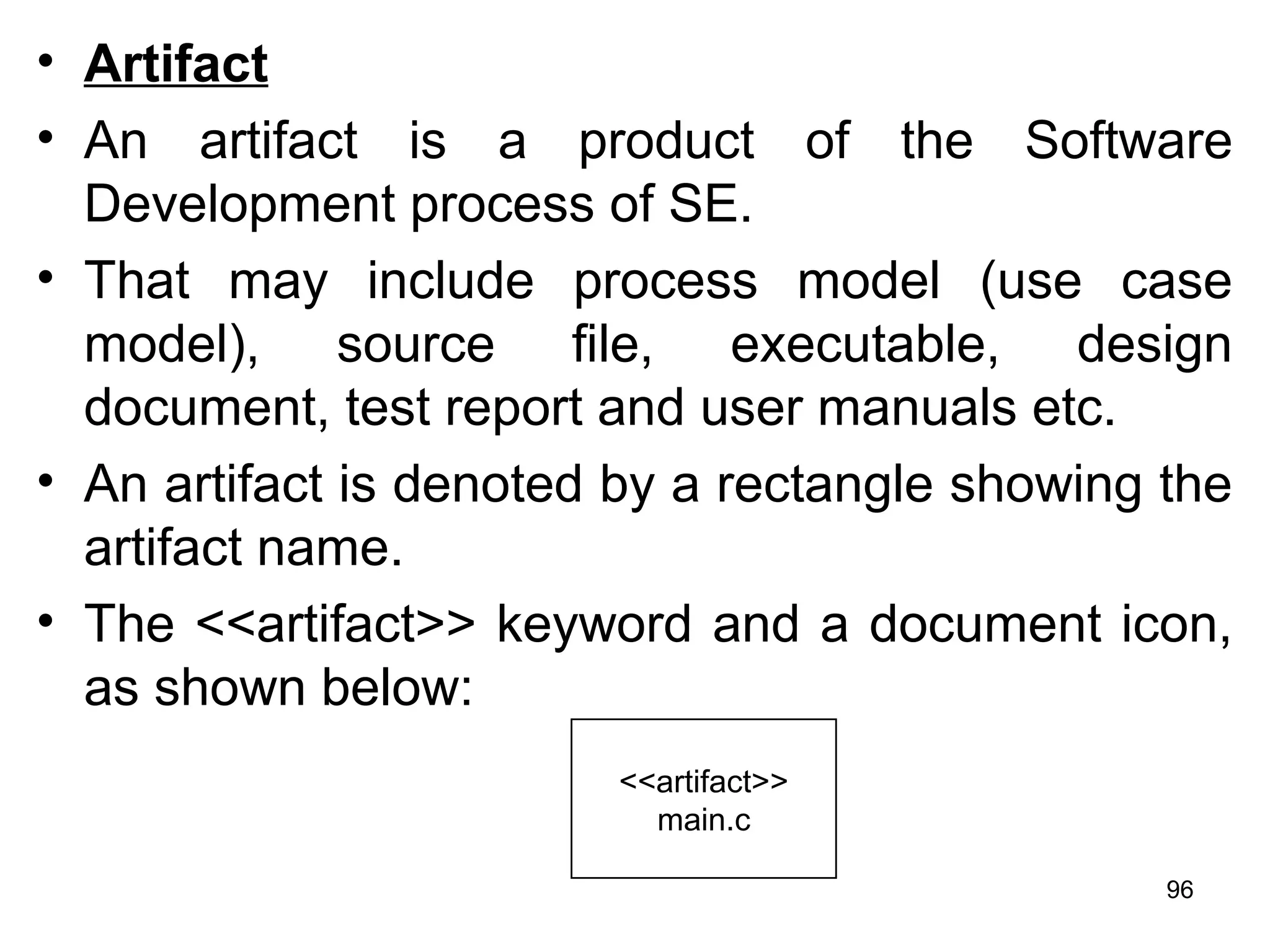
• An artifact is denoted by a rectangle showing the
artifact name.
• The <<artifact>> keyword and a document icon,
as shown below:
<<artifact>>
main.c
96
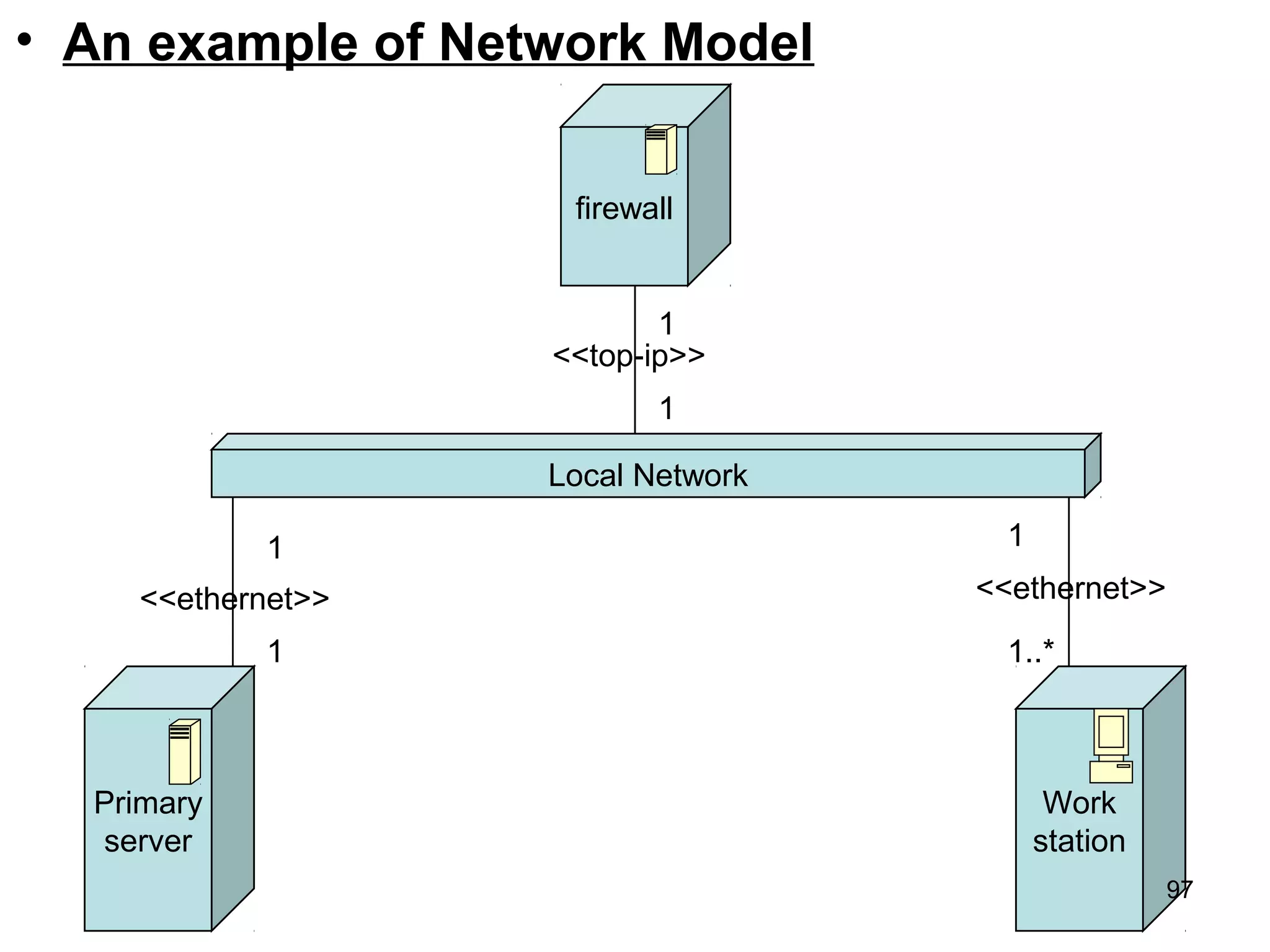
• An example of Network Model
Local Network
Primary
server
<<ethernet>>
1
1
Work
station
1..*
1
<<ethernet>>
firewall
1
1
<<top-ip>>
97
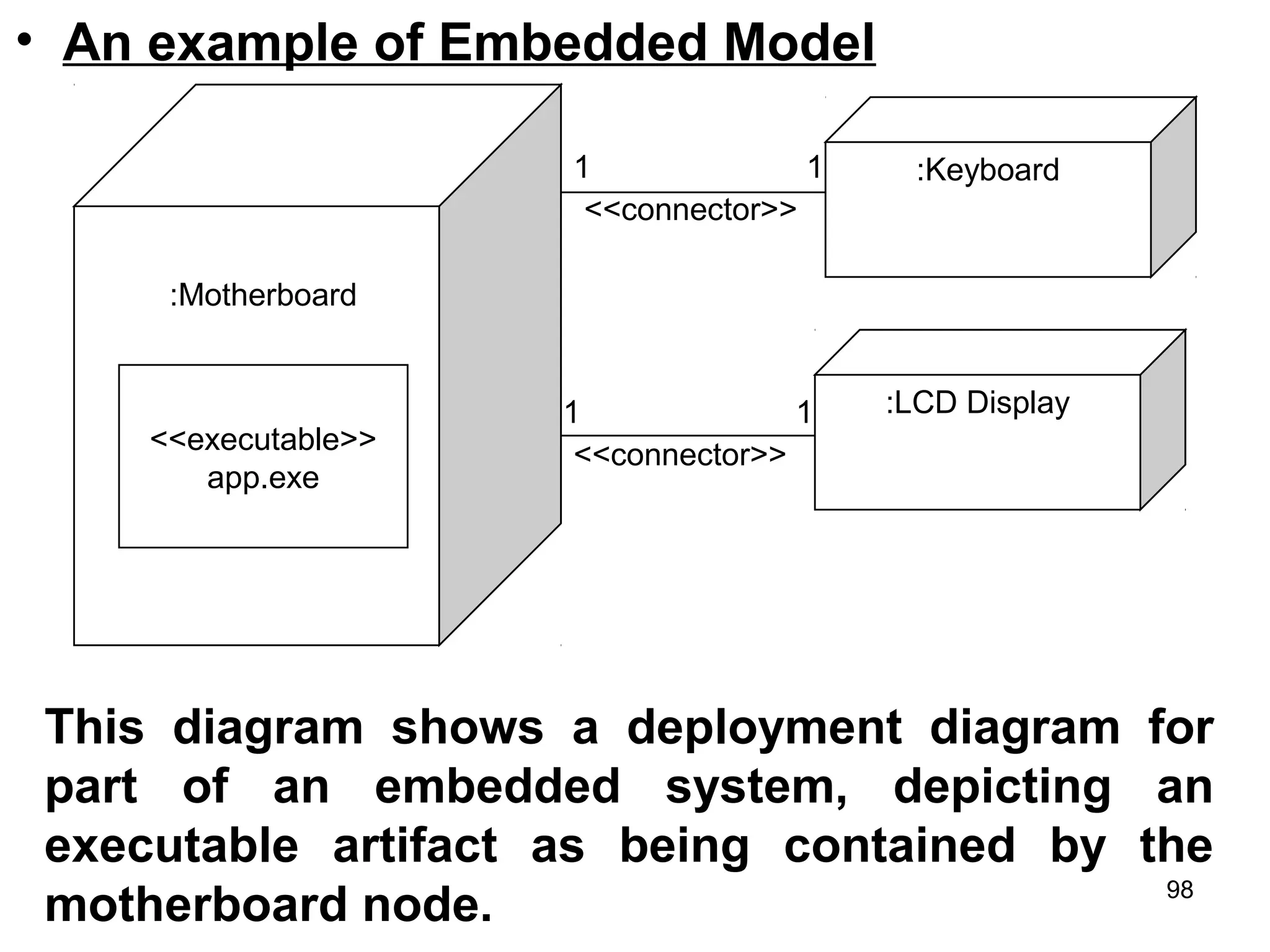
• An example of Embedded Model
<<executable>>
app.exe
:Motherboard
:Keyboard
:LCD Display
1 1
<<connector>>
1 1
<<connector>>
This diagram shows a deployment diagram for
part of an embedded system, depicting an
executable artifact as being contained by the
motherboard node. 98
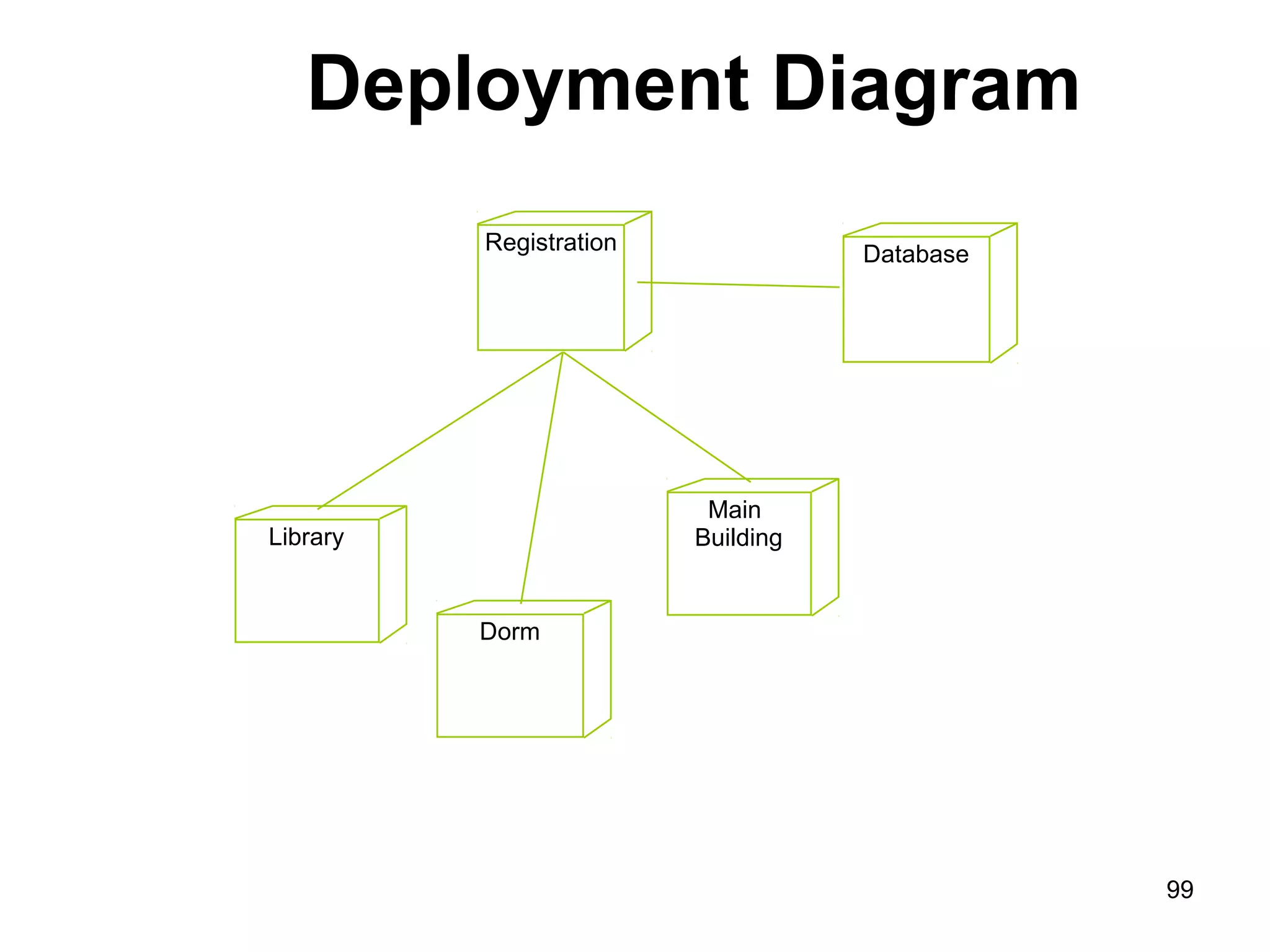
Deployment Diagram
Registration Database
Library
Dorm
Main
Building
99
Thank you
100

analysis and design with uml

  • 1.
  • 2.
    1. UML (UnifiedModeling Language) • The UML is a standard language for specifying, visualizing, constructing and documenting the artifact (work of art/objects) of software systems as well as for business modeling and other non- software systems. • The UML is a very important part of developing object oriented software and the software development process. • UML provides a set of notation (rectangle, lines, ellipse etc) to create models of system. • UMLs also facilitate the generation of analysis and design procedure themselves. 2
  • 3.
    • Before usingUML, it is important to clearly understand what exactly is meant by a model, why is it necessary to create a model. • It is a graphical model tools, are very popular because they are easy to understand and construct. •About Modeling: is a proven and well- accepted engineering techniques. •Modeling is a architectural artifact which helps to users visualize the final product. 3
  • 4.
    The UML Languagefor Documenting • A healthy Software Organization produces all sorts of artifacts in addition to raw executable code. These artifacts/objects includes: – Requirements – Architecture – Design – Source code – Project Plan – Tests – Prototypes – Releases 4
  • 5.
    Where can theUML be used? The UML is not limited to modeling software. • Enterprise information systems • Banking and financial services • Telecommunications • Transportation • Defense/aerospace • Retail • Medical electronic • Scientific • Distributed web-based services 5
  • 6.
    Building Blocks ofthe UML • The UML encompasses three kinds of building blocks: 1. Things (Structural, Behavioral, Grouping & Annotational things) 2. Relationships (Dependency, Association, Generalization and Realization relationships) 3. Diagrams (Use Case, Class, Object, Sequence, Collaboration, Activity, Component & Deployment diagrams) – Things are the abstractions that are first class citizens in a model; – Relationships ties these things together; – 6
  • 7.
    Common Mechanism inthe UML • UML is made simpler by the presence of four common mechanisms that apply consistently throughout the language: 1. Specifications – every part of graphical notation there is a specification that provides the textual statements of the syntax and semantics of that building block. 2. Adornments (decoration) – have a unique & direct graphical notation that provides a visual representation of the most important aspects of the element. 3. Common divisions – in modeling OOS, the world gets divided in at least a couple of ways. 4. Extensively - provide standard language writing the S/W blueprints, to extend the language in controlled ways 7
  • 8.
    2. Why constructa model? • An important reason behind constructing a model is that it helps manage complexity. • Once the models of a system have been constructed, these can be use for a variety of purpose during software development, including the following: • Visualize & understand the problem & the working of a system • Analysis • Specification • Design • Code generation • Testing 8
  • 9.
    3. UML Diagram: •UML can be used to construct nine different types of diagrams to capture different views of a system. • For example, a building can be modeled from several views : ventilation perspective, electrical perspective, lighting perspective etc. • So, UML diagram provide different perspective of the S/W system to be developed and facilitate a comprehensive understanding of the system. • The UML diagram can capture the following views of a system. – Structure view, Behavioral view, Implementation 9
  • 10.
    UML Diagram: Structure View -Classdiagram -Object diagram Behavioral View -Sequence diagram -Collaboration -State-chart -activity User View -use case diagram Implementation View -component diagram Environmental View -Deployment Diagram 10
  • 11.
    User View • Thisview defines the functionalities (facilities) made available by the system to its user. (displays the relationship among actor & use case.) • The users’ view capture the external users’ view of the system in terms of the functionalities offered by the system. Structured View • It defines the kinds of objects (classes). • It is important to the understanding of the working of a system and to its implementation. Capture the relationships among the classes. 11
  • 12.
    Behavioral View (sequence,collaboration, activity) • This view capture how objects interact with each other to realize the system behavior. • The system behavior capture the time- dependent behavior of the system. It is called Interaction diagram. Implementation View (Component Diagram) • This view capture the important components of the system and their dependencies. Environmental View ( Deployment Diagram) • This view models how the different components of the system and their dependencies are setup and organize. 12
  • 13.
    4. Type ofUML Diagram • Use Case Diagram: displays the relationship among actor & use case (interactions). • Class Diagram: model class structure and contents using design elements such as classes, packages and objects. Display relationships (associations to each other) • Sequence Diagram: displays the time sequence of the objects participating in the interaction. Vertical dimension is time & horizontal dimension is different objects. • Collaboration Diagram: displays an interaction organized around the objects and their links to another. 13
  • 14.
    • Activity Diagram: –displays a special states diagram where most of the states are action states and – Most of the transitions are triggered by completion of the action in the source states. – So, this diagram focused on flows driven by internal processing. • Component Diagram: – Displays the high level packaged structure of the code itself. – Dependencies among components are shown, including source code components, binary code components & executable components. • Deployment Diagram: – Displays the configuration of run-time processing elements and the software components, processes and objects that live on them. 14
  • 15.
    USE CASE DIAGRAM •A use case is a set of scenarios that describing an interaction between a users and a system. • A use case is a technique used to describes what a new system should do or what an existing system already does from the user’s point of view.. • An important aim of use case is to describe the functional requirements of the system • The functional of the system is represented by a complete set of use cases. (system used by users) • A use case diagram shows the relationship between actors and user case in a system. • The two main components of a use case diagram are use case and actors 15
  • 16.
    When to Use:Use Cases Diagrams • Use cases are used in almost every project. • They are helpful in exposing requirements and planning the project. • During the initial stage of a project most use cases should be defined, but as the project continues more might become visible. 16
  • 17.
    Use case diagramsdepict (describe): • Use cases. A use case describes a sequence of actions that provide something of measurable value to an actor and is drawn as a horizontal ellipse. • Actors. An actor is a person, organization, or external system that plays a role in one or more interactions with your system. Actors are drawn as stick figures. • Associations. Associations between actors and use cases are indicated in use case diagrams by solid lines. • System boundary boxes. You can draw a rectangle around the use cases, called the system boundary box, to indicates the scope of your system. Anything within the box represents functionality that is in scope and anything outside the box is not. 17
  • 18.
    • We canuse following components: – System Boundary – Actors – Use Cases – Relationship between actors and use cases Actor Use Case Browse book catalogue Located Book by Title or author Request Unlisted book Customer 18
  • 19.
    Example of Usecase diagram 19
  • 20.
    • An actoris represents a user or another system that will interact with the system you are modeling. • A use case is an external view of the system that represents some action the user might perform in order to complete a task. • Use cases are used in almost every project, helpful in exposing requirements and planning the project. 20
  • 21.
  • 22.
    Supermarket Prize Scheme •Use cases are: – register customer – register sale – evaluate register customer and sale – select winner 22
  • 23.
    Supermarket Prize Scheme Register_customer U1 Register_sales U2 Select-winner U4 SupermarketPrize Scheme Relationships represented using a predefined stereotype <<incluede>> <<include>> <<include>> Customer Sales Clerk Manager Clerk Evaluate customer and sales U3 23
  • 24.
    • U1: Thecustomer can register himself by providing necessary details. » Select register customer option » Display the prompt » Enter the necessary values (ID) » Registered • U2: The clerk can register the details of the purchase made by a customer. » Select register sales details » Enter the necessary values (ID) » Registered sales details • U3/U4: The manager can evaluate and generate the winner list. » Evaluate customer and details sales » Select the winner list 24
  • 25.
    query balance receive grant printbalance sheet make payment Account enroll student enter grade compute CGPA modify grade print grade card Academic 25
  • 26.
    Function of LibraryManagement System (LIS) • issue_book • renew_book • check_reservation • get_user_selection • update_selected_books issue_book get_user_selection update_selected_ books renew_book check_reservation <<include>> <<include>> <<include>> <<include>> 26
  • 27.
    • Use Caseelement as follows: – Customer to Deposit Cash at ATM – Customer to Apply for Loan – Bank Teller to Withdraw Money – Bank Teller to Deposit Money – Bank Computer to Update Customer Database – Technician to Service ATMs – Loan Officer to Process a Loan Exercise of Use case 27
  • 28.
    • Actor elementsas follows: – Employees – Bank Teller – Loan Officer – Technician – Bank Computer • Use Case elements (interactions) as follows: – Deposit Money – Process a Loan – Apply for Loan – Deposit Cash at ATM – Service ATMs – Update Customer Database 28
  • 29.
  • 30.
  • 31.
    Class • An objectis any person, place, thing, concept, event, screen, or report applicable to your system. Objects both know things (they have attributes) and they do things (they have methods). • A class is a representation of an object and, in many ways, it is simply a template from which objects are created. • Classes form the main building blocks of an object-oriented application. • Although thousands of students attend the university, you would only model one class, called Student, which would represent the entire collection of students. 31
  • 32.
    Responsibilities: • Classes aretypically modeled as rectangles with three sections: the top section for the name of the class, the middle section for the attributes of the class, and the bottom section for the methods of the class. • For example, students have student numbers, names, addresses, and phone numbers. Those are all examples of the attributes of a student. Students also enroll in courses, drop courses, and request transcripts. 32
  • 33.
    Class Responsibility Collaborator(CRC) model • A CRC model is a collection of standard index cards that have been divided into three sections because a class represents a collection of similar objects, a responsibility is something that knows or does. • And a collaborator is another class that a class interact with to fulfill its responsibilities. • So how do you create CRC models? Iteratively perform the following steps: – Find Classes – Find Responsibilities – Define Collaborators (collaborates to other classes)33
  • 34.
  • 35.
  • 36.
    • Student andaddress (Conceptual class diagram). • Seminar normalized (Conceptual class diagram). 36
  • 37.
    • Course withaccessor methods (Inching towards a design class diagram). 37
  • 38.
    • Associations – Objectsare often associated with, or related to, other objects. Notation for associations. 38
  • 39.
    • An associationrepresents a relationships between classes. • An association can have many names with the direction shown by a small solid triangle either preceding or following the name. • Association between person and Flat – the association named ‘owns’ from class Person to class Flat & the association named ‘ownedBy’ from class Person. Person Flat 1..* 1..*owns ownedBy 39
  • 40.
    • Unidirectional associationbetween Person and Flat – the unidirectional association between class Person & class Flat. • Here, 1..* indicates one or many, whereas * or 0..* indicate zero or many. • This indicator is called multiplicity Person Flat 1..* *owns 40
  • 41.
    1. One-to-One Association •Suppose a person owns a flat which shown in given figure. • One-to-One unidirectional association between the class Person & the class Flat. • Converting to the following Java classes, we obtain: public class Person { public Flat owns; } public class Flat { public Person ownedBy: } Person Flat 1 1owns 41
  • 42.
    1. One-to-Many Association •Suppose a person own many flat which shown in given figure. • One-to-Many bidirectional association between the class Person & the class Flat. • Converting to the following Java classes, we obtain: public class Person { public Collection owns; } public class Flat { public Person ownedBy; } Person Flat 1 *owns 42
  • 43.
    • In thiscase, in the class Person, there will be a reference to a collection of objects of the class Flat, and in the class Flat, there will be a reference to the class Person. 43
  • 44.
    1. Many-to-Many Association •Suppose a person can own many flat and a flat can be owned by many persons. • There will be a reference to a collection of persons in the class Flat and a reference to a collection of flats in the class Person. • Converting to the following Java classes, we obtain: import java.util.*; public class Person { public Collection owns; } import java.util.*; public class Flat { Person Flat * *owns ownedBy 44
  • 45.
    MyClass MyClass In the firstdiagram, the remaining two compartments are for attributes and operations which have not yet been filled). The first character of class name should be written in capital letter. In second figure identify only class. No depict attributes and functional part. 45
  • 46.
    Class Diagram: • So,A class diagram is a static model that defines the system’s legal object configurations. • Any objects that exit during the system’s execution must be instances of classes in the class diagram and • Any relationships between those objects must be instances of associations between those object’s classes. • So, a class diagram, therefore a key component of an object-oriented design. 46
  • 47.
    • Class diagramsare widely to describe the types of objects in a system and their relationships. • Classes are composed of three things: a name, attributes, and operations. • Class diagram are used in nearly all object oriented software designs. • It is used to describes the classes of the system and their relationships to each other. • A class have optimal attributes and operation components. 47
  • 48.
    Attribute and Operations: •An attribute represents some property of an object. • Attribute is used to includes the value of an object. • The attributes of the class have their property which are used to placed the values. • The attributes of the class Employee are empName, empId, deptName, dateOfJoining etc. • There are some attributes read only, i.e., they are only gettable, they cannot be assigned values. 48
  • 49.
    • For examplethe ‘area ‘ is a read only attribute. • The function calculateArea() calculates the area using a fixed formula. Triangle Base:float Height:float /area:float setBase():void getBase():float setHeight():void getHeight():float calculateArea():void getArea():float 49
  • 50.
    Associations Class: • Considerthe relationship ‘person rents flat’. • To rent a flat, often a contract is required. • Now the details of the rent, such as the amount, and mode of payment of rent are neither the property of the class Person nor the property of the class Flat. • It is a property of the association ‘rents’. • So, an association class called ‘Rent’ can be made and the properties of rent can be included in it. • The association class is a class that is connected to the association of two classes using a dashed line. 50
  • 51.
    • The associationRent between class Person and class Flat being promoted to an association class. Rent Person Flat 51
  • 52.
    Ternary Associations Class: •Consider the case of buying reference books for a college library. • The total bill depends on three factors: the publisher, the quantity of books, and the price of each book. • Three classes are created, namely, Publisher, BookPrice, and PurchasedQuantity and the ternary association that exists between them. • This will assist us finding the total bill. • The ternary association is represented by a hollow diamond . 52
  • 53.
    • The ternaryassociation is represented by a hollow diamond . * TotalBill Publisher BookPrice FlatPurchasedQty * * * 53
  • 54.
    Recursive Associations Class: •A class may have an association on itself. • This association is called recursive (reflexive) association. • For example, one Person (Mother) can give birth to other persons (Child). • At one end the person plays the role of a Mother and at the other end that of a child. Person 1 * givesBirthTo child Mother 54
  • 55.
    • Example ofClass Diagram: Customer name: String Address: string creditRating() Class Name Attributes Operations • Example of class diagram association: Date received: date Is prepaid: boolean Number: string Price: money Dispatch() Close() Order Name: string Address: string creditRating() Customer Multiplicity Many_valued Mandatory n 1 Association 55
  • 56.
    Library class hierarchyCatalogue number Acquisitiondate Cost Type Status Number of copies Library item Acquire () Catalogue () Dispose () Issue () Return () Author Edition Publication date ISBN Book Year Issue Magazine Director Date of release Distributor Film Version Platform Computer program Title Publisher Published item Title Medium Recorded item 56
  • 57.
  • 58.
    INTERACTION DIAGRAM • Aninteraction diagram is a graphical representation of how object interact with one another in a scenario. • Interaction diagram are used to illustrate the dynamic behavior of a community of objects that collaborate by passing messages in order to perform a certain task. • An interaction diagram depicts only the communication between objects. • Objects communicate in an interaction diagram by sending messages. • A message may carry data with it. • Use cases have basic and alternate flows. 58
  • 59.
    • Each flowcould be shown in an interaction diagram. • So, use case list the behavior and sequence diagram can designate the way objects collaborate to implement the behavior. • For example: – Telephone Agent object might send an order object a cancellineItem message with the data value 22327(item number). 59
  • 60.
    • For example: Considerthe successful scenario of the ‘withdraw cash’ use case. Customer inserts a card in the ATM machine. The machine prompts him for a pin. Customer enter the pin. The machine authenticates the pin, and asks the user to enter the amount that customer wants to withdraw. After enter the amount: the machine verifies that at least Rs. 500 will be left as balance in saving account if the amount requested by the customer is given. It then generates the cash, displays the balance in the saving account, and outputs the card. 60
  • 61.
    – (Class: customer,ATM and server and depict the association between them) • UML provides a rich notation in its interaction diagram to depict a variety of circumstance. • So, UML provides two types of interaction diagram (the object-interaction diagram comes in two styles). 1. the sequence diagram – is organized temporally with the focus on the order in which messages are sent between objects. 2. the collaboration diagram – is spatially oriented with an emphasis on the links between objects. • So, an interaction is a behavior that comprises a set of messages exchanged among a set of objects within a context to accomplish a purpose. 61
  • 62.
    • A messageis a specification of a communication between objects that conveys information with the expectation that activity will ensue (proceed). • Message = is the specification of a communication among objects that conveys information. • Sequencing = when an object passes a message to another object, the receiving object might in turn send a message to another object, which might send a message to yet a different object and so on. 62
  • 63.
    Sequence Diagram: • arethe first type of interaction diagram. • Show the interaction between objects as they collaborate to realize scenarios within a use case. • Show the sequence of messages which objects pass among each other, and • The interaction is shown over time which is read from top to bottom 63
  • 64.
    • Sequence diagramdemonstrate the behavior of objects in a use case by describing the objects and the message they pass. • The diagrams are read left to right and describing. • Example. Object:class1 Object:class2 Object:class3 message1() message2() return() return() •This diagram shows an object of class1 start the behavior by sending message to an object class2. •Message pass between the different objects until the object of class1 receives the final message. 64
  • 65.
    An example sequencediagram for our logon collaboration is shown: 65
  • 66.
    Things to Note: •Theflow of time is shown from top to bottom, that is messages higher on the diagram happen before those lower down •The blue boxes are instances of the represented classes, and the vertical bars below are timelines •The arrows (links) are messages - operation calls and returns from operations •The hide and show messages use guards to determine which to call. •Guards are always shown in square braces [ ] and represent constraints on the message (the message is sent only if the constraint is satisfied) 66
  • 67.
    •The messages arelabelled with the operation being called and parameters are shown. •You can choose to enter the parameters or not - this is dependent upon their importance to the collaboration being shown •The sequence numbers are not shown on the messages as the sequence is intrinsic to the diagram 67
  • 68.
    • Message andtheir notation – Suppose an object of class A sends a message msg1() to the object of class B. – If the first object does not have to wait for the return, then – The message asynchronous, i.e. the object of class A can msg2() to object of class C. • Example: logonDialog logonManager databaseAccess (username,password) :validate logon :executeQuery (to check logon & password with database Logon failed show()user apply() 68
  • 69.
    Simple System SequenceDiagram :System InquireOnItem(catlogID,prodID,size) Item information An output message An input message Clerk An object (underlined) representing the automated system The object lifeline. Shows the sequence of messages, top to bottom The actor interacting with the system 69
  • 70.
    • Each messageis labeled with the message name. • Some control information can also be included. – A condition (e.g. [invalid]) indicate that a message is sent, only if the condition is true. – An iteration marker(*) shows that the message is sent many time to multiple receiver objects, as would happen when you are iterating over a collection or the elements of an array. (for every book object). Library book issue control library book register library book library member issued book Find member borrowing Display member borrowing select book book selected issued bookissued book find * [invalid] 70
  • 71.
    Issue of electronicitems :Library User Ecat: Catalog Lookup Issue Display :Library Item Lib1: NetServer Issue licence Accept licence Compress Deliver 71
  • 72.
    Assignment of ATMSystem Develop: 1. System Startup Sequence Diagram 2. Session Sequence Diagram 3. Transaction Sequence Diagram 4. System Shutdown Sequence Diagram 72
  • 73.
    Collaboration Diagram: • Collaborationdiagrams shows the relationship between object and the order of messages passed between them. • So, it shows the structured and behavioral aspects explicitly. • The object are listed as icons and arrows indicate the messages being passed between them. • There are many acceptable sequence numbering schemes in UML. • For Example. 1: message() 2: message() Object:class1 Object:class2 Object:class3 1: prepare() 2: new() :order entry window :order :delivery item [in stock] 73
  • 74.
  • 75.
    • Second exampleof collaboration diagrams library issue book Library book register book Library member 1: enter issue book 3: display mem. borrower 9: issued book 5: select book 8: confirm 4: confirm 6: book select 7: reserved 2: find member borrowing 9:find* 75
  • 76.
    State Transition Diagram •State diagram are used to describe the behavior of a system. • Describe all of the possible states of an abject as events occur. • Each diagram usually represents objects of a single class and track the different states of its objects through the system. • State diagram have very few elements. • The basic elements are rounded boxes or box representing the object and • Arrows indicating the transition to the next state. 76
  • 77.
    State Transition Diagram StateName Activity Transition Do/action Initial state 77
  • 78.
    State Transition Diagram Checking Do/checktime Dispatching Do/initiate delivery All items available 78
  • 79.
    Activity Diagram • Activitydiagrams describe the workflow behavior of a system. • Activity diagrams are similar to state diagram because activities are the state of doing something. • The main reason to use activity diagram is to model the workflow behind the system being designed. • Activity diagram shows the flow of activities through the system. • A fork is used when multiple activities are occurring at the same time. 79
  • 80.
    • Commonly contains: –Activitystate & Action state –Transition –Objects • The following diagram are reads from top to bottom and have braches and forks to describe conditions and parallel activities. • Which is used when multiple activities are occurring at the same time. • Below display activity diagrams describe the workflow behavior of a system. 80
  • 81.
    - This diagramshows a fork after activity1. - This indicates that both activity2 & activity3 are occurring at the same time. 81
  • 82.
    -After activity2 thereis a branch. -The branch describes what activities will take place based on a set of conditions. 82
  • 83.
    • This diagramshows the workflow of a system: Assign tasks Reschedule Release work order [Materials not ready] [Materials ready] branch 83
  • 84.
    Example of anactivity diagram for processing order 84
  • 85.
    Elements of anActivity diagram • An activity diagram consists of the following behavioral elements: 85
  • 86.
    Element and itsdescription Symbol Initial Activity: This shows the starting point or first activity of the flow. Denoted by a solid circle. This is similar to the notation used for Initial State. Activity: Represented by a rectangle with rounded (almost oval) edges. Decisions: Similar to flowcharts, a logic where a decision is to be made is depicted by a diamond, with the options written on either sides of the arrows emerging from the diamond, within box brackets. Signal: When an activity sends or receives a message, that activity is called a signal. Signals are of two types: Input signal (Message receiving activity) shown by a concave polygon and Output signal (Message sending activity) shown by a convex polygon. Concurrent Activities: Some activities occur simultaneously or in parallel. Such activities are called concurrent activities. For example, listening to the lecturer and looking at the blackboard is a parallel activity. This is represented by a horizontal split (thick dark line) and the two concurrent activities next to each other, and the horizontal line again to show the end of the parallel activity. Final Activity: The end of the Activity diagram is shown by a bull's eye symbol, also called as a final activity. 86
  • 87.
    The Physical World (ImplementationView) • Component diagrams illustrate the organizations and dependencies among software components • A component may be – A source code component – A run time components or – An executable component 87
  • 88.
    Component Diagram • Illustratethe piece of software, embedded controller, etc. that will make up a system. • A component diagram has a higher level of abstraction than Class diagram – usually a component is implemented by one or more classes (pr objects) at runtime. • They are building blocks so a component can eventually encompass a large portion of a system. 88
  • 89.
    Course Course Offering Student Professor ComponentDiagram Course.dll People.dll Course User Register.exe Billing.exe Billing System 89
  • 90.
    • This diagramdemonstrates some components and their inter-relationships. • Assembly connectors “link” the provided interface supplied by Product and Customer to the required interface which is specified by Order. • A dependency relationship maps a customer’s associated account details to the required interface; Payment, which is indicated by Order. Order Product customer Account Item code Customer details Account details 90
  • 91.
    • Exercise: – Order,Item, Inventory-Item, Customer and Account are the objects or components. – Using this components, develop a component diagram. • Exercise: – Course, Course-Section, Student and Course- Enrollment are the components. – Develop a component diagram using the above components. 91
  • 92.
    Deploying the System (EnvironmentalView) • The deployment diagram shows the configuration of run-time processing elements and the software processes living on them • The deployment diagram visualizes the distribution of components across the enterprise. • It shows the configuration of the hardware elements (nodes) and shows how software elements and artifacts are mapped onto those nodes. 92
  • 93.
    • A nodeis either a hardware or software element. It is shown as a three-dimensional box shape. Server Node 93
  • 94.
    • A nodeinstance can be shown on a diagram. An instance can be distinguished from a node by the fact that its name is underlined and has a colon before its base node type. • The following diagram shows a named instance of a computer. HP Pavilion: Computer Instance node 94
  • 95.
    • Node Stereotypes •A number of standard sterotypes are provided for nodes, namely <<cdrom>>, <<computer>>, <<pc>>, <<pc client>>, <<pc server>>, <<server>>, <<storage>> and <<user pc>>. • These will display an appropriate icon in the top right corner of the node symbol. Stereotype Nodes PC Client CD-ROM Storage Device Unix Server Security Device 95
  • 96.
    • Artifact • Anartifact is a product of the Software Development process of SE. • That may include process model (use case model), source file, executable, design document, test report and user manuals etc. • An artifact is denoted by a rectangle showing the artifact name. • The <<artifact>> keyword and a document icon, as shown below: <<artifact>> main.c 96
  • 97.
    • An exampleof Network Model Local Network Primary server <<ethernet>> 1 1 Work station 1..* 1 <<ethernet>> firewall 1 1 <<top-ip>> 97
  • 98.
    • An exampleof Embedded Model <<executable>> app.exe :Motherboard :Keyboard :LCD Display 1 1 <<connector>> 1 1 <<connector>> This diagram shows a deployment diagram for part of an embedded system, depicting an executable artifact as being contained by the motherboard node. 98
  • 99.
  • 100.