An overview of
potential leaks via PDF
Ange Albertini
Ange Albertini
reverse engineering
visual documentations
@angealbertini
ange@corkami.com
http://www.corkami.com
Yet another talk on PDF from me?
● this one is high-level
○ awareness without the hardcore details
● a new kind of leak happened ITW recently
⇒ it’s still worth spreading the knowledge!
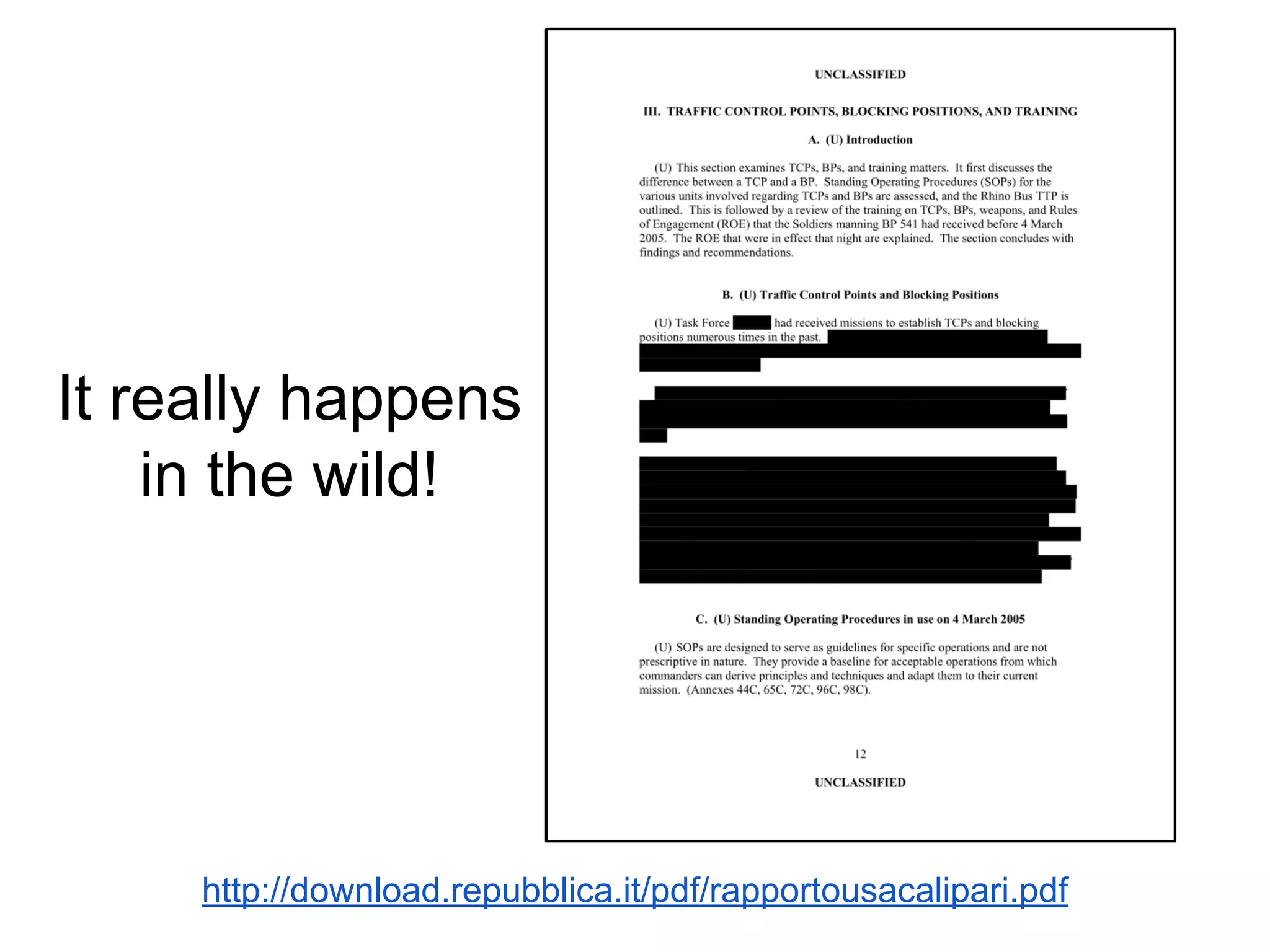
http://download.repubblica.it/pdf/rapportousacalipari.pdf
It really happens
in the wild!
potential leaks
via the standard page elements
text, image, drawing
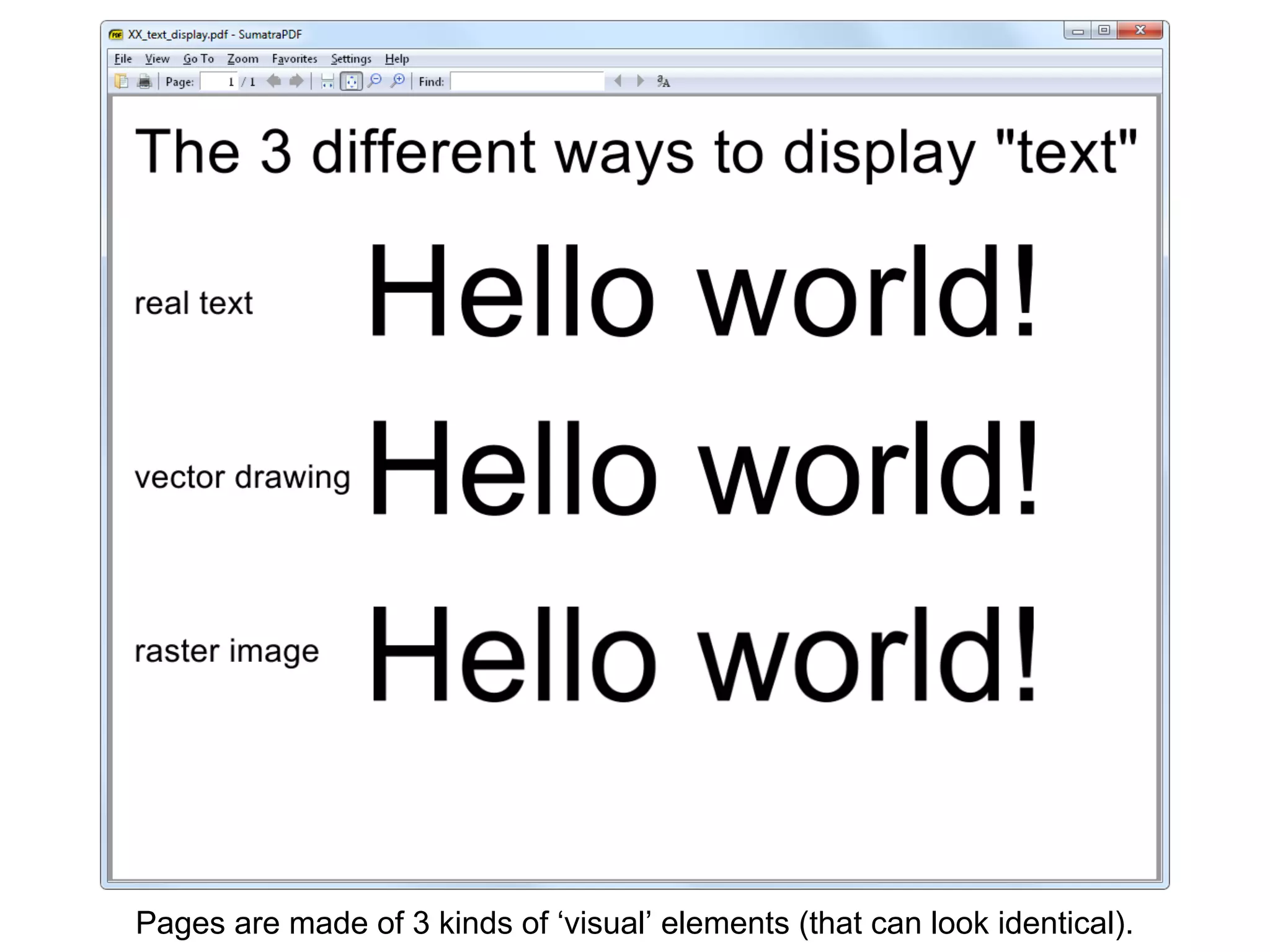
Pages are made of 3 kinds of ‘visual’ elements (that can look identical).
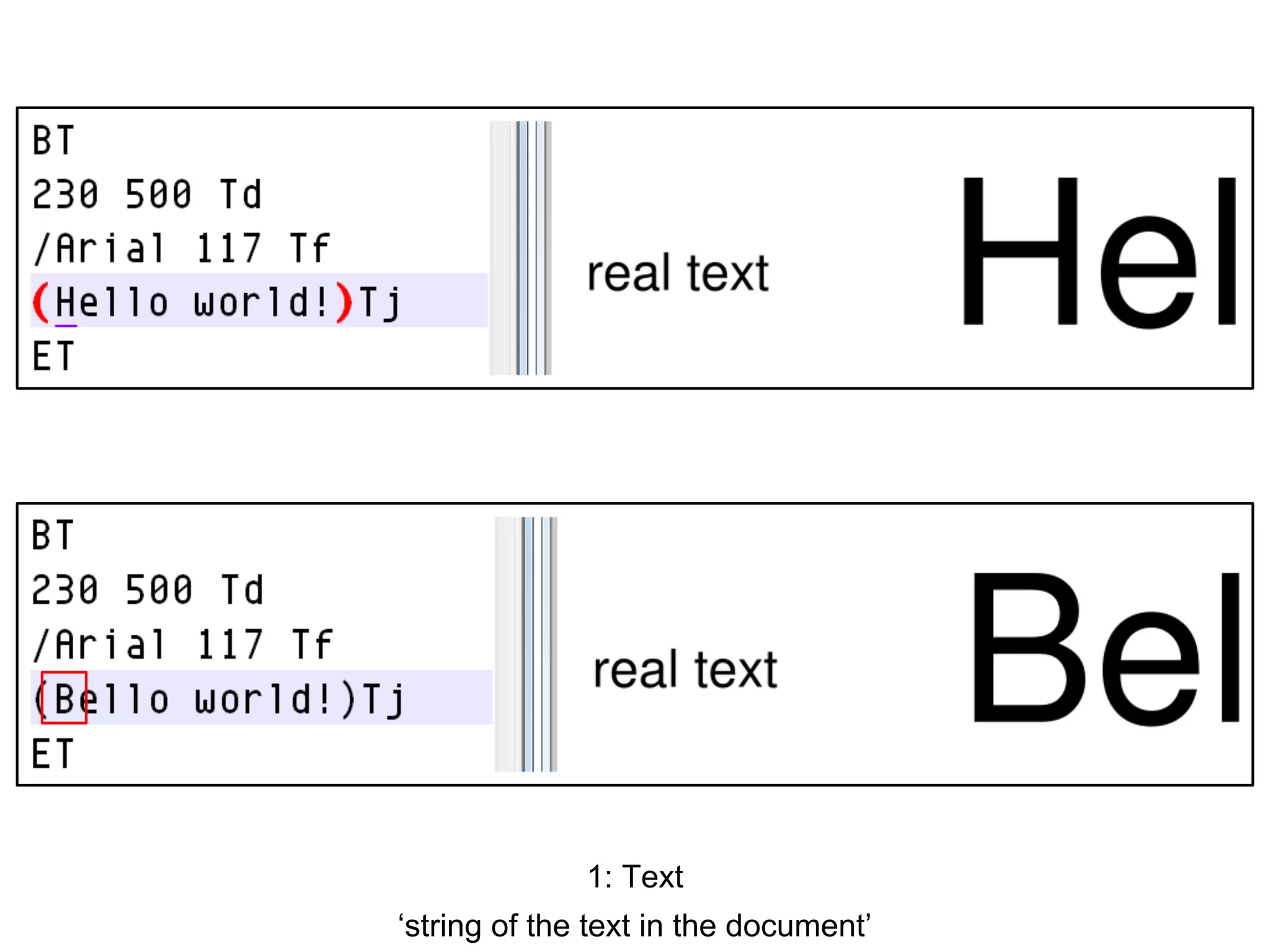
1: Text
‘string of the text in the document’
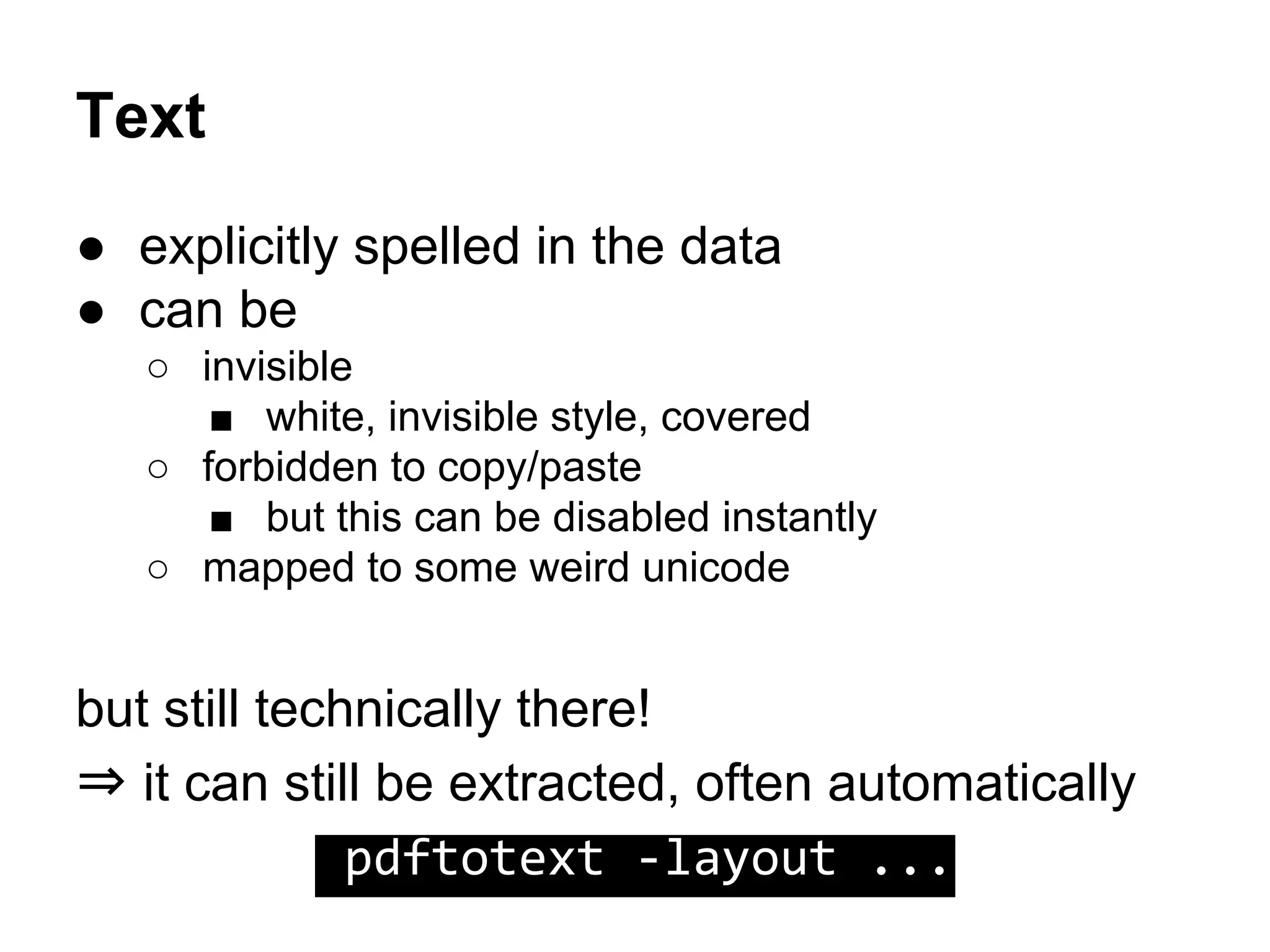
Text
● explicitly spelled in the data
● can be
○ invisible
■ white, invisible style, covered
○ forbidden to copy/paste
■ but this can be disabled instantly
○ mapped to some weird unicode
but still technically there!
⇒ it can still be extracted, often automatically
pdftotext -layout ...
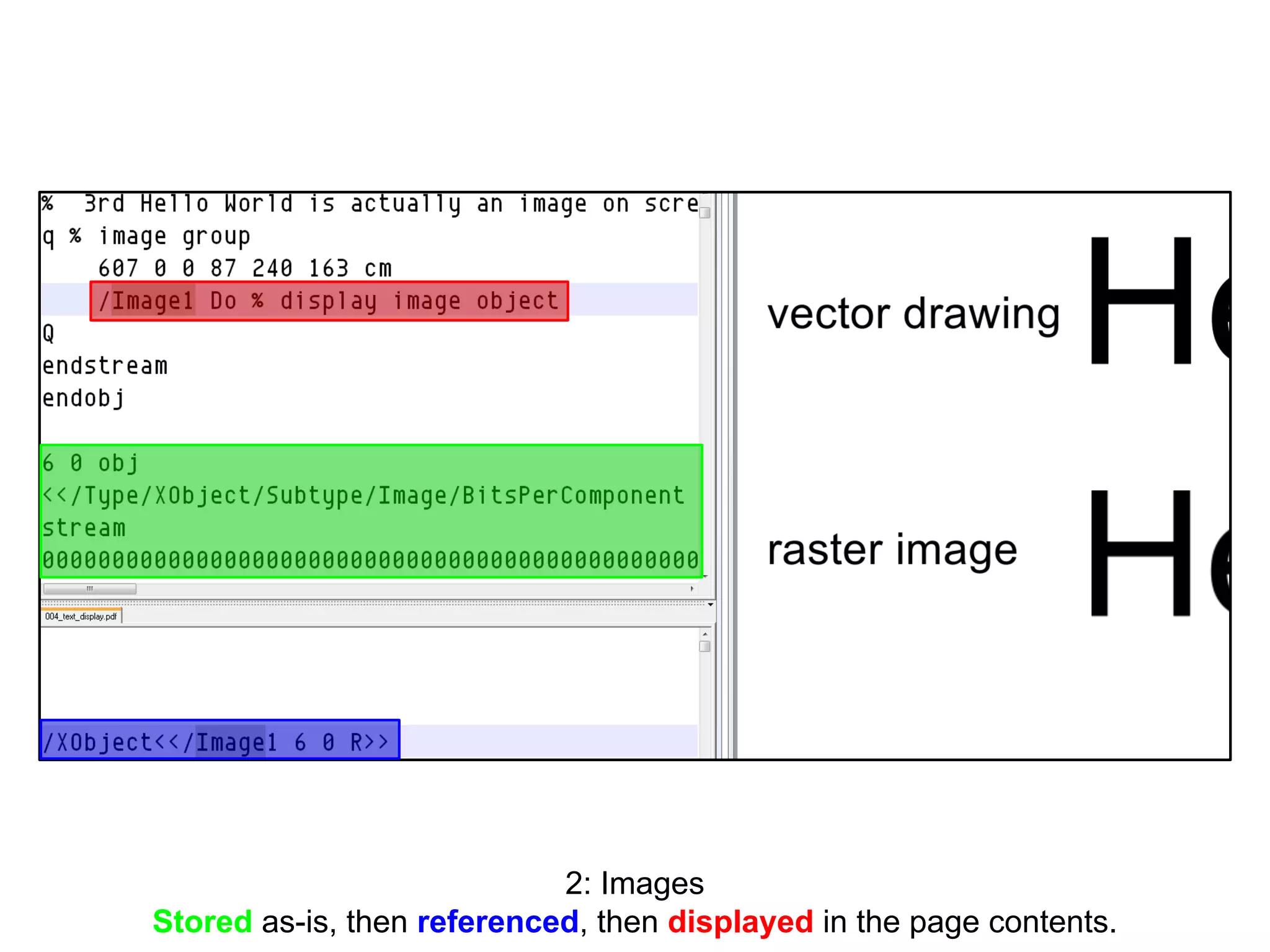
2: Images
Stored as-is, then referenced, then displayed in the page contents.
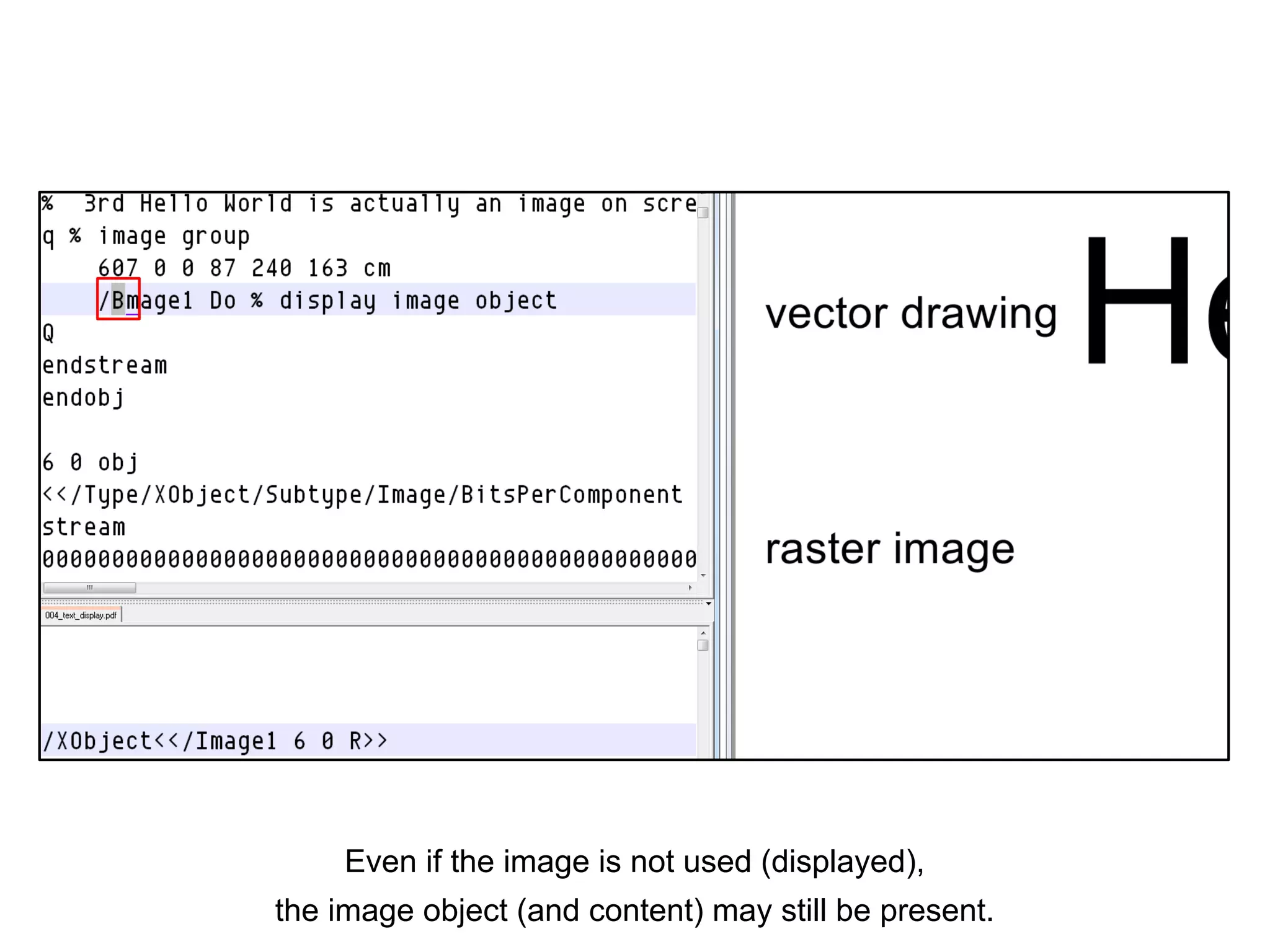
Even if the image is not used (displayed),
the image object (and content) may still be present.
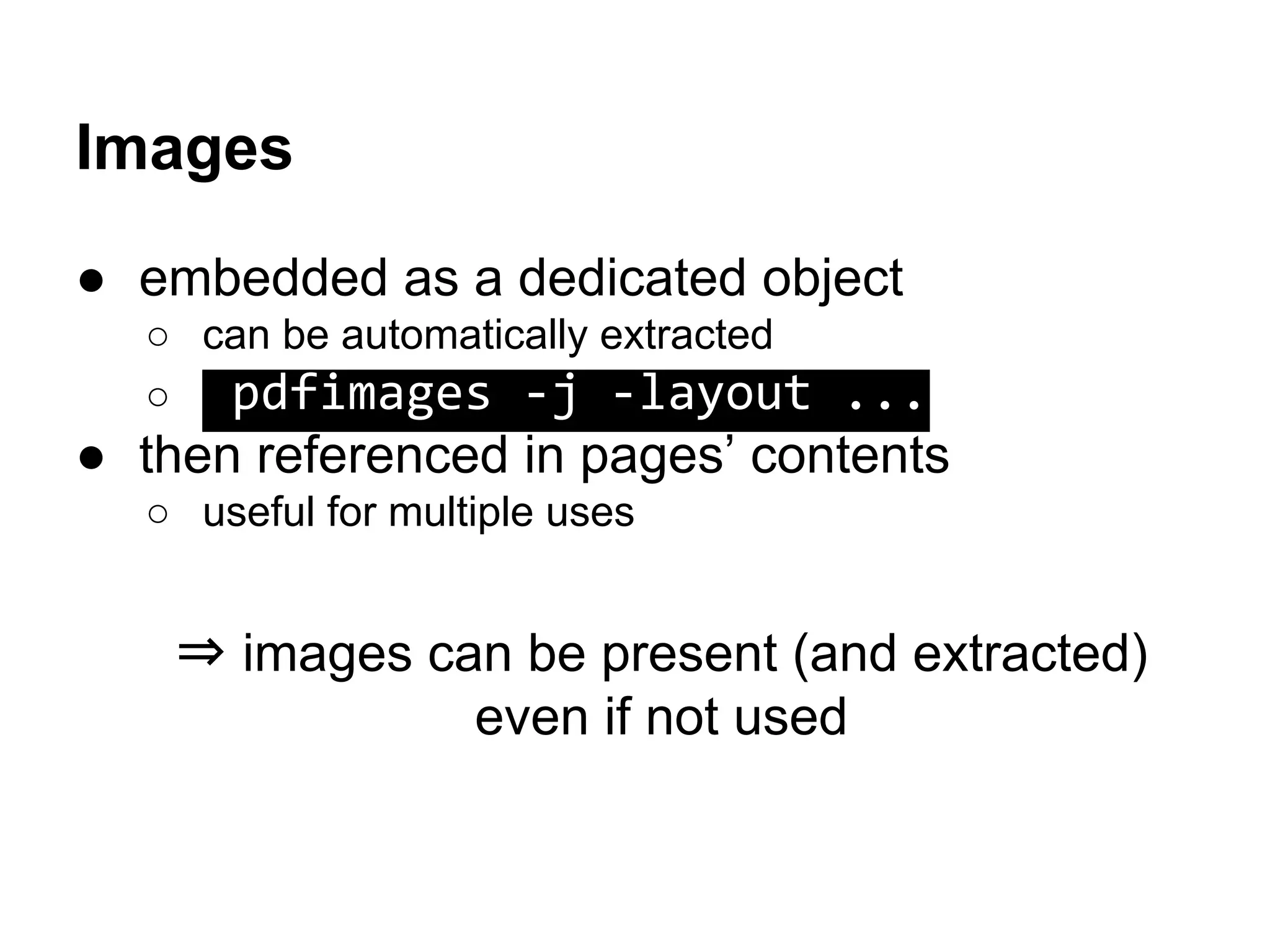
Images
● embedded as a dedicated object
○ can be automatically extracted
○ pdfimages -j -layout ...
● then referenced in pages’ contents
○ useful for multiple uses
⇒ images can be present (and extracted)
even if not used
Images
● JPEG are stored as-is (the complete file)
Extra risk: leak via thumbnail, EXIF, RDF
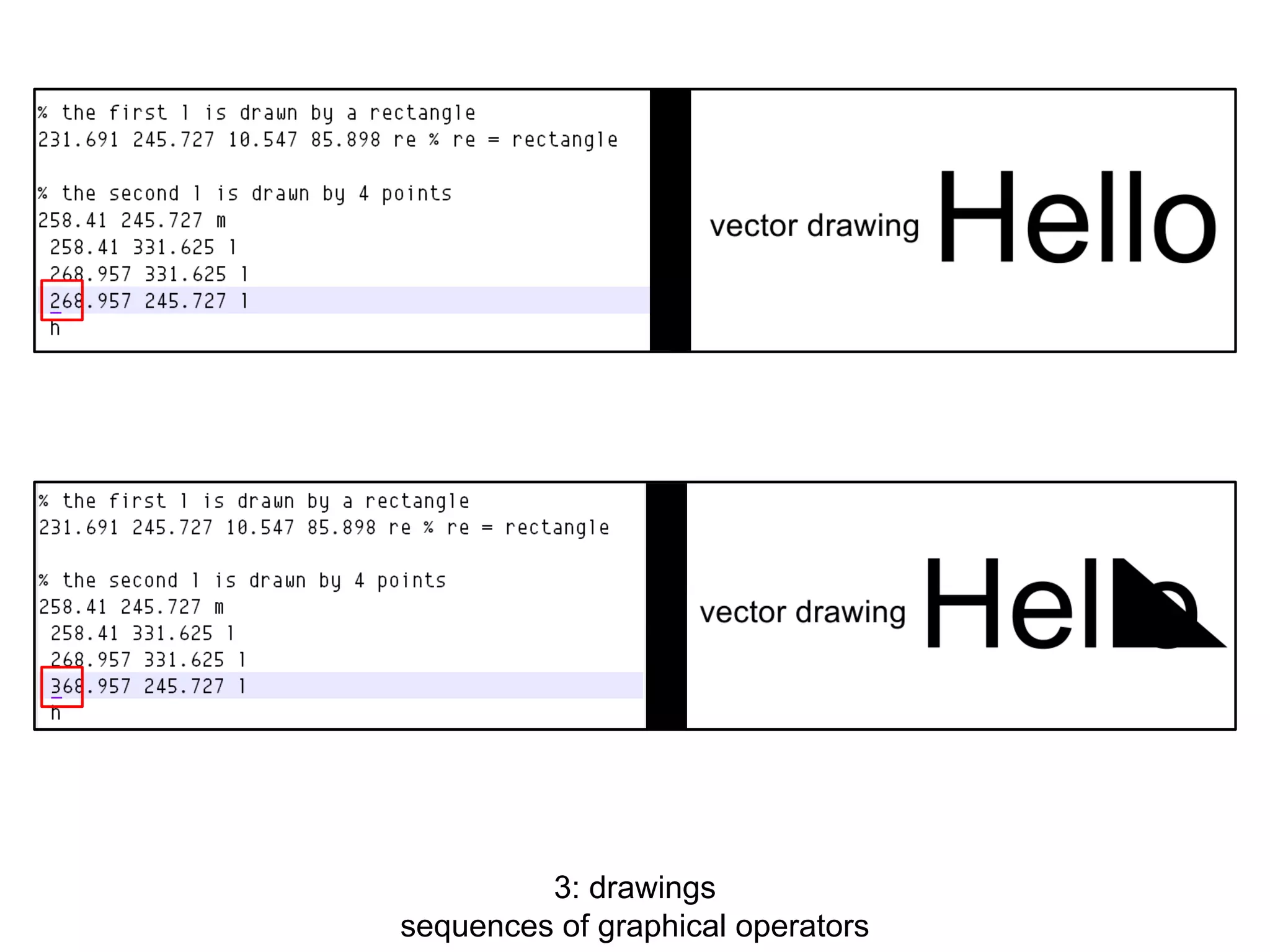
3: drawings
sequences of graphical operators
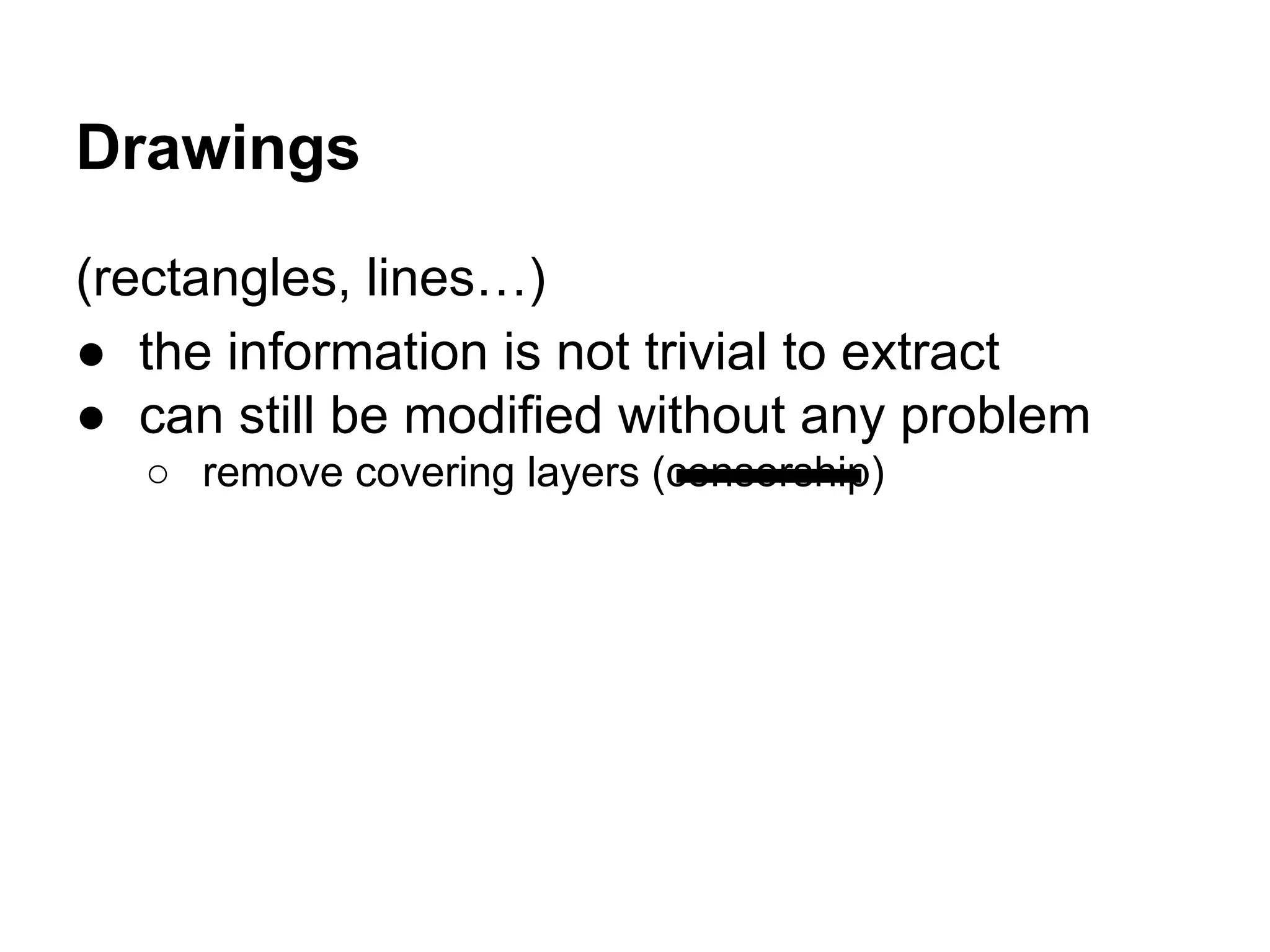
Drawings
(rectangles, lines…)
● the information is not trivial to extract
● can still be modified without any problem
○ remove covering layers (censorship)
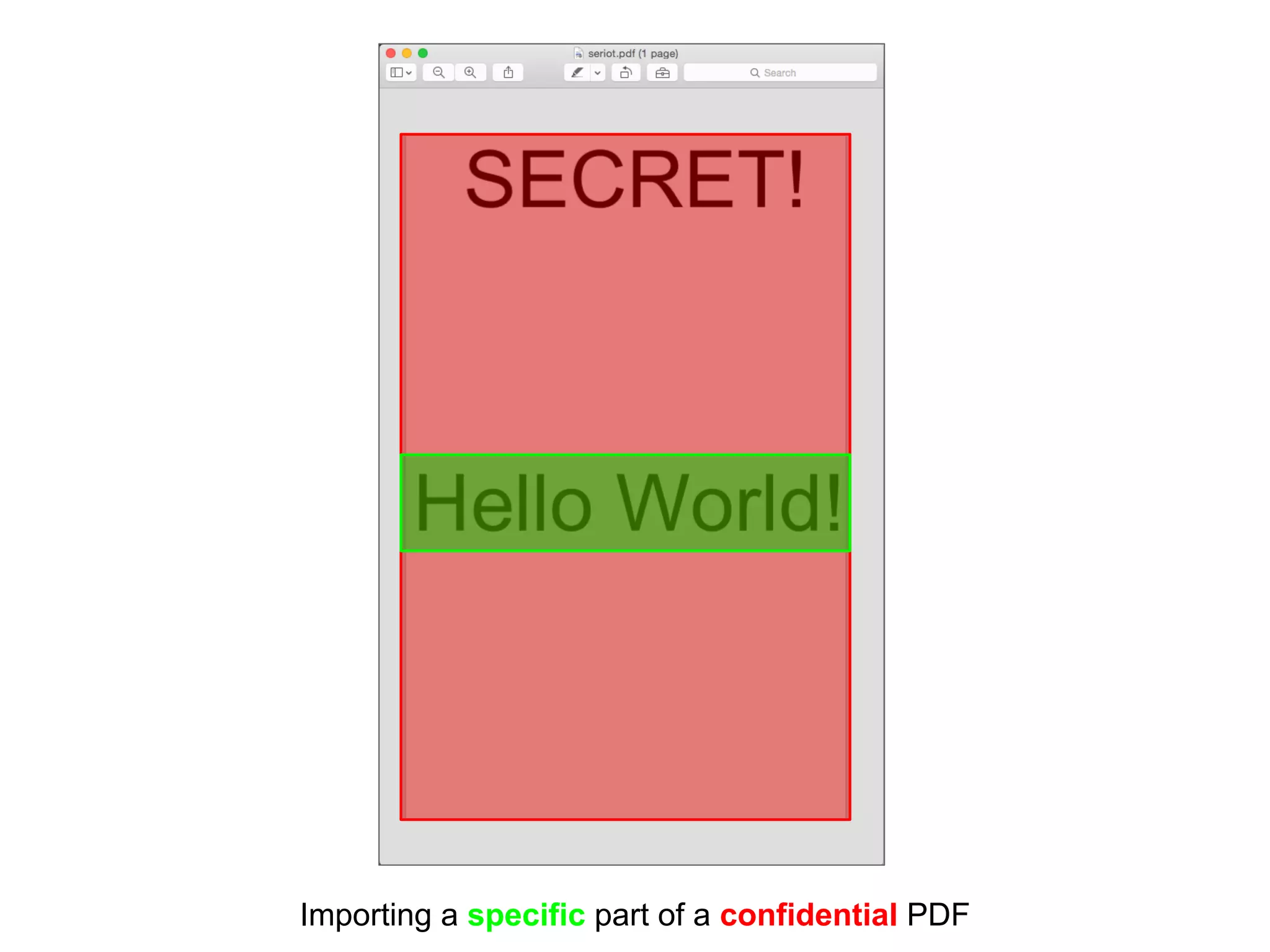
Importing a specific part of a confidential PDF
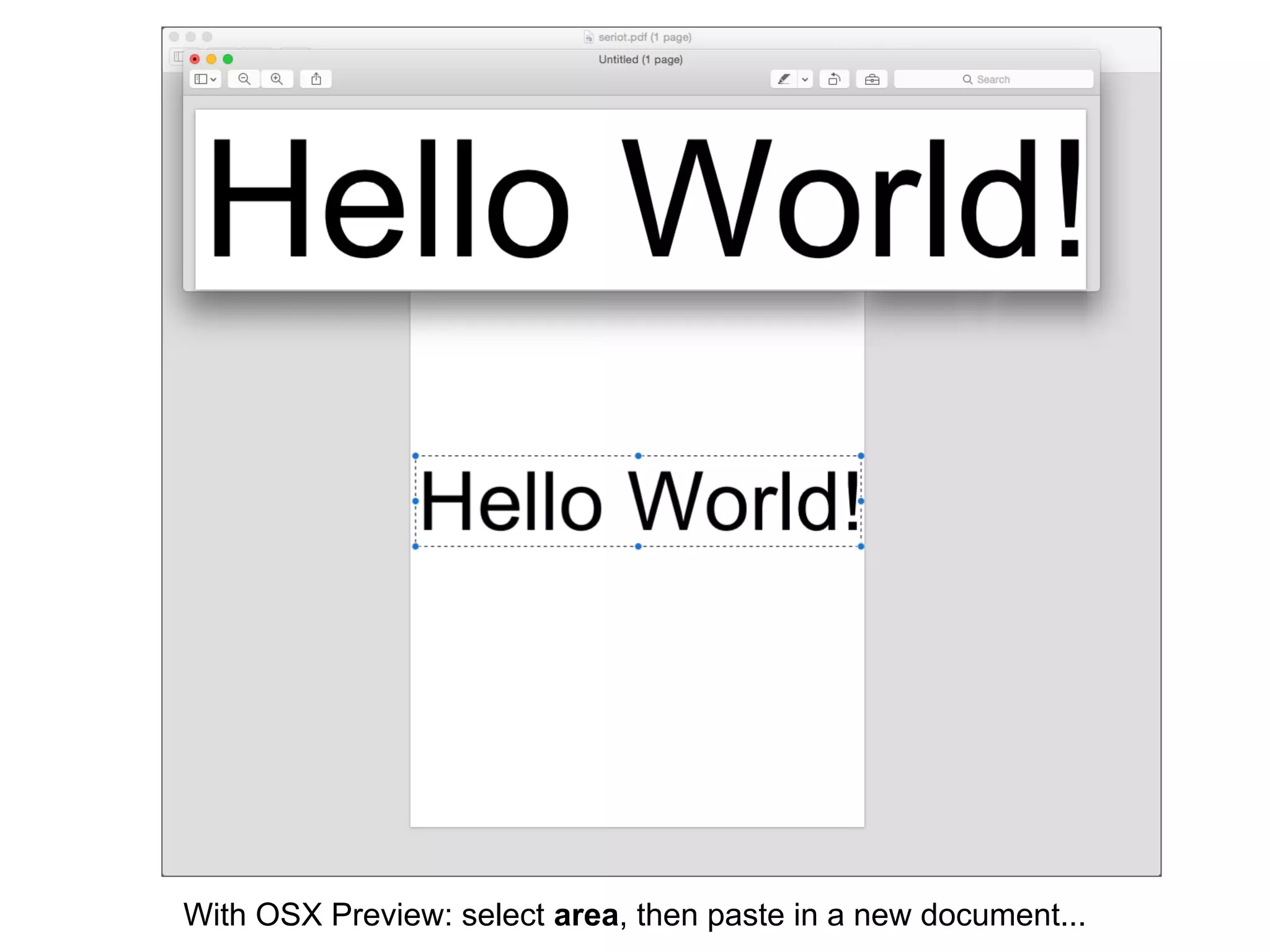
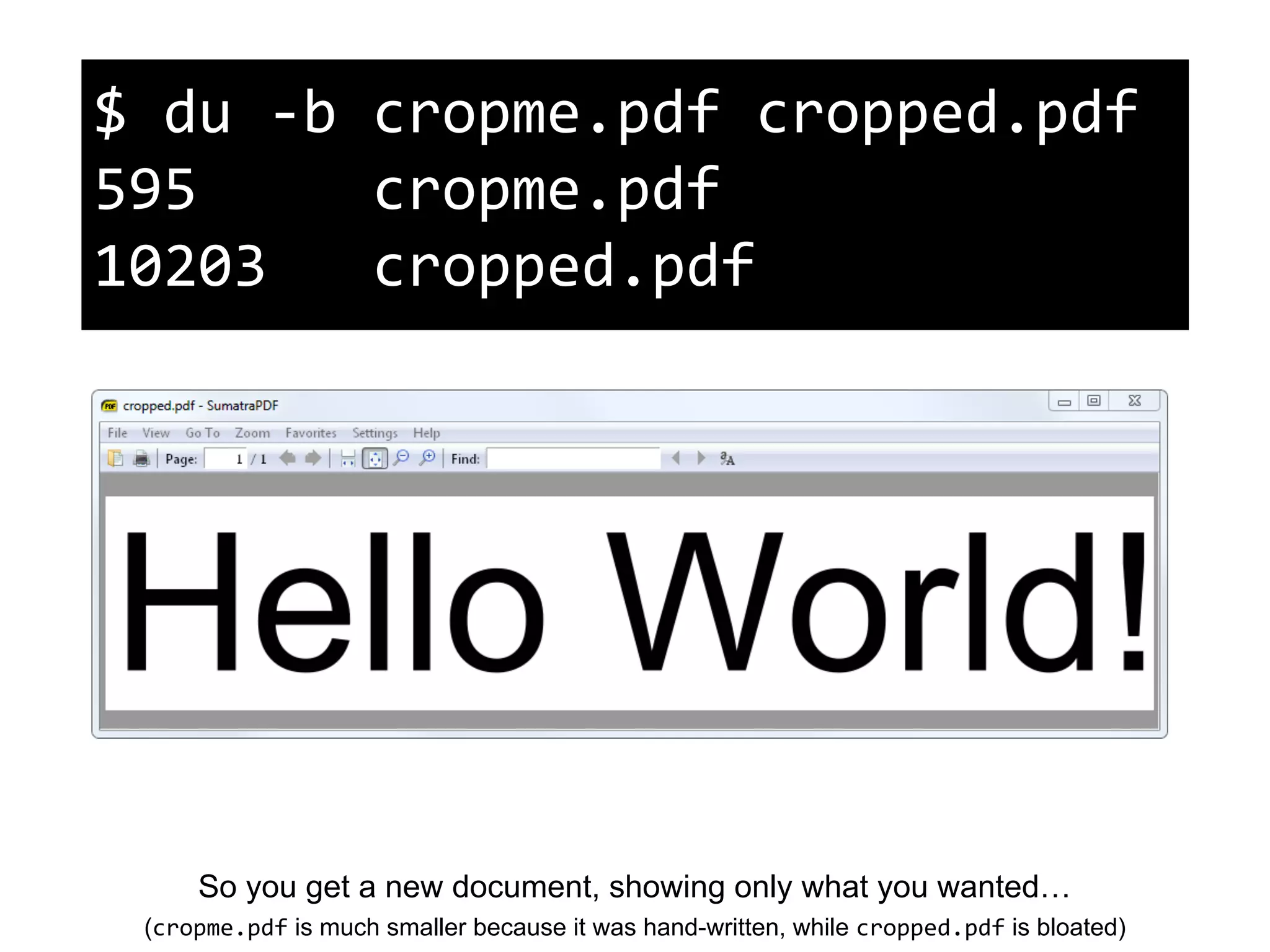
With OSX Preview: select area, then paste in a new document...
So you get a new document, showing only what you wanted…
(cropme.pdf is much smaller because it was hand-written, while cropped.pdf is bloated)
$ du -b cropme.pdf cropped.pdf
595 cropme.pdf
10203 cropped.pdf
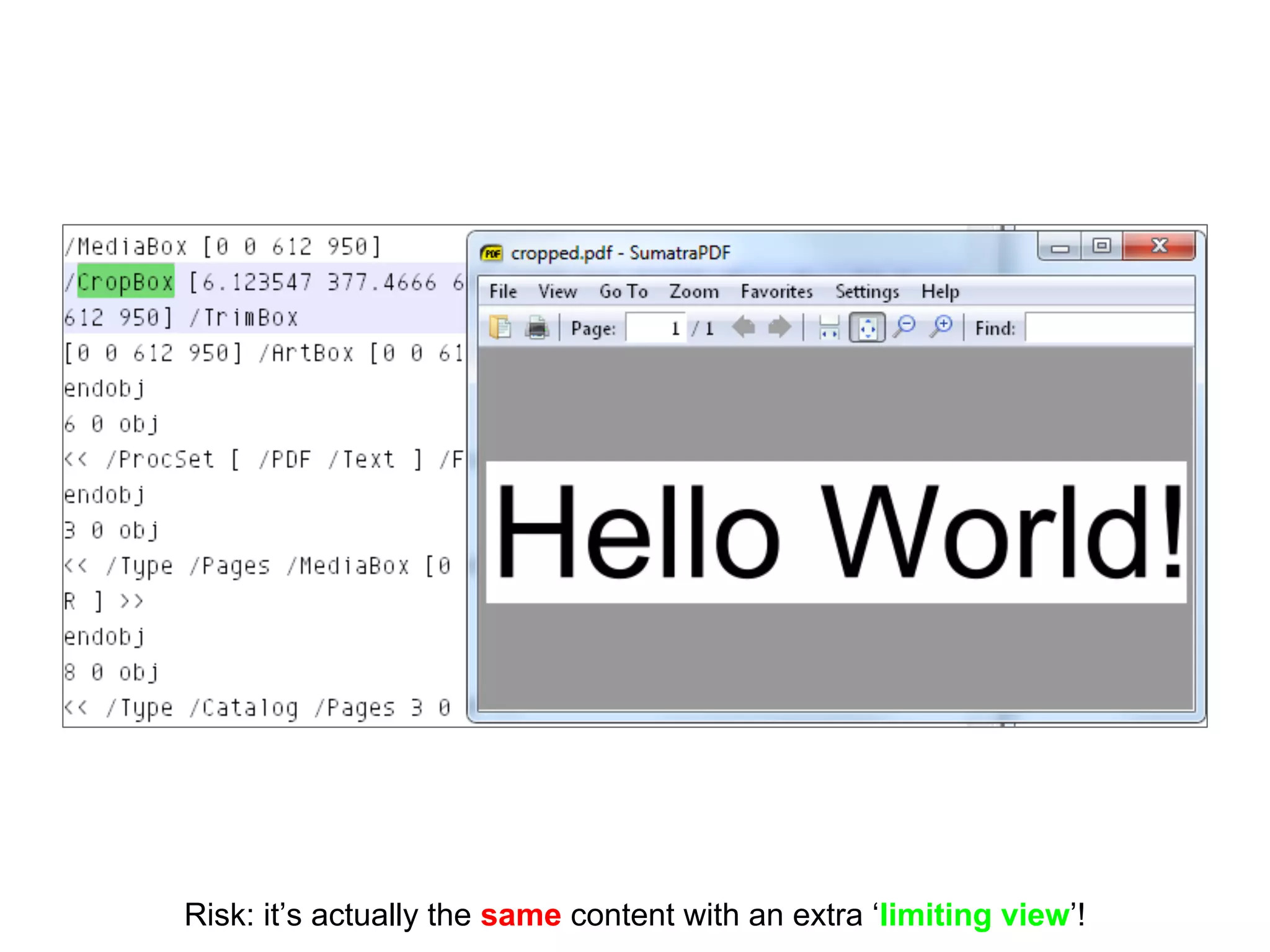
Risk: it’s actually the same content with an extra ‘limiting view’!
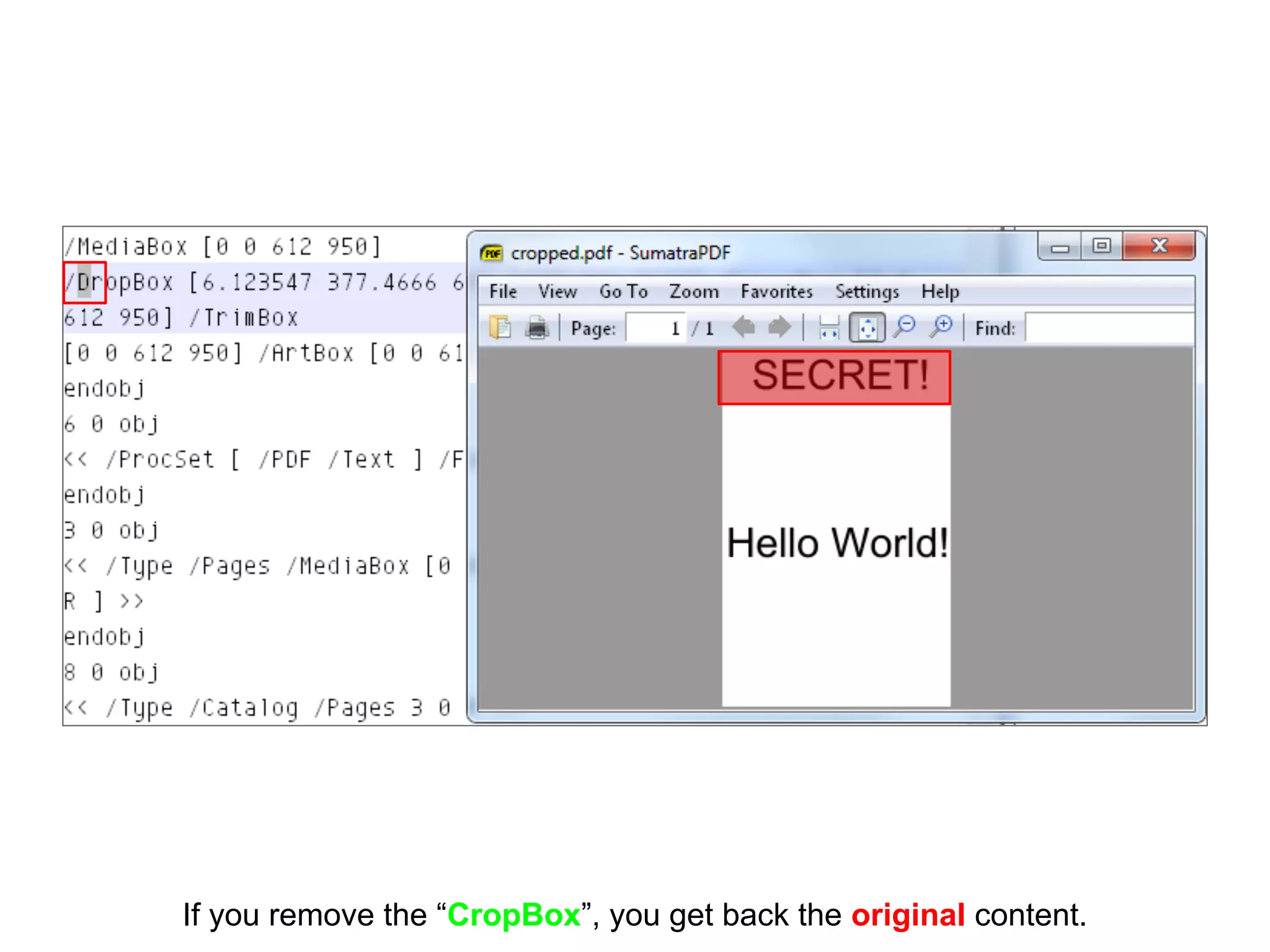
If you remove the “CropBox”, you get back the original content.
Importing
● Copy/paste from OSX preview
● Import via LaTeX
● …?
What it actually does:
1/ imports the whole doc
(to prevent incompatibilities)
2/ adds a limiting view
Risk: the original content is still there!
Incremental updates
updates (even deletions) are appended,
like in Microsoft Office, etc…
⇒ “save as…” a new document to prevent it
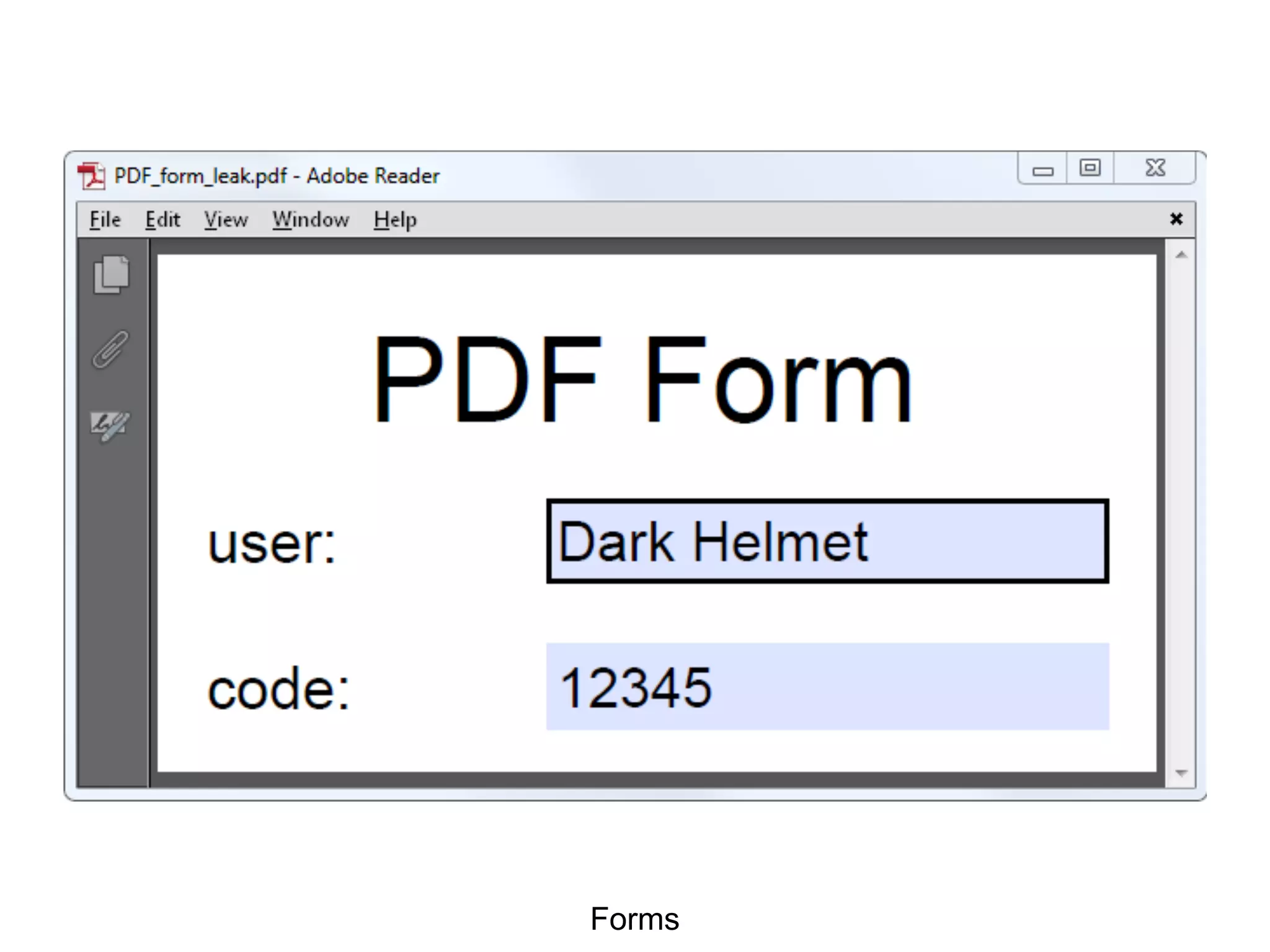
Forms
Forms
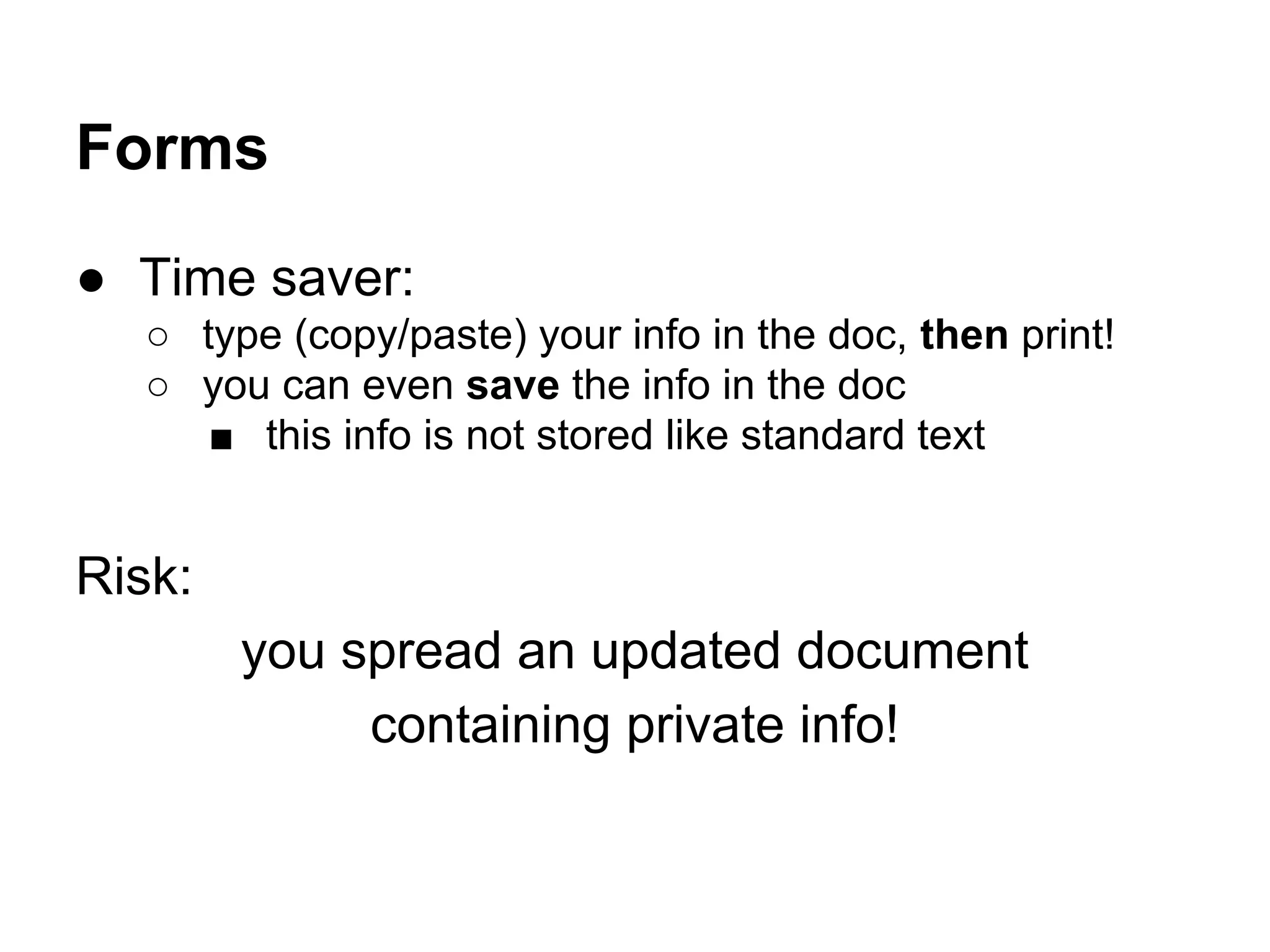
● Time saver:
○ type (copy/paste) your info in the doc, then print!
○ you can even save the info in the doc
■ this info is not stored like standard text
Risk:
you spread an updated document
containing private info!
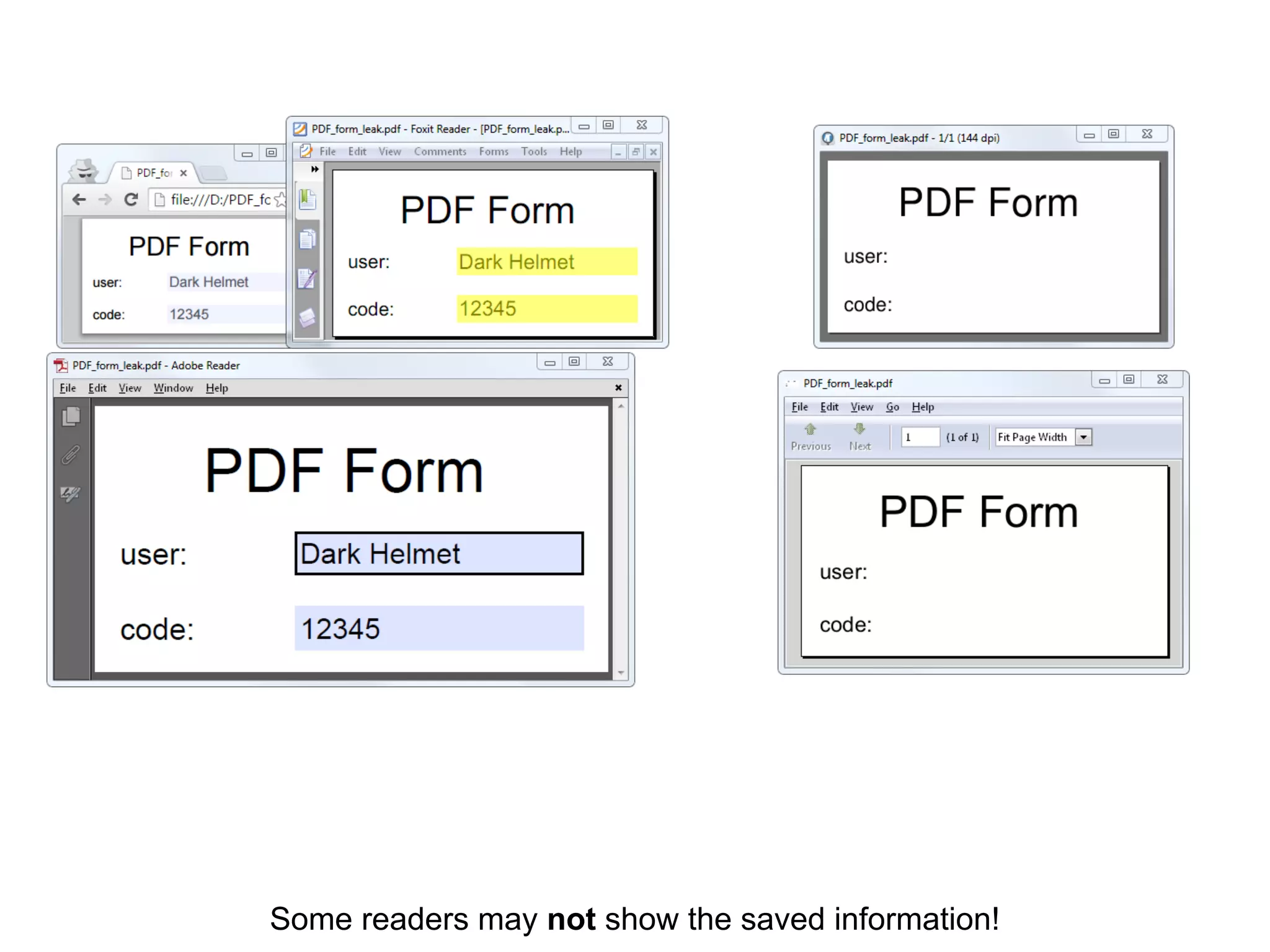
Some readers may not show the saved information!
Forms
● Forms are not always supported
○ you won’t even get a warning!
● Content is not stored like standard text
○ not as easy to extract, but still there!
Bigger risk :
Just opening the file to double-check
may be not enough!
The only fully reliable way ?
(the one that *NSA* uses…)
Convert pages to pictures !
Just use Imagemagick convert
then import to a new PDF
Damn ugly, but fully reliable.
Conclusion
PDF sucks to prevent leaks
PDF is a monster for attack surface
(and metadata embedding)
No free PDF ‘dissector’
because we only focus on malware
⇒ No solution anytime soon
(Btw, how much is worth the map of a petroleum reservoir ?)
Questions?
That was just ITW examples of leaks,
other kind of leaks may be possible.
@angealbertini
Hail to the king, baby!
Note:
this PDF is also a ZIP,
containing the PoCs
shown in the document.

An overview of potential leaks via PDF

  • 1.
    An overview of potentialleaks via PDF Ange Albertini
  • 2.
    Ange Albertini reverse engineering visualdocumentations @angealbertini ange@corkami.com http://www.corkami.com
  • 3.
    Yet another talkon PDF from me? ● this one is high-level ○ awareness without the hardcore details ● a new kind of leak happened ITW recently ⇒ it’s still worth spreading the knowledge!
  • 4.
  • 5.
    potential leaks via thestandard page elements text, image, drawing
  • 6.
    Pages are madeof 3 kinds of ‘visual’ elements (that can look identical).
  • 7.
    1: Text ‘string ofthe text in the document’
  • 8.
    Text ● explicitly spelledin the data ● can be ○ invisible ■ white, invisible style, covered ○ forbidden to copy/paste ■ but this can be disabled instantly ○ mapped to some weird unicode but still technically there! ⇒ it can still be extracted, often automatically pdftotext -layout ...
  • 9.
    2: Images Stored as-is,then referenced, then displayed in the page contents.
  • 10.
    Even if theimage is not used (displayed), the image object (and content) may still be present.
  • 11.
    Images ● embedded asa dedicated object ○ can be automatically extracted ○ pdfimages -j -layout ... ● then referenced in pages’ contents ○ useful for multiple uses ⇒ images can be present (and extracted) even if not used
  • 12.
    Images ● JPEG arestored as-is (the complete file) Extra risk: leak via thumbnail, EXIF, RDF
  • 13.
    3: drawings sequences ofgraphical operators
  • 14.
    Drawings (rectangles, lines…) ● theinformation is not trivial to extract ● can still be modified without any problem ○ remove covering layers (censorship)
  • 15.
    Importing a specificpart of a confidential PDF
  • 16.
    With OSX Preview:select area, then paste in a new document...
  • 17.
    So you geta new document, showing only what you wanted… (cropme.pdf is much smaller because it was hand-written, while cropped.pdf is bloated) $ du -b cropme.pdf cropped.pdf 595 cropme.pdf 10203 cropped.pdf
  • 18.
    Risk: it’s actuallythe same content with an extra ‘limiting view’!
  • 19.
    If you removethe “CropBox”, you get back the original content.
  • 20.
    Importing ● Copy/paste fromOSX preview ● Import via LaTeX ● …? What it actually does: 1/ imports the whole doc (to prevent incompatibilities) 2/ adds a limiting view Risk: the original content is still there!
  • 21.
    Incremental updates updates (evendeletions) are appended, like in Microsoft Office, etc… ⇒ “save as…” a new document to prevent it
  • 22.
  • 23.
    Forms ● Time saver: ○type (copy/paste) your info in the doc, then print! ○ you can even save the info in the doc ■ this info is not stored like standard text Risk: you spread an updated document containing private info!
  • 24.
    Some readers maynot show the saved information!
  • 25.
    Forms ● Forms arenot always supported ○ you won’t even get a warning! ● Content is not stored like standard text ○ not as easy to extract, but still there! Bigger risk : Just opening the file to double-check may be not enough!
  • 26.
    The only fullyreliable way ? (the one that *NSA* uses…)
  • 27.
    Convert pages topictures ! Just use Imagemagick convert then import to a new PDF Damn ugly, but fully reliable.
  • 28.
  • 29.
    PDF sucks toprevent leaks PDF is a monster for attack surface (and metadata embedding) No free PDF ‘dissector’ because we only focus on malware ⇒ No solution anytime soon (Btw, how much is worth the map of a petroleum reservoir ?)
  • 30.
    Questions? That was justITW examples of leaks, other kind of leaks may be possible.
  • 31.
    @angealbertini Hail to theking, baby! Note: this PDF is also a ZIP, containing the PoCs shown in the document.