@Akexorcist
Advance Android
Layout Walkthrough
การออกแบบเลย์เอาท์
บนแอนดรอยด์เบื้องต้น
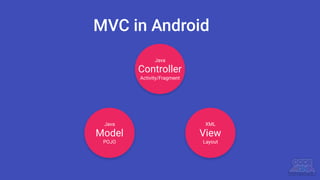
Model View
POJO Layout
Activity/Fragment
Java XML
Java
MVC in Android
Controller
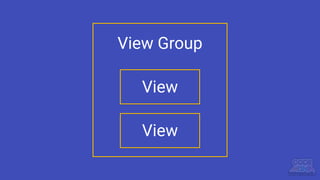
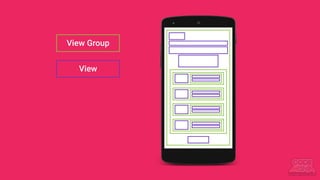
View Group
View
View
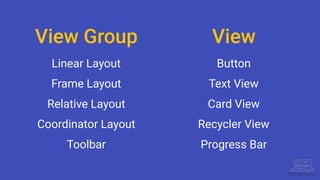
View Group
Linear Layout
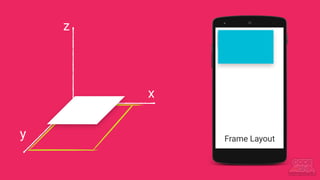
Frame Layout
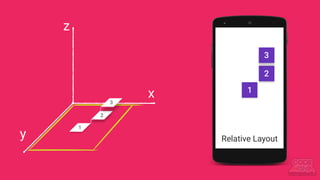
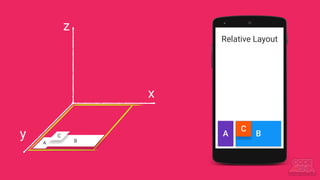
Relative Layout
Coordinator Layout
Toolbar
Button
Text View
Card View
Recycler View
Progress Bar
View
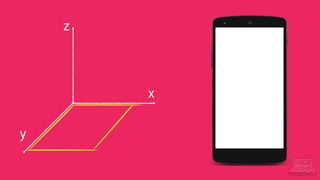
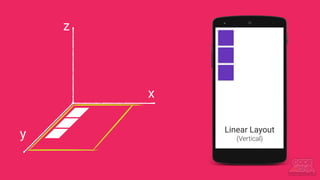
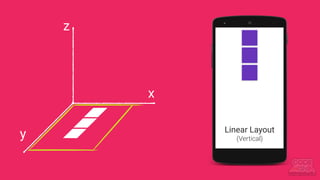
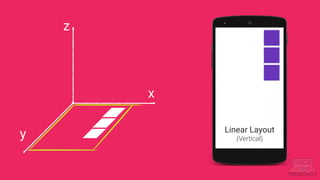
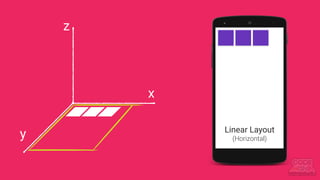
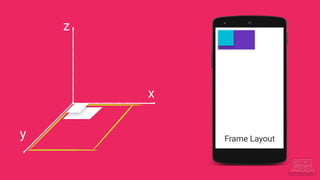
มองเรื่องเลย์เอาท์ให้เป็น 3 มิติ
y
x
z
y
x
Linear Layout
(Vertical)
z
y
x
Linear Layout
(Vertical)
z
y
x
Linear Layout
(Vertical)
z
y
x
Linear Layout
(Horizontal)
z
y
x
Frame Layout
z
y
x
Frame Layout
z
y
x
1
1
2
3
2
3
z
Relative Layout
y
x
A
A B
C
B
C
z
Relative Layout
View Group
View
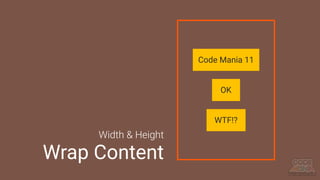
Match Parent
และ
Wrap Content
Code Mania 11
OK
WTF!?
Width & Height
Wrap Content
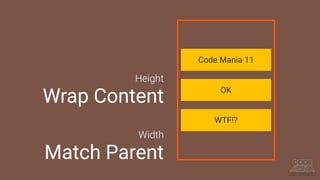
Code Mania 11
Width
Match Parent
OK
WTF!?
Height
Wrap Content
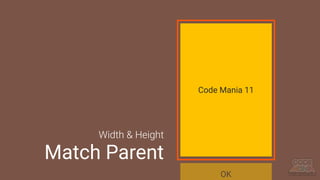
Code Mania 11
OK
Width & Height
Match Parent
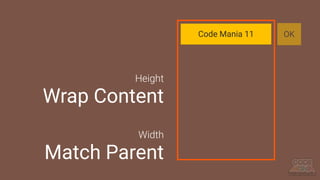
Code Mania 11 OK
Width
Match Parent
Height
Wrap Content
Android
Auto
Android
Design
Layout
Android
Studio
2.0 Beta
5
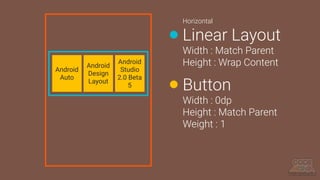
Horizontal
Linear Layout
Width : Match Parent
Height : Wrap Content
Button
Width : 0dp
Height : Match Parent
Weight : 1
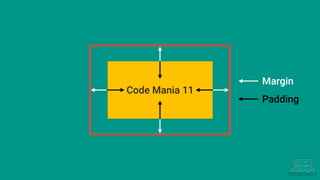
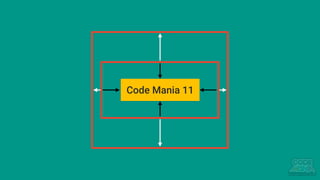
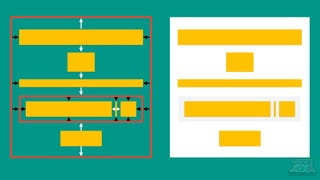
Margin และ Padding
Code Mania 11
Code Mania 11
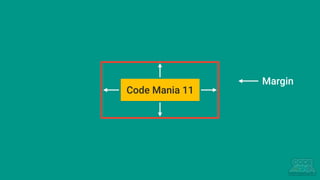
Margin
Code Mania 11
Margin
Padding
Code Mania 11
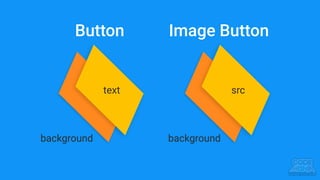
Button และ Image Button
Button Image Button
background
text src
background
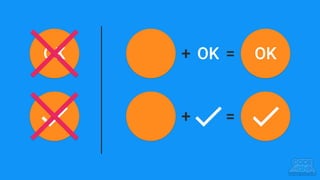
+ OK = OK
+ =
OK
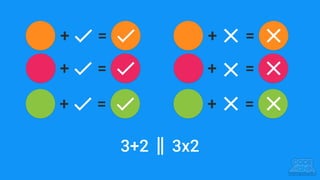
+ =
+ =
+ =
+ =
+ =
+ =
3+2 || 3x2
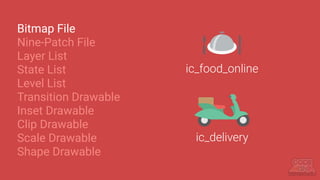
Drawable Resources
มีให้ใช้โคตรเยอะ
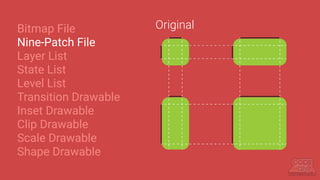
Bitmap File
Nine-Patch File
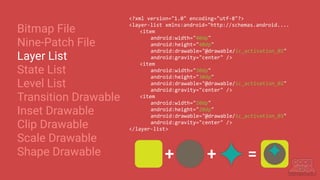
Layer List
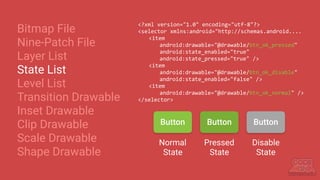
State List
Level List
Transition Drawable
Inset Drawable
Clip Drawable
Scale Drawable
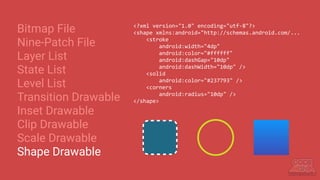
Shape Drawable
ic_food_online
ic_delivery
Bitmap File
Nine-Patch File
Layer List
State List
Level List
Transition Drawable
Inset Drawable
Clip Drawable
Scale Drawable
Shape Drawable
Original
Bitmap File
Nine-Patch File
Layer List
State List
Level List
Transition Drawable
Inset Drawable
Clip Drawable
Scale Drawable
Shape Drawable
<?xml version="1.0" encoding="utf-8"?>
<layer-list xmlns:android="http://schemas.android....
<item
android:width="40dp"
android:height="40dp"
android:drawable="@drawable/ic_activation_01"
android:gravity="center" />
<item
android:width="30dp"
android:height="30dp"
android:drawable="@drawable/ic_activation_02"
android:gravity="center" />
<item
android:width="20dp"
android:height="20dp"
android:drawable="@drawable/ic_activation_03"
android:gravity="center" />
</layer-list>
+ + =
Bitmap File
Nine-Patch File
Layer List
State List
Level List
Transition Drawable
Inset Drawable
Clip Drawable
Scale Drawable
Shape Drawable
<?xml version="1.0" encoding="utf-8"?>
<selector xmlns:android="http://schemas.android....
<item
android:drawable="@drawable/btn_ok_pressed"
android:state_enabled="true"
android:state_pressed="true" />
<item
android:drawable="@drawable/btn_ok_disable"
android:state_enabled="false" />
<item
android:drawable="@drawable/btn_ok_normal" />
</selector>
Button Button Button
Normal
State
Pressed
State
Disable
State
Bitmap File
Nine-Patch File
Layer List
State List
Level List
Transition Drawable
Inset Drawable
Clip Drawable
Scale Drawable
Shape Drawable
ImageView ivScore = (ImageView)
findViewById(R.id.iv_asd);
int score = ...;
...
if(score == 0) {
ivScore.setImageResource(R.drawable.ic_score_bad);
} =else if(score == 1) {
ivScore.setImageResource(R.drawable.ic_score_ok);
} else if(score == 2) {
ivScore.setImageResource(R.drawable.ic_score_good);
}
Bitmap File
Nine-Patch File
Layer List
State List
Level List
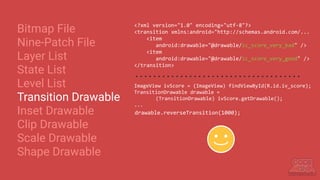
Transition Drawable
Inset Drawable
Clip Drawable
Scale Drawable
Shape Drawable
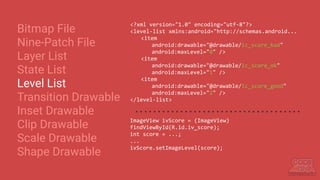
<?xml version="1.0" encoding="utf-8"?>
<level-list xmlns:android="http://schemas.android...
<item
android:drawable="@drawable/ic_score_bad"
android:maxLevel="0" />
<item
android:drawable="@drawable/ic_score_ok"
android:maxLevel="1" />
<item
android:drawable="@drawable/ic_score_good"
android:maxLevel="2" />
</level-list>
ImageView ivScore = (ImageView)
findViewById(R.id.iv_score);
int score = ...;
...
ivScore.setImageLevel(score);
Bitmap File
Nine-Patch File
Layer List
State List
Level List
Transition Drawable
Inset Drawable
Clip Drawable
Scale Drawable
Shape Drawable
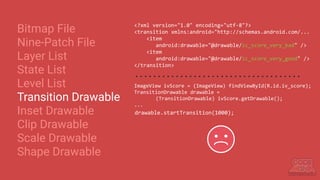
ImageView ivScore = (ImageView) findViewById(R.id.iv_score);
TransitionDrawable drawable =
(TransitionDrawable) ivScore.getDrawable();
...
drawable.startTransition(1000);
drawable.reverseTransition(1000);
<?xml version="1.0" encoding="utf-8"?>
<transition xmlns:android="http://schemas.android.com/...
<item
android:drawable="@drawable/ic_score_very_bad" />
<item
android:drawable="@drawable/ic_score_very_good" />
</transition>
Bitmap File
Nine-Patch File
Layer List
State List
Level List
Transition Drawable
Inset Drawable
Clip Drawable
Scale Drawable
Shape Drawable
ImageView ivScore = (ImageView) findViewById(R.id.iv_score);
TransitionDrawable drawable =
(TransitionDrawable) ivScore.getDrawable();
...
drawable.reverseTransition(1000);
<?xml version="1.0" encoding="utf-8"?>
<transition xmlns:android="http://schemas.android.com/...
<item
android:drawable="@drawable/ic_score_very_bad" />
<item
android:drawable="@drawable/ic_score_very_good" />
</transition>
Bitmap File
Nine-Patch File
Layer List
State List
Level List
Transition Drawable
Inset Drawable
Clip Drawable
Scale Drawable
Shape Drawable
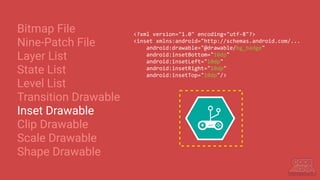
<?xml version="1.0" encoding="utf-8"?>
<inset xmlns:android="http://schemas.android.com/...
android:drawable="@drawable/bg_badge"
android:insetBottom="10dp"
android:insetLeft="10dp"
android:insetRight="10dp"
android:insetTop="10dp"/>
Bitmap File
Nine-Patch File
Layer List
State List
Level List
Transition Drawable
Inset Drawable
Clip Drawable
Scale Drawable
Shape Drawable
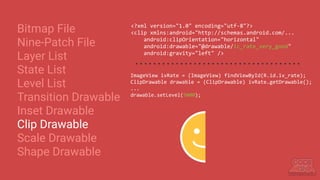
<?xml version="1.0" encoding="utf-8"?>
<clip xmlns:android="http://schemas.android.com/...
android:clipOrientation="horizontal"
android:drawable="@drawable/ic_rate_very_good"
android:gravity="left" />
ImageView ivRate = (ImageView) findViewById(R.id.iv_rate);
ClipDrawable drawable = (ClipDrawable) ivRate.getDrawable();
...
drawable.setLevel(5000);
Bitmap File
Nine-Patch File
Layer List
State List
Level List
Transition Drawable
Inset Drawable
Clip Drawable
Scale Drawable
Shape Drawable
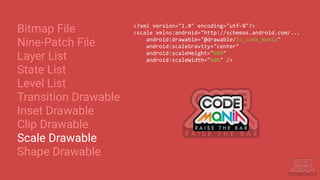
<?xml version="1.0" encoding="utf-8"?>
<scale xmlns:android="http://schemas.android.com/...
android:drawable="@drawable/ic_code_mania"
android:scaleGravity="center"
android:scaleHeight="60%"
android:scaleWidth="60%" />
Bitmap File
Nine-Patch File
Layer List
State List
Level List
Transition Drawable
Inset Drawable
Clip Drawable
Scale Drawable
Shape Drawable
<?xml version="1.0" encoding="utf-8"?>
<shape xmlns:android="http://schemas.android.com/...
<stroke
android:width="4dp"
android:color="#ffffff"
android:dashGap="10dp"
android:dashWidth="10dp" />
<solid
android:color="#237793" />
<corners
android:radius="10dp" />
</shape>
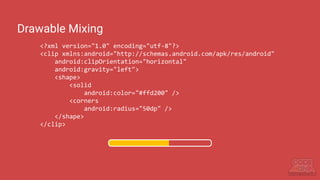
<?xml version="1.0" encoding="utf-8"?>
<clip xmlns:android="http://schemas.android.com/apk/res/android"
android:clipOrientation="horizontal"
android:gravity="left">
<shape>
<solid
android:color="#ffd200" />
<corners
android:radius="50dp" />
</shape>
</clip>
Drawable Mixing
<View>, <Space>
และ <ViewStub>
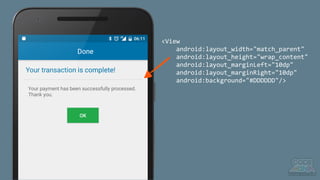
<View
android:layout_width="match_parent"
android:layout_height="wrap_content"
android:layout_marginLeft="10dp"
android:layout_marginRight="10dp"
android:background="#DDDDDD"/>
<LinearLayout
android:layout_width="match_parent"
android:layout_height="wrap_content"
android:orientation="horizontal"
android:padding="10dp">
<ImageView
android:layout_width="80dp"
android:layout_height="80dp"
android:src="@drawable/ic_header_notify_01" />
<Space
android:layout_width="0dp"
android:layout_height="wrap_content"
android:layout_weight="1" />
<ImageView
android:layout_width="80dp"
android:layout_height="80dp"
android:src="@drawable/ic_header_notify_02" />
</LinearLayout>
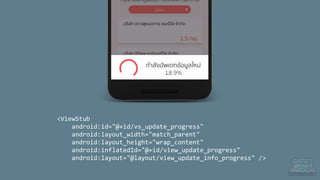
<ViewStub
android:id="@+id/vs_update_progress"
android:layout_width="match_parent"
android:layout_height="wrap_content"
android:inflatedId="@+id/view_update_progress"
android:layout="@layout/view_update_info_progress" />
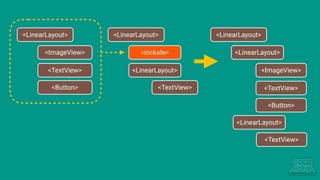
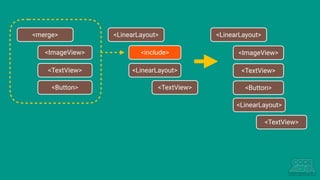
<include> กับ <merge>
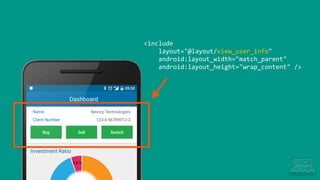
<include
layout="@layout/view_user_info"
android:layout_width="match_parent"
android:layout_height="wrap_content" />
<LinearLayout>
<ImageView>
<TextView>
<Button>
<LinearLayout>
<include>
<LinearLayout>
<TextView>
<LinearLayout>
<LinearLayout>
<TextView>
<LinearLayout>
<ImageView>
<TextView>
<Button>
<merge>
<ImageView>
<TextView>
<Button>
<LinearLayout>
<include>
<LinearLayout>
<TextView>
<LinearLayout>
<LinearLayout>
<TextView>
<ImageView>
<TextView>
<Button>
ใช้ Style ดูสิ
ชีวิตจะได้ง่ายขึ้น
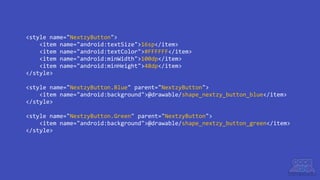
<style name="NextzyButton">
<item name="android:textSize">16sp</item>
<item name="android:textColor">#FFFFFF</item>
<item name="android:minWidth">100dp</item>
<item name="android:minHeight">48dp</item>
</style>
<style name="NextzyButton.Blue" parent="NextzyButton">
<item name="android:background">@drawable/shape_nextzy_button_blue</item>
</style>
<style name="NextzyButton.Green" parent="NextzyButton">
<item name="android:background">@drawable/shape_nextzy_button_green</item>
</style>
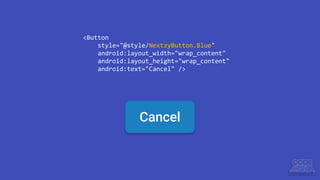
<Button
style="@style/NextzyButton.Blue"
android:layout_width="wrap_content"
android:layout_height="wrap_content"
android:text="Cancel" />
Cancel
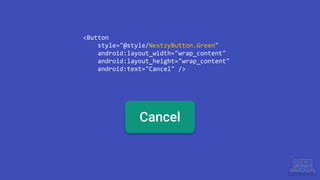
Cancel
<Button
style="@style/NextzyButton.Green"
android:layout_width="wrap_content"
android:layout_height="wrap_content"
android:text="Cancel" />
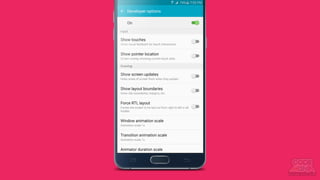
Developer options ช่วยคุณได้
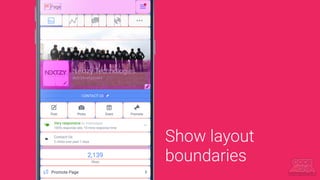
Show layout
boundaries
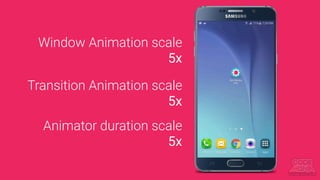
Window Animation scale
5x
Transition Animation scale
5x
Animator duration scale
5x
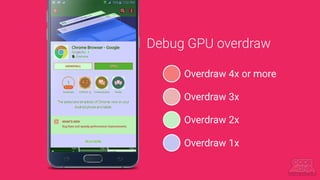
Overdraw 4x or more
Overdraw 3x
Overdraw 2x
Overdraw 1x
Debug GPU overdraw
Tips เล็ก Tricks น้อย
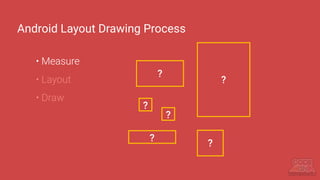
Android Layout Drawing Process
• Measure
• Layout
• Draw
?
?
?
?
?
?
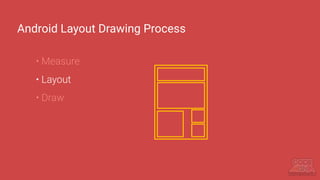
Android Layout Drawing Process
• Measure
• Layout
• Draw
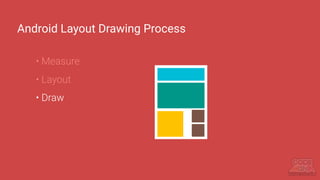
Android Layout Drawing Process
• Measure
• Layout
• Draw
View Inflation worked on the UI Thread
Extremely View Inflation == Block the UI Thread
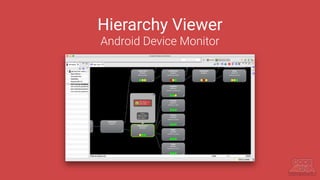
Hierarchy Viewer
Android Device Monitor
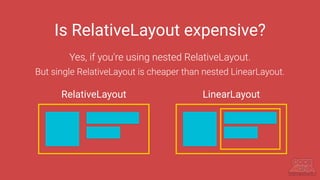
Is RelativeLayout expensive?
Yes, if you're using nested RelativeLayout.
But single RelativeLayout is cheaper than nested LinearLayout.
RelativeLayout LinearLayout
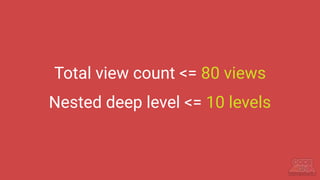
Total view count <= 80 views
Nested deep level <= 10 levels
More android:layout_weight
More Expensive
==
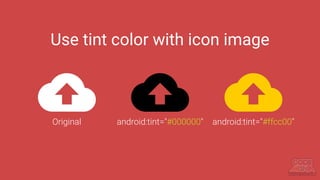
Use tint color with icon image
Original android:tint="#000000" android:tint="#ffcc00"
RecyclerView
Master Complex Lists
Use it!!!!!
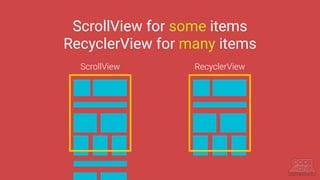
ScrollView for some items
RecyclerView for many items
ScrollView RecyclerView
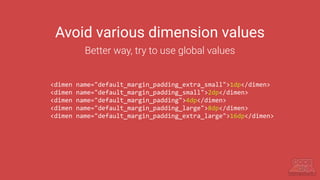
Avoid various dimension values
Better way, try to use global values
<dimen name="default_margin_padding_extra_small">1dp</dimen>
<dimen name="default_margin_padding_small">2dp</dimen>
<dimen name="default_margin_padding">4dp</dimen>
<dimen name="default_margin_padding_large">8dp</dimen>
<dimen name="default_margin_padding_extra_large">16dp</dimen>
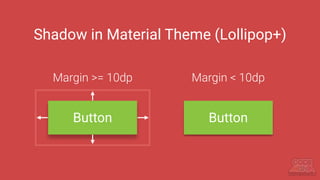
Shadow in Material Theme (Lollipop+)
Button
Margin >= 10dp
Button
Margin < 10dp
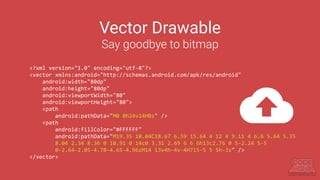
Vector Drawable
Say goodbye to bitmap
<?xml version="1.0" encoding="utf-8"?>
<vector xmlns:android="http://schemas.android.com/apk/res/android"
android:width="80dp"
android:height="80dp"
android:viewportWidth="80"
android:viewportHeight="80">
<path
android:pathData="M0 0h24v24H0z" />
<path
android:fillColor="#FFFFFF"
android:pathData="M19.35 10.04C18.67 6.59 15.64 4 12 4 9.11 4 6.6 5.64 5.35
8.04 2.34 8.36 0 10.91 0 14c0 3.31 2.69 6 6 6h13c2.76 0 5-2.24 5-5
0-2.64-2.05-4.78-4.65-4.96zM14 13v4h-4v-4H7l5-5 5 5h-3z" />
</vector>
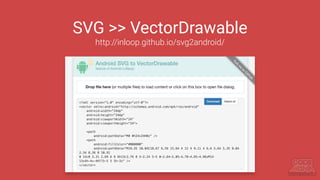
SVG >> VectorDrawable
http://inloop.github.io/svg2android/
Vector Drawable Compat
Yeah! It's also supported on pre-Lollipop
ทํายังไงให้รองรับ
หน้าจอได้หลายขนาด?
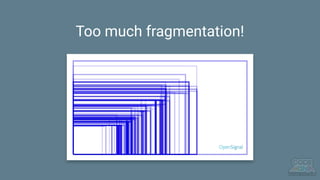
Too much fragmentation!
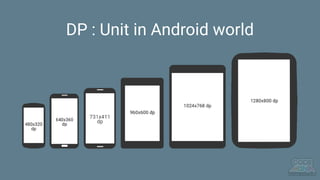
DP : Unit in Android world
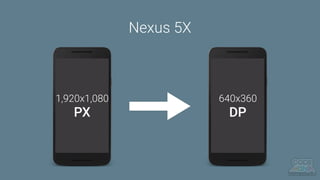
1,920x1,080
PX
640x360
DP
Nexus 5X
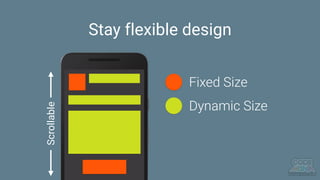
Stay flexible design
Fixed Size
Dynamic Size
Scrollable
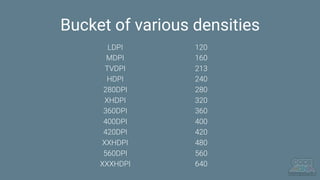
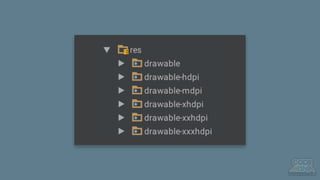
Bucket of various densities
LDPI
MDPI
TVDPI
HDPI
280DPI
XHDPI
360DPI
400DPI
420DPI
XXHDPI
560DPI
XXXHDPI
120
160
213
240
280
320
360
400
420
480
560
640
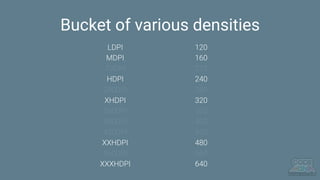
Bucket of various densities
LDPI
MDPI
TVDPI
HDPI
280DPI
XHDPI
360DPI
400DPI
420DPI
XXHDPI
560DPI
XXXHDPI
120
160
213
240
280
320
360
400
420
480
560
640
0.75
1
-
2
-
3
-
-
-
4
-
6
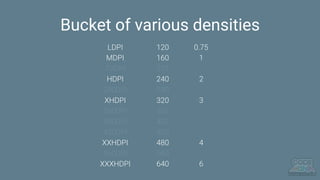
Bucket of various densities
LDPI
MDPI
TVDPI
HDPI
280DPI
XHDPI
360DPI
400DPI
420DPI
XXHDPI
560DPI
XXXHDPI
120
160
213
240
280
320
360
400
420
480
560
640
0.75
1
-
2
-
3
-
-
-
4
-
6
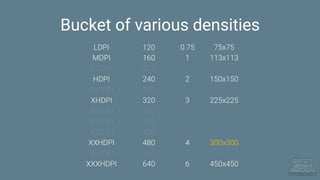
Bucket of various densities
LDPI
MDPI
TVDPI
HDPI
280DPI
XHDPI
360DPI
400DPI
420DPI
XXHDPI
560DPI
XXXHDPI
120
160
213
240
280
320
360
400
420
480
560
640
75x75
113x113
-
150x150
-
225x225
-
-
-
300x300
-
450x450
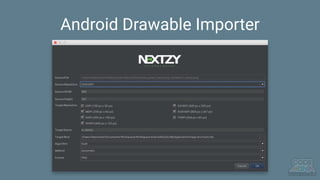
Android Drawable Importer
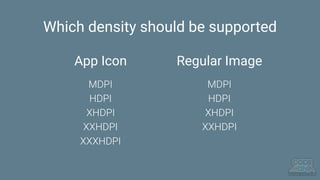
Which density should be supported
Regular ImageApp Icon
MDPI
HDPI
XHDPI
XXHDPI
XXXHDPI
MDPI
HDPI
XHDPI
XXHDPI
ใช้ Vector แทน Bitmap เถ๊อะ!!
(แต่ภาพบางอย่างก็เลี่ยงไม่ได้เนอะ)
Advance Android Layout Walkthrough

Advance Android Layout Walkthrough