Download to read offline

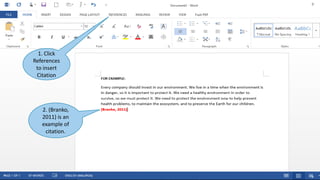
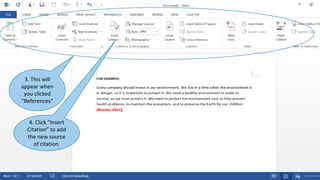
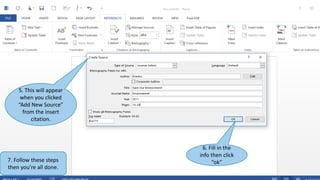
This document provides instructions for adding citations to a document using Microsoft Word 2013. It outlines 7 steps to insert citations: 1) Click References to insert a citation, 2) (Branko, 2011) is an example citation, 3) Clicking References displays the citation, 4) Click Insert Citation to add a new source, 5) Clicking Add New Source allows filling in source info, 6) Fill in the source info and click OK, 7) Follow the steps to complete adding citations.


