Get Started
      Adding your story to Wildiaries is easy. The following tutorial will show you how
      to “add an experience” and share this with your favourite organisation.


             I         Sign up for a new account;

            II         Add an “avatar” image; and

            III        Add an experience


Wednesday, 31 October 12
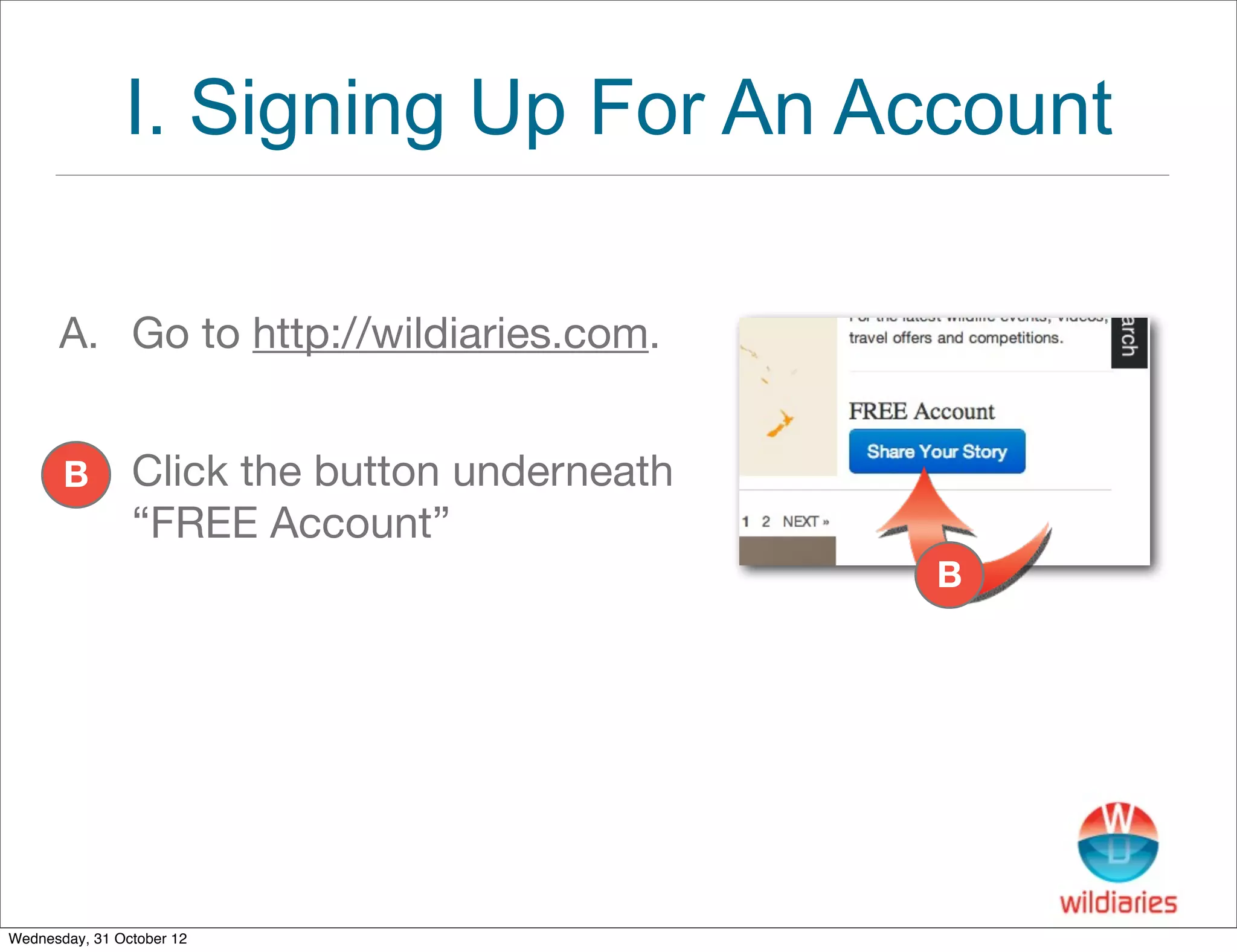
I. Signing Up For An Account

      A. Go to http://wildiaries.com.


       B        Click the button underneath
                “FREE Account”
                                              B


Wednesday, 31 October 12
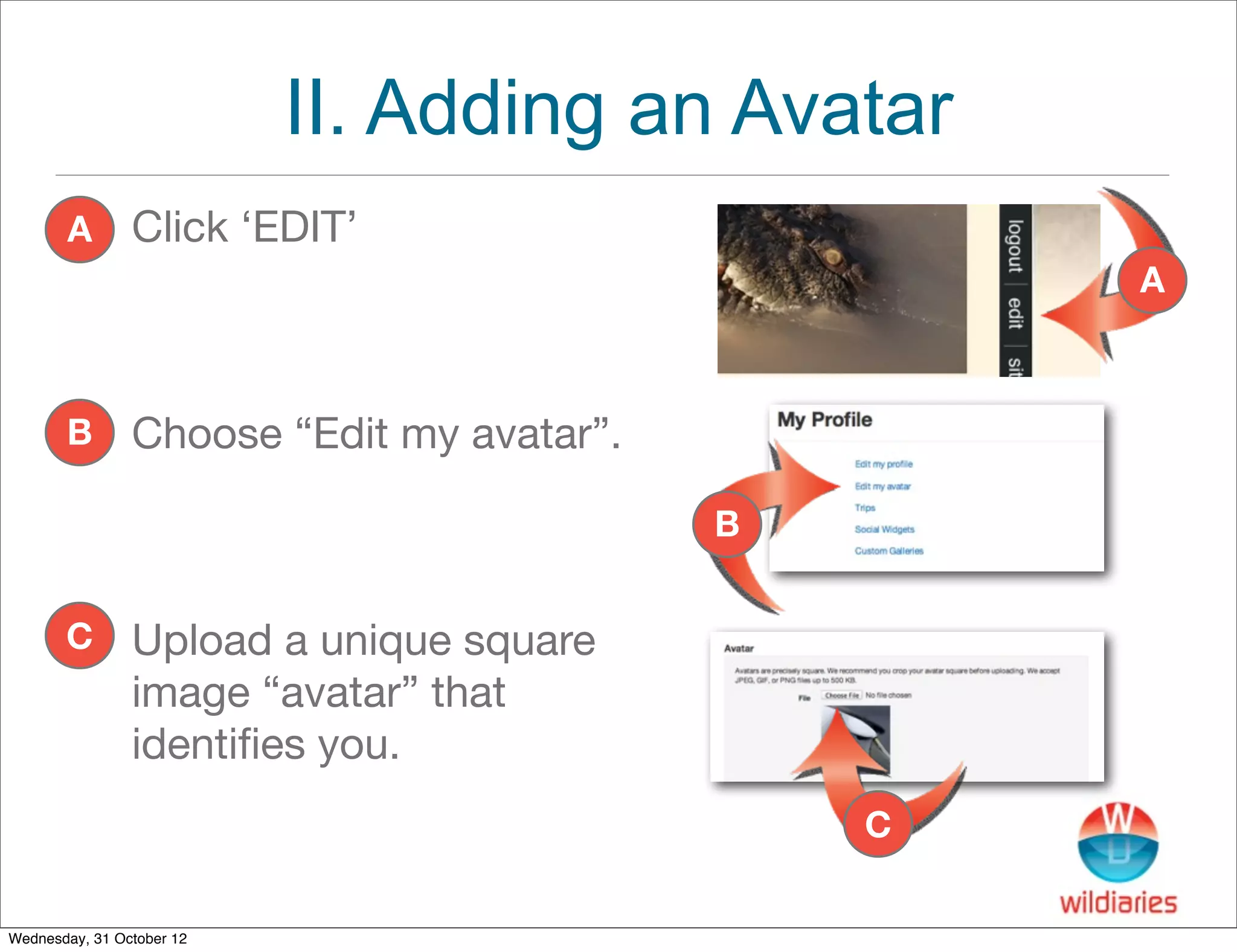
II. Adding an Avatar
       A        Click ‘EDIT’
                                                   A


       B        Choose “Edit my avatar”.

                                           B


       C        Upload a unique square
                image “avatar” that
                identifies you.
                                               C

Wednesday, 31 October 12
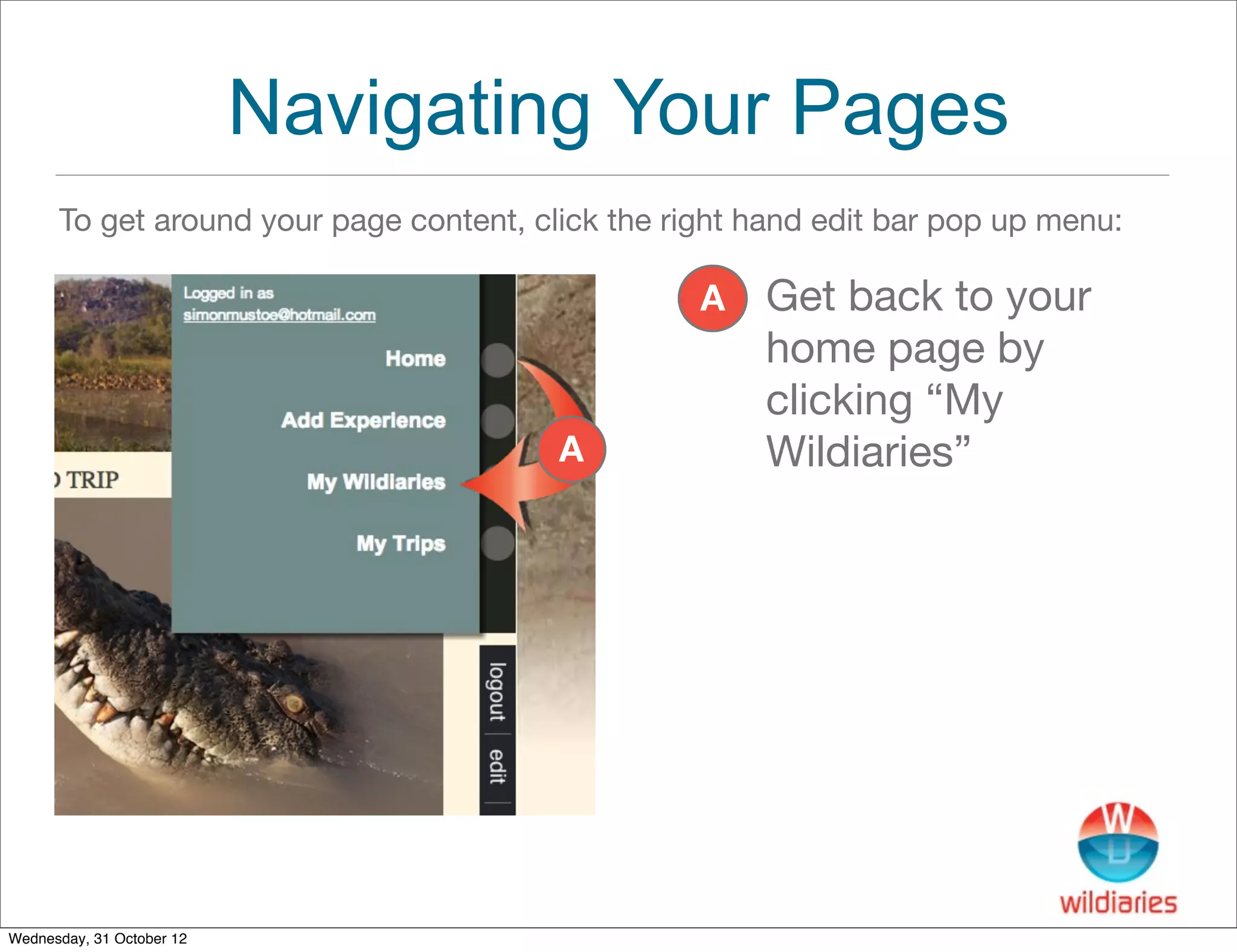
Navigating Your Pages
      To get around your page content, click the right hand edit bar pop up menu:

                                                   A   Get back to your
                                                       home page by
                                                       clicking “My
                                         A             Wildiaries”


Wednesday, 31 October 12
III. Adding an Experience
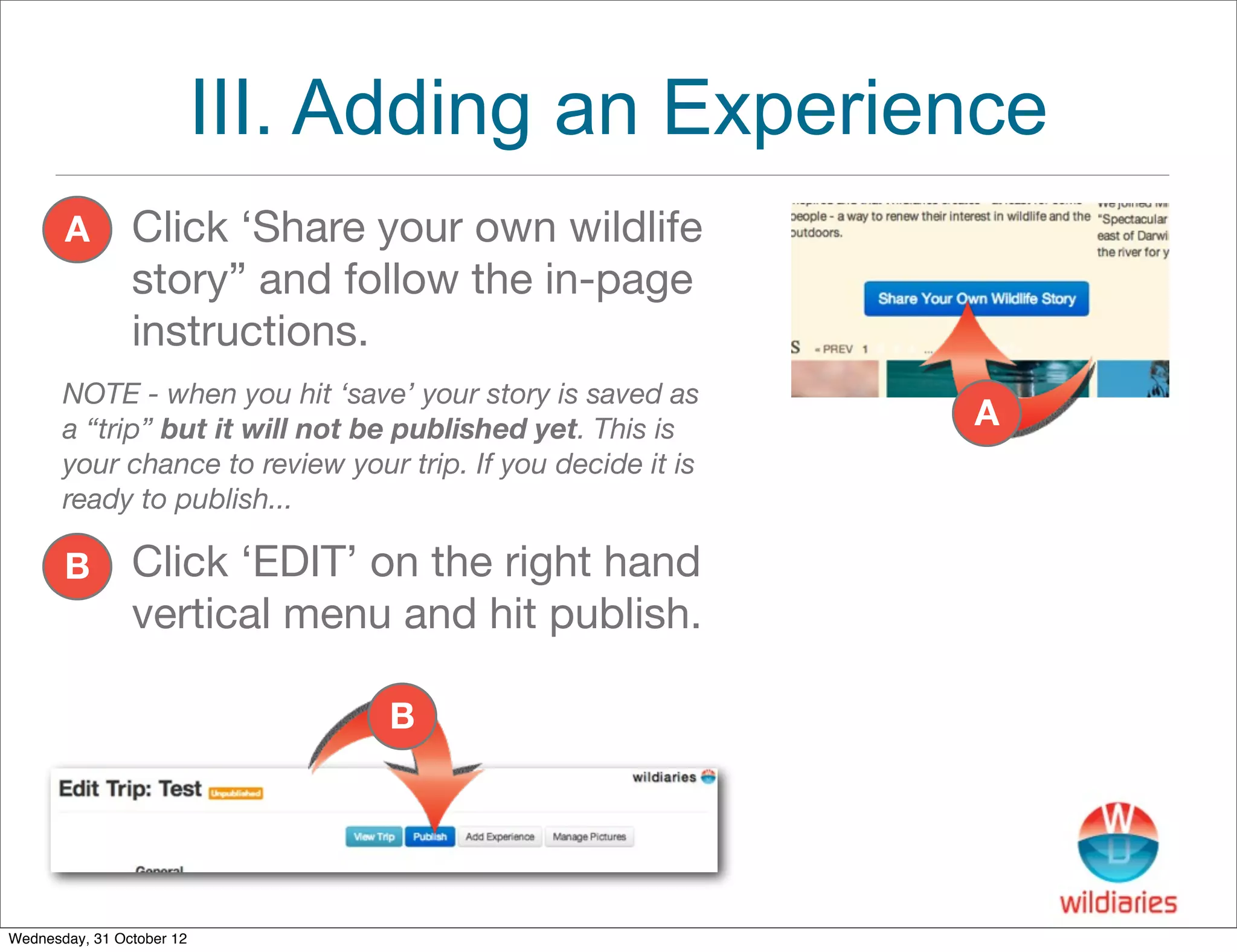
       A        Click ‘Share your own wildlife
                story” and follow the in-page
                instructions.
       NOTE - when you hit ‘save’ your story is saved as
       a “trip” but it will not be published yet. This is     A
       your chance to review your trip. If you decide it is
       ready to publish...

       B        Click ‘EDIT’ on the right hand
                vertical menu and hit publish.

                                 B


Wednesday, 31 October 12
IV. Share Your Story
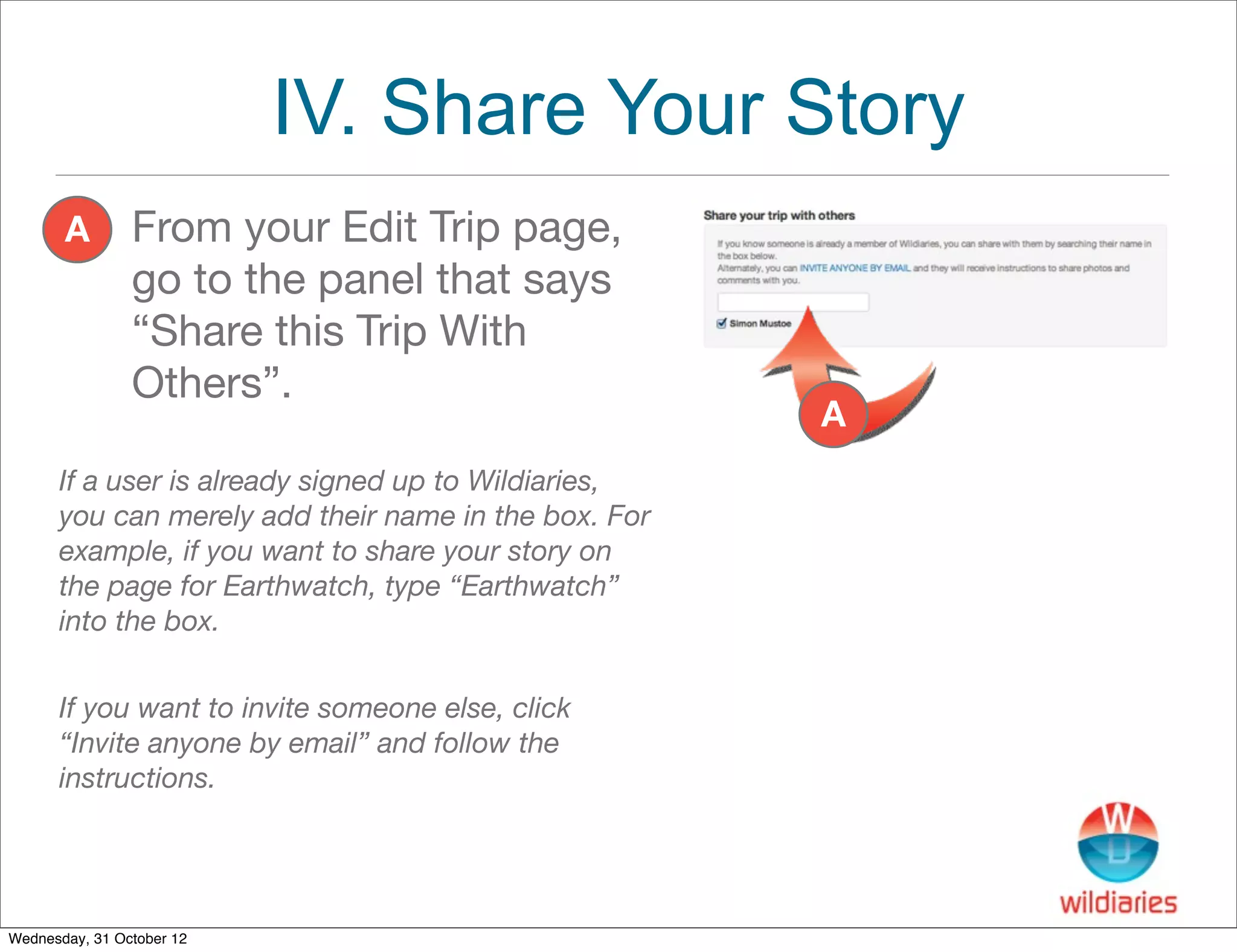
       A        From your Edit Trip page,
                go to the panel that says
                “Share this Trip With
                Others”.
                                                      A
      If a user is already signed up to Wildiaries,
      you can merely add their name in the box. For
      example, if you want to share your story on
      the page for Earthwatch, type “Earthwatch”
      into the box.


      If you want to invite someone else, click
      “Invite anyone by email” and follow the
      instructions.


Wednesday, 31 October 12

Adding a story to Wildiaries

  • 1.
    Get Started Adding your story to Wildiaries is easy. The following tutorial will show you how to “add an experience” and share this with your favourite organisation. I Sign up for a new account; II Add an “avatar” image; and III Add an experience Wednesday, 31 October 12
  • 2.
    I. Signing UpFor An Account A. Go to http://wildiaries.com. B Click the button underneath “FREE Account” B Wednesday, 31 October 12
  • 3.
    II. Adding anAvatar A Click ‘EDIT’ A B Choose “Edit my avatar”. B C Upload a unique square image “avatar” that identifies you. C Wednesday, 31 October 12
  • 4.
    Navigating Your Pages To get around your page content, click the right hand edit bar pop up menu: A Get back to your home page by clicking “My A Wildiaries” Wednesday, 31 October 12
  • 5.
    III. Adding anExperience A Click ‘Share your own wildlife story” and follow the in-page instructions. NOTE - when you hit ‘save’ your story is saved as a “trip” but it will not be published yet. This is A your chance to review your trip. If you decide it is ready to publish... B Click ‘EDIT’ on the right hand vertical menu and hit publish. B Wednesday, 31 October 12
  • 6.
    IV. Share YourStory A From your Edit Trip page, go to the panel that says “Share this Trip With Others”. A If a user is already signed up to Wildiaries, you can merely add their name in the box. For example, if you want to share your story on the page for Earthwatch, type “Earthwatch” into the box. If you want to invite someone else, click “Invite anyone by email” and follow the instructions. Wednesday, 31 October 12