Abstract classes &
Interfaces
Abstract Classes
• Process to hide internal details
• Showing only their functionality
• The keyword abstract is used to create abstract classes
• Abstract class must contain at least one abstract method in it
Abstract Classes
• Use abstract classes at the time of inheritance
• Abstract classes cannot be inherited by structures
• It contains constructors and destructors
• Cannot support multiple inheritance
Abstract Classes
• It can have both abstract and non abstract methods
• It cannot be instantiated
• Implementation must be provided by derived classes
• derived class is forced to provide the implementation of all the abstract
methods.
Abstract Classes
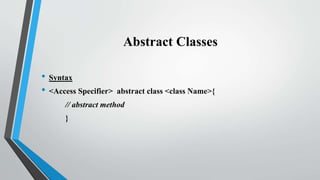
• Syntax
• <Access Specifier> abstract class <class Name>{
// abstract method
}
Abstract Methods
Abstract Methods
• Abstract classes that contain one or more abstract methods
• Method which is declared abstract
• Abstract method has no body
• Abstract methods only be declare inside the abstract class only
Abstract Methods
• Abstract keyword is used to create abstract methods
• Abstract classes have at least one abstract method
• Implementation is done by a derive class
• Use override keyword to implement the abstract method in derive class
• It is override in non abstract classes
Abstract Methods
• Cannot be use private access specifier
• Use only public and protected access specifier
• Abstract methods cannot be static
• Syntax
<Access specifier> abstract <data type> <method name> ( );
Program
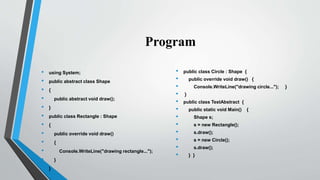
• using System;
• public abstract class Shape
• {
• public abstract void draw();
• }
• public class Rectangle : Shape
• {
• public override void draw()
• {
• Console.WriteLine("drawing rectangle...");
• }
• }
• public class Circle : Shape {
• public override void draw() {
• Console.WriteLine("drawing circle..."); }
• }
• public class TestAbstract {
• public static void Main() {
• Shape s;
• s = new Rectangle();
• s.draw();
• s = new Circle();
• s.draw();
• } }
Interfaces
Interface
• blueprint of class
• can have methods, properties, events, and indexers as its members
• Cannot contain constructor
• Interface cannot be instantiated
Interface
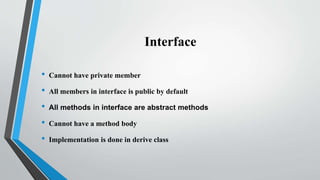
• Cannot have private member
• All members in interface is public by default
• All methods in interface are abstract methods
• Cannot have a method body
• Implementation is done in derive class
Interface
• Override all of its members in derive class
• Used to achieve Multiple Inheritance
• Multiple interface is separated by comma
• interface keyword is used to create interface
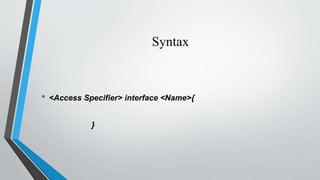
Syntax
• <Access Specifier> interface <Name>{
}
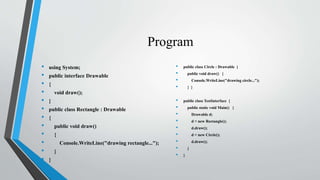
Program
• using System;
• public interface Drawable
• {
• void draw();
• }
• public class Rectangle : Drawable
• {
• public void draw()
• {
• Console.WriteLine("drawing rectangle...");
• }
• }
• public class Circle : Drawable {
• public void draw() {
• Console.WriteLine("drawing circle...");
• } }
• public class TestInterface {
• public static void Main() {
• Drawable d;
• d = new Rectangle();
• d.draw();
• d = new Circle();
• d.draw();
• }
• }

Abstract classes & interfaces

  • 1.
  • 2.
    Abstract Classes • Processto hide internal details • Showing only their functionality • The keyword abstract is used to create abstract classes • Abstract class must contain at least one abstract method in it
  • 3.
    Abstract Classes • Useabstract classes at the time of inheritance • Abstract classes cannot be inherited by structures • It contains constructors and destructors • Cannot support multiple inheritance
  • 4.
    Abstract Classes • Itcan have both abstract and non abstract methods • It cannot be instantiated • Implementation must be provided by derived classes • derived class is forced to provide the implementation of all the abstract methods.
  • 5.
    Abstract Classes • Syntax •<Access Specifier> abstract class <class Name>{ // abstract method }
  • 6.
  • 7.
    Abstract Methods • Abstractclasses that contain one or more abstract methods • Method which is declared abstract • Abstract method has no body • Abstract methods only be declare inside the abstract class only
  • 8.
    Abstract Methods • Abstractkeyword is used to create abstract methods • Abstract classes have at least one abstract method • Implementation is done by a derive class • Use override keyword to implement the abstract method in derive class • It is override in non abstract classes
  • 9.
    Abstract Methods • Cannotbe use private access specifier • Use only public and protected access specifier • Abstract methods cannot be static • Syntax <Access specifier> abstract <data type> <method name> ( );
  • 10.
    Program • using System; •public abstract class Shape • { • public abstract void draw(); • } • public class Rectangle : Shape • { • public override void draw() • { • Console.WriteLine("drawing rectangle..."); • } • } • public class Circle : Shape { • public override void draw() { • Console.WriteLine("drawing circle..."); } • } • public class TestAbstract { • public static void Main() { • Shape s; • s = new Rectangle(); • s.draw(); • s = new Circle(); • s.draw(); • } }
  • 11.
  • 12.
    Interface • blueprint ofclass • can have methods, properties, events, and indexers as its members • Cannot contain constructor • Interface cannot be instantiated
  • 13.
    Interface • Cannot haveprivate member • All members in interface is public by default • All methods in interface are abstract methods • Cannot have a method body • Implementation is done in derive class
  • 14.
    Interface • Override allof its members in derive class • Used to achieve Multiple Inheritance • Multiple interface is separated by comma • interface keyword is used to create interface
  • 15.
    Syntax • <Access Specifier>interface <Name>{ }
  • 16.
    Program • using System; •public interface Drawable • { • void draw(); • } • public class Rectangle : Drawable • { • public void draw() • { • Console.WriteLine("drawing rectangle..."); • } • } • public class Circle : Drawable { • public void draw() { • Console.WriteLine("drawing circle..."); • } } • public class TestInterface { • public static void Main() { • Drawable d; • d = new Rectangle(); • d.draw(); • d = new Circle(); • d.draw(); • } • }