www.studymafia.0rg
Submitted To: Submitted By:
www.studymafia.org www.studymafia.org
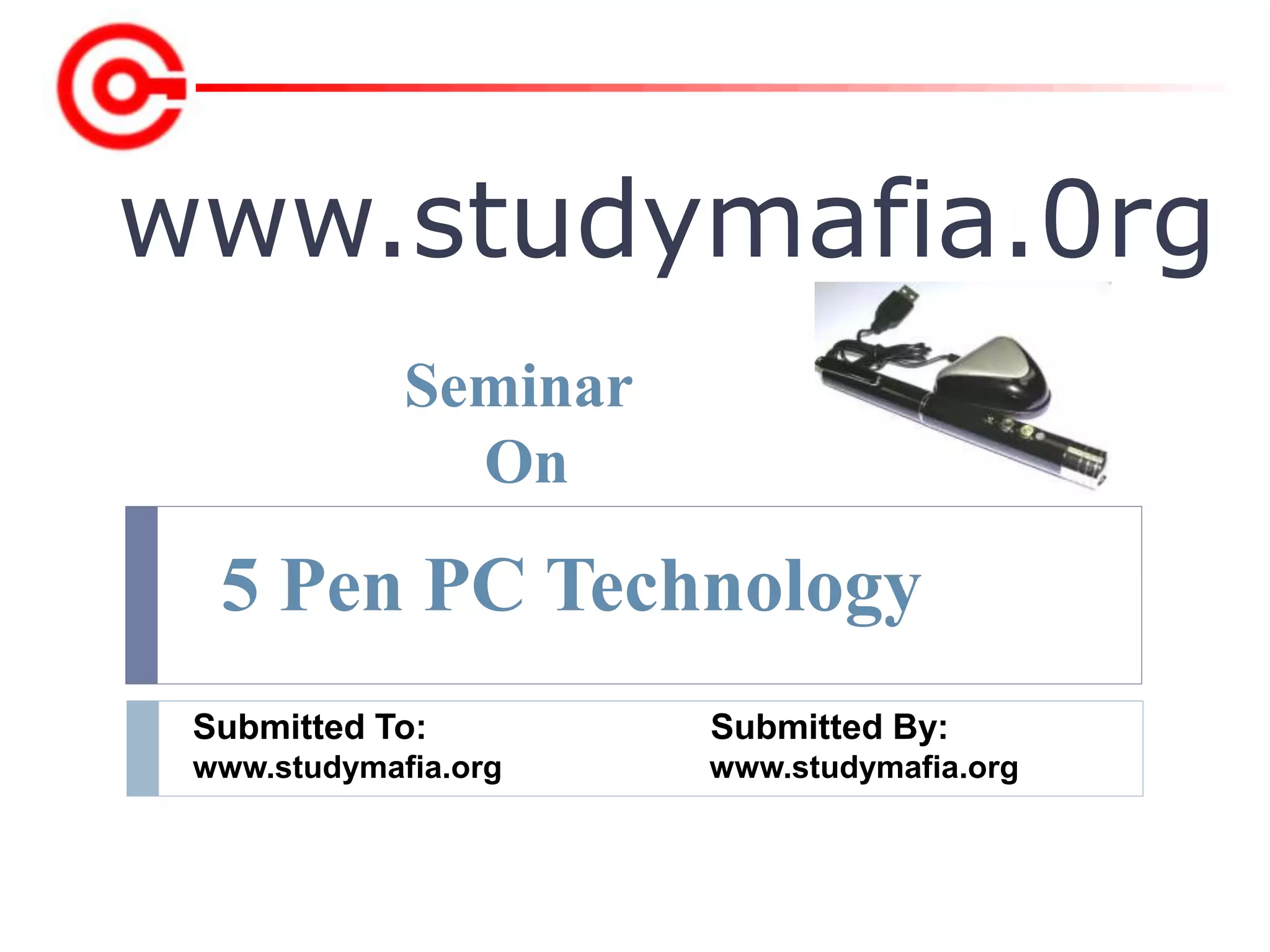
Seminar
On
5 Pen PC Technology
Table of contents
 History
 Introduction
 Working Principle
 5 functions
 Block Diagram
 How it takes input
 Why it works with windows only?
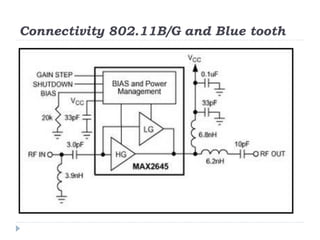
 Connectivity 802.11B/G and Blue tooth
 Merits
 Demerits
 Applications
 Conclusion
 References
History
 "Pen-style Personal Networking Gadget"
created in 2012 by Japanese technology
company NEC.
 Its designer Tour Ichihash.
 P-ISM was first featured at the 2011 ITU
Telecom world held in Geneva,
Switzerland.
Introduction
 P-ISM (“Pen-style
Personal Networking
Gadget Package”).
 Connected With A
Wireless Technology.
 Whole Set Is Connected
To Internet Through
Cellular Phone Function.
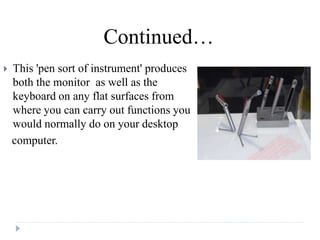
 This 'pen sort of instrument' produces
both the monitor as well as the
keyboard on any flat surfaces from
where you can carry out functions you
would normally do on your desktop
computer.
Continued…
A computer that utilizes an electronic pen (called a stylus) rather than a
keyboard for input. Pen computers generally require special operating
systems that support handwriting recognition so that users can write on the
screen or on a tablet instead of typing on a keyboard.
Most pen computers are hand-held devices, which are too small for a full-
size keyboard.
Working Principle
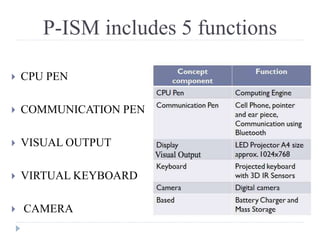
P-ISM includes 5 functions
 CPU PEN
 COMMUNICATION PEN
 VISUAL OUTPUT
 VIRTUAL KEYBOARD
 CAMERA
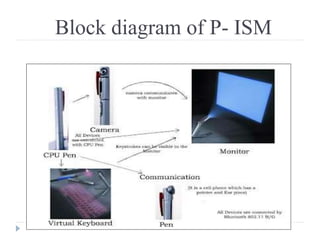
Block diagram of P- ISM
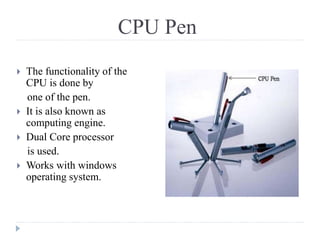
CPU Pen
 The functionality of the
CPU is done by
one of the pen.
 It is also known as
computing engine.
 Dual Core processor
is used.
 Works with windows
operating system.
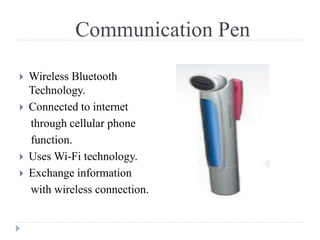
Communication Pen
 Wireless Bluetooth
Technology.
 Connected to internet
through cellular phone
function.
 Uses Wi-Fi technology.
 Exchange information
with wireless connection.
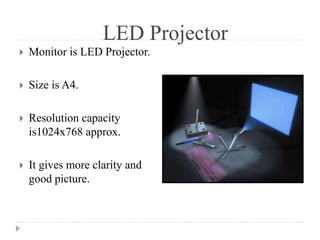
LED Projector
 Monitor is LED Projector.
 Size is A4.
 Resolution capacity
is1024x768 approx.
 It gives more clarity and
good picture.
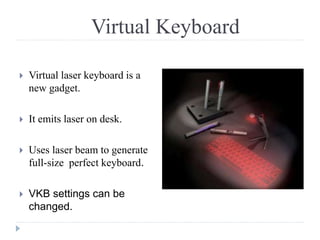
Virtual Keyboard
 Virtual laser keyboard is a
new gadget.
 It emits laser on desk.
 Uses laser beam to generate
full-size perfect keyboard.
 VKB settings can be
changed.
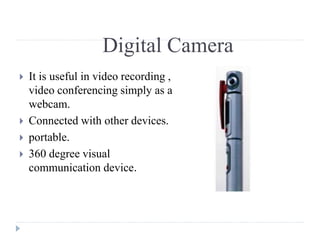
Digital Camera
 It is useful in video recording ,
video conferencing simply as a
webcam.
 Connected with other devices.
 portable.
 360 degree visual
communication device.
Battery
 It is the most important part in the portable type of
computers.
 Usually batteries are small in size and work for a long
time.
 It comes with a battery life of 6+ (i.e. 6 days).
 For normal use it can be used for 2 weeks.
How it takes input
It has two methods for input
1. With the virtual keyboard.
2. With digital camera.
Why it works with windows only?
 It consists of dual core processor embedded in it and
that is why it works only with WINDOWS operation
system.
Connectivity 802.11B/G and Blue tooth
Merits
 Portable
 Feasible
 Ubiquitous computing is done
 Wi-Fi technology
 Pens produces both the monitor as well as the
keyboard on any flat surfaces from where you can
carry out functions.
Demerits
 Cost
 Battery
 Keyboard concept is not new
 Positioning is main
Currently un-clear.
Applications
Many researches has been made but there is no clear result so
far.
Only One that uses it is E-fingerprinting the gadget will be
more secure, which allows only owner to activate the Pc. So
even if we loose it, no one else cal access the gadget.
•The communication devices are becoming
smaller and compact.
• 5 Pen PC is only an example for the start of
this new technology.
•We can expect more such developments in
the future.

Conclusion
REFERENCES
 www.webstatschecker.com/ieee_paper_on_5_pen_
pc_technology
 www.kguru.info/s/5-pen-pc-technology
 www.ieeexplore.ieee.org/pen-based learning technologies,
2007. plt 2007. first – ieee
 www.studymafia.org
5-pen-pc-ppt.pptx

5-pen-pc-ppt.pptx

  • 1.
    www.studymafia.0rg Submitted To: SubmittedBy: www.studymafia.org www.studymafia.org Seminar On 5 Pen PC Technology
  • 2.
    Table of contents History  Introduction  Working Principle  5 functions  Block Diagram  How it takes input  Why it works with windows only?  Connectivity 802.11B/G and Blue tooth  Merits  Demerits  Applications  Conclusion  References
  • 3.
    History  "Pen-style PersonalNetworking Gadget" created in 2012 by Japanese technology company NEC.  Its designer Tour Ichihash.  P-ISM was first featured at the 2011 ITU Telecom world held in Geneva, Switzerland.
  • 4.
    Introduction  P-ISM (“Pen-style PersonalNetworking Gadget Package”).  Connected With A Wireless Technology.  Whole Set Is Connected To Internet Through Cellular Phone Function.
  • 5.
     This 'pensort of instrument' produces both the monitor as well as the keyboard on any flat surfaces from where you can carry out functions you would normally do on your desktop computer. Continued…
  • 6.
    A computer thatutilizes an electronic pen (called a stylus) rather than a keyboard for input. Pen computers generally require special operating systems that support handwriting recognition so that users can write on the screen or on a tablet instead of typing on a keyboard. Most pen computers are hand-held devices, which are too small for a full- size keyboard. Working Principle
  • 7.
    P-ISM includes 5functions  CPU PEN  COMMUNICATION PEN  VISUAL OUTPUT  VIRTUAL KEYBOARD  CAMERA
  • 8.
  • 9.
    CPU Pen  Thefunctionality of the CPU is done by one of the pen.  It is also known as computing engine.  Dual Core processor is used.  Works with windows operating system.
  • 10.
    Communication Pen  WirelessBluetooth Technology.  Connected to internet through cellular phone function.  Uses Wi-Fi technology.  Exchange information with wireless connection.
  • 11.
    LED Projector  Monitoris LED Projector.  Size is A4.  Resolution capacity is1024x768 approx.  It gives more clarity and good picture.
  • 12.
    Virtual Keyboard  Virtuallaser keyboard is a new gadget.  It emits laser on desk.  Uses laser beam to generate full-size perfect keyboard.  VKB settings can be changed.
  • 13.
    Digital Camera  Itis useful in video recording , video conferencing simply as a webcam.  Connected with other devices.  portable.  360 degree visual communication device.
  • 14.
    Battery  It isthe most important part in the portable type of computers.  Usually batteries are small in size and work for a long time.  It comes with a battery life of 6+ (i.e. 6 days).  For normal use it can be used for 2 weeks.
  • 15.
    How it takesinput It has two methods for input 1. With the virtual keyboard. 2. With digital camera.
  • 16.
    Why it workswith windows only?  It consists of dual core processor embedded in it and that is why it works only with WINDOWS operation system.
  • 17.
  • 18.
    Merits  Portable  Feasible Ubiquitous computing is done  Wi-Fi technology  Pens produces both the monitor as well as the keyboard on any flat surfaces from where you can carry out functions.
  • 19.
    Demerits  Cost  Battery Keyboard concept is not new  Positioning is main Currently un-clear.
  • 20.
    Applications Many researches hasbeen made but there is no clear result so far. Only One that uses it is E-fingerprinting the gadget will be more secure, which allows only owner to activate the Pc. So even if we loose it, no one else cal access the gadget.
  • 21.
    •The communication devicesare becoming smaller and compact. • 5 Pen PC is only an example for the start of this new technology. •We can expect more such developments in the future. Conclusion
  • 22.
    REFERENCES  www.webstatschecker.com/ieee_paper_on_5_pen_ pc_technology  www.kguru.info/s/5-pen-pc-technology www.ieeexplore.ieee.org/pen-based learning technologies, 2007. plt 2007. first – ieee  www.studymafia.org