Idea of Algorithm
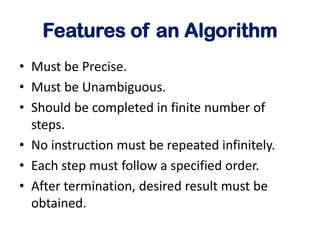
Features of an Algorithm
• Must be Precise.
• Must be Unambiguous.
• Should be completed in finite number of
steps.
• No instruction must be repeated infinitely.
• Each step must follow a specified order.
• After termination, desired result must be
obtained.
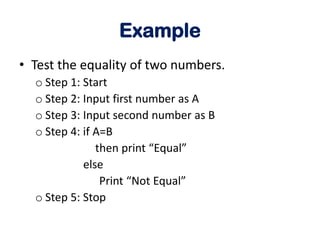
Example
• Test the equality of two numbers.
o Step 1: Start
o Step 2: Input first number as A
o Step 3: Input second number as B
o Step 4: if A=B
then print “Equal”
else
Print “Not Equal”
o Step 5: Stop
Example
• To print the first 10 natural numbers.
oStep 1: Start
oStep 2: [initialization] set i=1, n=10
oStep 3: Repeat step while i<=n
oStep 4: print i
oStep 5: Stop
Example
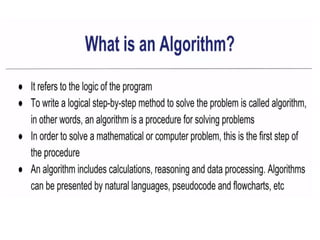
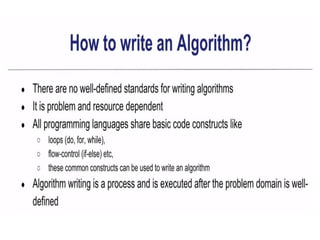
• To find sum of N natural numbers.
oStep 1: Start
oStep 2: Input N
oStep 3: [initialization] set i=1, sum=0
oStep 4: Repeat step while i<=N
oStep 5: set sum= sum+ i
Set i=i+1
oStep 4: print sum
oStep 5: Stop
Other Examples
1. Algorithm to find largest of three numbers.
2. To find whether a number is even or odd.
3. To find average of first N natural numbers.
4. To interchange / swapping of two variables.
Using/without using third variable.
5. To find area of a circle of radius r.
6. To find simple interest and compound interest for
principal p, rate r and time t.
7. To find roots of a quadratic equation.
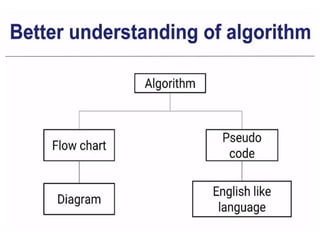
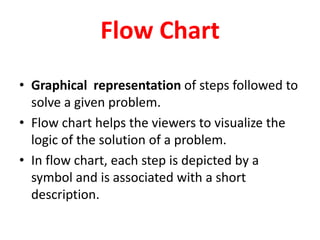
Flow Chart
• Graphical representation of steps followed to
solve a given problem.
• Flow chart helps the viewers to visualize the
logic of the solution of a problem.
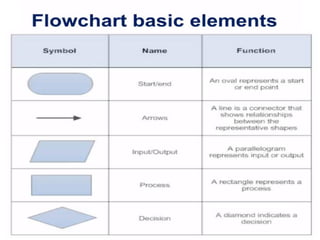
• In flow chart, each step is depicted by a
symbol and is associated with a short
description.
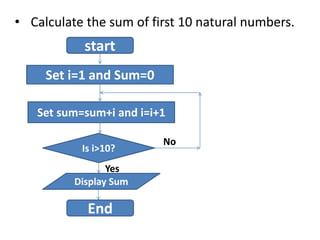
• Calculate the sum of first 10 natural numbers.
start
Set i=1 and Sum=0
Set sum=sum+i and i=i+1
Is i>10?
Display Sum
End
No
Yes
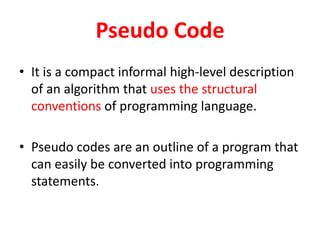
Pseudo Code
• It is a compact informal high-level description
of an algorithm that uses the structural
conventions of programming language.
• Pseudo codes are an outline of a program that
can easily be converted into programming
statements.
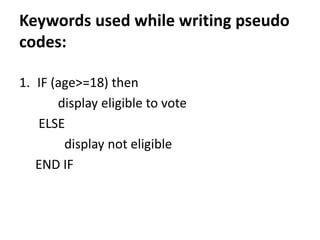
Keywords used while writing pseudo
codes:
1. IF (age>=18) then
display eligible to vote
ELSE
display not eligible
END IF
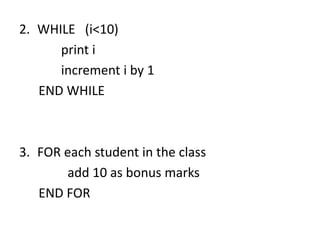
2. WHILE (i<10)
print i
increment i by 1
END WHILE
3. FOR each student in the class
add 10 as bonus marks
END FOR

4. algorithm

  • 1.
  • 4.
    Features of anAlgorithm • Must be Precise. • Must be Unambiguous. • Should be completed in finite number of steps. • No instruction must be repeated infinitely. • Each step must follow a specified order. • After termination, desired result must be obtained.
  • 6.
    Example • Test theequality of two numbers. o Step 1: Start o Step 2: Input first number as A o Step 3: Input second number as B o Step 4: if A=B then print “Equal” else Print “Not Equal” o Step 5: Stop
  • 7.
    Example • To printthe first 10 natural numbers. oStep 1: Start oStep 2: [initialization] set i=1, n=10 oStep 3: Repeat step while i<=n oStep 4: print i oStep 5: Stop
  • 8.
    Example • To findsum of N natural numbers. oStep 1: Start oStep 2: Input N oStep 3: [initialization] set i=1, sum=0 oStep 4: Repeat step while i<=N oStep 5: set sum= sum+ i Set i=i+1 oStep 4: print sum oStep 5: Stop
  • 9.
    Other Examples 1. Algorithmto find largest of three numbers. 2. To find whether a number is even or odd. 3. To find average of first N natural numbers. 4. To interchange / swapping of two variables. Using/without using third variable. 5. To find area of a circle of radius r. 6. To find simple interest and compound interest for principal p, rate r and time t. 7. To find roots of a quadratic equation.
  • 11.
    Flow Chart • Graphicalrepresentation of steps followed to solve a given problem. • Flow chart helps the viewers to visualize the logic of the solution of a problem. • In flow chart, each step is depicted by a symbol and is associated with a short description.
  • 13.
    • Calculate thesum of first 10 natural numbers. start Set i=1 and Sum=0 Set sum=sum+i and i=i+1 Is i>10? Display Sum End No Yes
  • 14.
    Pseudo Code • Itis a compact informal high-level description of an algorithm that uses the structural conventions of programming language. • Pseudo codes are an outline of a program that can easily be converted into programming statements.
  • 15.
    Keywords used whilewriting pseudo codes: 1. IF (age>=18) then display eligible to vote ELSE display not eligible END IF
  • 16.
    2. WHILE (i<10) printi increment i by 1 END WHILE 3. FOR each student in the class add 10 as bonus marks END FOR