Values and datatypes:원자
파이썬은 실제 리터럴 즉 값이 객체이므로 기본
객체의 구성을 이해해야
>>> type(1.1)
<class ‘float'>
>>>
>>> type(17)
<class 'int'>
값을 type() 함수를 이용해 데이터 타
입을 확인
reference
type
value
float
주소
1.1
reference
type
value
int
주소
17
데이터 관리 방안(예시)
5.
Values and datatypes:분자
프로그램 언어에서 가장 기본적인 것인 Value가
가진 형식이 데이터 타입
reference
type
element
reference
type
value
int
주소
1
reference
type
element
list
주소
reference
type
value
reference
type
value
…
주소
list
>>> v = [1,2,[3,4]]
>>> v
[1, 2, [3, 4]]
>>>
6.
Data types 이해하기
int등 data type의 키워드는 클래스 객체이고
type 클래스 객체를 구현해서 처리
>>> int.__class__.__name__
'type'
>>> intobj =1
>>> intobj.__class__.__name__
'int'
>>> isinstance(intobj.__class__, type)
True
>>> intobj2 = int(1)
>>> intobj2
1
>>> intobj2.__class__.__name__
'int'
>>> type.__class__.__name__
'type'
>>>
생성된 int 타입이 type 클
래스 객체를 상속여부 확인
7.
Value and Type: 예시
다양한 타입에 대한 타입과 값을 함수를 통해 처리하는 법
obj.__class__.__name__
• obj.__class__의 값은 타입 클래스의 인스턴스
• 타입클래스의 __name__속성은 타입에 대한 스트링 관리
def typeof(obj) :
return obj.__class__
def valueof(obj) :
if obj.__class__ == type(obj) :
print(eval(obj.__class__.__name__ + '(obj)'))
return eval(obj.__class__.__name__ + '(obj)')
print(typeof(1))
print(valueof(1))
print(typeof(1.1))
print(valueof(1.1))
print(typeof([1,2]))
print(valueof([1,2]))
#결과값
<type 'int'>
1
1
<type 'float'>
1.1
1.1
<type 'list'>
[1, 2]
[1, 2]
8.
타입 특성
데이터를 관리하는기준이며 파이썬은 최상위 타입
을 Object로 선정해서 모든 것을 object instance로
처리
>>> type(object)
<type 'type'>
>>> type(1)
<type 'int'>
>>> isinstance(1,object)
True
>>>
Object를 최상위 클래스 객체이며 이
를 상속받아 구현
숫자 1도 실제 자연수라는 클래스객
체에서 생성된 객체라서 Object이 인
스턴스 객체
9.
Builtin type 특성
객체내부에 정해진 값이 변경이 가능한지를 구분
=> 컨테이너 타입 중에 실제 값이 정해지지 않은
경우 요소들을 변경이 가능
변경불가(immutable) : int, float, complex,
str/unicode bytes, tuple, frozenset
변경가능(mutable) : list, dict, set, bytes-array
Mutable & immutable
Values내부의 값을 변경이 가능한지 점검하여 값을 변
경.
특히 variables, 함수 파라미터에 복사할 경우 실제 값 객
체가 변경가능여부에 따라 다른 경우가 발생함
Mutable은 주로 리스트, 딕셔너리 타입으로 내부 값인
요소에 추가하는 것이므로 변수나 함수 파라미터로 사용
해도 변경( swallow copy 사용)
Mutable 처리할 경우 처음이 값이 변경되지 않으려면 참
조만 복사하지 말고 전체 값을 복사해야 별도의 참조가
생겨 다른 값 객체로 인식함(deepcopy 이용)
12.
Mutable & immutable예시
ismutable 함수를 만들어서 실제 값들이 변경여부를 점검한
후에 처리할 수 있으면 좋다
#함수를 정의해서 각 타입에 대한 갱신여부를 확인
def ismutable(obj) :
result = True
#타입을 문자열로 가져오기
com = obj.__class__.__name__
if com not in [ 'int','float','str','tuple'] :
result = False
return (com,result)
#실행
print 'str is ', ismutable('a')
print 'list is',ismutable([])
print 'tuple is',ismutable((1,))
print 'dict is',ismutable({})
print 'object is',ismutable(object)
print 'function is',ismutable(lambda x:x)
# 결과값
str is ('str', True)
list is ('list', False)
tuple is ('tuple', True)
dict is ('dict', False)
object is ('type', False)
function is ('function', False)
Type conversion
변수에서 참조하는타입을 자신의 필요한 타입으로 변경이 필요할 경우 사용
파이썬에 제공되는 함수들을 이용해서 사용하면 됨
>>> v = 1
>>> str(v)
'1'
>>> float(str(v))
1.0
>>> int(str(v))
1
>>> x = int()
>>> x
0
>>> y = str()
>>> y
''
>>> z = float()
>>> z
0.0
>>>
타입 함수를 이용해서 변수에 할
당하면 초기값을 세팅
타입 함수를 이용해서 변수에 적
절한 타입으로 변환
String에서 integer 변환
문자열은문자와 숫자로 구성될 수 있으므로 숫
자여부를 확인하고 형변환을 해야 함
>>> # string을 내부를 숫자로
>>> v = '1‘
>>> #string 내장 메소드로 숫자여부 체크
>>> if v.isdigit() :
... s = int(v)
... else :
... s = 0
...
>>> s
1
숫자타입
숫자에 대한 객체를관리하는 데이터 타입
Numberic Types
int
float
long
complex
>>> id(1)
5939944
>>> v = 1
>>> type(v)
<type 'int'>
>>> id(v)
5939944
>>>
숫자타입도 하나의 객체이므로 1 이 생성
되면 동일한 context 내에서는 동일한 객체
id를 가지고 사용
19.
숫자타입 - 기본처리
숫자타입에 기본으로 처리 되는 함수, operator
Operation Result Notes
x + y sum of x and y
x - y difference of x and y
x * y product of x and y
x / y quotient of x and y
x // y (floored) quotient of x and y
x % y remainder of x / y
-x x negated
+x x unchanged
abs(x) absolute value or magnitude of x
int(x) x converted to integer
long(x) x converted to long integer
float(x) x converted to floating point
complex(re,im)
a complex number with real part re, imaginary part im. im defaults to z
ero.
c.conjugate() conjugate of the complex number c
divmod(x, y) the pair (x // y, x % y)
pow(x, y) x to the power y
x ** y x to the power y
Sequence 타입
다양한 객체의값을 원소로 값는 데이터 타입
Sequenec Types
String/unicode
Buffer/range
List/tuple
참조 container
참조
참조
값
container
** string 일경우 값만
처리
Elements 관리
22.
Sequence 타입- 기본처리
Sequence타입에 기본으로 처리 되는 함수,
operator
Operation Result Notes
x in s True if an item of s is equal to x, else False
x not in s False if an item of s is equal to x, else True
s + t the concatenation of s and t
s * n , n * s n shallow copies of s concatenated
s[i] i'th item of s, origin 0
s[i:j] slice of s from i to j
s[i:j:k] slice of s from i to j with step k
len(s) length of s
min(s) smallest item of s
max(s) largest item of s
23.
Sequence-Accessing Values
Sequence Type(String,List, Tuple)은 변수명[index]로 값을 접
근하여 가져옴
변수에는 Sequence Instance이 참조를 가지고 있고 index를 이
용하여 값들의 위치를 검색
>>> l = [0,1,2,3]
>>> l[0]
0
>>> s = "string"
>>> s[0]
's'
>>> t = (0,1,2,3)
>>> t[0]
0
>>>
24.
Sequence-Updating Values
변수에는 SequenceInstance이 참조를 가지고 있고
index를 이용하여 값들의 위치를 검색하고 할당값을 변
경. 단, Mutable 객체인 List타입만 기존 값을 변경됨
>>> l
[0, 1, 2, 3]
>>> l[0] = 100
>>> l
[100, 1, 2, 3]
>>> t
(0, 1, 2, 3)
>>> t[0] = 100
Traceback (most recent call last):
File "<stdin>", line 1, in <module>
TypeError: 'tuple' object does not
support item assignment
>>>
>>> s
'string'
>>>
>>> s[0] = 'a'
Traceback (most recent call last):
File "<stdin>", line 1, in <module>
TypeError: 'str' object does not
support item assignment
List type Tuple type String type
25.
Sequence- 내장함수 이용하기
Sequence내장함수를 이용한 sorted, reversed,
enumerate, zip을 처리
>>> for i, v in enumerate(['tic', 'tac', 'toe']):
... print i, v
...
0 tic
1 tac
2 toe
>>> l1 = [1,2,3,4]
>>> la = ['a','b','c','d']
>>> for k,v in zip(l1,la) :
... print k, v
...
1 a
2 b
3 c
4 d
>>>
>>> for i in reversed(xrange(1,10,2)):
... print i
...
9 7 5 3 1
>>> basket = ['apple', 'orange', 'apple', 'pear', 'orange',
'banana']
>>> for f in sorted(set(basket)):
... print f
...
apple banana orange pear
enumerate() zip()
reversed() sorted()
Sequence-Updating String
String에 대한update는 기본적으로 새로운
String Instance 만드는 것
>>> s
'string'
>>> id(s)
6122176
>>> v = "updating " + s
>>> id(v)
106043176
>>> v
'updating string'
>>>
>>> s
'string'
>>>
31.
String-operator
Operator Description Example
+Concatenation - Adds values on either side of the operator a + b will give HelloPython
* Repetition - Creates new strings, concatenating multiple co
pies of the same string
a*2 will give -HelloHello
[] Slice - Gives the character from the given index a[1] will give e
[ : ] Range Slice - Gives the characters from the given range a[1:4] will give ell
in Membership - Returns true if a character exists in the given
string
H in a will give 1
not in Membership - Returns true if a character does not exist in t
he given string
M not in a will give 1
r/R Raw String - Suppresses actual meaning of Escape characte
rs. The syntax for raw strings is exactly the same as for nor
mal strings with the exception of the raw string operator, t
he letter "r," which precedes the quotation marks. The "r" ca
n be lowercase (r) or uppercase (R) and must be placed imm
ediately preceding the first quote mark.
print r'n' prints n and print R'n'prints
n
% Format - Performs String formatting See at next section
32.
Sequence-String 메소드(1)
String 내장메소드
Method Description
capitalize() Capitalizes first letter of string
center(width, fillchar) Returns a space-padded string with the original string centered to a total
of width columns.
count(str, beg=
0,end=len(string))
Counts how many times str occurs in string or in a substring of string if
starting index beg and ending index end are given.
decode(encoding='UTF-
8',errors='strict')
Decodes the string using the codec registered for encoding. encoding
defaults to the default string encoding.
encode(encoding='UTF-
8',errors='strict')
Returns encoded string version of string; on error, default is to raise a
ValueError unless errors is given with 'ignore' or 'replace'.
endswith(suffix, beg=0,
end=len(string))
Determines if string or a substring of string (if starting index beg and
ending index end are given) ends with suffix; returns true if so and false
otherwise.
expandtabs(tabsize=8) Expands tabs in string to multiple spaces; defaults to 8 spaces per tab if
tabsize not provided.
33.
Sequence-String 메소드(2)
String 내장메소드
Method Description
find(str, beg=0
end=len(string))
Determine if str occurs in string or in a substring of string if starting
index beg and ending index end are given returns index if found and -1
otherwise.
index(str, beg=0, end=len(st
ring))
Same as find(), but raises an exception if str not found.
isalnum() Returns true if string has at least 1 character and all characters are
alphanumeric and false otherwise.
isalpha() Returns true if string has at least 1 character and all characters are
alphabetic and false otherwise.
isdigit() Returns true if string contains only digits and false otherwise.
islower() Returns true if string has at least 1 cased character and all cased
characters are in lowercase and false otherwise.
isnumeric() Returns true if a unicode string contains only numeric characters and
false otherwise.
34.
Sequence-String 메소드(3)
String 내장메소드
Method Description
isspace() Returns true if string contains only whitespace characters and false
otherwise.
istitle() Returns true if string is properly "titlecased" and false otherwise.
isupper() Returns true if string has at least one cased character and all cased
characters are in uppercase and false otherwise.
join(seq) Merges (concatenates) the string representations of elements in
sequence seq into a string, with separator string.
len(string) Returns the length of the string
ljust(width[, fillchar]) Returns a space-padded string with the original string left-justified to a
total of width columns.
lower() Converts all uppercase letters in string to lowercase.
lstrip() Removes all leading whitespace in string.
maketrans() Returns a translation table to be used in translate function.
35.
Sequence-String 메소드(4)
String 내장메소드
Method Description
max(str) Returns the max alphabetical character from the string str.
min(str) Returns the min alphabetical character from the string str.
replace(old, new [, max]) Replaces all occurrences of old in string with new or at most max
occurrences if max given.
rfind(str, beg=0,end=len(stri
ng))
Same as find(), but search backwards in string.
rindex( str, beg=0,
end=len(string))
Same as index(), but search backwards in string.
rjust(width,[, fillchar]) Returns a space-padded string with the original string right-justified to a
total of width columns.
rstrip() Removes all trailing whitespace of string.
split(str="", num=string.cou
nt(str))
Splits string according to delimiter str (space if not provided) and returns
list of substrings; split into at most num substrings if given.
splitlines( num=string.count
('n'))
Splits string at all (or num) NEWLINEs and returns a list of each line with
NEWLINEs removed.
36.
Sequence-String 메소드(5)
String 내장메소드
Method Description
startswith(str,
beg=0,end=len(string))
Determines if string or a substring of string (if starting index beg and
ending index end are given) starts with substring str; returns true if so
and false otherwise.
strip([chars]) Performs both lstrip() and rstrip() on string
swapcase() Inverts case for all letters in string.
title() Returns "titlecased" version of string, that is, all words begin with
uppercase and the rest are lowercase.
translate(table, deletechars
="")
Translates string according to translation table str(256 chars), removing
those in the del string.
upper() Converts lowercase letters in string to uppercase.
zfill (width) Returns original string leftpadded with zeros to a total of width
characters; intended for numbers, zfill() retains any sign given (less one
zero).
isdecimal() Returns true if a unicode string contains only decimal characters and
false otherwise.
37.
String-escape 문자
Backslash notationHexadecimal character Description
a 0x07 Bell or alert
b 0x08 Backspace
000 널문자
cx Control-x
C-x Control-x
e 0x1b Escape
f 0x0c Formfeed
M-C-x Meta-Control-x
n 0x0a Newline 은 라인피드 (Line Feed) 는 커서의 위치를 아랫줄로 이동
nnn Octal notation, where n is in the range 0.7
r 0x0d Carriage return은 현재 위치를 나타내는 커서 를 맨 앞으로 이동
s 0x20 Space
t 0x09 Tab
v 0x0b Vertical tab
x Character x
xnn Hexadecimal notation, where n is in the range 0.9, a.f, or A.F
문자 ""
' 단일 인용부호(')
" 이중 인용부호(")
Sequence - List기본 처리
List 타입에 대한 기본 처리
Python Expression Results Description
l=[1,2,3] l.append(4) [1, 2, 3, 4] 리스트에 원소 추가
del l[3] [1, 2, 3] 리스트에 원소 삭제
len([1, 2, 3]) 3 Length 함수로 길이 확인
[1, 2, 3] + [4, 5, 6] [1, 2, 3, 4, 5, 6] 리스트를 합치니 Concatenation
['Hi!'] * 4 ['Hi!', 'Hi!', 'Hi!', 'Hi!'] 리스트 내의 원소를 Repetition
3 in [1, 2, 3] True 리스트 내의 원소들이 Membership
for x in [1, 2, 3]: print x, 1 2 3 리스트의 원소들을 반복자 활용 - Iteration
40.
Sequence-List 용 내장함수
내장함수중에리스트 타입을 처리
Function Description
cmp(list1, list2) Compares elements of both lists.
len(list) Gives the total length of the list.
max(list) Returns item from the list with max value.
min(list) Returns item from the list with min value.
list(seq) Converts a tuple into list.
str(list) Produces a printable string representation of a list
type(list) Returns the type of the passed variable. If passed variable is
list, then it would return a list type.
41.
Sequence-List class 구조확인
list는 하나의 class object로 제공
>>> list
<type 'list'>
>>> id(list)
505560280
>>>
>>>
>>> l1 = list()
>>> id(l1)
106593376
>>> isinstance(l1,list)
True
>>>
list의 인스턴스를 생성하고
isinstance 함수를 이용하여
인스턴스 여부 확인
42.
Sequence-List 메소드
리스트 내장메소드
Method Description
list.append(obj) Appends object obj to list
list.count(obj) Returns count of how many times obj occurs in list
list.extend(seq) Appends the contents of seq to list
list.index(obj) Returns the lowest index in list that obj appears
list.insert(index,obj) Inserts object obj into list at offset index
list.pop(obj=list[-1]) Removes and returns last object or obj from list
list.remove(obj) Removes object obj from list
list.reverse() Reverses objects of list in place
list.sort([func]) Sorts objects of list, use compare func if given
43.
Sequence-List Comprehension
리스트 정의시값을 정하지 않고 호출 시 리스트
내의 값들이 처리되도록 구성
A = [ 표현식 for i in sequence if 논리식]
>>> squares = []
>>> for x in (10):
... squares.append(x**2)
...
>>> squares
[0, 1, 4, 9, 16, 25, 36, 49, 64, 81]
>>> squares = [x**2 for x in range(10)]
>>> squares
[0, 1, 4, 9, 16, 25, 36, 49, 64, 81]
>>>
44.
Sequence-List로 stack 처리
Stack은LIFO(last in first out)으로 List를 이용하
여 원소 추가(append메소드) 및 삭제(pop메소드)
로 간단하게 구성
>>> stack = [3, 4, 5]
>>> stack.append(6)
>>> stack.append(7)
>>> stack [3, 4, 5, 6, 7]
>>> stack.pop()
7
>>> stack [3, 4, 5, 6]
>>> stack.pop()
6
>>> stack.pop()
5
>>> stack [3, 4]
45.
Sequence-List로 queue 처리
queue은FIFO(first in first out)으로 List를 이용
하여 원소 추가(append메소드) 및 삭제
(reverse,pop메소드)로 간단하게 구성
>>> l = [1,2,3,4]
>>> l.reverse()
>>> l
[4, 3, 2, 1]
>>> l.pop()
1
>>> l.reverse()
>>> l
[2, 3, 4]
>>>
Sequence - Tuple기본 처리
tuple타입에 immutable 타입으로 내부 원소에 대해
갱신이 불가능하여 리스트처리보다 제한적
Slicing은 String 처럼 처리가능
Python Expression Results Description
T =(1,) (1,) 튜플의 원소가 하나인 경우 생성 꼭 한 개일 경우는
뒤에 꼼마(,)를 붙여야 함
T = (1,2,3,4) (1, 2, 3, 4) 튜플 생성
len((1, 2, 3)) 3 Length 함수로 길이 확인
(1, 2, 3) + (4, 5, 6) (1, 2, 3, 4, 5, 6) 튜플을 합치기 Concatenation
('Hi!‘) * 4 'Hi!Hi!Hi!Hi!' 튜플의 반복을 string으로 표시
3 in (1, 2, 3) True 튜플 내의 원소들이 Membership
for x in (1, 2, 3): print x, 1 2 3 튜플의 원소들을 반복자 활용 - Iteration
48.
Sequence- Tuple 용내장함수
내장함수 중에 tuple 타입을 처리
Function Description
cmp(tuple1, tuple2) Compares elements of both tuples.
len(tuple) Gives the total length of the tuple.
max(tuple) Returns item from the tuple with max value.
min(tuple) Returns item from the tuple with min value.
tuple(seq) Converts a list into a tuple.
str(tuple) Produces a printable string representation of a tuple
type(tuple) Returns the type of the passed variable. If passed variable is
tuple, then it would return a tuple type.
Set 타입
중복을 허용하지않고, 순서가 없음 (unordered)
교집합(&), 합집합(|), 차집합(-) 연산 처리
Set: mutable set
Frozenset: immutable set
51.
Set 타입 –생성시 주의
Set()으로 생성시 파라미터는 1개만 받는다. 리스트
등 mutable 객체를 요소로 처리할 수 없다.
그래서 튜플로 처리
>>> s = set([1],[2])
Traceback (most recent call last):
File "<stdin>", line 1, in <module>
TypeError: set expected at most 1 arguments, got
2
>>> s = set(([1],[2]))
Traceback (most recent call last):
File "<stdin>", line 1, in <module>
TypeError: unhashable type: 'list'
>>>
>>> s = set(((1),(2)))
>>> s
set([1, 2])
>>>
>>> s = set({'a':1})
>>> s
set(['a'])
Set은 구조상 내부 요소
가 변경이 가능한 값으
로 구성할 수 없다
Set에 dictionary로 생
성시 요소는 변경할 수
없는 immutable타입만
생성함
52.
Set 타입 –Set 생성 및 추가
Set type은 mutable 타입이므로 생성 후 원소를
추가나 삭제가 가능
>>>
>>> s = set([1,2,3])
>>> s
set([1, 2, 3])
>>> s1 = set([1,2,3,3,4,4])
>>> s1
set([1, 2, 3, 4])
>>> s.add(5)
>>> s
set([1, 2, 3, 5])
>>> s1.add(5)
>>> s1
set([1, 2, 3, 4, 5])
>>>
53.
Set 타입 –FrozenSet 생성 및 추가
FrozenSet type은 immutable 타입이므로 생성
후 원소를 추가나 삭제가 불가능
>>> s = frozenset([1,2,3])
>>> s
frozenset([1, 2, 3])
>>> s.add(4)
Traceback (most recent call last):
File "<stdin>", line 1, in <module>
AttributeError: 'frozenset' object has no attribute
'add'
>>>
54.
Set 타입- 기본처리
OperationEquivalent Result
len(s) cardinality of set s
x in s test x for membership in s
x not in s test x for non-membership in s
s.issubset(t) s <= t test whether every element in s is in t
s.issuperset(t) s >= t test whether every element in t is in s
s.union(t) s | t new set with elements from both s and t
s.intersection(t) s & t new set with elements common to s and t
s.difference(t) s - t new set with elements in s but not in t
s.symmetric_difference(t) s ^ t
new set with elements in either s or t but not b
oth
s.copy() new set with a shallow copy of s
55.
Set 타입- set확장처리
Operation Equivalent Result
s.update(t) s |= t update set s, adding elements from t
s.intersection_update(t) s &= t
update set s, keeping only elements found in bot
h s and t
s.difference_update(t) s -= t update set s, removing elements found in t
s.symmetric_difference_update(t) s ^= t
update set s, keeping only elements found in eithe
r s or t but not in both
s.add(x) add element x to set s
s.remove(x) remove x from set s; raises KeyError if not present
s.discard(x) removes x from set s if present
s.pop()
remove and return an arbitrary element from s; rais
es KeyError if empty
s.clear() remove all elements from set s
Map 타입-dictionary
Key/Value로 원소를관리하는 데이터 타입
요소들은 변경가능하므로 변수에 복사시
참조 container
Name 1 값
Name 2
contain
er
참조
참조
:
:
Dictionary Type
58.
Map 타입 -Accessing Elements
Key/Value로 원소를 관리하므로 Key를 가지고
원소를 검색
>>> dd = {'name': 'dahl', 'age':50}
>>> dd
{'age': 50, 'name': 'dahl'}
>>> dd['name']
'dahl'
>>>
59.
Map 타입 -Updating Elements
Dictionary 타입에 새로운 key에 할당하면 새로운
것을 추가하고 기존 key로 검색하여 값을 변경하면
기존 값을 변경함
>>> dd = {'name': 'dahl', 'age':50}
>>> dd
{'age': 50, 'name': 'dahl'}
>>> dd['name']
'dahl'
>>>
>>> dd['sex'] ='male'
>>> dd
{'age': 50, 'name': 'dahl', 'sex': 'male'}
>>>
>>> dd['name'] = 'dahl moon'
>>> dd
{'age': 50, 'name': 'dahl moon', 'sex': 'male'}
>>>
새로운 key에 할당: 기
존에 없으므로 추가
기존 key에 할당: 기존
에 있는 값을 변경
60.
Map 타입 -Delete Elements
Dictionary 타입에 원소 하나만 삭제, 원소들을
삭제, dictionary instance 삭제
>>> dd
{'age': 50, 'name': 'dahl moon', 'sex': 'male'}
>>> del dd['sex']
>>> dd
{'age': 50, 'name': 'dahl moon'}
>>>
>>> dd.clear()
>>> dd
{}
>>> del dd
>>> dd
Traceback (most recent call last):
File "<stdin>", line 1, in <module>
NameError: name 'dd' is not defined
>>>
기존 원소 하나 삭제
Dict 삭제
모든 원소 삭제
61.
Map 타입 –dict 지원 내장함수
Dictionary 타입에 원소 하나만 삭제, 원소들을
삭제, dictionary instance 삭제
Function Description
cmp(dict1, dict2) Compares elements of both dict.
len(dict) Gives the total length of the dictionary. This would be equal
to the number of items in the dictionary.
str(dict) Produces a printable string representation of a dictionary
type(dict) Returns the type of the passed variable. If passed variable is
dictionary, then it would return a dictionary type.
dict(mapping) Converts a map into list.
62.
Map 타입 -dictclass 구조 확인
dict는 하나의 class object로 제공
>>> dict
<type 'dict'>
>>> id(dict)
505532280
>>>
>>> d1 = dict()
>>> id(d1)
105140272
>>> isinstance(d1,dict)
True
>>>
Dict의 인스턴스를 생성하고
isinstance 함수를 이용하여
인스턴스 여부 확인
63.
Map 타입 -dictionary메소드
내장 메소드
Method Description
dict.clear() Removes all elements of dictionary dict
dict.copy() Returns a shallow copy of dictionary dict
dict.fromkeys() Create a new dictionary with keys from seq and values set to value.
dict.get(key,
default=None)
For key key, returns value or default if key not in dictionary
dict.has_key(key) Returns true if key in dictionary dict, false otherwise
dict.items() Returns a list of dict's (key, value) tuple pairs
dict.keys() Returns list of dictionary dict's keys
dict.setdefault(key,
default=None)
Similar to get(), but will set dict[key]=default if key is not already in dict
dict.update(dict2) Adds dictionary dict2's key-values pairs to dict
dict.values() Returns list of dictionary dict's values
Boolean 타입
파이썬은 true/false를실제 값이 존재하거나 없
는 경우에 조건식을 확정할 경우 사용
값 참 or 거짓
"python" 참
"" 거짓
[1, 2, 3] 참
[] 거짓
() 거짓
{} 거짓
1 참
0 거짓
None 거짓
If 조건식 :
pass
Else :
pass
조건식에 값들이 참과
거짓을 구별하여 처리
66.
None
정의된 것이 없는타입을 세팅할 때 표시
존재하지 않음(Not Exists)
정의되지 않음(Not Assigned, Not Defined)
값이 없음(No Value)
초기값(Initialized Value)
String-format함수 – index치환
“ {파라미터 위치} “.format(파라미터)
파라미터 위치는 0부터 시작 증가
>>> " {0} {1} ".format(1,2,3)
' 1 2 '
>>> " {0} {1} {2} {3} ".format(1,2,3)
Traceback (most recent call last):
File "<stdin>", line 1, in <module>
IndexError: tuple index out of range
>>>
{} 개수가 파라미터보다 작
으면 처리가 되지만 {] 개수
가 파라미터 개수보다 많으
면 오류가 발생
70.
String-format함수 – name치환
“ {파라미터 변수명 } “.format(변수명=값,)
>>> "{first} {second} ".format(first=1, second=2)
'1 2 '
>>>
{} 개수가 파라미터보다 작
으면 처리가 되지만 {] 개수
가 파라미터 개수보다 많으
면 오류가 발생
71.
String-format함수 – 혼용치환
“ {위치} {파라미터 변수명 } “.format(값, 변수
명=값)
>>> "{0} {second} ".format(1, second=2)
'1 2 '
>>>
파라미터 처리시
Key/Value 처리는 맨 뒷에
서 처리가 되어야 함
72.
String-format메소드 – 정렬
“ {위치: [공백부호][정렬방법부호] 정렬될 공간}
“.format(파라미터)
< : 좌측 정렬 >: 우측정력 ^: 가운데 정렬
>>> " left: {0:<10} right:{1:>10} centre:{2:^10} ".format('hi', 'world', '!')
' left: hi right: world centre: ! '
>>>
>>> "{0:=^10}".format("hi") '====hi===='
>>> "{0:!<10}".format("hi") 'hi!!!!!!!!'
공백을 채우려면 정렬
방법부호 앞에 공백으
로 대체할 문자를 표
시하면 된다.
String-format처리(%)
문자열 내에 특정값들을 재정의하는 방법
“스트링 “ % (스트링 내부 매칭 값)
text = "%d little pigs come out or I'll %s and %s and %s" % (3, 'huff', 'puff', 'blow down')
75.
String-format 코드
문자열 내에특정 값들을 재정의하는 방법
“스트링 “ % (스트링 내부 매칭 값)
코드 설명
%s 문자열 (String)
%c 문자 한개(character)
%d 정수 (Integer)
%f 부동소수 (floating-point)
%o 8진수
%x 16진수
%% Literal % (문자 % 자체)
76.
String-format 정렬 방식
%(부호)숫자(.숫자)?[s|d|f]
+ 부호는 우측정렬/ -부호는 좌측 정렬
>>> v = 10
>>> " a %10d a " % v
' a 10 a '
>>> " a %-10d a " % v
' a 10 a '
>>>
내장 메소드와 연산자
파이썬은연산자에 상응하는 내장메소드를 가지
고 있어 각 타입별로 연산자에 상응한 내장메소
드가 구현되어 있음
>>> 1+1
2
>>> p=1
>>> p.__add__(1)
2
>>>
>>> "Hello" + "World"
'HelloWorld'
>>> "Hello".__add__("World")
'HelloWorld'
>>>
int 타입이나 str 타입 일 경우
+ 연산자와 __add__() 메소드
는 동일하게 처리됨
79.
사칙연산자
Operator Description Example
+
Addition
Addsvalues on either side of the operator. a + b = 30
-
Subtraction
Subtracts right hand operand from left hand opera
nd.
a – b = -10
*
Multiplication
Multiplies values on either side of the operator a * b = 200
/
Division
Divides left hand operand by right hand operand b / a = 2
%
Modulus
Divides left hand operand by right hand operand a
nd returns remainder
b % a = 0
**
Exponent
Performs exponential (power) calculation on opera
tors
a**b =10 to the power 20
// Floor Division - The division of operands where th
e result is the quotient in which the digits after th
e decimal point are removed.
9//2 = 4 and 9.0//2.0 = 4.0
80.
비교연산자
Operator Description Example
==If the values of two operands are equal, then the co
ndition becomes true.
(a == b) is not true.
!= If values of two operands are not equal, then condi
tion becomes true.
<> If values of two operands are not equal, then condi
tion becomes true.
(a <> b) is true. This is similar to !=
operator.
> If the value of left operand is greater than the value
of right operand, then condition becomes true.
(a > b) is not true.
< If the value of left operand is less than the value of
right operand, then condition becomes true.
(a < b) is true.
>= If the value of left operand is greater than or equal
to the value of right operand, then condition beco
mes true.
(a >= b) is not true.
<= If the value of left operand is less than or equal to t
he value of right operand, then condition becomes
true.
(a <= b) is true.
81.
할당연산자
Operator Description Example
=Assigns values from right side operands to left si
de operand
c = a + b assigns value of a
+ b into c
+=
Add AND
It adds right operand to the left operand and assi
gn the result to left operand
c += a is equivalent to c = c
+ a
-=
Subtract AND
It subtracts right operand from the left operand a
nd assign the result to left operand
c -= a is equivalent to c = c
- a
*=
Multiply AND
It multiplies right operand with the left operand a
nd assign the result to left operand
c *= a is equivalent to c = c *
a
/=
Divide AND
It divides left operand with the right operand and
assign the result to left operand
c /= a is equivalent to c = c /
ac /= a is equivalent to c = c
/ a
%=
Modulus AND
It takes modulus using two operands and assign t
he result to left operand
c %= a is equivalent to c = c
% a
**=
Exponent AND
Performs exponential (power) calculation on oper
ators and assign value to the left operand
c **= a is equivalent to c = c
** a
//=
Floor Division
It performs floor division on operators and assign
value to the left operand
c //= a is equivalent to c = c
// a
82.
비트연산자
Operator Description Example
&
BinaryAND
Operator copies a bit to the result if it exists
in both operands
(a & b) (means 0000 1100)
|
Binary OR
It copies a bit if it exists in either operand. (a | b) = 61 (means 0011 1101)
^
Binary XOR
It copies the bit if it is set in one operand bu
t not both.
(a ^ b) = 49 (means 0011 0001)
~
Binary Ones Com
plement
It is unary and has the effect of 'flipping' bit
s.
(~a ) = -61 (means 1100 0011 in 2's
complement form due to a signed bi
nary number.
<<
Binary Left Shift
The left operands value is moved left by the
number of bits specified by the right operan
d.
a << = 240 (means 1111 0000)
>>
Binary Right Shif
t
The left operands value is moved right by th
e number of bits specified by the right oper
and.
a >> = 15 (means 0000 1111)
83.
논리연산자
Operator Description Example
and
LogicalAND
If both the operands are true then con
dition becomes true.
(a and b) is true.
or
Logical OR
If any of the two operands are non-ze
ro then condition becomes true.
(a or b) is true.
not
Logical NOT
Used to reverse the logical state of its
operand.
Not(a and b) is false.
84.
논리연산자 - 단축연산
OperatorDescription Example
&
Logical AND
첫번째 조건이 참일 경우 두번째 조건 결과 전달
첫번째 조건이 거짓일 경우 첫번째 조건 결과 전
달
>>>s ='abc'
>>>(len(s) == 3) & s.isalpha()
True
>>> (len(s) == 4) & s.isalpha()
False
>>>
|
Logical OR
첫번째 조건이 참일 경우 첫번째 조건 결과 전달
첫번째 조건이 거짓일 경우 두번째 조건 결과 전
달
>>> (len(s) == 3) | s.isdigit()
True
>>> (len(s) == 4) | s.isdigit()
False
>>>
논리 연산 중에 단축연산이 필요한 경우에 사용
하고 두 조건을 전체를 비교할 경우는 기본 논리
연산자를 사용해야 함
멤버쉽 연산자
Operator DescriptionExample
in Evaluates to true if it finds a variable in the spe
cified sequence and false otherwise.
x in y, here in results in a 1 if x is a
member of sequence y.
not in Evaluates to true if it does not finds a variable i
n the specified sequence and false otherwise.
x not in y, here not in results in a 1
if x is not a member of sequence y.
87.
식별 연산자
Operator DescriptionExample
is Evaluates to true if the variables on either s
ide of the operator point to the same objec
t and false otherwise.
x is y, here is results in 1 if id(x) equal
s id(y).
is not Evaluates to false if the variables on either
side of the operator point to the same obje
ct and true otherwise.
x is not y, here is not results in 1 if id(
x) is not
88.
연산자 우선순위
Operator Description
**Exponentiation (raise to the power)
~ + - Ccomplement, unary plus and minus (method names for the last two are +@ an
d -@)
* / % // Multiply, divide, modulo and floor division
+ - Addition and subtraction
>> << Right and left bitwise shift
& Bitwise 'AND'
^ | Bitwise exclusive `OR' and regular `OR'
<= < > >= Comparison operators
<> == != Equality operators
= %= /= //= -= += *= **= Assignment operators
is is not Identity operators
in not in Membership operators
not or and Logical operators
식별자 란
식별자는 이름공간에서별도로 구별할 수 있는 이
름 정의
식별자 대상: 변수, 함수,객체,모듈, 패키지 등등
파이썬은 이름으로 식별하기 때문에 동일한 이름이
만들어지면 재할당됨
92.
식별자 처리 원칙
클래스 이름은 대문자로 시작
클래스 이름 이외는 소문자로 시작
하나의 밑줄과 식별자를 시작하면 Private
두 개의 주요 밑줄 식별자를 시작하면 강력한
Private
앞뒤로 두개의 밑줄로 끝나는 경우, 언어 정의
특별한 이름으로 사용
93.
문장 구분
멀티라인(): 여러 문장을 하나로 처리
블록 구분 : intention으로 구분
라인 구분 : 개행문자(n)를 기준으로 구분
주석 (#) : 파이썬 문장과 구분한 설명
Doc 설명 : single ('), double (") and triple ('''
or """) quotes 를 프로그램 맨 앞에 넣으면 모듈
명.__doc__ 로 검색가능
한문장으로 그룹화(;) : 여러문장을 ;로 연결해서
한 문장으로 만들 수 있음
94.
문장 구분- doc처리
모듈 내부에 모듈에 대한 설명이 필요할 경우 넣는
법
>>> import doctest
hello world
>>> doctest.__doc__
'nCreated on Fri Jan 08 14:46:31
2016nn@author: 06411n'
>>>
# doctest.py
# -*- coding: utf-8 -*-
"""
Created on Fri Jan 08 14:46:31 2016
@author: 06411
"""
print("hello world ")
모듈 처리모듈 작성
변수(Variable)
변수는 객체를 관리하기위한 참조를 관리하는 공간
즉, 변수는 객체를 가리키는 것
변수 내의 값 수치값
문자열
컨테이너
함수
클래스
튜플
리스트
딕션너리
집합
변수 Variable
객체의 참조
즉, 주소 저장
Variable 정의= 값 할당 리터럴(객체)
97.
Variable 정의 및할당
변수 정의는 값과 binding(할당)될 때 정의
변수 정의 없이 사용되면 에러가 발생
Scope 원칙에 따라 동일한 이름이 발생시는 변수
내에 저장된 것을 변경
I + 1 에서 I 를 검색
I변수에 값이 할당되기 이전에 즉 이름공간에
생성되기 전이므로 “ NameError: name 'i' is
not defined “ 에러가 발생
변수 정의 없이 할당
I = I + 1
>>> message = "What's up, Doc?"
>>> n = 17
>>> pi = 3.14159
변수 정의( 할당)
할당 연산자를 이용하여 값을 변수에 할당.
실제 값의 참조가 변수에 보관
98.
Assignment & Typeinference
파이썬 언어는 동적 타입을 체크하므로 주어진 타입을
추정해서 처리
I = 1
l = “string”
l = 1.1
l은 변수이지만 변수 정의와 변수
할당이 동시에 된다.
변수에 할당시 타입을 추정해서
동적으로 정해진다.
파이썬에서 연속적으로 할당시
변수에 저장된 타입이 변경된다.
99.
Variable 삭제
Context 내에서변수 삭제.
del 변수명, del(변수명) 으로 삭제
>>> a= 1
>>> b =1
>>> a
1
>>> b
1
>>> del a
>>> del(b)
>>> a
Traceback (most recent call last):
File "<stdin>", line 1, in <module>
NameError: name 'a' is not defined
>>> b
Traceback (most recent call last):
File "<stdin>", line 1, in <module>
NameError: name 'b' is not defined
>>>
Expression
An expression isa combination of values, variables, and
operators.
표현식을 선언해도 실제 정의되는 것이 객체이므로 별도의 블록이 유지
됨
>>> (i for i in l)
<generator object <genexpr> at 0x06521E68>
>>> dir((i for i in l))
['__class__', '__delattr__', '__doc__', '__format__',
'__getattribute__', '__hash__', '__init__', '__iter__',
'__name__', '__new__', '__reduce__', '__reduce_ex__',
'__repr__', '__setattr__', '__sizeof__', '__str__',
'__subclasshook__', 'close', 'gi_code', 'gi_frame',
'gi_running', 'next', 'send', 'throw']
>>>
103.
지역변수와 전역변수
동적 데이터타입 : 변수에 값이 할당될 경우 데이터 타입이 확정됨
변수는 이름공간 내에서 관리되면 변수는 동적으로 할당이 가능하다.
변수 검색 기준은 Local > Global > Built-in 영역 순으로 찾는다
Locals()와 globals() 함수를 이용해서 검색
>>> p = 100
>>>
>>> def add(x,y) :
… p =0
… print(locals())
>>> globals()
>>>
함수내 파라미터와 그
내부에 정의된 변수
함수 외부 변수는 전
역변수
104.
Variable Bound/unbound
변수는 할당될때 Binding 됨
>>> i =0
>>> i = i + 1
>>> i
1
>>>I = I + 1
Traceback (most recent call last):
File "<stdin>", line 1, in
<module>
NameError: name 'i' is not defined
어휘분석에 따른 할당 될 경우 I + 1 부터 처리시 Unbinding 에러가
발생함 (NameError: name 'i' is not defined)
Namespace
파이썬은 모듈, 패키지,프로젝트 등의 단위로
작업공간을 두고 name을 기준으로 식별한다.
모듈, 패키지, 프로젝트 단위로 동일한 name을
가진 변수, 클래스 객체, 함수, 값 객체 등을 관리
해서 이중으로 발생하지 않도록 처리
107.
Namespace 관리 기준
Import로패키지를 포함한 모듈을 호출하여 모듈처리 시 식별이 명확하도록 작업공간을 분리
프로젝트는 pythonpath를 기준으로 관리해서 로드한다.
공통 기능은 별도의 모듈로 분리해서 프로젝트를 분리해서 사용해야 이름공간이 충돌을 방지
할 수 있다
모든 객체이므로 이름공간관리
프로젝트
패키지
패키지
모듈
함수
클래스
108.
Namespace 확인하기
Dir() 함수: 패키지, 모듈 등 네임스페이스 관리를
List로 표시
__dict__ : 객체 네임스페이스를 관리 사전으로 표
시
>>>dir()
>>>dir(패키지)
>>>객체이름.__dict__
>>>
109.
Object Namespace 흐름
Base
class
class
instanceinstance instance
상속
인스턴스 생성
Dict{}
Dict{}
Dict{} Dict{} Dict{}
Namespace
검색
객체는 자신들이 관리
하는 Namespace 공간
을 생성하며
객체 내의 속성이나 메
소드 호출시 이를 검색
해서 처리
110.
function Namespace 흐름
Namespace
검색
함수는내부의 로직 처
리를 위한 Namespace
를 별도로 관리한다.
내부함수가 실행되면
외부함수 Namespace
를 참조하여 처리할 수
있다.
하위에서 상위는 참조
가 가능하나 상위에서
하위는 참조가 불가
함수 내부에서
locals()/globals() 관
리 영역 참조가능
모듈
외부함수
내부함수 내부함수 내부함수
영역 참조
영역참조
Dict{}
Dict{}
Dict{} Dict{} Dict{}
Built-in Dict{}
영역 참조
111.
Namespace 기준
프로젝트
패키지
모듈
함수
클래스/인스턴스 객체
- 클래스 객체는 클래스 멤버들에 대한 관리할 경우에만 이름
공간 역할을 수행
Statement
Statement Description
if statements조건식 결과가 true 일 경우만 처리
if...else statements 조건식 결과가 true 일 경우는 if 내의 블럭처
리하고 false 일 경우 else 내의 블록 처리
nested if statements If와 elif 조건식 결과가 true 일 경우 블럭처리
하고 모든 조건식이 false 일 경우 else 블럭처
리
Loop Statement
Loop TypeDescription
while loop 조건식이 true 일 경우에 실행
for loop sequence 타입에 대해 순환하여 처리
nested loops 순환내에 내부적인 순환조건을 만들 경우 외부
순환에 맞춰 내부 순환이 반복하여 실행
116.
With Statement
파이썬에서 with문은 파일, 락 등 오픈하면 닫아
야 하는 것을 자동으로 처리하는 환경을 만들어
줌
f = open("foo.txt", 'w')
f.write("Life is too short, you need python")
f.close()
with open("foo.txt", "w") as f:
f.write("Life is too short, you need python")
With 구문을 사용하는 경
우 file close문을 사용하
지 않아도 처리가 끝나면
클로즈가 자동으로 됨
117.
Break Statement
기존 controlflow를 강제로 빠져나갈 경우 필요
for x in range(0, 5):
print(x)
if(x == 6):
break
else:
print("else")
118.
Continue Statement
기존 controlflow를 처리시 조건이 맞을 경우 처
음으로 돌아가서 계속 실행할 수 있도록 처리
>>> for i in [1,2,3,4,5] :
... if i == 2 :
... continue
... print i
...
1
3
4
5
119.
Pass Statement
처리가 필요없는블록이 필요할 경우 pass문을 사용
하여 처리하지 않음
Continue 문장과의 차이점은 pass문은 현재 실행이
없다는 것을 의미만 함
>>> for i in [1,2,3,4,5] :
... if i == 2 :
... pass
... print i
...
1
2
3
4
5
120.
else Statement
For/while 문등 반드시 처리가 필요한 경우
else문을 이용하여 처리.
If than else는 하나의 구문이므로 else문과는 구
분해야 함
>>> if [1]:
... print("Then")
... else:
... print("Else")
Then
>>>
>>> for x in [1]:
... print("Then")
... else:
... print("Else")
...
Then
Else
모듈
모듈이란 함수나 변수들,또는 클래스들을 모아놓은 파일
파이썬이 모듈은 하나의 객체이면서 하나의 이름공간을 구성해서 내부 속
성에 대한 처리 방안을 제시한다.
모듈 내의 속성에 대한 접근은 점(.) 연산자를 통해 접근
# 모듈 mod.py
def apple():
print "I AM APPLES!" # this is just a variable
tangerine = "Living reflection of a dream"
# 모듈 mod_import.py
import mod
mod.apple()
print mod.tangerine"
123.
모듈 namespace 검색하기
모듈도객체이므로 하나의 이름공간을 관리한다.
Namespace : 모듈명.__dict__
모듈 내의 속성을 가져오기 : 모듈명.__dict__.get(‘속성명’)
# 모듈 mod.py
def apple():
print "I AM APPLES!" # this is just a variable
tangerine = "Living reflection of a dream"
# 모듈 mod_import.py
import mod
mod.__dict__.get(‘apple’)
mod.__dict__.get(‘tangerine ’)
124.
모듈 namespace 검색하기
모듈도객체이므로 하나의 이름공간을 관리한다.
Namespace : 모듈명.__dict__
모듈 내의 속성을 가져오기 : 모듈명.__dict__.get(‘속성명’)
# 모듈 mod.py
def apple():
print "I AM APPLES!" # this is just a variable
tangerine = "Living reflection of a dream"
# 모듈 mod_import.py
import mod
mod.__dict__.get(‘apple’)
mod.__dict__.get(‘tangerine ’)
125.
if __name__ =="__main__":
Command 창에서 모듈을 호출할 경우 __name__ 속성에 “__main__”
으로 들어감
Command 창에서 실행하면 현재 호출된 모듈을 기준으로 실행환경이
설정되기 때문에 “__main__” 이 실행환경이 기준이 됨
126.
command line 모듈실행
직접 모듈 호출할 경우 __name__의 값이 모듈명이 아닌 __main__으
로 처리
실제 모듈에서 호출된 것과 import되어 활용하는 부분을 별도로 구현
이 가능
if __name__ == "__main__": # 직접 모듈 호출시 실행되는 영역
print(safe_sum('a', 1))
print(safe_sum(1, 4))
print(sum(10, 10.4))
else : # import 시 실행되는 영역
127.
모듈 –import 처리예시
#현재 디렉토리 c:python
# mod1.py
def sum(a, b):
return a + b
c:python>dir
...
2014-09-23 오후 01:53 49 mod1.py
...
#현재 디렉토리 c:python
# 다른 모듈에서 호출시
import mod1
mod1.sum(10,10) # 결과값 20 실행
모듈을 현재 작성되는 모듈에서 호출하려면 import해야 하며 실행되는
환경도 호출하는 모듈을 기준으로 만들어진다.
Module 정의 Module import
128.
패키지
패키지(Packages)는 도트('.')를 이용하여파이썬 모듈을 계층적(디렉토리 구조)으로 관리
절대경로
import game.sound.echo # 패키지.패키지.모듈
from game.sound import echo
from game.sound.echo import echo_test # 패키지.패키지.모듈 한 후 모듈속성 정의
상대경로
import .echo # 현재 패키지에 모듈을 import
import ..echo # 상위 패키지에 모듈 import
game/
__init__.py # 패키지에 반드시 생성해야 함
sound/ __init__.py echo.py wav.py
graphic/ __init__.py screen.py render.py
play/ __init__.py run.py test.py
129.
패키지 예시 (1)
1.Kakao 프로젝트는 pythonpath에 등록
2. account 패키지 생성
3. account 패키지 내에 account.py 생성
130.
패키지 예시 (2)
1.myproject 프로젝트는 pythonpath에 등록
2. add_test.py 생성
3. account.account를 import 하여
131.
모듈 :pythonpath 등록
모듈에대한 검색에서 오류가 발생할 경우 pythonpath에 현재 디렉토
리 위치를 추가해야 함
set PYTHONPATH=c:python20lib;
132.
모듈 : ide에서path 등록
실제 다양한 패키지를 사용할 경우 각 패키지를 등록해야 한다.
#path
>>> import sys
>>> sys.path
['', 'C:WindowsSYSTEM32python34.zip', 'c:Python34DLLs', 'c:Python34lib', 'c:
Python34', 'c:Python34libsite-packages']
# 현재 작성된 모듈의 위치 등록
>>> sys.path.append("C:/Python/Mymodules")
>>> sys.path
['', 'C:WindowsSYSTEM32python34.zip', 'c:Python34DLLs', 'c:Python34lib',
'c:Python34', 'c:Python34libsite-packages', 'C:/Python/Mymodules']
>>>
>>> import mod2
>>> print(mod2.sum(3,4)) # 결과값 7
함수
함수 정의와 함수실행으로 구분
함수를 실행(호출)하기 전에 모듈 내에 함수 정의를
해야 함
#함수 정의
def 함수명(인자) 구문블럭(:)
함수 내부 로직
#함수 실행
함수명(인자)
함수
객체
함수
인자
객체
함수
명
(참조)
136.
함수 내부 구조알아보기
함수가 정의되면 함수 코드도 하나의 객체로 만들어짐
간단히 함수에 대한 로컬변수 확인해 봄
>>> def add(x,y) :
... return x+y
...
>>> #함수정의에 대한 내부 구조
>>> add.func_code.co_varnames
('x', 'y')
>>>
>>> # 함수코드는 bytecode로 나타남
>>> add.func_code.co_code
'|x00x00|x01x00x17S'
>>>
137.
함수 – 메모리생성 규칙
함수 호출 시 마다 Stack에 함수 영역을 구성하
고 실행됨
함수를 재귀호출할 경우 각 호출된 함수 별로
stack영역을 구성하고 처리
함수정의
함수호출 1
함수호출 2
함수호출 3
함수호출 4
Stack
제일 마지막 호출된 것을 처리가 끝
나면 그 전 호출한 함수를 처리load
138.
함수 – 메모리생성 예시
정의된 함수에서 실제 함수를 실행시 함수 인스턴스
를 만들어서 실행됨
funcs = []
for i in range(4):
def f():
print I
# 함수 인스턴스를 추가
funcs.append(f)
print funcs
i =0
for f in funcs:
i += 1
print id(f), f()
[<function f at 0x02C1CF30>, <function f at
0x02C29EF0>, <function f at 0x02C29FB0>,
<function f at 0x02C37370>]
46255920 1
None
46309104 2
None
46309296 3
None
46363504 4
None
함수 생성된
개수만큼
생성됨
레퍼런스를 정수로
변환처리
139.
함수 변수 Scoping
함수에실행하면 함수 내의 변수에 대한 검색을 처리.
검색 순은 Local > global > Built-in 순으로 호출
Global/nonlocal 키워드를 변수에 정의해서 직접 상위 영역을 직접 참조할 수 있다
globalBuilt-in
함수 Scope
함수 Namespace
local
내부함수
local
140.
함수-Namespace
함수내의 인자를함수 이름공간으로 관리하므로
하나의 dictionary로 관리
함수 인자는 이름공간에 하나의 키/값 체계로 관
리
함수의 인자나 함수내의 로컬변수는 동일한 이름
공간에서 관리
locals() 함수로 함수 내의 이름공간을 확인할
수 있음
#
141.
함수-Namespace : locals()
함수의이름공간 locals() 함수를 이용하여 확인하기
함수명.__globals__ 나 globals() 함수를 호출하여 글로
벌context 내의 이름공간을 확인
>>> def add(x,y) :
... p="local variable"
... print locals()
... return x+ y
...
>>>
>>> add(1,2)
{'y': 2, 'p': 'local variable', 'x': 1}
3
>>> add.__globals__
함수별로 자신의 이름공간
을 관리(dict())
함수 외부 환경에 대한 변
수들을 관리하는 이름공간
142.
함수 결과 처리-return/yield
함수는 처리결과를 무조건 처리한다.
Return 이 없는 경우에는 None으로 결과를 처리
함수 결과는 하나의 결과만 전달
• 여러 개를 전달 할 경우 Tuple로 묶어서 하나로 처리한다.
return 를 yield로 대체할 경우는 Generator가 발생
• 함수가 메모리에 있다가 재호출(next())하면 결과값을 처리
함수-Namespace : 인자관리
파이썬은함수 인자와 함수 내의 로컬 변수를 동일
하게 관리.
함수 인자와 함수 내의 로컬변수명이 같은 경우 동
일한 것으로 처리
#함수 정의
def add(x, y) :
return x+y
#함수 실행
add(1,2) # 3 을 return
Add 함수 내의 로컬 영역에 인자를 관리
하는 사전이 생기고
{‘x’: None, ‘y’:None}
Add 함수 내의 로컬 영역에 인자에 매핑
{‘x’: 1, ‘y’: 2}
145.
함수 인자 –mutable/immutable
함수가 실행시 함수 실행을 위한 프레임을 하나를 가지고 실행
반복적으로 함수를 호출 시 인자의 값이 참조 객체일 경우는 지속적으
로 연결
인자에 참조형을 기본 인자로 사용하면 원하지 않는 결과가 생기므로
None으로 처리한 후 함수 내부에 참조형을 추가 정의해야 함
def f(a, l=[]) :
l.append(a)
return l
f(1)
f(2)
f(3)
함수
정의
함수
실행
{ ‘a’:1, ‘l’ :[1]}
함수 내부이름공간
{ ‘a’:2, ‘l’ :[1,2]}
{ ‘a’:2,
‘l’ :[1,2,3]}
f(1)
실행
f(2)
실행
f(3)
실행
실제 List
객체
참조객체를 함수
인자에 초기값으로
받을 경우 함수 호
출시에 연결된게
남아있는다.
def f(a, l=None) :
l = []
l.append(a)
return l
함수정의
인자에 변경가능한 값을 할당하지 않
음
146.
외부변수를 함수 변수활용
함수의 인자를 함수 외부와 내부에서 활용하려면
mutable(변경가능)한 객체로 전달하여 처리해야
Return 없이 값이 변경됨
함수를 정의
변수에는 참조만 가지고 있으므로
전체를 카피해야 리스트 원소들이
변경됨
Mutable 인 리스트로 값을 전달하여 swap() 처리
Return 이 없어도 실제 값이 변경됨
#함수정의
def swap(a,b) :
x = a[:]
a[:] = b[:]
b[:] = x[:]
#함수 실행
a = [1]
b = [2]
print(swap(a,b))
print(a,b) //[2] ,[1]
147.
함수-초기값/인자변수에 값할당
함수 내의인자를 별도의 이름공간에 관리하므로 고
정인자일 경우에도 이름에 값을 할당 가능
#함수 정의
def add(x=10, y) :
return x+y
#함수 실행
add(1,y=20) # 21 을 return
add 함수 내의 로컬 영역에 인자를 관리
하는 사전이 생기고
{‘x’: 10, ‘y’:None}
add 함수 내의 로컬 영역에 인자에 매핑
{‘x’: 1, ‘y’: 20}
148.
함수-가변인자-값(*args)
함수 인자의 개수가미정일 경우 사용
#함수 정의
def add(*arg) :
x =0
for y in arg :
x=x+y
return x
#함수 실행
add(1,2) # 3 을 return
add 함수 내의 로컬 영역에 인자를 관리
하는 사전이 생기고
{‘arg’: None}
add 함수 내의 로컬 영역에 인자에 튜플
값으로 매핑
{‘arg’: (1,2) }
149.
함수-가변인자-키/값(**args)
함수 인자의 개수가미정이고 인자 변수를 정의할
경우
#함수 정의
def add(**arg) :
return arg[‘x’] + arg[‘y’]
#함수 실행
add(x=1,y=2) # 3 을 return
add 함수 내의 로컬 영역에 인자를 관리
하는 사전이 생기고
{‘arg’: None}
add 함수 내의 로컬 영역에 인자에 사전
으로 매핑
{‘arg’: { ‘x’:1,’y’:2} }
함수 반복 호출
함수도호출 방법에 따라 다양한 구현 및 처리가 가
능
연속(재귀)호출
특정 시점 호출
부분 호출
함수를 인자값을 바꿔가면 처리가 완료 될
때까지 연속해서 호출하여 처리
함수를 구동시켜 필요한 시점에 호출하여
결과 처리(iteration, generation)
함수를 인자별로 분리하여 호출하면서 연
결해서 결과를 처리
152.
함수 - 재귀호출
함수정의시 함수가 여러 번 호출될 것을 기준으로
로직을 작성해서 동일한 함수를 지속적으로 처리할
도록 호출
def factorial(n):
print("factorial has been called with n = " + str(n))
if n == 1:
return 1
else:
result = n * factorial(n-1)
print("intermediate result for ", n, " * factorial(" ,n-1, "): ",result)
return result
print(factorial(5))
자신의 함수를 계속
호출하면 stack에
새로운 함수 영역이
생겨서 처리한다
153.
함수 – 시점호출 iteration
sequence 객체 등을 반복해서 사용할 수 있도
록 지원하는 객체처리 방식
>>> l= [1,2,3,4]
>>> iter(l)
<listiterator object at 0x06585090>
>>> li = iter(l)
>>> li.next()
1
>>> li.next()
2
>>> li.next()
3
>>> li.next()
4
>>> li.next()
Traceback (most recent call last):
File "<stdin>", line 1, in <module>
StopIteration
>>>
154.
함수 – 시점호출 :Generation
함수를 호출해도 계속 저장 함수를 호출
처리가 종료되면 exception 발생
>>> v = (i for i in l)
>>> v
<generator object <genexpr> at 0x06521E90>
>>> v.next()
0
>>> v.next()
1
>>> v.next()
2
>>> v.next()
3
>>> v.next()
4
>>> v.next()
Traceback (most recent call last):
File "<stdin>", line 1, in <module>
StopIteration
>>>
>>> def returnfunc(x) :
... for i in x :
... yield i
...
>>> p = returnfunc([1,2,3])
>>> p
<generator object returnfunc at 0x06480918>
>>> p.next()
1
>>> p.next()
2
>>> p.next()
3
>>> p.next()
Traceback (most recent call last):
File "<stdin>", line 1, in <module>
StopIteration
>>>
Generation Expression Generation Function
155.
함수 – 시점호출: Generation –
Function(yield)
함수 Return 대신 Yield 대체
함수를 호출(next())해도 계속 저장 함수를 호출
처리가 종료되면 exception 발생
>>> def list_c(l) :
... for i in l :
... yield i
...
>>> list_c(l)
<generator object list_c at 0x06521A08>
>>> v = list_c(l)
>>> v.next()
0
>>> v.next()
1
>>> v.next()
2
>>> v.next()
3
>>> v.next()
4
>>> v.next()
Traceback (most recent call last):
File "<stdin>", line 1, in <module>
StopIteration
>>>
156.
함수- 부분호출 :Curry
함수의 인자를 점진적으로 증가하면서 처리하는 법
으로 외부함수에서 내부함수로 처리를 위임해서 점
진적으로 실행하도록 처리하는 함수
def f(a):
print "function class object ",id(f)
def g(b, c, d, e):
print(a, b, c, d, e)
return g
print " function instance ", id(f(1))
f1 = f(1)
f1(2,3,4,5)
def f1(a):
def g1(b):
def h1(c, d, e):
print(a, b, c, d, e)
return h1
return g1
f1(1)(2)(3,4,5)
f1(1) 함수 실행하면
g1(2) 함수가 실행되고
h1 (3,4,5)가 최종적으
로 실행되여 결과는
(1,2,3,4,5) 출력
157.
함수- 부분 호출: partial
파이썬에서는 partial 함수를 제공해서 함수를 분할
하여 처리함
from functools import partial
def f2(a, b, c, d):
print(a, b, c, d)
#<functools.partial object at 0x029CE210>
print partial(f2, 1, 2, 3)
g2 = partial(f2, 1, 2, 3)
g2(4)
Partial 함수 객체를 생
성하고 추가 인자를 받
으면 처리
(1,2,3,4) 출력
함수를 내부함수 정의
함수는사용하기 전에 정의해서 사용.
함수 내에 다시 함수를 정의하여 사용
# 외부 함수 정의
def outer() :
# 내부 함수정의
def inner() :
pass
# 내부함수 실행 후 결과 전달
# 결과값은 아무것도 없음
return inner()
160.
함수를 내부함수 처리
함수내부에 함수를 정의하고 함수 내부에서 실
행하여 처리
def greet(name):
#내부 함수 정의
def get_message():
return "Hello “
#내부함수 실행
result = get_message()+name
return result
#외부함수 실행
print greet("Dahl")
함수 내부에 기능이 필요한 경우 내부 함
수를 정의하여 호출하여 처리
161.
내외부 함수에 대한변수 scope
외부함수에 정의된 자유변수를 내부함수에서 활용하
여 처리 가능
단, 내부함수에서 갱신할 경우 mutable 타입이 사용
해야 함
#자유변수에 대한 스코핑
def compose_greet_func(name):
#내부 함수 정의
# 외부 함수 자유변수 name을 사용
def get_message():
return "Hello there "+name+"!“
#내부함수를 함수 결과값으로 전달
return get_message
#함수실행
greet = compose_greet_func(“Dahl")
print greet()
First Class Object(1)
일반적으로First Class 의 조건을 다음과 같이 정의한다.
변수(variable)에 담을 수 있다
인자(parameter)로 전달할 수 있다
반환값(return value)으로 전달할 수 있다
1급 객체(first class object)
#함수를 변수에 할당
func = add
print func
# 함수를 함수의 인자로 전달
def addplus(func,x,y) :
return func(x,y)
print addplus(add,5,5)
# 함수를 함수의 리턴 결과로 전달
def addpass(func) :
return func
print addpass(add)(5,5)
# 결과
<function add at 0x041F7FB0>
10
10
164.
First Class Object(2)
1급 함수(first class object)
런타임(runtime) 생성이 가능
익명(anonymous)으로 생성이 가능
# 함수를 함수의 리턴 결과로 전달
def addpass(func) :
return func
print addpass(add)(5,5)
#lambda 함수를 이용하여 익명으로
#사용하지만 함수가 객체이므로 처리가됨
print addpass(lambda x,y: x+y)(5,5)
165.
함수를 변수에 할당
함수도객체이므로 변수에 할당이 가능
함수 객체
함수
인자
객체
함수명
(참조주소)
함수 정의
변수
변수에 할당
def swap(a,b) :
x = a[:]
a[:] = b[:]
b[:] = x[:]
func_var = swap # 함수를 변수에 할당
a = [1]
b = [2]
#print(swap(a,b))
print(func_var(a,b))
print(a,b)
변수는 참조를 저장하므로
함수의 참조도 변수에 저장되고 실행연
산자( () )를 이용하여 처리 가능
166.
함수를 파라미터로 전달
함수도하나의 객체이며 데이터 타입이므로 파라
미터인자로 전달이 가능
외부에 함수를 정의하고 실행함수에 파라미터로
전달 후 실행함수 내부에서 실행
#파라미터 전달 함수 정의
def greet(name):
return "Hello " + name
#실행 함수 정의
def call_func(func):
other_name = “Dahl“
#파라미터 전달된 함수 실행
return func(other_name)
#함수 실행
print call_func(greet)
167.
함수 결과값을 함수로전달
함수 결과값을 함수정의된 참조를 전달해서 외부
에서 전달받은 함수를 실행하여 처리
#실행함수 정의
def compose_greet_func():
#내부함수 정의
def get_message():
return "Hello there!“
#내부함수를 함수처리결과값으로 전달
return get_message
#함수실행 : 결과값은 함수의 참조 전달
#함수를 변수에 할당
greet = compose_greet_func()
#함수 실행: 변수에 할당된 내부함수가 실행됨
print greet()
함수 - Lambda
Lambda는단순 처리를 위한 익명함수이고 return을 표시하지 않는다.
익명함수를 정의하고 실행하지만 리턴 결과는 한 개만 전달 할 수 있다.
Lambda 인자 : 표현식
함수
객체
함수
인자
객체
함수명
미존재
(참조주소)
익명함수 정의
변수
필요시 변수에
할당
170.
함수 – Lambda예시
Lambda는 표현식시 2개의 리턴 값이 생기므로 에러가 발생함
표현식에서 2개 이상 결과를 나타내려면 tuple 처리해야 함
>>> x = lambda x,y : y,x
Traceback (most recent call last):
File "<stdin>", line 1, in <module>
NameError: name 'x' is not defined
>>>
>>> x = lambda x,y : (y,x)
>>> x(1,2)
(2, 1)
함수 – Closure: context
외부함수 내의 자유변수를 내부함수에서 사용하면 기존 외부함
수도 내부함수가 종료시까지 같이 지속된다.
함수 단위의 variable scope 위반이지만 현재 함수형 언어에서는
함수 내의 변수를 공유하여 처리할 수 있도록 구성하여 처리할
수 있도록 구성이 가능하다.
외부함수
내부함수
외부함수
이름공간
내부함수
이름공간
Closure context 구성
내부함수 변수 검색 순
서는 내부함수 이름공
간 -> 외부함수 이름
공간
173.
함수 – Closure: __closure__
파이썬은 클로저 환경에 대해서도 별도의 객체로 제공하며 이
환경에 대해서도 접근이 가능함
def generate_power_func(n):
out_v = 10.0
def nth_power(x):
return x**n + out_v
return nth_power
print clo.__closure__
print clo.__closure__[0]
print type(clo.__closure__[0])
print clo.__closure__[0].cell_contents
print type(clo.__closure__[1])
print clo.__closure__[1].cell_contents
(<cell at 0x02940ED0: int object at 0x01DAABC4>, <cell at
0x02B6FEF0: float object at 0x02766600>)
<cell at 0x02940ED0: int object at 0x01DAABC4>
<type 'cell'>
4
<cell at 0x02B6FEF0: float object at 0x02766600>
10.0
__closure__는 튜플로 구성되어
자유변수에 대해 객체로 구성됨
174.
함수 – Closure: 자유변수(1)
외부함수 내의 자유변수를 내부함수에서 사용하면 기존 외부함
수도 내부함수가 종료시까지 같이 지속된다.
def generate_power_func(n):
print "id(n): %X" % id(n)
print ' outer ', locals()
def nth_power(x):
print ' inner ', locals()
#return x**n
v = x**n
# n = v + n #UnboundLocalError: local variable 'n' referenced
#before assignment
return v
print "id(nth_power): %X" % id(nth_power)
return nth_power
clo = generate_power_func(4)
print clo(5)
자유변수가
immutable 일 경
우 내부함수에 생
기지만 변경할 수
없으므로 에러처
리
Locals()함수를 이
용하여 함수에서
관리하는 변수를
출력
outer {'n': 4}
inner {'x': 5, 'n': 4}
175.
함수 – Closure: 자유변수(2)
변수는 Mutable 값과 Immutable 값이 binding되면서 정의되므로
내부함수에서 외부함수의 변수(immutable)에 재할당 시
unboundlocalerror 발생시 해결 방안
내부함수에 키워드 nonlocal를 변수에 사용
외부함수에 mutable 값을 할당한 변수를 사용(리스트, 사전으로 정의)
외부함수
Context
내부함수
Context
Local Local
Int
Float
string
Immutable 객체
외부함수의 변수를 변경하려면 외부함수
context 에서 처리 되어야 함
함수의 인자 전달시 동일한 원칙이 발생
함수 연속 실행
함수chian은 함수를 결과값으로 받고 실행연산자
(parameter)를 연속하면 함수들을 계속 실행함
def chain(obj) :
return obj
def cc(obj):
print obj
chain(cc)('str')
함수1 실행 하고 함수
2실행
#결과값
str
High Order Function
고차함수(high order function)는 2가지 중에 하나를 수행
하나 이상의 함수를 파라미터로 받거나,
함수를 리턴 결과로 보내는 함수
#고차 함수 정의
def addList8(list):
return reduce(add8, list)
#일반함수 정의
def add8(*arg):
v = []
for i in arg:
v = v +i
return v
#고차함수 실행
print addList8([[1, 2, 3],[4, 5],[6],[]])
print reduce(add8, [[1, 2, 3],[4, 5],[6],[]])
# 결과값
[1, 2, 3, 4, 5, 6]
[1, 2, 3, 4, 5, 6]
180.
map 함수
map(f, iterable)은함수(f)와 반복가능한 자료형(iterable)
을 입력으로 받아 입력 자료형의 각각의 요소가 함수 f에
의해 수행된 결과를 묶어서 리턴하는 함수
# 파이썬 2 및 파이썬 3
# 5개 원소를 가진 리스트의 제곱하여 변환
list(map(lambda x: x ** 2, range(5)))
# 결과값 : [0, 1, 4, 9, 16]
181.
reduce 함수
reduce(f, iterable)은함수(f)와 반복가능한 자료형
(iterable)을 입력으로 받아 입력 자료형의 각각의 요소가
함수 f에 의해 수행된 결과를 리턴하는 함수
def addList7(list):
return reduce(add, list)
def add(*arg):
x = 0
for i in arg :
x = x + i
return x
print "addlist", addList7([1, 2, 3])
print "reduce ", reduce(add, [1, 2, 3])
# 결과값
addlist 6
reduce 6
182.
filter 함수
# 파이썬2 및 파이썬 3
#10개 원소중에 5보다 작은 5개만 추출
list(filter(lambda x: x < 5, range(10)))
# 결과값 : [0, 1, 2, 3, 4]
filter(f, iterable)은 함수(f)와 반복가능한 자료형(iterable)
을 입력으로 받아 함수 f에 의해 수행된 결과 즉 filter된 결
과를 리턴하는 함수
Decorator 사용 기법
함수 Chain : 함수를 결과 값 처리
고차함수
클로저
functools 모듈의 wraps함수 사용
185.
Decorator : functools사용이유
functools 모듈의 wraps함수 사용을 할 경우
__doc__/__name__이 삭제되지 않고 함수의 것
을 유지
186.
Decorator 처리 흐름
Decorator함수 내부에 내부함수를 정의해서 파라미터로 받은
함수를 wrapping하여 리턴 처리하고 최종으로 전달함수를 실행
함수Chain 처리(버블링)
함수 1
함수 2
함수 3
(전달함
수)
함수2(함수3)
함수 3
실행
함수1(함수2(함수3))
@f1 @f2
Decorator 순서
함수1(함수2(함수3))(전달변수)
함수호출 순서
187.
Decorator 단순 예시
Decorator는함수의 실행을 전달함수만 정의해
도 외부함수까지 같이 실행된 결과를 보여준다.
def func_return(func) :
return func
def x_print() :
print(" x print ")
x = func_return(x_print)
x()
def func_return(func) :
return func
@func_return
def r_print() :
print (" r print ")
r_print()
외부함수
전달함수
함수 실행
188.
Decorator :단순 wrapping예시
Decorator 되는 함수에 파라미터에 실행될 함수를 전달되고 내부함
수인 wrapping함수를 리턴
Wrapping 함수 내부에 전달함수를 실행하도록 정의
데코레이터와 전달함수 정의
전달함수를 실행하면 데코레이터 함수와 연계해서 실행 후 결과값
출력
def common_func(func) :
def wrap_func() :
return func()
return wrap_func
@common_func
def r_func() :
print " r func "
데코레이터 함수 정의 전달 함수 및 데코레이션 정의 함수 할당 및 실행
r_func()
#처리결과
r func
189.
Decorator:전달함수(파라미터)
Decorator 할함수를 정의하여 기존 함수 처리말고 추가 처리
할 부분을 정의
실제 실행할 함수 즉 전달함수를 정의
실행할 함수를 실행하면 decorator 함수까지 연계되어 처리
됨
def outer_f(func) :
def inner_f(*arg, **kargs) :
result = func(*arg, **kargs)
print(' result ', result)
return result
return inner_f
@outer_f
def add_1(x,y):
return x+y
데코레이터 함수 정의 전달 함수 및 데코레이션 정의 함수 할당 및 실행
#데코레이터 호출
x = add_1(5,5)
print(' decorator ', x)
#함수 처리 순서
v = outer_f(add)
v(5,5)
190.
Functools Module
functools.wraps(wrapped[, assigned][,
updated])을 이용하여 데코레이션 처리
from functools import wraps
def my_decorator(f):
@wraps(f)
def wrapper(*args, **kwds):
print 'Calling decorated function'
return f(*args, **kwds)
return wrapper
@my_decorator
def example():
"""Docstring"""
print 'Called example function'
example()
1. Functool를 import
처리
2. @wraps(전달함수)
3. Wrapper로 함수에 파
라미터 전달
4. 데코레이션 정의
5. 전달함수 작성
6. 전달함수 실행
191.
Function decorator :파라미터
데코레이터 함수에서 사용할 파라미터 전달
내부함수에 전달함수를 파라미터로 전달(클로저 구성)
wrapping 함수 정의 및 내부함수 파라미터 전달
def tags(tag_name):
def tags_decorator(func):
def func_wrapper(name):
return "<{0}>{1}</{0}>".format(tag_name, func(name))
return func_wrapper
return tags_decorator
@tags("p")
def get_text(name):
return "Hello "+name
#함수 실행
print get_text("Dahl")
192.
Functools Module
functools.wraps(wrapped[, assigned][,
updated])을 이용하여 데코레이션 처리
from functools import wraps
def my_decorator(f):
@wraps(f)
def wrapper(*args, **kwds):
print 'Calling decorated function'
return f(*args, **kwds)
return wrapper
@my_decorator
def example():
"""Docstring"""
print 'Called example function'
example()
1. Functool를 import
처리
2. @wraps(전달함수)
3. Wrapper로 함수에 파
라미터 전달
4. 데코레이션 정의
5. 전달함수 작성
6. 전달함수 실행
193.
복수 Function decorator순서
실행 func을 호출시 실행 순서는
decorate1(decorate2(decorat3(func)))로 자동
으로 연결하여 처리됨
#decorate1
def decorate1 :
pass
#decorate2
def decorate2 :
pass
#decorate3
def decorate3 :
pass
@decorate1
@decorate2
@decorate3
def func :
pass
194.
Functools Module: 파라미터
데코레이터파라미터를 처리하기 위해 파라미터
처리하는 함수를 하나 더 처리
from functools import wraps
def my_decorator0(x) :
print x
def my_decorator1(f):
@wraps(f)
def wrapper(*args, **kwds):
print 'Calling decorated function'
return f(*args, **kwds)
return wrapper
return my_decorator1
@my_decorator0('xxx')
def example1():
"""Docstring"""
print 'Called example function'
example1()
1. 데코레이터 파라미터
처리함수 정의
2. Functool를 import
처리
3. @wraps(전달함수)
4. Wrapper로 함수에 파
라미터 전달
5. 데코레이션 정의
6. 전달함수 작성
7. 전달함수 실행
195.
복수 Function decorator예시
함수 호출 순서는 f1(f2(add))(5,5)로 자동으로
연결하여 처리됨
#decorator 함수 1
def f1(func) :
def wrap_1(*args) :
return func(*args)
print " f1 call"
return wrap_1
#decorator 함수2
def f2(func) :
def wrap_2(*args) :
return func(*args)
print "f2 call"
return wrap_2
#decorator 처리
@f1
@f2
def add(x,y) :
print " add call "
return x +y
print add(5,5)
#함수연결 호출
print f1(f2(add))(5,5)
#decorator처리 결과
f2 call
f1 call
add call
10
#함수 연결 처리결과
f2 call
f1 call
add call
10
Decorator 함수 정의 함수 실행
Class란
파이썬 언어에서 객체를만드는 타입을 Class로 생성해서 처리
Class는 객체를 만드는 하나의 틀로 이용
자바 언어와의 차이점은 Class도 Object로 인식
Class
Object 1
Object 1
Object 1
instance
class 클래스이름[(상속 클래스명)]:
<클래스 변수 1>
<클래스 변수 2>
...
def 클래스함수1(self[, 인수1, 인수2,,,]):
<수행할 문장 1>
<수행할 문장 2>
...
def 클래스함수2(self[, 인수1, 인수2,,,]):
<수행할 문장1>
<수행할 문장2>
...
...
클래스에서 객체 생성하기
199.
Class 작성 예시
classEmployee:
'Common base class for all employees'
empCount = 0
def __init__(self, name, salary):
self.name = name
self.salary = salary
Employee.empCount += 1
def displayCount(self):
print "Total Employee %d" % Employee.empCount
def displayEmployee(self):
print "Name : ", self.name, ", Salary: ", self.salary
Class 객체 변수
Instance 객체 변수
Class 내의 인스턴스
메소드
파이썬에서 클래스는 하나의 타입이면서 하나의 객체이다. 실제 인스턴스 객
체를 만들 수 있는 타입으로 사용
200.
Int Class 설명예시
>>> dir(int)
['__abs__', '__add__', '__and__', '__class__', '__cmp__',
'__coerce__', '__delattr__', '__div__', '__divmod__',
'__doc__', '__float__', '__floordiv__', '__format__',
'__getattribute__', '__getnewargs__', '__hash__',
'__hex__', '__index__', '__init__', '__int__', '__invert__',
'__long__', '__lshift__', '__mod__', '__mul__', '__neg__',
'__new__', '__nonzero__', '__oct__', '__or__', '__pos__',
'__pow__', '__radd__', '__rand__', '__rdiv__',
'__rdivmod__', '__reduce__', '__reduce_ex__', '__repr__',
'__rfloordiv__', '__rlshift__', '__rmod__', '__rmul__',
'__ror__', '__rpow__', '__rrshift__', '__rshift__', '__rsub__',
'__rtruediv__', '__rxor__', '__setattr__', '__sizeof__',
'__str__', '__sub__', '__subclasshook__', '__truediv__',
'__trunc__', '__xor__', 'bit_length', 'conjugate',
'denominator', 'imag', 'numerator', 'real']
>>>
Int Class에는 __del__() 즉 소멸자가 없다. 동일한 값을 생성하면 동일한 인
스턴스를 가진게 된다.
같은 context 환경하에서는 생성된 객체 인스턴스는 동일하게 사용한다.
int Class 내부 멤버
>>> v = int(1)
>>> w = int(1)
>>> z = int(1)
>>> id(v)
5939944
>>> id(w)
5939944
>>> id(z)
5939944
>>> v = 2
>>> id(v)
5939932
>>> id(1)
5939944
>>> v=1
>>> id(v)
5939944
int Object instance 생성
201.
Class Object &instance
Class Object는 인스턴스를 만드는 기준을 정리한다.
클래스를 정의한다고 하나의 저장공간(Namespace) 기준이 되는 것은 아니다.
- 클래스 저장공간과 인스턴스 저장공간이 분리된다
User
defined
Class
Instance
Instance
Instance
Built-in
Class
상속 인스턴스화
Object Scope
Object Namespace
Class Member
Class Object는클래스 메소드, 정적메소드, 클래스 내부 변수 등을 관
리한다.
class Class_Member :
cls_var = 0
@classmethod
def cls_method(cls) :
cls.cls_var = 1
print("call cls_method ", cls.cls_var)
@staticmethod
def sta_method() :
cls_var = 100
print("call sta_method ", cls_var)
def ins_method(self) :
self.ins_var = 1
print('call ins method ', self.ins_var)
c = Class_Member()
c.ins_method()
print(c.__dict__)
클래스 변수
클래스 객체 메소드
클래스 정적 메소드
# 처리결과
('call cls_method ', 1)
('call sta_method ', 100)
#Class_Member 내부 관리 영역
{'sta_method': <staticmethod object at 0x0215A650>, '__module__': '__main__', 'ins_method': <function ins_method
at 0x029D2270>, 'cls_method': <classmethod object at 0x01D92070>, 'cls_var': 1, '__doc__': None}
인스턴스 메소드
204.
Predefined Class Attributes
AttributeType Read/Write Description
__dict__ dictionary R/W The class name space.
__name__ string R/O The name of the class.
__bases__ tuple of classes R/O The classes from which this class inherits.
__doc__ string OR None R/W The class documentation string
__module__ string R/W
The name of the module in which this class
was defined.
205.
Instance Member
Instance 생성시self로 정의된 변수만 인스턴스 영역에서 관리하고 인
스턴스 메소드는 클래스에서 관리함
class Class_Member :
cls_var = 0
@classmethod
def cls_method(cls) :
cls.cls_var = 1
print("call cls_method ", cls.cls_var)
@staticmethod
def sta_method() :
cls_var = 100
print("call sta_method ", cls_var)
def ins_method(self) :
self.ins_var = 1
print('call ins method ', self.ins_var)
c = Class_Member()
c.ins_method()
print(c.__dict__)
인스턴스 변수
# 처리결과
('call ins method ', 1)
{'ins_var': 1} # 인스턴스 객체 관리 영역
206.
Predefined Instance Attributes
AttributeType Read/Write Description
__dict__ dictionary R/W The instance name space.
__class__ Base class R The base class
__doc__ string OR None R/W The instance documentation string
Method- 인스턴스 객체
클래스객체에서 생성되는 모든 인스턴스 객체에서 활용되므로
클래스 이름공간에서 관리
메소드 첫 파라미터에 self라는 명칭을 정의
211.
Method- 클래스 decorator
클래스객체에서 처리되는 메소드를 정의한다. 클래스 메소
드는 첫번째 파라미터에 cls를 전달한다.
장식자 @classmethod : 클래스 함수 위에 표시-Python 2.x
함수 classmethod() : 별도 문장으로 표시 – Python 3.x
인스턴스 객체도 호출이 가능
212.
Method- 정적 decorator
클래스객체로 생성된 모든 인스턴스 객체가 공유하여 사용
할 수 있다.
장식자 @staticmethod : 정적함수 위에 표시 – Python 2.x
함수 staticmethod()는 별도의 문장으로 표시 –Python 3.x
정적메소드는 파라미터에 별도의 self, cls, 등 객체에 대한
참조값을 전달하지 않아도 됨
인스턴스 객체에서도 호출이 가능
213.
Accessing Members
클래스를 정의한후에 인스턴스를 생성하고 메소
드 호출 및 클래스 변수를 직접 호출하여 출력
class Employee:
'Common base class for all employees‘
empCount = 0
def __init__(self, name, salary):
self.name = name
self.salary = salary
Employee.empCount += 1
def displayCount(self):
print "Total Employee %d" % Employee.empCount
def displayEmployee(self):
print "Name : ", self.name, ", Salary: ", self.salary
Class 정의
#인스턴스 객체 생성 : 생성자 호출
emp1 = Employee("Zara", 2000)
# 인스턴스 메소드 호출
emp1.displayEmployee()
#인스턴스 객체 생성 : 생성자 호출
emp2 = Employee("Manni", 5000)
# 인스턴스 메소드 호출
emp2.displayEmployee()
#클래스 변수 호출 및 출력
print "Total Employee %d" % Employee.empCount
Instance 생성 및 호출
Method Bound/unbound(2)
메소드 선언시인자로 self, cls를 정의되어 있는
것에 따라 매칭시켜야 됨
Transformation Called from an Object Called from a Class
Instance method f(*args) f(obj,*args)
Static method f(*args) f(*args)
Class method f(cls, *args) f(*args)
Method Chain
class Person:
defname(self, value):
self.name = value
return self
def age(self, value):
self.age = value
return self
def introduce(self):
print "Hello, my name is", self.name, "and I am", self.age, "years old."
person = Person()
#객체의 메소드를 연속적으로 호출하여 처리
person.name("Peter").age(21).introduce()
객체들간의 연결고리가 있을 경우 메소드 결과값을 객체로 받아
연속적으로 실행하도록 처리
218.
Object Chain
#class 정의하고인스턴스에서 타 객체를 호출
class A:
def __init__(self ):
print 'a'
self.b = B()
#object chain을 하는 class 생성
class B:
def __init__(self ):
print 'b'
def bbb(self):
print "B instance method "
a = A()
print a.b.bbb()
객체들간의 연결고리(Association, Composite 관계)가 있을 경
우 메소드 결과값을 객체로 받아 연속적으로 실행하도록 처리
객체.내부객체.메소
드 처리
#결과값
a
b
B instance
method
None
생성자-Creating Instance
파이썬 생성자__init__() 함수를 오버라이딩한 후
클래스이름(파라미터)를 이용하여 객체 생성
생성자 함수는 자동으로 연계됨
class Employee:
'Common base class for all employees'
empCount = 0
def __init__(self, name, salary):
self.name = name
self.salary = salary
Employee.empCount += 1
"This would create first object of Employee class"
emp1 = Employee("Zara", 2000)
"This would create second object of Employee class"
emp2 = Employee("Manni", 5000)
생성자 정의
인스턴스 객체 생성
생성자와 자동으로 연계
221.
소멸자- Destroying Objects
클래스의생성된 인스턴스를 삭제하는 메소드
#!/usr/bin/python
class Point:
def __init( self, x=0, y=0):
self.x = x
self.y = y
def __del__(self):
class_name = self.__class__.__name__
print class_name, "destroyed"
pt1 = Point()
pt2 = pt1
pt3 = pt1
print id(pt1), id(pt2), id(pt3) # prints the ids of the obejcts
del pt1
del pt2
del pt3
소멸자 정의
소멸자 활용
클래스 구조 알기(2)
>>>list
<type 'list'>
>>> list.__class__
<type 'type'>
>>> list.__bases__
(<type 'object'>,)
>>> tuple.__class__, tuple.__bases__
(<type 'type'>, (<type 'object'>,))
>>> dict.__class__, dict.__bases__
(<type 'type'>, (<type 'object'>,))
>>>
>>> mylist = [1,2,3]
>>> mylist.__class__
<type 'list'>
데이터 타입은 상속을 받을 때 타입 객체를 바로
받지만 base는 object 클래스를 처리
객체 생성 예시
메타클래스 클래스 인스턴스
type object
list mylist
225.
issubclass/isinstance 함수
>>> issubclass(list,object)
True
>>>list.__bases__
(<type 'object'>,)
>>> issubclass(list, type)
False
>>>
issubclass() : __bases__ 기준으로 상속관계
isinstance() : __ class__ 기준으로 인스턴스 객
체 관계
>>> isinstance(list, type)
True
>>> list.__class__
<type 'type'>
>>>
>>> isinstance(list, object)
True
>>>
issubclass 처리 isinstance 처리
226.
Class & instancenamespace
Class Object는 클래스 메소드, 정적메소드, 클래스 내부 변수 등을 관리한다.
파이썬은 변수나 메소드 검색 기준이 인스턴스> 클래스 > Built-in Class 순으로 매
칭시키므로 .연산자를 이용하여 인스턴스도 메소드 호출이 가능하다.
>>> class Simple :
... pass
...
>>> Simple
<class __main__.Simple at 0x0212B228>
>>> Simple.__name__
'Simple‘
>>> Simple.__dict__
{'__module__': '__main__', '__doc__': None}
>>> s = Simple()
>>> s.__dict__
{}
>>> s.name = "Simple instance"
>>> s.__dict__
{'name': 'Simple instance'}
Instance 생성 및 인스턴스 멤버 추가Class 정의
Members(변수) Access
Class/Instance 객체에생성된 변수에 대한 구조
및 접근 방법
>>> # class 정의
>>> class C(object):
... classattr = "attr on class“
...
>>> #객체 생성 후 멤버 접근
>>> cobj = C()
>>> cobj.instattr = "attr on instance"
>>>
>>> cobj.instattr
'attr on instance'
>>> cobj.classattr
'attr on class‘
멤버접근연사자(.)를 이용하여
접근
C
classattr
cobj:C
instattr
cobj = C()
229.
Members(변수) Access -세부
Class/Instance객체는 내장 __dict__ 멤버(변수)에
내부 정의 멤버들을 관리함
>>> # 내장 __dict__를 이용한 멤버 접근
>>> # Class 멤버
>>> C.__dict__['classattr']
'attr on class'
>>> # Instance 멤버
>>> cobj.__dict__['instattr']
'attr on instance'
>>>
>>> C.__dict__
{'classattr': 'attr on class', '__module__': '__main__',
'__doc__': None}
>>>
>>>
>>> cobj.__dict__
{'instattr': 'attr on instance'}
>>>
C
cobj:C
cobj = C()
__dict__:dict
classattr
__dict__:dict
classattr
내장 객체
내장 객체
230.
Members(메소드) Access
Class 정의시인스턴스 메소드 정의를 하면 Class
영역에 설정
>>> #Class 생성
>>> class C(object):
... classattr = "attr on class“
... def f(self):
... return "function f"
...
>>> # 객체 생성
>>> cobj = C()
>>> # 변수 비교
>>> cobj.classattr is C.__dict__['classattr']
True
변수 비교
C
classattr
f
cobj:C
instattr
cobj = C()
231.
Members(메소드) Access-세부
인스턴스에서 인스턴스메소드호출하면 실제 인스
턴스 메소드 실행환경은 인스턴스에 생성되어 처리
>>> #인스턴스에서 실행될 때 바운드 영역이 다름
>>> # is 연산자는 동일 객체 체계
>>> cobj.f is C.__dict__['f']
False
>>>
>>> C.__dict__ {'classattr': 'attr on class',
'__module__': '__main__', '__doc__': None,
'f': <function f at 0x008F6B70>}
>>> 인스턴스에 수행되는 메소드 주소가 다름
>>> cobj.f
<bound method C.f of <__main__.C instance at
0x008F9850>>
>>> # 인스턴스 메소드는 별도의 영역에 만들어짐
>>> # 인스턴스 내에 생성된 메소드를 검색
>>> C.__dict__['f'].__get__(cobj, C)
<bound method C.f of <__main__.C instance at
0x008F9850>>
C
cobj:C
cobj = C()
__dict__:dict
classattr
f
__dict__:dict
classattr
f
내장 객체
내장 객체
232.
Controlling Attribute Access
Instance의Attribute에 대한 접근을 할 수 있는 내
부 함수
__getattr__(self, name)
__setattr__(self, name, value)
__delattr__(self, name)
__getattribute__(self, name)
233.
Controlling Attribute Access
인스턴스의속성에 대한 접근을 내부 함수로 구현하
여 접근
class A() :
__slots__ =['person_id', 'name']
def __init__(self, person_id, name) :
self.person_id = person_id
self.name = name
def __getattr__(self, name) :
return self.__dict__[name]
def __setattr__(self, name, value):
if name in A.__slots__ :
self.__dict__[name] = value
else:
raise Exception(" no match attribute")
def __delattr__(self, name) :
del self.__dict__[name]
def __getattribute__(self, name):
return self.__dict__[name]
a = A(1,'dahl')
print a.__getattr__('name')
print a.__getattr__('person_id')
print a.__dict__
print a.__setattr__('name','moon')
print a.__setattr__('person_id',2)
print a.__getattr__('name')
print a.__getattr__('person_id')
print a.__delattr__('name')
print a.__dict__
a.name = 'gahl'
#a.s = 1
print a.__dict__
Inheritance
상속은 상위 클래스를하나 또는 여러 개를 사용하는
방법
class 상위 클래스명 :
pass
class 클래스명(상위 클래스명) :
pass
상속 정의시 파라미터로 상위 클래스명을 여러 개 작
성시 멀티 상속이 가능함
class 클래스명(상위 클래스명, 상위 클래스명) :
pass
236.
Inheritance- scope
상속된 클래스도검색하는 순서가 파라미터를 정리
한 순서대로 변수나 메소드를 검색하여 처리됨
상속된 클래스에 동일한 이름이 변수나 메소드가 존
재시 첫번째 검색된 것으로 처리함
class 클래스명(상위 클래스명, 상위 클래스명) :
pass
237.
Inheritance - 예시
classParent: # define parent class
parentAttr = 100
def __init__(self):
print "Calling parent constructor“
def parentMethod(self):
print 'Calling parent method'
def setAttr(self, attr):
Parent.parentAttr = attr
def getAttr(self):
print "Parent attribute :", Parent.parentAttr
class Child(Parent): # define child class
def __init__(self):
print "Calling child constructor"
def childMethod(self):
print 'Calling child method'
c = Child() # instance of child
c.childMethod() # child calls its method
c.parentMethod() # calls parent's method
c.setAttr(200) # again call parent's method
c.getAttr() # again call parent's method
# 결과값
Calling child constructor
Calling child method
Calling parent method
Parent attribute : 200
Class 정의 인스턴스 생성 및 호출
238.
Mixin
기존 상속구조에 대한변경을 최소화하기 위해 메소
드기반의 클래스 생성하여 상속받아 처리하는 방법
class Mixin :
def add(self,x,y) :
return self.x + self.y
def sub(self,x,y) :
if isinstance(self, String) :
return " String no support"
else :
return self.x - self.y
class Number(Mixin) :
def __init__(self, x,y) :
self.x = x
self.y = y
class String(Mixin) :
def __init__(self, x,y) :
self.x = x
self.y = y
n1 = Number(5,6)
n1.add(n1.x,n1.y)
n1.sub(n1.x,n1.y)
s1 = String("hello ", "world")
print s1.add(s1.x, s1.y)
print s1.sub(s1.x, s1.y)
인스턴스 생성 및 호출
Overriding
메소드를 이름으로 검색하므로하위 클래스에 동
일한 메소드가 존재하면 인스턴스 호출시 하위
클래스 메소드 부터 호출하므로 Overriding 처리
class 상위 클래스명 :
def method(self) :
pass
class 클래스명(상위 클래스명) :
def method(self) :
pass
241.
연산자 Overriding
Builtin 연산자에대한 메소드 등에 대해서는 클
래스 내에 재정의해서 처리 가능
class Vector:
def __init__(self, a, b):
self.a = a
self.b = b
def __str__(self):
return 'Vector (%d, %d)' % (self.a, self.b)
def __add__(self,other):
return Vector(self.a + other.a, self.b + other.b)
# __init__ 생성자 메소드 overriding
v1 = Vector(2,10)
v2 = Vector(5,-2)
# __add__ 메소드 overriding
print v1 + v2
Information hiding -변수
__명칭: Private
(객체 내부에서만 사용)
외부에서 호출시 mangling 되는 구조로
요청시 접근 가능
인스턴스._클래스명__명칭
_명칭 : protected
(클래스 및 하위 클래스에서만 사용)
244.
Information hiding -변수예시
명칭: public
(파이썬은 공개되는 게 기본)
__명칭 : Private
(객체 내부에서만 사용)
mangling 되는 구조로 명칭이 변경됨
호출시는
인스턴스._클래스명__명칭
_명칭 : protected
(클래스 및 하위 클래스에서만 사용권고)
“don’t touch this, unless you’re a subclass”
>>>class foo:
… def __secret(self): pass
…
foo.__secret => AttributeError: __secret
>>>foo.__dict__
{'_foo__secret': <function __secret at fc328>,
'__module__': '__main__', '__doc__': None}
Private 메소드 정의 및 호출 Class Namespace 명칭
Information hiding –
Descriptor(Property)
파이썬은Property 객체를 이용하여 객체내의 변수들의 접근을 메소드
로 제어한다.
Descriptor 객체, Property 객체나 @property decorator를 이용
인스턴스 객체의 변수 명과 동일한 property 객체가 생성되어야 함
Class P
Instance p1
{‘x’: }
Descriptor
/Property
x
생성
인스턴스생성
p1.x 접근
Property 내 메소드 호출하여 처리
Descriptor
설명은 그 속성접근 기술자 프로토콜의 방법에
의해 무시되었다 "바인딩 행동"을 가진 객체 속성
중 하나입니다
__get__(self, instance, owner),
__set__(self,instance, value),
__delete__(self, instance).
250.
Descriptor 종류
Method descriptor와Data descripter 로 구분
Method descriptor는 __get__(self, instance,
owner) 구현
Data descriptor는 __get__(self, instance,
owner) __set__(self,instance, value),
__delete__(self, instance) 구현
251.
Descriptor : int.__add__
Methoddescriptor로 구현되어 __get__(self,
instance, owner) 가지고 있다
P =1
# 직접 호출
p.__add__(3) # 결과값 4
#인스턴스에서 호출
type(p).__add__.__get__(p,int)(3) #결과값 4
#class에서 호출
int.__add__.__get__(1,int)(3)
252.
Descriptor : bindingbehavior
binding 하는 법
Direct Call
Instance Binding
Class Binding
Super Binding
class D(object) :
def __init__(self, x) :
self.x = x
def __get__(self,instance=None,cls=None) :
return self.x
class D1(D) :
def __init__(self, x) :
D.__init__(self,x)
d = D(1)
print " d"
print d.__dict__
print d.x
print " direct call",d.__get__()
print " Class binding call ",D.__get__(d,d)
print "instance binding",type(d).__get__(d,d)
d1 = D1(2)
print " d1"
print d1.__dict__
print d1.x
print " direct call",d1.__get__()
print " Class binding call ", D1.__get__(d1,d1)
print "instance binding",type(d1).__get__(d1,d1)
print D1.mro()
print "super binding",super(D1,d1).__get__(d1,d1)
253.
Creating descriptor
Descriptor 클래스를생성해서 처리하는 방법
class Descriptor(object):
def __init__(self):
self._name = ''
def __get__(self, instance, owner):
print "Getting: %s" % self._name
return self._name
def __set__(self, instance, name):
print "Setting: %s" % name
self._name = name.title()
def __delete__(self, instance):
print "Deleting: %s" %self._name
del self._name
class Person(object):
name = Descriptor()
>>> user = Person()
>>> user.name = 'john smith'
Setting: john smith
>>> user.name
Getting: John Smith
'John Smith‘
>>> del user.name
Deleting: John Smith
254.
Creating Property- 객체직접 정의(1)
인스턴스 객체의 변수 접근을 메소드로 제약하기 위해서는
Property 객체로 인스턴스 객체의 변수를 Wrapping 해야 함
property(fget=None, fset=None, fdel=None, doc=None)
class P:
def __init__(self,x):
self.x = x
def getx(self) :
return self.x
def setx(self, x) :
self.x = x
def delx(self) :
del self.x
x = property(getx,setx,delx," property test ")
Getter, setter, deleter 메
소드를 정의
인스턴스 객체의 변수명과
동일하게 Property 객체 생
성(내부에 _x 생김)
왜 모든 것을객체로 관리하나?
모든 것은 객체
값
문자열
컨테이너
함수
클래스
튜플
리스트
딕션너리
집합
파이썬은 모든 것을 객체로 인식한다.
데이터 구조가 다 객체이므로 클래스를 가지고 생성시 참조를 가지고 있음
파일
모듈
패키지
모듈
261.
타입에 대한 예약어는클래스?
파이썬은 모든 것을 객체로 관리하므로 키워드도 내장된 클래스 객체
>>> type
<type 'type'>
>>> int
<type 'int'>
>>> float
<type 'float'>
>>> str
<type 'str'>
>>> list
<type 'list'>
>>> tuple
<type 'tuple'>
>>> dict
<type 'dict'>
>>> file
<type 'file'>
>>> re
<module 're' from 'C:Python27libre.pyc'>
>>> re.__class__
<type 'module'>
262.
Object Scope
객체들간의 관계(상속및 instance 생성 등)에 따라 객체 멤버들에 대
한 접근을 처리
검색 순서 : 인스턴스> 클래스> 상속클래스>builtin Class
상속이 많아지면 다양한 상위 멤버들을 접근하여 처리할 수 있다.
263.
Predefined Instance Attributes
AttributeType Read/Write Description
__dict__ dictionary R/W The instance name space
__class__ class R/W The class of this instance
왜 객체화 했을까?
값객체
수치값
문자열
튜플
Immutuable
(값객체)
Mutuable
(참조객체)
리스트
딕션너리
파이썬은 모두 객체이므로 변경여부 관리가 중요하다.
객체가 생성되고 함수 파라미터 등으로 전달될 때에도 변경이 가능한 객체와
불가능한 객체를 동일한 방식으로 관리한다.
266.
Value 갱신 기준
Immutuable(값객체) : 변수에 저장된 것을 값으로 인식하여 변수를
치환이 가능하지만 변경은 안됨
- 문자열은 임의적으로 값객체로 정의
Mutuable(참조객체) : 변수에 저장된 것은 객체의 요소(값)들이 저
장된 참조이므로 실제 값들이 변경이 가능
- 함수 파라미터, 할당을 할 경우 참조만 넘어가므로 요소들이 변경
이 가능
267.
객체 값 처리하는예시
a = 10 # 10 이라는 숫자 객체 생김 참조가 생성
Print(id(a)) # 변수 내의 10 숫자 객체의 참조 저장
# 1234567
def aa(a) :
aa = locals()
print(aa[‘a’]) # 10
print(id(aa[‘a’])) # 1234567
aa(a) # 글로벌 a 변수를 aa함수에 로컬변수로 할
# 당
변경불가능한 숫자 객체는 동일한 참조를 가지지만 변경이 불가능하기 때
문에 call by Value 처럼 처리가 된다.
숫자 객체가 생성되면 어디서나 동일한 참조를 통해 처리한다.
268.
Object Value Bound/unbound
명시적으로Binding을 처리할 것인지 실행시
Binding을 처리할지 명확히 구분되어야
한다.
Unbinding – List comprehension
- range(), eval(), exec() 함수
- 함수의 가변인자( *args, ** args)
- 인스턴스 메소드, 클래스 메소드를 정의 없이 실행
시 binding
- 인스턴스 객체에 속성이나 메소드 추가
Exception 처리 구문
파이썬에서예외가 발생할 경우 처리
try:
Exception을 발생시킬 문장
......................
except ExceptionI:
해당 Exception 이 매칭될 경우 처리
except ExceptionII:
해당 Exception 이 매칭될 경우 처리
......................
else:
Exception 이 없을 경우 처리
271.
User Exception 처리
UserException을 정의해서 다양한 세부
Exception 추가하여 처리 가능
# 사용자 정의 Exception 타입 정의
class Uexcept(Exception) :
def __init__(self,ex_code,ex_err) :
self.ex_code = ex_code
self.ex_err = ex_err
# Exception 발생 함수 정의
def R_call() :
try:
i = i + 1
except Exception as err :
x = Uexcept("1111",err)
print "ex coed ",x.ex_code
print "ex_err ", x.ex_err
raise x
#실행
try :
R_call()
except Uexcept as err :
print err.ex_code
print err.ex_err
#처리 결과
ex coed 1111
ex_err local variable 'i' referenced before assignment
1111
local variable 'i' referenced before assignment
272.
Try-except-[else]
파이썬에서 예외가 발생할경우를 처리하고 추가
적으로 실행시킬 것이 있는 경우 else 처리
try:
f = open('foo.txt', 'r')
except FileNotFoundError as e:
print(str(e))
else:
data = f.read()
f.close()
else 는예외가 발생하지 않을 경우
만 처리
273.
Try-[except]-finally
파이썬에서 예외가 발생할경우 except 처리하고
finally는 무조건 처리
try :
R_call()
except Uexcept as err :
print err.ex_code
print err.ex_err
finally :
print "pass"
finally는 예외 여부 상관없이 처
리
274.
Exception 발생시 메시지처리
Except문장에서 발생된 메시지를 처리하기 위해
as 인스턴스 또는 , 인스턴스로 메시지를 처리
# 함수 정의
def temp_convert(var):
try:
return int(var)
#except ValueError , Argument :
except ValueError as Argument:
print Argument.message
print "The argument does not contain numbersn", Argument
# 함수 콜
temp_convert("xyz");
# 처리 결과
invalid literal for int() with base 10: 'xyz'
The argument does not contain numbers
invalid literal for int() with base 10: 'xyz‘
275.
Raising exception
강제로 exception을 발생시킬 경우 raise 문으
로 exception을 일으킴
#함수 정의
def get_age():
age = int(input("Please enter your age: "))
if age < 0:
# Create a new instance of an exception
my_error = ValueError("{0} is not a valid age".format(age))
# exception 발생
raise my_error
return age
>>> get_age()
Please enter your age: 42
42
>>> get_age()
Please enter your age: -2
Traceback (most recent call last): File "<interactive input>", line 1,
in <module> File "learn_exceptions.py", line 4, in get_age raise
ValueError("{0} is not a valid age".format(age))
ValueError: -2 is not a valid age
276.
Exception class 구조
Exception은 기본 args와 massage 변수 존재
>>> a = Exception(' messsage ')
>>> a.args
(' messsage ',)
>>> a.message
' messsage '
>>>
277.
내장 Exception(1)
EXCEPTION NAMEDESCRIPTION
Exception Base class for all exceptions
StopIteration Raised when the next() method of an iterator does not point to any object.
SystemExit Raised by the sys.exit() function.
StandardError Base class for all built-in exceptions except StopIteration and SystemExit.
ArithmeticError Base class for all errors that occur for numeric calculation.
OverflowError Raised when a calculation exceeds maximum limit for a numeric type.
FloatingPointError Raised when a floating point calculation fails.
ZeroDivisonError Raised when division or modulo by zero takes place for all numeric types.
AssertionError Raised in case of failure of the Assert statement.
AttributeError Raised in case of failure of attribute reference or assignment.
EOFError Raised when there is no input from either the raw_input() or input() function and the end of file is r
eached.
ImportError Raised when an import statement fails.
KeyboardInterrupt Raised when the user interrupts program execution, usually by pressing Ctrl+c.
LookupError Base class for all lookup errors.
IndexError
KeyError
Raised when an index is not found in a sequence.
Raised when the specified key is not found in the dictionary.
278.
내장 Exception(2)
EXCEPTION NAMEDESCRIPTION
NameError Raised when an identifier is not found in the local or global namespace.
UnboundLocalError
EnvironmentError
Raised when trying to access a local variable in a function or method but no value has been assig
ned to it.
Base class for all exceptions that occur outside the Python environment.
IOError Raised when an input/ output operation fails, such as the print statement or the open() function
when trying to open a file that does not exist.
Raised for operating system-related errors.
SyntaxError
IndentationError
Raised when there is an error in Python syntax.
Raised when indentation is not specified properly.
SystemError Raised when the interpreter finds an internal problem, but when this error is encountered the Py
thon interpreter does not exit.
SystemExit Raised when Python interpreter is quit by using the sys.exit() function. If not handled in the code
, causes the interpreter to exit.
ValueError Raised when the built-in function for a data type has the valid type of arguments, but the argum
ents have invalid values specified.
RuntimeError Raised when a generated error does not fall into any category.
NotImplementedError Raised when an abstract method that needs to be implemented in an inherited class is not actual
ly implemented.
279.
Traceback 모듈 이용하기
Exception을 처리하면 Traceback 부분을 가져
올 수 없지만 Traceback 출력이 필요한 경우
print하여 볼 수 있다.
import traceback
try:
1/0
except Exception:
print 'the relevant part is: '+ traceback.format_exc()
# Exception 만 처리시는 Traceback 부분이 제외됨
print "exception print : " + e.message
#처리결과
the relevant part is: Traceback (most recent
call last):
File
"C:/myPython/myproject/traceback_test.py",
line 35, in <module>
1/0
ZeroDivisionError: integer division or modulo
by zero
exception print : integer division or modulo
by zero
File 은 Object
파일도하나의 Object로 구현되어 있어 File 처리를 할 때 메소드를 이용하여 처리
할 수 있도록 구성되어 있다.
파일은 라인이라는 요소들로 구성된 하나의 객체이므로 iterable 처리가 가능
참조 Container
Line 참조
Line 참조
Line 참조
……
Line 값
Line 값
Line 값
……
282.
File 은 ObjectMethod(1)
Method 설명
file.close() Close the file
file.flush() 내부 버퍼에 있는 내용을 파일에 저장
file.fileno()
Return the integer “file descriptor” that is used by the underlying
implementation to request I/O operations from the operating system
file.isatty() Return True if the file is connected to a tty(-like) device, else False.
file.next()
A file object is its own iterator, for example iter(f) returns f (unless f is
closed). When a file is used as an iterator, typically in a for loop (for
example, for line in f: print line.strip()), the next() method is called
repeatedly.
file.read([size])
Read at most size bytes from the file (less if the read hits EOF before
obtaining size bytes).
file.readline([size]) Read one entire line from the file.
file.readlines([sizehint]) 파일 전체를 라인 단위로 끊어서 리스트에 저장한다..
283.
File 은 ObjectMethod(2)
Method 설명
file.xreadlines() 파일 전체를 한꺼번에 읽지는 않고, 필요할 때만 읽는다.
file.seek(offset[, whence])
파일의 위치 이동.(whence 가 없으면 처음에서 offset 번째로, 1 이면 현재에서
offset번째로, 2 이면 마지막에서 offset 번째로)
- seek(n) : 파일의 n번째 바이트로 이동
- seek(n, 1) : 현재 위치에서 n바이트 이동(n이 양수이면 뒤쪽으로, 음수이면 앞
쪽으로 이동)
- seek(n, 2) : 맨 마지막에서 n바이트 이동(n은 보통 음수)
file.tell() 현재의 파일 포인터 위치를 돌려줌.
file.truncate([size]) 파일 크기를 지정된 잘라 버림. 인수를 주지 않으면 현재 위치에서 자름..
file.write(str) Write a string to the file. There is no return value.
file.writelines(sequence) 리스트 안에 있는 문자열을 연속해서 출력함.
284.
File 은 ObjectVariable
Method 설명
file.closed bool indicating the current state of the file object.
file.encoding The encoding that this file uses.
file.errors The Unicode error handler used along with the encoding.
file.mode
The I/O mode for the file. If the file was created using the open() built-in
function, this will be the value of the mode parameter.
file.name
If the file object was created using open(), the name of the file. Otherwise,
some string that indicates the source of the file object, of the form <...>.
file.newlines
If Python was built with universal newlines enabled (the default) this read-
only attribute exists, and for files opened in universal newline read mode it
keeps track of the types of newlines encountered while reading the file.
file.softspace
oolean that indicates whether a space character needs to be printed before
another value when using the print statement.
285.
File 생성 및닫기
파일 생성
파일 열기 및 생성 : 파일객체 = open(파일이름, 파일열기모드)
파일 닫기 : 파일객체.close()
f = open("newfile.txt", 'w')
f.close()
현재 디렉토리에 newfile.txt가 생성
286.
File 열기모드
파일열기모드 설명
r읽기모드 - 파일을 읽기만 할 때 사용
r+ 읽고쓰기모드 - 파일에 내용을 읽고 쓸 때 사용
a 추가모드 - 파일의 마지막에 새로운 내용을 추가 시킬 때 사용(쓰기전용)
a+ 파일 끝에 추가(읽기도 가능)
w 쓰기모드 - 파일에 내용을 쓸 때 사용
w+ 읽고 쓰기(기존 파일 삭제)
t 텍스트모드 – 기본 텍스트
b 바이너리모드-바이너리로 처리
rb 이진 파일 읽기 전용
rb+ 이진 파일 읽고 쓰기
wb+ 이진 파일 읽고 쓰기(기존 파일 삭제)
ab+ 이진 파일 끝에 추가(읽기도 가능)
287.
File 생성 및닫기 – with 문
With문은 파일을 열고 닫는 것을 자동으로 해 줄 수 있다면 편리하기 위해서 사용
f = open(“withfile.txt", 'w')
f.write(“Hello World !!!!")
f.close()
With문을 사용하면 file.close()를 사용하지
않아도 with문 내문에서 처리한 것이 완료
되면 file이 자동으로 close 됨
with open(" withfile.txt", "w") as f:
f.write(" Hello World !!!!")
288.
File 오픈 후쓰기
파일을 다시 오픈하고
파일객체.write()를 이용하여 파일에 쓰기
f = open("newfile.txt", 'w')
#for문을 이용하여 10라인 추가
for i in range(1, 11):
# 파일 라인에 출력
line = "%d 번째 줄입니다.n" % i
f.write(line)
f.close()
현재 디렉토리에 newfile.txt을 열고
10라인 추가
newfile.txt을 열면 결과값은
1 번째 줄입니다.
2 번째 줄입니다.
3 번째 줄입니다.
4 번째 줄입니다.
5 번째 줄입니다.
6 번째 줄입니다.
7 번째 줄입니다.
8 번째 줄입니다.
9 번째 줄입니다.
10 번째 줄입니다.
289.
File 오픈 후추가하기
w’ 모드로 파일을 연 경우에는 이미 존재하는 파일을 열 경우 그 파일의 내용이 모두 사라지게 된다
파일을 다시 추가하려면
파일객체 = open(파일이름, “a”)로 세팅하여 파일객체.write()를 이용하여 파일에 쓰기
f = open("newfile.txt", 'w')
for i in range(1, 11):
# 파일 라인에 출력
line = "%d 번째 줄입니다.n" % i
f.write(line)
f.close()
# 기존 파일에 추가모드로 세팅
f = open("newfile.txt",'a')
for i in range(11, 21):
data = "%d번째 줄입니다.n" % i
f.write(data)
f.close()
현재 디렉토리에 newfile.txt을 열고
10라인 추가하고
다시 오픈하여 20라인까지 추가
newfile.txt을 열면 결과값은
1 번째 줄입니다.
2 번째 줄입니다.
3 번째 줄입니다.
4 번째 줄입니다.
5 번째 줄입니다.
6 번째 줄입니다.
7 번째 줄입니다.
8 번째 줄입니다.
9 번째 줄입니다.
10 번째 줄입니다.
11번째 줄입니다.
12번째 줄입니다.
13번째 줄입니다.
14번째 줄입니다.
15번째 줄입니다.
16번째 줄입니다.
17번째 줄입니다.
18번째 줄입니다.
19번째 줄입니다.
20번째 줄입니다.
290.
File 오픈 후읽기- 한 라인
파일을 다시 오픈하고
파일객체.readline()를 이용하여 파일을 읽기
# 읽기모드로 파일 읽기
f = open("newfile.txt", 'r')
# 파일에서 한 라인 읽기
line = f.readline()
print(line)
f.close()
현재 디렉토리에 newfile.txt을 열고
출력값은
1 번째 줄입니다.
291.
File 오픈 후읽기- 여러 라인
파일을 다시 오픈하고
파일객체.readline(), 파일객체.readlines(), 파일객체.read()를 이용하여 파
일을 읽기
f = open("newfile.txt", 'r')
while True:
line = f.readline()
if not line: break
print(line)
f.close()
f = open("newfile.txt", 'r')
data = f.read()
print(data)
f.close()
한줄씩 읽기 파일 읽고 iterable 이용
f = open("newfile.txt", 'r')
data = f.read()
print(data)
f.close()
파일 전체 읽기
eval : Expression실행
Eval 함수는 컴파일 및 표현식을 평가하고 실행 처리
>>> eval("1+2")
3
>>>
294.
exec : Statement실행
Exec함수는 컴파일하여 문장을 평가하고 실행하기
>>> exec('print "hello world"')
hello world
>>>
295.
Text 실행 Class만들기(1)
문자열을 받아서 문장을 평가하고 실행하는 클래스를 만들고 인스턴스를 만들
고 실행하기
class Sandbox(object):
def execute(self, code_string):
exec code_string
s = Sandbox()
code = """
print "Hello world"
"""
s.execute(code)
텍스트 즉 문자열을 받아서
문장을 실행
#결과값
Hello world
296.
Text 실행 Class만들기(2)
file, open, eval, exec 등 keyword 들 일부는 실행시킬 경우 자원낭비나 서비
스상의 이슈가 발생할 수 있으므로 사용하지 않는다.
class Sandbox(object):
def execute(self, code_string):
exec code_string
code1 = """
file("test.txt", "w").write("Kaboom!n")
"""
s.execute(code1)
텍스트 즉 문자열을 받아서
문장을 실행
#결과값 test.txt 내에
Kaboom!
297.
Text 실행 Class만들기(3)
file, open, eval, exec 등 keyword 들 일부는 실행시킬 경우 실제
__builtins__에서 제공되는 함수를 이용하지 않아서 자원낭비나 서비스상의 이
슈가 발생할 수 있으므로 사용하지 않는다.
class Sandbox(object):
def execute(self, code_string):
keyword_blacklist = ["file", "open", "eval", "exec"]
for keyword in keyword_blacklist:
if keyword in code_string:
raise ValueError("Blacklisted")
exec code_string
s = Sandbox()
code = """
print "Hello world"
"""
s.execute(code)
code1 = """
file("test.txt", "w").write("Kaboom!n")
"""
s.execute(code1)
텍스트 즉 문자열을 받아서
문장을 실행
#결과값
Hello world
#에러 발생
ValueError: Blacklisted
Command line
실행창에서 직접명령을 줘서 실행할 경우 파라미터 설명
$ python –h # 파이썬 command help 메시지 처리
usage: python [-BdEiOQsRStuUvVWxX3?] [-c command | -m
module-name | script | - ] [args]
Option Description
-d provide debug output
-O generate optimized bytecode (resulting in .pyo files)
-S do not run import site to look for Python paths on startup
-v verbose output (detailed trace on import statements)
-X disable class-based built-in exceptions (just use strings); obsolete starting wi
th version 1.6
-c cmd run Python script sent in as cmd string
file run Python script from given file
300.
Command line -예시
파이썬 모듈 직접 실행
$ python test.py arg1 arg2 arg3
#!/usr/bin/python import sys
print 'Number of arguments:', len(sys.argv), 'arguments.'
print 'Argument List:', str(sys.argv)
명령창에서 test.py를 실행
test.py 작성
Sys 모듈의 argv로 명령 내
의 요소들과 연계됨
sys.argv[1]은 프로그램 모
듈명이 됨
#처리결과
Number of arguments: 4 arguments.
Argument List: ['test.py', 'arg1', 'arg2', 'arg3']
정규표현식
정규표현식을 정의:문자열에 대한 표현을 메타문자로 표시함
정규표현식을 실행 : 실제 문자열을 넣고 정규식과 매칭여부 검증
정규표현식을 실행하는 방법은 함수를 이용하거나 컴파일을 이용해서 메소
드를 호출하여 처리
307.
리터럴
단어 등을직접 입력하여 정규표현식 매칭
Example Description
python Match "python".
308.
문자클래스(character class, [])
문자클래스를 만드는 메타문자인 [와 ] 사이에는 어떤 문자 사용
문자클래스로 만들어진 정규식은 "[과 ]사이의 문자들과 매치"라는 의미
• [a-zA-Z] : 알파벳 모두
• [0-9] : 숫자
• ^ 메타문자는 반대(not)의 의미: [^0-9]라는 정규표현식은 숫자가 아닌 문자만 매치
Example Description
[Pp]ython Match "Python" or "python"
rub[ye] Match "ruby" or "rube"
[aeiou] Match any one lowercase vowel
[0-9] Match any digit; same as [0123456789]
[a-z] Match any lowercase ASCII letter
[A-Z] Match any uppercase ASCII letter
[a-zA-Z0-9] Match any of the above
[^aeiou] Match anything other than a lowercase vowel
[^0-9] Match anything other than a digit
309.
축약형 문자표현
축약형문자표현
대문자로 사용된것은 소문자의 반대임
d - 숫자와 매치, [0-9]와 동일한 표현식
D - 숫자가 아닌것과 매치, [^0-9]와 동일한 표현식
s - whitespace 문자와 매치, [ tnrfv]와 동일한 표현식이다. 맨 앞의 빈칸은 공
백문자(space)를 의미
S - whitespace 문자가 아닌 것과 매치, [^ tnrfv]와 동일한 표현식
w - 문자+숫자(alphanumeric)와 매치, [a-zA-Z0-9]와 동일한 표현식
W - alphanumeric이 아닌 문자와 매치, [^a-zA-Z0-9]와 동일한 표현식
310.
축약형 문자표현-세부
Pattern Description
wMatches word characters.
W Matches nonword characters.
s Matches whitespace. Equivalent to [tnrf].
S Matches nonwhitespace.
d Matches digits. Equivalent to [0-9].
D Matches nondigits.
A Matches beginning of string.
Z Matches end of string. If a newline exists, it matches just before newline.
z Matches end of string.
G Matches point where last match finished.
b Matches word boundaries when outside brackets. Matches backspace (0x08) when inside brackets.
B Matches nonword boundaries.
n, t, etc. Matches newlines, carriage returns, tabs, etc.
1...9 Matches nth grouped subexpression.
10 Matches nth grouped subexpression if it matched already. Otherwise refers to the octal representati
on of a character code.
311.
^ / $
^
문자열의 맨 처음과 일치함을 의미
컴파일 옵션 re.MULTILINE 을 사용할 경우에는 여러줄의 문자열에서는 각 라인
의 처음과 일치
^ 문자를 메타문자가 아닌 문자 그 자체로 매치하고 싶은 경우에는 [^] 처럼 사용
하거나 ^ 로 사용
$
문자열의 맨 마지막부터 일치함을 의미
$ 문자를 메타문자가 아닌 문자 그 자체로 매치하고 싶은 경우에는 [$] 처럼
사용하거나 $ 로 사용
312.
Anchor 처리 예시
ExampleDescription
^Python Match "Python" at the start of a string or internal line
Python$ Match "Python" at the end of a string or line
APython Match "Python" at the start of a string
PythonZ Match "Python" at the end of a string
bPythonb Match "Python" at a word boundary
brubB B is nonword boundary: match "rub" in "rube" and "ruby" but not
alone
Python(?=!) Match "Python", if followed by an exclamation point.
Python(?!!) Match "Python", if not followed by an exclamation point.
특정 위치를 고정하여 처리할 경우 사용
313.
DOT(.)
dot(.) 메타문자는줄바꿈 문자인 n를 제외한 모든 문자와 매치
re.DOTALL 이라는 옵션을 주면 n문자와도 매치의미
• a.b : "a + 모든문자 + b“
• a[.]b : "a + Dot(.)문자 + b"
314.
반복 (*)
*바로앞에 있는 문자 a가 0부터 무한개 까지 반복될 수 있다는 의미
정규식 문자열 Match 여부 설명
ca*t ct Yes "a"가 0번 반복되어 매치
ca*t cat Yes
"a"가 0번 이상 반복되어 매치
(1번 반복)
ca*t caaat Yes
"a"가 0번 이상 반복되어 매치
(3번 반복)
315.
반복 (+)
+는최소 1개 이상의 반복을 필요로 하는 메타문자
정규식 문자열 Match 여부 설명
ca+t ct No
"a"가 0번 반복되어 매치되지
않음
ca+t cat Yes
"a"가 1번 이상 반복되어 매치
(1번 반복)
ca+t caaat Yes
"a"가 1번 이상 반복되어 매치
(3번 반복)
316.
반복 (?)
?메타문자가 의미하는 것은 {0, 1}
정규식 문자열 Match 여부 설명
ab?c abc Yes "b"가 1번 사용되어 매치
ab?c ac Yes "b"가 0번 사용되어 매치
317.
반복 ({m,n})
{}메타문자를 이용하면 반복횟수를 고정시킬 수 있다. {m, n} 정규식을 사용
하면 반복횟수가 m부터 n인것을 매치
{1,}은 +와 동일하며 {0,}은 *와 동일
정규식 문자열 Match 여부 설명
ca{2}t cat No
"a"가 1번만 반복되어 매치
되지 않음
ca{2}t caat Yes "a"가 2번 반복되어 매치
ca{2,5}t cat No
"a"가 1번만 반복되어 매치
되지 않음
ca{2,5}t caat Yes "a"가 2번 반복되어 매치
ca{2,5}t caaaaat Yes "a"가 5번 반복되어 매치
318.
백슬래시() 문제
“section”: 이 정규식은 s 문자가 whitespace로 해석되어
[ tnrfv]ection 동일한 의미
“section” : 파이썬 문자열 리터럴 규칙에 의하여 이 로 변경
문자를 전달하려면 파이썬은 처럼 백슬래시를 4개나 사용
r”section” : Raw String 규칙에 의하여 백슬래시 두개 대신 한개만 써도
두개를 쓴것과 동일한 의미
319.
Alternatives (|,or)
|메타문자는 "or"의 의미와 동일
A|B 라는 정규식이 있다면 이것은 A 또는 B라는 의미
Example Description
python|perl Match "python" or "perl"
rub(y|le)) Match "ruby" or "ruble"
Python(!+|?) "Python" followed by one or more ! or one ?
320.
Grouping ( )
( ) 내에 정규 표현식을 정의하고 특정 단어나 특정 그룹을 표시
Example Description
(re) Groups regular expressions and remembers matched text.
(?imx) Temporarily toggles on i, m, or x options within a regular expression. If i
n parentheses, only that area is affected.
(?-imx) Temporarily toggles off i, m, or x options within a regular expression. If i
n parentheses, only that area is affected.
(?: re) Groups regular expressions without remembering matched text.
(?imx: re) Temporarily toggles on i, m, or x options within parentheses.
(?-imx: re) Temporarily toggles off i, m, or x options within parentheses.
(?#...) Comment.
(?= re) Specifies position using a pattern. Doesn't have a range.
(?! re) Specifies position using pattern negation. Doesn't have a range.
(?> re) Matches independent pattern without backtracking.
321.
Grouping ( )-예시
line = "Cats are smarter than dogs“
matchObj = re.match( r'(.*) are (.*?) (.*)', line, re.M|re.I)
Cats 는 (.*) 매칭 , smarter는 (.*?)와 매칭, than dogs는 (.*)와 매칭
re.I - 대소문자에 관계없이 매치, Re.m – 여러 줄과 매치
Example Description
Dd+ DNo group: + repeats d
(Dd)+ Grouped: + repeats Dd pair
([Pp]ython(, )?)+ Match "Python", "Python, python, python", etc.
Example Description
([Pp])ython&1ails Match python&pails or Python&Pails
(['"])[^1]*1 Single or double-quoted string. 1 matches whatever the 1st group matc
hed. 2 matches whatever the 2nd group matched, etc.
기존 그룹을 재사용하기
기존 그룹을 숫자를 사용하여 참조하게 한다.
322.
정규식 정의 및실행
re 모듈은 파이썬이 설치될 때 자동으로 설치되는 기본 라이브러리
p = re.compile('ab*', re.IGNORECASE) : re.IGNORECASE 옵션이 의미하는 것
은 대소문자를 구분하지 않음
>>> import re
>>> mat = re.compile("[a-z]+")
>>> mat
<_sre.SRE_Pattern object at 0x063D2C60>
>>>
>>> m = re.match('[a-z]+', "python")
>>> m.group()
'python'
>>> mo2 = re.match("[a-z]+","abc")
>>> mo2.group()
'abc'
>>>
Comile() 함수를 사용하여
실행
함수를 이용한 모듈 단위로
수행
직접 re 패키지 내의 함수(match()함수 등)
를 사용하여 실행
323.
함수:문자열 검색
문자열에패턴을 찾아 검색이 필요한 경우 처리match, search는 정규식과
매치될 때에는 match object를 리턴하고 매치되지 않을 경우에는 None을
리턴
함수 목적
match(패턴,문자열,플래그) 문자열의 처음부터 정규식과 매치되는지 조사한다.
search(패턴,문자열,플래그) 문자열 전체를 검색하여 정규식과 매치되는지 조사한다.
line = "Cats are smarter than dogs"
matchObj = re.match( r'(.*) are (.*?) (.*)', line, re.M|re.I)
if matchObj:
print "matchObj.group() : ", matchObj.group()
print "matchObj.group(1) : ", matchObj.group(1)
print "matchObj.group(2) : ", matchObj.group(2)
print "matchObj.group(3) : ", matchObj.group(3)
else:
print "No match!!"
(.*) 패턴은 문자숫자가 연속
(.*?) 패턴은 문자숫자가 연속
된 것이 0또는 1
Group(숫자)는 각 패턴매칭된
결과
324.
함수:문자열 수정
문자열에패턴을 찾아 변경이 필요한 경우 처리match, search는 정규식과
매치될 때에는 match object를 리턴하고 매치되지 않을 경우에는 None을
리턴
함수 목적
sub(pattern,replace,st
ring)
정규식에 매칭되는 것을 변경.
phone = "010-959-559 # This is Phone Number"
# 주석제거
num = re.sub(r'#.*$', "", phone)
print "Phone Num : ", num
# 숫자를 제외한 모든 문자 제거
num = re.sub(r'D', "", phone)
print "Phone Num : ", num
패턴 #.*$는 #으로 시작하는
모든 문자를 $(문자열의 끝)까
지 매칭
패턴 D는 [^0-9] 즉 숫자가
아닌 문자를 매칭
325.
함수:Greedy vs Non-Greedy
문자열에 패턴을 찾아 변경이 필요한 경우 처리match, search는 정규식과
매치될 때에는 match object를 리턴하고 매치되지 않을 경우에는 None을
리턴
함수 목적
sub(pattern,replace,st
ring)
정규식에 매칭되는 것을 변경.
s = '<html><head><title>Title</title>'
print len(s)
print(re.match('<.*>', s).span())
print(re.match('<.*>', s).group())
print(re.match('<.*?>', s).span())
print(re.match('<.*?>', s).group())
<.*> 패턴은 모든 매칭을 다
처리해서 결과는
<html><head><title>Title
</title>'
<.*?> 패턴 첫번째만 처리해
서 결과는 <html>
326.
정규표현식 -Compile
정규표현식패턴객체 생성한 후 매칭을 시키는 객체를 생성하여 처리하는
방법
• Compile options
DOTALL, S - . 이 줄바꿈 문자를 포함하여 모든 문자
IGNORECASE, I - 대소문자에 관계없이 매치
MULTILINE, M – 여러 줄과 매치 (^, $ 메타문자의 사용과 관계가 있는 옵션)
VERBOSE, X - verbose 모드를 사용(정규식을 보기 편하게 만들수 있고 주석 등을 사용)
>>> re.compile('.*')
<_sre.SRE_Pattern object at 0x064AB2A8>
>>>
327.
Compile Options- DOTALL,S
. 메타문자는 줄바꿈 문자(n)를 제외한 모든 문자와 매치되는 규칙이 있다.
하지만 n 문자도 포함하여 매치하고 싶은 경우에는re.DOTALL 또
는 re.S 옵션으로 정규식을 컴파일하면 된다.
>>> SS = re.compile('.ake')
>>> RR = SS.match('nake')
>>> RR
>>> RR == None
True n은 .과 매치되지 않기 때문
이다. 이것이 가능하려면 다음
과 같이 re.S 옵션을 사용해야
한다.>>> SS = re.compile('.ake',re.S)
>>> RR = SS.match('nake')
>>> RR == None
False
>>> RR.group()
'nake'
>>>
328.
Compile Options-IGNORECASE, I
re.IGNORECASE 또는 re.I 는 대소문자 구분없이 매치를 수행하고자 할 경
우에 사용하는 옵션이다.
>>> II = re.compile('[a-z]+')
>>> ii = II.match('Python')
>>> ii == None
True
>>> [a-z] 정규식은 소문자만을 의
미하지만 re.I 옵션에 의해서
대소문자에 관계없이 매치되게
된 것이다.>>> II = re.compile('[a-z]+',re.I)
>>> ii = II.match('Python')
>>> ii == None
False
>>> ii.group()
'Python'
>>>
329.
Compile Options-MULTILINE, M
re.MULTILINE 또는 re.M 옵션은 메타문자인 ^, $와 연관되어 있는 옵션이다.
^와 $의 의미는
^ - 문자열의 처음, $ - 문자열의 마지막
^python 인 경우 처음은 항상 "python"으로 시작, python$라면 마지막은 항상 "python"으로 끝나야 매치
>>> MM = re.compile('^Hellosw+')
>>> data = """Hello World
... Hello Dahl
... Hello Moon"""
>>> mm = MM.match(data)
>>> mm.group()
'Hello World'
>>>
re.MULTILINE 옵션으로 인
해 ^메타문자가 문자열 전체가
아닌 라인의 처음이라는 의미
를 갖게 되어 다음과 같은 결과
가 출력될 것이다.>>> MM = re.compile('^Hellosw+',re.M)
>>> MM.findall(data)
['Hello World', 'Hello Dahl', 'Hello Moon']
330.
Compile Options-VERBOSE, X
이해하기 어려운 정규식에 주석 또는 라인단위로 구분을 하여 표시할 수 있도록 처리
>>> charref = re.compile(r'&[#](0[0-7]+|[0-
9]+|x[0-9a-fA-F]+);')
첫번째와 두번째의 컴파일된 패턴 객체는 모
두 동일한 역할을 한다.
하지만 정규식이 복잡할 경우 두번째 처럼 주
석을 적고 여러줄로 표현하는 것이 훨씬 가독
성이 좋다는 것을 알 수 있을 것이다.
re.VERBOSE 옵션을 사용하면 문자열에 사용
된 whitespace 는 컴파일 시 제거된다.
(단 [] 내에 사용된 whitespace는 제외)
그리고 라인단위로 # 을 이용하여 주석문을 작
성하는 것이 가능하게 된다.
>>> charref = re.compile(r""" &[#] # Start of a
numeric entity reference ( 0[0-7]+ # Octal form | [0-
9]+ # Decimal form | x[0-9a-fA-F]+ # Hexadecimal
form ) ; # Trailing semicolon """, re.VERBOSE)
331.
정규표현식 –Compile 후검색
match, search는 정규식과 매치될 때에는 match object를 리턴하고 매치되지 않을 경우
에는 None을 리턴
match - 문자열의 처음부터 검색
search – 문자열 내에서 일치하는 것이 있는지 검색
Method 목적
match() 문자열의 처음부터 정규식과 매치되는지 조사한다.
search() 문자열 전체를 검색하여 정규식과 매치되는지 조사한다.
findall() 정규식과 매치되는 모든 라인의 문자열(substring)을 리스트로 리턴한다
finditer()
정규식과 매치되는 모든 라인의 문자열(substring)을 iterator 객체로 리턴한
다
Parameter Description
pattern 정규표현식
string 패턴매칭될 문자열
flags 패턴 매칭할 때 필요한 컴파일 options 들로 or(|)연산자로 묶어서 표현
332.
match – matchobject
Match는 첫번째 자리부터 동일한 패턴이 발생할 때만 Object가 만들어 짐
Match() 메소드에서 리턴하는 객체를 이용해서 메소드를 가지고 확인
Method 목적
group() 매치된 문자열을 리턴한다.
start()
매치된 문자열의 시작 위치를 리
턴한다.
end()
매치된 문자열의 끝 위치를 리턴
한다.
span()
매치된 문자열의 (시작, 끝) 에 해
당되는 튜플을 리턴한다
>>> mat = re.compile("[a-z]+")
>>> mat
<_sre.SRE_Pattern object at 0x063D2C60>
>>>
>>> mo = mat.match('abc')
>>> mo
<_sre.SRE_Match object at 0x065567C8>
>>>
>>> mo.group()
'abc'
>>>
>>> mo.start()
0
>>> mo.end()
3
>>> mo.span()
(0, 3)
>>> #동일한 패턴이 아니면 미스매칭
>>> if mat.match(" abc") == None :
... print("mismatch")
...
mismatch
333.
search – matchobject
내부에 있는 패턴을 검색하여 처음부터 매칭되는 것을 검색하여 매칭시킴
Method 목적
group() 매치된 문자열을 리턴한다.
start()
매치된 문자열의 시작 위치를 리
턴한다.
end()
매치된 문자열의 끝 위치를 리턴
한다.
span()
매치된 문자열의 (시작, 끝) 에 해
당되는 튜플을 리턴한다
>>> mat = re.compile("[a-z]+")
>>> mat
<_sre.SRE_Pattern object at 0x063D2C60>
>>>
>>> so1 = mat.search("123abc")
>>> so1
<_sre.SRE_Match object at 0x06556608>
>>> so1.group()
'abc'
>>> so1.start()
3
>>> so1.end()
6
>>> so1.span()
(3, 6)
>>>
334.
search – matchobject
내부에 있는 패턴을 검색하여 처음부터 매칭되는 것을 검색하여 매칭시킴
Method 목적
group() 매치된 문자열을 리턴한다.
start()
매치된 문자열의 시작 위치를 리
턴한다.
end()
매치된 문자열의 끝 위치를 리턴
한다.
span()
매치된 문자열의 (시작, 끝) 에 해
당되는 튜플을 리턴한다
>>> mat = re.compile("[a-z]+")
>>> mat
<_sre.SRE_Pattern object at 0x063D2C60>
>>>
>>> so1 = mat.search("123abc")
>>> so1
<_sre.SRE_Match object at 0x06556608>
>>> so1.group()
'abc'
>>> so1.start()
3
>>> so1.end()
6
>>> so1.span()
(3, 6)
>>>
335.
정규식 처리하기(1/2)
1. 정규식객체 생성
>>> import re
>>> p = re.compile("[a-zA-Z0-9]+")
>>> p
<_sre.SRE_Pattern object at 0x06506570>
>>> p.__class__
<type '_sre.SRE_Pattern'>
>>> p.__class__.__name__
'SRE_Pattern'
>>>
2. 정규식 패턴 매칭을 위한 Match object 생성
>>> m = p.match("python")
>>> m
<_sre.SRE_Match object at 0x06556AA0>
>>> m.__class__.__name__
'SRE_Match'
>>>
Pickle 로 특정객체저장 및 호출
파이썬은 pickle 이라고 불리우는 기본 모듈을 제공
어떤 파이썬 객체이든지 파일로 저장해 두었다가 나중에 불러와서 사용
객체를 영구히 저장 필요시 사용
import pickle
# 객체 저장장소 이름 정의
shoplistfile = 'shoplist.data‘
#저장대상 객체 생성
shoplist = ['apple', 'mango', 'carrot']
# 객체 저장장소 파일로 생성
f = open(shoplistfile, 'wb')
#파일저장소에 저장
pickle.dump(shoplist, f)
f.close()
# 객체 삭제
del shoplist
# 객제 저장 파일 읽기
f = open(shoplistfile, 'rb')
# 저장된 파일을 로드
storedlist = pickle.load(f)
print storedlist
OS 모듈 :OS 정보
현재 사용 기기의 OS 정보
>>> import os
>>> # 현재 OS 정보
>>> os.name
'nt'
>>>
341.
OS 모듈 :현재 directory 조회
OS 내의 디렉토리 정보를 조회하거나 디렉토리 내
의 정보를 조회하는 방법
>>> import os
>>> # 현재 디렉토리
>>> os.getcwd()
'C:myPythonmyproject‘
>>> #현재 디렉토리
>>> os.path.abspath('.')
'C:myPythonmyproject‘
>>> #상위 디렉토리
>>> os.path.abspath('..')
'C:myPython'
>>> # 디렉토리 내에 생성된 정보를 조회
>>> os.listdir('.')
['.spyderproject', '.spyderworkspace', 'aaa.txt',
'abc.txt‘]
342.
OS 모듈 :directory 이동
OS 내의 디렉토리간 이동을 처리
>>> os.getcwd()
'C:myPythonmyproject'
>>> os.chdir('../kakao')
>>> os.getcwd()
'C:myPythonkakao'
>>>
SYS 모듈 :현재 파이썬 정보
현재 사용 기기의 Python 정보
>>> import sys
>>> sys.version
'2.7.5 (default, May 15 2013, 22:43:36) [MSC
v.1500 32 bit (Intel)]‘
>>> sys.version_info
sys.version_info(major=2, minor=7, micro=5,
releaselevel='final', serial=0)
345.
SYS 모듈 :Command-line arguments
Sys의 arguments는 command window내의 모듈
명부터 인식함.
import sys
# command line arg 출력
print sys.argv
# command line arg를 나눠서 출력
for i in range(len(sys.argv)):
if i == 0:
print "Function name: %s" % sys.argv[0]
else:
print "%d. argument: %s" % (i,sys.argv[i])
C:myPythonmyproject>python sys_com.py
arg1 arg2
['sys_com.py', 'arg1', 'arg2']
Function name: sys_com.py
1. argument: arg1
2. argument: arg2
C:myPythonmyproject>python sys_com.py
['sys_com.py']
Function name: sys_com.py
Sys_com.py 생성 Command window에서 실행
346.
SYS 모듈 :ide에서 arg 처리
Dispalyhook는 callable 객체 즉 함수나 메소드를
연결하여 arg와 동일한 변수를 처리
>>> import sys
>>> #arg 정의
>>> v = (10,10)
>>> # 함수정의
>>> def add(v) :
... print v[0]+ v[1]
...
>>> #함수를 연결
>>> sys.displayhook = add
>>> #arg 실행하면 실제 연결된 함수 실행
>>> v
20
>>>
help() 이용하여 모듈 정보 검색Sys.displayhook 함수를 이용
347.
SYS 모듈 :Command -input 사용(1)
Command 창에서 입력을 받아 처리하기.
입력은 모두 string으로 처리됨
# add_test.py 저장
import sys
while True:
# 3.0버전부터
# s = input(‘Enter something :’)
s = raw_input('Enter something : ')
if s == 'quit':
break
print 'Length of the string is', len(s)
print 'string ', s
print 'Done
#command line에서 입력
C:myPythonmyproject> python add_test.py
10
Quit
#처리결과
Enter something : Length of the string is 2
string 10
Enter something : Done
348.
SYS 모듈 :Command -input 사용(2)
Text File에 저장해서 Command 창에서 실행 처리.
입력은 모두 string으로 처리됨
# add_test.py 저장
import sys
while True:
# 3.0버전부터
# s = input(‘Enter something :’)
s = raw_input('Enter something : ')
if s == 'quit':
break
print 'Length of the string is', len(s)
print 'string ', s
print 'Done
#add_test.txt.에서 입력
10
Quit
#command line에서 입력
C:myPythonmyproject> python add_test.py
< add_test.txt
#처리결과
Enter something : Length of the string is 2
string 10
Enter something : Done
349.
SYS 모듈 :ide-input 사용
ide 창에서 입력을 받아 처리하기.
입력은 모두 string으로 처리됨
# add_test.py 저장
import sys
while True:
# 3.0버전부터
# s = input(‘Enter something :’)
s = raw_input('Enter something : ')
if s == 'quit':
break
print 'Length of the string is', len(s)
print 'string ', s
print 'Done
#ide 창 처리
#ide 창에 10 입력
Enter something : 10
Length of the string is 2
string 10
#ide 창에 quit 입력
Enter something : quit
Done

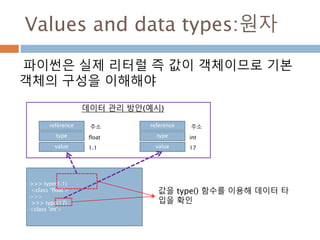
![Values and data types:분자
프로그램 언어에서 가장 기본적인 것인 Value가
가진 형식이 데이터 타입
reference
type
element
reference
type
value
int
주소
1
reference
type
element
list
주소
reference
type
value
reference
type
value
…
주소
list
>>> v = [1,2,[3,4]]
>>> v
[1, 2, [3, 4]]
>>>](https://image.slidesharecdn.com/20160130-160122105152/85/20160130-5-320.jpg)
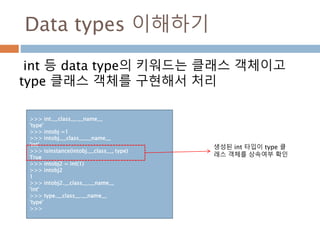
![Value and Type : 예시
다양한 타입에 대한 타입과 값을 함수를 통해 처리하는 법
obj.__class__.__name__
• obj.__class__의 값은 타입 클래스의 인스턴스
• 타입클래스의 __name__속성은 타입에 대한 스트링 관리
def typeof(obj) :
return obj.__class__
def valueof(obj) :
if obj.__class__ == type(obj) :
print(eval(obj.__class__.__name__ + '(obj)'))
return eval(obj.__class__.__name__ + '(obj)')
print(typeof(1))
print(valueof(1))
print(typeof(1.1))
print(valueof(1.1))
print(typeof([1,2]))
print(valueof([1,2]))
#결과값
<type 'int'>
1
1
<type 'float'>
1.1
1.1
<type 'list'>
[1, 2]
[1, 2]](https://image.slidesharecdn.com/20160130-160122105152/85/20160130-7-320.jpg)
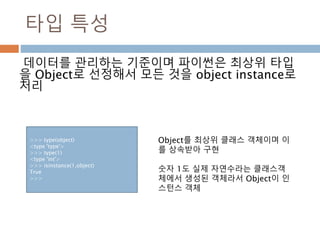
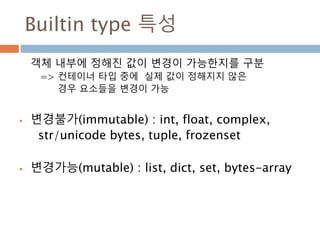

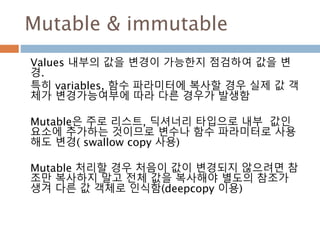
![Mutable & immutable 예시
ismutable 함수를 만들어서 실제 값들이 변경여부를 점검한
후에 처리할 수 있으면 좋다
#함수를 정의해서 각 타입에 대한 갱신여부를 확인
def ismutable(obj) :
result = True
#타입을 문자열로 가져오기
com = obj.__class__.__name__
if com not in [ 'int','float','str','tuple'] :
result = False
return (com,result)
#실행
print 'str is ', ismutable('a')
print 'list is',ismutable([])
print 'tuple is',ismutable((1,))
print 'dict is',ismutable({})
print 'object is',ismutable(object)
print 'function is',ismutable(lambda x:x)
# 결과값
str is ('str', True)
list is ('list', False)
tuple is ('tuple', True)
dict is ('dict', False)
object is ('type', False)
function is ('function', False)](https://image.slidesharecdn.com/20160130-160122105152/85/20160130-12-320.jpg)
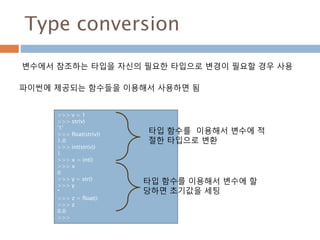
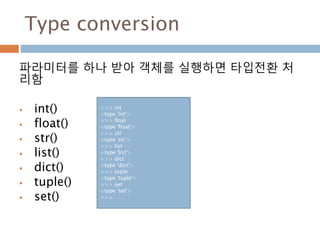
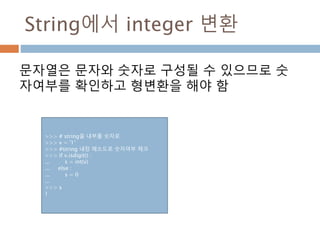
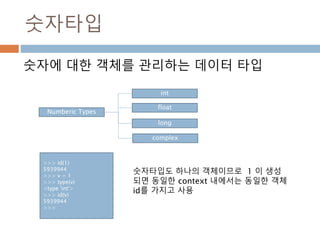
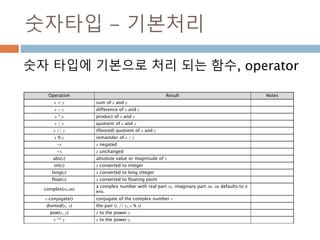
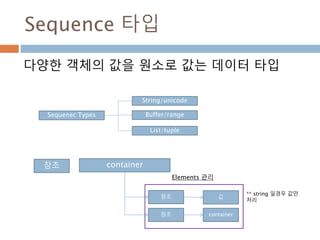
![Sequence 타입- 기본처리
Sequence 타입에 기본으로 처리 되는 함수,
operator
Operation Result Notes
x in s True if an item of s is equal to x, else False
x not in s False if an item of s is equal to x, else True
s + t the concatenation of s and t
s * n , n * s n shallow copies of s concatenated
s[i] i'th item of s, origin 0
s[i:j] slice of s from i to j
s[i:j:k] slice of s from i to j with step k
len(s) length of s
min(s) smallest item of s
max(s) largest item of s](https://image.slidesharecdn.com/20160130-160122105152/85/20160130-22-320.jpg)
![Sequence-Accessing Values
Sequence Type(String, List, Tuple)은 변수명[index]로 값을 접
근하여 가져옴
변수에는 Sequence Instance이 참조를 가지고 있고 index를 이
용하여 값들의 위치를 검색
>>> l = [0,1,2,3]
>>> l[0]
0
>>> s = "string"
>>> s[0]
's'
>>> t = (0,1,2,3)
>>> t[0]
0
>>>](https://image.slidesharecdn.com/20160130-160122105152/85/20160130-23-320.jpg)
![Sequence-Updating Values
변수에는 Sequence Instance이 참조를 가지고 있고
index를 이용하여 값들의 위치를 검색하고 할당값을 변
경. 단, Mutable 객체인 List타입만 기존 값을 변경됨
>>> l
[0, 1, 2, 3]
>>> l[0] = 100
>>> l
[100, 1, 2, 3]
>>> t
(0, 1, 2, 3)
>>> t[0] = 100
Traceback (most recent call last):
File "<stdin>", line 1, in <module>
TypeError: 'tuple' object does not
support item assignment
>>>
>>> s
'string'
>>>
>>> s[0] = 'a'
Traceback (most recent call last):
File "<stdin>", line 1, in <module>
TypeError: 'str' object does not
support item assignment
List type Tuple type String type](https://image.slidesharecdn.com/20160130-160122105152/85/20160130-24-320.jpg)
![Sequence- 내장함수 이용하기
Sequence 내장함수를 이용한 sorted, reversed,
enumerate, zip을 처리
>>> for i, v in enumerate(['tic', 'tac', 'toe']):
... print i, v
...
0 tic
1 tac
2 toe
>>> l1 = [1,2,3,4]
>>> la = ['a','b','c','d']
>>> for k,v in zip(l1,la) :
... print k, v
...
1 a
2 b
3 c
4 d
>>>
>>> for i in reversed(xrange(1,10,2)):
... print i
...
9 7 5 3 1
>>> basket = ['apple', 'orange', 'apple', 'pear', 'orange',
'banana']
>>> for f in sorted(set(basket)):
... print f
...
apple banana orange pear
enumerate() zip()
reversed() sorted()](https://image.slidesharecdn.com/20160130-160122105152/85/20160130-25-320.jpg)
![Sequence slicing
Sequence 타입(string, list, tuple)에 대한 내부 원소들
을 추출하기 위해 slicing을 사용
[ 시작위치:종료위치:간격]
>>> mystring[0:5] 'hello' >>> mystring[6:-1] 'worl'](https://image.slidesharecdn.com/20160130-160122105152/85/20160130-27-320.jpg)
![Sequence slicing-역방향
문자열을 역으로 처리하기
>>> s = 'hello'
>>> s[-3:]
'llo'
>>> s[:-3]
'he'
>>> s[-1:-3]
''
>>> s[-1:0]
''
>>> s[-1:-3:-1]
'ol'
>>>
역방향으로 처리하기 위해서는
변수명[시작점:종료점:스텝] 정의
시 역방향으로 정의하고 스템도
마이너스로 표시하면 역으로 처
리](https://image.slidesharecdn.com/20160130-160122105152/85/20160130-28-320.jpg)
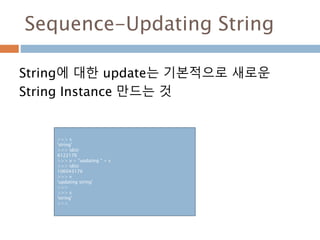
![String-operator
Operator Description Example
+ Concatenation - Adds values on either side of the operator a + b will give HelloPython
* Repetition - Creates new strings, concatenating multiple co
pies of the same string
a*2 will give -HelloHello
[] Slice - Gives the character from the given index a[1] will give e
[ : ] Range Slice - Gives the characters from the given range a[1:4] will give ell
in Membership - Returns true if a character exists in the given
string
H in a will give 1
not in Membership - Returns true if a character does not exist in t
he given string
M not in a will give 1
r/R Raw String - Suppresses actual meaning of Escape characte
rs. The syntax for raw strings is exactly the same as for nor
mal strings with the exception of the raw string operator, t
he letter "r," which precedes the quotation marks. The "r" ca
n be lowercase (r) or uppercase (R) and must be placed imm
ediately preceding the first quote mark.
print r'n' prints n and print R'n'prints
n
% Format - Performs String formatting See at next section](https://image.slidesharecdn.com/20160130-160122105152/85/20160130-31-320.jpg)
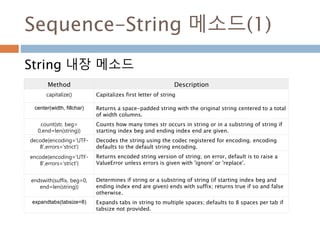
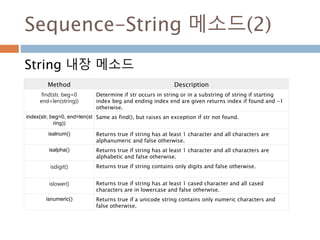
![Sequence-String 메소드(3)
String 내장 메소드
Method Description
isspace() Returns true if string contains only whitespace characters and false
otherwise.
istitle() Returns true if string is properly "titlecased" and false otherwise.
isupper() Returns true if string has at least one cased character and all cased
characters are in uppercase and false otherwise.
join(seq) Merges (concatenates) the string representations of elements in
sequence seq into a string, with separator string.
len(string) Returns the length of the string
ljust(width[, fillchar]) Returns a space-padded string with the original string left-justified to a
total of width columns.
lower() Converts all uppercase letters in string to lowercase.
lstrip() Removes all leading whitespace in string.
maketrans() Returns a translation table to be used in translate function.](https://image.slidesharecdn.com/20160130-160122105152/85/20160130-34-320.jpg)
![Sequence-String 메소드(4)
String 내장 메소드
Method Description
max(str) Returns the max alphabetical character from the string str.
min(str) Returns the min alphabetical character from the string str.
replace(old, new [, max]) Replaces all occurrences of old in string with new or at most max
occurrences if max given.
rfind(str, beg=0,end=len(stri
ng))
Same as find(), but search backwards in string.
rindex( str, beg=0,
end=len(string))
Same as index(), but search backwards in string.
rjust(width,[, fillchar]) Returns a space-padded string with the original string right-justified to a
total of width columns.
rstrip() Removes all trailing whitespace of string.
split(str="", num=string.cou
nt(str))
Splits string according to delimiter str (space if not provided) and returns
list of substrings; split into at most num substrings if given.
splitlines( num=string.count
('n'))
Splits string at all (or num) NEWLINEs and returns a list of each line with
NEWLINEs removed.](https://image.slidesharecdn.com/20160130-160122105152/85/20160130-35-320.jpg)
![Sequence-String 메소드(5)
String 내장 메소드
Method Description
startswith(str,
beg=0,end=len(string))
Determines if string or a substring of string (if starting index beg and
ending index end are given) starts with substring str; returns true if so
and false otherwise.
strip([chars]) Performs both lstrip() and rstrip() on string
swapcase() Inverts case for all letters in string.
title() Returns "titlecased" version of string, that is, all words begin with
uppercase and the rest are lowercase.
translate(table, deletechars
="")
Translates string according to translation table str(256 chars), removing
those in the del string.
upper() Converts lowercase letters in string to uppercase.
zfill (width) Returns original string leftpadded with zeros to a total of width
characters; intended for numbers, zfill() retains any sign given (less one
zero).
isdecimal() Returns true if a unicode string contains only decimal characters and
false otherwise.](https://image.slidesharecdn.com/20160130-160122105152/85/20160130-36-320.jpg)
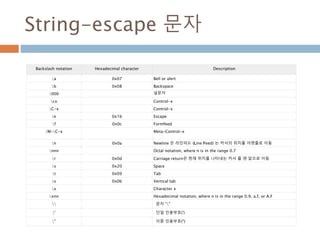
![Sequence - List 기본 처리
List 타입에 대한 기본 처리
Python Expression Results Description
l=[1,2,3] l.append(4) [1, 2, 3, 4] 리스트에 원소 추가
del l[3] [1, 2, 3] 리스트에 원소 삭제
len([1, 2, 3]) 3 Length 함수로 길이 확인
[1, 2, 3] + [4, 5, 6] [1, 2, 3, 4, 5, 6] 리스트를 합치니 Concatenation
['Hi!'] * 4 ['Hi!', 'Hi!', 'Hi!', 'Hi!'] 리스트 내의 원소를 Repetition
3 in [1, 2, 3] True 리스트 내의 원소들이 Membership
for x in [1, 2, 3]: print x, 1 2 3 리스트의 원소들을 반복자 활용 - Iteration](https://image.slidesharecdn.com/20160130-160122105152/85/20160130-39-320.jpg)
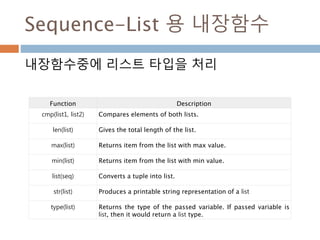
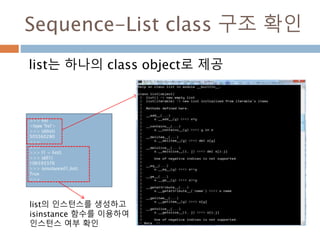
![Sequence-List 메소드
리스트 내장 메소드
Method Description
list.append(obj) Appends object obj to list
list.count(obj) Returns count of how many times obj occurs in list
list.extend(seq) Appends the contents of seq to list
list.index(obj) Returns the lowest index in list that obj appears
list.insert(index,obj) Inserts object obj into list at offset index
list.pop(obj=list[-1]) Removes and returns last object or obj from list
list.remove(obj) Removes object obj from list
list.reverse() Reverses objects of list in place
list.sort([func]) Sorts objects of list, use compare func if given](https://image.slidesharecdn.com/20160130-160122105152/85/20160130-42-320.jpg)
![Sequence-List Comprehension
리스트 정의시 값을 정하지 않고 호출 시 리스트
내의 값들이 처리되도록 구성
A = [ 표현식 for i in sequence if 논리식]
>>> squares = []
>>> for x in (10):
... squares.append(x**2)
...
>>> squares
[0, 1, 4, 9, 16, 25, 36, 49, 64, 81]
>>> squares = [x**2 for x in range(10)]
>>> squares
[0, 1, 4, 9, 16, 25, 36, 49, 64, 81]
>>>](https://image.slidesharecdn.com/20160130-160122105152/85/20160130-43-320.jpg)
![Sequence-List로 stack 처리
Stack은 LIFO(last in first out)으로 List를 이용하
여 원소 추가(append메소드) 및 삭제(pop메소드)
로 간단하게 구성
>>> stack = [3, 4, 5]
>>> stack.append(6)
>>> stack.append(7)
>>> stack [3, 4, 5, 6, 7]
>>> stack.pop()
7
>>> stack [3, 4, 5, 6]
>>> stack.pop()
6
>>> stack.pop()
5
>>> stack [3, 4]](https://image.slidesharecdn.com/20160130-160122105152/85/20160130-44-320.jpg)
![Sequence-List로 queue 처리
queue은 FIFO(first in first out)으로 List를 이용
하여 원소 추가(append메소드) 및 삭제
(reverse,pop메소드)로 간단하게 구성
>>> l = [1,2,3,4]
>>> l.reverse()
>>> l
[4, 3, 2, 1]
>>> l.pop()
1
>>> l.reverse()
>>> l
[2, 3, 4]
>>>](https://image.slidesharecdn.com/20160130-160122105152/85/20160130-45-320.jpg)
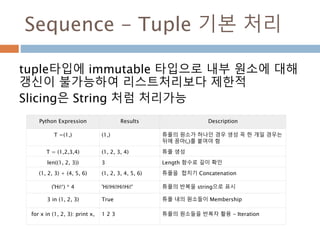
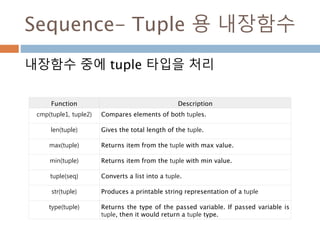
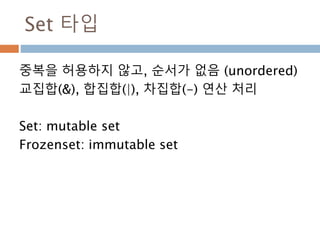
![Set 타입 – 생성시 주의
Set()으로 생성시 파라미터는 1개만 받는다. 리스트
등 mutable 객체를 요소로 처리할 수 없다.
그래서 튜플로 처리
>>> s = set([1],[2])
Traceback (most recent call last):
File "<stdin>", line 1, in <module>
TypeError: set expected at most 1 arguments, got
2
>>> s = set(([1],[2]))
Traceback (most recent call last):
File "<stdin>", line 1, in <module>
TypeError: unhashable type: 'list'
>>>
>>> s = set(((1),(2)))
>>> s
set([1, 2])
>>>
>>> s = set({'a':1})
>>> s
set(['a'])
Set은 구조상 내부 요소
가 변경이 가능한 값으
로 구성할 수 없다
Set에 dictionary로 생
성시 요소는 변경할 수
없는 immutable타입만
생성함](https://image.slidesharecdn.com/20160130-160122105152/85/20160130-51-320.jpg)
![Set 타입 – Set 생성 및 추가
Set type은 mutable 타입이므로 생성 후 원소를
추가나 삭제가 가능
>>>
>>> s = set([1,2,3])
>>> s
set([1, 2, 3])
>>> s1 = set([1,2,3,3,4,4])
>>> s1
set([1, 2, 3, 4])
>>> s.add(5)
>>> s
set([1, 2, 3, 5])
>>> s1.add(5)
>>> s1
set([1, 2, 3, 4, 5])
>>>](https://image.slidesharecdn.com/20160130-160122105152/85/20160130-52-320.jpg)
![Set 타입 – FrozenSet 생성 및 추가
FrozenSet type은 immutable 타입이므로 생성
후 원소를 추가나 삭제가 불가능
>>> s = frozenset([1,2,3])
>>> s
frozenset([1, 2, 3])
>>> s.add(4)
Traceback (most recent call last):
File "<stdin>", line 1, in <module>
AttributeError: 'frozenset' object has no attribute
'add'
>>>](https://image.slidesharecdn.com/20160130-160122105152/85/20160130-53-320.jpg)
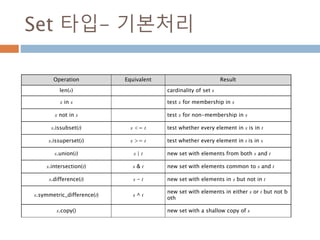
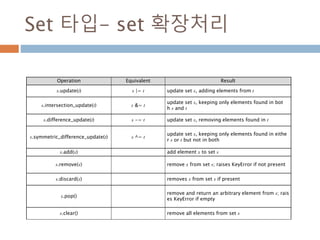
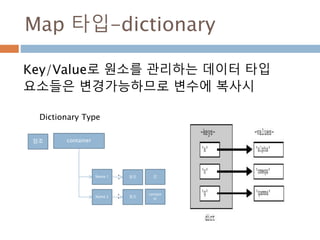
![Map 타입 - Accessing Elements
Key/Value로 원소를 관리하므로 Key를 가지고
원소를 검색
>>> dd = {'name': 'dahl', 'age':50}
>>> dd
{'age': 50, 'name': 'dahl'}
>>> dd['name']
'dahl'
>>>](https://image.slidesharecdn.com/20160130-160122105152/85/20160130-58-320.jpg)
![Map 타입 - Updating Elements
Dictionary 타입에 새로운 key에 할당하면 새로운
것을 추가하고 기존 key로 검색하여 값을 변경하면
기존 값을 변경함
>>> dd = {'name': 'dahl', 'age':50}
>>> dd
{'age': 50, 'name': 'dahl'}
>>> dd['name']
'dahl'
>>>
>>> dd['sex'] ='male'
>>> dd
{'age': 50, 'name': 'dahl', 'sex': 'male'}
>>>
>>> dd['name'] = 'dahl moon'
>>> dd
{'age': 50, 'name': 'dahl moon', 'sex': 'male'}
>>>
새로운 key에 할당: 기
존에 없으므로 추가
기존 key에 할당: 기존
에 있는 값을 변경](https://image.slidesharecdn.com/20160130-160122105152/85/20160130-59-320.jpg)
![Map 타입 - Delete Elements
Dictionary 타입에 원소 하나만 삭제, 원소들을
삭제, dictionary instance 삭제
>>> dd
{'age': 50, 'name': 'dahl moon', 'sex': 'male'}
>>> del dd['sex']
>>> dd
{'age': 50, 'name': 'dahl moon'}
>>>
>>> dd.clear()
>>> dd
{}
>>> del dd
>>> dd
Traceback (most recent call last):
File "<stdin>", line 1, in <module>
NameError: name 'dd' is not defined
>>>
기존 원소 하나 삭제
Dict 삭제
모든 원소 삭제](https://image.slidesharecdn.com/20160130-160122105152/85/20160130-60-320.jpg)
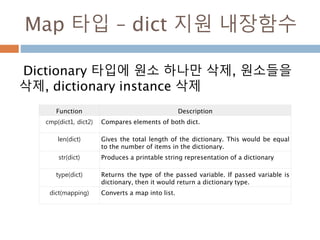
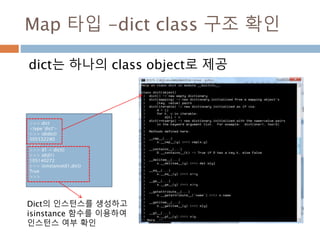
![Map 타입 -dictionary 메소드
내장 메소드
Method Description
dict.clear() Removes all elements of dictionary dict
dict.copy() Returns a shallow copy of dictionary dict
dict.fromkeys() Create a new dictionary with keys from seq and values set to value.
dict.get(key,
default=None)
For key key, returns value or default if key not in dictionary
dict.has_key(key) Returns true if key in dictionary dict, false otherwise
dict.items() Returns a list of dict's (key, value) tuple pairs
dict.keys() Returns list of dictionary dict's keys
dict.setdefault(key,
default=None)
Similar to get(), but will set dict[key]=default if key is not already in dict
dict.update(dict2) Adds dictionary dict2's key-values pairs to dict
dict.values() Returns list of dictionary dict's values](https://image.slidesharecdn.com/20160130-160122105152/85/20160130-63-320.jpg)
![Boolean 타입
파이썬은 true/false를 실제 값이 존재하거나 없
는 경우에 조건식을 확정할 경우 사용
값 참 or 거짓
"python" 참
"" 거짓
[1, 2, 3] 참
[] 거짓
() 거짓
{} 거짓
1 참
0 거짓
None 거짓
If 조건식 :
pass
Else :
pass
조건식에 값들이 참과
거짓을 구별하여 처리](https://image.slidesharecdn.com/20160130-160122105152/85/20160130-65-320.jpg)
![String-format함수 – index 치환
“ {파라미터 위치} “.format(파라미터)
파라미터 위치는 0부터 시작 증가
>>> " {0} {1} ".format(1,2,3)
' 1 2 '
>>> " {0} {1} {2} {3} ".format(1,2,3)
Traceback (most recent call last):
File "<stdin>", line 1, in <module>
IndexError: tuple index out of range
>>>
{} 개수가 파라미터보다 작
으면 처리가 되지만 {] 개수
가 파라미터 개수보다 많으
면 오류가 발생](https://image.slidesharecdn.com/20160130-160122105152/85/20160130-69-320.jpg)
![String-format함수 – name 치환
“ {파라미터 변수명 } “.format(변수명=값,)
>>> "{first} {second} ".format(first=1, second=2)
'1 2 '
>>>
{} 개수가 파라미터보다 작
으면 처리가 되지만 {] 개수
가 파라미터 개수보다 많으
면 오류가 발생](https://image.slidesharecdn.com/20160130-160122105152/85/20160130-70-320.jpg)
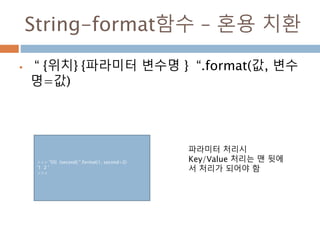
![String-format메소드 – 정렬
“ {위치: [공백부호][정렬방법부호] 정렬될 공간}
“.format(파라미터)
< : 좌측 정렬 >: 우측정력 ^: 가운데 정렬
>>> " left: {0:<10} right:{1:>10} centre:{2:^10} ".format('hi', 'world', '!')
' left: hi right: world centre: ! '
>>>
>>> "{0:=^10}".format("hi") '====hi===='
>>> "{0:!<10}".format("hi") 'hi!!!!!!!!'
공백을 채우려면 정렬
방법부호 앞에 공백으
로 대체할 문자를 표
시하면 된다.](https://image.slidesharecdn.com/20160130-160122105152/85/20160130-72-320.jpg)
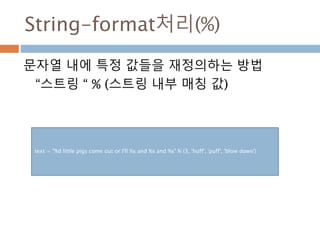
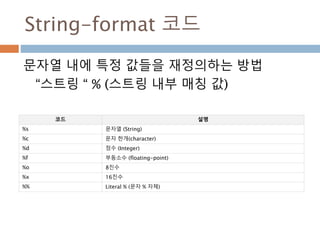
![String-format 정렬 방식
%(부호)숫자(.숫자)?[s|d|f]
+ 부호는 우측정렬/ -부호는 좌측 정렬
>>> v = 10
>>> " a %10d a " % v
' a 10 a '
>>> " a %-10d a " % v
' a 10 a '
>>>](https://image.slidesharecdn.com/20160130-160122105152/85/20160130-76-320.jpg)
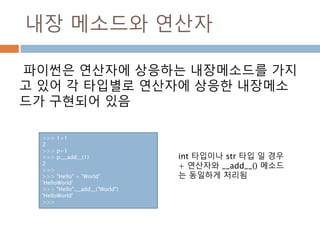
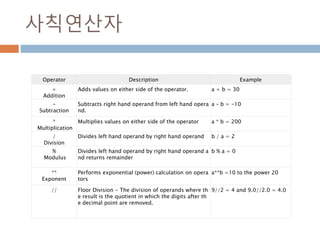
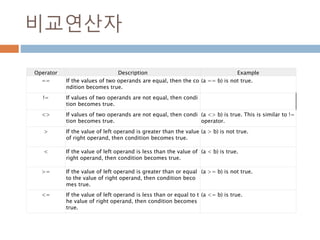
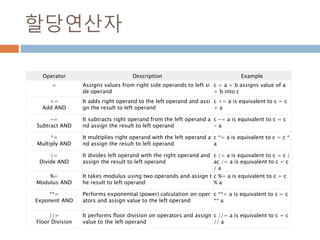
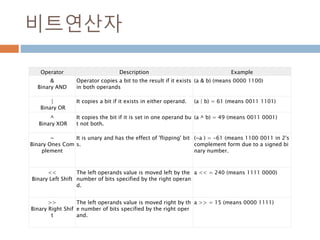
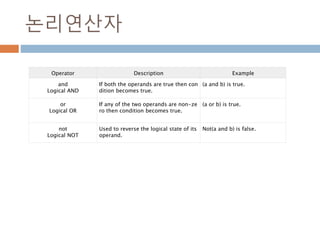
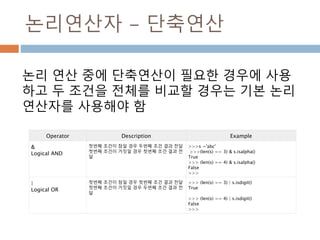
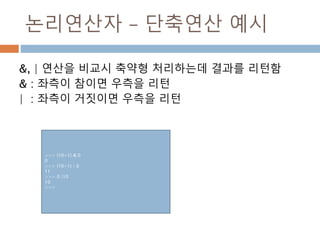
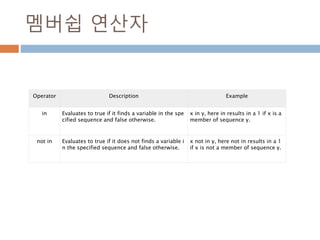
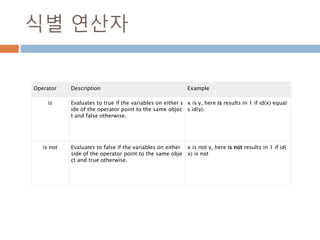
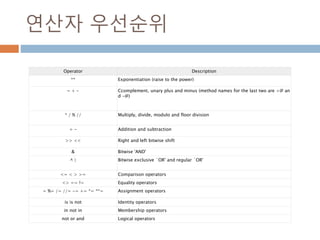
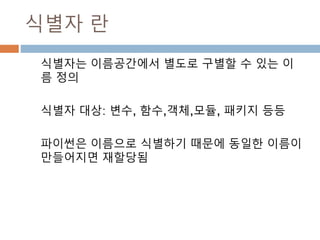
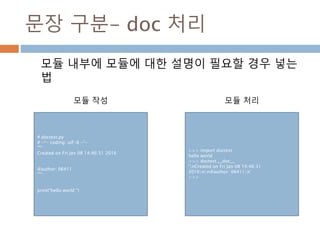
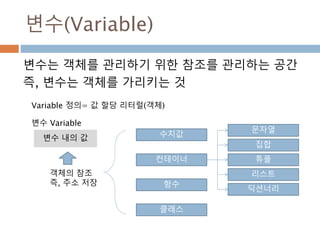
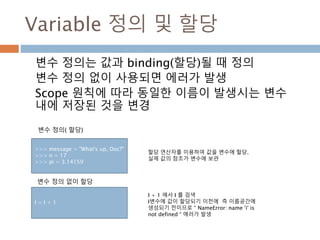
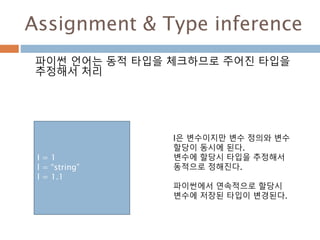
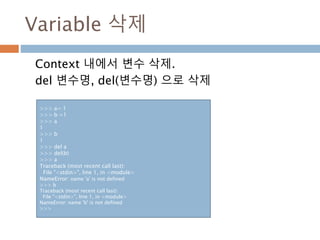

![Expression
An expression is a combination of values, variables, and
operators.
표현식을 선언해도 실제 정의되는 것이 객체이므로 별도의 블록이 유지
됨
>>> (i for i in l)
<generator object <genexpr> at 0x06521E68>
>>> dir((i for i in l))
['__class__', '__delattr__', '__doc__', '__format__',
'__getattribute__', '__hash__', '__init__', '__iter__',
'__name__', '__new__', '__reduce__', '__reduce_ex__',
'__repr__', '__setattr__', '__sizeof__', '__str__',
'__subclasshook__', 'close', 'gi_code', 'gi_frame',
'gi_running', 'next', 'send', 'throw']
>>>](https://image.slidesharecdn.com/20160130-160122105152/85/20160130-102-320.jpg)
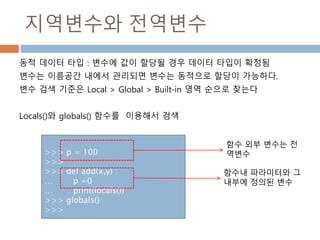
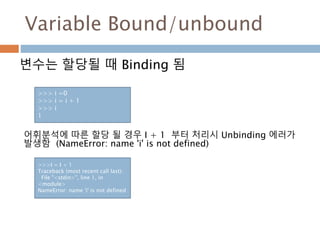
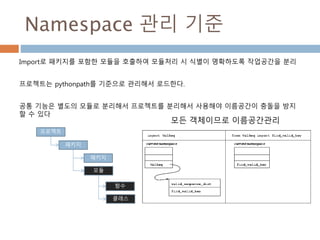
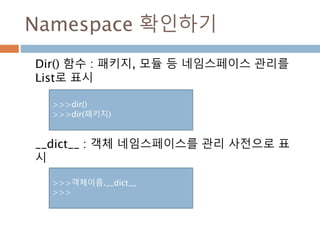
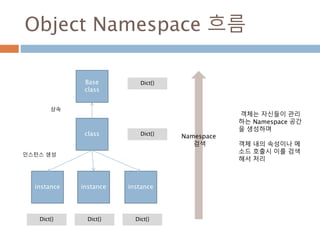
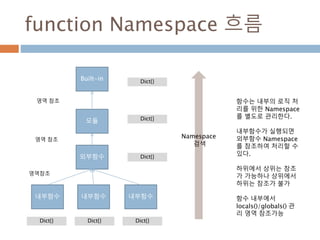
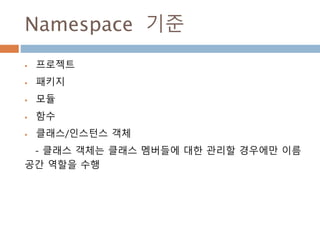
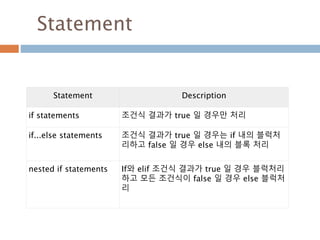
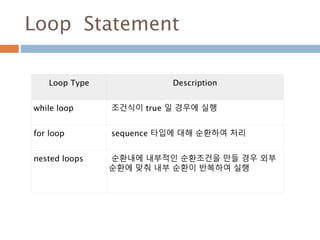
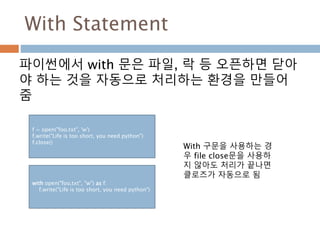
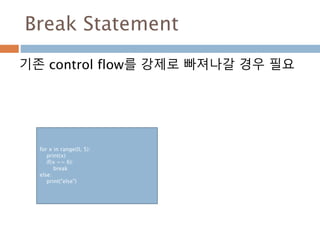
![Continue Statement
기존 control flow를 처리시 조건이 맞을 경우 처
음으로 돌아가서 계속 실행할 수 있도록 처리
>>> for i in [1,2,3,4,5] :
... if i == 2 :
... continue
... print i
...
1
3
4
5](https://image.slidesharecdn.com/20160130-160122105152/85/20160130-118-320.jpg)
![Pass Statement
처리가 필요없는 블록이 필요할 경우 pass문을 사용
하여 처리하지 않음
Continue 문장과의 차이점은 pass문은 현재 실행이
없다는 것을 의미만 함
>>> for i in [1,2,3,4,5] :
... if i == 2 :
... pass
... print i
...
1
2
3
4
5](https://image.slidesharecdn.com/20160130-160122105152/85/20160130-119-320.jpg)
![else Statement
For/while 문 등 반드시 처리가 필요한 경우
else문을 이용하여 처리.
If than else는 하나의 구문이므로 else문과는 구
분해야 함
>>> if [1]:
... print("Then")
... else:
... print("Else")
Then
>>>
>>> for x in [1]:
... print("Then")
... else:
... print("Else")
...
Then
Else](https://image.slidesharecdn.com/20160130-160122105152/85/20160130-120-320.jpg)
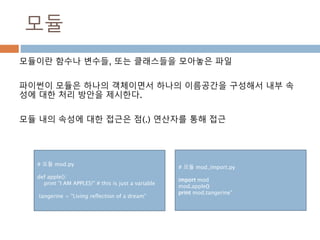
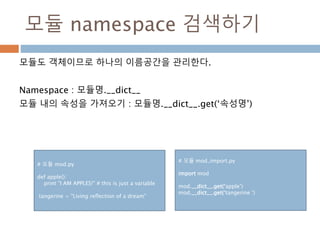
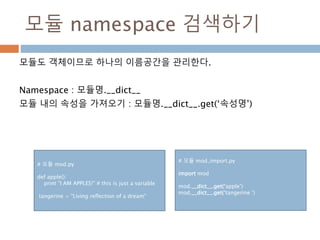
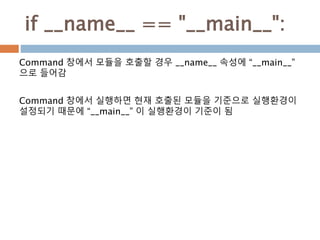
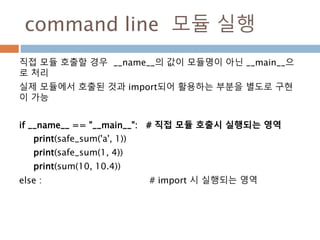
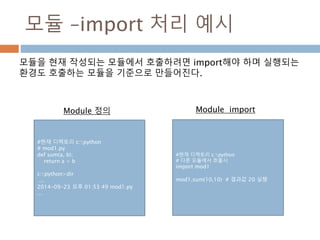
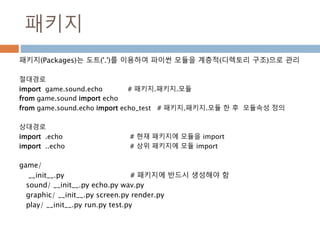
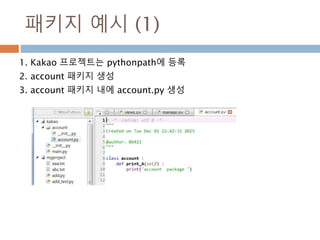
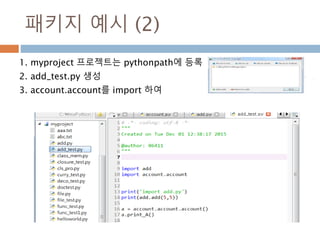
![모듈 : ide에서 path 등록
실제 다양한 패키지를 사용할 경우 각 패키지를 등록해야 한다.
#path
>>> import sys
>>> sys.path
['', 'C:WindowsSYSTEM32python34.zip', 'c:Python34DLLs', 'c:Python34lib', 'c:
Python34', 'c:Python34libsite-packages']
# 현재 작성된 모듈의 위치 등록
>>> sys.path.append("C:/Python/Mymodules")
>>> sys.path
['', 'C:WindowsSYSTEM32python34.zip', 'c:Python34DLLs', 'c:Python34lib',
'c:Python34', 'c:Python34libsite-packages', 'C:/Python/Mymodules']
>>>
>>> import mod2
>>> print(mod2.sum(3,4)) # 결과값 7](https://image.slidesharecdn.com/20160130-160122105152/85/20160130-132-320.jpg)
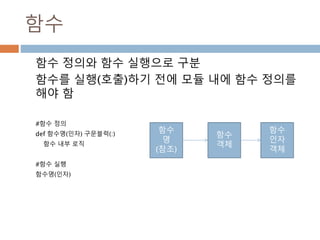
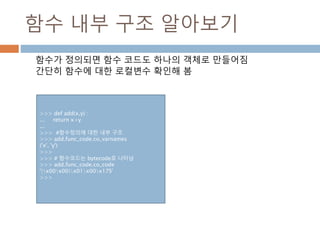
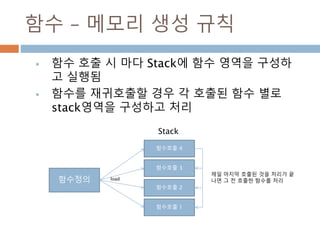
![함수 – 메모리 생성 예시
정의된 함수에서 실제 함수를 실행시 함수 인스턴스
를 만들어서 실행됨
funcs = []
for i in range(4):
def f():
print I
# 함수 인스턴스를 추가
funcs.append(f)
print funcs
i =0
for f in funcs:
i += 1
print id(f), f()
[<function f at 0x02C1CF30>, <function f at
0x02C29EF0>, <function f at 0x02C29FB0>,
<function f at 0x02C37370>]
46255920 1
None
46309104 2
None
46309296 3
None
46363504 4
None
함수 생성된
개수만큼
생성됨
레퍼런스를 정수로
변환처리](https://image.slidesharecdn.com/20160130-160122105152/85/20160130-138-320.jpg)
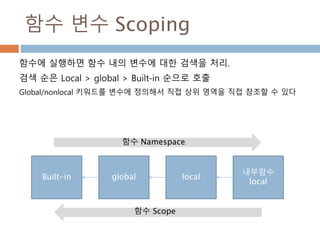
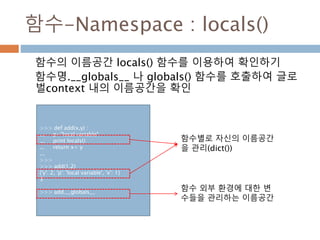
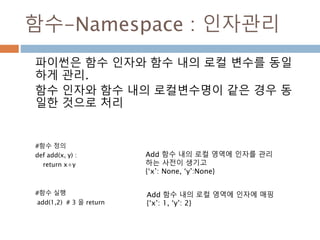
![함수 인자 – mutable/immutable
함수가 실행시 함수 실행을 위한 프레임을 하나를 가지고 실행
반복적으로 함수를 호출 시 인자의 값이 참조 객체일 경우는 지속적으
로 연결
인자에 참조형을 기본 인자로 사용하면 원하지 않는 결과가 생기므로
None으로 처리한 후 함수 내부에 참조형을 추가 정의해야 함
def f(a, l=[]) :
l.append(a)
return l
f(1)
f(2)
f(3)
함수
정의
함수
실행
{ ‘a’:1, ‘l’ :[1]}
함수 내부이름공간
{ ‘a’:2, ‘l’ :[1,2]}
{ ‘a’:2,
‘l’ :[1,2,3]}
f(1)
실행
f(2)
실행
f(3)
실행
실제 List
객체
참조객체를 함수
인자에 초기값으로
받을 경우 함수 호
출시에 연결된게
남아있는다.
def f(a, l=None) :
l = []
l.append(a)
return l
함수정의
인자에 변경가능한 값을 할당하지 않
음](https://image.slidesharecdn.com/20160130-160122105152/85/20160130-145-320.jpg)
![외부변수를 함수 변수 활용
함수의 인자를 함수 외부와 내부에서 활용하려면
mutable(변경가능)한 객체로 전달하여 처리해야
Return 없이 값이 변경됨
함수를 정의
변수에는 참조만 가지고 있으므로
전체를 카피해야 리스트 원소들이
변경됨
Mutable 인 리스트로 값을 전달하여 swap() 처리
Return 이 없어도 실제 값이 변경됨
#함수정의
def swap(a,b) :
x = a[:]
a[:] = b[:]
b[:] = x[:]
#함수 실행
a = [1]
b = [2]
print(swap(a,b))
print(a,b) //[2] ,[1]](https://image.slidesharecdn.com/20160130-160122105152/85/20160130-146-320.jpg)
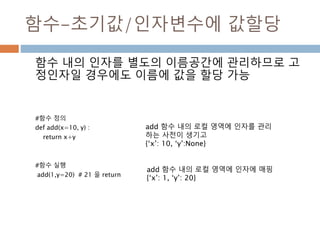
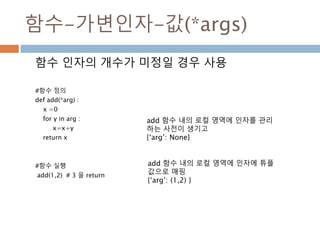
![함수-가변인자-키/값(**args)
함수 인자의 개수가 미정이고 인자 변수를 정의할
경우
#함수 정의
def add(**arg) :
return arg[‘x’] + arg[‘y’]
#함수 실행
add(x=1,y=2) # 3 을 return
add 함수 내의 로컬 영역에 인자를 관리
하는 사전이 생기고
{‘arg’: None}
add 함수 내의 로컬 영역에 인자에 사전
으로 매핑
{‘arg’: { ‘x’:1,’y’:2} }](https://image.slidesharecdn.com/20160130-160122105152/85/20160130-149-320.jpg)
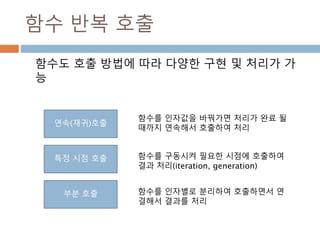
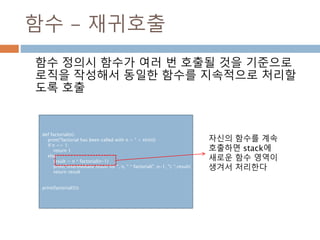
![함수 – 시점 호출 iteration
sequence 객체 등을 반복해서 사용할 수 있도
록 지원하는 객체처리 방식
>>> l= [1,2,3,4]
>>> iter(l)
<listiterator object at 0x06585090>
>>> li = iter(l)
>>> li.next()
1
>>> li.next()
2
>>> li.next()
3
>>> li.next()
4
>>> li.next()
Traceback (most recent call last):
File "<stdin>", line 1, in <module>
StopIteration
>>>](https://image.slidesharecdn.com/20160130-160122105152/85/20160130-153-320.jpg)
![함수 – 시점 호출 :Generation
함수를 호출해도 계속 저장 함수를 호출
처리가 종료되면 exception 발생
>>> v = (i for i in l)
>>> v
<generator object <genexpr> at 0x06521E90>
>>> v.next()
0
>>> v.next()
1
>>> v.next()
2
>>> v.next()
3
>>> v.next()
4
>>> v.next()
Traceback (most recent call last):
File "<stdin>", line 1, in <module>
StopIteration
>>>
>>> def returnfunc(x) :
... for i in x :
... yield i
...
>>> p = returnfunc([1,2,3])
>>> p
<generator object returnfunc at 0x06480918>
>>> p.next()
1
>>> p.next()
2
>>> p.next()
3
>>> p.next()
Traceback (most recent call last):
File "<stdin>", line 1, in <module>
StopIteration
>>>
Generation Expression Generation Function](https://image.slidesharecdn.com/20160130-160122105152/85/20160130-154-320.jpg)
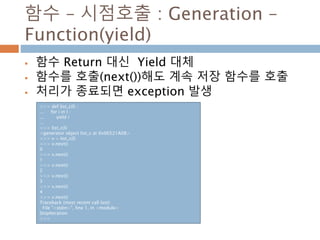
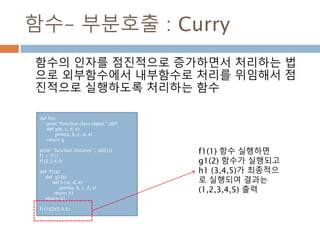
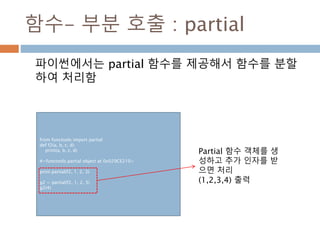
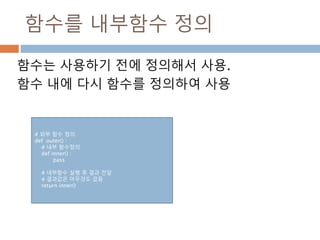
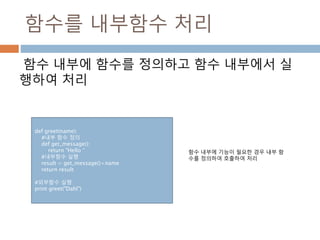
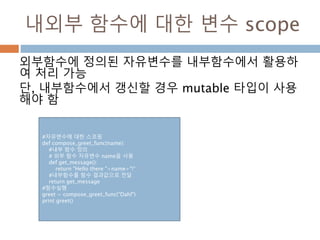
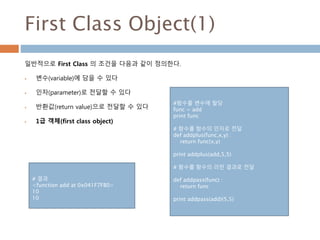
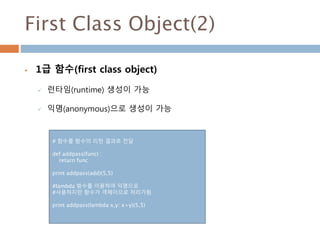
![함수를 변수에 할당
함수도 객체이므로 변수에 할당이 가능
함수 객체
함수
인자
객체
함수명
(참조주소)
함수 정의
변수
변수에 할당
def swap(a,b) :
x = a[:]
a[:] = b[:]
b[:] = x[:]
func_var = swap # 함수를 변수에 할당
a = [1]
b = [2]
#print(swap(a,b))
print(func_var(a,b))
print(a,b)
변수는 참조를 저장하므로
함수의 참조도 변수에 저장되고 실행연
산자( () )를 이용하여 처리 가능](https://image.slidesharecdn.com/20160130-160122105152/85/20160130-165-320.jpg)
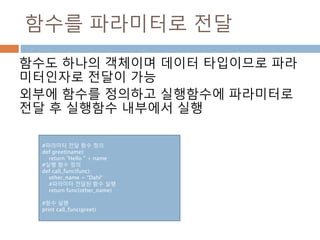
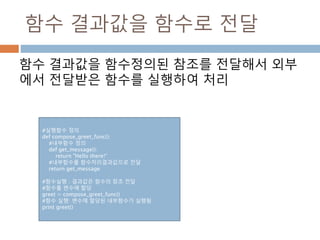
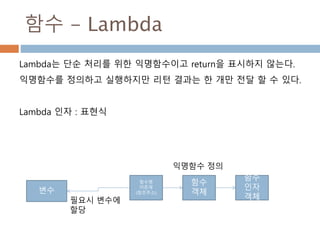
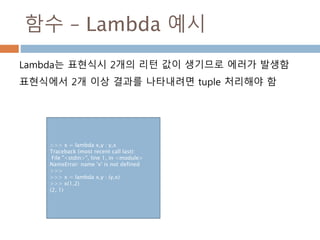
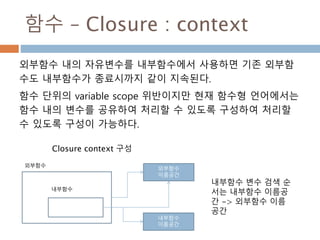
![함수 – Closure : __closure__
파이썬은 클로저 환경에 대해서도 별도의 객체로 제공하며 이
환경에 대해서도 접근이 가능함
def generate_power_func(n):
out_v = 10.0
def nth_power(x):
return x**n + out_v
return nth_power
print clo.__closure__
print clo.__closure__[0]
print type(clo.__closure__[0])
print clo.__closure__[0].cell_contents
print type(clo.__closure__[1])
print clo.__closure__[1].cell_contents
(<cell at 0x02940ED0: int object at 0x01DAABC4>, <cell at
0x02B6FEF0: float object at 0x02766600>)
<cell at 0x02940ED0: int object at 0x01DAABC4>
<type 'cell'>
4
<cell at 0x02B6FEF0: float object at 0x02766600>
10.0
__closure__는 튜플로 구성되어
자유변수에 대해 객체로 구성됨](https://image.slidesharecdn.com/20160130-160122105152/85/20160130-173-320.jpg)
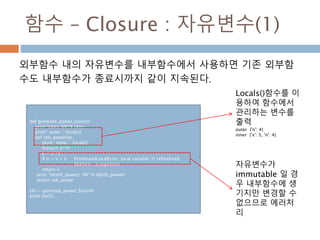
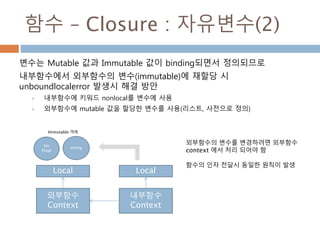
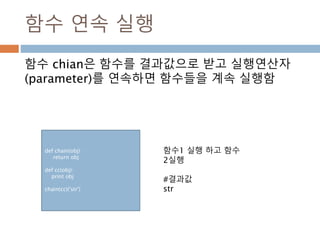
![High Order Function
고차함수(high order function)는 2가지 중에 하나를 수행
하나 이상의 함수를 파라미터로 받거나,
함수를 리턴 결과로 보내는 함수
#고차 함수 정의
def addList8(list):
return reduce(add8, list)
#일반함수 정의
def add8(*arg):
v = []
for i in arg:
v = v +i
return v
#고차함수 실행
print addList8([[1, 2, 3],[4, 5],[6],[]])
print reduce(add8, [[1, 2, 3],[4, 5],[6],[]])
# 결과값
[1, 2, 3, 4, 5, 6]
[1, 2, 3, 4, 5, 6]](https://image.slidesharecdn.com/20160130-160122105152/85/20160130-179-320.jpg)
![map 함수
map(f, iterable)은 함수(f)와 반복가능한 자료형(iterable)
을 입력으로 받아 입력 자료형의 각각의 요소가 함수 f에
의해 수행된 결과를 묶어서 리턴하는 함수
# 파이썬 2 및 파이썬 3
# 5개 원소를 가진 리스트의 제곱하여 변환
list(map(lambda x: x ** 2, range(5)))
# 결과값 : [0, 1, 4, 9, 16]](https://image.slidesharecdn.com/20160130-160122105152/85/20160130-180-320.jpg)
![reduce 함수
reduce(f, iterable)은 함수(f)와 반복가능한 자료형
(iterable)을 입력으로 받아 입력 자료형의 각각의 요소가
함수 f에 의해 수행된 결과를 리턴하는 함수
def addList7(list):
return reduce(add, list)
def add(*arg):
x = 0
for i in arg :
x = x + i
return x
print "addlist", addList7([1, 2, 3])
print "reduce ", reduce(add, [1, 2, 3])
# 결과값
addlist 6
reduce 6](https://image.slidesharecdn.com/20160130-160122105152/85/20160130-181-320.jpg)
![filter 함수
# 파이썬 2 및 파이썬 3
#10개 원소중에 5보다 작은 5개만 추출
list(filter(lambda x: x < 5, range(10)))
# 결과값 : [0, 1, 2, 3, 4]
filter(f, iterable)은 함수(f)와 반복가능한 자료형(iterable)
을 입력으로 받아 함수 f에 의해 수행된 결과 즉 filter된 결
과를 리턴하는 함수](https://image.slidesharecdn.com/20160130-160122105152/85/20160130-182-320.jpg)
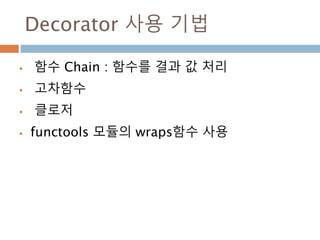
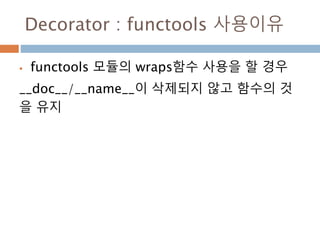
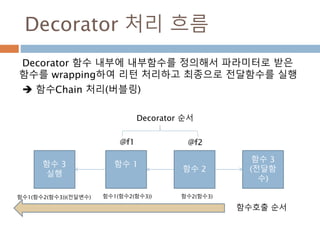
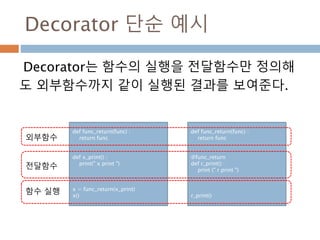
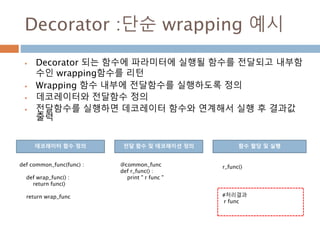
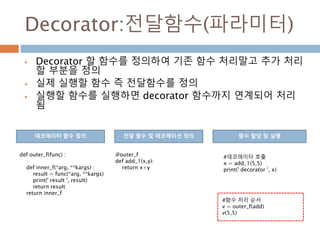
![Functools Module
functools.wraps(wrapped[, assigned][,
updated]) 을 이용하여 데코레이션 처리
from functools import wraps
def my_decorator(f):
@wraps(f)
def wrapper(*args, **kwds):
print 'Calling decorated function'
return f(*args, **kwds)
return wrapper
@my_decorator
def example():
"""Docstring"""
print 'Called example function'
example()
1. Functool를 import
처리
2. @wraps(전달함수)
3. Wrapper로 함수에 파
라미터 전달
4. 데코레이션 정의
5. 전달함수 작성
6. 전달함수 실행](https://image.slidesharecdn.com/20160130-160122105152/85/20160130-190-320.jpg)
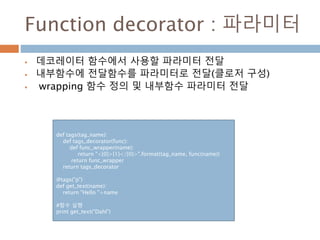
![Functools Module
functools.wraps(wrapped[, assigned][,
updated]) 을 이용하여 데코레이션 처리
from functools import wraps
def my_decorator(f):
@wraps(f)
def wrapper(*args, **kwds):
print 'Calling decorated function'
return f(*args, **kwds)
return wrapper
@my_decorator
def example():
"""Docstring"""
print 'Called example function'
example()
1. Functool를 import
처리
2. @wraps(전달함수)
3. Wrapper로 함수에 파
라미터 전달
4. 데코레이션 정의
5. 전달함수 작성
6. 전달함수 실행](https://image.slidesharecdn.com/20160130-160122105152/85/20160130-192-320.jpg)
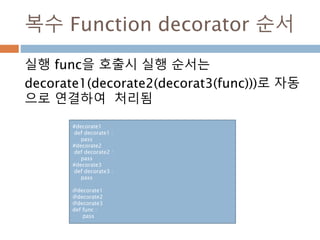
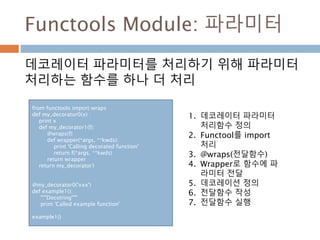
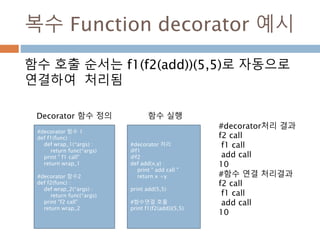
![Class란
파이썬 언어에서 객체를 만드는 타입을 Class로 생성해서 처리
Class는 객체를 만드는 하나의 틀로 이용
자바 언어와의 차이점은 Class도 Object로 인식
Class
Object 1
Object 1
Object 1
instance
class 클래스이름[(상속 클래스명)]:
<클래스 변수 1>
<클래스 변수 2>
...
def 클래스함수1(self[, 인수1, 인수2,,,]):
<수행할 문장 1>
<수행할 문장 2>
...
def 클래스함수2(self[, 인수1, 인수2,,,]):
<수행할 문장1>
<수행할 문장2>
...
...
클래스에서 객체 생성하기](https://image.slidesharecdn.com/20160130-160122105152/85/20160130-198-320.jpg)
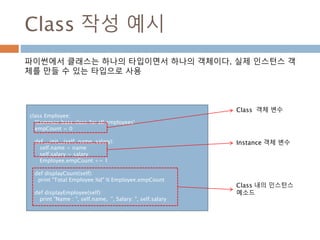
![Int Class 설명 예시
>>> dir(int)
['__abs__', '__add__', '__and__', '__class__', '__cmp__',
'__coerce__', '__delattr__', '__div__', '__divmod__',
'__doc__', '__float__', '__floordiv__', '__format__',
'__getattribute__', '__getnewargs__', '__hash__',
'__hex__', '__index__', '__init__', '__int__', '__invert__',
'__long__', '__lshift__', '__mod__', '__mul__', '__neg__',
'__new__', '__nonzero__', '__oct__', '__or__', '__pos__',
'__pow__', '__radd__', '__rand__', '__rdiv__',
'__rdivmod__', '__reduce__', '__reduce_ex__', '__repr__',
'__rfloordiv__', '__rlshift__', '__rmod__', '__rmul__',
'__ror__', '__rpow__', '__rrshift__', '__rshift__', '__rsub__',
'__rtruediv__', '__rxor__', '__setattr__', '__sizeof__',
'__str__', '__sub__', '__subclasshook__', '__truediv__',
'__trunc__', '__xor__', 'bit_length', 'conjugate',
'denominator', 'imag', 'numerator', 'real']
>>>
Int Class에는 __del__() 즉 소멸자가 없다. 동일한 값을 생성하면 동일한 인
스턴스를 가진게 된다.
같은 context 환경하에서는 생성된 객체 인스턴스는 동일하게 사용한다.
int Class 내부 멤버
>>> v = int(1)
>>> w = int(1)
>>> z = int(1)
>>> id(v)
5939944
>>> id(w)
5939944
>>> id(z)
5939944
>>> v = 2
>>> id(v)
5939932
>>> id(1)
5939944
>>> v=1
>>> id(v)
5939944
int Object instance 생성](https://image.slidesharecdn.com/20160130-160122105152/85/20160130-200-320.jpg)
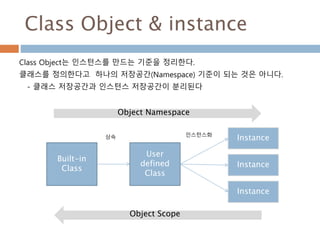

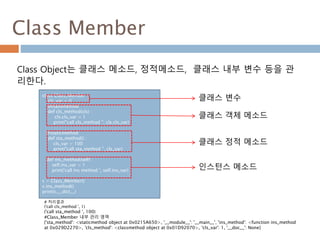
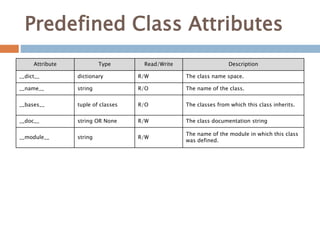
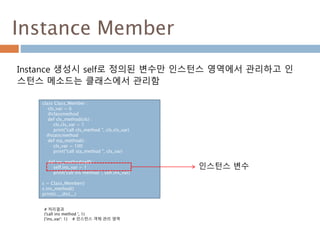
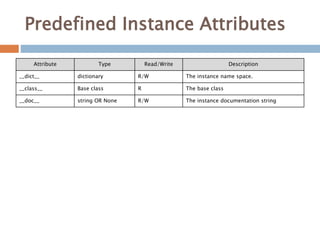

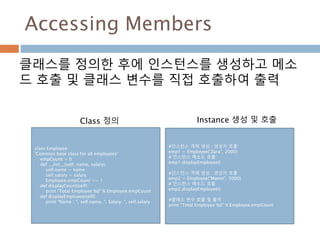
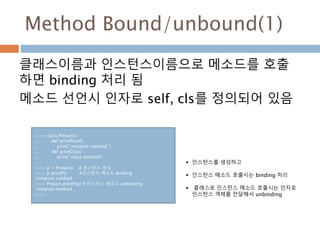
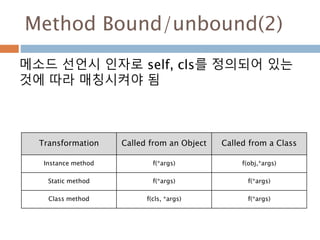
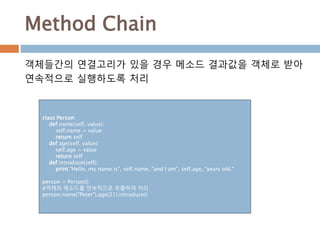
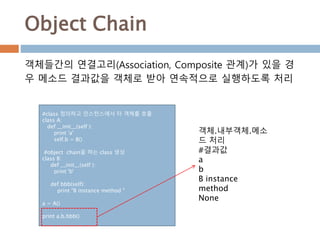
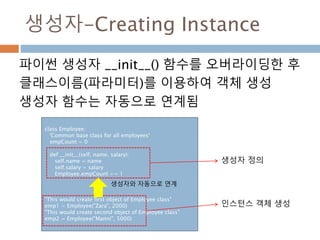
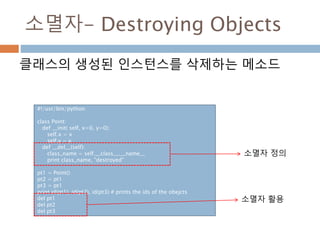
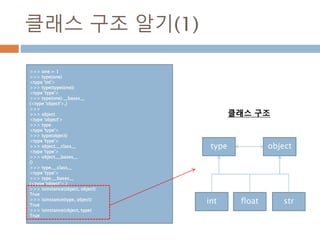
![클래스 구조 알기(2)
>>> list
<type 'list'>
>>> list.__class__
<type 'type'>
>>> list.__bases__
(<type 'object'>,)
>>> tuple.__class__, tuple.__bases__
(<type 'type'>, (<type 'object'>,))
>>> dict.__class__, dict.__bases__
(<type 'type'>, (<type 'object'>,))
>>>
>>> mylist = [1,2,3]
>>> mylist.__class__
<type 'list'>
데이터 타입은 상속을 받을 때 타입 객체를 바로
받지만 base는 object 클래스를 처리
객체 생성 예시
메타클래스 클래스 인스턴스
type object
list mylist](https://image.slidesharecdn.com/20160130-160122105152/85/20160130-224-320.jpg)
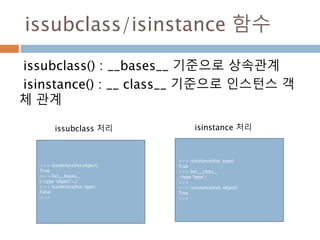
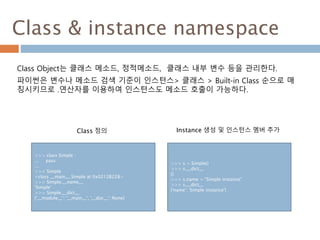

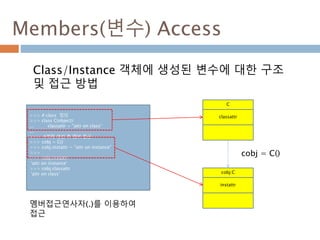
![Members(변수) Access -세부
Class/Instance 객체는 내장 __dict__ 멤버(변수)에
내부 정의 멤버들을 관리함
>>> # 내장 __dict__를 이용한 멤버 접근
>>> # Class 멤버
>>> C.__dict__['classattr']
'attr on class'
>>> # Instance 멤버
>>> cobj.__dict__['instattr']
'attr on instance'
>>>
>>> C.__dict__
{'classattr': 'attr on class', '__module__': '__main__',
'__doc__': None}
>>>
>>>
>>> cobj.__dict__
{'instattr': 'attr on instance'}
>>>
C
cobj:C
cobj = C()
__dict__:dict
classattr
__dict__:dict
classattr
내장 객체
내장 객체](https://image.slidesharecdn.com/20160130-160122105152/85/20160130-229-320.jpg)
![Members(메소드) Access
Class 정의시 인스턴스 메소드 정의를 하면 Class
영역에 설정
>>> #Class 생성
>>> class C(object):
... classattr = "attr on class“
... def f(self):
... return "function f"
...
>>> # 객체 생성
>>> cobj = C()
>>> # 변수 비교
>>> cobj.classattr is C.__dict__['classattr']
True
변수 비교
C
classattr
f
cobj:C
instattr
cobj = C()](https://image.slidesharecdn.com/20160130-160122105152/85/20160130-230-320.jpg)
![Members(메소드) Access-세부
인스턴스에서 인스턴스메소드 호출하면 실제 인스
턴스 메소드 실행환경은 인스턴스에 생성되어 처리
>>> #인스턴스에서 실행될 때 바운드 영역이 다름
>>> # is 연산자는 동일 객체 체계
>>> cobj.f is C.__dict__['f']
False
>>>
>>> C.__dict__ {'classattr': 'attr on class',
'__module__': '__main__', '__doc__': None,
'f': <function f at 0x008F6B70>}
>>> 인스턴스에 수행되는 메소드 주소가 다름
>>> cobj.f
<bound method C.f of <__main__.C instance at
0x008F9850>>
>>> # 인스턴스 메소드는 별도의 영역에 만들어짐
>>> # 인스턴스 내에 생성된 메소드를 검색
>>> C.__dict__['f'].__get__(cobj, C)
<bound method C.f of <__main__.C instance at
0x008F9850>>
C
cobj:C
cobj = C()
__dict__:dict
classattr
f
__dict__:dict
classattr
f
내장 객체
내장 객체](https://image.slidesharecdn.com/20160130-160122105152/85/20160130-231-320.jpg)
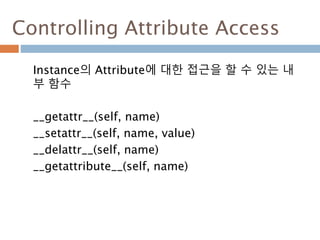
![Controlling Attribute Access
인스턴스의 속성에 대한 접근을 내부 함수로 구현하
여 접근
class A() :
__slots__ =['person_id', 'name']
def __init__(self, person_id, name) :
self.person_id = person_id
self.name = name
def __getattr__(self, name) :
return self.__dict__[name]
def __setattr__(self, name, value):
if name in A.__slots__ :
self.__dict__[name] = value
else:
raise Exception(" no match attribute")
def __delattr__(self, name) :
del self.__dict__[name]
def __getattribute__(self, name):
return self.__dict__[name]
a = A(1,'dahl')
print a.__getattr__('name')
print a.__getattr__('person_id')
print a.__dict__
print a.__setattr__('name','moon')
print a.__setattr__('person_id',2)
print a.__getattr__('name')
print a.__getattr__('person_id')
print a.__delattr__('name')
print a.__dict__
a.name = 'gahl'
#a.s = 1
print a.__dict__](https://image.slidesharecdn.com/20160130-160122105152/85/20160130-233-320.jpg)
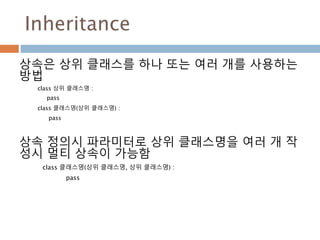
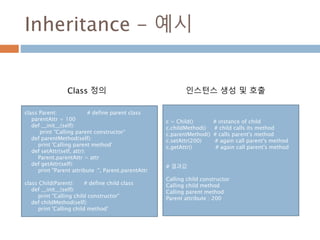
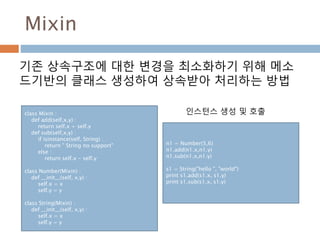
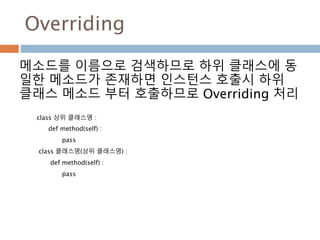
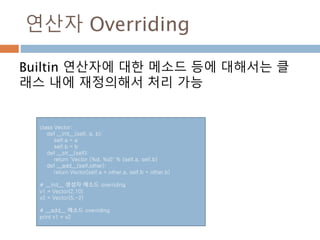
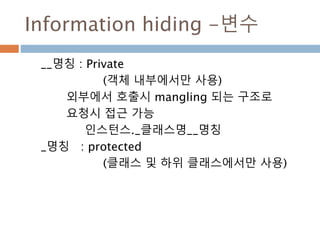
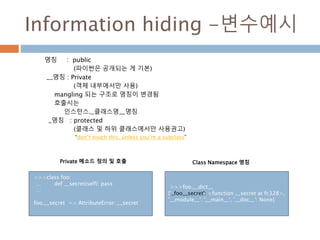
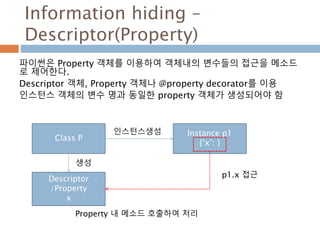
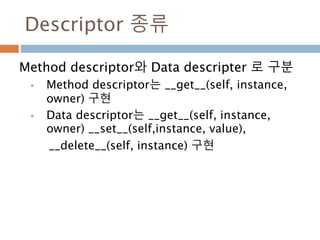
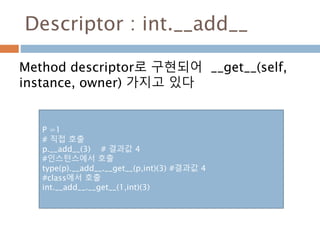
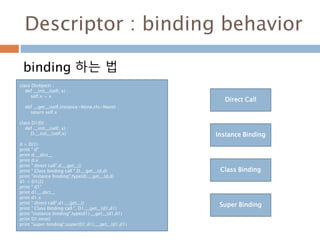
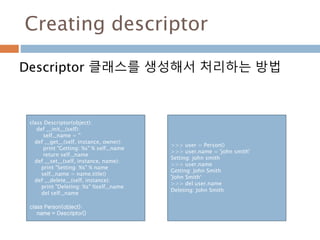
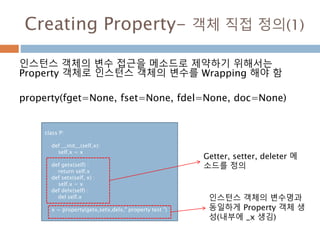
![Creating Property–객체 직접 정의(2)
실제 인스턴스 객체의 변수에 접근하면 Property
객체의 메소드를 호출하여 처리되고 인스턴스 객
체의 변수값이 변경됨
p1 = P(1001)
print id(p1.x)
print P.__dict__['x']
print id(p1.__dict__['x'])
print p1.x
p1.x = -12
print p1.x
print p1.__dict__
#처리결과값
44625868
<property object at
0x02C1D4E0>
44625868
1001
-12
{'x': -12}](https://image.slidesharecdn.com/20160130-160122105152/85/20160130-255-320.jpg)
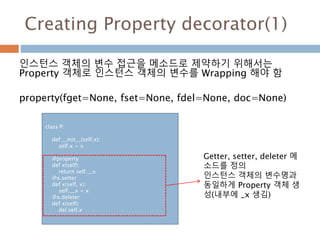
![Creating Property decorator(2)
Property 객체 생성하여 처리하는 방식과 동일
p1 = P(1001)
print id(p1.x)
print P.__dict__['x']
print id(p1.__dict__['x'])
print p1.x
p1.x = -12
print p1.x
print p1.__dict__
#처리결과값
44625916
<property object at
0x02C1D3C0>
44625916
1001
-12
{'x': -12}](https://image.slidesharecdn.com/20160130-160122105152/85/20160130-257-320.jpg)
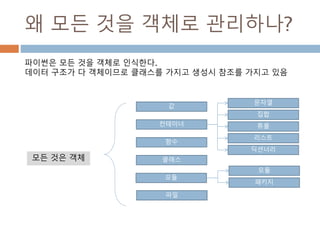
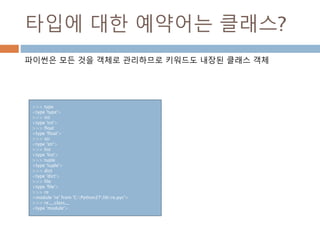
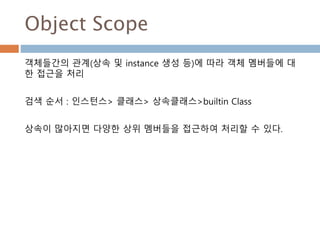
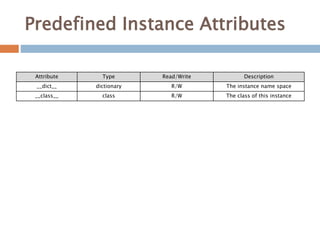
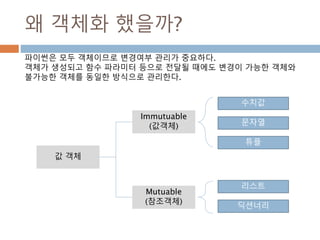
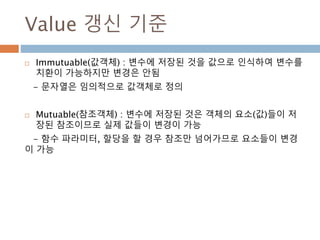
![객체 값 처리하는 예시
a = 10 # 10 이라는 숫자 객체 생김 참조가 생성
Print(id(a)) # 변수 내의 10 숫자 객체의 참조 저장
# 1234567
def aa(a) :
aa = locals()
print(aa[‘a’]) # 10
print(id(aa[‘a’])) # 1234567
aa(a) # 글로벌 a 변수를 aa함수에 로컬변수로 할
# 당
변경불가능한 숫자 객체는 동일한 참조를 가지지만 변경이 불가능하기 때
문에 call by Value 처럼 처리가 된다.
숫자 객체가 생성되면 어디서나 동일한 참조를 통해 처리한다.](https://image.slidesharecdn.com/20160130-160122105152/85/20160130-267-320.jpg)
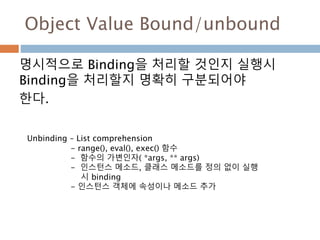

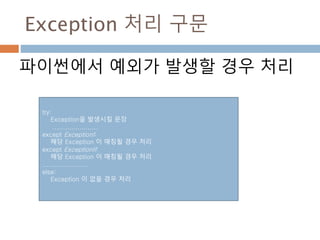
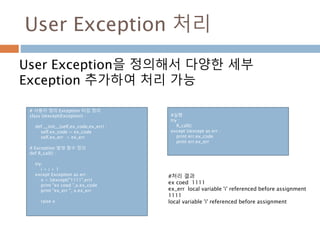
![Try-except-[else]
파이썬에서 예외가 발생할 경우를 처리하고 추가
적으로 실행시킬 것이 있는 경우 else 처리
try:
f = open('foo.txt', 'r')
except FileNotFoundError as e:
print(str(e))
else:
data = f.read()
f.close()
else 는예외가 발생하지 않을 경우
만 처리](https://image.slidesharecdn.com/20160130-160122105152/85/20160130-272-320.jpg)
![Try-[except]-finally
파이썬에서 예외가 발생할 경우 except 처리하고
finally는 무조건 처리
try :
R_call()
except Uexcept as err :
print err.ex_code
print err.ex_err
finally :
print "pass"
finally는 예외 여부 상관없이 처
리](https://image.slidesharecdn.com/20160130-160122105152/85/20160130-273-320.jpg)
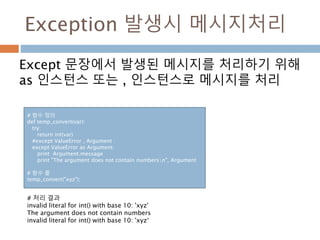
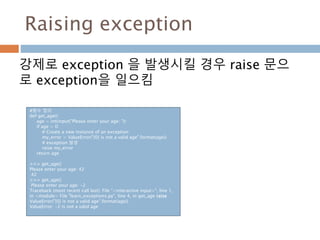
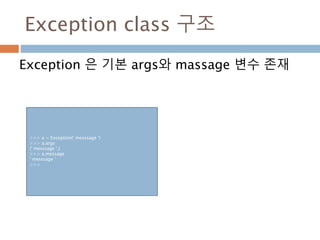
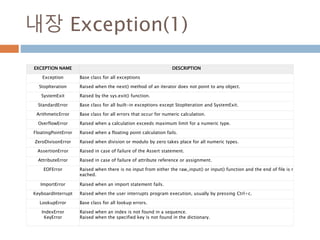
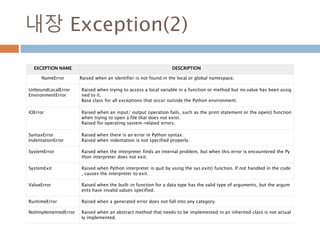
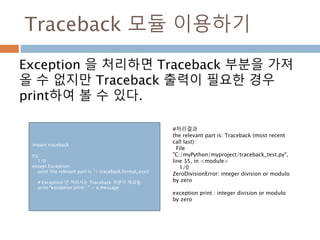
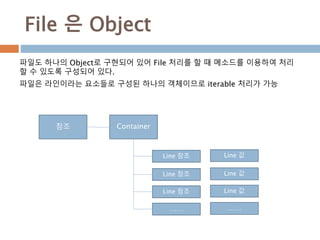
![File 은 Object Method(1)
Method 설명
file.close() Close the file
file.flush() 내부 버퍼에 있는 내용을 파일에 저장
file.fileno()
Return the integer “file descriptor” that is used by the underlying
implementation to request I/O operations from the operating system
file.isatty() Return True if the file is connected to a tty(-like) device, else False.
file.next()
A file object is its own iterator, for example iter(f) returns f (unless f is
closed). When a file is used as an iterator, typically in a for loop (for
example, for line in f: print line.strip()), the next() method is called
repeatedly.
file.read([size])
Read at most size bytes from the file (less if the read hits EOF before
obtaining size bytes).
file.readline([size]) Read one entire line from the file.
file.readlines([sizehint]) 파일 전체를 라인 단위로 끊어서 리스트에 저장한다..](https://image.slidesharecdn.com/20160130-160122105152/85/20160130-282-320.jpg)
![File 은 Object Method(2)
Method 설명
file.xreadlines() 파일 전체를 한꺼번에 읽지는 않고, 필요할 때만 읽는다.
file.seek(offset[, whence])
파일의 위치 이동.(whence 가 없으면 처음에서 offset 번째로, 1 이면 현재에서
offset번째로, 2 이면 마지막에서 offset 번째로)
- seek(n) : 파일의 n번째 바이트로 이동
- seek(n, 1) : 현재 위치에서 n바이트 이동(n이 양수이면 뒤쪽으로, 음수이면 앞
쪽으로 이동)
- seek(n, 2) : 맨 마지막에서 n바이트 이동(n은 보통 음수)
file.tell() 현재의 파일 포인터 위치를 돌려줌.
file.truncate([size]) 파일 크기를 지정된 잘라 버림. 인수를 주지 않으면 현재 위치에서 자름..
file.write(str) Write a string to the file. There is no return value.
file.writelines(sequence) 리스트 안에 있는 문자열을 연속해서 출력함.](https://image.slidesharecdn.com/20160130-160122105152/85/20160130-283-320.jpg)
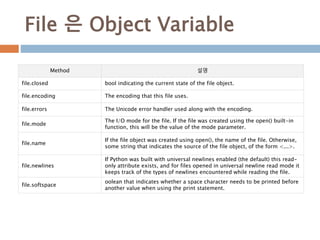
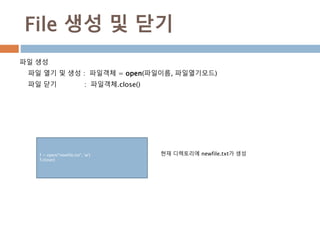
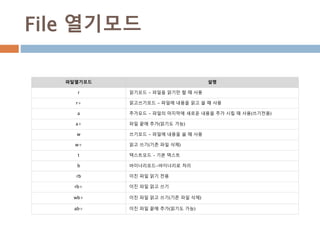
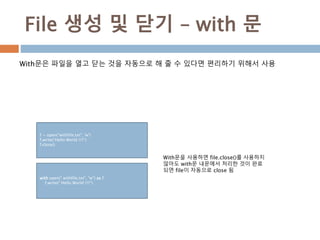
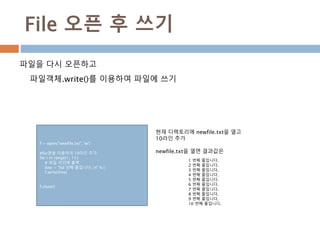
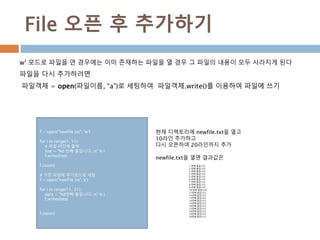
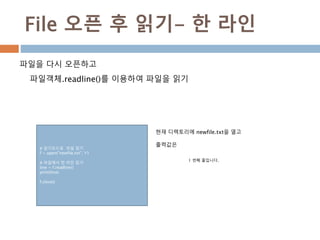
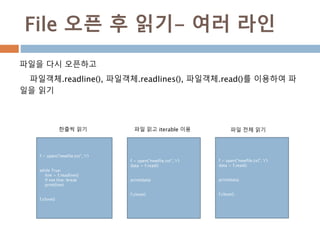

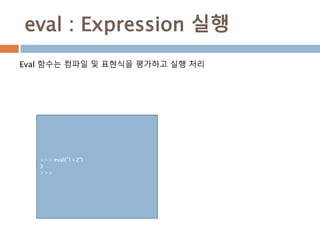
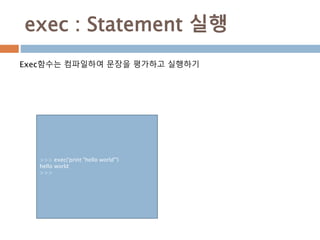
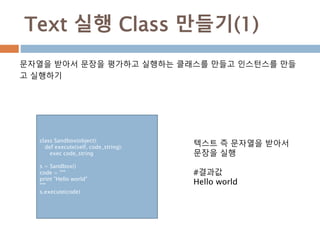
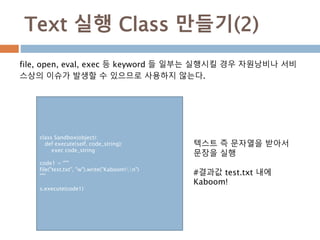
![Text 실행 Class 만들기(3)
file, open, eval, exec 등 keyword 들 일부는 실행시킬 경우 실제
__builtins__에서 제공되는 함수를 이용하지 않아서 자원낭비나 서비스상의 이
슈가 발생할 수 있으므로 사용하지 않는다.
class Sandbox(object):
def execute(self, code_string):
keyword_blacklist = ["file", "open", "eval", "exec"]
for keyword in keyword_blacklist:
if keyword in code_string:
raise ValueError("Blacklisted")
exec code_string
s = Sandbox()
code = """
print "Hello world"
"""
s.execute(code)
code1 = """
file("test.txt", "w").write("Kaboom!n")
"""
s.execute(code1)
텍스트 즉 문자열을 받아서
문장을 실행
#결과값
Hello world
#에러 발생
ValueError: Blacklisted](https://image.slidesharecdn.com/20160130-160122105152/85/20160130-297-320.jpg)
![Command line
실행창에서 직접 명령을 줘서 실행할 경우 파라미터 설명
$ python –h # 파이썬 command help 메시지 처리
usage: python [-BdEiOQsRStuUvVWxX3?] [-c command | -m
module-name | script | - ] [args]
Option Description
-d provide debug output
-O generate optimized bytecode (resulting in .pyo files)
-S do not run import site to look for Python paths on startup
-v verbose output (detailed trace on import statements)
-X disable class-based built-in exceptions (just use strings); obsolete starting wi
th version 1.6
-c cmd run Python script sent in as cmd string
file run Python script from given file](https://image.slidesharecdn.com/20160130-160122105152/85/20160130-299-320.jpg)
![Command line - 예시
파이썬 모듈 직접 실행
$ python test.py arg1 arg2 arg3
#!/usr/bin/python import sys
print 'Number of arguments:', len(sys.argv), 'arguments.'
print 'Argument List:', str(sys.argv)
명령창에서 test.py를 실행
test.py 작성
Sys 모듈의 argv로 명령 내
의 요소들과 연계됨
sys.argv[1]은 프로그램 모
듈명이 됨
#처리결과
Number of arguments: 4 arguments.
Argument List: ['test.py', 'arg1', 'arg2', 'arg3']](https://image.slidesharecdn.com/20160130-160122105152/85/20160130-300-320.jpg)
![PIP command 처리
Command 창에서 파이썬 모듈을 설치 및 삭제
Pip <command> [options] [모듈명]](https://image.slidesharecdn.com/20160130-160122105152/85/20160130-302-320.jpg)
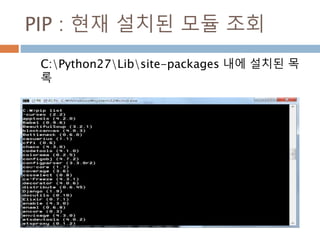
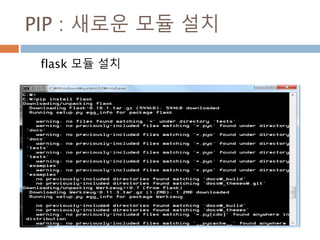
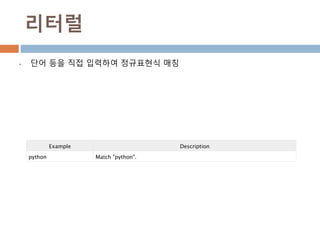
![문자클래스(character class, [])
문자클래스를 만드는 메타문자인 [와 ] 사이에는 어떤 문자 사용
문자클래스로 만들어진 정규식은 "[과 ]사이의 문자들과 매치"라는 의미
• [a-zA-Z] : 알파벳 모두
• [0-9] : 숫자
• ^ 메타문자는 반대(not)의 의미: [^0-9]라는 정규표현식은 숫자가 아닌 문자만 매치
Example Description
[Pp]ython Match "Python" or "python"
rub[ye] Match "ruby" or "rube"
[aeiou] Match any one lowercase vowel
[0-9] Match any digit; same as [0123456789]
[a-z] Match any lowercase ASCII letter
[A-Z] Match any uppercase ASCII letter
[a-zA-Z0-9] Match any of the above
[^aeiou] Match anything other than a lowercase vowel
[^0-9] Match anything other than a digit](https://image.slidesharecdn.com/20160130-160122105152/85/20160130-308-320.jpg)
![축약형 문자표현
축약형 문자표현
대문자로 사용된것은 소문자의 반대임
d - 숫자와 매치, [0-9]와 동일한 표현식
D - 숫자가 아닌것과 매치, [^0-9]와 동일한 표현식
s - whitespace 문자와 매치, [ tnrfv]와 동일한 표현식이다. 맨 앞의 빈칸은 공
백문자(space)를 의미
S - whitespace 문자가 아닌 것과 매치, [^ tnrfv]와 동일한 표현식
w - 문자+숫자(alphanumeric)와 매치, [a-zA-Z0-9]와 동일한 표현식
W - alphanumeric이 아닌 문자와 매치, [^a-zA-Z0-9]와 동일한 표현식](https://image.slidesharecdn.com/20160130-160122105152/85/20160130-309-320.jpg)
![축약형 문자표현-세부
Pattern Description
w Matches word characters.
W Matches nonword characters.
s Matches whitespace. Equivalent to [tnrf].
S Matches nonwhitespace.
d Matches digits. Equivalent to [0-9].
D Matches nondigits.
A Matches beginning of string.
Z Matches end of string. If a newline exists, it matches just before newline.
z Matches end of string.
G Matches point where last match finished.
b Matches word boundaries when outside brackets. Matches backspace (0x08) when inside brackets.
B Matches nonword boundaries.
n, t, etc. Matches newlines, carriage returns, tabs, etc.
1...9 Matches nth grouped subexpression.
10 Matches nth grouped subexpression if it matched already. Otherwise refers to the octal representati
on of a character code.](https://image.slidesharecdn.com/20160130-160122105152/85/20160130-310-320.jpg)
![^ / $
^
문자열의 맨 처음과 일치함을 의미
컴파일 옵션 re.MULTILINE 을 사용할 경우에는 여러줄의 문자열에서는 각 라인
의 처음과 일치
^ 문자를 메타문자가 아닌 문자 그 자체로 매치하고 싶은 경우에는 [^] 처럼 사용
하거나 ^ 로 사용
$
문자열의 맨 마지막부터 일치함을 의미
$ 문자를 메타문자가 아닌 문자 그 자체로 매치하고 싶은 경우에는 [$] 처럼
사용하거나 $ 로 사용](https://image.slidesharecdn.com/20160130-160122105152/85/20160130-311-320.jpg)
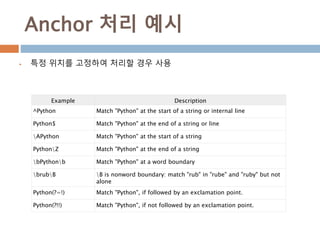
![DOT(.)
dot(.) 메타문자는 줄바꿈 문자인 n를 제외한 모든 문자와 매치
re.DOTALL 이라는 옵션을 주면 n문자와도 매치의미
• a.b : "a + 모든문자 + b“
• a[.]b : "a + Dot(.)문자 + b"](https://image.slidesharecdn.com/20160130-160122105152/85/20160130-313-320.jpg)
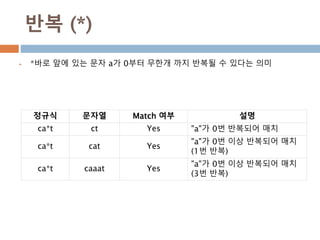
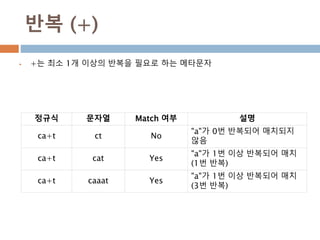
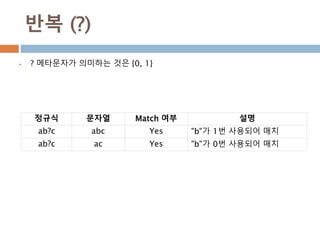
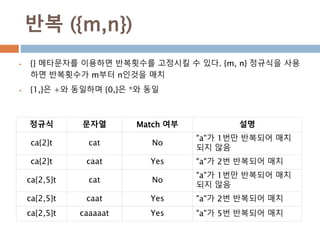
![백슬래시() 문제
“section” : 이 정규식은 s 문자가 whitespace로 해석되어
[ tnrfv]ection 동일한 의미
“section” : 파이썬 문자열 리터럴 규칙에 의하여 이 로 변경
문자를 전달하려면 파이썬은 처럼 백슬래시를 4개나 사용
r”section” : Raw String 규칙에 의하여 백슬래시 두개 대신 한개만 써도
두개를 쓴것과 동일한 의미](https://image.slidesharecdn.com/20160130-160122105152/85/20160130-318-320.jpg)
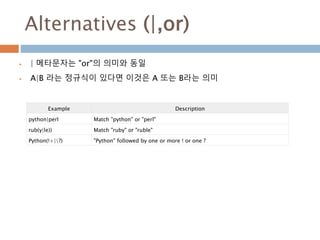
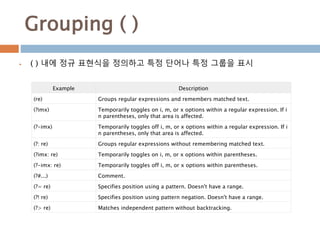
![Grouping ( ) -예시
line = "Cats are smarter than dogs“
matchObj = re.match( r'(.*) are (.*?) (.*)', line, re.M|re.I)
Cats 는 (.*) 매칭 , smarter는 (.*?)와 매칭, than dogs는 (.*)와 매칭
re.I - 대소문자에 관계없이 매치, Re.m – 여러 줄과 매치
Example Description
Dd+ DNo group: + repeats d
(Dd)+ Grouped: + repeats Dd pair
([Pp]ython(, )?)+ Match "Python", "Python, python, python", etc.
Example Description
([Pp])ython&1ails Match python&pails or Python&Pails
(['"])[^1]*1 Single or double-quoted string. 1 matches whatever the 1st group matc
hed. 2 matches whatever the 2nd group matched, etc.
기존 그룹을 재사용하기
기존 그룹을 숫자를 사용하여 참조하게 한다.](https://image.slidesharecdn.com/20160130-160122105152/85/20160130-321-320.jpg)
![정규식 정의 및 실행
re 모듈은 파이썬이 설치될 때 자동으로 설치되는 기본 라이브러리
p = re.compile('ab*', re.IGNORECASE) : re.IGNORECASE 옵션이 의미하는 것
은 대소문자를 구분하지 않음
>>> import re
>>> mat = re.compile("[a-z]+")
>>> mat
<_sre.SRE_Pattern object at 0x063D2C60>
>>>
>>> m = re.match('[a-z]+', "python")
>>> m.group()
'python'
>>> mo2 = re.match("[a-z]+","abc")
>>> mo2.group()
'abc'
>>>
Comile() 함수를 사용하여
실행
함수를 이용한 모듈 단위로
수행
직접 re 패키지 내의 함수(match()함수 등)
를 사용하여 실행](https://image.slidesharecdn.com/20160130-160122105152/85/20160130-322-320.jpg)
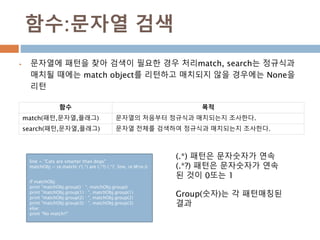
![함수:문자열 수정
문자열에 패턴을 찾아 변경이 필요한 경우 처리match, search는 정규식과
매치될 때에는 match object를 리턴하고 매치되지 않을 경우에는 None을
리턴
함수 목적
sub(pattern,replace,st
ring)
정규식에 매칭되는 것을 변경.
phone = "010-959-559 # This is Phone Number"
# 주석제거
num = re.sub(r'#.*$', "", phone)
print "Phone Num : ", num
# 숫자를 제외한 모든 문자 제거
num = re.sub(r'D', "", phone)
print "Phone Num : ", num
패턴 #.*$는 #으로 시작하는
모든 문자를 $(문자열의 끝)까
지 매칭
패턴 D는 [^0-9] 즉 숫자가
아닌 문자를 매칭](https://image.slidesharecdn.com/20160130-160122105152/85/20160130-324-320.jpg)
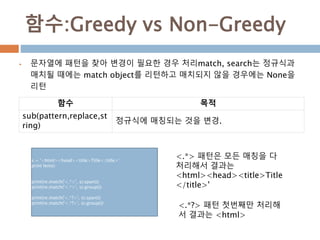
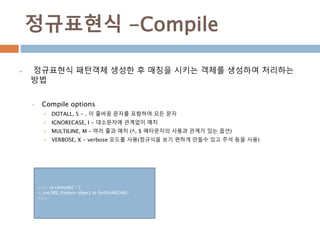
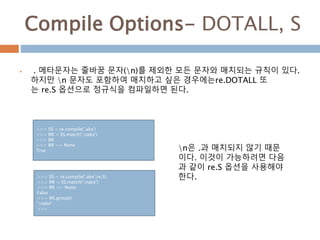
![Compile Options-IGNORECASE, I
re.IGNORECASE 또는 re.I 는 대소문자 구분없이 매치를 수행하고자 할 경
우에 사용하는 옵션이다.
>>> II = re.compile('[a-z]+')
>>> ii = II.match('Python')
>>> ii == None
True
>>> [a-z] 정규식은 소문자만을 의
미하지만 re.I 옵션에 의해서
대소문자에 관계없이 매치되게
된 것이다.>>> II = re.compile('[a-z]+',re.I)
>>> ii = II.match('Python')
>>> ii == None
False
>>> ii.group()
'Python'
>>>](https://image.slidesharecdn.com/20160130-160122105152/85/20160130-328-320.jpg)
![Compile Options-MULTILINE, M
re.MULTILINE 또는 re.M 옵션은 메타문자인 ^, $와 연관되어 있는 옵션이다.
^와 $의 의미는
^ - 문자열의 처음, $ - 문자열의 마지막
^python 인 경우 처음은 항상 "python"으로 시작, python$라면 마지막은 항상 "python"으로 끝나야 매치
>>> MM = re.compile('^Hellosw+')
>>> data = """Hello World
... Hello Dahl
... Hello Moon"""
>>> mm = MM.match(data)
>>> mm.group()
'Hello World'
>>>
re.MULTILINE 옵션으로 인
해 ^메타문자가 문자열 전체가
아닌 라인의 처음이라는 의미
를 갖게 되어 다음과 같은 결과
가 출력될 것이다.>>> MM = re.compile('^Hellosw+',re.M)
>>> MM.findall(data)
['Hello World', 'Hello Dahl', 'Hello Moon']](https://image.slidesharecdn.com/20160130-160122105152/85/20160130-329-320.jpg)
;')
첫번째와 두번째의 컴파일된 패턴 객체는 모
두 동일한 역할을 한다.
하지만 정규식이 복잡할 경우 두번째 처럼 주
석을 적고 여러줄로 표현하는 것이 훨씬 가독
성이 좋다는 것을 알 수 있을 것이다.
re.VERBOSE 옵션을 사용하면 문자열에 사용
된 whitespace 는 컴파일 시 제거된다.
(단 [] 내에 사용된 whitespace는 제외)
그리고 라인단위로 # 을 이용하여 주석문을 작
성하는 것이 가능하게 된다.
>>> charref = re.compile(r""" &[#] # Start of a
numeric entity reference ( 0[0-7]+ # Octal form | [0-
9]+ # Decimal form | x[0-9a-fA-F]+ # Hexadecimal
form ) ; # Trailing semicolon """, re.VERBOSE)](https://image.slidesharecdn.com/20160130-160122105152/85/20160130-330-320.jpg)
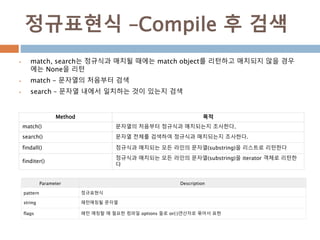
![match – match object
Match는 첫번째 자리부터 동일한 패턴이 발생할 때만 Object가 만들어 짐
Match() 메소드에서 리턴하는 객체를 이용해서 메소드를 가지고 확인
Method 목적
group() 매치된 문자열을 리턴한다.
start()
매치된 문자열의 시작 위치를 리
턴한다.
end()
매치된 문자열의 끝 위치를 리턴
한다.
span()
매치된 문자열의 (시작, 끝) 에 해
당되는 튜플을 리턴한다
>>> mat = re.compile("[a-z]+")
>>> mat
<_sre.SRE_Pattern object at 0x063D2C60>
>>>
>>> mo = mat.match('abc')
>>> mo
<_sre.SRE_Match object at 0x065567C8>
>>>
>>> mo.group()
'abc'
>>>
>>> mo.start()
0
>>> mo.end()
3
>>> mo.span()
(0, 3)
>>> #동일한 패턴이 아니면 미스매칭
>>> if mat.match(" abc") == None :
... print("mismatch")
...
mismatch](https://image.slidesharecdn.com/20160130-160122105152/85/20160130-332-320.jpg)
![search – match object
내부에 있는 패턴을 검색하여 처음부터 매칭되는 것을 검색하여 매칭시킴
Method 목적
group() 매치된 문자열을 리턴한다.
start()
매치된 문자열의 시작 위치를 리
턴한다.
end()
매치된 문자열의 끝 위치를 리턴
한다.
span()
매치된 문자열의 (시작, 끝) 에 해
당되는 튜플을 리턴한다
>>> mat = re.compile("[a-z]+")
>>> mat
<_sre.SRE_Pattern object at 0x063D2C60>
>>>
>>> so1 = mat.search("123abc")
>>> so1
<_sre.SRE_Match object at 0x06556608>
>>> so1.group()
'abc'
>>> so1.start()
3
>>> so1.end()
6
>>> so1.span()
(3, 6)
>>>](https://image.slidesharecdn.com/20160130-160122105152/85/20160130-333-320.jpg)
![search – match object
내부에 있는 패턴을 검색하여 처음부터 매칭되는 것을 검색하여 매칭시킴
Method 목적
group() 매치된 문자열을 리턴한다.
start()
매치된 문자열의 시작 위치를 리
턴한다.
end()
매치된 문자열의 끝 위치를 리턴
한다.
span()
매치된 문자열의 (시작, 끝) 에 해
당되는 튜플을 리턴한다
>>> mat = re.compile("[a-z]+")
>>> mat
<_sre.SRE_Pattern object at 0x063D2C60>
>>>
>>> so1 = mat.search("123abc")
>>> so1
<_sre.SRE_Match object at 0x06556608>
>>> so1.group()
'abc'
>>> so1.start()
3
>>> so1.end()
6
>>> so1.span()
(3, 6)
>>>](https://image.slidesharecdn.com/20160130-160122105152/85/20160130-334-320.jpg)
![정규식 처리하기(1/2)
1. 정규식 객체 생성
>>> import re
>>> p = re.compile("[a-zA-Z0-9]+")
>>> p
<_sre.SRE_Pattern object at 0x06506570>
>>> p.__class__
<type '_sre.SRE_Pattern'>
>>> p.__class__.__name__
'SRE_Pattern'
>>>
2. 정규식 패턴 매칭을 위한 Match object 생성
>>> m = p.match("python")
>>> m
<_sre.SRE_Match object at 0x06556AA0>
>>> m.__class__.__name__
'SRE_Match'
>>>](https://image.slidesharecdn.com/20160130-160122105152/85/20160130-335-320.jpg)
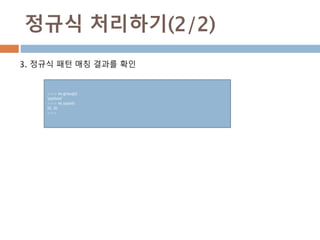

![Pickle 로 특정객체 저장 및 호출
파이썬은 pickle 이라고 불리우는 기본 모듈을 제공
어떤 파이썬 객체이든지 파일로 저장해 두었다가 나중에 불러와서 사용
객체를 영구히 저장 필요시 사용
import pickle
# 객체 저장장소 이름 정의
shoplistfile = 'shoplist.data‘
#저장대상 객체 생성
shoplist = ['apple', 'mango', 'carrot']
# 객체 저장장소 파일로 생성
f = open(shoplistfile, 'wb')
#파일저장소에 저장
pickle.dump(shoplist, f)
f.close()
# 객체 삭제
del shoplist
# 객제 저장 파일 읽기
f = open(shoplistfile, 'rb')
# 저장된 파일을 로드
storedlist = pickle.load(f)
print storedlist](https://image.slidesharecdn.com/20160130-160122105152/85/20160130-338-320.jpg)
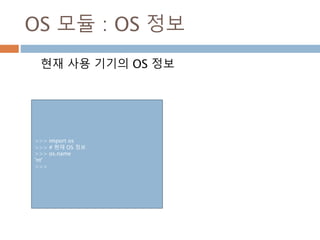
![OS 모듈 : 현재 directory 조회
OS 내의 디렉토리 정보를 조회하거나 디렉토리 내
의 정보를 조회하는 방법
>>> import os
>>> # 현재 디렉토리
>>> os.getcwd()
'C:myPythonmyproject‘
>>> #현재 디렉토리
>>> os.path.abspath('.')
'C:myPythonmyproject‘
>>> #상위 디렉토리
>>> os.path.abspath('..')
'C:myPython'
>>> # 디렉토리 내에 생성된 정보를 조회
>>> os.listdir('.')
['.spyderproject', '.spyderworkspace', 'aaa.txt',
'abc.txt‘]](https://image.slidesharecdn.com/20160130-160122105152/85/20160130-341-320.jpg)
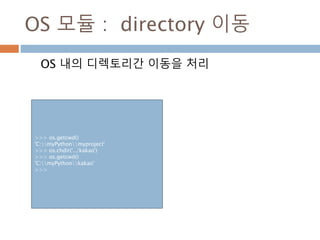
![SYS 모듈 : 현재 파이썬 정보
현재 사용 기기의 Python 정보
>>> import sys
>>> sys.version
'2.7.5 (default, May 15 2013, 22:43:36) [MSC
v.1500 32 bit (Intel)]‘
>>> sys.version_info
sys.version_info(major=2, minor=7, micro=5,
releaselevel='final', serial=0)](https://image.slidesharecdn.com/20160130-160122105152/85/20160130-344-320.jpg)
![SYS 모듈 : Command-line arguments
Sys의 arguments는 command window내의 모듈
명부터 인식함.
import sys
# command line arg 출력
print sys.argv
# command line arg를 나눠서 출력
for i in range(len(sys.argv)):
if i == 0:
print "Function name: %s" % sys.argv[0]
else:
print "%d. argument: %s" % (i,sys.argv[i])
C:myPythonmyproject>python sys_com.py
arg1 arg2
['sys_com.py', 'arg1', 'arg2']
Function name: sys_com.py
1. argument: arg1
2. argument: arg2
C:myPythonmyproject>python sys_com.py
['sys_com.py']
Function name: sys_com.py
Sys_com.py 생성 Command window에서 실행](https://image.slidesharecdn.com/20160130-160122105152/85/20160130-345-320.jpg)
![SYS 모듈 : ide에서 arg 처리
Dispalyhook는 callable 객체 즉 함수나 메소드를
연결하여 arg와 동일한 변수를 처리
>>> import sys
>>> #arg 정의
>>> v = (10,10)
>>> # 함수정의
>>> def add(v) :
... print v[0]+ v[1]
...
>>> #함수를 연결
>>> sys.displayhook = add
>>> #arg 실행하면 실제 연결된 함수 실행
>>> v
20
>>>
help() 이용하여 모듈 정보 검색Sys.displayhook 함수를 이용](https://image.slidesharecdn.com/20160130-160122105152/85/20160130-346-320.jpg)