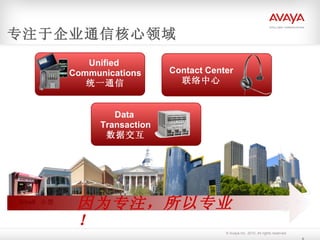
Unified Communications统一通信 Large 大型 Small 小型 因为专注,所以专业! 专注于企业通信核心领域 Contact Center 联络中心 Data Transaction 数据交互
10.
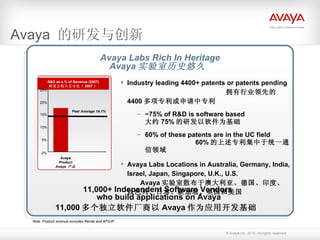
Avaya 的研发与创新 Note: Product revenue excludes Rental and AFS/IP Avaya Labs Rich In Heritage Avaya 实验室历史悠久 11,000+ Independent Software Vendors who build applications on Avaya 11,000 多个独立软件厂商以 Avaya 作为应用开发基础 R&D as a % of Revenue (2007) 研发占收入百分比( 2007 ) 0% 5% 10% 15% 20% 25% Avaya Product Avaya 产品 Peer Average 14.1% Industry leading 4400+ patents or patents pending 拥有行业领先的 4400 多项专利或申请中专利 ~75% of R&D is software based 大约 75% 的研发以软件为基础 60% of these patents are in the UC field 60% 的上述专利集中于统一通信领域 Avaya Labs Locations in Australia, Germany, India, Israel, Japan, Singapore, U.K., U.S. Avaya 实验室散布于澳大利亚、德国、印度、以色列、日本、新加坡、英国和美国
11.
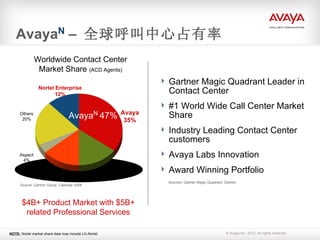
Avaya N – 全球呼叫中心占有率 Avaya 35% Nortel Enterprise 12% Others 20% Aspect 4% Cisco 14% Genesys 15% Worldwide Contact Center Market Share (ACD Agents) Source: Gartner Group, Calendar 2008 $4B+ Product Market with $5B+ related Professional Services Gartner Magic Quadrant Leader in Contact Center #1 World Wide Call Center Market Share Industry Leading Contact Center customers Avaya Labs Innovation Award Winning Portfolio Sources: Gartner Magic Quadrant, Gartner NOTE: Nortel market share data may include LG-Nortel Avaya N 47%
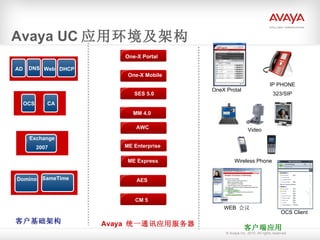
Avaya UC 应用环境及架构AD AES 服务器 AES 客户基础架构 Avaya 统一通讯应用服务器 One-X Portal CM 5 AES 服务器 AWC 客户端应用 AES 服务器 ME Express AES 服务器 MM 4.0 WEB 会议 OCS Client Wireless Phone SES 5.0 OneX Protal IP PHONE 323/SIP Video Domino SameTime AES 服务器 ME Enterprise AES 服务器 One-X Mobile One-X Portal DNS Web DHCP OCS CA Exchange 2007
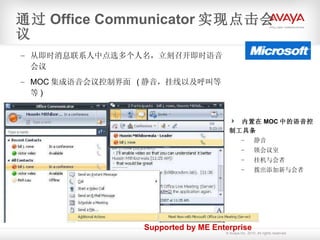
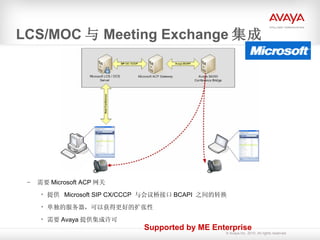
LCS/ MOC 与Meeting Exchange 集成 需要 Microsoft ACP 网关 提供 Microsoft SIP CX/CCCP 与会议桥接口 BCAPI 之间的转换 单独的服务器,可以获得更好的扩张性 需要 Avaya 提供集成许可 Supported by ME Enterprise
72.
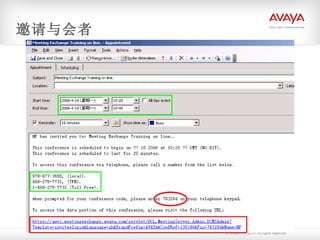
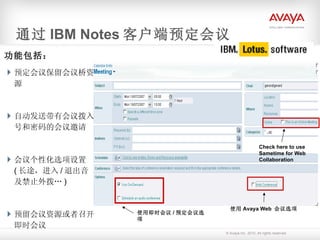
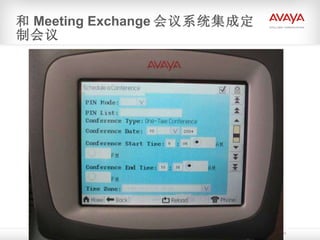
功能包括: 预定会议保留会议桥资源 自动发送带有会议拨入号和密码的会议邀请会议个性化选项设置 ( 长途,进入 / 退出音及禁止外拨… ) 预留会议资源或者召开即时会议 通过 IBM Notes 客户端预定会议 使用即时会议 / 预定会议选项 使用 Avaya Web 会议选项 Check here to use Sametime for Web Collaboration
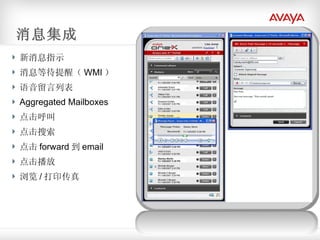
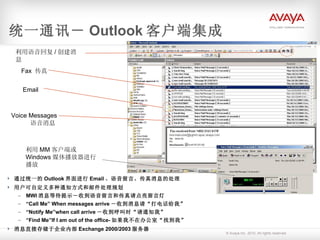
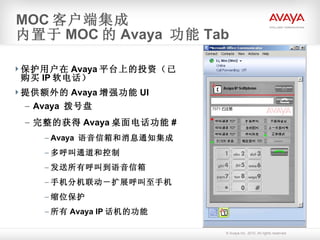
统一通讯- Outlook 客户端集成通过统一的 Outlook 界面进行 Email 、语音留言、传真消息的处理 用户可自定义多种通知方式和邮件处理规划 MWI 消息等待提示-收到语音留言和传真请点亮留言灯 “ Call Me” When messages arrive -收到消息请“打电话给我” “ Notify Me”when call arrive -收到呼叫时“请通知我” “ Find Me”If I am out of the office- 如果我不在办公室“找到我” 消息直接存储于企业内部 Exchange 2000/2003 服务器 Fax 传真 Voice Messages 语音消息 利用 MM 客户端或 Windows 媒体播放器进行播放 Email 利用语音回复 / 创建消息
87.
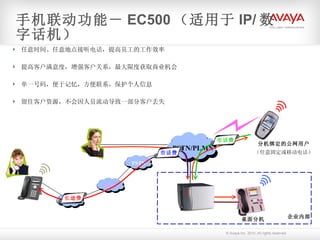
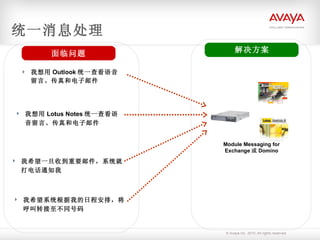
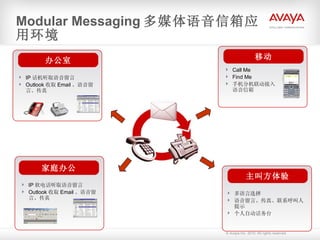
Modular Messaging 多媒体语音信箱应用环境IP 话机听取语音留言 Outlook 收取 Email 、语音留言、传真 家庭办公 办公室 多语言选择 语音留言、传真、联系呼叫人提示 个人自动话务台 主叫方体验 IP 软电话听取语音留言 Outlook 收取 Email 、语音留言、传真 Call Me Find Me 手机分机联动接入语音信箱 移动
88.
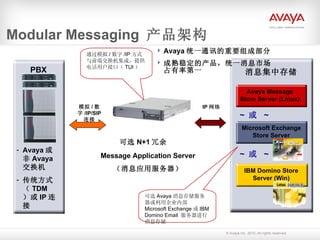
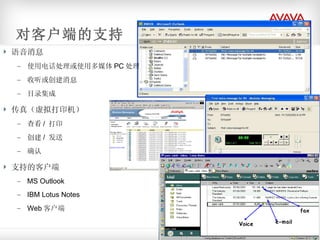
对客户端的支持 语音消息 使用电话处理或使用多媒体PC 处理 收听或创建消息 目录集成 传真(虚拟打印机) 查看 / 打印 创建 / 发送 确认 支持的客户端 MS Outlook IBM Lotus Notes Web 客户端
89.
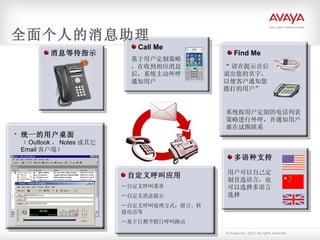
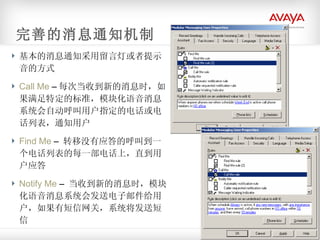
基本的消息通知采用留言灯或者提示音的方式 Call Me – 每次当收到新的消息时,如果满足特定的标准,模块化语音消息系统会自动呼叫用户指定的电话或电话列表,通知用户 Find Me – 转移没有应答的呼叫到一个电话列表的每一部电话上,直到用户应答 Notify Me – 当收到新的消息时,模块化语音消息系统会发送电子邮件给用户,如果有短信网关,系统将发送短信 完善的消息通知机制
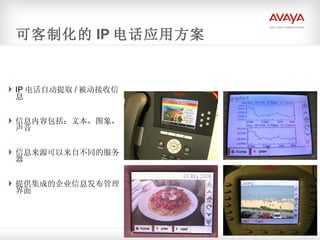
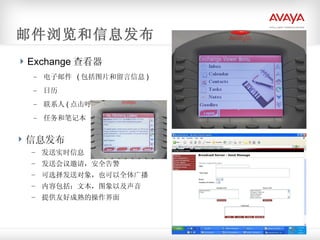
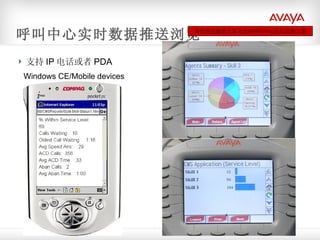
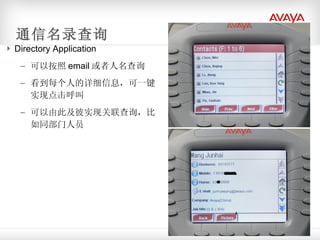
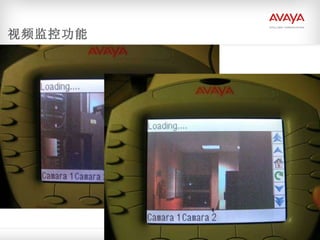
IP 电话自动提取 /被动接收信息 信息内容包括:文本,图象,声音 信息来源可以来自不同的服务器 提供集成的企业信息发布管理界面 可客制化的 IP 电话应用方案
103.
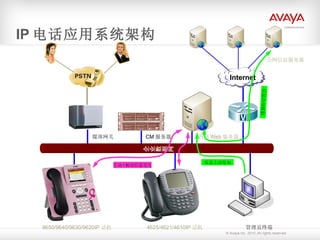
IP 电话应用系统架构 CM服务器 4625/4621/4610IP 话机 管理员终端 企业数据网 9650/9640/9630/9620IP 话机 媒体网关 内部 Web 服务器 公网信息服务器 Internet 信息自动抓取 信息主动发布 主动 / 被动信息交互
104.
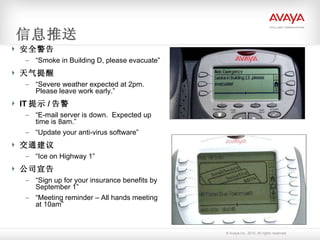
信息推送 安全警告 “Smoke in Building D, please evacuate” 天气提醒 “ Severe weather expected at 2pm. Please leave work early.” IT 提示 / 告警 “ E-mail server is down. Expected up time is 8am.” “ Update your anti-virus software” 交通建议 “ Ice on Highway 1” 公司宣告 “ Sign up for your insurance benefits by September 1” “ Meeting reminder – All hands meeting at 10am”
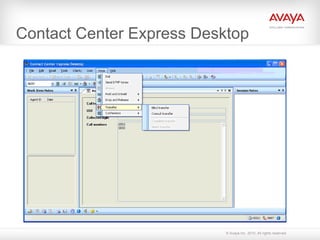
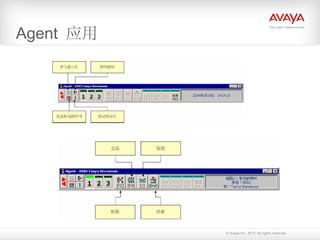
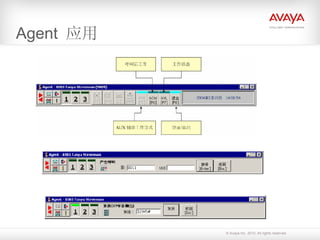
Contact Center Express(CCE) Contact Center Express 是一个应用解决方案,由如下组成 : Desktop 应用,展现信息给终端用户,并且允许从用户 PC 上进行 Telephony 控制 . 独立的服务,提供附加的功能无需桌面应用。 IVR Server 和 CallRouting Server 多媒体服务,管理和展现非语音的工作条目到相应的桌面应用。 管理应用,集中桌面操作和管理,多媒体服务和许可 XML Server ,接受 CSTA II 协议并将其转换到最新的 CSTA III XML 版本
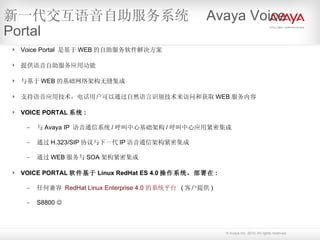
Voice Portal 是基于 WEB 的自助服务软件解决方案 提供语音自助服务应用功能 与基于 WEB 的基础网络架构无缝集成 支持语音应用技术,电话用户可以通过自然语言识别技术来访问和获取 WEB 服务内容 VOICE PORTAL 系统 : 与 Avaya IP 语音通信系统 / 呼叫中心基础架构 / 呼叫中心应用紧密集成 通过 H.323/SIP 协议与下一代 IP 语音通信架构紧密集成 通过 WEB 服务与 SOA 架构紧密集成 VOICE PORTAL 软件基于 Linux RedHat ES 4.0 操作系统,部署在 : 任何兼容 RedHat Linux Enterprise 4.0 的系统平台 ( 客户提供 ) S8800 新一代交互语音自助服务系统 Avaya Voice Portal
126.
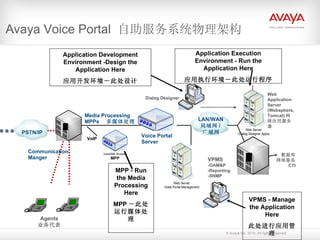
Avaya Voice Portal 自助服务系统物理架构 Communication Manger Agents 业务代表 数据库 网络服务 CTI LAN/WAN 局域网 / 广域网 PSTN/IP Media Processing MPPs 多媒体处理 VPMS -OAM&P -Reporting -SNMP Web Application Server (Websphere, Tomcat) 网络应用服务器 Dialog Designer VoIP MPP - Run the Media Processing Here MPP -此处运行媒体处理 Application Development Environment -Design the Application Here 应用开发环境-此处设计 Application Execution Environment - Run the Application Here 应用执行环境-此处运行程序 VPMS - Manage the Application Here 此处进行应用管理 Voice Portal Server
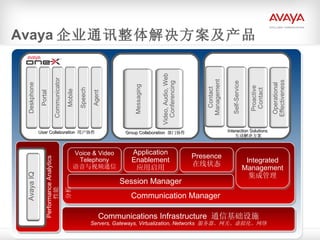
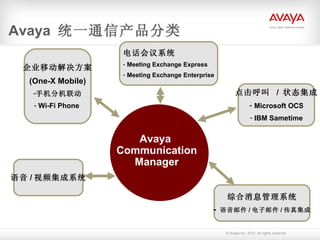
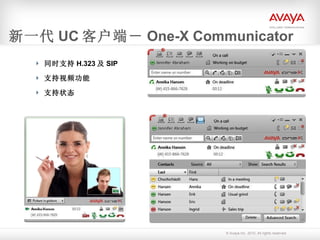
#24 Let’s look at the key elements of our UC product portfolio. These applications , core communications services and infrastructure elements obviously play key roles within our communications architecture as discussed previously. Our User Collaboration applications, branded as Avaya one-X, deliver the right experience to the right users wherever they are, though whatever device, access method, or productivity or enterprise application the user has. We have been significantly expanding this one-X family – and I am sure you will all be looking at the new Avaya one-X Communicator, updates to Portal and Mobile, and talking with the Contact Center team about our one-X Agent direction. Looking beyond the productivity of just a single user, our Group Collaboration applications empower teams of people in working together. Obviously our Messaging solutions have been a foundation for many years, including our built-in Communication Manager Messaging for midsize and single-site needs and Modular Messaging for broad enterprise “FCE” deployments unified with Microsoft and IBM environments – providing . state-of-the-art migration for our Intuity and Octel installed base. I don’t need to tell you that video is everywhere today! We take an integrated approach to video, audio and web conferencing all working together, working with the rest of of UC portfolio here, and working in a rich multi-vendor way through our partnerships and integrations. All of these applications need to rest on a solid core communications foundation. For Avaya, our flagship at this level is Avaya Communication Manager. In the roadmap and in later parts of the presentation we will showing how we are dramatically expanding the software capabilities of Communication Manager to meet new customer needs – in areas like high-scale SIP architectures, presence, application enablement and . At the EXPO and other learning opportunities you will hear more about the exciting “next generation” of Communication Manager. What this means for you is that you can sell Communication Manager today with confidence, knowing that it is a sound long-term investment for your customers while also providing a rich evolutionary software roadmap. Our software foundation is then supported by the servers, gateways and networking elements that we support – which will be expanded with greater virtualization capabilities in the year ahead.
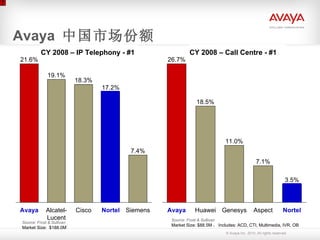
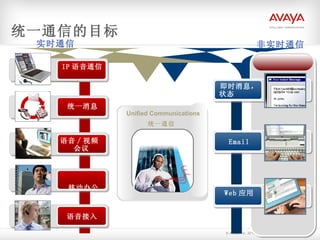
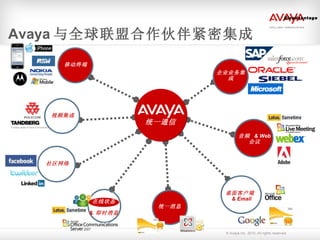
#27 This graphic depicts all the applications that are relevant to the Unified Communication space today as they are converging. The left hand side represents the core communication applications that are telephony driven. The right hand side represents those UC related applications with origins in data. Both sides are equally as important in the solution, and customers are not usually willing to give up the advancements made in each of theses separate markets over the last 10 years. Industry analysts who track and measure market size and share place Avaya in a number 1 position in IP Telephony, Unified Messaging, and conferencing. Our mobility unified messaging, and speech access solutions have won numerous awards. In addition to those applications that we build and develop, Avaya also recognizes that other market leaders will continue to deliver very strong applications and devices as well. Microsoft, Adobe and IBM for their desktop suite of applications; and Polycom & Tandberg for their voice & video conferencing capabilities, and all the major mobility players. As markets converge, unified communications takes on a new set of attributes.
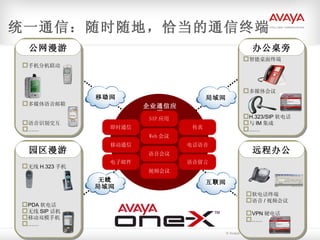
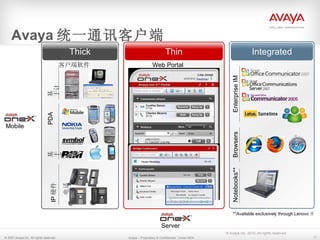
#36 This is actually a market differentiated Avaya strategy. Regardless of how people choose to work, we aim to fully able whatever mobile device your enterprise/end-users choose, we have line of solid natively defined experiences and thin client experiences. We normally also include reference to the “integrated” part of the strategy which says if you are a Microsoft shop we aim to fully able your collaborative platform of choice. If you’re a Lotus shop, we’ll do that too.
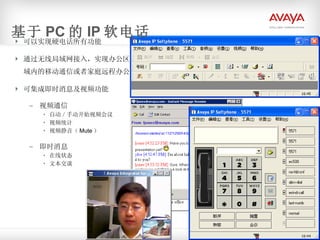
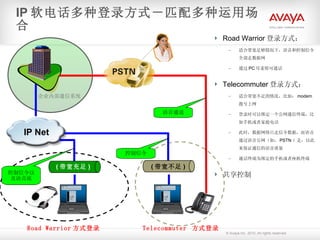
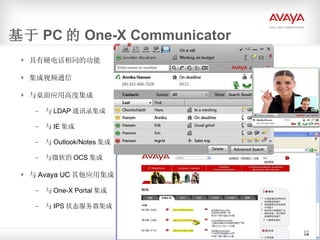
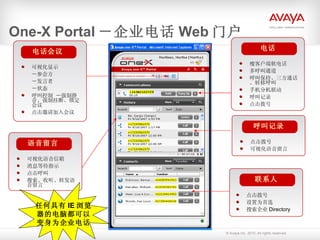
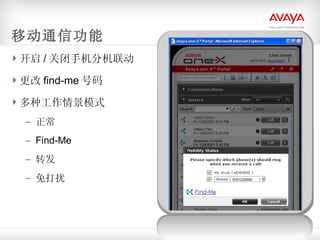
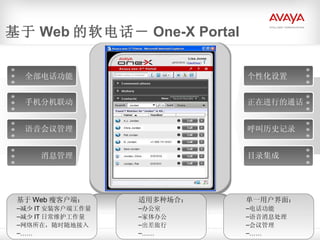
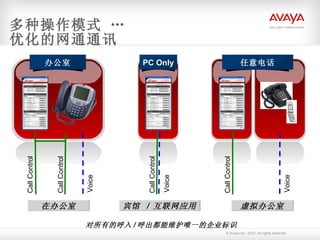
#56 1) Shared Mode This mode is only used when you are working at the desk phone where your extension resides * All speaking and listening is done through the desk phone attached to Avaya Communication Manager * When you initiate a call from one-X Portal, your desk phone goes off hook and dials the number; When you initiate a call from the desk phone, it will be indicated as such within one-X Portal * As you use features of one-X Portal to manage the call (e.g. hold, conference) it will be indicated as such on the desk phone; As you use features on the desk phone to manage the call (e.g. hold, conference) it will be indicated as such on one-X Portal * You can terminate the call by hanging up the desk phone or dropping the call from within one-X Portal 2) PC Only Mode * All speaking and listening is done through the PC multi-media capabilities * All call control is performed through one-X Portal 3) Dual-Connect or Remote Mode * All speaking and listening is done through any telephone as designated by the user. This could be a home phone, home office, virtual office, mobile phone, etc. * All call control is performed through one-X Portal * The user tells one-X Portal where to route all calls Inbound Calls * When a call arrives for the extension, the Avaya Communication Manager reroutes the call to the designated number * The designated phone will ring normally and one-X Portal will provide a visual and audio indication that there is an inbound call * The user need only answer the telephone as they would for any other call * Once the call is in progress, they can manage the call (e.g. hold, conference, transfer, etc.) using one-X Portal * The user can terminate the call just by hanging up, or dropping the call from within one-X Portal Outbound Calls * The user uses any of the techniques within one-X Portal to originate a call (enter a number, click on a contact, etc.) * Avaya Communication Manager first places a call to the user at the telephone designated by the user * Once the call has been answered, the Avaya Communication Manager then places the outbound portion of the call * Once the call is in progress, the user can manage the call (e.g. hold, conference, transfer, etc.) using one-X Portal * The user can terminate the call just by hanging up, or dropping the call from within one-X Portal Note that the inbound call originators or outbound call recipients receive no information regarding the number or location of the user beyond the extension number associated with the user
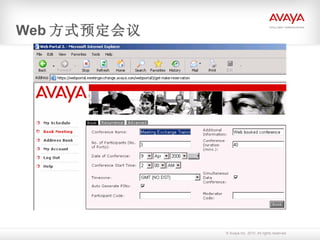
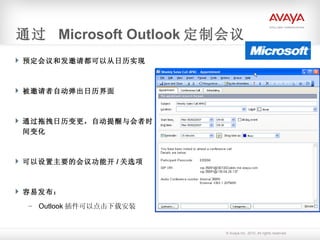
#64 You can set recurrence, for example every week, and so on! Do not need to book every time. Exit and Entry Tone can be chosen in adervanced tab, and roll call too.
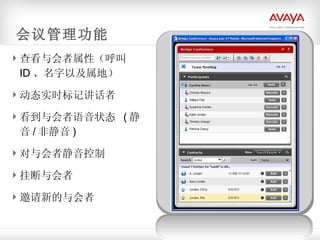
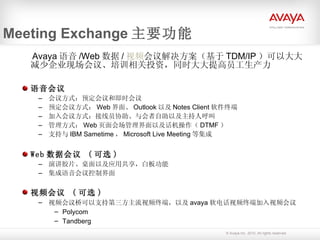
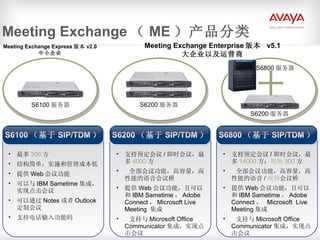
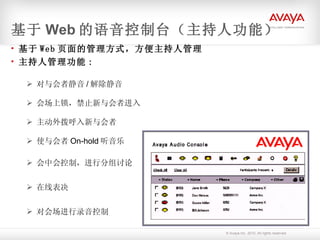
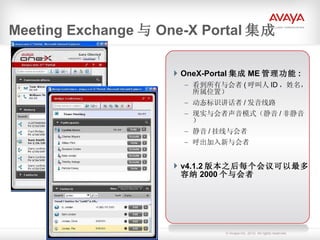
#69 Value Proposition for using one-X Portal to manage call: More secure: know who is on the call Save time no need for roll call know who has come and who has gone add new members easily Eliminate time wasters “ who just joined?” or “did we lose someone?” quickly identify noisy lines or music on hold then mute/drop Greater context: know who is talking More effective meetings more control allows for focus on meeting purpose and less on logistics and technology Value Proposition for expanded capacity: allows more cost-effective expansion MX 4.1.2 will replace the high cost/ low margin Convedia solution at the up to 2000 port size 500-port MX 4.1.2 solution with S6200 is 38% less expensive than same size S6800 system and delivers better margins For the customer: Faster ROI For Avaya: Higher margins and easier solution to sell to this market
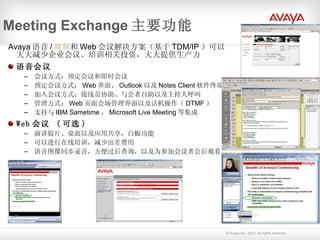
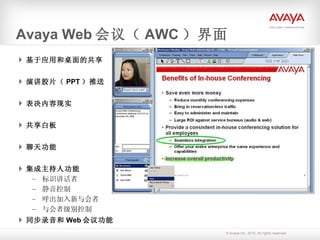
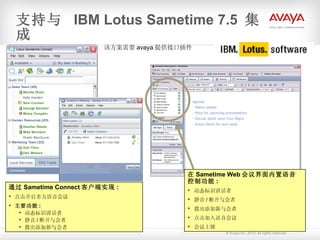
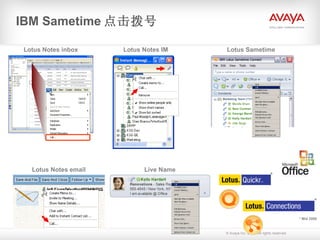
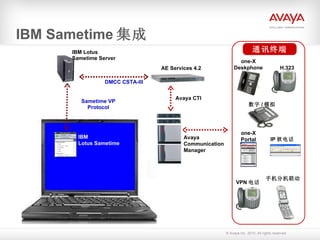
#74 Integrated solution features Click-to-Conference Click from an IM or buddy list to launch an audio conference on the Meeting Exchange Express bridge Click-to-call also supported Integrated Audio/Web Management Embedded audio controls in Sametime Meeting Room provides range of capabilities: Visually identify participants and speakers Mute individual or all participants (moderator capability) Disconnect individuals Dial out to bring additional participants into the call
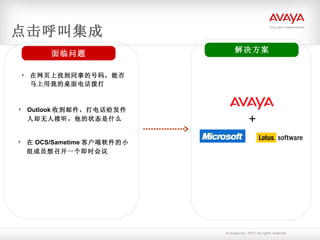
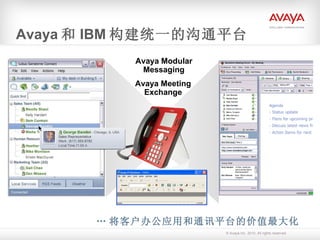
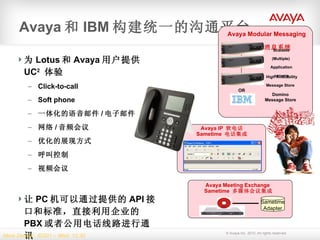
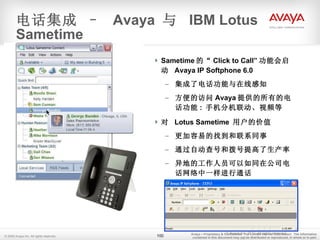
#100 Together, IBM and Avaya have implemented a rich set of Unified Communication + Collaboration (UC 2 ) solutions that integrate IBM Lotus Sametime and Notes clients with Avaya Telephony, Conferencing and Messaging products. Together, these Unified Communication + Collaboration (UC 2 ) solutions are designed to: Speed communications across dispersed teams Enable faster, more informed decision making Improve productivity Reduce costs
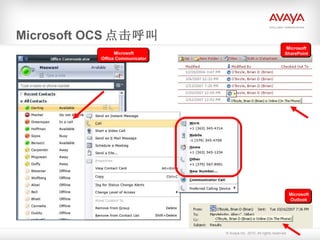
#101 This integration allows users to make calls to any telephone directly via the Avaya Corporate PBX (Communication Manager).
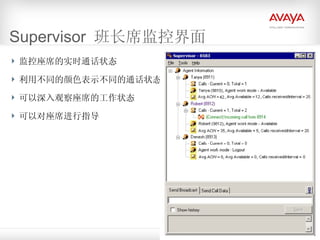
#120 Supervisors can See an agent’s request for help Join calls See current state of each agent If Supervisor is connected to IDS: View statistics on avg length of time an agent is spending in After Call Work and Available modes View statistics on the number of calls the agent has taken Send text-based messages to agents Send call-related data to to the IDS and agents Agent node with 3 2 nd level nodes Call node – number of calls currently being handled and total number of call from starting Supervisor; each call node as single child node for each call currently at agent device – this active call node shows call state (connect, conferencep), direction of call and phone number of other party Agent state – agent name, ID and current work mode Agent statistics – (must be connected to IDS); Avg ACW, Avg Available; Calls received/interval (total number of calls agent has taken during interval specified in the switch; interval is any value between 1-60 mins)
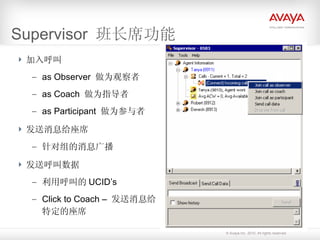
#121 Observer – Hear conversation but agent and customer cannot hear you Coach – Hold conversation with agent with customer overhearing you Participant – 3 way conversation; conferencing To join a call, drill down into Active Call Node and select which option Messages history is available but only for the session Supervisor is open; not saved Limit of 100 messages If CTI application is connected to IDS and application is monitoring call UCID’s (Universal Call ID) can send call data to those agents using Supervisor. Maximum of 20 items
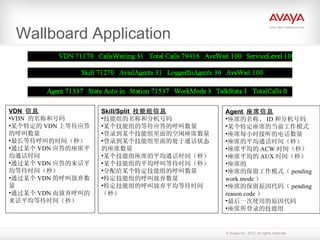
#133 At the desktop, users have the option to control scrolling speed and direction and view all data elements or messages in a list format in a separate window. Whether or not the marquee is docked and overall appearance of the data and messaging marquee are configured on the server by the administrator.