Iteration in Programming
For loops A "for loop" is a programming structure that allows you to repeat a
certain block of code a predetermined number of times .
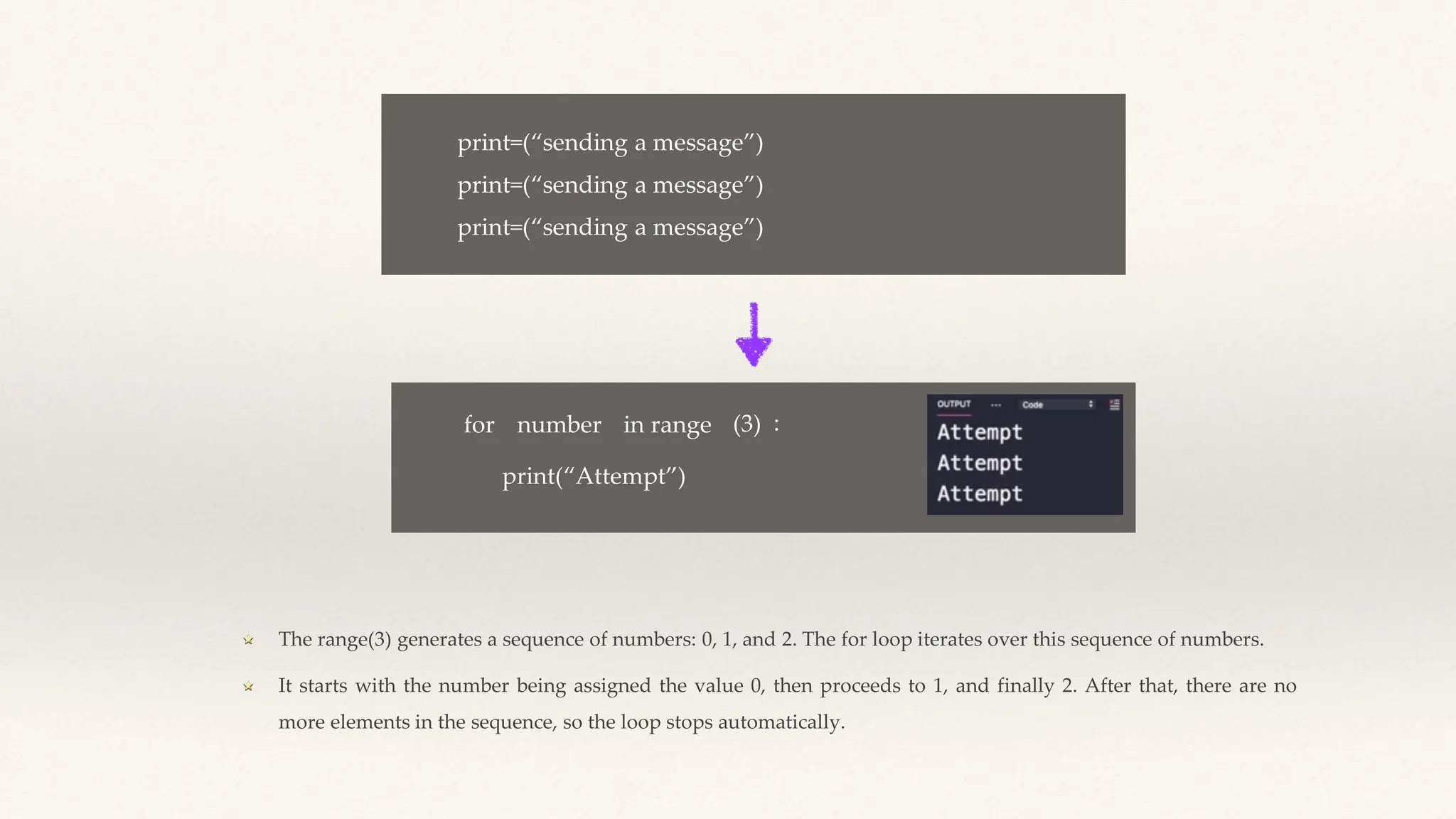
print=(“sending a message”)
for number in range (3) :
print(“Attempt”)
The range(3) generates a sequence of numbers: 0, 1, and 2. The for loop iterates over this sequence of numbers.
It starts with the number being assigned the value 0, then proceeds to 1, and finally 2. After that, there are no
more elements in the sequence, so the loop stops automatically.
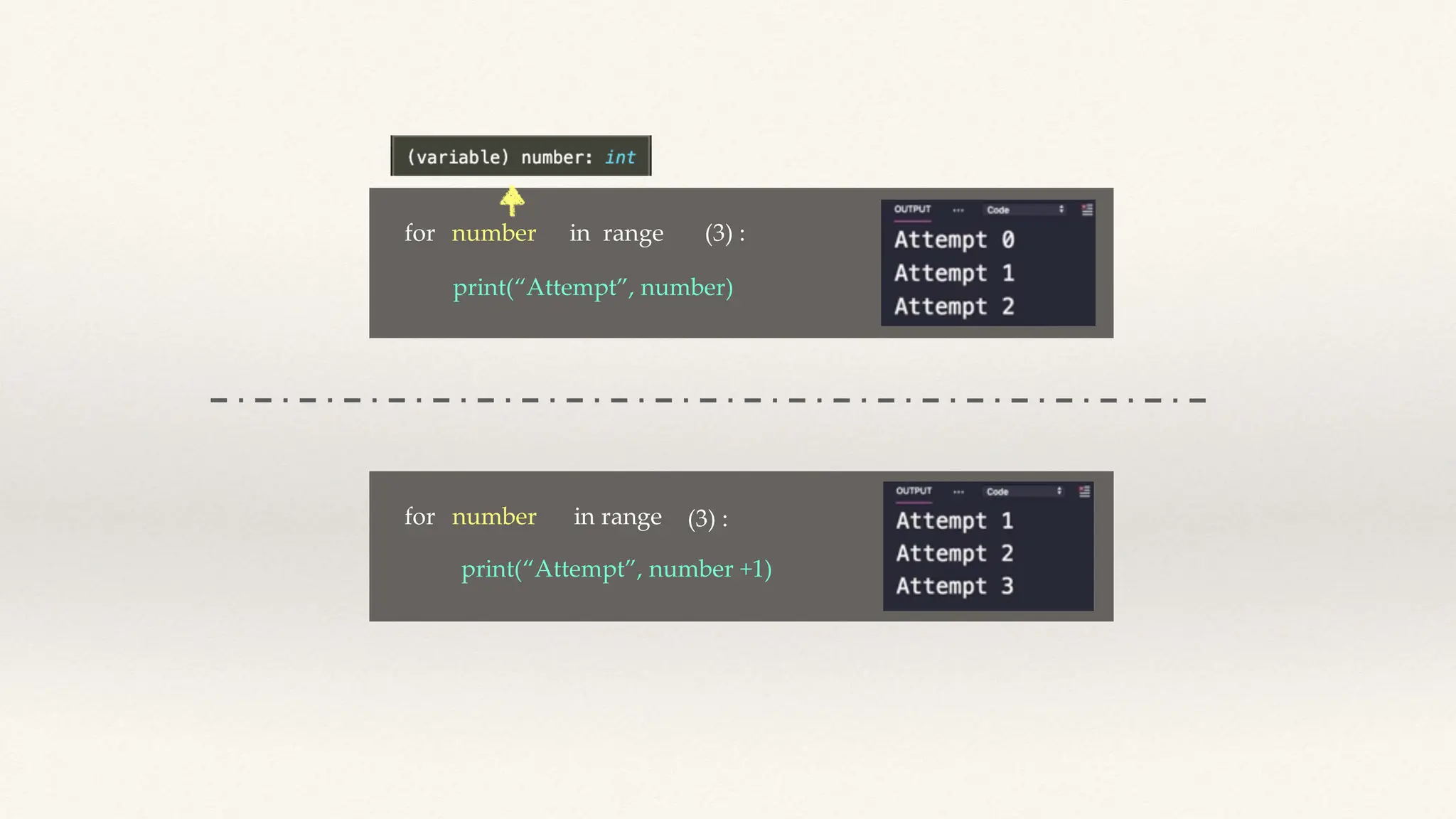
for number in range (3) :
print(“Attempt”, number)
for number in range (3) :
print(“Attempt”, number +1)
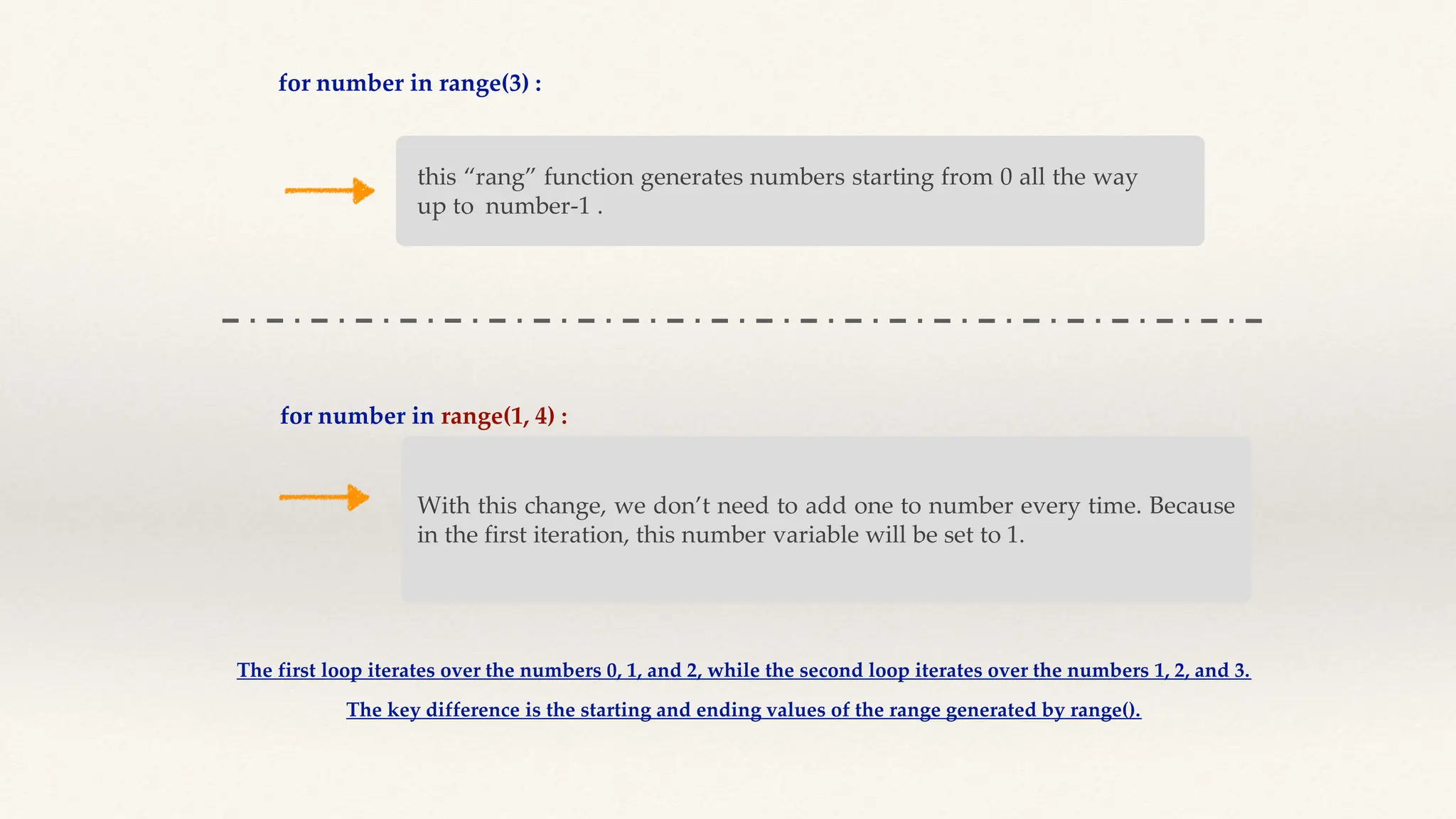
for number in range(3) :
this “rang” function generates numbers starting from 0 all the way
up to number-1 .
for number in range(1, 4) :
With this change, we don’t need to add one to number every time. Because
in the first iteration, this number variable will be set to 1.
The first loop iterates over the numbers 0, 1, and 2, while the second loop iterates over the numbers 1, 2, and 3.
The key difference is the starting and ending values of the range generated by range().
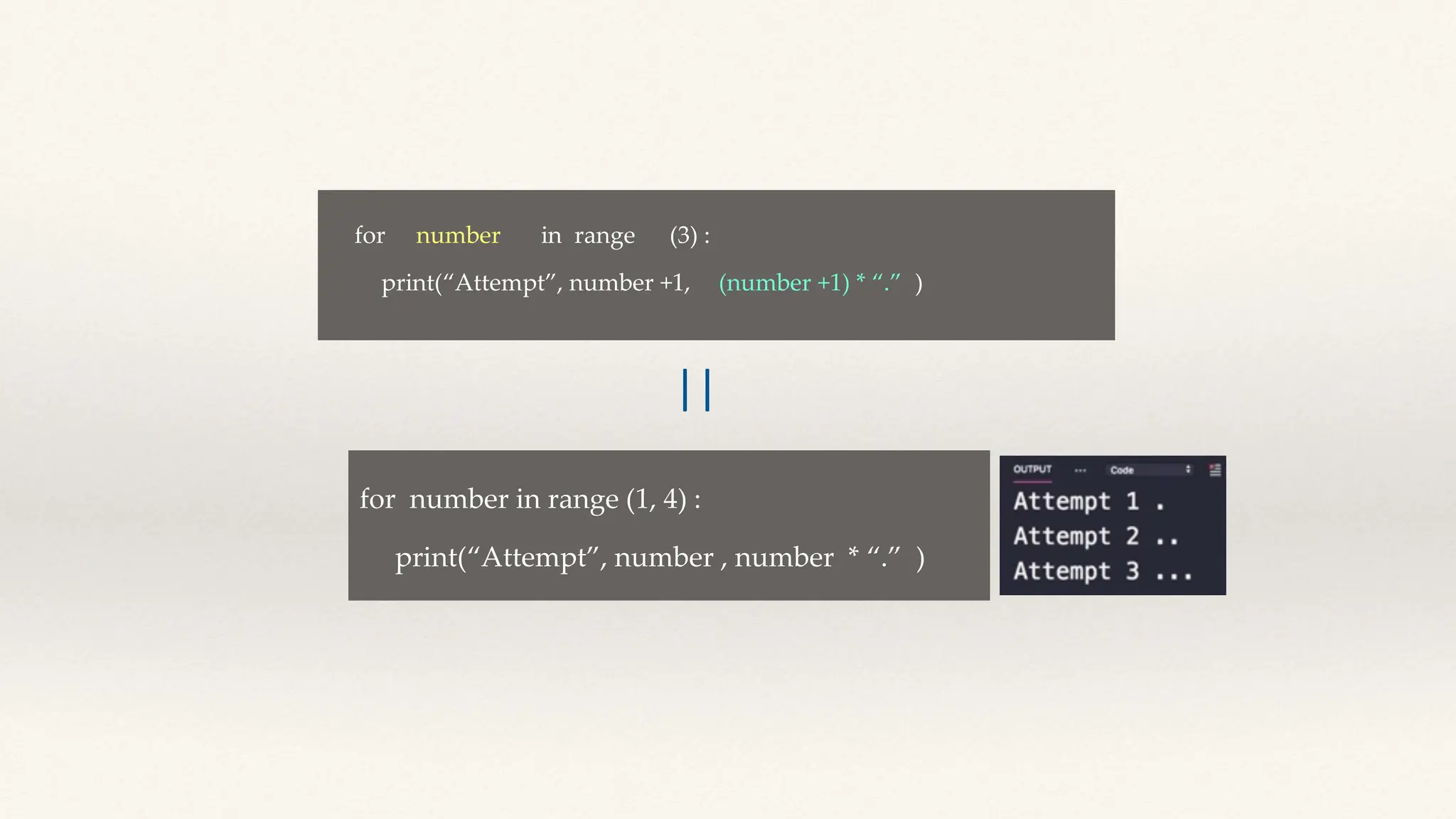
for number in range (1, 4) :
print(“Attempt”, number , number * “.” )
for number in range (3) :
print(“Attempt”, number +1, )
(number +1) * “.”
||
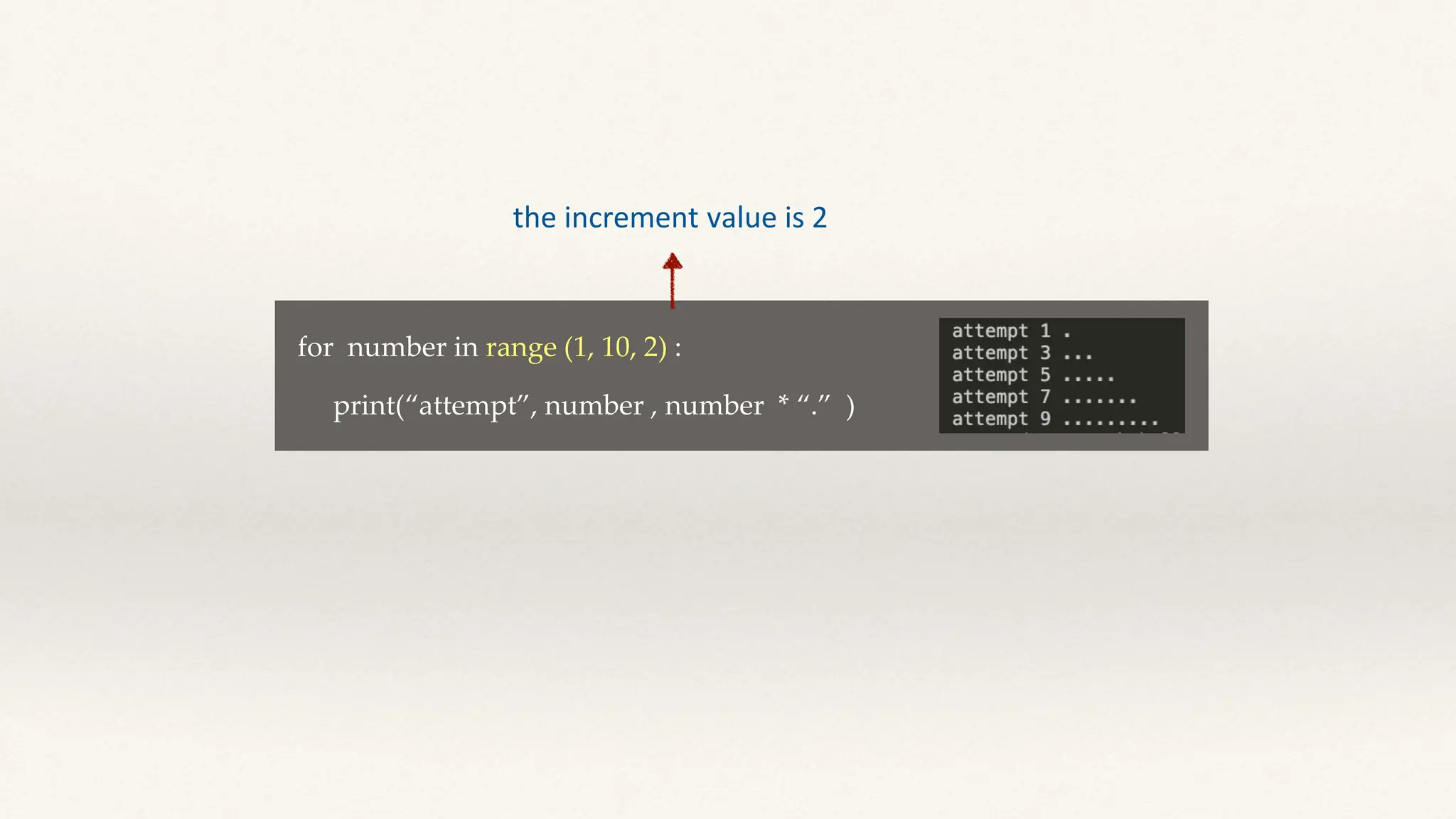
for number in range (1, 10, 2) :
print(“attempt”, number , number * “.” )
the increment value is 2
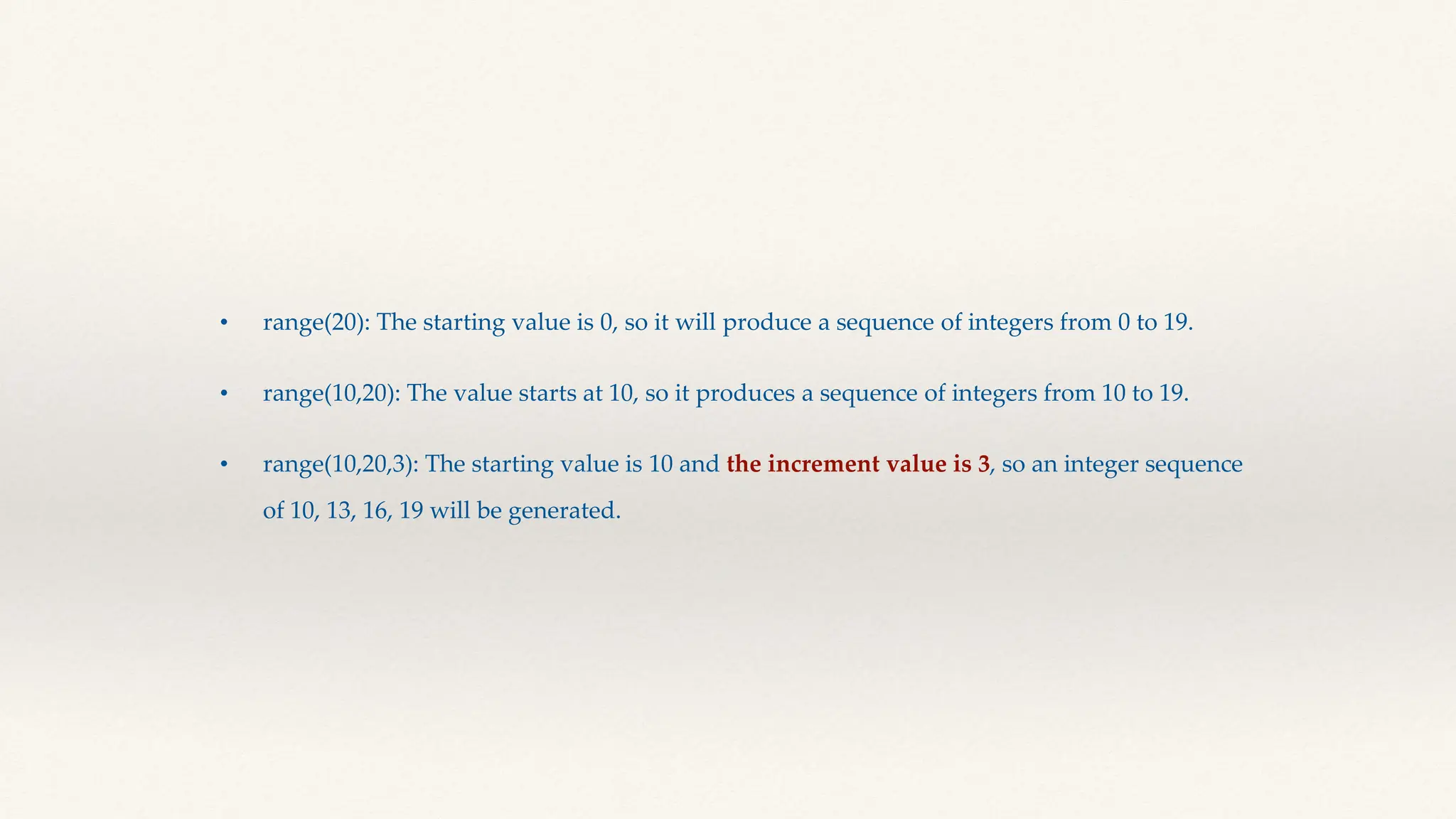
• range(20): The starting value is 0, so it will produce a sequence of integers from 0 to 19.
• range(10,20): The value starts at 10, so it produces a sequence of integers from 10 to 19.
• range(10,20,3): The starting value is 10 and the increment value is 3, so an integer sequence
of 10, 13, 16, 19 will be generated.
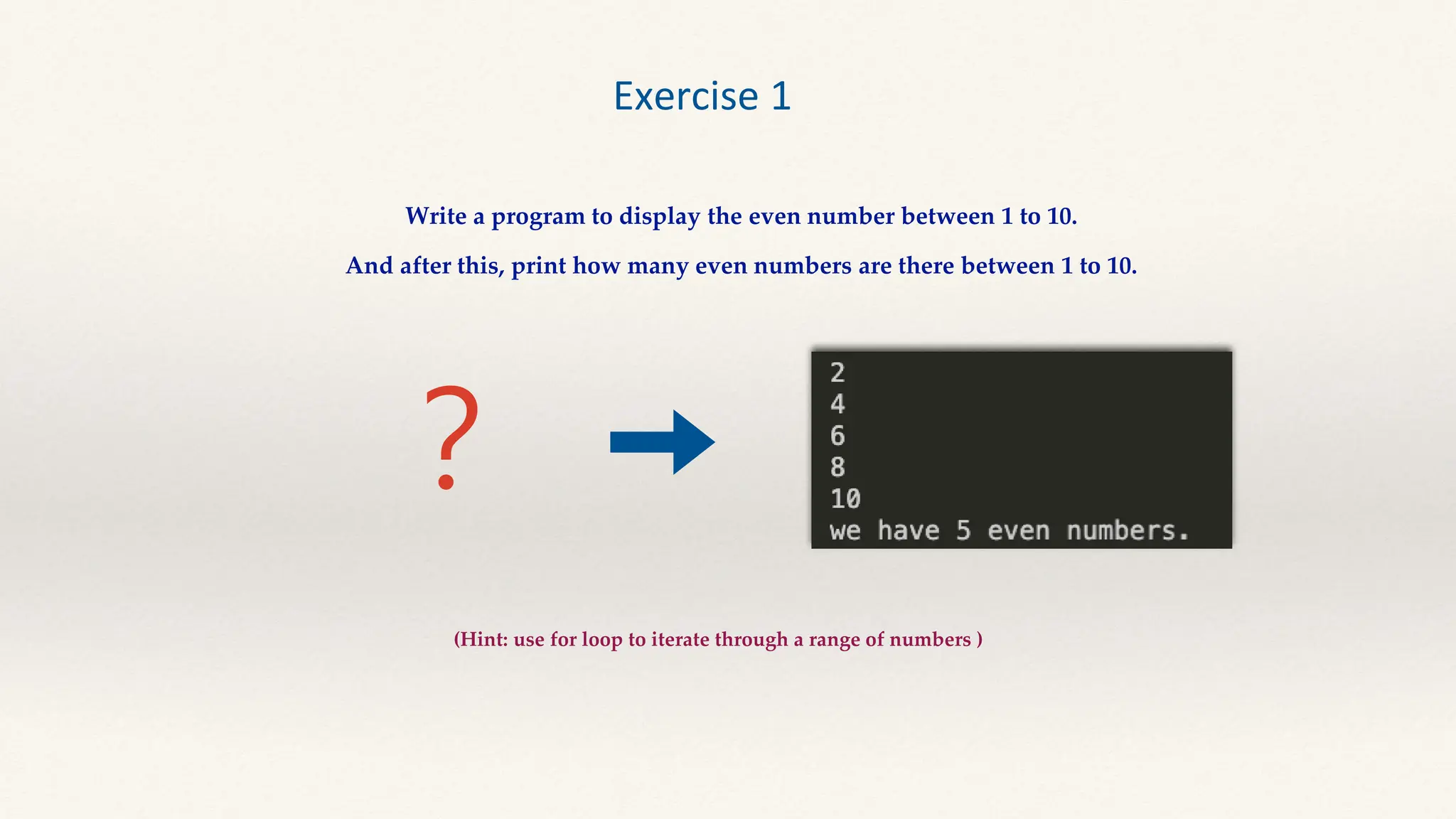
?
Exercise 1
Write a program to display the even number between 1 to 10.
And after this, print how many even numbers are there between 1 to 10.
(Hint: use for loop to iterate through a range of numbers )
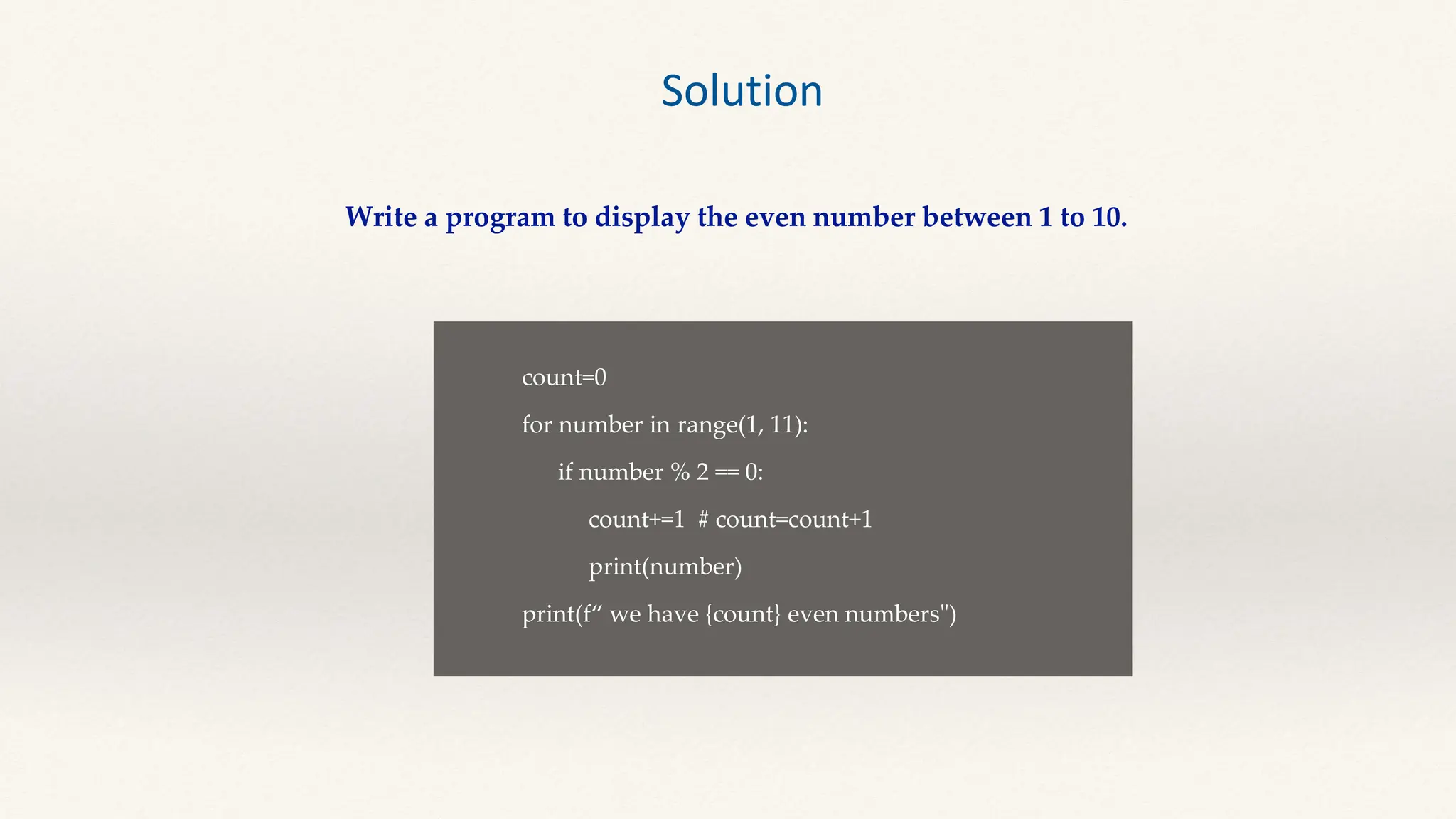
Solution
Write a program to display the even number between 1 to 10.
count=0
for number in range(1, 11):
if number % 2 == 0:
count+=1 # count=count+1
print(number)
print(f“ we have {count} even numbers")
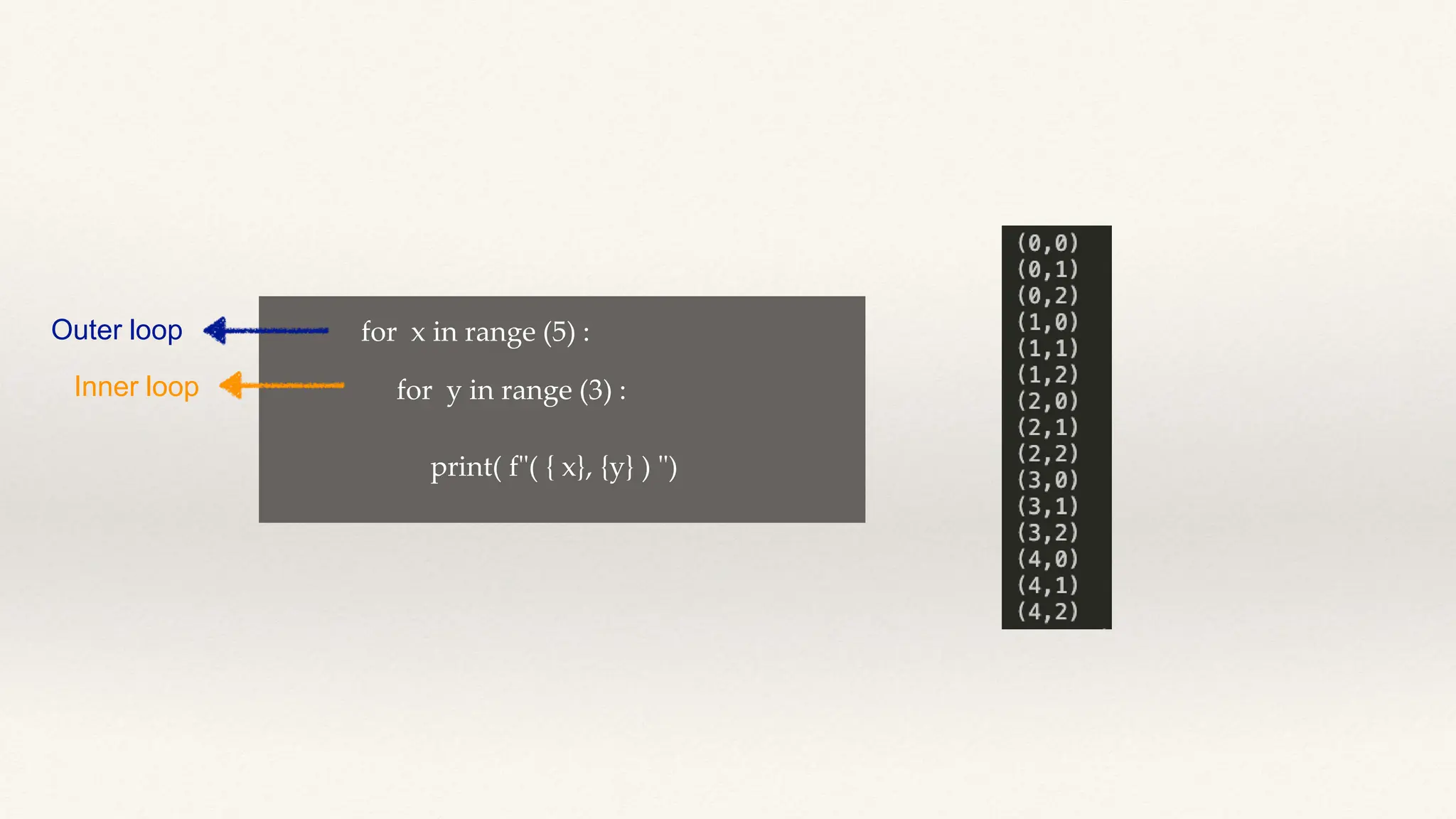
Nested loops A nested loop is a loop inside a loop. The "inner loop" will
be executed one time for each iteration of the "outer loop”.
for x in range (5) :
for y in range (3) :
print( f"( { x}, {y} ) ")
Outer loop
Inner loop
for x in range (5) :
for y in range (3) :
print ( f ” ” )
( )
{x}, {y}
Outer loop
Inner loop
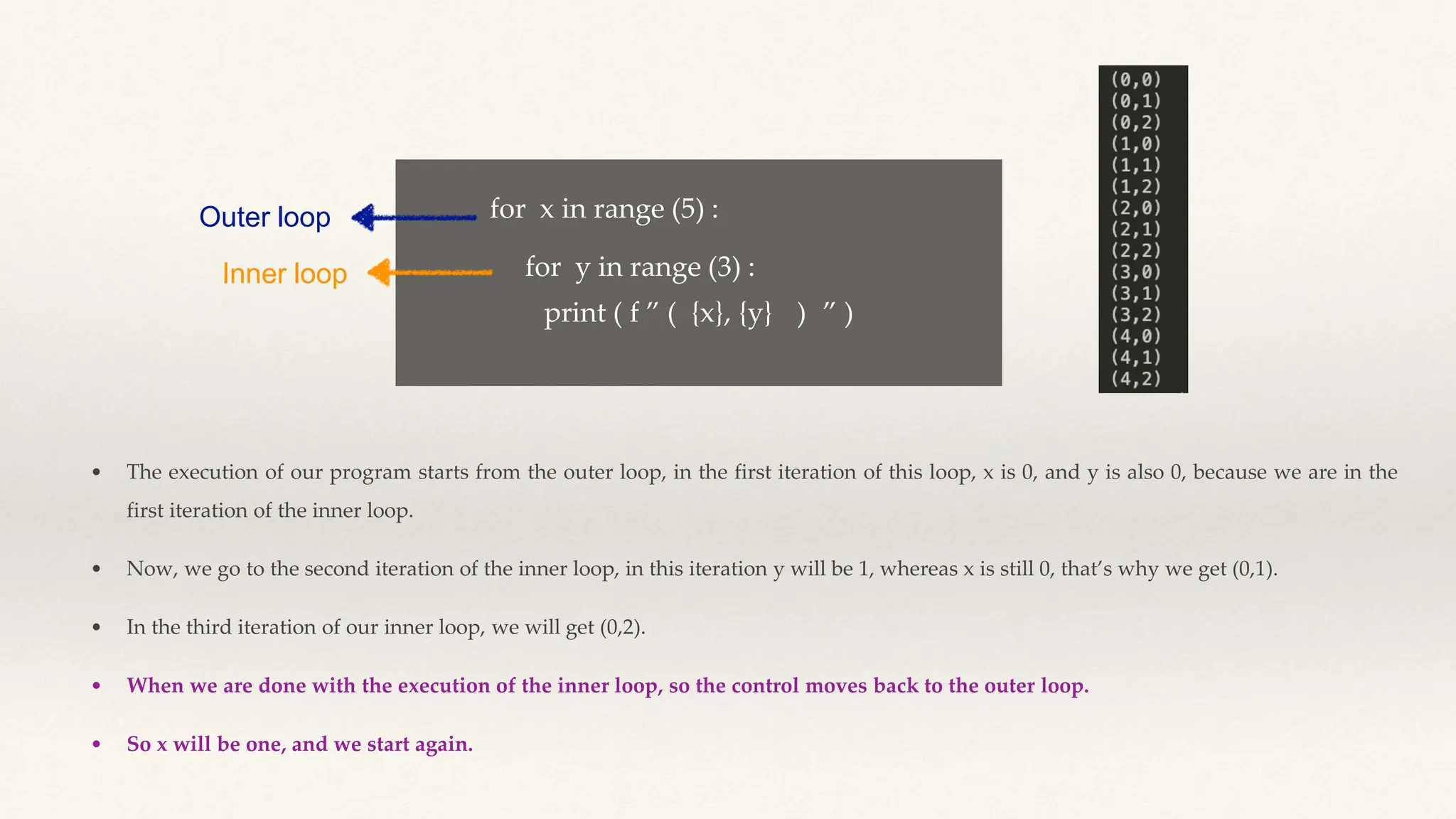
• The execution of our program starts from the outer loop, in the first iteration of this loop, x is 0, and y is also 0, because we are in the
first iteration of the inner loop.
• Now, we go to the second iteration of the inner loop, in this iteration y will be 1, whereas x is still 0, that’s why we get (0,1).
• In the third iteration of our inner loop, we will get (0,2).
• When we are done with the execution of the inner loop, so the control moves back to the outer loop.
• So x will be one, and we start again.
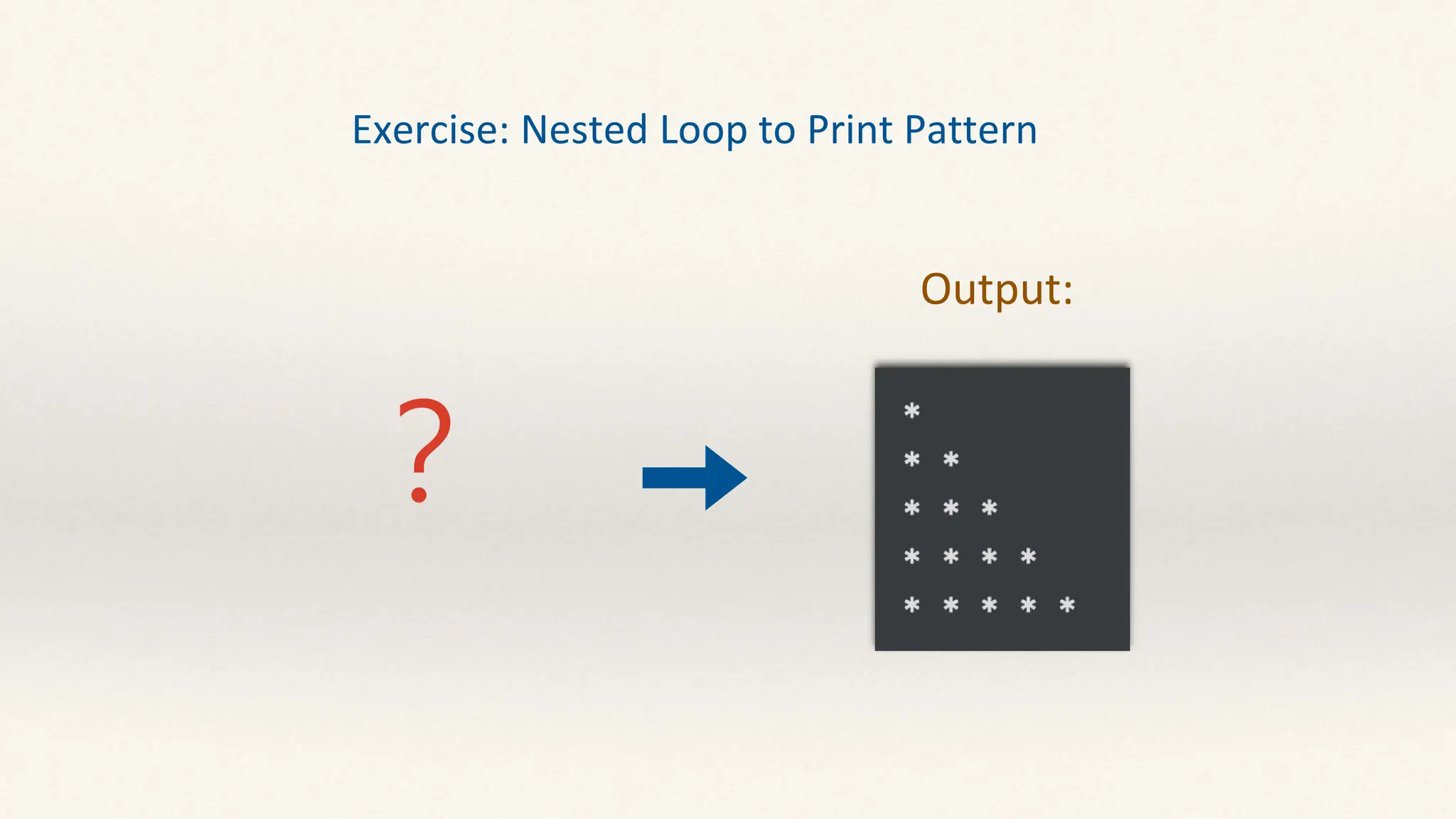
Exercise: Nested Loop to Print Pattern
Output:
?
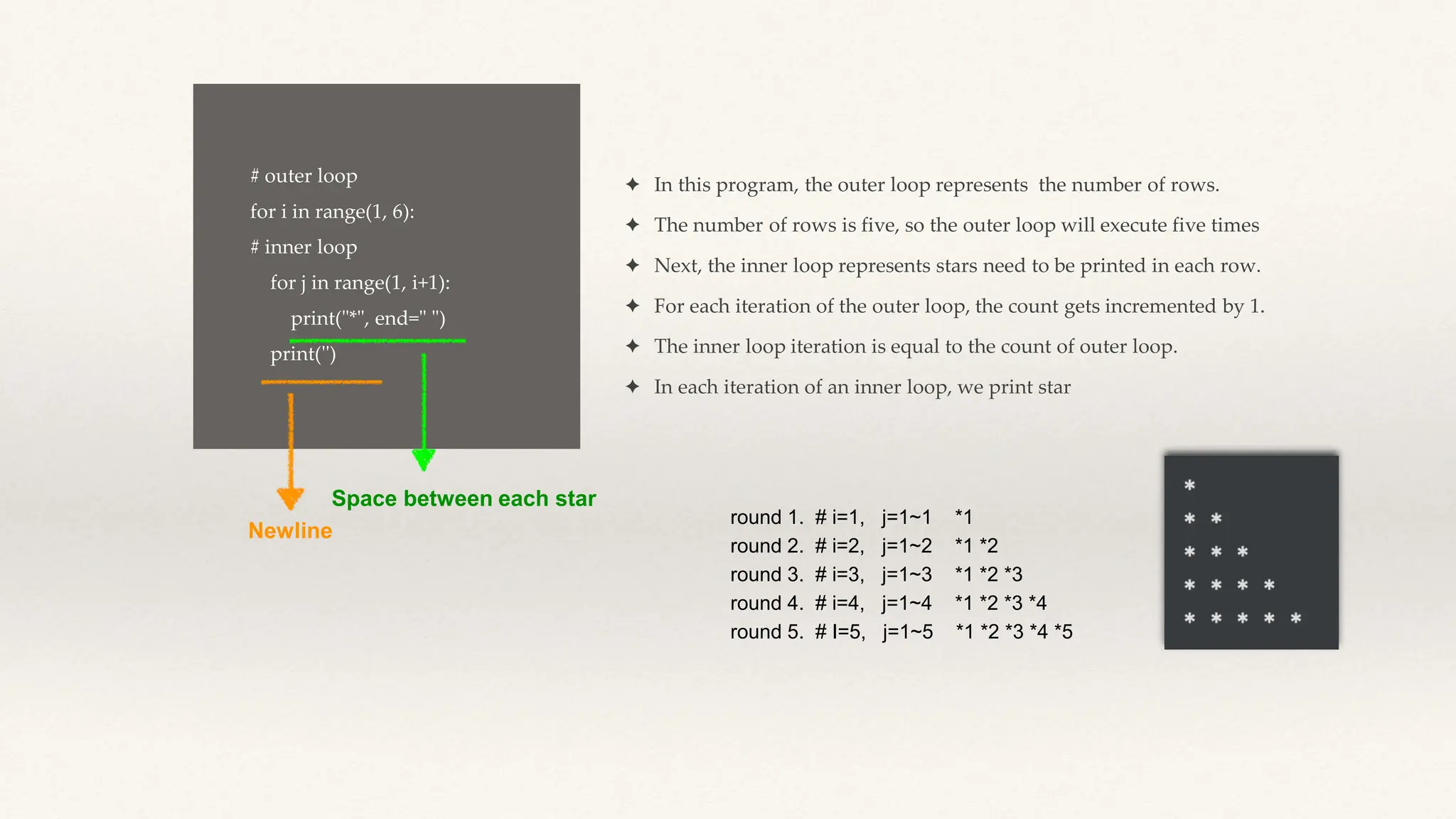
# outer loop
for i in range(1, 6):
# inner loop
for j in range(1, i+1):
print("*", end=" ")
print('')
✦ In this program, the outer loop represents the number of rows.
✦ The number of rows is five, so the outer loop will execute five times
✦ Next, the inner loop represents stars need to be printed in each row.
✦ For each iteration of the outer loop, the count gets incremented by 1.
✦ The inner loop iteration is equal to the count of outer loop.
✦ In each iteration of an inner loop, we print star
Newline
Space between each star
round 1. # i=1, j=1~1 *1
round 2. # i=2, j=1~2 *1 *2
round 3. # i=3, j=1~3 *1 *2 *3
round 4. # i=4, j=1~4 *1 *2 *3 *4
round 5. # I=5, j=1~5 *1 *2 *3 *4 *5
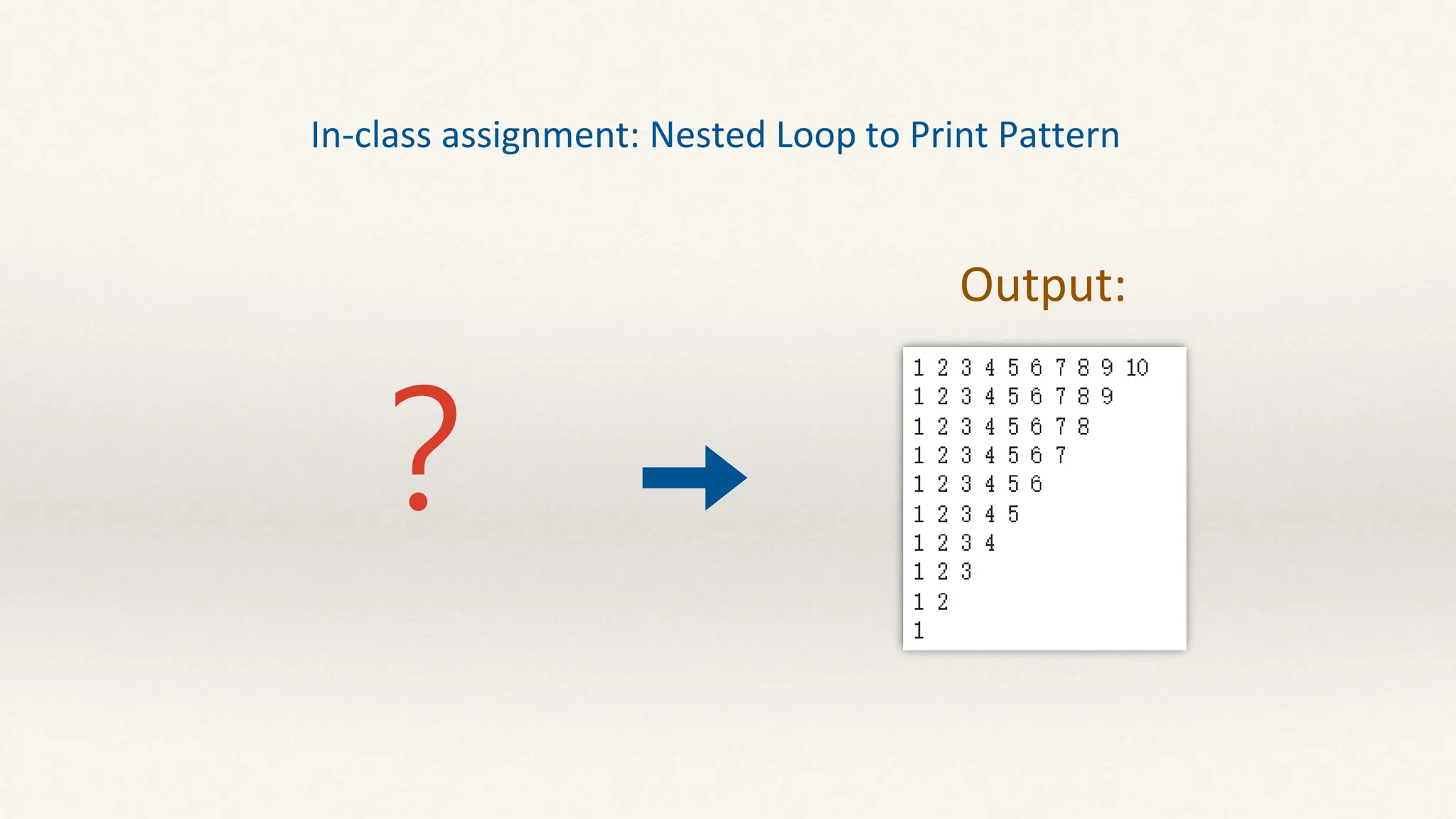
In-class assignment: Nested Loop to Print Pattern
?
Output:
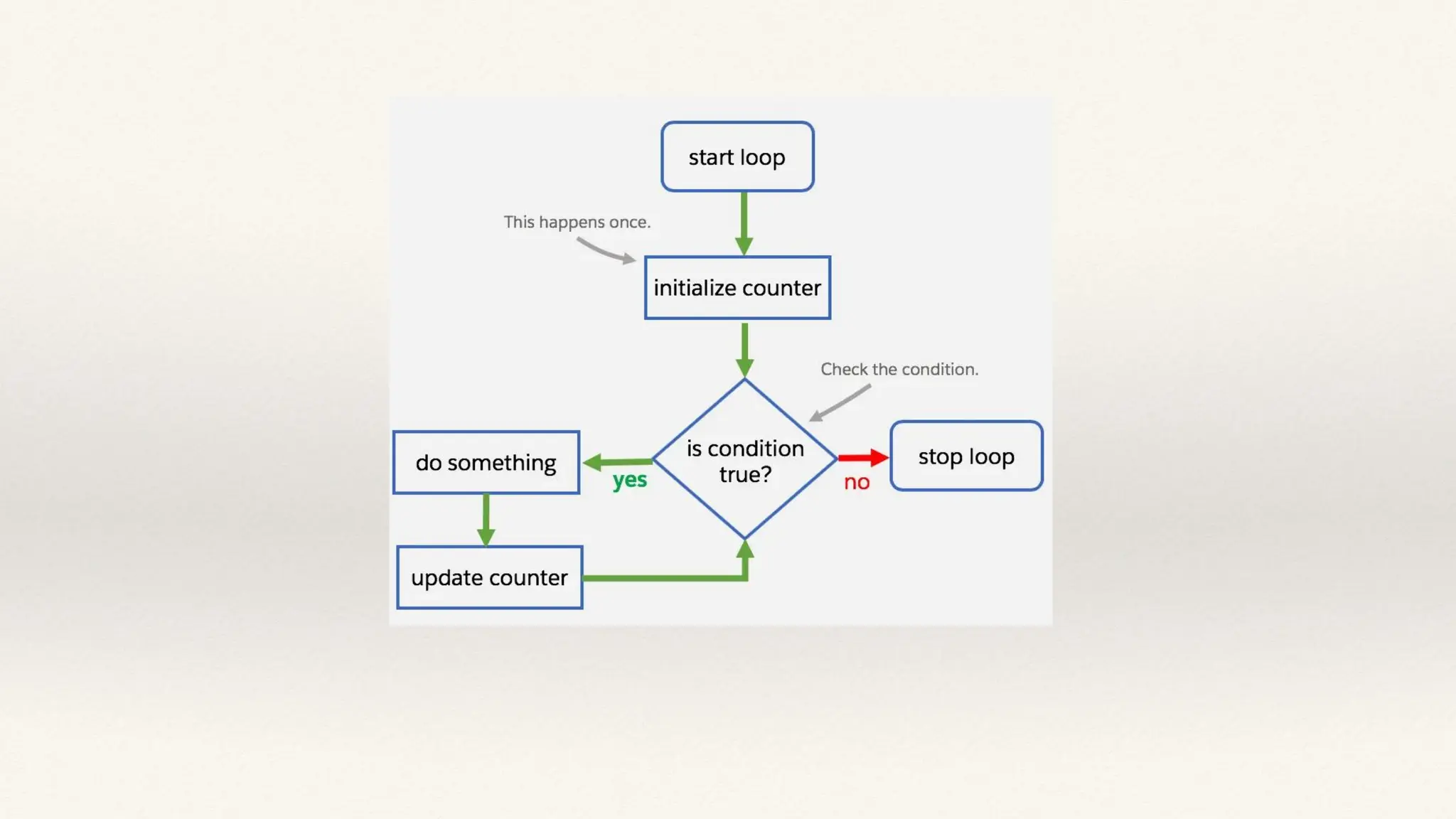
While loop
Used to execute a block of statements repeatedly until a given
condition is satisfied.
while condition:
# Code to execute while the condition is true
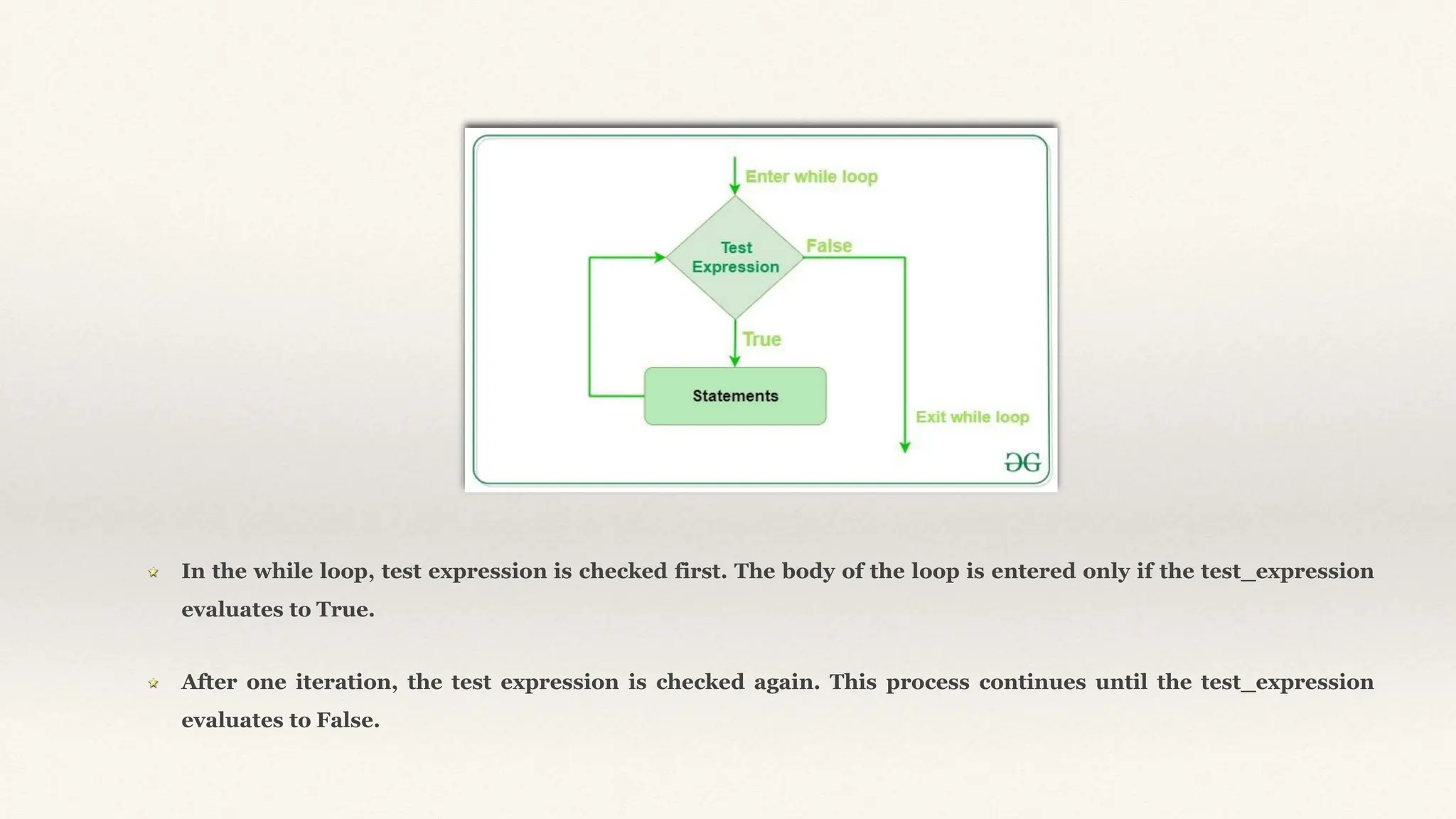
In the while loop, test expression is checked first. The body of the loop is entered only if the test_expression
evaluates to True.
After one iteration, the test expression is checked again. This process continues until the test_expression
evaluates to False.
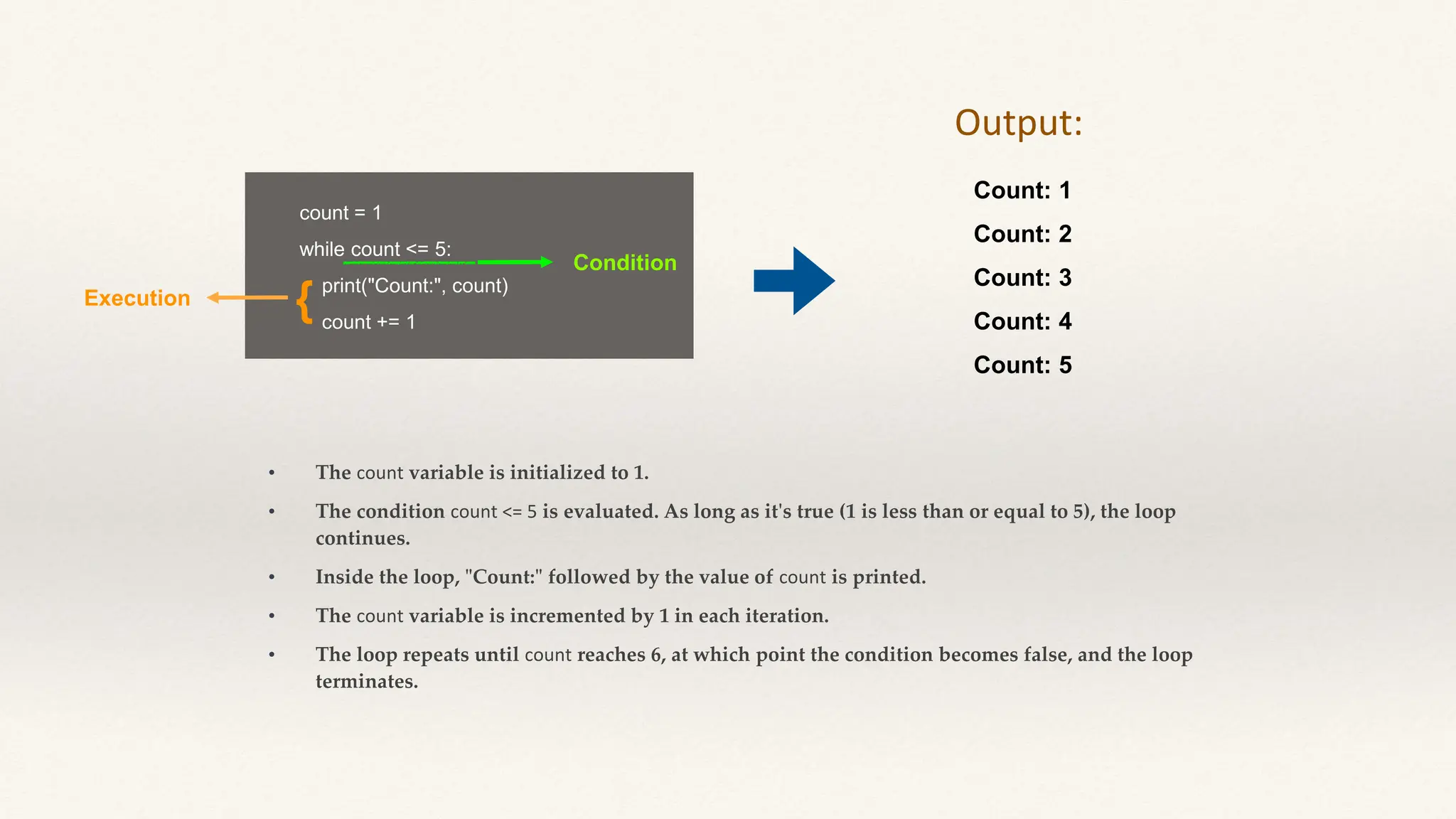
count = 1
while count <= 5:
print("Count:", count)
count += 1
• The count variable is initialized to 1.
• The condition count <= 5 is evaluated. As long as it's true (1 is less than or equal to 5), the loop
continues.
• Inside the loop, "Count:" followed by the value of count is printed.
• The count variable is incremented by 1 in each iteration.
• The loop repeats until count reaches 6, at which point the condition becomes false, and the loop
terminates.
Count: 1
Count: 2
Count: 3
Count: 4
Count: 5
Output:
Condition
Execution {
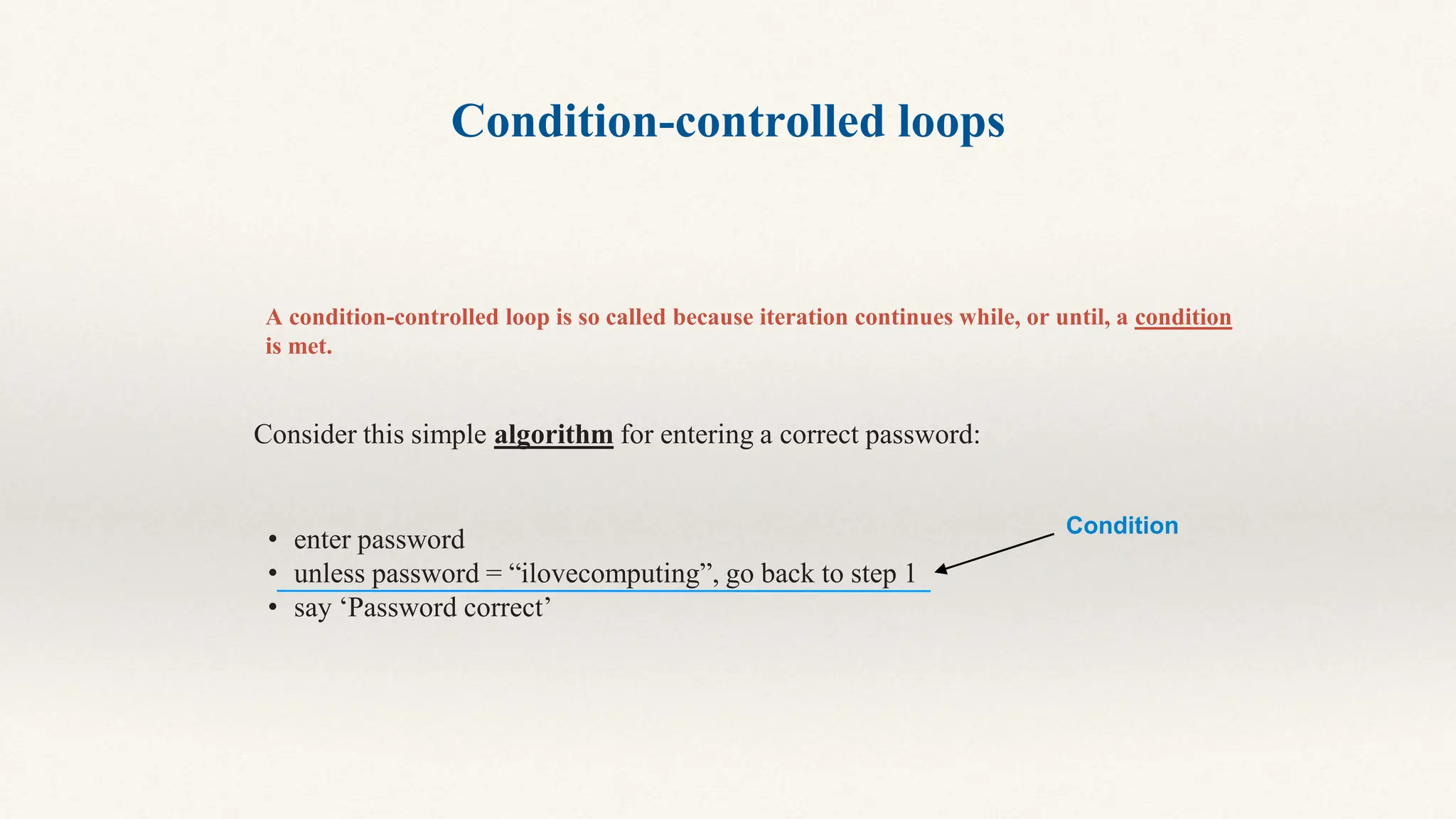
Condition-controlled loops
A condition-controlled loop is so called because iteration continues while, or until, a condition
is met.
Consider this simple algorithm for entering a correct password:
• enter password
• unless password = “ilovecomputing”, go back to step 1
• say ‘Password correct’
Condition
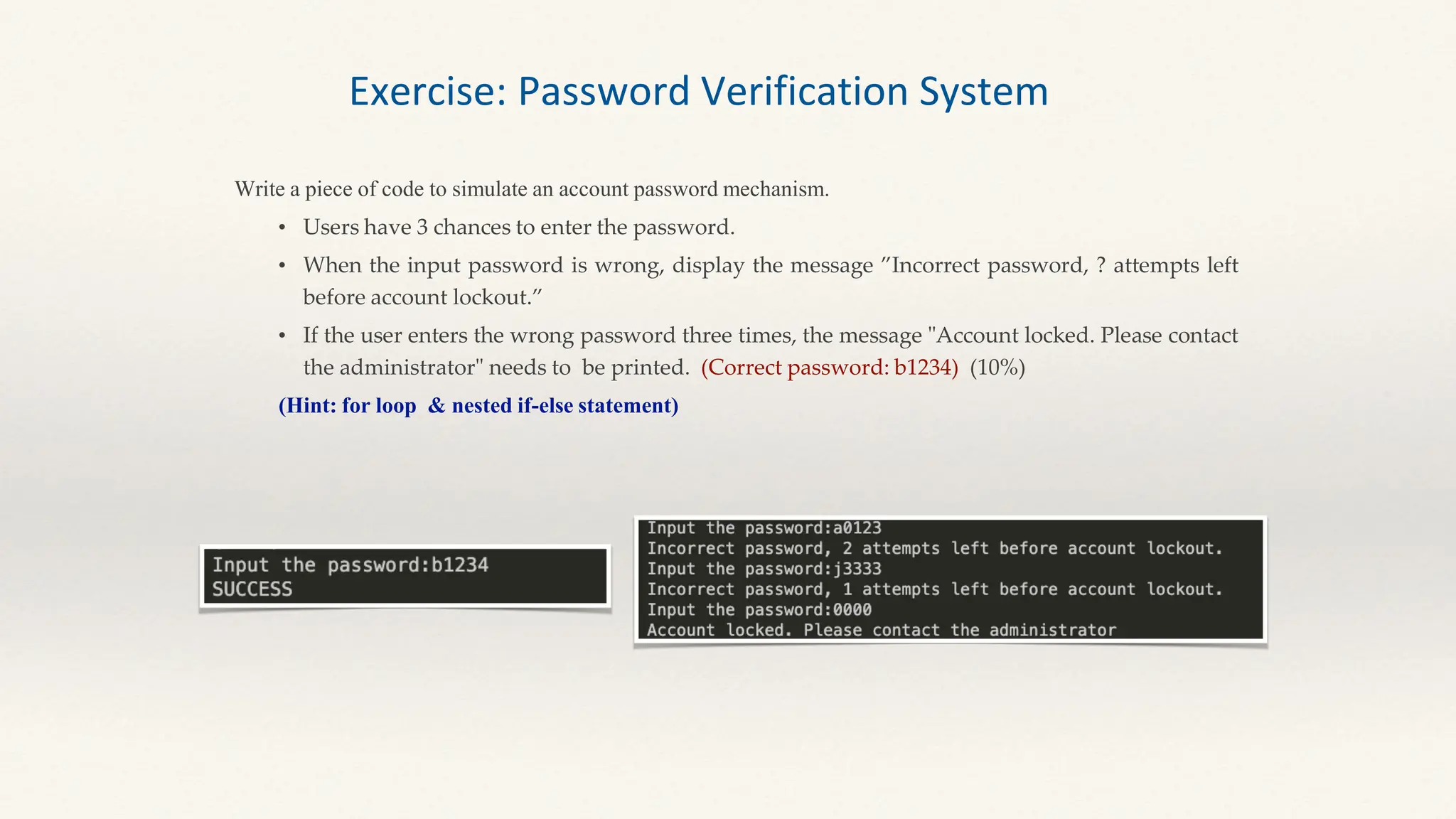
Write a piece of code to simulate an account password mechanism.
• Users have 3 chances to enter the password.
• When the input password is wrong, display the message ”Incorrect password, ? attempts left
before account lockout.”
• If the user enters the wrong password three times, the message "Account locked. Please contact
the administrator" needs to be printed. (Correct password: b1234) (10%)
(Hint: for loop & nested if-else statement)
Exercise: Password Verification System
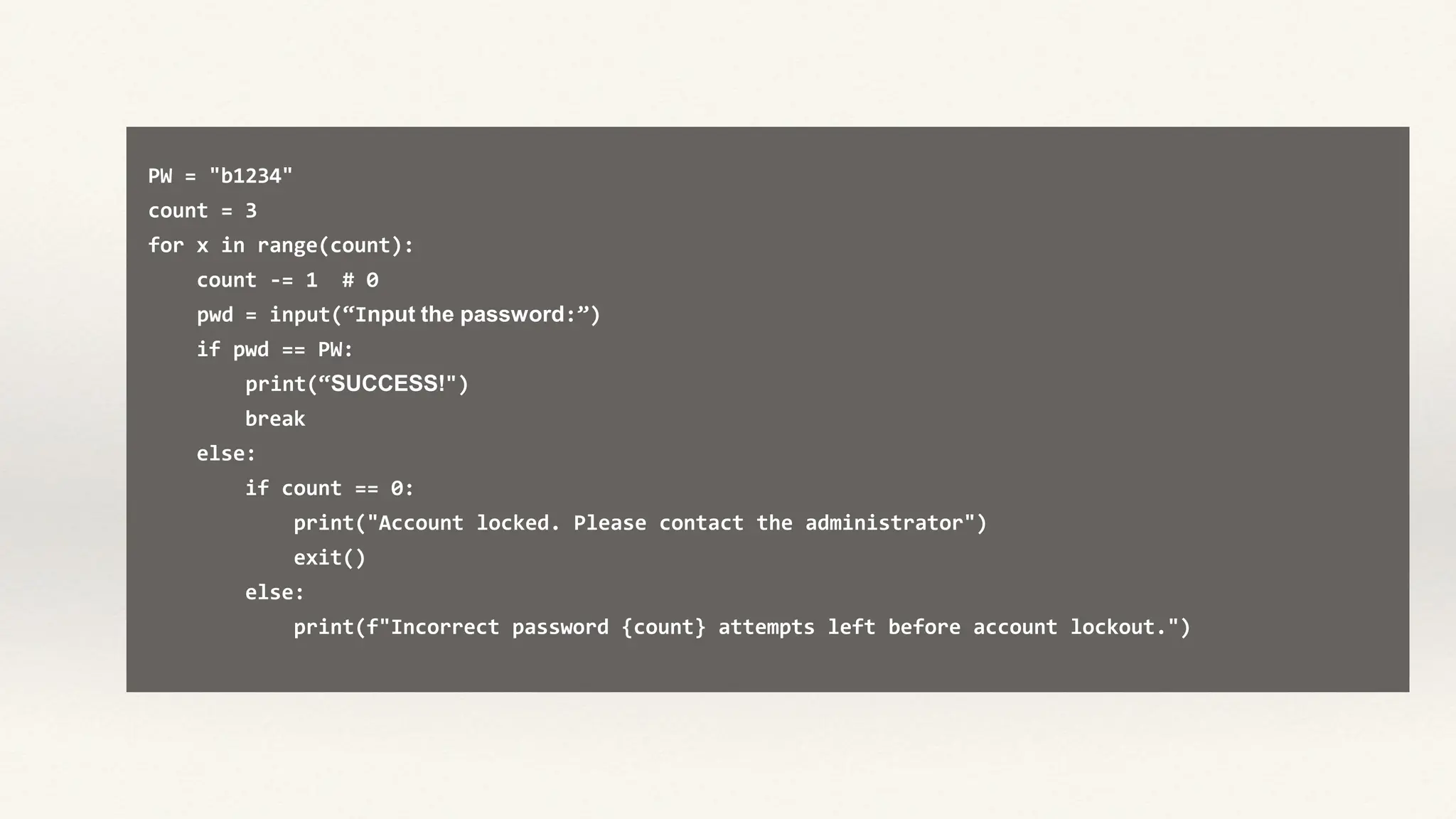
PW = "b1234"
count = 3
for x in range(count):
count -= 1 # 0
pwd = input(“Input the password:”)
if pwd == PW:
print(“SUCCESS!")
break
else:
if count == 0:
print("Account locked. Please contact the administrator")
exit()
else:
print(f"Incorrect password {count} attempts left before account lockout.")
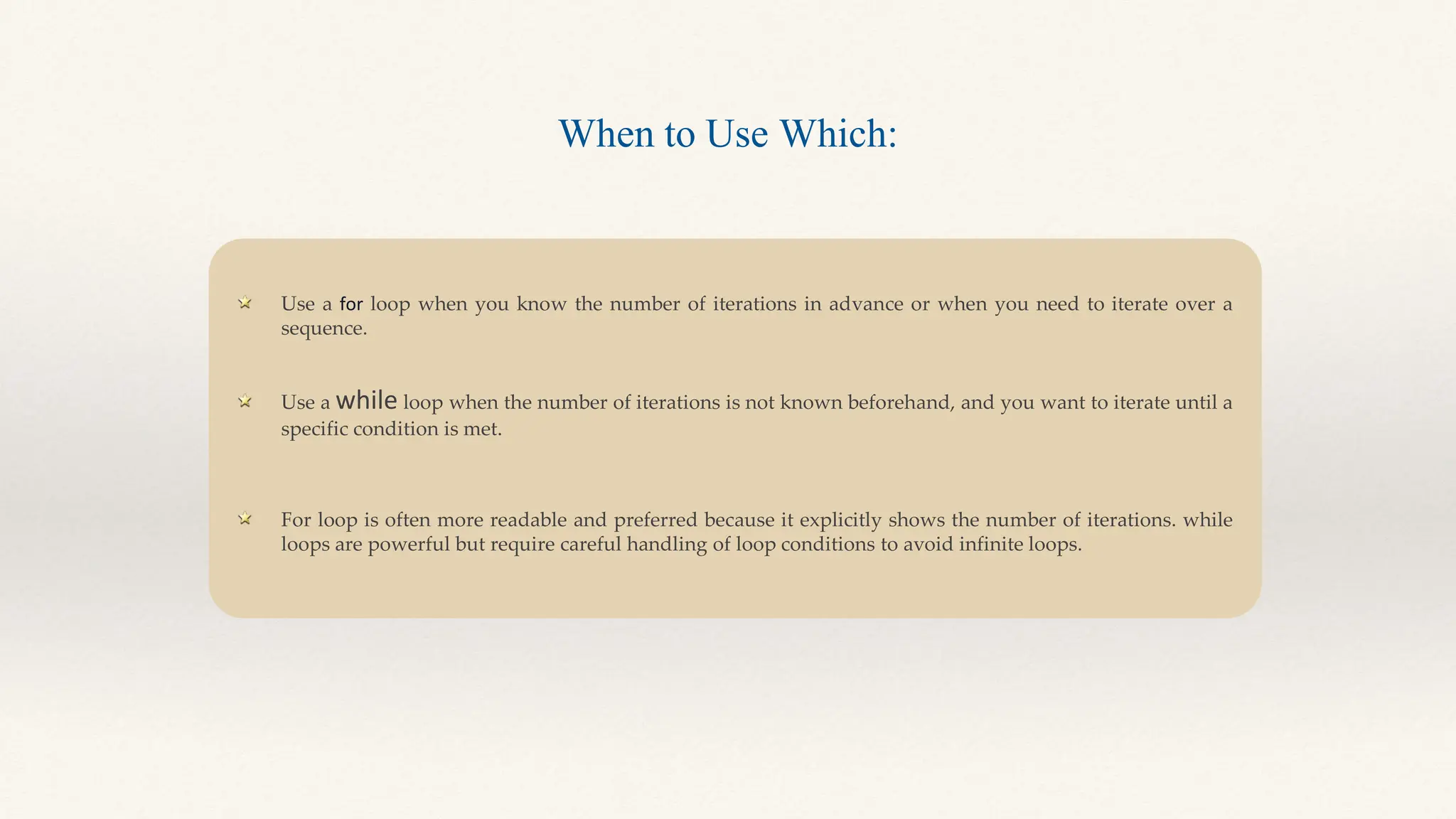
Use a for loop when you know the number of iterations in advance or when you need to iterate over a
sequence.
Use a while loop when the number of iterations is not known beforehand, and you want to iterate until a
specific condition is met.
For loop is often more readable and preferred because it explicitly shows the number of iterations. while
loops are powerful but require careful handling of loop conditions to avoid infinite loops.
When to Use Which:
Functions
• Functions are like mini-programs within your program.
• They help you break down your code into manageable, reusable parts, making your code
cleaner and more organized.
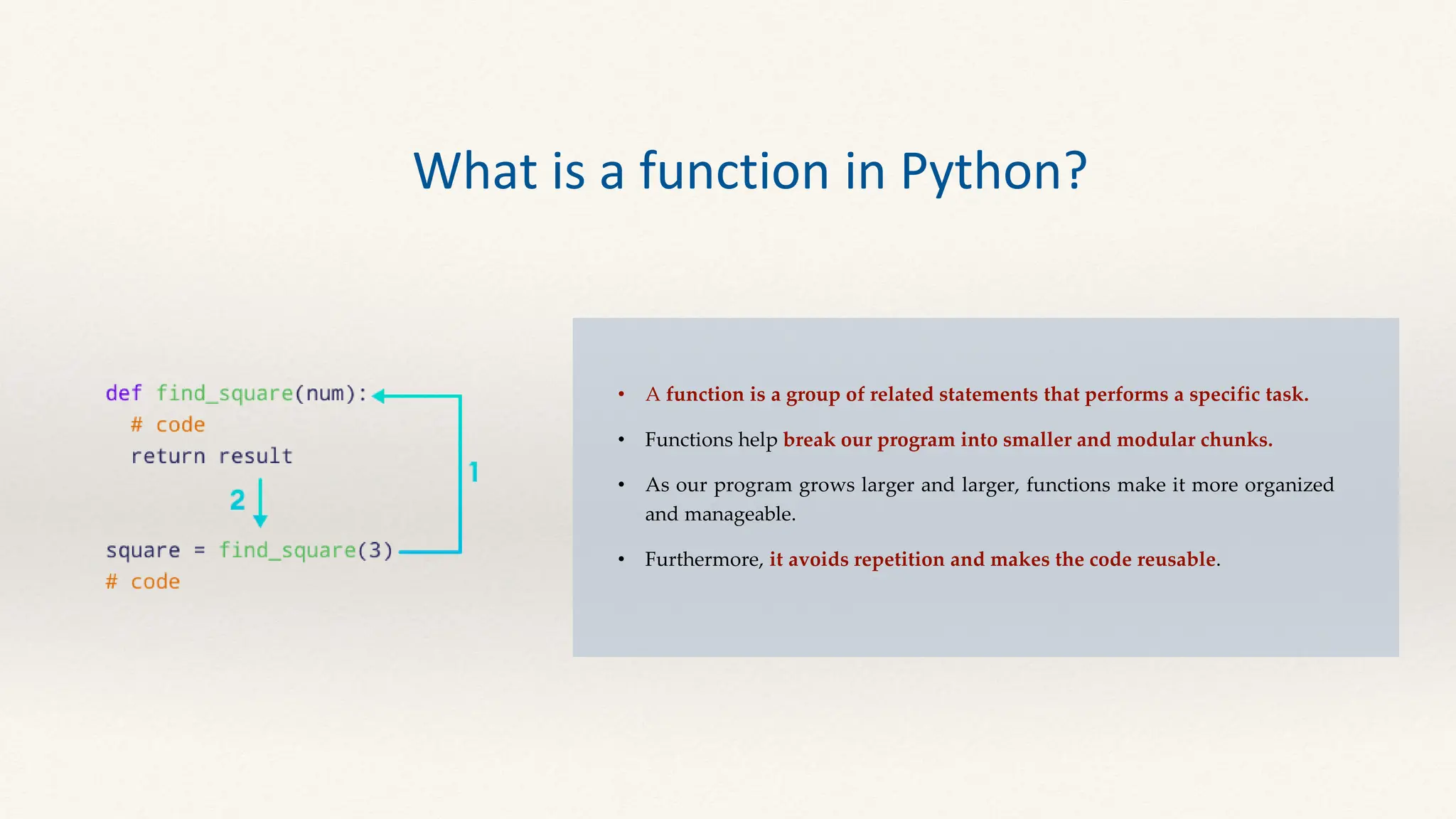
• A function is a group of related statements that performs a specific task.
• Functions help break our program into smaller and modular chunks.
• As our program grows larger and larger, functions make it more organized
and manageable.
• Furthermore, it avoids repetition and makes the code reusable.
What is a function in Python?
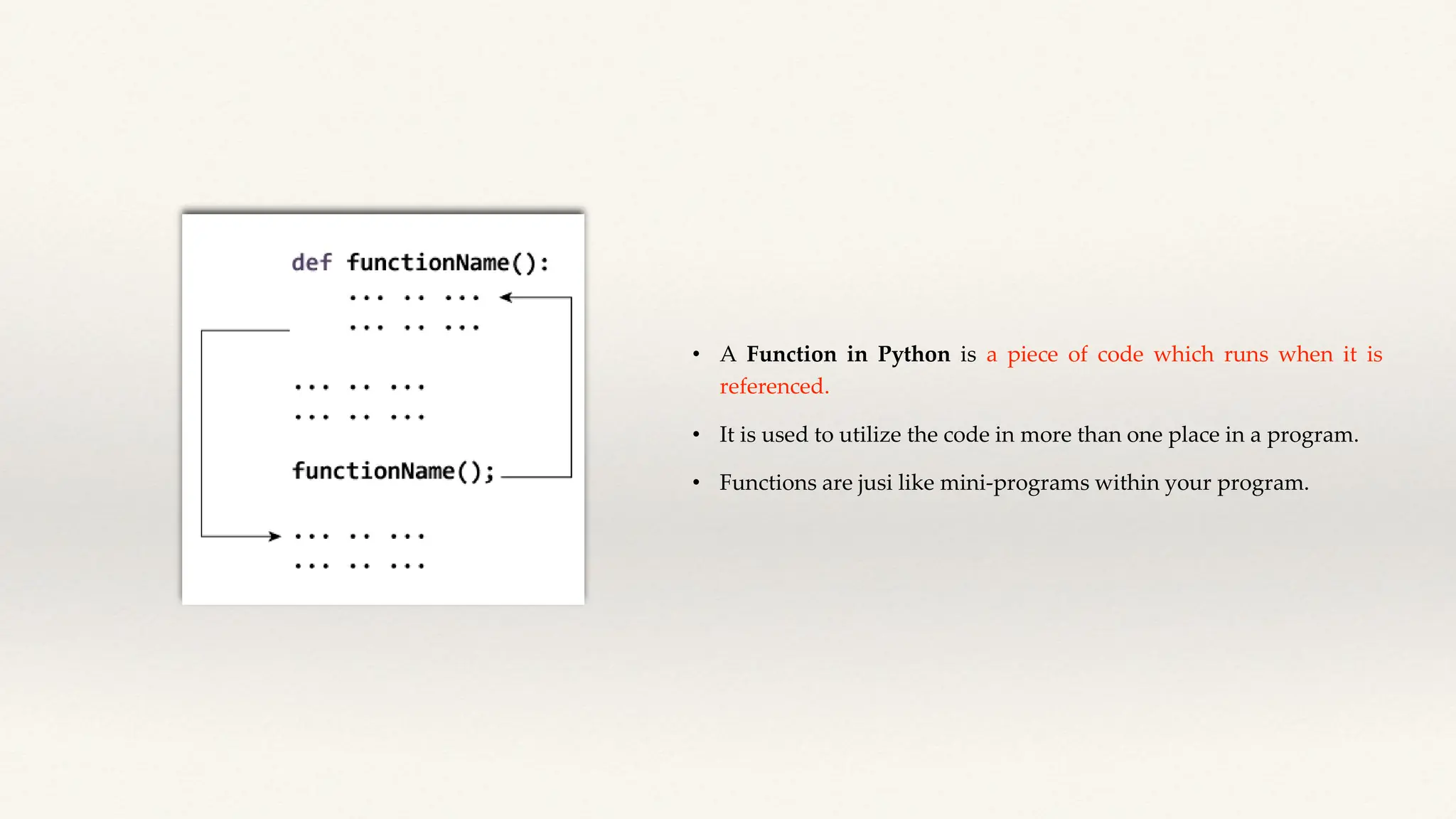
• A Function in Python is a piece of code which runs when it is
referenced.
• It is used to utilize the code in more than one place in a program.
• Functions are jusi like mini-programs within your program.
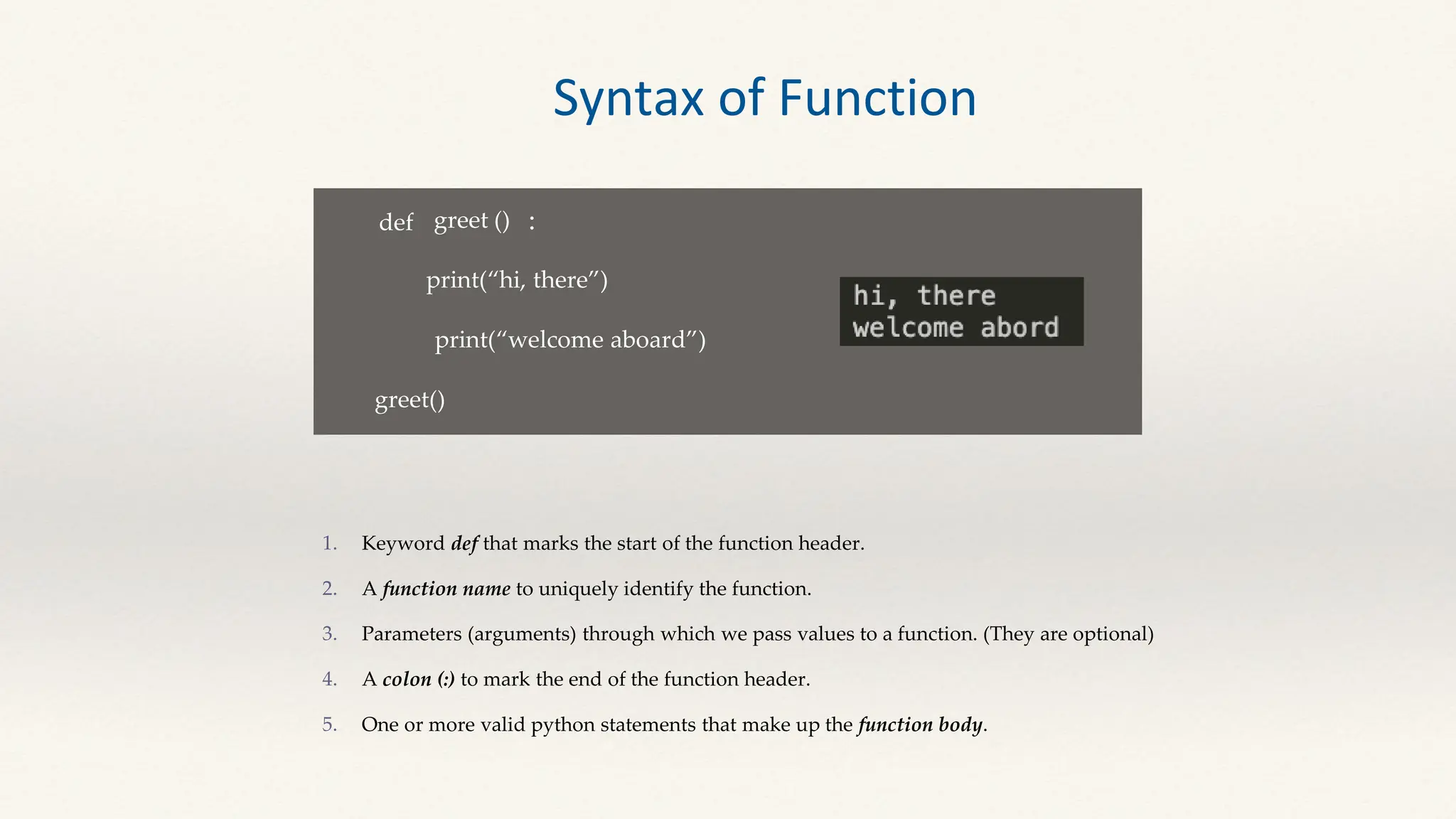
def greet ()
print(“hi, there”)
:
print(“welcome aboard”)
greet()
Keyword def that marks the start of the function header.
A function name to uniquely identify the function.
Parameters (arguments) through which we pass values to a function. (They are optional)
A colon (:) to mark the end of the function header.
One or more valid python statements that make up the function body.
Syntax of Function
Arguments Arguments are values that you pass to the function when you call it.
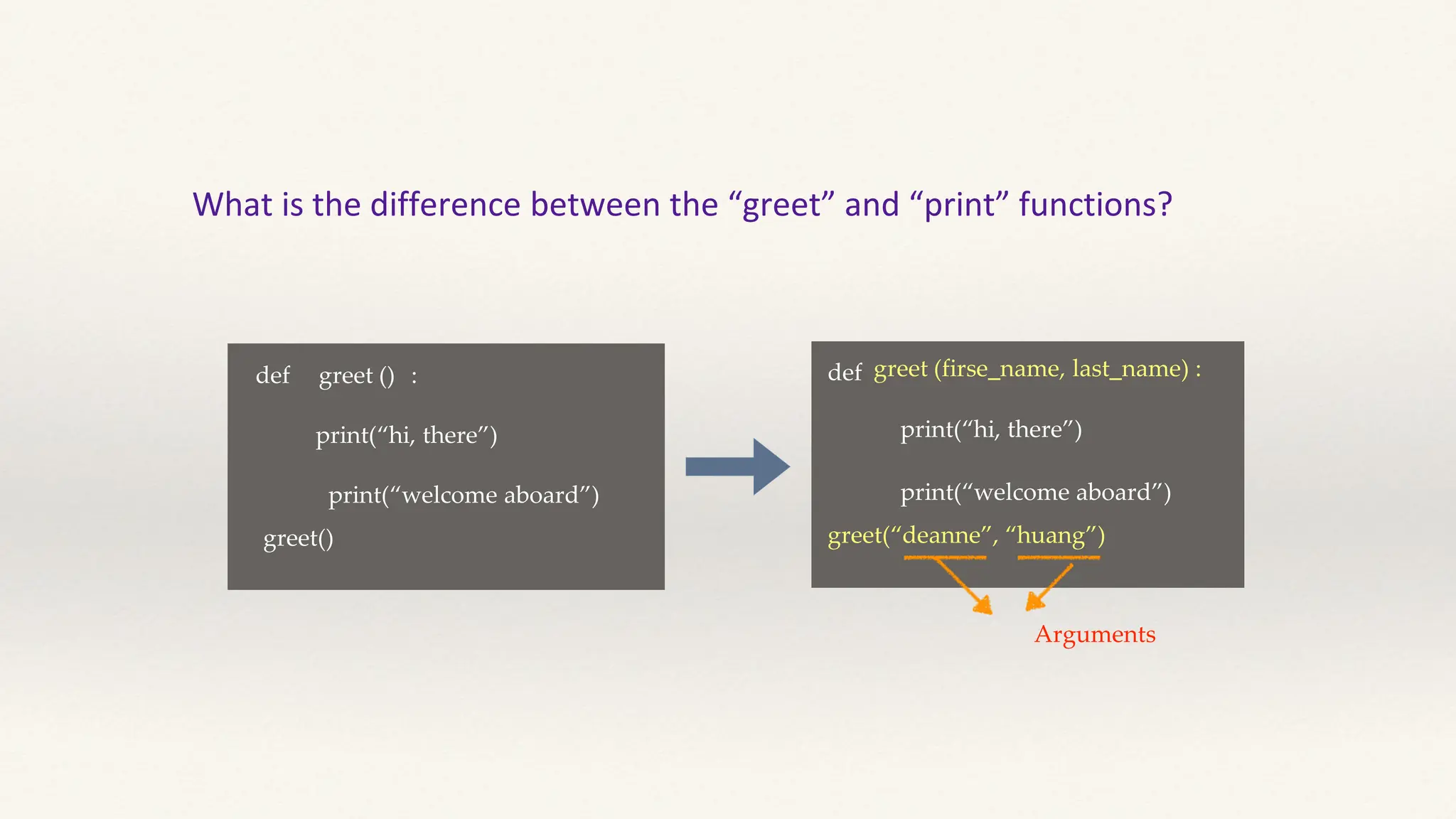
What is the difference between the “greet” and “print” functions?
def greet ()
print(“hi, there”)
:
print(“welcome aboard”)
greet()
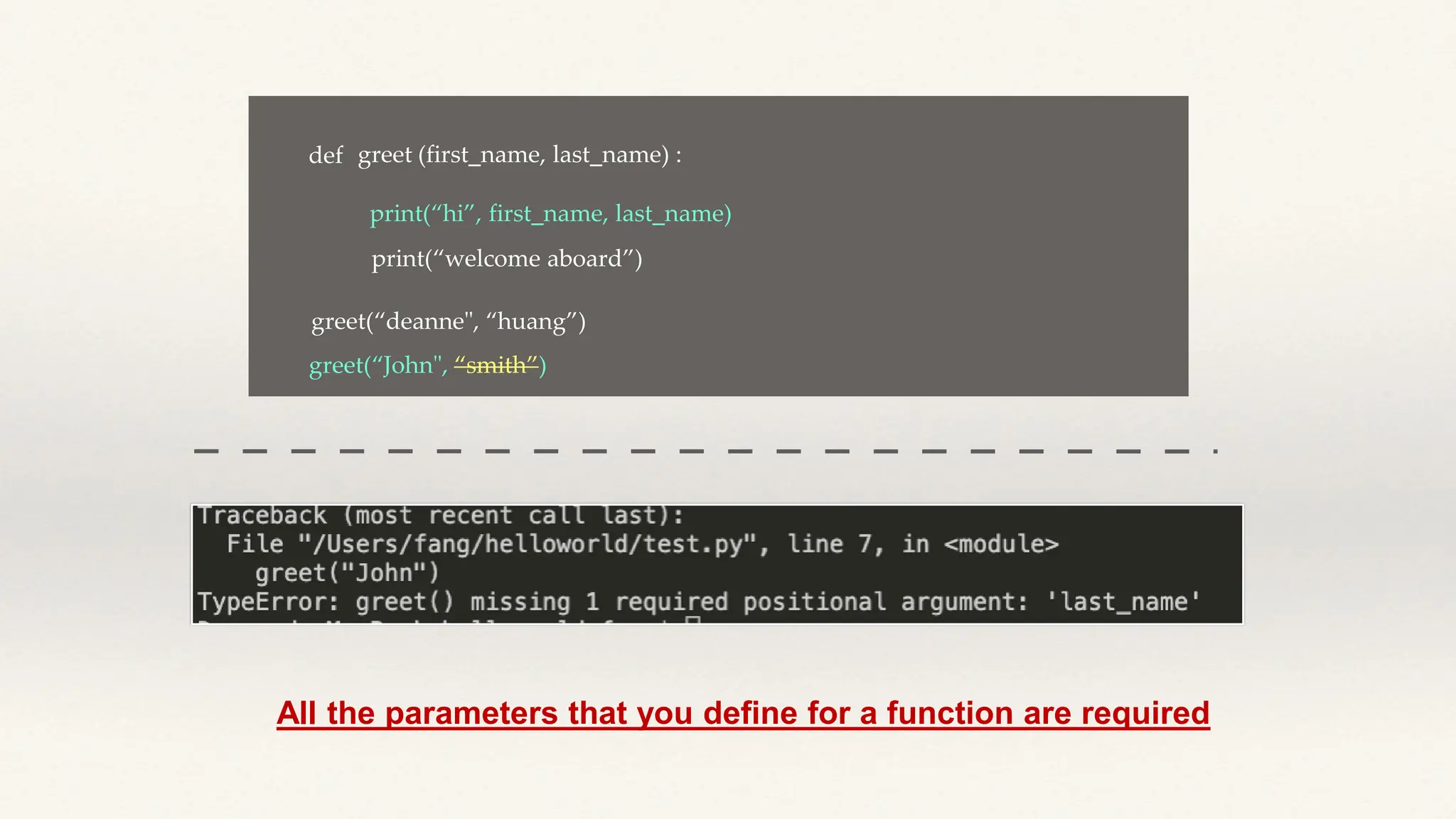
def greet (firse_name, last_name) :
print(“hi, there”)
print(“welcome aboard”)
greet(“deanne”, “huang”)
Arguments
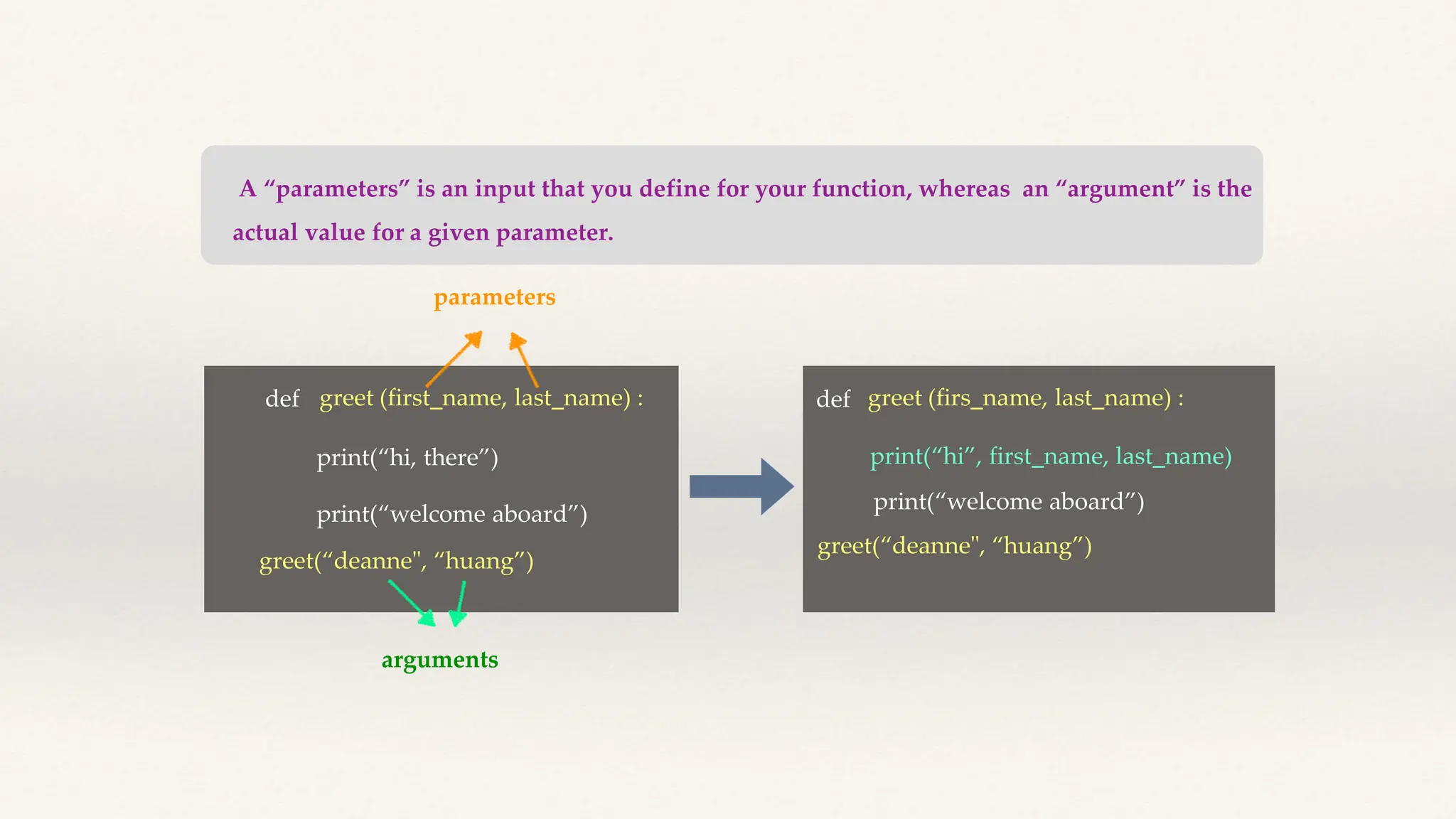
A “parameters” is an input that you define for your function, whereas an “argument” is the
actual value for a given parameter.
def greet (first_name, last_name) :
print(“hi, there”)
print(“welcome aboard”)
greet(“deanne", “huang”)
parameters
arguments
def greet (firs_name, last_name) :
print(“hi”, first_name, last_name)
greet(“deanne", “huang”)
print(“welcome aboard”)
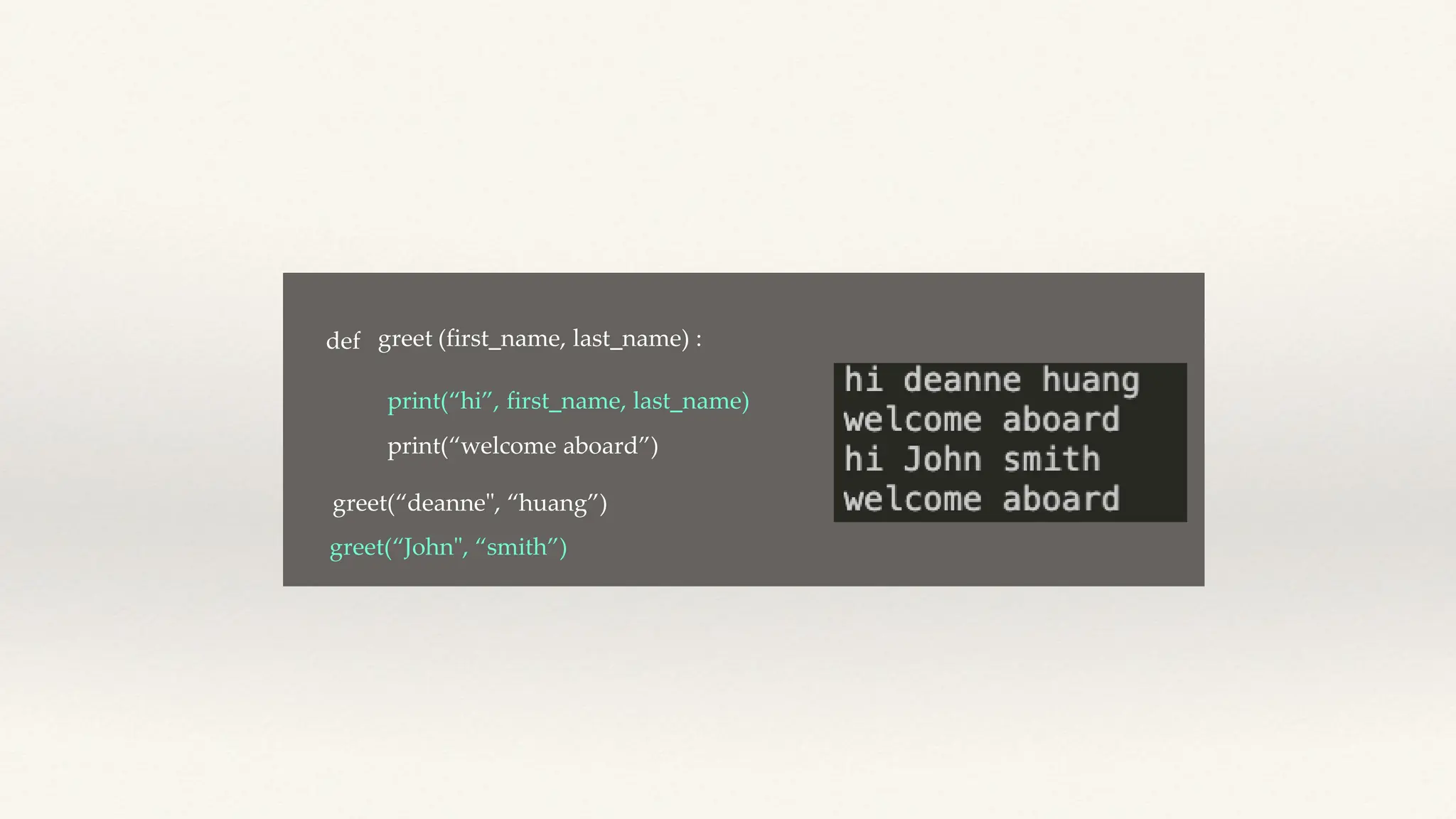
def greet (first_name, last_name) :
print(“hi”, first_name, last_name)
greet(“deanne", “huang”)
print(“welcome aboard”)
greet(“John", “smith”)
def greet (first_name, last_name) :
print(“hi”, first_name, last_name)
print(“welcome aboard”)
greet(“John", “smith”)
greet(“deanne", “huang”)
All the parameters that you define for a function are required
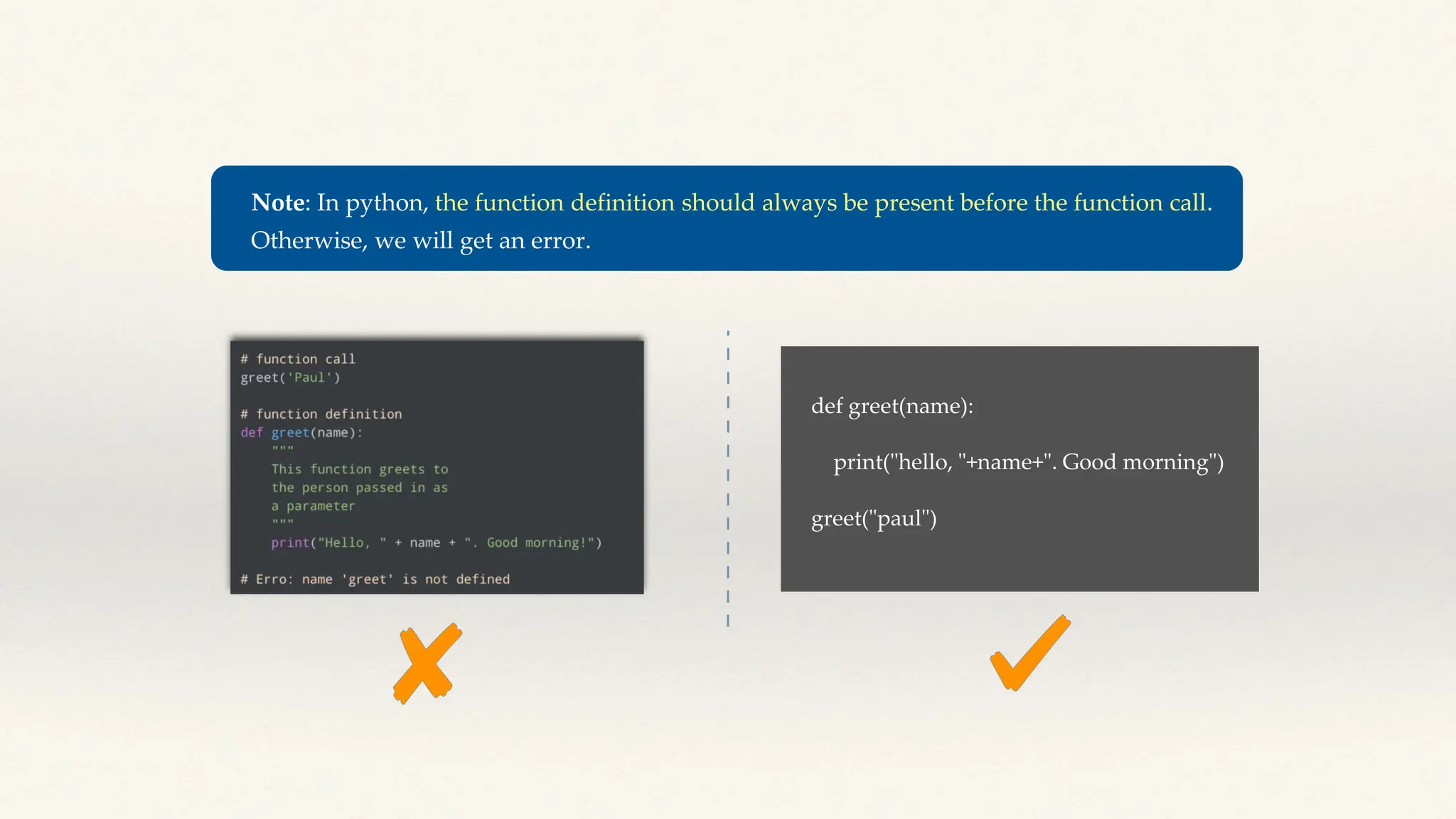
Note: In python, the function definition should always be present before the function call.
Otherwise, we will get an error.
def greet(name):
print("hello, "+name+". Good morning")
greet("paul")
Function --- Returns a value
Output:
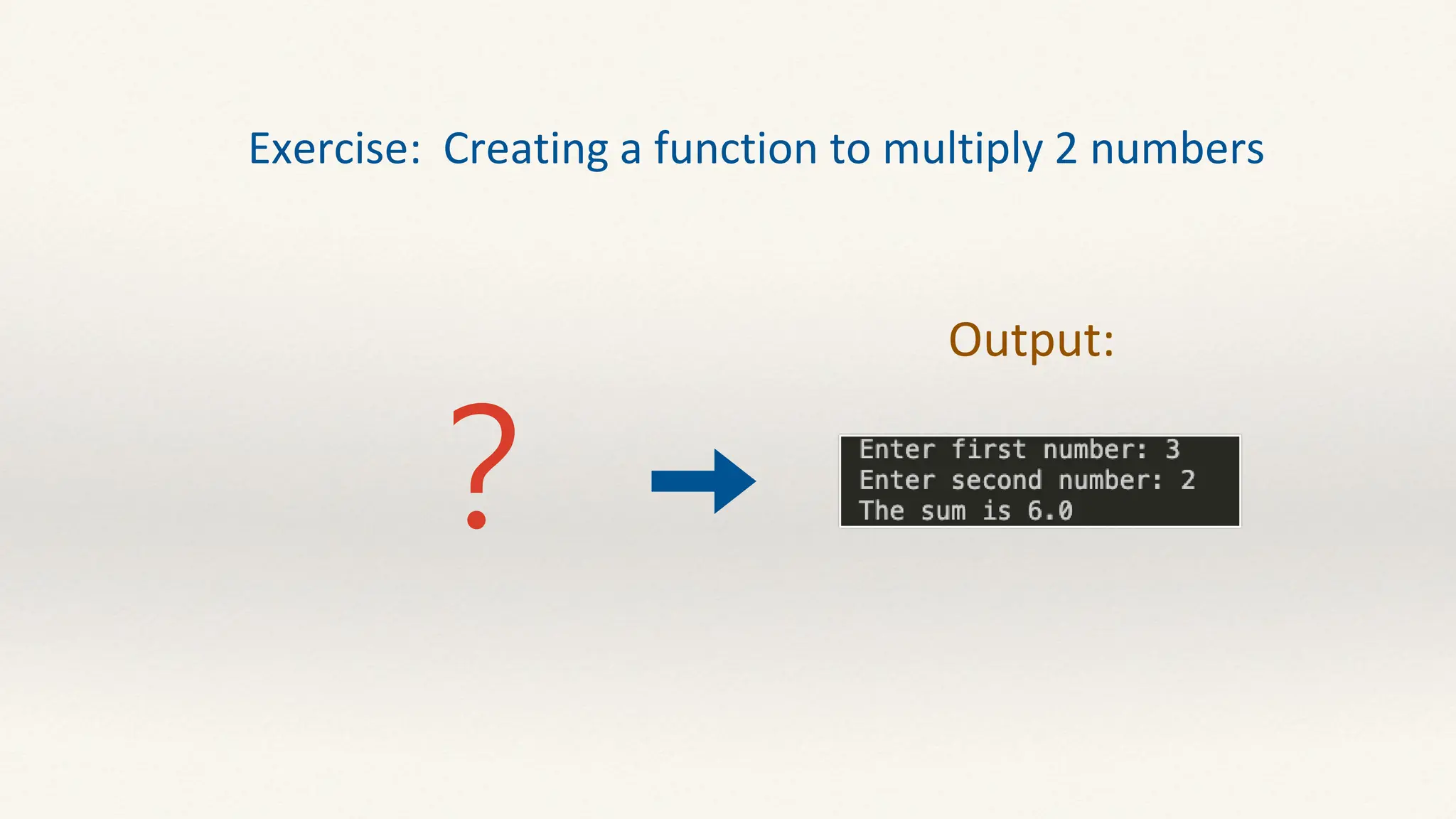
Exercise: Creating a function to multiply 2 numbers
?
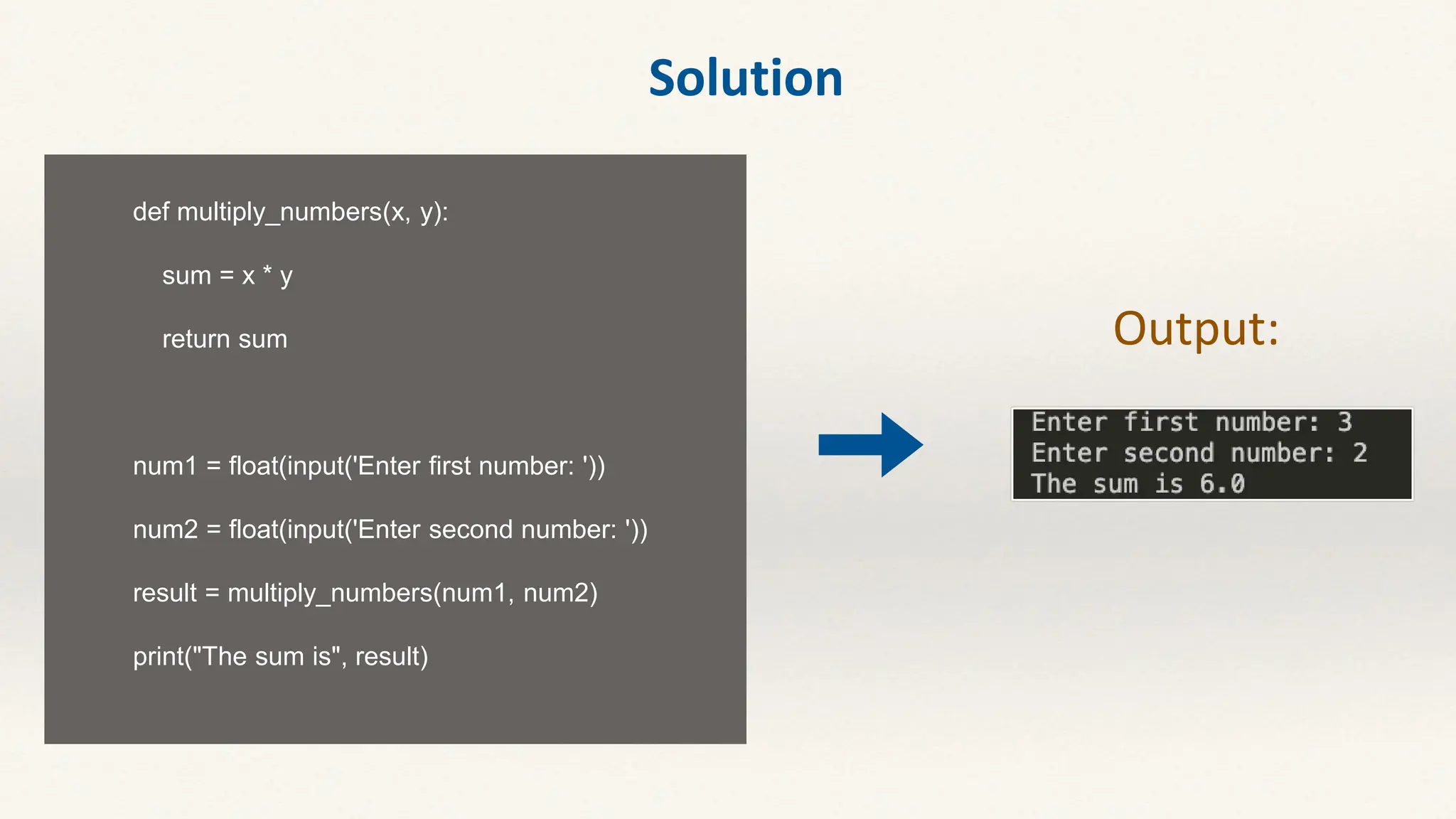
def multiply_numbers(x, y):
sum = x * y
return sum
num1 = float(input('Enter first number: '))
num2 = float(input('Enter second number: '))
result = multiply_numbers(num1, num2)
print("The sum is", result)
Output:
Solution

2 Python Basics II meeting 2 tunghai university pdf

  • 1.
  • 2.
    For loops A"for loop" is a programming structure that allows you to repeat a certain block of code a predetermined number of times .
  • 3.
    print=(“sending a message”) print=(“sendinga message”) print=(“sending a message”) for number in range (3) : print(“Attempt”) The range(3) generates a sequence of numbers: 0, 1, and 2. The for loop iterates over this sequence of numbers. It starts with the number being assigned the value 0, then proceeds to 1, and finally 2. After that, there are no more elements in the sequence, so the loop stops automatically.
  • 4.
    for number inrange (3) : print(“Attempt”, number) for number in range (3) : print(“Attempt”, number +1)
  • 5.
    for number inrange(3) : this “rang” function generates numbers starting from 0 all the way up to number-1 . for number in range(1, 4) : With this change, we don’t need to add one to number every time. Because in the first iteration, this number variable will be set to 1. The first loop iterates over the numbers 0, 1, and 2, while the second loop iterates over the numbers 1, 2, and 3. The key difference is the starting and ending values of the range generated by range().
  • 6.
    for number inrange (1, 4) : print(“Attempt”, number , number * “.” ) for number in range (3) : print(“Attempt”, number +1, ) (number +1) * “.” ||
  • 7.
    for number inrange (1, 10, 2) : print(“attempt”, number , number * “.” ) the increment value is 2
  • 8.
    • range(20): Thestarting value is 0, so it will produce a sequence of integers from 0 to 19. • range(10,20): The value starts at 10, so it produces a sequence of integers from 10 to 19. • range(10,20,3): The starting value is 10 and the increment value is 3, so an integer sequence of 10, 13, 16, 19 will be generated.
  • 9.
    ? Exercise 1 Write aprogram to display the even number between 1 to 10. And after this, print how many even numbers are there between 1 to 10. (Hint: use for loop to iterate through a range of numbers )
  • 11.
    Solution Write a programto display the even number between 1 to 10. count=0 for number in range(1, 11): if number % 2 == 0: count+=1 # count=count+1 print(number) print(f“ we have {count} even numbers")
  • 12.
    Nested loops Anested loop is a loop inside a loop. The "inner loop" will be executed one time for each iteration of the "outer loop”.
  • 13.
    for x inrange (5) : for y in range (3) : print( f"( { x}, {y} ) ") Outer loop Inner loop
  • 14.
    for x inrange (5) : for y in range (3) : print ( f ” ” ) ( ) {x}, {y} Outer loop Inner loop • The execution of our program starts from the outer loop, in the first iteration of this loop, x is 0, and y is also 0, because we are in the first iteration of the inner loop. • Now, we go to the second iteration of the inner loop, in this iteration y will be 1, whereas x is still 0, that’s why we get (0,1). • In the third iteration of our inner loop, we will get (0,2). • When we are done with the execution of the inner loop, so the control moves back to the outer loop. • So x will be one, and we start again.
  • 15.
    Exercise: Nested Loopto Print Pattern Output: ?
  • 16.
    # outer loop fori in range(1, 6): # inner loop for j in range(1, i+1): print("*", end=" ") print('') ✦ In this program, the outer loop represents the number of rows. ✦ The number of rows is five, so the outer loop will execute five times ✦ Next, the inner loop represents stars need to be printed in each row. ✦ For each iteration of the outer loop, the count gets incremented by 1. ✦ The inner loop iteration is equal to the count of outer loop. ✦ In each iteration of an inner loop, we print star Newline Space between each star round 1. # i=1, j=1~1 *1 round 2. # i=2, j=1~2 *1 *2 round 3. # i=3, j=1~3 *1 *2 *3 round 4. # i=4, j=1~4 *1 *2 *3 *4 round 5. # I=5, j=1~5 *1 *2 *3 *4 *5
  • 17.
    In-class assignment: NestedLoop to Print Pattern ? Output:
  • 18.
    While loop Used toexecute a block of statements repeatedly until a given condition is satisfied. while condition: # Code to execute while the condition is true
  • 19.
    In the whileloop, test expression is checked first. The body of the loop is entered only if the test_expression evaluates to True. After one iteration, the test expression is checked again. This process continues until the test_expression evaluates to False.
  • 20.
    count = 1 whilecount <= 5: print("Count:", count) count += 1 • The count variable is initialized to 1. • The condition count <= 5 is evaluated. As long as it's true (1 is less than or equal to 5), the loop continues. • Inside the loop, "Count:" followed by the value of count is printed. • The count variable is incremented by 1 in each iteration. • The loop repeats until count reaches 6, at which point the condition becomes false, and the loop terminates. Count: 1 Count: 2 Count: 3 Count: 4 Count: 5 Output: Condition Execution {
  • 21.
    Condition-controlled loops A condition-controlledloop is so called because iteration continues while, or until, a condition is met. Consider this simple algorithm for entering a correct password: • enter password • unless password = “ilovecomputing”, go back to step 1 • say ‘Password correct’ Condition
  • 22.
    Write a pieceof code to simulate an account password mechanism. • Users have 3 chances to enter the password. • When the input password is wrong, display the message ”Incorrect password, ? attempts left before account lockout.” • If the user enters the wrong password three times, the message "Account locked. Please contact the administrator" needs to be printed. (Correct password: b1234) (10%) (Hint: for loop & nested if-else statement) Exercise: Password Verification System
  • 23.
    PW = "b1234" count= 3 for x in range(count): count -= 1 # 0 pwd = input(“Input the password:”) if pwd == PW: print(“SUCCESS!") break else: if count == 0: print("Account locked. Please contact the administrator") exit() else: print(f"Incorrect password {count} attempts left before account lockout.")
  • 24.
    Use a forloop when you know the number of iterations in advance or when you need to iterate over a sequence. Use a while loop when the number of iterations is not known beforehand, and you want to iterate until a specific condition is met. For loop is often more readable and preferred because it explicitly shows the number of iterations. while loops are powerful but require careful handling of loop conditions to avoid infinite loops. When to Use Which:
  • 25.
    Functions • Functions arelike mini-programs within your program. • They help you break down your code into manageable, reusable parts, making your code cleaner and more organized.
  • 26.
    • A functionis a group of related statements that performs a specific task. • Functions help break our program into smaller and modular chunks. • As our program grows larger and larger, functions make it more organized and manageable. • Furthermore, it avoids repetition and makes the code reusable. What is a function in Python?
  • 27.
    • A Functionin Python is a piece of code which runs when it is referenced. • It is used to utilize the code in more than one place in a program. • Functions are jusi like mini-programs within your program.
  • 28.
    def greet () print(“hi,there”) : print(“welcome aboard”) greet() Keyword def that marks the start of the function header. A function name to uniquely identify the function. Parameters (arguments) through which we pass values to a function. (They are optional) A colon (:) to mark the end of the function header. One or more valid python statements that make up the function body. Syntax of Function
  • 29.
    Arguments Arguments arevalues that you pass to the function when you call it.
  • 30.
    What is thedifference between the “greet” and “print” functions? def greet () print(“hi, there”) : print(“welcome aboard”) greet() def greet (firse_name, last_name) : print(“hi, there”) print(“welcome aboard”) greet(“deanne”, “huang”) Arguments
  • 31.
    A “parameters” isan input that you define for your function, whereas an “argument” is the actual value for a given parameter. def greet (first_name, last_name) : print(“hi, there”) print(“welcome aboard”) greet(“deanne", “huang”) parameters arguments def greet (firs_name, last_name) : print(“hi”, first_name, last_name) greet(“deanne", “huang”) print(“welcome aboard”)
  • 32.
    def greet (first_name,last_name) : print(“hi”, first_name, last_name) greet(“deanne", “huang”) print(“welcome aboard”) greet(“John", “smith”)
  • 33.
    def greet (first_name,last_name) : print(“hi”, first_name, last_name) print(“welcome aboard”) greet(“John", “smith”) greet(“deanne", “huang”) All the parameters that you define for a function are required
  • 34.
    Note: In python,the function definition should always be present before the function call. Otherwise, we will get an error. def greet(name): print("hello, "+name+". Good morning") greet("paul")
  • 35.
  • 36.
    Output: Exercise: Creating afunction to multiply 2 numbers ?
  • 37.
    def multiply_numbers(x, y): sum= x * y return sum num1 = float(input('Enter first number: ')) num2 = float(input('Enter second number: ')) result = multiply_numbers(num1, num2) print("The sum is", result) Output: Solution