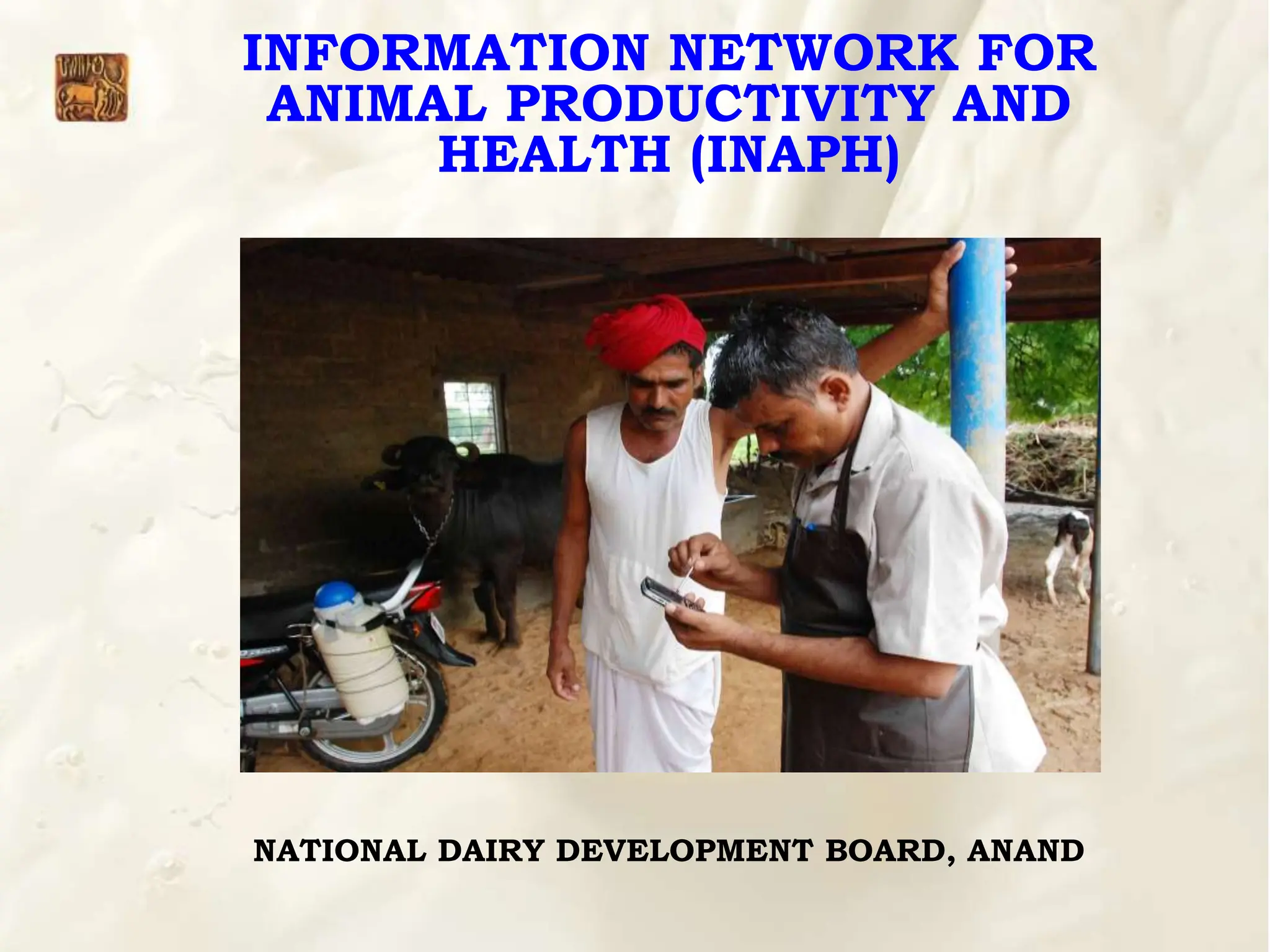
INFORMATION NETWORK FOR
ANIMAL PRODUCTIVITY AND
HEALTH (INAPH)
NATIONAL DAIRY DEVELOPMENT BOARD, ANAND
Content
1. Unique Identification of Animal & Bull/Semen
2. Pre-Requisite before implementation of INAPH
3. INAPH Lite application ( Desktop & Android)
4. INAPH Dashboard & INAPH MIS report
generation
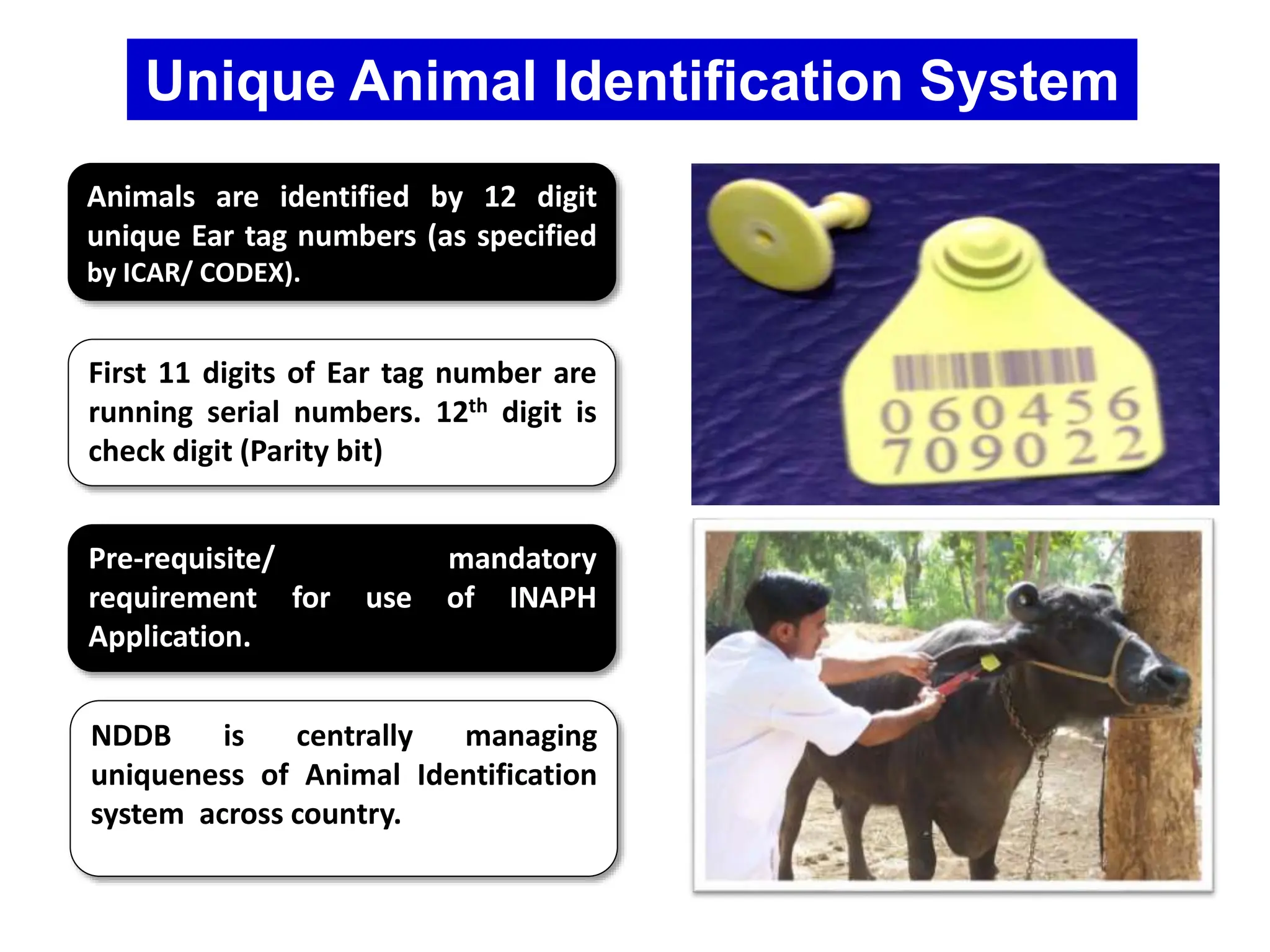
Unique Animal Identification System
Animals are identified by 12 digit
unique Ear tag numbers (as specified
by ICAR/ CODEX).
First 11 digits of Ear tag number are
running serial numbers. 12th digit is
check digit (Parity bit)
Pre-requisite/ mandatory
requirement for use of INAPH
Application.
NDDB is centrally managing
uniqueness of Animal Identification
system across country.
4
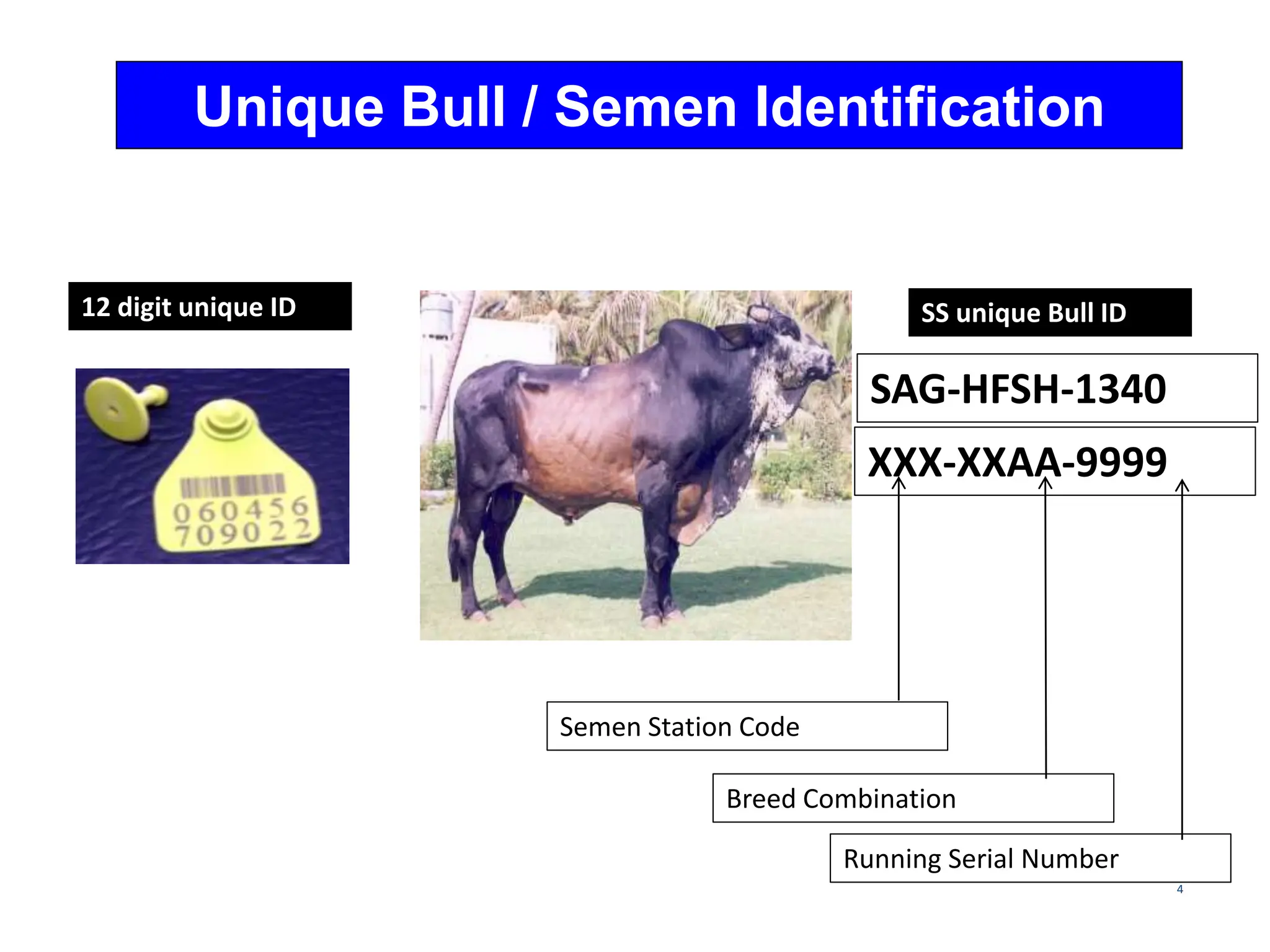
Unique Bull / Semen Identification
12 digit unique ID SS unique Bull ID
XXX-XXAA-9999
Semen Station Code
Breed Combination
Running Serial Number
SAG-HFSH-1340
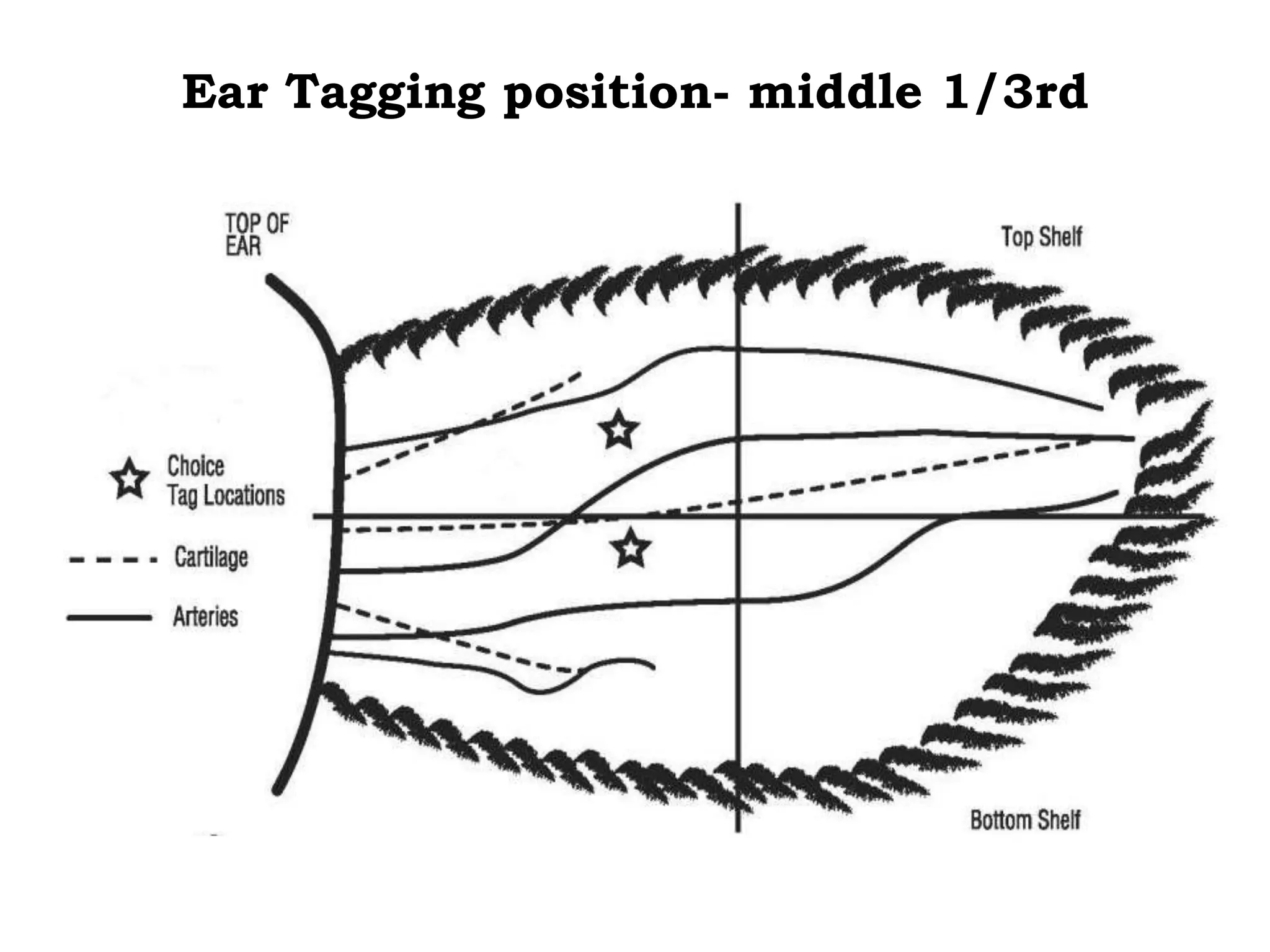
Ear Tagging position- middle 1/3rd
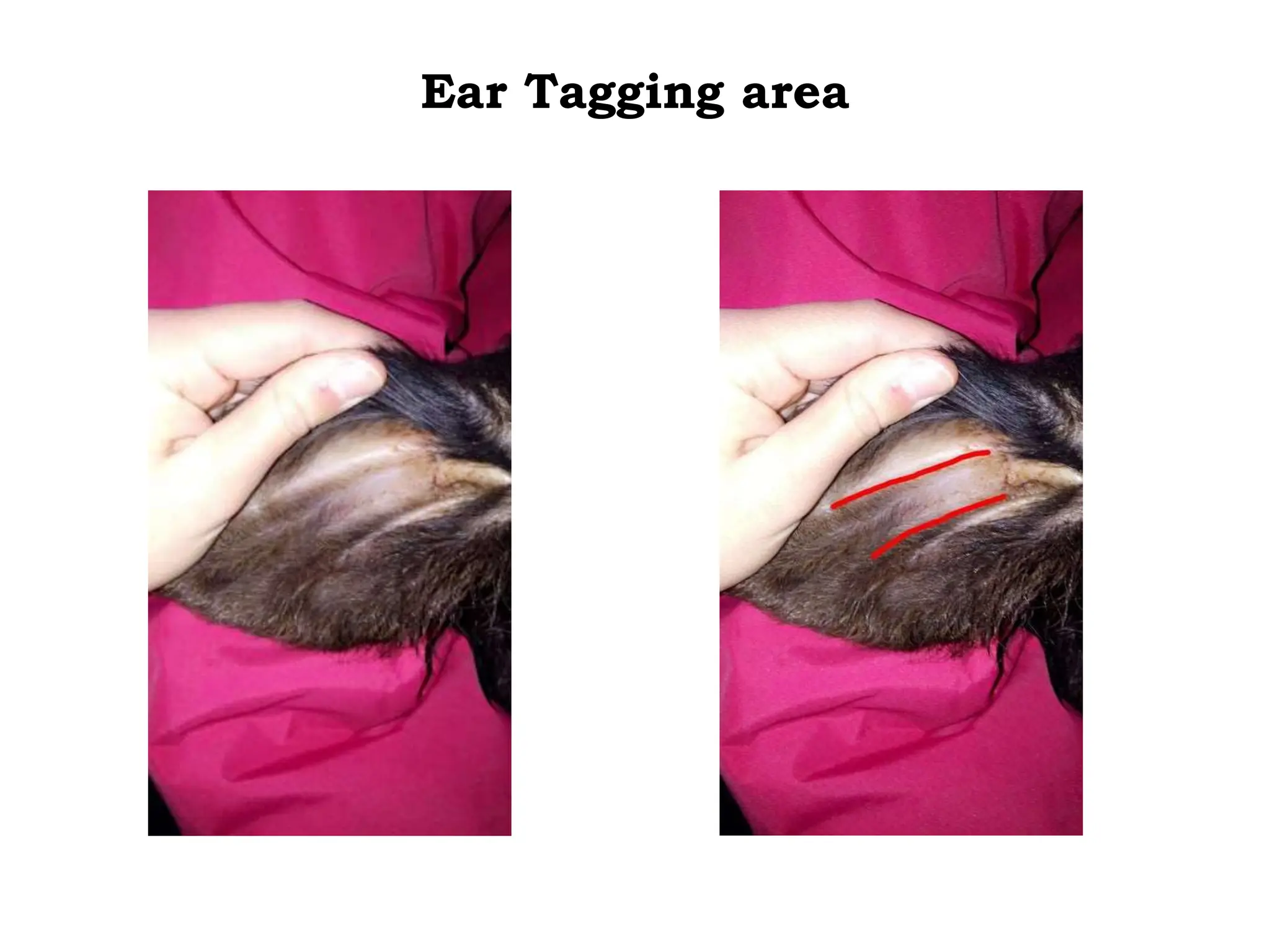
Ear Tagging area
Correct ear tag positions
INAPH Android Application
( Lite version )
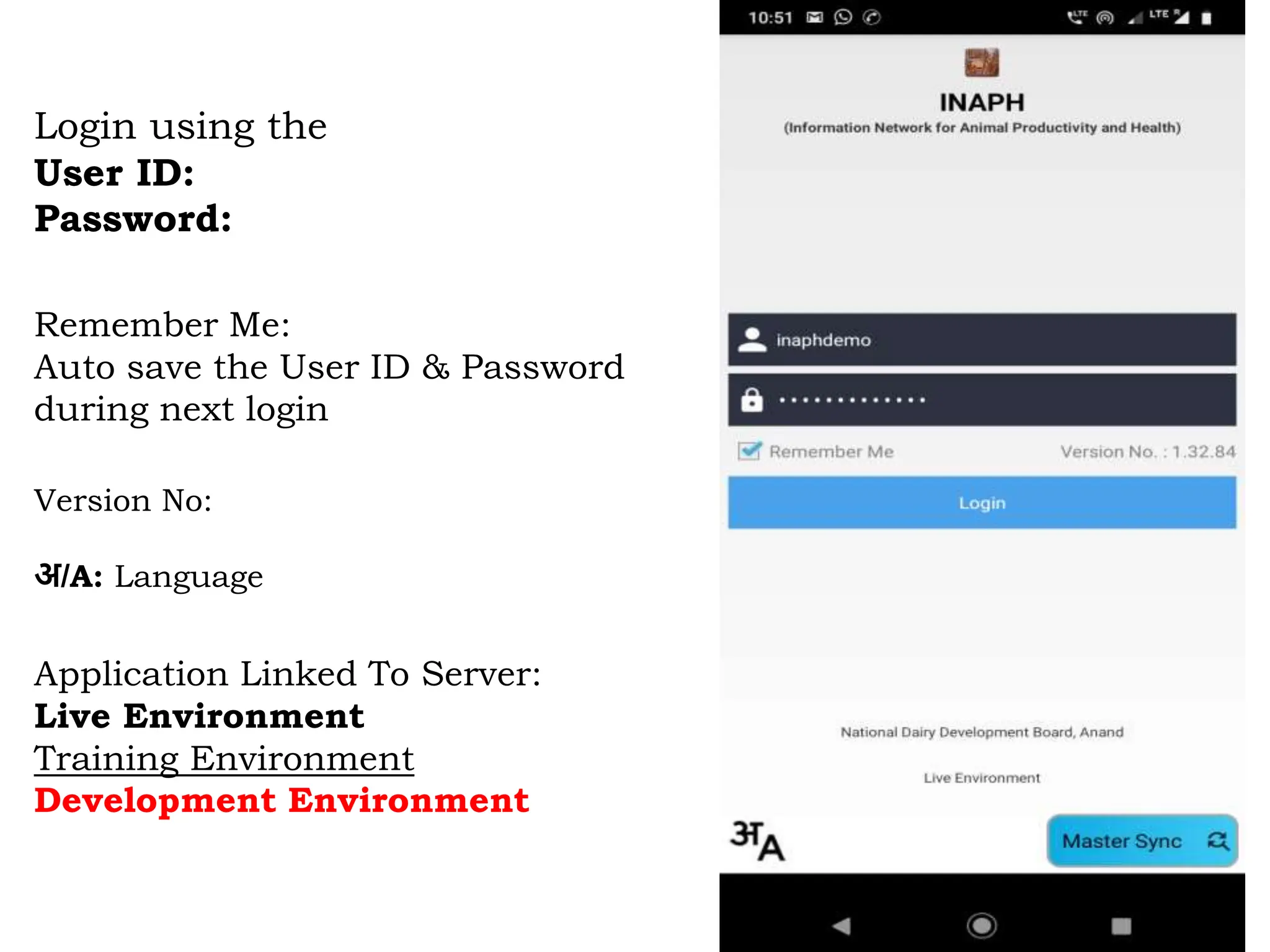
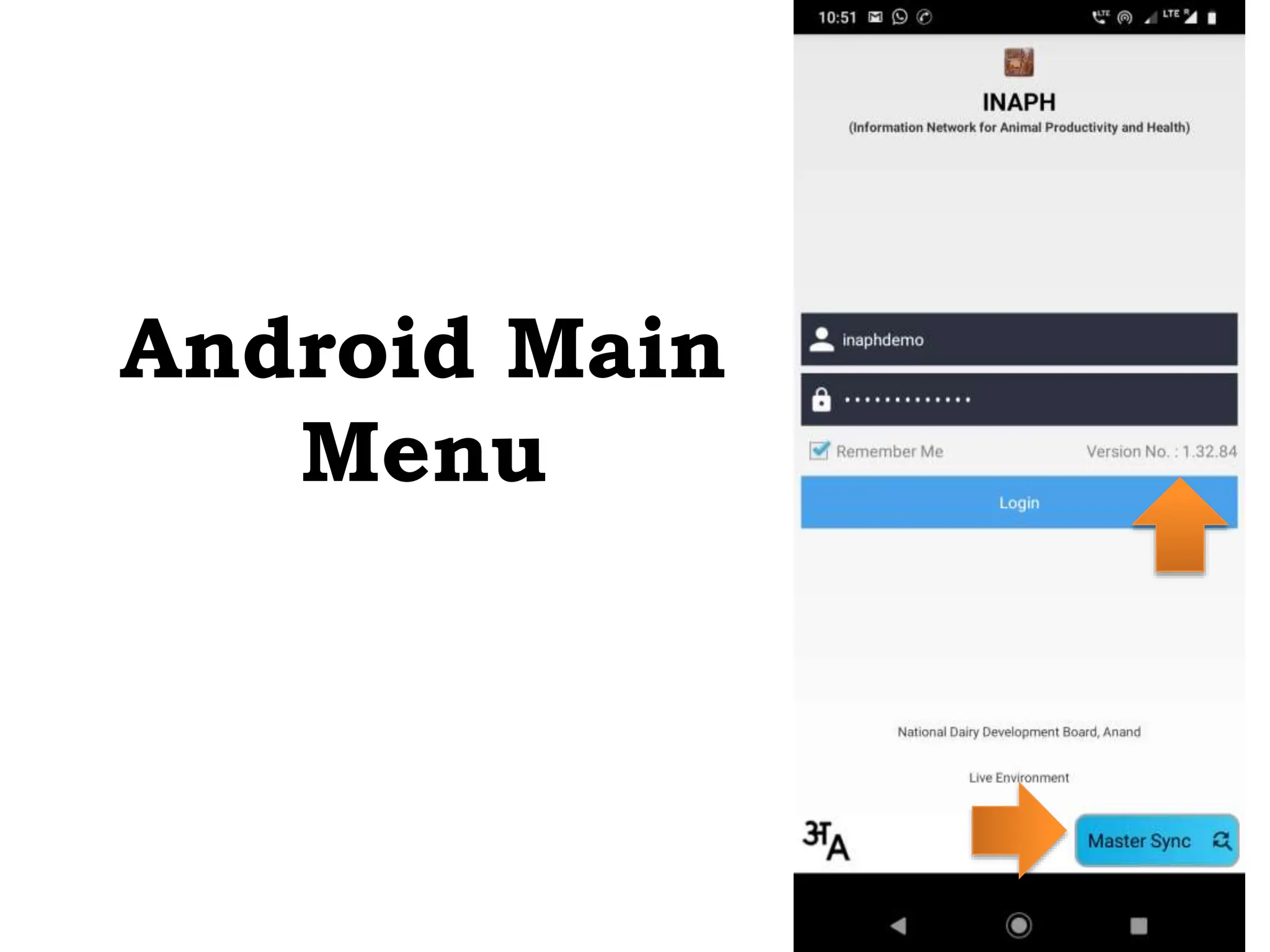
Login using the
User ID:
Password:
Remember Me:
Auto save the User ID & Password
during next login
Version No:
अ/A: Language
Application Linked To Server:
Live Environment
Training Environment
Development Environment
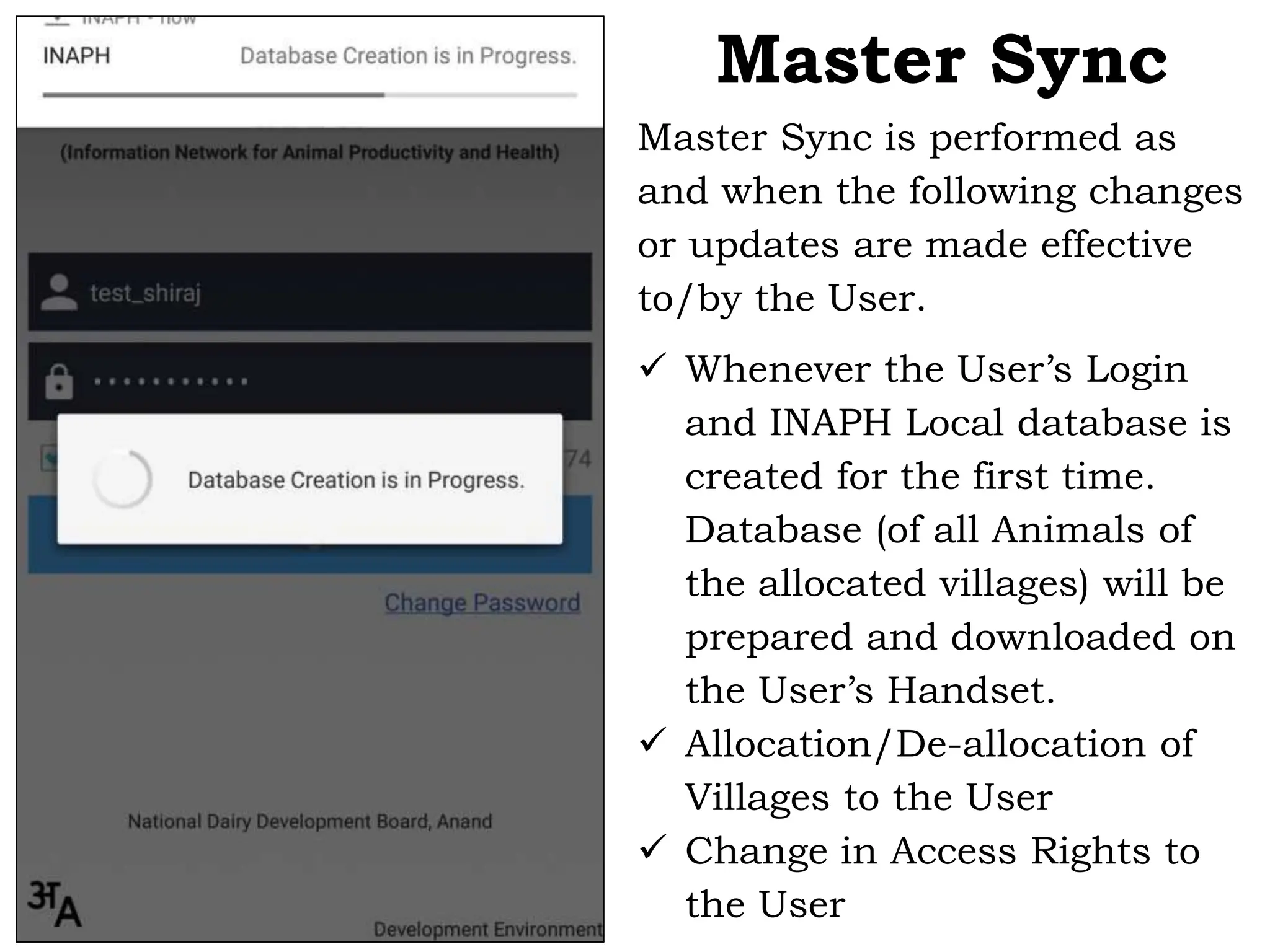
Master Sync is performed as
and when the following changes
or updates are made effective
to/by the User.
 Whenever the User’s Login
and INAPH Local database is
created for the first time.
Database (of all Animals of
the allocated villages) will be
prepared and downloaded on
the User’s Handset.
 Allocation/De-allocation of
Villages to the User
 Change in Access Rights to
the User
Master Sync
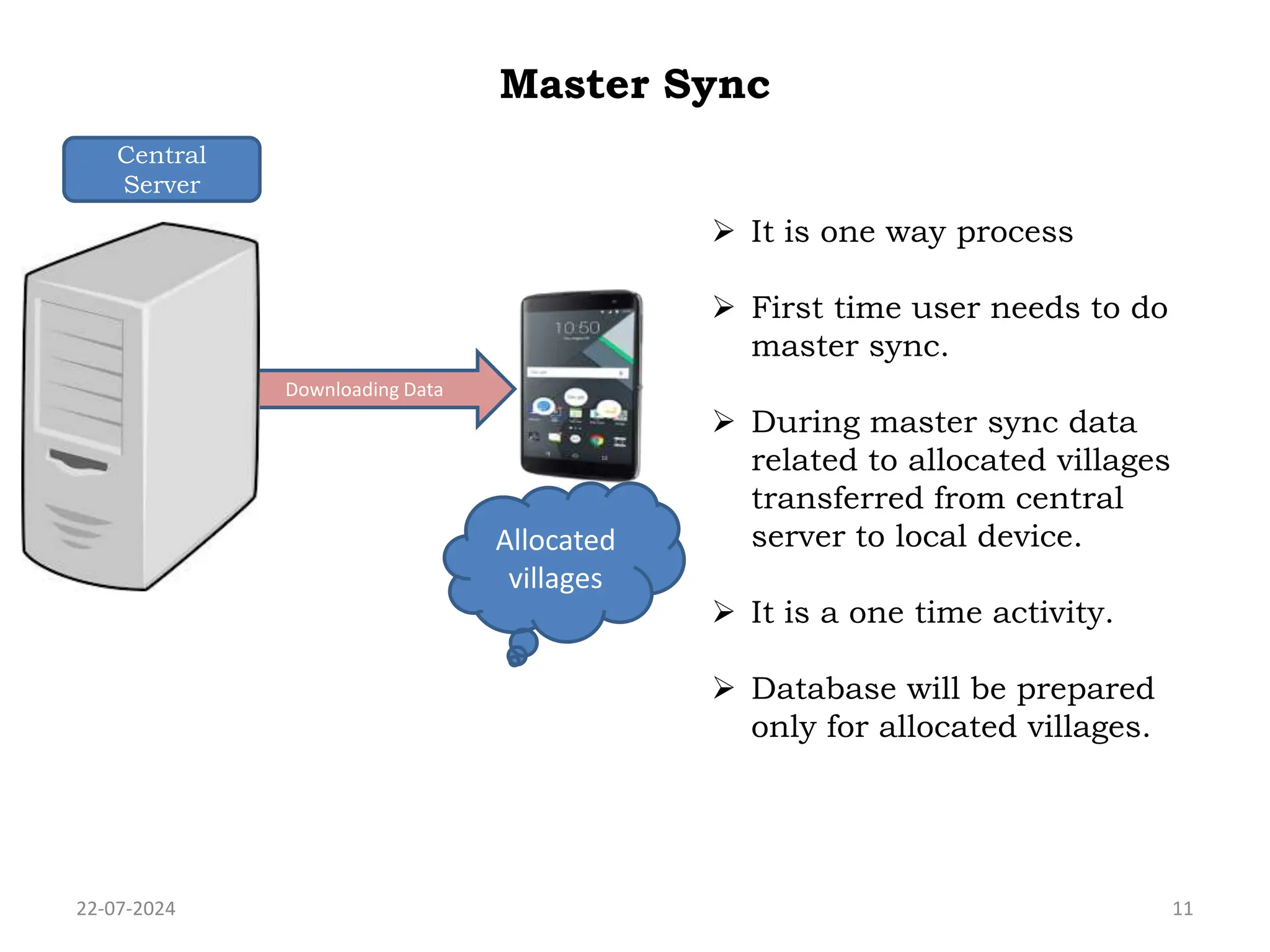
Master Sync
22-07-2024 11
Downloading Data
Allocated
villages
 It is one way process
 First time user needs to do
master sync.
 During master sync data
related to allocated villages
transferred from central
server to local device.
 It is a one time activity.
 Database will be prepared
only for allocated villages.
Central
Server
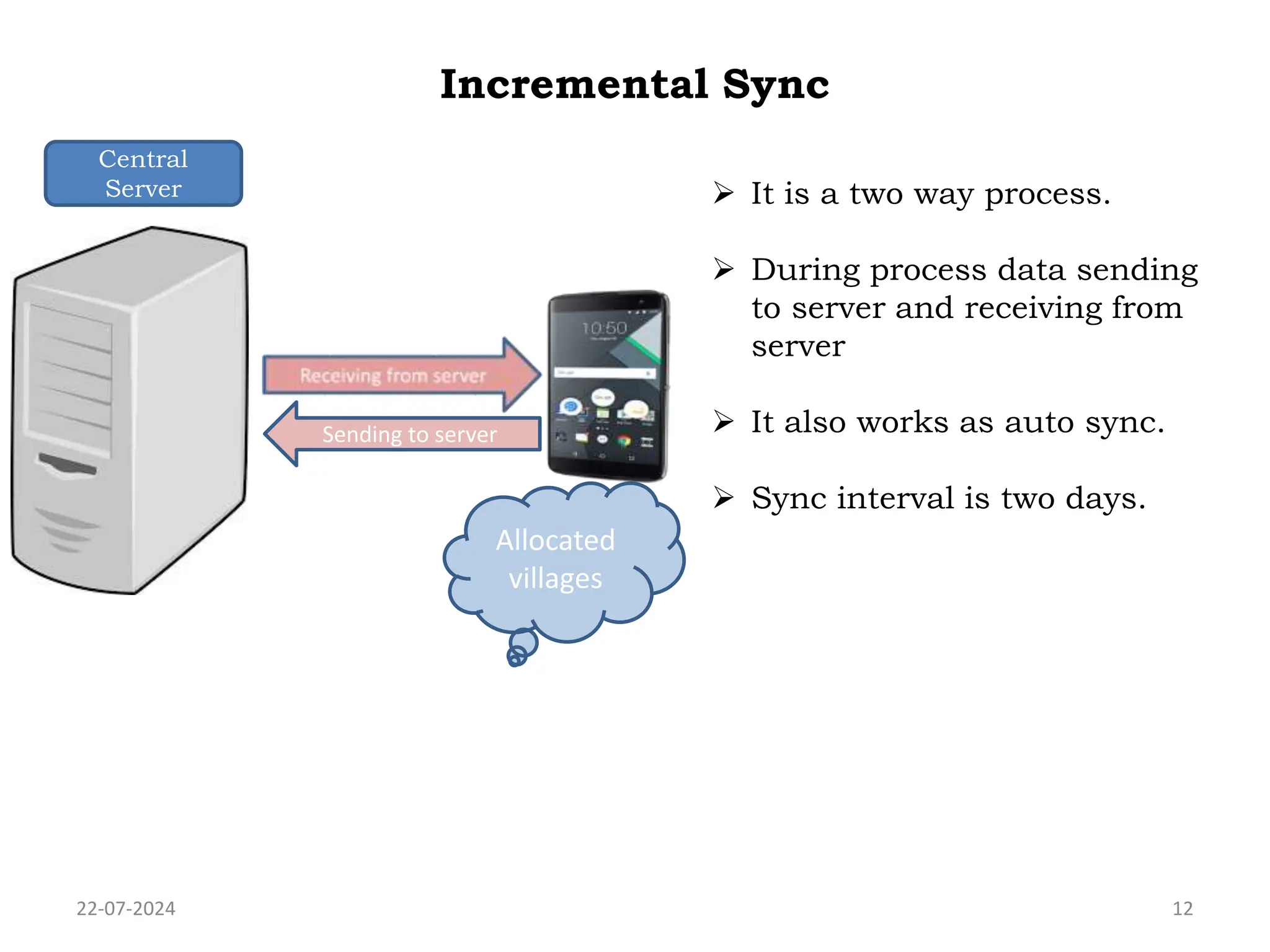
Incremental Sync
22-07-2024 12
Allocated
villages
 It is a two way process.
 During process data sending
to server and receiving from
server
 It also works as auto sync.
 Sync interval is two days.
Sending to server
Central
Server
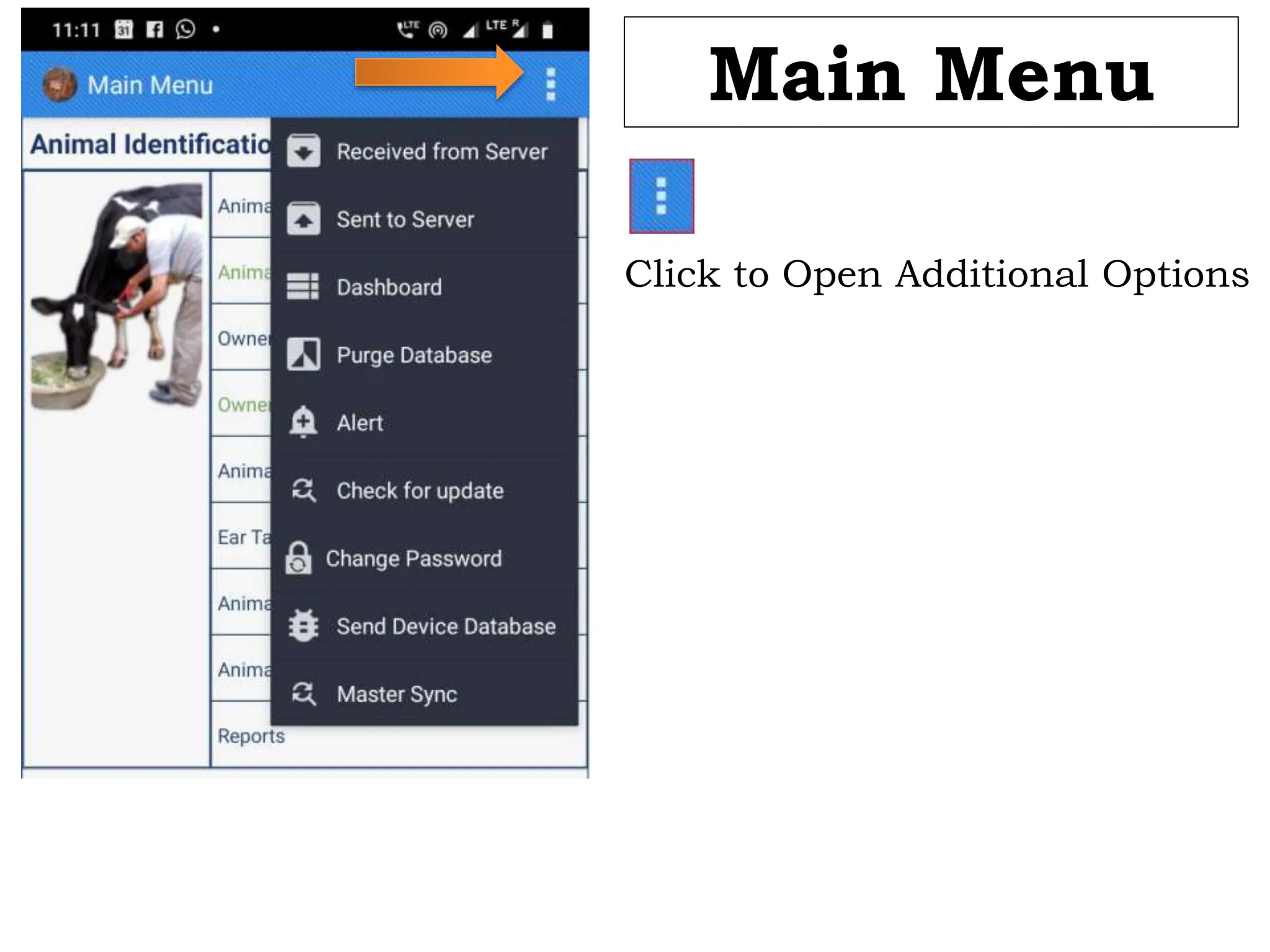
Android Main
Menu
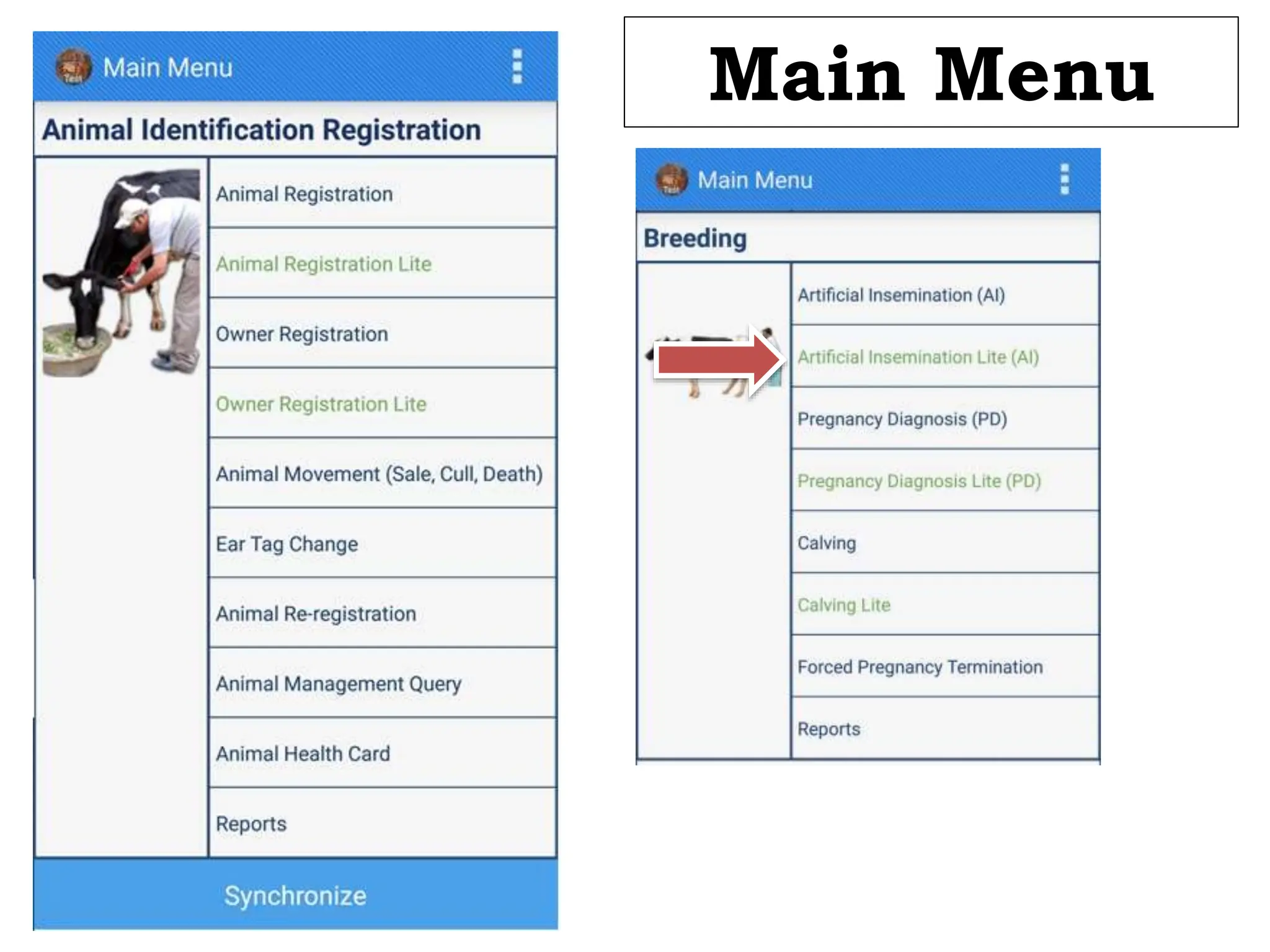
Main Menu
Click to Open Additional Options
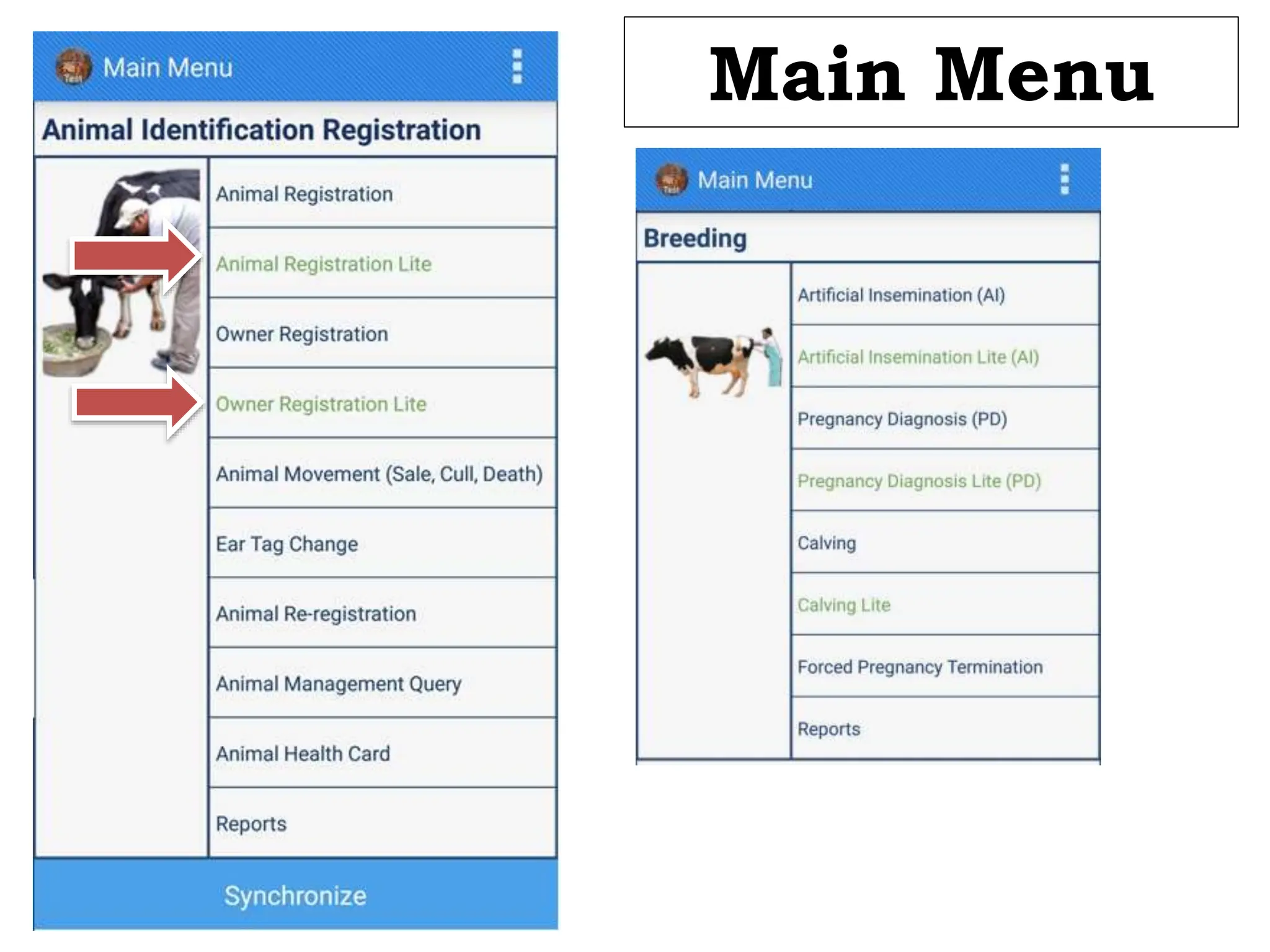
Main Menu
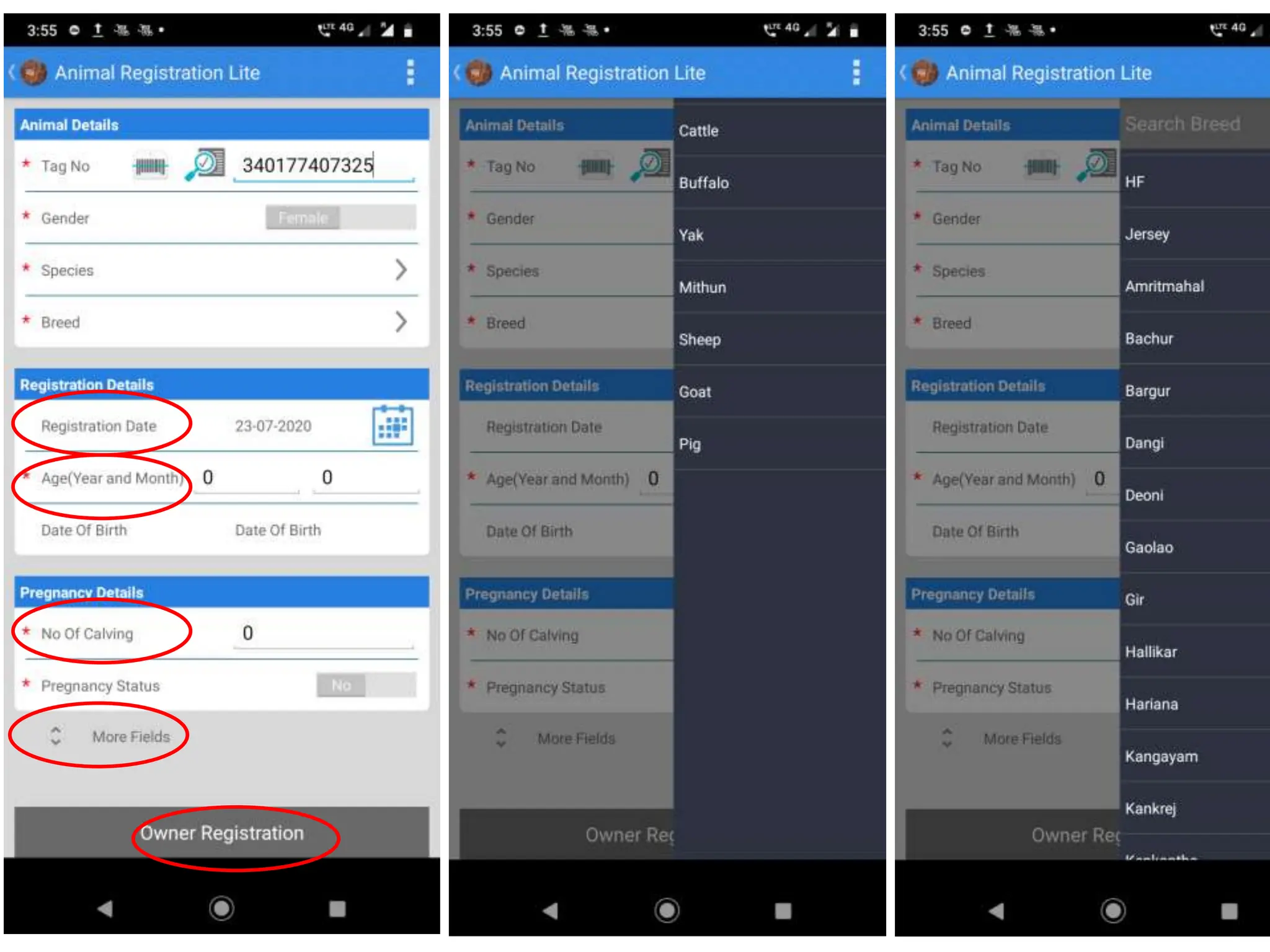
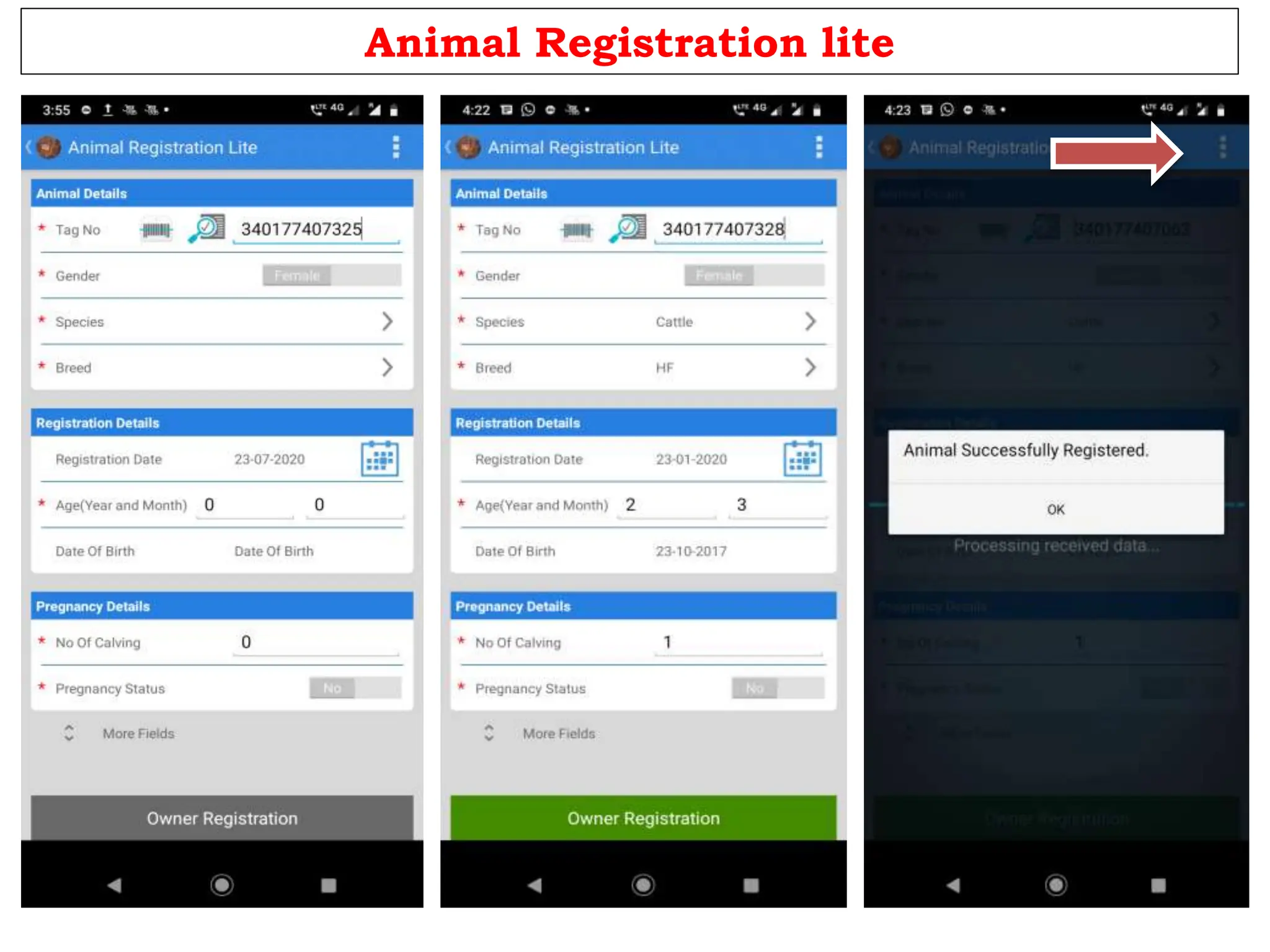
Animal Registration lite
• Search the 12 digit Ear Tag
Number [ scan the tag or
enter last 4 digit of tag ]
• Animals already Registered in the
allocated villages will be displayed
• Click +to Register New Animal
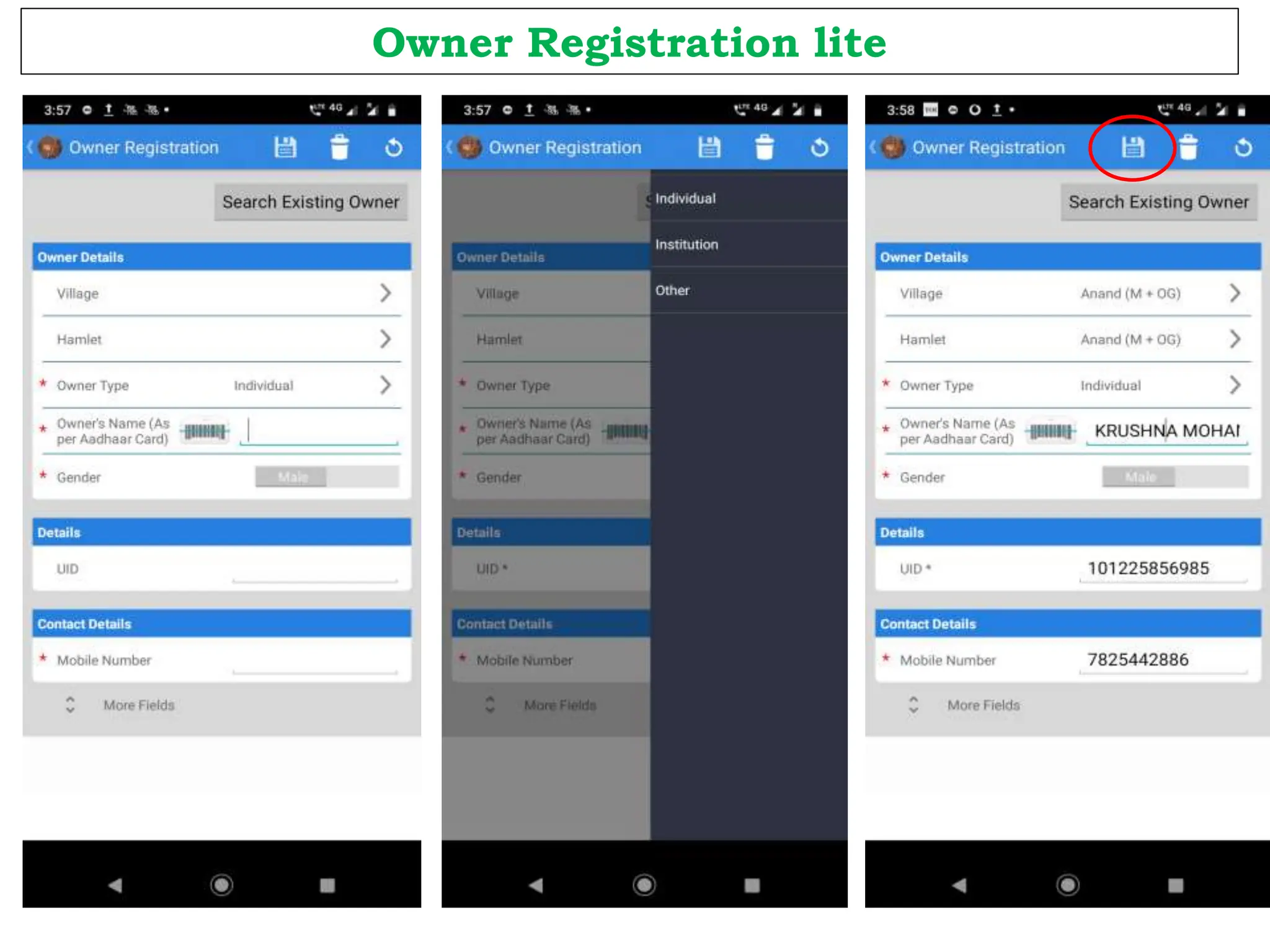
Owner Registration lite
Animal Registration lite
BREEDING MODULE
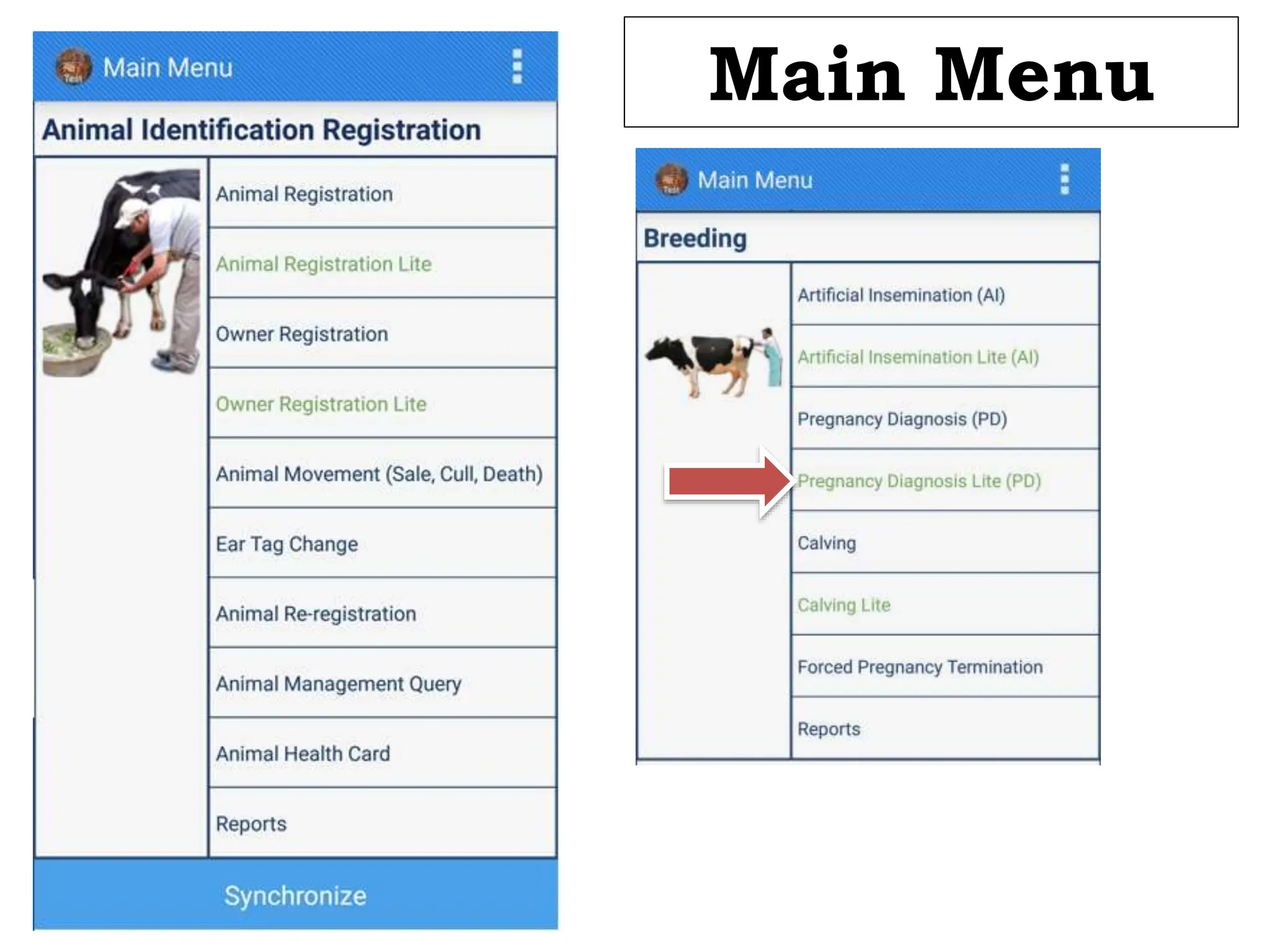
Main Menu
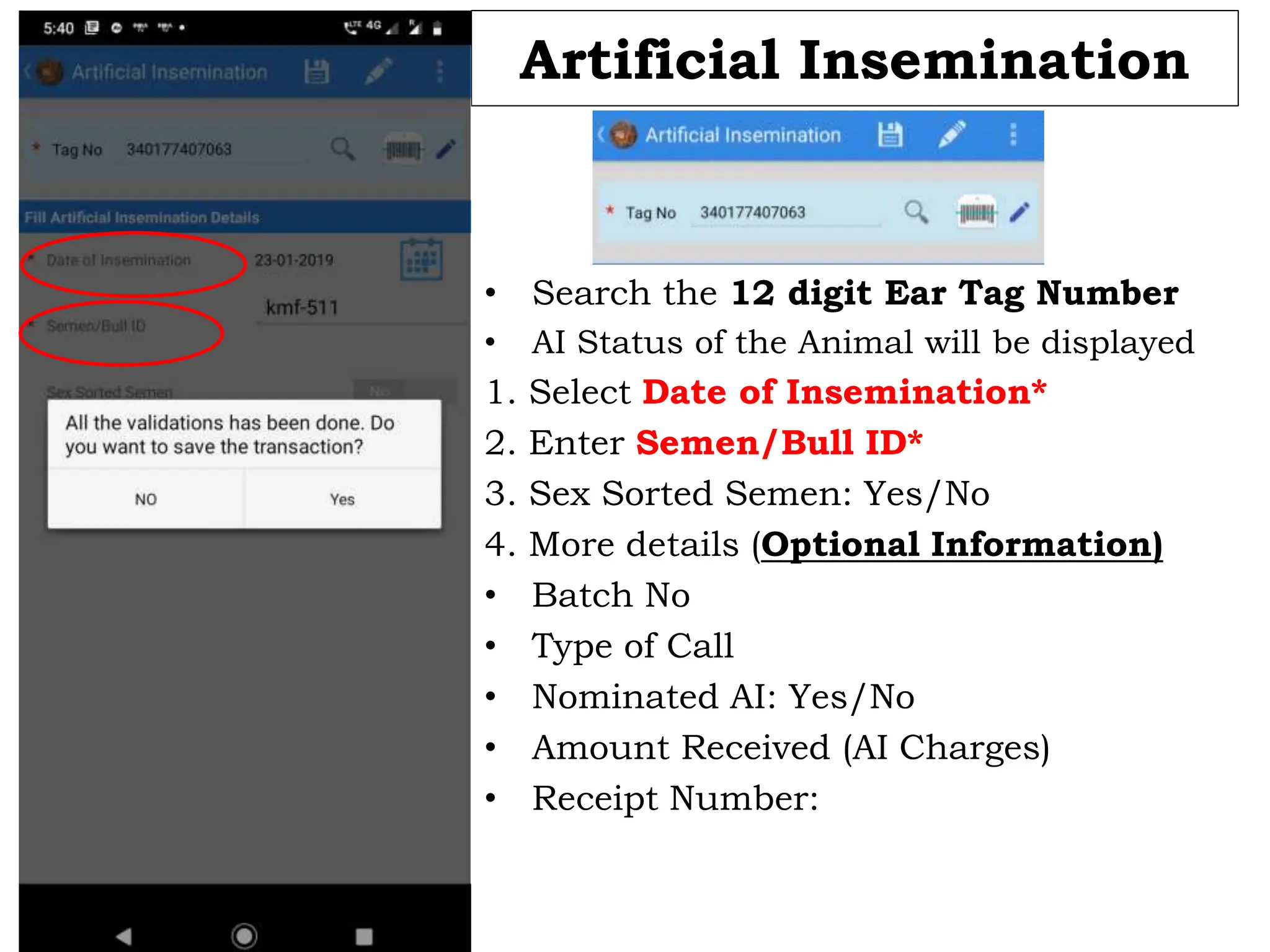
Artificial Insemination
• Search the 12 digit Ear Tag Number
• AI Status of the Animal will be displayed
1. Select Date of Insemination*
2. Enter Semen/Bull ID*
3. Sex Sorted Semen: Yes/No
4. More details (Optional Information)
• Batch No
• Type of Call
• Nominated AI: Yes/No
• Amount Received (AI Charges)
• Receipt Number:
Main Menu
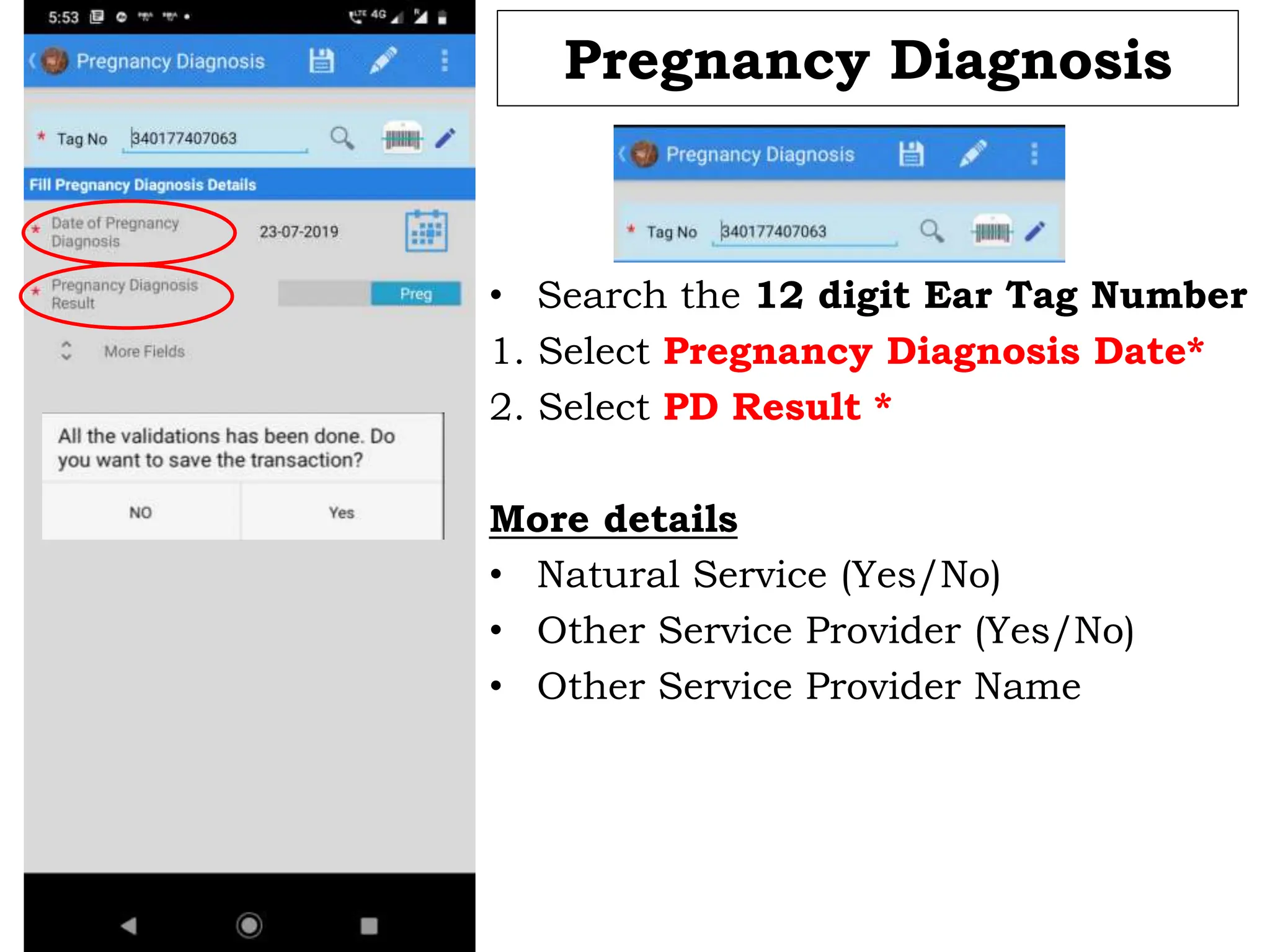
Pregnancy Diagnosis
• Search the 12 digit Ear Tag Number
1. Select Pregnancy Diagnosis Date*
2. Select PD Result *
More details
• Natural Service (Yes/No)
• Other Service Provider (Yes/No)
• Other Service Provider Name
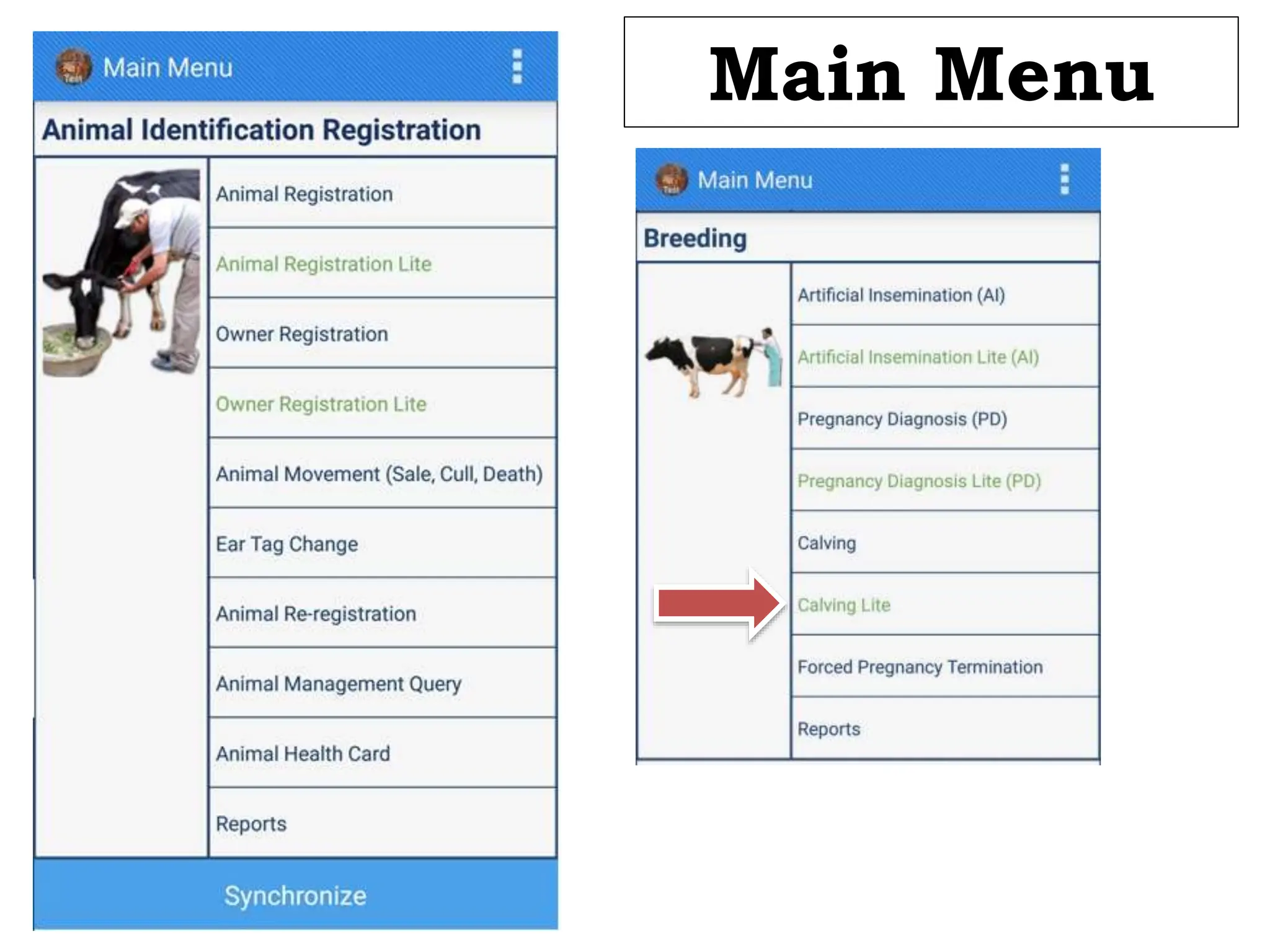
Main Menu
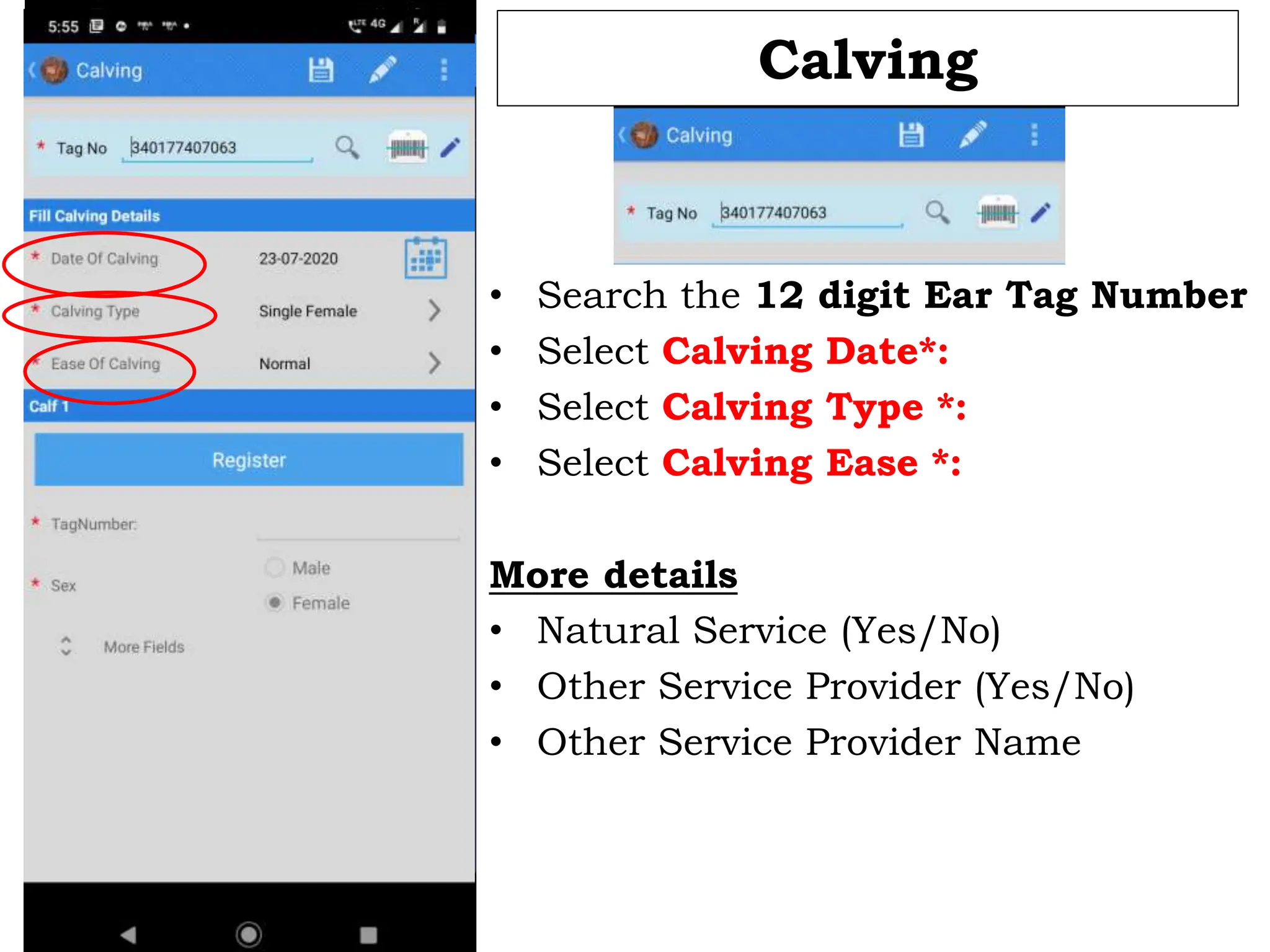
Calving
• Search the 12 digit Ear Tag Number
• Select Calving Date*:
• Select Calving Type *:
• Select Calving Ease *:
More details
• Natural Service (Yes/No)
• Other Service Provider (Yes/No)
• Other Service Provider Name
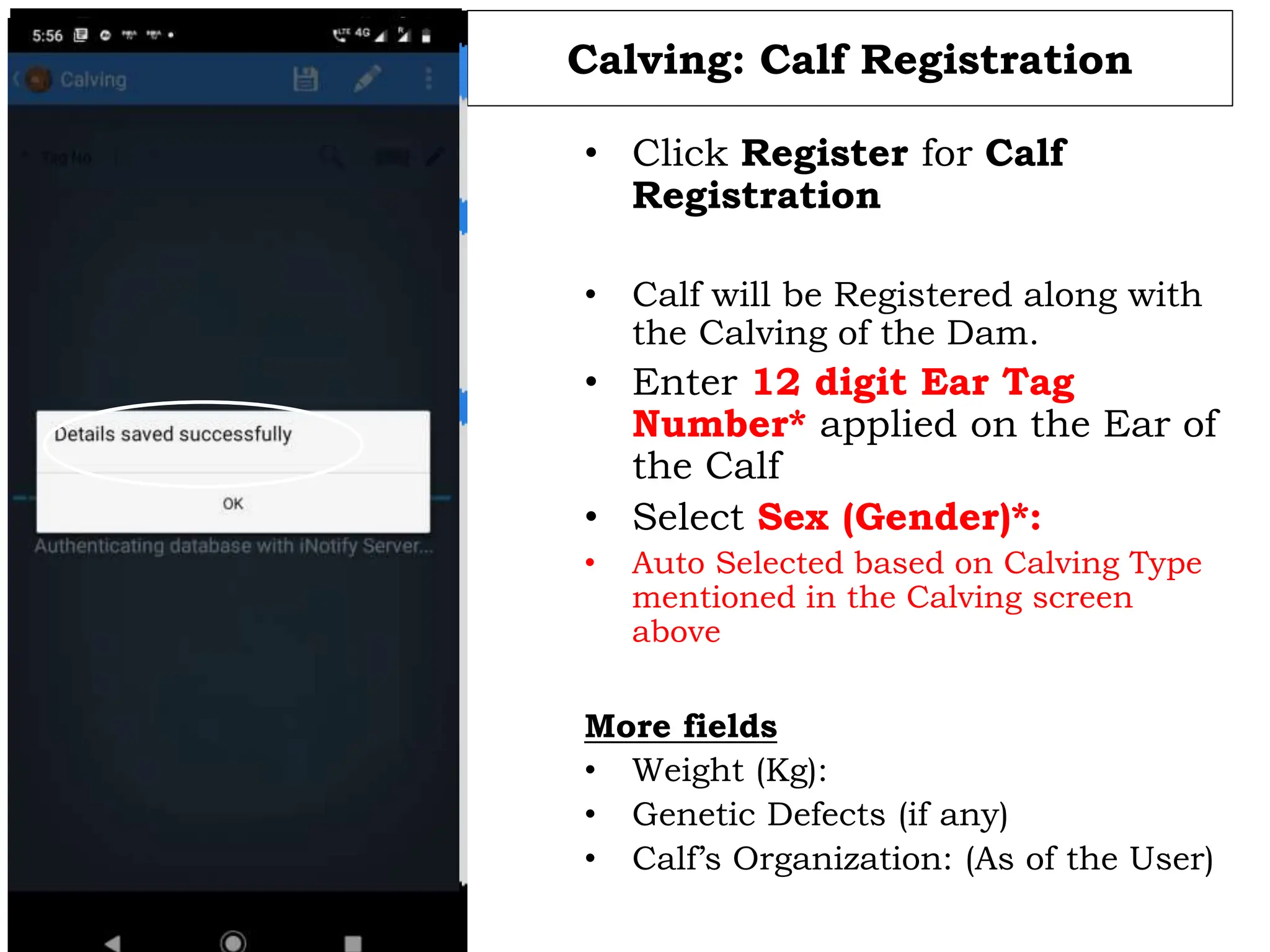
Calving: Calf Registration
• Click Register for Calf
Registration
• Calf will be Registered along with
the Calving of the Dam.
• Enter 12 digit Ear Tag
Number* applied on the Ear of
the Calf
• Select Sex (Gender)*:
• Auto Selected based on Calving Type
mentioned in the Calving screen
above
More fields
• Weight (Kg):
• Genetic Defects (if any)
• Calf’s Organization: (As of the User)
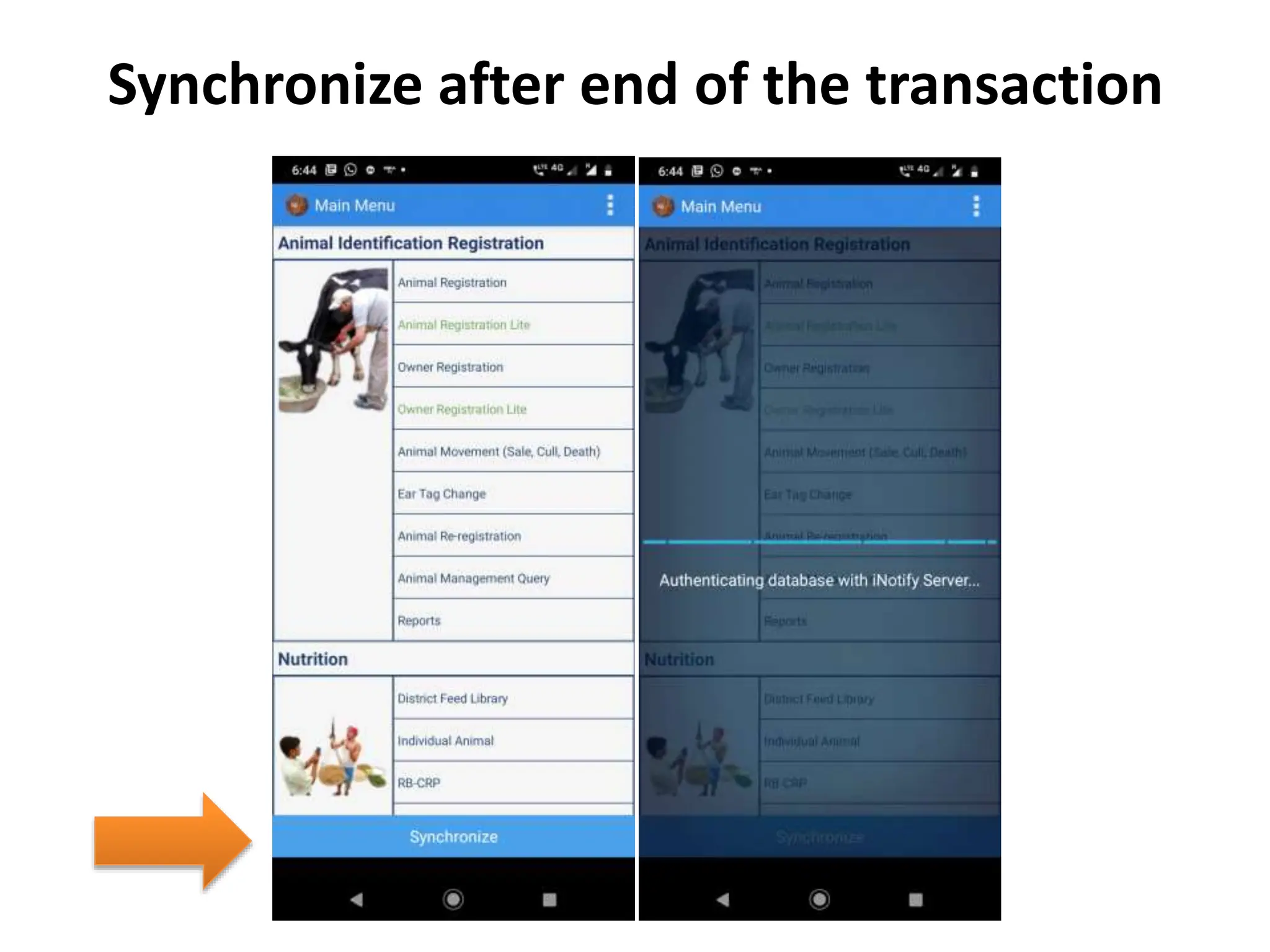
Synchronize after end of the transaction
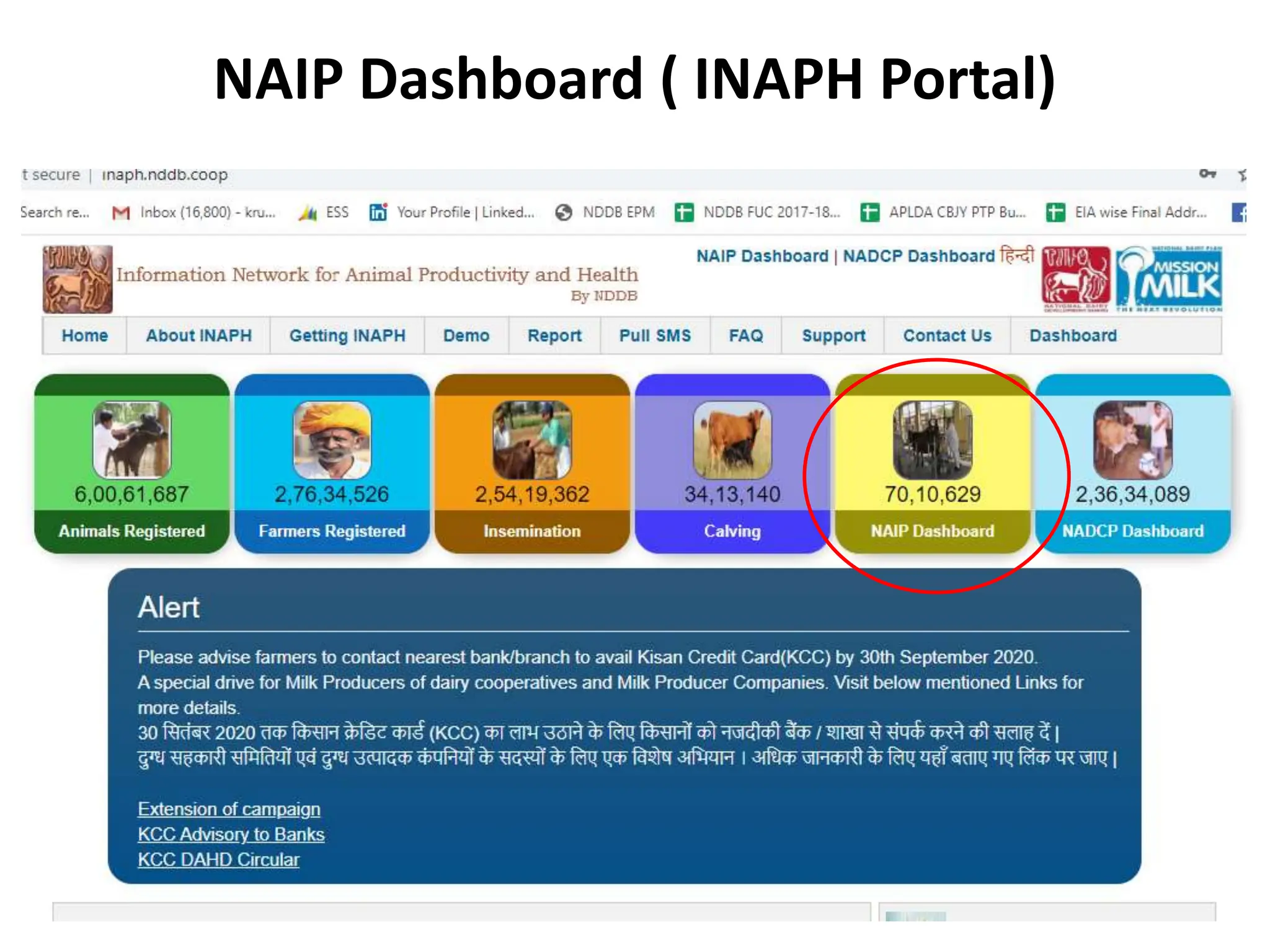
NAIP Dashboard ( INAPH Portal)

2. INAPH-Animal Breeding Module.pptxakdbeh

  • 1.
    INFORMATION NETWORK FOR ANIMALPRODUCTIVITY AND HEALTH (INAPH) NATIONAL DAIRY DEVELOPMENT BOARD, ANAND
  • 2.
    Content 1. Unique Identificationof Animal & Bull/Semen 2. Pre-Requisite before implementation of INAPH 3. INAPH Lite application ( Desktop & Android) 4. INAPH Dashboard & INAPH MIS report generation
  • 3.
    Unique Animal IdentificationSystem Animals are identified by 12 digit unique Ear tag numbers (as specified by ICAR/ CODEX). First 11 digits of Ear tag number are running serial numbers. 12th digit is check digit (Parity bit) Pre-requisite/ mandatory requirement for use of INAPH Application. NDDB is centrally managing uniqueness of Animal Identification system across country.
  • 4.
    4 Unique Bull /Semen Identification 12 digit unique ID SS unique Bull ID XXX-XXAA-9999 Semen Station Code Breed Combination Running Serial Number SAG-HFSH-1340
  • 5.
  • 6.
  • 7.
    Correct ear tagpositions
  • 8.
  • 9.
    Login using the UserID: Password: Remember Me: Auto save the User ID & Password during next login Version No: अ/A: Language Application Linked To Server: Live Environment Training Environment Development Environment
  • 10.
    Master Sync isperformed as and when the following changes or updates are made effective to/by the User.  Whenever the User’s Login and INAPH Local database is created for the first time. Database (of all Animals of the allocated villages) will be prepared and downloaded on the User’s Handset.  Allocation/De-allocation of Villages to the User  Change in Access Rights to the User Master Sync
  • 11.
    Master Sync 22-07-2024 11 DownloadingData Allocated villages  It is one way process  First time user needs to do master sync.  During master sync data related to allocated villages transferred from central server to local device.  It is a one time activity.  Database will be prepared only for allocated villages. Central Server
  • 12.
    Incremental Sync 22-07-2024 12 Allocated villages It is a two way process.  During process data sending to server and receiving from server  It also works as auto sync.  Sync interval is two days. Sending to server Central Server
  • 13.
  • 14.
    Main Menu Click toOpen Additional Options
  • 15.
  • 16.
    Animal Registration lite •Search the 12 digit Ear Tag Number [ scan the tag or enter last 4 digit of tag ] • Animals already Registered in the allocated villages will be displayed • Click +to Register New Animal
  • 18.
  • 19.
  • 20.
  • 21.
  • 22.
    Artificial Insemination • Searchthe 12 digit Ear Tag Number • AI Status of the Animal will be displayed 1. Select Date of Insemination* 2. Enter Semen/Bull ID* 3. Sex Sorted Semen: Yes/No 4. More details (Optional Information) • Batch No • Type of Call • Nominated AI: Yes/No • Amount Received (AI Charges) • Receipt Number:
  • 23.
  • 24.
    Pregnancy Diagnosis • Searchthe 12 digit Ear Tag Number 1. Select Pregnancy Diagnosis Date* 2. Select PD Result * More details • Natural Service (Yes/No) • Other Service Provider (Yes/No) • Other Service Provider Name
  • 25.
  • 26.
    Calving • Search the12 digit Ear Tag Number • Select Calving Date*: • Select Calving Type *: • Select Calving Ease *: More details • Natural Service (Yes/No) • Other Service Provider (Yes/No) • Other Service Provider Name
  • 27.
    Calving: Calf Registration •Click Register for Calf Registration • Calf will be Registered along with the Calving of the Dam. • Enter 12 digit Ear Tag Number* applied on the Ear of the Calf • Select Sex (Gender)*: • Auto Selected based on Calving Type mentioned in the Calving screen above More fields • Weight (Kg): • Genetic Defects (if any) • Calf’s Organization: (As of the User)
  • 28.
    Synchronize after endof the transaction
  • 29.
    NAIP Dashboard (INAPH Portal)