HVAC
System
HVAC System
HVAC Systems refer to Heating, Ventilation,
and Air Conditioning systems that regulate
indoor temperature, air quality, and humidity
for comfort and energy efficiency.
Major Types of
HVAC Systems HVAC
System
Mini Split
Heat Pump
Boiler/AC
System
Furnace/Split
AC System
Heat
Pump/Air
Handler
System
Geothermal
Heat Pump
Electric
Furnace/AC
System
Basics of HVAC System
Ventilated Room
Boiler
Cooling Tower Chiller
Outside Air
Air
Handling
Unit
Evaporation
Pump
Coils
Filter
Fan
Liquid Line
Air Line
HVAC System Purpose, Function, and Uses
Purpose Function Uses
• Provide a specific
set of environment
condition required
for the
manufacturing
process.
• Heating and cooling
• Humidifying and
dehumidifying
• Cleaning the air
• Regulate air flow
• Pressurization
• To prevent
contamination
• To provide
comfortable
working conditions
HVAC System Maintenance
Regular Filter
Replacement
Seasonal
System
Inspections
Cleaning
Condenser
Coils
Checking
Refrigerant
Levels
Lubricating
Moving Parts
HVAC
System
Maintenance
Basic Principles of HVAC System
Basic Principles
Heat Transfer Thermodynamics Fluid Mechanics
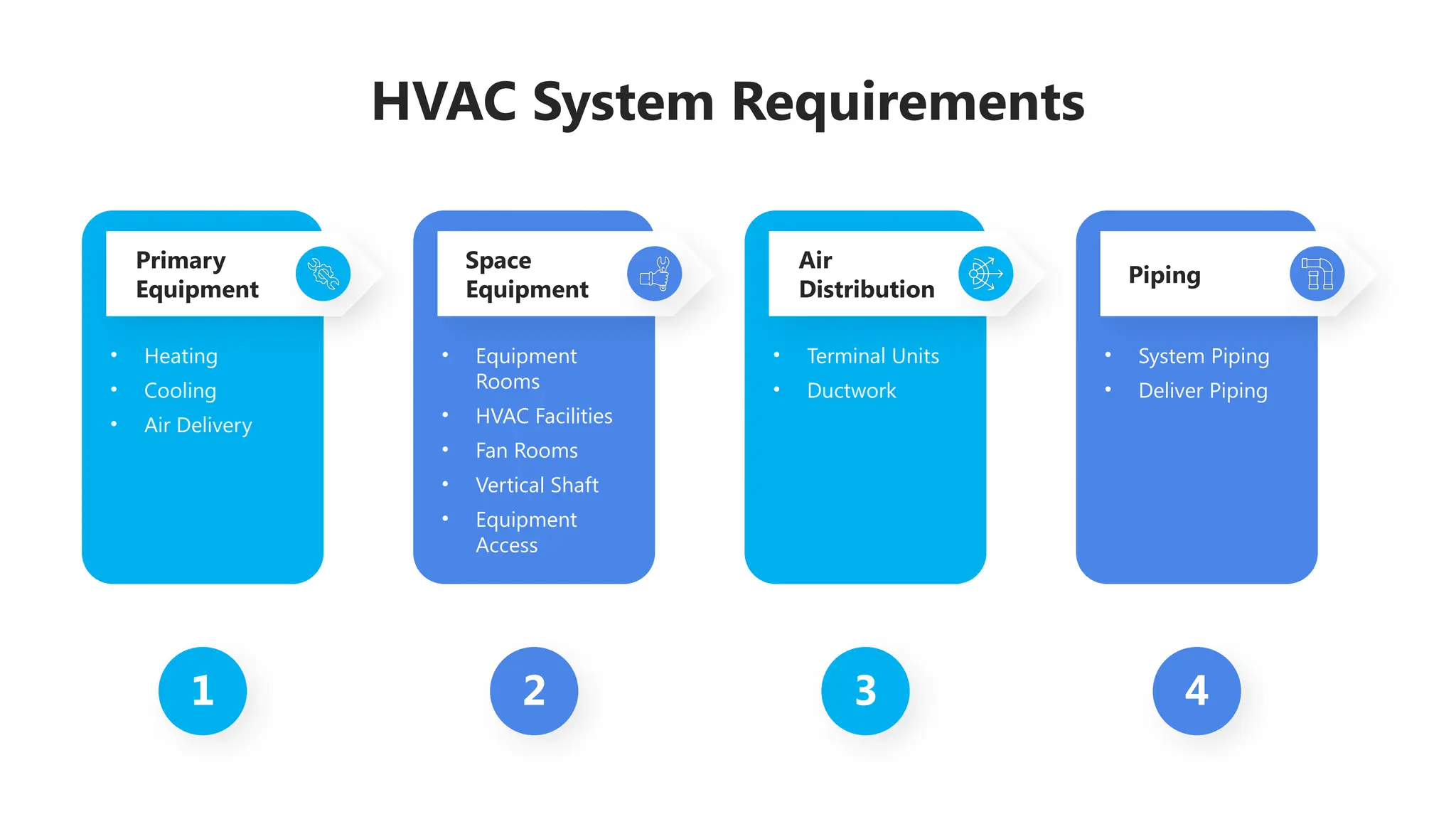
HVAC System Requirements
1 2 3 4
Primary
Equipment
Space
Equipment
Air
Distribution
Piping
• Heating
• Cooling
• Air Delivery
• Equipment
Rooms
• HVAC Facilities
• Fan Rooms
• Vertical Shaft
• Equipment
Access
• Terminal Units
• Ductwork
• System Piping
• Deliver Piping
Classification of HVAC System
HVAC
Ventilation
Cooling
Heating
Mechanical (Induced
Draft)
Natural
Combination
Unitary refrigerant
based
All air system
All water system
Air-water system
Signification of HVAC System
Temperature
Control
Maintains optimal
indoor temperature
for comfort and
efficiency.
Air Quality
Filters and purifies air,
reducing pollutants
and improving health.
Humidity
Regulation
Balances indoor
moisture levels to
enhance comfort
and health.
Energy Efficiency
Reduces energy
consumption, leading
to lower utility bills.
System Longevity
Regular maintenance
extends the life of
heating and cooling
units.
Icons
Icons
You can add and edit some shapes to your presentation to present your data in a visual way.
● Choose your favourite infographic and insert it in your presentation using Ctrl C + Ctrl V or Cmd
C + Cmd V in Mac.
● Select one of the parts and ungroup it by right-clicking and choosing “Ungroup”.
● Change the color by clicking on the paint bucket.
● Then resize the element by clicking and dragging one of the square-shaped points of its
bounding box (the cursor should look like a double-headed arrow). Remember to hold Shift
while dragging to keep the proportions.
● Group the elements again by selecting them, right-clicking and choosing “Group”.
● Repeat the steps above with the other parts and when you’re done editing, copy the end result
and paste it into your presentation.
● Remember to choose the “Keep source formatting” option so that it keeps the design. For
more info, please visit Slideegg (Tips & Tricks).
How To Edit Shapes
Terms Of Use (Free Users)
If you are a free subscriber, you should credit SlideEgg by keeping the “Thank You” slide.
Kindly refer to the following slide for the Terms of Use for premium users.
You can:
• Customize or edit this template
• Use this template for both business and personal endeavors.
You can not:
• Sell, rent, or second-license SlideEgg content or its altered version.
Promulgate, unless explicitly permitted, SlideEgg content, by SlideEgg.
• Incorporate SlideEgg content in any database or file online or offline.
• Obtain SlideEgg content’s copyright.
Kindly refer to our Tutorial page or FAQ for advanced slide modification guidelines.
Terms Of Use (Premium Users)
Being a premium subscriber, you have the privilege of using this PPT template
without giving attribution to SlideEgg or keeping the “Thank You” slide.
You can:
• Customize or edit this template.
• Use this template for both business and personal endeavors.
• Circulate or share the editable format of this template with anyone you want.
You can not:
• Sell, rent or second-license SlideEgg content or the altered version of it.
Promulgate or include the templates in any other services database
• that performs as distribution or resale platform, unless explicitly permitted, by SlideEgg.
• Incorporate the elements used in SlideEgg templates separately.
• Obtain SlideEgg copyright for the elements used in this template as a logo or trademark.
Kindly refer to our Tutorial page or FAQ for advanced slide modification guidelines.
www.slideegg.com
Thank You!
We respect your valuable time with SlideEgg!
If you have any questions, please reach us
CREDIT: SlideEgg created this PowerPoint template.
Let this slide be kept for attribution.
Do you have a design request, please visit our Deckez site.

19-HVAC Syemtem dans la présentation.pptx

  • 1.
  • 2.
    HVAC System HVAC Systemsrefer to Heating, Ventilation, and Air Conditioning systems that regulate indoor temperature, air quality, and humidity for comfort and energy efficiency.
  • 3.
    Major Types of HVACSystems HVAC System Mini Split Heat Pump Boiler/AC System Furnace/Split AC System Heat Pump/Air Handler System Geothermal Heat Pump Electric Furnace/AC System
  • 4.
    Basics of HVACSystem Ventilated Room Boiler Cooling Tower Chiller Outside Air Air Handling Unit Evaporation Pump Coils Filter Fan Liquid Line Air Line
  • 5.
    HVAC System Purpose,Function, and Uses Purpose Function Uses • Provide a specific set of environment condition required for the manufacturing process. • Heating and cooling • Humidifying and dehumidifying • Cleaning the air • Regulate air flow • Pressurization • To prevent contamination • To provide comfortable working conditions
  • 6.
    HVAC System Maintenance RegularFilter Replacement Seasonal System Inspections Cleaning Condenser Coils Checking Refrigerant Levels Lubricating Moving Parts HVAC System Maintenance
  • 7.
    Basic Principles ofHVAC System Basic Principles Heat Transfer Thermodynamics Fluid Mechanics
  • 8.
    HVAC System Requirements 12 3 4 Primary Equipment Space Equipment Air Distribution Piping • Heating • Cooling • Air Delivery • Equipment Rooms • HVAC Facilities • Fan Rooms • Vertical Shaft • Equipment Access • Terminal Units • Ductwork • System Piping • Deliver Piping
  • 9.
    Classification of HVACSystem HVAC Ventilation Cooling Heating Mechanical (Induced Draft) Natural Combination Unitary refrigerant based All air system All water system Air-water system
  • 10.
    Signification of HVACSystem Temperature Control Maintains optimal indoor temperature for comfort and efficiency. Air Quality Filters and purifies air, reducing pollutants and improving health. Humidity Regulation Balances indoor moisture levels to enhance comfort and health. Energy Efficiency Reduces energy consumption, leading to lower utility bills. System Longevity Regular maintenance extends the life of heating and cooling units.
  • 11.
  • 12.
  • 13.
    You can addand edit some shapes to your presentation to present your data in a visual way. ● Choose your favourite infographic and insert it in your presentation using Ctrl C + Ctrl V or Cmd C + Cmd V in Mac. ● Select one of the parts and ungroup it by right-clicking and choosing “Ungroup”. ● Change the color by clicking on the paint bucket. ● Then resize the element by clicking and dragging one of the square-shaped points of its bounding box (the cursor should look like a double-headed arrow). Remember to hold Shift while dragging to keep the proportions. ● Group the elements again by selecting them, right-clicking and choosing “Group”. ● Repeat the steps above with the other parts and when you’re done editing, copy the end result and paste it into your presentation. ● Remember to choose the “Keep source formatting” option so that it keeps the design. For more info, please visit Slideegg (Tips & Tricks). How To Edit Shapes
  • 14.
    Terms Of Use(Free Users) If you are a free subscriber, you should credit SlideEgg by keeping the “Thank You” slide. Kindly refer to the following slide for the Terms of Use for premium users. You can: • Customize or edit this template • Use this template for both business and personal endeavors. You can not: • Sell, rent, or second-license SlideEgg content or its altered version. Promulgate, unless explicitly permitted, SlideEgg content, by SlideEgg. • Incorporate SlideEgg content in any database or file online or offline. • Obtain SlideEgg content’s copyright. Kindly refer to our Tutorial page or FAQ for advanced slide modification guidelines.
  • 15.
    Terms Of Use(Premium Users) Being a premium subscriber, you have the privilege of using this PPT template without giving attribution to SlideEgg or keeping the “Thank You” slide. You can: • Customize or edit this template. • Use this template for both business and personal endeavors. • Circulate or share the editable format of this template with anyone you want. You can not: • Sell, rent or second-license SlideEgg content or the altered version of it. Promulgate or include the templates in any other services database • that performs as distribution or resale platform, unless explicitly permitted, by SlideEgg. • Incorporate the elements used in SlideEgg templates separately. • Obtain SlideEgg copyright for the elements used in this template as a logo or trademark. Kindly refer to our Tutorial page or FAQ for advanced slide modification guidelines.
  • 16.
    www.slideegg.com Thank You! We respectyour valuable time with SlideEgg! If you have any questions, please reach us CREDIT: SlideEgg created this PowerPoint template. Let this slide be kept for attribution. Do you have a design request, please visit our Deckez site.