1.3 Mouse Training
We are going to learn:
• What a mouse is.
• How to hold a mouse.
• How to use a mouse.
What is the Mouse?
The mouse is an input device designed to
manipulate objects on the
computer screen and assist
you, the user, in interacting
with the computer.
How to Hold the Mouse
Holding the mouse correctly will:
1) Make using it easier and,
more importantly,
2) Prevent stress and strain
on your body!
How to Hold the Mouse
Place the mouse close to
the keyboard or laptop.
Center the base of the
mouse in your palm.
How to Hold the Mouse
Rest your wrist on the mouse pad or desk,
with the palm of your hand resting on the
back portion of the mouse.
How to Hold the Mouse
Your thumb should rest on the table on
one side of the mouse and your pinky
finger should rest on the table on the
other side.
How to Hold the Mouse
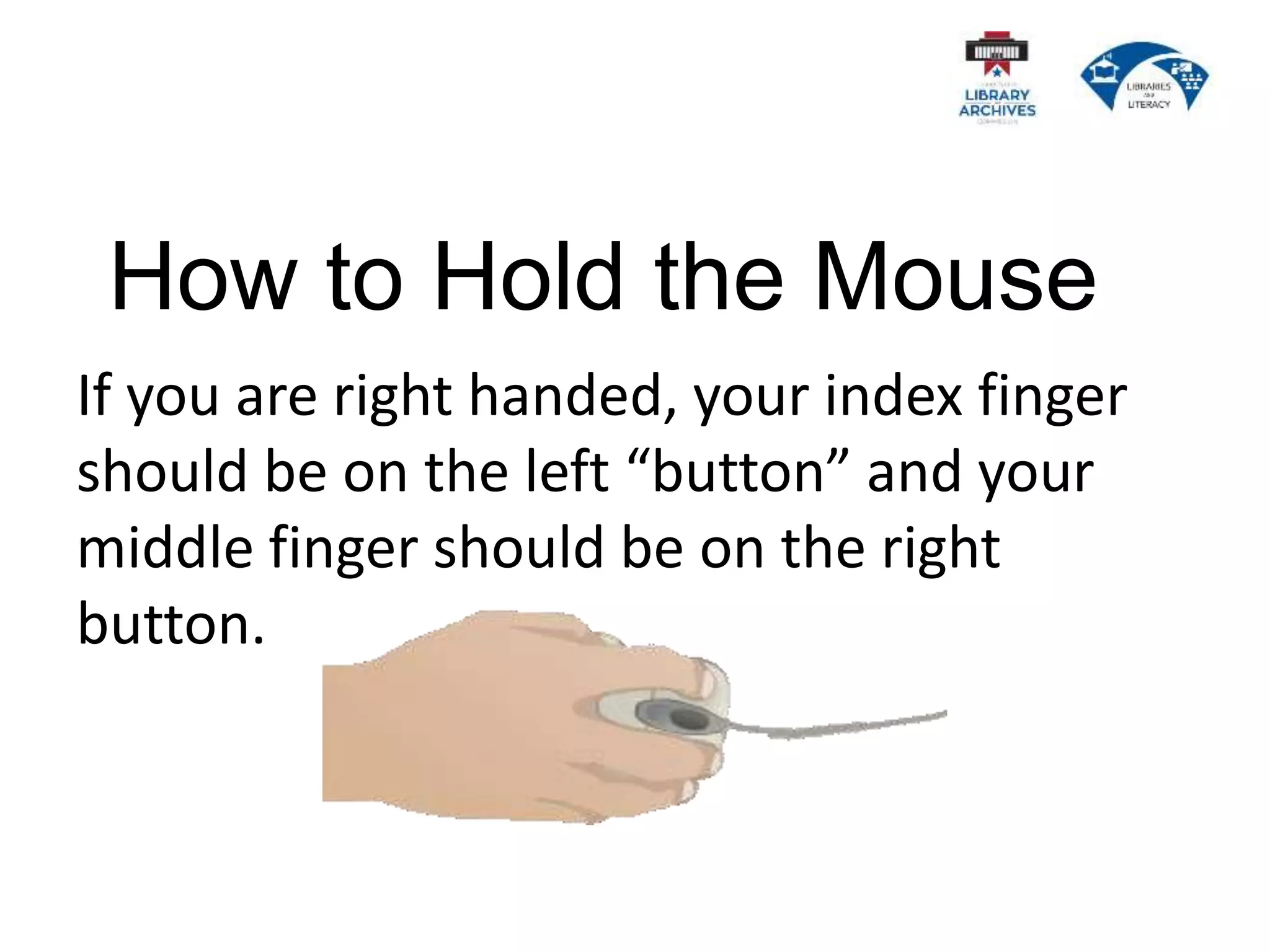
If you are right handed, your index finger
should be on the left “button” and your
middle finger should be on the right
button.
If you are left handed, your index finger
should be on the right button and your
middle finger should be on the left button.
How to Hold the Mouse
How to Use the Mouse
The mouse controls where the cursor on
the screen goes.
The Cursor
The cursor changes shape depending on its
location and what it is told to do.
How to Use the Mouse
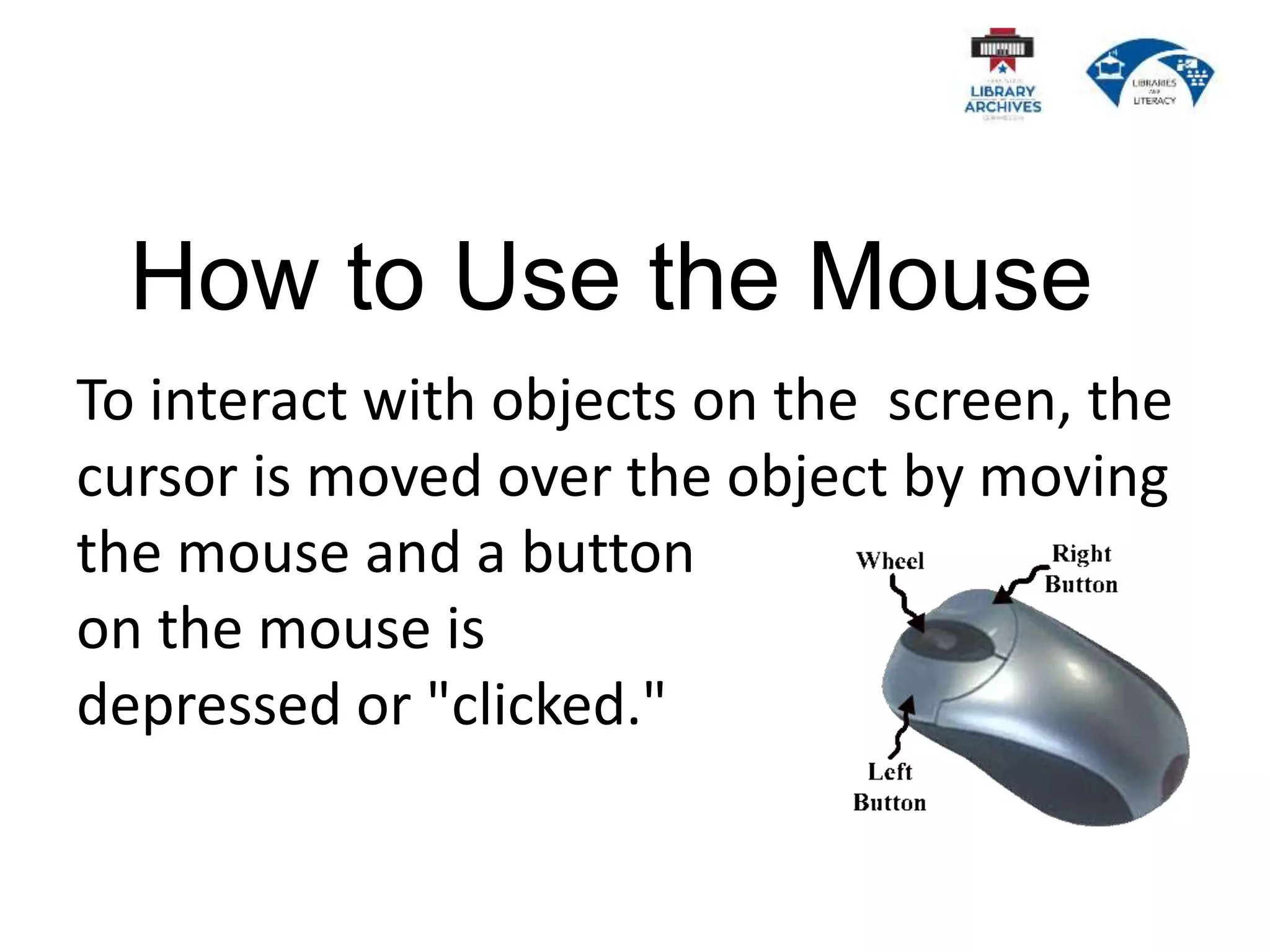
To interact with objects on the screen, the
cursor is moved over the object by moving
the mouse and a button
on the mouse is
depressed or "clicked."
Time To Practice!

1.3 Mouse Training Presentation.pptx

  • 1.
  • 2.
    We are goingto learn: • What a mouse is. • How to hold a mouse. • How to use a mouse.
  • 3.
    What is theMouse? The mouse is an input device designed to manipulate objects on the computer screen and assist you, the user, in interacting with the computer.
  • 4.
    How to Holdthe Mouse Holding the mouse correctly will: 1) Make using it easier and, more importantly, 2) Prevent stress and strain on your body!
  • 5.
    How to Holdthe Mouse Place the mouse close to the keyboard or laptop. Center the base of the mouse in your palm.
  • 6.
    How to Holdthe Mouse Rest your wrist on the mouse pad or desk, with the palm of your hand resting on the back portion of the mouse.
  • 7.
    How to Holdthe Mouse Your thumb should rest on the table on one side of the mouse and your pinky finger should rest on the table on the other side.
  • 8.
    How to Holdthe Mouse If you are right handed, your index finger should be on the left “button” and your middle finger should be on the right button.
  • 9.
    If you areleft handed, your index finger should be on the right button and your middle finger should be on the left button. How to Hold the Mouse
  • 10.
    How to Usethe Mouse The mouse controls where the cursor on the screen goes.
  • 11.
    The Cursor The cursorchanges shape depending on its location and what it is told to do.
  • 12.
    How to Usethe Mouse To interact with objects on the screen, the cursor is moved over the object by moving the mouse and a button on the mouse is depressed or "clicked."
  • 13.