MODULE - III
CONTAINER DATA TYPES
MODULE –III: SYLLABUS
MODULE - III CONTAINER DATA TYPES Classes: 9
Lists: Accessing List elements, List operations, List methods, List comprehension;
Tuples: Accessing Tuple elements, Tuple operations, Tuple methods, Tuple
comprehension, Conversion of List comprehension to Tuple, Iterators and Iterables,
zip() function.
Sets: Accessing Set elements, Set operations, Set functions, Set comprehension;
Dictionaries: Accessing Dictionary elements, Dictionary operations, Dictionary
Functions, Nested Dictionary, Dictionary comprehension.
List
A list is a collection which is ordered and changeable. In Python lists are
written with square brackets.
Create a List:
list = ["aaa", "bbb", "ccc"]
Access Items
To access values in lists, use the square brackets for slicing along with the
index or indices to obtain value available at that index.
LIST
3
How to slice lists in Python?
LIST
4
my_list = ['p','r','o','g','r','a','m','i','z']
print(my_list[2:5]) # elements 3rd to 5th
print(my_list[:-5]) # elements beginning to 4th
print(my_list[5:]) # elements 6th to end
print(my_list[:]) # elements beginning to end
LIST
5
LIST
6
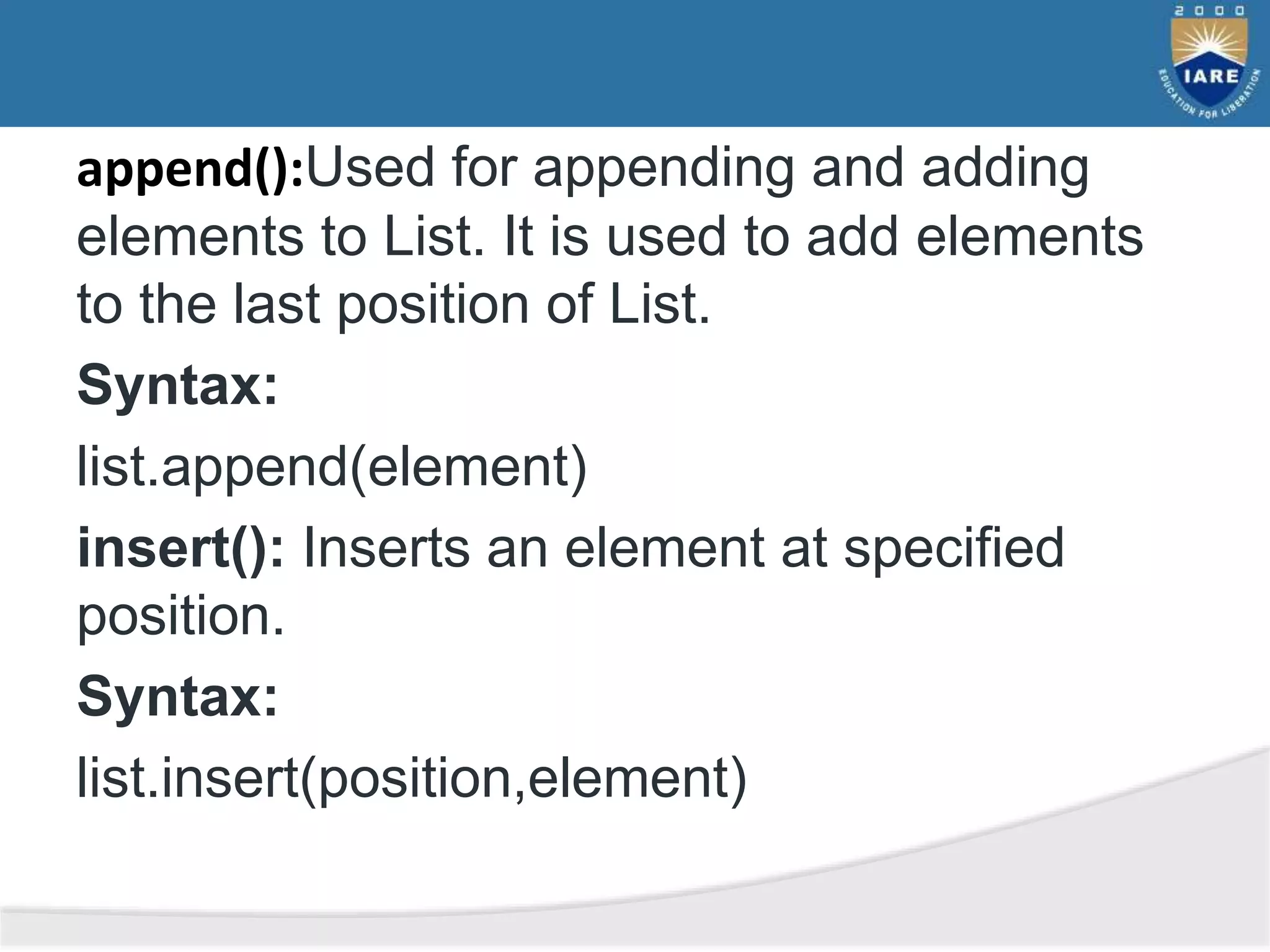
append():Used for appending and adding
elements to List. It is used to add elements
to the last position of List.
Syntax:
list.append(element)
insert(): Inserts an element at specified
position.
Syntax:
list.insert(position,element)
extend(): Adds contents of List2 to the end
of List1.
Syntax:
List1.extend(list2)
remove():Element to be deleted is mentioned
using list name and element.
Syntax:
List.remove(element)
pop(): This method deletes the element at
the position mentioned in its arguments.
Syntax:
List.pop([index])
NOTE:Index must be in range of the List,
elsewise IndexErrors occurs.
del[a : b] : This method deletes all the
elements in range starting from index ‘a’ till
‘b’ mentioned in arguments.Syntax:
del list.[index]
sum() : Calculates sum of all the elements
of List.
Syntax:
sum(list)
NOTE:Sum is calculated only for Numeric
values, elsewise throws TypeError.
Example:
List=[‘gfg’,’abc’,3]
print(sum(list))
count():Calculates total occurrence of given
element of List.
Syntax:
List.count(element)
Example:
list=[1,2,3,1,2,1,2,3,2,1]
print(list.count(1))
length:Calculates total length of List.
Syntax:
len(list_name)
Example:
list=[1,2,3,1,2,1,2,3,2,1]
print(len(list))
Index: Returns the index of first occurrence.
Start and End index are not necessary
parameters.
Syntax:
list.index(element[,start[,end]])
Example 1:
List=[1,2,3,1,2,1,2,3,2,1]
print(list.index(2))
Output: 1
Example 2:
list=[1,2,3,1,2,1,2,3,2,1]
print(list.index(2,2))
Output: 4
reverse(): The reverse method reverses the
elements of a list. The reverse() doesn’t take any
arguments it simply used to update the existing
list. Hence it doesn’t return any value.
Syntax of list reverse():
List.reverse()
Example:
#create a list of prime numbers
Prime_numbers=[2,3,5,7]
#reverse the order of list elements
Prime_numbers.reverse()
Print(‘Reversed List:’,Prime_numbers)
#Output: Reversed List:[2,5,3,2]
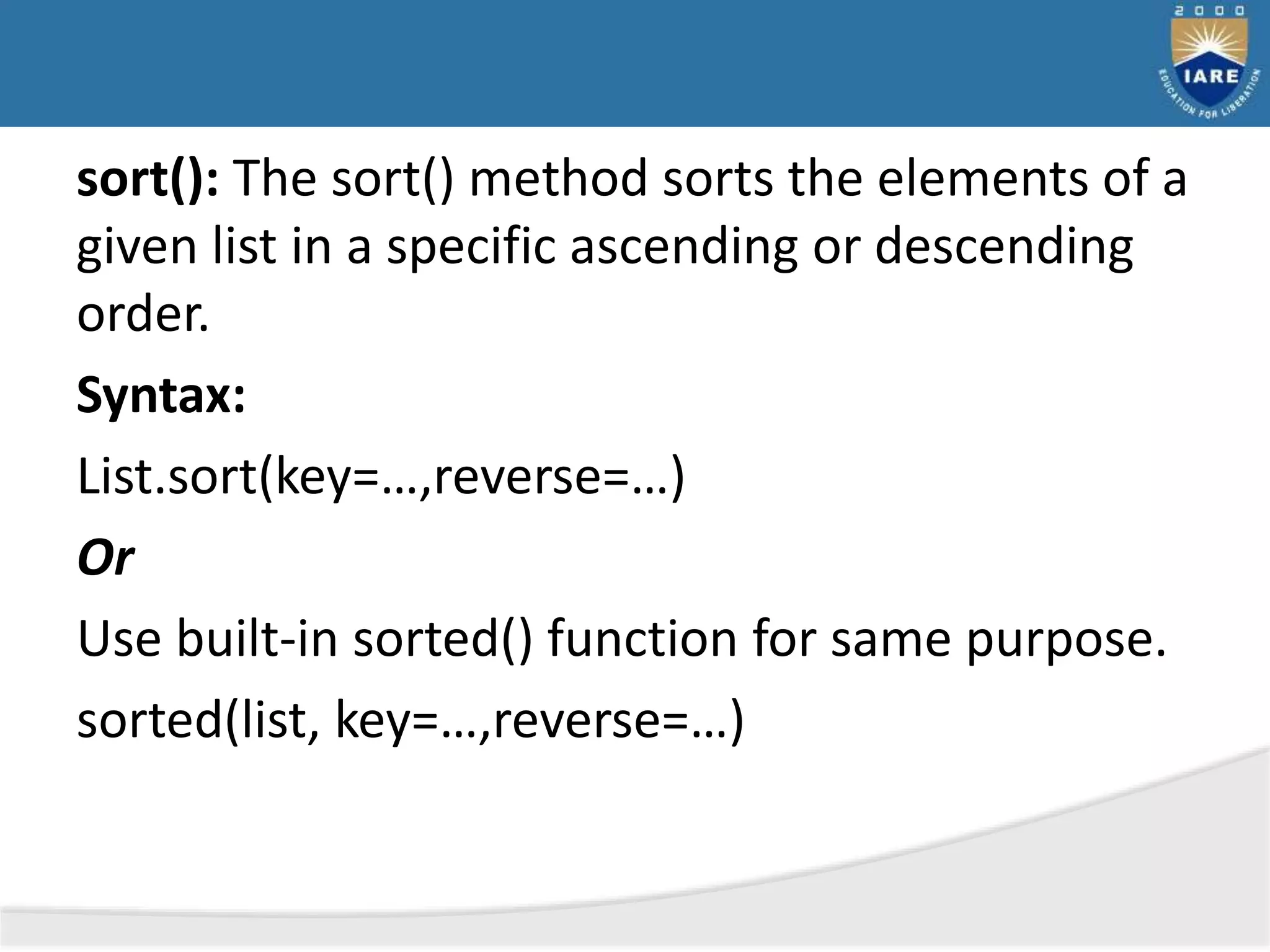
sort(): The sort() method sorts the elements of a
given list in a specific ascending or descending
order.
Syntax:
List.sort(key=…,reverse=…)
Or
Use built-in sorted() function for same purpose.
sorted(list, key=…,reverse=…)
Note: the difference between sort() and sorted()
is sort() changes the list directly and doesn’t
return any value, while sorted() doesn’t change
the list and returns the sorted list.
sort() parameters:
By default, sort() doesn’t require any extra
parameters. However it has two optional
parameters:
• Reverse- if true, the soted list is reversed(or
sorted in descending order)
• Key- Function that serves as a key for the sort
comparison.
Sort in Descending order:
• The sort() method accepts a reverse
parameter as an argument
• Setting reverse=True sorts the list in the
descending order
List.sort(reverse= True)
Or sorted(list, reverse=True)
Sort with custom function using key:
If you want your own implementation for
sorting, the sort() also accepts a key function as
an optional parameter
Based on the results of the key function, you can
sort the given list
Syntax:
List.sort(key=len) or sorted(list, key=len)
clear() : This function is used to erase all
the elements of list. After this operation, list
becomes empty.
Syntax:
list.clear()
copy(): Sometimes there is a need to reuse
an object, hence copy methods are always
of great utility.
• Syntax:
• list.copy()
Parameters:
• The copy() method doesn’t take any
parameters
Returns:
• Returns a shallow copy of a list. A shallow
copy means any modification in the new
list won’t be reflected in the original list.
List Comprehension
List comprehension offers a shorter syntax when
you want to create a new list based on the
values of an existing list
Example:
Based on a list of fruits, you want a new list,
containing only the fruits with the letter “a” in
the name.
Without list comprehension you will have to
write a for statement with a conditional test
inside:
fruits = ["apple", "banana", "cherry", "kiwi", "mango"]
newlist = []
for x in fruits:
if "a" in x:
newlist.append(x)
print(newlist)
With list comprehension you can do all
that with only one line of code:
fruits =
["apple", "banana", "cherry", "kiwi", "ma
ngo"]
newlist =[x for x in fruits if "a" in x]
print(newlist)
The syntax:
newlist =
[expression for item in iterable if condition == Tr
ue]
The return value is a new list, leaving the old list
unchanged.
Condition:
The condition is like a filter that only accepts the
items that valuate to true.
The condition is optional and can be
omitted.
Example:
Only accept items that are not "apple":
newlist = [x for x in fruits if x
!= "apple"]
With no if statement:
newlist = [x for x in fruits]
Tuples
A tuple is a sequence of immutable Python objects. Tuples are
sequences, just like lists. The differences between tuples and
lists are, the tuples cannot be changed unlike lists and tuples
are written in round brackets,whereas lists use square brackets.
Creating a Tuple:
thistuple = ("apple", "banana", "cherry")
print(thistuple)
28
Tuples
Basic Tuples Operations
29
Tuples
Built-in Tuple Functions
30
Dictionary
A dictionary is a collection which is unordered,
changeable and indexed. In Python dictionaries
are written with curly brackets, and they have
keys and values.
31
Dictionary
Dictionary Methods
32
Arrays
An array is a collection of items stored at contiguous
memory locations. The idea is to store multiple items
of the same type together.
33
MODULE - IV
STRINGS AND FUNCTIONS
MODULE –IV: SYLLABUS
MODULE - IV STRINGS AND FUNCTIONS Classes: 9
Strings: Accessing String elements, String properties, String operations.
Functions: Communicating with functions, Variable Scope and lifetime, return statement,
Types of arguments, Lambda functions, Recursive functions.
Creating Strings
String
• String is group of characters. We can create a string in Python by assigning
a group of characters to a variable. The group of characters should be
enclosed inside single quotes or double quotes as:
s1 = 'Welcome to Core Python learning'
s2 = "Welcome to Core Python learning“
• There is no difference between the single quotes and double quotes while
creating the strings. Both will work in the same manner.
• It is possible to display quotation marks to mark a sub string in a string.
s1 = 'Welcome to "Core Python" learning'
print(s1)
Creating Strings(Contd..)
• It is possible to use escape characters like t or n inside the strings.
• The escape character t releases tab space of 6 or 8 spaces and the
escape character n throws cursor into a new line.
• Table below summarizes the escape characters that can be used in
strings:
Escape Character Meaning
newline Backslash and newline ignored
 Backslash
' Single quote
" Double quote
a ASCII Bell
b ASCII Backspace
f ASCII Formfeed
n ASCII Linefeed
• Strings are immutable. This means that elements of a string cannot be
changed once they have been assigned. We can simply reassign different
strings to the same name.
• We cannot delete or remove characters from a string. But deleting the string
entirely is possible using the del keyword.
Escape Character Meaning
r ASCII Carriage Return
t ASCII Horizontal Tab
v ASCII Vertical Tab
ooo Character with octal value ooo
xHH Character with hexadecimal value HH
Basic Operations On Strings
The following are the basic operations we can perform on strings
1.Length of string
• Length of a string represents the number of characters in a string.
• To know the length of a string, we can use the len() function.
•
• This function gives the number of characters including spaces in the
string.
str = 'Core Python'
n = len(str)
print(n)
• The preceding lines of code will display the following output:
11
Basic Operations On Strings(contd..)
2.Indexing in Strings
• Index represents the position number. Index is written using square braces
[].
• By specifying the position number through an index, we can refer to the
individual elements (or characters) of a string.
• For example, str[0] refers to the 0th element of the string and str[1] refers to
the 1st element of the string. Thus, str[i] can be used to refer to ith element
of the string.
• Here, ‘i’ is called the string index because it is specifying the position
number of the element in the string.
• When we use index as a negative number, it refers to elements in the reverse
order. Thus, str[-1] refers to the last element and str[-2] refers to second
element from last.
Basic Operations On Strings(contd..)
3.Slicing the Strings
• A slice represents a part or piece of a string. The format of slicing is:
stringname[start: stop: stepsize]
• If ‘start’ and ‘stop’ are not specified, then slicing is done from 0th to n-1th
elements. If ‘stepsize’ is not written, then it is taken to be 1
• See the following example:
str = 'Core Python'
str[0:9:1] #access string from 0th to 8th element in steps of 1
Output: Core Pyth
• Consider the following code snippet:
str = 'Core Python'
str[::] #access string from 0th to last character
• The preceding lines of code will display the following output:
Core Python
Basic Operations On Strings(contd..)
4.Concatenation of Strings
• We can use ‘+’ on strings to attach a string at the end of another string.
• This operator ‘+’ is called addition operator when used on numbers. But,
when used on strings, it is called ‘concatenation’ operator since it joins or
concatenates the strings.
For example:
s1='Core'
s2="Python"
s3=s1+s2 #concatenate s1 and s2
print(s3) #display the total string s3
The output of the preceding statement is as follows:
CorePython
Basic Operations On Strings(contd..)
5.Comparing Strings
• We can use the relational operators like >, >=, <, <=, == or != operators to
compare two strings.
• They return Boolean value, i.e. either True or False depending on the
strings being compared.
• For example:
s1='Box'
s2='Boy'
if(s1==s2):
print('Both are same')
else:
print('Not same')
• This code returns ‘Not same’ as the strings are not same.
Basic Operations On Strings(contd..)
6.Removing Spaces from a String
• A space is also considered as a character inside a string.
• Sometimes, the unnecessary spaces in a string will lead to wrong results.
• For example, a person typed his name ‘Mukesh‘ (observe two spaces at
the end of the string) instead of typing ‘Mukesh’.
• If we compare these two strings using ‘==’ operator as:
if 'Mukesh '=='Mukesh':
print('Welcome')
else: print('Name not found')
• The output will be ‘Name not found’.
Basic Operations On Strings(contd..)
• Hence such spaces should be removed from the strings before they are
compared.
• This is possible using rstrip(), lstrip() and strip() methods.
• The rstrip() method removes the spaces which are at the right side of the
string.
• The lstrip() method removes spaces which are at the left side of the string.
• strip() method removes spaces from both the sides of the strings.
• These methods do not remove spaces which are in the middle of the string.
Basic Operations On Strings(contd..)
7.Finding Sub Strings
• The find(), rfind(), index() and rindex() methods are useful to locate sub strings
in a string. These methods return the location of the first occurrence of the sub
string in the main string.
• The find() and index() methods search for the sub string from the beginning of
the main string.
• The rfind() and rindex() methods search for the sub string from right to left,
i.e. in backward order.
• The find() method returns -1 if the sub string is not found in the main string.
• The index() method returns ‘ValueError’ exception if the sub string is not
found. The format of find() method is: mainstring.find(substring, beginning,
ending)
Basic Operations On Strings(contd..)
8.Splitting and Joining Strings
• The split() method is used to brake a string into pieces. These pieces are
returned as a list.
• For example, to brake the string ‘str’ where a comma (,) is found, we can
write:
str.split(‘,’)
• In the following example, we are cutting the string ‘str’ wherever a comma
is found. The resultant string is stored in ‘str1’ which is a list.
str = 'one,two,three,four'
str1 = str.split(',')
print(str1)
• The output of the preceding statements is as follows:
['one', 'two', 'three', 'four']
Basic Operations On Strings(contd..)
• In the following example, we are taking a list comprising 4 strings and we
are joining them using a colon (:) between them.
str = ['apple', 'guava', 'grapes', 'mango']
sep =':'
str1 = sep.join(str)
print(str1)
• The output of the preceding statements is as follows:
apple:guava:grapes:mango
Basic Operations On Strings(contd..)
9.Changing Case of a String
• Python offers 4 methods that are useful to change the case of a string. They
are upper(), lower(), swapcase(), title().
• The upper() method is used to convert all the characters of a string into
uppercase or capital letters.
• The lower() method converts the string into lowercase or into small letters.
• The swapcase() method converts the capital letters into small letters and
vice versa.
• The title() method converts the string such that each word in the string will
start with a capital letter and remaining will be small letters.
String Formatting Operator
• The format() method that is available with the string object is very
versatile and powerful in formatting strings. Format strings contain curly
braces { } as placeholders or replacement fields which get replaced.
• We can use positional arguments or keyword arguments to specify the
order.
• The format() method can have optional format specifications. They are
separated from the field name using colon. For example, we can left-justify
<, right-justify > or center ^ a string in the given space
• We can also format integers as binary, hexadecimal, etc. and floats can be
rounded or displayed in the exponent format. There are tons of formatting
you can use..
Old Style Formatting:
We can even format strings like the old sprint() style used in C programming
language. We use the % operator to accomplish this.
Common Python String Methods:
There are numerous methods available with the string object. The format()
method that we mentioned above is one of them. Some of the commonly used
methods are lower(), upper(), join(), split(), find(), replace() etc.
Using a Single Formatter:
Formatters work by putting in one or more replacement fields and placeholders
defined by a pair of curly braces { } into a string and calling the str.format().
The value we wish to put into the placeholders and concatenate with the string
passed as parameters into the format function.
Using Multiple Formatters:
Multiple pairs of curly braces can be used while formatting the string. Let’s
say if another variable substitution is needed in the sentence, can be done by
adding a second pair of curly braces and passing a second value into the
method. Python will replace the placeholders with values in order.
String Testing Methods
• There are several methods to test the nature of characters in a string. These
methods return either True or False.
• For example, if a string has only numeric digits, then isdigit() method
returns True.
• These methods can also be applied to individual characters. Below table
shows the string and character testing methods:
Method Description
isalnum() This method returns True if all characters in the string are alphanumeric (A
to Z, a to z, 0 to 9) and there is at least one character; otherwise it returns
False.
isalpha() Returns True if the string has at least one character and all characters are
alphabetic (A to Z and a to z); otherwise, it returns False.
isdigit() Returns True if the string contains only numeric digits (0 to 9) and False
otherwise.
islower() Returns True if the string contains at least one letter and all characters are in
lower case; otherwise, it returns False.
String Testing Methods(contd..)
Table: String and character testing methods
Method Description
isupper() Returns True if the string contains at least one letter and all
characters are in upper case; otherwise, it returns False.
istitle() Returns True if each word of the string starts with a capital
letter and there is at least one character in the string;
otherwise, it returns False.
isspace() Returns True if the string contains only spaces; otherwise, it
returns False.
Commonly Used String Methods
Function Usage
capitalize() Converts the first character to upper case
casefold() Converts string into lower case
center() Returns a centered string
count() Returns the number of times a specified value occurs in a string
encode() Returns an encoded version of the string
endswith() Returns true if the string ends with the specified value
expandtabs() Sets the tab size of the string
find() Searches the string for a specified value and returns the position of
where it was found
format() Formats specified values in a string
format_map() Formats specified values in a string
index() Searches the string for a specified value and returns the position of
where it was found
isascii() Returns True if all characters in the string are ascii characters
isdecimal() Returns True if all characters in the string are decimals
isidentifier() Returns True if the string is an identifier
isnumeric() Returns True if all characters in the string are numeric
isprintable() Returns True if all characters in the string are printable
join() Converts the elements of an iterable into a string
ljust() Returns a left justified version of the string
maketrans() Returns a translation table to be used in translations
partition() Returns a tuple where the string is parted into three parts
lower() Converts a string into lower case
lstrip() Returns a left trim version of the string
replace() Returns a string where a specified value is replaced with a specified
value
rfind() Searches the string for a specified value and returns the last position
of where it was found
rindex() Searches the string for a specified value and returns the last position of
where it was found
rjust() Returns a right justified version of the string
rpartition() Returns a tuple where the string is parted into three parts
rsplit() Splits the string at the specified separator, and returns a list
rstrip() Returns a right trim version of the string
split() Splits the string at the specified separator, and returns a list
splitlines() Splits the string at line breaks and returns a list
startswith() Returns true if the string starts with the specified value
strip() Returns a trimmed version of the string
swapcase() Swaps cases, lower case becomes upper case and vice versa
title() Converts the first character of each word to upper case
translate() Returns a translated string
upper() Converts a string into upper case
zfill() Fills the string with a specified number of 0 values at the beginning
Functions
• A function is similar to a program that consists of a group of statements
that are intended to perform a specific task.
• The main purpose of a function is to perform a specific task or work. Thus
when there are several tasks to be performed, the programmer will write
several functions.
• There are several ‘built-in’ functions in Python to perform various tasks.
• For example, to display output, Python has print() function. Similarly, to
calculate square root value, there is sqrt() function and to calculate power
value, there is power() function
Functions(Contd..)
Advantages
• Functions are important in programming because they are used to
process data
• Once a function is written, it can be reused as and when required.
• Functions provide modularity for programming. A module represents a
part of the program.
• Code maintenance will become easy because of functions.
• When there is an error in the software, the corresponding function can
be modified without disturbing the other functions in the software. Thus
code debugging will become easy.
• The use of functions in a program will reduce the length of the program.
Defining Functions
• We can define a function using the keyword def followed by function
name.
• After the function name, we should write parentheses () which may
contain parameters.
Syntax:
def functionname(parameter1,parameter2,….):
“””function docstring”””
function statements
Example:
def add(a,b):
“””This function finds sum of two numbers”””
c=a+b
print(c)
Recursive Functions
• A function that calls itself is known as ‘recursive function’.
• For example, we can write the factorial of 3 as:
factorial(3) = 3 * factorial(2)
Here, factorial(2) = 2 * factorial(1)
And, factorial(1) = 1 * factorial(0)
• Now, if we know that the factorial(0) value is 1, all the preceding
statements will evaluate and give the result as:
factorial(3) = 3 * factorial(2)
= 3 * 2 * factorial(1)
= 3 * 2 * 1 * factorial(0)
= 3 * 2 * 1 * 1 = 6
• From the above statements, we can write the formula to calculate
factorial of any number ‘n’ as: factorial(n) = n * factorial(n-1)
Recursive Functions (Contd..)
Example:
A Python program to calculate factorial values using recursion.
#recursive function to calculate factorial
def factorial(n):
""" to find factorial of n """
if n==0:
result=1
else:
result=n*factorial(n-1)
return result
#find factorial values for first 10 numbers
for i in range(1, 11):
print('Factorial of {} is {}'.format(i, factorial(i)))
Calling a function
• A function cannot run on its own. It runs only when we call it. So, the next
step is to call the function using its name.
• While calling the function, we should pass the necessary values to the
function in the parentheses as:
• sum(10, 15)
• Here, we are calling the ‘sum’ function and passing two values 10 and 15 to
that function.
• When this statement is executed, the Python interpreter jumps to the
function definition and copies the values 10 and 15 into the parameters ‘a’
and ‘b’ respectively.
Calling a function(Contd..)
Example:
A function that accepts two values and finds their sum.
#a function to add two numbers
def sum(a, b):
""" This function finds sum of two numbers """
c = a+b
print('Sum=', c)
#call the function
sum(10, 15)
sum(1.5, 10.75) #call second time
Output:
C:>python fun.py
Sum= 25
Sum= 12.25
Returning Results from a Function
• We can return the result or output from the function using a ‘return’
statement in the body of the function.
• For example,
return c #returns c value out of function
return 100 #returns 100
return lst #return the list that contains values
return x, y, c #returns 3 values
• When a function does not return any result, we need not write the return
statement in the body of the function.
Returning Multiple Values from a Function
• A function returns a single value in the programming languages like C or
Java. But in Python, a function can return multiple values.
• When a function calculates multiple results and wants to return the results,
we can use the return statement as:
return a, b, c
• we can use three variables at the time of calling the function as:
x, y, z = function()
Example:
def sum_sub(a, b):
c = a + b
d = a – b
return c, d
Returning Multiple Values from a Function
Example:
A Python program to understand how a function returns two values.
#a function that returns two results
def sum_sub(a, b):
""" this function returns results of addition and subtraction of a, b """
c = a + b
d = a – b
return c, d
#get the results from the sum_sub() function
x, y = sum_sub(10, 5)
#display the results
print("Result of addition:", x)
print("Result of subtraction:", y)
Output: C:>python fun.py
Result of addition: 15
Result of subtraction: 5
Functions are First Class Objects
• In Python, functions are considered as first class objects. It means we can
use functions as perfect objects.
• In fact when we create a function, the Python interpreter internally
creates an object.
• Since functions are objects, we can pass a function to another function
just like we pass an object (or value) to a function.
• The following possibilities are noteworthy:
1. It is possible to assign a function to a variable.
2. It is possible to define one function inside another function.
3. It is possible to pass a function as parameter to another function.
4. It is possible that a function can return another function.
Functions are First Class Objects(Contd..)
1. Assign a function to variable
A Python program to see how to assign a function to a variable.
#assign a function to a variable
def display(str):
return 'Hai '+str
#assign function to variable x
x = display("Krishna")
print(x)
Output: C:>python fun.py
Hai Krishna
Functions are First Class Objects(Contd..)
2.Defining one function inside another function
A Python program to know how to define a function inside another
function.
#define a function inside another function
def display(str):
def message():
return 'How are U?’
result = message()+str
return result
#call display() function
print(display("Krishna"))
Output: C:>python fun.py
How are U? Krishna
Functions are First Class Objects(Contd..)
3.Pass a function as parameter to another function
A Python program to know how to pass a function as parameter to
another function.
#functions can be passed as parameters to other functions
def display(fun):
return 'Hai '+ fun
def message():
return 'How are U? '
#call display() function and pass message() function
print(display(message()))
Output: C:>python fun.py
Hai How are U?
Functions are First Class Objects(Contd..)
4.A function can return another function
A Python program to know how a function can return another function.
#functions can return other functions
def display():
def message():
return 'How are U?’
return message
#call display() function and it returns message() function
#in the following code, fun refers to the name: message.
fun = display()
print(fun())
Output: C:>python fun.py
How are U?
Argument Vs Parameters
• Arguments are values that are passed into function(or method) when the
calling function.
• Parameters are variables(identifiers) specified in the (header of) function
definition
• With function call arguments are what you pass into the
function parameters. Or it can be said, parameters are names(variables) in
a function(or method) definition that specifies types of arguments that
the function can accept.
• In call-by-value programming languages arguments are copied into
parameter(variables) by their position
• Python is based on call by object reference or sometimes called call by
sharing, where reference of formal arguments will be assigned to
actual parameters
• These words are sometimes used interchangeably but aware of context.
• These words are sometimes used interchangeably but aware of context
Python supports two kind of arguments
• Positional arguments
• keywords arguments
And python supports total five kind of parameters
• positional or keyword
• positional only
• keyword only
• variable positional (var-positional)
• Variable Keyword
Arguments Vs Parameters
Formal vs Actual Arguments
Formal and Actual Arguments
• Formal arguments are identifiers used in the function definition to
represent corresponding actual arguments.
• Actual arguments are values(or variables)/expressions that are used
inside the parentheses of a function call.
• Above definition and terminology of Formal/Actual arguments is same
across different programming languages.
Formal and Actual Arguments
• When a function is defined, it may have some parameters. These
parameters are useful to receive values from outside of the function. They
are called ‘formal arguments’.
• When we call the function, we should pass data or values to the function.
These values are called ‘actual arguments’.
• In the following code, ‘a’ and ‘b’ are formal arguments and ‘x’ and ‘y’ are
actual arguments.
def sum(a, b):
#a, b are formal arguments
c = a+b
print(c)
#call the function x=10; y=15
sum(x, y)
#x, y are actual arguments
Actual Parameter Formal Parameter
The arguments that are passed in a function
call are called actual arguments.
The formal arguments are the
parameters/arguments in a function
declaration.
Data type not required. But data type should
match with corresponding data type of formal
parameters.
Data types needs to be mentioned.
Actual parameters are the parameters which
you specify when you call the Functions or
Procedures.
A formal parameter is a parameter which you
specify when you define the function.
The actual parameters are passed by the calling
function.
The formal parameters are in the called
function.
Ex:
void main()
{ int a,b;
a= sum(4,5); //function call
}
// 4,5 are actual parameter
Ex:
int sum(int a, int b)
{ int s;
s=a+b;
return(s);
}
//a&b are formal parameter
Formal and Actual Arguments(Contd..)
The actual arguments used in a function call are of 4 types:
1. Positional arguments
2. Keyword arguments
3. Default arguments
4. Variable length arguments
1.Positional Arguments
These are the arguments passed to a function in correct positional order.
Here, the number of arguments and their positions in the function definition
should match exactly with the number and position of the argument in the
function call.
Formal and Actual Arguments(Contd..)
2. Keyword Arguments
Keyword arguments are arguments that identify the parameters by their
names. For example, the definition of a function that displays grocery item
and its price can be written as:
def grocery(item, price):
3.Default Arguments
We can mention some default value for the function parameters in the
definition. Let’s take the definition of grocery() function as:
def grocery(item, price=40.00):
4.Variable Length Arguments
Sometimes, the programmer does not know how many values a function may
receive. In that case, the programmer cannot decide how many arguments to
be given in the function definition.
The variable length argument is written with a ‘ * ’ symbol before it in the
function definition as:
def add(farg, *args):
MODULE - V
CLASSES AND OBJECTS
MODULE - V: SYLLABUS
MODULE - V CLASSES AND OBJECTS Classes: 9
Classes and Objects – Defining Classes, Creating Objects, Data Abstraction and Hiding
through Classes, Class Method and self Argument, Class variables and Object variables,
__init()__ and __del__() method, Public and private data members, Built-in Class
Attributes, Garbage Collection. OOPs Features: Abstraction, Encapsulation, Inheritance, and
Polymorphism.
Python Objects and Classes
• Python is an object-oriented programming language.
Unlike procedure-oriented programming, where the
main emphasis is on functions, object-oriented
programming stresses on objects.
• An object is simply a collection of data (variables)
and methods (functions) that act on those data.
Similarly, a class is a blueprint for that object.
• We can think of a class as a sketch (prototype) of a
house. It contains all the details about the floors,
doors, windows, etc. Based on these descriptions we
build the house. House is the object.
• As many houses can be made from a house's
blueprint, we can create many objects from a class.
An object is also called an instance of a class and the
process of creating this object is called instantiation.
Defining a Class in Python
• Like function definitions begin with the def keyword
in Python, class definitions begin with
a class keyword.
• The first string inside the class is called docstring and
has a brief description of the class. Although not
mandatory, this is highly recommended.
Defining a Class in Python
• Here is a simple class definition.
class MyNewClass:
'''This is a docstring. I have created a new class'''
pass
• A class creates a new local namespace where all its
attributes are defined. Attributes may be data or
functions.
• There are also special attributes in it that begins with
double underscores __. For example, __doc__ gives
us the docstring of that class.
• As soon as we define a class, a new class object is
created with the same name.
• This class object allows us to access the different
attributes as well as to instantiate new objects of that
class.
class Person:
"This is a person class"
age = 10
def greet(self):
print('Hello')
# Output: 10
print(Person.age)
# Output: <function Person.greet>
print(Person.greet)
# Output: "This is a person class"
print(Person.__doc__)
Output:
10
<function Person.greet at 0x7fc78c6e8160>
This is a person class
Creating a Class
CLASS
• we write a class with the attributes and actions of objects. Attributes are
represented by variables and actions are performed by methods. So, a class
contains variable and methods.
• A function written inside a class is called a method. Generally, a method is
called using one of the following two ways:
• class name.methodname()
• instancename.methodname()
• The general format of a class is given as follows:
Class Classname(object):
""" docstring describing the class """
attributes def __init__(self):
def method1():
def method2():
Creating A CLASS(Contd..)
• A class is created with the keyword class and then writing the Classname. After
the Classname, ‘object’ is written inside the Classname.
• This ‘object’ represents the base class name from where all classes in Python are
derived.
• Even our own classes are also derived from ‘object’ class. Hence, we should
mention ‘object’ in the parentheses.
class Student:
#another way is:
class Student(object):
#the below block defines attributes
def __init__(self):
self.name = ‘Vishnu’
self.age = 20
self.marks = 900
#the below block defines a method
Creating a CLASS(Contd..)
def talk(self):
print(‘Hi, I am ‘, self.name)
print(‘My age is’, self.age)
print(‘My marks are’, self.marks)
• To create an instance, the following syntax is used:
instancename = Classname()
So, to create an instance (or object) to the Student class, we can write as:
s1 = Student()
When we create an instance like this, the following steps will take place internally:
1. First of all, a block of memory is allocated on heap. How much memory is to be
allocated is decided from the attributes and methods available in the Student
class.
2. After allocating the memory block, the special method by the name
‘__init__(self)’ is called internally. This method stores the initial data into the
variables. Since this method is useful to construct the instance, it is called
‘constructor’.
Creating a CLASS(Contd..)
3. Finally, the allocated memory location address of the instance is returned
into ‘s1’ variable. To see this memory location in decimal number format,
we can use id() function as id(s1).
Program
Program 1: A Python program to define Student class and create an object to
it. Also, we will call the method and display the student’s details.
#instance variables and instance method
class Student:
#this is a special method called constructor.
def __init__(self):
self.name = 'Vishnu'
self.age = 20
self.marks = 900
#this is an instance method.
def talk(self):
print('Hi, I am', self.name)
Creating A CLASS(Contd..)
print('My age is', self.age)
print('My marks are', self.marks)
#create an instance to Student class.
s1 = Student()
#call the method using the instance.
s1.talk()
Output:
C:>python cl.py
Hi, I am Vishnu
My age is 20
My marks are 900
Creating an Object in Python
• We saw that the class object could be
used to access different attributes.
• It can also be used to create new object
instances (instantiation) of that class. The
procedure to create an object is similar to
a function call.
>>>harry=Person()
• This will create a new object instance named
harry. We can access the attributes of objects
using the object name prefix.
• Attributes may be data or method. Methods
of an object are corresponding functions of
that class.
• This means to say, since Person.greet is a
function object (attribute of class),
Person.greet will be a method object.
• You may have noticed the self parameter in
function definition inside the class but we
called the method simply as harry.greet()
without any arguments. It still worked.
• This is because, whenever an object calls its
method, the object itself is passed as the first
argument. So, harry.greet() translates into
Person.greet(harry).
• In general, calling a method with a list of n
arguments is equivalent to calling the
corresponding function with an argument list
that is created by inserting the method's
object before the first argument.
• For these reasons, the first argument of
the function in class must be the object
itself. This is conventionally called self. It
can be named otherwise but we highly
recommend to follow the convention.
• Now you must be familiar with class
object, instance object, function object,
method object and their differences.
Constructors in Python
• Class functions that begin with double
underscore __ are called special functions as
they have special meaning.
• Of one particular interest is the __init__()
function. This special function gets called
whenever a new object of that class is
instantiated.
• This type of function is also called constructors
in Object Oriented Programming (OOP). We
normally use it to initialize all the variables.
• In the above example, we defined a new class
to represent complex numbers. It has two
functions, __init__() to initialize the variables
(defaults to zero) and get_data() to display the
number properly.
• An interesting thing to note in the above step
is that attributes of an object can be created
on the fly. We created a new attribute attr for
object num2 and read it as well. But this does
not create that attribute for object num1.
The Self Variable
• ‘self’ is a default variable that contains the memory address of the instance
of the current class.
• For example, we create an instance to Student class as:
s1 = Student()
We use ‘self’ in two ways:
1. The ‘self’ variable is used as first parameter in the constructor as:
def __init__(self):
In this case, ‘self’ can be used to refer to the instance variables inside the
constructor.
2. ‘self’ can be used as first parameter in the instance methods as:
def talk(self):
Here, talk() is instance method as it acts on the instance variables.
Constructor
• A constructor is a special method that is used to initialize the instance
variables of a class. In the constructor, we create the instance variables
and initialize them with some starting values. The first parameter of the
constructor will be ‘self’ variable that contains the memory address of the
instance. For example,
def __init__(self):
self.name = ‘Vishnu’
self.marks = 900
Program 2: A Python program to create Student class with a constructor
having more than one parameter.
#instance vars and instance method - v.20
class Student: #this is constructor.
def __init__(self, n ='', m=0):
self.name = n
self.marks = m #this is an instance method.
def display(self):
Constructor(Contd..)
print('Hi', self.name)
print('Your marks', self.marks) #constructor is called without any
arguments
s = Student()
s.display()
print('------------------') #constructor is called with 2 arguments
s1 = Student('Lakshmi Roy', 880)
s1.display()
print('------------------')
Output: C:>python cl.py
Hi
Your marks 0
------------------
Hi Lakshmi Roy
Your marks 880
Types of Variables
• The variables which are written inside a class are of 2 types:
1. Instance variables
2. Class variables or Static variables
Program 3: A Python program to understand instance variables.
#instance vars example
class Sample: #this is a constructor.
def __init__(self):
self.x = 10 #this is an instance method.
def modify(self):
self.x+=1 #create 2 instances
s1 = Sample()
s2 = Sample()
print(‘x in s1= ‘, s1.x)
print(‘x in s2= ‘, s2.x) #modify x in s1
s1.modify()
Types of Variables (Contd..)
print(‘x in s1= ‘, s1.x)
print(‘x in s2= ‘, s2.x)
Output: C:>python cl.py
x in s1= 10
x in s2= 10
x in s1= 11
x in s2= 10
Program 4: A Python program to understand class variables or static variables.
#class vars or static vars example
class Sample: #this is a class var
x = 10 #this is a class method.
@classmethod
def modify(cls):
cls.x+=1 #create 2 instances
s1 = Sample()
s2 = Sample()
Types of Variables (Contd..)
print(‘x in s1= ‘, s1.x)
print(‘x in s2= ‘, s2.x)
#modify x in s1
s1.modify()
print(‘x in s1= ‘, s1.x)
print(‘x in s2= ‘, s2.x)
Output: C:>python cl.py
x in s1= 10
x in s2= 10
x in s1= 11
x in s2= 11
Namespaces (Contd..)
Namespaces
A namespace represents a memory block where names are mapped (or
linked) to objects. Suppose we write:
n = 10 #understanding class namespace
class Student: #this is a class var
n=10 #access class var in the class namespace
print(Student.n) #displays 10
Student.n+=1 #modify it in class namespace
print(Student.n) #displays 11
Types of Methods
• The purpose of a method is to process the variables provided in the class
or in the method.
• We can classify the methods in the following 3 types:
1. Instance methods (a) Accessor methods (b) Mutator methods
2. Class methods
3. Static methods
Instance Methods
• Instance methods are the methods which act upon the instance variables
of the class. Instance methods are bound to instances (or objects) and
hence called as: instancename.method().
• Program: A Python program to store data into instances using mutator
methods and to retrieve data from the instances using accessor methods.
#accessor and mutator methods
class Student: #mutator method
def setName(self, name):
self.name = name #accessor method
Types of Methods (Contd...)
def getName(self):
return self.name #mutator method
def setMarks(self, marks):
self.marks = marks #accessor method
def getMarks(self):
return self.marks #create instances with some data from keyboard
n = int(input(‘How many students? ‘))
i=0
while(i<n): #create Student class instance
s = Student()
name = input(‘Enter name: ‘)
s.setName(name)
marks = int(input(‘Enter marks: ‘))
s.setMarks(marks) #retrieve data from Student class instance
print(‘Hi’, s.getName())
Types of Methods (Contd...)
print(‘Your marks’, s.getMarks())
i+=1 print(‘-------------------‘)
Output: C:>python cl.py
How many students? 2
Enter name: Vinay Krishna
Enter marks: 890
Hi Vinay Krishna
Your marks 890
------------------
Enter name: Vimala Rao
Enter marks: 750
Hi Vimala Rao
Your marks 750
------------------
Types of Methods (Contd...)
Class Methods
• These methods act on class level. Class methods are the methods which act on
the class variables or static variables. These methods are written using
@classmethod decorator above them. By default, the first parameter for class
methods is ‘cls’ which refers to the class itself.
• Program 7: A Python program to use class method to handle the common feature
of all the instances of Bird class.
#understanding class methods
class Bird: #this is a class var
wings = 2 #this is a class method
@classmethod
def fly(cls, name):
print(‘{} flies with {} wings’.format(name, cls.wings)) #display
Bird.fly(‘Sparrow’)
Bird.fly(‘Pigeon’)
Output: C:>python cl.py Sparrow flies with 2 wings Pigeon flies with 2 wings
Types of Methods (Contd...)
Static Methods
• We need static methods when the processing is at the class level but we
need not involve the class or instances. Static methods are used when
some processing is related to the class but does not need the class or its
instances to perform any work.
Program : A Python program to create a static method that counts the
number of instances created for a class.
class Myclass:
#this is class var or static var n=0
#constructor that increments n when an instance is created
def __init__(self):
Myclass.n = Myclass.n+1
@staticmethod def noObjects():
print(‘No. of instances created: ‘, Myclass.n)
obj1 = Myclass() obj2 = Myclass() obj3 = Myclass()
Myclass.noObjects()
Output: C:>python cl.py No. of instances created: 3
Inheritance
A programmer in the software development is creating Teacher class with
setter() and getter() methods as shown in Program 1. Then he saved this
code in a file ‘teacher.py’.
Program
Program 1: A Python program to create Teacher class and store it into
teacher.py module. #this is Teacher class. save this code in teacher.py
file
class Teacher:
def setid(self, id):
self.id = id
def getid(self):
return self.id
def setname(self, name):
self.name = name
def getname(self):
return self.name
Inheritance(Contd..)
def setaddress(self, address):
self.address = address
def getaddress(self):
return self.address
def setsalary(self, salary):
self.salary = salary
def getsalary(self):
return self.salary
Program 2: A Python program to use the Teacher class.
#save this code as inh.py file
#using Teacher class from teacher import Teacher
#create instance t = Teacher()
#store data into the instance t.setid(10)
t.setname('Prakash')
t.setaddress('HNO-10, Rajouri gardens, Delhi')
Inheritance(Contd..)
t.setsalary(25000.50) #retrieve data from instance and display
print('id=', t.getid())
print('name=', t.getname())
print('address=', t.getaddress())
print('salary=', t.getsalary())
Output: C:>python inh.py
id= 10
name= Prakash
address= HNO-10, Rajouri gardens, Delhi
salary= 25000.5
A Python program to create Student class by deriving it from the Teacher
class. #Student class - v2.0.save it as student.py
from teacher import Teacher
class Student(Teacher):
def setmarks(self, marks): self.marks = marks
def getmarks(self): return self.marks
Constructors in Inheritance
Program 6: A Python program to access the base class constructor from sub class.
#base class constructor is available to sub class
class Father:
def __init__(self):
self.property = 800000.00
def display_property(self):
print('Father's property=', self.property)
class Son(Father):
pass #we do not want to write anything in the sub class
#create sub class instance and display father's property
s = Son()
s.display_property()
Output: C:>python inh.py
Father's property= 800000.0
Super() Method
• super() is a built-in method which is useful to call the super class
constructor or methods from the sub class
Program 8: A Python program to call the super class constructor in the sub
class using super().
#accessing base class constructor in sub class class Father:
def __init__(self, property=0):
self.property = property
def display_property(self):
print('Father's property=', self.property)
class Son(Father):
def __init__(self, property1=0, property=0):
super().__init__(property)
self.property1= property1
def display_property(self):
print('Total property of child=', self.property1 + self.property)
#create sub class instance and display father's property
Super() Method (Contd...)
s = Son(200000.00, 800000.00)
s.display_property()
Output:
C:>python inh.py
Total property of child= 1000000.0
Types of Inheritance
There are mainly 2 types of inheritance available. They are:
1. Single inheritance
2. Multiple inheritance
Single Inheritance
Deriving one or more sub classes from a single base class is called ‘single
inheritance’. In single inheritance, we always have only one base class, but
there can be n number of sub classes derived from it. For example,
Types of Inheritance (Contd..)
Multiple Inheritance
• Deriving sub classes from multiple (or more than one) base classes is
called ‘multiple inheritance’. In this type of inheritance, there will be more
than one super class and there may be one or more sub classes.
Polymorphism
Polymorphism
• Polymorphism is a word that came from two Greek words, poly means
many and morphos means forms. If something exhibits various forms, it
is called polymorphism. Let’s take a simple example in our daily life.
Assume that we have wheat flour. Using this wheat flour, we can make
burgers, rotis, or loaves of bread. It means same wheat flour is taking
different edible forms and hence we can say wheat flour is exhibiting
polymorphism. Consider Figure:
Polymorphism(Contd..)
The following topics are examples for polymorphism in Python:
• Duck typing philosophy of Python
• Operator overloading
• Method overloading
• Method overriding
Abstract classes and interfaces
• An abstract method is a method whose action is redefined in the sub
classes as per the requirement of the objects. To mark a method as
abstract, we should use the decorator @abstractmethod.
• An abstract class is a class that generally contains some abstract
methods.
Program : A Python program to create abstract class and sub classes
which implement the abstract method of the abstract class.
#abstract class example
from abc import ABC, abstractmethod
class Myclass(ABC):
@abstractmethod
def calculate(self, x):
pass
#empty body, no code
#this is sub class of Myclass
class Sub1(Myclass):
Abstract classes and interfaces(Contd...)
def calculate(self, x):
print('Square value=', x*x)
#this is another sub class for Myclass
import math
class Sub2(Myclass):
def calculate(self, x):
print('Square root=', math.sqrt(x))
#third sub class for Myclass
class Sub3(Myclass):
def calculate(self, x):
print('Cube value=', x**3)
#create Sub1 class object and call calculate() method
obj1 = Sub1()
obj1.calculate(16)
#create Sub2 class object and call calculate() method
obj2 = Sub2()
Abstract classes and interfaces(Contd...)
obj2.calculate(16)
#create Sub3 class object and call calculate() method
obj3 = Sub3()
obj3.calculate(16)
Output:
C:>python abs.py
Square value= 256
Square root= 4.0
Cube value= 4096
Interfaces in Python
• An interface can be defined as a specification of method headers. Since, we
write only abstract methods in the interface, there is possibility for providing
different implementations (body) for those abstract methods depending on
the requirements of objects. We have to use abstract classes as interfaces in
Python. Since an interface contains methods without body, it is not possible
to create objects to an interface.
Abstract classes and interfaces(Contd..)
#an interface to connect to any database
class Myclass(ABC):
@abstractmethod
def connect(self):
pass
@abstractmethod
def disconnect(self):
pass
Abstract classes and interfaces(Contd..)
Abstract Classes vs. Interfaces
• Python does not provide interface concept explicitly. It provides
abstract classes which can be used as either abstract classes or
interfaces.
• It is the discretion of the programmer to decide when to use an
abstract class and when to go for an interface.
• For example, take a class WholeSaler which represents a whole sale
shop with text books and stationery like pens, papers and note books
as:
#an abstract class
class WholeSaler(ABC):
@abstractmethod
def text_books(self):
pass
@abstractmethod
def stationery(self):
pass

11 Introduction to lists.pptx

  • 1.
  • 2.
    MODULE –III: SYLLABUS MODULE- III CONTAINER DATA TYPES Classes: 9 Lists: Accessing List elements, List operations, List methods, List comprehension; Tuples: Accessing Tuple elements, Tuple operations, Tuple methods, Tuple comprehension, Conversion of List comprehension to Tuple, Iterators and Iterables, zip() function. Sets: Accessing Set elements, Set operations, Set functions, Set comprehension; Dictionaries: Accessing Dictionary elements, Dictionary operations, Dictionary Functions, Nested Dictionary, Dictionary comprehension.
  • 3.
    List A list isa collection which is ordered and changeable. In Python lists are written with square brackets. Create a List: list = ["aaa", "bbb", "ccc"] Access Items To access values in lists, use the square brackets for slicing along with the index or indices to obtain value available at that index. LIST 3
  • 4.
    How to slicelists in Python? LIST 4
  • 5.
    my_list = ['p','r','o','g','r','a','m','i','z'] print(my_list[2:5])# elements 3rd to 5th print(my_list[:-5]) # elements beginning to 4th print(my_list[5:]) # elements 6th to end print(my_list[:]) # elements beginning to end LIST 5
  • 6.
  • 7.
    append():Used for appendingand adding elements to List. It is used to add elements to the last position of List. Syntax: list.append(element) insert(): Inserts an element at specified position. Syntax: list.insert(position,element)
  • 8.
    extend(): Adds contentsof List2 to the end of List1. Syntax: List1.extend(list2) remove():Element to be deleted is mentioned using list name and element. Syntax: List.remove(element)
  • 9.
    pop(): This methoddeletes the element at the position mentioned in its arguments. Syntax: List.pop([index]) NOTE:Index must be in range of the List, elsewise IndexErrors occurs. del[a : b] : This method deletes all the elements in range starting from index ‘a’ till ‘b’ mentioned in arguments.Syntax: del list.[index]
  • 10.
    sum() : Calculatessum of all the elements of List. Syntax: sum(list) NOTE:Sum is calculated only for Numeric values, elsewise throws TypeError. Example: List=[‘gfg’,’abc’,3] print(sum(list))
  • 11.
    count():Calculates total occurrenceof given element of List. Syntax: List.count(element) Example: list=[1,2,3,1,2,1,2,3,2,1] print(list.count(1))
  • 12.
    length:Calculates total lengthof List. Syntax: len(list_name) Example: list=[1,2,3,1,2,1,2,3,2,1] print(len(list))
  • 13.
    Index: Returns theindex of first occurrence. Start and End index are not necessary parameters. Syntax: list.index(element[,start[,end]]) Example 1: List=[1,2,3,1,2,1,2,3,2,1] print(list.index(2)) Output: 1
  • 14.
  • 15.
    reverse(): The reversemethod reverses the elements of a list. The reverse() doesn’t take any arguments it simply used to update the existing list. Hence it doesn’t return any value. Syntax of list reverse(): List.reverse()
  • 16.
    Example: #create a listof prime numbers Prime_numbers=[2,3,5,7] #reverse the order of list elements Prime_numbers.reverse() Print(‘Reversed List:’,Prime_numbers) #Output: Reversed List:[2,5,3,2]
  • 17.
    sort(): The sort()method sorts the elements of a given list in a specific ascending or descending order. Syntax: List.sort(key=…,reverse=…) Or Use built-in sorted() function for same purpose. sorted(list, key=…,reverse=…)
  • 18.
    Note: the differencebetween sort() and sorted() is sort() changes the list directly and doesn’t return any value, while sorted() doesn’t change the list and returns the sorted list. sort() parameters: By default, sort() doesn’t require any extra parameters. However it has two optional parameters: • Reverse- if true, the soted list is reversed(or sorted in descending order)
  • 19.
    • Key- Functionthat serves as a key for the sort comparison. Sort in Descending order: • The sort() method accepts a reverse parameter as an argument • Setting reverse=True sorts the list in the descending order List.sort(reverse= True) Or sorted(list, reverse=True)
  • 20.
    Sort with customfunction using key: If you want your own implementation for sorting, the sort() also accepts a key function as an optional parameter Based on the results of the key function, you can sort the given list Syntax: List.sort(key=len) or sorted(list, key=len)
  • 21.
    clear() : Thisfunction is used to erase all the elements of list. After this operation, list becomes empty. Syntax: list.clear() copy(): Sometimes there is a need to reuse an object, hence copy methods are always of great utility. • Syntax: • list.copy()
  • 22.
    Parameters: • The copy()method doesn’t take any parameters Returns: • Returns a shallow copy of a list. A shallow copy means any modification in the new list won’t be reflected in the original list.
  • 23.
    List Comprehension List comprehensionoffers a shorter syntax when you want to create a new list based on the values of an existing list Example: Based on a list of fruits, you want a new list, containing only the fruits with the letter “a” in the name. Without list comprehension you will have to write a for statement with a conditional test inside:
  • 24.
    fruits = ["apple","banana", "cherry", "kiwi", "mango"] newlist = [] for x in fruits: if "a" in x: newlist.append(x) print(newlist)
  • 25.
    With list comprehensionyou can do all that with only one line of code: fruits = ["apple", "banana", "cherry", "kiwi", "ma ngo"] newlist =[x for x in fruits if "a" in x] print(newlist)
  • 26.
    The syntax: newlist = [expressionfor item in iterable if condition == Tr ue] The return value is a new list, leaving the old list unchanged. Condition: The condition is like a filter that only accepts the items that valuate to true.
  • 27.
    The condition isoptional and can be omitted. Example: Only accept items that are not "apple": newlist = [x for x in fruits if x != "apple"] With no if statement: newlist = [x for x in fruits]
  • 28.
    Tuples A tuple isa sequence of immutable Python objects. Tuples are sequences, just like lists. The differences between tuples and lists are, the tuples cannot be changed unlike lists and tuples are written in round brackets,whereas lists use square brackets. Creating a Tuple: thistuple = ("apple", "banana", "cherry") print(thistuple) 28
  • 29.
  • 30.
  • 31.
    Dictionary A dictionary isa collection which is unordered, changeable and indexed. In Python dictionaries are written with curly brackets, and they have keys and values. 31
  • 32.
  • 33.
    Arrays An array isa collection of items stored at contiguous memory locations. The idea is to store multiple items of the same type together. 33
  • 34.
    MODULE - IV STRINGSAND FUNCTIONS
  • 35.
    MODULE –IV: SYLLABUS MODULE- IV STRINGS AND FUNCTIONS Classes: 9 Strings: Accessing String elements, String properties, String operations. Functions: Communicating with functions, Variable Scope and lifetime, return statement, Types of arguments, Lambda functions, Recursive functions.
  • 36.
    Creating Strings String • Stringis group of characters. We can create a string in Python by assigning a group of characters to a variable. The group of characters should be enclosed inside single quotes or double quotes as: s1 = 'Welcome to Core Python learning' s2 = "Welcome to Core Python learning“ • There is no difference between the single quotes and double quotes while creating the strings. Both will work in the same manner. • It is possible to display quotation marks to mark a sub string in a string. s1 = 'Welcome to "Core Python" learning' print(s1)
  • 37.
    Creating Strings(Contd..) • Itis possible to use escape characters like t or n inside the strings. • The escape character t releases tab space of 6 or 8 spaces and the escape character n throws cursor into a new line. • Table below summarizes the escape characters that can be used in strings: Escape Character Meaning newline Backslash and newline ignored Backslash ' Single quote " Double quote a ASCII Bell b ASCII Backspace f ASCII Formfeed n ASCII Linefeed
  • 38.
    • Strings areimmutable. This means that elements of a string cannot be changed once they have been assigned. We can simply reassign different strings to the same name. • We cannot delete or remove characters from a string. But deleting the string entirely is possible using the del keyword. Escape Character Meaning r ASCII Carriage Return t ASCII Horizontal Tab v ASCII Vertical Tab ooo Character with octal value ooo xHH Character with hexadecimal value HH
  • 39.
    Basic Operations OnStrings The following are the basic operations we can perform on strings 1.Length of string • Length of a string represents the number of characters in a string. • To know the length of a string, we can use the len() function. • • This function gives the number of characters including spaces in the string. str = 'Core Python' n = len(str) print(n) • The preceding lines of code will display the following output: 11
  • 40.
    Basic Operations OnStrings(contd..) 2.Indexing in Strings • Index represents the position number. Index is written using square braces []. • By specifying the position number through an index, we can refer to the individual elements (or characters) of a string. • For example, str[0] refers to the 0th element of the string and str[1] refers to the 1st element of the string. Thus, str[i] can be used to refer to ith element of the string. • Here, ‘i’ is called the string index because it is specifying the position number of the element in the string. • When we use index as a negative number, it refers to elements in the reverse order. Thus, str[-1] refers to the last element and str[-2] refers to second element from last.
  • 41.
    Basic Operations OnStrings(contd..) 3.Slicing the Strings • A slice represents a part or piece of a string. The format of slicing is: stringname[start: stop: stepsize] • If ‘start’ and ‘stop’ are not specified, then slicing is done from 0th to n-1th elements. If ‘stepsize’ is not written, then it is taken to be 1 • See the following example: str = 'Core Python' str[0:9:1] #access string from 0th to 8th element in steps of 1 Output: Core Pyth • Consider the following code snippet: str = 'Core Python' str[::] #access string from 0th to last character • The preceding lines of code will display the following output: Core Python
  • 42.
    Basic Operations OnStrings(contd..) 4.Concatenation of Strings • We can use ‘+’ on strings to attach a string at the end of another string. • This operator ‘+’ is called addition operator when used on numbers. But, when used on strings, it is called ‘concatenation’ operator since it joins or concatenates the strings. For example: s1='Core' s2="Python" s3=s1+s2 #concatenate s1 and s2 print(s3) #display the total string s3 The output of the preceding statement is as follows: CorePython
  • 43.
    Basic Operations OnStrings(contd..) 5.Comparing Strings • We can use the relational operators like >, >=, <, <=, == or != operators to compare two strings. • They return Boolean value, i.e. either True or False depending on the strings being compared. • For example: s1='Box' s2='Boy' if(s1==s2): print('Both are same') else: print('Not same') • This code returns ‘Not same’ as the strings are not same.
  • 44.
    Basic Operations OnStrings(contd..) 6.Removing Spaces from a String • A space is also considered as a character inside a string. • Sometimes, the unnecessary spaces in a string will lead to wrong results. • For example, a person typed his name ‘Mukesh‘ (observe two spaces at the end of the string) instead of typing ‘Mukesh’. • If we compare these two strings using ‘==’ operator as: if 'Mukesh '=='Mukesh': print('Welcome') else: print('Name not found') • The output will be ‘Name not found’.
  • 45.
    Basic Operations OnStrings(contd..) • Hence such spaces should be removed from the strings before they are compared. • This is possible using rstrip(), lstrip() and strip() methods. • The rstrip() method removes the spaces which are at the right side of the string. • The lstrip() method removes spaces which are at the left side of the string. • strip() method removes spaces from both the sides of the strings. • These methods do not remove spaces which are in the middle of the string.
  • 46.
    Basic Operations OnStrings(contd..) 7.Finding Sub Strings • The find(), rfind(), index() and rindex() methods are useful to locate sub strings in a string. These methods return the location of the first occurrence of the sub string in the main string. • The find() and index() methods search for the sub string from the beginning of the main string. • The rfind() and rindex() methods search for the sub string from right to left, i.e. in backward order. • The find() method returns -1 if the sub string is not found in the main string. • The index() method returns ‘ValueError’ exception if the sub string is not found. The format of find() method is: mainstring.find(substring, beginning, ending)
  • 47.
    Basic Operations OnStrings(contd..) 8.Splitting and Joining Strings • The split() method is used to brake a string into pieces. These pieces are returned as a list. • For example, to brake the string ‘str’ where a comma (,) is found, we can write: str.split(‘,’) • In the following example, we are cutting the string ‘str’ wherever a comma is found. The resultant string is stored in ‘str1’ which is a list. str = 'one,two,three,four' str1 = str.split(',') print(str1) • The output of the preceding statements is as follows: ['one', 'two', 'three', 'four']
  • 48.
    Basic Operations OnStrings(contd..) • In the following example, we are taking a list comprising 4 strings and we are joining them using a colon (:) between them. str = ['apple', 'guava', 'grapes', 'mango'] sep =':' str1 = sep.join(str) print(str1) • The output of the preceding statements is as follows: apple:guava:grapes:mango
  • 49.
    Basic Operations OnStrings(contd..) 9.Changing Case of a String • Python offers 4 methods that are useful to change the case of a string. They are upper(), lower(), swapcase(), title(). • The upper() method is used to convert all the characters of a string into uppercase or capital letters. • The lower() method converts the string into lowercase or into small letters. • The swapcase() method converts the capital letters into small letters and vice versa. • The title() method converts the string such that each word in the string will start with a capital letter and remaining will be small letters.
  • 50.
    String Formatting Operator •The format() method that is available with the string object is very versatile and powerful in formatting strings. Format strings contain curly braces { } as placeholders or replacement fields which get replaced. • We can use positional arguments or keyword arguments to specify the order. • The format() method can have optional format specifications. They are separated from the field name using colon. For example, we can left-justify <, right-justify > or center ^ a string in the given space • We can also format integers as binary, hexadecimal, etc. and floats can be rounded or displayed in the exponent format. There are tons of formatting you can use.. Old Style Formatting: We can even format strings like the old sprint() style used in C programming language. We use the % operator to accomplish this.
  • 51.
    Common Python StringMethods: There are numerous methods available with the string object. The format() method that we mentioned above is one of them. Some of the commonly used methods are lower(), upper(), join(), split(), find(), replace() etc. Using a Single Formatter: Formatters work by putting in one or more replacement fields and placeholders defined by a pair of curly braces { } into a string and calling the str.format(). The value we wish to put into the placeholders and concatenate with the string passed as parameters into the format function. Using Multiple Formatters: Multiple pairs of curly braces can be used while formatting the string. Let’s say if another variable substitution is needed in the sentence, can be done by adding a second pair of curly braces and passing a second value into the method. Python will replace the placeholders with values in order.
  • 52.
    String Testing Methods •There are several methods to test the nature of characters in a string. These methods return either True or False. • For example, if a string has only numeric digits, then isdigit() method returns True. • These methods can also be applied to individual characters. Below table shows the string and character testing methods: Method Description isalnum() This method returns True if all characters in the string are alphanumeric (A to Z, a to z, 0 to 9) and there is at least one character; otherwise it returns False. isalpha() Returns True if the string has at least one character and all characters are alphabetic (A to Z and a to z); otherwise, it returns False. isdigit() Returns True if the string contains only numeric digits (0 to 9) and False otherwise. islower() Returns True if the string contains at least one letter and all characters are in lower case; otherwise, it returns False.
  • 53.
    String Testing Methods(contd..) Table:String and character testing methods Method Description isupper() Returns True if the string contains at least one letter and all characters are in upper case; otherwise, it returns False. istitle() Returns True if each word of the string starts with a capital letter and there is at least one character in the string; otherwise, it returns False. isspace() Returns True if the string contains only spaces; otherwise, it returns False.
  • 54.
    Commonly Used StringMethods Function Usage capitalize() Converts the first character to upper case casefold() Converts string into lower case center() Returns a centered string count() Returns the number of times a specified value occurs in a string encode() Returns an encoded version of the string endswith() Returns true if the string ends with the specified value expandtabs() Sets the tab size of the string find() Searches the string for a specified value and returns the position of where it was found format() Formats specified values in a string format_map() Formats specified values in a string index() Searches the string for a specified value and returns the position of where it was found
  • 55.
    isascii() Returns Trueif all characters in the string are ascii characters isdecimal() Returns True if all characters in the string are decimals isidentifier() Returns True if the string is an identifier isnumeric() Returns True if all characters in the string are numeric isprintable() Returns True if all characters in the string are printable join() Converts the elements of an iterable into a string ljust() Returns a left justified version of the string maketrans() Returns a translation table to be used in translations partition() Returns a tuple where the string is parted into three parts lower() Converts a string into lower case lstrip() Returns a left trim version of the string replace() Returns a string where a specified value is replaced with a specified value
  • 56.
    rfind() Searches thestring for a specified value and returns the last position of where it was found rindex() Searches the string for a specified value and returns the last position of where it was found rjust() Returns a right justified version of the string rpartition() Returns a tuple where the string is parted into three parts rsplit() Splits the string at the specified separator, and returns a list rstrip() Returns a right trim version of the string split() Splits the string at the specified separator, and returns a list splitlines() Splits the string at line breaks and returns a list startswith() Returns true if the string starts with the specified value
  • 57.
    strip() Returns atrimmed version of the string swapcase() Swaps cases, lower case becomes upper case and vice versa title() Converts the first character of each word to upper case translate() Returns a translated string upper() Converts a string into upper case zfill() Fills the string with a specified number of 0 values at the beginning
  • 58.
    Functions • A functionis similar to a program that consists of a group of statements that are intended to perform a specific task. • The main purpose of a function is to perform a specific task or work. Thus when there are several tasks to be performed, the programmer will write several functions. • There are several ‘built-in’ functions in Python to perform various tasks. • For example, to display output, Python has print() function. Similarly, to calculate square root value, there is sqrt() function and to calculate power value, there is power() function
  • 59.
    Functions(Contd..) Advantages • Functions areimportant in programming because they are used to process data • Once a function is written, it can be reused as and when required. • Functions provide modularity for programming. A module represents a part of the program. • Code maintenance will become easy because of functions. • When there is an error in the software, the corresponding function can be modified without disturbing the other functions in the software. Thus code debugging will become easy. • The use of functions in a program will reduce the length of the program.
  • 60.
    Defining Functions • Wecan define a function using the keyword def followed by function name. • After the function name, we should write parentheses () which may contain parameters. Syntax: def functionname(parameter1,parameter2,….): “””function docstring””” function statements Example: def add(a,b): “””This function finds sum of two numbers””” c=a+b print(c)
  • 61.
    Recursive Functions • Afunction that calls itself is known as ‘recursive function’. • For example, we can write the factorial of 3 as: factorial(3) = 3 * factorial(2) Here, factorial(2) = 2 * factorial(1) And, factorial(1) = 1 * factorial(0) • Now, if we know that the factorial(0) value is 1, all the preceding statements will evaluate and give the result as: factorial(3) = 3 * factorial(2) = 3 * 2 * factorial(1) = 3 * 2 * 1 * factorial(0) = 3 * 2 * 1 * 1 = 6 • From the above statements, we can write the formula to calculate factorial of any number ‘n’ as: factorial(n) = n * factorial(n-1)
  • 62.
    Recursive Functions (Contd..) Example: APython program to calculate factorial values using recursion. #recursive function to calculate factorial def factorial(n): """ to find factorial of n """ if n==0: result=1 else: result=n*factorial(n-1) return result #find factorial values for first 10 numbers for i in range(1, 11): print('Factorial of {} is {}'.format(i, factorial(i)))
  • 63.
    Calling a function •A function cannot run on its own. It runs only when we call it. So, the next step is to call the function using its name. • While calling the function, we should pass the necessary values to the function in the parentheses as: • sum(10, 15) • Here, we are calling the ‘sum’ function and passing two values 10 and 15 to that function. • When this statement is executed, the Python interpreter jumps to the function definition and copies the values 10 and 15 into the parameters ‘a’ and ‘b’ respectively.
  • 64.
    Calling a function(Contd..) Example: Afunction that accepts two values and finds their sum. #a function to add two numbers def sum(a, b): """ This function finds sum of two numbers """ c = a+b print('Sum=', c) #call the function sum(10, 15) sum(1.5, 10.75) #call second time Output: C:>python fun.py Sum= 25 Sum= 12.25
  • 65.
    Returning Results froma Function • We can return the result or output from the function using a ‘return’ statement in the body of the function. • For example, return c #returns c value out of function return 100 #returns 100 return lst #return the list that contains values return x, y, c #returns 3 values • When a function does not return any result, we need not write the return statement in the body of the function.
  • 66.
    Returning Multiple Valuesfrom a Function • A function returns a single value in the programming languages like C or Java. But in Python, a function can return multiple values. • When a function calculates multiple results and wants to return the results, we can use the return statement as: return a, b, c • we can use three variables at the time of calling the function as: x, y, z = function() Example: def sum_sub(a, b): c = a + b d = a – b return c, d
  • 67.
    Returning Multiple Valuesfrom a Function Example: A Python program to understand how a function returns two values. #a function that returns two results def sum_sub(a, b): """ this function returns results of addition and subtraction of a, b """ c = a + b d = a – b return c, d #get the results from the sum_sub() function x, y = sum_sub(10, 5) #display the results print("Result of addition:", x) print("Result of subtraction:", y) Output: C:>python fun.py Result of addition: 15 Result of subtraction: 5
  • 68.
    Functions are FirstClass Objects • In Python, functions are considered as first class objects. It means we can use functions as perfect objects. • In fact when we create a function, the Python interpreter internally creates an object. • Since functions are objects, we can pass a function to another function just like we pass an object (or value) to a function. • The following possibilities are noteworthy: 1. It is possible to assign a function to a variable. 2. It is possible to define one function inside another function. 3. It is possible to pass a function as parameter to another function. 4. It is possible that a function can return another function.
  • 69.
    Functions are FirstClass Objects(Contd..) 1. Assign a function to variable A Python program to see how to assign a function to a variable. #assign a function to a variable def display(str): return 'Hai '+str #assign function to variable x x = display("Krishna") print(x) Output: C:>python fun.py Hai Krishna
  • 70.
    Functions are FirstClass Objects(Contd..) 2.Defining one function inside another function A Python program to know how to define a function inside another function. #define a function inside another function def display(str): def message(): return 'How are U?’ result = message()+str return result #call display() function print(display("Krishna")) Output: C:>python fun.py How are U? Krishna
  • 71.
    Functions are FirstClass Objects(Contd..) 3.Pass a function as parameter to another function A Python program to know how to pass a function as parameter to another function. #functions can be passed as parameters to other functions def display(fun): return 'Hai '+ fun def message(): return 'How are U? ' #call display() function and pass message() function print(display(message())) Output: C:>python fun.py Hai How are U?
  • 72.
    Functions are FirstClass Objects(Contd..) 4.A function can return another function A Python program to know how a function can return another function. #functions can return other functions def display(): def message(): return 'How are U?’ return message #call display() function and it returns message() function #in the following code, fun refers to the name: message. fun = display() print(fun()) Output: C:>python fun.py How are U?
  • 73.
    Argument Vs Parameters •Arguments are values that are passed into function(or method) when the calling function. • Parameters are variables(identifiers) specified in the (header of) function definition • With function call arguments are what you pass into the function parameters. Or it can be said, parameters are names(variables) in a function(or method) definition that specifies types of arguments that the function can accept. • In call-by-value programming languages arguments are copied into parameter(variables) by their position • Python is based on call by object reference or sometimes called call by sharing, where reference of formal arguments will be assigned to actual parameters • These words are sometimes used interchangeably but aware of context.
  • 74.
    • These wordsare sometimes used interchangeably but aware of context Python supports two kind of arguments • Positional arguments • keywords arguments And python supports total five kind of parameters • positional or keyword • positional only • keyword only • variable positional (var-positional) • Variable Keyword
  • 75.
  • 76.
  • 77.
  • 78.
    Formal and ActualArguments • Formal arguments are identifiers used in the function definition to represent corresponding actual arguments. • Actual arguments are values(or variables)/expressions that are used inside the parentheses of a function call. • Above definition and terminology of Formal/Actual arguments is same across different programming languages.
  • 79.
    Formal and ActualArguments • When a function is defined, it may have some parameters. These parameters are useful to receive values from outside of the function. They are called ‘formal arguments’. • When we call the function, we should pass data or values to the function. These values are called ‘actual arguments’. • In the following code, ‘a’ and ‘b’ are formal arguments and ‘x’ and ‘y’ are actual arguments. def sum(a, b): #a, b are formal arguments c = a+b print(c) #call the function x=10; y=15 sum(x, y) #x, y are actual arguments
  • 80.
    Actual Parameter FormalParameter The arguments that are passed in a function call are called actual arguments. The formal arguments are the parameters/arguments in a function declaration. Data type not required. But data type should match with corresponding data type of formal parameters. Data types needs to be mentioned. Actual parameters are the parameters which you specify when you call the Functions or Procedures. A formal parameter is a parameter which you specify when you define the function. The actual parameters are passed by the calling function. The formal parameters are in the called function. Ex: void main() { int a,b; a= sum(4,5); //function call } // 4,5 are actual parameter Ex: int sum(int a, int b) { int s; s=a+b; return(s); } //a&b are formal parameter
  • 81.
    Formal and ActualArguments(Contd..) The actual arguments used in a function call are of 4 types: 1. Positional arguments 2. Keyword arguments 3. Default arguments 4. Variable length arguments 1.Positional Arguments These are the arguments passed to a function in correct positional order. Here, the number of arguments and their positions in the function definition should match exactly with the number and position of the argument in the function call.
  • 82.
    Formal and ActualArguments(Contd..) 2. Keyword Arguments Keyword arguments are arguments that identify the parameters by their names. For example, the definition of a function that displays grocery item and its price can be written as: def grocery(item, price): 3.Default Arguments We can mention some default value for the function parameters in the definition. Let’s take the definition of grocery() function as: def grocery(item, price=40.00): 4.Variable Length Arguments Sometimes, the programmer does not know how many values a function may receive. In that case, the programmer cannot decide how many arguments to be given in the function definition. The variable length argument is written with a ‘ * ’ symbol before it in the function definition as: def add(farg, *args):
  • 83.
    MODULE - V CLASSESAND OBJECTS
  • 84.
    MODULE - V:SYLLABUS MODULE - V CLASSES AND OBJECTS Classes: 9 Classes and Objects – Defining Classes, Creating Objects, Data Abstraction and Hiding through Classes, Class Method and self Argument, Class variables and Object variables, __init()__ and __del__() method, Public and private data members, Built-in Class Attributes, Garbage Collection. OOPs Features: Abstraction, Encapsulation, Inheritance, and Polymorphism.
  • 85.
    Python Objects andClasses • Python is an object-oriented programming language. Unlike procedure-oriented programming, where the main emphasis is on functions, object-oriented programming stresses on objects. • An object is simply a collection of data (variables) and methods (functions) that act on those data. Similarly, a class is a blueprint for that object. • We can think of a class as a sketch (prototype) of a house. It contains all the details about the floors, doors, windows, etc. Based on these descriptions we build the house. House is the object.
  • 86.
    • As manyhouses can be made from a house's blueprint, we can create many objects from a class. An object is also called an instance of a class and the process of creating this object is called instantiation. Defining a Class in Python • Like function definitions begin with the def keyword in Python, class definitions begin with a class keyword. • The first string inside the class is called docstring and has a brief description of the class. Although not mandatory, this is highly recommended.
  • 87.
    Defining a Classin Python • Here is a simple class definition. class MyNewClass: '''This is a docstring. I have created a new class''' pass • A class creates a new local namespace where all its attributes are defined. Attributes may be data or functions. • There are also special attributes in it that begins with double underscores __. For example, __doc__ gives us the docstring of that class. • As soon as we define a class, a new class object is created with the same name.
  • 88.
    • This classobject allows us to access the different attributes as well as to instantiate new objects of that class. class Person: "This is a person class" age = 10 def greet(self): print('Hello') # Output: 10 print(Person.age)
  • 89.
    # Output: <functionPerson.greet> print(Person.greet) # Output: "This is a person class" print(Person.__doc__) Output: 10 <function Person.greet at 0x7fc78c6e8160> This is a person class
  • 90.
    Creating a Class CLASS •we write a class with the attributes and actions of objects. Attributes are represented by variables and actions are performed by methods. So, a class contains variable and methods. • A function written inside a class is called a method. Generally, a method is called using one of the following two ways: • class name.methodname() • instancename.methodname() • The general format of a class is given as follows: Class Classname(object): """ docstring describing the class """ attributes def __init__(self): def method1(): def method2():
  • 91.
    Creating A CLASS(Contd..) •A class is created with the keyword class and then writing the Classname. After the Classname, ‘object’ is written inside the Classname. • This ‘object’ represents the base class name from where all classes in Python are derived. • Even our own classes are also derived from ‘object’ class. Hence, we should mention ‘object’ in the parentheses. class Student: #another way is: class Student(object): #the below block defines attributes def __init__(self): self.name = ‘Vishnu’ self.age = 20 self.marks = 900 #the below block defines a method
  • 92.
    Creating a CLASS(Contd..) deftalk(self): print(‘Hi, I am ‘, self.name) print(‘My age is’, self.age) print(‘My marks are’, self.marks) • To create an instance, the following syntax is used: instancename = Classname() So, to create an instance (or object) to the Student class, we can write as: s1 = Student() When we create an instance like this, the following steps will take place internally: 1. First of all, a block of memory is allocated on heap. How much memory is to be allocated is decided from the attributes and methods available in the Student class. 2. After allocating the memory block, the special method by the name ‘__init__(self)’ is called internally. This method stores the initial data into the variables. Since this method is useful to construct the instance, it is called ‘constructor’.
  • 93.
    Creating a CLASS(Contd..) 3.Finally, the allocated memory location address of the instance is returned into ‘s1’ variable. To see this memory location in decimal number format, we can use id() function as id(s1). Program Program 1: A Python program to define Student class and create an object to it. Also, we will call the method and display the student’s details. #instance variables and instance method class Student: #this is a special method called constructor. def __init__(self): self.name = 'Vishnu' self.age = 20 self.marks = 900 #this is an instance method. def talk(self): print('Hi, I am', self.name)
  • 94.
    Creating A CLASS(Contd..) print('Myage is', self.age) print('My marks are', self.marks) #create an instance to Student class. s1 = Student() #call the method using the instance. s1.talk() Output: C:>python cl.py Hi, I am Vishnu My age is 20 My marks are 900
  • 95.
    Creating an Objectin Python • We saw that the class object could be used to access different attributes. • It can also be used to create new object instances (instantiation) of that class. The procedure to create an object is similar to a function call. >>>harry=Person() • This will create a new object instance named harry. We can access the attributes of objects using the object name prefix.
  • 96.
    • Attributes maybe data or method. Methods of an object are corresponding functions of that class. • This means to say, since Person.greet is a function object (attribute of class), Person.greet will be a method object. • You may have noticed the self parameter in function definition inside the class but we called the method simply as harry.greet() without any arguments. It still worked.
  • 97.
    • This isbecause, whenever an object calls its method, the object itself is passed as the first argument. So, harry.greet() translates into Person.greet(harry). • In general, calling a method with a list of n arguments is equivalent to calling the corresponding function with an argument list that is created by inserting the method's object before the first argument.
  • 98.
    • For thesereasons, the first argument of the function in class must be the object itself. This is conventionally called self. It can be named otherwise but we highly recommend to follow the convention. • Now you must be familiar with class object, instance object, function object, method object and their differences.
  • 99.
    Constructors in Python •Class functions that begin with double underscore __ are called special functions as they have special meaning. • Of one particular interest is the __init__() function. This special function gets called whenever a new object of that class is instantiated. • This type of function is also called constructors in Object Oriented Programming (OOP). We normally use it to initialize all the variables.
  • 100.
    • In theabove example, we defined a new class to represent complex numbers. It has two functions, __init__() to initialize the variables (defaults to zero) and get_data() to display the number properly. • An interesting thing to note in the above step is that attributes of an object can be created on the fly. We created a new attribute attr for object num2 and read it as well. But this does not create that attribute for object num1.
  • 101.
    The Self Variable •‘self’ is a default variable that contains the memory address of the instance of the current class. • For example, we create an instance to Student class as: s1 = Student() We use ‘self’ in two ways: 1. The ‘self’ variable is used as first parameter in the constructor as: def __init__(self): In this case, ‘self’ can be used to refer to the instance variables inside the constructor. 2. ‘self’ can be used as first parameter in the instance methods as: def talk(self): Here, talk() is instance method as it acts on the instance variables.
  • 102.
    Constructor • A constructoris a special method that is used to initialize the instance variables of a class. In the constructor, we create the instance variables and initialize them with some starting values. The first parameter of the constructor will be ‘self’ variable that contains the memory address of the instance. For example, def __init__(self): self.name = ‘Vishnu’ self.marks = 900 Program 2: A Python program to create Student class with a constructor having more than one parameter. #instance vars and instance method - v.20 class Student: #this is constructor. def __init__(self, n ='', m=0): self.name = n self.marks = m #this is an instance method. def display(self):
  • 103.
    Constructor(Contd..) print('Hi', self.name) print('Your marks',self.marks) #constructor is called without any arguments s = Student() s.display() print('------------------') #constructor is called with 2 arguments s1 = Student('Lakshmi Roy', 880) s1.display() print('------------------') Output: C:>python cl.py Hi Your marks 0 ------------------ Hi Lakshmi Roy Your marks 880
  • 104.
    Types of Variables •The variables which are written inside a class are of 2 types: 1. Instance variables 2. Class variables or Static variables Program 3: A Python program to understand instance variables. #instance vars example class Sample: #this is a constructor. def __init__(self): self.x = 10 #this is an instance method. def modify(self): self.x+=1 #create 2 instances s1 = Sample() s2 = Sample() print(‘x in s1= ‘, s1.x) print(‘x in s2= ‘, s2.x) #modify x in s1 s1.modify()
  • 105.
    Types of Variables(Contd..) print(‘x in s1= ‘, s1.x) print(‘x in s2= ‘, s2.x) Output: C:>python cl.py x in s1= 10 x in s2= 10 x in s1= 11 x in s2= 10 Program 4: A Python program to understand class variables or static variables. #class vars or static vars example class Sample: #this is a class var x = 10 #this is a class method. @classmethod def modify(cls): cls.x+=1 #create 2 instances s1 = Sample() s2 = Sample()
  • 106.
    Types of Variables(Contd..) print(‘x in s1= ‘, s1.x) print(‘x in s2= ‘, s2.x) #modify x in s1 s1.modify() print(‘x in s1= ‘, s1.x) print(‘x in s2= ‘, s2.x) Output: C:>python cl.py x in s1= 10 x in s2= 10 x in s1= 11 x in s2= 11
  • 107.
    Namespaces (Contd..) Namespaces A namespacerepresents a memory block where names are mapped (or linked) to objects. Suppose we write: n = 10 #understanding class namespace class Student: #this is a class var n=10 #access class var in the class namespace print(Student.n) #displays 10 Student.n+=1 #modify it in class namespace print(Student.n) #displays 11
  • 108.
    Types of Methods •The purpose of a method is to process the variables provided in the class or in the method. • We can classify the methods in the following 3 types: 1. Instance methods (a) Accessor methods (b) Mutator methods 2. Class methods 3. Static methods Instance Methods • Instance methods are the methods which act upon the instance variables of the class. Instance methods are bound to instances (or objects) and hence called as: instancename.method(). • Program: A Python program to store data into instances using mutator methods and to retrieve data from the instances using accessor methods. #accessor and mutator methods class Student: #mutator method def setName(self, name): self.name = name #accessor method
  • 109.
    Types of Methods(Contd...) def getName(self): return self.name #mutator method def setMarks(self, marks): self.marks = marks #accessor method def getMarks(self): return self.marks #create instances with some data from keyboard n = int(input(‘How many students? ‘)) i=0 while(i<n): #create Student class instance s = Student() name = input(‘Enter name: ‘) s.setName(name) marks = int(input(‘Enter marks: ‘)) s.setMarks(marks) #retrieve data from Student class instance print(‘Hi’, s.getName())
  • 110.
    Types of Methods(Contd...) print(‘Your marks’, s.getMarks()) i+=1 print(‘-------------------‘) Output: C:>python cl.py How many students? 2 Enter name: Vinay Krishna Enter marks: 890 Hi Vinay Krishna Your marks 890 ------------------ Enter name: Vimala Rao Enter marks: 750 Hi Vimala Rao Your marks 750 ------------------
  • 111.
    Types of Methods(Contd...) Class Methods • These methods act on class level. Class methods are the methods which act on the class variables or static variables. These methods are written using @classmethod decorator above them. By default, the first parameter for class methods is ‘cls’ which refers to the class itself. • Program 7: A Python program to use class method to handle the common feature of all the instances of Bird class. #understanding class methods class Bird: #this is a class var wings = 2 #this is a class method @classmethod def fly(cls, name): print(‘{} flies with {} wings’.format(name, cls.wings)) #display Bird.fly(‘Sparrow’) Bird.fly(‘Pigeon’) Output: C:>python cl.py Sparrow flies with 2 wings Pigeon flies with 2 wings
  • 112.
    Types of Methods(Contd...) Static Methods • We need static methods when the processing is at the class level but we need not involve the class or instances. Static methods are used when some processing is related to the class but does not need the class or its instances to perform any work. Program : A Python program to create a static method that counts the number of instances created for a class. class Myclass: #this is class var or static var n=0 #constructor that increments n when an instance is created def __init__(self): Myclass.n = Myclass.n+1 @staticmethod def noObjects(): print(‘No. of instances created: ‘, Myclass.n) obj1 = Myclass() obj2 = Myclass() obj3 = Myclass() Myclass.noObjects() Output: C:>python cl.py No. of instances created: 3
  • 113.
    Inheritance A programmer inthe software development is creating Teacher class with setter() and getter() methods as shown in Program 1. Then he saved this code in a file ‘teacher.py’. Program Program 1: A Python program to create Teacher class and store it into teacher.py module. #this is Teacher class. save this code in teacher.py file class Teacher: def setid(self, id): self.id = id def getid(self): return self.id def setname(self, name): self.name = name def getname(self): return self.name
  • 114.
    Inheritance(Contd..) def setaddress(self, address): self.address= address def getaddress(self): return self.address def setsalary(self, salary): self.salary = salary def getsalary(self): return self.salary Program 2: A Python program to use the Teacher class. #save this code as inh.py file #using Teacher class from teacher import Teacher #create instance t = Teacher() #store data into the instance t.setid(10) t.setname('Prakash') t.setaddress('HNO-10, Rajouri gardens, Delhi')
  • 115.
    Inheritance(Contd..) t.setsalary(25000.50) #retrieve datafrom instance and display print('id=', t.getid()) print('name=', t.getname()) print('address=', t.getaddress()) print('salary=', t.getsalary()) Output: C:>python inh.py id= 10 name= Prakash address= HNO-10, Rajouri gardens, Delhi salary= 25000.5 A Python program to create Student class by deriving it from the Teacher class. #Student class - v2.0.save it as student.py from teacher import Teacher class Student(Teacher): def setmarks(self, marks): self.marks = marks def getmarks(self): return self.marks
  • 116.
    Constructors in Inheritance Program6: A Python program to access the base class constructor from sub class. #base class constructor is available to sub class class Father: def __init__(self): self.property = 800000.00 def display_property(self): print('Father's property=', self.property) class Son(Father): pass #we do not want to write anything in the sub class #create sub class instance and display father's property s = Son() s.display_property() Output: C:>python inh.py Father's property= 800000.0
  • 117.
    Super() Method • super()is a built-in method which is useful to call the super class constructor or methods from the sub class Program 8: A Python program to call the super class constructor in the sub class using super(). #accessing base class constructor in sub class class Father: def __init__(self, property=0): self.property = property def display_property(self): print('Father's property=', self.property) class Son(Father): def __init__(self, property1=0, property=0): super().__init__(property) self.property1= property1 def display_property(self): print('Total property of child=', self.property1 + self.property) #create sub class instance and display father's property
  • 118.
    Super() Method (Contd...) s= Son(200000.00, 800000.00) s.display_property() Output: C:>python inh.py Total property of child= 1000000.0
  • 119.
    Types of Inheritance Thereare mainly 2 types of inheritance available. They are: 1. Single inheritance 2. Multiple inheritance Single Inheritance Deriving one or more sub classes from a single base class is called ‘single inheritance’. In single inheritance, we always have only one base class, but there can be n number of sub classes derived from it. For example,
  • 120.
    Types of Inheritance(Contd..) Multiple Inheritance • Deriving sub classes from multiple (or more than one) base classes is called ‘multiple inheritance’. In this type of inheritance, there will be more than one super class and there may be one or more sub classes.
  • 121.
    Polymorphism Polymorphism • Polymorphism isa word that came from two Greek words, poly means many and morphos means forms. If something exhibits various forms, it is called polymorphism. Let’s take a simple example in our daily life. Assume that we have wheat flour. Using this wheat flour, we can make burgers, rotis, or loaves of bread. It means same wheat flour is taking different edible forms and hence we can say wheat flour is exhibiting polymorphism. Consider Figure:
  • 122.
    Polymorphism(Contd..) The following topicsare examples for polymorphism in Python: • Duck typing philosophy of Python • Operator overloading • Method overloading • Method overriding
  • 123.
    Abstract classes andinterfaces • An abstract method is a method whose action is redefined in the sub classes as per the requirement of the objects. To mark a method as abstract, we should use the decorator @abstractmethod. • An abstract class is a class that generally contains some abstract methods. Program : A Python program to create abstract class and sub classes which implement the abstract method of the abstract class. #abstract class example from abc import ABC, abstractmethod class Myclass(ABC): @abstractmethod def calculate(self, x): pass #empty body, no code #this is sub class of Myclass class Sub1(Myclass):
  • 124.
    Abstract classes andinterfaces(Contd...) def calculate(self, x): print('Square value=', x*x) #this is another sub class for Myclass import math class Sub2(Myclass): def calculate(self, x): print('Square root=', math.sqrt(x)) #third sub class for Myclass class Sub3(Myclass): def calculate(self, x): print('Cube value=', x**3) #create Sub1 class object and call calculate() method obj1 = Sub1() obj1.calculate(16) #create Sub2 class object and call calculate() method obj2 = Sub2()
  • 125.
    Abstract classes andinterfaces(Contd...) obj2.calculate(16) #create Sub3 class object and call calculate() method obj3 = Sub3() obj3.calculate(16) Output: C:>python abs.py Square value= 256 Square root= 4.0 Cube value= 4096 Interfaces in Python • An interface can be defined as a specification of method headers. Since, we write only abstract methods in the interface, there is possibility for providing different implementations (body) for those abstract methods depending on the requirements of objects. We have to use abstract classes as interfaces in Python. Since an interface contains methods without body, it is not possible to create objects to an interface.
  • 126.
    Abstract classes andinterfaces(Contd..) #an interface to connect to any database class Myclass(ABC): @abstractmethod def connect(self): pass @abstractmethod def disconnect(self): pass
  • 127.
    Abstract classes andinterfaces(Contd..) Abstract Classes vs. Interfaces • Python does not provide interface concept explicitly. It provides abstract classes which can be used as either abstract classes or interfaces. • It is the discretion of the programmer to decide when to use an abstract class and when to go for an interface. • For example, take a class WholeSaler which represents a whole sale shop with text books and stationery like pens, papers and note books as: #an abstract class class WholeSaler(ABC): @abstractmethod def text_books(self): pass @abstractmethod def stationery(self): pass