From Hadoop to Spark
2/2
Dr. Fabio Fumarola
Outline
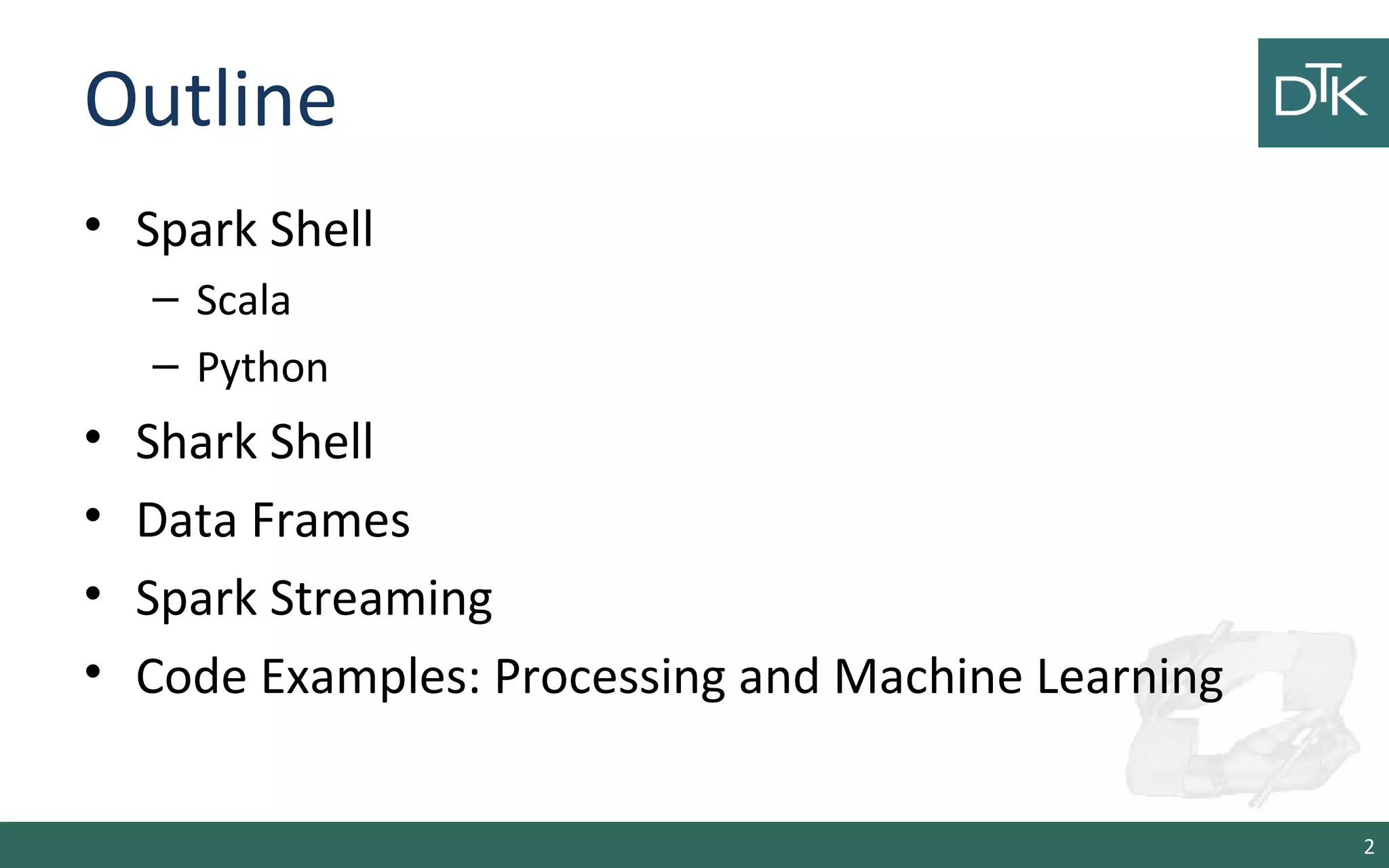
• Spark Shell
– Scala
– Python
• Shark Shell
• Data Frames
• Spark Streaming
• Code Examples: Processing and Machine Learning
2
Start the docker container
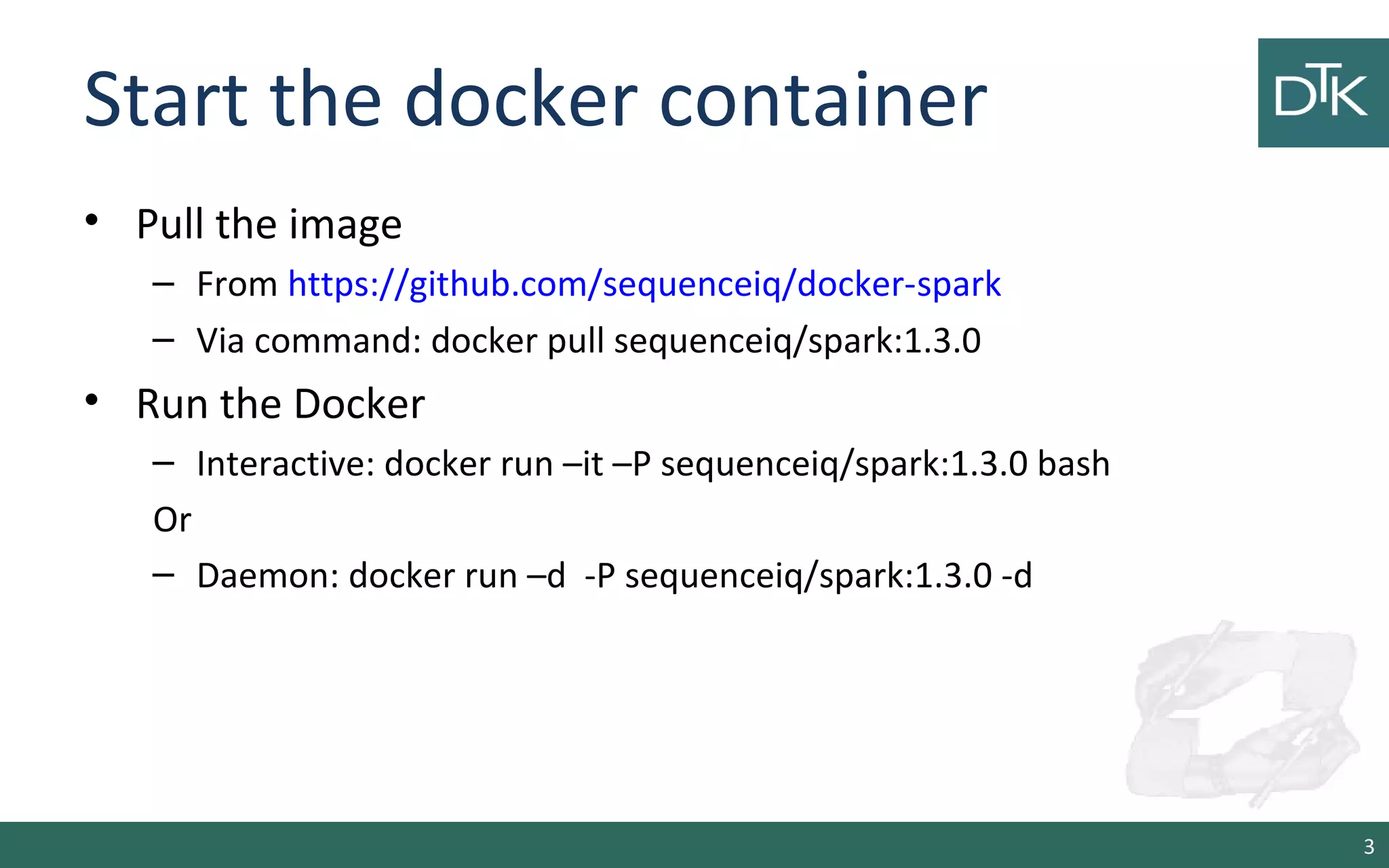
• Pull the image
– From https://github.com/sequenceiq/docker-spark
– Via command: docker pull sequenceiq/spark:1.3.0
• Run the Docker
– Interactive: docker run –it –P sequenceiq/spark:1.3.0 bash
Or
– Daemon: docker run –d -P sequenceiq/spark:1.3.0 -d
3
Separate Container Master/Worker
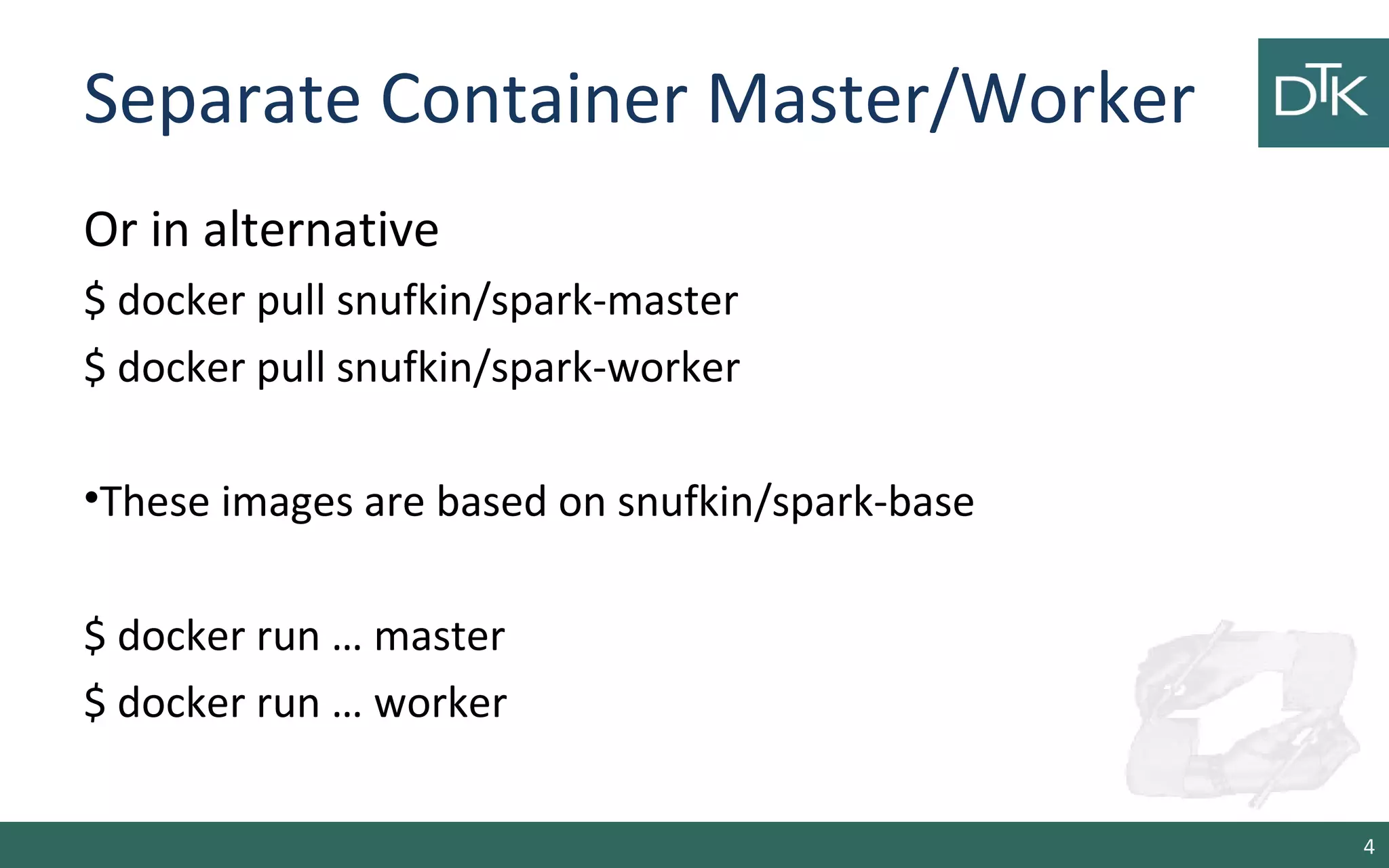
Or in alternative
$ docker pull snufkin/spark-master
$ docker pull snufkin/spark-worker
•These images are based on snufkin/spark-base
$ docker run … master
$ docker run … worker
4
Start the spark shell
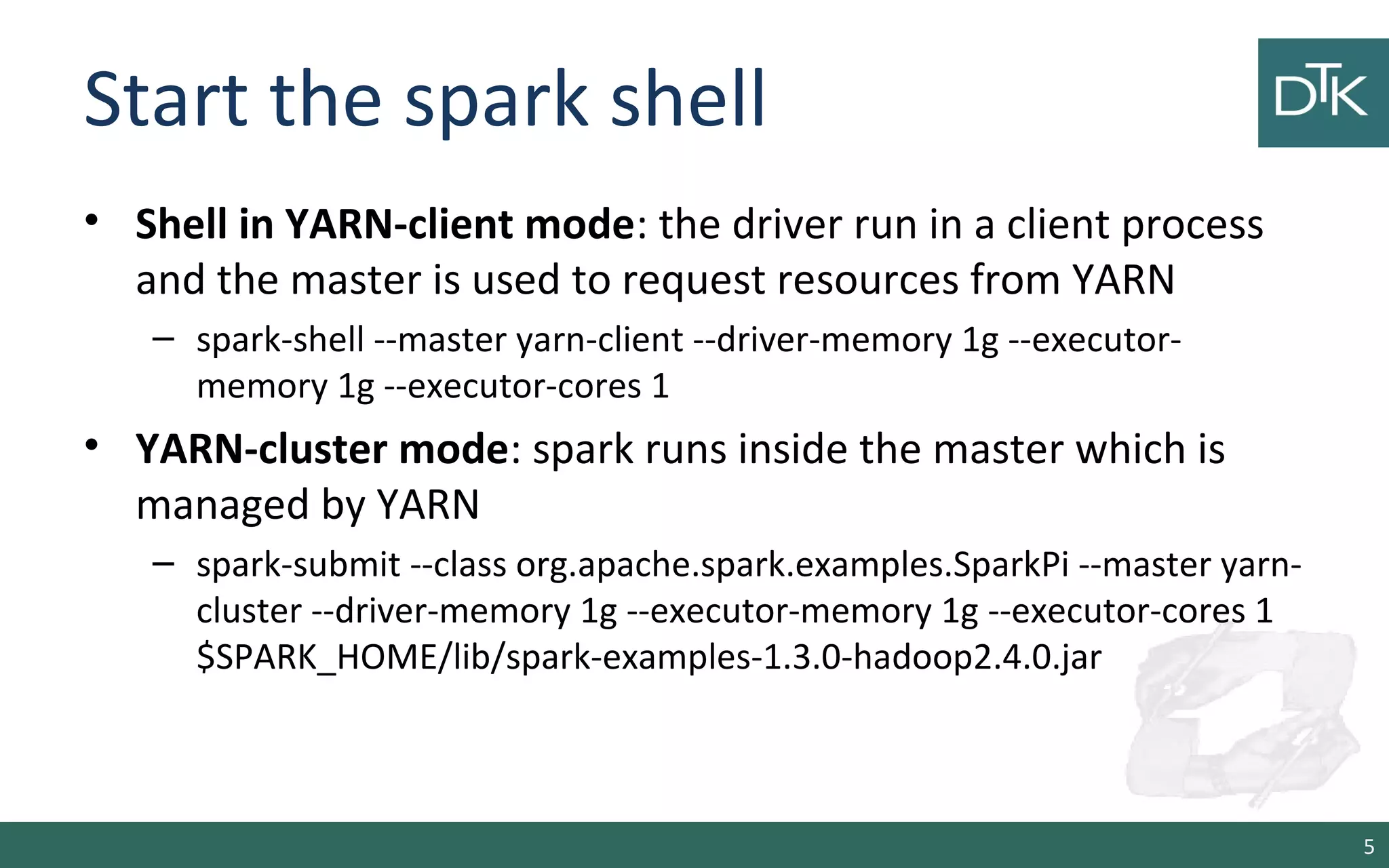
• Shell in YARN-client mode: the driver run in a client process
and the master is used to request resources from YARN
– spark-shell --master yarn-client --driver-memory 1g --executor-
memory 1g --executor-cores 1
• YARN-cluster mode: spark runs inside the master which is
managed by YARN
– spark-submit --class org.apache.spark.examples.SparkPi --master yarn-
cluster --driver-memory 1g --executor-memory 1g --executor-cores 1
$SPARK_HOME/lib/spark-examples-1.3.0-hadoop2.4.0.jar
5
Programming with RDDs
6
Start the shell
• Scala Spark-shell local
– spark-shell --master local[2] --driver-memory 1g
--executor-memory 1g
• Python Spark-shell local
– pyspark --master local[2] --driver-memory 1g --executor-
memory 1g
7
RDD Basics
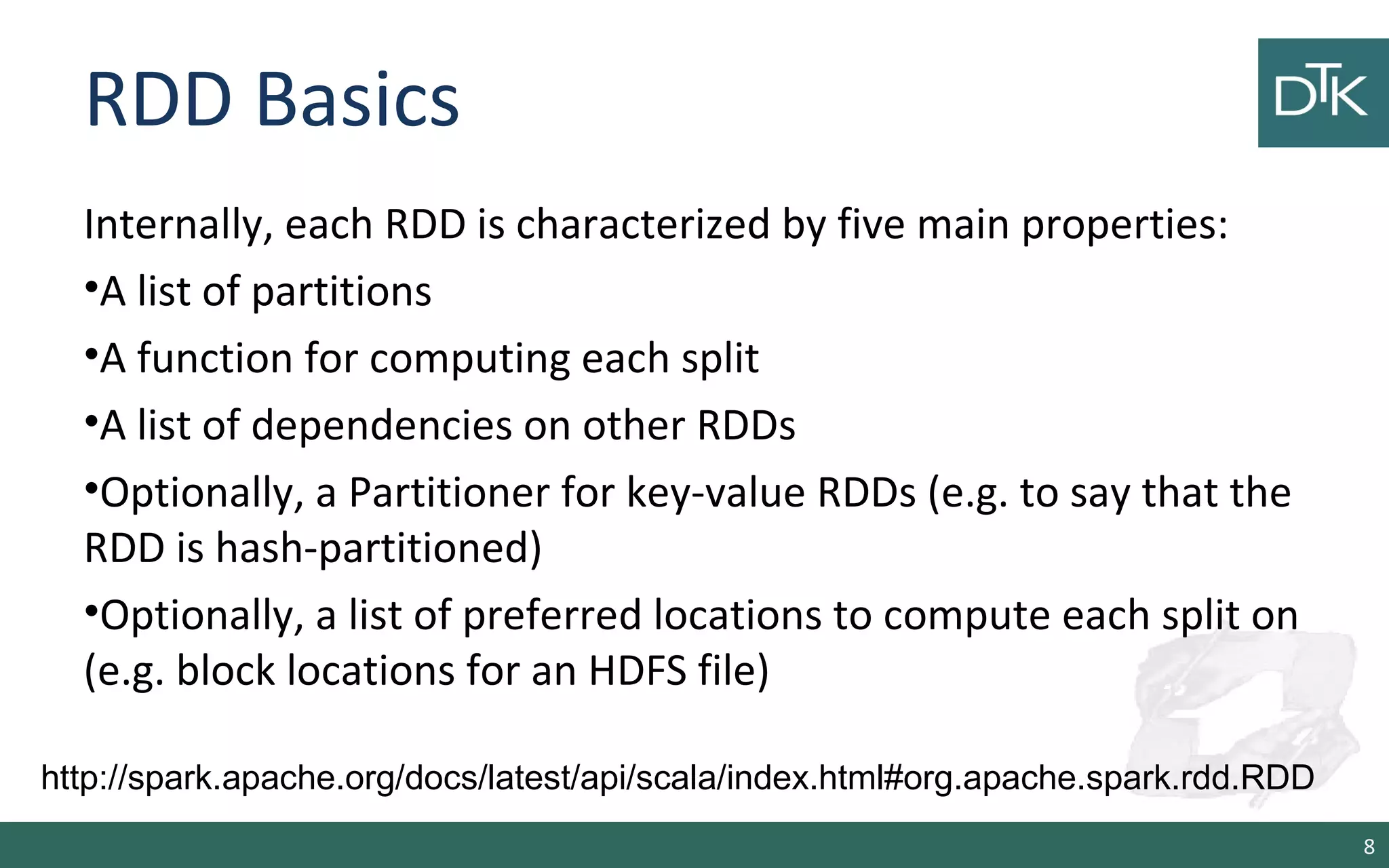
Internally, each RDD is characterized by five main properties:
•A list of partitions
•A function for computing each split
•A list of dependencies on other RDDs
•Optionally, a Partitioner for key-value RDDs (e.g. to say that the
RDD is hash-partitioned)
•Optionally, a list of preferred locations to compute each split on
(e.g. block locations for an HDFS file)
8
http://spark.apache.org/docs/latest/api/scala/index.html#org.apache.spark.rdd.RDD
RDD Basics
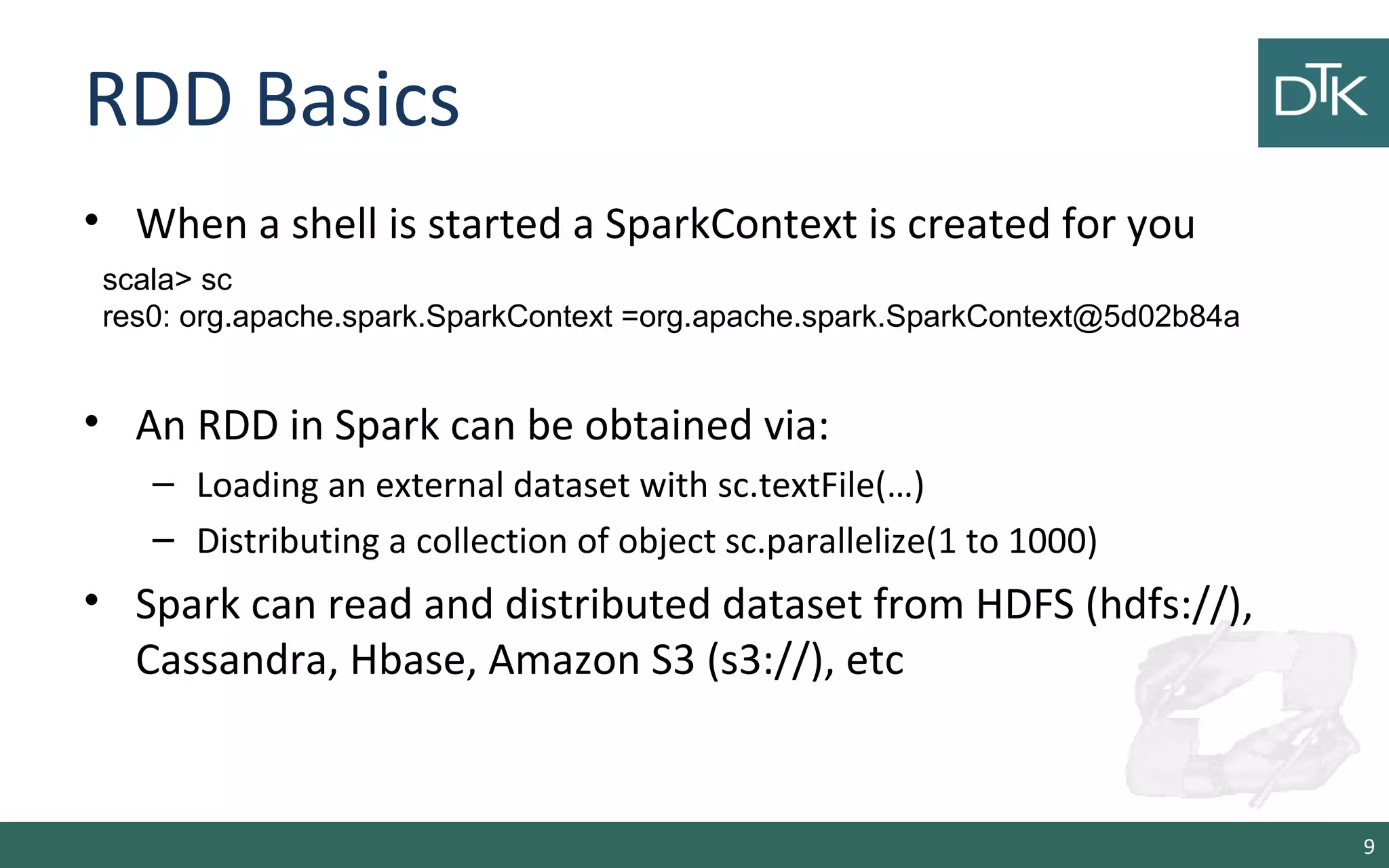
• When a shell is started a SparkContext is created for you
• An RDD in Spark can be obtained via:
– Loading an external dataset with sc.textFile(…)
– Distributing a collection of object sc.parallelize(1 to 1000)
• Spark can read and distributed dataset from HDFS (hdfs://),
Cassandra, Hbase, Amazon S3 (s3://), etc
9
scala> sc
res0: org.apache.spark.SparkContext =org.apache.spark.SparkContext@5d02b84a
Creating an RDD from a file
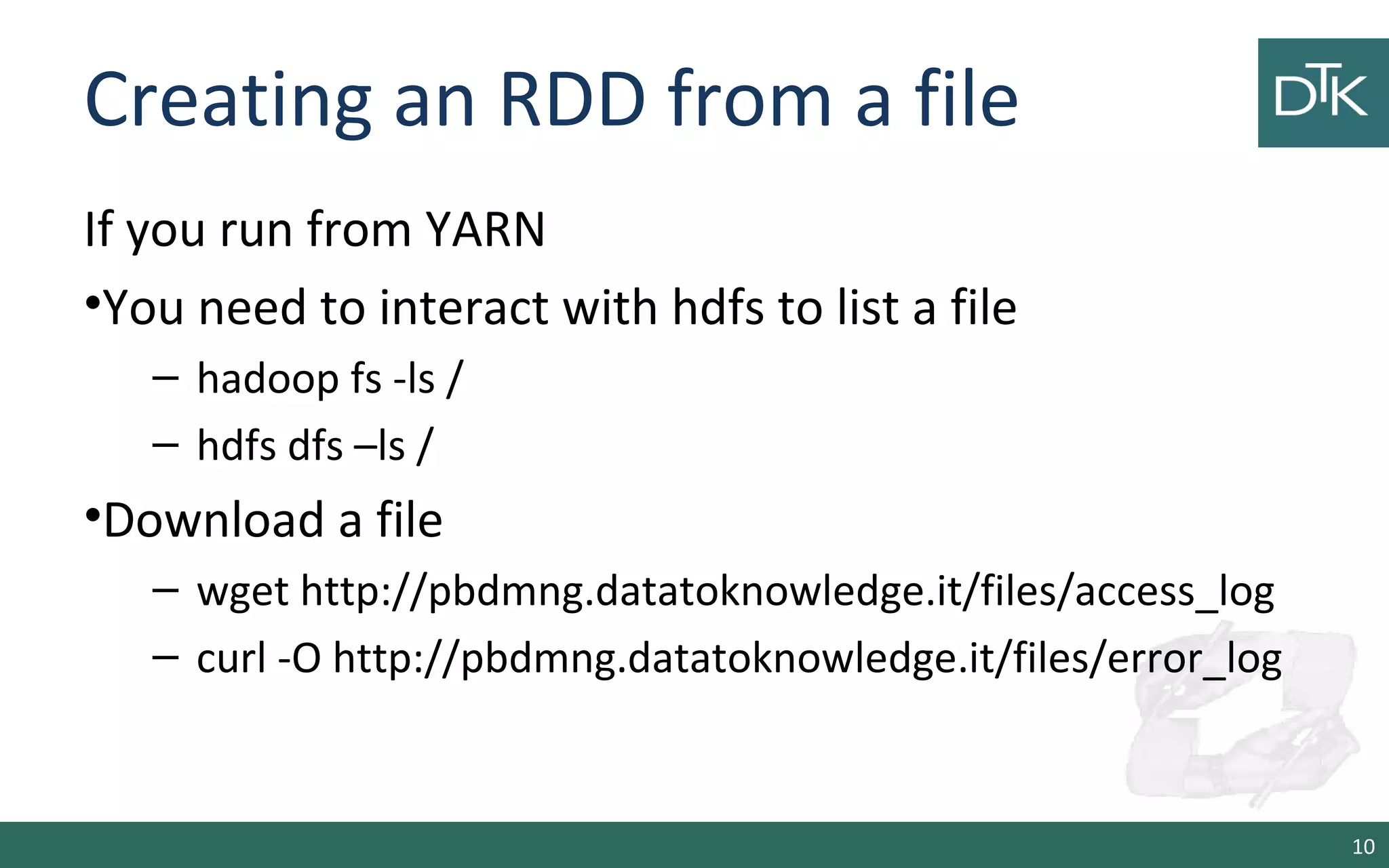
If you run from YARN
•You need to interact with hdfs to list a file
– hadoop fs -ls /
– hdfs dfs –ls /
•Download a file
– wget http://pbdmng.datatoknowledge.it/files/access_log
– curl -O http://pbdmng.datatoknowledge.it/files/error_log
10
Creating an RDD from a file
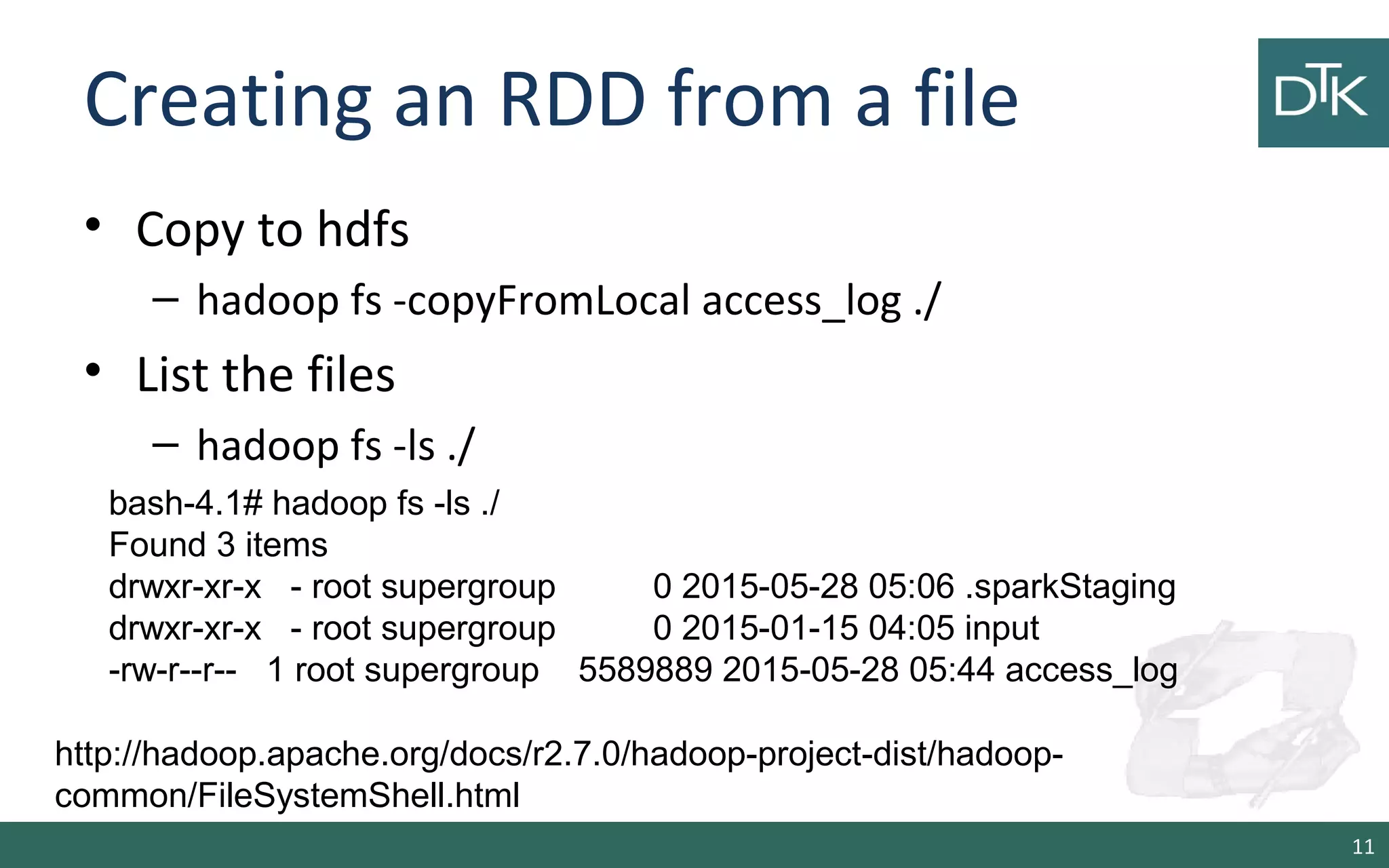
• Copy to hdfs
– hadoop fs -copyFromLocal access_log ./
• List the files
– hadoop fs -ls ./
11
bash-4.1# hadoop fs -ls ./
Found 3 items
drwxr-xr-x - root supergroup 0 2015-05-28 05:06 .sparkStaging
drwxr-xr-x - root supergroup 0 2015-01-15 04:05 input
-rw-r--r-- 1 root supergroup 5589889 2015-05-28 05:44 access_log
http://hadoop.apache.org/docs/r2.7.0/hadoop-project-dist/hadoop-
common/FileSystemShell.html
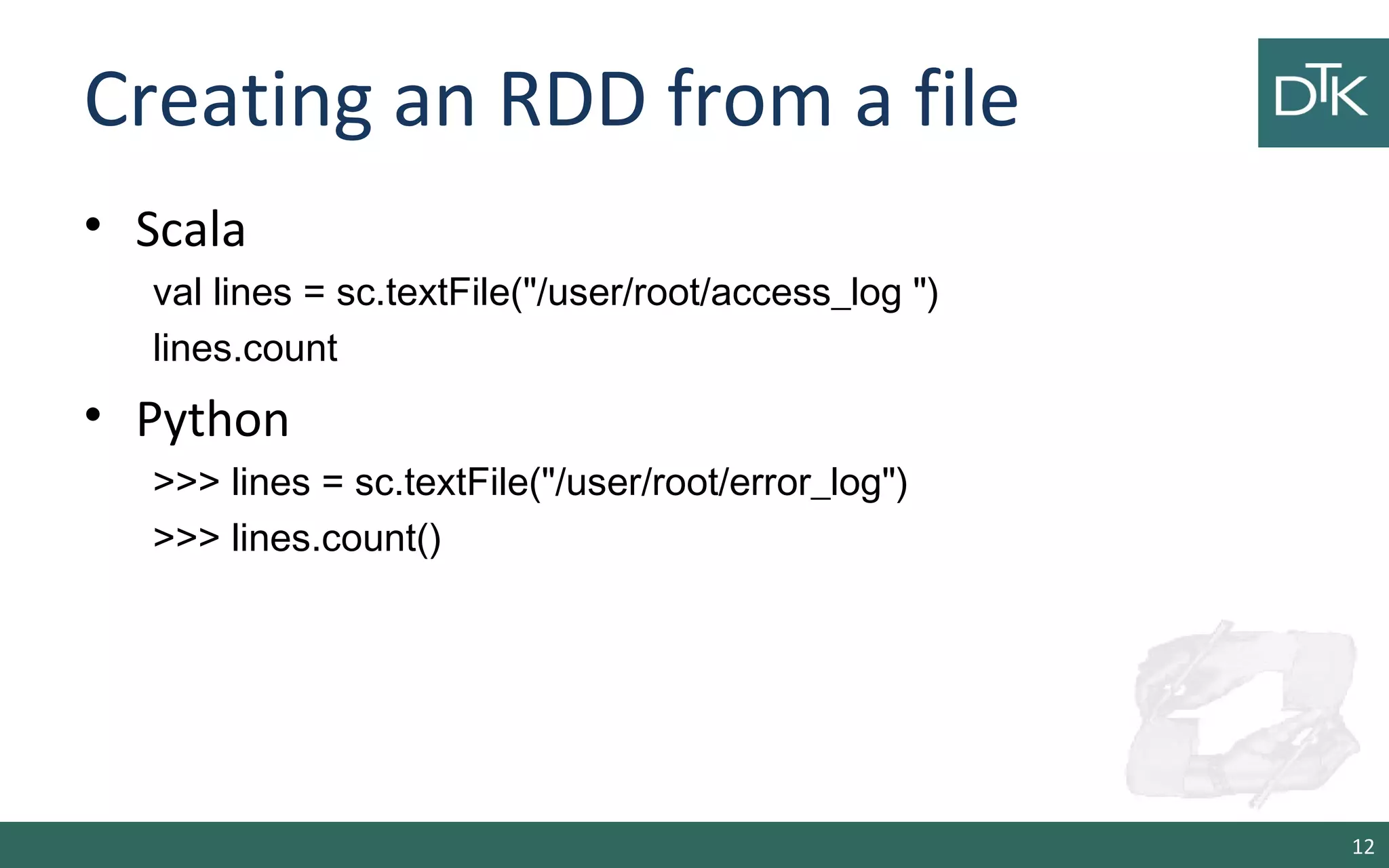
Creating an RDD from a file
• Scala
val lines = sc.textFile("/user/root/access_log ")
lines.count
• Python
>>> lines = sc.textFile("/user/root/error_log")
>>> lines.count()
12
Creating an RDD
• Scala
scala> val rdd = sc.parallelize(1 to 1000)
• Python
>>> data = [1,2,3,4,5]
>>> rdd = sc.parallelize(data)
>>> rdd.count()
13
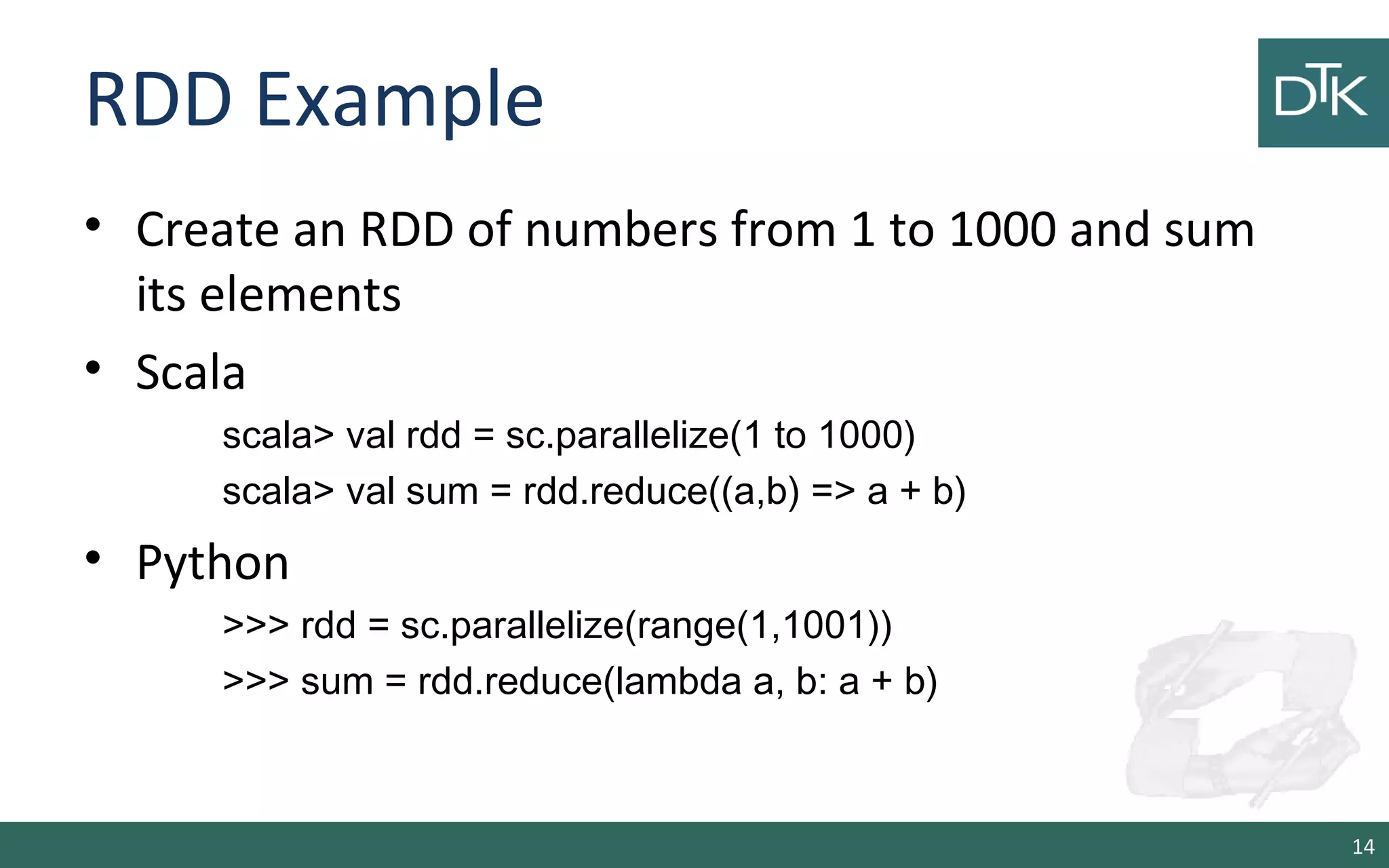
RDD Example
• Create an RDD of numbers from 1 to 1000 and sum
its elements
• Scala
scala> val rdd = sc.parallelize(1 to 1000)
scala> val sum = rdd.reduce((a,b) => a + b)
• Python
>>> rdd = sc.parallelize(range(1,1001))
>>> sum = rdd.reduce(lambda a, b: a + b)
14
RDD and Computation
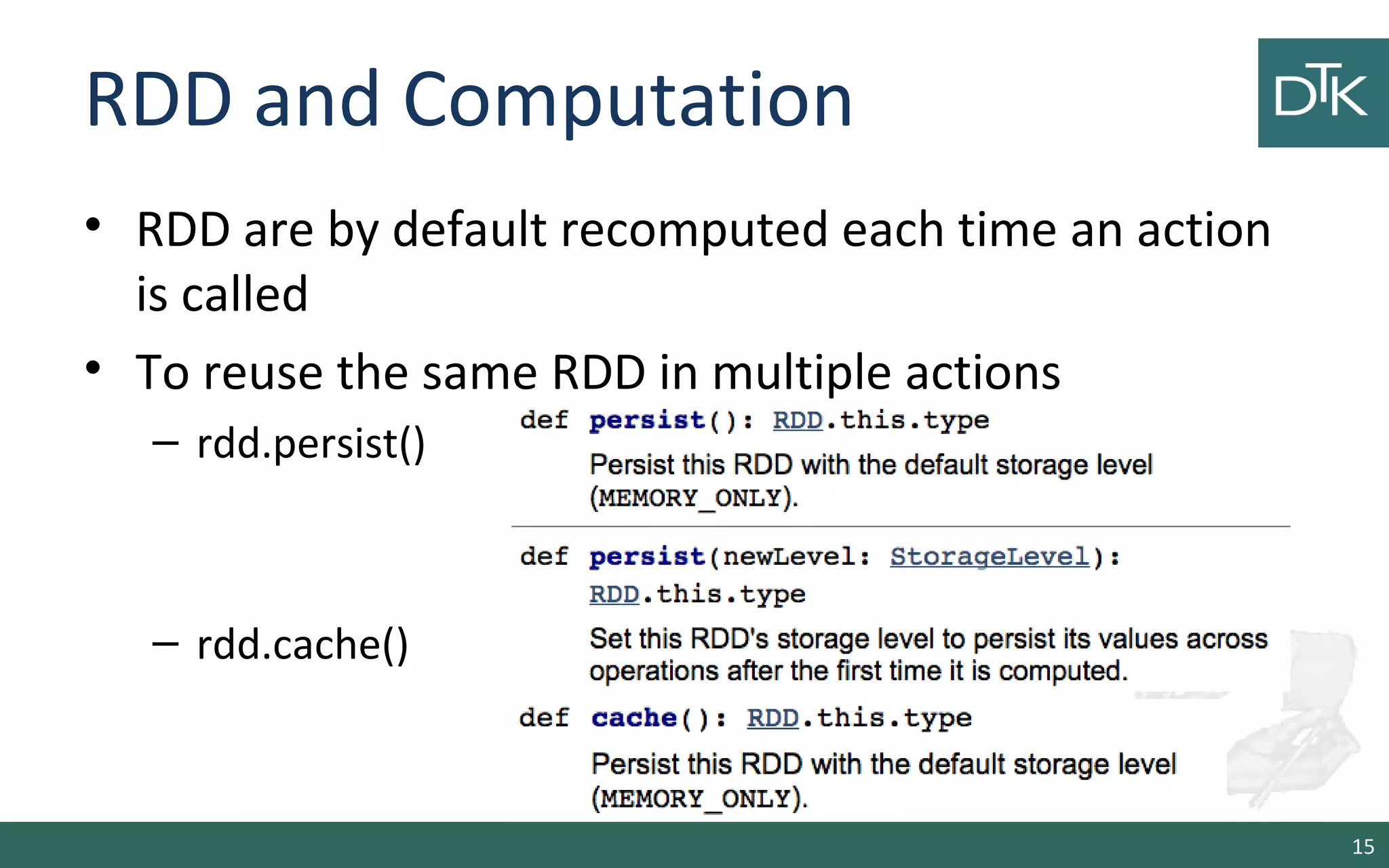
• RDD are by default recomputed each time an action
is called
• To reuse the same RDD in multiple actions
– rdd.persist()
– rdd.cache()
15
When to Cache and when to Persist?
• With persist() and cache() on a RDD its partitions are stored in
memory buffers
– Spark limits the amount of memory by default to the 20% of the
overall JVM reserved heap
• Since the reserved cache is limited, sometime it is better to
call persist instead of cache on RDD
• Otherwise, cached RDD will be removed and needs to be
recomputed
• While persisted RDD can be persisted restored from the disk
16
Passing functions to Spark
17
Passing Functions to Spark
• Spark’s API relies on passing function in the driver
program to run on the cluster
• Recommendations for functions
– Anonymous functions
– Methods in a singleton objects
– Class with RDD as function parameters
18
Passing Functions to Spark: Scala
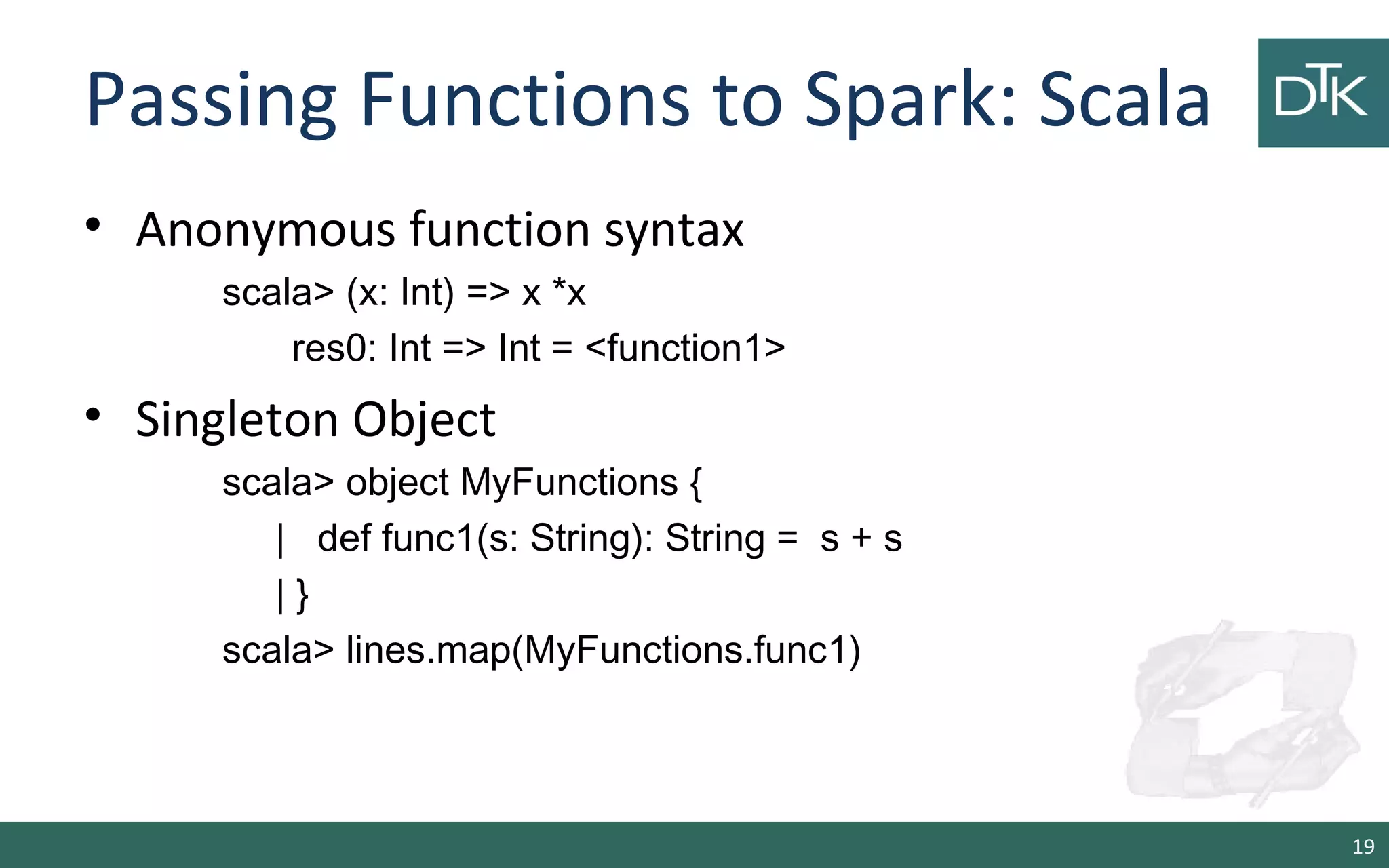
• Anonymous function syntax
scala> (x: Int) => x *x
res0: Int => Int = <function1>
• Singleton Object
scala> object MyFunctions {
| def func1(s: String): String = s + s
| }
scala> lines.map(MyFunctions.func1)
19
Passing Functions to Spark: Scala
• Class
scala> class MyClass {
| def func1(s: String): String = ???
| def doStuff(rdd: RDD[String]): RDD[String] = rdd.map(func1)
| }
• Class with a val
scala> class MyClass {
| val field = "hello"
| def doStuff(rdd: RDD[String]): RDD[String] = rdd.map(_ + field)
| }
20
Passing Functions to Spark:
Python
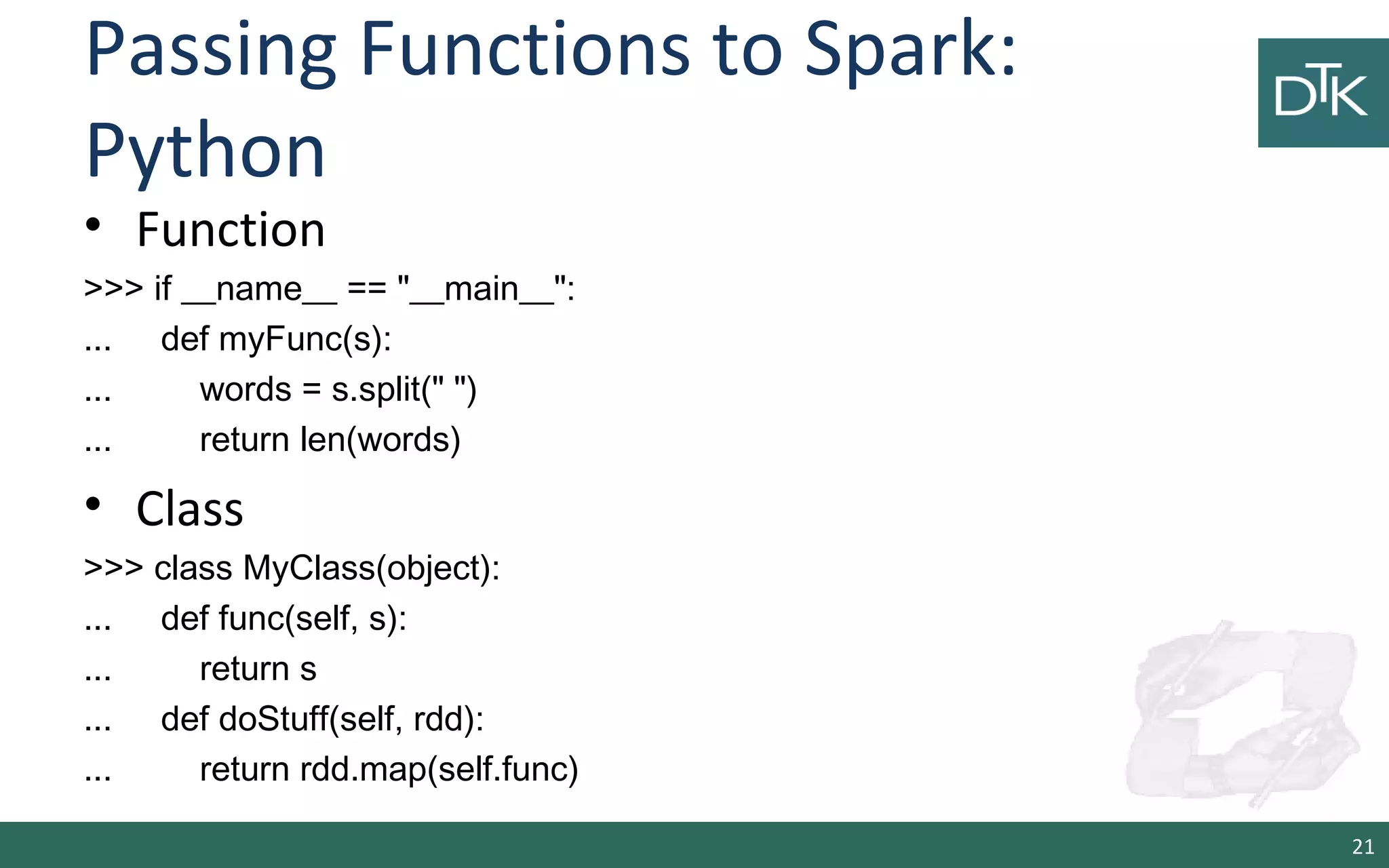
• Function
>>> if __name__ == "__main__":
... def myFunc(s):
... words = s.split(" ")
... return len(words)
• Class
>>> class MyClass(object):
... def func(self, s):
... return s
... def doStuff(self, rdd):
... return rdd.map(self.func)
21
Functions and Memory Usage
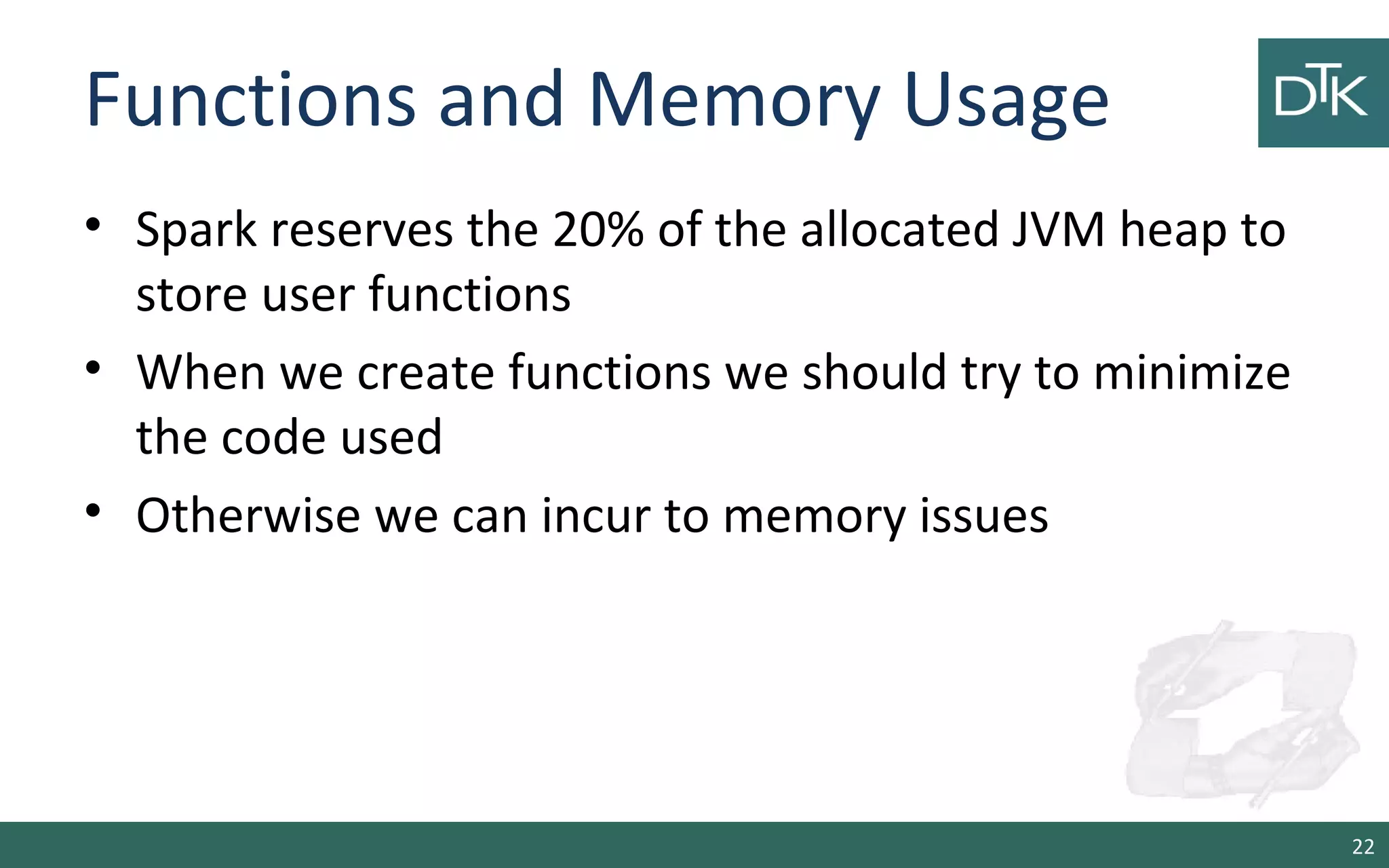
• Spark reserves the 20% of the allocated JVM heap to
store user functions
• When we create functions we should try to minimize
the code used
• Otherwise we can incur to memory issues
22
RDD Operations
• Transformations
• Actions
23
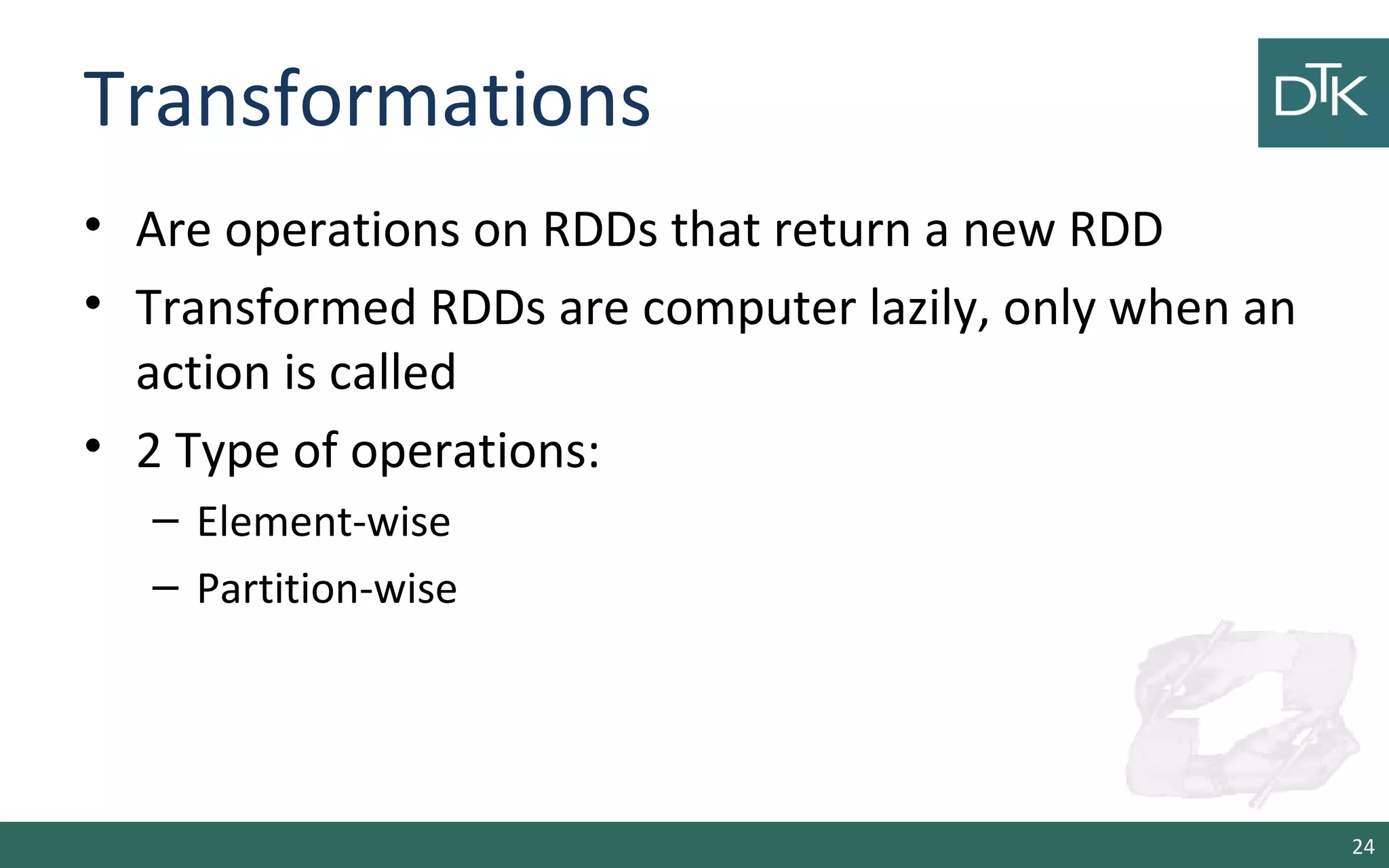
Transformations
• Are operations on RDDs that return a new RDD
• Transformed RDDs are computer lazily, only when an
action is called
• 2 Type of operations:
– Element-wise
– Partition-wise
24
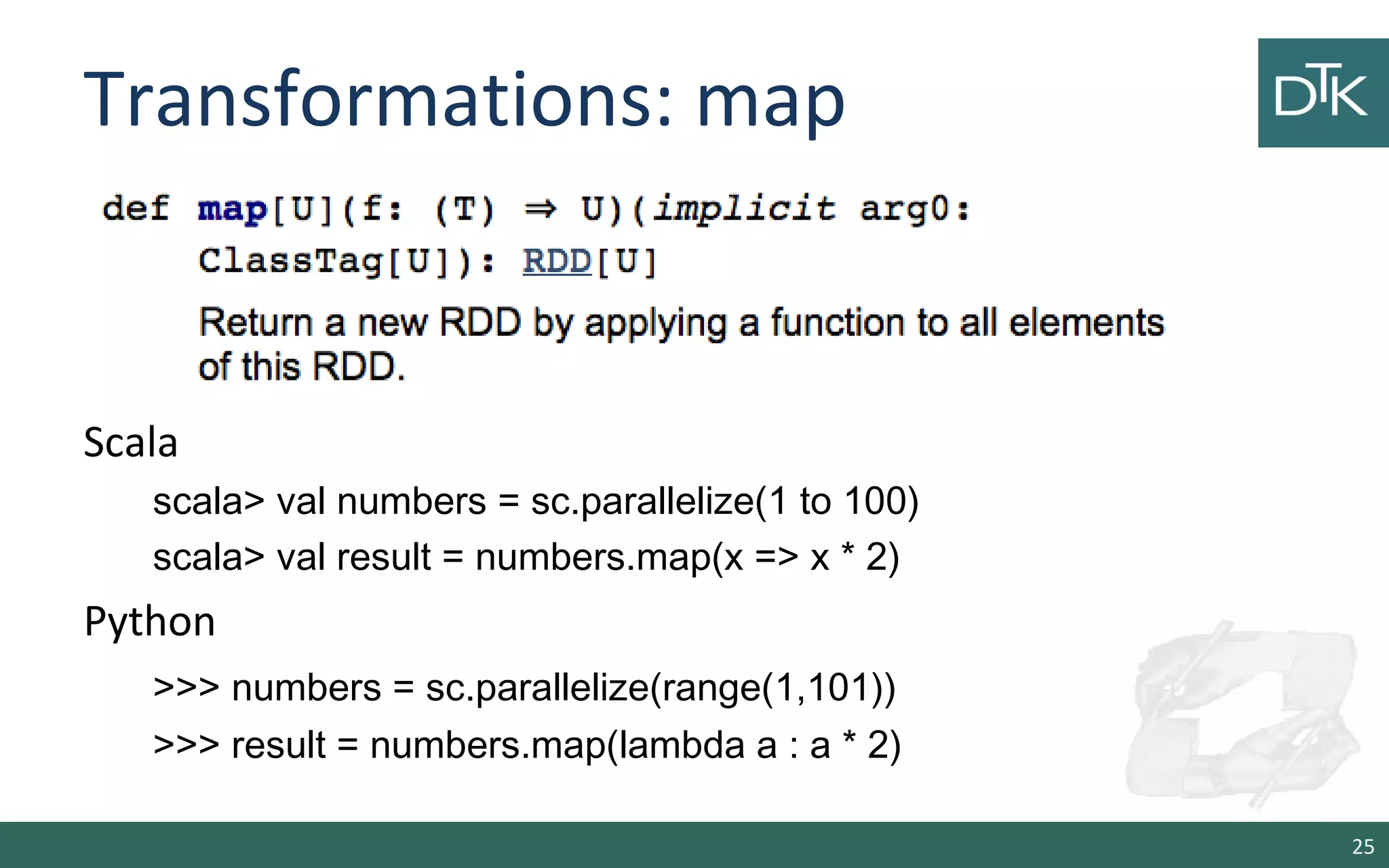
Transformations: map
Scala
scala> val numbers = sc.parallelize(1 to 100)
scala> val result = numbers.map(x => x * 2)
Python
>>> numbers = sc.parallelize(range(1,101))
>>> result = numbers.map(lambda a : a * 2)
25
Transformations: flatMap
26
Scala
scala> val list = List(“hello world”, “hi”)
scala> val values= sc.parallelize(list)
scala> numbers.flatMap(l => l.split(“”))
Python
>>> numbers = sc.parallelize([“hello world”, “hi”]))
>>> result = numbers.flatMap(lambda line: line.split(“ “))
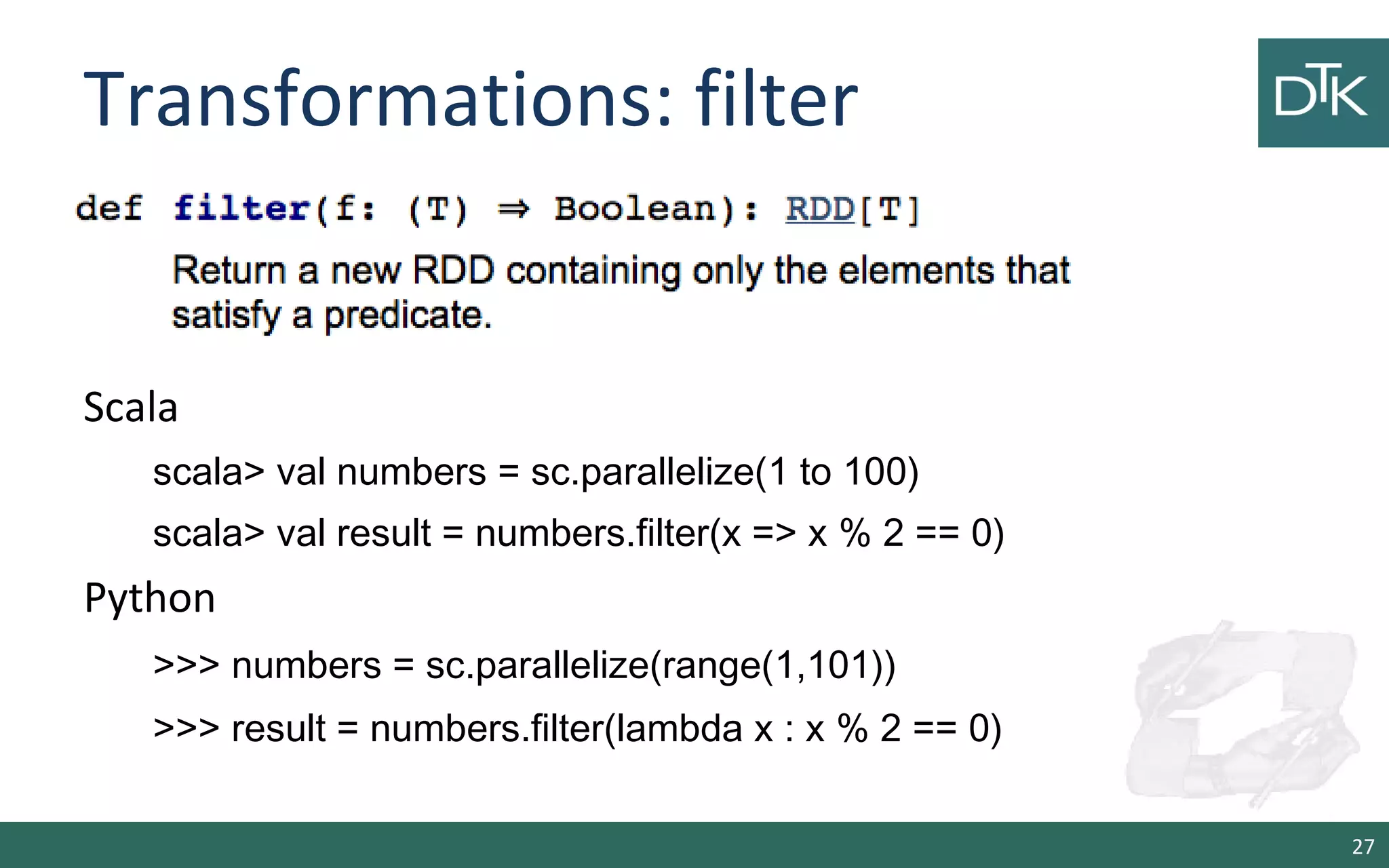
Transformations: filter
27
Scala
scala> val numbers = sc.parallelize(1 to 100)
scala> val result = numbers.filter(x => x % 2 == 0)
Python
>>> numbers = sc.parallelize(range(1,101))
>>> result = numbers.filter(lambda x : x % 2 == 0)
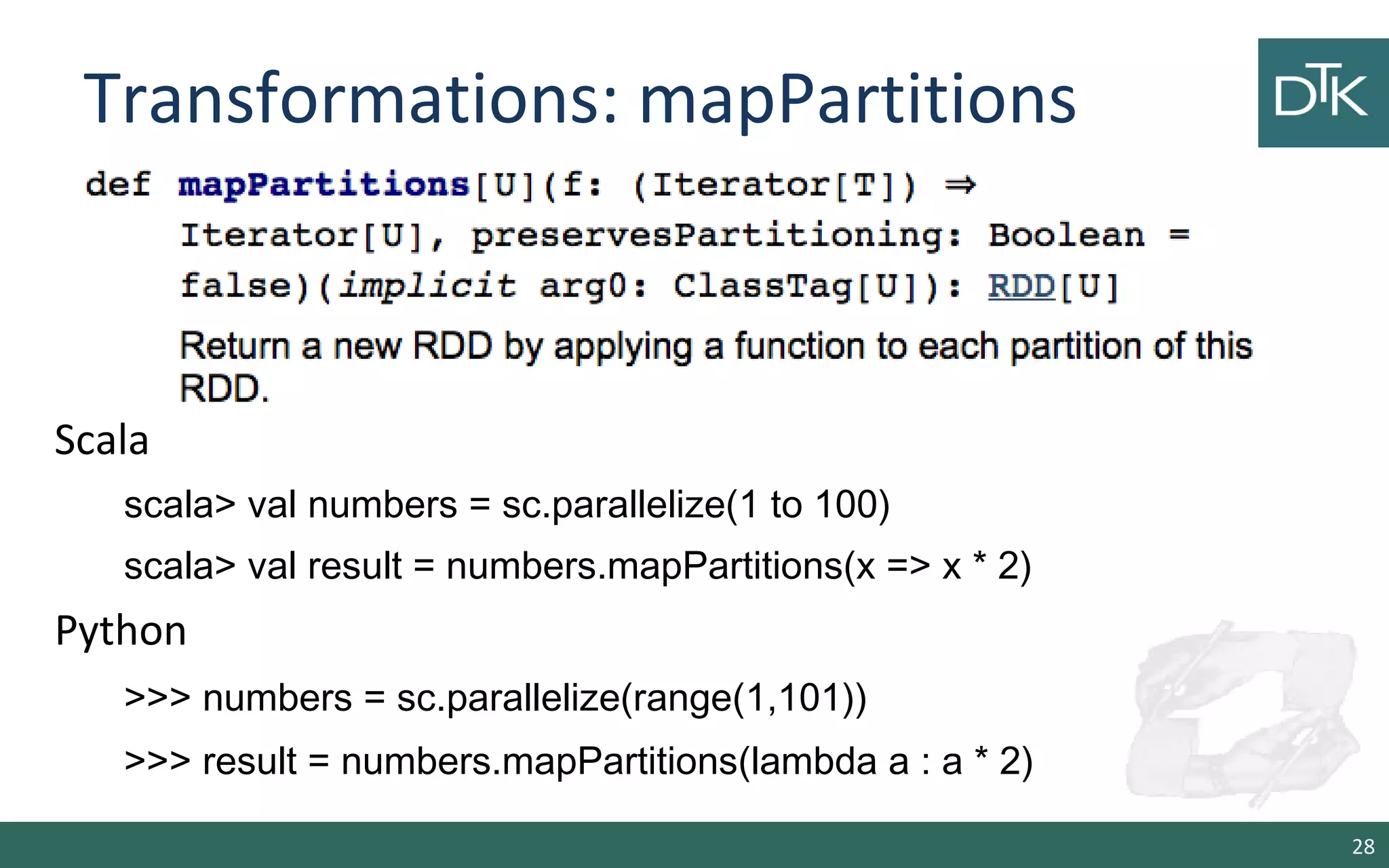
Transformations: mapPartitions
28
Scala
scala> val numbers = sc.parallelize(1 to 100)
scala> val result = numbers.mapPartitions(x => x * 2)
Python
>>> numbers = sc.parallelize(range(1,101))
>>> result = numbers.mapPartitions(lambda a : a * 2)
Transformations: mapPartitionsWithIndex
29
Scala
scala> val numbers = sc.parallelize(1 to 100)
scala> val result = numbers.mapPartitionWithIndex(_.map(e => e * 2)
Python
>>> numbers = sc.parallelize(range(1,101))
>>> result = numbers. mapPartitionWithIndex(lambda it : for e in it: e * 2)
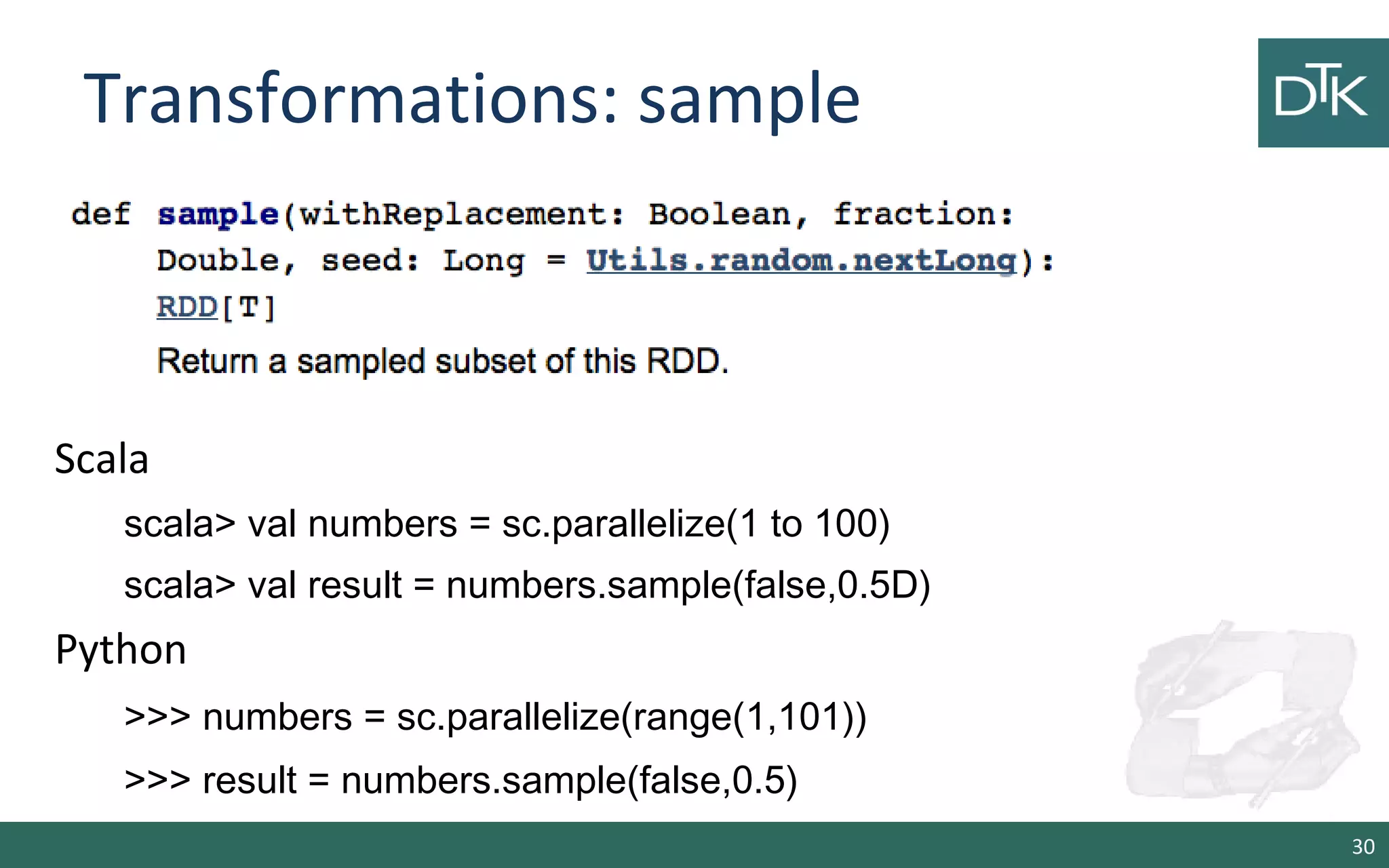
Transformations: sample
30
Scala
scala> val numbers = sc.parallelize(1 to 100)
scala> val result = numbers.sample(false,0.5D)
Python
>>> numbers = sc.parallelize(range(1,101))
>>> result = numbers.sample(false,0.5)
Transformations: Union
31
Scala
scala> val list1= sc.parallelize(1 to 100)
scala> val list2= sc.parallelize(101 to 200)
scala> val result = list1.union(list2)
Python
>>> list1 = sc.parallelize(range(1,101))
>>> list2 = sc.parallelize(range(101,200))
>>> result = list1.union(list2)
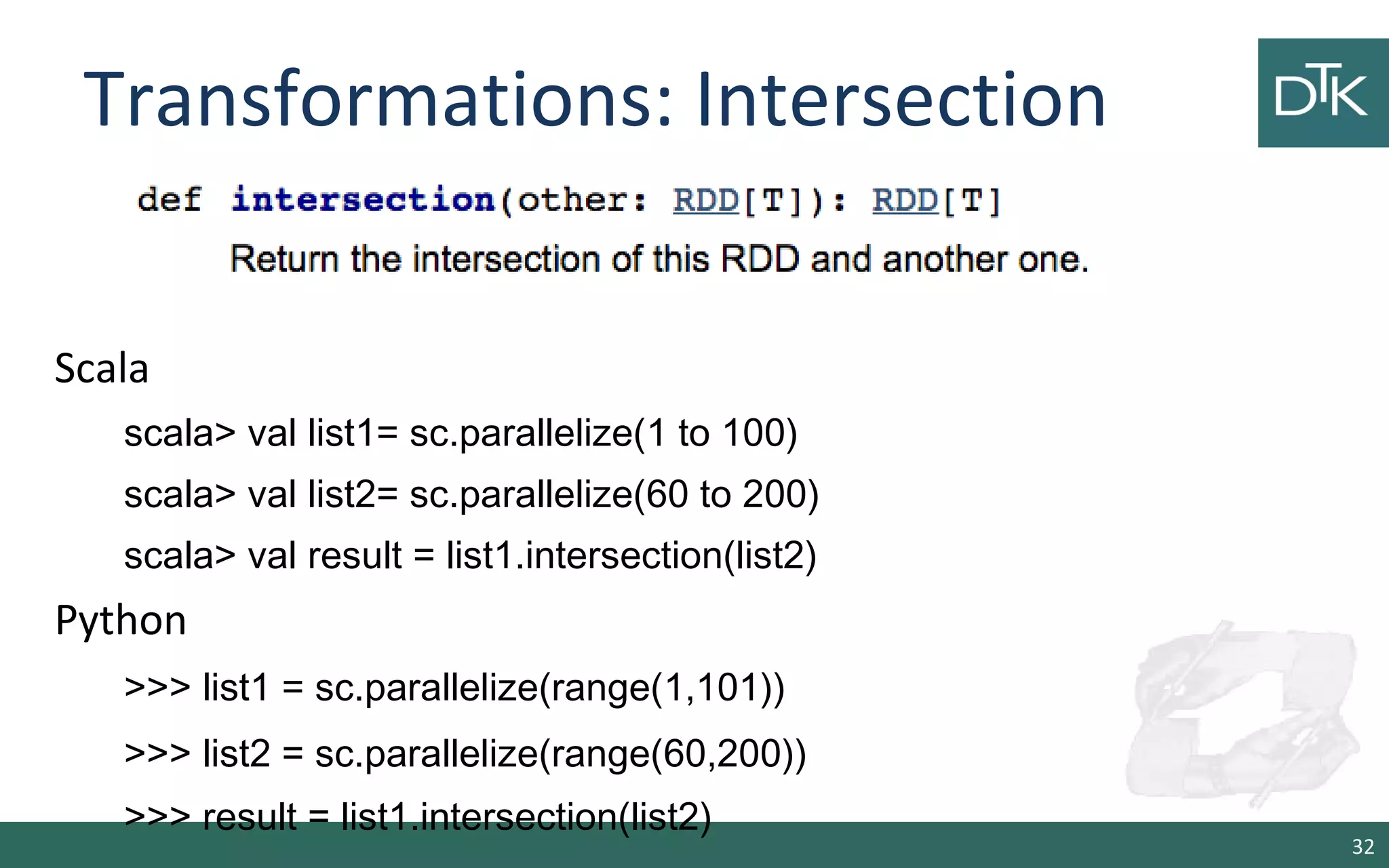
Transformations: Intersection
32
Scala
scala> val list1= sc.parallelize(1 to 100)
scala> val list2= sc.parallelize(60 to 200)
scala> val result = list1.intersection(list2)
Python
>>> list1 = sc.parallelize(range(1,101))
>>> list2 = sc.parallelize(range(60,200))
>>> result = list1.intersection(list2)
Transformations: Distinct
33
Scala
scala> val list1= sc.parallelize(1 to 100)
scala> val list2= sc.parallelize(1 to 100)
scala> val result = list1.union(list2).distinct
Python
>>> list1 = sc.parallelize(range(1,101))
>>> list2 = sc.parallelize(range(1,101))
>>> result = list1.intersection(list2).distinct()
Other Transformations
• pipe(command, [envVars]) => Pipe each partition of the RDD
through a shell command, e.g. a R or bash script. RDD
elements are written to the process's stdin and lines output
to its stdout are returned as an RDD of strings.
• coalesce(numPartitions) => Decrease the number of partitions
in the RDD to numPartitions. Useful, when a RDD is shrink
after a filter operation
34
Other Transformations
• repartition(numPartitions) => Reshuffle the data in the RDD
randomly to create more or fewer partitions and balance it
across them. This always shuffles all data over the network.
• repartitionAndSortWithinPartitions(partitioner) =>
Repartition the RDD according to the given partitioner and,
within each resulting partition, sort records by their keys.
35
Actions
36
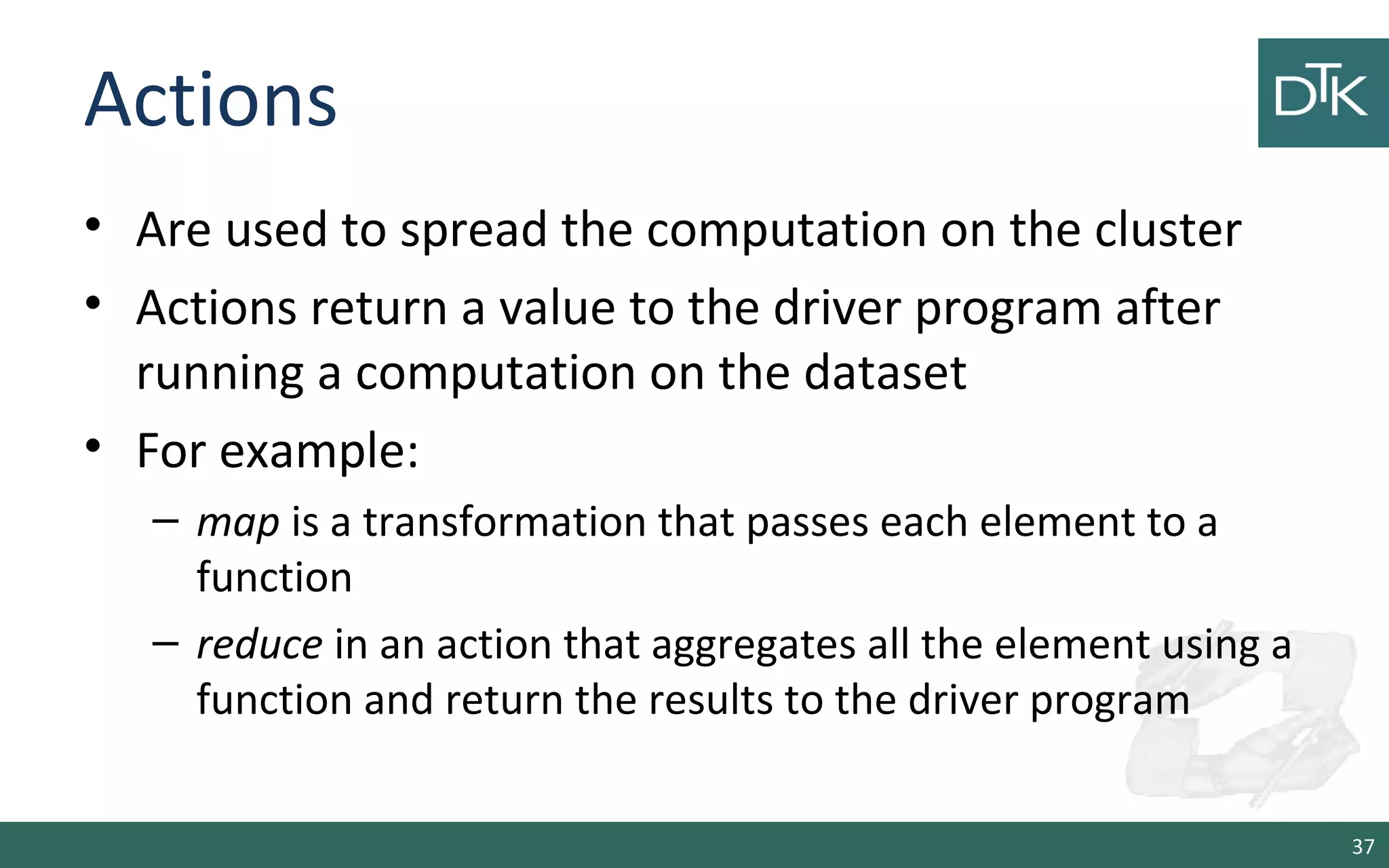
Actions
• Are used to spread the computation on the cluster
• Actions return a value to the driver program after
running a computation on the dataset
• For example:
– map is a transformation that passes each element to a
function
– reduce in an action that aggregates all the element using a
function and return the results to the driver program
37
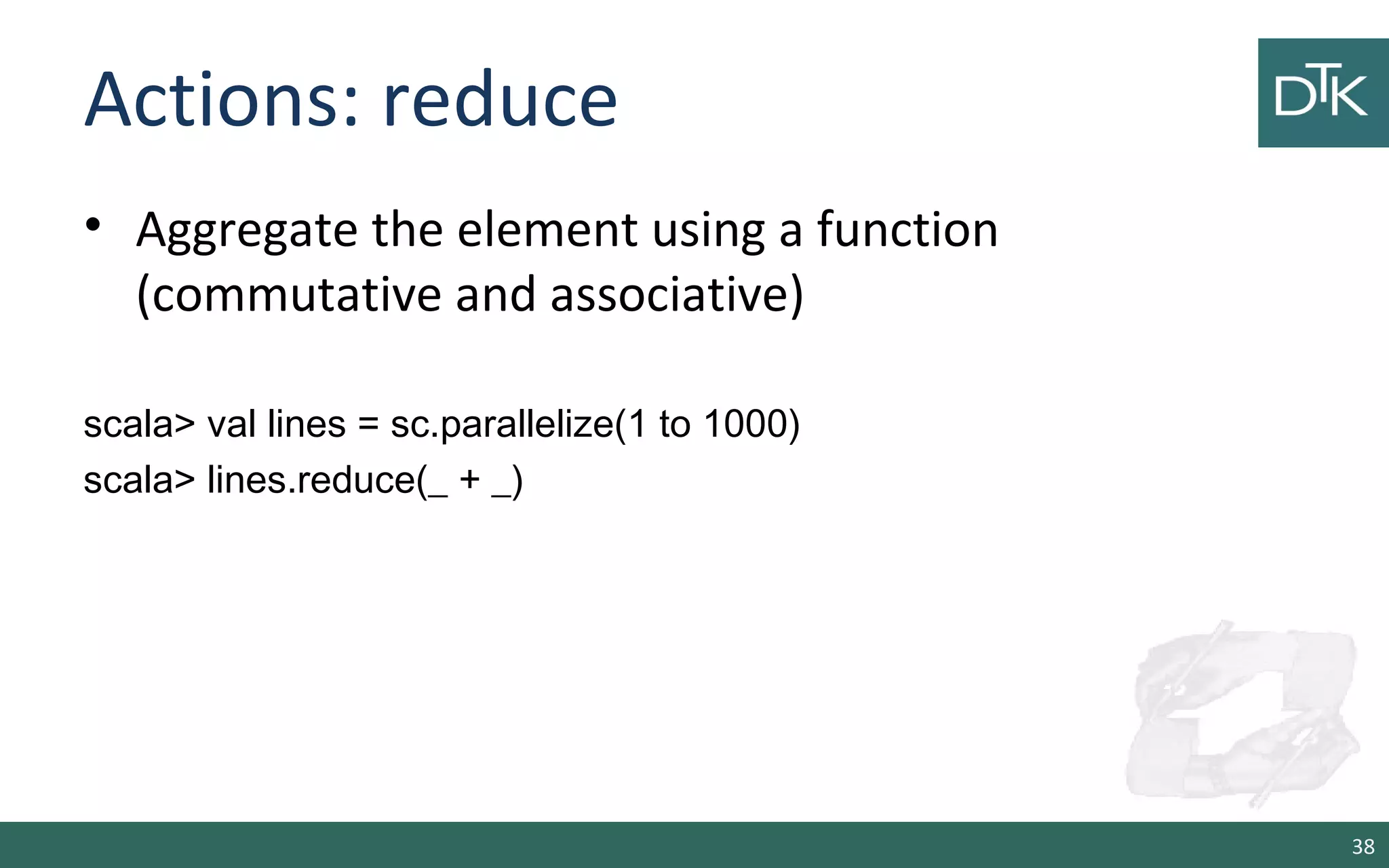
Actions: reduce
• Aggregate the element using a function
(commutative and associative)
scala> val lines = sc.parallelize(1 to 1000)
scala> lines.reduce(_ + _)
38
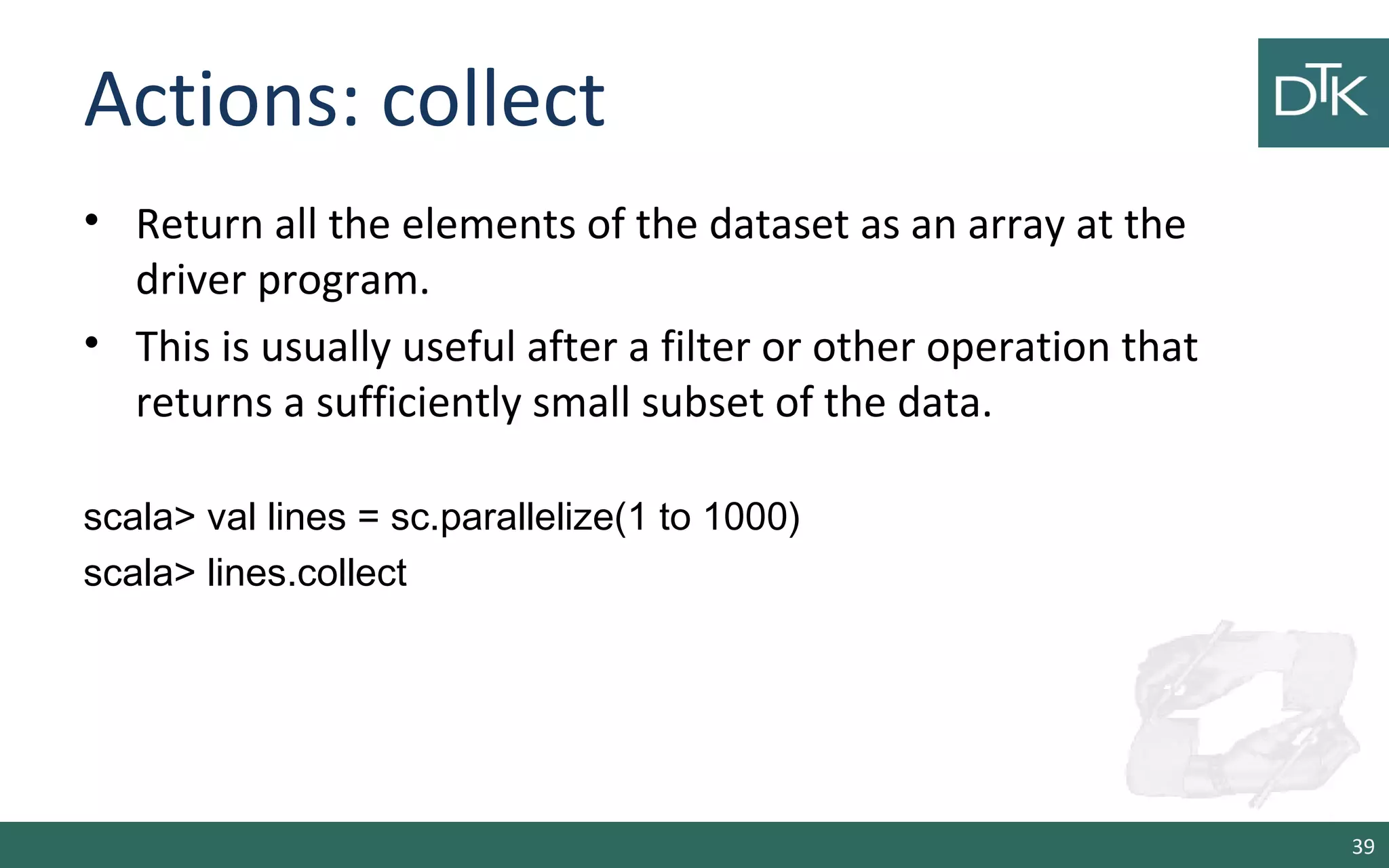
Actions: collect
• Return all the elements of the dataset as an array at the
driver program.
• This is usually useful after a filter or other operation that
returns a sufficiently small subset of the data.
scala> val lines = sc.parallelize(1 to 1000)
scala> lines.collect
39
Actions: count, first, take(n)
scala> val lines = sc.parallelize(1 to 1000)
scala> lines.count
res1: Long = 1000
scala> lines.first
res2: Int = 1
scala> lines.take(5)
res4: Array[Int] = Array(1, 2, 3, 4, 5)
40
Actions: takeSample, takeOrdered
scala> lines.takeSample(false,10)
res8: Array[Int] = Array(170, 26, 984, 688, 519, 282, 227, 812, 456,
460)
scala> lines.takeOrdered(10)
res10: Array[Int] = Array(1, 2, 3, 4, 5, 6, 7, 8, 9, 10)
41
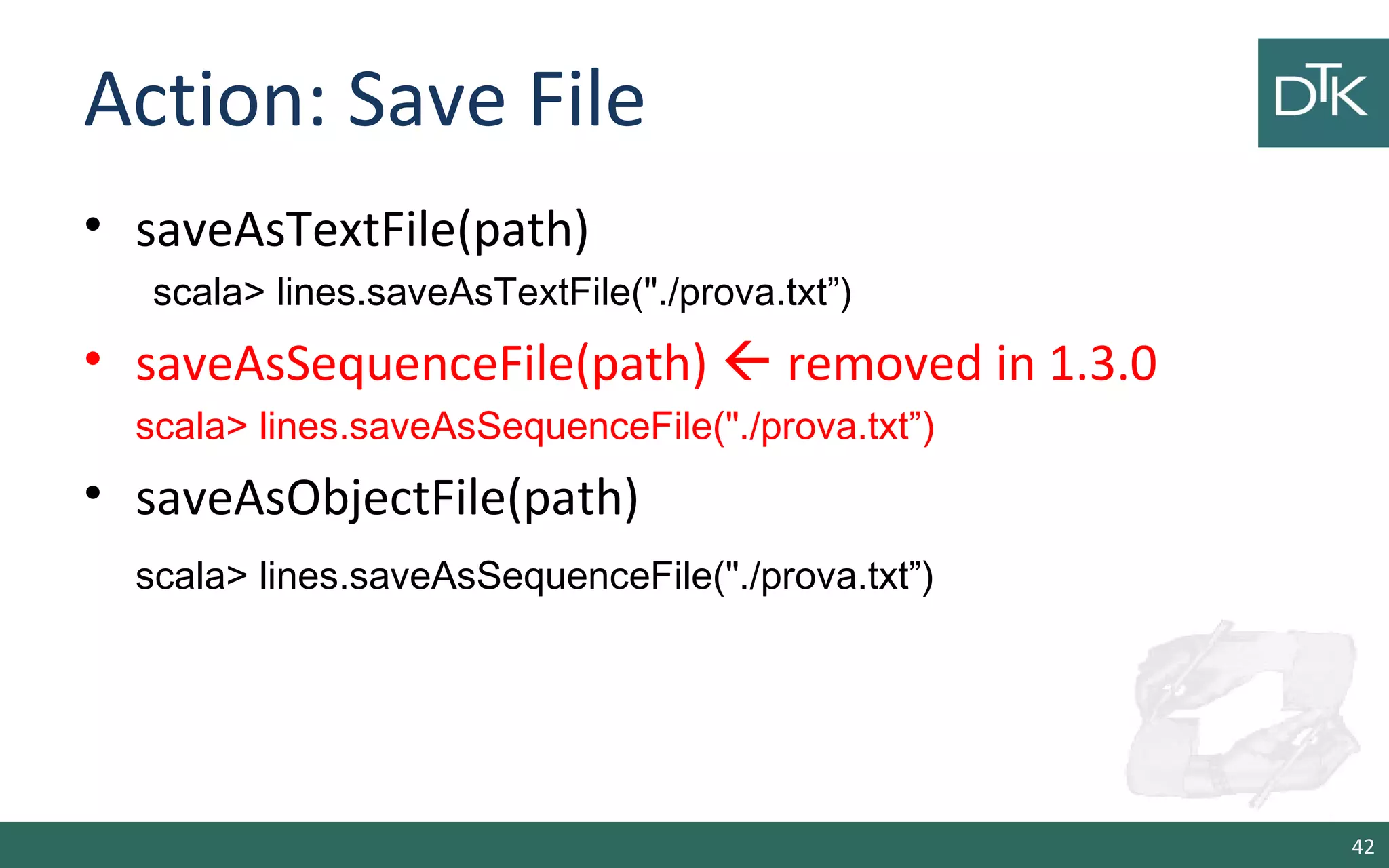
Action: Save File
• saveAsTextFile(path)
scala> lines.saveAsTextFile("./prova.txt”)
• saveAsSequenceFile(path)  removed in 1.3.0
scala> lines.saveAsSequenceFile("./prova.txt”)
• saveAsObjectFile(path)
scala> lines.saveAsSequenceFile("./prova.txt”)
42
Work With Key/Value Pairs
43
Motivation
• Pair RDDs are useful for operations that allow you to
work on each key in parallel
• Key/value RDD are commonly used to perform
aggregations
• Often we will do some initial ETL to get our data inot
key/value format
44
Why key/value pairs
• Let us consider an example
scala> val lines = sc.parallelize(1 to 1000)
scala> val fakePairs = lines.map(v => (v.toString, v))
• The type of pairs is RDD[(String, Int)] and exposes basic RDD
functions
• But, Spark provides PairRDDFunctions with methods on
key/value pairs
scala> import org.apache.spark.rdd.RDD._
scala> val pairs = rddToPairRDDFunctions(lines.map(i => i -> i.toString))
//<- from spark 1.3.0
45
Transformations for key/value
• groupByKey([numTasks]) => Called on a dataset of (K, V)
pairs, returns a dataset of (K, Iterable<V>) pairs.
• reduceByKey(func, [numTasks]) => Called on a dataset of (K,
V) pairs, returns a dataset of (K, V) pairs where the values for
each key are aggregated using the given reduce function func,
which must be of type (V,V) => V.
46
Transformations for key/value
• sortByKey([ascending], [numTasks]) => Called on a dataset of
(K, V) pairs where K implements Ordered, returns a dataset of
(K, V) pairs sorted by keys in ascending or descending order,
as specified in the boolean ascending argument.
• join(otherDataset, [numTasks]) => Called on datasets of type
(K, V) and (K, W), returns a dataset of (K, (V, W)) pairs with all
pairs of elements for each key. Outer joins are supported
through leftOuterJoin, rightOuterJoin, and fullOuterJoin.
47
Transformations for key/value
• cogroup(otherDataset, [numTasks]) => Called on datasets of
type (K, V) and (K, W), returns a dataset of (K, (Iterable<V>,
Iterable<W>)) tuples. This operation is also called groupWith.
• cartesian(otherDataset) => Called on datasets of types T
and U, returns a dataset of (T, U) pairs (all pairs of elements).
48
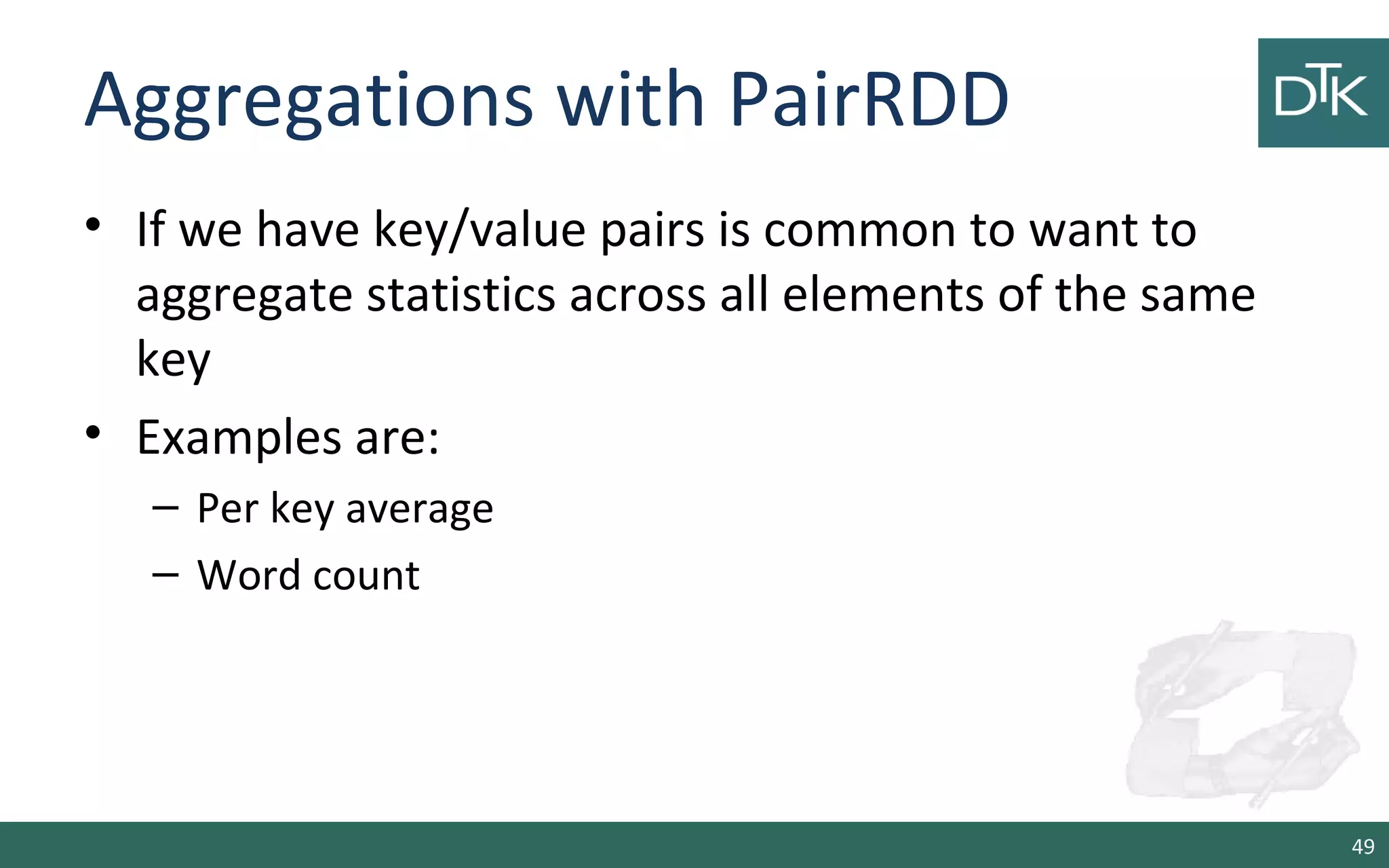
Aggregations with PairRDD
• If we have key/value pairs is common to want to
aggregate statistics across all elements of the same
key
• Examples are:
– Per key average
– Word count
49
Per Key Average
We use reduceByKey() with mapValues() to compute
per key average
>>> rdd.mapValues(lambda: x: (x,1)).reduceByKey(lambda x,y: (x[0] +
y[0], x[1] + y[1]))
scala> rdd.mapValues((_,1)).reduceByKey((x,y) => (x._1 + y._1, x._2 +
y._2))
50
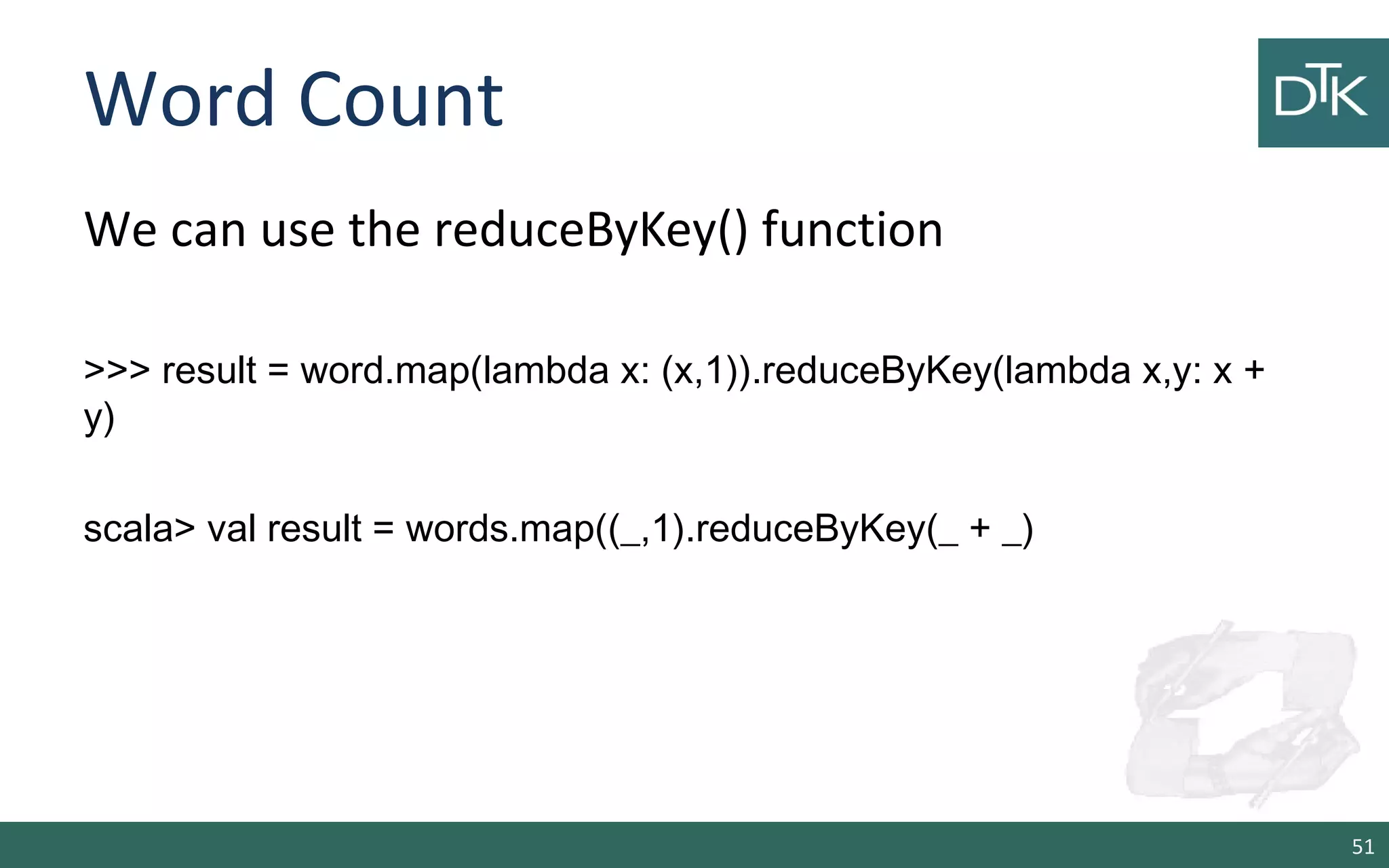
Word Count
We can use the reduceByKey() function
>>> result = word.map(lambda x: (x,1)).reduceByKey(lambda x,y: x +
y)
scala> val result = words.map((_,1).reduceByKey(_ + _)
51
PairRDD Best Practices
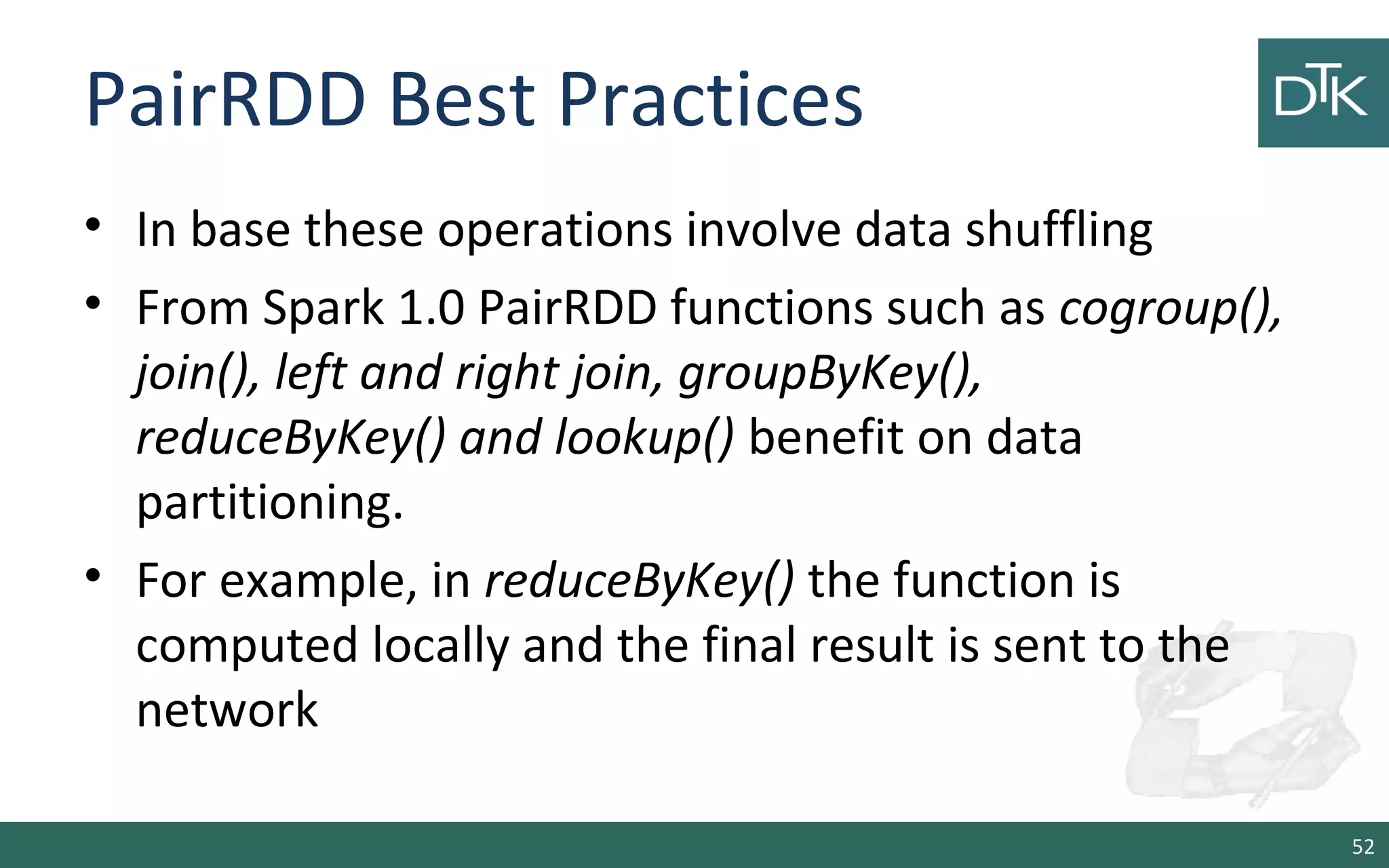
• In base these operations involve data shuffling
• From Spark 1.0 PairRDD functions such as cogroup(),
join(), left and right join, groupByKey(),
reduceByKey() and lookup() benefit on data
partitioning.
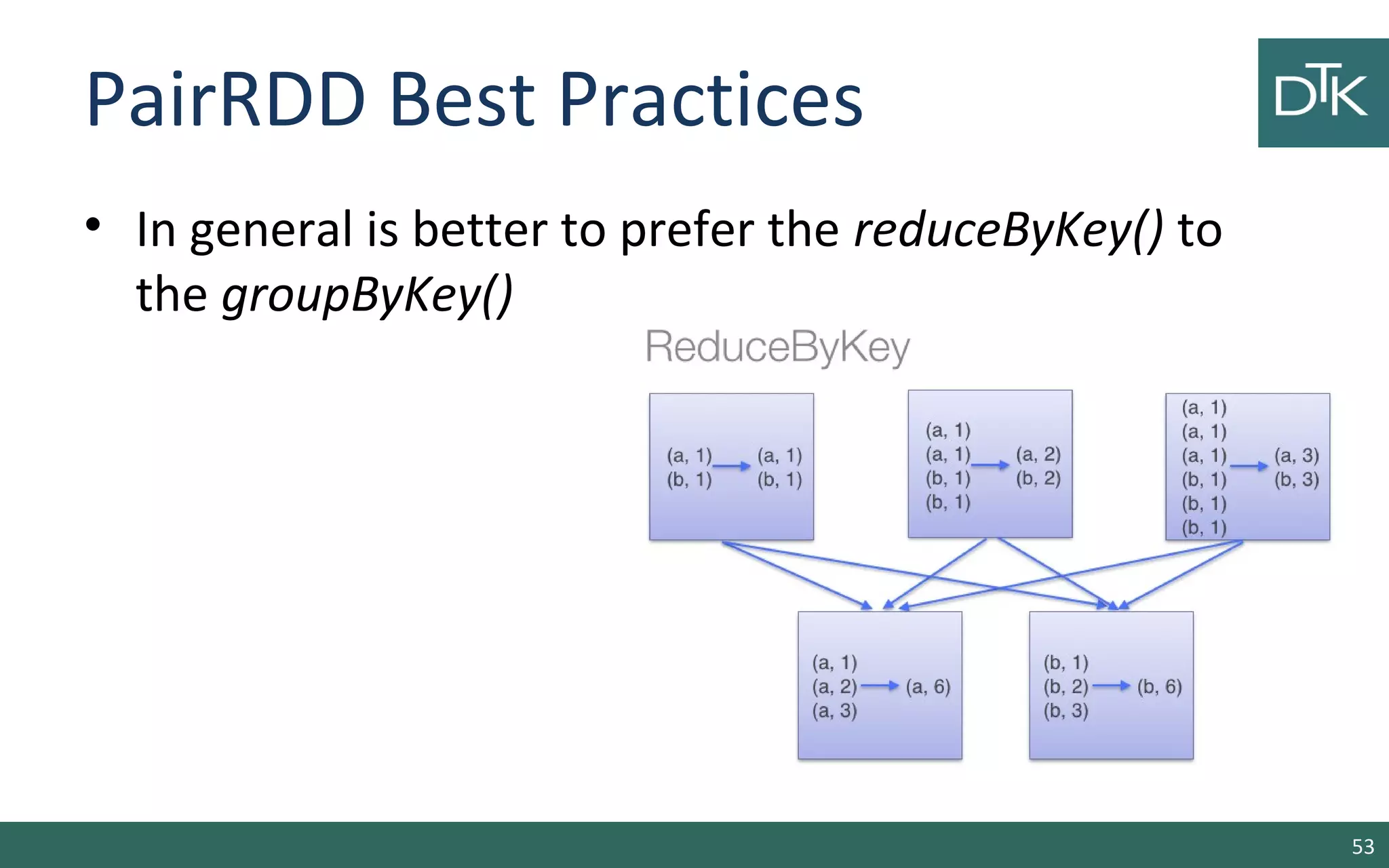
• For example, in reduceByKey() the function is
computed locally and the final result is sent to the
network
52
PairRDD Best Practices
• In general is better to prefer the reduceByKey() to
the groupByKey()
53
PairRDD Best Practices
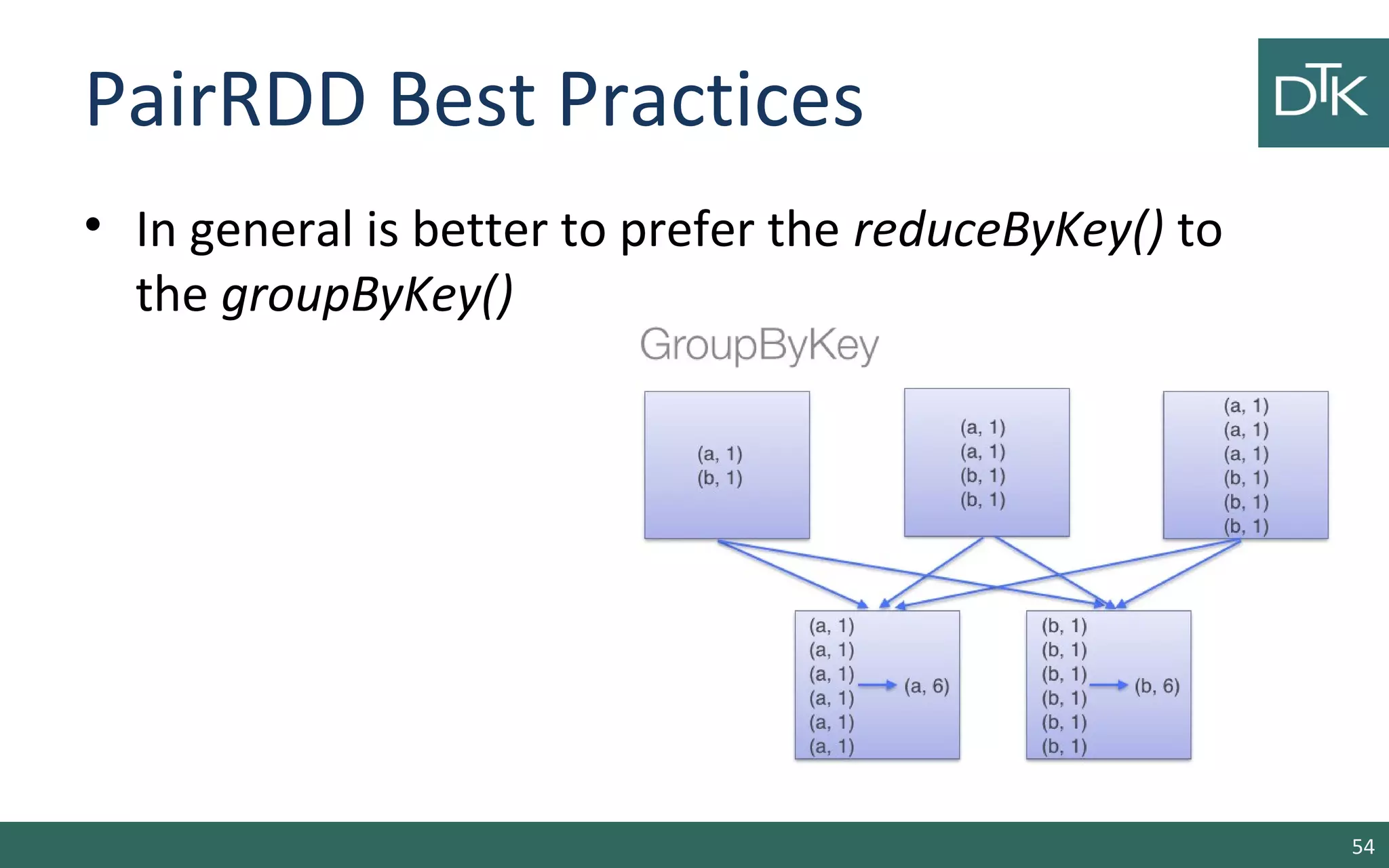
• In general is better to prefer the reduceByKey() to
the groupByKey()
54
Shared Variables
55
Shared Variables
• EACH function passed to a Spark operation is
executed on a remote cluster node
• These variables are copied to each machine
• And no updates to the variables on the remote
machine are propagated back to the driver program
• To enable shared variables Spark supports: Broadcast
Variables and Accumulators
56
Broadcast Variables
• Allow the programmer to keep a read-only variable
cached on each machine.
scala> val broadcastVar = sc.broadcast(Array(1, 2, 3))
scala> broadcastVar.value
>>> broadcastVar = sc.broadcast([1, 2, 3])
>>> broadcastVar.value
57
Accumulators
• They can be used to implement counters (as in
MapReduce) or sums.
scala> val accum = sc.accumulator(0, "My Accumulator")
scala> sc.parallelize(Array(1, 2, 3, 4)).foreach(x => accum += x)
scala> accum.value
>>> accum = sc.accumulator(0)
>>> sc.parallelize([1, 2, 3, 4]).foreach(lambda x: accum.add(x))
>>> accum.value
58
Spark SQL (SHARK)
59
Spark SQL
Provides 3 main capabilities:
1.Load data from different sources (JSON, Hive and
Parquet)
2.Query the data using SQL
3.Integration between SQL and regular
Python/Java/Scala API
This API are changing due to the DataFrames API
60
Initializing Spark SQL
The entrypoint to create a basic SQLContext, all you need is a
SparkContext.
•If we have a link to Hive
scala> import org.apache.spark.sql.hive.HiveContext
scala> val hiveContext = new HiveContext(sc)
•otherwise
scala> import org.apache.spark.sql.SQLContext
scala> val sqlContext = new org.apache.spark.sql.SQLContext(sc)
61
Basic Query Example
• To make a query on a table we call the sql() method
on the hive or sql context
scala> val table = hiveContext.jsonFile("file.json")
scala> table.registerTempTable("tweets")
scala> val topTweets = hiveContext.sql("Select text, retweetCount FROM
tweets ORDER BY retweetCount LIMIT 10")
Download file from: https://raw.githubusercontent.com/databricks/learning-
spark/master/files/testweet.json
62
Schema RDD
• Both loading data and executing queries return a
SchemaRDD.
• SchemarRDD is an RDD composed of:
– Row objects with
– Information about schema and columns
• Row objects are wrappers around arrays of basic
types (integer, string, double,…)
63
Data Types
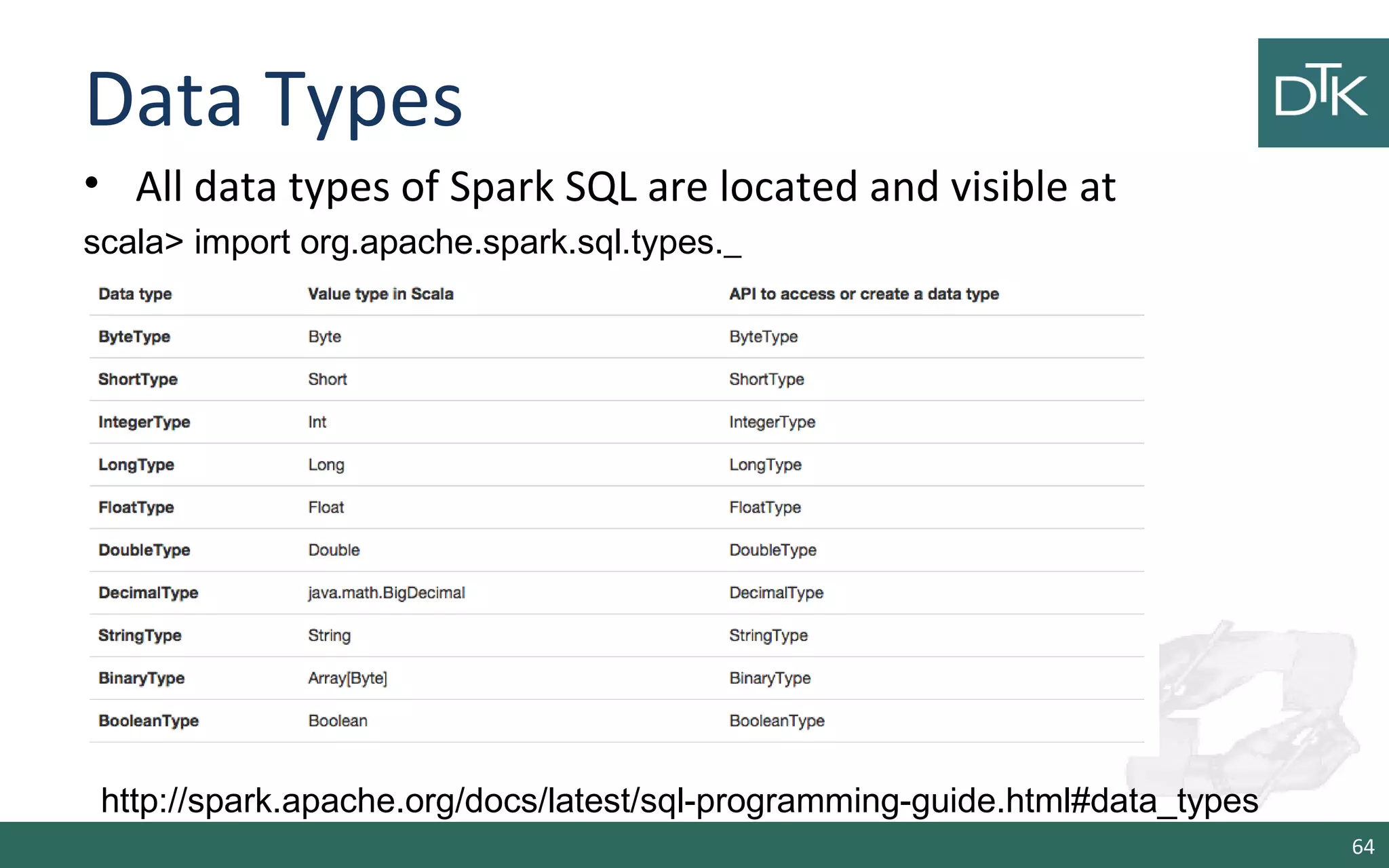
• All data types of Spark SQL are located and visible at
scala> import org.apache.spark.sql.types._
64
http://spark.apache.org/docs/latest/sql-programming-guide.html#data_types
Loading and Saving Data
• Spark SQL supports different structured data sources
out of the box:
– Hive tables,
– JSON,
– Parquet files, and
– JDBC NoSQL
– Regular RDDs converted
65
Apache Hive
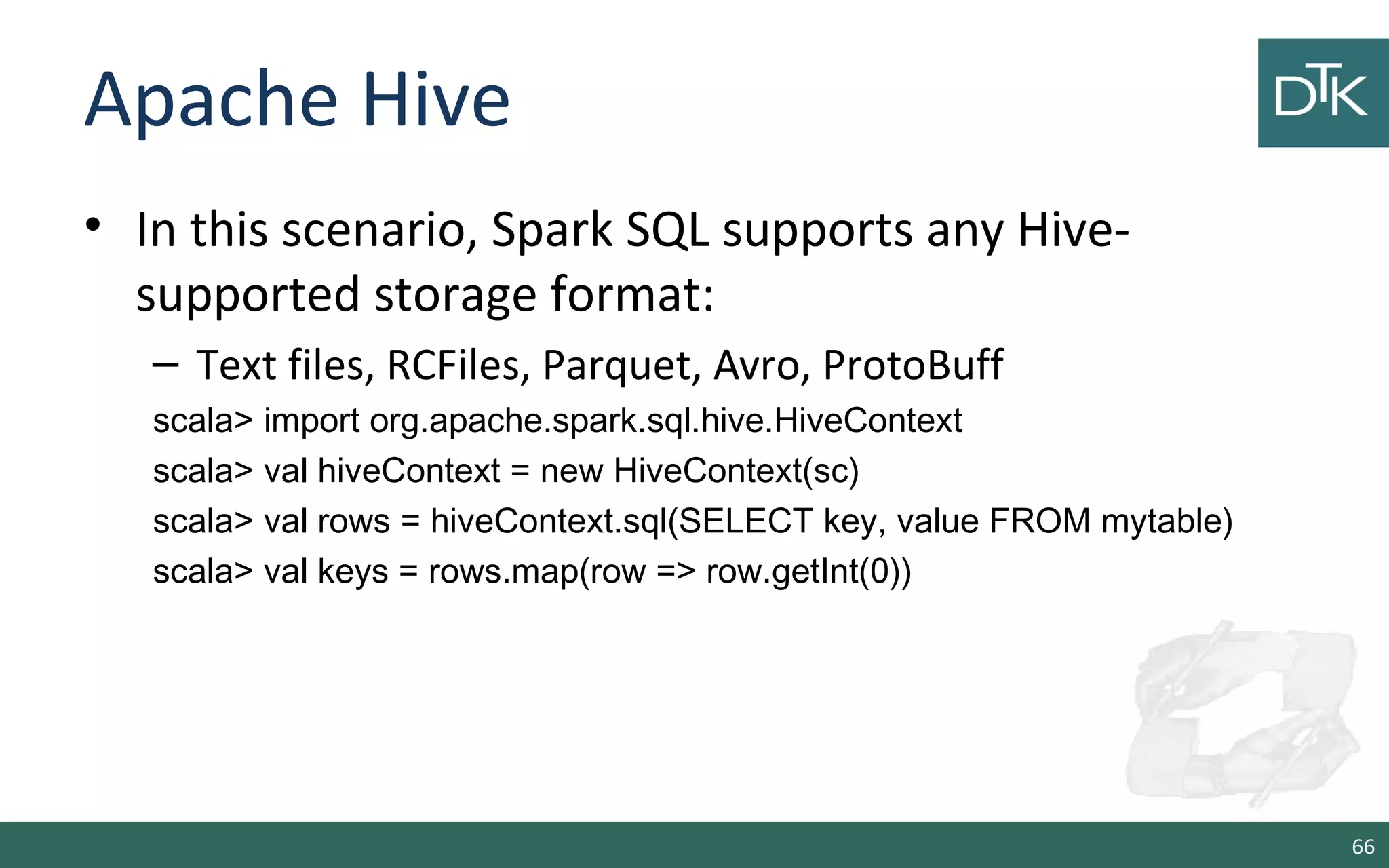
• In this scenario, Spark SQL supports any Hive-
supported storage format:
– Text files, RCFiles, Parquet, Avro, ProtoBuff
scala> import org.apache.spark.sql.hive.HiveContext
scala> val hiveContext = new HiveContext(sc)
scala> val rows = hiveContext.sql(SELECT key, value FROM mytable)
scala> val keys = rows.map(row => row.getInt(0))
66
JDBC NoSQL
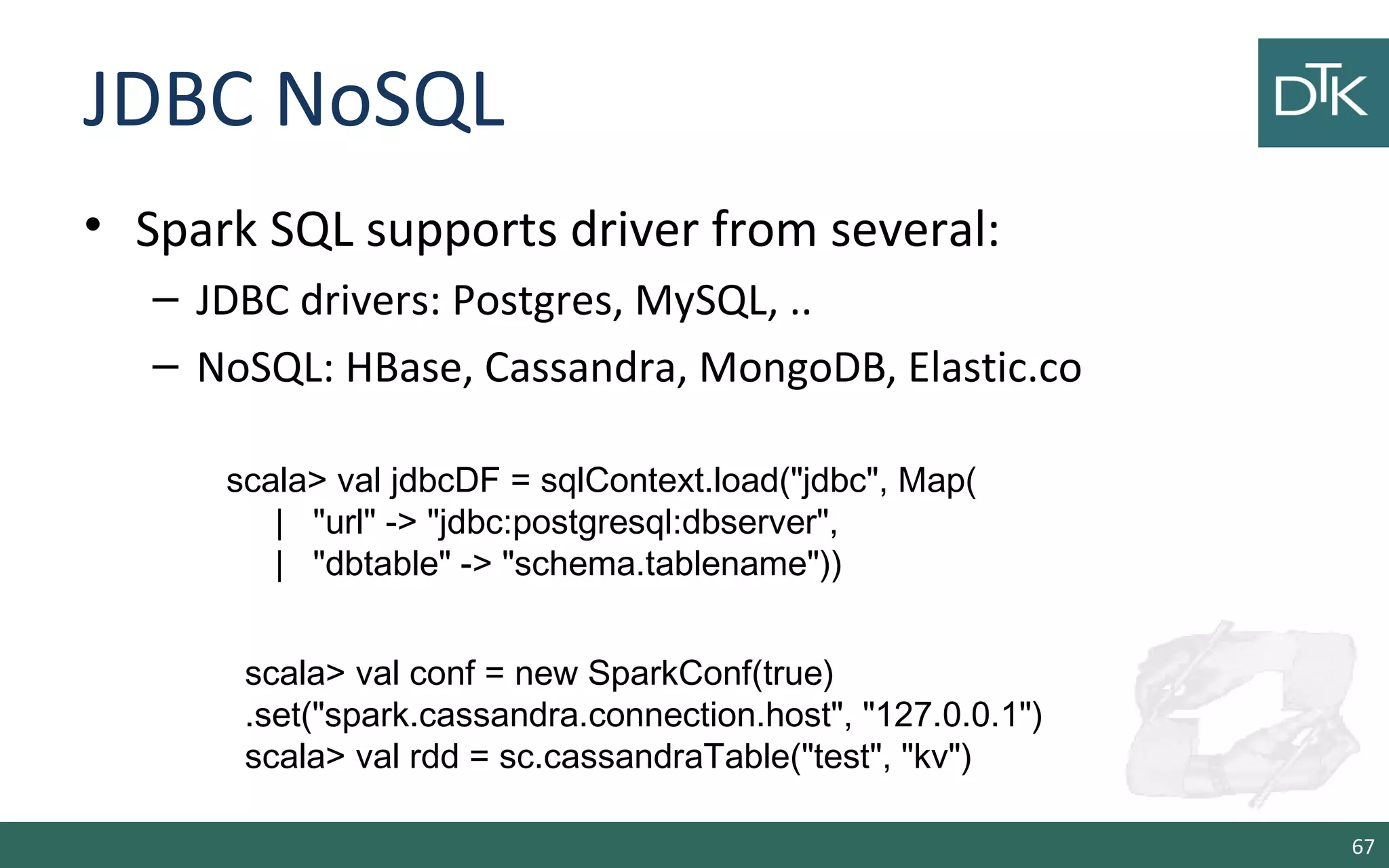
• Spark SQL supports driver from several:
– JDBC drivers: Postgres, MySQL, ..
– NoSQL: HBase, Cassandra, MongoDB, Elastic.co
67
scala> val jdbcDF = sqlContext.load("jdbc", Map(
| "url" -> "jdbc:postgresql:dbserver",
| "dbtable" -> "schema.tablename"))
scala> val conf = new SparkConf(true)
.set("spark.cassandra.connection.host", "127.0.0.1")
scala> val rdd = sc.cassandraTable("test", "kv")
Parquet.io
• Column-Oriented storage format that can store records with
nested fields efficiently.
• Spark SQL support reading and writing from this format
scala> val people: RDD[Person] = ...
scala> people.saveAsParquetFile("people.parquet")
scala> val parquetFile = sqlContext.parquetFile("people.parquet")
scala> parquetFile.registerTempTable("parquetFile")
scala> val teenagers = sqlContext.sql("SELECT name FROM parquetFile
WHERE age >= 13 AND age <= 19")
68
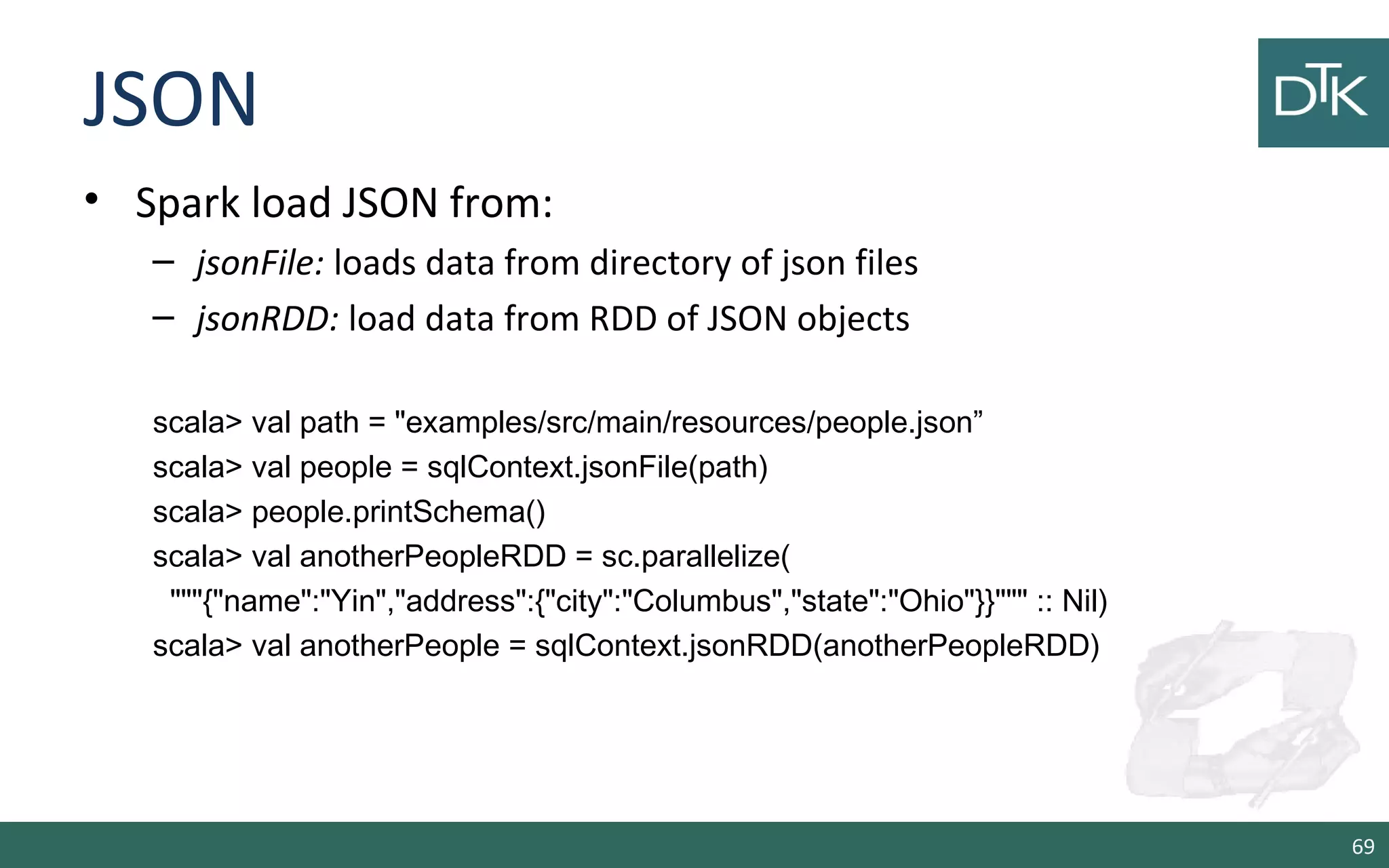
JSON
• Spark load JSON from:
– jsonFile: loads data from directory of json files
– jsonRDD: load data from RDD of JSON objects
scala> val path = "examples/src/main/resources/people.json”
scala> val people = sqlContext.jsonFile(path)
scala> people.printSchema()
scala> val anotherPeopleRDD = sc.parallelize(
"""{"name":"Yin","address":{"city":"Columbus","state":"Ohio"}}""" :: Nil)
scala> val anotherPeople = sqlContext.jsonRDD(anotherPeopleRDD)
69
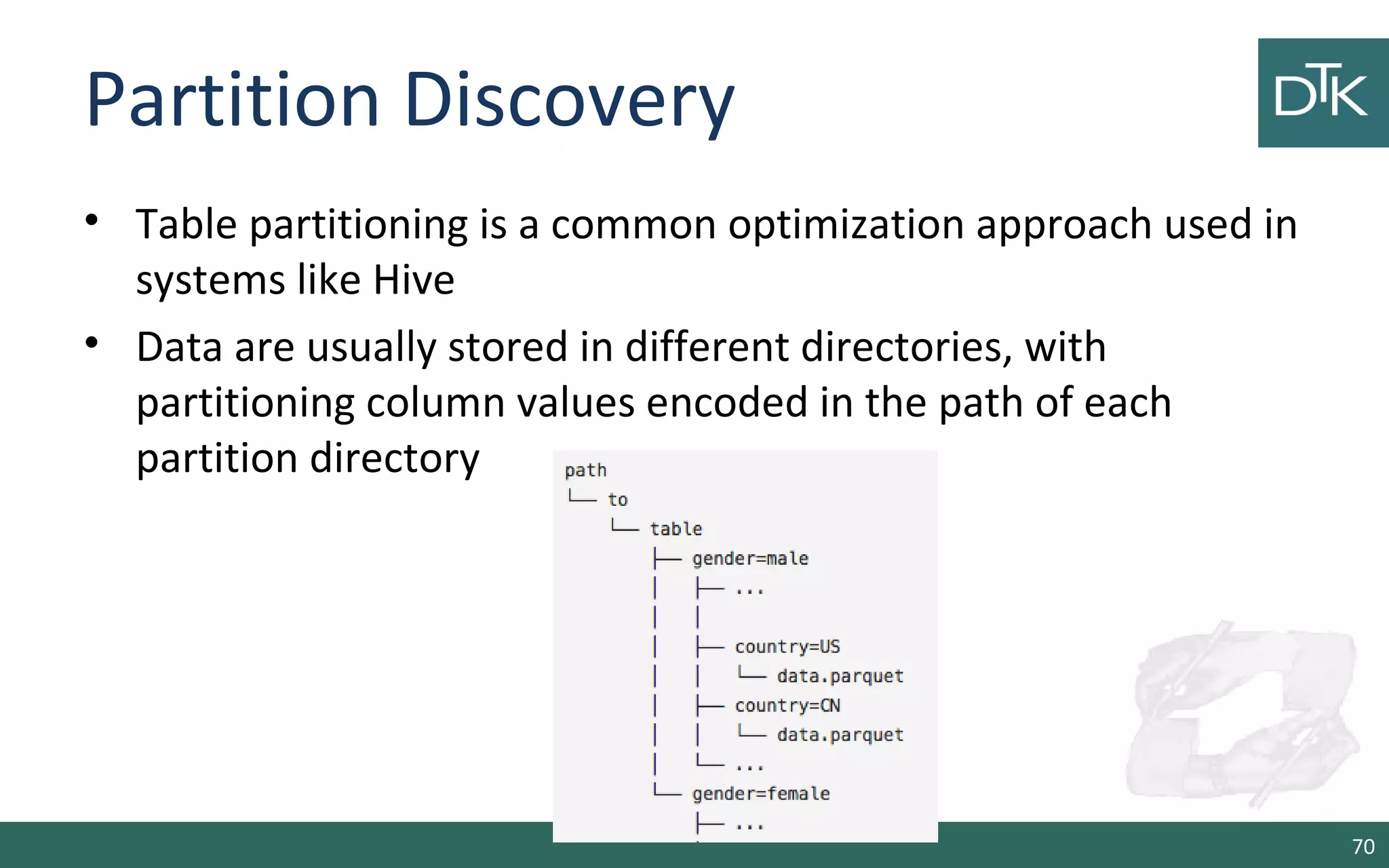
Partition Discovery
• Table partitioning is a common optimization approach used in
systems like Hive
• Data are usually stored in different directories, with
partitioning column values encoded in the path of each
partition directory
70
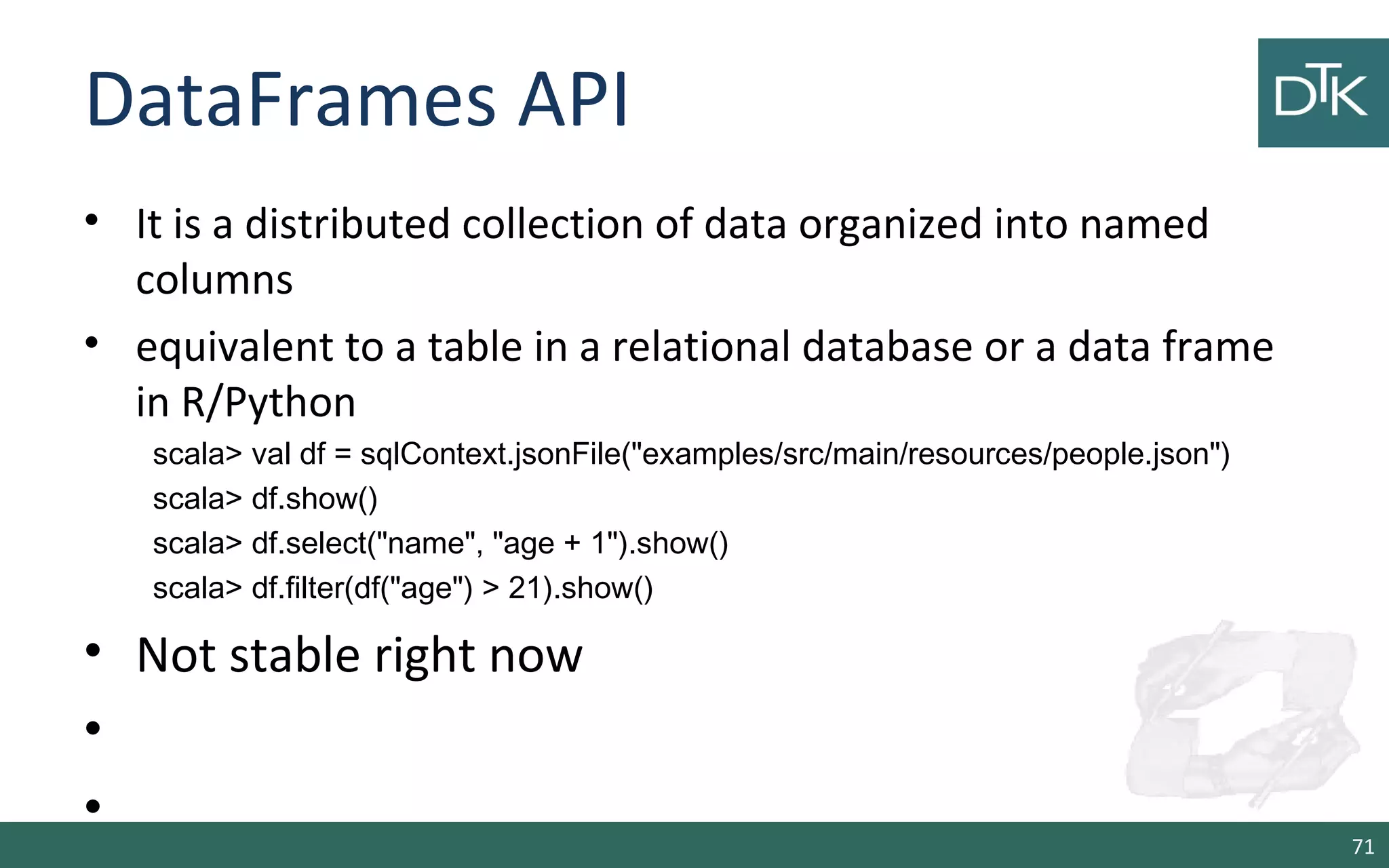
DataFrames API
• It is a distributed collection of data organized into named
columns
• equivalent to a table in a relational database or a data frame
in R/Python
scala> val df = sqlContext.jsonFile("examples/src/main/resources/people.json")
scala> df.show()
scala> df.select("name", "age + 1").show()
scala> df.filter(df("age") > 21).show()
• Not stable right now
•
•
71
Spark Streaming
72
Overview
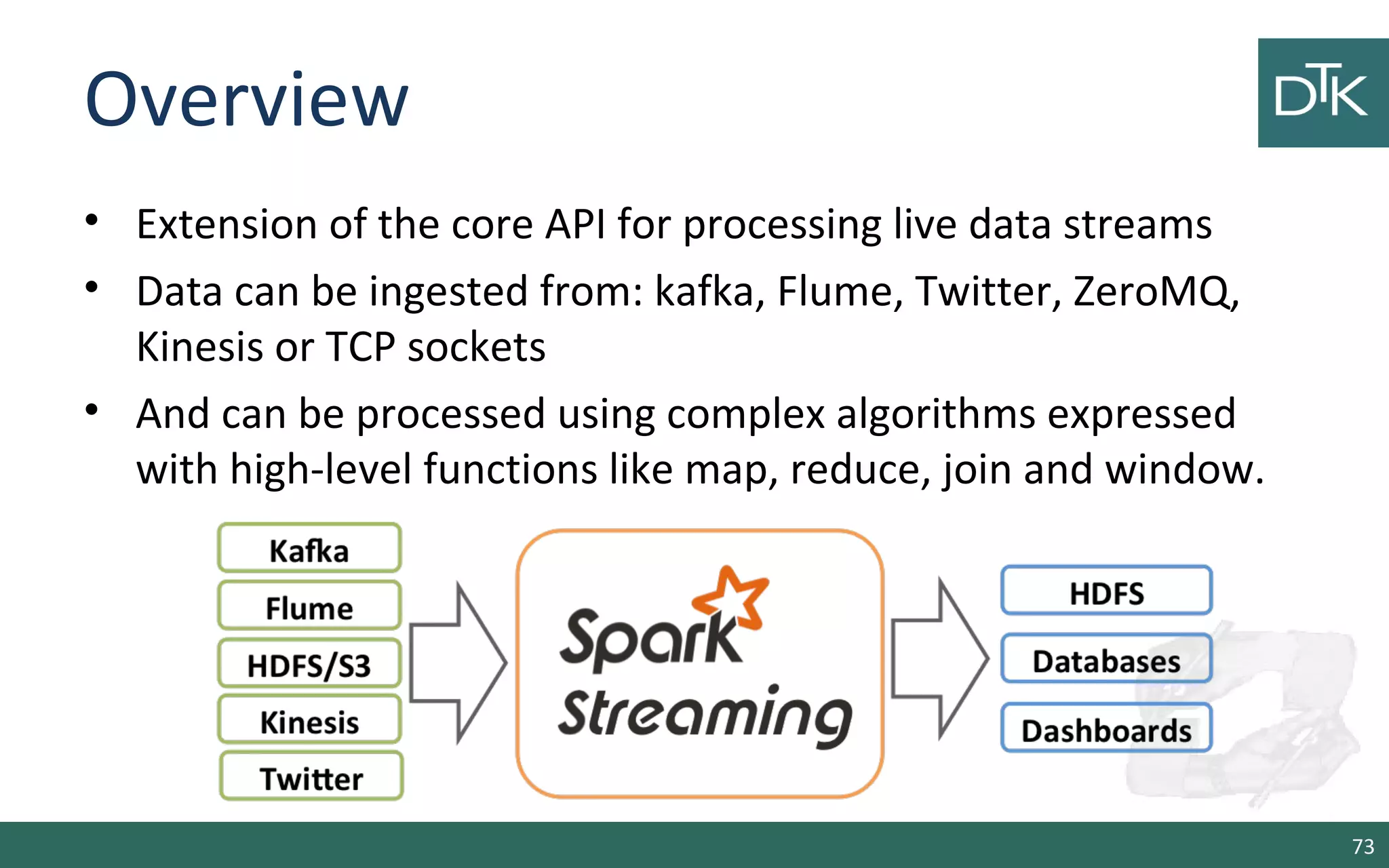
• Extension of the core API for processing live data streams
• Data can be ingested from: kafka, Flume, Twitter, ZeroMQ,
Kinesis or TCP sockets
• And can be processed using complex algorithms expressed
with high-level functions like map, reduce, join and window.
73
How it works internally
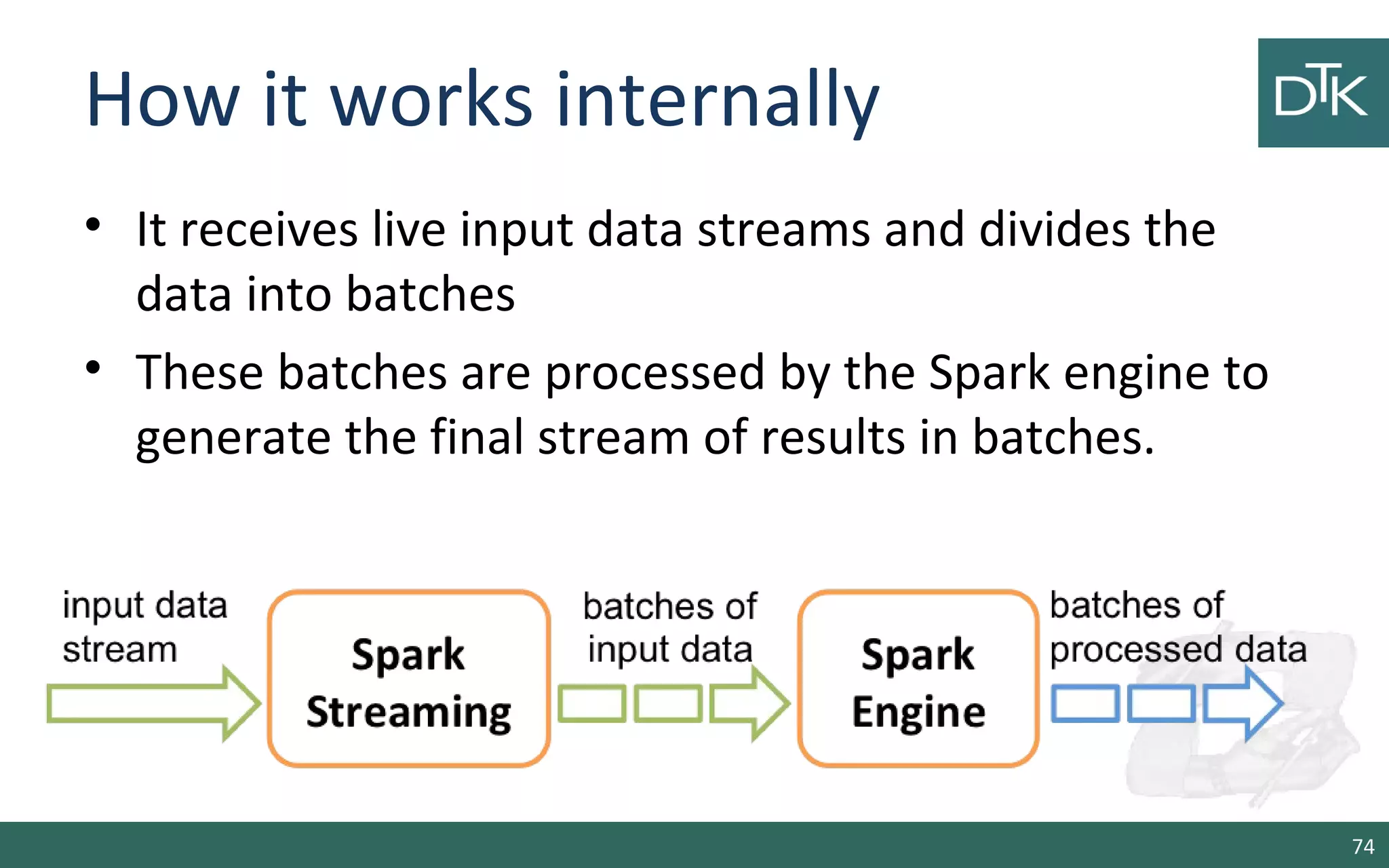
• It receives live input data streams and divides the
data into batches
• These batches are processed by the Spark engine to
generate the final stream of results in batches.
74
Example: Word Count
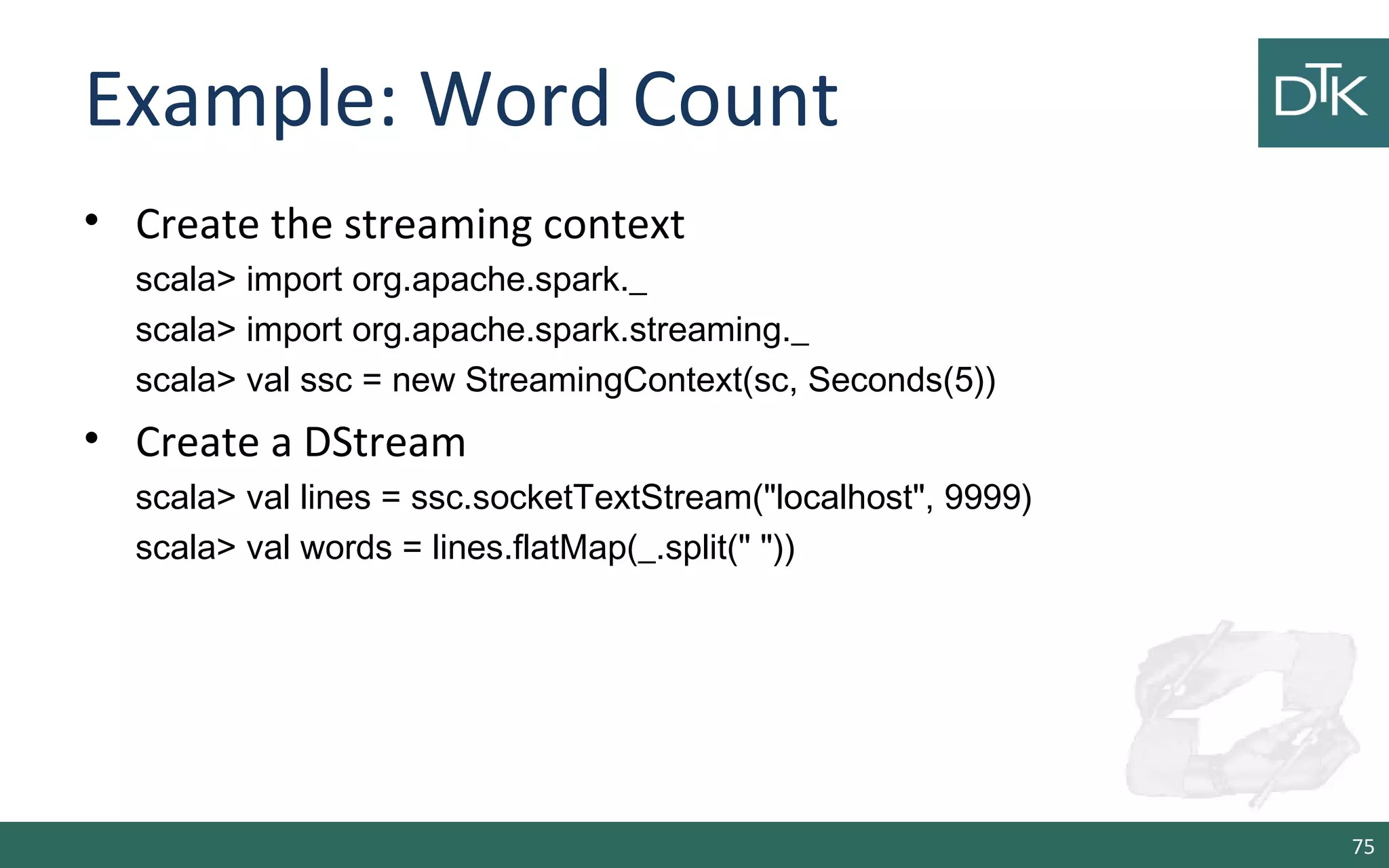
• Create the streaming context
scala> import org.apache.spark._
scala> import org.apache.spark.streaming._
scala> val ssc = new StreamingContext(sc, Seconds(5))
• Create a DStream
scala> val lines = ssc.socketTextStream("localhost", 9999)
scala> val words = lines.flatMap(_.split(" "))
75
Example: Word Count
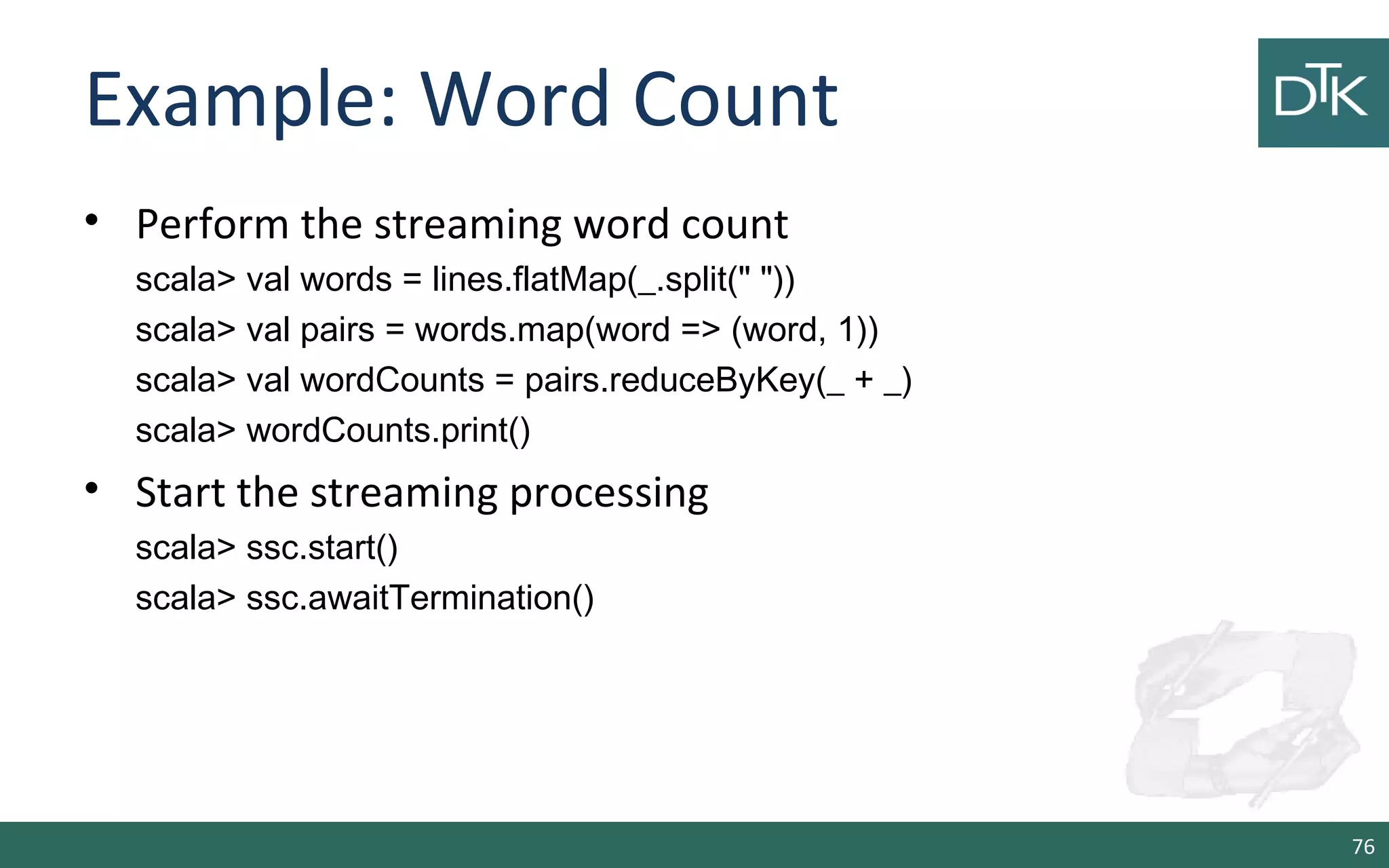
• Perform the streaming word count
scala> val words = lines.flatMap(_.split(" "))
scala> val pairs = words.map(word => (word, 1))
scala> val wordCounts = pairs.reduceByKey(_ + _)
scala> wordCounts.print()
• Start the streaming processing
scala> ssc.start()
scala> ssc.awaitTermination()
76
Example Word Count
• Start a shell and Install netcat
– Docker exec –it <docker name> bash
– yum install nc.x86_64
• Start a netcat on port 9999
– nc -lk 9999
• Write some words
77
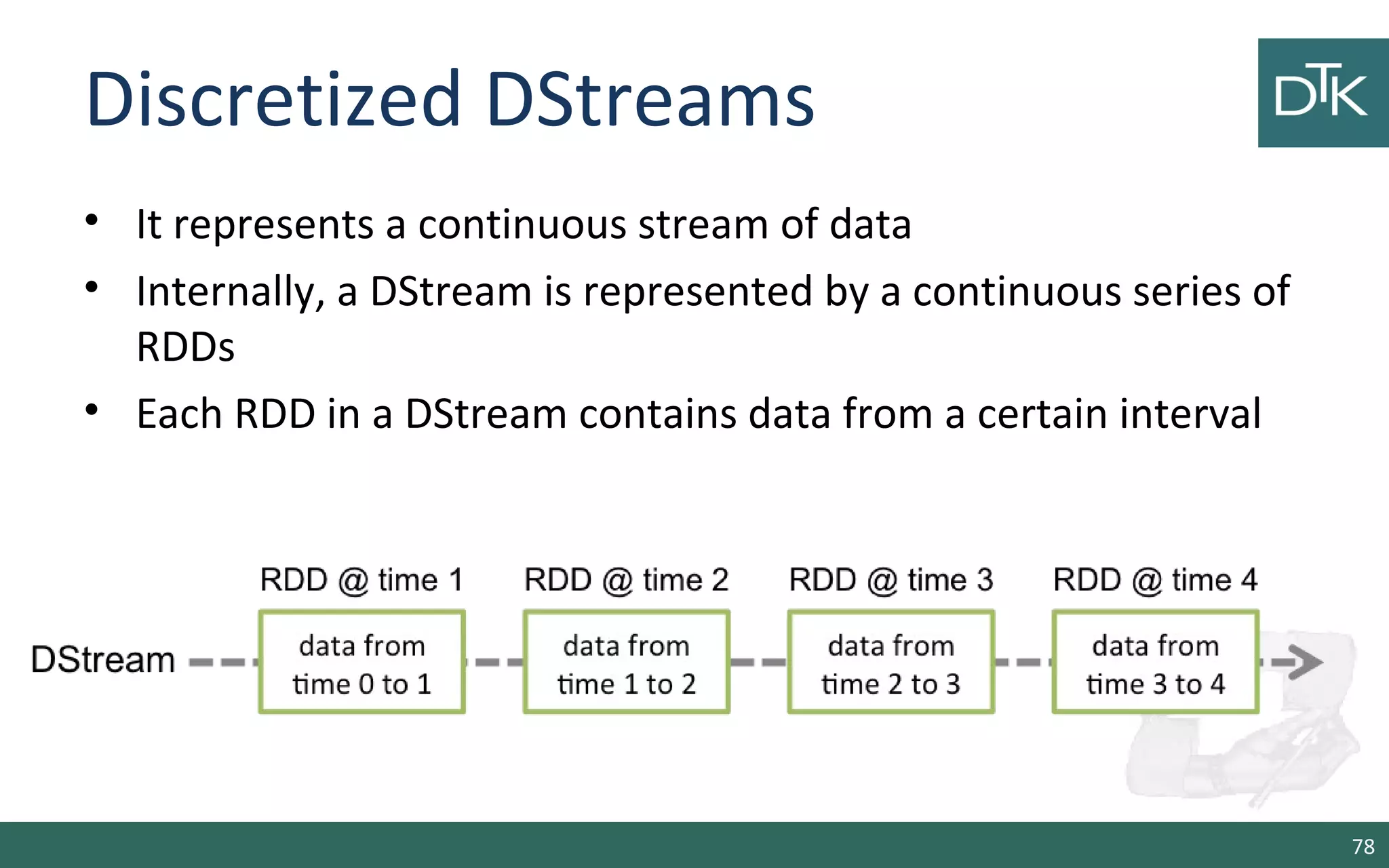
Discretized DStreams
• It represents a continuous stream of data
• Internally, a DStream is represented by a continuous series of
RDDs
• Each RDD in a DStream contains data from a certain interval
78
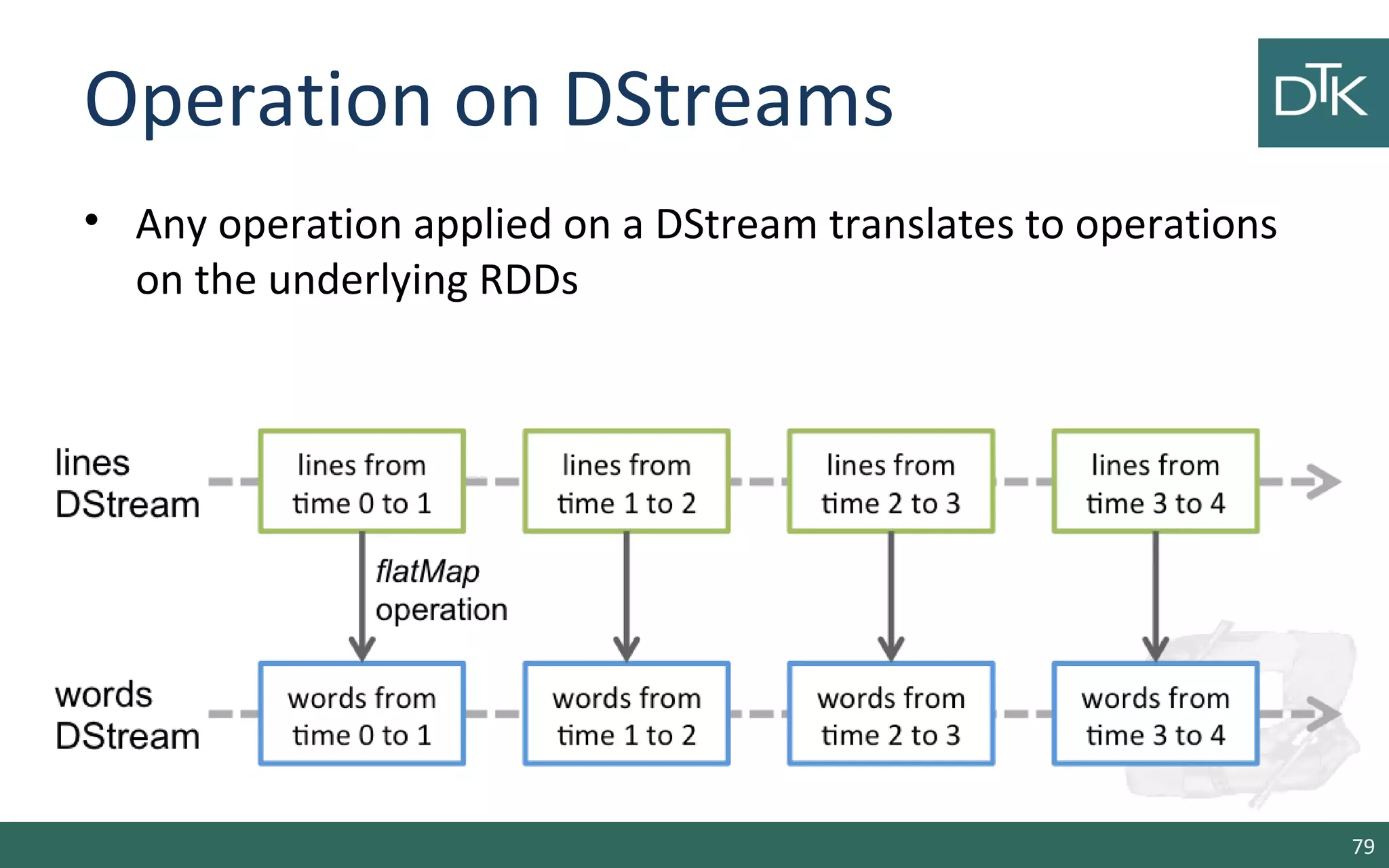
Operation on DStreams
• Any operation applied on a DStream translates to operations
on the underlying RDDs
79
Streaming Sources
• Apart the example, we can create streams from:
– Basic sources: files (HDFS, S3, NFS) or from Akka Actors
and Queue of RDDs as a Stream (for test)
– Advanced sources: from systems like, kafka, Flume,
Twitter, ZeroMQ, Kinesis
• Advanced Source are used as external libs
80
Advanced Source: Twitter
• Linking: Add the artifact spark-streaming-twitter_2.10 to the
SBT/Maven project dependencies.
• Programming: create a DStream with
TwitterUtils.createStream
scala> import org.apache.spark.streaming.twitter._
scala> TwitterUtils.createStream(ssc, None)
81
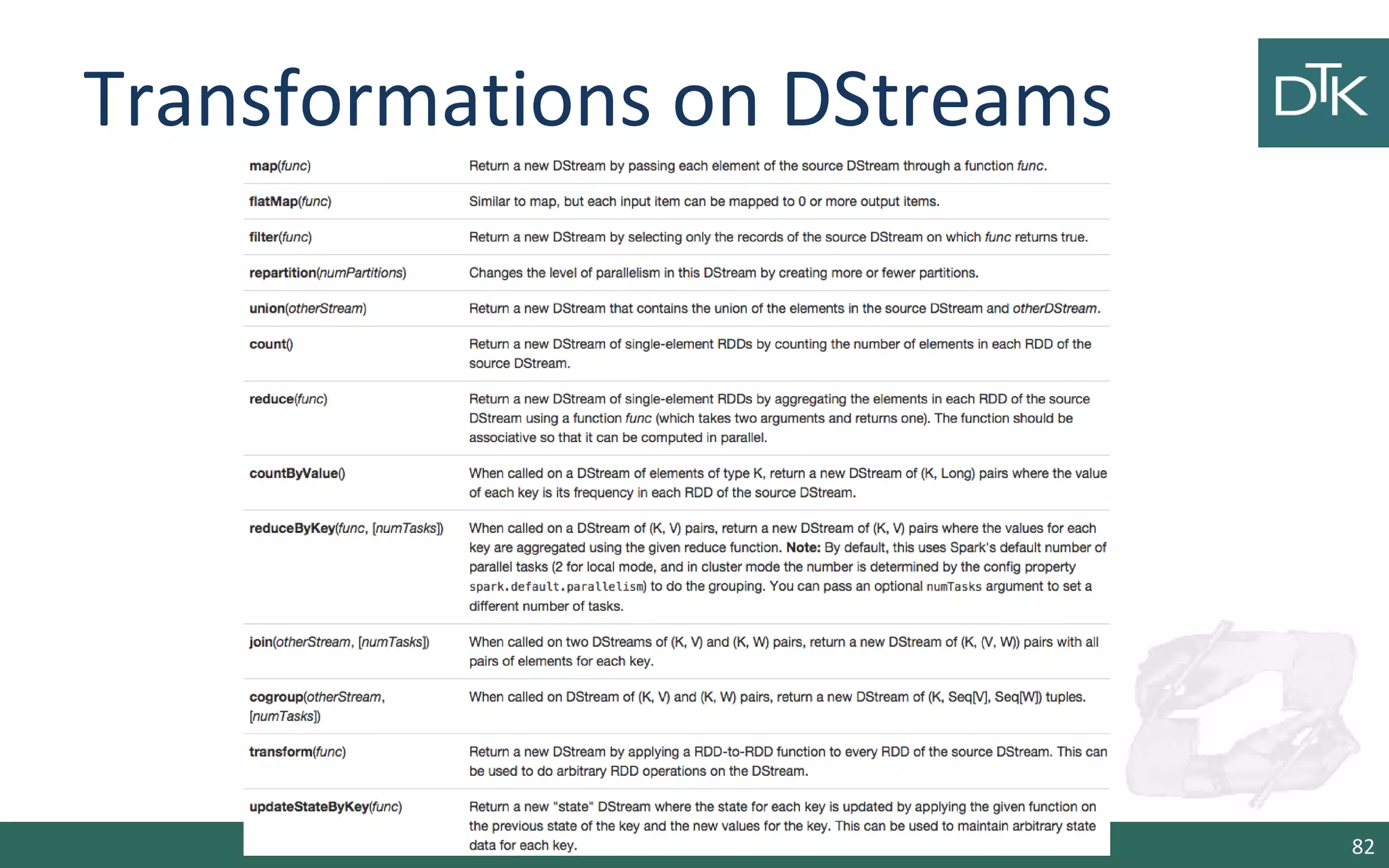
Transformations on DStreams
82
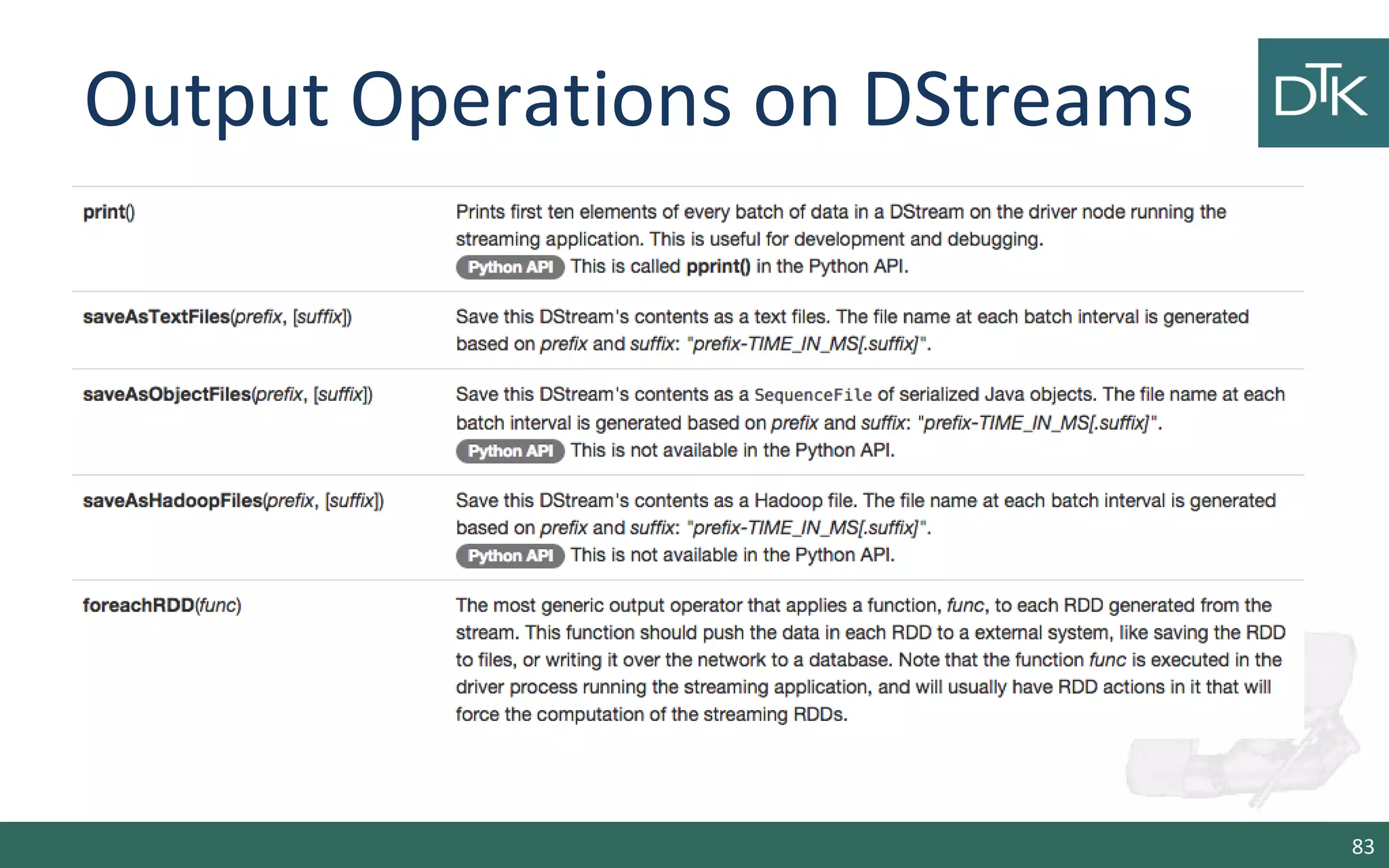
Output Operations on DStreams
83
Sliding Window Operations
• Spark Streaming also provides windowed computations
– window length - The duration of the window (3 in the figure)
– sliding interval - The interval at which the window operation is
performed (2 in the figure).
scala> val windowedWordCounts =
pairs.reduceByKeyAndWindow((a:Int,b:Int) => (a + b), Seconds(30),
Seconds(10))
84
Examples
http://ampcamp.berkeley.edu/5/exercises/index.html
85
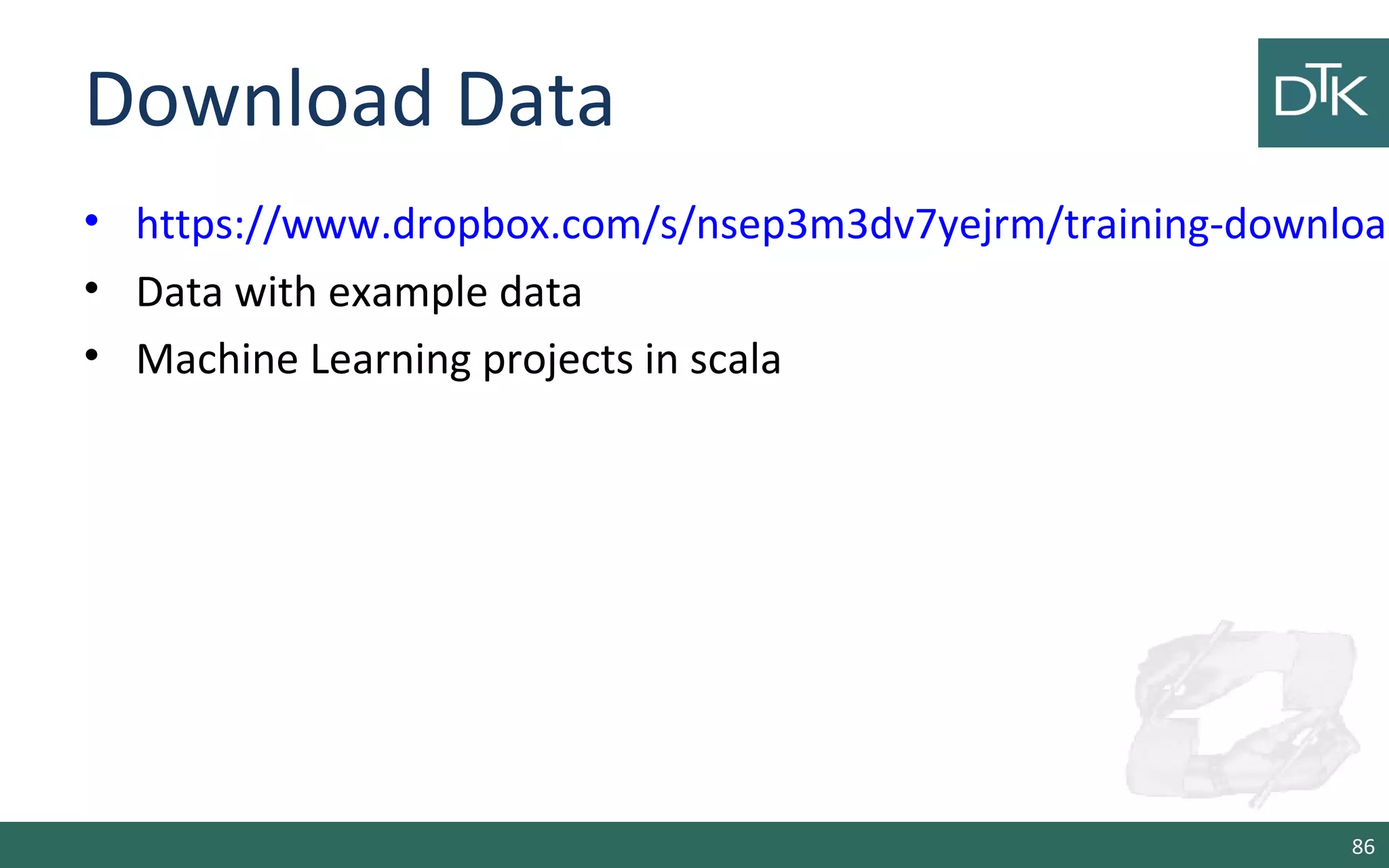
Download Data
• https://www.dropbox.com/s/nsep3m3dv7yejrm/training-download
• Data with example data
• Machine Learning projects in scala
86
Interactive Analysis
scala> sc
res: spark.SparkContext = spark.SparkContext@470d1f30
Load the data
scala> val pagecounts = sc.textFile("data/pagecounts")
INFO mapred.FileInputFormat: Total input paths to process : 74
pagecounts: spark.RDD[String] = MappedRDD[1] at textFile at <console>:12
87
Interactive Analysis
• Get the first 10 records
scala> pagecounts.take(10)
• Print the element
scala> pagecounts.take(10).foreach(println)
20090505-000000 aa.b ?71G4Bo1cAdWyg 1 14463
20090505-000000 aa.b Special:Statistics 1 840
20090505-000000 aa.b
Special:Whatlinkshere/MediaWiki:Returnto 1 1019
88
Interactive Analysis
scala> pagecounts.count
89
http://localhost:4040
Interactive Analysis
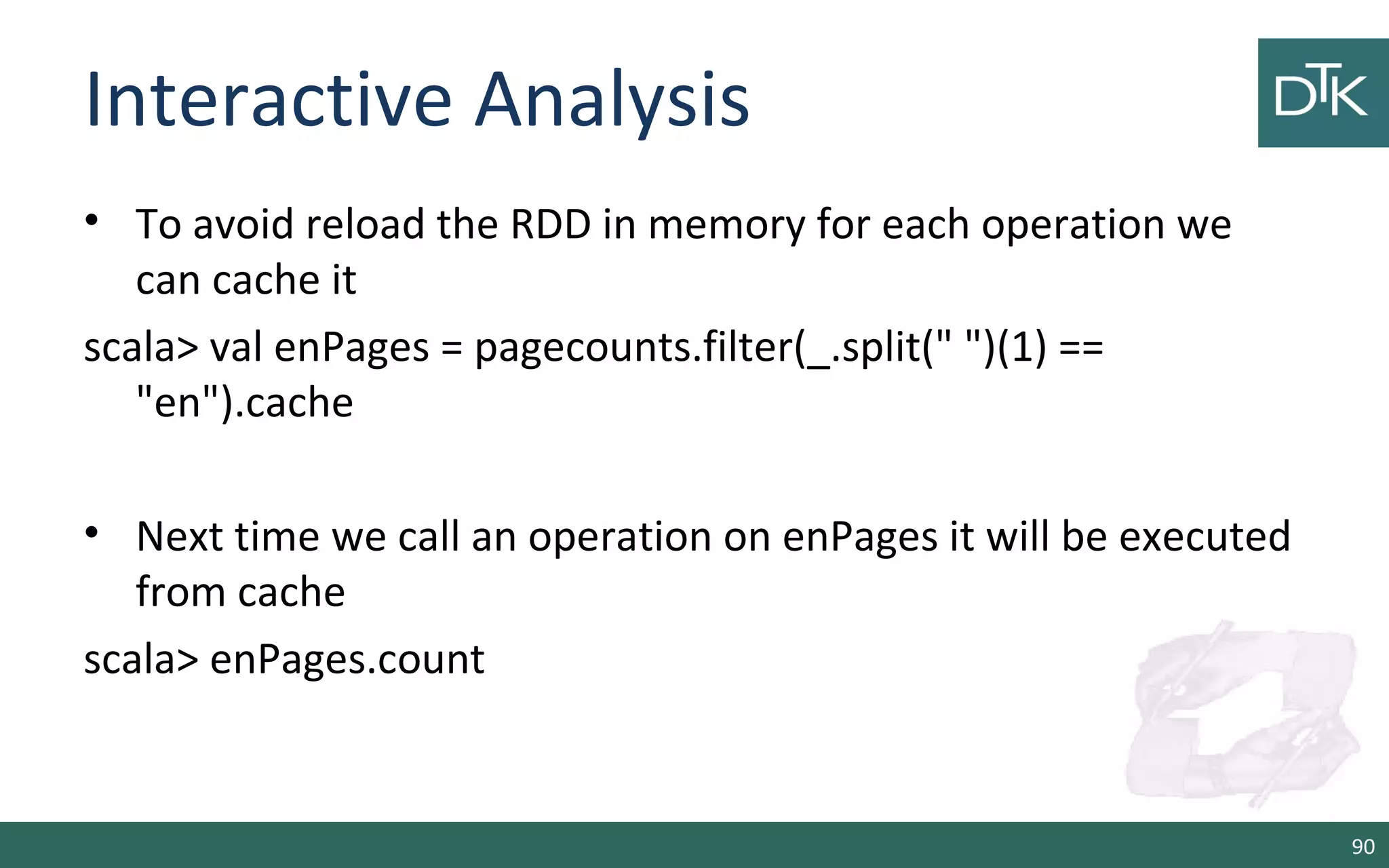
• To avoid reload the RDD in memory for each operation we
can cache it
scala> val enPages = pagecounts.filter(_.split(" ")(1) ==
"en").cache
• Next time we call an operation on enPages it will be executed
from cache
scala> enPages.count
90
Interactive Analysis
• Let us generate a histogram of total pages on Wikipedia pages
for the date range in out dataset
scala> val enTuples = enPages.map(line => line.split(" "))
scala> val enKeyValuePairs = enTuples.map(line => (line(0).substring(0, 8),
line(3).toInt))
scala> enKeyValuePairs.reduceByKey(_+_, 1).collect
91
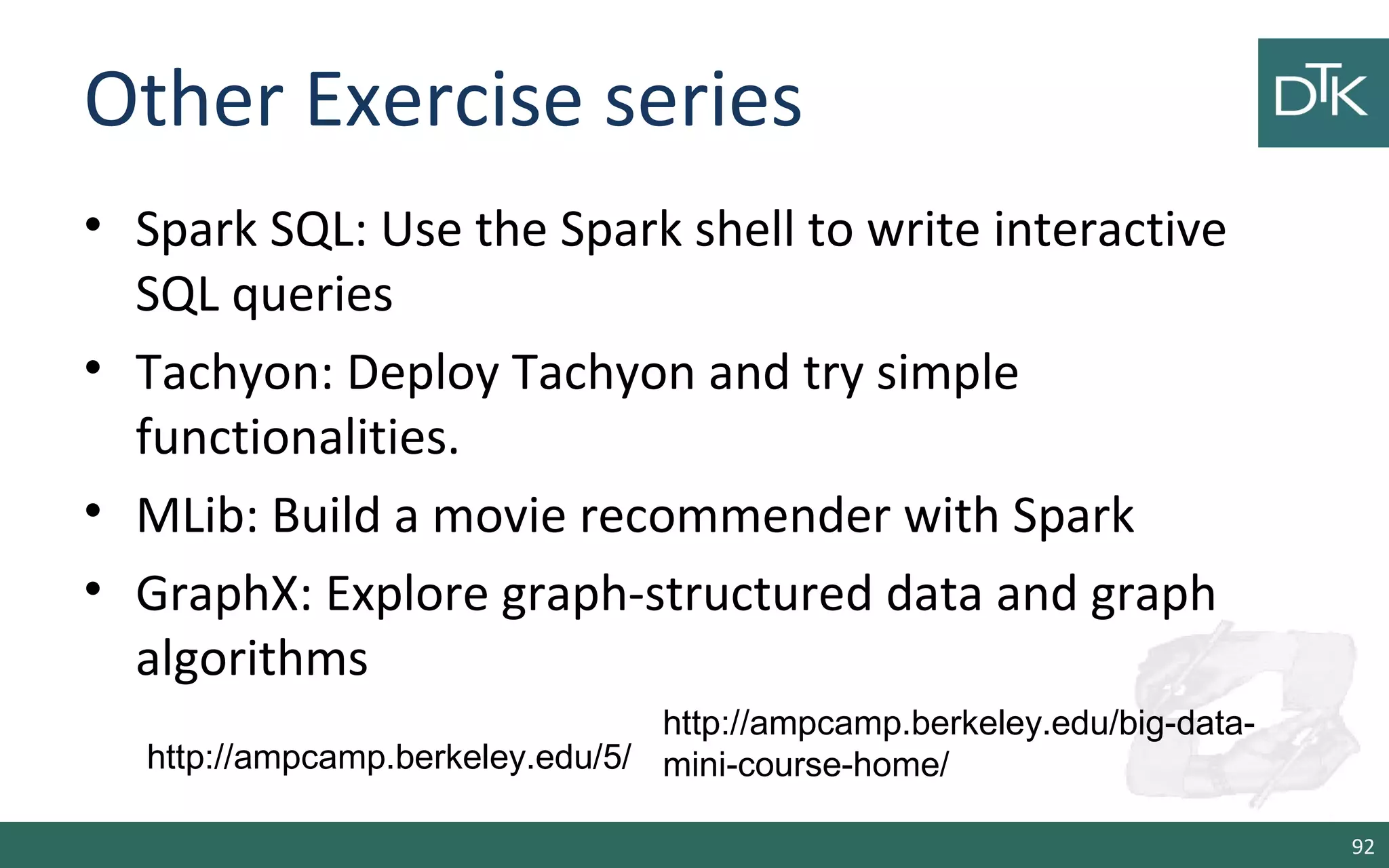
Other Exercise series
• Spark SQL: Use the Spark shell to write interactive
SQL queries
• Tachyon: Deploy Tachyon and try simple
functionalities.
• MLib: Build a movie recommender with Spark
• GraphX: Explore graph-structured data and graph
algorithms
92
http://ampcamp.berkeley.edu/5/
http://ampcamp.berkeley.edu/big-data-
mini-course-home/
End
93

11. From Hadoop to Spark 2/2

  • 1.
    From Hadoop toSpark 2/2 Dr. Fabio Fumarola
  • 2.
    Outline • Spark Shell –Scala – Python • Shark Shell • Data Frames • Spark Streaming • Code Examples: Processing and Machine Learning 2
  • 3.
    Start the dockercontainer • Pull the image – From https://github.com/sequenceiq/docker-spark – Via command: docker pull sequenceiq/spark:1.3.0 • Run the Docker – Interactive: docker run –it –P sequenceiq/spark:1.3.0 bash Or – Daemon: docker run –d -P sequenceiq/spark:1.3.0 -d 3
  • 4.
    Separate Container Master/Worker Orin alternative $ docker pull snufkin/spark-master $ docker pull snufkin/spark-worker •These images are based on snufkin/spark-base $ docker run … master $ docker run … worker 4
  • 5.
    Start the sparkshell • Shell in YARN-client mode: the driver run in a client process and the master is used to request resources from YARN – spark-shell --master yarn-client --driver-memory 1g --executor- memory 1g --executor-cores 1 • YARN-cluster mode: spark runs inside the master which is managed by YARN – spark-submit --class org.apache.spark.examples.SparkPi --master yarn- cluster --driver-memory 1g --executor-memory 1g --executor-cores 1 $SPARK_HOME/lib/spark-examples-1.3.0-hadoop2.4.0.jar 5
  • 6.
  • 7.
    Start the shell •Scala Spark-shell local – spark-shell --master local[2] --driver-memory 1g --executor-memory 1g • Python Spark-shell local – pyspark --master local[2] --driver-memory 1g --executor- memory 1g 7
  • 8.
    RDD Basics Internally, eachRDD is characterized by five main properties: •A list of partitions •A function for computing each split •A list of dependencies on other RDDs •Optionally, a Partitioner for key-value RDDs (e.g. to say that the RDD is hash-partitioned) •Optionally, a list of preferred locations to compute each split on (e.g. block locations for an HDFS file) 8 http://spark.apache.org/docs/latest/api/scala/index.html#org.apache.spark.rdd.RDD
  • 9.
    RDD Basics • Whena shell is started a SparkContext is created for you • An RDD in Spark can be obtained via: – Loading an external dataset with sc.textFile(…) – Distributing a collection of object sc.parallelize(1 to 1000) • Spark can read and distributed dataset from HDFS (hdfs://), Cassandra, Hbase, Amazon S3 (s3://), etc 9 scala> sc res0: org.apache.spark.SparkContext =org.apache.spark.SparkContext@5d02b84a
  • 10.
    Creating an RDDfrom a file If you run from YARN •You need to interact with hdfs to list a file – hadoop fs -ls / – hdfs dfs –ls / •Download a file – wget http://pbdmng.datatoknowledge.it/files/access_log – curl -O http://pbdmng.datatoknowledge.it/files/error_log 10
  • 11.
    Creating an RDDfrom a file • Copy to hdfs – hadoop fs -copyFromLocal access_log ./ • List the files – hadoop fs -ls ./ 11 bash-4.1# hadoop fs -ls ./ Found 3 items drwxr-xr-x - root supergroup 0 2015-05-28 05:06 .sparkStaging drwxr-xr-x - root supergroup 0 2015-01-15 04:05 input -rw-r--r-- 1 root supergroup 5589889 2015-05-28 05:44 access_log http://hadoop.apache.org/docs/r2.7.0/hadoop-project-dist/hadoop- common/FileSystemShell.html
  • 12.
    Creating an RDDfrom a file • Scala val lines = sc.textFile("/user/root/access_log ") lines.count • Python >>> lines = sc.textFile("/user/root/error_log") >>> lines.count() 12
  • 13.
    Creating an RDD •Scala scala> val rdd = sc.parallelize(1 to 1000) • Python >>> data = [1,2,3,4,5] >>> rdd = sc.parallelize(data) >>> rdd.count() 13
  • 14.
    RDD Example • Createan RDD of numbers from 1 to 1000 and sum its elements • Scala scala> val rdd = sc.parallelize(1 to 1000) scala> val sum = rdd.reduce((a,b) => a + b) • Python >>> rdd = sc.parallelize(range(1,1001)) >>> sum = rdd.reduce(lambda a, b: a + b) 14
  • 15.
    RDD and Computation •RDD are by default recomputed each time an action is called • To reuse the same RDD in multiple actions – rdd.persist() – rdd.cache() 15
  • 16.
    When to Cacheand when to Persist? • With persist() and cache() on a RDD its partitions are stored in memory buffers – Spark limits the amount of memory by default to the 20% of the overall JVM reserved heap • Since the reserved cache is limited, sometime it is better to call persist instead of cache on RDD • Otherwise, cached RDD will be removed and needs to be recomputed • While persisted RDD can be persisted restored from the disk 16
  • 17.
  • 18.
    Passing Functions toSpark • Spark’s API relies on passing function in the driver program to run on the cluster • Recommendations for functions – Anonymous functions – Methods in a singleton objects – Class with RDD as function parameters 18
  • 19.
    Passing Functions toSpark: Scala • Anonymous function syntax scala> (x: Int) => x *x res0: Int => Int = <function1> • Singleton Object scala> object MyFunctions { | def func1(s: String): String = s + s | } scala> lines.map(MyFunctions.func1) 19
  • 20.
    Passing Functions toSpark: Scala • Class scala> class MyClass { | def func1(s: String): String = ??? | def doStuff(rdd: RDD[String]): RDD[String] = rdd.map(func1) | } • Class with a val scala> class MyClass { | val field = "hello" | def doStuff(rdd: RDD[String]): RDD[String] = rdd.map(_ + field) | } 20
  • 21.
    Passing Functions toSpark: Python • Function >>> if __name__ == "__main__": ... def myFunc(s): ... words = s.split(" ") ... return len(words) • Class >>> class MyClass(object): ... def func(self, s): ... return s ... def doStuff(self, rdd): ... return rdd.map(self.func) 21
  • 22.
    Functions and MemoryUsage • Spark reserves the 20% of the allocated JVM heap to store user functions • When we create functions we should try to minimize the code used • Otherwise we can incur to memory issues 22
  • 23.
  • 24.
    Transformations • Are operationson RDDs that return a new RDD • Transformed RDDs are computer lazily, only when an action is called • 2 Type of operations: – Element-wise – Partition-wise 24
  • 25.
    Transformations: map Scala scala> valnumbers = sc.parallelize(1 to 100) scala> val result = numbers.map(x => x * 2) Python >>> numbers = sc.parallelize(range(1,101)) >>> result = numbers.map(lambda a : a * 2) 25
  • 26.
    Transformations: flatMap 26 Scala scala> vallist = List(“hello world”, “hi”) scala> val values= sc.parallelize(list) scala> numbers.flatMap(l => l.split(“”)) Python >>> numbers = sc.parallelize([“hello world”, “hi”])) >>> result = numbers.flatMap(lambda line: line.split(“ “))
  • 27.
    Transformations: filter 27 Scala scala> valnumbers = sc.parallelize(1 to 100) scala> val result = numbers.filter(x => x % 2 == 0) Python >>> numbers = sc.parallelize(range(1,101)) >>> result = numbers.filter(lambda x : x % 2 == 0)
  • 28.
    Transformations: mapPartitions 28 Scala scala> valnumbers = sc.parallelize(1 to 100) scala> val result = numbers.mapPartitions(x => x * 2) Python >>> numbers = sc.parallelize(range(1,101)) >>> result = numbers.mapPartitions(lambda a : a * 2)
  • 29.
    Transformations: mapPartitionsWithIndex 29 Scala scala> valnumbers = sc.parallelize(1 to 100) scala> val result = numbers.mapPartitionWithIndex(_.map(e => e * 2) Python >>> numbers = sc.parallelize(range(1,101)) >>> result = numbers. mapPartitionWithIndex(lambda it : for e in it: e * 2)
  • 30.
    Transformations: sample 30 Scala scala> valnumbers = sc.parallelize(1 to 100) scala> val result = numbers.sample(false,0.5D) Python >>> numbers = sc.parallelize(range(1,101)) >>> result = numbers.sample(false,0.5)
  • 31.
    Transformations: Union 31 Scala scala> vallist1= sc.parallelize(1 to 100) scala> val list2= sc.parallelize(101 to 200) scala> val result = list1.union(list2) Python >>> list1 = sc.parallelize(range(1,101)) >>> list2 = sc.parallelize(range(101,200)) >>> result = list1.union(list2)
  • 32.
    Transformations: Intersection 32 Scala scala> vallist1= sc.parallelize(1 to 100) scala> val list2= sc.parallelize(60 to 200) scala> val result = list1.intersection(list2) Python >>> list1 = sc.parallelize(range(1,101)) >>> list2 = sc.parallelize(range(60,200)) >>> result = list1.intersection(list2)
  • 33.
    Transformations: Distinct 33 Scala scala> vallist1= sc.parallelize(1 to 100) scala> val list2= sc.parallelize(1 to 100) scala> val result = list1.union(list2).distinct Python >>> list1 = sc.parallelize(range(1,101)) >>> list2 = sc.parallelize(range(1,101)) >>> result = list1.intersection(list2).distinct()
  • 34.
    Other Transformations • pipe(command,[envVars]) => Pipe each partition of the RDD through a shell command, e.g. a R or bash script. RDD elements are written to the process's stdin and lines output to its stdout are returned as an RDD of strings. • coalesce(numPartitions) => Decrease the number of partitions in the RDD to numPartitions. Useful, when a RDD is shrink after a filter operation 34
  • 35.
    Other Transformations • repartition(numPartitions)=> Reshuffle the data in the RDD randomly to create more or fewer partitions and balance it across them. This always shuffles all data over the network. • repartitionAndSortWithinPartitions(partitioner) => Repartition the RDD according to the given partitioner and, within each resulting partition, sort records by their keys. 35
  • 36.
  • 37.
    Actions • Are usedto spread the computation on the cluster • Actions return a value to the driver program after running a computation on the dataset • For example: – map is a transformation that passes each element to a function – reduce in an action that aggregates all the element using a function and return the results to the driver program 37
  • 38.
    Actions: reduce • Aggregatethe element using a function (commutative and associative) scala> val lines = sc.parallelize(1 to 1000) scala> lines.reduce(_ + _) 38
  • 39.
    Actions: collect • Returnall the elements of the dataset as an array at the driver program. • This is usually useful after a filter or other operation that returns a sufficiently small subset of the data. scala> val lines = sc.parallelize(1 to 1000) scala> lines.collect 39
  • 40.
    Actions: count, first,take(n) scala> val lines = sc.parallelize(1 to 1000) scala> lines.count res1: Long = 1000 scala> lines.first res2: Int = 1 scala> lines.take(5) res4: Array[Int] = Array(1, 2, 3, 4, 5) 40
  • 41.
    Actions: takeSample, takeOrdered scala>lines.takeSample(false,10) res8: Array[Int] = Array(170, 26, 984, 688, 519, 282, 227, 812, 456, 460) scala> lines.takeOrdered(10) res10: Array[Int] = Array(1, 2, 3, 4, 5, 6, 7, 8, 9, 10) 41
  • 42.
    Action: Save File •saveAsTextFile(path) scala> lines.saveAsTextFile("./prova.txt”) • saveAsSequenceFile(path)  removed in 1.3.0 scala> lines.saveAsSequenceFile("./prova.txt”) • saveAsObjectFile(path) scala> lines.saveAsSequenceFile("./prova.txt”) 42
  • 43.
  • 44.
    Motivation • Pair RDDsare useful for operations that allow you to work on each key in parallel • Key/value RDD are commonly used to perform aggregations • Often we will do some initial ETL to get our data inot key/value format 44
  • 45.
    Why key/value pairs •Let us consider an example scala> val lines = sc.parallelize(1 to 1000) scala> val fakePairs = lines.map(v => (v.toString, v)) • The type of pairs is RDD[(String, Int)] and exposes basic RDD functions • But, Spark provides PairRDDFunctions with methods on key/value pairs scala> import org.apache.spark.rdd.RDD._ scala> val pairs = rddToPairRDDFunctions(lines.map(i => i -> i.toString)) //<- from spark 1.3.0 45
  • 46.
    Transformations for key/value •groupByKey([numTasks]) => Called on a dataset of (K, V) pairs, returns a dataset of (K, Iterable<V>) pairs. • reduceByKey(func, [numTasks]) => Called on a dataset of (K, V) pairs, returns a dataset of (K, V) pairs where the values for each key are aggregated using the given reduce function func, which must be of type (V,V) => V. 46
  • 47.
    Transformations for key/value •sortByKey([ascending], [numTasks]) => Called on a dataset of (K, V) pairs where K implements Ordered, returns a dataset of (K, V) pairs sorted by keys in ascending or descending order, as specified in the boolean ascending argument. • join(otherDataset, [numTasks]) => Called on datasets of type (K, V) and (K, W), returns a dataset of (K, (V, W)) pairs with all pairs of elements for each key. Outer joins are supported through leftOuterJoin, rightOuterJoin, and fullOuterJoin. 47
  • 48.
    Transformations for key/value •cogroup(otherDataset, [numTasks]) => Called on datasets of type (K, V) and (K, W), returns a dataset of (K, (Iterable<V>, Iterable<W>)) tuples. This operation is also called groupWith. • cartesian(otherDataset) => Called on datasets of types T and U, returns a dataset of (T, U) pairs (all pairs of elements). 48
  • 49.
    Aggregations with PairRDD •If we have key/value pairs is common to want to aggregate statistics across all elements of the same key • Examples are: – Per key average – Word count 49
  • 50.
    Per Key Average Weuse reduceByKey() with mapValues() to compute per key average >>> rdd.mapValues(lambda: x: (x,1)).reduceByKey(lambda x,y: (x[0] + y[0], x[1] + y[1])) scala> rdd.mapValues((_,1)).reduceByKey((x,y) => (x._1 + y._1, x._2 + y._2)) 50
  • 51.
    Word Count We canuse the reduceByKey() function >>> result = word.map(lambda x: (x,1)).reduceByKey(lambda x,y: x + y) scala> val result = words.map((_,1).reduceByKey(_ + _) 51
  • 52.
    PairRDD Best Practices •In base these operations involve data shuffling • From Spark 1.0 PairRDD functions such as cogroup(), join(), left and right join, groupByKey(), reduceByKey() and lookup() benefit on data partitioning. • For example, in reduceByKey() the function is computed locally and the final result is sent to the network 52
  • 53.
    PairRDD Best Practices •In general is better to prefer the reduceByKey() to the groupByKey() 53
  • 54.
    PairRDD Best Practices •In general is better to prefer the reduceByKey() to the groupByKey() 54
  • 55.
  • 56.
    Shared Variables • EACHfunction passed to a Spark operation is executed on a remote cluster node • These variables are copied to each machine • And no updates to the variables on the remote machine are propagated back to the driver program • To enable shared variables Spark supports: Broadcast Variables and Accumulators 56
  • 57.
    Broadcast Variables • Allowthe programmer to keep a read-only variable cached on each machine. scala> val broadcastVar = sc.broadcast(Array(1, 2, 3)) scala> broadcastVar.value >>> broadcastVar = sc.broadcast([1, 2, 3]) >>> broadcastVar.value 57
  • 58.
    Accumulators • They canbe used to implement counters (as in MapReduce) or sums. scala> val accum = sc.accumulator(0, "My Accumulator") scala> sc.parallelize(Array(1, 2, 3, 4)).foreach(x => accum += x) scala> accum.value >>> accum = sc.accumulator(0) >>> sc.parallelize([1, 2, 3, 4]).foreach(lambda x: accum.add(x)) >>> accum.value 58
  • 59.
  • 60.
    Spark SQL Provides 3main capabilities: 1.Load data from different sources (JSON, Hive and Parquet) 2.Query the data using SQL 3.Integration between SQL and regular Python/Java/Scala API This API are changing due to the DataFrames API 60
  • 61.
    Initializing Spark SQL Theentrypoint to create a basic SQLContext, all you need is a SparkContext. •If we have a link to Hive scala> import org.apache.spark.sql.hive.HiveContext scala> val hiveContext = new HiveContext(sc) •otherwise scala> import org.apache.spark.sql.SQLContext scala> val sqlContext = new org.apache.spark.sql.SQLContext(sc) 61
  • 62.
    Basic Query Example •To make a query on a table we call the sql() method on the hive or sql context scala> val table = hiveContext.jsonFile("file.json") scala> table.registerTempTable("tweets") scala> val topTweets = hiveContext.sql("Select text, retweetCount FROM tweets ORDER BY retweetCount LIMIT 10") Download file from: https://raw.githubusercontent.com/databricks/learning- spark/master/files/testweet.json 62
  • 63.
    Schema RDD • Bothloading data and executing queries return a SchemaRDD. • SchemarRDD is an RDD composed of: – Row objects with – Information about schema and columns • Row objects are wrappers around arrays of basic types (integer, string, double,…) 63
  • 64.
    Data Types • Alldata types of Spark SQL are located and visible at scala> import org.apache.spark.sql.types._ 64 http://spark.apache.org/docs/latest/sql-programming-guide.html#data_types
  • 65.
    Loading and SavingData • Spark SQL supports different structured data sources out of the box: – Hive tables, – JSON, – Parquet files, and – JDBC NoSQL – Regular RDDs converted 65
  • 66.
    Apache Hive • Inthis scenario, Spark SQL supports any Hive- supported storage format: – Text files, RCFiles, Parquet, Avro, ProtoBuff scala> import org.apache.spark.sql.hive.HiveContext scala> val hiveContext = new HiveContext(sc) scala> val rows = hiveContext.sql(SELECT key, value FROM mytable) scala> val keys = rows.map(row => row.getInt(0)) 66
  • 67.
    JDBC NoSQL • SparkSQL supports driver from several: – JDBC drivers: Postgres, MySQL, .. – NoSQL: HBase, Cassandra, MongoDB, Elastic.co 67 scala> val jdbcDF = sqlContext.load("jdbc", Map( | "url" -> "jdbc:postgresql:dbserver", | "dbtable" -> "schema.tablename")) scala> val conf = new SparkConf(true) .set("spark.cassandra.connection.host", "127.0.0.1") scala> val rdd = sc.cassandraTable("test", "kv")
  • 68.
    Parquet.io • Column-Oriented storageformat that can store records with nested fields efficiently. • Spark SQL support reading and writing from this format scala> val people: RDD[Person] = ... scala> people.saveAsParquetFile("people.parquet") scala> val parquetFile = sqlContext.parquetFile("people.parquet") scala> parquetFile.registerTempTable("parquetFile") scala> val teenagers = sqlContext.sql("SELECT name FROM parquetFile WHERE age >= 13 AND age <= 19") 68
  • 69.
    JSON • Spark loadJSON from: – jsonFile: loads data from directory of json files – jsonRDD: load data from RDD of JSON objects scala> val path = "examples/src/main/resources/people.json” scala> val people = sqlContext.jsonFile(path) scala> people.printSchema() scala> val anotherPeopleRDD = sc.parallelize( """{"name":"Yin","address":{"city":"Columbus","state":"Ohio"}}""" :: Nil) scala> val anotherPeople = sqlContext.jsonRDD(anotherPeopleRDD) 69
  • 70.
    Partition Discovery • Tablepartitioning is a common optimization approach used in systems like Hive • Data are usually stored in different directories, with partitioning column values encoded in the path of each partition directory 70
  • 71.
    DataFrames API • Itis a distributed collection of data organized into named columns • equivalent to a table in a relational database or a data frame in R/Python scala> val df = sqlContext.jsonFile("examples/src/main/resources/people.json") scala> df.show() scala> df.select("name", "age + 1").show() scala> df.filter(df("age") > 21).show() • Not stable right now • • 71
  • 72.
  • 73.
    Overview • Extension ofthe core API for processing live data streams • Data can be ingested from: kafka, Flume, Twitter, ZeroMQ, Kinesis or TCP sockets • And can be processed using complex algorithms expressed with high-level functions like map, reduce, join and window. 73
  • 74.
    How it worksinternally • It receives live input data streams and divides the data into batches • These batches are processed by the Spark engine to generate the final stream of results in batches. 74
  • 75.
    Example: Word Count •Create the streaming context scala> import org.apache.spark._ scala> import org.apache.spark.streaming._ scala> val ssc = new StreamingContext(sc, Seconds(5)) • Create a DStream scala> val lines = ssc.socketTextStream("localhost", 9999) scala> val words = lines.flatMap(_.split(" ")) 75
  • 76.
    Example: Word Count •Perform the streaming word count scala> val words = lines.flatMap(_.split(" ")) scala> val pairs = words.map(word => (word, 1)) scala> val wordCounts = pairs.reduceByKey(_ + _) scala> wordCounts.print() • Start the streaming processing scala> ssc.start() scala> ssc.awaitTermination() 76
  • 77.
    Example Word Count •Start a shell and Install netcat – Docker exec –it <docker name> bash – yum install nc.x86_64 • Start a netcat on port 9999 – nc -lk 9999 • Write some words 77
  • 78.
    Discretized DStreams • Itrepresents a continuous stream of data • Internally, a DStream is represented by a continuous series of RDDs • Each RDD in a DStream contains data from a certain interval 78
  • 79.
    Operation on DStreams •Any operation applied on a DStream translates to operations on the underlying RDDs 79
  • 80.
    Streaming Sources • Apartthe example, we can create streams from: – Basic sources: files (HDFS, S3, NFS) or from Akka Actors and Queue of RDDs as a Stream (for test) – Advanced sources: from systems like, kafka, Flume, Twitter, ZeroMQ, Kinesis • Advanced Source are used as external libs 80
  • 81.
    Advanced Source: Twitter •Linking: Add the artifact spark-streaming-twitter_2.10 to the SBT/Maven project dependencies. • Programming: create a DStream with TwitterUtils.createStream scala> import org.apache.spark.streaming.twitter._ scala> TwitterUtils.createStream(ssc, None) 81
  • 82.
  • 83.
  • 84.
    Sliding Window Operations •Spark Streaming also provides windowed computations – window length - The duration of the window (3 in the figure) – sliding interval - The interval at which the window operation is performed (2 in the figure). scala> val windowedWordCounts = pairs.reduceByKeyAndWindow((a:Int,b:Int) => (a + b), Seconds(30), Seconds(10)) 84
  • 85.
  • 86.
    Download Data • https://www.dropbox.com/s/nsep3m3dv7yejrm/training-download •Data with example data • Machine Learning projects in scala 86
  • 87.
    Interactive Analysis scala> sc res:spark.SparkContext = spark.SparkContext@470d1f30 Load the data scala> val pagecounts = sc.textFile("data/pagecounts") INFO mapred.FileInputFormat: Total input paths to process : 74 pagecounts: spark.RDD[String] = MappedRDD[1] at textFile at <console>:12 87
  • 88.
    Interactive Analysis • Getthe first 10 records scala> pagecounts.take(10) • Print the element scala> pagecounts.take(10).foreach(println) 20090505-000000 aa.b ?71G4Bo1cAdWyg 1 14463 20090505-000000 aa.b Special:Statistics 1 840 20090505-000000 aa.b Special:Whatlinkshere/MediaWiki:Returnto 1 1019 88
  • 89.
  • 90.
    Interactive Analysis • Toavoid reload the RDD in memory for each operation we can cache it scala> val enPages = pagecounts.filter(_.split(" ")(1) == "en").cache • Next time we call an operation on enPages it will be executed from cache scala> enPages.count 90
  • 91.
    Interactive Analysis • Letus generate a histogram of total pages on Wikipedia pages for the date range in out dataset scala> val enTuples = enPages.map(line => line.split(" ")) scala> val enKeyValuePairs = enTuples.map(line => (line(0).substring(0, 8), line(3).toInt)) scala> enKeyValuePairs.reduceByKey(_+_, 1).collect 91
  • 92.
    Other Exercise series •Spark SQL: Use the Spark shell to write interactive SQL queries • Tachyon: Deploy Tachyon and try simple functionalities. • MLib: Build a movie recommender with Spark • GraphX: Explore graph-structured data and graph algorithms 92 http://ampcamp.berkeley.edu/5/ http://ampcamp.berkeley.edu/big-data- mini-course-home/
  • 93.

Editor's Notes

  • #47 Note: If you are grouping in order to perform an aggregation (such as a sum or average) over each key, using reduceByKey or aggregateByKey will yield much better performance. Note: By default, the level of parallelism in the output depends on the number of partitions of the parent RDD. You can pass an optional numTasks argument to set a different number of tasks.
  • #92 http://ampcamp.berkeley.edu/5/exercises/data-exploration-using-spark.html