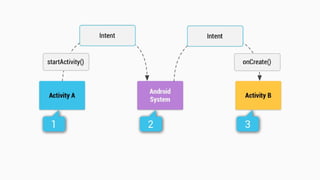
Intent
Anuchit Chalothorn
anoochit@gmail.com
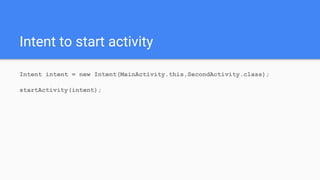
Intent to start activity
Intent intent = new Intent(MainActivity.this,SecondActivity.class);
startActivity(intent);
Intent to send extra data
Intent intent = new Intent(MainActivity.this,SecondActivity.class);
String textValue = String.valueOf(editText.getText());
intent.putExtra("TEXT_FORM",textValue);
startActivity(intent);
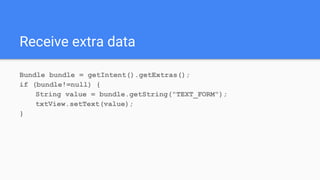
Receive extra data
Bundle bundle = getIntent().getExtras();
if (bundle!=null) {
String value = bundle.getString("TEXT_FORM");
txtView.setText(value);
}
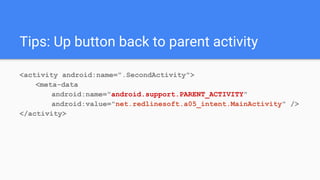
Tips: Up button back to parent activity
<activity android:name=".SecondActivity">
<meta-data
android:name="android.support.PARENT_ACTIVITY"
android:value="net.redlinesoft.a05_intent.MainActivity" />
</activity>
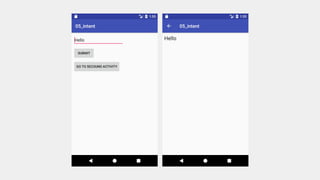
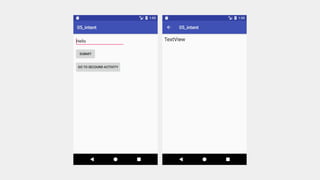
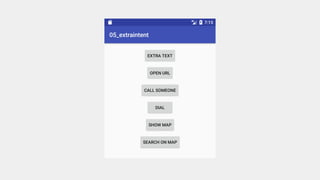
Codelab: Explicit Intent
Use 2 buttons to navigate to second activity
● Sent data in edittext to second activity and show in
textview
● Just navigate to second activity and show default value
of textview
Codelab: send data to 2nd
activity
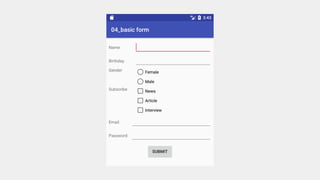
Send basic form data to second activity.
Codelab: Implicit Intent
Send intent to android system to find out which activity can
take action with extra data. some
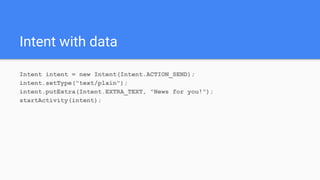
Intent with data
Intent intent = new Intent(Intent.ACTION_SEND);
intent.setType("text/plain");
intent.putExtra(Intent.EXTRA_TEXT, "News for you!");
startActivity(intent);
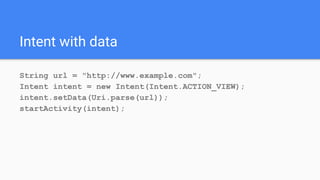
Intent with data
String url = "http://www.example.com";
Intent intent = new Intent(Intent.ACTION_VIEW);
intent.setData(Uri.parse(url));
startActivity(intent);
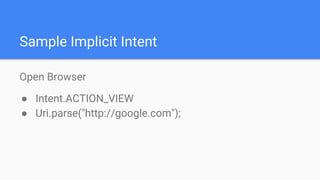
Sample Implicit Intent
Open Browser
● Intent.ACTION_VIEW
● Uri.parse("http://google.com");
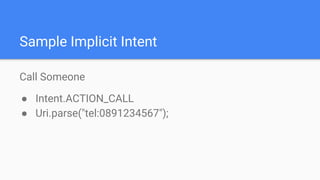
Sample Implicit Intent
Call Someone
● Intent.ACTION_CALL
● Uri.parse("tel:0891234567");
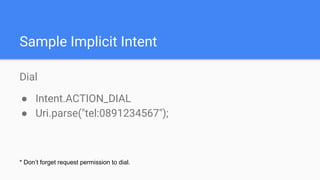
Dial
● Intent.ACTION_DIAL
● Uri.parse("tel:0891234567");
Sample Implicit Intent
* Don’t forget request permission to dial.
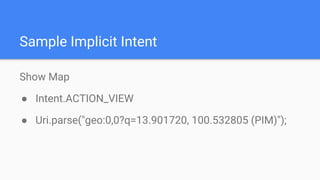
Sample Implicit Intent
Show Map
● Intent.ACTION_VIEW
● Uri.parse("geo:0,0?q=13.901720, 100.532805 (PIM)");
Sample Implicit Intent
Search on Map
● Intent.ACTION_VIEW
● Uri.parse("geo:0,0?q=Bluecup coffee");
07 intent

07 intent