Material Design
Anuchit Chalothorn
anoochit@gmail.com
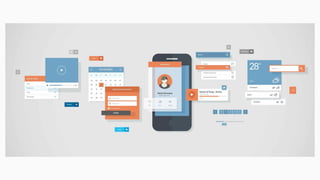
Material Design for Android
Material design is a comprehensive guide for visual,
motion, and interaction design across platforms and
devices. See more in https://material.io/guidelines
Elements
● New Theme
● New Widget eg: RecyclerView, CardView, Snackbar
● New API for custom shadow, animation
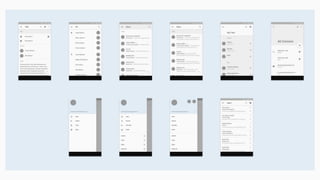
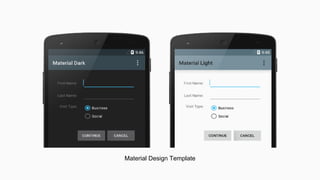
Material Design Template
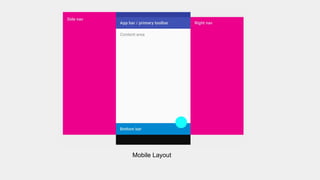
Mobile Layout
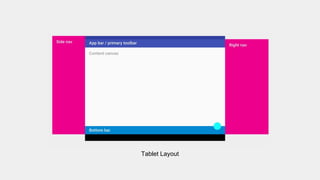
Tablet Layout
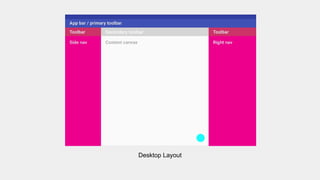
Desktop Layout
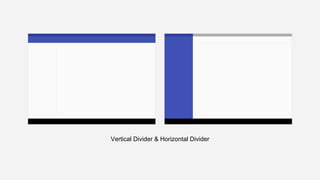
Vertical Divider & Horizontal Divider
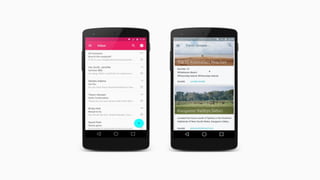
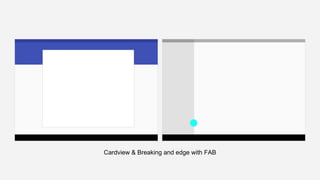
Cardview & Breaking and edge with FAB
Material Design Theme
Use Material Design Palette to create your own theme
https://www.materialpalette.com
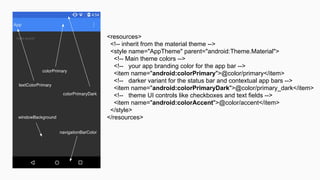
<resources>
<!-- inherit from the material theme -->
<style name="AppTheme" parent="android:Theme.Material">
<!-- Main theme colors -->
<!-- your app branding color for the app bar -->
<item name="android:colorPrimary">@color/primary</item>
<!-- darker variant for the status bar and contextual app bars -->
<item name="android:colorPrimaryDark">@color/primary_dark</item>
<!-- theme UI controls like checkboxes and text fields -->
<item name="android:colorAccent">@color/accent</item>
</style>
</resources>
Codelab: Fragment replace
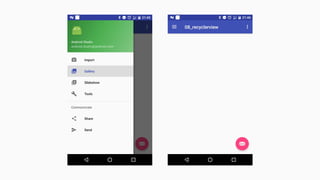
Start new project with navigation view, insert FrameLayout
as a container, prepare for replace with FragmentActivity
Fragment replace
MainFragment fragment = new MainFragment();
FragmentTransaction fragmentTransaction = getSupportFragmentManager().beginTransaction();
fragmentTransaction.replace(R.id.fragment_container,fragment);
fragmentTransaction.commit();
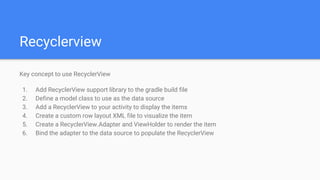
Recyclerview
Key concept to use RecyclerView
1. Add RecyclerView support library to the gradle build file
2. Define a model class to use as the data source
3. Add a RecyclerView to your activity to display the items
4. Create a custom row layout XML file to visualize the item
5. Create a RecyclerView.Adapter and ViewHolder to render the item
6. Bind the adapter to the data source to populate the RecyclerView
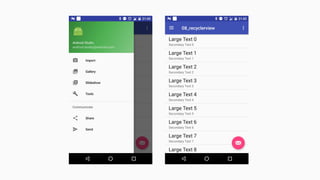
Listview with recyclerview
Use itemDecoration and DividerItemDecoration to create
space between items
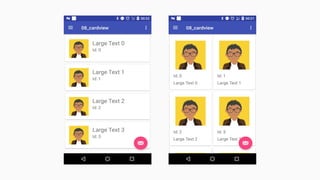
Cardview
Cardview use as RecyclerView but can handle with different
layout
● LinearLayoutManager
● GridLayoutManager
● StaggeredGridLayoutManager
09 material design

09 material design

  • 1.
  • 4.
    Material Design forAndroid Material design is a comprehensive guide for visual, motion, and interaction design across platforms and devices. See more in https://material.io/guidelines
  • 5.
    Elements ● New Theme ●New Widget eg: RecyclerView, CardView, Snackbar ● New API for custom shadow, animation
  • 6.
  • 8.
  • 9.
  • 10.
  • 11.
    Vertical Divider &Horizontal Divider
  • 12.
    Cardview & Breakingand edge with FAB
  • 13.
    Material Design Theme UseMaterial Design Palette to create your own theme https://www.materialpalette.com
  • 14.
    <resources> <!-- inherit fromthe material theme --> <style name="AppTheme" parent="android:Theme.Material"> <!-- Main theme colors --> <!-- your app branding color for the app bar --> <item name="android:colorPrimary">@color/primary</item> <!-- darker variant for the status bar and contextual app bars --> <item name="android:colorPrimaryDark">@color/primary_dark</item> <!-- theme UI controls like checkboxes and text fields --> <item name="android:colorAccent">@color/accent</item> </style> </resources>
  • 15.
    Codelab: Fragment replace Startnew project with navigation view, insert FrameLayout as a container, prepare for replace with FragmentActivity
  • 16.
    Fragment replace MainFragment fragment= new MainFragment(); FragmentTransaction fragmentTransaction = getSupportFragmentManager().beginTransaction(); fragmentTransaction.replace(R.id.fragment_container,fragment); fragmentTransaction.commit();
  • 18.
    Recyclerview Key concept touse RecyclerView 1. Add RecyclerView support library to the gradle build file 2. Define a model class to use as the data source 3. Add a RecyclerView to your activity to display the items 4. Create a custom row layout XML file to visualize the item 5. Create a RecyclerView.Adapter and ViewHolder to render the item 6. Bind the adapter to the data source to populate the RecyclerView
  • 19.
    Listview with recyclerview UseitemDecoration and DividerItemDecoration to create space between items
  • 21.
    Cardview Cardview use asRecyclerView but can handle with different layout ● LinearLayoutManager ● GridLayoutManager ● StaggeredGridLayoutManager