LESSON 5 STTP 2020
GOOGLE MY MAPS
Author : S. Hoshiba
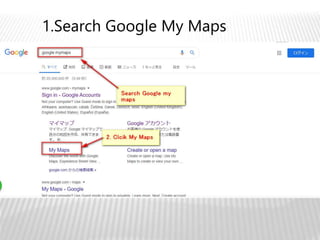
1.Search Google My Maps
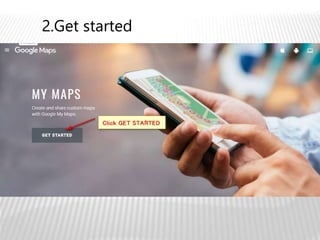
2.Get started
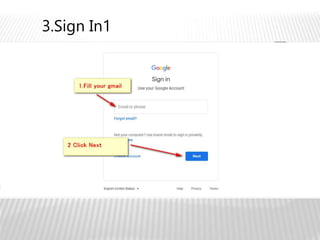
3.Sign In1
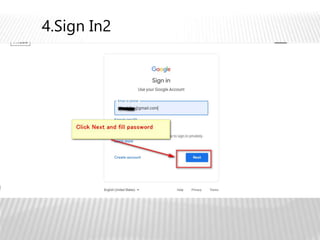
4.Sign In2
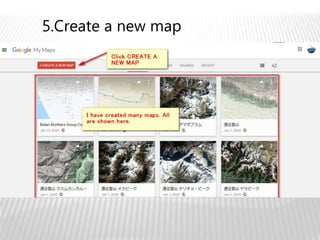
5.Create a new map
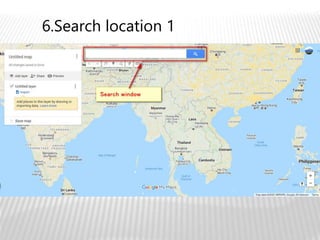
6.Search location 1
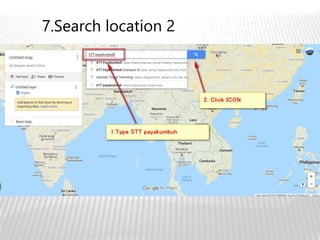
7.Search location 2
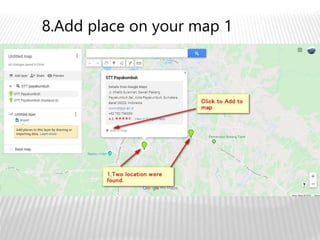
8.Add place on your map 1
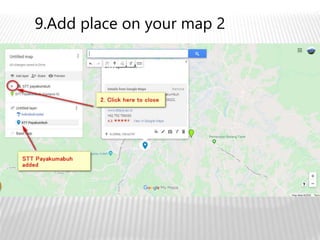
9.Add place on your map 2
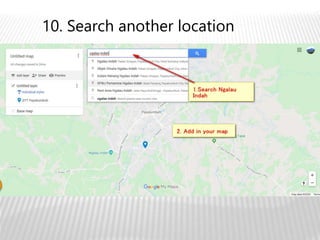
10. Search another location
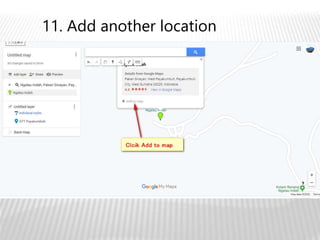
11. Add another location
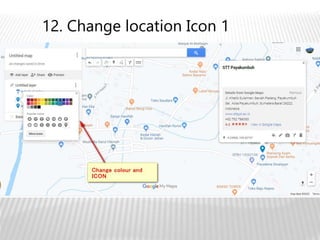
12. Change location Icon 1
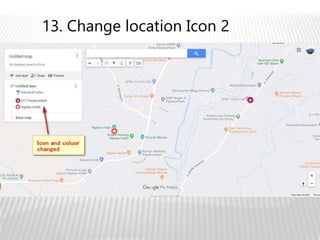
13. Change location Icon 2
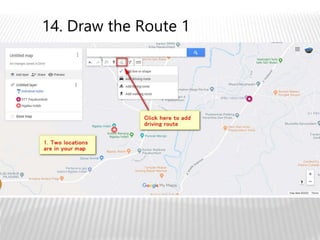
14. Draw the Route 1
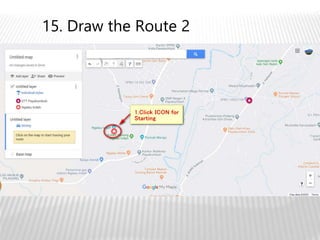
15. Draw the Route 2
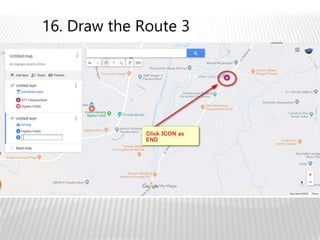
16. Draw the Route 3
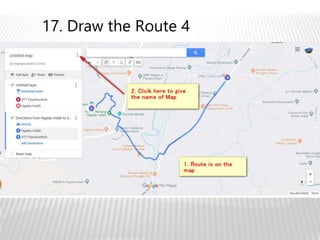
17. Draw the Route 4
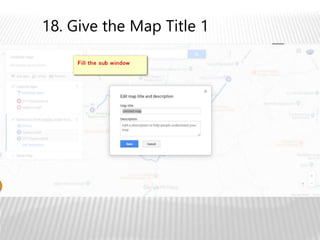
18. Give the Map Title 1
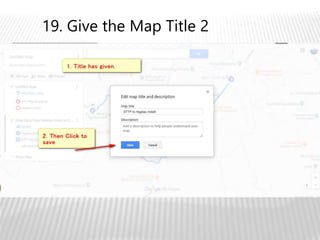
19. Give the Map Title 2
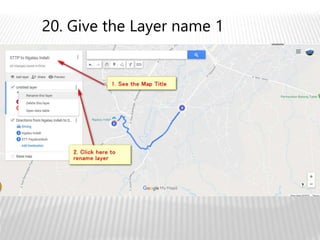
20. Give the Layer name 1
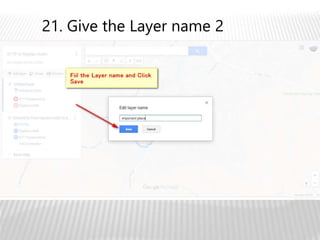
21. Give the Layer name 2
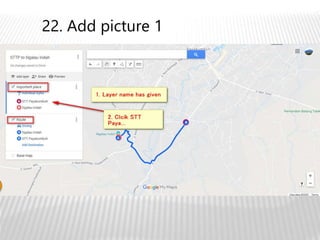
22. Add picture 1
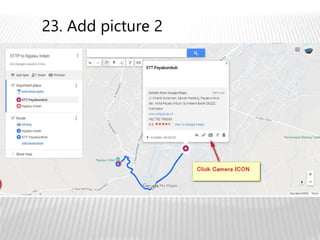
23. Add picture 2
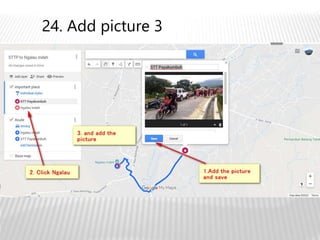
24. Add picture 3
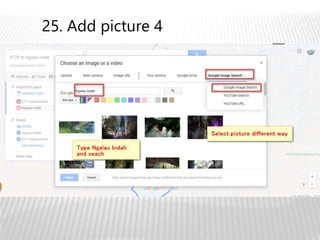
25. Add picture 4
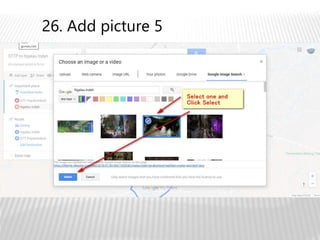
26. Add picture 5
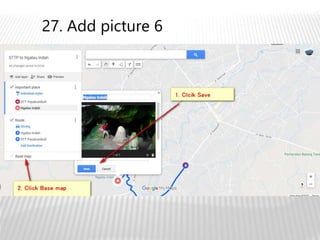
27. Add picture 6
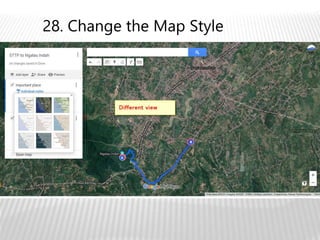
28. Change the Map Style
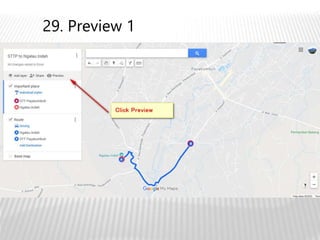
29. Preview 1
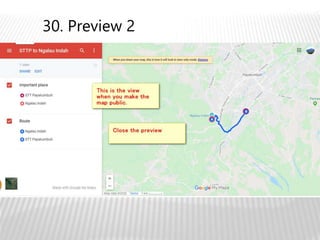
30. Preview 2
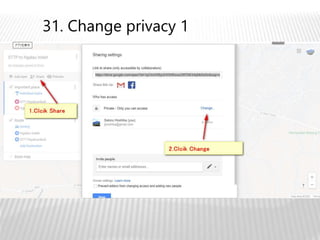
31. Change privacy 1
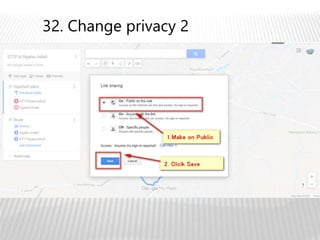
32. Change privacy 2
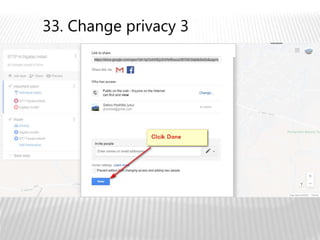
33. Change privacy 3
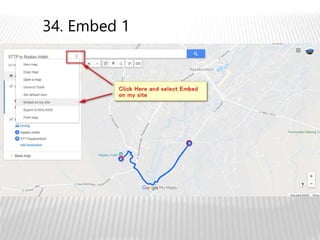
34. Embed 1
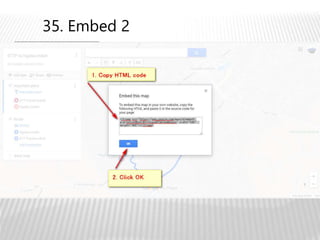
35. Embed 2
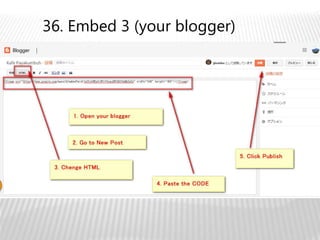
36. Embed 3 (your blogger)
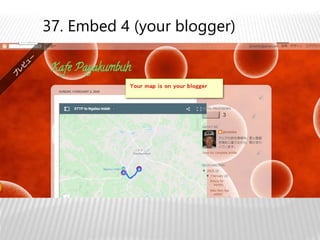
37. Embed 4 (your blogger)
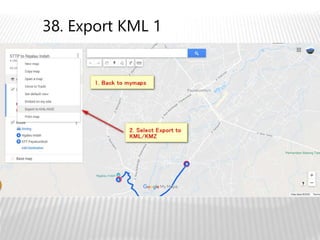
38. Export KML 1
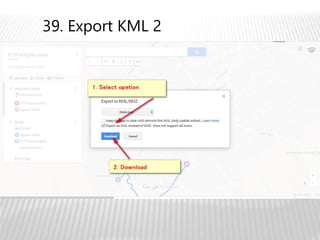
39. Export KML 2
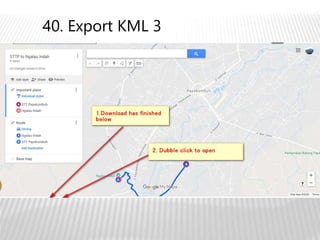
40. Export KML 3
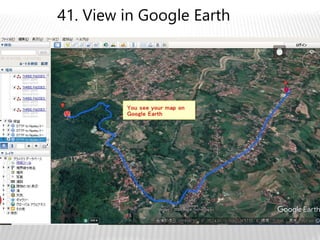
41. View in Google Earth
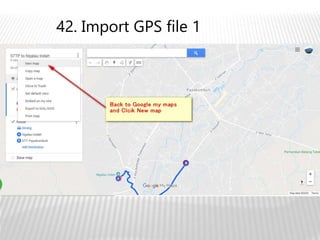
42. Import GPS file 1
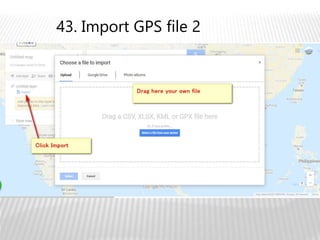
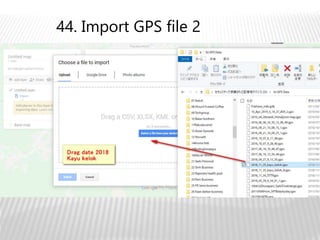
43. Import GPS file 2
44. Import GPS file 2
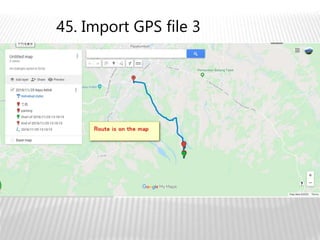
45. Import GPS file 3
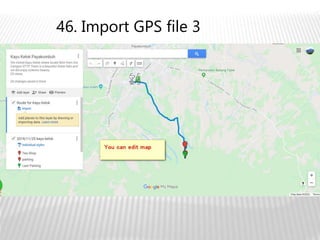
46. Import GPS file 3

05 google mymaps sttp2020