Download free for 30 days
Sign in
Upload
Language (EN)
Support
Business
Mobile
Social Media
Marketing
Technology
Art & Photos
Career
Design
Education
Presentations & Public Speaking
Government & Nonprofit
Healthcare
Internet
Law
Leadership & Management
Automotive
Engineering
Software
Recruiting & HR
Retail
Sales
Services
Science
Small Business & Entrepreneurship
Food
Environment
Economy & Finance
Data & Analytics
Investor Relations
Sports
Spiritual
News & Politics
Travel
Self Improvement
Real Estate
Entertainment & Humor
Health & Medicine
Devices & Hardware
Lifestyle
Change Language
Language
English
Español
Português
Français
Deutsche
Cancel
Save
Submit search
EN
Uploaded by
modou li
PPTX, PDF
285 views
03.uliweb开发进阶
uliweb high level development
Software
◦
Read more
0
Save
Share
Embed
Embed presentation
Download
Download to read offline
1
/ 37
2
/ 37
3
/ 37
4
/ 37
5
/ 37
6
/ 37
7
/ 37
8
/ 37
9
/ 37
10
/ 37
11
/ 37
12
/ 37
13
/ 37
14
/ 37
15
/ 37
16
/ 37
17
/ 37
18
/ 37
19
/ 37
20
/ 37
21
/ 37
22
/ 37
23
/ 37
24
/ 37
25
/ 37
26
/ 37
27
/ 37
28
/ 37
29
/ 37
30
/ 37
31
/ 37
32
/ 37
33
/ 37
34
/ 37
35
/ 37
36
/ 37
37
/ 37
More Related Content
PPTX
Python面向对象开发基础篇
by
modou li
PPTX
02.uliweb开发入门
by
modou li
PDF
Build a todo chrome app
by
greatghoul
PPT
Uliweb比较与实践 2013
by
modou li
PPTX
03.python工作环境
by
modou li
PPTX
01.uliweb介绍
by
modou li
PPT
Uliweb 快速易用的Python Web Framework
by
modou li
PPT
Algebra I Warm-ups
by
guest3ce8ee0
Python面向对象开发基础篇
by
modou li
02.uliweb开发入门
by
modou li
Build a todo chrome app
by
greatghoul
Uliweb比较与实践 2013
by
modou li
03.python工作环境
by
modou li
01.uliweb介绍
by
modou li
Uliweb 快速易用的Python Web Framework
by
modou li
Algebra I Warm-ups
by
guest3ce8ee0
Viewers also liked
PPTX
02.python基础
by
modou li
PPTX
Loreal case study
by
Bhasker Rajan
PPTX
HR practices in infosys
by
Bhasker Rajan
PPTX
MANAGEMENT OF HYPEREMESIS GRAVIDARUM
by
mamuni00g2
PDF
Cours pour organisation et gestion de chantier télécharger : http://goo.gl/M2...
by
Hani sami joga
PPTX
Pregnancy with beta thalassemia
by
mamuni00g2
PDF
Uliweb cheat sheet_0.1
by
modou li
PPTX
04.uliweb更多话题介绍
by
modou li
PDF
Uliweb框架思想与编程
by
modou li
PPT
La diffusion multi-canal, formation ADBS
by
Jean-Baptiste Soufron
PDF
Stratégie digital-cci-rennes-btob-btoc-2013
by
Gregoire Lockhart
PPTX
01.python介绍
by
modou li
PDF
Programme du PLFI 2013
by
Office de Tourisme Val de Garonne
PPT
Obligations site internet
by
COMPETITIC
PDF
"Génération Y, de A à Z" par MEC Paris
by
agenceMEC
PPT
Or Sam Opiates & Opioids 04 19 2011
by
bardlomlarry
02.python基础
by
modou li
Loreal case study
by
Bhasker Rajan
HR practices in infosys
by
Bhasker Rajan
MANAGEMENT OF HYPEREMESIS GRAVIDARUM
by
mamuni00g2
Cours pour organisation et gestion de chantier télécharger : http://goo.gl/M2...
by
Hani sami joga
Pregnancy with beta thalassemia
by
mamuni00g2
Uliweb cheat sheet_0.1
by
modou li
04.uliweb更多话题介绍
by
modou li
Uliweb框架思想与编程
by
modou li
La diffusion multi-canal, formation ADBS
by
Jean-Baptiste Soufron
Stratégie digital-cci-rennes-btob-btoc-2013
by
Gregoire Lockhart
01.python介绍
by
modou li
Programme du PLFI 2013
by
Office de Tourisme Val de Garonne
Obligations site internet
by
COMPETITIC
"Génération Y, de A à Z" par MEC Paris
by
agenceMEC
Or Sam Opiates & Opioids 04 19 2011
by
bardlomlarry
03.uliweb开发进阶
1.
Uliweb开发进阶
2.
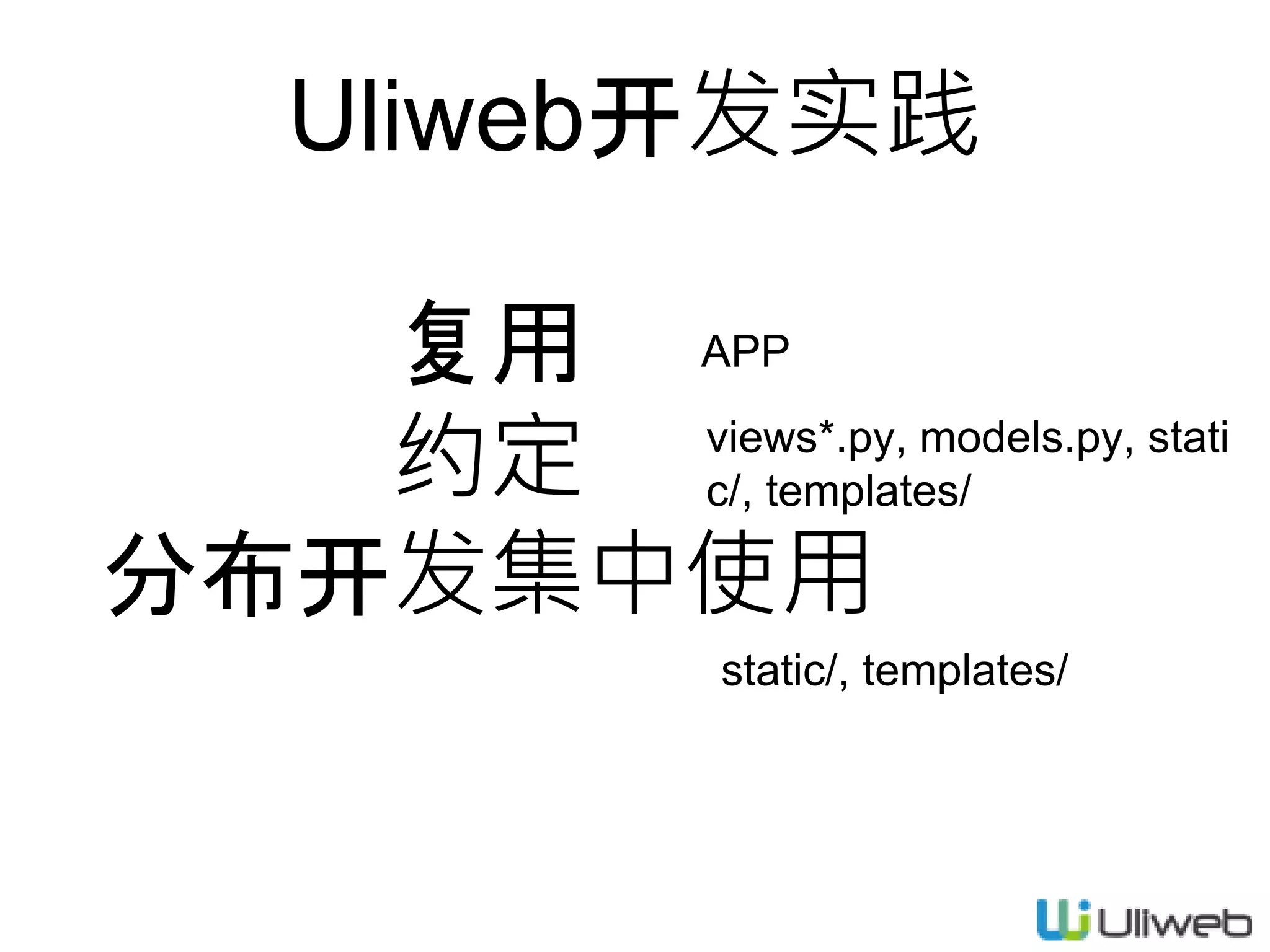
复用 约定 分布开发集中使用 Uliweb开发实践 APP views*.py, models.py, stati c/,
templates/ static/, templates/
3.
Todo程序优化
4.
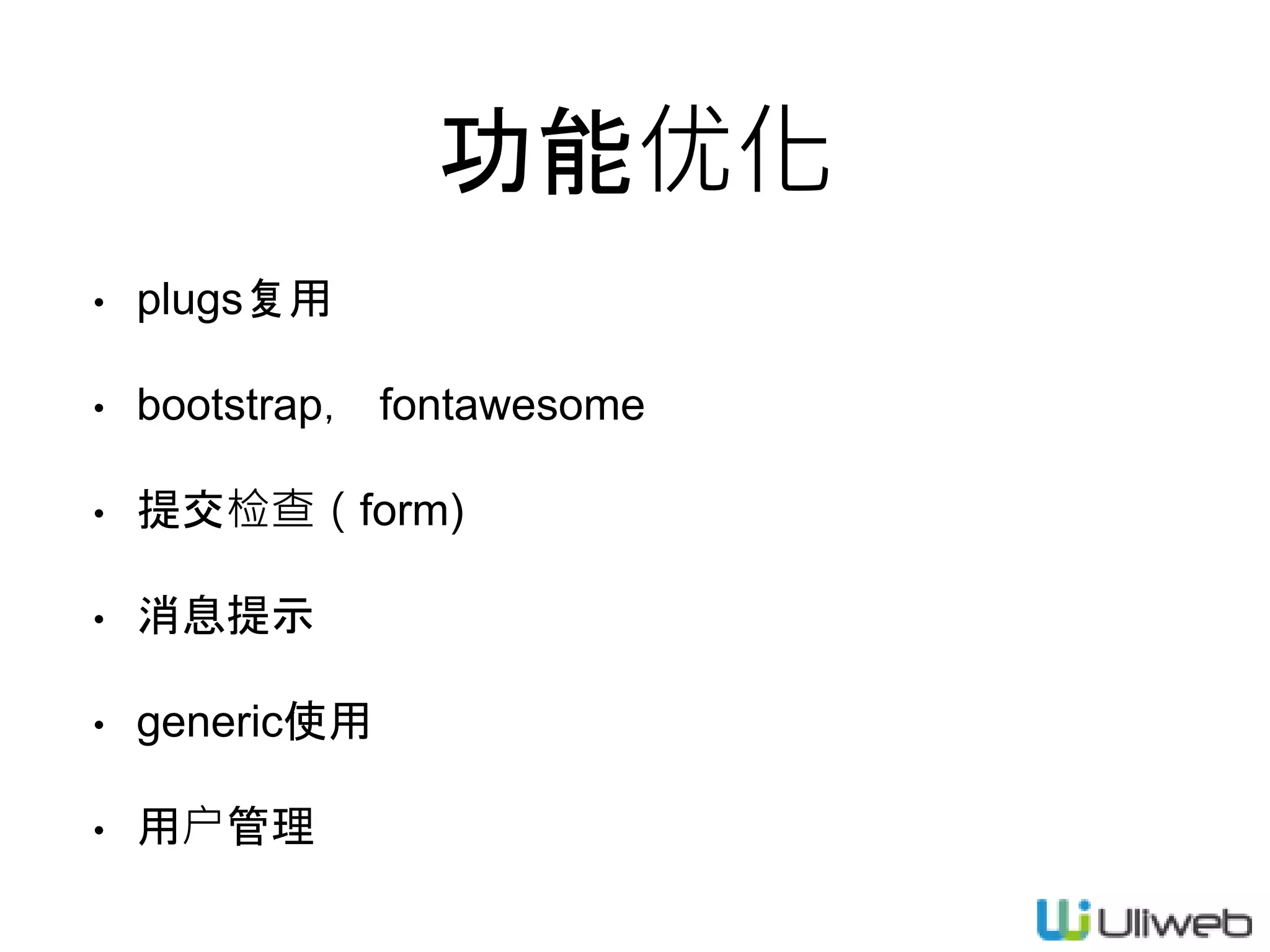
功能优化 • plugs复用 • bootstrap,
fontawesome • 提交检查(form) • 消息提示 • generic使用 • 用户管理
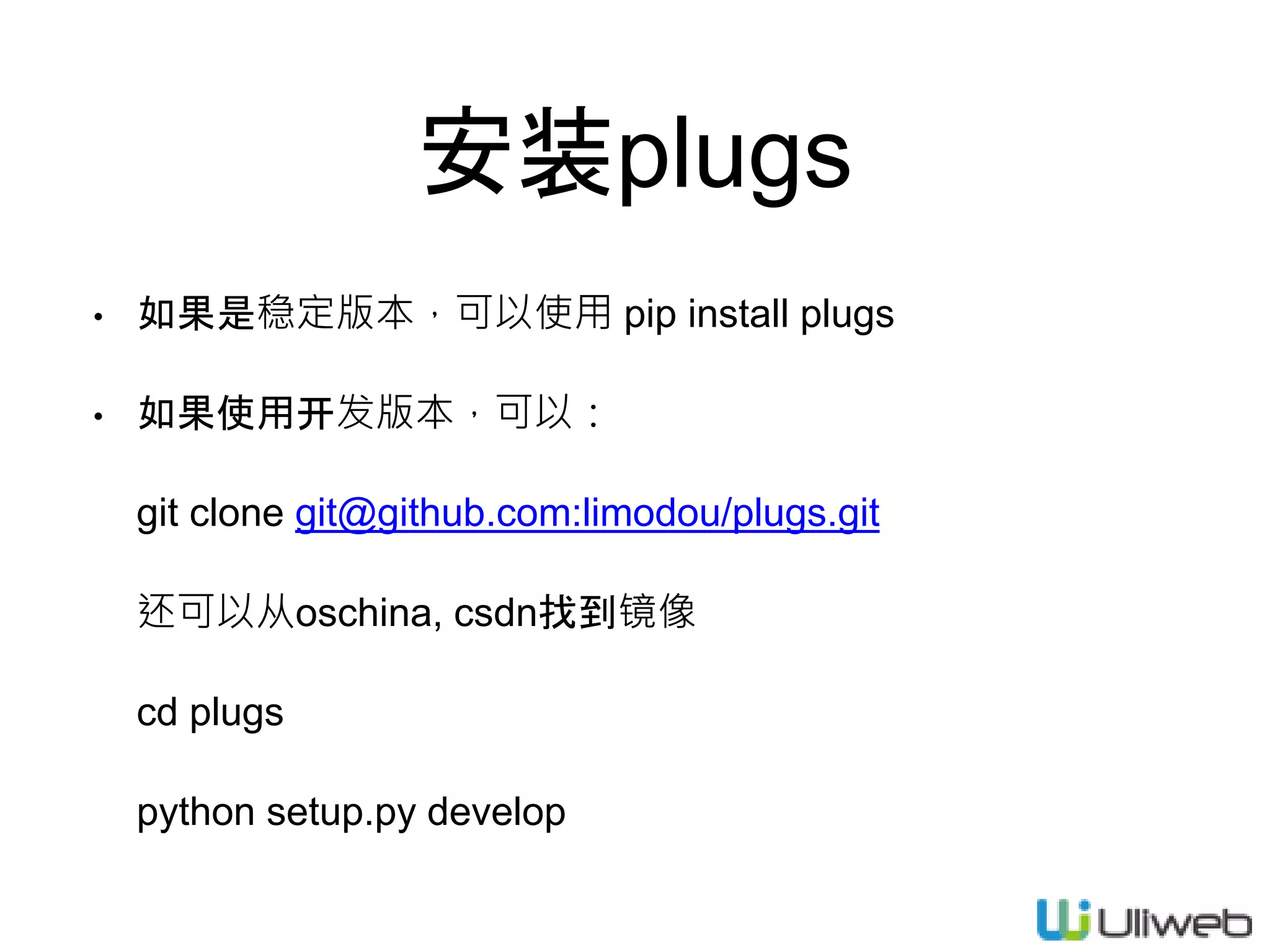
6.
安装plugs • 如果是稳定版本,可以使用 pip
install plugs • 如果使用开发版本,可以: git clone git@github.com:limodou/plugs.git 还可以从oschina, csdn找到镜像 cd plugs python setup.py develop
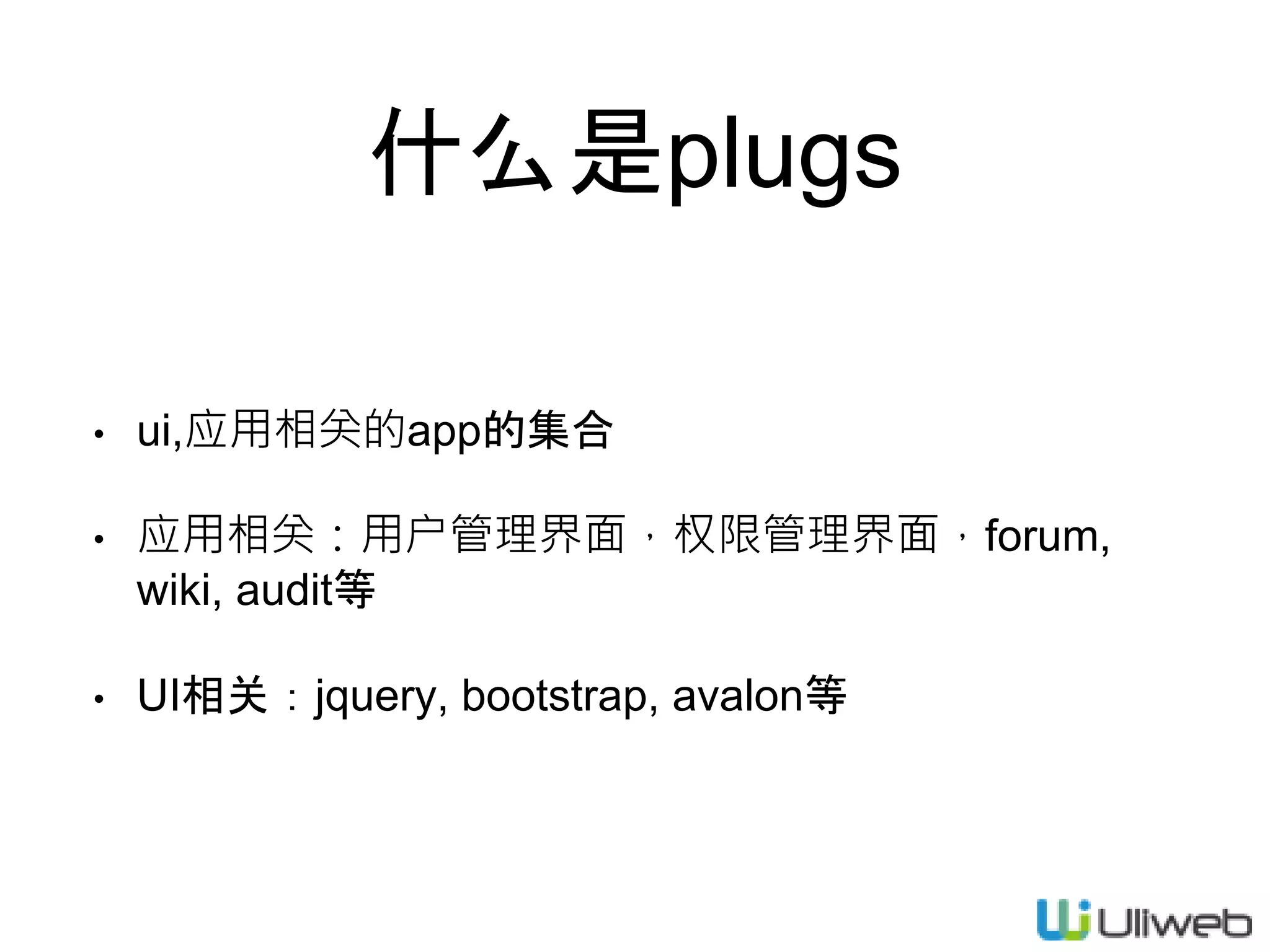
7.
什么是plugs • ui,应用相关的app的集合 • 应用相关:用户管理界面,权限管理界面,forum, wiki,
audit等 • UI相关:jquery, bootstrap, avalon等
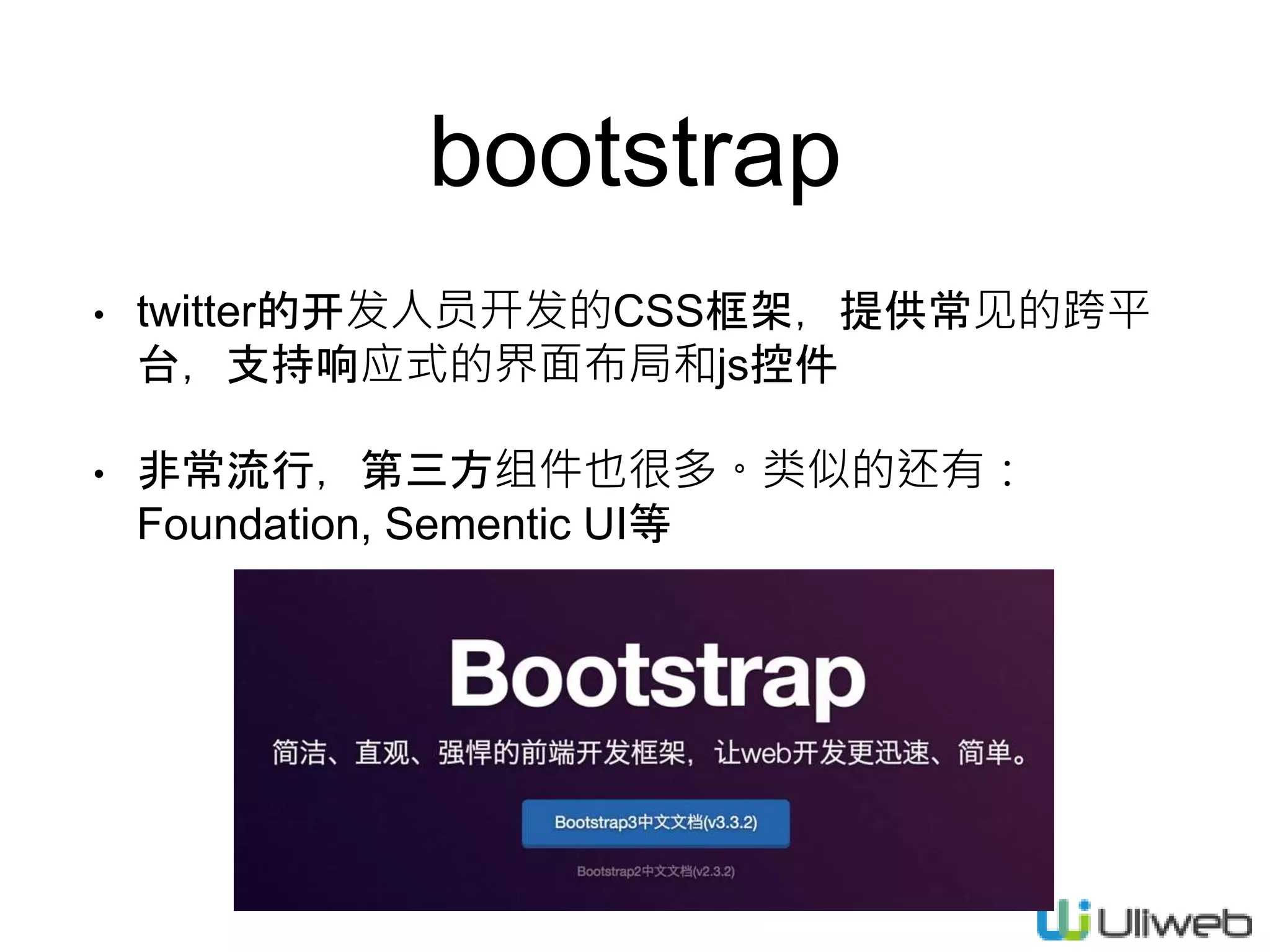
8.
bootstrap • twitter的开发人员开发的CSS框架,提供常见的跨平 台,支持响应式的界面布局和js控件 • 非常流行,第三方组件也很多。类似的还有: Foundation,
Sementic UI等
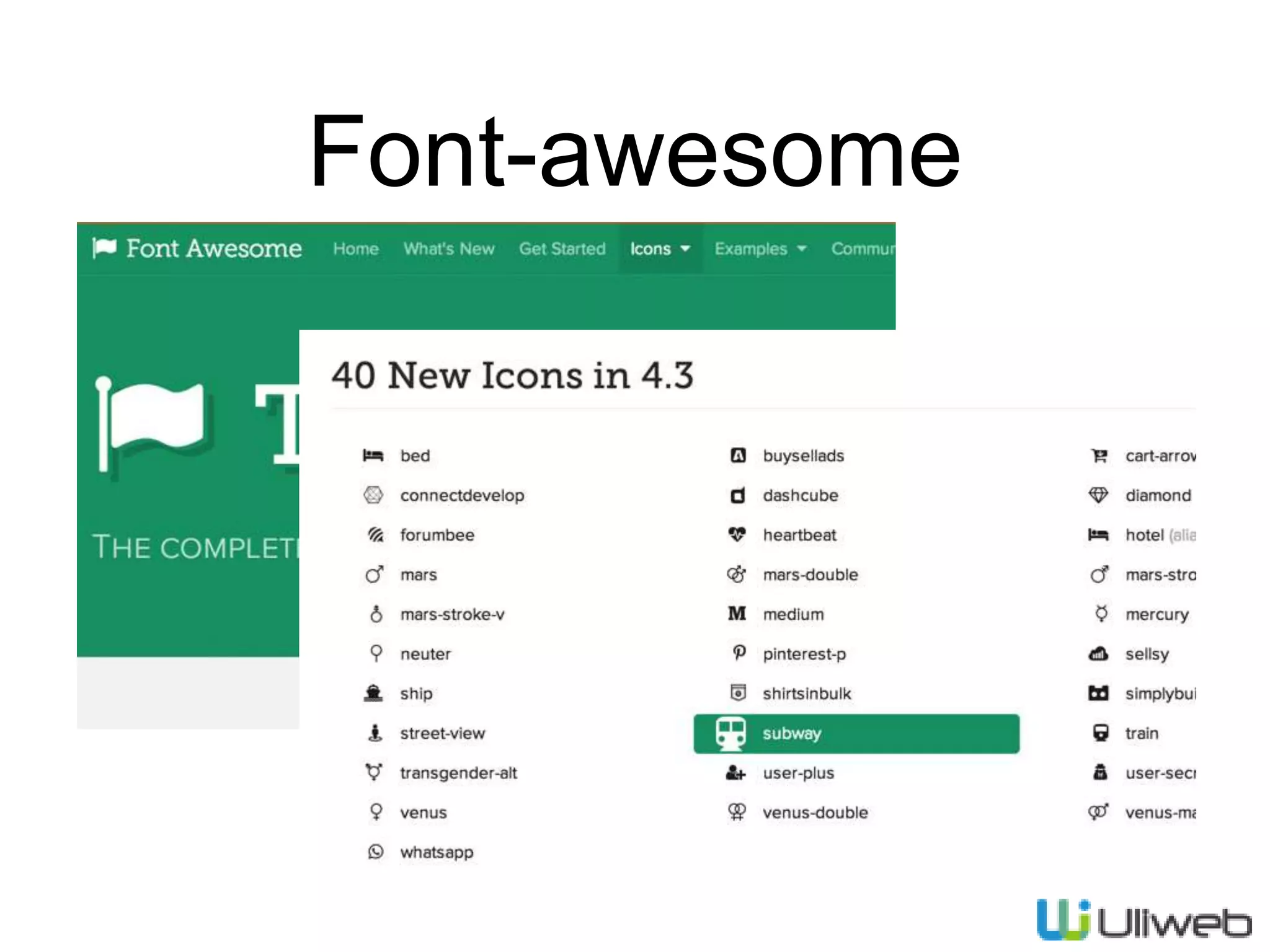
9.
Font-awesome
10.
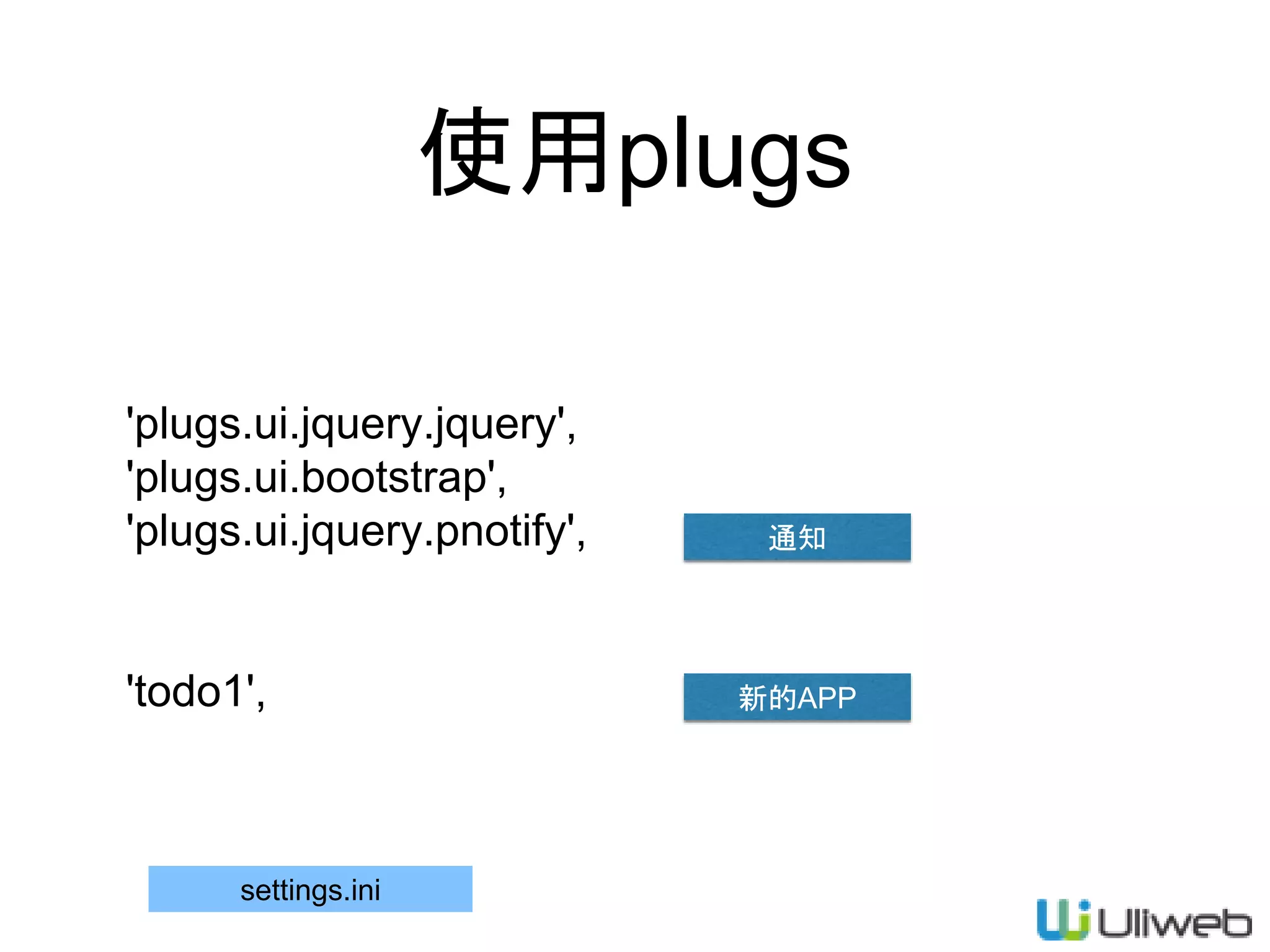
使用plugs 'plugs.ui.jquery.jquery', 'plugs.ui.bootstrap', 'plugs.ui.jquery.pnotify', 'todo1', settings.ini 通知 新的APP
11.
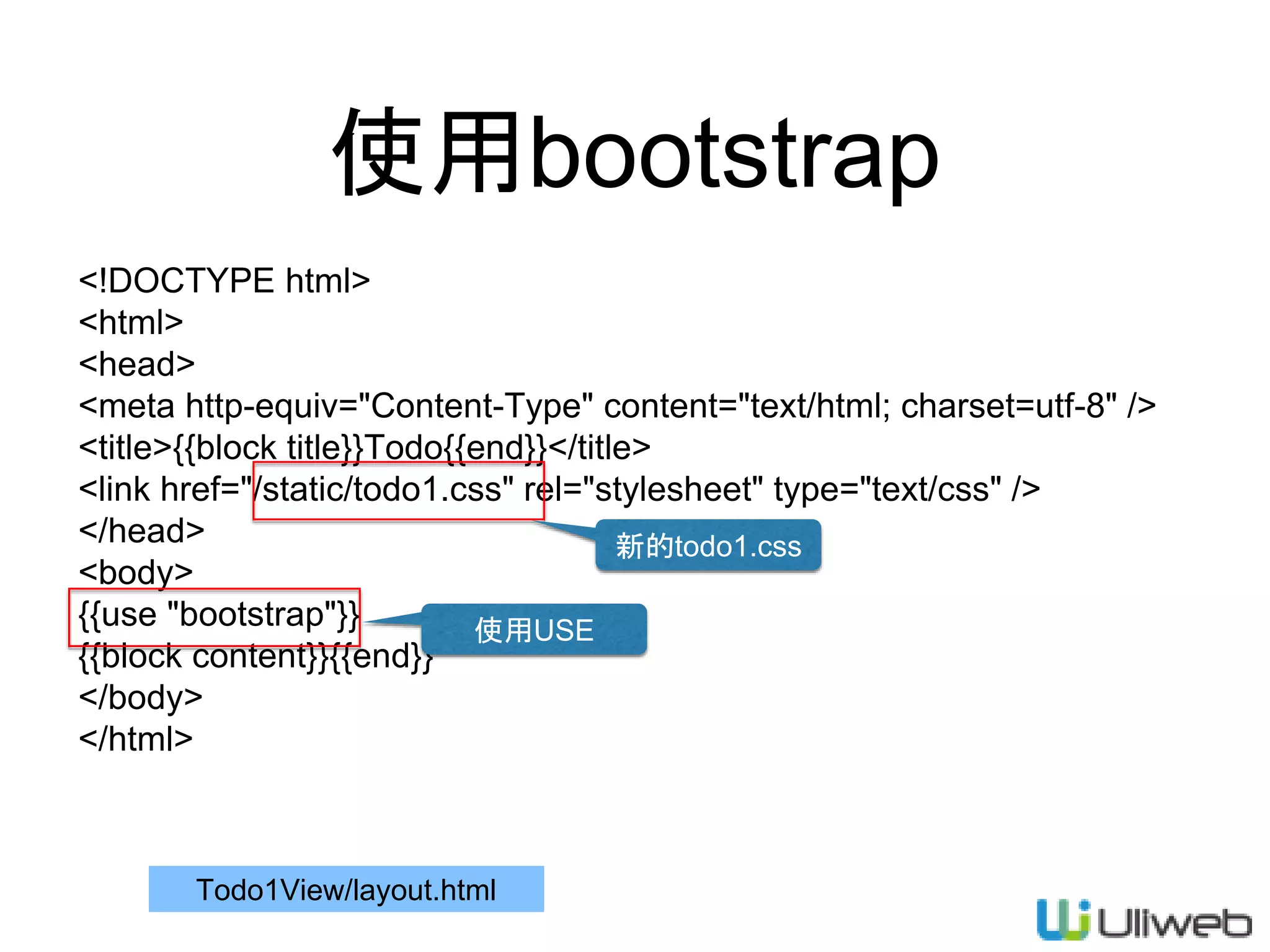
使用bootstrap <!DOCTYPE html> <html> <head> <meta http-equiv="Content-Type"
content="text/html; charset=utf-8" /> <title>{{block title}}Todo{{end}}</title> <link href="/static/todo1.css" rel="stylesheet" type="text/css" /> </head> <body> {{use "bootstrap"}} {{block content}}{{end}} </body> </html> Todo1View/layout.html 使用USE 新的todo1.css
12.
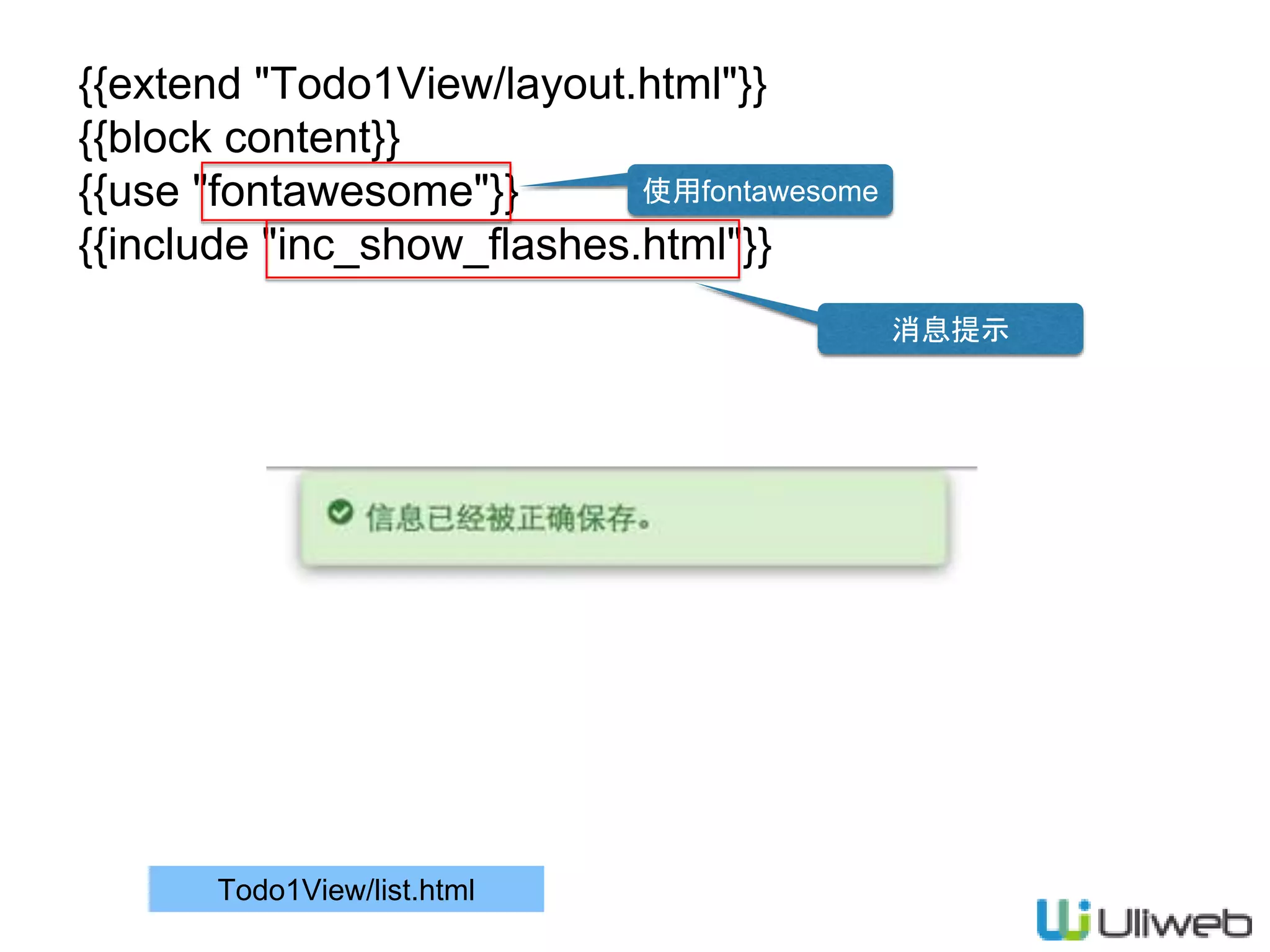
{{extend "Todo1View/layout.html"}} {{block content}} {{use
"fontawesome"}} {{include "inc_show_flashes.html"}} Todo1View/list.html 使用fontawesome 消息提示
13.
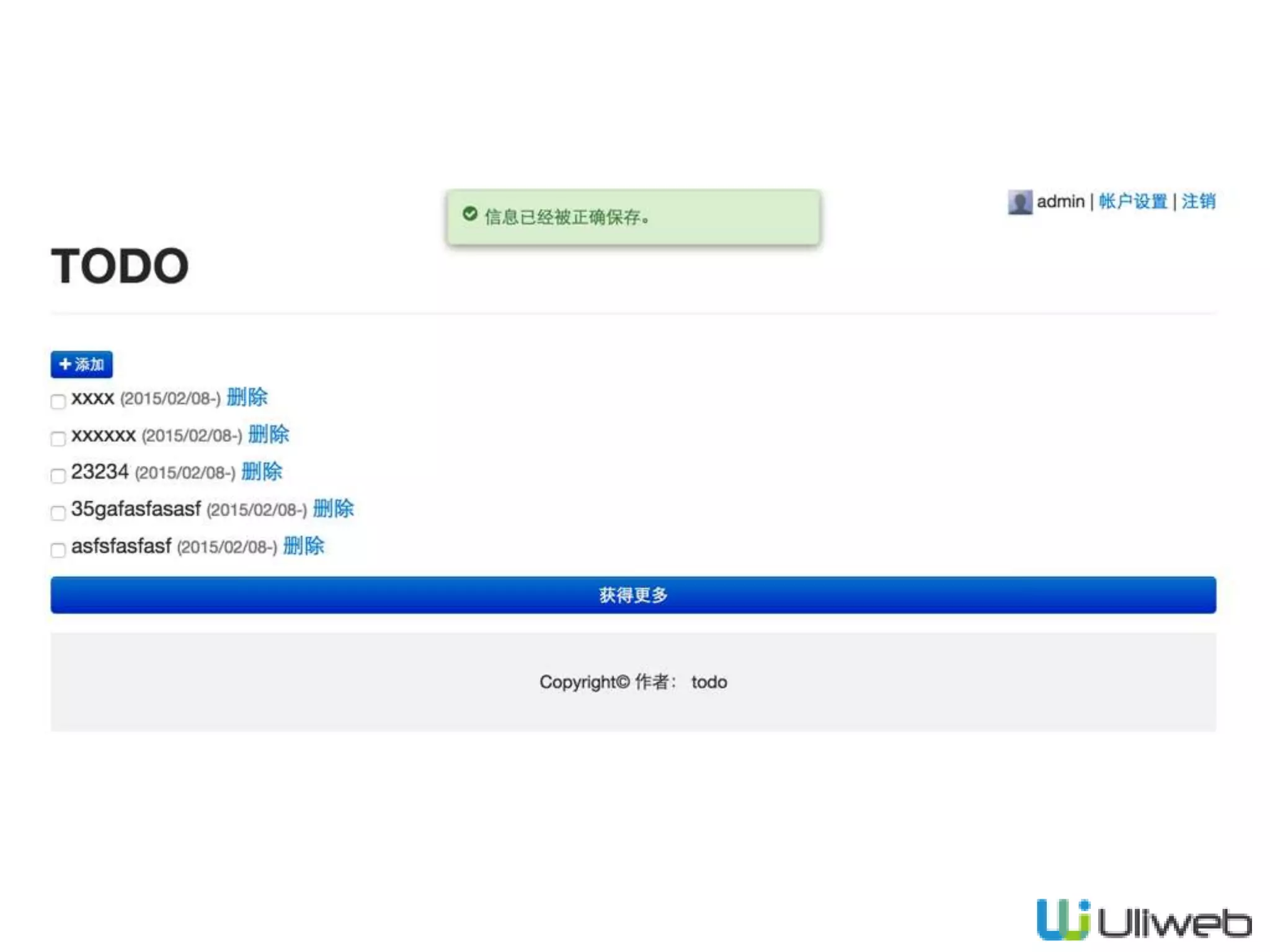
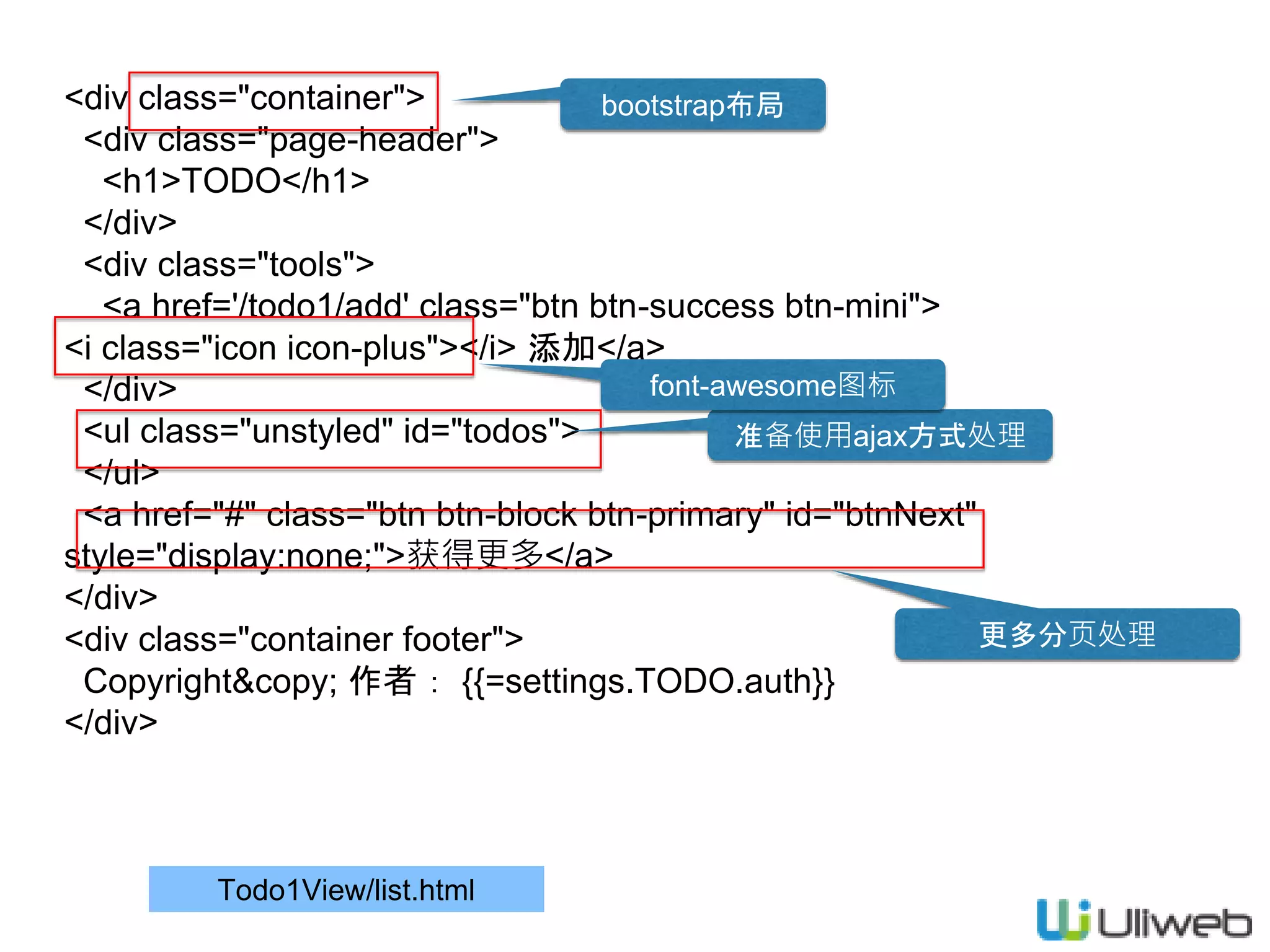
Todo1View/list.html <div class="container"> <div class="page-header"> <h1>TODO</h1> </div> <div
class="tools"> <a href='/todo1/add' class="btn btn-success btn-mini"> <i class="icon icon-plus"></i> 添加</a> </div> <ul class="unstyled" id="todos"> </ul> <a href="#" class="btn btn-block btn-primary" id="btnNext" style="display:none;">获得更多</a> </div> <div class="container footer"> Copyright© 作者: {{=settings.TODO.auth}} </div> bootstrap布局 准备使用ajax方式处理 更多分页处理 font-awesome图标
14.
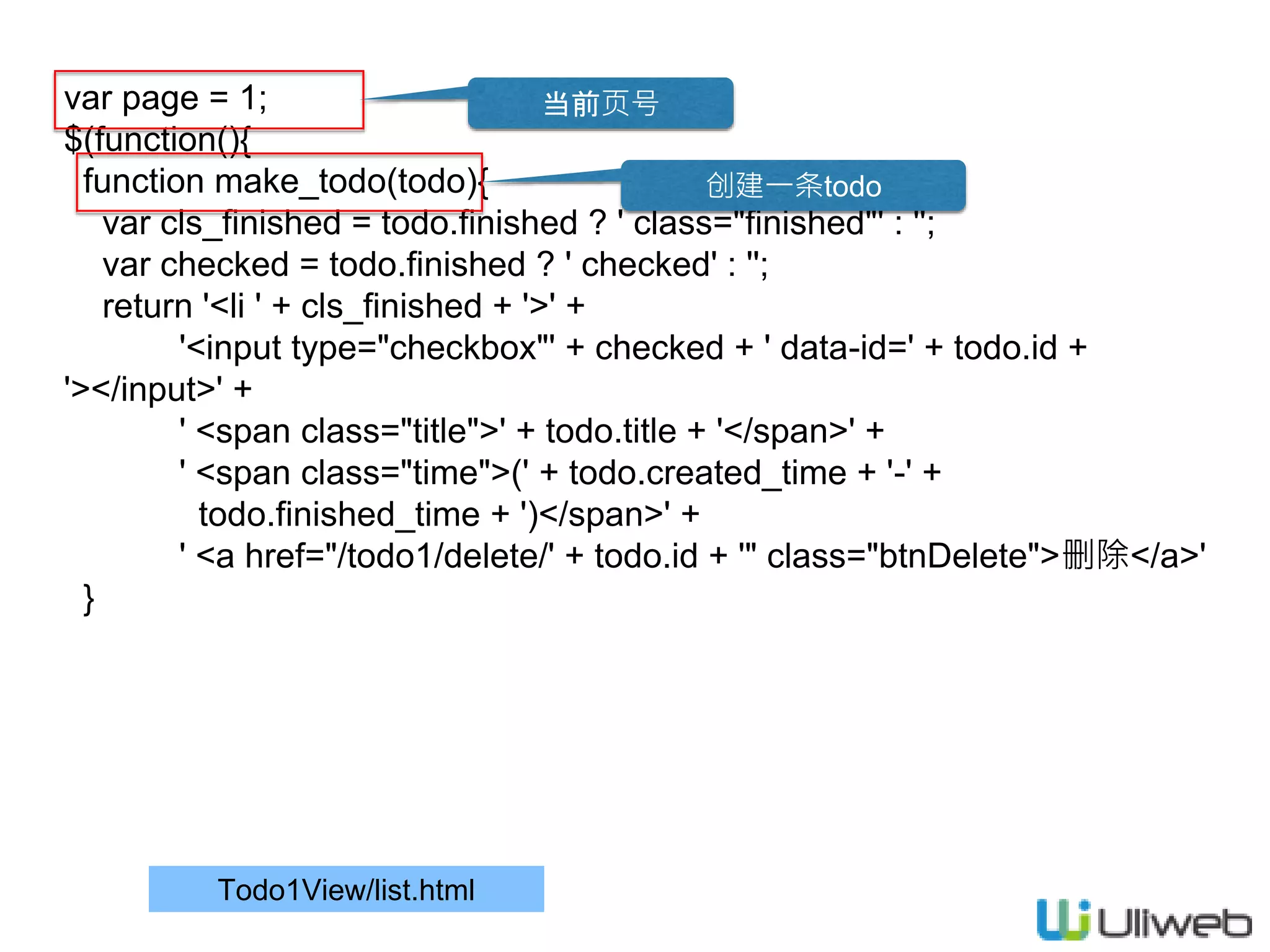
Todo1View/list.html var page =
1; $(function(){ function make_todo(todo){ var cls_finished = todo.finished ? ' class="finished"' : ''; var checked = todo.finished ? ' checked' : ''; return '<li ' + cls_finished + '>' + '<input type="checkbox"' + checked + ' data-id=' + todo.id + '></input>' + ' <span class="title">' + todo.title + '</span>' + ' <span class="time">(' + todo.created_time + '-' + todo.finished_time + ')</span>' + ' <a href="/todo1/delete/' + todo.id + '" class="btnDelete">删除</a>' } 当前页号 创建一条todo
15.
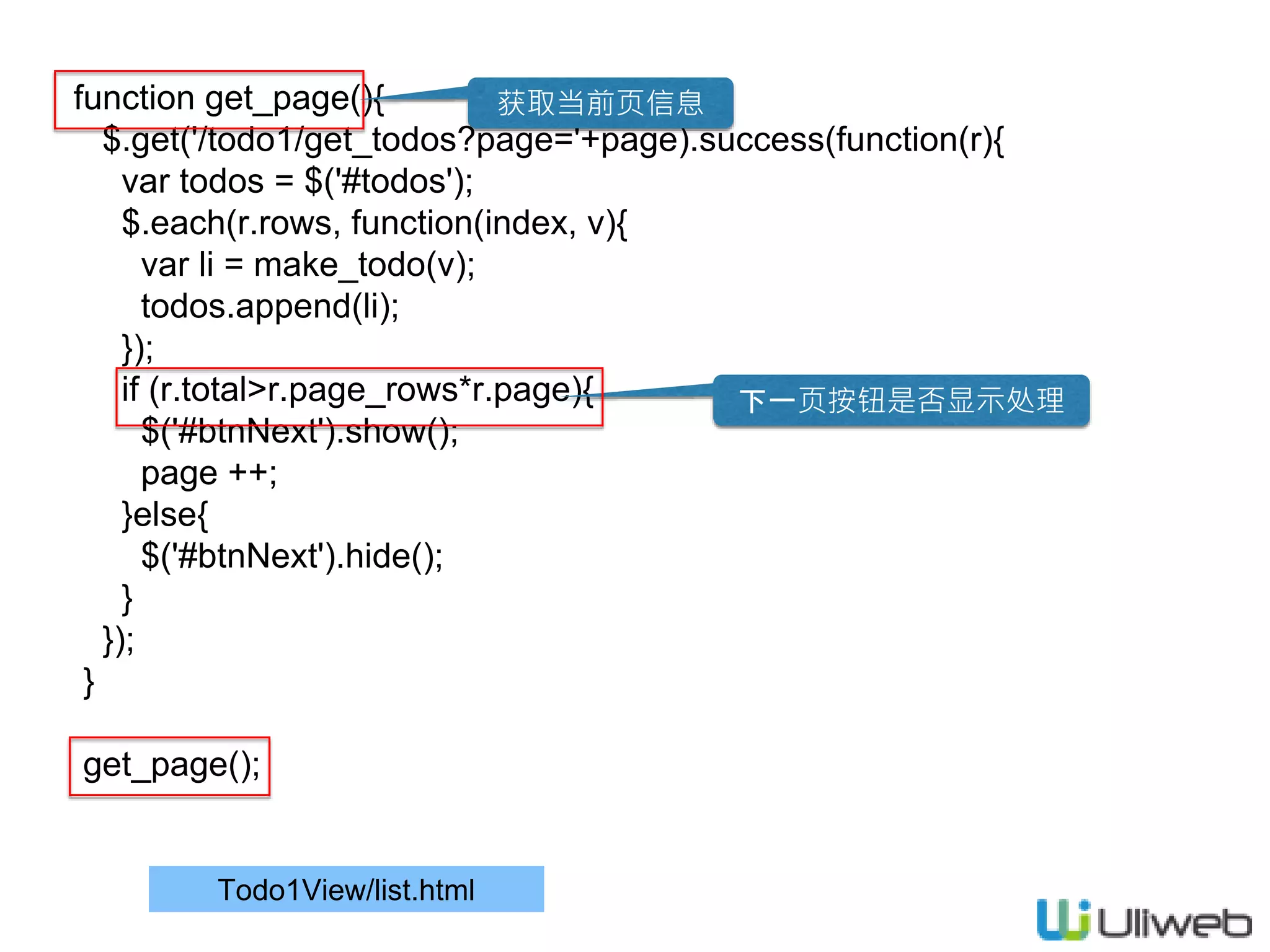
Todo1View/list.html function get_page(){ $.get('/todo1/get_todos?page='+page).success(function(r){ var todos
= $('#todos'); $.each(r.rows, function(index, v){ var li = make_todo(v); todos.append(li); }); if (r.total>r.page_rows*r.page){ $('#btnNext').show(); page ++; }else{ $('#btnNext').hide(); } }); } get_page(); 获取当前页信息 下一页按钮是否显示处理
16.
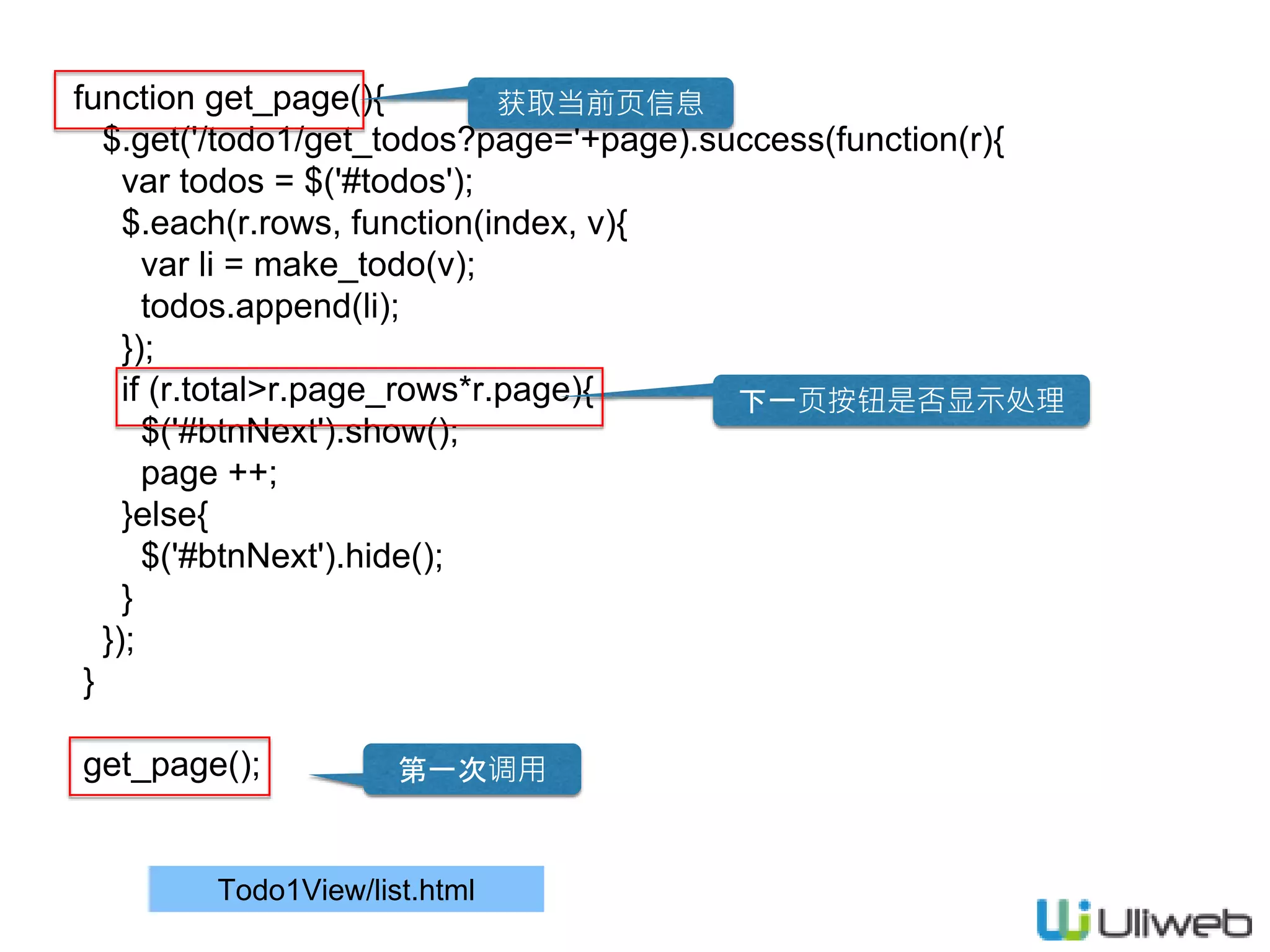
Todo1View/list.html function get_page(){ $.get('/todo1/get_todos?page='+page).success(function(r){ var todos
= $('#todos'); $.each(r.rows, function(index, v){ var li = make_todo(v); todos.append(li); }); if (r.total>r.page_rows*r.page){ $('#btnNext').show(); page ++; }else{ $('#btnNext').hide(); } }); } get_page(); 获取当前页信息 下一页按钮是否显示处理 第一次调用
17.
Todo1View/list.html $('body').on('click', '#todos .btnDelete',
function(e){ e.preventDefault(); var $this = $(this); var parent = $($this.parents('li')[0]); var href= $this.attr('href'); $.post(href).success(function(r){ if(r.success) parent.remove(); }) }); 删除处理
18.
Todo1View/list.html $('body').on('click', '#todos :checkbox',
function(e){ var $this = $(this); var checked = $this.is(':checked'); var id = $this.data('id'); var parent = $($this.parents('li')[0]); $.post('/todo1/update', {id:id, finished:checked}).success(function(r){ if(r.success){ if(checked) parent.addClass('finished'); else parent.removeClass('finished'); var time = parent.find('.time'); var t = time.text().split('-'); t[1] = r.finished_time; time.text(t.join('-')+')'); }else{ alert(r.message); } }); }); 完成处理
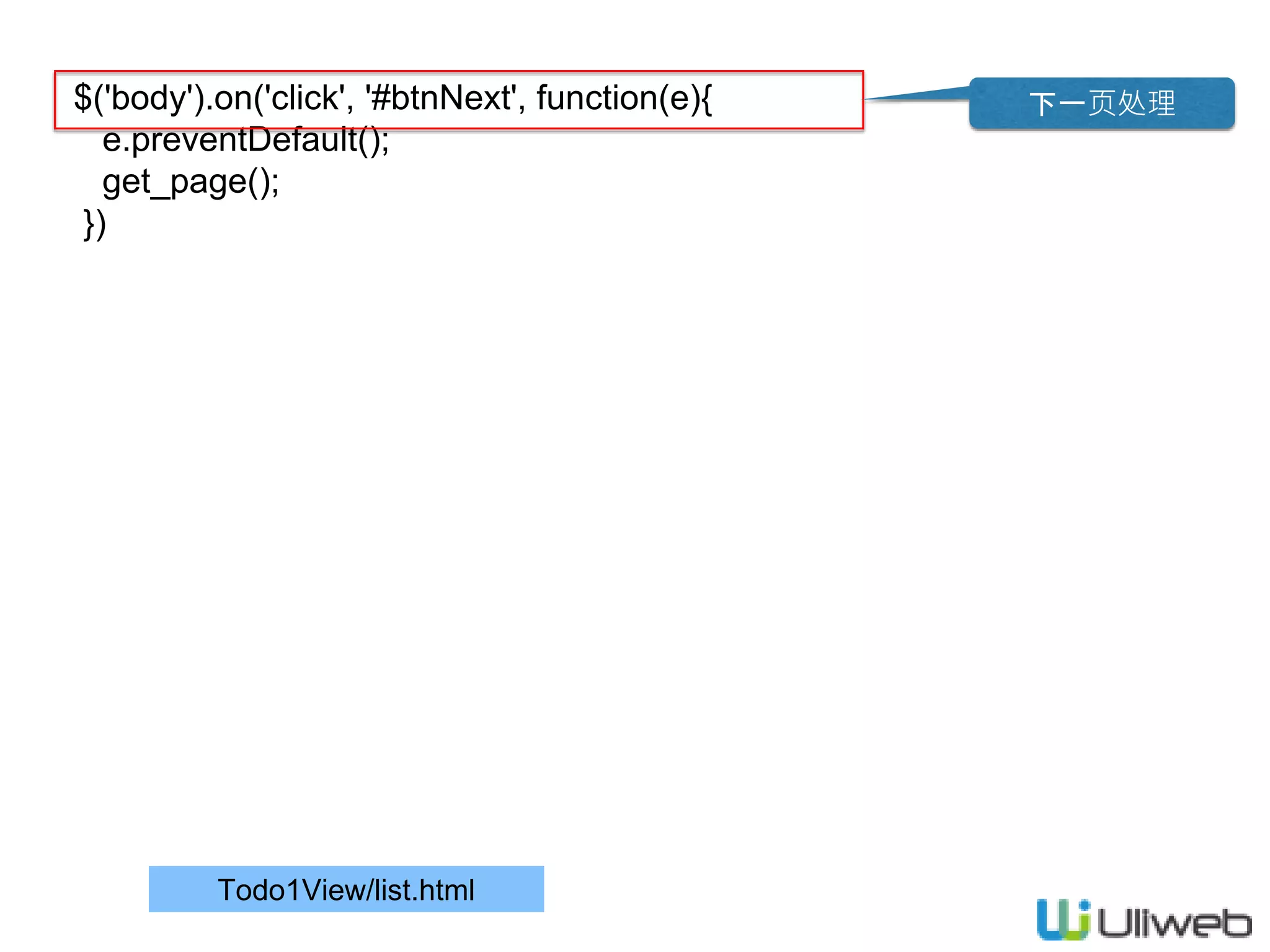
19.
Todo1View/list.html $('body').on('click', '#btnNext', function(e){ e.preventDefault(); get_page(); }) 下一页处理
20.
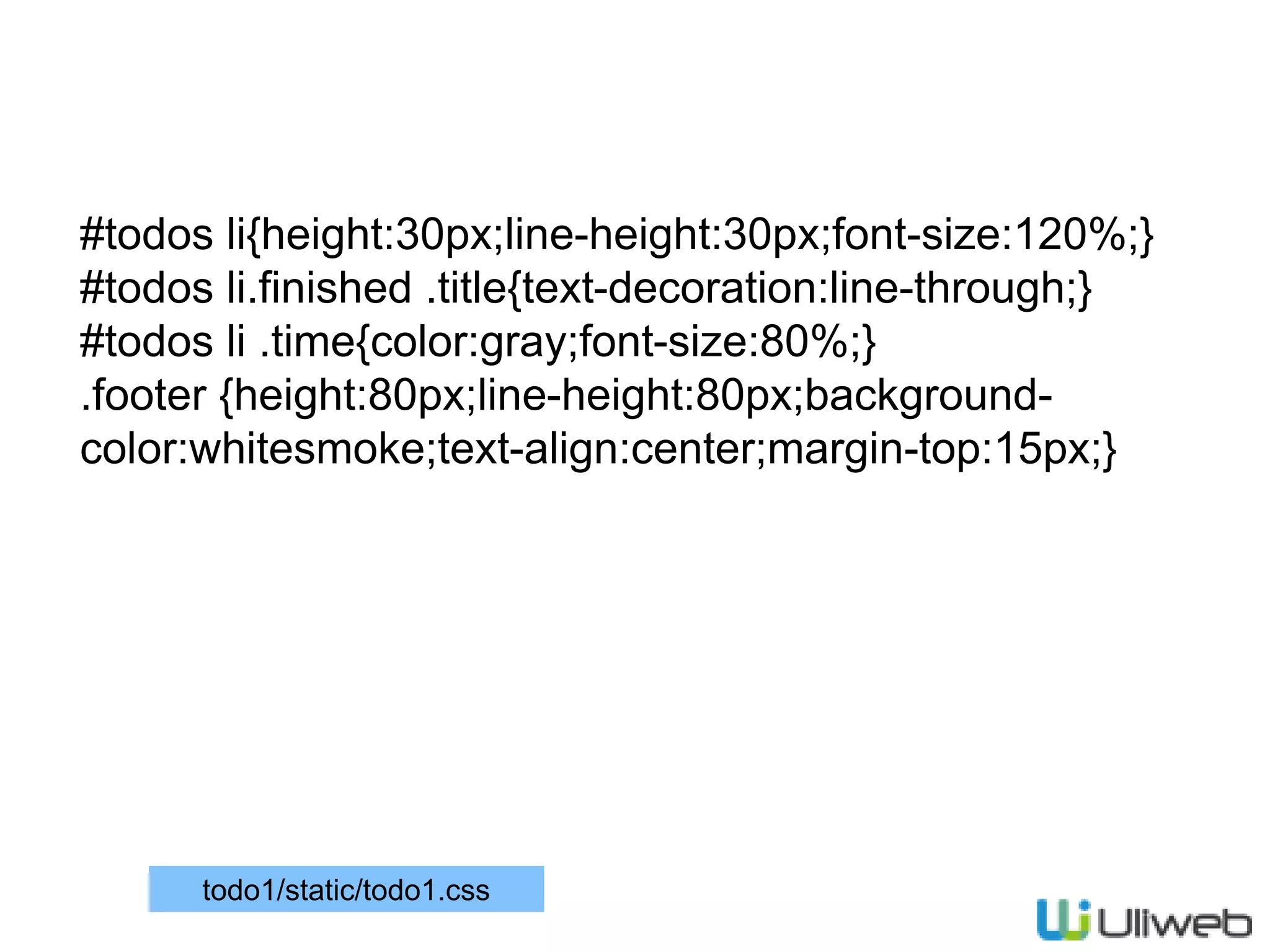
#todos li{height:30px;line-height:30px;font-size:120%;} #todos li.finished
.title{text-decoration:line-through;} #todos li .time{color:gray;font-size:80%;} .footer {height:80px;line-height:80px;background- color:whitesmoke;text-align:center;margin-top:15px;} todo1/static/todo1.css
21.
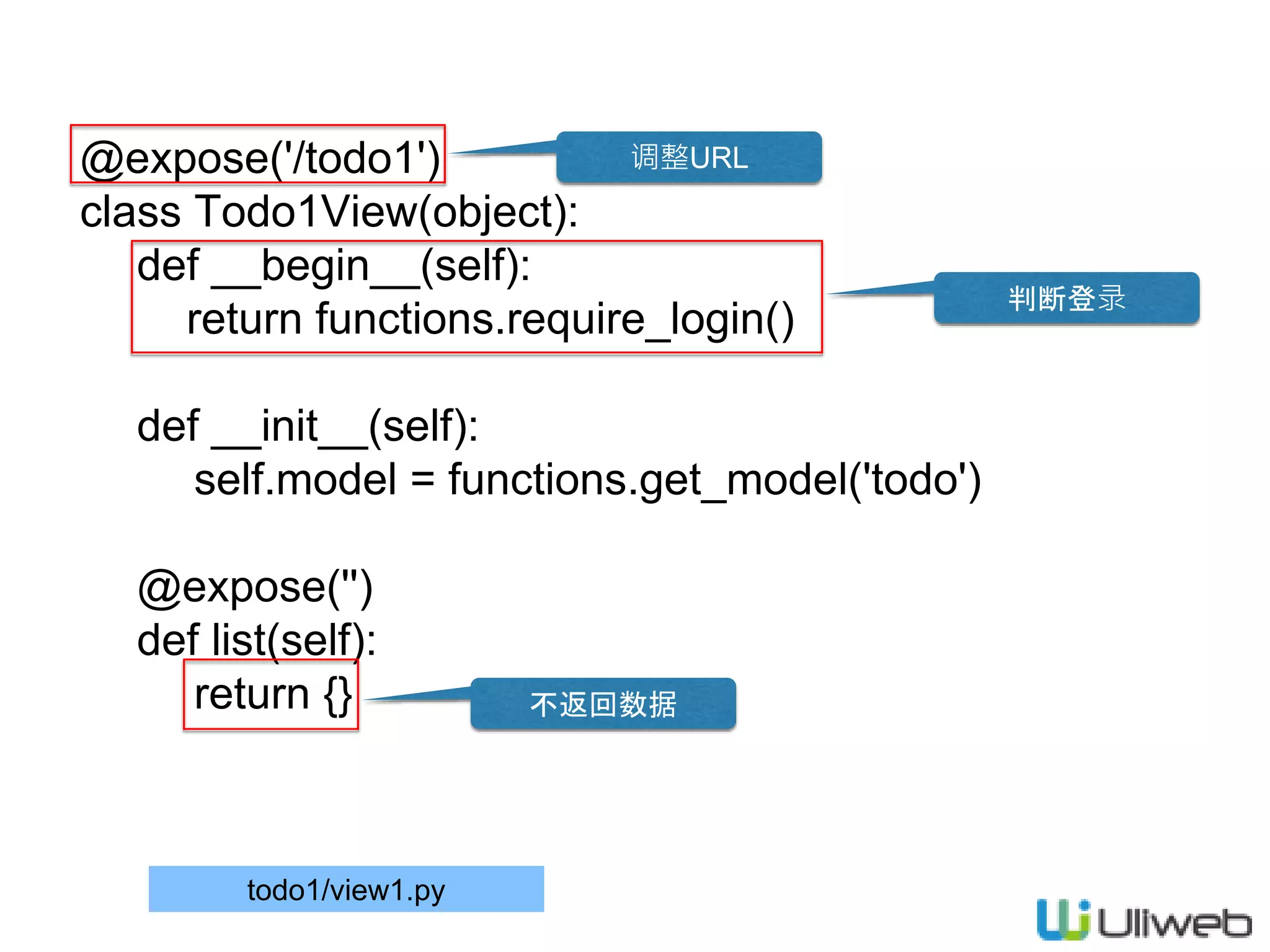
@expose('/todo1') class Todo1View(object): def __begin__(self): return
functions.require_login() def __init__(self): self.model = functions.get_model('todo') @expose('') def list(self): return {} todo1/view1.py 调整URL 判断登录 不返回数据
22.
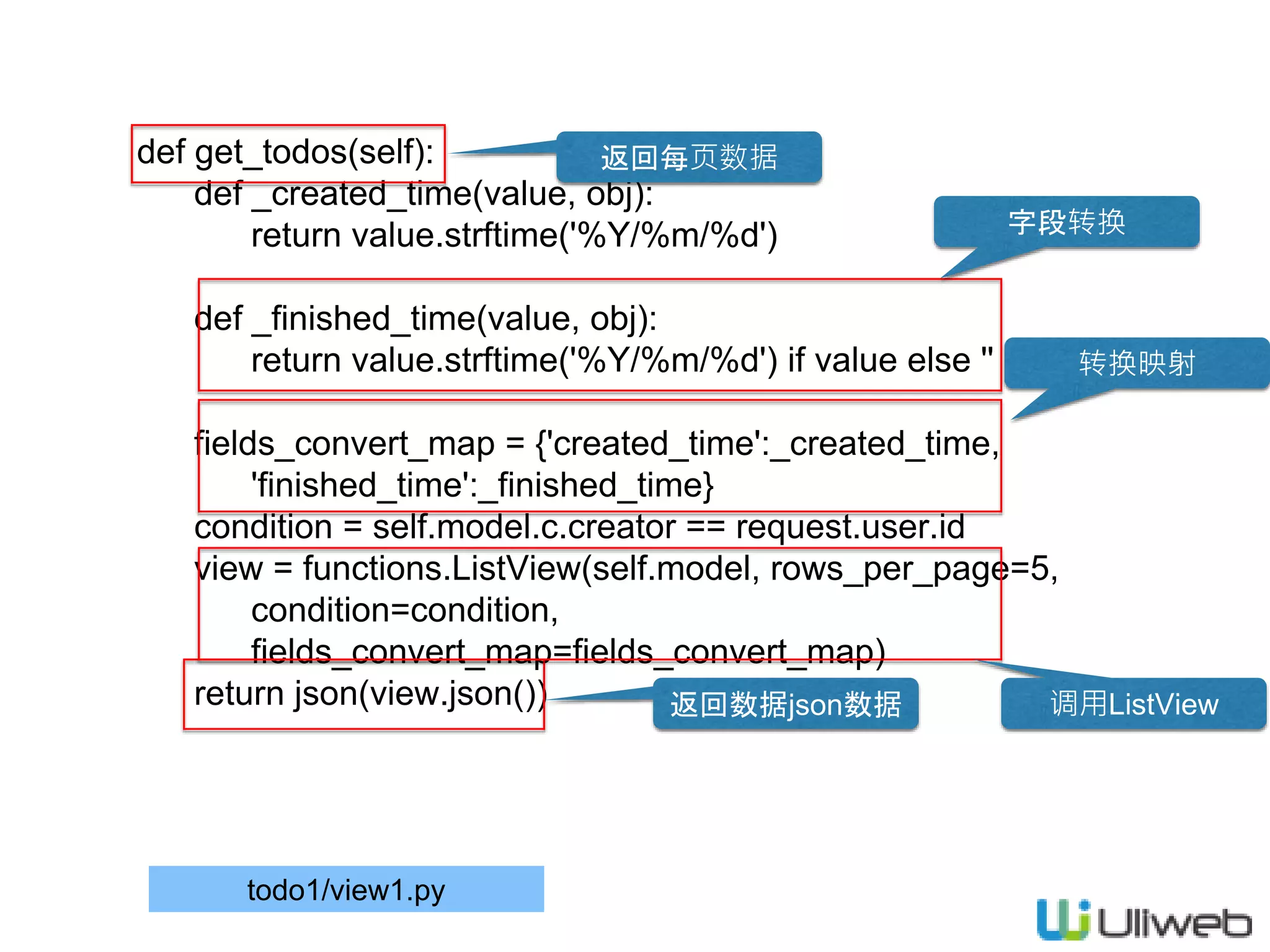
def get_todos(self): def _created_time(value,
obj): return value.strftime('%Y/%m/%d') def _finished_time(value, obj): return value.strftime('%Y/%m/%d') if value else '' fields_convert_map = {'created_time':_created_time, 'finished_time':_finished_time} condition = self.model.c.creator == request.user.id view = functions.ListView(self.model, rows_per_page=5, condition=condition, fields_convert_map=fields_convert_map) return json(view.json()) todo1/view1.py 返回每页数据 字段转换 返回数据json数据 转换映射 调用ListView
23.
def add(self): from forms
import AddTodoForm fields = ['title'] def pre_save(data): data['creator'] = request.user.id view = functions.AddView(self.model, fields=fields, form_cls=AddTodoForm, ok_url=url_for(Todo1View.list), pre_save=pre_save) return view.run() todo1/view1.py 添加Form 字段设置 返回结果 保存前的处理 用户处理 调用AddView
24.
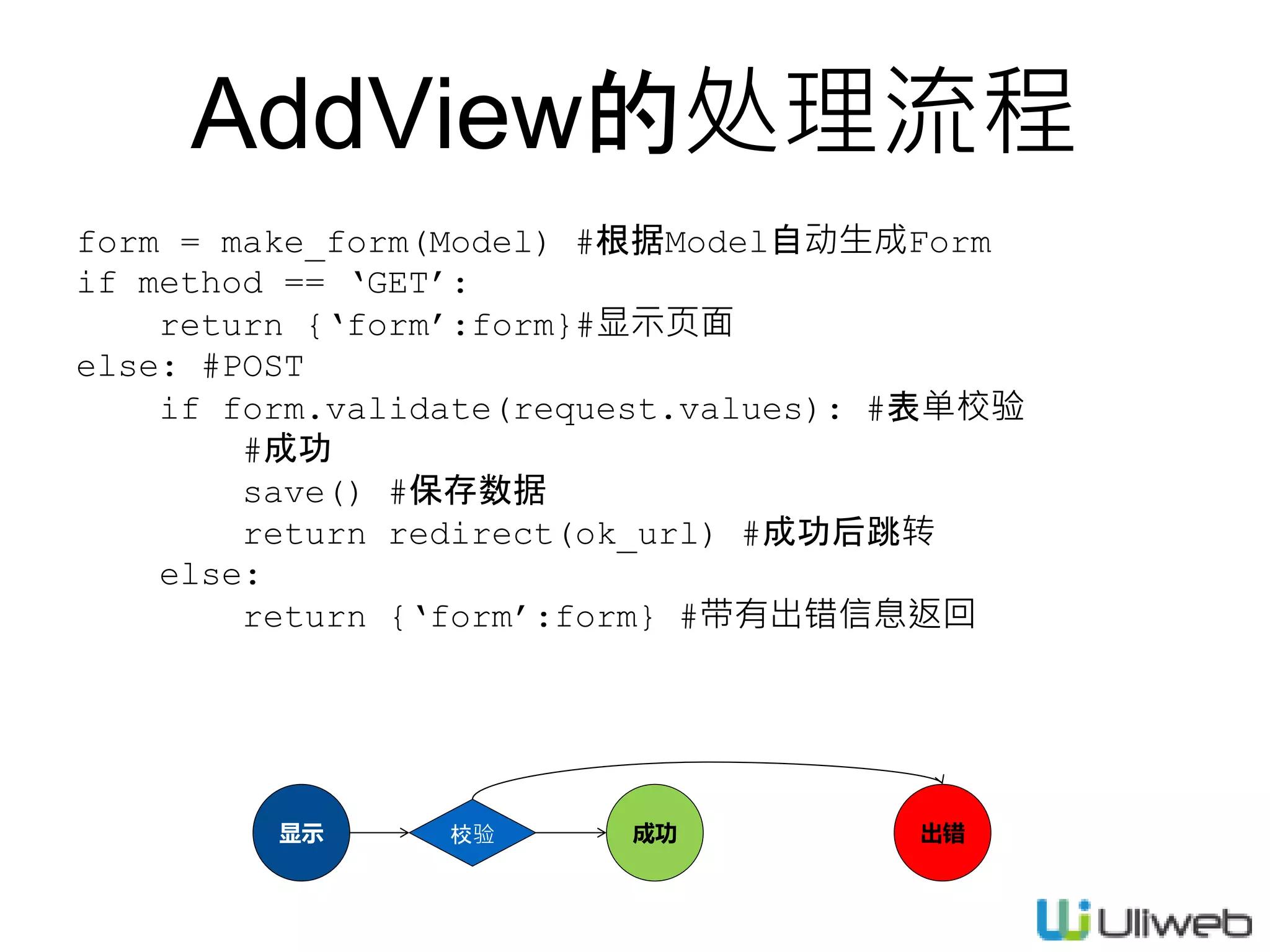
AddView的处理流程 form = make_form(Model)
#根据Model自动生成Form if method == ‘GET’: return {‘form’:form}#显示页面 else: #POST if form.validate(request.values): #表单校验 #成功 save() #保存数据 return redirect(ok_url) #成功后跳转 else: return {‘form’:form} #带有出错信息返回 显示 成功 出错校验
25.
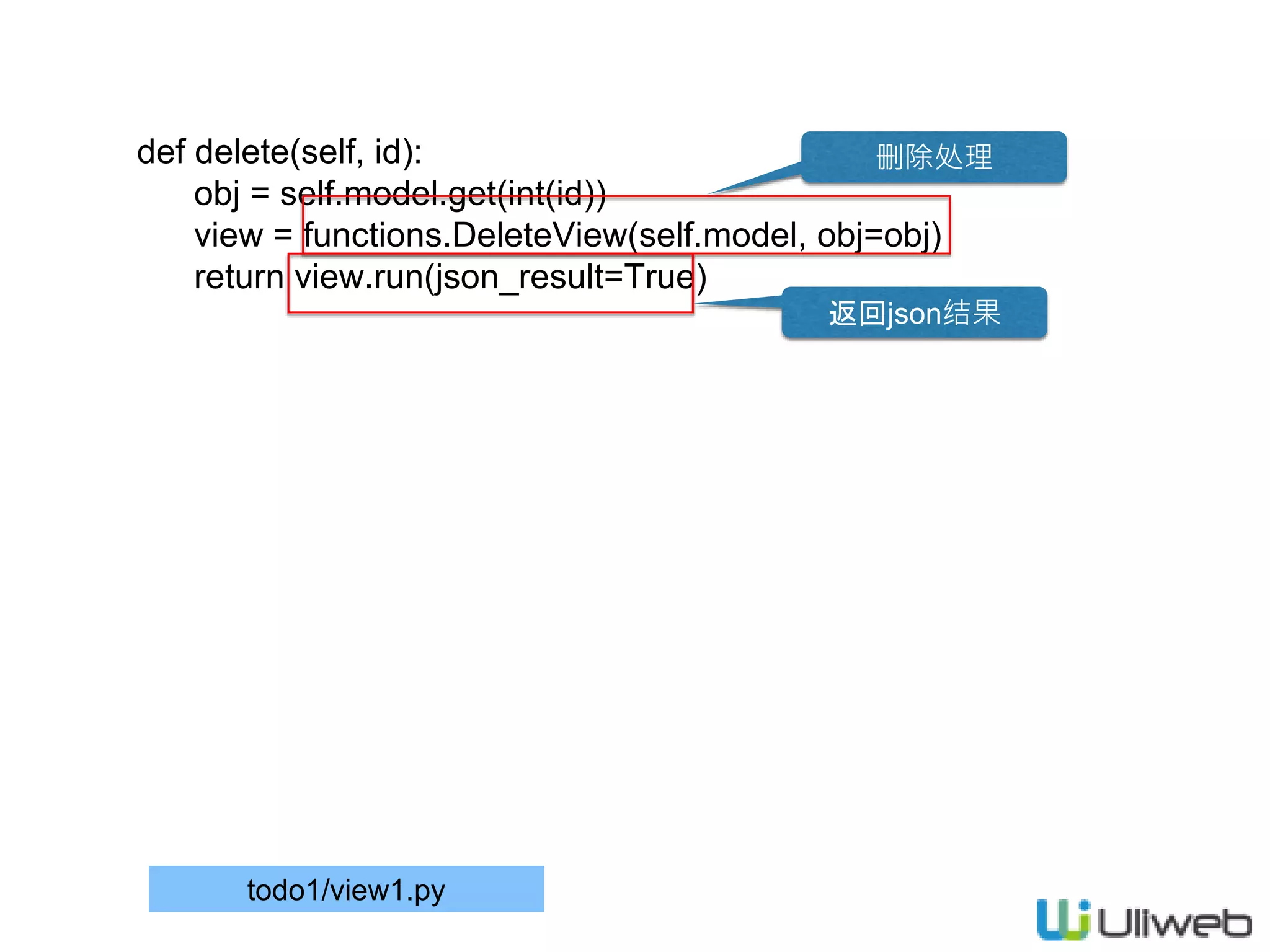
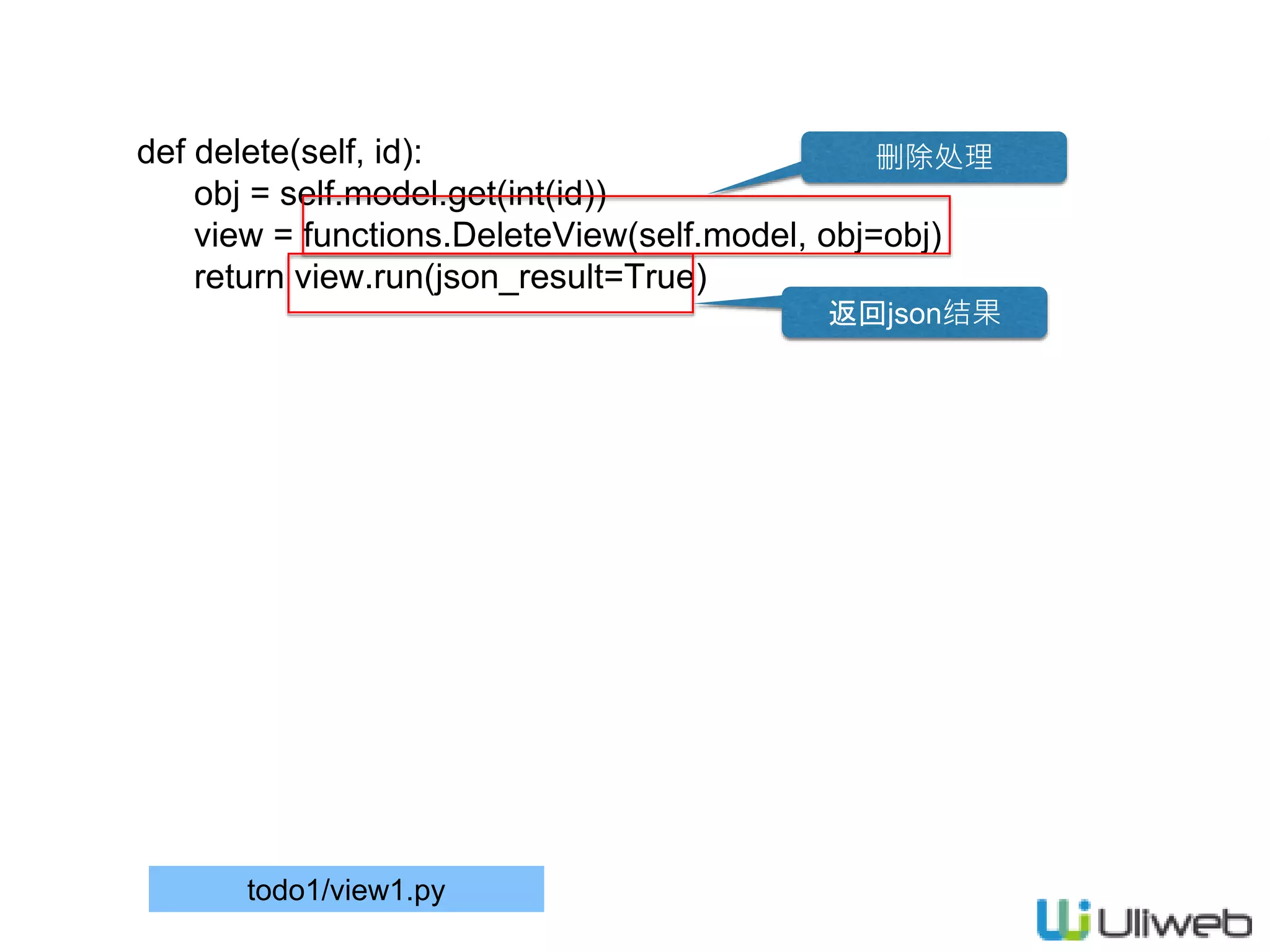
def delete(self, id): obj
= self.model.get(int(id)) view = functions.DeleteView(self.model, obj=obj) return view.run(json_result=True) todo1/view1.py 删除处理 返回json结果
26.
forms.py #coding=utf8 from uliweb.form import
* class AddTodoForm(Form): def form_validate(self, data): errors = {} title = data.get('title') if not title or not title.strip(): errors['title'] = '标题为必输项!' return errors todo1/forms.py 汇总校验 出错返回
27.
def delete(self, id): obj
= self.model.get(int(id)) view = functions.DeleteView(self.model, obj=obj) return view.run(json_result=True) todo1/view1.py 删除处理 返回json结果
28.
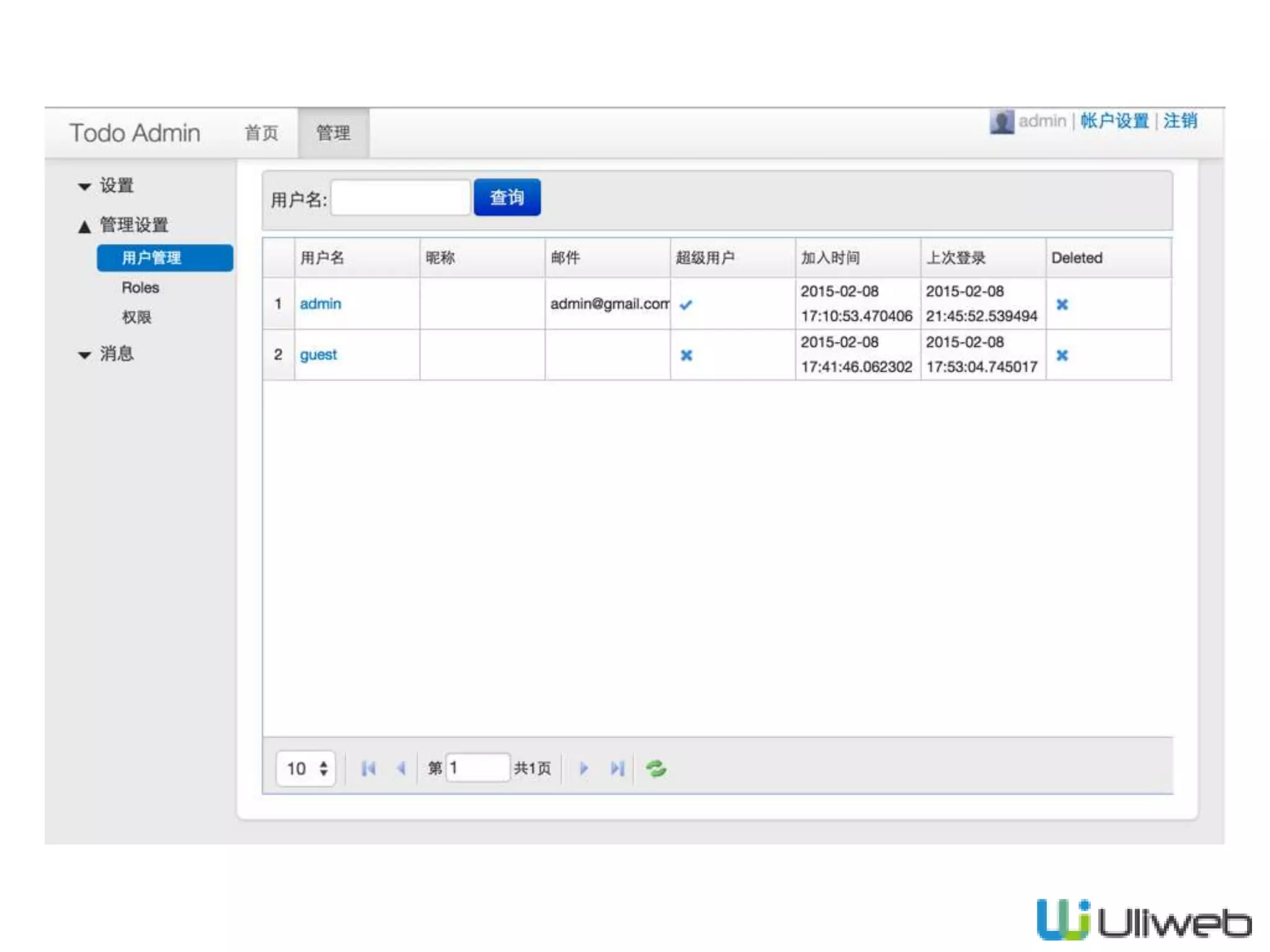
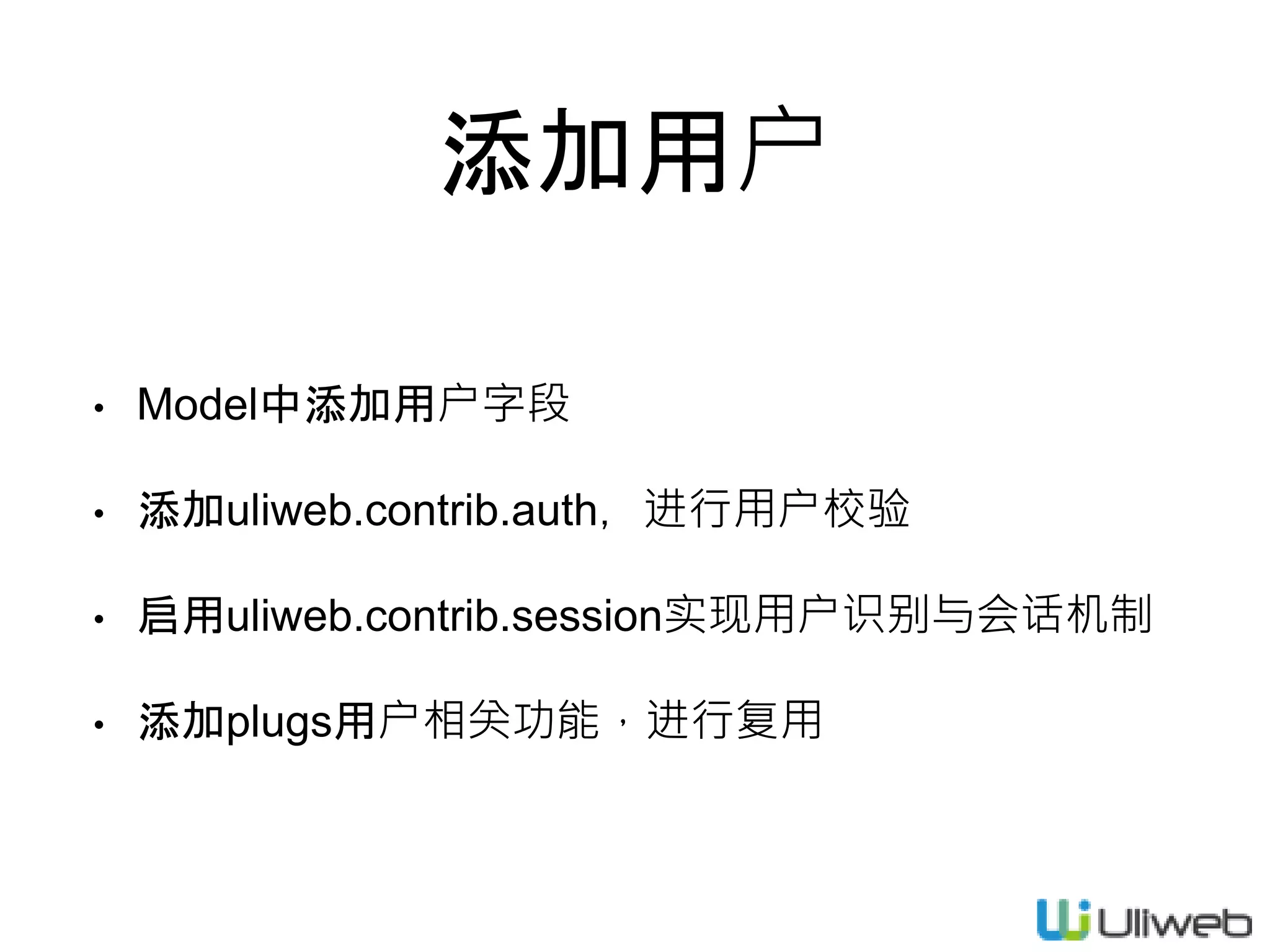
添加用户 • Model中添加用户字段 • 添加uliweb.contrib.auth,进行用户校验 •
启用uliweb.contrib.session实现用户识别与会话机制 • 添加plugs用户相关功能,进行复用
29.
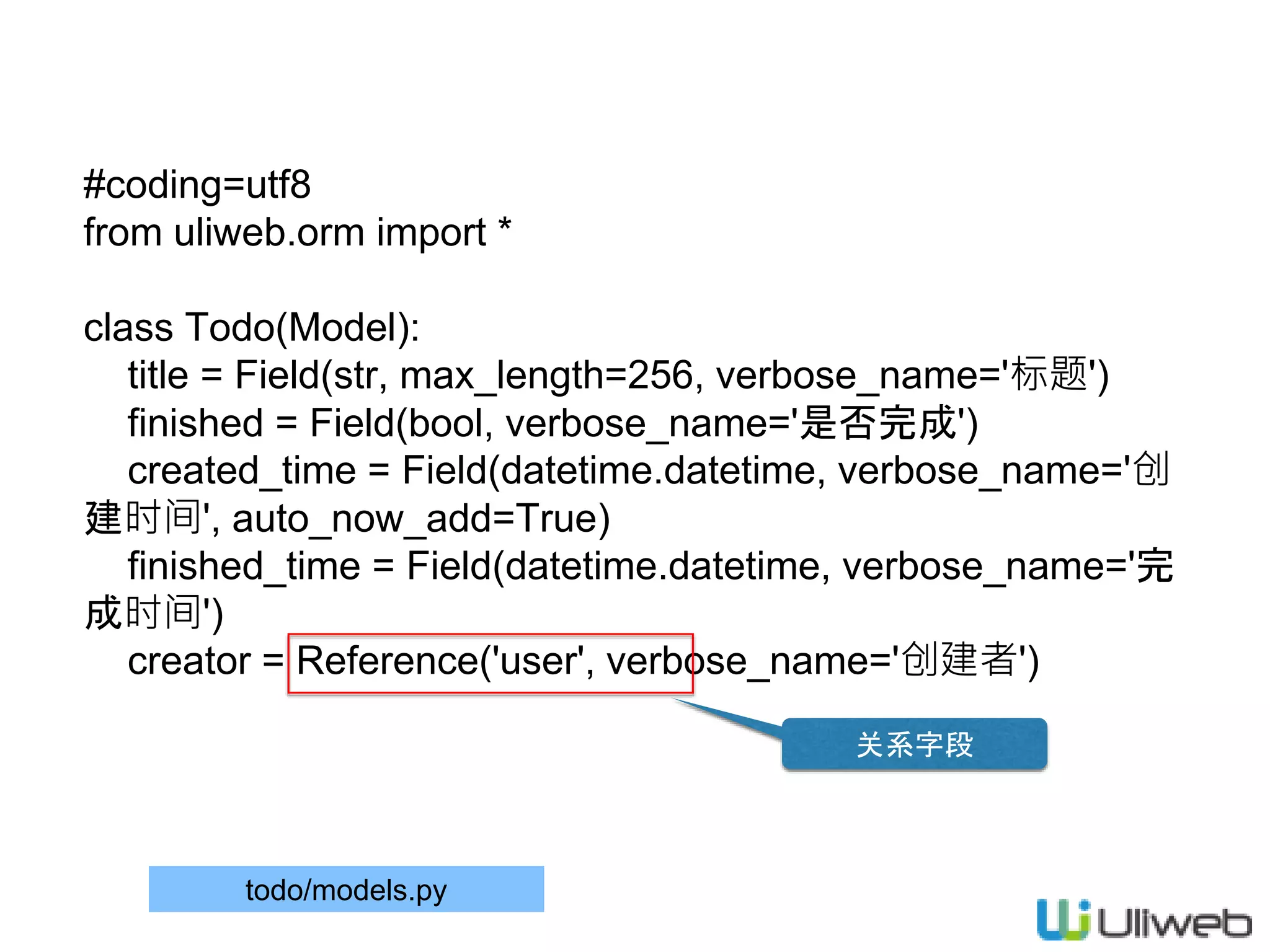
#coding=utf8 from uliweb.orm import
* class Todo(Model): title = Field(str, max_length=256, verbose_name='标题') finished = Field(bool, verbose_name='是否完成') created_time = Field(datetime.datetime, verbose_name='创 建时间', auto_now_add=True) finished_time = Field(datetime.datetime, verbose_name='完 成时间') creator = Reference('user', verbose_name='创建者') todo/models.py 关系字段
30.
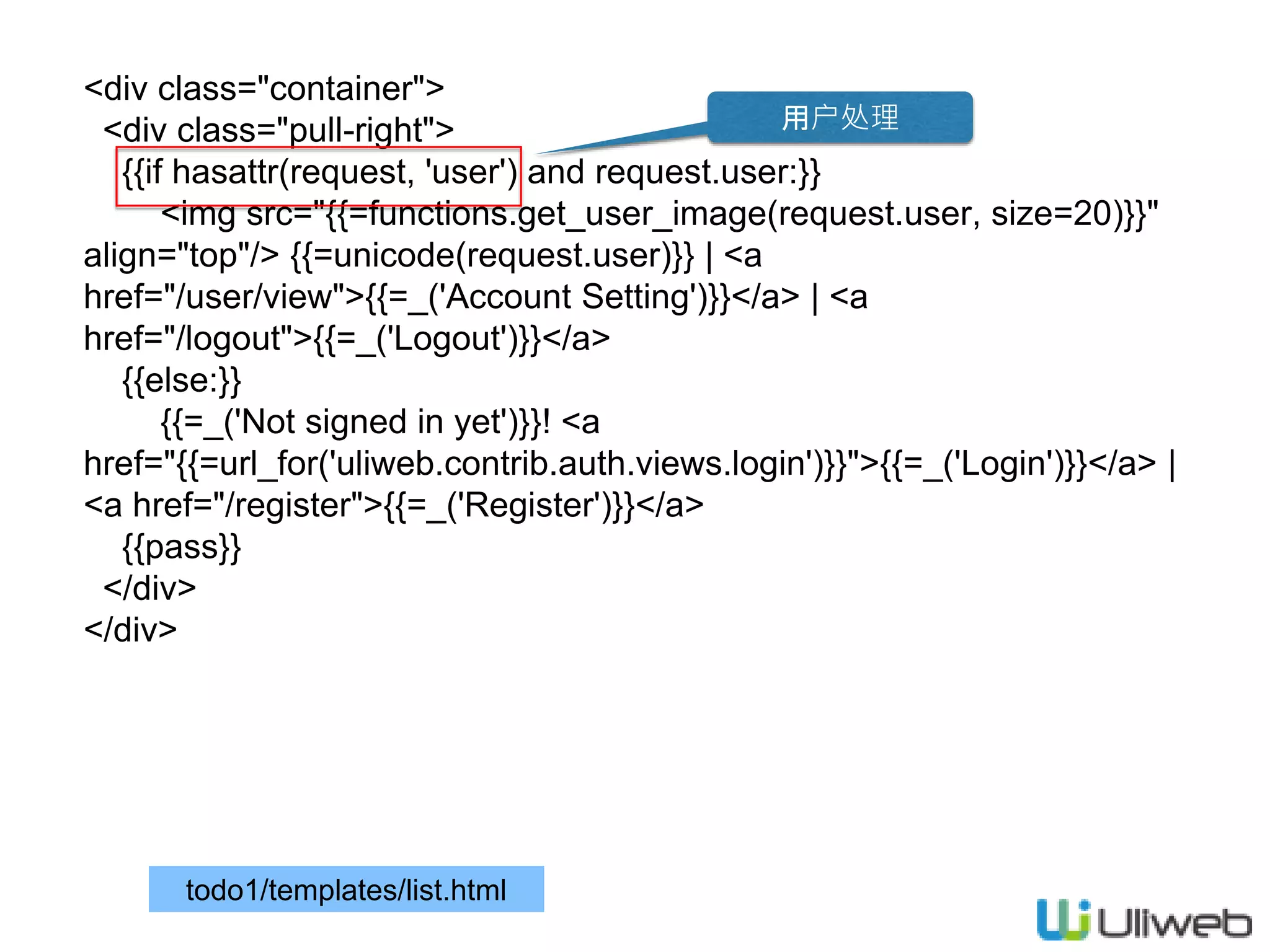
<div class="container"> <div class="pull-right"> {{if
hasattr(request, 'user') and request.user:}} <img src="{{=functions.get_user_image(request.user, size=20)}}" align="top"/> {{=unicode(request.user)}} | <a href="/user/view">{{=_('Account Setting')}}</a> | <a href="/logout">{{=_('Logout')}}</a> {{else:}} {{=_('Not signed in yet')}}! <a href="{{=url_for('uliweb.contrib.auth.views.login')}}">{{=_('Login')}}</a> | <a href="/register">{{=_('Register')}}</a> {{pass}} </div> </div> todo1/templates/list.html 用户处理
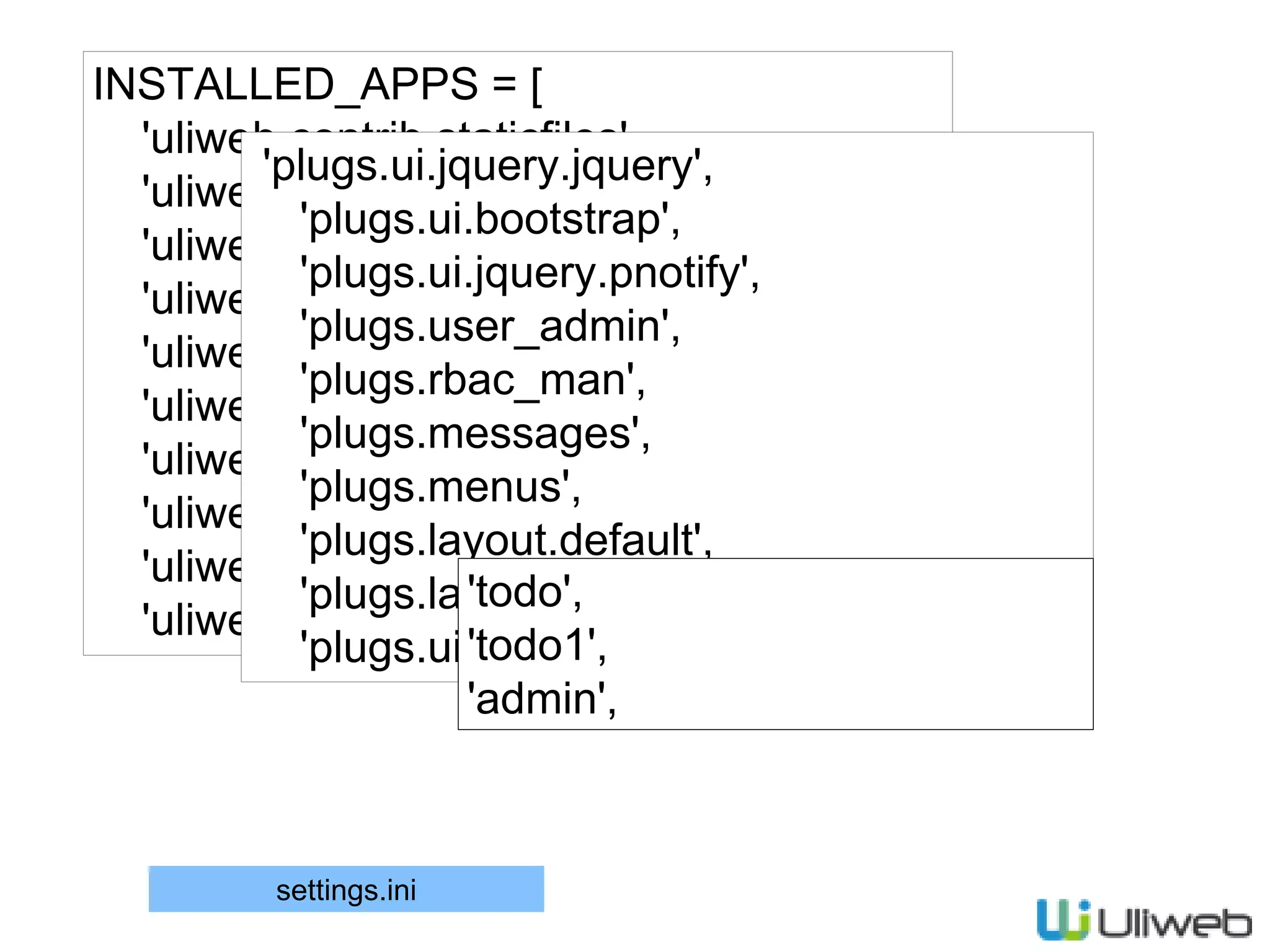
31.
INSTALLED_APPS = [ 'uliweb.contrib.staticfiles', 'uliweb.contrib.template', 'uliweb.contrib.upload', 'uliweb.contrib.orm', 'uliweb.contrib.session', 'uliweb.contrib.cache', 'uliweb.contrib.auth', 'uliweb.contrib.i18n', 'uliweb.contrib.generic', 'uliweb.contrib.flashmessage', 'plugs.ui.jquery.jquery', 'plugs.ui.bootstrap', 'plugs.ui.jquery.pnotify', 'plugs.user_admin', 'plugs.rbac_man', 'plugs.messages', 'plugs.menus', 'plugs.layout.default', 'plugs.layout.bootstrap', 'plugs.ui.jquery.poshytip', 'todo', 'todo1', 'admin', settings.ini
32.
[I18N] LOCALE_DIRS = ['$[plugs]'] SUPPORT_LANGUAGES
= ['en', 'zh_CN'] [EXPOSES] register = '/register', 'uliweb.contrib.auth.views.register' [UI_CONFIG] #jquery_version = '1.11.1' bootstrap_version = '2.3.2' [LAYOUT] PROJECT = 'Todo Admin' MENUS <= [ ('home', _('Home'), '/todo1'), ('admin', _('Admin'), '/user/view'), ] settings.ini I18N 启用注册 设置UI版本 布局参数 菜单条设置
33.
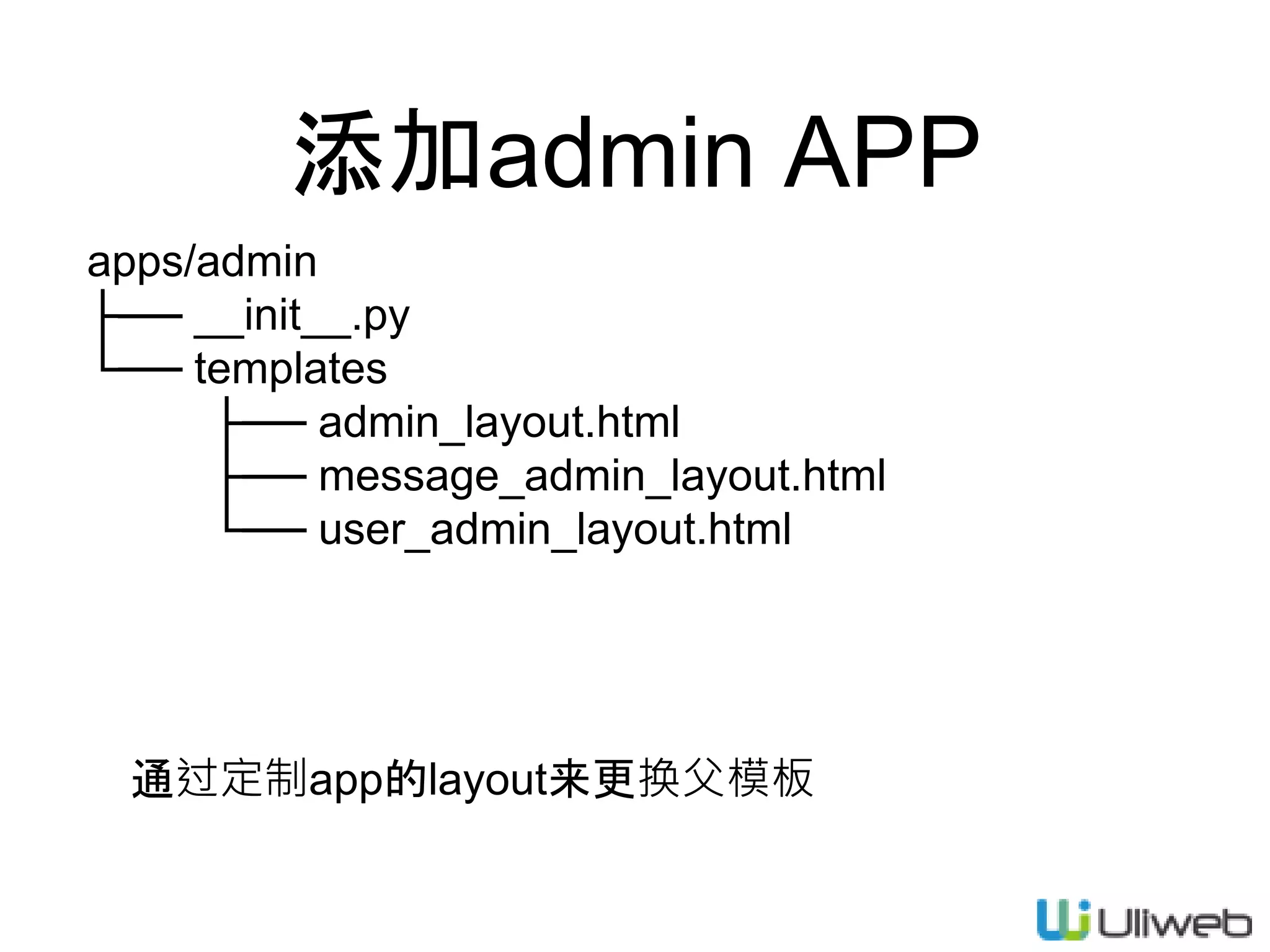
添加admin APP apps/admin ├── __init__.py └──
templates ├── admin_layout.html ├── message_admin_layout.html └── user_admin_layout.html 通过定制app的layout来更换父模板
34.
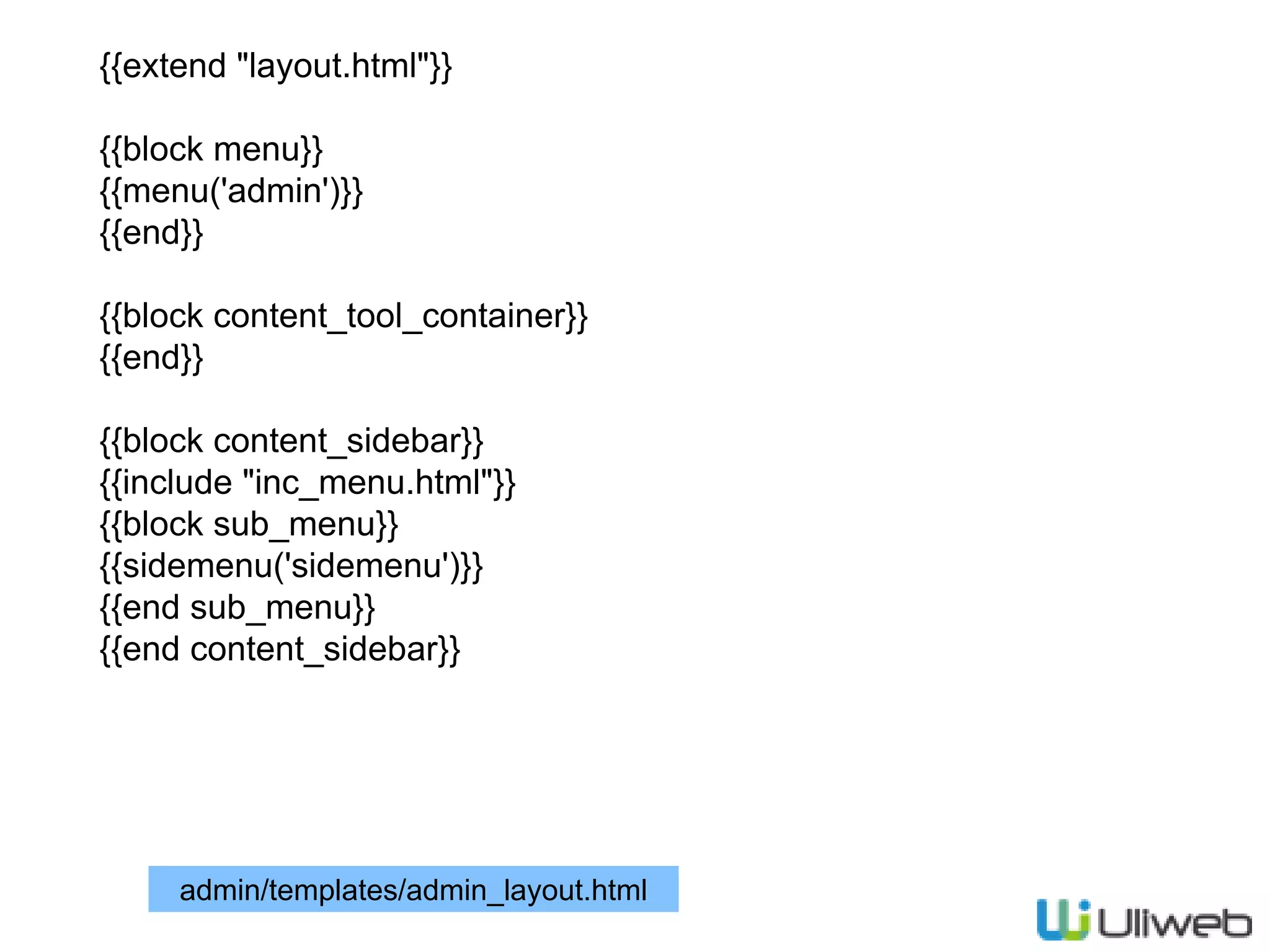
{{extend "layout.html"}} {{block menu}} {{menu('admin')}} {{end}} {{block
content_tool_container}} {{end}} {{block content_sidebar}} {{include "inc_menu.html"}} {{block sub_menu}} {{sidemenu('sidemenu')}} {{end sub_menu}} {{end content_sidebar}} admin/templates/admin_layout.html
35.
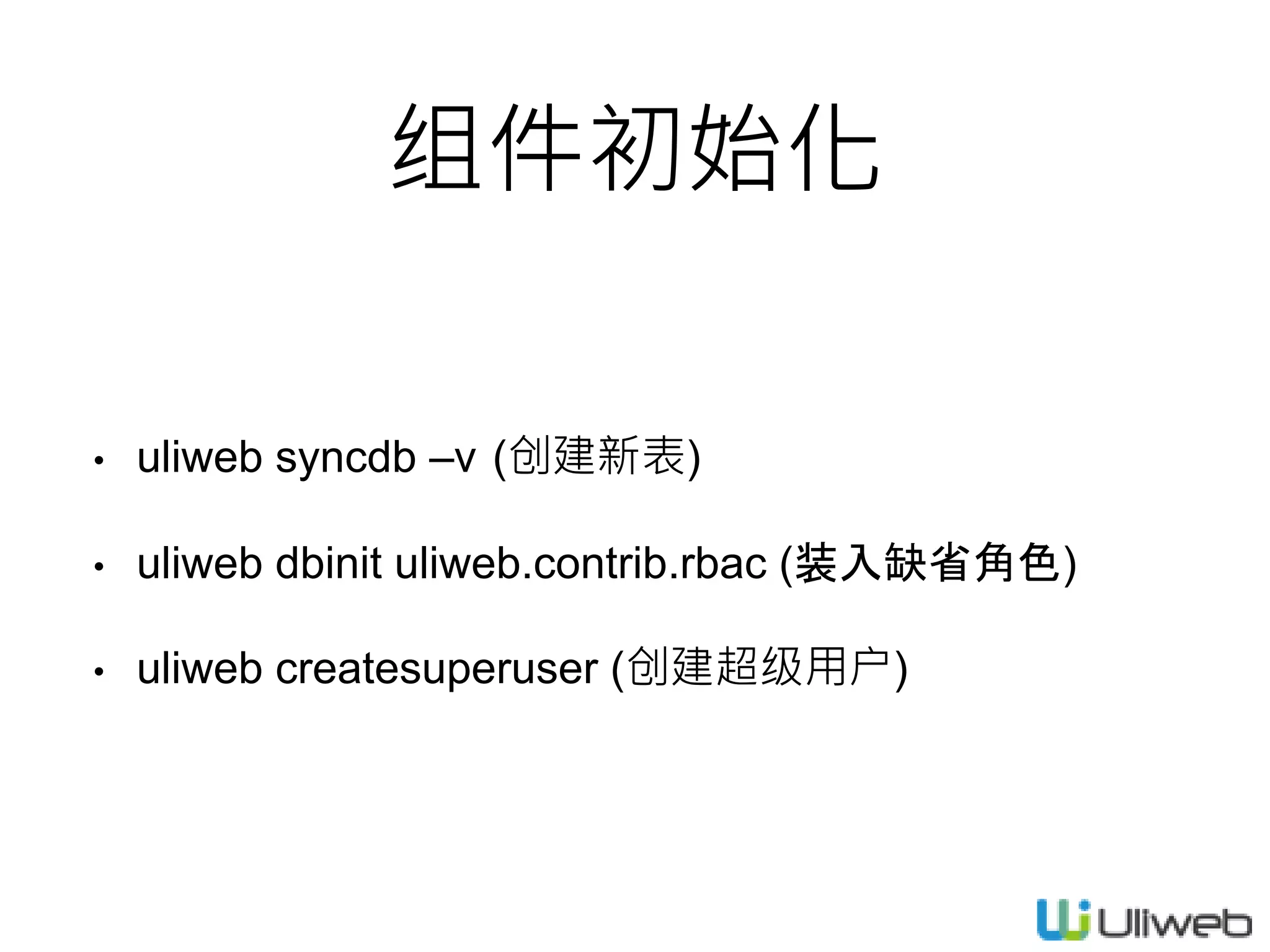
组件初始化 • uliweb syncdb
–v (创建新表) • uliweb dbinit uliweb.contrib.rbac (装入缺省角色) • uliweb createsuperuser (创建超级用户)
37.
Q&A
Editor's Notes
#18
on可以处理未来创建的元素事件
#19
on可以处理未来创建的元素事件
#20
on可以处理未来创建的元素事件
#24
AddView会执行三个动作
#26
AddView会执行三个动作
#28
AddView会执行三个动作
Download



![Todo1View/list.html
$('body').on('click', '#todos .btnDelete', function(e){
e.preventDefault();
var $this = $(this);
var parent = $($this.parents('li')[0]);
var href= $this.attr('href');
$.post(href).success(function(r){
if(r.success)
parent.remove();
})
});
删除处理](https://image.slidesharecdn.com/03-150213194104-conversion-gate02/75/03-uliweb-17-2048.jpg)
![Todo1View/list.html
$('body').on('click', '#todos :checkbox', function(e){
var $this = $(this);
var checked = $this.is(':checked');
var id = $this.data('id');
var parent = $($this.parents('li')[0]);
$.post('/todo1/update', {id:id, finished:checked}).success(function(r){
if(r.success){
if(checked)
parent.addClass('finished');
else
parent.removeClass('finished');
var time = parent.find('.time');
var t = time.text().split('-');
t[1] = r.finished_time;
time.text(t.join('-')+')');
}else{
alert(r.message);
}
});
});
完成处理](https://image.slidesharecdn.com/03-150213194104-conversion-gate02/75/03-uliweb-18-2048.jpg)
![def add(self):
from forms import AddTodoForm
fields = ['title']
def pre_save(data):
data['creator'] = request.user.id
view = functions.AddView(self.model,
fields=fields,
form_cls=AddTodoForm,
ok_url=url_for(Todo1View.list),
pre_save=pre_save)
return view.run()
todo1/view1.py
添加Form
字段设置
返回结果
保存前的处理
用户处理
调用AddView](https://image.slidesharecdn.com/03-150213194104-conversion-gate02/75/03-uliweb-23-2048.jpg)
![forms.py
#coding=utf8
from uliweb.form import *
class AddTodoForm(Form):
def form_validate(self, data):
errors = {}
title = data.get('title')
if not title or not title.strip():
errors['title'] = '标题为必输项!'
return errors
todo1/forms.py
汇总校验
出错返回](https://image.slidesharecdn.com/03-150213194104-conversion-gate02/75/03-uliweb-26-2048.jpg)
![[I18N]
LOCALE_DIRS = ['$[plugs]']
SUPPORT_LANGUAGES = ['en', 'zh_CN']
[EXPOSES]
register = '/register', 'uliweb.contrib.auth.views.register'
[UI_CONFIG]
#jquery_version = '1.11.1'
bootstrap_version = '2.3.2'
[LAYOUT]
PROJECT = 'Todo Admin'
MENUS <= [
('home', _('Home'), '/todo1'),
('admin', _('Admin'), '/user/view'),
]
settings.ini
I18N
启用注册
设置UI版本
布局参数
菜单条设置](https://image.slidesharecdn.com/03-150213194104-conversion-gate02/75/03-uliweb-32-2048.jpg)