+
A brief history of data and
databases
Spanning thousands and thousands of years
Unattributed pictures from University of Rochester History Site
+
Housekeeping
 HW3 – Grading contract – due before class on Tuesday
 Teams – Tuesday
 Some have indicated that they prefer to work alone. See me if you
feel strongly and come prepared with a reason why.
 Project – A couple of people had ideas for alternate projects.
 Lewis
 Hull
 See me after class
+
References for this talk
 University of Rochester History Site
 http://quickbase.intuit.com/articles/timeline-of-database-history
 http://www.computerhistory.org/revolution/memory-
storage/8/265/2207 - Video
+
Record Keeping – How long?
Source: http://www.ancientscripts.com/cuneiform.html
picture – wikipedia 4th millenium
+
Record Keeping – How long?
Source: http://www.ancientscripts.com/cuneiform.html
picture – wikipedia 4th millenium
3100 BC
pictures of
goods and
then cuniform
symbols.
+
Why?
 We use records to measure “stuff”.
 And most of these records are not digital.
+
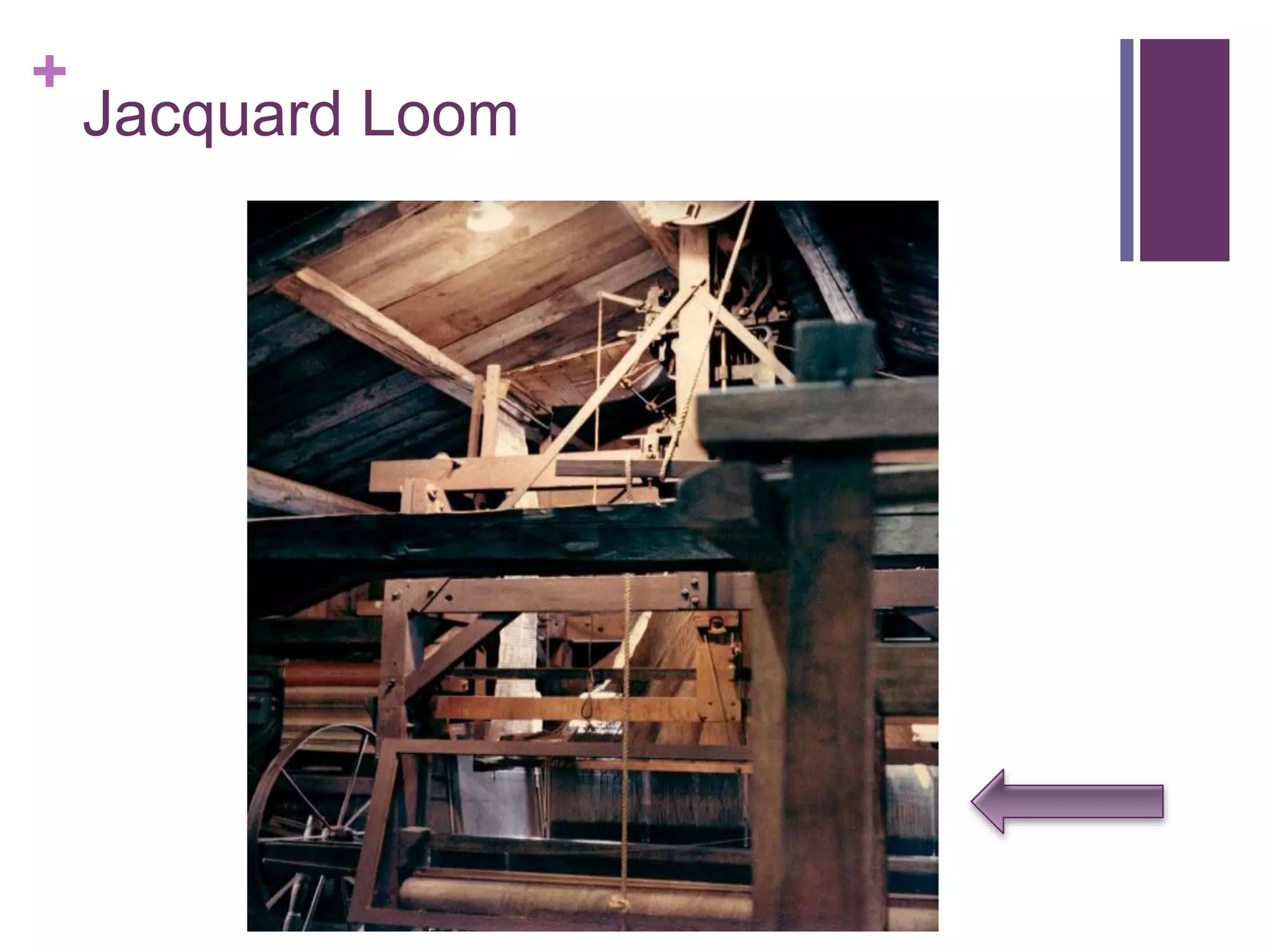
Jacquard Loom
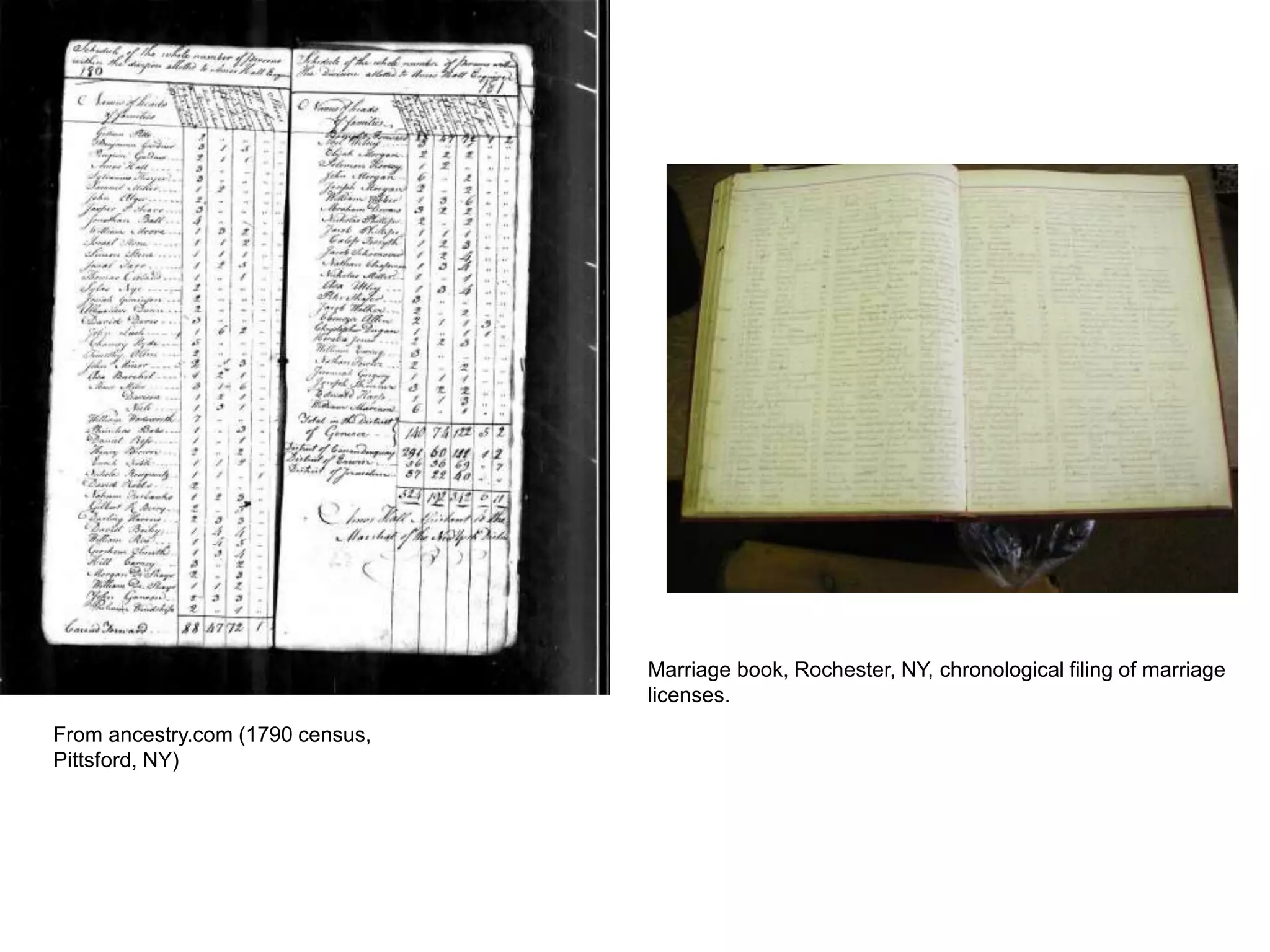
From ancestry.com (1790 census,
Pittsford, NY)
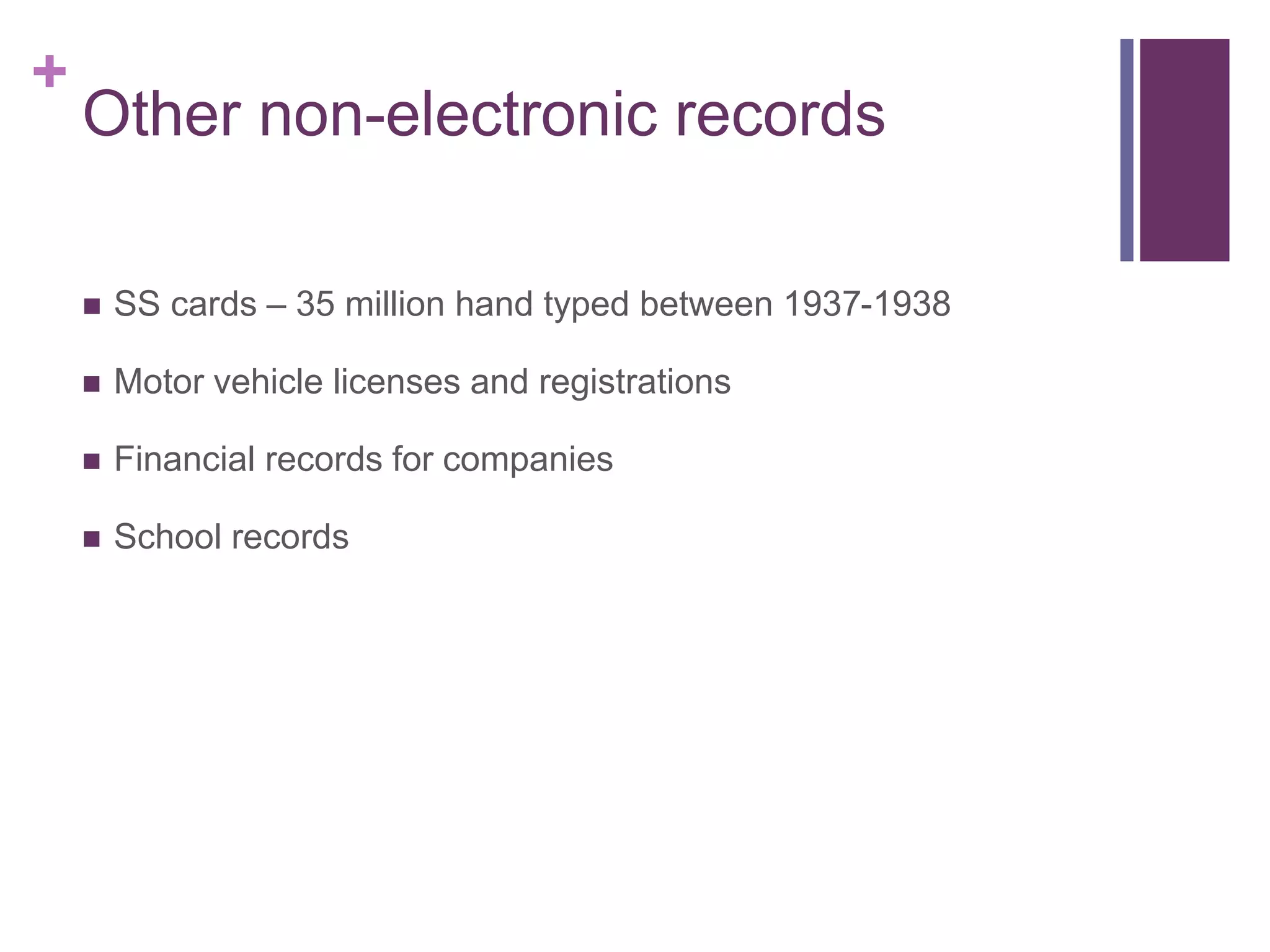
Marriage book, Rochester, NY, chronological filing of marriage
licenses.
+
Other non-electronic records
 SS cards – 35 million hand typed between 1937-1938
 Motor vehicle licenses and registrations
 Financial records for companies
 School records
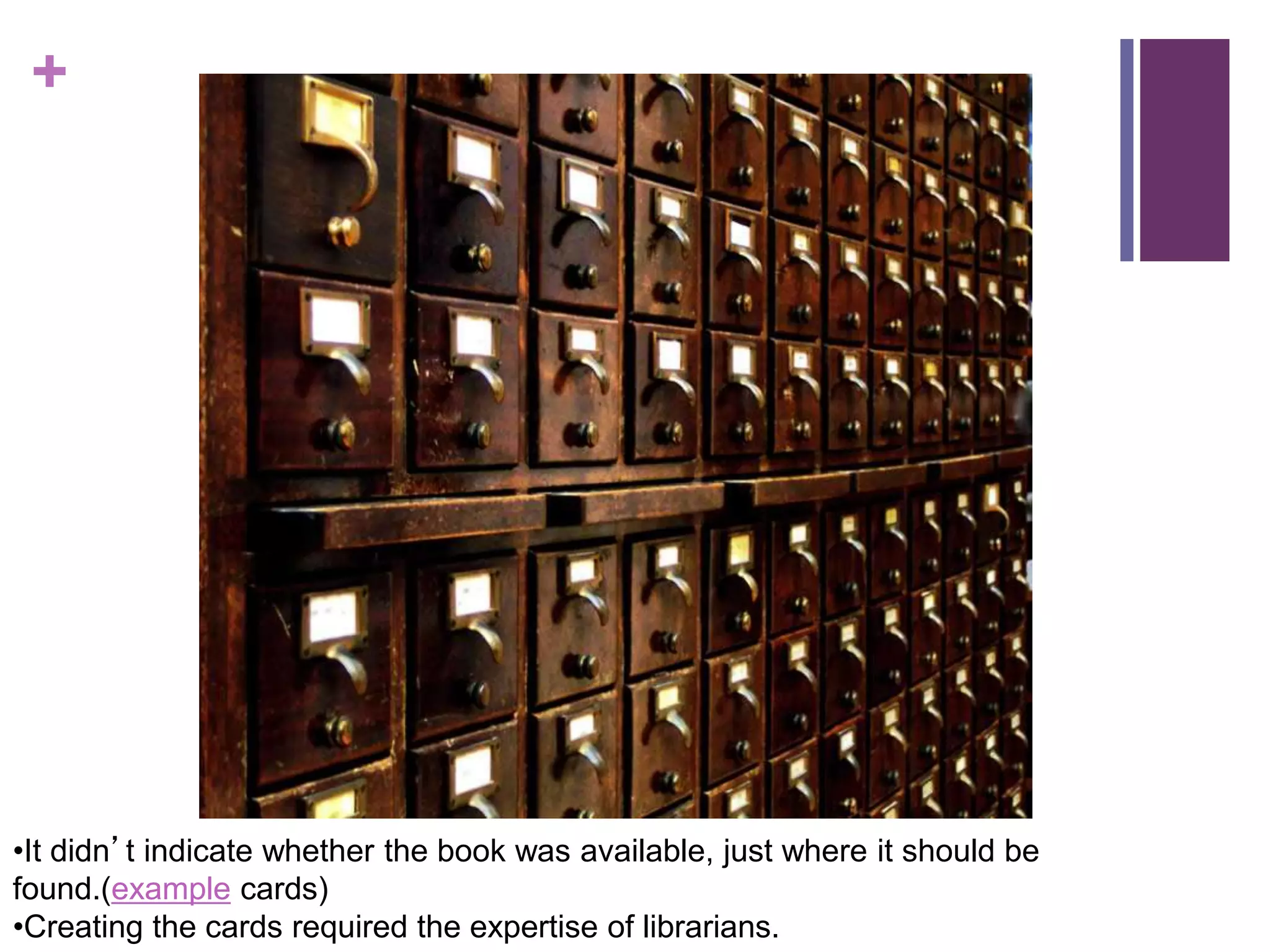
+ Card Catalogs – An ingeneous
indexing system
+
•It didn’t indicate whether the book was available, just where it should be
found.(example cards)
•Creating the cards required the expertise of librarians.
+
Problem – The 1890 census
 Enter Herman Hollerith.
+
Hollerith’s device
pantograph Hollerith card
Integrating
machine
+
First computers
The program, the data, the JCL – all done with punchcards
+
Electronic files – Early computing
1950s – 1970s
+
Enter the database – Early 1960s
• Objects in a database can be related to one another.
• Hierarchical – One record leads to the related record. (Like a
tree)
• Network – Allowed for multiple relationships (like a network)
• The databases used pointers to relate one record to another.
+
Charles Bachman
Integrated data store – Dow Chemical
CASE products (Computer Aided Engineering)
+
Some issues
 While an improvement over file based systems,
 these systems required knowledge of the structures to use
them. No built in search mechanism.
 Very few users understood the structures, access limited to an
elite few.
 Queries were complex. Took time to get new information and
expensive programmer time to produce.
+
Enter the relational DBMS
1970, Edgar Codd
Relational DBMS
• Mathematician at IBM
• Based on Relational Calculus and set theory
U of Michigam
• MicroDBMS
IBM
• System R
• First implementation of SQL
Led to
• Oracle
• IBM DB2
•Informix
• Sybase
• MS SQL Server (based on Sybase)
+
Relational Ideas
 Data is represented as a series of tables.
 The tables are Related to one another through a series of keys
and foreign keys.
 A standard language is used to define the database (DDL) and
to query the database (DML).
 Tables within the database contain the data about the database
(meta data).
+
Why relational?
 It is easy for most people to “see” and “get it”.
 Makes the data accessible for a wider number of users through
user friendly query tools.
 Through good database design, space usage is efficient
(although this has become less of an issue of late).
+
Codd’s 12 Rules
 See notes.
+
The Future?
• Object Oriented Databases
– Combine data and operations on those data
– Allows for inheritance
– Oracle (Object-Relational Database)
– Postgre(open source object-relational DBMS)
– http://www.postgresql.org/about/
• XML and XML DBMS
– XML designed to transport and store data initially envisioned as
moving data across the web (w3schools.com)
– XML Database Management System manages that data
+
Next up – modeling data and
relational DBMS terms
 A few words about data models.
 Activity – Let’s look again at the “ugly” database.

02-History.ppt

  • 1.
    + A brief historyof data and databases Spanning thousands and thousands of years Unattributed pictures from University of Rochester History Site
  • 2.
    + Housekeeping  HW3 –Grading contract – due before class on Tuesday  Teams – Tuesday  Some have indicated that they prefer to work alone. See me if you feel strongly and come prepared with a reason why.  Project – A couple of people had ideas for alternate projects.  Lewis  Hull  See me after class
  • 3.
    + References for thistalk  University of Rochester History Site  http://quickbase.intuit.com/articles/timeline-of-database-history  http://www.computerhistory.org/revolution/memory- storage/8/265/2207 - Video
  • 4.
    + Record Keeping –How long? Source: http://www.ancientscripts.com/cuneiform.html picture – wikipedia 4th millenium
  • 5.
    + Record Keeping –How long? Source: http://www.ancientscripts.com/cuneiform.html picture – wikipedia 4th millenium 3100 BC pictures of goods and then cuniform symbols.
  • 6.
    + Why?  We userecords to measure “stuff”.  And most of these records are not digital.
  • 7.
  • 8.
    From ancestry.com (1790census, Pittsford, NY) Marriage book, Rochester, NY, chronological filing of marriage licenses.
  • 9.
    + Other non-electronic records SS cards – 35 million hand typed between 1937-1938  Motor vehicle licenses and registrations  Financial records for companies  School records
  • 10.
    + Card Catalogs– An ingeneous indexing system
  • 11.
    + •It didn’t indicatewhether the book was available, just where it should be found.(example cards) •Creating the cards required the expertise of librarians.
  • 12.
    + Problem – The1890 census  Enter Herman Hollerith.
  • 13.
  • 14.
    + First computers The program,the data, the JCL – all done with punchcards
  • 15.
    + Electronic files –Early computing 1950s – 1970s
  • 16.
    + Enter the database– Early 1960s • Objects in a database can be related to one another. • Hierarchical – One record leads to the related record. (Like a tree) • Network – Allowed for multiple relationships (like a network) • The databases used pointers to relate one record to another.
  • 17.
    + Charles Bachman Integrated datastore – Dow Chemical CASE products (Computer Aided Engineering)
  • 18.
    + Some issues  Whilean improvement over file based systems,  these systems required knowledge of the structures to use them. No built in search mechanism.  Very few users understood the structures, access limited to an elite few.  Queries were complex. Took time to get new information and expensive programmer time to produce.
  • 19.
    + Enter the relationalDBMS 1970, Edgar Codd Relational DBMS • Mathematician at IBM • Based on Relational Calculus and set theory U of Michigam • MicroDBMS IBM • System R • First implementation of SQL Led to • Oracle • IBM DB2 •Informix • Sybase • MS SQL Server (based on Sybase)
  • 20.
    + Relational Ideas  Datais represented as a series of tables.  The tables are Related to one another through a series of keys and foreign keys.  A standard language is used to define the database (DDL) and to query the database (DML).  Tables within the database contain the data about the database (meta data).
  • 21.
    + Why relational?  Itis easy for most people to “see” and “get it”.  Makes the data accessible for a wider number of users through user friendly query tools.  Through good database design, space usage is efficient (although this has become less of an issue of late).
  • 22.
  • 23.
    + The Future? • ObjectOriented Databases – Combine data and operations on those data – Allows for inheritance – Oracle (Object-Relational Database) – Postgre(open source object-relational DBMS) – http://www.postgresql.org/about/ • XML and XML DBMS – XML designed to transport and store data initially envisioned as moving data across the web (w3schools.com) – XML Database Management System manages that data
  • 24.
    + Next up –modeling data and relational DBMS terms  A few words about data models.  Activity – Let’s look again at the “ugly” database.