Microsoft Private Cloud Computing RoadmapAmit GatenyoInfrastructure & Security Manager, DarioMicrosoft Regional Director – Windows Server & Security054-2492499Amit.g@dario.co.il
AgendaThe Private Cloud Evolution
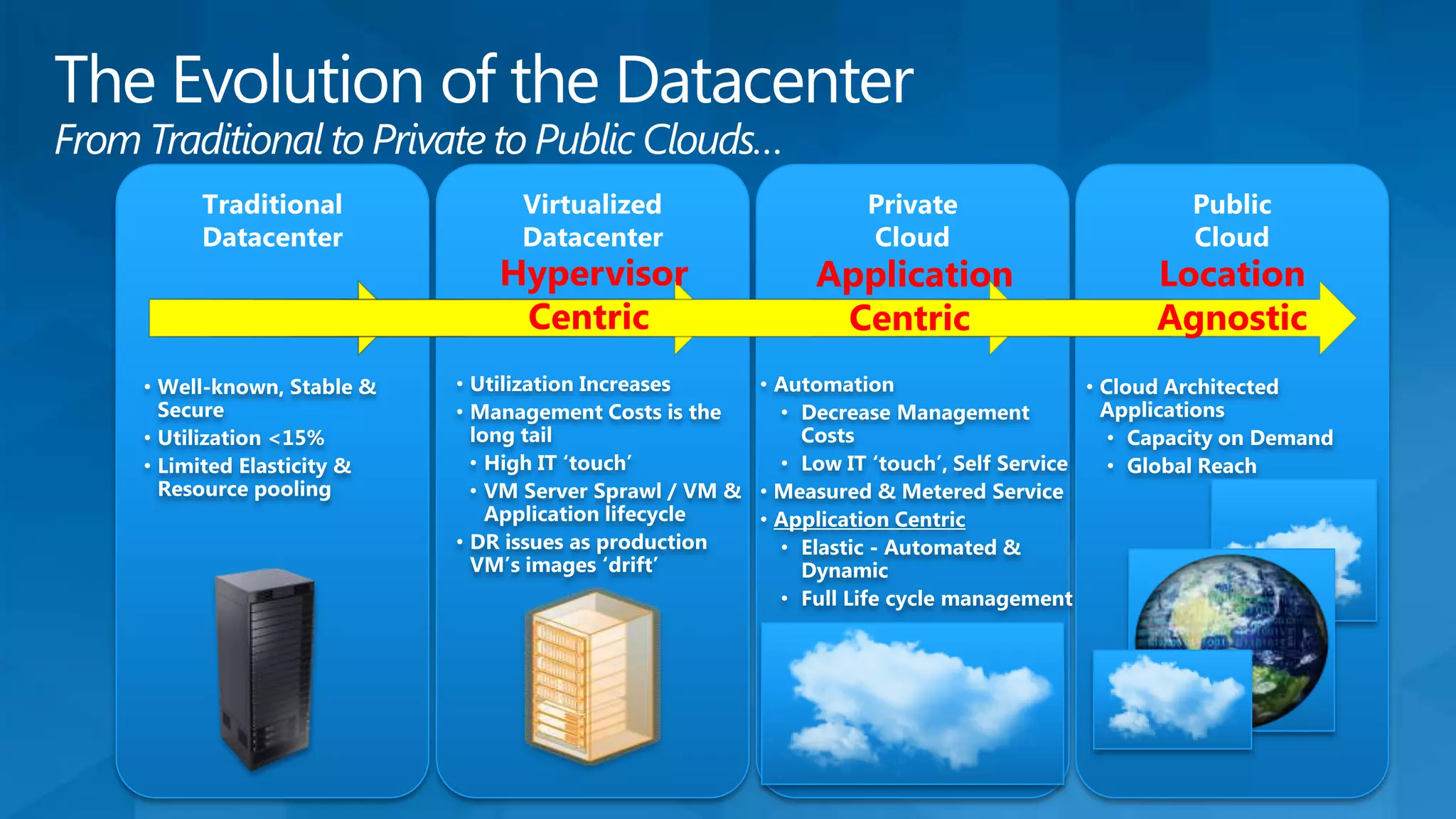
From hypervisor centric to application centric
The Economics of Cloud Computing
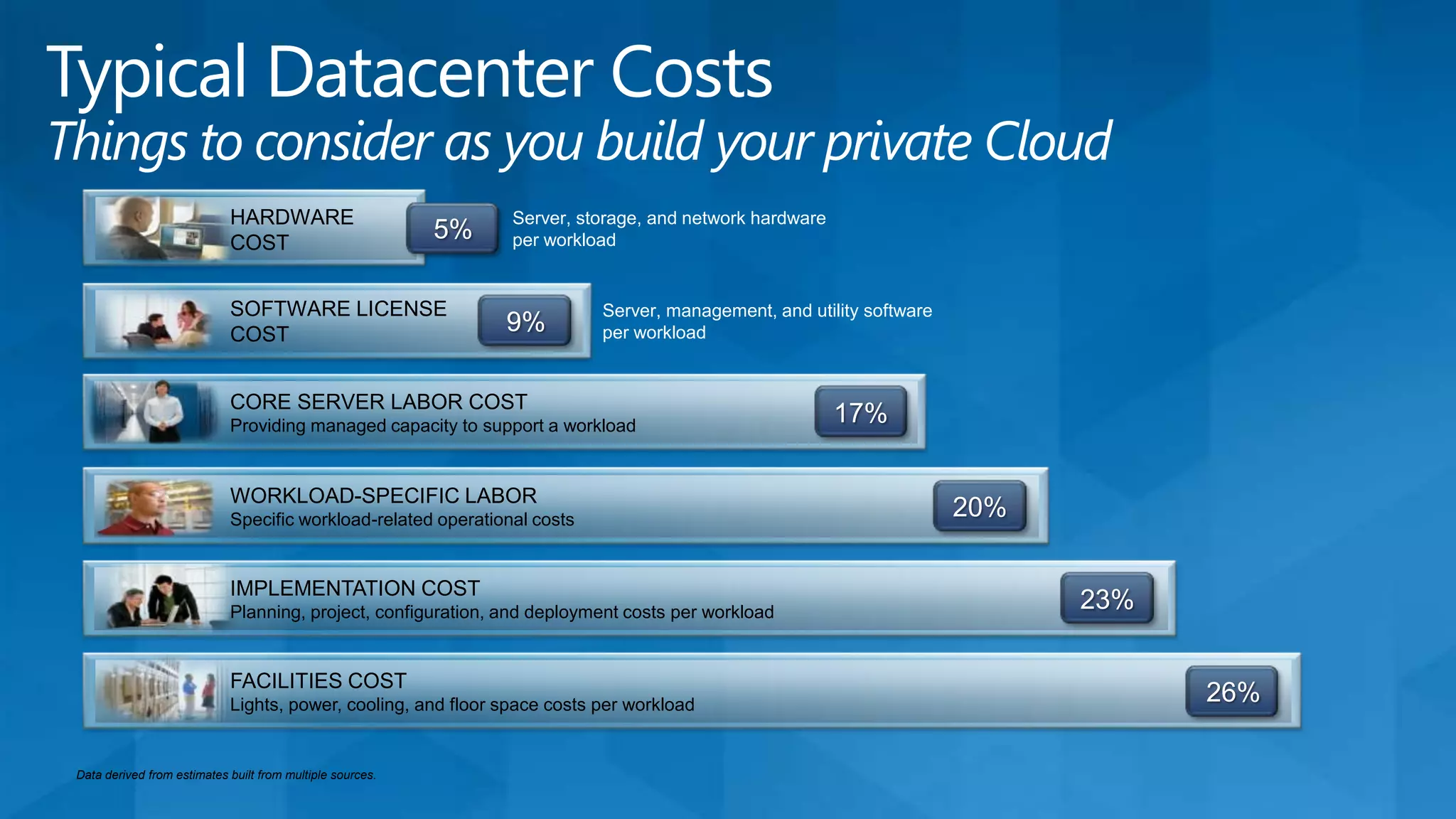
Datacenter cost and considerations
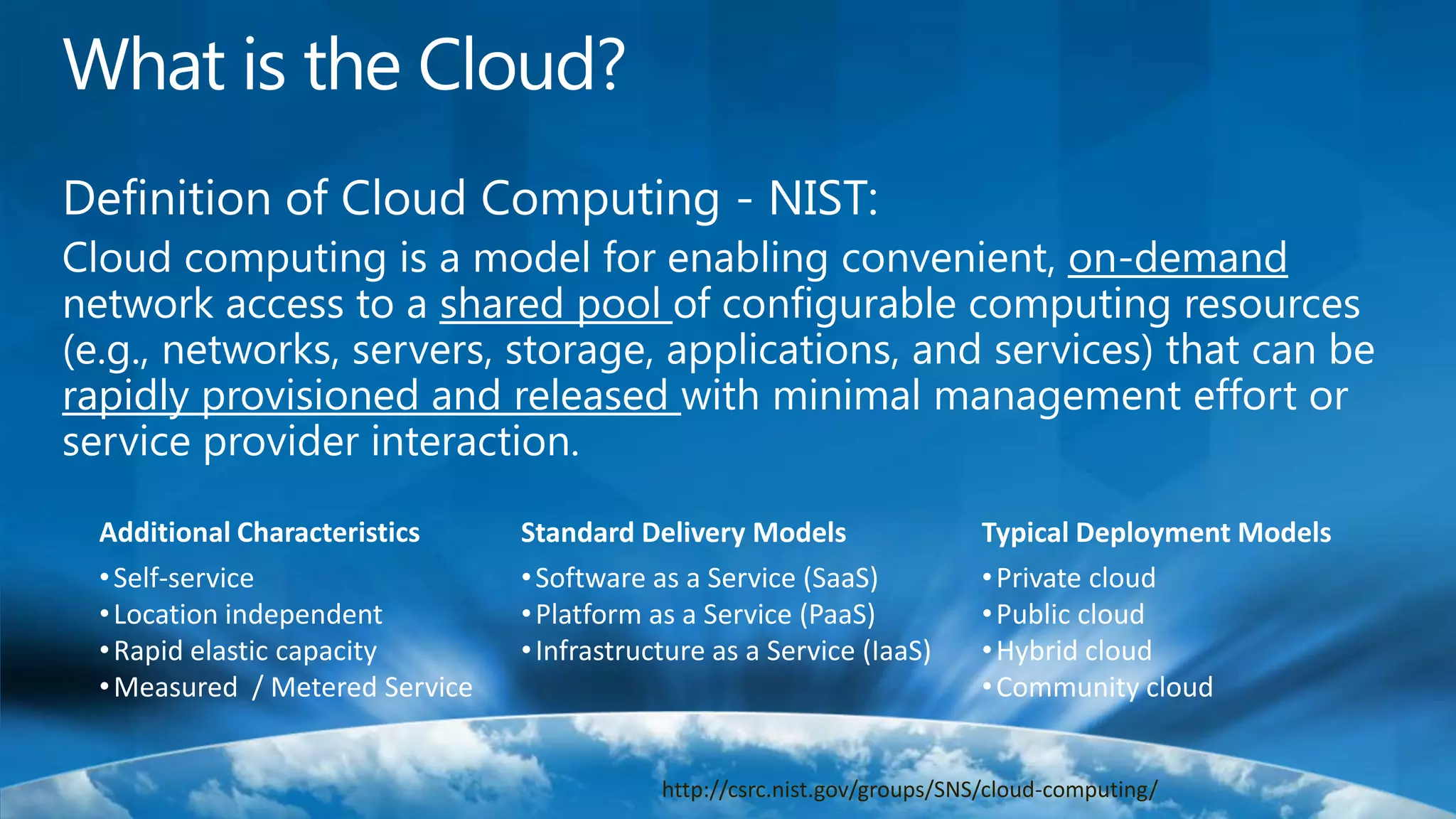
System Center V-NextDefinition of Cloud Computing - NIST:Cloud computing is a model for enabling convenient, on-demand network access to a shared pool of configurable computing resources (e.g., networks, servers, storage, applications, and services) that can be rapidly provisioned and released with minimal management effort or service provider interaction.Additional CharacteristicsSelf-service
Location independent
Rapid elastic capacity
Measured  / Metered ServiceTypical Deployment ModelsPrivate cloud
Public cloud
Hybrid cloud
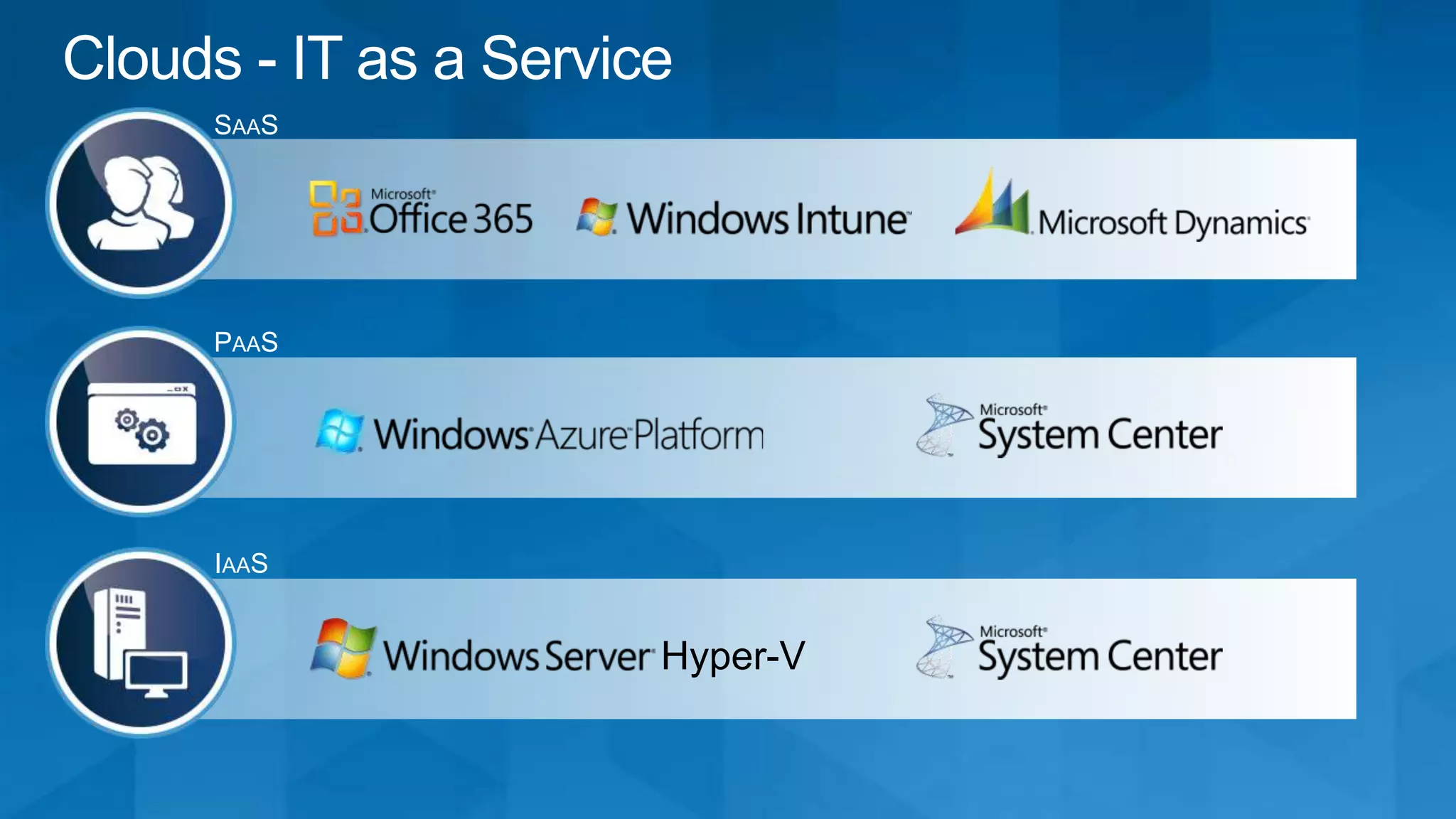
Community cloudStandard Delivery ModelsSoftware as a Service (SaaS)
Platform as a Service (PaaS)
Infrastructure as a Service (IaaS)http://csrc.nist.gov/groups/SNS/cloud-computing/What is the Cloud?
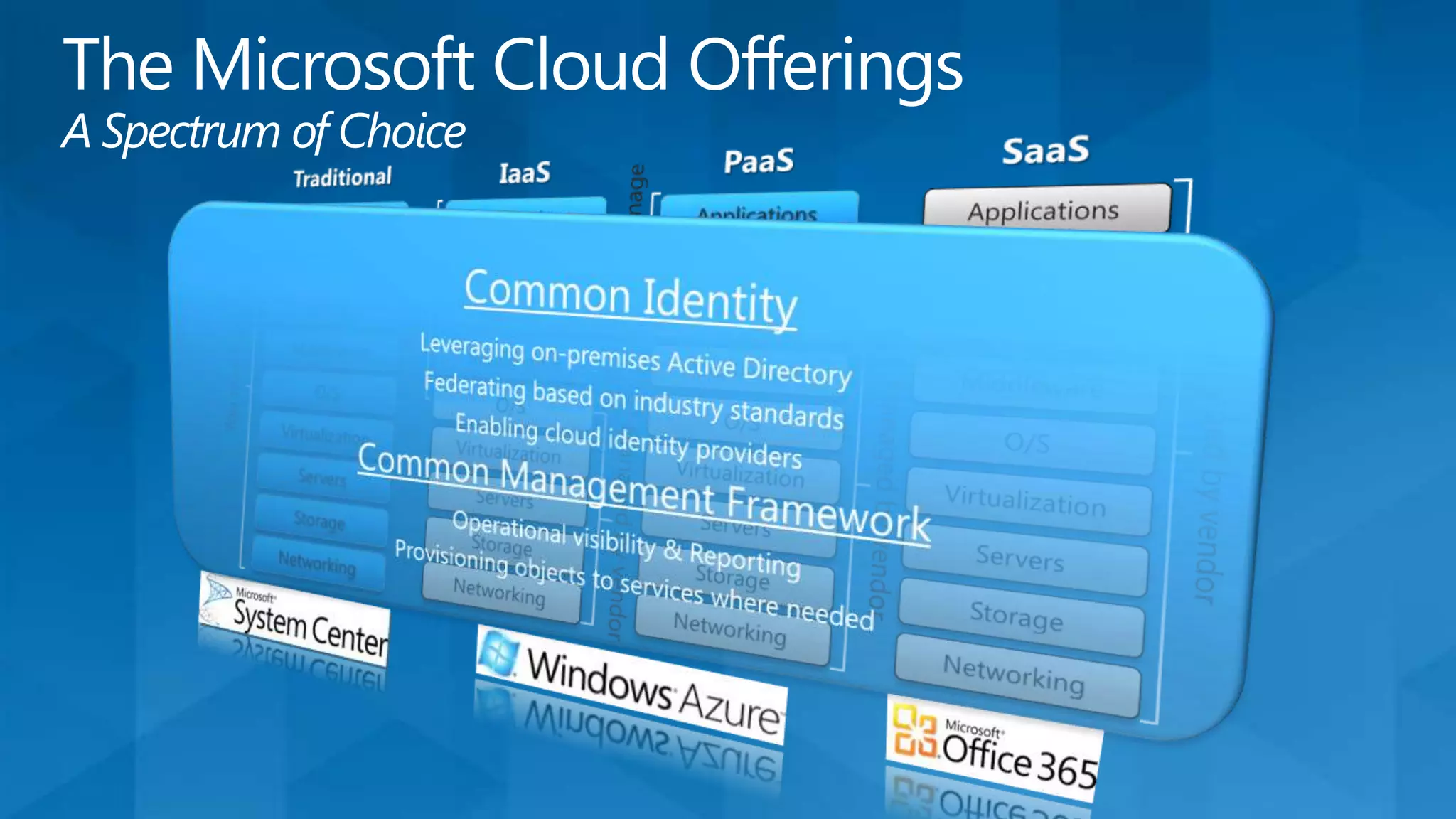
Common IdentityLeveraging on-premises Active DirectoryFederating based on industry standardsEnabling cloud identity providersCommon Management FrameworkOperational visibility & ReportingProvisioning objects to services where neededThe Microsoft Cloud OfferingsA Spectrum of ChoiceIaaSPaaSSaaSTraditionalYou manageApplicationsApplicationsApplicationsApplicationsYou manageDataDataDataDataRuntimeRuntimeRuntimeRuntimeManaged by vendorMiddlewareMiddlewareMiddlewareMiddlewareYou manageManaged by vendorO/SO/SO/SO/SManaged by vendorVirtualizationVirtualizationVirtualizationVirtualizationServersServersServersServersStorageStorageStorageStorageNetworkingNetworkingNetworkingNetworking
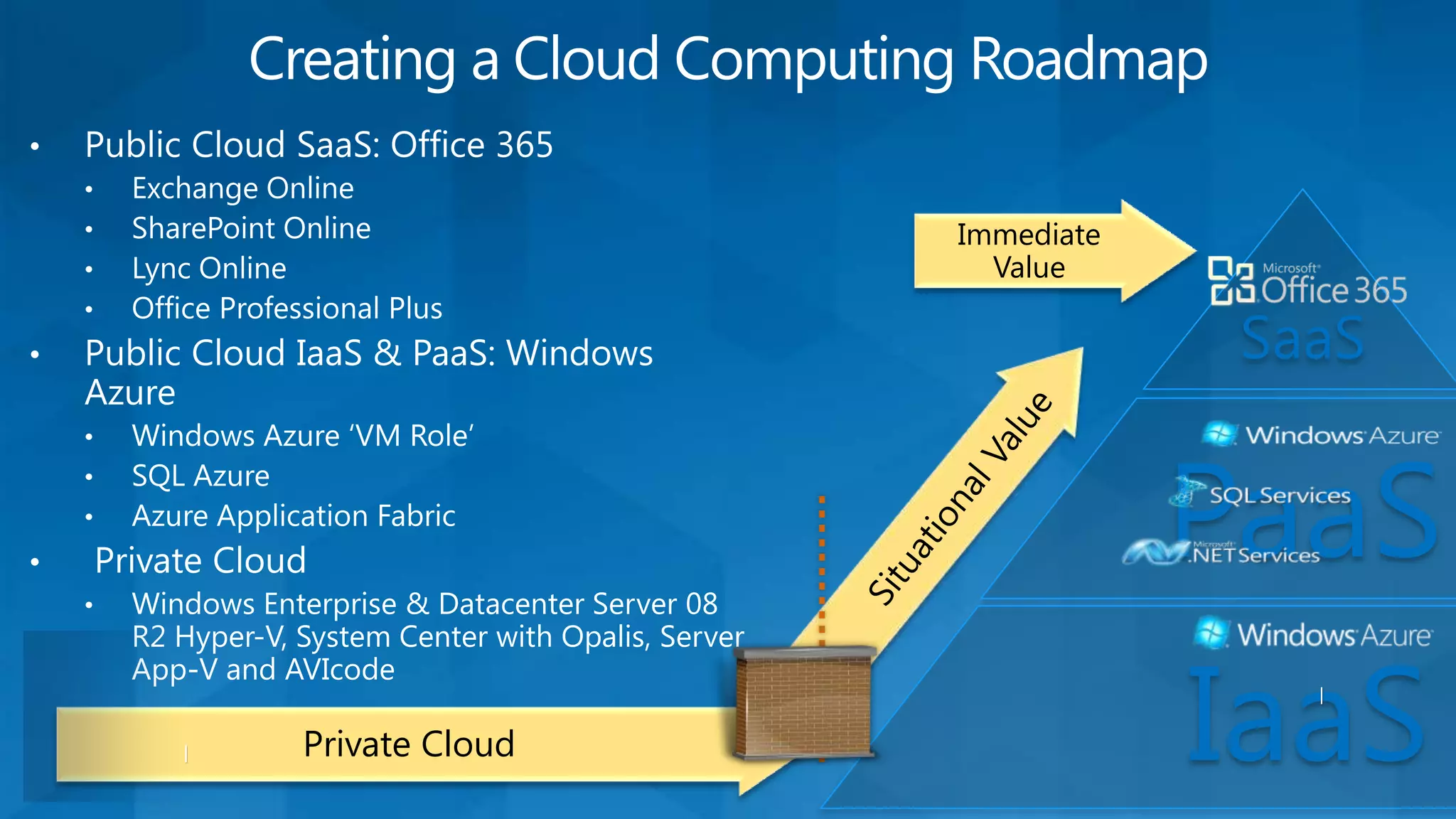
Immediate ValuePublic Cloud SaaS: Office 365
Exchange Online
SharePoint Online
Lync Online
Office Professional Plus
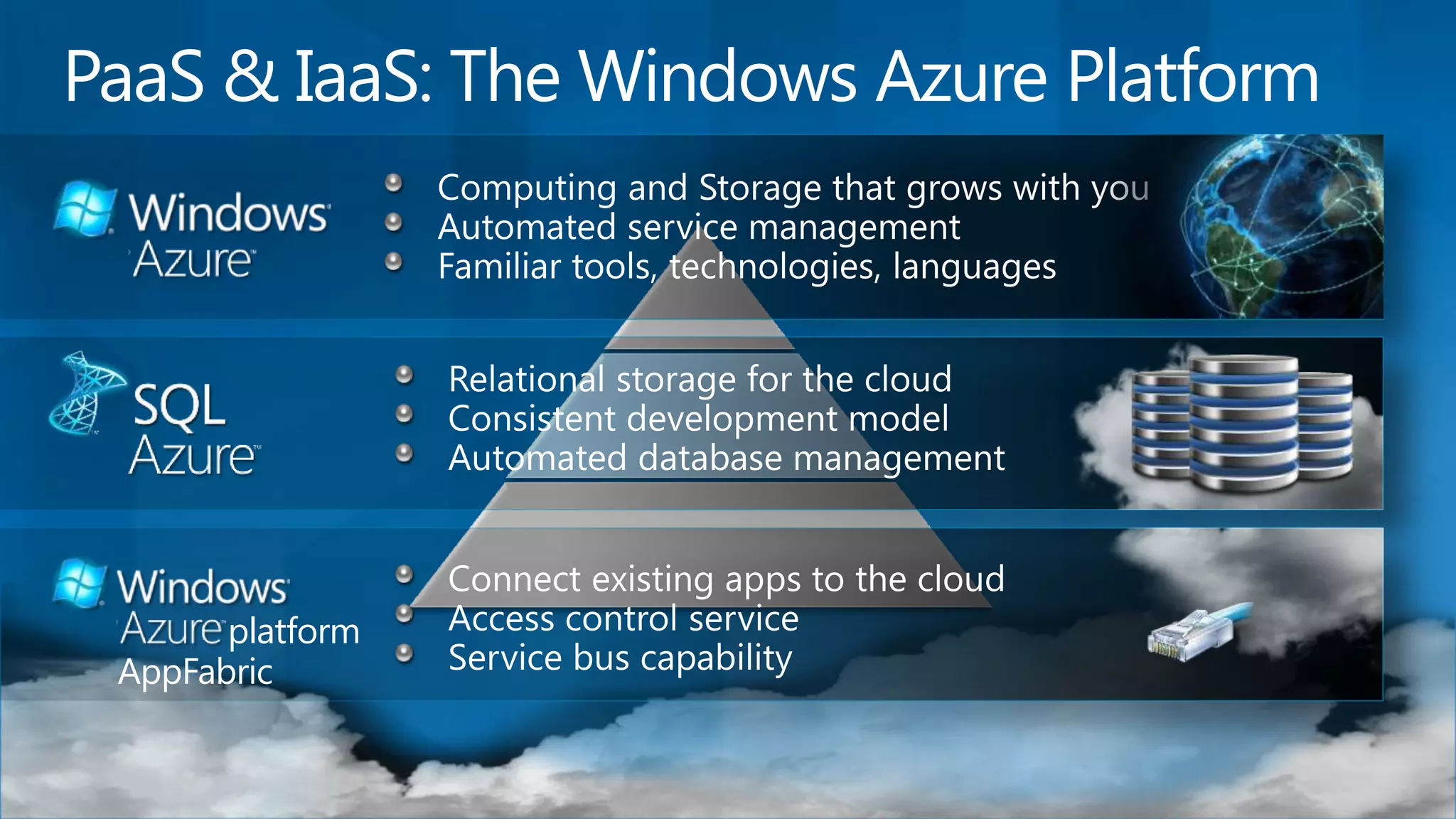
Public Cloud IaaS & PaaS: Windows Azure
Windows Azure ‘VM Role’
SQL Azure

Microsoft Private Cloud Strategy

Editor's Notes

  • #4 The point to make here is that a ‘shared pool’ of resources means that in the cloud you will be subject to a multi-tenant environment. Our Microsoft offerings span multi-tenancy from very isolated environments for government ‘cloud’s that have achieved FISMA certification (USDA) at great expense, to dedicated commercial offerings (BPOS-D) for customers who’s risk tolerance or business compliance requirements might require it (HIPPA) to highly shared offerings that still provide privacy, but not at the same levels of isolation… Price your risk tolerance..
  • #6 Point to make: For many the road to public cloud leads directly through their private cloud, and for many because of compliance and data access issues, private cloud (e.g. Next Generation Datacenters) will be the only ‘cloud’ they use for the foreseeable future…
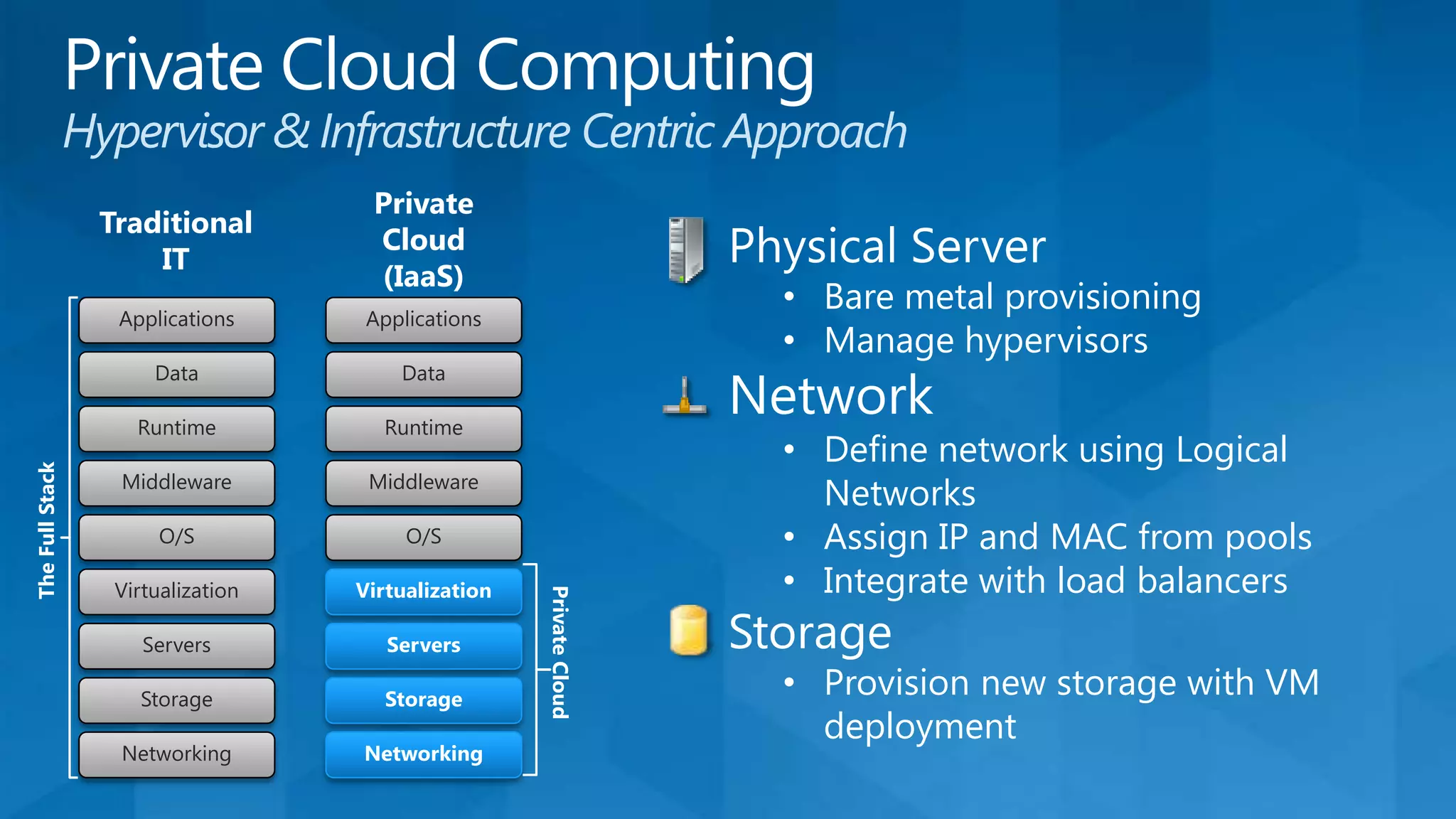
  • #8 In the Hypervisor / Infrastructure Centric world, servers networks gear and Storage were the only focus… Sounds like IaaS, right…. You give the developer 100 TCP/IP address and which them the best of luck on scaling out their application!
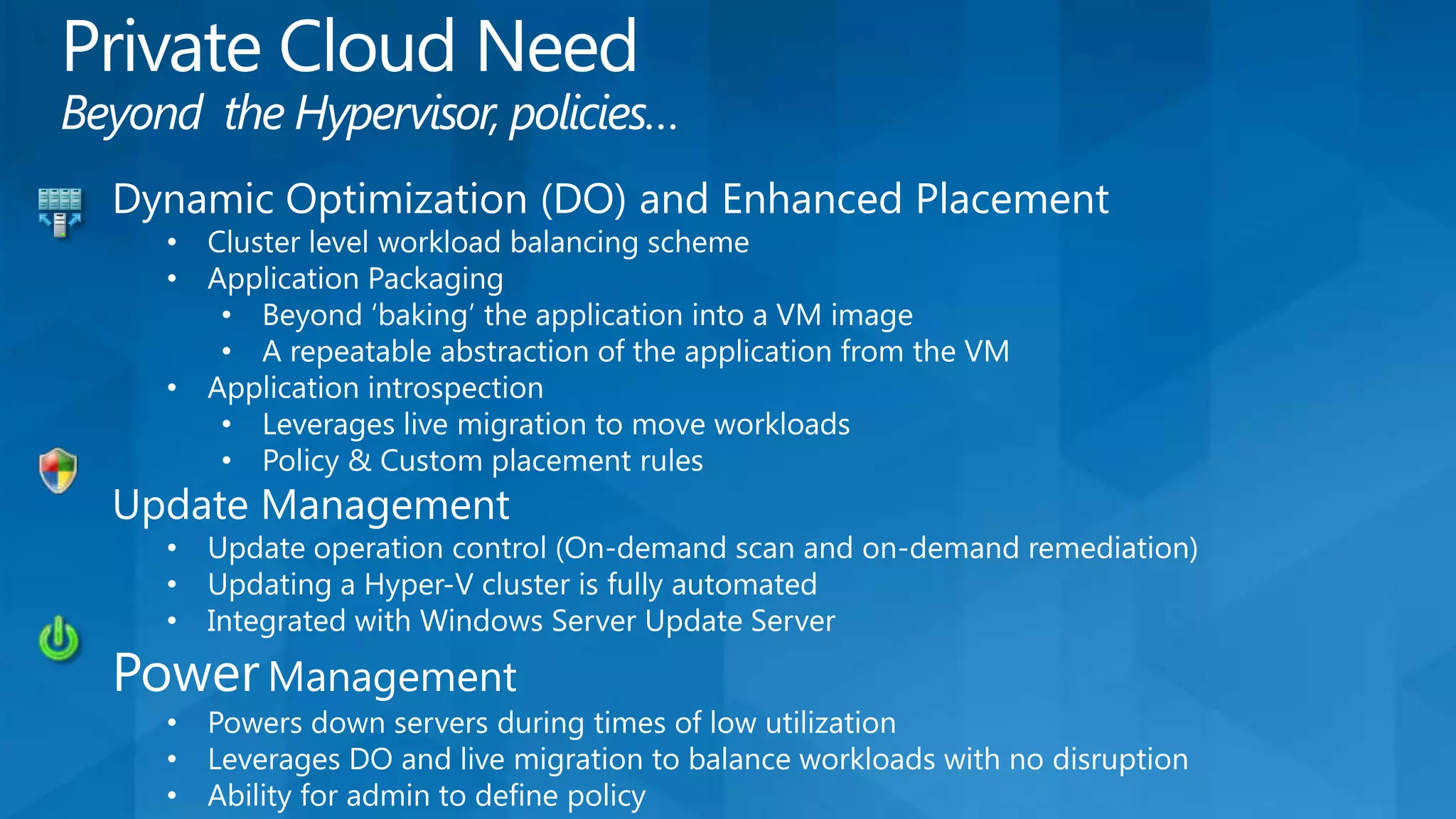
  • #9 You have to consider the application when you think about dynamic optimization… Reliability via clustering (head-end) and workload balancing is a necessity.. You have to go beyond the traditional software inventory CMDB and consider not only what’s on the box, (ingredients), but the ‘recipe’ (order) in which the elements were installed. GSK Story about the VMWare server that failed Dec 09 that they couldn’t recover because their production server had skewed/drifted from the golden master and the order of changes wasn’t documented… You need application introspection to understand what’s happening IN THE VM.. Monitoring the CPU & IO is not enough to determine the components of the solution that need to be scaled! VM’s are a blackbox without instrumentation, and if you do have the luxury of having instrumented code, you usually don’t turn on the instrumentation in production because of the run-time cost.. You have to be able to update you host servers and hosted servers gracefully…Everyone would like to have green datacenters, but you can’t do power management without policies.. Min/max, when…
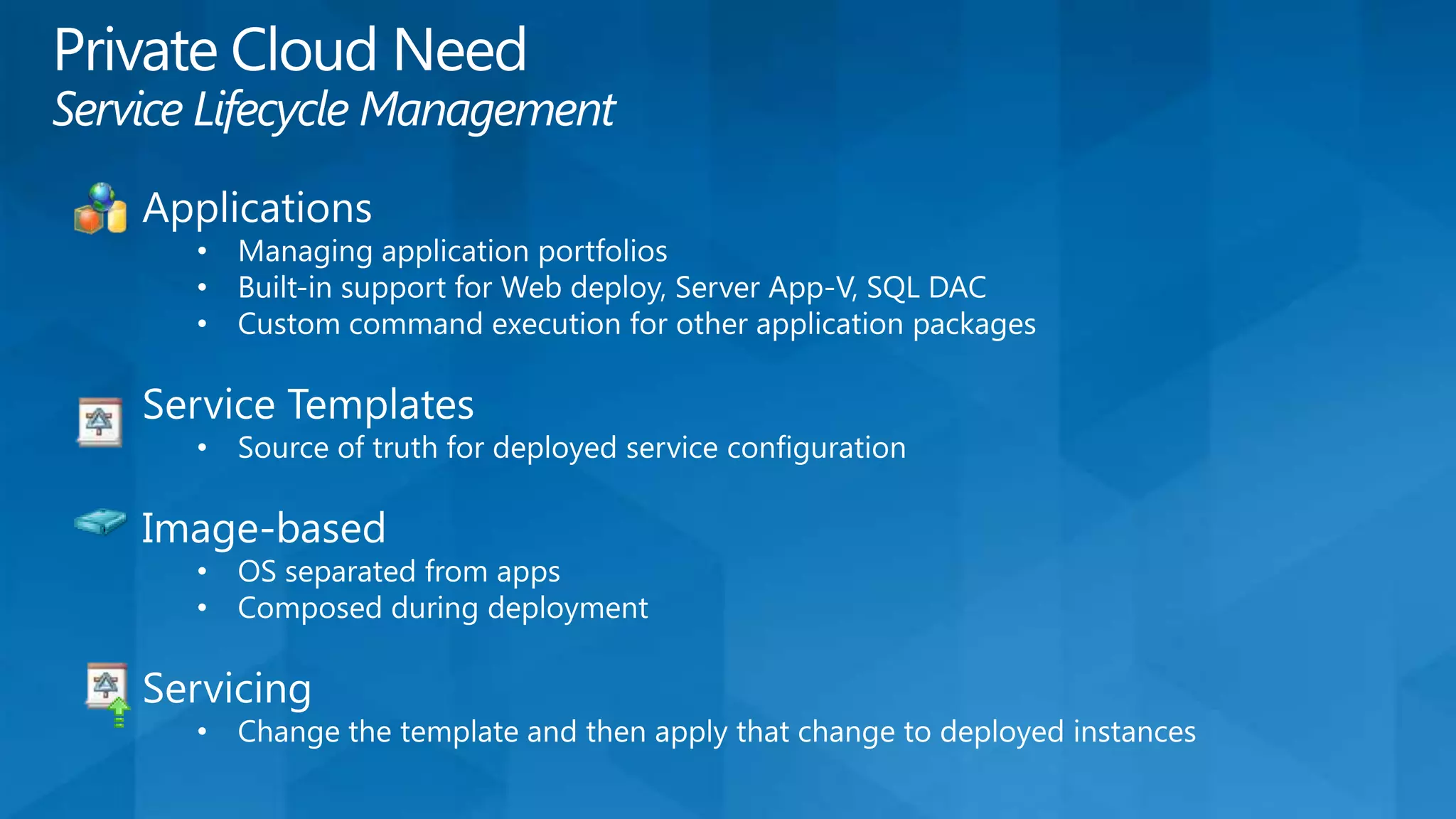
  • #10 Private Cloud is about the applications as much as it’s about the infrastructure.. Manage your application portfolio independently of the infrastructure (Sounds like PaaS right?).. You need something to bind your applications to infrastructure Service templates could do that..... Think ‘just in time’ images that are composed via applications & system updates… Note: I’m a little shaky on some of this as until March 15th, I’ve been told not to talk specifically about VMM 2012, but I’ve experienced the private cloud pain around a lack of these features…
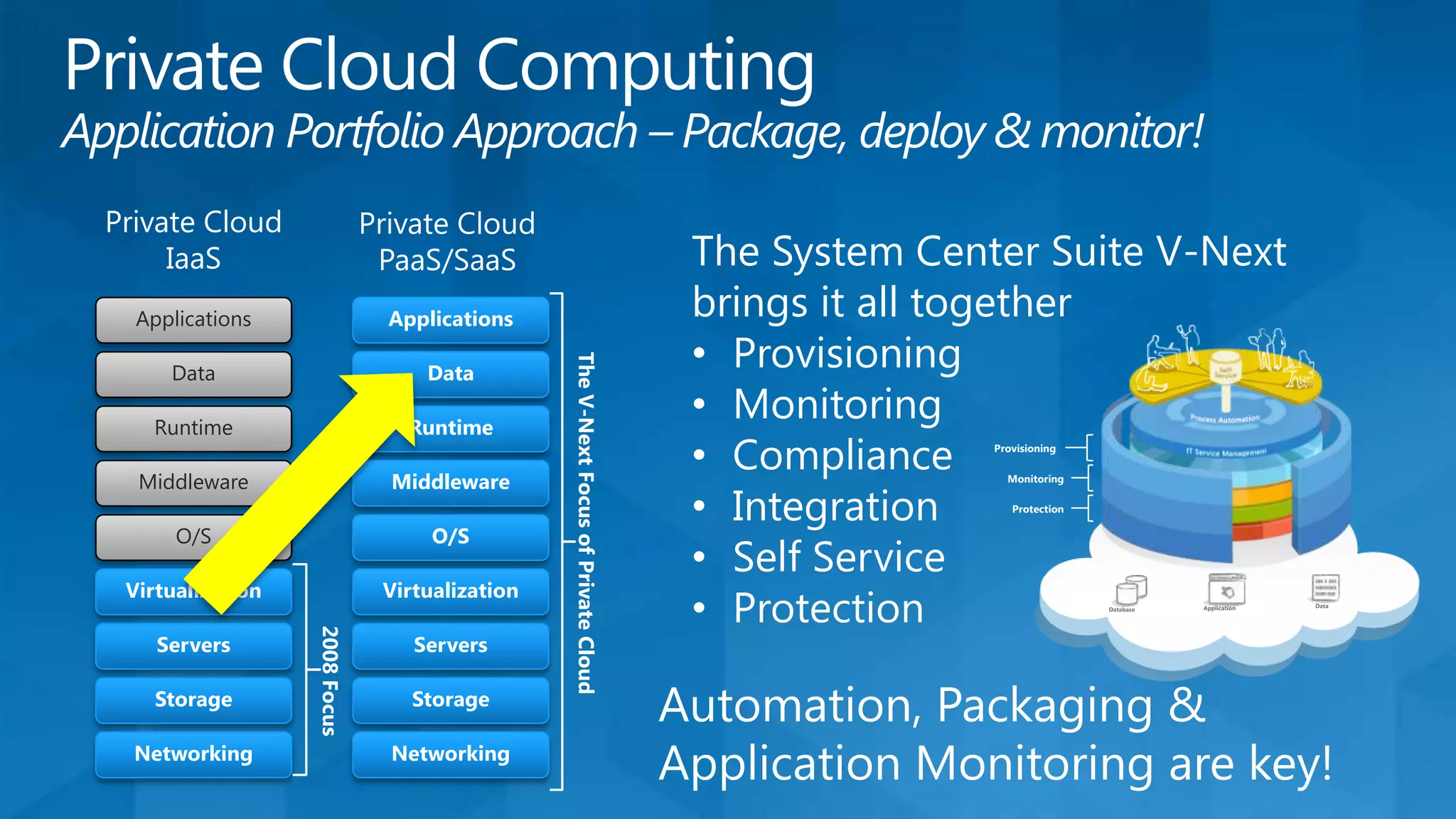
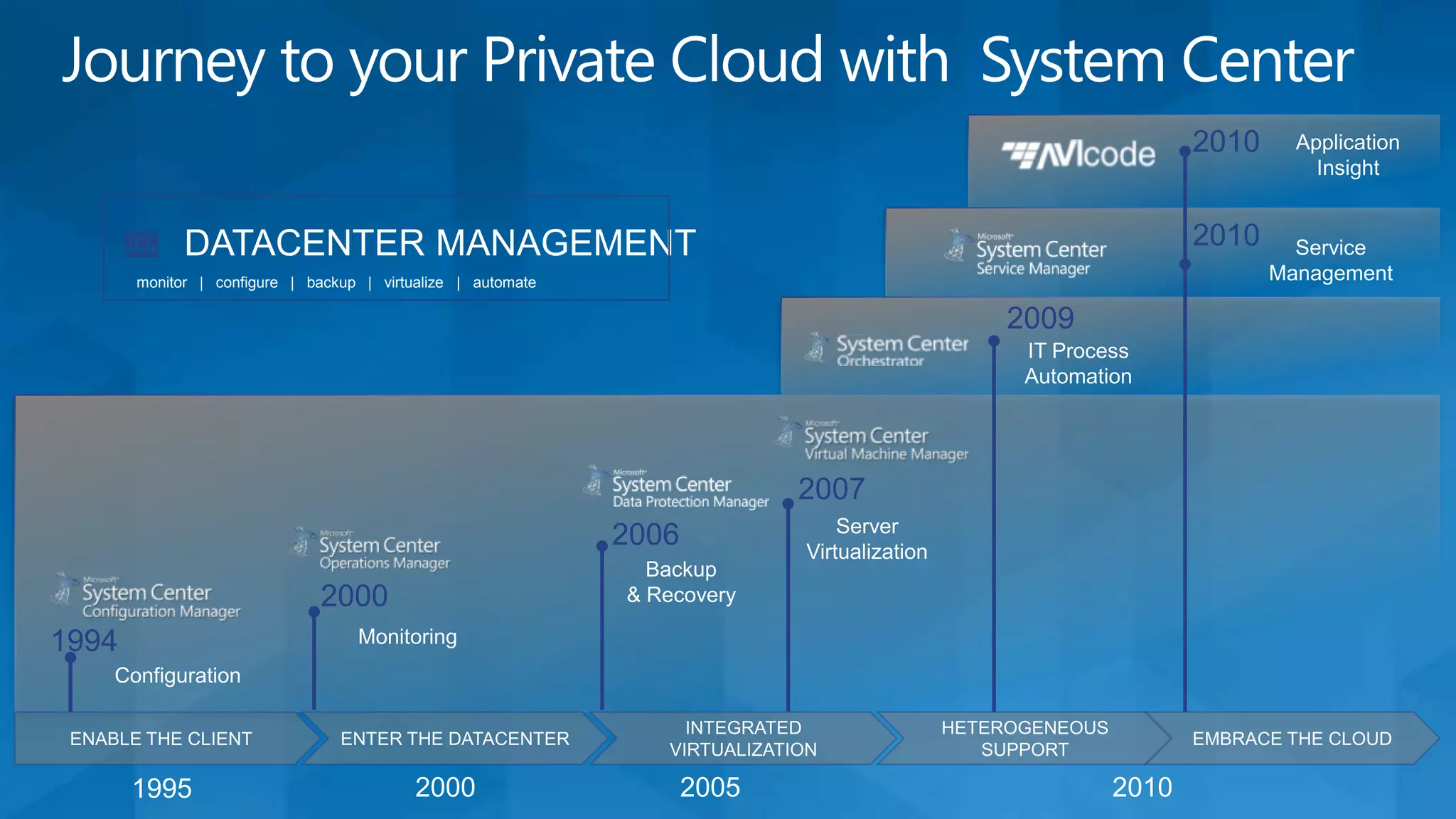
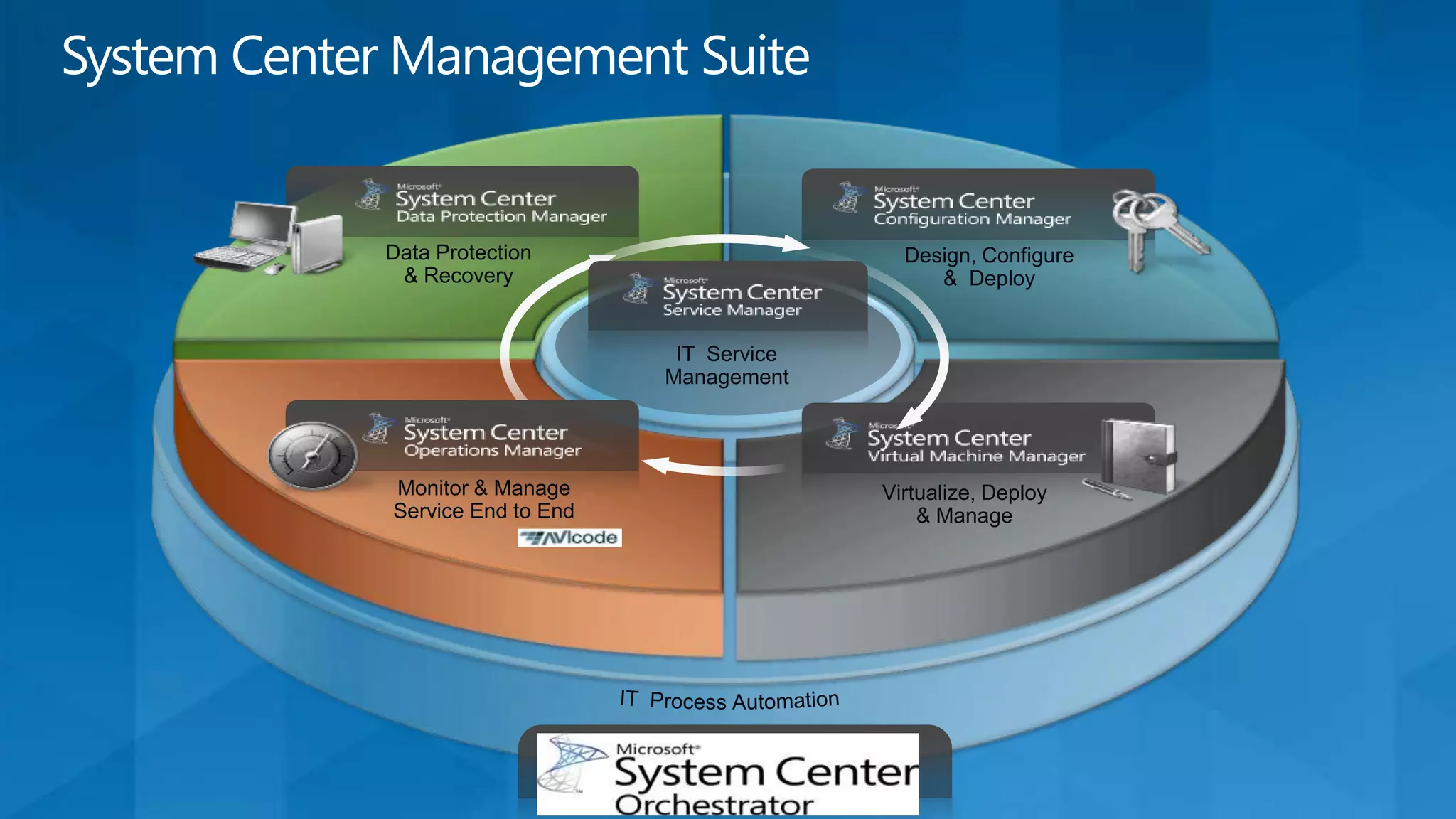
  • #11 From managing the virtualized infrastructure to managing a portfolio of applications and systems, system Center V-Next matures an existing feature and adds some additional needed elements to augment the private cloud story with regard to automation, packaging and application monitoring..
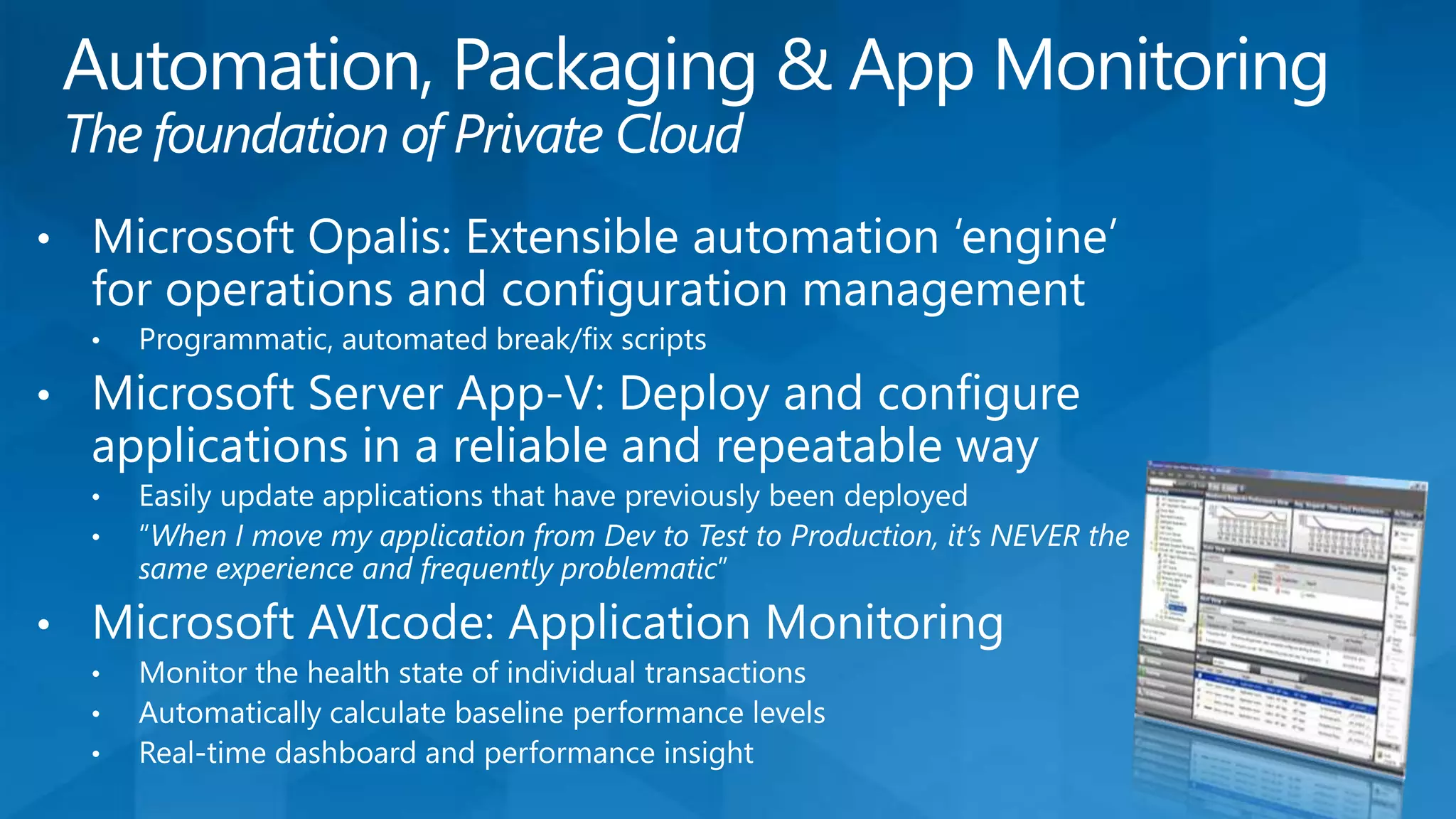
  • #12 App-V will provide the application isolation from the OS to simplify the installation and maintenance issues associated with maintaining an individual App-VM instance which has to be maintained… causing VM Sprawl… AVIcode is the icing on the cake!! It provides instrumentation & introspection into the application parts to determine what parts of the application needs to be scaled up and down!!! Without application instrumentation, which no-one does in production, VMWare can monitor CPU & IO and only guess at what’s happening!!!
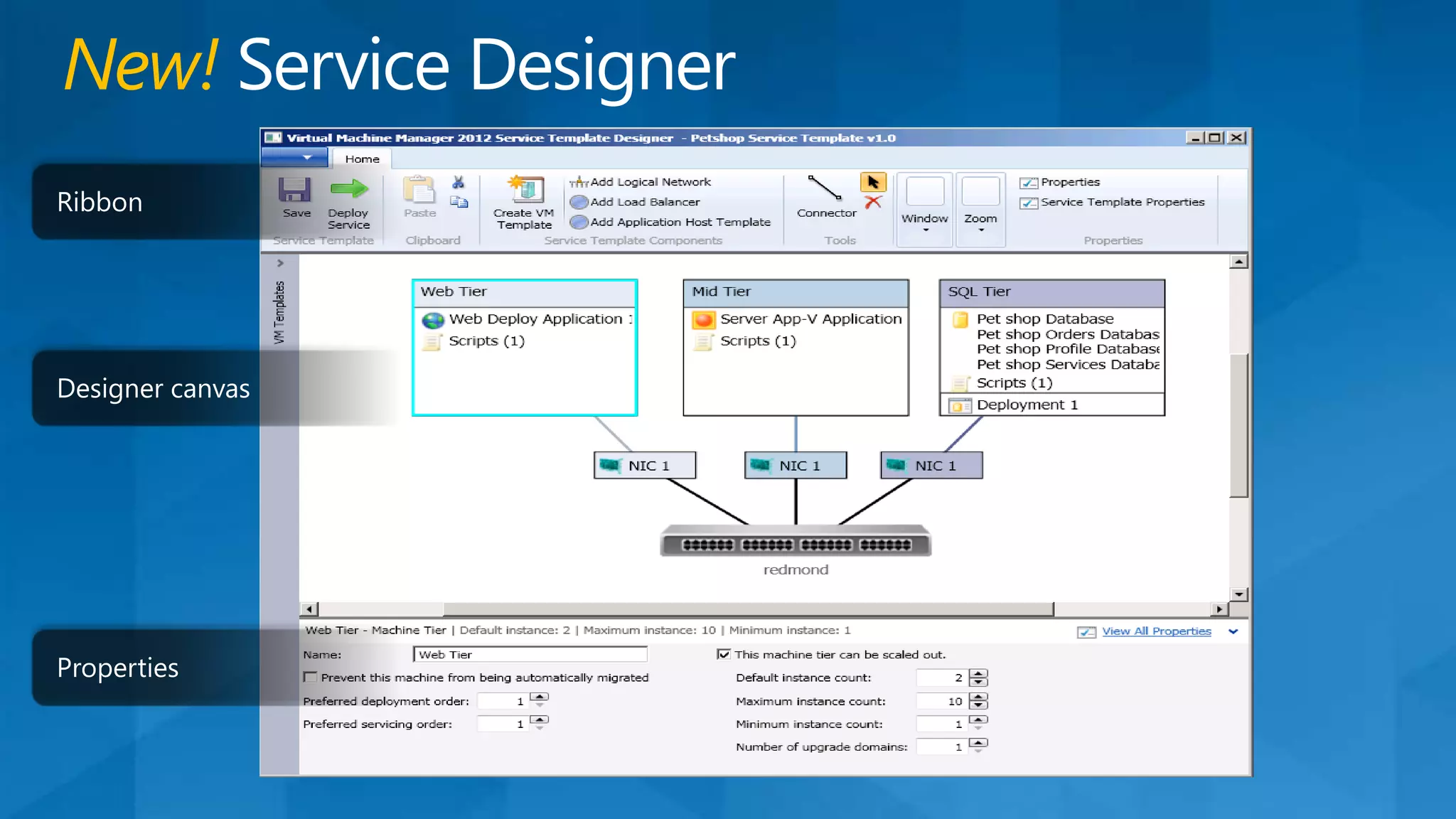
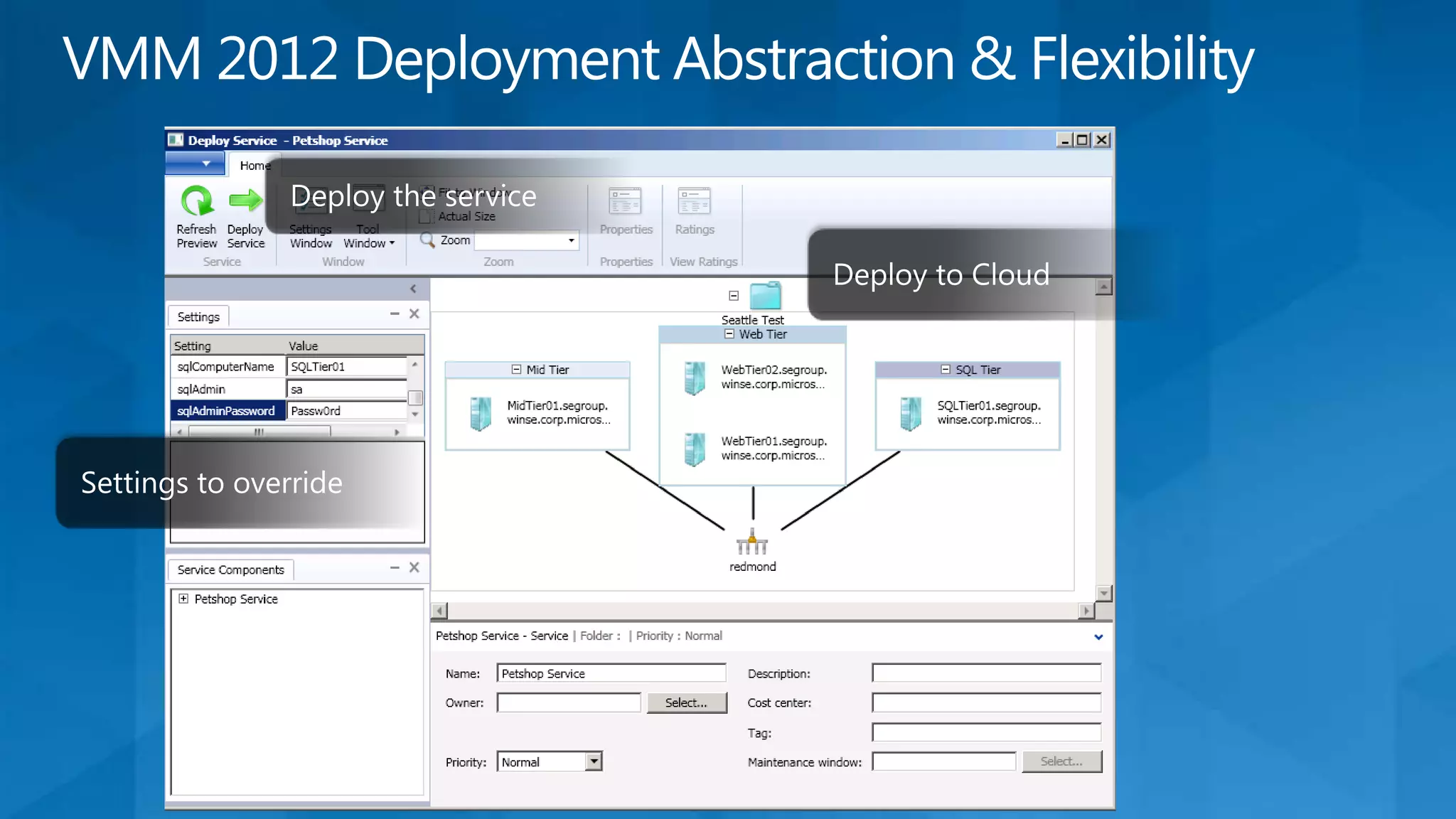
  • #13 Point to make:Companies have been diagramming networks for a while now… but pretty network diagrams don’t consider the applications needs.. VMM 2012 now offers, more that just ‘network diagrams’, the APPLICATIONS are an integral part of creating the service and rudimentary policies to set max/min/default instance counts and upgrade domains are all included..
  • #14 And how VMM 2012 manages the application setting that abstract the applications from deployment destinations…. Could be just private cloud Dev/Test/Prod or deploying to an external cloud..
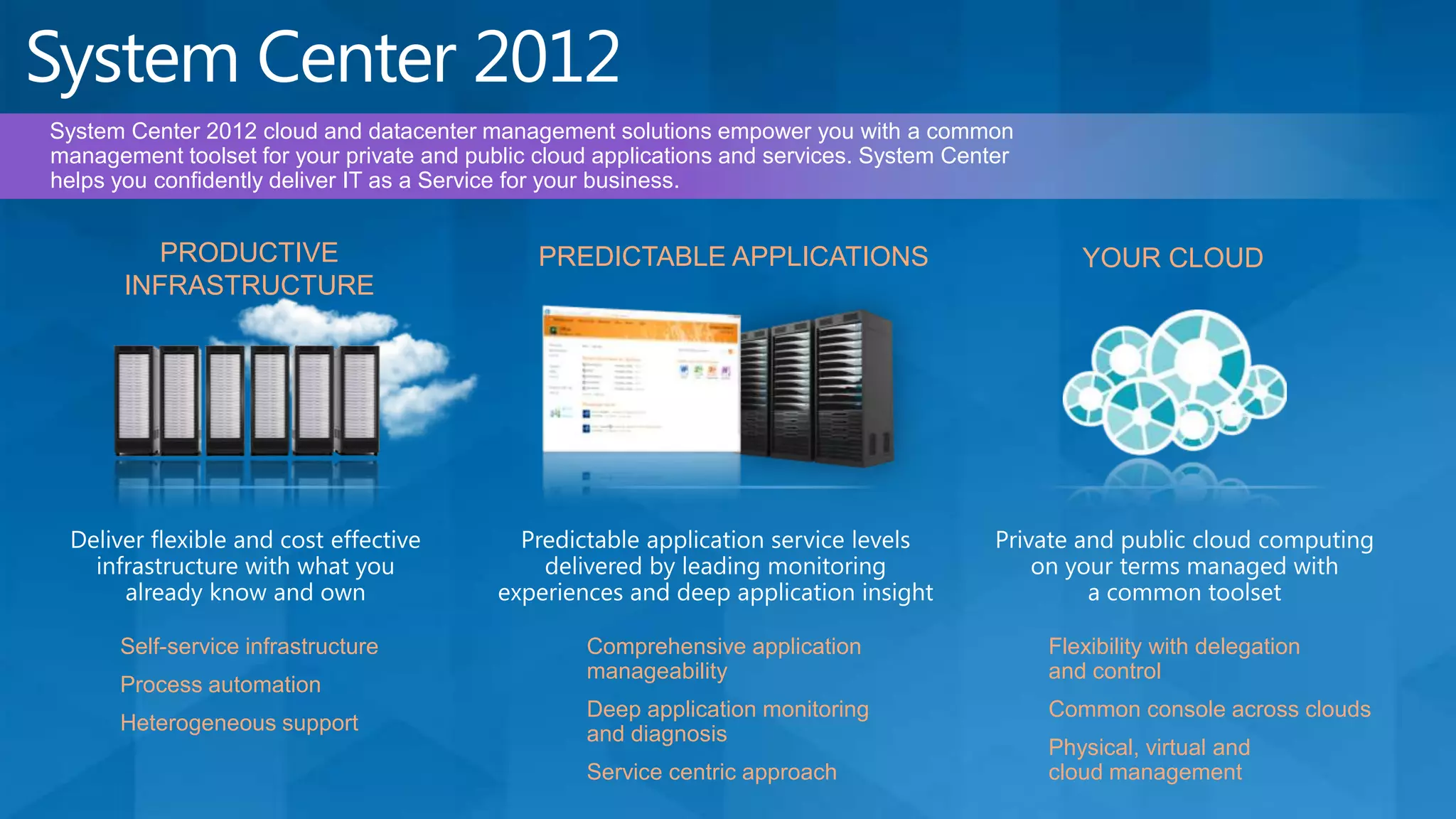
  • #15 Cloud Computing is emerging as a major disruptive force in shaping the nature of business and IT conversations. Cloud Computing enables what we call “IT as a Service” which represents IT as being delivered to the business in a manner that’s agile & cost-effective while meeting the quality of service (QoS) parameters that the business has come to expect today. A cloud service demonstrates attributes like self-service, metered by use, elasticity and scalability. Now, any “as a Service” offering by definition has a “Service Provider” and “Service Consumer”. Simplistically speaking, service consumer is represented by business interests while service provider is represented by IT. These constituencies are incented around different KPIs – for e.g. a business/app owner would care about time to market, costs and ease of use, & simplicity whereas IT optimizes for security, compliance, process controls and availability. To align these interests, we need a mechanism to deliver the agility that the business needs while ensuring the operational efficiencies that IT cares about most.  Enter System Center 2012.  System Center 2012 cloud and datacenter management solutions empower you with a common management toolset for your private and public cloud applications and services. System Center helps you confidently deliver IT as a Service for your business. For context, our target audience through this conversation is the CIO, Operations leader (CIO -1) & Applications leader (CIO -1). We characterize the Operations leader as our “Service Provider” and the Applications leader as our “Service Consumer”. Productive Infrastructure System Center 2012 cloud and datacenter management solutions helps you deliver agile and cost effective Infrastructure-as-a-Service (IaaS) today with what you already know and own. We also offer best-of-breed management for your business critical Microsoft server workloads (e.g. optimize performance, scale and data protection for Sharepoint, Exchange, SQL). Finally, we support your heterogeneous datacenter investments. Self-service infrastructure With System Center 2012 cloud and datacenter management solutions, you can create a private cloud today thus optimizing usage of your datacenter investments. You can pool & dynamically allocate your datacenter resources (i.e. compute, network, and storage) enabling a service catalog based self-service experience for your business, with appropriate role based identity and access (as enabled by Active Directory and the Virtual Machine Manager administrator console).  Process automation System Center 2012 cloud and datacenter management solutions offer IT process automation with orchestrated workflows across systems and tasks (with System Center Orchestrator). This enables you lower costs and improve datacenter service reliability. With System Center Service Manager, We also offer industry standard service management capabilities (based on ITIL/MOF) which automates core datacenter processes like incident management, problem management, change management, and release Management. Heterogeneous supportTo help you optimally leverage your existing datacenter investments, System Center 2012 cloud and datacenter management solutions support heterogeneous datacenter management. For e.g. we offer multi hypervisor management (with System Center Virtual Machine Manager for VMware and Xenserver), cross platform monitoring of Linux/Unix guests (with System Center Operations Manager), cross platform configuration management (with System Center Configuration Manager) & integrated automation across management toolsets from traditional vendors (with System Center Orchestrator).Predictable ApplicationsSystem Center 2012 cloud and datacenter management solutions help you deliver predictable SLAs to your business by maximizing your applications’ availability and performance. Comprehensive  application manageability Server Application Virtualization (SAV), which is part of System Center Virtual Machine Manager 2012, optimizes your existing applications for private cloud deployments with sequenced state separation between the application and underlying infrastructure, acting as a bridge in your journey to cloud standardization.SAV simplifies application servicing with image based configuration and management techniques that reduce administrative effort and expense.  Deep application monitoring and diagnosisSystem Center 2012 cloud and datacenter management solutions (with System Center Operations Manager 2012 and AVIcode) offer e2e transaction monitoring for .Net/J2EE applications to maximize availability and performance. This also unlocks seamless & agile “dev-ops” collaboration scenarios, thereby improving performance against your SLAs commitments to the business. Easy to use reporting and dash-boarding allows you track and communicate your SLAs more effectively. Additionally, System Center Advisor enables you maximize application performance and availability with proactive configuration monitoring – we’re starting with SQL based workloads.  Service centric approachSystem Center cloud and datacenter management solutions offer a service centric approach to help you deliver business agility while unlocking application mobility between your cloud environments when it’s time. From deploying applications (design, composition, provisioning & configuration) to operating applications (monitoring, compliance & protection), we manage the full application lifecycle.     Your Cloud System Center 2012 cloud and datacenter management solutions empower you to deliver and consume private and public cloud computing on your terms, with common management experiences across your hybrid environments. Flexibility with delegation and controlConstruct and manage clouds across multiple customer datacenters, multiple infrastructures (e.g. Microsoft & VMware), and service providers (e.g. Windows Azure). Create and allocate logically distinct clouds in alignment with business goals – for e.g. business requirements might dictate that a marketing cloud has a different service level versus a finance cloud. Provide delegated authority and tools to enable self-service flexibility for your business. Virtual Machine Manager enables these capabilities.  Common console across clouds System Center cloud and datacenter management solutions empower your application and service owners with a common self-service experience across private cloud and public cloud. With “Project Concero”, we give you full visibility and control of your Windows Azure and Virtual Machine Manager deployed applications, so you can confidently adopt Windows Azure as your Platform as a Service (PaaS) choice.  Physical, virtual & cloud managementSystem Center has historically been known for physical and virtual management in the datacenter. You can now use your familiar on-premises System Center Operations Manager to monitor your Windows Azure applications (Windows Azure Application Monitoring Management Pack is in RC status now) – thus extending your common management experience to the cloud. With System Center 2012, we’re delivering on a number of unique management experiences for your private cloud. We believe “hybrid” environments will be the norm over the next few years. A common management toolset with integrated Physical, Virtual, IaaS & PaaS management will help you optimize ROI.
  • #18 Windows Azure as a seemly ‘on ramp’ to public cloud… Discuss VMRole as part of the offering… SQL Azure as the Clustered relational database offering..Azure AppFabric as the Federated Identity, and connectivity solution (Queues) to the Windows Azure Cloud…
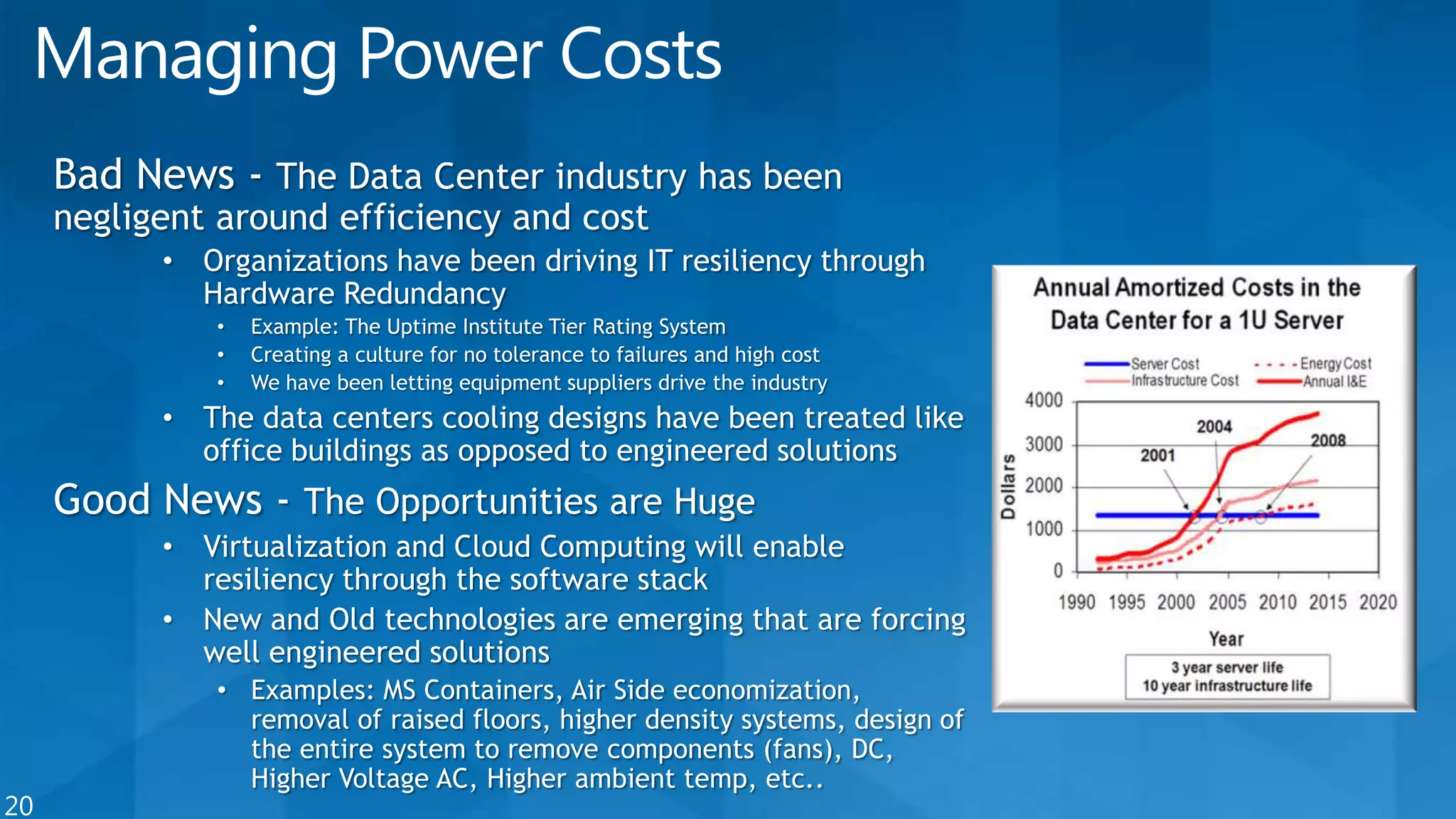
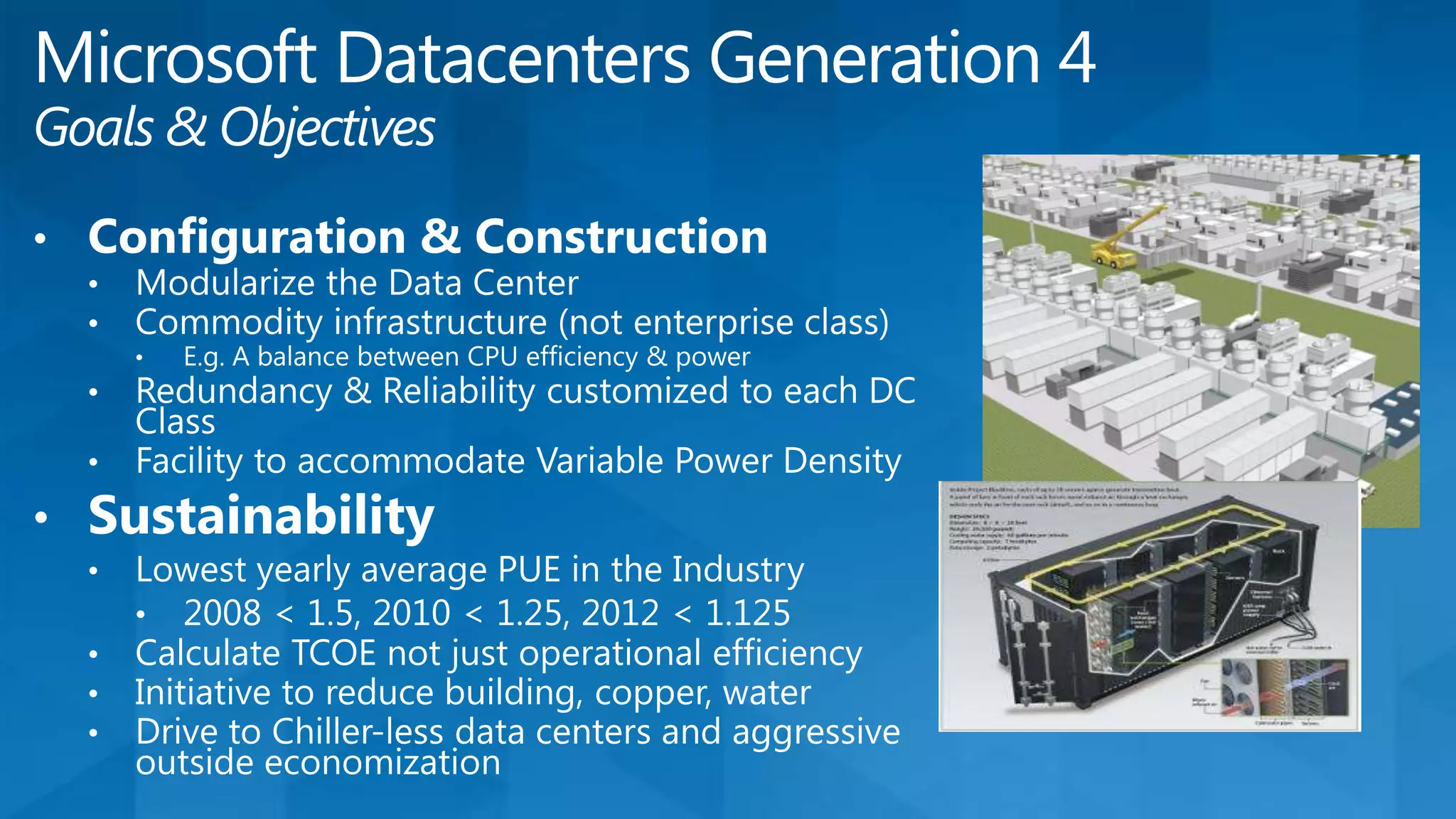
  • #20 Power is the number 1 cost…. Do you think Enterprise Class Computers make good Cloud Computing candidates?
  • #22 Key Points –Pre manufactured supply chain of Data Center Facilities for each class using the same kit of parts delivered at the same time as serversEliminate concrete – responsible for 5% of global green house gasesHow do we get to such low costs? Class A – no building, no UPS, no generators. E.g. VE in Colorado came in at ~$3.3M per MW – that was at very low density and included all site costs. High density reduces costs – 200 servers in a container costs more than 2000 servers.Graphs on rightIncremental deployment – for the same investment as a Mega DC split up and develop 10 sites for Next Gen deployments – choose Class of DC and where in a 3 month ttm (time to market)Split Design - leverage the industry – move design away from large fixed facility to Colo Modular vendor focused effort – independent of total capacity at a single sitePie Chart on construction costs - ~50% Total costs are in labor and ducts, pipe, conduit, and copper to connect major pieces of equipment