Report says
 An InformationWeek’s 2014 State of Cloud report
found that 64% of companies (all with 50 or more
employees) using some form of cloud technology
have at least one SaaS app in the mix.
 Research firm Gartner predicted that at least 30%
of service-oriented businesses will move the
majority of their ERP applications to the cloud by
2018.
What is cloud computing?
 Cloud Computing is a technology that uses the
internet and central remote servers to maintain data
and applications.
 Simple applications of Cloud Computing is yahoo
email, Gmail or hotmail etc.
How cloud computing works?
 Cloud computing consists of two layers, namely
BACK END
FRONT END
Two layers:
 Front end - Is the part seen by the client,i.e. the
computer user. this includes the client’s network (or
computer) and the applications used to access the
cloud via user interface such as a web browser.
 Back end – Is the ‘cloud’ itself, comprising various
computers, servers and data storage devices..
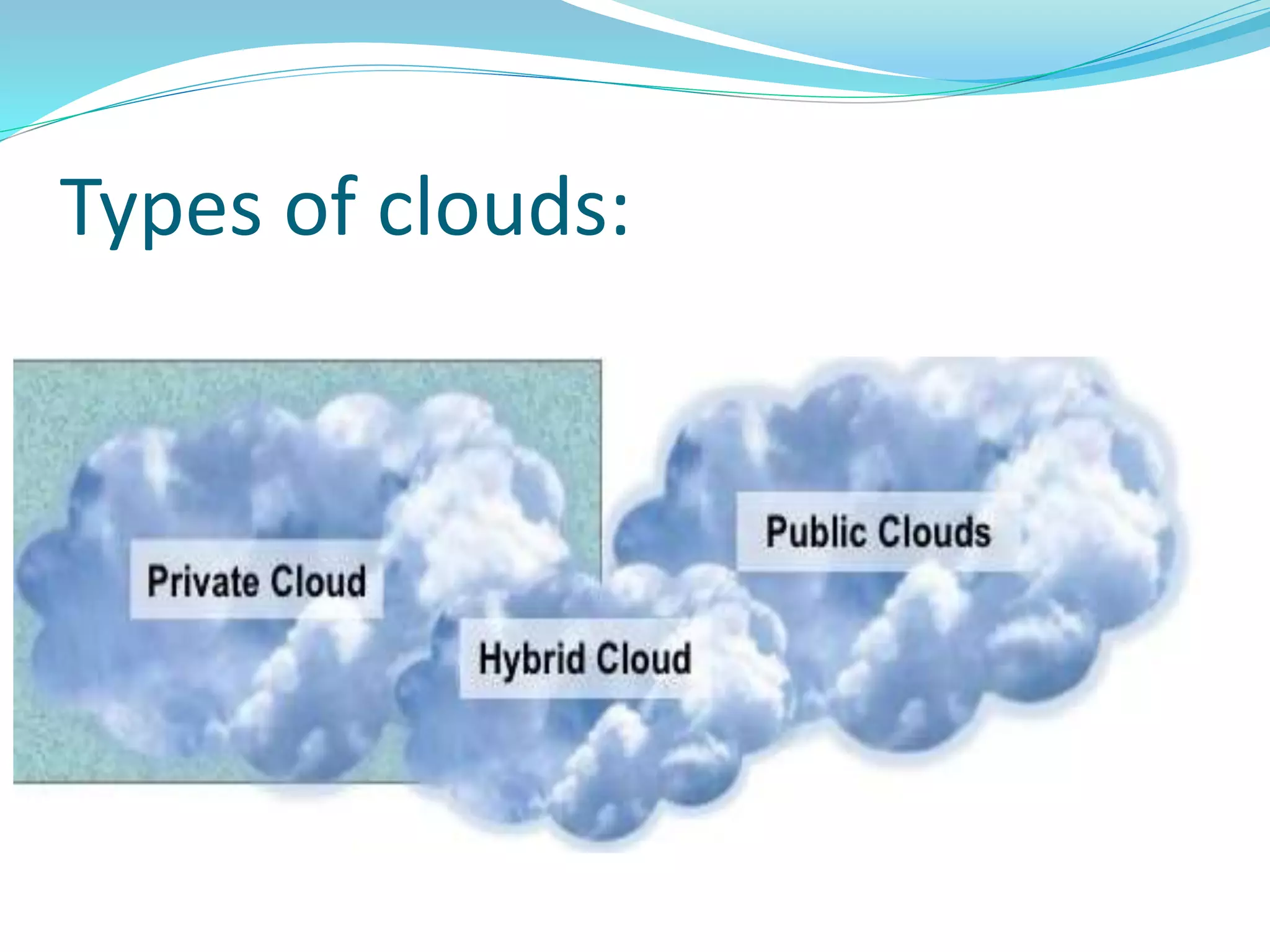
Types of clouds:
 Public Clouds Computing environment are open for
used to anyone who wants to sign up and use them.
(Eg:Amazon Web services,google Apennine).
 Private Cloud is a Cloud Computing infrastructure
created by an organization for its own internal use
rather than using someone else’s infrastructure.
(Eg:Amazon EC2)
 Hybrid Cloud is a composition of at least one private
cloud and at least one public cloud.
(Eg.IBM)
Types of cloud
services:
SAAS END CUSTOMERS
PAAS DEVELOPERS
IAAS SYS ADMINS
What is IAAS?
 Infrastructure as a service is provisional in which an
organization outsources the equipment used to support
operations, including storage,hardware,servers and
networking components
 Characteristics and components of IAAS include:
o utility computing service and billing model.
o Automation of administrative tasks.
o Dynamic scaling.
o Desktop virualization.
o Policy-based services.
o Internet connectivity.
What is PAAS?
 Platform as a service (PAAS) is the deliverance of a
computer platform and resolution stack as a service.
 It regularly goes extra with the inclusion of a software
progress platform, that is designed for cloud computing at
the top of the cloud stack.
 Characteristics of PAAS:
o PAAS includes workflow amenities for application
propositions.
o PAAS is app progress, testing use and hosting as well as
proposition services such as group partnership.
o PAAS is web service amalgamation,app
versioning,security,storage,persistence,scalability,state
administration and app instrumentation.
What is SAAS?
 Applications or software is delivered as a service to the
customer who can access the program from any online
device who can access the program from any online device
,eliminating the need to install and run the applications
on the customer’s own computers and simplifying
maintenance and support.
 Characteristics of SAAS:
o Multi tenant Infrastructure.
o Easy Customization.
o Better Access.
CLOUD
SECURITY:
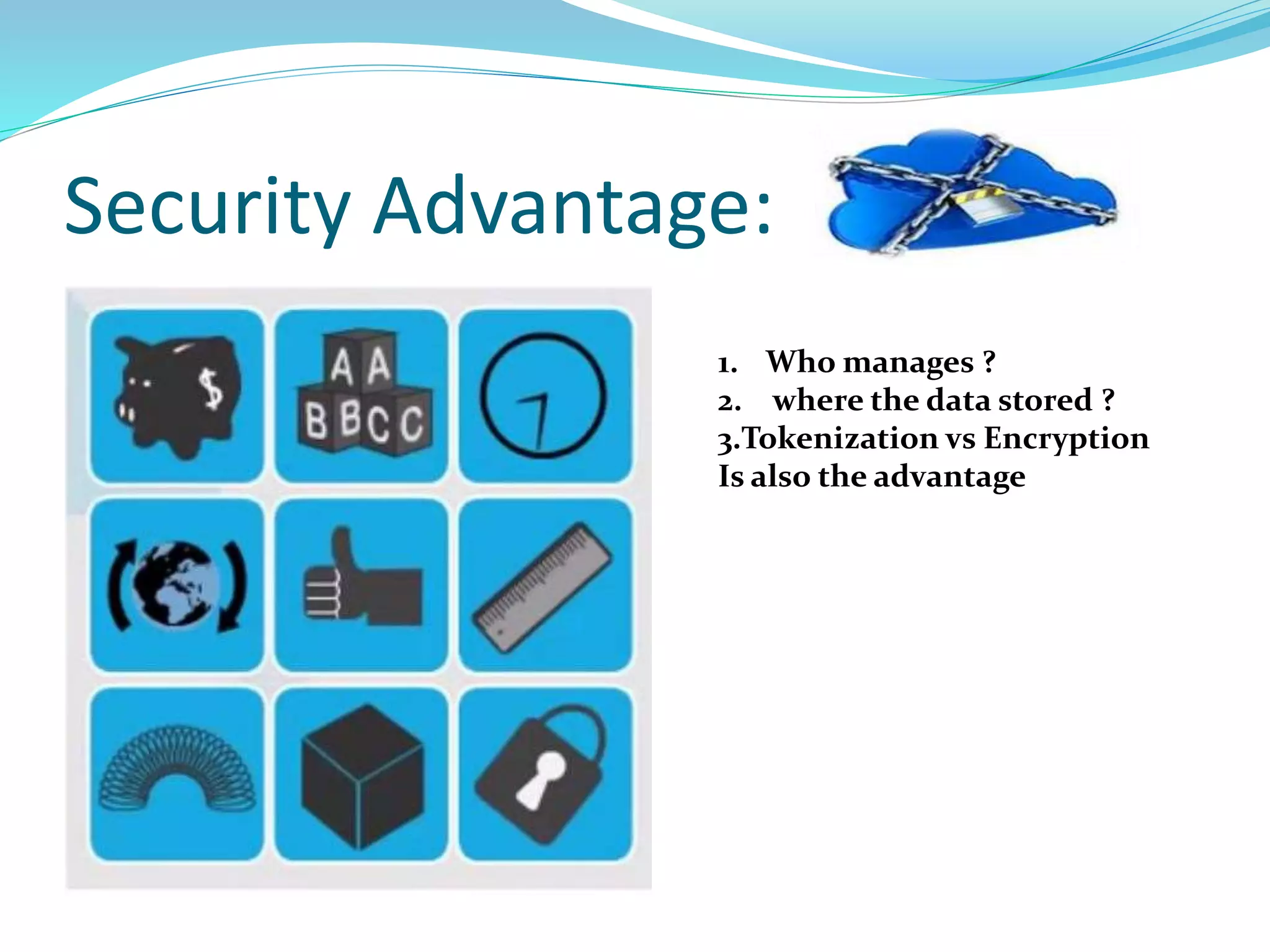
Security Advantage:
1. Who manages ?
2. where the data stored ?
3.Tokenization vs Encryption
Is also the advantage
Working Process of Fed RAMP:
 Fed RAMP is the result of close collaboration with security
and cloud experts from the federal council and its working
as well as private industry.
 Fed ramp will authorize cloud systems in a four step
process:
o INITIATING:
o ASSESSING:
o AUTHORIZING:
o LEVERAGING:
 INITIATING: The Fed RAMP assessment process is initiated
by agencies or Cloud Service Provider (CSPs) beginning a
security authorization using the Fed RAMP requirements.
 ASSESSING: CSPs must implement the Fed RAMP security
requirements on their environment and hire a Fed RAMP
approved third party assessment organization (3PAO) to
perform an independent assessment to audit the cloud system
and provide a security assessment package for review.
 AUTHORIZING: The Fed RAMP Joint Authorization
Board(JAB) will review the security assessment package based on
a prioritized approach and may grant a provisional
authorization.
 LEVERAGING: Federal agencies can leverage CSP
authorization packages for review when granting an agency
Authority To Operate (ATO) saving time and money.
Agency x has a need for
a new cloud based IT
system
Fed RAMP Authorization process:
Agency x gets security
requirements for the new IT
system from Fed RAMP and
adds requirements if necessary
Agency x releases REP
for new IT System and
awards contract to
cloud service provider
(CSP)
Agency X submits request to
Fed RAMP office for CSP to be
Fed RAMP authorized to operate
CSP is put into Fed RAMP priority queue
(prioritization occurs based on factors
such as multi-agency use, number of
expected users,etc.)
Fed RAMP AUTHORIZATION PROCESS (CONT):
CSP and agency
sponsor begin
authorization
process with Fed
RAMP office.
CSP agency sponsor and
Fed RAMP office review
security requirements
and any alternative
implementation.
Fed RAMP office
coordinators with CSP
for creation of system
security plan(SSP).
CSP has independent
assessment of security
controls and developers
appropriate reports for
submission for Fed
RAMP office.
Fed RAMP office
reviews and
assembles the
final authorization
package for the
JAB
JAB reviews final
certification package
and authorization CSP
to operate
Fed RAMP office adds CSP to
authorized system inventory
to be reviewed and leveraged
by all Federal agencies
Fed RAMP provide continuous
monitoring of CSP
Benefits of Fed RAMP:
 Saves significant cost, time and resources “Do once
use many times”
 Improves real-time security visibility.
 Provides a uniform approach to risk-based
management.
 Enhance transparency between government and cloud
service providers (CSPs)
 Improves the trustworthiness,reliability,consistency
and quality of the Federal security authorization
process.
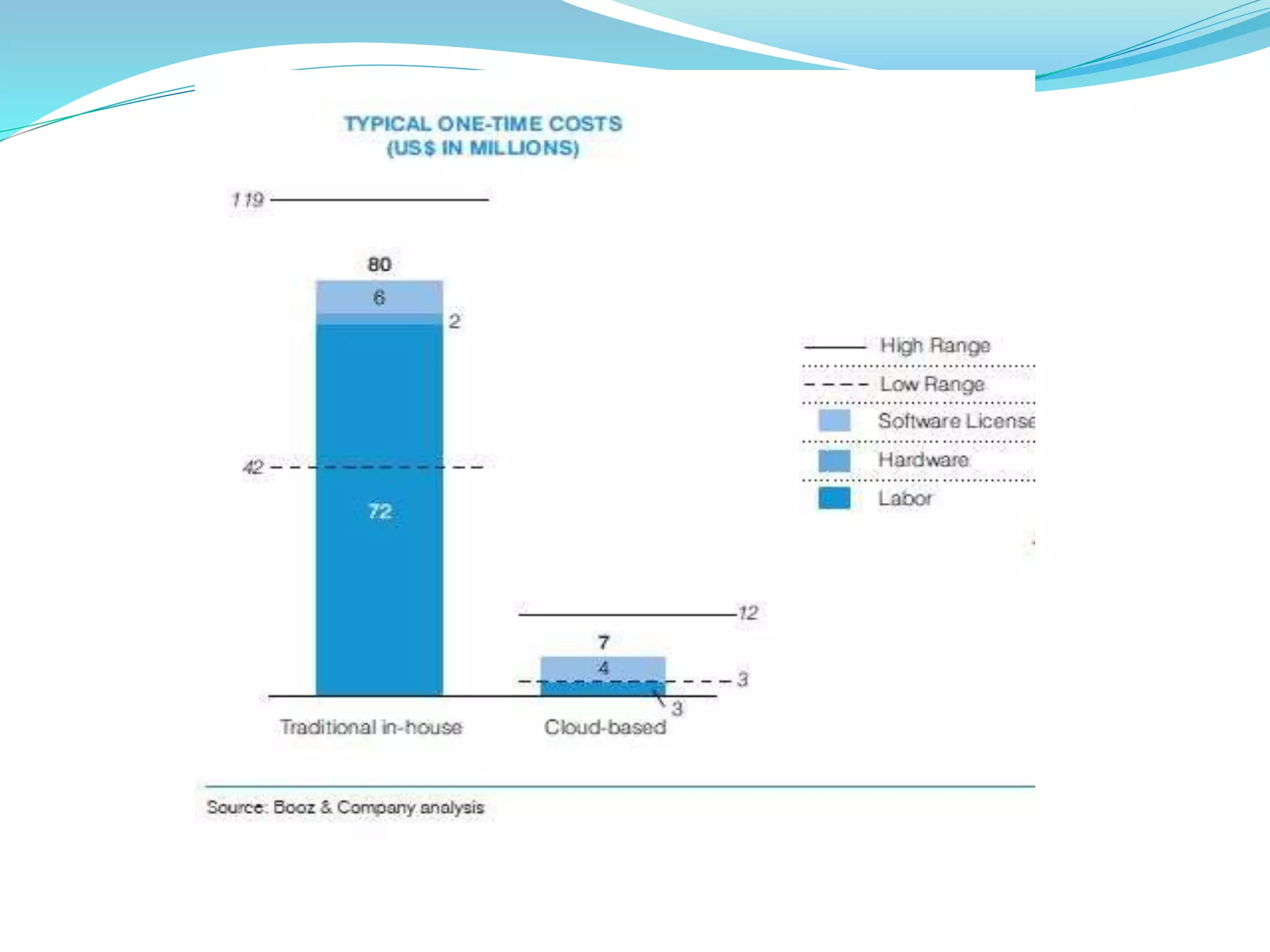
Re-allocate IT expenditures
DATACENTER COSTS
Deploy 10%
Operate 25%
Support 10%
Facilities 7%
Network 11%
SW 9%
HW 23%
50%
Labor
Expense
Cloud Computing reduces
Labor costs
Cloud Computing reduces
Facilities, Network,
Hardware, Software
maintenance costs
Plan 5%
20%
80%
50%
Other
Expenses
• Most companies today spend roughly 80% of their IT
budget on operations and maintenance.
Advantages
ERP IN CLOUD

ERP IN CLOUD

  • 2.
    Report says  AnInformationWeek’s 2014 State of Cloud report found that 64% of companies (all with 50 or more employees) using some form of cloud technology have at least one SaaS app in the mix.  Research firm Gartner predicted that at least 30% of service-oriented businesses will move the majority of their ERP applications to the cloud by 2018.
  • 3.
    What is cloudcomputing?  Cloud Computing is a technology that uses the internet and central remote servers to maintain data and applications.  Simple applications of Cloud Computing is yahoo email, Gmail or hotmail etc.
  • 4.
    How cloud computingworks?  Cloud computing consists of two layers, namely BACK END FRONT END
  • 5.
    Two layers:  Frontend - Is the part seen by the client,i.e. the computer user. this includes the client’s network (or computer) and the applications used to access the cloud via user interface such as a web browser.  Back end – Is the ‘cloud’ itself, comprising various computers, servers and data storage devices..
  • 6.
  • 7.
     Public CloudsComputing environment are open for used to anyone who wants to sign up and use them. (Eg:Amazon Web services,google Apennine).  Private Cloud is a Cloud Computing infrastructure created by an organization for its own internal use rather than using someone else’s infrastructure. (Eg:Amazon EC2)  Hybrid Cloud is a composition of at least one private cloud and at least one public cloud. (Eg.IBM)
  • 8.
    Types of cloud services: SAASEND CUSTOMERS PAAS DEVELOPERS IAAS SYS ADMINS
  • 9.
    What is IAAS? Infrastructure as a service is provisional in which an organization outsources the equipment used to support operations, including storage,hardware,servers and networking components  Characteristics and components of IAAS include: o utility computing service and billing model. o Automation of administrative tasks. o Dynamic scaling. o Desktop virualization. o Policy-based services. o Internet connectivity.
  • 10.
    What is PAAS? Platform as a service (PAAS) is the deliverance of a computer platform and resolution stack as a service.  It regularly goes extra with the inclusion of a software progress platform, that is designed for cloud computing at the top of the cloud stack.  Characteristics of PAAS: o PAAS includes workflow amenities for application propositions. o PAAS is app progress, testing use and hosting as well as proposition services such as group partnership. o PAAS is web service amalgamation,app versioning,security,storage,persistence,scalability,state administration and app instrumentation.
  • 11.
    What is SAAS? Applications or software is delivered as a service to the customer who can access the program from any online device who can access the program from any online device ,eliminating the need to install and run the applications on the customer’s own computers and simplifying maintenance and support.  Characteristics of SAAS: o Multi tenant Infrastructure. o Easy Customization. o Better Access.
  • 12.
  • 13.
    Security Advantage: 1. Whomanages ? 2. where the data stored ? 3.Tokenization vs Encryption Is also the advantage
  • 14.
    Working Process ofFed RAMP:  Fed RAMP is the result of close collaboration with security and cloud experts from the federal council and its working as well as private industry.  Fed ramp will authorize cloud systems in a four step process: o INITIATING: o ASSESSING: o AUTHORIZING: o LEVERAGING:
  • 15.
     INITIATING: TheFed RAMP assessment process is initiated by agencies or Cloud Service Provider (CSPs) beginning a security authorization using the Fed RAMP requirements.  ASSESSING: CSPs must implement the Fed RAMP security requirements on their environment and hire a Fed RAMP approved third party assessment organization (3PAO) to perform an independent assessment to audit the cloud system and provide a security assessment package for review.  AUTHORIZING: The Fed RAMP Joint Authorization Board(JAB) will review the security assessment package based on a prioritized approach and may grant a provisional authorization.  LEVERAGING: Federal agencies can leverage CSP authorization packages for review when granting an agency Authority To Operate (ATO) saving time and money.
  • 16.
    Agency x hasa need for a new cloud based IT system Fed RAMP Authorization process: Agency x gets security requirements for the new IT system from Fed RAMP and adds requirements if necessary Agency x releases REP for new IT System and awards contract to cloud service provider (CSP) Agency X submits request to Fed RAMP office for CSP to be Fed RAMP authorized to operate CSP is put into Fed RAMP priority queue (prioritization occurs based on factors such as multi-agency use, number of expected users,etc.)
  • 17.
    Fed RAMP AUTHORIZATIONPROCESS (CONT): CSP and agency sponsor begin authorization process with Fed RAMP office. CSP agency sponsor and Fed RAMP office review security requirements and any alternative implementation. Fed RAMP office coordinators with CSP for creation of system security plan(SSP). CSP has independent assessment of security controls and developers appropriate reports for submission for Fed RAMP office. Fed RAMP office reviews and assembles the final authorization package for the JAB JAB reviews final certification package and authorization CSP to operate Fed RAMP office adds CSP to authorized system inventory to be reviewed and leveraged by all Federal agencies Fed RAMP provide continuous monitoring of CSP
  • 18.
    Benefits of FedRAMP:  Saves significant cost, time and resources “Do once use many times”  Improves real-time security visibility.  Provides a uniform approach to risk-based management.  Enhance transparency between government and cloud service providers (CSPs)  Improves the trustworthiness,reliability,consistency and quality of the Federal security authorization process.
  • 19.
    Re-allocate IT expenditures DATACENTERCOSTS Deploy 10% Operate 25% Support 10% Facilities 7% Network 11% SW 9% HW 23% 50% Labor Expense Cloud Computing reduces Labor costs Cloud Computing reduces Facilities, Network, Hardware, Software maintenance costs Plan 5% 20% 80% 50% Other Expenses • Most companies today spend roughly 80% of their IT budget on operations and maintenance.
  • 21.