Introduction
• You can use the predefined skills in Azure AI Search to greatly enrich an index by
extracting additional information from the source data.
• However, there may be occasions when you have specific data extraction needs that
cannot be met with the predefined skills and require some custom functionality.
• For example:
• Integrate the Form Recognizer service to extract data from forms
• Consume an Azure Machine Learning model to integrate predicted values into an
index
• Any other custom logic
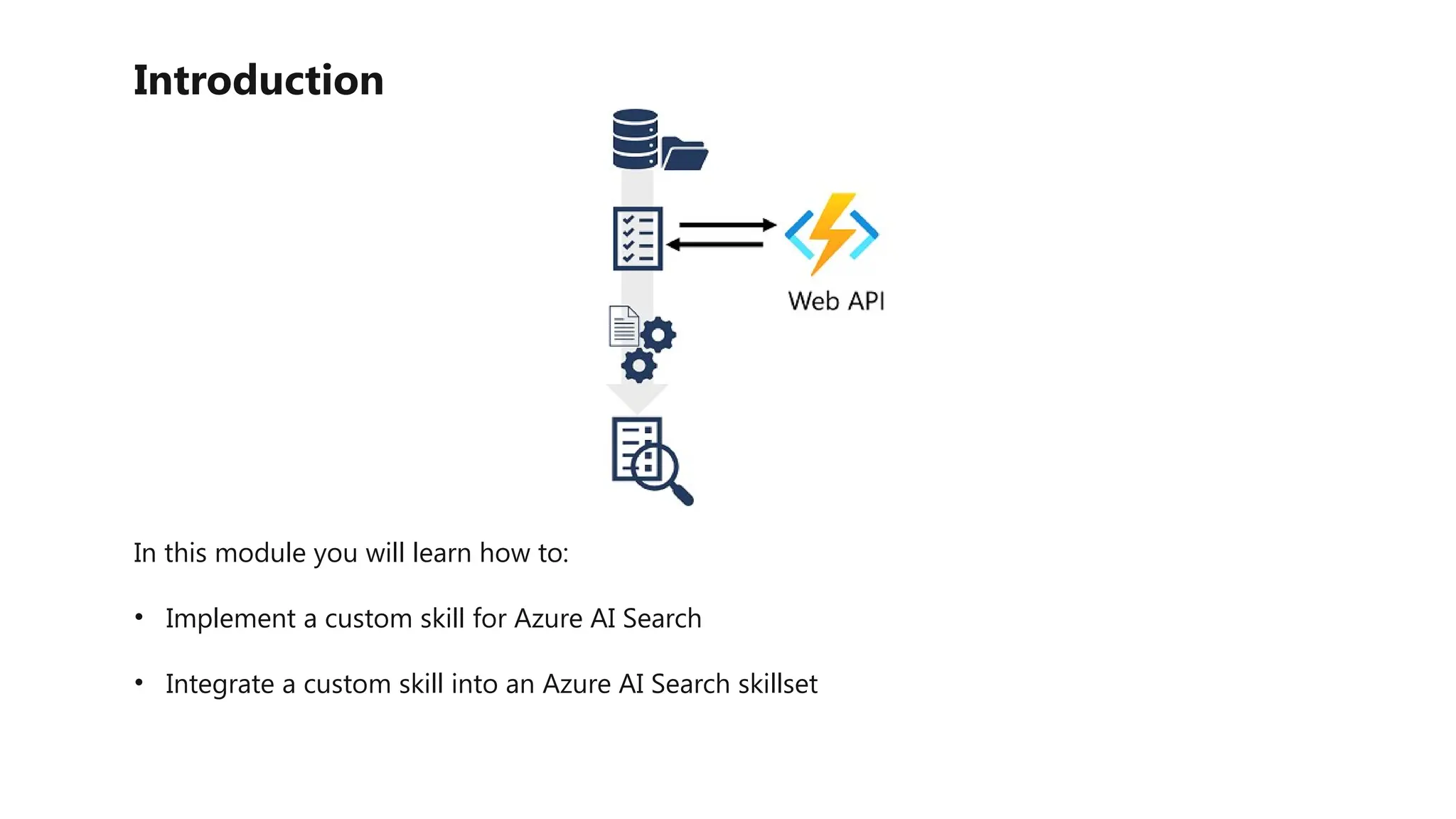
• To support these scenarios, you can implement custom skills as web-hosted services (such
as Azure Functions) that support the required interface for integration into a skillset.
Introduction
In this module you will learn how to:
• Implement a custom skill for Azure AI Search
• Integrate a custom skill into an Azure AI Search skillset
Create a custom skill
• Your custom skill must implement the expected schema for input and output data that is
expected by skills in an Azure AI Search skillset.
Input Schema
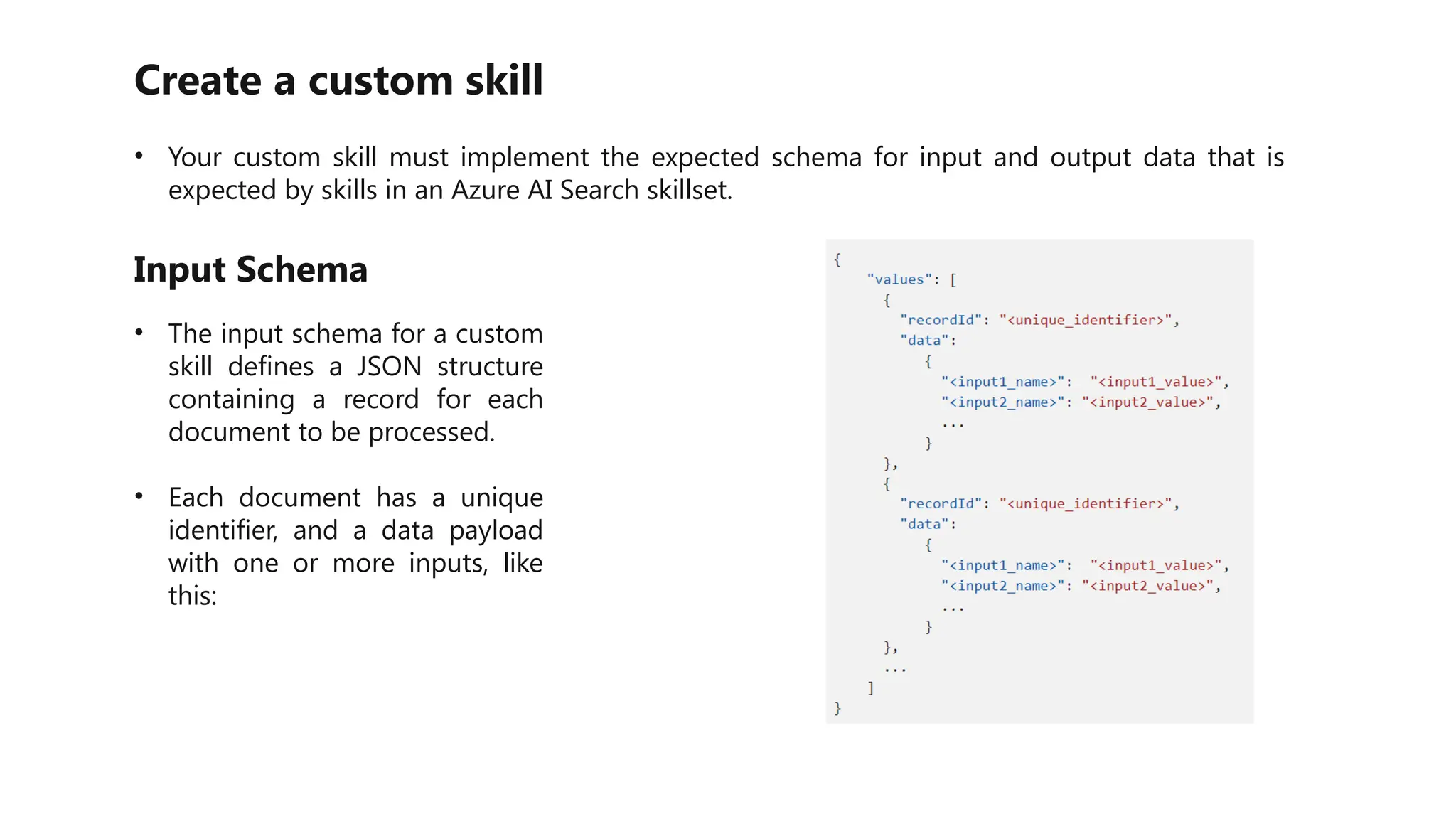
• The input schema for a custom
skill defines a JSON structure
containing a record for each
document to be processed.
• Each document has a unique
identifier, and a data payload
with one or more inputs, like
this:
Create a custom skill
Output schema
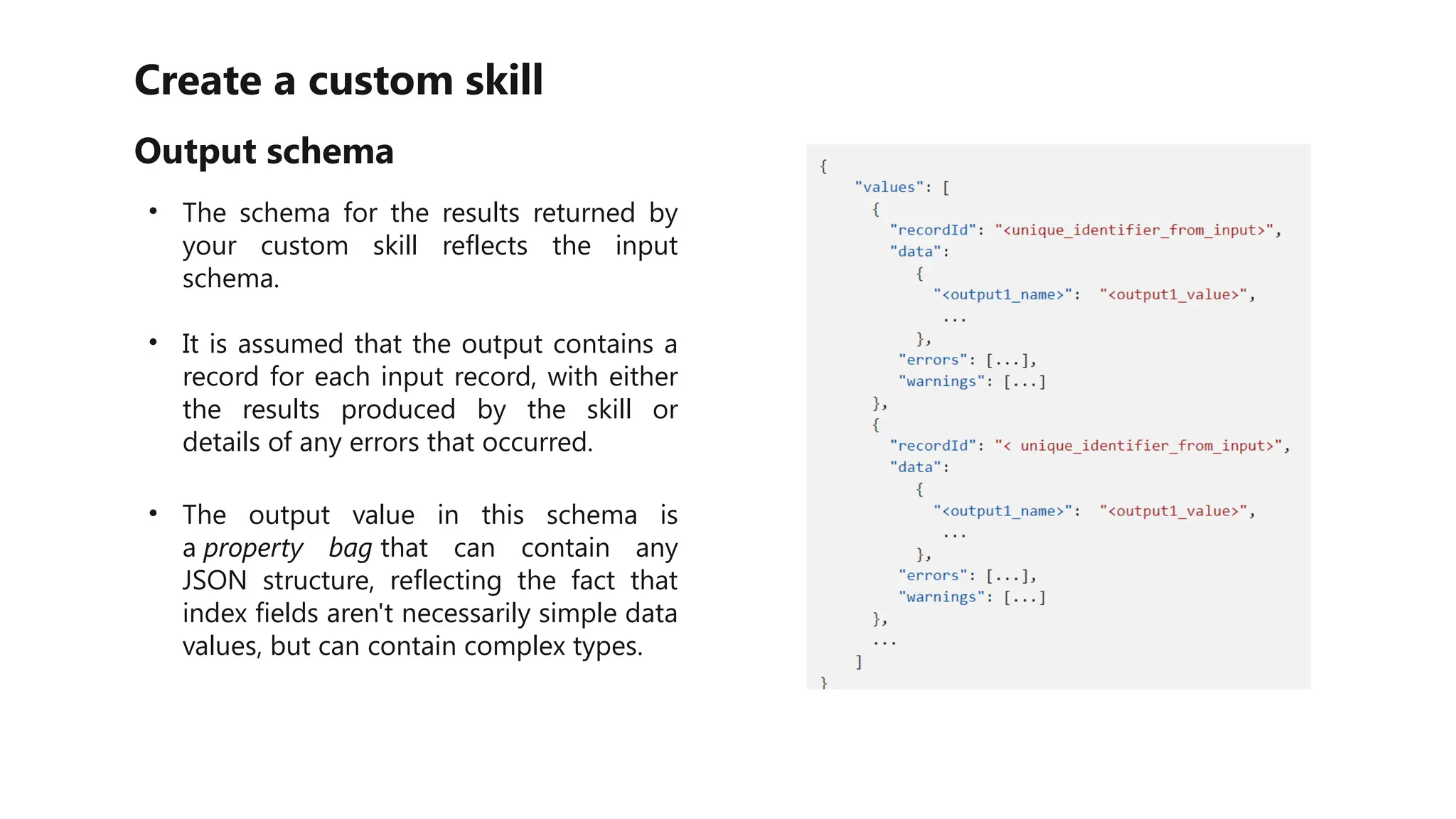
• The schema for the results returned by
your custom skill reflects the input
schema.
• It is assumed that the output contains a
record for each input record, with either
the results produced by the skill or
details of any errors that occurred.
• The output value in this schema is
a property bag that can contain any
JSON structure, reflecting the fact that
index fields aren't necessarily simple data
values, but can contain complex types.
Add a custom skill to a skillset
Output schema
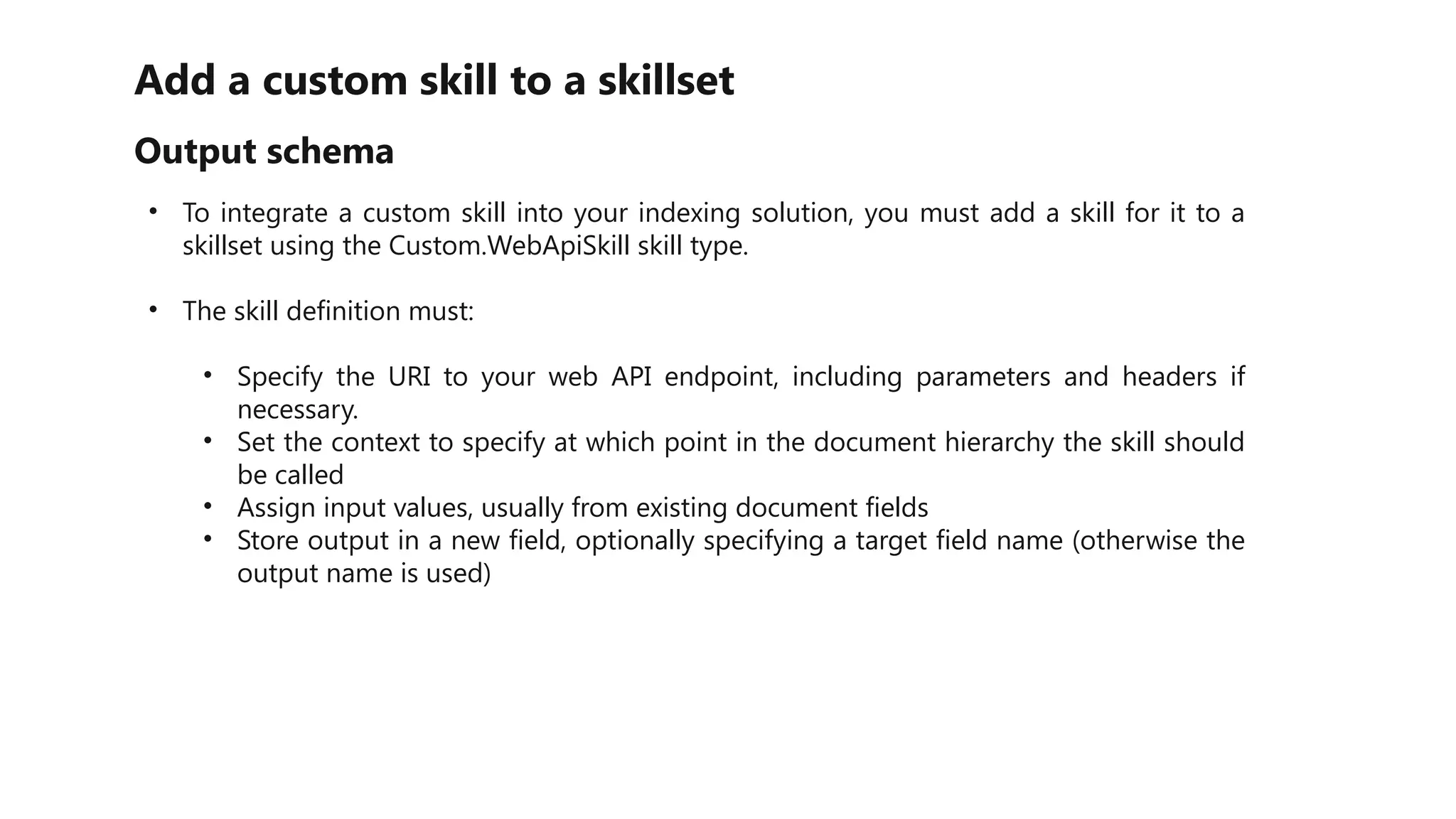
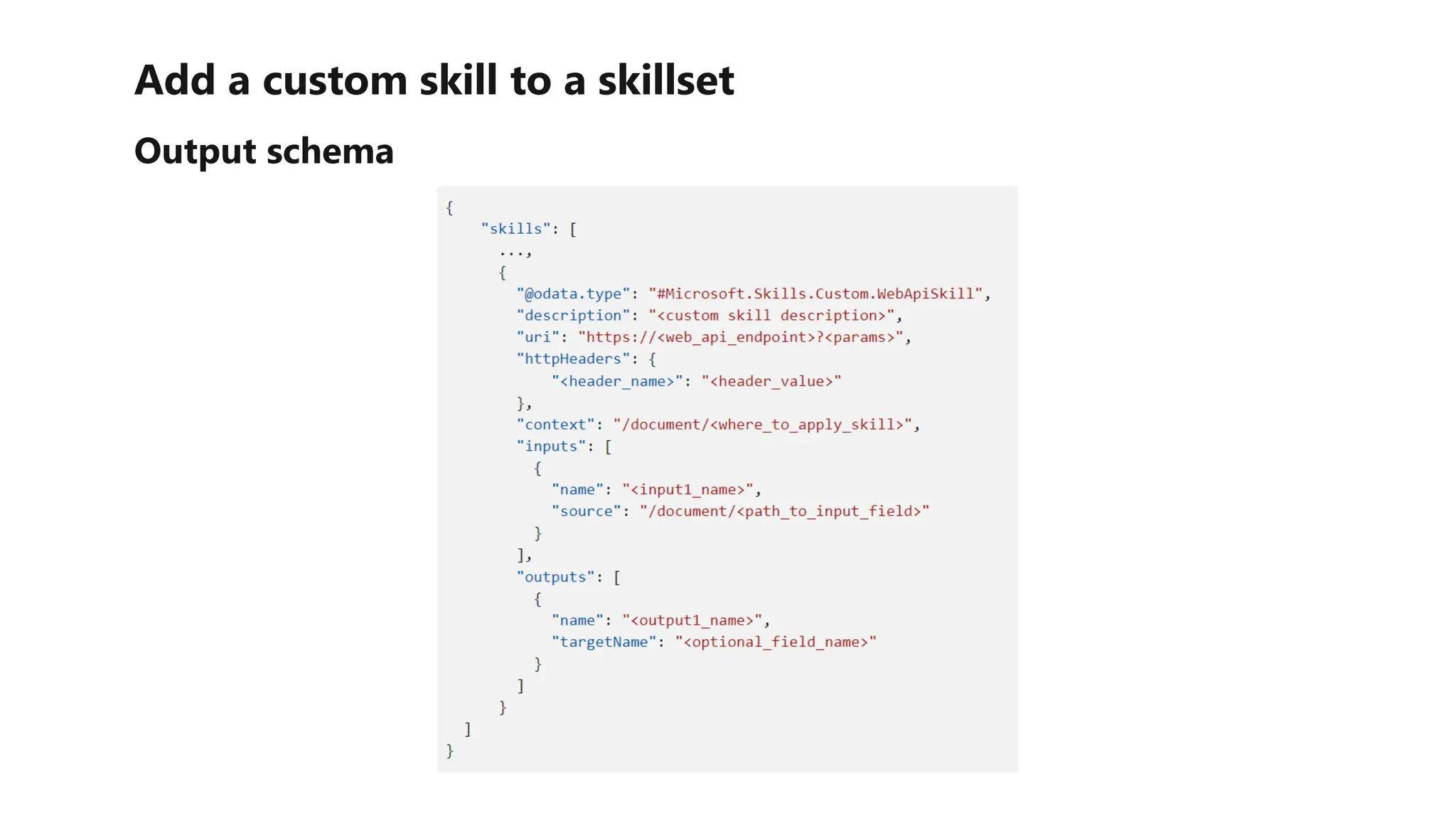
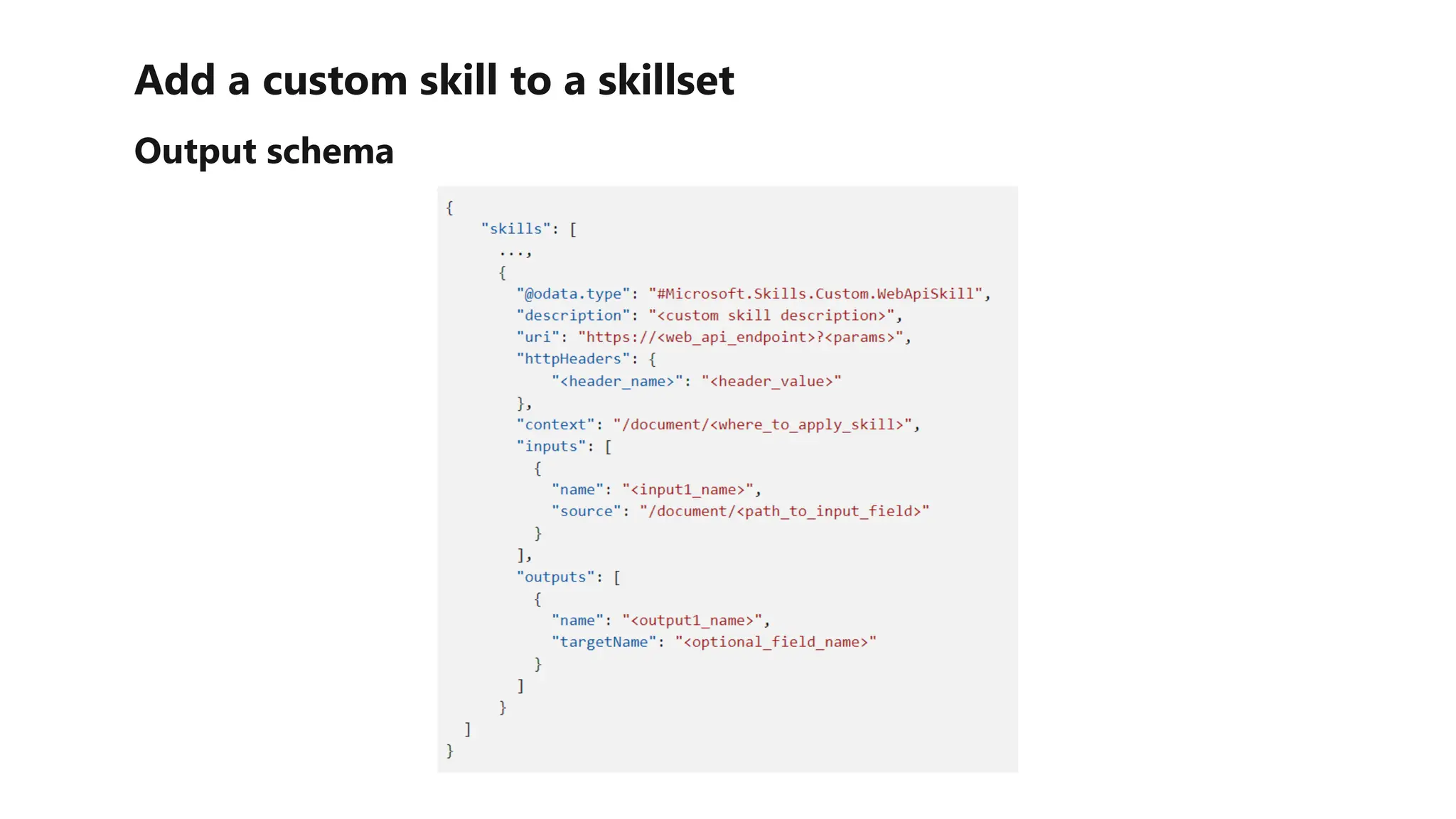
• To integrate a custom skill into your indexing solution, you must add a skill for it to a
skillset using the Custom.WebApiSkill skill type.
• The skill definition must:
• Specify the URI to your web API endpoint, including parameters and headers if
necessary.
• Set the context to specify at which point in the document hierarchy the skill should
be called
• Assign input values, usually from existing document fields
• Store output in a new field, optionally specifying a target field name (otherwise the
output name is used)
Add a custom skill to a skillset
Output schema
Add a custom skill to a skillset
Output schema
Exercise - Implement a custom skill
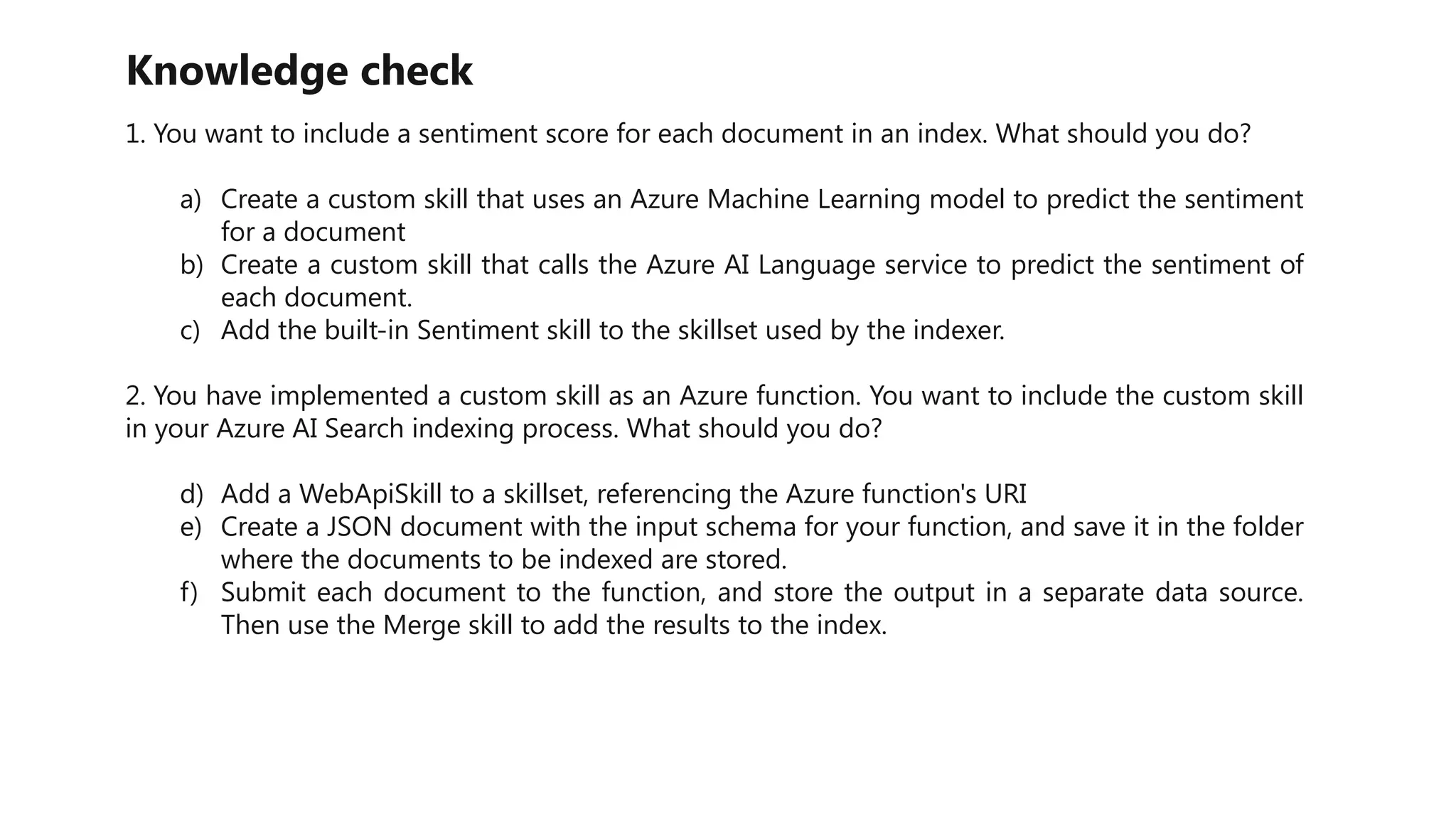
Knowledge check
1. You want to include a sentiment score for each document in an index. What should you do?
a) Create a custom skill that uses an Azure Machine Learning model to predict the sentiment
for a document
b) Create a custom skill that calls the Azure AI Language service to predict the sentiment of
each document.
c) Add the built-in Sentiment skill to the skillset used by the indexer.
2. You have implemented a custom skill as an Azure function. You want to include the custom skill
in your Azure AI Search indexing process. What should you do?
d) Add a WebApiSkill to a skillset, referencing the Azure function's URI
e) Create a JSON document with the input schema for your function, and save it in the folder
where the documents to be indexed are stored.
f) Submit each document to the function, and store the output in a separate data source.
Then use the Merge skill to add the results to the index.

02 Create a custom skill for Azure AI Search.pptx

  • 1.
    Introduction • You canuse the predefined skills in Azure AI Search to greatly enrich an index by extracting additional information from the source data. • However, there may be occasions when you have specific data extraction needs that cannot be met with the predefined skills and require some custom functionality. • For example: • Integrate the Form Recognizer service to extract data from forms • Consume an Azure Machine Learning model to integrate predicted values into an index • Any other custom logic • To support these scenarios, you can implement custom skills as web-hosted services (such as Azure Functions) that support the required interface for integration into a skillset.
  • 2.
    Introduction In this moduleyou will learn how to: • Implement a custom skill for Azure AI Search • Integrate a custom skill into an Azure AI Search skillset
  • 3.
    Create a customskill • Your custom skill must implement the expected schema for input and output data that is expected by skills in an Azure AI Search skillset. Input Schema • The input schema for a custom skill defines a JSON structure containing a record for each document to be processed. • Each document has a unique identifier, and a data payload with one or more inputs, like this:
  • 4.
    Create a customskill Output schema • The schema for the results returned by your custom skill reflects the input schema. • It is assumed that the output contains a record for each input record, with either the results produced by the skill or details of any errors that occurred. • The output value in this schema is a property bag that can contain any JSON structure, reflecting the fact that index fields aren't necessarily simple data values, but can contain complex types.
  • 5.
    Add a customskill to a skillset Output schema • To integrate a custom skill into your indexing solution, you must add a skill for it to a skillset using the Custom.WebApiSkill skill type. • The skill definition must: • Specify the URI to your web API endpoint, including parameters and headers if necessary. • Set the context to specify at which point in the document hierarchy the skill should be called • Assign input values, usually from existing document fields • Store output in a new field, optionally specifying a target field name (otherwise the output name is used)
  • 6.
    Add a customskill to a skillset Output schema
  • 7.
    Add a customskill to a skillset Output schema
  • 8.
    Exercise - Implementa custom skill
  • 9.
    Knowledge check 1. Youwant to include a sentiment score for each document in an index. What should you do? a) Create a custom skill that uses an Azure Machine Learning model to predict the sentiment for a document b) Create a custom skill that calls the Azure AI Language service to predict the sentiment of each document. c) Add the built-in Sentiment skill to the skillset used by the indexer. 2. You have implemented a custom skill as an Azure function. You want to include the custom skill in your Azure AI Search indexing process. What should you do? d) Add a WebApiSkill to a skillset, referencing the Azure function's URI e) Create a JSON document with the input schema for your function, and save it in the folder where the documents to be indexed are stored. f) Submit each document to the function, and store the output in a separate data source. Then use the Merge skill to add the results to the index.

Editor's Notes

  • #9 Answer c) The built-in sentiment skill can be used to accomplish the goal in this scenario. a) To integrate an Azure function custom skill into an indexing process, you must define a skillset containing a WebApiSkill with the URI for the function.