More Related Content

PDF

PDF
2019-11-22 JXUG Introduction to Xamarin.Essentials #4 Launcher 
PDF
Daily Newsletter: 16th February, 2011 
PPT

PPT
Guitar Self Teaching Lessons 
PPTX
Intuition and Reason in Design 
PDF
Grafico diario del dax perfomance index para el 13 04-2012 (1) 
PDF
Viewers also liked

PPTX
Hb5 interim hearing march 2016 final 
DOCX
Modelode curriculumvitaenoelia1 
PDF

PPTX
How effective is the combination between our music 
PDF
Avis de Course Flying Phantom Series Cannes 2016 
PPS

PDF

PPTX
Online marketing by Irene Matveeva 
PDF
Asynsis-Constructal @ ARUP 030513 
PDF

PDF
Predictions for 2014 - NetApp CTO Jay Kidd 
PPT
XmlBlackBox English Presentation 
PDF
Ismael Carrasco Fricker - resume Similar to 專訪李光耀

PPTX

PPTX

PPSX

PPTX
Archive: Android アプリ開発入門(2015/6/19 社内勉強会) 
PDF

PDF
みゆっき☆Think#3 「androidに触ってみるよ!」 
ODP

PDF

ODP

ODP

PDF
Android Lecture #01 @PRO&BSC Inc. 
PPT
Android Hacks - 合宿 Activity 
PPTX

PPTX
![10分で分かるAndroidアプリの作り方[ATGS主催イベント発表資料]](https://cdn.slidesharecdn.com/ss_thumbnails/10androidv20725-140724211418-phpapp01-thumbnail.jpg?width=640&height=640&fit=bounds)
PPTX
10分で分かるAndroidアプリの作り方[ATGS主催イベント発表資料] 
ODP

PDF

PDF

PPTX

PDF
More from honan4108

PPT

PPS

PPS

PPS

PPS

PPS

PPS

PPS

PPT

PPT

PPS

PPS

PPT

PPS

PPT

PPS

PPS

PPS

PPS

PPS
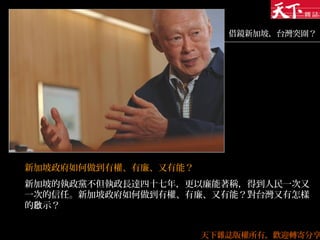
專訪李光耀
- 1.
- 2.
- 3.
- 4.
- 5.
<?xml version="1.0" encoding="utf-8"?>
<manifestxmlns:android="http://schemas.android.com/apk/res/android"
package="lecture_android.android2"
android:versionCode="1"
android:versionName="1.0.0">
<application android:icon="@drawable/icon" android:label="@string/app_name">
<activity android:name=".Sample2"
android:label="@string/app_name">
<intent-filter>
<action android:name="android.intent.action.MAIN" />
<category android:name="android.intent.category.LAUNCHER" />
</intent-filter>
</activity>
</application>
</manifest>
AndroidManifest.xml
“ ”@ 他のファイル(ここではリソースファイル)に
定義がある
Activity の
クラス名
- 6.
<?xml version="1.0" encoding="utf-8"?>
<resources>
<stringname="hello">Hello World, Sample2</string>
<string name="app_name">Sample2</string>
</resources>
<?xml version="1.0" encoding="utf-8"?>
<resources>
<string name="hello">Hello World, Sample2</string>
<string name="app_name"> サンプル 2</string>
</resources>
リソースファイルの働き
(values.strings.xml)
- 7.
- 8.
import android.app.Activity;
import android.os.Bundle;
publicclass Sample2 extends Activity {
/** Called when the activity is first created. */
@Override
public void onCreate(Bundle avedInstanceState) {
super.onCreate(savedInstanceState);
setContentView(R.layout.main);
}
}
最も単純な Activity
リソースファイル
から作られる
画面定義
- 9.
- 10.
- 11.
- 12.