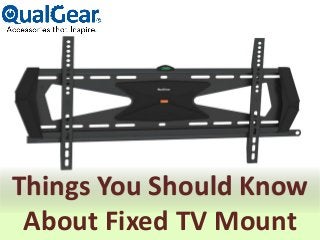
Things You Should Know
About Fixed TV Mount
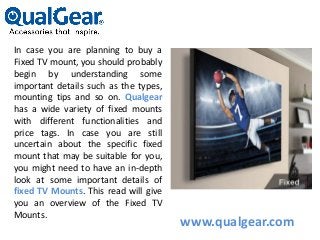
In case you are planning to buy a
Fixed TV mount, you should probably
begin by understanding some
important details such as the types,
mounting tips and so on. Qualgear
has a wide variety of fixed mounts
with different functionalities and
price tags. In case you are still
uncertain about the specific fixed
mount that may be suitable for you,
you might need to have an in-depth
look at some important details of
fixed TV Mounts. This read will give
you an overview of the Fixed TV
Mounts.
www.qualgear.com
What's even a fixed tv mount?
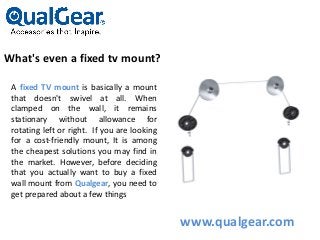
A fixed TV mount is basically a mount
that doesn't swivel at all. When
clamped on the wall, it remains
stationary without allowance for
rotating left or right. If you are looking
for a cost-friendly mount, It is among
the cheapest solutions you may find in
the market. However, before deciding
that you actually want to buy a fixed
wall mount from Qualgear, you need to
get prepared about a few things
www.qualgear.com
Facts You need to know
about fixed TV mounts
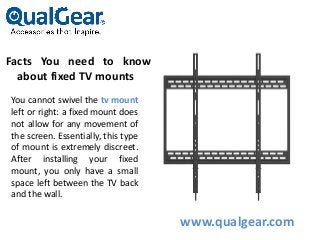
You cannot swivel the tv mount
left or right: a fixed mount does
not allow for any movement of
the screen. Essentially, this type
of mount is extremely discreet.
After installing your fixed
mount, you only have a small
space left between the TV back
and the wall.
www.qualgear.com
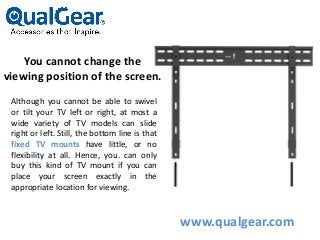
You cannot change the
viewing position of the screen.
Although you cannot be able to swivel
or tilt your TV left or right, at most a
wide variety of TV models can slide
right or left. Still, the bottom line is that
fixed TV mounts have little, or no
flexibility at all. Hence, you. can only
buy this kind of TV mount if you can
place your screen exactly in the
appropriate location for viewing.
www.qualgear.com
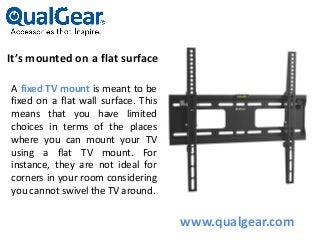
It’s mounted on a flat surface
A fixed TV mount is meant to be
fixed on a flat wall surface. This
means that you have limited
choices in terms of the places
where you can mount your TV
using a flat TV mount. For
instance, they are not ideal for
corners in your room considering
you cannot swivel the TV around.
www.qualgear.com
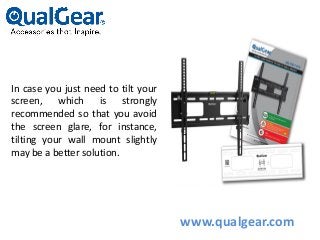
In case you just need to tilt your
screen, which is strongly
recommended so that you avoid
the screen glare, for instance,
tilting your wall mount slightly
may be a better solution.
www.qualgear.com
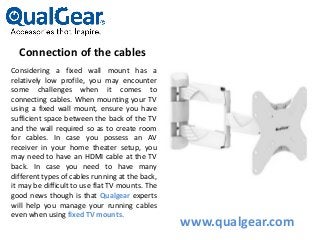
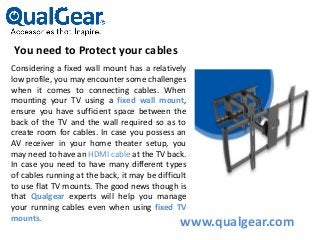
Connection of the cables
Considering a fixed wall mount has a
relatively low profile, you may encounter
some challenges when it comes to
connecting cables. When mounting your TV
using a fixed wall mount, ensure you have
sufficient space between the back of the TV
and the wall required so as to create room
for cables. In case you possess an AV
receiver in your home theater setup, you
may need to have an HDMI cable at the TV
back. In case you need to have many
different types of cables running at the back,
it may be difficult to use flat TV mounts. The
good news though is that Qualgear experts
will help you manage your running cables
even when using fixed TV mounts.
www.qualgear.com
You need to Protect your cables
Considering a fixed wall mount has a relatively
low profile, you may encounter some challenges
when it comes to connecting cables. When
mounting your TV using a fixed wall mount,
ensure you have sufficient space between the
back of the TV and the wall required so as to
create room for cables. In case you possess an
AV receiver in your home theater setup, you
may need to have an HDMI cable at the TV back.
In case you need to have many different types
of cables running at the back, it may be difficult
to use flat TV mounts. The good news though is
that Qualgear experts will help you manage
your running cables even when using fixed TV
mounts.
www.qualgear.com
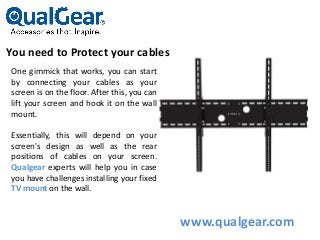
You need to Protect your cables
One gimmick that works, you can start
by connecting your cables as your
screen is on the floor. After this, you can
lift your screen and hook it on the wall
mount.
Essentially, this will depend on your
screen's design as well as the rear
positions of cables on your screen.
Qualgear experts will help you in case
you have challenges installing your fixed
TV mount on the wall.
www.qualgear.com
Phone: +1-972-423-8960
Email: Support@qualgear.com
Websites: www.qualgear.com
www.qualgear.com
www.qualgear.com

Things you should know about fixed tv mount converted

  • 1.
    Things You ShouldKnow About Fixed TV Mount
  • 2.
    In case youare planning to buy a Fixed TV mount, you should probably begin by understanding some important details such as the types, mounting tips and so on. Qualgear has a wide variety of fixed mounts with different functionalities and price tags. In case you are still uncertain about the specific fixed mount that may be suitable for you, you might need to have an in-depth look at some important details of fixed TV Mounts. This read will give you an overview of the Fixed TV Mounts. www.qualgear.com
  • 3.
    What's even afixed tv mount? A fixed TV mount is basically a mount that doesn't swivel at all. When clamped on the wall, it remains stationary without allowance for rotating left or right. If you are looking for a cost-friendly mount, It is among the cheapest solutions you may find in the market. However, before deciding that you actually want to buy a fixed wall mount from Qualgear, you need to get prepared about a few things www.qualgear.com
  • 4.
    Facts You needto know about fixed TV mounts You cannot swivel the tv mount left or right: a fixed mount does not allow for any movement of the screen. Essentially, this type of mount is extremely discreet. After installing your fixed mount, you only have a small space left between the TV back and the wall. www.qualgear.com
  • 5.
    You cannot changethe viewing position of the screen. Although you cannot be able to swivel or tilt your TV left or right, at most a wide variety of TV models can slide right or left. Still, the bottom line is that fixed TV mounts have little, or no flexibility at all. Hence, you. can only buy this kind of TV mount if you can place your screen exactly in the appropriate location for viewing. www.qualgear.com
  • 6.
    It’s mounted ona flat surface A fixed TV mount is meant to be fixed on a flat wall surface. This means that you have limited choices in terms of the places where you can mount your TV using a flat TV mount. For instance, they are not ideal for corners in your room considering you cannot swivel the TV around. www.qualgear.com
  • 7.
    In case youjust need to tilt your screen, which is strongly recommended so that you avoid the screen glare, for instance, tilting your wall mount slightly may be a better solution. www.qualgear.com
  • 8.
    Connection of thecables Considering a fixed wall mount has a relatively low profile, you may encounter some challenges when it comes to connecting cables. When mounting your TV using a fixed wall mount, ensure you have sufficient space between the back of the TV and the wall required so as to create room for cables. In case you possess an AV receiver in your home theater setup, you may need to have an HDMI cable at the TV back. In case you need to have many different types of cables running at the back, it may be difficult to use flat TV mounts. The good news though is that Qualgear experts will help you manage your running cables even when using fixed TV mounts. www.qualgear.com
  • 9.
    You need toProtect your cables Considering a fixed wall mount has a relatively low profile, you may encounter some challenges when it comes to connecting cables. When mounting your TV using a fixed wall mount, ensure you have sufficient space between the back of the TV and the wall required so as to create room for cables. In case you possess an AV receiver in your home theater setup, you may need to have an HDMI cable at the TV back. In case you need to have many different types of cables running at the back, it may be difficult to use flat TV mounts. The good news though is that Qualgear experts will help you manage your running cables even when using fixed TV mounts. www.qualgear.com
  • 10.
    You need toProtect your cables One gimmick that works, you can start by connecting your cables as your screen is on the floor. After this, you can lift your screen and hook it on the wall mount. Essentially, this will depend on your screen's design as well as the rear positions of cables on your screen. Qualgear experts will help you in case you have challenges installing your fixed TV mount on the wall. www.qualgear.com
  • 11.
  • 12.