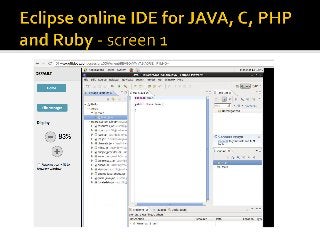
This is Eclipse, an integrated development environment (IDE) for Java and other programming languages like C, C++, PHP, and Ruby. It is a Java IDE by adding Java development components (JDT) and it is also a C/C++ IDE because it adds C/C++ development components (CDT). Other modules extend the Eclipse funcionality for additional programming languages. Eclipse integrates each individual language module in order to provide a rich IDE.
It is available here: http://www.offidocs.com/index.php/desktop-programming-tools-online/eclipse-online-ide-java-c-php
Eclipse main features:
- Java, C, C++, PHP, Ruby projects Files arranged in package directories below one or more source folders.
- Libraries located in the same project, another project, or external to the workspace.
- Browse Java, C, PHP and Ruby projects In terms of Java-specific elements: packages, types, methods, and fields.
- Java, C, PHP, Ruby source code editor.
- Keyword and syntax coloring when editing the source code.
- Separate outline that display the source declaration structure.
- Code resolve suggestions are open in the editor.
- Code completion mechanism that proposes legal completions for methids and classes.
- Refactoring.
- Find declarations, procedures, packages, types, methods, and fields.
- Integration with Java compiler and CC compiler.
- Incremental compilation.
- Run Java program in separate target Java virtual machine.
- Include a console that provides stdout, stdin, stderr.
- Debug Java, C, PHP and Ruby programs.
- Set breakpoints and handle steps that go through the whole source code.
- When debugging inspect and modify fields and local variables.


![20260201 [FOSDEM] gomodjail - library sandboxing for Go modules.pdf](https://cdn.slidesharecdn.com/ss_thumbnails/20260201fosdemgomodjail-librarysandboxingforgomodules-260201225659-76609ec4-thumbnail.jpg?width=640&height=640&fit=bounds)


