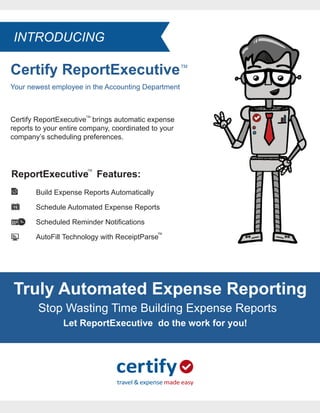
Certify ReportExecutive
Your newest employee in the Accounting Department
TM
Certify ReportExecutive brings automatic expense
reports to your entire company, coordinated to your
company’s scheduling preferences.
TM
ReportExecutive Features:
Build Expense Reports Automatically
Schedule Automated Expense Reports
Scheduled Reminder Notifications
AutoFill Technology with ReceiptParse
TM
TM
Truly Automated Expense Reporting
Stop Wasting Time Building Expense Reports
Let ReportExecutive do the work for you!
INTRODUCING
Certify ReportExecutive
TM
Automatic expense reports, on your company’s schedule.
Automate your expense reporting process with Certify’s ReportExecutive™
To learn more about Certify visit www.certify.com or contact 888-925-0510
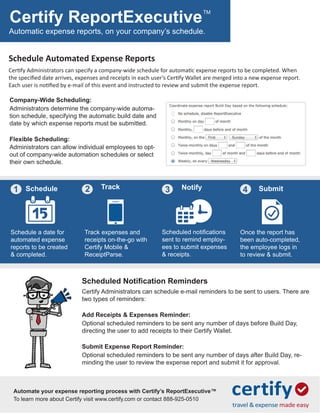
Schedule Automated Expense Reports
Certify Administrators can specify a company-wide schedule for automatic expense reports to be completed. When
the specified date arrives, expenses and receipts in each user’s Certify Wallet are merged into a new expense report.
Each user is notified by e-mail of this event and instructed to review and submit the expense report.
Company-Wide Scheduling:
Administrators determine the company-wide automa-
tion schedule, specifying the automatic build date and
date by which expense reports must be submitted.
Flexible Scheduling:
Administrators can allow individual employees to opt-
out of company-wide automation schedules or select
their own schedule.
Schedule a date for
automated expense
reports to be created
& completed.
Track expenses and
receipts on-the-go with
Certify Mobile &
ReceiptParse.
Scheduled notifications
sent to remind employ-
ees to submit expenses
& receipts.
Once the report has
been auto-completed,
the employee logs in
to review & submit.
Schedule Track Notify Submit1 2 3 4
Add Receipts & Expenses Reminder:
Optional scheduled reminders to be sent any number of days before Build Day,
directing the user to add receipts to their Certify Wallet.
Submit Expense Report Reminder:
Optional scheduled reminders to be sent any number of days after Build Day, re-
minding the user to review the expense report and submit it for approval.
Scheduled Notification Reminders
Certify Administrators can schedule e-mail reminders to be sent to users. There are
two types of reminders:

Expense Reports from ReportExecutive by Certify.com

  • 1.
    Certify ReportExecutive Your newestemployee in the Accounting Department TM Certify ReportExecutive brings automatic expense reports to your entire company, coordinated to your company’s scheduling preferences. TM ReportExecutive Features: Build Expense Reports Automatically Schedule Automated Expense Reports Scheduled Reminder Notifications AutoFill Technology with ReceiptParse TM TM Truly Automated Expense Reporting Stop Wasting Time Building Expense Reports Let ReportExecutive do the work for you! INTRODUCING
  • 2.
    Certify ReportExecutive TM Automatic expensereports, on your company’s schedule. Automate your expense reporting process with Certify’s ReportExecutive™ To learn more about Certify visit www.certify.com or contact 888-925-0510 Schedule Automated Expense Reports Certify Administrators can specify a company-wide schedule for automatic expense reports to be completed. When the specified date arrives, expenses and receipts in each user’s Certify Wallet are merged into a new expense report. Each user is notified by e-mail of this event and instructed to review and submit the expense report. Company-Wide Scheduling: Administrators determine the company-wide automa- tion schedule, specifying the automatic build date and date by which expense reports must be submitted. Flexible Scheduling: Administrators can allow individual employees to opt- out of company-wide automation schedules or select their own schedule. Schedule a date for automated expense reports to be created & completed. Track expenses and receipts on-the-go with Certify Mobile & ReceiptParse. Scheduled notifications sent to remind employ- ees to submit expenses & receipts. Once the report has been auto-completed, the employee logs in to review & submit. Schedule Track Notify Submit1 2 3 4 Add Receipts & Expenses Reminder: Optional scheduled reminders to be sent any number of days before Build Day, directing the user to add receipts to their Certify Wallet. Submit Expense Report Reminder: Optional scheduled reminders to be sent any number of days after Build Day, re- minding the user to review the expense report and submit it for approval. Scheduled Notification Reminders Certify Administrators can schedule e-mail reminders to be sent to users. There are two types of reminders: