Small Changes for Big Results: 
How to Optimize Your Online 
Donations 
NetSquared Vancouver 
October 7, 2014
Tonight! 
• Warm-up 
• The problems with online 
donation forms 
• Why they matter 
• The solutions 
• Group challenge!
Question 
• How is your 
organization 
driving traffic to 
your website 
and online 
donation form?
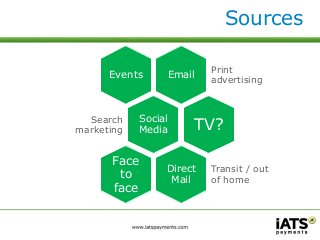
Sources 
Email 
Print 
advertising 
Events 
Social 
Media 
Search 
marketing TV? 
Direct 
Mail 
Transit / out 
of home 
Face 
to 
face
Why it matters… 
• 85% of US adults are online on a 
daily basis 
• 73% are on some type of social 
media 
• Online giving was up 13.5% in 2013 
– Accounted for 6.4% of all giving in 2013 
• A total of $8.3 billion in Canadian 
donations in 2012 
Sources: Pew Research Center, Blackbaud 2013 Charitable Giving Report, Statistics Canada
Online donors… 
• Dominant channel for 
new donors (64 or 
younger) = online 
• Online-acquired 
donors have a much 
higher cumulative 
value 
• Online donors tend to 
give larger gifts 
Source: 2011 donorCentrics Internet and Multichannel Giving Benchmarking Report
Question #2 
• Do you know the 
conversion rate of site 
visitors to online 
donations? 
• Do you know the 
abandonment rate of 
your online donation 
form? 
• Please share your data – 
no judgment!
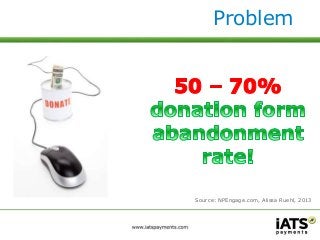
Problem 
Source: NPEngage.com, Alissa Ruehl, 2013
Solutions 
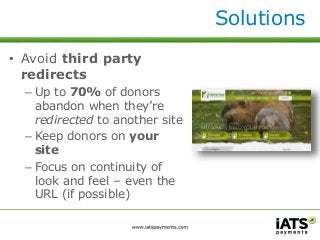
• Avoid third party 
redirects 
– Up to 70% of donors 
abandon when they’re 
redirected to another site 
– Keep donors on your 
site 
– Focus on continuity of 
look and feel – even the 
URL (if possible)
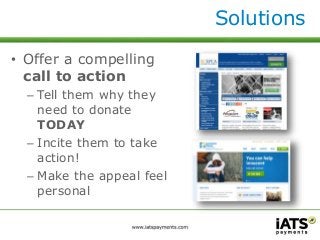
• Offer a compelling 
call to action 
– Tell them why they 
need to donate 
TODAY 
– Incite them to take 
action! 
– Make the appeal feel 
personal 
Solutions
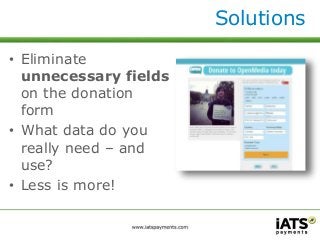
• Eliminate 
unnecessary fields 
on the donation 
form 
• What data do you 
really need – and 
use? 
• Less is more! 
Solutions
Question 
• Do you know how 
many fields are on 
your organization’s 
online donation form? 
• How many clicks does 
it take to find your 
form and make a 
donation?
Problem
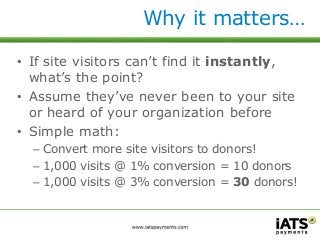
Why it matters… 
• If site visitors can’t find it instantly, 
what’s the point? 
• Assume they’ve never been to your site 
or heard of your organization before 
• Simple math: 
– Convert more site visitors to donors! 
– 1,000 visits @ 1% conversion = 10 donors 
– 1,000 visits @ 3% conversion = 30 donors!
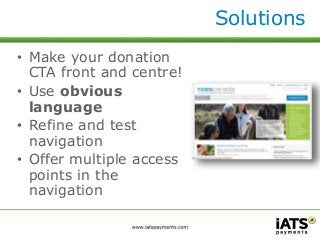
• Make your donation 
CTA front and centre! 
• Use obvious 
language 
• Refine and test 
navigation 
• Offer multiple access 
points in the 
navigation 
Solutions
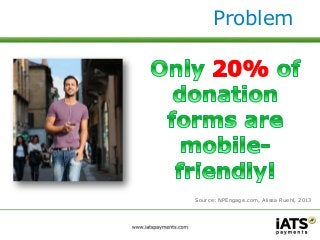
Problem 
Source: NPEngage.com, Alissa Ruehl, 2013
Why it matters… 
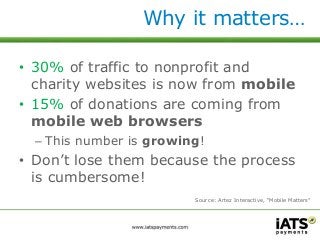
• 30% of traffic to nonprofit and 
charity websites is now from mobile 
• 15% of donations are coming from 
mobile web browsers 
– This number is growing! 
• Don’t lose them because the process 
is cumbersome! 
Source: Artez Interactive, “Mobile Matters”
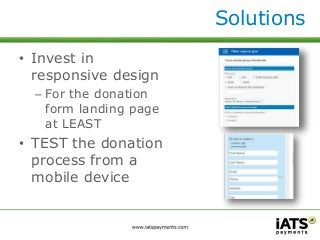
• Invest in 
responsive design 
– For the donation 
form landing page 
at LEAST 
• TEST the donation 
process from a 
mobile device 
Solutions
Problem
Why it matters… 
• Huge increase to lifetime value of 
donor 
• Reduce costs for handling donations 
• Reduces ‘donor inertia’ 
– Donors have to make an effort to cancel 
the gift 
• Keep it straightforward and easy 
when they’re inspired!
• Ask them for a 
recurring gift! 
• Don’t separate 
one-time gift form 
and recurring gift 
form 
• Make the process 
easy and 
intuitive 
Solutions
Considerations 
• Payment processing integration 
– Monthly gifts automatically processed or 
manually processed 
– How to handle credit card data 
• ACH (direct debit) as a payment 
method ideal for recurring 
– Less rejected transactions than credit 
cards and lower processing costs 
– Churches love ACH for tithing
Final Thoughts 
• Visual representation of security 
– https:// vs http 
– Other icons to reassure donor their data 
is safe 
• Credit card fraud prevention 
– Payment processor tools 
– Fraud targeted to charities 
– Avoid the refund scam!
Group Challenge 
• Grab your phones, 
phablets or tablets! 
• Grab a partner (or 
partners) 
• Go to their org’s form 
• Try to make an online 
donation!
Discuss… 
• Is the call to action compelling? 
• Where is the form on the site’s 
navigation? 
• What does it look like on your 
device? 
– Can you enter your details? 
• Can you set up a recurring gift?
Conclusions
Thank you!

Small Changes for Big Results: How to Optimize Your Online Donations

  • 1.
    Small Changes forBig Results: How to Optimize Your Online Donations NetSquared Vancouver October 7, 2014
  • 2.
    Tonight! • Warm-up • The problems with online donation forms • Why they matter • The solutions • Group challenge!
  • 3.
    Question • Howis your organization driving traffic to your website and online donation form?
  • 4.
    Sources Email Print advertising Events Social Media Search marketing TV? Direct Mail Transit / out of home Face to face
  • 5.
    Why it matters… • 85% of US adults are online on a daily basis • 73% are on some type of social media • Online giving was up 13.5% in 2013 – Accounted for 6.4% of all giving in 2013 • A total of $8.3 billion in Canadian donations in 2012 Sources: Pew Research Center, Blackbaud 2013 Charitable Giving Report, Statistics Canada
  • 6.
    Online donors… •Dominant channel for new donors (64 or younger) = online • Online-acquired donors have a much higher cumulative value • Online donors tend to give larger gifts Source: 2011 donorCentrics Internet and Multichannel Giving Benchmarking Report
  • 7.
    Question #2 •Do you know the conversion rate of site visitors to online donations? • Do you know the abandonment rate of your online donation form? • Please share your data – no judgment!
  • 8.
  • 9.
    Solutions • Avoidthird party redirects – Up to 70% of donors abandon when they’re redirected to another site – Keep donors on your site – Focus on continuity of look and feel – even the URL (if possible)
  • 10.
    • Offer acompelling call to action – Tell them why they need to donate TODAY – Incite them to take action! – Make the appeal feel personal Solutions
  • 11.
    • Eliminate unnecessaryfields on the donation form • What data do you really need – and use? • Less is more! Solutions
  • 12.
    Question • Doyou know how many fields are on your organization’s online donation form? • How many clicks does it take to find your form and make a donation?
  • 13.
  • 14.
    Why it matters… • If site visitors can’t find it instantly, what’s the point? • Assume they’ve never been to your site or heard of your organization before • Simple math: – Convert more site visitors to donors! – 1,000 visits @ 1% conversion = 10 donors – 1,000 visits @ 3% conversion = 30 donors!
  • 15.
    • Make yourdonation CTA front and centre! • Use obvious language • Refine and test navigation • Offer multiple access points in the navigation Solutions
  • 16.
  • 17.
    Why it matters… • 30% of traffic to nonprofit and charity websites is now from mobile • 15% of donations are coming from mobile web browsers – This number is growing! • Don’t lose them because the process is cumbersome! Source: Artez Interactive, “Mobile Matters”
  • 18.
    • Invest in responsive design – For the donation form landing page at LEAST • TEST the donation process from a mobile device Solutions
  • 19.
  • 20.
    Why it matters… • Huge increase to lifetime value of donor • Reduce costs for handling donations • Reduces ‘donor inertia’ – Donors have to make an effort to cancel the gift • Keep it straightforward and easy when they’re inspired!
  • 21.
    • Ask themfor a recurring gift! • Don’t separate one-time gift form and recurring gift form • Make the process easy and intuitive Solutions
  • 22.
    Considerations • Paymentprocessing integration – Monthly gifts automatically processed or manually processed – How to handle credit card data • ACH (direct debit) as a payment method ideal for recurring – Less rejected transactions than credit cards and lower processing costs – Churches love ACH for tithing
  • 23.
    Final Thoughts •Visual representation of security – https:// vs http – Other icons to reassure donor their data is safe • Credit card fraud prevention – Payment processor tools – Fraud targeted to charities – Avoid the refund scam!
  • 24.
    Group Challenge •Grab your phones, phablets or tablets! • Grab a partner (or partners) • Go to their org’s form • Try to make an online donation!
  • 25.
    Discuss… • Isthe call to action compelling? • Where is the form on the site’s navigation? • What does it look like on your device? – Can you enter your details? • Can you set up a recurring gift?
  • 26.
  • 27.

Editor's Notes

  • #6 Calculation how much online
  • #10 https Change in URL Ease of find donate button
  • #11 What call to action has worked for your organization?
  • #13 Our experience at AFP with $5 donation promo!
  • #14 While setting this presentation found…. Under non-relevant headings – help, how support us? One click to get to form Available all pages – header!
  • #16 Many organizations use language like “How to Help” or “Support Us” and bury the donation form in navigation that includes volunteer info, etc. Site navigation – make sure the donation form is accessible and available in header, footer… and with links throughout.
  • #19 Test, virtual keyboard getting in way