Accepting
Donations via
iDEAL
DONORBOX
We’re elated to announce that
Donorbox donation forms now
accept iDEAL payments
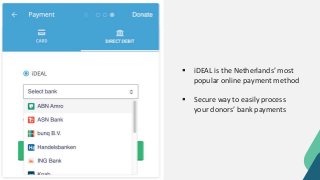
 iDEAL is the Netherlands’ most
popular online payment method
 Secure way to easily process
your donors’ bank payments
iDEAL is available via Stripe, our most popular
payment processor and needs to be activated
in Stripe’s payment settings
iDEAL payments can only be processed for
Euros, so ensure that your donation form has
‘Euros’ available as a currency option
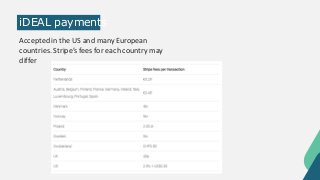
iDEAL payments
Accepted in the US and many European
countries. Stripe’s fees for each country may
differ
Accepting iDEAL
Payments
STEP 1
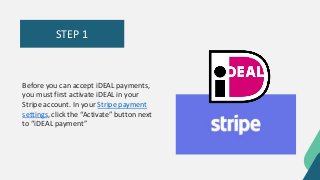
Before you can accept iDEAL payments,
you must first activate iDEAL in your
Stripe account. In your Stripe payment
settings, click the “Activate” button next
to “iDEAL payment”
STEP 2
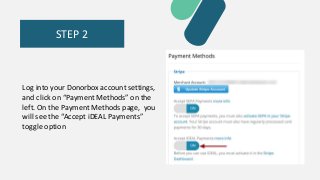
Log into your Donorbox account settings,
and click on “Payment Methods” on the
left. On the Payment Methods page, you
will see the “Accept iDEAL Payments”
toggle option
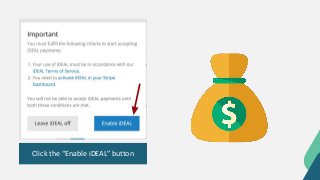
Click the “Enable iDEAL” button
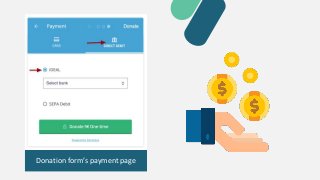
Donation form’s payment page
Your donor needs to select their bank from the
drop-down menu and sign into their online
banking system. Their bank will guide them
through other security steps to authorize the
donation
Once this is done, the funds will be
transferred from their account to your
STRIPE ACCOUNT
MORE INFO
https://donorbox.org/nonpro
fit-blog/accepting-donations-
via-ideal/
DONORBOX.ORG

Accepting donations via i deal