MyExamCloud
7 steps to access explanation and
answers in MyExamCloud
Steps and Screenshots
© 2018 EPractize Labs Software. All rights reserved
MyExamCloudRead Answers in MyExamCloud
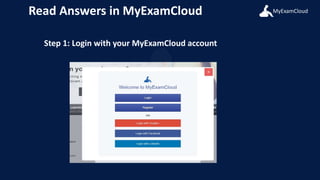
Step 1: Login with your MyExamCloud account
MyExamCloudRead Answers in MyExamCloud
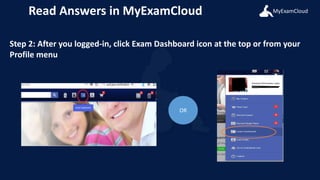
Step 2: After you logged-in, click Exam Dashboard icon at the top or from your
Profile menu
OR
MyExamCloudRead Answers in MyExamCloud
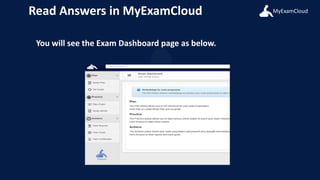
You will see the Exam Dashboard page as below.
MyExamCloudRead Answers in MyExamCloud
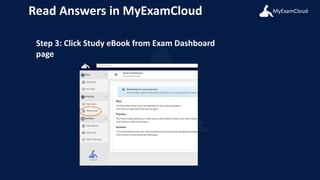
Step 3: Click Study eBook from Exam Dashboard
page
MyExamCloudRead Answers in MyExamCloud
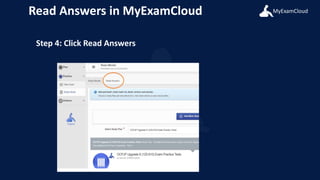
Step 4: Click Read Answers
MyExamCloudRead Answers in MyExamCloud
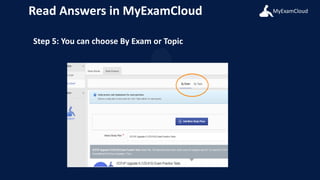
Step 5: You can choose By Exam or Topic
MyExamCloudRead Answers in MyExamCloud
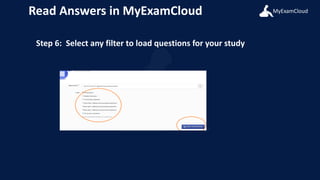
Step 6: Select any filter to load questions for your study
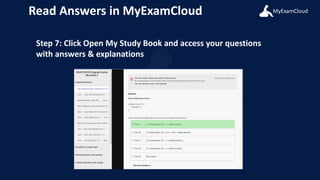
MyExamCloudRead Answers in MyExamCloud
Step 7: Click Open My Study Book and access your questions
with answers & explanations

Answerpageinmyexamcloud