Akeebalize Your Extensions
how to quickly deploy releases
Why this Topic?
one developer’s approach to streamline a tedious process

Tools
•

Akeeba Subscriptions (Optional) - http://akeebabackup.com

•

Akeeba Release System

•

Akeeba Release Maker
https://github.com/akeeba/releasemaker

•

Git - http://github.com

•

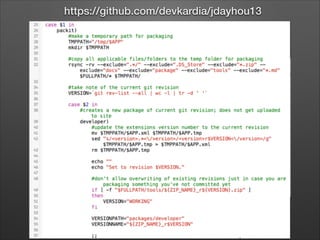
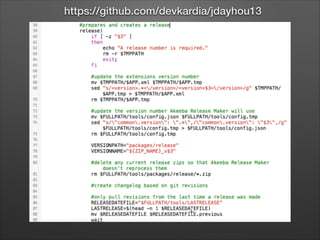
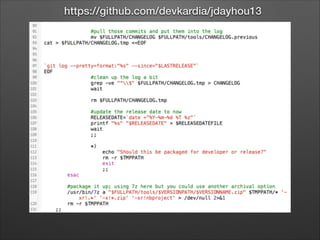
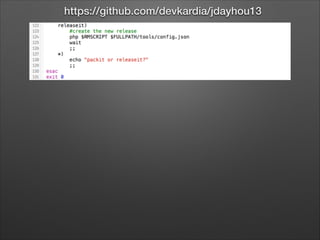
Custom shell script
https://github.com/devkardia/jdayhou13
Not a Plug
…okay so maybe it is a plug
Prerequisites
•

Developer background

•

Basic understanding of Git

•

PHP 5.3+ Joomla! site (Akeeba minimum requirement)

•

Basic understanding of Akeeba Subscriptions, Akeeba
Release System, and Akeeba Release Maker

•

*nix based OS
•

Any batch experts are welcome to convert the shell
script! May be able to use Cygwin for Windows (http://
cygwin.com); but likely to be a bit of work to get all
setup.
Nuts and Bolts
let’s get started
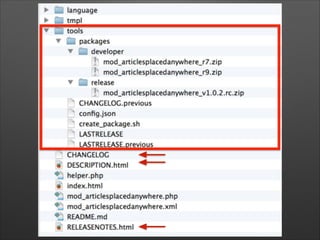
Directory Structure
preparing the directory structure for the bash script
Releases

where does XYZ come from
Releases
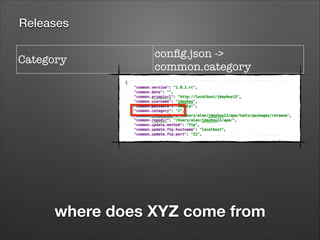
Category	

config.json ->
common.category

where does XYZ come from
Releases
Category	

config.json ->
common.category

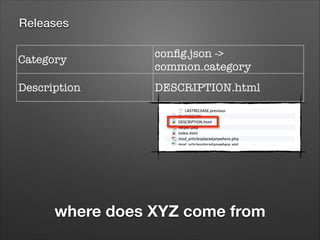
Description

DESCRIPTION.html

where does XYZ come from
Releases
Category	

config.json ->
common.category

Description

DESCRIPTION.html

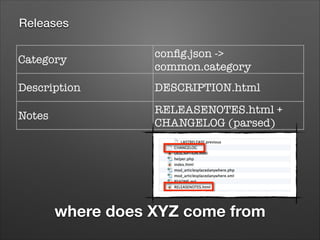
Notes

RELEASENOTES.html +
CHANGELOG (parsed)

where does XYZ come from
Releases
Category	

config.json ->
common.category

Description

DESCRIPTION.html

Notes
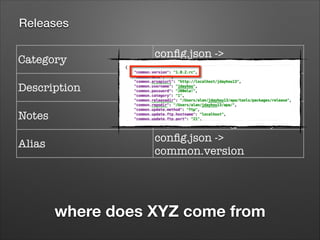
Alias

RELEASENOTES.html +
CHANGELOG (parsed)
config.json ->
common.version

where does XYZ come from
Releases
Category	

config.json ->
common.category

Description

DESCRIPTION.html
RELEASENOTES.html +
CHANGELOG (parsed)
config.json ->
common.version

Notes
Alias
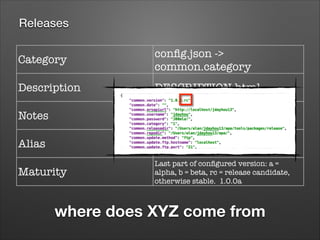
Maturity

Last part of configured version: a =
alpha, b = beta, rc = release candidate,
otherwise stable. 1.0.0a

where does XYZ come from
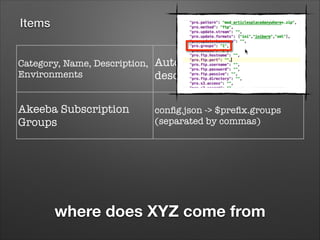
Items

where does XYZ come from
Items
Category, Name, Description,
Environments

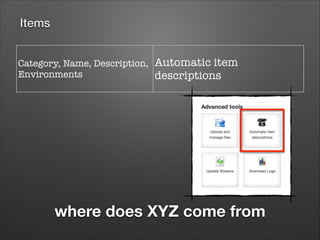
Automatic item
descriptions

where does XYZ come from
Items
Category, Name, Description,
Environments

Automatic item
descriptions

Akeeba Subscription
Groups

config.json -> $prefix.groups
(separated by commas)

where does XYZ come from
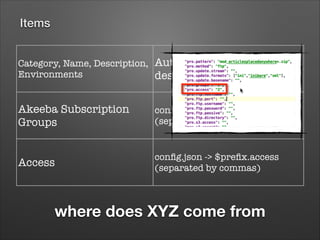
Items
Category, Name, Description,
Environments

Automatic item
descriptions

Akeeba Subscription
Groups

config.json -> $prefix.groups
(separated by commas)

Access

config.json -> $prefix.access
(separated by commas)

where does XYZ come from
Setting up Akeeba Subscriptions
live demonstration
Key Point Summary

•

Take note of the
subscription’s ID as this is
used in ARM’s config.json file.
Setting up Akeeba Release System
live demonstration
Key Point Summary

•

Automatic item descriptions
•

Package name pattern
must match the format of
the filename in order for the
elements to be applied.

•

Use a wildcard ( * ) to
accomodate filename
differences.
Akeeba Release Maker
https://github.com/akeeba/releasemaker
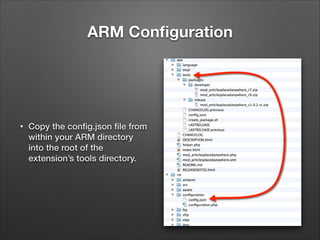
ARM Configuration

•

Copy the config.json file from
within your ARM directory
into the root of the
extension’s tools directory.
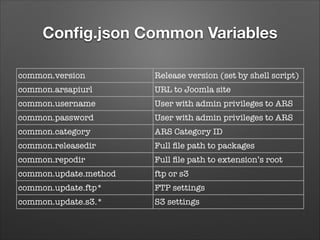
Config.json Common Variables
common.version

Release version (set by shell script)

common.arsapiurl

URL to Joomla site

common.username

User with admin privileges to ARS

common.password

User with admin privileges to ARS

common.category

ARS Category ID

common.releasedir

Full file path to packages

common.repodir

Full file path to extension’s root

common.update.method

ftp or s3

common.update.ftp*

FTP settings

common.update.s3.*

S3 settings
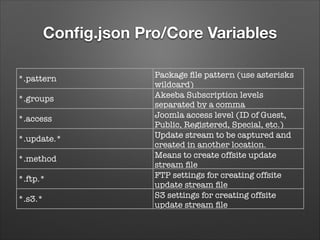
Config.json Pro/Core Variables
*.pattern
*.groups
*.access
*.update.*
*.method
*.ftp.*
*.s3.*

Package file pattern (use asterisks
wildcard)
Akeeba Subscription levels
separated by a comma
Joomla access level (ID of Guest,
Public, Registered, Special, etc.)
Update stream to be captured and
created in another location.
Means to create offsite update
stream file
FTP settings for creating offsite
update stream file
S3 settings for creating offsite
update stream file
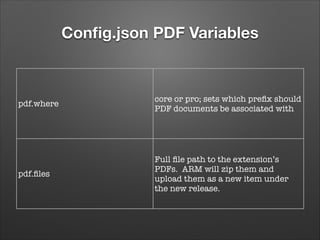
Config.json PDF Variables

pdf.where

core or pro; sets which prefix should
PDF documents be associated with

pdf.files

Full file path to the extension’s
PDFs. ARM will zip them and
upload them as a new item under
the new release.
releasemaker.sh
the script that glues it all together
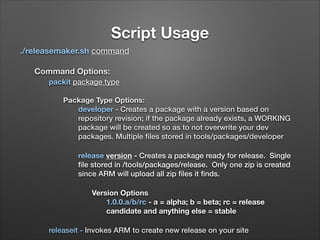
Script Usage
./releasemaker.sh command
Command Options:	
packit package type
Package Type Options:
developer - Creates a package with a version based on
repository revision; if the package already exists, a WORKING
package will be created so as to not overwrite your dev
packages. Multiple files stored in tools/packages/developer
release version - Creates a package ready for release. Single
file stored in /tools/packages/release. Only one zip is created
since ARM will upload all zip files it finds.
Version Options
1.0.0.a/b/rc - a = alpha; b = beta; rc = release
candidate and anything else = stable
releaseit - Invokes ARM to create new release on your site
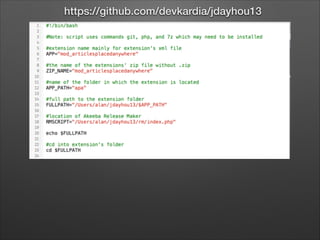
https://github.com/devkardia/jdayhou13
Script Demonstration

Akeebalize Your Extensions

Editor's Notes

  • #3 Painful to zip up your extension, upload it to your server, review your revision commit log, creating a change log, adding the release info to your site, etc.
  • #4 Akeeba Subscriptions is optional. I use it to manage my commercial extensions. If you do not want to use a subscription system, then you can just totally ignore subscription related items.
  • #5 My intention is not to sell Akeeba products. Why? Because you can’t buy them; they’re free! Nicholas has very graciously made his great products available to the Joomla! community for free and I’ve taken advantage of them as one possible solution. There may be many solutions out there but this is what I’ve found to work for me and hope to share that with you. You ultimately have to make the decision if these Akeeba products will work for you.
  • #6 I’m not going into how to install Git, the Akeeba products, Cgwin, Joomla! etc. I’m assuming that as developers, we all have the skill level to figure these things out by utilizing Google or Nicholas’ amazing documentation to get things setup.
  • #7 Okay, so now we are going to get into the nuts and bolts of the setup I’m demonstrating.
  • #16 Akeeba Release Maker has been written specifically for creating releases for Akeeba’s packaging model where they provide a “core” or free version and a “pro” or commercial version. You can do the same if you want. I’m not, as I just have a single package for each extension. You can ignore the “core” and “pro” prefixes as we dig into the config file rather think of them as “package 1” and “package 2” for the specific extension. If you do don’t have to types of packages, then just use one or the other prefix. You’ll want to download the zip or checkout the files from Github and extract or put them in a location accessible across all your extensions.
  • #21 I’m not a bash script expert! You may be a bash guru and look at my code and think what the frack!? But, it works and if you want to improve it, feel free to share :-)
  • #23 Note the script 3rd party commands.