Getting things done with Zabbix services
Alexander Sergunin
Sales Manager
© Zabbix 2015 | 2
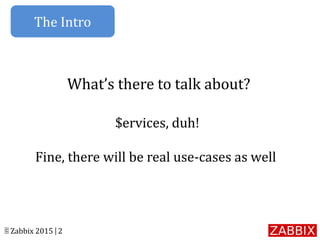
What’s there to talk about?
$ervices, duh!
Fine, there will be real use-cases as well
The Intro
© Zabbix 2015 | 3
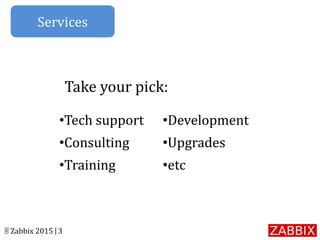
•Tech support
•Consulting
•Training
•Development
•Upgrades
•etc
Take your pick:
Services
© Zabbix 2015 | 4
•Deploy/tune
•Migrate (wink-wink)
•Support
•Expand your services
In other words, what can we do
Services
© Zabbix 2015 | 5
You - service provider / integrator
Customer – decides to move to
Zabbix completely…like now
The Premise
© Zabbix 2015 | 6
•Lack of Zabbix expertise
•Lack of available resources
Let us bite the bullet for you!
The Problem
© Zabbix 2015 | 7
•Your customer is only half way
through with the requirements.
• Some equipment is not even
shipped yet.
•Deadlines are closing in fast.
The Example
© Zabbix 2015 | 8
Have some more obstacles:
•Connection – 800x600 teamviewer window.
•Sleep mode?!
•Slow internet and end user response rate.
Easy, right?
The Example
© Zabbix 2015 | 9
•Zabbix deployed!
•Custom SNMP templates.
•Integration.
•Documentation and more.
The Outcome
© Zabbix 2015 | 10
•JIRA (secure portal)
•Email, phone, remote sessions,
onsite visits
That's nice and all, we just want
maintenance. How does that work?
Support
© Zabbix 2015 | 11
Response time GUARANTEED
The Statement
© Zabbix 2015 | 12
We too use Zabbix!
The Truth
© Zabbix 2015 | 13
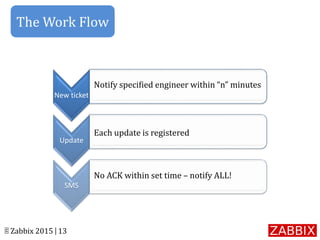
New ticket
Update
SMS
Notify specified engineer within “n” minutes
Each update is registered
No ACK within set time – notify ALL!
The Work Flow
© Zabbix 2015 | 14
•Quality services upon request
•Detailed documentation of a job well done
•Piece of mind
•Support the product
•Be a part of an awesome community
The Benefits
© Zabbix 2015 | 15
YOU!
The People
© Zabbix 2015 | 16
How to get started:
•Request a demo.
•Attend webinars.
•Download the software.
•Buy our services.
The Options
© Zabbix 2015 | 17
Questions?
sales@zabbix.com

Alexander Sergunin - Getting Things Done with Zabbix Services

  • 1.
    Getting things donewith Zabbix services Alexander Sergunin Sales Manager
  • 2.
    © Zabbix 2015| 2 What’s there to talk about? $ervices, duh! Fine, there will be real use-cases as well The Intro
  • 3.
    © Zabbix 2015| 3 •Tech support •Consulting •Training •Development •Upgrades •etc Take your pick: Services
  • 4.
    © Zabbix 2015| 4 •Deploy/tune •Migrate (wink-wink) •Support •Expand your services In other words, what can we do Services
  • 5.
    © Zabbix 2015| 5 You - service provider / integrator Customer – decides to move to Zabbix completely…like now The Premise
  • 6.
    © Zabbix 2015| 6 •Lack of Zabbix expertise •Lack of available resources Let us bite the bullet for you! The Problem
  • 7.
    © Zabbix 2015| 7 •Your customer is only half way through with the requirements. • Some equipment is not even shipped yet. •Deadlines are closing in fast. The Example
  • 8.
    © Zabbix 2015| 8 Have some more obstacles: •Connection – 800x600 teamviewer window. •Sleep mode?! •Slow internet and end user response rate. Easy, right? The Example
  • 9.
    © Zabbix 2015| 9 •Zabbix deployed! •Custom SNMP templates. •Integration. •Documentation and more. The Outcome
  • 10.
    © Zabbix 2015| 10 •JIRA (secure portal) •Email, phone, remote sessions, onsite visits That's nice and all, we just want maintenance. How does that work? Support
  • 11.
    © Zabbix 2015| 11 Response time GUARANTEED The Statement
  • 12.
    © Zabbix 2015| 12 We too use Zabbix! The Truth
  • 13.
    © Zabbix 2015| 13 New ticket Update SMS Notify specified engineer within “n” minutes Each update is registered No ACK within set time – notify ALL! The Work Flow
  • 14.
    © Zabbix 2015| 14 •Quality services upon request •Detailed documentation of a job well done •Piece of mind •Support the product •Be a part of an awesome community The Benefits
  • 15.
    © Zabbix 2015| 15 YOU! The People
  • 16.
    © Zabbix 2015| 16 How to get started: •Request a demo. •Attend webinars. •Download the software. •Buy our services. The Options
  • 17.
    © Zabbix 2015| 17 Questions? sales@zabbix.com