Hi!
I’m Stan
https://twitter.com/st4nsm
MFTF
Introduction to

Magento Functional Testing Framework
Why perform
functional testing?
MFTF
• Reliable

• Maintainable

• Easy to use

• Performant.
Why write tests in XML?
• Fabian Schmangler’s thoughts on this topic:

https://www.schmengler-se.de/en/2017/06/my-opinion-on-xml-based-testing-in-magento/
Why MFTF?
• Based on a well-established framework: Codeception

• Built for Magento

• Scalability

• Automatic XML processing by custom tools

• Widely supported (browserstack.com, etc)
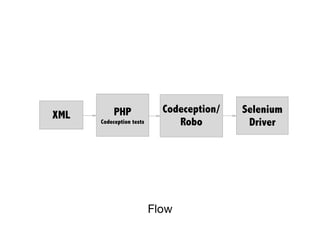
Flow
XML PHP
Codeception tests
Codeception/
Robo
Selenium
Driver
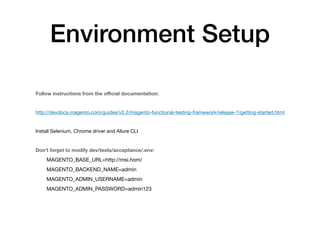
Environment Setup
Follow instructions from the official documentation:
http://devdocs.magento.com/guides/v2.2/magento-functional-testing-framework/release-1/getting-started.html

Install Selenium, Chrome driver and Allure CLI

Don’t forget to modify dev/tests/acceptance/.env:
MAGENTO_BASE_URL=http://msi.hom/

MAGENTO_BACKEND_NAME=admin

MAGENTO_ADMIN_USERNAME=admin

MAGENTO_ADMIN_PASSWORD=admin123
Basic Concepts
• Cest

• Page

• Section

• Data
Magento Search test
• Create a simple product

• Check that we can find this product

• Delete the product
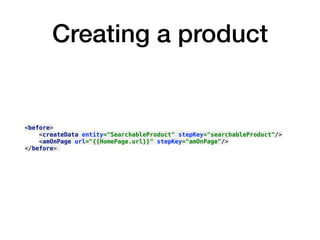
Creating a product
<before>
<createData entity="SearchableProduct" stepKey="searchableProduct"/>
<amOnPage url="{{HomePage.url}}" stepKey="amOnPage"/>
</before>
Annotate the test
<annotations>
<title value="Simple Search Test"/>
<description value="Creates a simple product, checks that it displays
in the search results"/>
<group value="search"/>
</annotations>
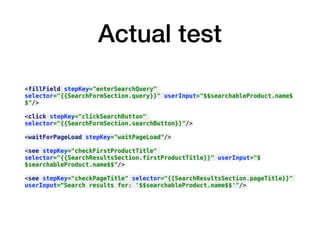
Actual test
<fillField stepKey="enterSearchQuery"
selector="{{SearchFormSection.query}}" userInput="$$searchableProduct.name$
$"/>
<click stepKey="clickSearchButton"
selector="{{SearchFormSection.searchButton}}"/>
<waitForPageLoad stepKey="waitPageLoad"/>
<see stepKey="checkFirstProductTitle"
selector="{{SearchResultsSection.firstProductTitle}}" userInput="$
$searchableProduct.name$$"/>
<see stepKey="checkPageTitle" selector="{{SearchResultsSection.pageTitle}}"
userInput=“Search results for: '$$searchableProduct.name$$'"/>
Remove the product
<after>
<deleteData createDataKey="searchableProduct" stepKey="deleteProduct"/>
</after>
<section name="SearchFormSection">
<element name="query" type="input" selector="#search"/>
<element name="searchButton" type="button" selector="#search_mini_form button[type=submit]"/>
</section>
<section name="SearchResultsSection">
<element name="pageTitle" type="text" selector="h1.page-title"/>
<element name="firstProductTitle" type="text" selector=".product-items>.product-item:first-child a.product-item-link"/>
</section>
Sections
<entity name="SearchableProduct" type="product">
<data key="sku" unique="suffix">SearchableProduct</data>
<data key="type_id">simple</data>
<data key="attribute_set_id">4</data>
<data key="name" unique="suffix">SearchableProduct</data>
<data key="price">123.00</data>
<data key="visibility">4</data>
<data key="status">1</data>
<data key="qty">123</data>
<required-entity type="product_extension_attribute">EavStockItem</required-entity>
</entity>
Example type definitions:
CatalogMetadata
Data
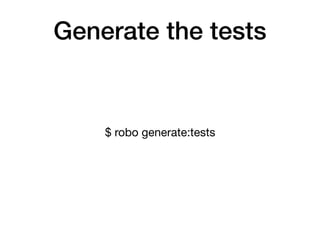
Generate the tests
$ robo generate:tests
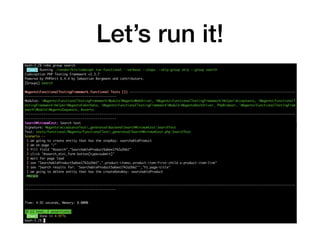
Let’s run it!
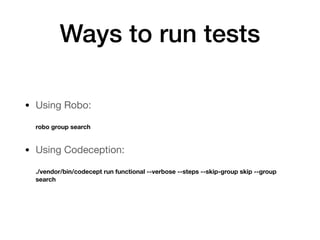
Ways to run tests
• Using Robo:


robo group search

• Using Codeception:


./vendor/bin/codecept run functional --verbose --steps --skip-group skip --group
search
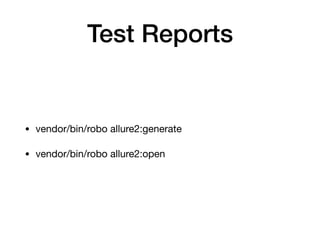
Test Reports
• vendor/bin/robo allure2:generate

• vendor/bin/robo allure2:open
Generated Allure Report
Try it yourself
• Link to GitHub repo:

https://github.com/stansm/mftf-introduction
References
• http://devdocs.magento.com/guides/v2.2/magento-functional-testing-framework/release-1/introduction.html

• http://codeception.com/

• https://github.com/allure-framework/allure2

• https://www.schmengler-se.de/en/2017/06/my-opinion-on-xml-based-testing-in-magento/

• http://codeception.com/docs/reference/Locator

Introduction to Magento Functional Testing Framework