Mastering AutoLISP in 80
MinutesInstructor: Lynn Allen
Course Summary:
AutoLISP has been around for a long time and has always separated the AutoCAD
green thumbs from the gurus. This course begins by debunking some popular rumors
and explores the amount of AutoLISP code used in CAD-dependent industries today.
AutoLISP is more powerful, it’s free and it provides users with the ability to create new
AutoCAD commands in minutes. This class helps seasoned AutoCAD users enter the
world of customization and programming using AutoCAD's native graphical language.
The class is designed for intermediate-level AutoCAD users who have never
programmed in AutoLISP before.
Objectives
• To lay a firm foundation of the basics of Visual
Lisp.
• Prepare you to write your own Visual Lisp
routines
• Start you down the path to official AutoCAD
Gurudom ( or “Nerdom”)
• Teach you some quick and dirty basics of Visual
Lisp (don’t look too close!).
• Discover new ways to torture your coworkers!
Hold on - we have a lot of information to
cover in 80 minutes!
First and Foremost!
Don’t let Visual Lisp intimidate you!
What does LISP stand for?
LISt Processor
(not Lost In Stupid
Parentheses!)
The Basics
• Lists
• Functions
• Arguments
• Golden Rules of AutoLISP
What is a LIST?
Anything inside of parentheses
Examples of LISTS:
(a b c)
(setq x 1)
(princ)
What is a FUNCTION?
(or subr)
The ACTIO Nyo u want VisualLisp to do !
In Visual Lisp the function
ALWAYS go first!!!
Visual Lisp uses Prefix notation
Example: (+ 1 2)
(- 5 3)
(inters A B C D)
(setq x 3)
Visual Lisp as a Calculator
INFIX Notation
(1 + 1)
(3 * 4)
(6 / 2)
PREFIX Notation
(+ 1 1)
(* 3 4)
(/ 6 2)
Arguments
• Arguments are the values you pass to a
function
(+ 5 6)
+ is the function
5 and 6 are the arguments
(setq x “Autodesk”)
Setq is the function
X and “Autodesk” are the
arguments
The Golden Rules of Visual Lisp
• For every open paren, you must have a
closed paren
Example: (setq x (+ a b))
• For every open double quote, you must
have a closed double quote.
Example: (prompt “How are you?”)
The Key to unlocking complicated
LISP routines:
Visual Lisp works from the Inside Out
(+ 5 (* 4 3))
is equal to
(4 * 3) + 5
(- (+ 5 2) (* 6 (- 7 6)))
is equal to
(5 + 2) - (6 * (7 - 6))
7 - (6 * 1)
Quiz Time!
(* 4 (/ (+ 6 3) 3))
12
(+ (* (- 5 2) (/ 15 3)) 6)
21
(/ (* (- 11 9) (+ 25 5)) (* 3 2))
10
Some popular Data Types:
• Real Numbers 1.5
• Integers 5
• Strings “LINE”
• Lists (8 . “DIM”)
• Subrs (or functions) SETQ
Real Numbers and Integers
• Real Numbers have decimal points
Example: 1.3 5.0
• Integers do not!
Example: 25 11
• Real Numbers must have a leading zero.
.5 is incorrect 0.5 is correct
Dotted pair: (0 . “CIRCLE”)
error: misplaced dot on input
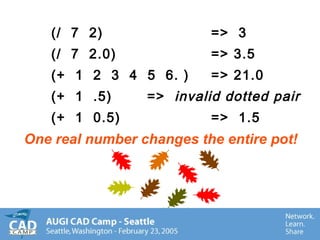
(/ 7 2) => 3
(/ 7 2.0) => 3.5
(+ 1 2 3 4 5 6. ) => 21.0
(+ 1 .5) => invalid dotted pair
(+ 1 0.5) => 1.5
One real number changes the entire pot!
Basic Arithmetic Functions
(for you math-heads):
+ = addition * = multiplication
/ = division - = subtraction
(sqrt x) (sin ang) (atan x)
(expt x y) (cos ang)
(abs x) (log x)
(float x) (fix x)
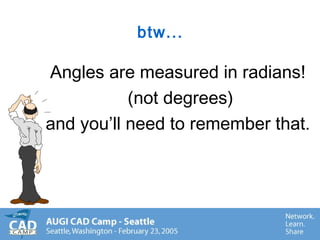
btw...
Angles are measured in radians!
(not degrees)
and you’ll need to remember that.
Strings
Usually Text (literals)
Always double-quoted
Spaces accepted
Examples: “autodesk”
“line”
“1.25”
Setting Variables
(SETQ)
(SETQ X 1)
SETQ is the function
X is the variable name
1 is the value
Setting several variables at once:
(SETQ A 1 B 2 C 3)
Variable Names
• Alpha-numeric
• May not contain spaces
• should not replace existing preset values
such as T or pi
Note: A variable that hasn’t been set is
equal to nil
Using Visual Lisp variables in
AutoCAD
(setq X 1 Y 2)
Command: !X
returns 1
Command: circle
3P/2P/TTR/<Center point>:
Diameter/<Radius>:!Y
Ways to ruin your Visual Lisp life
(setq + -)
(setq * /)
(setq pi 2.5)
Visual Lisp will let you abuse
yourself. . .
Using AutoCAD commands
in Visual Lisp (the good stuff!)
Using the COMMAND function, you can
access the AutoCAD commands
Example:
(command “QSAVE”)
(command “TRIM”)
(command “ZOOM” “P”)
(command “LAYER”)
By default, Visual Lisp doesn’t
display dialog boxes
Visual Lisp displays the command line interface
for commands.
To force the dialog box use:
(initdia)
Before the command:
(initdia)
(command “layer”)
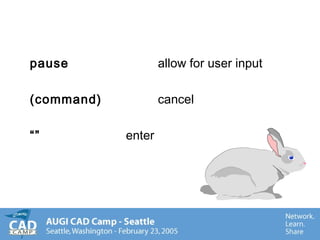
pause allow for user input
(command) cancel
“” enter
(Command “ZOOM” “A”)
(Command “ERASE” “L” ““)
(Command “INSERT” “DESK” pause 1 1 pause)
(Command “LINE” A B C “C”)
(Command “TEXT” pause “.5” 0 “Visual Lisp”)
(Command “LAYER” “S” pause ““)
(Command)
Creating your own AutoCAD
Commands
(DEFUN)
DEFUN binds a set of expressions to a
variable.
(DEFUN C:ZAP ( )
Command: zap
• DEFUN
is the function
• C:
indicates the function will be an
AutoCAD command
• ( )
indicates no local variables and no
arguments (we’ll get to that another time!)
Anatomy of DEFUN
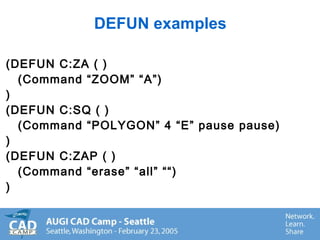
DEFUN examples
(DEFUN C:ZA ( )
(Command “ZOOM” “A”)
)
(DEFUN C:SQ ( )
(Command “POLYGON” 4 “E” pause pause)
)
(DEFUN C:ZAP ( )
(Command “erase” “all” ““)
)
SHORT.LSP(defun c:ls ( )
(command “layer” “M” pause ““)
)
(defun c:ZO ( )
(command “ZOOM” “O”)
)
(defun c:ttr ( )
(command “circle” “ttr” pause pause pause)
)
(defun c:Jellydonut ( )
(command “donut” “0” pause )
)
Loading Visual Lisp routines
• APPLOAD - used to load one or more
Visual Lisp routines
• (load “short”)
Opening a dialog to a specific tab
(command “+dialogname” X)
(command “+options” 7)
will open the Options dialog to tab #8
(command “+customize” 0)
What’s wrong with this picture?
(defun c:door
(“insert” “door” pause 1 1 45)
)
(defun c:fun ())
(prompt “are we having fun yet?)
)
PPurge.LSPPPurge.LSP
(Defun c:ppurge ( )
(command “purge” “all” “*” “N”)
)
Let’s create a command that
breaks an object in the same
spot twice
(defun c:crack ()
Clean up your ACT!
• PRINC (get rid of the nils!)
PPurge.LSPPPurge.LSP
(Defun c:ppurge ( )
(command “purge” “all” “*” “N”)
(princ)
)
Just for fun!
ALERT
ALERT sends an ALERT box to the
screen with the indicated text
Example:
(ALERT “Formatting the hard drive”)
ACAD.LSP or
ACADDOC.LSP
Automatic Visual Lisp Loading
ACAD.LSP or
ACADDOC.LSP
Automatic Visual Lisp Loading
• Put frequently used Visual Lisp routines.
• Undefine those AutoCAD commands you
want to automatically replace with Visual
Lisp routines.
• Place partial menu loading instructions
ACAD.LSPACAD.LSP
(defun c:ZA ( )
(command “Zoom” “All”)
(princ))
(defun c:DT ( )
(setvar “clayer” “TEXT”)
(command “Dtext”)
(princ))
(defun c:bolt ( )
(command “insert” “bolt” pause pause pause)
(princ))
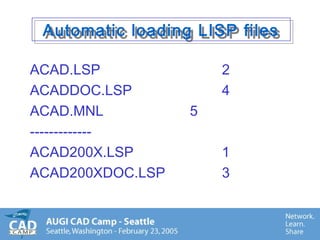
Automatic loading LISP filesAutomatic loading LISP files
ACAD.LSP 2
ACADDOC.LSP 4
ACAD.MNL 5
-------------
ACAD200X.LSP 1
ACAD200XDOC.LSP 3
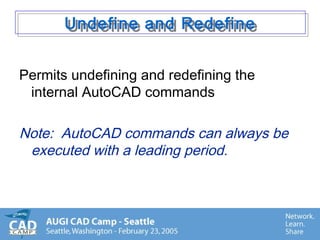
Undefine and RedefineUndefine and Redefine
Permits undefining and redefining the
internal AutoCAD commands
Note: AutoCAD commands can always be
executed with a leading period.
S::STARTUP
a special section of ACAD.LSP
S::STARTUP
a special section of ACAD.LSP
(defun C:LINE ( )
(prompt “Shouldn’t you be using Polylines?”)
(command “PLINE”))
(defun S::STARTUP ( )
(command “undefine” “line”)
)
Note: s::startup is the last file to be loaded before
control is handed over to the user.
Ways to torture your coworkers:Ways to torture your coworkers:
ACAD.LSP
(defun c:qsave ( )
(command “undo” “b” “y”)
(command “.qsave” “.qsave”)
(defun s::startup ()
(command “undefine” “save”)
(command “undefine” “qsave”)
(command “undefine” “saveas”)
)
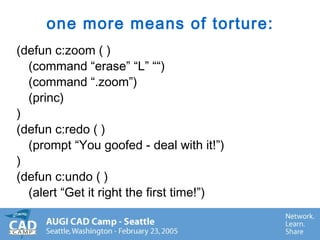
one more means of torture:
(defun c:zoom ( )
(command “erase” “L” ““)
(command “.zoom”)
(princ)
)
(defun c:redo ( )
(prompt “You goofed - deal with it!”)
)
(defun c:undo ( )
(alert “Get it right the first time!”)
(defun c:regen ()
(setvar “cmdecho” 0)
(command “donut” 0 300000000000 “10,10”)
(command “regen”)
(command “cmdecho” 1)
)
(defun s::startup ( )
(command “undefine” “zoom”)
(command “undefine” “undo”)
(command “undefine” “redo”)
(command “undefine” “regen”)
)
Other evil things to put in
s::startup!
S::STARTUP
(setvar “angbase” “180”)
OR
(setvar “snapang” 0.000001)
OR
(command “vpoint” “0,0,-1”)
(command “ucsicon” “off”)
What’s wrong with this picture?What’s wrong with this picture?
(1 + 1)
(* 5 .25)
(/ 9 2)
(setq x (+ 1 2)
(defun d:dimwit
(command “text” .5 90 pause)
(alert “hit cancel to exit dialog box”)
(defun s:startup ( )
ReviewReview
• LISP stands for. . .
• List
• Function
• Command
• pause
• “”
• DEFUN
• (princ)
• (d)
• undefine
• Acad.lsp
• s::startup
• string
Lynn Allen
lynn.allen@autodesk.com
Lynn’s Blog
www.autodesk.com/blog

AutoDesk

  • 1.
    Mastering AutoLISP in80 MinutesInstructor: Lynn Allen Course Summary: AutoLISP has been around for a long time and has always separated the AutoCAD green thumbs from the gurus. This course begins by debunking some popular rumors and explores the amount of AutoLISP code used in CAD-dependent industries today. AutoLISP is more powerful, it’s free and it provides users with the ability to create new AutoCAD commands in minutes. This class helps seasoned AutoCAD users enter the world of customization and programming using AutoCAD's native graphical language. The class is designed for intermediate-level AutoCAD users who have never programmed in AutoLISP before.
  • 2.
    Objectives • To laya firm foundation of the basics of Visual Lisp. • Prepare you to write your own Visual Lisp routines • Start you down the path to official AutoCAD Gurudom ( or “Nerdom”) • Teach you some quick and dirty basics of Visual Lisp (don’t look too close!). • Discover new ways to torture your coworkers!
  • 3.
    Hold on -we have a lot of information to cover in 80 minutes!
  • 4.
    First and Foremost! Don’tlet Visual Lisp intimidate you!
  • 5.
    What does LISPstand for? LISt Processor (not Lost In Stupid Parentheses!)
  • 6.
    The Basics • Lists •Functions • Arguments • Golden Rules of AutoLISP
  • 7.
    What is aLIST? Anything inside of parentheses Examples of LISTS: (a b c) (setq x 1) (princ)
  • 8.
    What is aFUNCTION? (or subr) The ACTIO Nyo u want VisualLisp to do !
  • 9.
    In Visual Lispthe function ALWAYS go first!!! Visual Lisp uses Prefix notation Example: (+ 1 2) (- 5 3) (inters A B C D) (setq x 3)
  • 10.
    Visual Lisp asa Calculator INFIX Notation (1 + 1) (3 * 4) (6 / 2) PREFIX Notation (+ 1 1) (* 3 4) (/ 6 2)
  • 11.
    Arguments • Arguments arethe values you pass to a function (+ 5 6) + is the function 5 and 6 are the arguments (setq x “Autodesk”) Setq is the function X and “Autodesk” are the arguments
  • 12.
    The Golden Rulesof Visual Lisp • For every open paren, you must have a closed paren Example: (setq x (+ a b)) • For every open double quote, you must have a closed double quote. Example: (prompt “How are you?”)
  • 13.
    The Key tounlocking complicated LISP routines: Visual Lisp works from the Inside Out (+ 5 (* 4 3)) is equal to (4 * 3) + 5 (- (+ 5 2) (* 6 (- 7 6))) is equal to (5 + 2) - (6 * (7 - 6)) 7 - (6 * 1)
  • 14.
    Quiz Time! (* 4(/ (+ 6 3) 3)) 12 (+ (* (- 5 2) (/ 15 3)) 6) 21 (/ (* (- 11 9) (+ 25 5)) (* 3 2)) 10
  • 15.
    Some popular DataTypes: • Real Numbers 1.5 • Integers 5 • Strings “LINE” • Lists (8 . “DIM”) • Subrs (or functions) SETQ
  • 16.
    Real Numbers andIntegers • Real Numbers have decimal points Example: 1.3 5.0 • Integers do not! Example: 25 11 • Real Numbers must have a leading zero. .5 is incorrect 0.5 is correct Dotted pair: (0 . “CIRCLE”) error: misplaced dot on input
  • 17.
    (/ 7 2)=> 3 (/ 7 2.0) => 3.5 (+ 1 2 3 4 5 6. ) => 21.0 (+ 1 .5) => invalid dotted pair (+ 1 0.5) => 1.5 One real number changes the entire pot!
  • 18.
    Basic Arithmetic Functions (foryou math-heads): + = addition * = multiplication / = division - = subtraction (sqrt x) (sin ang) (atan x) (expt x y) (cos ang) (abs x) (log x) (float x) (fix x)
  • 19.
    btw... Angles are measuredin radians! (not degrees) and you’ll need to remember that.
  • 20.
    Strings Usually Text (literals) Alwaysdouble-quoted Spaces accepted Examples: “autodesk” “line” “1.25”
  • 21.
    Setting Variables (SETQ) (SETQ X1) SETQ is the function X is the variable name 1 is the value Setting several variables at once: (SETQ A 1 B 2 C 3)
  • 22.
    Variable Names • Alpha-numeric •May not contain spaces • should not replace existing preset values such as T or pi Note: A variable that hasn’t been set is equal to nil
  • 23.
    Using Visual Lispvariables in AutoCAD (setq X 1 Y 2) Command: !X returns 1 Command: circle 3P/2P/TTR/<Center point>: Diameter/<Radius>:!Y
  • 24.
    Ways to ruinyour Visual Lisp life (setq + -) (setq * /) (setq pi 2.5) Visual Lisp will let you abuse yourself. . .
  • 25.
    Using AutoCAD commands inVisual Lisp (the good stuff!) Using the COMMAND function, you can access the AutoCAD commands Example: (command “QSAVE”) (command “TRIM”) (command “ZOOM” “P”) (command “LAYER”)
  • 26.
    By default, VisualLisp doesn’t display dialog boxes Visual Lisp displays the command line interface for commands. To force the dialog box use: (initdia) Before the command: (initdia) (command “layer”)
  • 27.
    pause allow foruser input (command) cancel “” enter
  • 28.
    (Command “ZOOM” “A”) (Command“ERASE” “L” ““) (Command “INSERT” “DESK” pause 1 1 pause) (Command “LINE” A B C “C”) (Command “TEXT” pause “.5” 0 “Visual Lisp”) (Command “LAYER” “S” pause ““) (Command)
  • 29.
    Creating your ownAutoCAD Commands (DEFUN) DEFUN binds a set of expressions to a variable. (DEFUN C:ZAP ( ) Command: zap
  • 30.
    • DEFUN is thefunction • C: indicates the function will be an AutoCAD command • ( ) indicates no local variables and no arguments (we’ll get to that another time!) Anatomy of DEFUN
  • 31.
    DEFUN examples (DEFUN C:ZA( ) (Command “ZOOM” “A”) ) (DEFUN C:SQ ( ) (Command “POLYGON” 4 “E” pause pause) ) (DEFUN C:ZAP ( ) (Command “erase” “all” ““) )
  • 32.
    SHORT.LSP(defun c:ls () (command “layer” “M” pause ““) ) (defun c:ZO ( ) (command “ZOOM” “O”) ) (defun c:ttr ( ) (command “circle” “ttr” pause pause pause) ) (defun c:Jellydonut ( ) (command “donut” “0” pause ) )
  • 33.
    Loading Visual Lisproutines • APPLOAD - used to load one or more Visual Lisp routines • (load “short”)
  • 34.
    Opening a dialogto a specific tab (command “+dialogname” X) (command “+options” 7) will open the Options dialog to tab #8 (command “+customize” 0)
  • 35.
    What’s wrong withthis picture? (defun c:door (“insert” “door” pause 1 1 45) ) (defun c:fun ()) (prompt “are we having fun yet?) )
  • 36.
    PPurge.LSPPPurge.LSP (Defun c:ppurge () (command “purge” “all” “*” “N”) )
  • 37.
    Let’s create acommand that breaks an object in the same spot twice (defun c:crack ()
  • 38.
    Clean up yourACT! • PRINC (get rid of the nils!)
  • 39.
    PPurge.LSPPPurge.LSP (Defun c:ppurge () (command “purge” “all” “*” “N”) (princ) )
  • 40.
    Just for fun! ALERT ALERTsends an ALERT box to the screen with the indicated text Example: (ALERT “Formatting the hard drive”)
  • 41.
    ACAD.LSP or ACADDOC.LSP Automatic VisualLisp Loading ACAD.LSP or ACADDOC.LSP Automatic Visual Lisp Loading • Put frequently used Visual Lisp routines. • Undefine those AutoCAD commands you want to automatically replace with Visual Lisp routines. • Place partial menu loading instructions
  • 42.
    ACAD.LSPACAD.LSP (defun c:ZA () (command “Zoom” “All”) (princ)) (defun c:DT ( ) (setvar “clayer” “TEXT”) (command “Dtext”) (princ)) (defun c:bolt ( ) (command “insert” “bolt” pause pause pause) (princ))
  • 43.
    Automatic loading LISPfilesAutomatic loading LISP files ACAD.LSP 2 ACADDOC.LSP 4 ACAD.MNL 5 ------------- ACAD200X.LSP 1 ACAD200XDOC.LSP 3
  • 44.
    Undefine and RedefineUndefineand Redefine Permits undefining and redefining the internal AutoCAD commands Note: AutoCAD commands can always be executed with a leading period.
  • 45.
    S::STARTUP a special sectionof ACAD.LSP S::STARTUP a special section of ACAD.LSP (defun C:LINE ( ) (prompt “Shouldn’t you be using Polylines?”) (command “PLINE”)) (defun S::STARTUP ( ) (command “undefine” “line”) ) Note: s::startup is the last file to be loaded before control is handed over to the user.
  • 46.
    Ways to tortureyour coworkers:Ways to torture your coworkers: ACAD.LSP (defun c:qsave ( ) (command “undo” “b” “y”) (command “.qsave” “.qsave”) (defun s::startup () (command “undefine” “save”) (command “undefine” “qsave”) (command “undefine” “saveas”) )
  • 47.
    one more meansof torture: (defun c:zoom ( ) (command “erase” “L” ““) (command “.zoom”) (princ) ) (defun c:redo ( ) (prompt “You goofed - deal with it!”) ) (defun c:undo ( ) (alert “Get it right the first time!”)
  • 48.
    (defun c:regen () (setvar“cmdecho” 0) (command “donut” 0 300000000000 “10,10”) (command “regen”) (command “cmdecho” 1) ) (defun s::startup ( ) (command “undefine” “zoom”) (command “undefine” “undo”) (command “undefine” “redo”) (command “undefine” “regen”) )
  • 49.
    Other evil thingsto put in s::startup! S::STARTUP (setvar “angbase” “180”) OR (setvar “snapang” 0.000001) OR (command “vpoint” “0,0,-1”) (command “ucsicon” “off”)
  • 50.
    What’s wrong withthis picture?What’s wrong with this picture? (1 + 1) (* 5 .25) (/ 9 2) (setq x (+ 1 2) (defun d:dimwit (command “text” .5 90 pause) (alert “hit cancel to exit dialog box”) (defun s:startup ( )
  • 51.
    ReviewReview • LISP standsfor. . . • List • Function • Command • pause • “” • DEFUN • (princ) • (d) • undefine • Acad.lsp • s::startup • string
  • 52.