Infinite Scale 
Introduction to Google App Engine
There are only 10 types of people 
in the world: those who understand 
binary, and those who don’t
There are only 10 types of people 
in the world: those who understand 
binary, and those who don’t 
If you smiled, chances are you’ll understand this 
presentation, if not, at least you’ll know this stuff exists
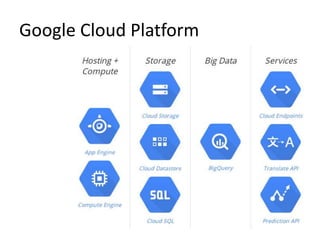
Google Cloud Platform
Google App Engine 
• Platform as a Service 
• Run applications on Google’s infrastructure 
• Used by millions 
• Best Buy / Coca Cola / Ubisoft / Sony
Google App Engine 
• Build and deploy 
• No worrying about servers or load balancers 
• Auto scale to 7 billion requests per day 
• Java / Python / PHP / Go
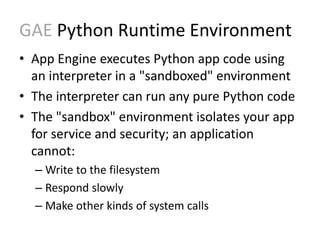
GAE Python Runtime Environment 
• App Engine executes Python app code using 
an interpreter in a "sandboxed" environment 
• The interpreter can run any pure Python code 
• The "sandbox" environment isolates your app 
for service and security; an application 
cannot: 
– Write to the filesystem 
– Respond slowly 
– Make other kinds of system calls
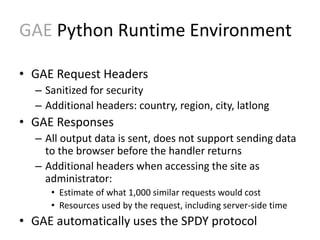
GAE Python Runtime Environment 
• GAE Request Headers 
– Sanitized for security 
– Additional headers: country, region, city, latlong 
• GAE Responses 
– All output data is sent, does not support sending data 
to the browser before the handler returns 
– Additional headers when accessing the site as 
administrator: 
• Estimate of what 1,000 similar requests would cost 
• Resources used by the request, including server-side time 
• GAE automatically uses the SPDY protocol
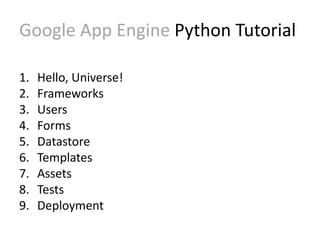
Google App Engine Python Tutorial 
1. Hello, Universe! 
2. Frameworks 
3. Users 
4. Forms 
5. Datastore 
6. Templates 
7. Assets 
8. Tests 
9. Deployment
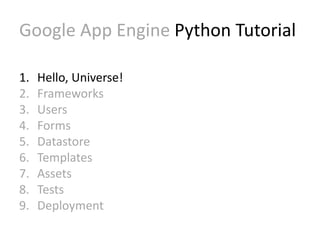
Google App Engine Python Tutorial 
1. Hello, Universe! 
2. Frameworks 
3. Users 
4. Forms 
5. Datastore 
6. Templates 
7. Assets 
8. Tests 
9. Deployment
GAE Tutorial Hello, Universe! 
• Configuration file: app.yaml 
– YAML: recursive acronym for 
“YAML Ain’t Markup Language” 
– YAML is a human friendly data serialization 
standard for all programming languages 
• Python script: hellouniverse.py 
<CODE/>
Google App Engine Python Tutorial 
1. Hello, Universe! 
2. Frameworks 
3. Users 
4. Forms 
5. Datastore 
6. Templates 
7. Assets 
8. Tests 
9. Deployment
GAE Tutorial Frameworks 
• GAE supports any framework written in pure 
Python that speaks WSGI 
– Django, CherryPy, Pylons, web.py, web2py, etc. 
• WSGI – Web Server Gateway Interface 
– Interface between web servers and web 
applications or frameworks for Python 
• Webapp2 
– App Engine includes a simple web application 
framework, called webapp2
GAE Tutorial Frameworks 
• A webapp2 application has two parts 
– one or more RequestHandler classes that process 
requests and build responses 
– a WSGIApplication instance that routes incoming 
requests to handlers based on the URL
Google App Engine Python Tutorial 
1. Hello, Universe! 
2. Frameworks 
3. Users 
4. Forms 
5. Datastore 
6. Templates 
7. Assets 
8. Tests 
9. Deployment
GAE Tutorial Users 
• GAE provides several useful services based on 
Google infrastructure 
• Users service lets your application integrate 
with Google user accounts 
• With the Users service, your users can use the 
Google accounts they already have to sign in 
to your application 
<CODE/>
Google App Engine Forms 
1. Hello, Universe! 
2. Frameworks 
3. Users 
4. Forms 
5. Datastore 
6. Templates 
7. Assets 
8. Tests 
9. Deployment
GAE Tutorial Forms 
• The webapp2 framework makes processing 
form data easy 
– Define handlers to send form data 
– Define classes or methods to process data 
<CODE/>
Google App Engine Datastore 
1. Hello, Universe! 
2. Frameworks 
3. Users 
4. Forms 
5. Datastore 
6. Templates 
7. Assets 
8. Tests 
9. Deployment
GAE Tutorial Datastore 
• App Engine's data repository, the High 
Replication Datastore (HRD), replicates data 
across multiple datacenters 
• Data is written in Entities 
• The entities form a hierarchically-structured 
space similar to a directory structure 
<CODE/>
Google App Engine Templates 
1. Hello, Universe! 
2. Frameworks 
3. Users 
4. Forms 
5. Datastore 
6. Templates 
7. Assets 
8. Tests 
9. Deployment
GAE Tutorial Templates 
• With a templating system the HTML is kept in 
a separate file with special syntax 
• There are many templating systems for 
Python: EZT, Cheetah, ClearSilver, Quixote, 
Django, Jinja2, etc. 
• App Engine includes the Django and Jinja2 
templating engines 
<CODE/>
Google App Engine Assets 
1. Hello, Universe! 
2. Frameworks 
3. Users 
4. Forms 
5. Datastore 
6. Templates 
7. Assets 
8. Tests 
9. Deployment
GAE Tutorial Assets 
• GAE does not serve files directly out of your 
application's source directory 
• There are many cases where you want to 
serve static files directly to the web browser: 
Images, CSS stylesheets, JavaScript code, 
movies, Flash animations, etc. 
• App Engine can serve specific files without you 
having to code your own handler 
<CODE/>
Google App Engine Tests 
1. Hello, Universe! 
2. Frameworks 
3. Users 
4. Forms 
5. Datastore 
6. Templates 
7. Assets 
8. Tests 
9. Deployment
GAE Tutorial Tests 
• Instead of writing tests after you finish 
developing your application, consider writing 
the tests as you go 
• App Engine provides testing utilities that use 
local implementations of datastore and other 
App Engine services, by using service stubs 
(local service simulators) 
<CODE/>
Google App Engine Deployment 
1. Hello, Universe! 
2. Frameworks 
3. Users 
4. Forms 
5. Datastore 
6. Templates 
7. Assets 
8. Tests 
9. Deployment
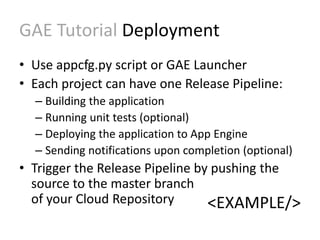
GAE Tutorial Deployment 
• Use appcfg.py script or GAE Launcher 
• Each project can have one Release Pipeline: 
– Building the application 
– Running unit tests (optional) 
– Deploying the application to App Engine 
– Sending notifications upon completion (optional) 
• Trigger the Release Pipeline by pushing the 
source to the master branch 
of your Cloud Repository <EXAMPLE/>
Resources: 
• Google Cloud Platform 
https://cloud.google.com/ 
• Google App Engine Docs 
https://cloud.google.com/appengine/docs 
• GAE Developers Console 
https://console.developers.google.com 
• This tutorial is based on the official Python Getting Started guide 
from Google App Engine, created by the App Engine team and 
licensed under the Creative Commons Attribution 3.0 License 
Thank You!

Infinite Scale - Introduction to Google App Engine

  • 1.
    Infinite Scale Introductionto Google App Engine
  • 3.
    There are only10 types of people in the world: those who understand binary, and those who don’t
  • 4.
    There are only10 types of people in the world: those who understand binary, and those who don’t If you smiled, chances are you’ll understand this presentation, if not, at least you’ll know this stuff exists
  • 5.
  • 6.
    Google App Engine • Platform as a Service • Run applications on Google’s infrastructure • Used by millions • Best Buy / Coca Cola / Ubisoft / Sony
  • 7.
    Google App Engine • Build and deploy • No worrying about servers or load balancers • Auto scale to 7 billion requests per day • Java / Python / PHP / Go
  • 8.
    GAE Python RuntimeEnvironment • App Engine executes Python app code using an interpreter in a "sandboxed" environment • The interpreter can run any pure Python code • The "sandbox" environment isolates your app for service and security; an application cannot: – Write to the filesystem – Respond slowly – Make other kinds of system calls
  • 9.
    GAE Python RuntimeEnvironment • GAE Request Headers – Sanitized for security – Additional headers: country, region, city, latlong • GAE Responses – All output data is sent, does not support sending data to the browser before the handler returns – Additional headers when accessing the site as administrator: • Estimate of what 1,000 similar requests would cost • Resources used by the request, including server-side time • GAE automatically uses the SPDY protocol
  • 10.
    Google App EnginePython Tutorial 1. Hello, Universe! 2. Frameworks 3. Users 4. Forms 5. Datastore 6. Templates 7. Assets 8. Tests 9. Deployment
  • 11.
    Google App EnginePython Tutorial 1. Hello, Universe! 2. Frameworks 3. Users 4. Forms 5. Datastore 6. Templates 7. Assets 8. Tests 9. Deployment
  • 12.
    GAE Tutorial Hello,Universe! • Configuration file: app.yaml – YAML: recursive acronym for “YAML Ain’t Markup Language” – YAML is a human friendly data serialization standard for all programming languages • Python script: hellouniverse.py <CODE/>
  • 13.
    Google App EnginePython Tutorial 1. Hello, Universe! 2. Frameworks 3. Users 4. Forms 5. Datastore 6. Templates 7. Assets 8. Tests 9. Deployment
  • 14.
    GAE Tutorial Frameworks • GAE supports any framework written in pure Python that speaks WSGI – Django, CherryPy, Pylons, web.py, web2py, etc. • WSGI – Web Server Gateway Interface – Interface between web servers and web applications or frameworks for Python • Webapp2 – App Engine includes a simple web application framework, called webapp2
  • 15.
    GAE Tutorial Frameworks • A webapp2 application has two parts – one or more RequestHandler classes that process requests and build responses – a WSGIApplication instance that routes incoming requests to handlers based on the URL
  • 16.
    Google App EnginePython Tutorial 1. Hello, Universe! 2. Frameworks 3. Users 4. Forms 5. Datastore 6. Templates 7. Assets 8. Tests 9. Deployment
  • 17.
    GAE Tutorial Users • GAE provides several useful services based on Google infrastructure • Users service lets your application integrate with Google user accounts • With the Users service, your users can use the Google accounts they already have to sign in to your application <CODE/>
  • 18.
    Google App EngineForms 1. Hello, Universe! 2. Frameworks 3. Users 4. Forms 5. Datastore 6. Templates 7. Assets 8. Tests 9. Deployment
  • 19.
    GAE Tutorial Forms • The webapp2 framework makes processing form data easy – Define handlers to send form data – Define classes or methods to process data <CODE/>
  • 20.
    Google App EngineDatastore 1. Hello, Universe! 2. Frameworks 3. Users 4. Forms 5. Datastore 6. Templates 7. Assets 8. Tests 9. Deployment
  • 21.
    GAE Tutorial Datastore • App Engine's data repository, the High Replication Datastore (HRD), replicates data across multiple datacenters • Data is written in Entities • The entities form a hierarchically-structured space similar to a directory structure <CODE/>
  • 22.
    Google App EngineTemplates 1. Hello, Universe! 2. Frameworks 3. Users 4. Forms 5. Datastore 6. Templates 7. Assets 8. Tests 9. Deployment
  • 23.
    GAE Tutorial Templates • With a templating system the HTML is kept in a separate file with special syntax • There are many templating systems for Python: EZT, Cheetah, ClearSilver, Quixote, Django, Jinja2, etc. • App Engine includes the Django and Jinja2 templating engines <CODE/>
  • 24.
    Google App EngineAssets 1. Hello, Universe! 2. Frameworks 3. Users 4. Forms 5. Datastore 6. Templates 7. Assets 8. Tests 9. Deployment
  • 25.
    GAE Tutorial Assets • GAE does not serve files directly out of your application's source directory • There are many cases where you want to serve static files directly to the web browser: Images, CSS stylesheets, JavaScript code, movies, Flash animations, etc. • App Engine can serve specific files without you having to code your own handler <CODE/>
  • 26.
    Google App EngineTests 1. Hello, Universe! 2. Frameworks 3. Users 4. Forms 5. Datastore 6. Templates 7. Assets 8. Tests 9. Deployment
  • 27.
    GAE Tutorial Tests • Instead of writing tests after you finish developing your application, consider writing the tests as you go • App Engine provides testing utilities that use local implementations of datastore and other App Engine services, by using service stubs (local service simulators) <CODE/>
  • 28.
    Google App EngineDeployment 1. Hello, Universe! 2. Frameworks 3. Users 4. Forms 5. Datastore 6. Templates 7. Assets 8. Tests 9. Deployment
  • 29.
    GAE Tutorial Deployment • Use appcfg.py script or GAE Launcher • Each project can have one Release Pipeline: – Building the application – Running unit tests (optional) – Deploying the application to App Engine – Sending notifications upon completion (optional) • Trigger the Release Pipeline by pushing the source to the master branch of your Cloud Repository <EXAMPLE/>
  • 30.
    Resources: • GoogleCloud Platform https://cloud.google.com/ • Google App Engine Docs https://cloud.google.com/appengine/docs • GAE Developers Console https://console.developers.google.com • This tutorial is based on the official Python Getting Started guide from Google App Engine, created by the App Engine team and licensed under the Creative Commons Attribution 3.0 License Thank You!