






Global Workday Deployments:
Best Practices & Considerations
EMEA
Prepared & Presented by:
Himanshu Sharma, Core HCM CoE
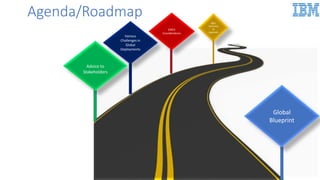
Agenda/Roadmap
Global
Blueprint
Advice to
Stakeholders
Various
Challenges in
Global
Deployments
Agenda/Roadmap
EMEA
Considerations
Q&A,
Summary
&
Appendix
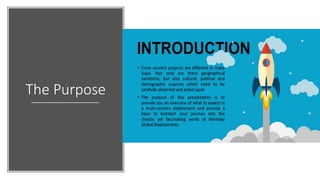
The Purpose
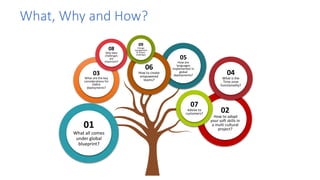
What, Why and How?
01
What all comes
under global
blueprint?
02
How to adapt
your soft skills in
a multi cultural
project?
03
What are the key
considerations for
EMEA
deployments?
05
How are
languages
implemented in
global
deployments? 04
What is the
Time zone
functionality?
06
How to create
empowered
teams?
07
Advise to
customers?
08
Why data
challenges
are
important?
09
Change
management
& Project
challenges
Global
Deployments-
Global
Blueprint
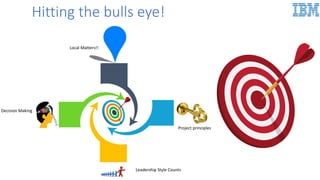
Hitting the bulls eye!
Decision Making
Local Matters!!
Leadership Style Counts
Project principles
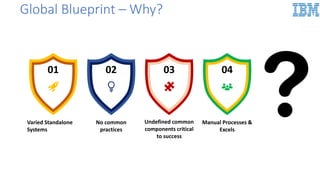
Global Blueprint – Why?
01 02 03 04
Varied Standalone
Systems
No common
practices
Undefined common
components critical
to success
Manual Processes &
Excels
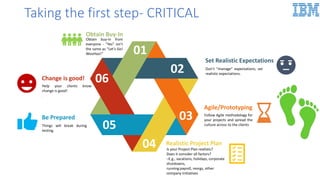
01
02
03
05
06
Obtain Buy-In
Obtain buy-in from
everyone - “Yes” isn’t
the same as “Let’s Go!
WooHoo!”
.
Set Realistic Expectations
Don’t “manage” expectations; set
realistic expectations.
.
Agile/Prototyping
Follow Agile methodology for
your projects and spread the
culture across to the clients
Be Prepared
Things will break during
testing.
.
Change is good!
Help your clients know
change is good!
.
04 Realistic Project Plan
Is your Project Plan realistic?
Does it consider all factors?
–E.g., vacations, holidays, corporate
shutdowns,
running payroll, reorgs, other
company initiatives
Taking the first step- CRITICAL
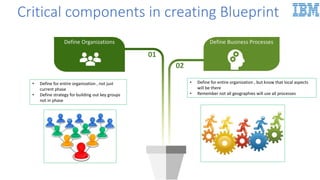
Critical components in creating Blueprint
• Define for entire organization , not just
current phase
• Define strategy for building out key groups
not in phase
• Define for entire organization , but know that local aspects
will be there
• Remember not all geographies will use all processes
01
02
Define Organizations Define Business Processes
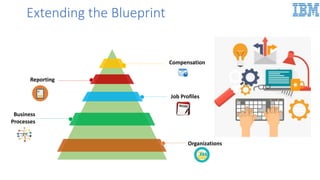
Extending the Blueprint
Job Profiles
Reporting
Compensation
Business
Processes
Organizations
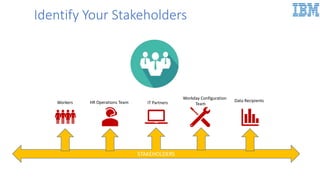
STAKEHOLDERS
Workers HR Operations Team IT Partners
Workday Configuration
Team
Data Recipients
Identify Your Stakeholders
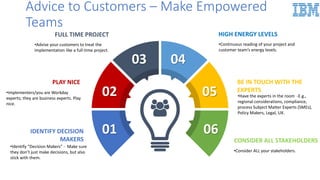
01
02
03 04
05
06
HIGH ENERGY LEVELS
•Continuous reading of your project and
customer team’s energy levels.
FULL TIME PROJECT
•Advise your customers to treat the
implementation like a full-time project.
BE IN TOUCH WITH THE
EXPERTS
•Have the experts in the room -E.g.,
regional considerations, compliance,
process Subject Matter Experts (SMEs),
Policy Makers, Legal, UX.
PLAY NICE
•Implementers/you are Workday
experts; they are business experts. Play
nice.
CONSIDER ALL STAKEHOLDERS
•Consider ALL your stakeholders.
IDENTIFY DECISION
MAKERS
•Identify “Decision Makers” - Make sure
they don’t just make decisions, but also
stick with them.
Advice to Customers – Make Empowered
Teams
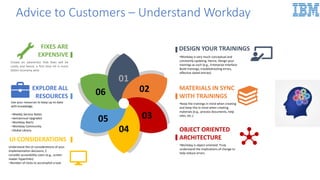
01
06
05
04
03
02
OBJECT ORIENTED
ARCHITECTURE
•Workday is object-oriented. Truly
understand the implications of change to
help reduce errors.
UI CONSIDERATIONS
Understand the UI considerations of your
implementation decisions, C
consider accessibility users (e.g., screen
reader hyperlinks)
‒Number of clicks to accomplish a task
DESIGN YOUR TRAININGS
•Workday is very much conceptual and
constantly updating. Hence, Design your
trainings as such (e.g., Enterprise Interface
Build trainings, troubleshooting errors,
effective dated entries)
FIXES ARE
EXPENSIVE
Create an awareness that fixes will be
costly and hence, a first time hit is much
better economy wise
MATERIALS IN SYNC
WITH TRAININGS
•Keep the trainings in mind when creating
and keep this in mind when creating
materials (e.g., process documents, help
sites, etc.).
EXPLORE ALL
RESOURCES
Use your resources to keep up-to-date
with knowledge.
‒Weekly Service Notes
‒Semiannual Upgrades
‒Workday Alerts
‒Workday Community
‒Global Library
.
Advice to Customers – Understand Workday
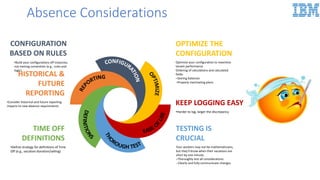
KEEP LOGGING EASY
•Harder to log, larger the discrepancy
TESTING IS
CRUCIAL
Your workers may not be mathematicians,
but they’ll know when their vacations are
short by one minute.
‒Thoroughly test all considerations
--Clearly and fully communicate changes
HISTORICAL &
FUTURE
REPORTING
•Consider historical and future reporting
impacts to new absence requirements
TIME OFF
DEFINITIONS
•Define strategy for definitions of Time
Off (e.g., vacation donation/selling)
OPTIMIZE THE
CONFIGURATION
Optimize your configuration to maximize
tenant performance
Ordering of calculations and calculated
fields
‒Storing balances
‒Properly inactivating plans
CONFIGURATION
BASED ON RULES
•Build your configurations off instances,
not naming convention (e.g., rules and
logic)
Absence Considerations
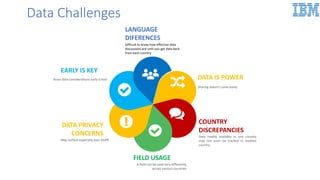
Data Challenges
LANGUAGE
DIFERENCES
Difficult to know how effective data
discussions are until you get data back
from each country
COUNTRY
DISCREPANCIES
Data readily available in one country
may not even be tracked in another
country
EARLY IS KEY
Asses data considerations early is key!.
FIELD USAGE
A field can be used very differently
across various countries
DATA PRIVACY
CONCERNS
May surface especially post GDPR
DATA IS POWER
Sharing doesn’t come easily
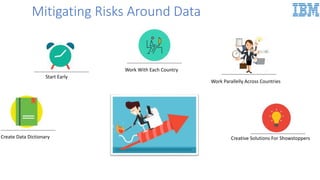
Mitigating Risks Around Data
Start Early
Work Parallelly Across Countries
Create Data Dictionary Creative Solutions For Showstoppers
Work With Each Country
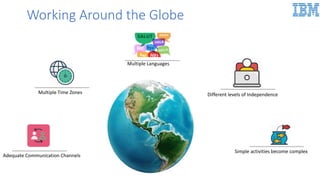
Working Around the Globe
Simple activities become complex
Different levels of Independence
Multiple Languages
Multiple Time Zones
Adequate Communication Channels
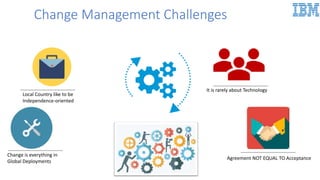
Change Management Challenges
Local Country like to be
Independence-oriented
Change is everything in
Global Deployments
It is rarely about Technology
Agreement NOT EQUAL TO Acceptance
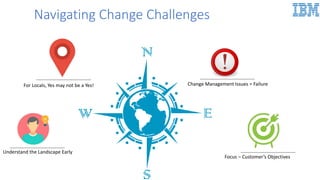
Navigating Change Challenges
Understand the Landscape Early
Change Management Issues = Failure
Focus – Customer’s Objectives
For Locals, Yes may not be a Yes!
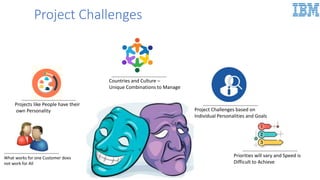
Project Challenges
Projects like People have their
own Personality
Countries and Culture –
Unique Combinations to Manage
Project Challenges based on
Individual Personalities and Goals
Priorities will vary and Speed is
Difficult to Achieve
What works for one Customer does
not work for All
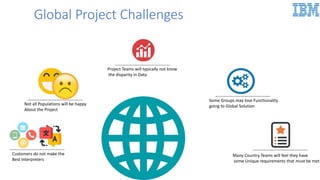
Global Project Challenges
Customers do not make the
Best Interpreters
Project Teams will typically not know
the disparity in Data
Not all Populations will be happy
About the Project
Some Groups may lose Functionality
going to Global Solution
Many Country Teams will feel they have
some Unique requirements that must be met
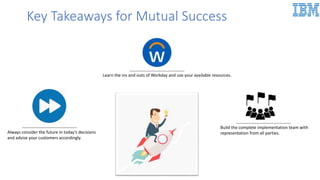
Always consider the future in today’s decisions
and advise your customers accordingly.
Learn the ins and outs of Workday and use your available resources.
Build the complete implementation team with
representation from all parties.
Key Takeaways for Mutual Success
EMEA –
Overview &
Deep Dive
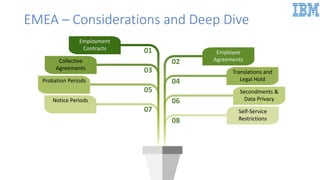
EMEA – Considerations and Deep Dive
01
03
05
07
02
04
06
08
Employment
Contracts
Collective
Agreements
Probation Periods
Notice Periods
Employee
Agreements
Translations and
Legal Hold
Secondments &
Data Privacy
Self-Service
Restrictions
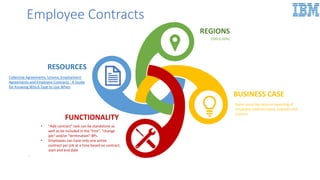
Employee Contracts
BUSINESS CASE
Some countries require reporting of
employee contract types, statuses and
reasons
RESOURCES
FUNCTIONALITY
• "Add contract" task can be standalone as
well as be included in the "hire", "change
job“ and/or "termination" BPs.
• Employees can have only one active
contract per job at a time based on contract
start and end date
.
REGIONS
EMEA,APAC
Collective Agreements, Unions, Employment
Agreements and Employee Contracts : A Guide
for Knowing Which Type to Use When
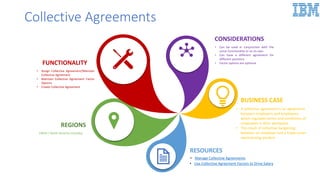
Collective Agreements
BUSINESS CASE
• A collective agreement is an agreement
between employers and employees
which regulates terms and conditions of
employees in their workplace
• The result of collective bargaining
between an employer and a trade union
representing workers
RESOURCES
REGIONS
EMEA / North America (Canada)
CONSIDERATIONS
• Can be used in conjunction with the
union functionality or on its own
• Can have a different agreement for
different positions
• Factor options are optionalFUNCTIONALITY
• Assign Collective Agreement/Maintain
Collective Agreement
• Maintain Collective Agreement Factor
Options
• Create Collective Agreement
• Manage Collective Agreements
• Use Collective Agreement Factors to Drive Salary
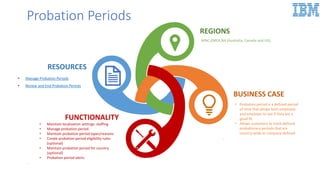
Probation Periods
BUSINESS CASE
• Probation period is a defined period
of time that allows both employee
and employer to see if they are a
good fit.
• Allows customers to track defined
probationary periods that are
country-wide or company-defined
.
RESOURCES
FUNCTIONALITY
• Maintain localization settings: staffing
• Manage probation period
• Maintain probation period types/reasons
• Create probation period eligibility rules
(optional)
• Maintain probation period for country
(optional)
• Probation period alerts
.
REGIONS
APAC,EMEA,NA (Australia, Canada and UK).
• Manage Probation Periods
• Review and End Probation Periods
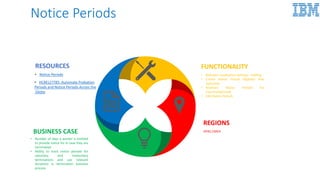
Notice Periods
REGIONS
APAC,EMEABUSINESS CASE
• Number of days a worker is entitled
to provide notice for in case they are
terminated
• Ability to track notice periods for
voluntary and involuntary
terminations and use relevant
durations in termination business
process
FUNCTIONALITY
• Maintain Localization Settings : staffing
• Create Notice Period Eligibility Rule
(optional)
• Maintain Notice Periods For
Country(optional)
• Edit Notice Periods
RESOURCES
• Notice Periods
• HCM127785: Automate Probation
Periods and Notice Periods Across the
Globe
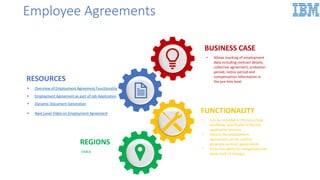
Employee Agreements
FUNCTIONALITY
• Can be included in the recruiting
workflow, specifically in the job
application process
• Data in the employment
agreement can be used to
generate contract agreements
• Gives the ability to renegotiate and
keep track of changes
RESOURCES
.
REGIONS
EMEA
BUSINESS CASE
• Allows tracking of employment
data including contract details,
collective agreement, probation
period, notice period and
compensation information in
the pre-hire level
• Overview of Employment Agreement Functionality
• Employment Agreement as part of Job Application
• Dynamic Document Generation
• Next Level Video on Employment Agreement
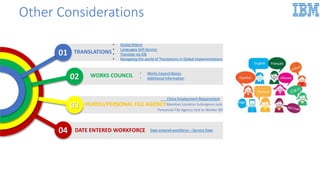
Other Considerations
TRANSLATIONS
• Global Matrix
• Languages Self-Service
• Translate via EIB
• Navigating the world of Translations in Global Implementations
WORKS COUNCIL • Works Council Basics
• Additional Information
HUKOU/PERSONAL FILE AGENCY
DATE ENTERED WORKFORCE04
03
02
01
China Employment Requirement
Date entered workforce – Service Date
Maintain Location Subregions task
Personnel File Agency tied to Worker BO
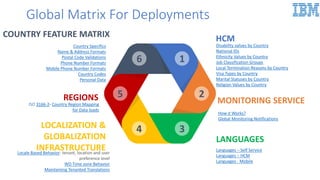
Global Matrix For Deployments
34
25
16
HCM
Disability values by Country
National IDs
Ethnicity Values by Country
Job Classification Groups
Local Termination Reasons by Country
Visa Types by Country
Marital Statuses by Country
Religion Values by Country
LANGUAGES
Languages – Self Service
Languages – HCM
Languages - Mobile
MONITORING SERVICE
How it Works?
Global Monitoring Notifications
COUNTRY FEATURE MATRIX
Country Specifics
Name & Address Formats
Postal Code Validations
Phone Number Formats
Mobile Phone Number Formats
Country Codes
Personal Data
LOCALIZATION &
GLOBALIZATION
INFRASTRUCTURELocale Based Behavior- tenant, location and user
preference level
WD Time zone Behavior
Maintaining Tenanted Translations
REGIONS
ISO 3166-2- Country Region Mapping
for Data loads
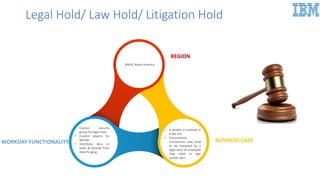
Legal Hold/ Law Hold/ Litigation Hold
EMEA, North America
• A worker is involved in
a law suit
• Terminations
transactions may need
to be reviewed by a
legal team & employee
may need to sign
certain docs
• Custom security
group for legal team
• Custom objects for
Worker
• Distribute docs or
tasks & exclude from
Data Purging
REGION
BUSINESS CASEWORKDAY FUNCTIONALITY
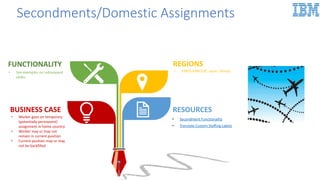
RESOURCESBUSINESS CASE
• Worker goes on temporary
(potentially permanent)
assignment in home country
• Worker may or may not
remain in current position
• Current position may or may
not be backfilled
REGIONS
• EMEA,APAC(UK, Japan, Korea)
FUNCTIONALITY
• See examples on subsequent
slides
• Secondment Functionality
• Translate Custom Staffing Labels
Secondments/Domestic Assignments
INTERNATIONAL
ASSIGNMENT
CHANGE JOBADDITIONAL JOB
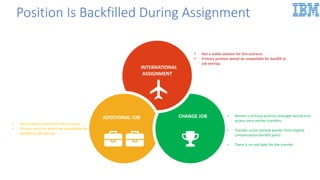
Position Is Backfilled During Assignment
• Not a viable solution for this scenario
• Primary position would be unavailable for backfill or
job overlap
• Not a viable solution for this scenario
• Primary position would be unavailable for
backfill or job overlap
• Worker’s primary position manager would lose
access once worker transfers
• Transfer could remove worker from eligible
compensation/benefit plans
• There is no end date for the transfer
INTERNATIONAL
ASSIGNMENT
CHANGE JOBADDITIONAL JOB
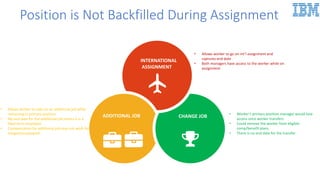
• Allows worker to go on int’l assignment and
captures end date
• Both managers have access to the worker while on
assignment
• Allows worker to take on an additional job while
remaining in primary position
• No end date for the additional job unless it is a
fixed term employee
• Compensation for additional job may not work for
integrations/payroll
Position is Not Backfilled During Assignment
• Worker’s primary position manager would lose
access once worker transfers
• Could remove the worker from eligible
comp/benefit plans
• There is no end date for the transfer
REGIONS
BUSINESS CASE
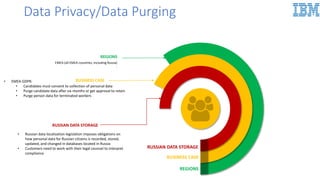
RUSSIAN DATA STORAGE
• Russian data localization legislation imposes obligations on
how personal data for Russian citizens is recorded, stored,
updated, and changed in databases located in Russia
• Customers need to work with their legal counsel to interpret
compliance
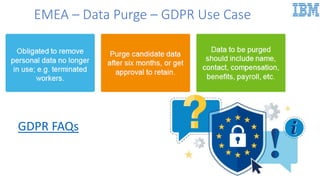
BUSINESS CASE• EMEA GDPR:
• Candidates must consent to collection of personal data
• Purge candidate data after six months or get approval to retain
• Purge person data for terminated workers
REGIONS
EMEA (all EMEA countries, including Russia)
.
Data Privacy/Data Purging
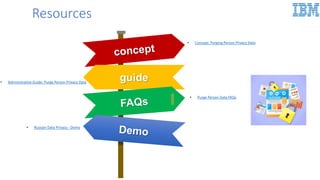
Resources
guide
• Concept: Purging Person Privacy Data
• Administrative Guide: Purge Person Privacy Data
• Purge Person Data FAQs
• Russian Data Privacy - Demo
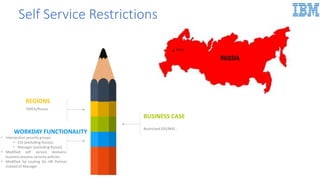
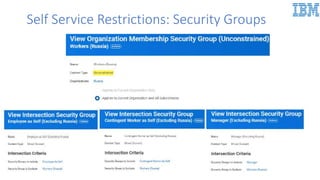
Self Service Restrictions
REGIONS
EMEA/Russia
WORKDAY FUNCTIONALITY
• Intersection security groups
• ESS (excluding Russia)
• Manager (excluding Russia)
• Modified self service domains,
business process security policies
• Modified bp routing (to HR Partner
instead of Manager
BUSINESS CASE
Restricted ESS/MSS .
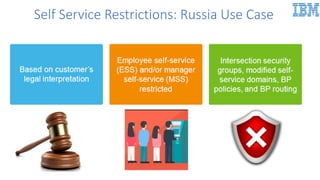
Self Service Restrictions: Russia Use Case
Self Service Restrictions: Security Groups
EMEA – Data Purge – GDPR Use Case
GDPR FAQs
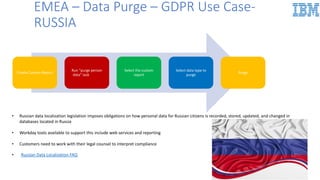
EMEA – Data Purge – GDPR Use Case-
RUSSIA
• Russian Data Localization FAQ
Create Custom Report
Run “purge person
data” task
Select the custom
report
Select data type to
purge
Purge
• Russian data localization legislation imposes obligations on how personal data for Russian citizens is recorded, stored, updated, and changed in
databases located in Russia
• Workday tools available to support this include web services and reporting
• Customers need to work with their legal counsel to interpret compliance
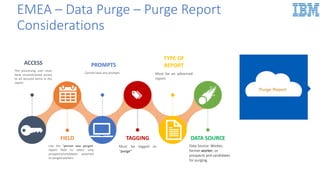
EMEA – Data Purge – Purge Report
Considerations
FIELD
Use the “person was purged:
report field to select only
prospects/candidates attached
to purged workers
TAGGING
Must be tagged as
“purge”
DATA SOURCE
Data Source: Worker,
former worker, or
prospects and candidates
for purging.
ACCESS
The processing user must
have unconstrained access
to all secured items in the
report
PROMPTS
Cannot have any prompts
TYPE OF
REPORT
Must be an advanced
report
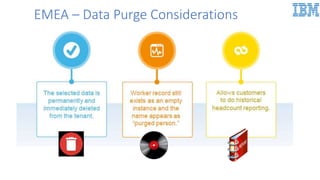
EMEA – Data Purge Considerations
Summary
Summary
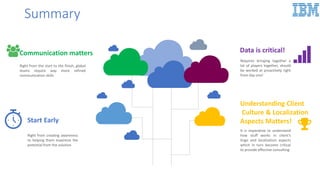
Start Early
Right from creating awareness
to helping them maximize the
potential from the solution
Communication matters
Right from the start to the finish, global
teams require way more refined
communication skills
Understanding Client
Culture & Localization
Aspects Matters!
It is imperative to understand
how stuff works in client’s
lingo and localization aspects
which in turn become critical
to provide effective consulting
Data is critical!
Requires bringing together a
lot of players together, should
be worked at proactively right
from day one!
Any Questions?
Global deployment best practices and considerations EMEA

Global deployment best practices and considerations EMEA

  • 1.
    Global Workday Deployments: BestPractices & Considerations EMEA Prepared & Presented by: Himanshu Sharma, Core HCM CoE
  • 2.
  • 3.
  • 4.
  • 5.
    What, Why andHow? 01 What all comes under global blueprint? 02 How to adapt your soft skills in a multi cultural project? 03 What are the key considerations for EMEA deployments? 05 How are languages implemented in global deployments? 04 What is the Time zone functionality? 06 How to create empowered teams? 07 Advise to customers? 08 Why data challenges are important? 09 Change management & Project challenges
  • 6.
  • 7.
    Hitting the bullseye! Decision Making Local Matters!! Leadership Style Counts Project principles
  • 8.
    Global Blueprint –Why? 01 02 03 04 Varied Standalone Systems No common practices Undefined common components critical to success Manual Processes & Excels
  • 9.
    01 02 03 05 06 Obtain Buy-In Obtain buy-infrom everyone - “Yes” isn’t the same as “Let’s Go! WooHoo!” . Set Realistic Expectations Don’t “manage” expectations; set realistic expectations. . Agile/Prototyping Follow Agile methodology for your projects and spread the culture across to the clients Be Prepared Things will break during testing. . Change is good! Help your clients know change is good! . 04 Realistic Project Plan Is your Project Plan realistic? Does it consider all factors? –E.g., vacations, holidays, corporate shutdowns, running payroll, reorgs, other company initiatives Taking the first step- CRITICAL
  • 10.
    Critical components increating Blueprint • Define for entire organization , not just current phase • Define strategy for building out key groups not in phase • Define for entire organization , but know that local aspects will be there • Remember not all geographies will use all processes 01 02 Define Organizations Define Business Processes
  • 11.
    Extending the Blueprint JobProfiles Reporting Compensation Business Processes Organizations
  • 12.
    STAKEHOLDERS Workers HR OperationsTeam IT Partners Workday Configuration Team Data Recipients Identify Your Stakeholders
  • 13.
    01 02 03 04 05 06 HIGH ENERGYLEVELS •Continuous reading of your project and customer team’s energy levels. FULL TIME PROJECT •Advise your customers to treat the implementation like a full-time project. BE IN TOUCH WITH THE EXPERTS •Have the experts in the room -E.g., regional considerations, compliance, process Subject Matter Experts (SMEs), Policy Makers, Legal, UX. PLAY NICE •Implementers/you are Workday experts; they are business experts. Play nice. CONSIDER ALL STAKEHOLDERS •Consider ALL your stakeholders. IDENTIFY DECISION MAKERS •Identify “Decision Makers” - Make sure they don’t just make decisions, but also stick with them. Advice to Customers – Make Empowered Teams
  • 14.
    01 06 05 04 03 02 OBJECT ORIENTED ARCHITECTURE •Workday isobject-oriented. Truly understand the implications of change to help reduce errors. UI CONSIDERATIONS Understand the UI considerations of your implementation decisions, C consider accessibility users (e.g., screen reader hyperlinks) ‒Number of clicks to accomplish a task DESIGN YOUR TRAININGS •Workday is very much conceptual and constantly updating. Hence, Design your trainings as such (e.g., Enterprise Interface Build trainings, troubleshooting errors, effective dated entries) FIXES ARE EXPENSIVE Create an awareness that fixes will be costly and hence, a first time hit is much better economy wise MATERIALS IN SYNC WITH TRAININGS •Keep the trainings in mind when creating and keep this in mind when creating materials (e.g., process documents, help sites, etc.). EXPLORE ALL RESOURCES Use your resources to keep up-to-date with knowledge. ‒Weekly Service Notes ‒Semiannual Upgrades ‒Workday Alerts ‒Workday Community ‒Global Library . Advice to Customers – Understand Workday
  • 15.
    KEEP LOGGING EASY •Harderto log, larger the discrepancy TESTING IS CRUCIAL Your workers may not be mathematicians, but they’ll know when their vacations are short by one minute. ‒Thoroughly test all considerations --Clearly and fully communicate changes HISTORICAL & FUTURE REPORTING •Consider historical and future reporting impacts to new absence requirements TIME OFF DEFINITIONS •Define strategy for definitions of Time Off (e.g., vacation donation/selling) OPTIMIZE THE CONFIGURATION Optimize your configuration to maximize tenant performance Ordering of calculations and calculated fields ‒Storing balances ‒Properly inactivating plans CONFIGURATION BASED ON RULES •Build your configurations off instances, not naming convention (e.g., rules and logic) Absence Considerations
  • 16.
    Data Challenges LANGUAGE DIFERENCES Difficult toknow how effective data discussions are until you get data back from each country COUNTRY DISCREPANCIES Data readily available in one country may not even be tracked in another country EARLY IS KEY Asses data considerations early is key!. FIELD USAGE A field can be used very differently across various countries DATA PRIVACY CONCERNS May surface especially post GDPR DATA IS POWER Sharing doesn’t come easily
  • 17.
    Mitigating Risks AroundData Start Early Work Parallelly Across Countries Create Data Dictionary Creative Solutions For Showstoppers Work With Each Country
  • 18.
    Working Around theGlobe Simple activities become complex Different levels of Independence Multiple Languages Multiple Time Zones Adequate Communication Channels
  • 19.
    Change Management Challenges LocalCountry like to be Independence-oriented Change is everything in Global Deployments It is rarely about Technology Agreement NOT EQUAL TO Acceptance
  • 20.
    Navigating Change Challenges Understandthe Landscape Early Change Management Issues = Failure Focus – Customer’s Objectives For Locals, Yes may not be a Yes!
  • 21.
    Project Challenges Projects likePeople have their own Personality Countries and Culture – Unique Combinations to Manage Project Challenges based on Individual Personalities and Goals Priorities will vary and Speed is Difficult to Achieve What works for one Customer does not work for All
  • 22.
    Global Project Challenges Customersdo not make the Best Interpreters Project Teams will typically not know the disparity in Data Not all Populations will be happy About the Project Some Groups may lose Functionality going to Global Solution Many Country Teams will feel they have some Unique requirements that must be met
  • 23.
    Always consider thefuture in today’s decisions and advise your customers accordingly. Learn the ins and outs of Workday and use your available resources. Build the complete implementation team with representation from all parties. Key Takeaways for Mutual Success
  • 24.
  • 25.
    EMEA – Considerationsand Deep Dive 01 03 05 07 02 04 06 08 Employment Contracts Collective Agreements Probation Periods Notice Periods Employee Agreements Translations and Legal Hold Secondments & Data Privacy Self-Service Restrictions
  • 26.
    Employee Contracts BUSINESS CASE Somecountries require reporting of employee contract types, statuses and reasons RESOURCES FUNCTIONALITY • "Add contract" task can be standalone as well as be included in the "hire", "change job“ and/or "termination" BPs. • Employees can have only one active contract per job at a time based on contract start and end date . REGIONS EMEA,APAC Collective Agreements, Unions, Employment Agreements and Employee Contracts : A Guide for Knowing Which Type to Use When
  • 27.
    Collective Agreements BUSINESS CASE •A collective agreement is an agreement between employers and employees which regulates terms and conditions of employees in their workplace • The result of collective bargaining between an employer and a trade union representing workers RESOURCES REGIONS EMEA / North America (Canada) CONSIDERATIONS • Can be used in conjunction with the union functionality or on its own • Can have a different agreement for different positions • Factor options are optionalFUNCTIONALITY • Assign Collective Agreement/Maintain Collective Agreement • Maintain Collective Agreement Factor Options • Create Collective Agreement • Manage Collective Agreements • Use Collective Agreement Factors to Drive Salary
  • 28.
    Probation Periods BUSINESS CASE •Probation period is a defined period of time that allows both employee and employer to see if they are a good fit. • Allows customers to track defined probationary periods that are country-wide or company-defined . RESOURCES FUNCTIONALITY • Maintain localization settings: staffing • Manage probation period • Maintain probation period types/reasons • Create probation period eligibility rules (optional) • Maintain probation period for country (optional) • Probation period alerts . REGIONS APAC,EMEA,NA (Australia, Canada and UK). • Manage Probation Periods • Review and End Probation Periods
  • 29.
    Notice Periods REGIONS APAC,EMEABUSINESS CASE •Number of days a worker is entitled to provide notice for in case they are terminated • Ability to track notice periods for voluntary and involuntary terminations and use relevant durations in termination business process FUNCTIONALITY • Maintain Localization Settings : staffing • Create Notice Period Eligibility Rule (optional) • Maintain Notice Periods For Country(optional) • Edit Notice Periods RESOURCES • Notice Periods • HCM127785: Automate Probation Periods and Notice Periods Across the Globe
  • 30.
    Employee Agreements FUNCTIONALITY • Canbe included in the recruiting workflow, specifically in the job application process • Data in the employment agreement can be used to generate contract agreements • Gives the ability to renegotiate and keep track of changes RESOURCES . REGIONS EMEA BUSINESS CASE • Allows tracking of employment data including contract details, collective agreement, probation period, notice period and compensation information in the pre-hire level • Overview of Employment Agreement Functionality • Employment Agreement as part of Job Application • Dynamic Document Generation • Next Level Video on Employment Agreement
  • 31.
    Other Considerations TRANSLATIONS • GlobalMatrix • Languages Self-Service • Translate via EIB • Navigating the world of Translations in Global Implementations WORKS COUNCIL • Works Council Basics • Additional Information HUKOU/PERSONAL FILE AGENCY DATE ENTERED WORKFORCE04 03 02 01 China Employment Requirement Date entered workforce – Service Date Maintain Location Subregions task Personnel File Agency tied to Worker BO
  • 32.
    Global Matrix ForDeployments 34 25 16 HCM Disability values by Country National IDs Ethnicity Values by Country Job Classification Groups Local Termination Reasons by Country Visa Types by Country Marital Statuses by Country Religion Values by Country LANGUAGES Languages – Self Service Languages – HCM Languages - Mobile MONITORING SERVICE How it Works? Global Monitoring Notifications COUNTRY FEATURE MATRIX Country Specifics Name & Address Formats Postal Code Validations Phone Number Formats Mobile Phone Number Formats Country Codes Personal Data LOCALIZATION & GLOBALIZATION INFRASTRUCTURELocale Based Behavior- tenant, location and user preference level WD Time zone Behavior Maintaining Tenanted Translations REGIONS ISO 3166-2- Country Region Mapping for Data loads
  • 33.
    Legal Hold/ LawHold/ Litigation Hold EMEA, North America • A worker is involved in a law suit • Terminations transactions may need to be reviewed by a legal team & employee may need to sign certain docs • Custom security group for legal team • Custom objects for Worker • Distribute docs or tasks & exclude from Data Purging REGION BUSINESS CASEWORKDAY FUNCTIONALITY
  • 34.
    RESOURCESBUSINESS CASE • Workergoes on temporary (potentially permanent) assignment in home country • Worker may or may not remain in current position • Current position may or may not be backfilled REGIONS • EMEA,APAC(UK, Japan, Korea) FUNCTIONALITY • See examples on subsequent slides • Secondment Functionality • Translate Custom Staffing Labels Secondments/Domestic Assignments
  • 35.
    INTERNATIONAL ASSIGNMENT CHANGE JOBADDITIONAL JOB PositionIs Backfilled During Assignment • Not a viable solution for this scenario • Primary position would be unavailable for backfill or job overlap • Not a viable solution for this scenario • Primary position would be unavailable for backfill or job overlap • Worker’s primary position manager would lose access once worker transfers • Transfer could remove worker from eligible compensation/benefit plans • There is no end date for the transfer
  • 36.
    INTERNATIONAL ASSIGNMENT CHANGE JOBADDITIONAL JOB •Allows worker to go on int’l assignment and captures end date • Both managers have access to the worker while on assignment • Allows worker to take on an additional job while remaining in primary position • No end date for the additional job unless it is a fixed term employee • Compensation for additional job may not work for integrations/payroll Position is Not Backfilled During Assignment • Worker’s primary position manager would lose access once worker transfers • Could remove the worker from eligible comp/benefit plans • There is no end date for the transfer
  • 37.
    REGIONS BUSINESS CASE RUSSIAN DATASTORAGE RUSSIAN DATA STORAGE • Russian data localization legislation imposes obligations on how personal data for Russian citizens is recorded, stored, updated, and changed in databases located in Russia • Customers need to work with their legal counsel to interpret compliance BUSINESS CASE• EMEA GDPR: • Candidates must consent to collection of personal data • Purge candidate data after six months or get approval to retain • Purge person data for terminated workers REGIONS EMEA (all EMEA countries, including Russia) . Data Privacy/Data Purging
  • 38.
    Resources guide • Concept: PurgingPerson Privacy Data • Administrative Guide: Purge Person Privacy Data • Purge Person Data FAQs • Russian Data Privacy - Demo
  • 39.
    Self Service Restrictions REGIONS EMEA/Russia WORKDAYFUNCTIONALITY • Intersection security groups • ESS (excluding Russia) • Manager (excluding Russia) • Modified self service domains, business process security policies • Modified bp routing (to HR Partner instead of Manager BUSINESS CASE Restricted ESS/MSS .
  • 40.
  • 41.
  • 42.
    EMEA – DataPurge – GDPR Use Case GDPR FAQs
  • 43.
    EMEA – DataPurge – GDPR Use Case- RUSSIA • Russian Data Localization FAQ Create Custom Report Run “purge person data” task Select the custom report Select data type to purge Purge • Russian data localization legislation imposes obligations on how personal data for Russian citizens is recorded, stored, updated, and changed in databases located in Russia • Workday tools available to support this include web services and reporting • Customers need to work with their legal counsel to interpret compliance
  • 44.
    EMEA – DataPurge – Purge Report Considerations FIELD Use the “person was purged: report field to select only prospects/candidates attached to purged workers TAGGING Must be tagged as “purge” DATA SOURCE Data Source: Worker, former worker, or prospects and candidates for purging. ACCESS The processing user must have unconstrained access to all secured items in the report PROMPTS Cannot have any prompts TYPE OF REPORT Must be an advanced report
  • 45.
    EMEA – DataPurge Considerations
  • 46.
  • 47.
    Summary Start Early Right fromcreating awareness to helping them maximize the potential from the solution Communication matters Right from the start to the finish, global teams require way more refined communication skills Understanding Client Culture & Localization Aspects Matters! It is imperative to understand how stuff works in client’s lingo and localization aspects which in turn become critical to provide effective consulting Data is critical! Requires bringing together a lot of players together, should be worked at proactively right from day one!
  • 48.