Website Helpdesk Support Ticket in Odoo
BrowseinfoSensing your needs
Address : A-310, Siddhivinayak Tower
Makarba, Ahmedabad, 380051,
Gujarat, India.
Email : contact@browseinfo.in
Contact : 079-29700001
Website : https://browseinfo.in/
About app :
-> This Website helpdesk support Odoo app almost contain everything you need
for Service Desk, Technical support team, Call center management, Etc.
-> Also Website Issue ticketing system which include issue tracking, billing
payment, tech support portal, service request with timesheet to be managed in
this helpdesk support ticket Odoo module.
-> Also its allow to create invoice easily from the timesheet logged for the
project issue/help desk support ticketing system.
Uses :
-> Website helpdesk support ticket in odoo is used for give customer an
interface where he/she can send support ticket request and attach documents
from website.
-> Support ticket will send by email to customer and admin. for Online ticketing
system for customer support in Odoo Support.
-> By using this odoo website support app Customer can view their ticket from
the website portal and easily see stage of the reported ticket also customer can
communicate with help-desk support team from website communication option.
Features :
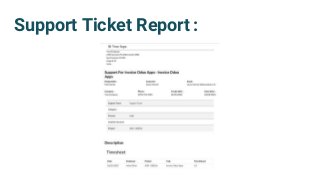
1) Print PDF - Helpdesk Support Ticket.
2) Support User / Technician can communicate with customer using
chatter and fill timesheet.
3) Support Manager can close ticket and send bill to customer.
4) Create Ticket / Attach Document
5) Create Support Ticket By Mail
6) Graphical Representation Of Support Ticket
Features :
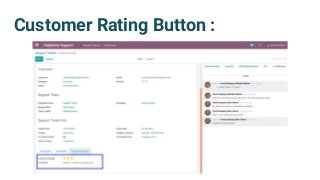
7) Customer can give feedback and rating of ticket.
8) Manage your support tickets using assignment to multiple support
teams.
9) Activity view for helpdesk support ticket.
10) Customer can check status of all support tickets submitted by
him/her on My Account page.
11) The sender customer for the support ticket mail will be added as a
partner if the partner is not exists.
12) Customers can give a rating after getting the services.
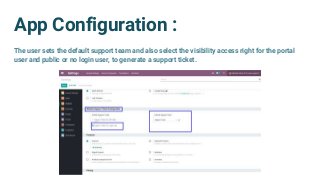
App Configuration :
The user sets the default support team and also select the visibility access right for the portal
user and public or no login user, to generate a support ticket.
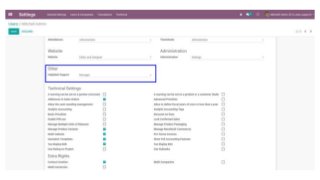
Access Rights and Roles :
We have two different access groups for Helpdesk Support Ticket.
● User
● Manager
To Know More About this Module : Website customer helpdesk support
Ticketing System
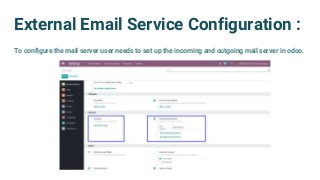
External Email Service Configuration :
To configure the mail server user needs to set up the incoming and outgoing mail server in odoo.
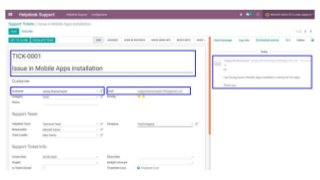
Customer Can Send Email For Support :
-> Customers can send mail to generate a
support ticket.
-> A new auto-generated support ticket
will be created after sending mail by the
customer.
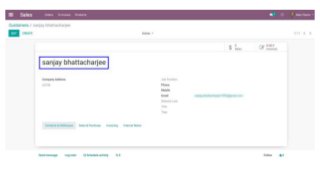
Auto Generate Partner :
The sender customer for the
support ticket mail will be added
as a partner.
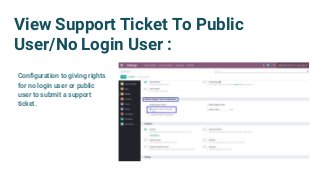
View Support Ticket To Public
User/No Login User :
Configuration to giving rights
for no login user or public
user to submit a support
ticket.
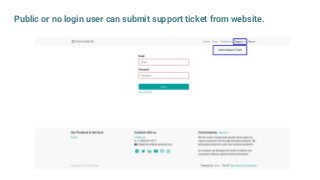
Public or no login user can submit support ticket from website.
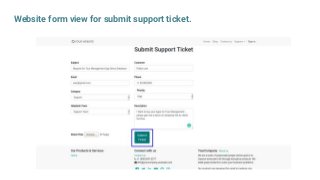
Website form view for submit support ticket.
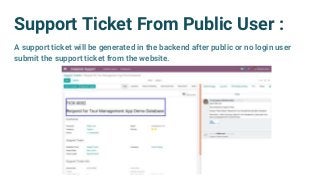
Support Ticket From Public User :
A support ticket will be generated in the backend after public or no login user
submit the support ticket from the website.
Submit And View Support Ticket To
Login User :
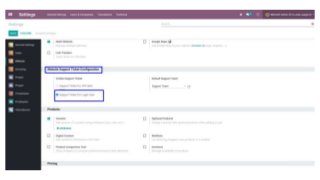
Configuration to giving rights for login user or public user to submit a
support ticket
To watch complete configuration Process : Helpdesk Support Ticket for Customer
Login User
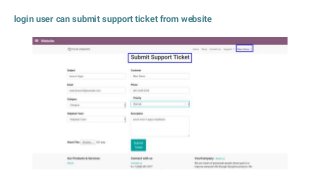
login user can submit support ticket from website
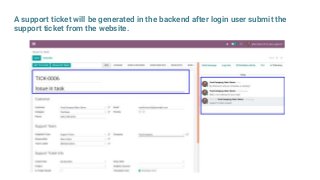
A support ticket will be generated in the backend after login user submit the
support ticket from the website.
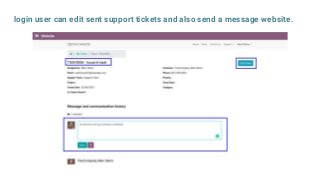
login user can edit sent support tickets and also send a message website.
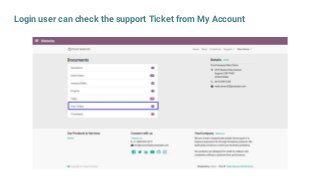
Login user can check the support Ticket from My Account
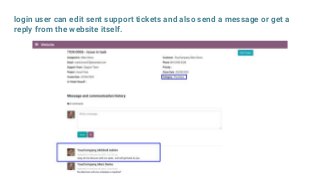
login user can edit sent support tickets and also send a message or get a
reply from the website itself.
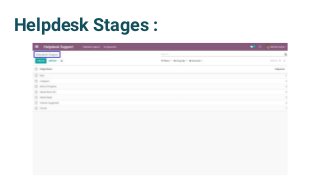
Helpdesk Stages :
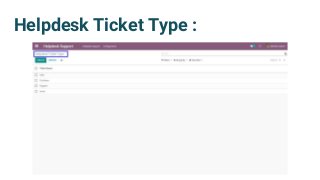
Helpdesk Ticket Type :
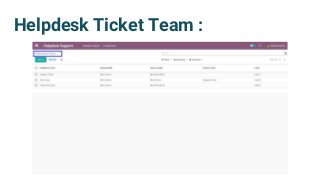
Helpdesk Ticket Team :
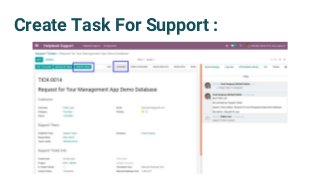
Create Task For Support :
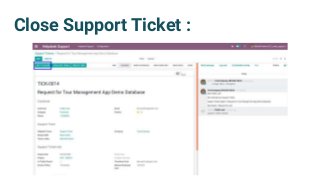
Close Support Ticket :
Create Invoice For Support Ticket :
-> User can create invoice for closed tickets by two ways:
1) Employee Cost
2) Manual Employee Cost
-> Once the ticket is close, create invoice button will be visible, user can
create invoice, for the payment . for a support ticket costing
-> After chicking create invoice button will appear, by clicking this button user
will be redirected to invoice page.
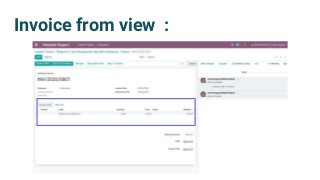
Invoice from view :
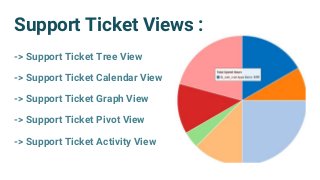
Support Ticket Views :
-> Support Ticket Tree View
-> Support Ticket Calendar View
-> Support Ticket Graph View
-> Support Ticket Pivot View
-> Support Ticket Activity View
Escalate Team :
If you want to assign this ticket to higher level/parent team then you
can use this button. After using this button helpdesk team and team
leader will be change as per parent team. If you are in parent level
then you can not escalate team.
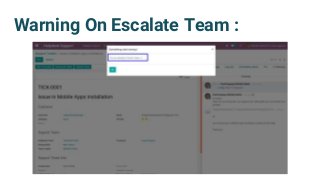
Warning On Escalate Team :
After Close Ticket :
Once the ticket is close Is Ticket Closed checkbox become checked
Login User Will Get Update For The
Ticket Status
login user will be notified once the ticket is closed and the user can give
rating also for feedback.
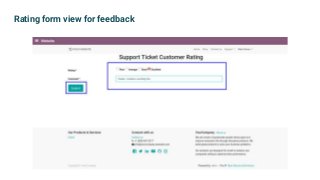
Rating form view for feedback
Customer Rating Button :
Support Ticket Report :
Conclusion :
-> This Website helpdesk support Odoo app almost include everything you
need for website support.
-> Also Spanish translation of this module is available.
-> This odoo website support app is Compatible for both enterprises and
community versions
-> User friendly interface
-> Updated version of this app : V13, V12, V11, V10, V9, V8
Our Other Module :
Browseinfo is always ready to help you. Contact on : contact@browseinfo.in
Odoo Implementation
Odoo Development
Odoo Support
Odoo Customization
Browseinfo
Sensing your needs
Email : contact@browseinfo.in
Contact : 079-29700001
Website : https://browseinfo.in/
Address : A-310, Siddhivinayak Tower,
Makarba,Ahmedabad,
380051, Gujarat, India

Website helpdesk support ticket in odoo

  • 1.
    Website Helpdesk SupportTicket in Odoo BrowseinfoSensing your needs Address : A-310, Siddhivinayak Tower Makarba, Ahmedabad, 380051, Gujarat, India. Email : contact@browseinfo.in Contact : 079-29700001 Website : https://browseinfo.in/
  • 2.
    About app : ->This Website helpdesk support Odoo app almost contain everything you need for Service Desk, Technical support team, Call center management, Etc. -> Also Website Issue ticketing system which include issue tracking, billing payment, tech support portal, service request with timesheet to be managed in this helpdesk support ticket Odoo module. -> Also its allow to create invoice easily from the timesheet logged for the project issue/help desk support ticketing system.
  • 3.
    Uses : -> Websitehelpdesk support ticket in odoo is used for give customer an interface where he/she can send support ticket request and attach documents from website. -> Support ticket will send by email to customer and admin. for Online ticketing system for customer support in Odoo Support. -> By using this odoo website support app Customer can view their ticket from the website portal and easily see stage of the reported ticket also customer can communicate with help-desk support team from website communication option.
  • 4.
    Features : 1) PrintPDF - Helpdesk Support Ticket. 2) Support User / Technician can communicate with customer using chatter and fill timesheet. 3) Support Manager can close ticket and send bill to customer. 4) Create Ticket / Attach Document 5) Create Support Ticket By Mail 6) Graphical Representation Of Support Ticket
  • 5.
    Features : 7) Customercan give feedback and rating of ticket. 8) Manage your support tickets using assignment to multiple support teams. 9) Activity view for helpdesk support ticket. 10) Customer can check status of all support tickets submitted by him/her on My Account page. 11) The sender customer for the support ticket mail will be added as a partner if the partner is not exists. 12) Customers can give a rating after getting the services.
  • 6.
    App Configuration : Theuser sets the default support team and also select the visibility access right for the portal user and public or no login user, to generate a support ticket.
  • 7.
    Access Rights andRoles : We have two different access groups for Helpdesk Support Ticket. ● User ● Manager To Know More About this Module : Website customer helpdesk support Ticketing System
  • 9.
    External Email ServiceConfiguration : To configure the mail server user needs to set up the incoming and outgoing mail server in odoo.
  • 10.
    Customer Can SendEmail For Support : -> Customers can send mail to generate a support ticket. -> A new auto-generated support ticket will be created after sending mail by the customer.
  • 12.
    Auto Generate Partner: The sender customer for the support ticket mail will be added as a partner.
  • 14.
    View Support TicketTo Public User/No Login User : Configuration to giving rights for no login user or public user to submit a support ticket.
  • 15.
    Public or nologin user can submit support ticket from website.
  • 16.
    Website form viewfor submit support ticket.
  • 17.
    Support Ticket FromPublic User : A support ticket will be generated in the backend after public or no login user submit the support ticket from the website.
  • 18.
    Submit And ViewSupport Ticket To Login User : Configuration to giving rights for login user or public user to submit a support ticket To watch complete configuration Process : Helpdesk Support Ticket for Customer
  • 20.
  • 21.
    login user cansubmit support ticket from website
  • 22.
    A support ticketwill be generated in the backend after login user submit the support ticket from the website.
  • 23.
    login user canedit sent support tickets and also send a message website.
  • 24.
    Login user cancheck the support Ticket from My Account
  • 25.
    login user canedit sent support tickets and also send a message or get a reply from the website itself.
  • 26.
  • 27.
  • 28.
  • 29.
    Create Task ForSupport :
  • 30.
  • 31.
    Create Invoice ForSupport Ticket : -> User can create invoice for closed tickets by two ways: 1) Employee Cost 2) Manual Employee Cost -> Once the ticket is close, create invoice button will be visible, user can create invoice, for the payment . for a support ticket costing -> After chicking create invoice button will appear, by clicking this button user will be redirected to invoice page.
  • 32.
  • 33.
    Support Ticket Views: -> Support Ticket Tree View -> Support Ticket Calendar View -> Support Ticket Graph View -> Support Ticket Pivot View -> Support Ticket Activity View
  • 34.
    Escalate Team : Ifyou want to assign this ticket to higher level/parent team then you can use this button. After using this button helpdesk team and team leader will be change as per parent team. If you are in parent level then you can not escalate team.
  • 35.
  • 36.
    After Close Ticket: Once the ticket is close Is Ticket Closed checkbox become checked Login User Will Get Update For The Ticket Status login user will be notified once the ticket is closed and the user can give rating also for feedback.
  • 37.
    Rating form viewfor feedback
  • 38.
  • 39.
  • 40.
    Conclusion : -> ThisWebsite helpdesk support Odoo app almost include everything you need for website support. -> Also Spanish translation of this module is available. -> This odoo website support app is Compatible for both enterprises and community versions -> User friendly interface -> Updated version of this app : V13, V12, V11, V10, V9, V8
  • 41.
    Our Other Module: Browseinfo is always ready to help you. Contact on : contact@browseinfo.in
  • 42.
  • 43.
    Browseinfo Sensing your needs Email: contact@browseinfo.in Contact : 079-29700001 Website : https://browseinfo.in/ Address : A-310, Siddhivinayak Tower, Makarba,Ahmedabad, 380051, Gujarat, India