September 20th
2016
StoryPulse
Planned Scope for Client Version 3.3.0
Disclaimer ......................................................................................................................3
Purpose..........................................................................................................................4
Planned Scope...............................................................................................................4
Employee Assessments.................................................................................................5
Internal training for employees ................................................................................. 5
Dashboard Changes.......................................................................................................6
Dashboard gives an insight on customerinteraction history for last three months........ 6
UI/UX Theming..............................................................................................................8
Better UI, Better experience...................................................................................... 8
iPad 3.3.0.......................................................................................................................9
Disclaimer
This document in any form, software or printed matter, contains
proprietary information that is the exclusive property of
FocalCXM. This document and information contained herein may
not be disclosed, copied, reproduced or distributed to anyone
outside without prior written consent of FocalCXM. This
document is for informational purposes only and is intended solely
to assist you in planning for the implementation and upgrade of
the product features described. It is not a commitment to deliver
any material, code, or functionality, and should not be relied upon
in making purchasing decisions. The development, release, and
timing of any features or functionality described in this document
remains at the sole discretion of FocalCXM. Due to the nature of
the product architecture, it may not be possible to safely include all
features described in this document without risking significant
destabilization of the code.
Purpose
This document provides an overview of the strategic product plans
for StoryPulse and related options from FocalCXM. It is intended
solely to help StoryPulse customers understand the value
proposition in upcoming releases.
Planned Scope
As of August 2016, the version of StoryPulse available in the
market is 3.2.0. This document highlights the key areas of
innovation planned for the iPad version 3.3.0 as described below.
 Employee Assessments
 Dashboard Changes
 UI/UX Theming
Employee Assessments
Internal training for employees
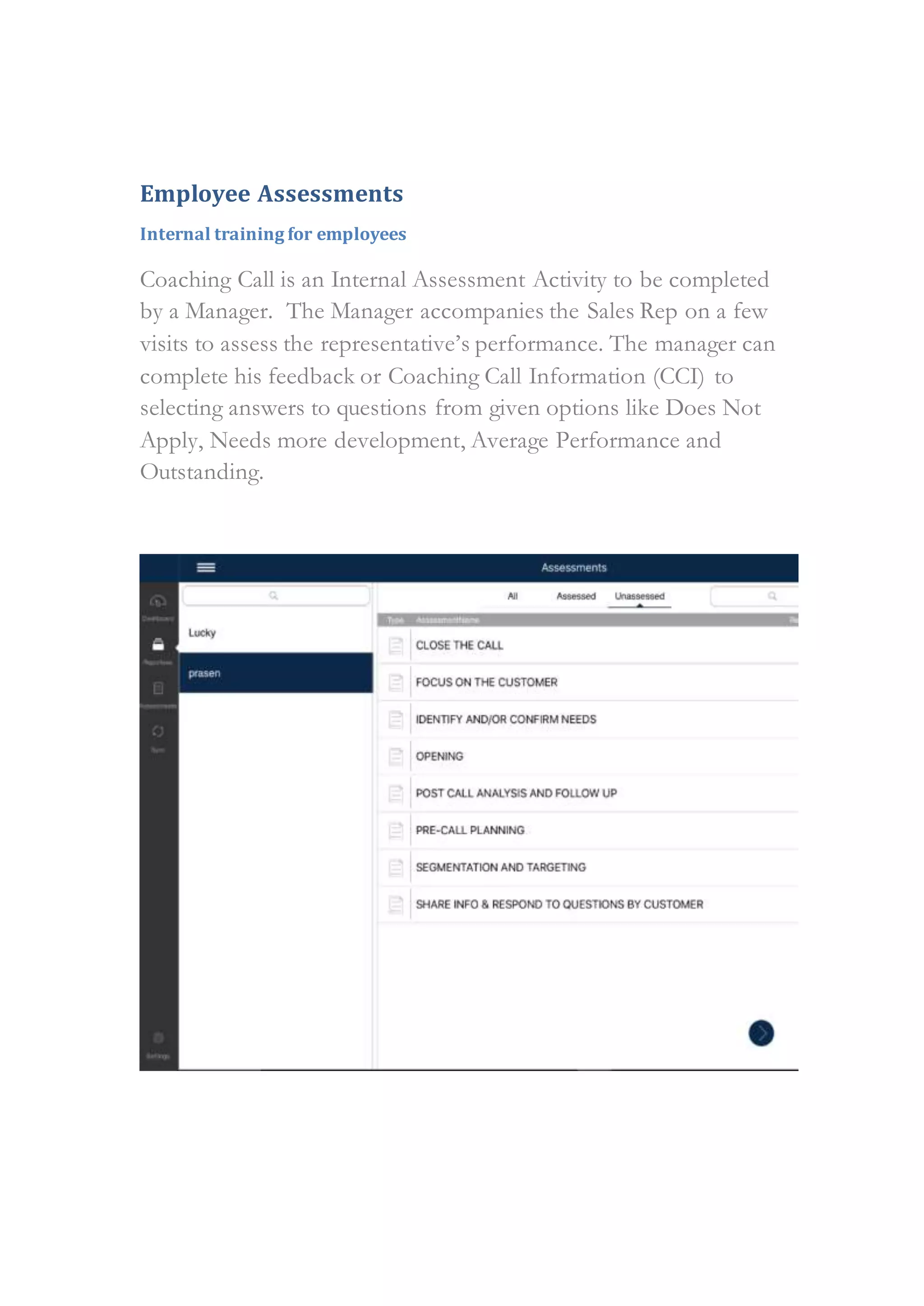
Coaching Call is an Internal Assessment Activity to be completed
by a Manager. The Manager accompanies the Sales Rep on a few
visits to assess the representative’s performance. The manager can
complete his feedback or Coaching Call Information (CCI) to
selecting answers to questions from given options like Does Not
Apply, Needs more development, Average Performance and
Outstanding.
Dashboard Changes
Dashboard gives an insight on customer interaction history for last three
months.
Analytics have been enhanced to show bar, bubble and pie charts
based on details for last three months on aspects like how many
users have taken assessments, how many contacts/accounts a user
could meet and number of responses captured etc..
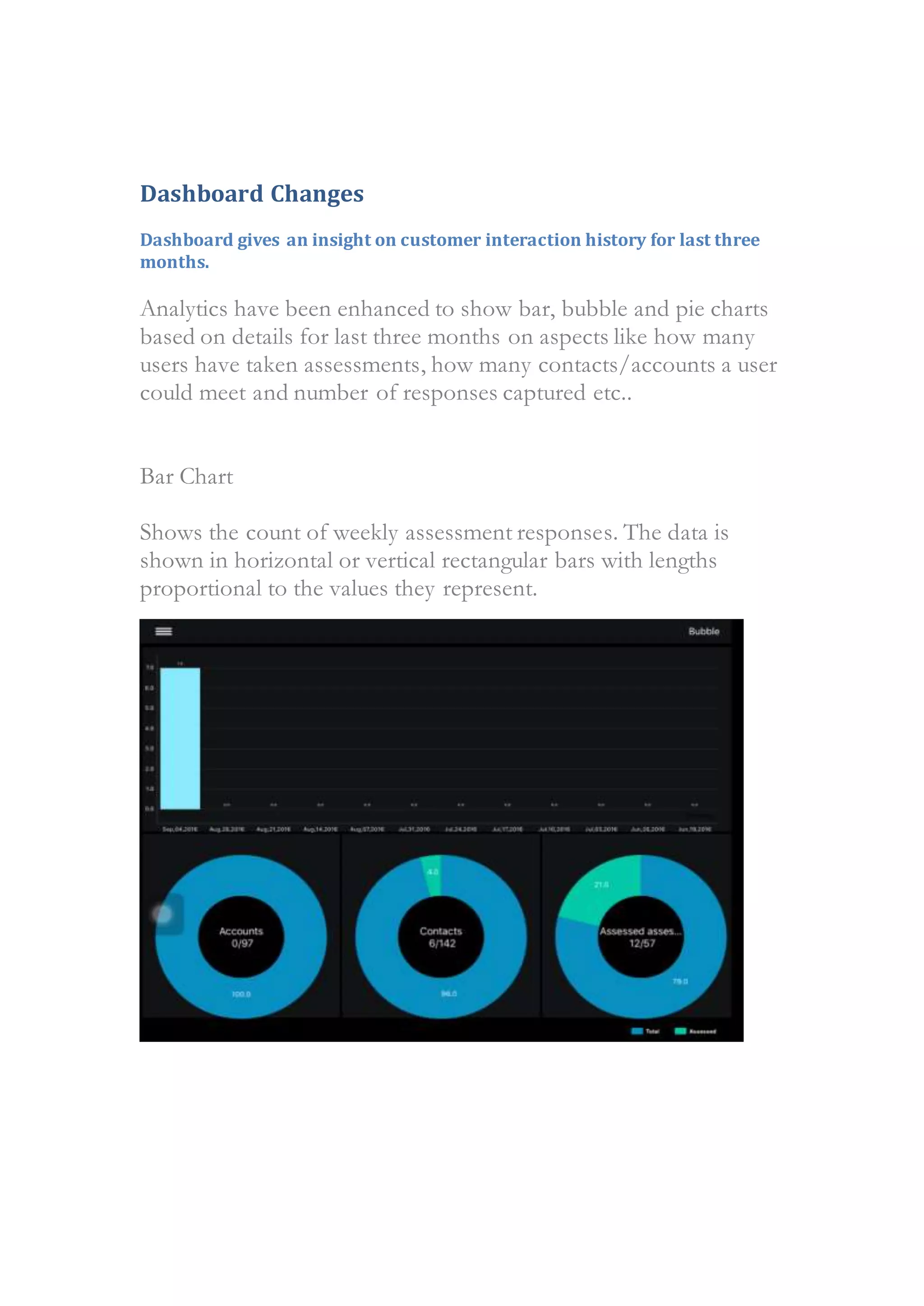
Bar Chart
Shows the count of weekly assessment responses. The data is
shown in horizontal or vertical rectangular bars with lengths
proportional to the values they represent.
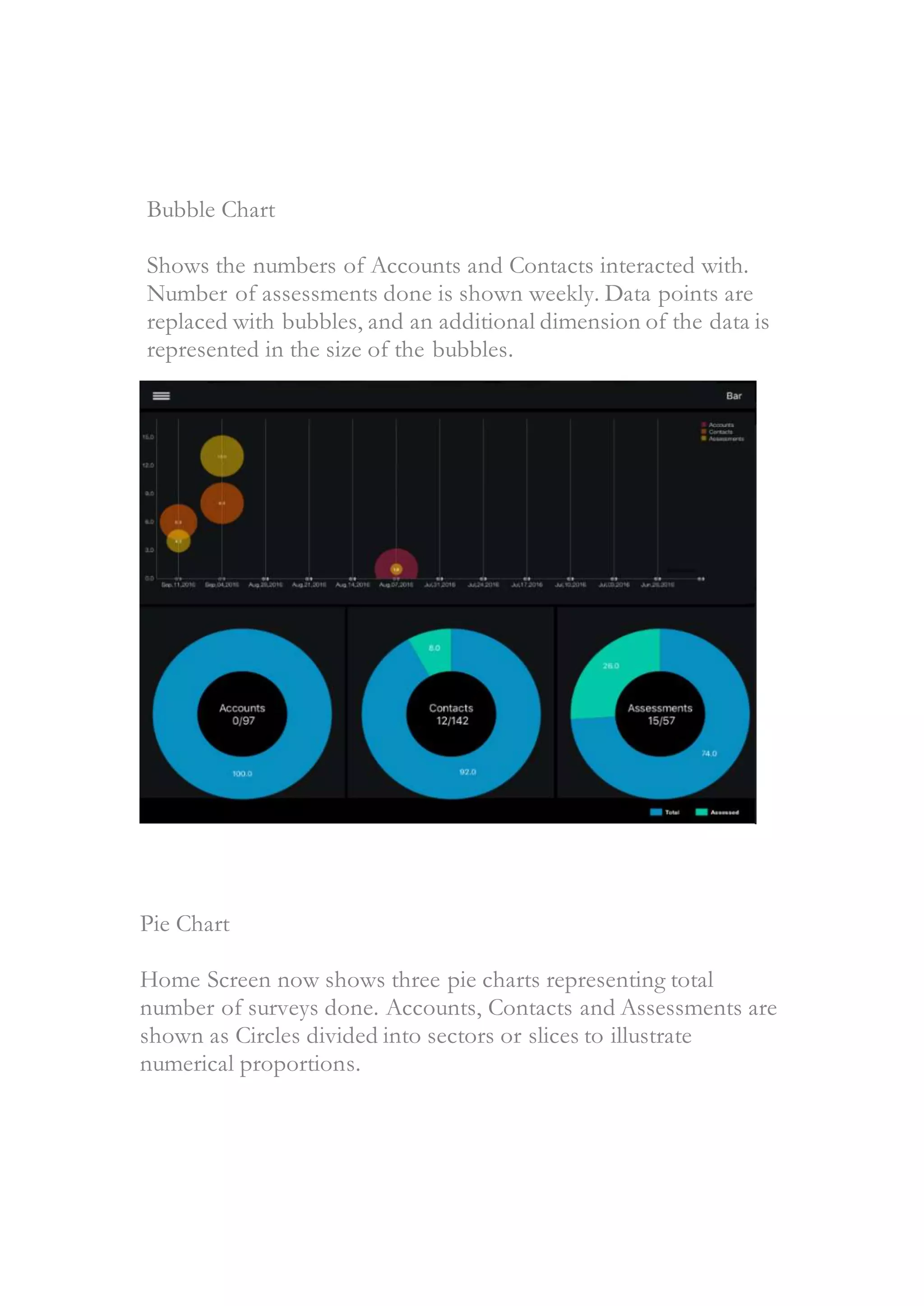
Bubble Chart
Shows the numbers of Accounts and Contacts interacted with.
Number of assessments done is shown weekly. Data points are
replaced with bubbles, and an additional dimension of the data is
represented in the size of the bubbles.
Pie Chart
Home Screen now shows three pie charts representing total
number of surveys done. Accounts, Contacts and Assessments are
shown as Circles divided into sectors or slices to illustrate
numerical proportions.
UI/UX Theming
Better UI, Better experience
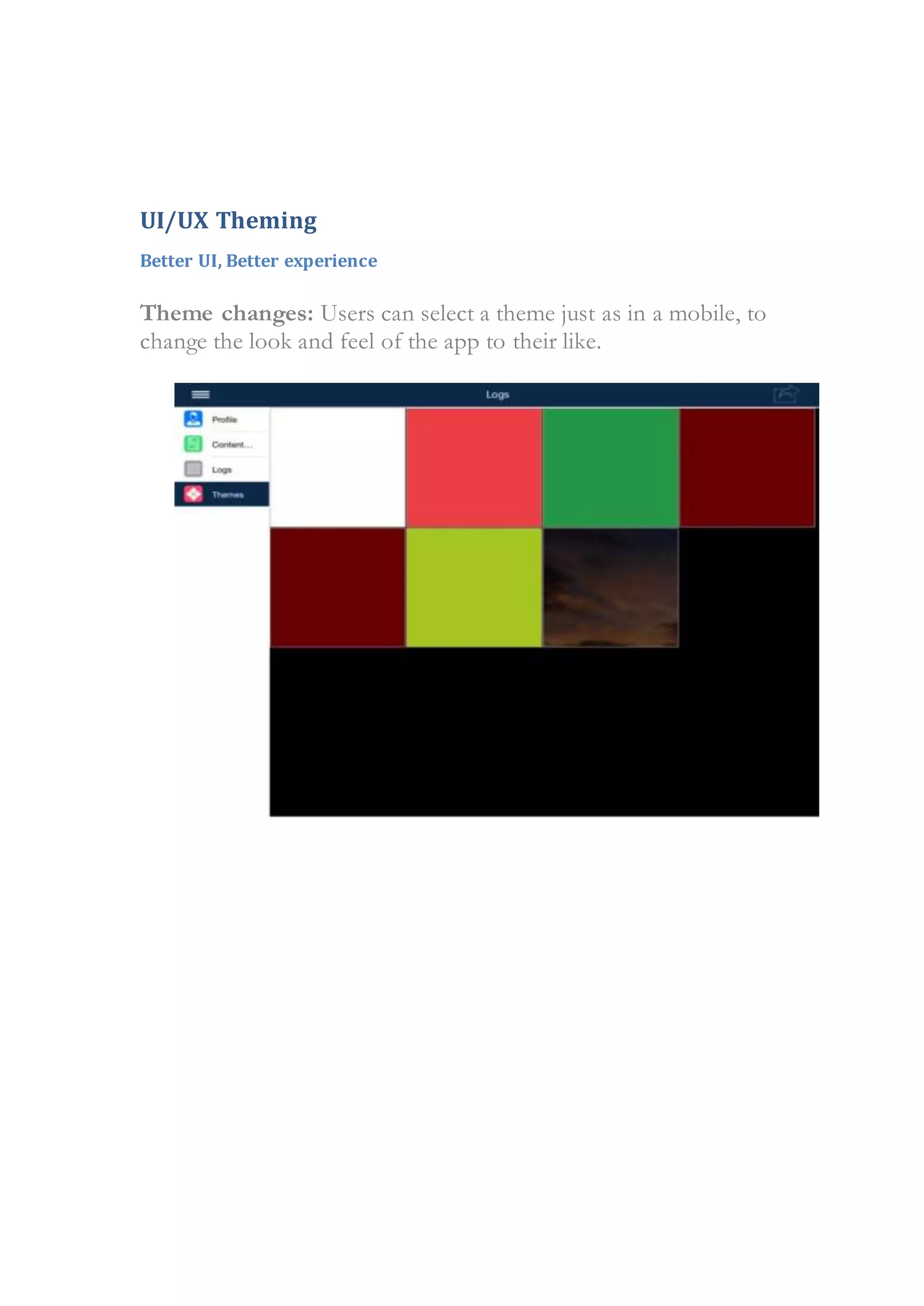
Theme changes: Users can select a theme just as in a mobile, to
change the look and feel of the app to their like.
iPad 3.3.0
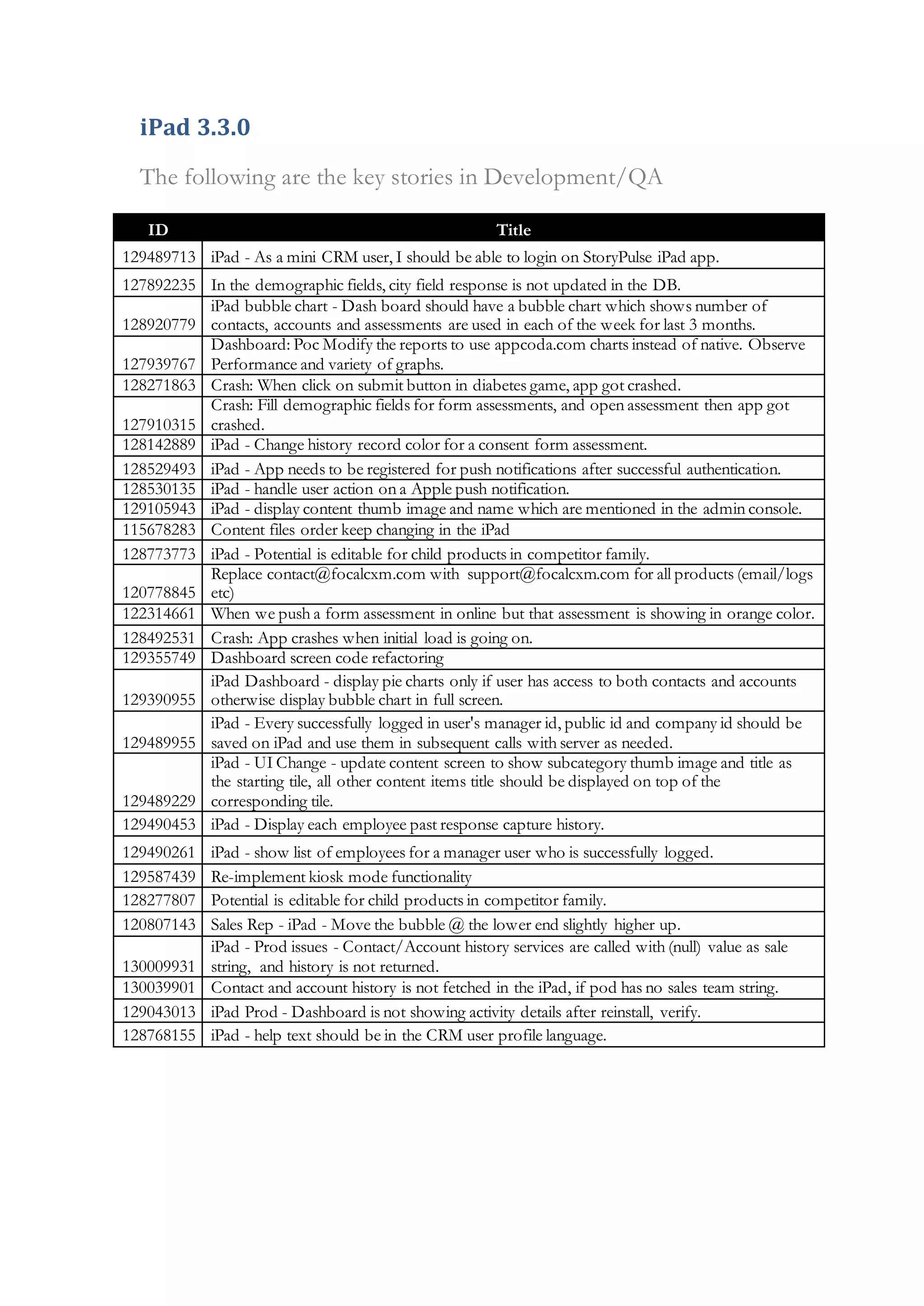
The following are the key stories in Development/QA
ID Title
129489713 iPad - As a mini CRM user, I should be able to login on StoryPulse iPad app.
127892235 In the demographic fields, city field response is not updated in the DB.
128920779
iPad bubble chart - Dash board should have a bubble chart which shows number of
contacts, accounts and assessments are used in each of the week for last 3 months.
127939767
Dashboard: Poc Modify the reports to use appcoda.com charts instead of native. Observe
Performance and variety of graphs.
128271863 Crash: When click on submit button in diabetes game, app got crashed.
127910315
Crash: Fill demographic fields for form assessments, and open assessment then app got
crashed.
128142889 iPad - Change history record color for a consent form assessment.
128529493 iPad - App needs to be registered for push notifications after successful authentication.
128530135 iPad - handle user action on a Apple push notification.
129105943 iPad - display content thumb image and name which are mentioned in the admin console.
115678283 Content files order keep changing in the iPad
128773773 iPad - Potential is editable for child products in competitor family.
120778845
Replace contact@focalcxm.com with support@focalcxm.com for all products (email/logs
etc)
122314661 When we push a form assessment in online but that assessment is showing in orange color.
128492531 Crash: App crashes when initial load is going on.
129355749 Dashboard screen code refactoring
129390955
iPad Dashboard - display pie charts only if user has access to both contacts and accounts
otherwise display bubble chart in full screen.
129489955
iPad - Every successfully logged in user's manager id, public id and company id should be
saved on iPad and use them in subsequent calls with server as needed.
129489229
iPad - UI Change - update content screen to show subcategory thumb image and title as
the starting tile, all other content items title should be displayed on top of the
corresponding tile.
129490453 iPad - Display each employee past response capture history.
129490261 iPad - show list of employees for a manager user who is successfully logged.
129587439 Re-implement kiosk mode functionality
128277807 Potential is editable for child products in competitor family.
120807143 Sales Rep - iPad - Move the bubble @ the lower end slightly higher up.
130009931
iPad - Prod issues - Contact/Account history services are called with (null) value as sale
string, and history is not returned.
130039901 Contact and account history is not fetched in the iPad, if pod has no sales team string.
129043013 iPad Prod - Dashboard is not showing activity details after reinstall, verify.
128768155 iPad - help text should be in the CRM user profile language.

StoryPulse Scope Client Version 3.3.0

  • 1.
  • 2.
    Disclaimer ......................................................................................................................3 Purpose..........................................................................................................................4 Planned Scope...............................................................................................................4 EmployeeAssessments.................................................................................................5 Internal training for employees ................................................................................. 5 Dashboard Changes.......................................................................................................6 Dashboard gives an insight on customerinteraction history for last three months........ 6 UI/UX Theming..............................................................................................................8 Better UI, Better experience...................................................................................... 8 iPad 3.3.0.......................................................................................................................9
  • 3.
    Disclaimer This document inany form, software or printed matter, contains proprietary information that is the exclusive property of FocalCXM. This document and information contained herein may not be disclosed, copied, reproduced or distributed to anyone outside without prior written consent of FocalCXM. This document is for informational purposes only and is intended solely to assist you in planning for the implementation and upgrade of the product features described. It is not a commitment to deliver any material, code, or functionality, and should not be relied upon in making purchasing decisions. The development, release, and timing of any features or functionality described in this document remains at the sole discretion of FocalCXM. Due to the nature of the product architecture, it may not be possible to safely include all features described in this document without risking significant destabilization of the code.
  • 4.
    Purpose This document providesan overview of the strategic product plans for StoryPulse and related options from FocalCXM. It is intended solely to help StoryPulse customers understand the value proposition in upcoming releases. Planned Scope As of August 2016, the version of StoryPulse available in the market is 3.2.0. This document highlights the key areas of innovation planned for the iPad version 3.3.0 as described below.  Employee Assessments  Dashboard Changes  UI/UX Theming
  • 5.
    Employee Assessments Internal trainingfor employees Coaching Call is an Internal Assessment Activity to be completed by a Manager. The Manager accompanies the Sales Rep on a few visits to assess the representative’s performance. The manager can complete his feedback or Coaching Call Information (CCI) to selecting answers to questions from given options like Does Not Apply, Needs more development, Average Performance and Outstanding.
  • 6.
    Dashboard Changes Dashboard givesan insight on customer interaction history for last three months. Analytics have been enhanced to show bar, bubble and pie charts based on details for last three months on aspects like how many users have taken assessments, how many contacts/accounts a user could meet and number of responses captured etc.. Bar Chart Shows the count of weekly assessment responses. The data is shown in horizontal or vertical rectangular bars with lengths proportional to the values they represent.
  • 7.
    Bubble Chart Shows thenumbers of Accounts and Contacts interacted with. Number of assessments done is shown weekly. Data points are replaced with bubbles, and an additional dimension of the data is represented in the size of the bubbles. Pie Chart Home Screen now shows three pie charts representing total number of surveys done. Accounts, Contacts and Assessments are shown as Circles divided into sectors or slices to illustrate numerical proportions.
  • 8.
    UI/UX Theming Better UI,Better experience Theme changes: Users can select a theme just as in a mobile, to change the look and feel of the app to their like.
  • 9.
    iPad 3.3.0 The followingare the key stories in Development/QA ID Title 129489713 iPad - As a mini CRM user, I should be able to login on StoryPulse iPad app. 127892235 In the demographic fields, city field response is not updated in the DB. 128920779 iPad bubble chart - Dash board should have a bubble chart which shows number of contacts, accounts and assessments are used in each of the week for last 3 months. 127939767 Dashboard: Poc Modify the reports to use appcoda.com charts instead of native. Observe Performance and variety of graphs. 128271863 Crash: When click on submit button in diabetes game, app got crashed. 127910315 Crash: Fill demographic fields for form assessments, and open assessment then app got crashed. 128142889 iPad - Change history record color for a consent form assessment. 128529493 iPad - App needs to be registered for push notifications after successful authentication. 128530135 iPad - handle user action on a Apple push notification. 129105943 iPad - display content thumb image and name which are mentioned in the admin console. 115678283 Content files order keep changing in the iPad 128773773 iPad - Potential is editable for child products in competitor family. 120778845 Replace contact@focalcxm.com with support@focalcxm.com for all products (email/logs etc) 122314661 When we push a form assessment in online but that assessment is showing in orange color. 128492531 Crash: App crashes when initial load is going on. 129355749 Dashboard screen code refactoring 129390955 iPad Dashboard - display pie charts only if user has access to both contacts and accounts otherwise display bubble chart in full screen. 129489955 iPad - Every successfully logged in user's manager id, public id and company id should be saved on iPad and use them in subsequent calls with server as needed. 129489229 iPad - UI Change - update content screen to show subcategory thumb image and title as the starting tile, all other content items title should be displayed on top of the corresponding tile. 129490453 iPad - Display each employee past response capture history. 129490261 iPad - show list of employees for a manager user who is successfully logged. 129587439 Re-implement kiosk mode functionality 128277807 Potential is editable for child products in competitor family. 120807143 Sales Rep - iPad - Move the bubble @ the lower end slightly higher up. 130009931 iPad - Prod issues - Contact/Account history services are called with (null) value as sale string, and history is not returned. 130039901 Contact and account history is not fetched in the iPad, if pod has no sales team string. 129043013 iPad Prod - Dashboard is not showing activity details after reinstall, verify. 128768155 iPad - help text should be in the CRM user profile language.