Make use of the ExcelXP Tagset part 1 Make use of the ExcelXP Tagset part 1
Make use of the Excellent ExcelXP Tagset  SAS to Excel…. ExcelXP Tagset Updates to the ExcelXP Tagset Which Version of the ExcelXP Tagset Should I Use? How Can I Determine Which Version of the Tagset I Have Available? How Do I Obtain the Current ExcelXP Tagset?
Make use of the ExcelXP Tagset Core features and functionalities of the ExcelXP tagset Converts SAS-generated output to XML files that can be opened in Excel Simplifies export of results generated in SAS to files that can be opened in Excel Offers more options/functionalities than other methods of moving SAS output to Excel-readable files It’s free, updated often Updates easy to install from support.sas.com website http://support.sas.com/rnd/base/ods/odsmarkup/excelxp_demo.html | General | Venkata Maguluri | Make use of the Excellent Excel XP Tagset
Make use of the Excellent ExcelXP Tagset   SAS to Excel…. ExcelXP Tagset Updates to the ExcelXP Tagset Which Version of the ExcelXP Tagset Should I Use? How Can I Determine Which Version of the Tagset I Have Available? How Do I Obtain the Current ExcelXP Tagset?
SAS to Excel…. Common methods PROC EXPORT or EXPORT Wizard Converts the data portion of a SAS data set to an XLS file VERY limited control over appearance of rows/columns No titles or footnotes transported from SAS to the Excel file Requires lease/installation of SAS Access to PC File Formats Software May need to edit/modify the XLS file after export | General | Venkata Maguluri | Make use of the Excellent Excel XP Tagset
SAS to Excel…. | General | Venkata Maguluri | Make use of the Excellent Excel XP Tagset ODS CSV / CSVALL Destinations  “ Delivers” ODS Output Objects (or “Tables”) to a CSV file CSVALL Destination includes SAS-generated titles and footnotes No need to store PROC-generated output in a SAS data set for subsequent export No formatting, no control over output appearance Cannot create multi-sheet Excel-readable workbooks Creates a text files with commas serving as the separators between data values
SAS to Excel…. ODS HTML Destination Delivers ODS Output Object to an HTML file Excel can read/open an HTML file Most formatting/styling is “carried over” to the HTML file Many limitations: Even if you use “.XLS” as the file extension, you are still creating an HTML file  Cannot produce multi-sheet Excel workbooks Process is not designed to make Excel workbooks from SAS files | General | Venkata Maguluri | Make use of the Excellent Excel XP Tagset
Make use of the Excellent ExcelXP Tagset  SAS to Excel…. ExcelXP Tagset Updates to the ExcelXP Tagset Which Version of the ExcelXP Tagset Should I Use? How Can I Determine Which Version of the Tagset I Have Available? How Do I Obtain the Current ExcelXP Tagset?
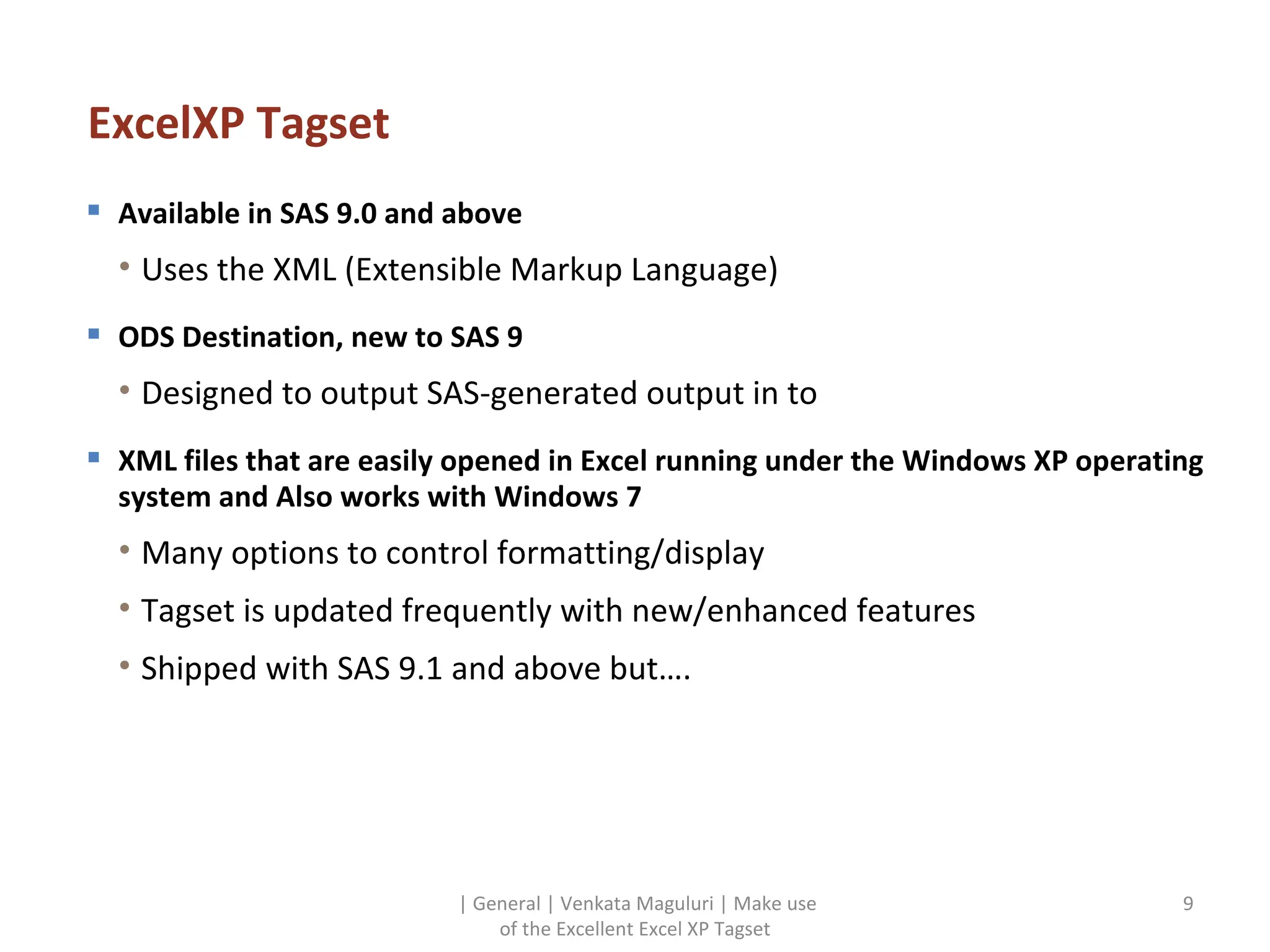
ExcelXP Tagset Available in SAS 9.0 and above Uses the XML (Extensible Markup Language) ODS Destination, new to SAS 9 Designed to output SAS-generated output in to XML files that are easily opened in Excel running under the Windows XP operating system and Also works with Windows 7 Many options to control formatting/display Tagset is updated frequently with new/enhanced features Shipped with SAS 9.1 and above but…. | General | Venkata Maguluri | Make use of the Excellent Excel XP Tagset
Make use of the Excellent ExcelXP Tagset  SAS to Excel…. ExcelXP Tagset Updates to the ExcelXP Tagset Which Version of the ExcelXP Tagset Should I Use? How Can I Determine Which Version of the Tagset I Have Available? How Do I Obtain the Current ExcelXP Tagset?
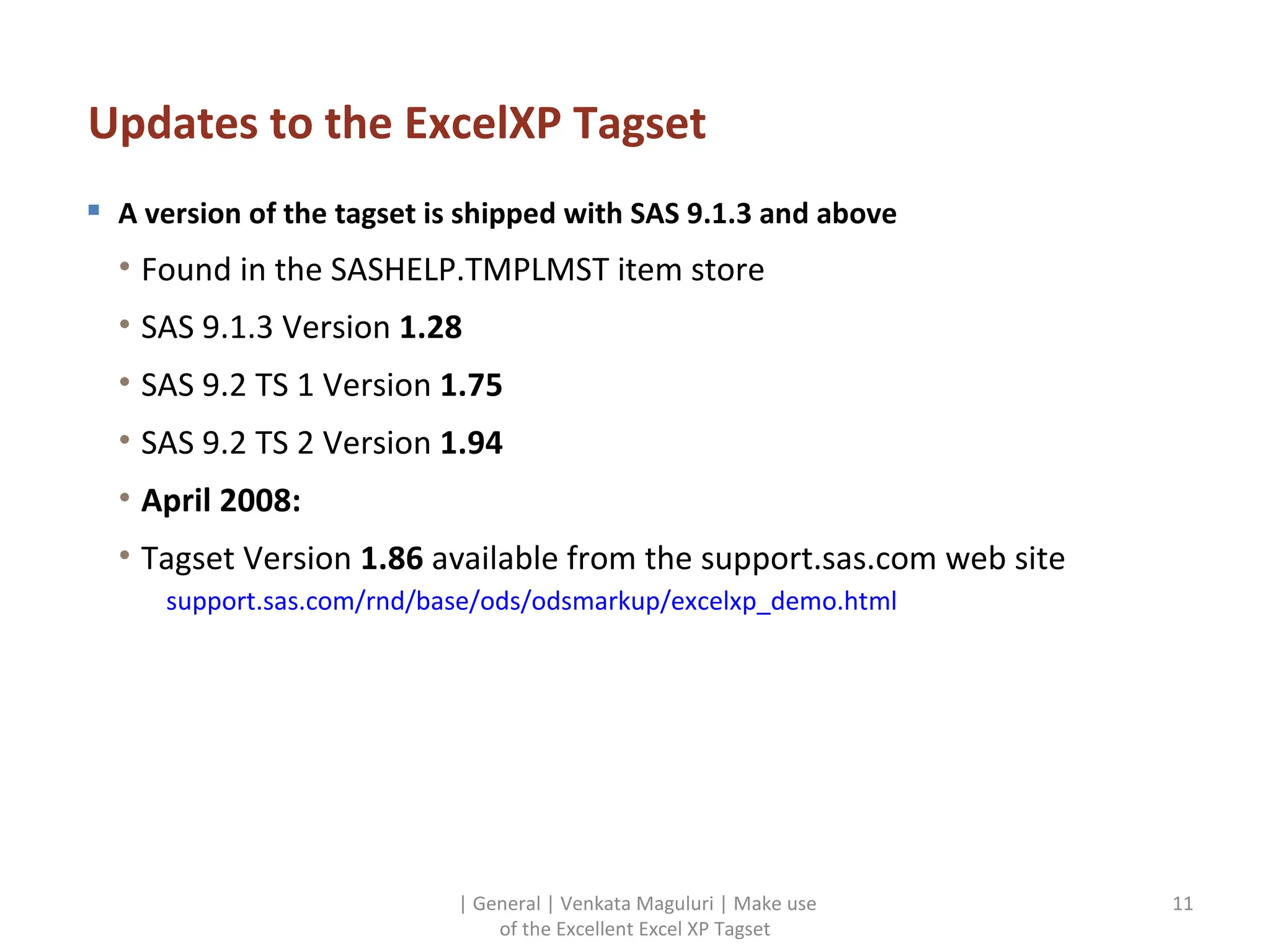
Updates to the ExcelXP Tagset A version of the tagset is shipped with SAS 9.1.3 and above Found in the SASHELP.TMPLMST item store SAS 9.1.3 Version  1.28 SAS 9.2 TS 1 Version  1.75 SAS 9.2 TS 2 Version  1.94 April 2008: Tagset Version  1.86  available from the support.sas.com web site support.sas.com/rnd/base/ods/odsmarkup/excelxp_demo.html | General | Venkata Maguluri | Make use of the Excellent Excel XP Tagset
Make use of the Excellent ExcelXP Tagset  SAS to Excel…. ExcelXP Tagset Updates to the ExcelXP Tagset Which Version of the ExcelXP Tagset Should I Use? How Can I Determine Which Version of the Tagset I Have Available? How Do I Obtain the Current ExcelXP Tagset?
Which Version of the ExcelXP Tagset Should I Use? Either Version 1.86  or  1.94 Substantial improvements in functionality between prior releases and Version 1.86 Smaller XML file sizes and faster SAS processing, among others Differences between 1.86 and 1.94 are minor | General | Venkata Maguluri | Make use of the Excellent Excel XP Tagset
Make use of the Excellent ExcelXP Tagset  SAS to Excel…. ExcelXP Tagset Updates to the ExcelXP Tagset Which Version of the ExcelXP Tagset Should I Use? How Can I Determine Which Version of the Tagset I Have Available? How Do I Obtain the Current ExcelXP Tagset?
How Can I Determine Which Version of the Tagset I Have Available? Run a small task and look at the notes in the SASLog Remember, there are two Template Itemstores: SASHELP.TMPLMST (SAS-Supplied Templates and Tagsets) SASUSER.TEMPLAT (User-Generated Templates and Tagsets) By default, SASUSER.TEMPLAT is searched before SASHELP.TMPLMST | General | Venkata Maguluri | Make use of the Excellent Excel XP Tagset
Make use of the Excellent ExcelXP Tagset  SAS to Excel…. ExcelXP Tagset Updates to the ExcelXP Tagset Which Version of the ExcelXP Tagset Should I Use? How Can I Determine Which Version of the Tagset I Have Available? How Do I Obtain the Current ExcelXP Tagset?
How Do I Obtain the Current ExcelXP Tagset? 1.Open SAS and have a blank Program Editor screen “open” 2.  Open an internet browser session and go to http://support.sas.com/rnd/base/topics/odsmarkup/exceltags.tpl 3. Select the entire contents of the web page, copy and then paste in to your SAS Program Editor 4. Then, run the contents of the Program Editor You now have the most current version of the ExcelXP tagset stored in your SASUSER.TEMPLAT item store! No need to do this again unless the tagset is updated or you re-install SAS Now that we have a current version of the tagset avaialable, let’s use it! | General | Venkata Maguluri | Make use of the Excellent Excel XP Tagset
| General | Venkata Maguluri | Make use of the Excellent Excel XP Tagset Source:   http://support.sas.com/rnd/base/ods/odsmarkup/excelxp_demo.html

Make use of the excel xp tagset part 1

  • 1.
    Make use ofthe ExcelXP Tagset part 1 Make use of the ExcelXP Tagset part 1
  • 2.
    Make use ofthe Excellent ExcelXP Tagset SAS to Excel…. ExcelXP Tagset Updates to the ExcelXP Tagset Which Version of the ExcelXP Tagset Should I Use? How Can I Determine Which Version of the Tagset I Have Available? How Do I Obtain the Current ExcelXP Tagset?
  • 3.
    Make use ofthe ExcelXP Tagset Core features and functionalities of the ExcelXP tagset Converts SAS-generated output to XML files that can be opened in Excel Simplifies export of results generated in SAS to files that can be opened in Excel Offers more options/functionalities than other methods of moving SAS output to Excel-readable files It’s free, updated often Updates easy to install from support.sas.com website http://support.sas.com/rnd/base/ods/odsmarkup/excelxp_demo.html | General | Venkata Maguluri | Make use of the Excellent Excel XP Tagset
  • 4.
    Make use ofthe Excellent ExcelXP Tagset SAS to Excel…. ExcelXP Tagset Updates to the ExcelXP Tagset Which Version of the ExcelXP Tagset Should I Use? How Can I Determine Which Version of the Tagset I Have Available? How Do I Obtain the Current ExcelXP Tagset?
  • 5.
    SAS to Excel….Common methods PROC EXPORT or EXPORT Wizard Converts the data portion of a SAS data set to an XLS file VERY limited control over appearance of rows/columns No titles or footnotes transported from SAS to the Excel file Requires lease/installation of SAS Access to PC File Formats Software May need to edit/modify the XLS file after export | General | Venkata Maguluri | Make use of the Excellent Excel XP Tagset
  • 6.
    SAS to Excel….| General | Venkata Maguluri | Make use of the Excellent Excel XP Tagset ODS CSV / CSVALL Destinations “ Delivers” ODS Output Objects (or “Tables”) to a CSV file CSVALL Destination includes SAS-generated titles and footnotes No need to store PROC-generated output in a SAS data set for subsequent export No formatting, no control over output appearance Cannot create multi-sheet Excel-readable workbooks Creates a text files with commas serving as the separators between data values
  • 7.
    SAS to Excel….ODS HTML Destination Delivers ODS Output Object to an HTML file Excel can read/open an HTML file Most formatting/styling is “carried over” to the HTML file Many limitations: Even if you use “.XLS” as the file extension, you are still creating an HTML file Cannot produce multi-sheet Excel workbooks Process is not designed to make Excel workbooks from SAS files | General | Venkata Maguluri | Make use of the Excellent Excel XP Tagset
  • 8.
    Make use ofthe Excellent ExcelXP Tagset SAS to Excel…. ExcelXP Tagset Updates to the ExcelXP Tagset Which Version of the ExcelXP Tagset Should I Use? How Can I Determine Which Version of the Tagset I Have Available? How Do I Obtain the Current ExcelXP Tagset?
  • 9.
    ExcelXP Tagset Availablein SAS 9.0 and above Uses the XML (Extensible Markup Language) ODS Destination, new to SAS 9 Designed to output SAS-generated output in to XML files that are easily opened in Excel running under the Windows XP operating system and Also works with Windows 7 Many options to control formatting/display Tagset is updated frequently with new/enhanced features Shipped with SAS 9.1 and above but…. | General | Venkata Maguluri | Make use of the Excellent Excel XP Tagset
  • 10.
    Make use ofthe Excellent ExcelXP Tagset SAS to Excel…. ExcelXP Tagset Updates to the ExcelXP Tagset Which Version of the ExcelXP Tagset Should I Use? How Can I Determine Which Version of the Tagset I Have Available? How Do I Obtain the Current ExcelXP Tagset?
  • 11.
    Updates to theExcelXP Tagset A version of the tagset is shipped with SAS 9.1.3 and above Found in the SASHELP.TMPLMST item store SAS 9.1.3 Version 1.28 SAS 9.2 TS 1 Version 1.75 SAS 9.2 TS 2 Version 1.94 April 2008: Tagset Version 1.86 available from the support.sas.com web site support.sas.com/rnd/base/ods/odsmarkup/excelxp_demo.html | General | Venkata Maguluri | Make use of the Excellent Excel XP Tagset
  • 12.
    Make use ofthe Excellent ExcelXP Tagset SAS to Excel…. ExcelXP Tagset Updates to the ExcelXP Tagset Which Version of the ExcelXP Tagset Should I Use? How Can I Determine Which Version of the Tagset I Have Available? How Do I Obtain the Current ExcelXP Tagset?
  • 13.
    Which Version ofthe ExcelXP Tagset Should I Use? Either Version 1.86 or 1.94 Substantial improvements in functionality between prior releases and Version 1.86 Smaller XML file sizes and faster SAS processing, among others Differences between 1.86 and 1.94 are minor | General | Venkata Maguluri | Make use of the Excellent Excel XP Tagset
  • 14.
    Make use ofthe Excellent ExcelXP Tagset SAS to Excel…. ExcelXP Tagset Updates to the ExcelXP Tagset Which Version of the ExcelXP Tagset Should I Use? How Can I Determine Which Version of the Tagset I Have Available? How Do I Obtain the Current ExcelXP Tagset?
  • 15.
    How Can IDetermine Which Version of the Tagset I Have Available? Run a small task and look at the notes in the SASLog Remember, there are two Template Itemstores: SASHELP.TMPLMST (SAS-Supplied Templates and Tagsets) SASUSER.TEMPLAT (User-Generated Templates and Tagsets) By default, SASUSER.TEMPLAT is searched before SASHELP.TMPLMST | General | Venkata Maguluri | Make use of the Excellent Excel XP Tagset
  • 16.
    Make use ofthe Excellent ExcelXP Tagset SAS to Excel…. ExcelXP Tagset Updates to the ExcelXP Tagset Which Version of the ExcelXP Tagset Should I Use? How Can I Determine Which Version of the Tagset I Have Available? How Do I Obtain the Current ExcelXP Tagset?
  • 17.
    How Do IObtain the Current ExcelXP Tagset? 1.Open SAS and have a blank Program Editor screen “open” 2. Open an internet browser session and go to http://support.sas.com/rnd/base/topics/odsmarkup/exceltags.tpl 3. Select the entire contents of the web page, copy and then paste in to your SAS Program Editor 4. Then, run the contents of the Program Editor You now have the most current version of the ExcelXP tagset stored in your SASUSER.TEMPLAT item store! No need to do this again unless the tagset is updated or you re-install SAS Now that we have a current version of the tagset avaialable, let’s use it! | General | Venkata Maguluri | Make use of the Excellent Excel XP Tagset
  • 18.
    | General |Venkata Maguluri | Make use of the Excellent Excel XP Tagset Source: http://support.sas.com/rnd/base/ods/odsmarkup/excelxp_demo.html