

Recommended
Recommended
More Related Content
Similar to Spoilt for choice. Which prototyping tool is right for you? Presented by Suze Ingram at OZ IA 2009
Similar to Spoilt for choice. Which prototyping tool is right for you? Presented by Suze Ingram at OZ IA 2009 (20)
Recently uploaded
Recently uploaded (20)
Spoilt for choice. Which prototyping tool is right for you? Presented by Suze Ingram at OZ IA 2009
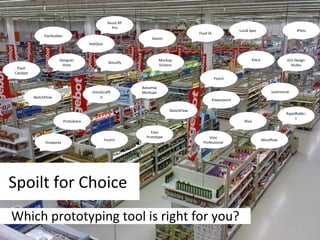
- 1. Spoilt for Choice Which prototyping tool is right for you? Balsamiq Mockups Mockflow Powerpoint Protoshare Designer Vista Axure RP Pro Petra Easy Prototype Justinmind Fluid IA iPlotz Flairbuilder Simulify SketchFlow Visio Professional Mockup Screens OmniGraffle Pencil ForeUI Denim SketchFlow Fireworks RapidRabb.it Lucid Spec Flash Catalyst GUI Design Studio HotGloo iRise
- 2. What we looked for… How long did it take Platform Cost Collaborate with others Interactive wireframes Easy to learn Export options Likes Dislikes Created a simple wireframe
- 3. Balsamiq Mockups Platform Desktop Cost $79 Interactive prototypes No Exporting PNG or XML only Easy to learn Yes No keyboard shortcuts no SHIFT drag to contrain angle Great library of drag ‘n’ drop shapes
- 4. Mockflow Platform Online Cost Free for basic edition Interactive prototypes Yes, but only very basic Exporting PNG and PDF Easy to learn Yes VERY basic interactivity hard to select multiple objects Very simple and easy create decent wireframes quickly set of widgets and icons are good
- 5. Protoshare Platform Online (Firefox only) Cost $19 per month Interactive prototypes Yes Exporting Yes! (many options – could be best of breed) Easy to learn Yeah, sort of Collaboration features seem good It's a little slow
- 6. Designer Vista Platform Windows Cost $80 Interactive prototypes No Exporting HTML only Easy to learn Takes some effort Easy drag and drop shapes Shortcuts not always provided Good search functions Resizing objects not easy Hard to create nav menus
- 7. Justinmind Platform Windows and Mac Cost $690 Interactive prototypes Yes. Takes some fiddling around to "get it" Exporting HTML, MS Word Easy to learn Yes for basics, interactive stuff is a bit tricky A step-up from basic prototyping tools Entering requirements descriptions is not intuitive Couldn’t work out how masters work Worth checking out Expense not justified…yet
- 8. Fluid IA Platform Online (Beta…maybe?) Cost Free Interactive prototypes Dunno Exporting Dunno Easy to learn Impossible to use Worst tool of all Not sure if it’s in beta Wouldn’t recommend it
- 9. iPlotz Platform Online, Windows and Mac Cost Online – Free, Desktop - $75 Interactive prototypes Yes Exporting PDF, JPG, PNG, Preview Easy to learn Yeah, sort of Looks really nice, works smoothly Widgets are in alphabetical order Nice commenting feature Interactivity is only very basic Devil in the detail…. Online hosting of preview
- 10. Flairbuilder Platform Windows and Mac Cost $99 Interactive prototypes Yes Exporting PNG, JPEG, XML. HTML coming soon Easy to learn Yeah, sort of "undo" limit seems to be limitless "snap to guide" feature is too sensitive Great for creating prototypes of forms Widgets are interactive by default Text boxes automatically resize
- 11. Simulify Platform Online and Windows, Mac & Linux Cost Online - Free, Desktop $89 Interactive prototypes Yes Exporting Unsure Easy to learn No…because it appears to be buggy a lot of features that don't work well online version seems to be buggy
- 12. Mockup Screens Platform Windows Cost $100 Interactive prototypes Not really Exporting HTML and PDF Easy to learn Yes The skins feature is ok lacks important functionality
- 13. JustProto Platform Online Cost $19 / month Interactive prototypes No Exporting No exporting (in planning) Easy to learn Yes Masters are good Can only apply one master per page Very quick to use Lacks functionality Some bits in Polish Can add other users to edit
- 14. OmniGraffle Platform Mac Cost $99
- 15. Pencil Platform Firefox on Windows only Cost Free Interactive prototypes No Exporting PNG only Easy to learn Yeah, sort of It’s a Firefox addon! Editing elments is quirky It’s free! Hard to use
- 16. Fireworks Platform Windows and Mac Cost $299 Interactive prototypes Yes Exporting PNG, HTML Easy to learn Yeah, takes some time though selecting layers and objects is seemless wireframes look too boxy
- 17. ForeUI ForeUI Platform Windows + Mac (Disk image) Cost $79 Interactive prototypes Yes. Takes some fiddling around to "get it' Exporting PNG, PDF, HMTL Easy to learn Yes for basics, interactive stuff is a bit tricky Allows multi-selection of objects filling an object with colour is weird Beige city!
- 18. Axure RP Pro Platform Windows (Mac version in development) Cost $589 Interactive prototypes Yes Exporting HMTL, JPG (etc), MS Word Easy to learn Yes for basics, interactive stuff is a bit tricky Using masters saves time Crappy default library Interactivity is powerful Steep learning curve for interactivity Specification output is great Lousy HTML output
- 19. Denim Platform Windows, Unix, and Mac Cost Free Interactive prototypes No Exporting HTML only Easy to learn Noooooo! OMG! OMG! OMG! OMG!
- 20. Expression Blend 3 + SketchFlow Platform Windows Cost $599 Interactive prototypes Yes Exporting MS Word Easy to learn Yeah, takes time though Clients can add comments to wireframes Too much control! Workflow representation (Sketchflow Map) is great It’s powerful
- 21. Pidoco Platform Online Cost 10 Euro/month Interactive prototypes Yes. exports an online prototype Exporting HTML only Easy to learn Yes Collaboration Feels a bit clunky. Lagged at times Feels a bit unfinished and unpolished
- 22. Lucid Spec Platform Windows Cost $500 Interactive prototypes Yes Exporting Unsure Easy to learn Not really Broad range of features 1995? drop down menus where you select True/False Hard to select layered objects
- 23. Flash Catalyst Platform Windows and Mac Cost Free (in Beta) Interactive prototypes Yes Exporting Unsure Easy to learn Unsure
- 24. GUI Design Studio Platform Windows Cost $200 Interactive prototypes Yes Exporting Unsure Easy to learn Kind of for basics, interactive stuff a bit tricky Intutive No search functions Good range of shapes available
- 25. HotGloo Platform Online Cost Free (…for the time being) Interactive prototypes Yes. Takes some fiddling around to "get it' Exporting JPG only (export one jpg at a time) Easy to learn Yes for basics, interactive stuff is a bit tricky online collaboration looks pretty good You can't group shapes! Can create masters limited keyboard shortcuts
- 26. iRise Platform Windows Cost $7,000. That’s right, $7,000! Interactive prototypes Yes - Complex Exporting O ptions mostly for iRise's own software Easy to learn No ability to make fully functional websites Insanely expensive! Very steep learning curve Complex
- 27. Wrap up… Gold star Honorable mention Avoid like the plague Expression Blend + Sketchflow Axure ProtoShare (collaboration) iPlotz (for comments) HotGloo (free…for now) Fluid IA Simulify Denim
- 28. Thank you Melinda Maher Kristian Martin Ricardo Escalon Safa Fatayerji Katherine Alsop The makers of Justinmind, Flairbuilder, JustProto, Axure, Expression Blend + Sketchflow Photo credits: http://www.flickr.com/photos/anyuser/2737879402/
- 29. Thank you Keep in touch: Suze Ingram User Experience Designer at Stamford Interactive www.stamfordinteractive.com.au [email_address] @suzeingram suzeingram.blogspot.com Photo credits: http://www.flickr.com/photos/anyuser/2737879402/
Editor's Notes
- Seems like every time you turn around there's a new whiz-bang prototyping tool popping up. So which are worth your time (and money)? Suze has done the leg work for you. She's used the tools and asked others around the world what they think too. She'll show you which tools are good for what and which are just good-for-nutin'.
- Description Mockups is designed to help you and your team or clients iterate on wireframes as early in the process as possible Time to create sample wireframe 30 minutes Windows/Mac? Cost $79. Can 2 people work on the one wireframe? No Online or Desktop? Desktop Interactive wireframes? No Easy to learn? 1 export wireframes to MS Word? No. PNG or XML only One thing you like? Great library of drag n drop shapes to start off with One thing you don't like? Can't draw my own shapes. No keyboard shortcuts, no SHIFT drag to contrain angle Link http://www.balsamiq.com/ Verdict It works well as a tool on its own. But I can’t see it fitting practically into a project where you need to show the prototype to others (limited export options). Would be good for really basic things.
- Description Super-easy Wireframing Create and collaborate interactive UI mockups for your software and websites. Time to create sample wireframe 22 minutes Windows/Mac? Both - online Cost Basic - Free Premium - $4 per month Can 2 people work on the one wireframe? No - the prototype can be made public to specified users, allowing them to view and add comments etc Online or Desktop? Online Interactive wireframes? Yes - basic e.g. click button and go to another page Easy to learn? 1 export wireframes to MS Word? No One thing you like? Very simple and easy to set up and learn, yet it lets you create a pretty decent wireframe quite quickly. The set of widgets and icons it comes with are good :-) One thing you don't like? Limited interactivity, e.g. looks like you can only do the basics, like click button to go to next page... It was also a little hard to select multiple objects to use the align function, a few mini things like that, which would add up to be a nightmare if you had many pages and components Vendor Link http://www.mockflow.com/
- Description Protoshare is rich web application that allows users to create complex interactive prototypes and discuss them. Time to create sample wireframe 25 mins Platform Firefox only Cost $19, $45, or $89 a month for 1, 3 or 5 users. Can 2 people work on the one wireframe? It allows team to both create discussion topics and discuss the prototype or add annotations. Online or Desktop? Online Interactive wireframes? Easy to create interactive wireframes. Easy to learn? 2 export wireframes to MS Word? It allows you to generate documentation with ease. It gives you a lot of options to generate documentation. For example you can spit out a site map, wireframes, components, append pre-document, post-document, etc. It looked like the best of its breed. One thing you like? It was specifically designed for the creation of wireframes and collaborative work and you don't have to generate a prototype, because you are actually working on the prototype. One thing you don't like? It's a little slow. Link http://www.protoshare.com
- Description DesignerVista is a powerful, easy to use GUI mockup/prototype design software. You can quickly create Hi-Fidelity GUI Prototype Designs of Windows XP/Vista applications, Websites and Web Applications. DesignerVista is very intuitive. No Coding or GUI Design experience is required. Time to create sample wireframe 1.5 hours!!! Windows/Mac? Windows Cost $79.99 (single personal license) Can 2 people work on the one wireframe? No Online or Desktop? Desktop Interactive wireframes? not that I could see Easy to learn? 3 export wireframes to MS Word? html only One thing you like? ability to drag and drop shapes, similar to Visio so familar, good search functions One thing you don't like? shortcuts not always provided, resizing objects not easy, hard to create menus (very vista based), objects are all coloured not easy to change to greys Vendor Designer Vista Soft Link http://www.designervista.com/ Verdict As the name suggests, if you are prototyping an application for Windows Vista, this could be a good one for you.
- Description Easily create fully functional wireframes for your web, desktop and mobile applications, and reduce software project costs Time to create sample wireframe 40 minutes Windows/Mac? Windows and Mac Cost $690. Can 2 people work on the one wireframe? No Online or Desktop? Desktop Interactive wireframes? Yes. Takes from fiddling around to "get it" Easy to learn? 1 for basics, 3 for interactive export wireframes to MS Word? Yes One thing you like? It's a step-up from the basic prototyping tools (but it's not on par with Axure). One thing you don't like? Couldn't work out how masters works. The "Group" tool (for grouping multiple shapes together) is weird....why can't it just work like all other "Group" tools??? Entering descriptions for requirements is not intuitive. Vendor Justinmind Link http://www.justinmind.com/ Verdict This tool is better than most of the others I looked at. It’s most similar to Axure, but not quite on par in terms of intuitiveness. Got a good feeling about this one.
- Description fluidIA is an emerging agile design tool for prototyping rich user interfaces...can we as interaction designers, IA's, UX professionals and developers can create our own prototyping tool. Time to create sample wireframe Unsuccessful (gave up after 15 mins) Windows/Mac? Firefox Windows Cost Free Can 2 people work on the one wireframe? You can save your work to a unique url that clients can then view. Online or Desktop? Online Interactive wireframes? Maybe, I couldn't create one. Easy to learn? 5 export wireframes to MS Word? You can save your work to the desktop. One thing you like? The visual design is fantastic. One thing you don't like? I couldn't get it. It's as if the product isn't finished. But, I couldn't find help on the website to get me started. I created empty boxes and a page and that's as far as I got. Vendor A community-based project started by Jakub Linowski Link http://www.fluidia.org/
- Description iPlotz allows you to rapidly create clickable, navigable mockups and wireframes for prototyping websites and software applications. Time to create sample wireframe 30 mins Windows/Mac? Online, Windows and Mac Cost Online – Free, Desktop - $75 Can 2 people work on the one wireframe? Yes Online or Desktop? Both Interactive wireframes? Only very basic Easy to learn? 1 export wireframes to MS Word? PDF, JPG, PNG, Preview One thing you like? Community of users who share widgets. One thing you don't like? Widgets are in alphabetical order. This makes it tricky (the horiztonal line and the vertical line are related, but they are in opp ends of the list) Also, how do I know what the widgets are called (e.g. combo box or dropdown menu?). Seems like the IxD detail of the application has been rushed or forgotten about – e.g. selecting an object can be difficult, lack of ‘snap to guides’ (almost all other prototyping tools have this).
- Description FlairBuilder is a cross-platform tool for rapid authoring of interactive wireframes and user interface prototypes. Time to create sample wireframe 45 minutes Windows/Mac? ? Cost $99. Can 2 people work on the one wireframe? No. Online or Desktop? Desktop (Adobe Air) Interactive wireframes? Yes. Easy to learn? 2 export wireframes to MS Word? No. One thing you like? Its "undo" limit seems to be limitless. Great tool for creating online form prototypes. One thing you don't like? The "snap to guide" feature is less intuitive than other tools like Balsamiq and XXXX. Text boxes don't automatically fit to the amount of text entered Vendor Cristian Pascu Link http://www.flairbuilder.com/
- Description Simulify is all about getting the projects Right the First time. Simulify is Quick, Simple & Elegant and you can try it for free. Time to create sample wireframe 15 mins (unfinished) Windows/Mac? Windows, Mac & Linux Cost Online - Free, Desktop $89 Can 2 people work on the one wireframe? Yes. Users can be added to edit and design the prototype Online or Desktop? Both Interactive wireframes? Yes. Easy to learn? 4 (Difficult because it is buggy) export wireframes to MS Word? Unsure One thing you like? Nothing. One thing you don't like? The online version seems to be buggy. Simulify has a lot of features...but they either don't work well, or they don't work at all ( for example, when I clicked the "Add Custom Widget" button, the "Sitemap" window appeared. Strange. ) Vendor eReliant Software Services Link www.simulify.com Verdict I don’t recommend it.
- Description Create five screens in ten minutes without any programming knowledge or prior training! Experiment interactively with your clients, and quickly visualize scenarios of your application, even before the coding has started. Time to create sample wireframe 32 minutes Windows/Mac? Windows Cost $99.95 - single user, $199.95 - 3 users, $399.95 - 10 users Can 2 people work on the one wireframe? No Online or Desktop? Desktop Interactive wireframes? No not really Easy to learn? 1 export wireframes to MS Word? No. HTML and PDF One thing you like? The skins feature is ok, you can change the skin of the window from browser, windows, or black and white with one click, nice One thing you don't like? All of it! This is a very basic tool that lacks too much functionality e.g. I couldn't fill an object with a colour WTF . (Maybe I couldn't find it although there were only a few options) Link http://mockupscreens.com/index.php?page=GUI-Prototyping-Software Verdict I wouldn’t recommend it
- Lacks functionality – no export…but the developers said this is on the cards
- Description Pencil is an add-on for Mozilla Firefox that allows users to create simple mockups of sreens and webpages. Time to create sample wireframe 32 minutes Windows/Mac? Firefox Windows Cost Free Can 2 people work on the one wireframe? You can export to PNG and share the file. Online or Desktop? Desktop Interactive wireframes? No Easy to learn? 2 export wireframes to MS Word? You can export the wireframe as a PNG and then insert it to word. One thing you like? It's and add-on to firefox. For some reason I feel like I'm nto really installing an app if I add an add-on . One thing you don't like? Editing elments was quirky. I couldn't do what I can normally do on other applications. For example, I couldn't press Ctrl and click and hold and make a copy of a screen element . I couldn't easily change the colour of text either . It was intuitively hard to use. Vendor Duong Thanh An Link http://www.evolus.vn/Pencil/
- Description Fireworks has been designed from the ground up for Web designers. It allows designers to move between vector and bitmap images with ease, to crate high fidelity mockups that are pixel perfect. Time to create sample wireframe 0:21:44 Windows/Mac? Windows/Mac Cost $299. Can 2 people work on the one wireframe? The native file format of fireworks is a PNG. This format can be viewed by anyone, but only edited by firworks customers. To share wireframes, you can also generate an HTML prototype. Online or Desktop? Desktop Interactive wireframes? Yes Easy to learn? 2 export wireframes to MS Word? You can copy and paste directly from fireworks and paste to word. You can also insert the fireworks file directly from word. One thing you like? Its use of layers and selecting objects is seemless. The user is not burdened by not knowing what layer an object is, you simply select it and it knows what you mean. One thing you don't like? The wireframes look too boxy. Other tools create a pencil drawn effect that is hard to replicate on fireworks. Vendor Adobe Link http://tv.adobe.com/#vi+f1498v1659
- Description ForeUI is a handy UI prototyping tool. It can rapidly create static or interactive, skinnable UI prototypes of your website or software. Time to create sample wireframe 30 mins Windows/Mac? Windows + Mac (Disk image) Cost $79. Can 2 people work on the one wireframe? None. Online or Desktop? Desktop Interactive wireframes? Yes. Takes some fiddling around to "get it' Easy to learn? 2 for basics, 4 for interactive export wireframes to MS Word? No One thing you like? Allows for multi-selection of objects ( hold SHIFT to select more than one object). One thing you don't like? By default, when you fill an object with colour, it's opacity is set to 0...so you can't see the colour once it's applied (you have to change opacity). Weird. Vendor EaSynth Solution Link http://www.foreui.com/ Verdict Meh.
- Description Axure RP is a wireframing, prototyping, and specification tool that allows you to design applications and websites faster and easier than with your current tools. Time to create sample wireframe 30 minutes Windows/Mac? Windows Cost $589 single user, $539 discounted for 5+ licenses Can 2 people work on the one wireframe? Yes, using a shared project Online or Desktop? Desktop Interactive wireframes? Yes Easy to learn? 1 - for basics, 3 - for a lot of the interactive stuff export wireframes to MS Word? Yes One thing you like? Fairly simple to create a basic interactive prototype with the ability to include a lot of functionality. Matthew Hodgson - Specification output is great One thing you don't like? Crappy default library, have to rely on other stencils and no ability to create your own shapes in Axure... You have to import from elsewhere using the image object Matthew Hodgson - Lousy HTML output Vendor Axure Link http://www.axure.com/p101_5.aspx
- Description DENIM is a system that helps web site designers in the early stages of design. DENIM supports sketching input, allows design at different refinement levels, and unifies the levels through zooming. Time to create sample wireframe 1 hour Windows/Mac? Yes Cost Free Can 2 people work on the one wireframe? Online or Desktop? Desktop Interactive wireframes? No Easy to learn? 5 export wireframes to MS Word? html only One thing you like? nothing One thing you don't like? it's a very basic drawing tool, pie menu navigation, no short cuts, not intutive, limited widgets Vendor University of Washington Link http://dub.washington.edu:2007/denim/
- Description SketchFlow is a plugin for Blend. Together they make it possible to create complex interactive prototypes. Windows/Mac? Windows Cost $599. Can 2 people work on the one wireframe? Wireframes can be shared through a SilverLight player that allows clients to add feedback by sketiching and typing right on your wireframes. Online or Desktop? Desktop Interactive wireframes? Yes Easy to learn? No, to make a wireframe it's easy enough. But, to make it interactive I had to watch a video on how to do it. It's like using Flash. export wireframes to MS Word? You can easily export to word from the file menu. When you export it you get a table of contents and a lit of all the images you have on the document. One thing you like? It has an application flow map that allows you to organise your screens and the components that change within the screens. This alos allows you to define behaviours and navigate from screen to screen, or screen to component. I also liked the interactive prototype that it created. The prototype viewer allos clients to add their feedback by drawing and adding text. One thing you don't like? I had too much control for wireframing. It needed me to be a lot more accurate about the way I moved my mouse to define square boxes than other tools. Include in the presso? Yes Vendor Microsoft Link http://www.microsoft.com/expression/products/Overview.aspx?key=blend#page-top Time to create sample wireframe 45 mins
- Description The pidoco° software enables rapid prototyping of software interfaces and easy-to-learn graphic specifications. It also offers advanced, early-stage testing, and facilitates more efficient communication. Time to create sample wireframe 36 minutes Windows/Mac? Both - I'm pretty sure seeing it's an online tool Cost Basic – Euro 107.10 per/y Classic - 321.30 Per/y Advanced - 428,40 per/y Can 2 people work on the one wireframe? Yes. Users can be added to edit and design the prototype Online or Desktop? Online Interactive wireframes? Yes. exports an online prototype, quite nice Easy to learn? 3 export wireframes to MS Word? No. Export to a zip file, each page is saved as an HTML file which loads in a browser... Not sure how to create jpegs either? One thing you like? The online aspect of the tool. This makes it nice and easy for people to collaborate, even across states, countries etc. and allows remote access of the prototype and editing tool. Cool. One thing you don't like? Feels a bit clunky and it lagged at times... the problem with online. It just has that feeling of being a little unfinished and unpolished, I probably wouldn't want to use it for a full blown project. Basically this one gave me the shits to use, Oh Axure I miss you Vendor RapidRabb.it Link https://rapidrabb.it/en
- Description Lucid Spec - Better software through concise functional specifications! Lucid Spec helps you rapidly prototype software and produce a concise, clear functional specification. Lucid Spec does this by combining screen design, application simulation, and user interface description all-in-one. Time to create sample wireframe 28 minutes Windows/Mac? Windows Cost $499 USD - one user $1,999 USD - 5 users $3,490 USD - 10 users $5,980 USD - 20 Users Can 2 people work on the one wireframe? I don't think so Online or Desktop? Desktop Interactive wireframes? Yes Easy to learn? 3 export wireframes to MS Word? No, the export function was greyed out and not working for some reason? One thing you like? Hard to say... I guess it offers a broad range of features all in one package, wireframes, spec, prototype etc. It does have a lot of options to create the wireframes, although it just feels so dated. Oh, they have made it easy to switch between views which is nice, e.g. you can view prototype with one click One thing you don't like? A highly irritating tool, well done guys! Feels like I'm working in Silicon Valley in 1995 when using this piece of shit. E.g. a lot of options have drop down menus where you select True/False, WTF. It's also very hard to manipulate the objects when the are layered on top of each other, I click one thing and another happens. Vendor Elegance Technologies Link http://www.elegancetech.com/Default.aspx
- Description Use GUI Design Studio to rapidly create demonstration prototypes without any coding or scripting. Draw individual screens, windows and components using standard elements, connect them together to storyboard operational workflow then run the simulator to test your designs. Time to create sample wireframe 1 hour Windows/Mac? Microsoft Windows Vista/XP/NT/2000 Cost $199 - $499 per licence Can 2 people work on the one wireframe? Yes can save as mutiple file types such as .bmp and .jpgs Online or Desktop? Desktop Interactive wireframes? Yes Easy to learn? 2 for basics, 3 for interactive export wireframes to MS Word? No One thing you like? Intutive, good range of shapes available One thing you don't like? No search functions for widgets/shapes etc Vendor Caretta Software Link http://www.carettasoftware.com/
- Description HotGloo is designed by IA's for IA's. With the help of the elements you can create a whole world out of wireframes. Just drag and drop, scale, link, name and rename them - it's super easy and intuitional . Windows/Mac? Online Cost Free (Beta) Time to create sample wireframe 30 mins Can 2 people work on the one wireframe? Yes! (and it seems to work well) Online or Desktop? Online Interactive wireframes? Yes. Takes some fiddling around to "get it' Easy to learn? 1 for basics, 3 for interactive export wireframes to MS Word? No. JPG only (export one jpg at a time) One thing you like? The online collaboration with others looks pretty good. Masters can be created using "custom shapes". One thing you don't like? You can't group shapes! Huh?? Only limited support for keyboard shortcuts (cut, copy, paste only)
- Description iRise is an enterprise grade application definition platform used to quickly assemble working previews of business software that mimic the exact look, feel and behavior of the final product. iRise empowers stakeholders to test drive and fully interact with proposed business software before any coding which eliminates confusion about what to build, cuts project cost and accelerates delivery. Time to create sample wireframe 35 minutes Windows/Mac? Windows Cost From $6,995 single user... Can 2 people work on the one wireframe? Yes Online or Desktop? Desktop Interactive wireframes? Yes - Complex Easy to learn? 4, this tool is high end and only worthwhile if it is used accordingly. So you need to learn the complex stuff to get value out of that $7k you just spent! export wireframes to MS Word? Yes, although export options are mostly centred on iRise's own software One thing you like? The ability to make a fully functioning website, as it would appear and work in real life. One thing you don't like? To make that pretty, fully functioning website requires a truck load of effort and probably a team of people. Looks like a lot of work and cost, not really for basic stuff, but probably appropriate for global mega corps and large scale projects. Link http://www.irise.com/