


You don’t know JS about
SharePoint – SharePoint
JavaScript Context best
practices for C# developers
Hugh Wood
 Hugh Wood
 Rencore AB
 www.SPCAF.com
 Hugh.Wood@Rencore.se
 Professional software developer since 2000, first
wrote JS in `95, first wrote code in `87.
Expert in compiler theory, code security and
code performance.
Agenda
 Introduction to the topic
 JS File Structure
 Garbage Collection
 Dynamic Module Loading
 Built in Helper Methods
Introduction
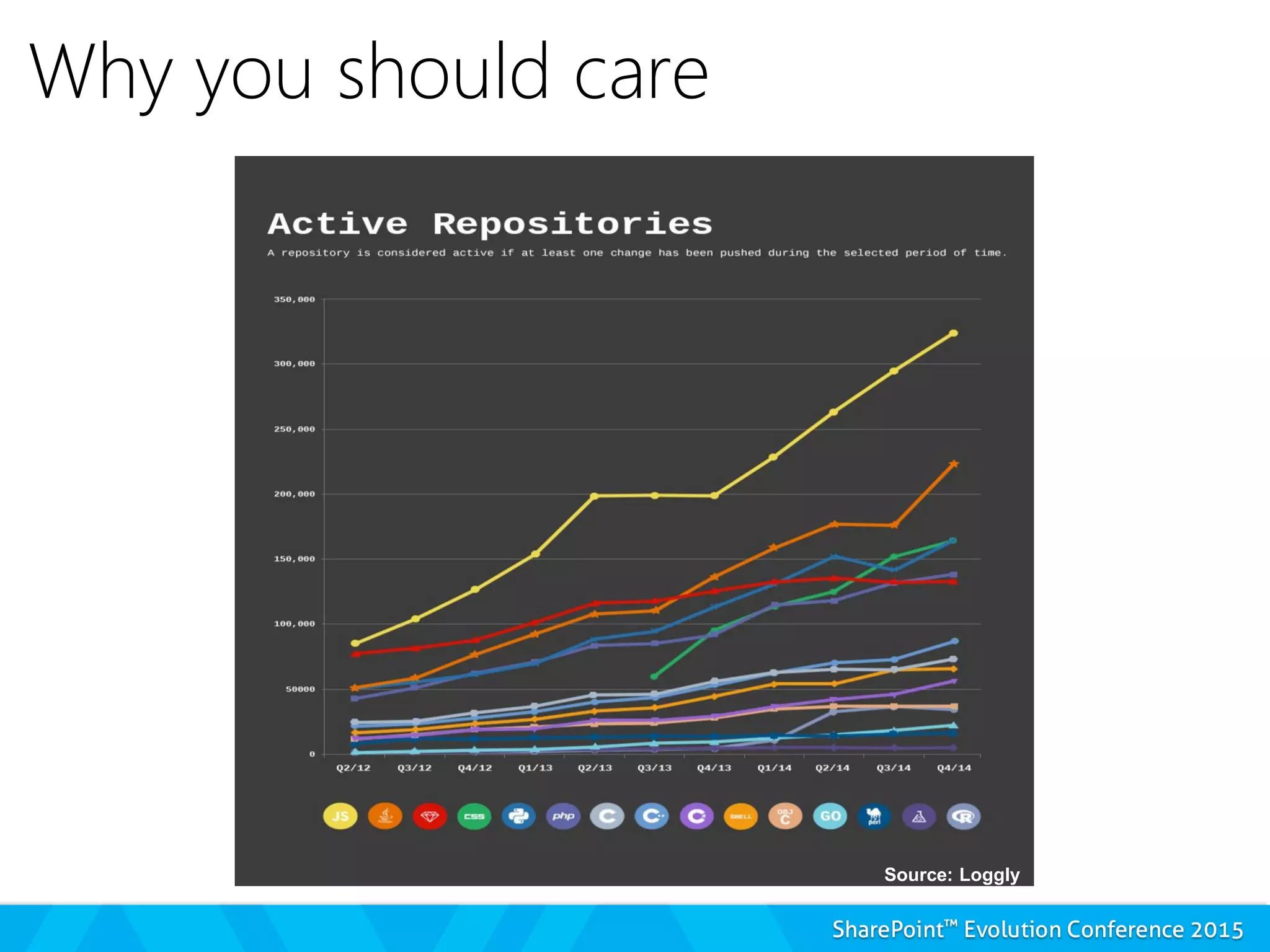
Why you should care
Source: Loggly
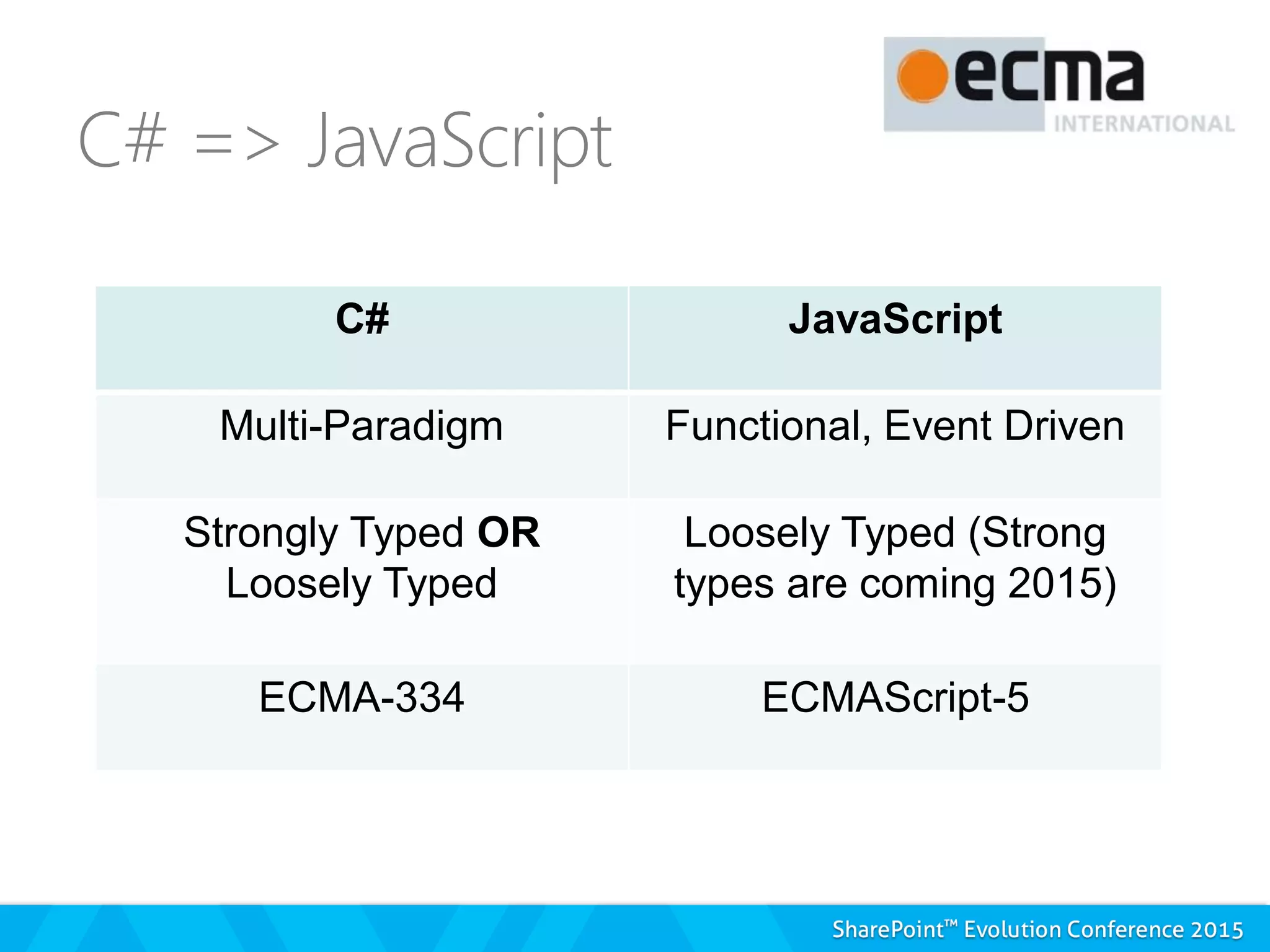
C# JavaScript
Multi-Paradigm Functional, Event Driven
Strongly Typed OR
Loosely Typed
Loosely Typed (Strong
types are coming 2015)
ECMA-334 ECMAScript-5
Inside SharePoint
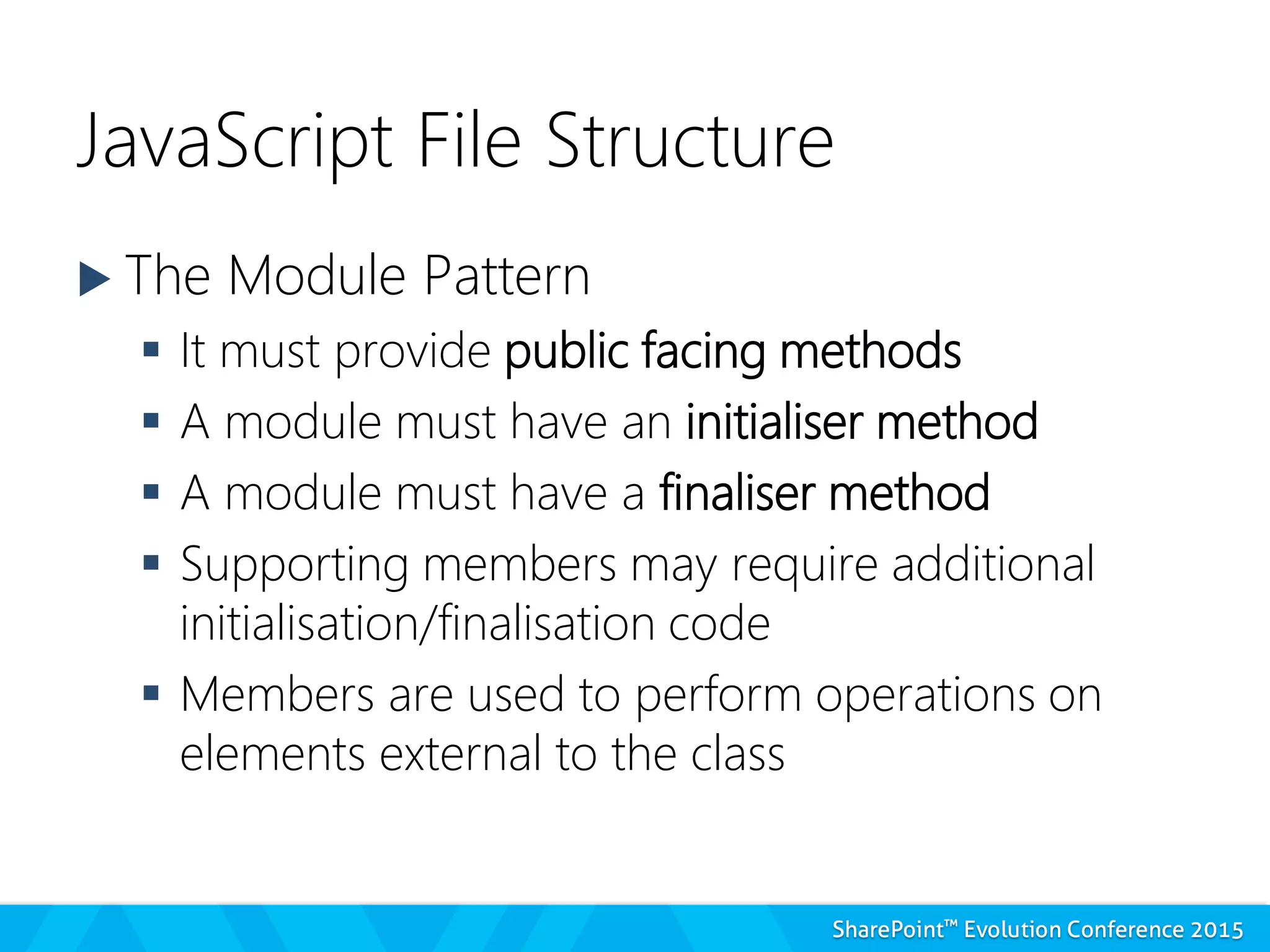
JavaScript File Structure
 The Module Pattern
 It must provide public facing methods
 A module must have an initialiser method
 A module must have a finaliser method
 Supporting members may require additional
initialisation/finalisation code
 Members are used to perform operations on
elements external to the class
JS FILE STRUCTURE
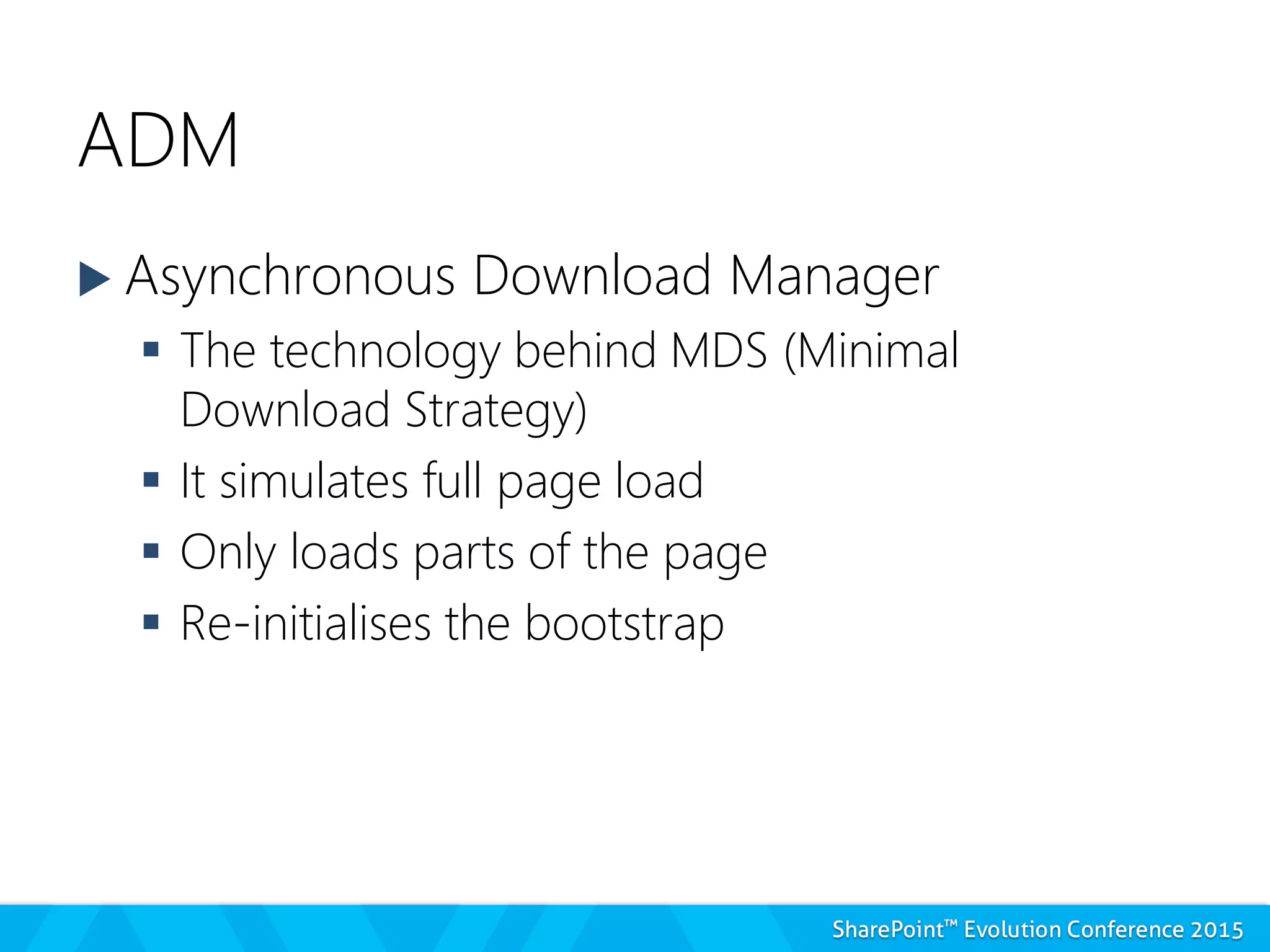
ADM
 Asynchronous Download Manager
 The technology behind MDS (Minimal
Download Strategy)
 It simulates full page load
 Only loads parts of the page
 Re-initialises the bootstrap
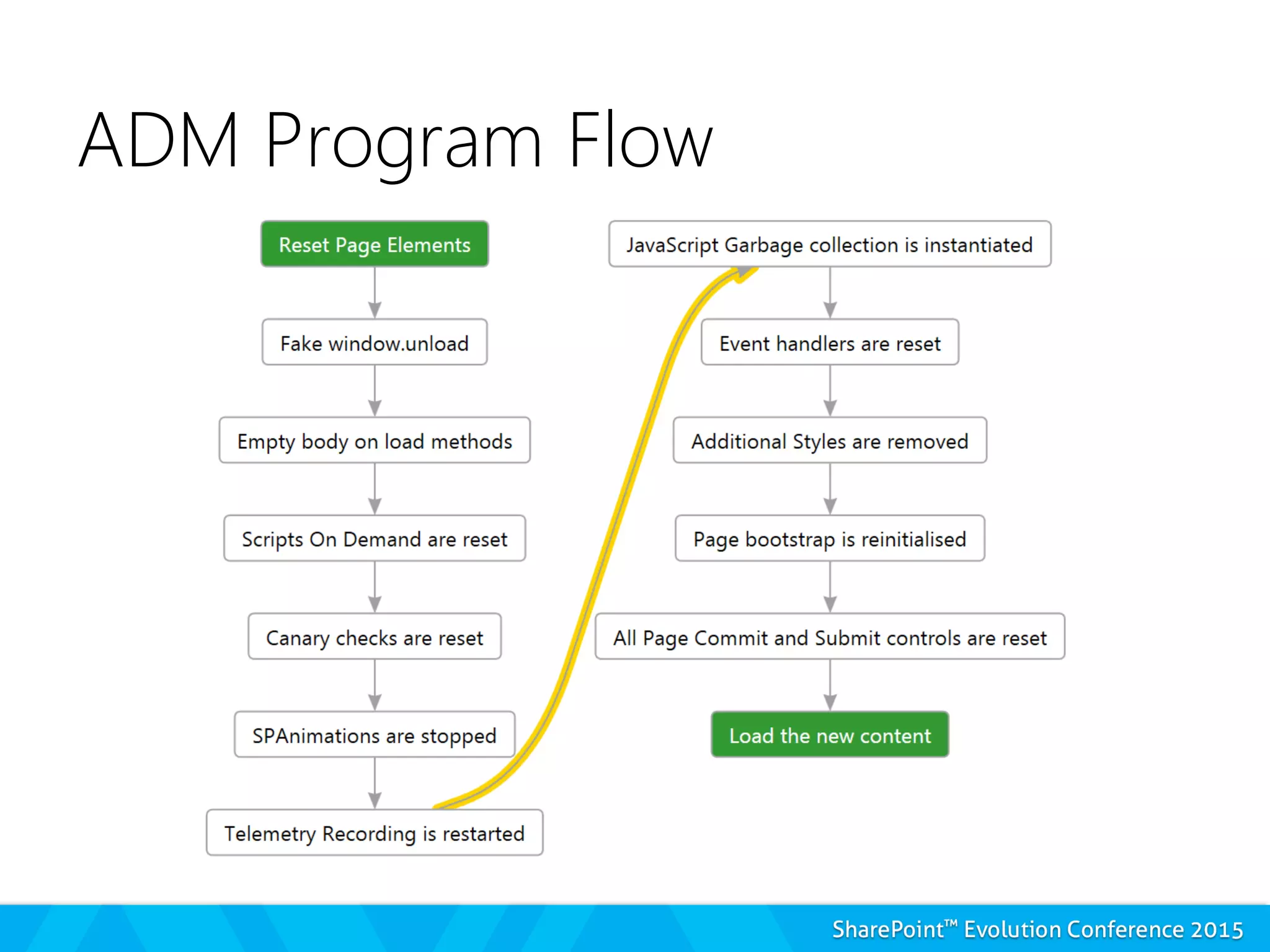
ADM Program Flow
ADM – What we need to do
 Register our namespace
 Register the initialisation method
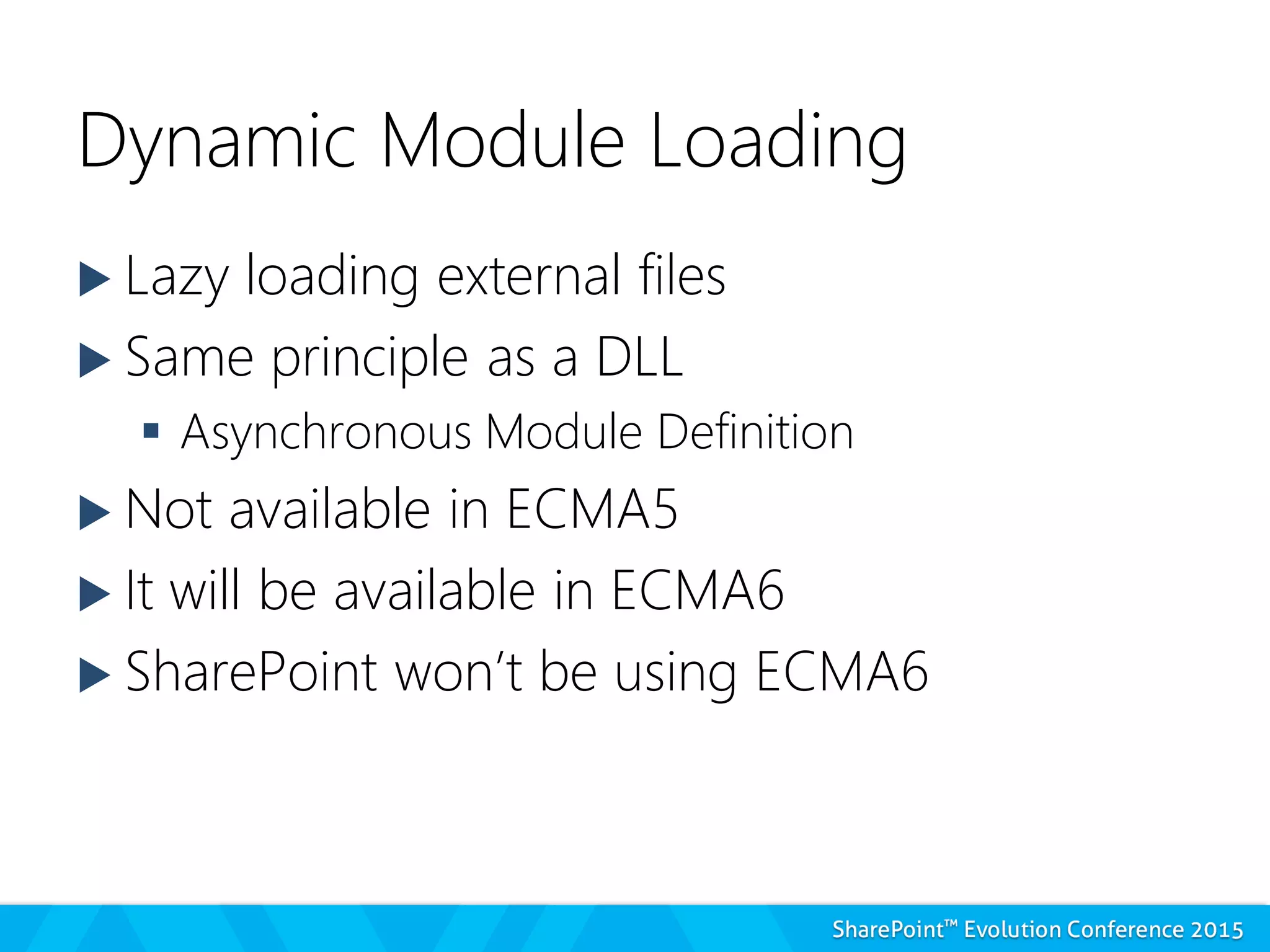
Dynamic Module Loading
 Lazy loading external files
 Same principle as a DLL
 Asynchronous Module Definition
 Not available in ECMA5
 It will be available in ECMA6
 SharePoint won’t be using ECMA6
Dynamic Module Loading
 Scripts On Demand (SP.SOD)
 Each script must:
– Use a named method around the code
– Register this method with SharePoint
– Report it is ready when loaded
– Register a module initialisation method if required
Dynamic Module Loading
 Scripts On Demand (SP.SOD)
 To load each script we must:
– Register the script with SharePoint
– Ask the script to be loaded
– Give an action to be executed when the script has
been loaded
Scripts On Demand
 Available Methods for Scripts
 Register SOD
 Register SOD Dependency
 Load by Key / Load Multiple
 Execute or Delay until Script Loaded
 Execute / Execute Function
 Notify Script Loaded
SCRIPTS ON DEMAND
A FULL MODULE
Where do we put our core
module?
 Core Module – Not on demand via
CustomAction
 Other parts – On demand as needed
 ScriptLink
 JS Link
 Another JS file
 NEVER from a Script Block
But what can we gain?
 SP.Init – Learn this file.
 Built in helper methods
 SP.ScriptUtility
 SP.ScriptHelpers
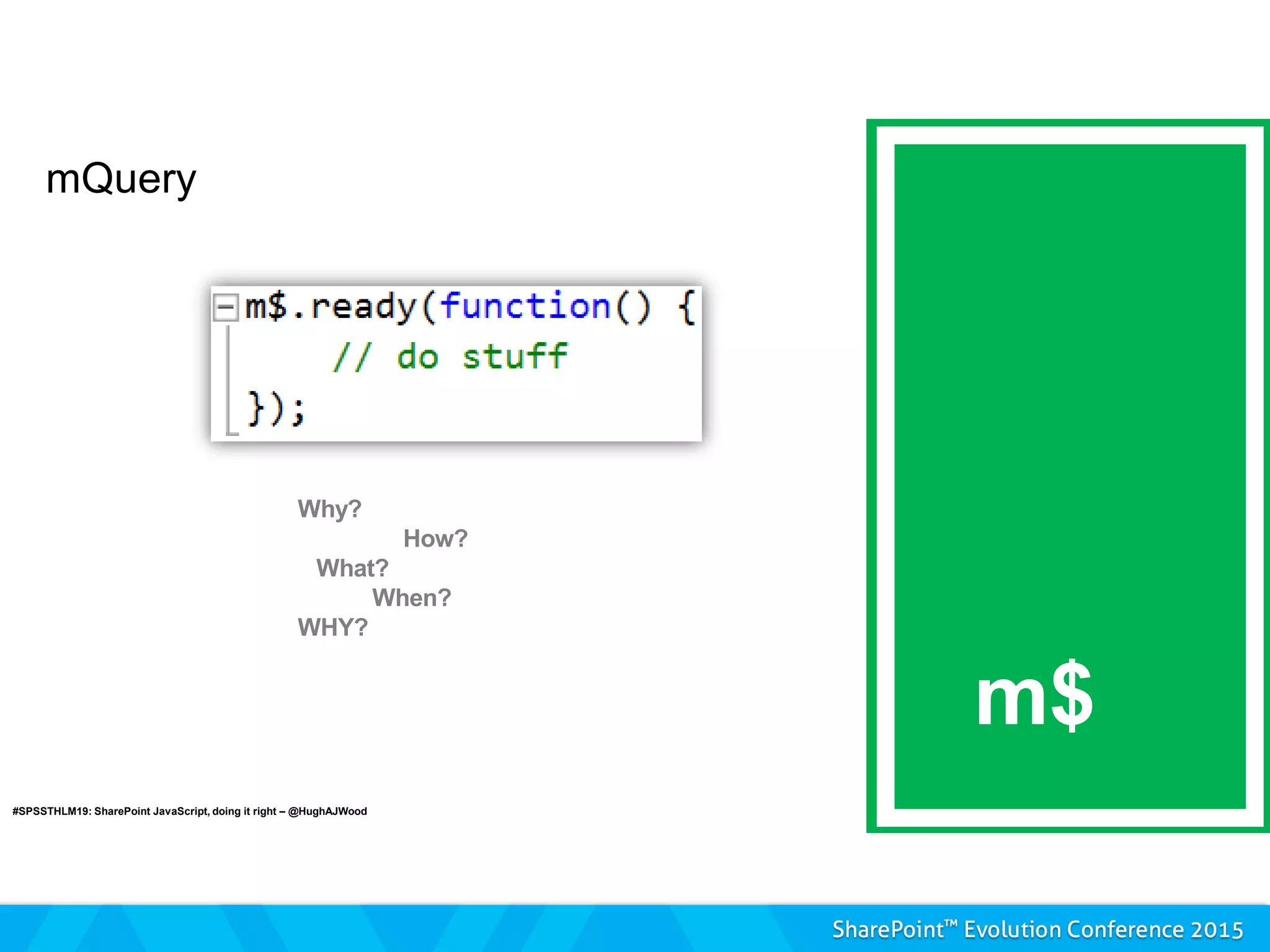
 mQuery
 SP.Utilities
– Task Engine
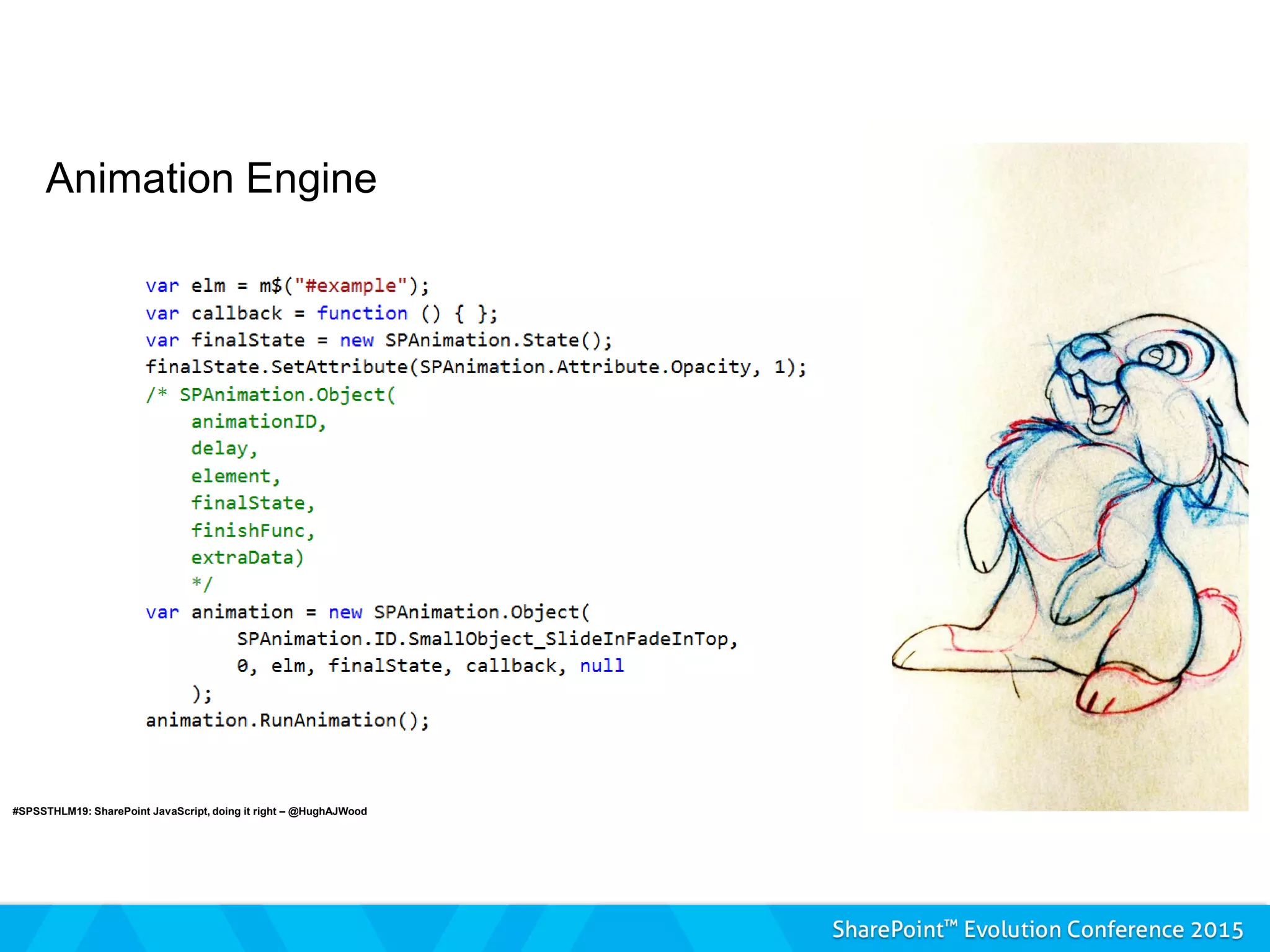
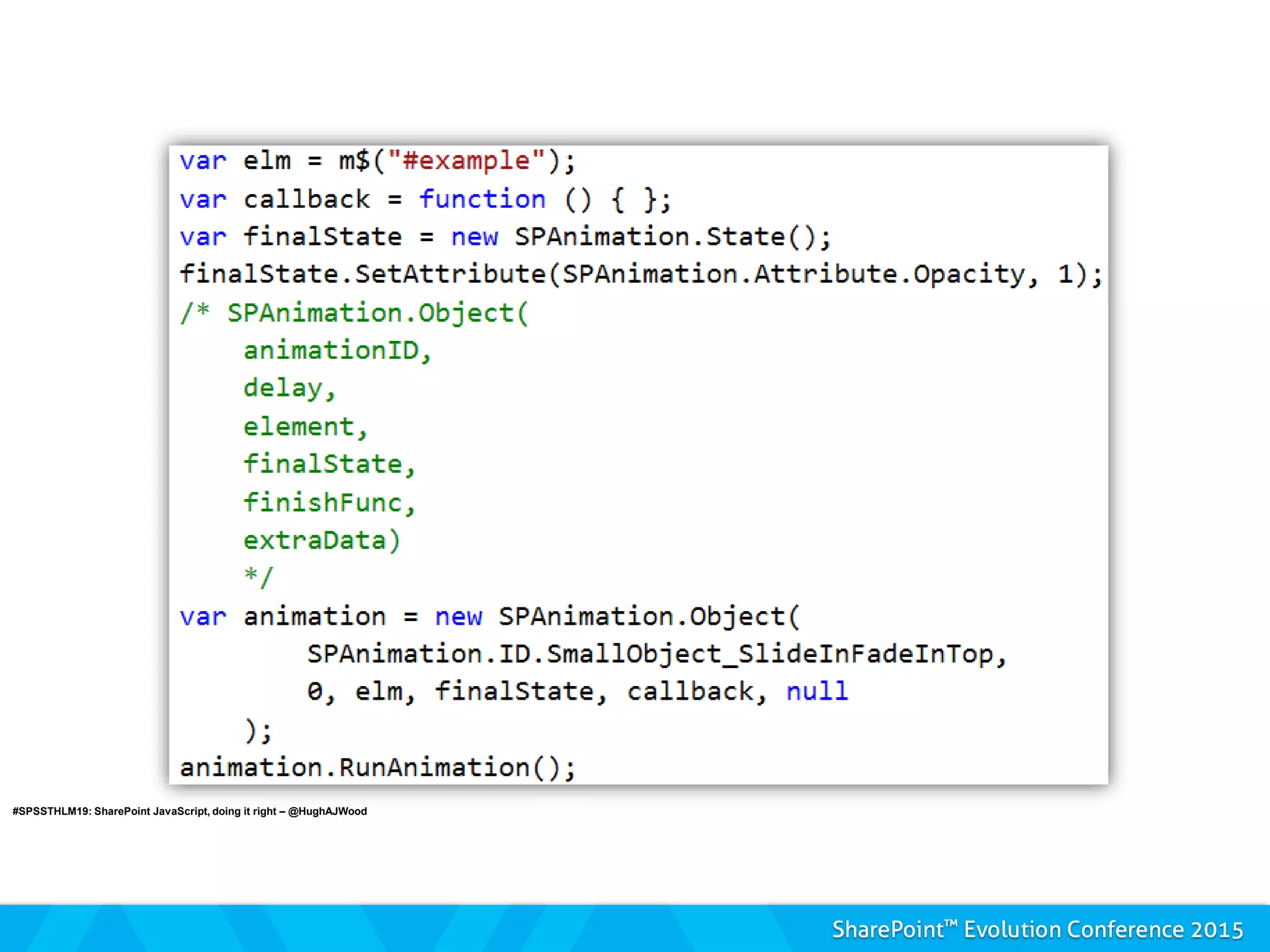
– Animation
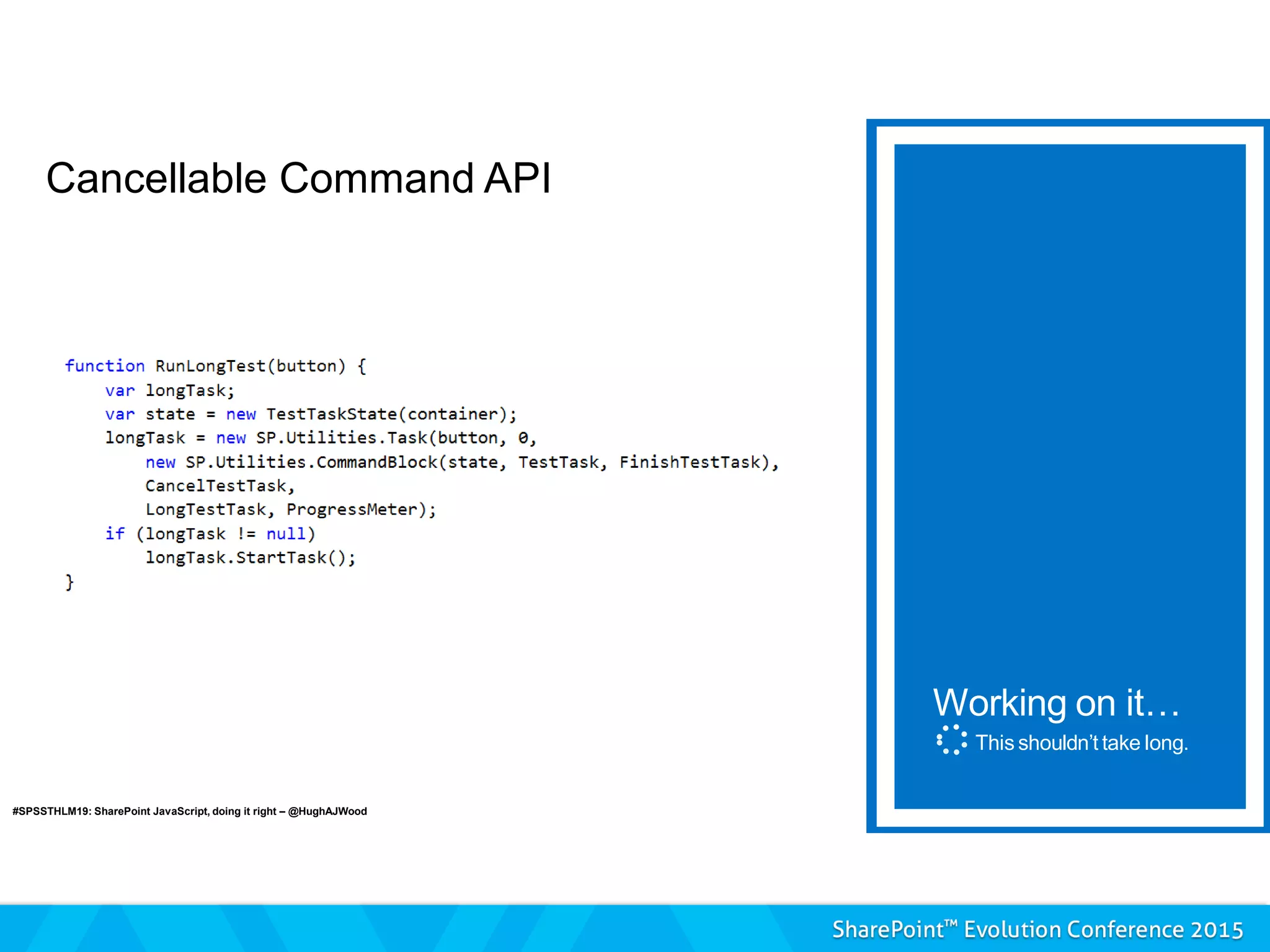
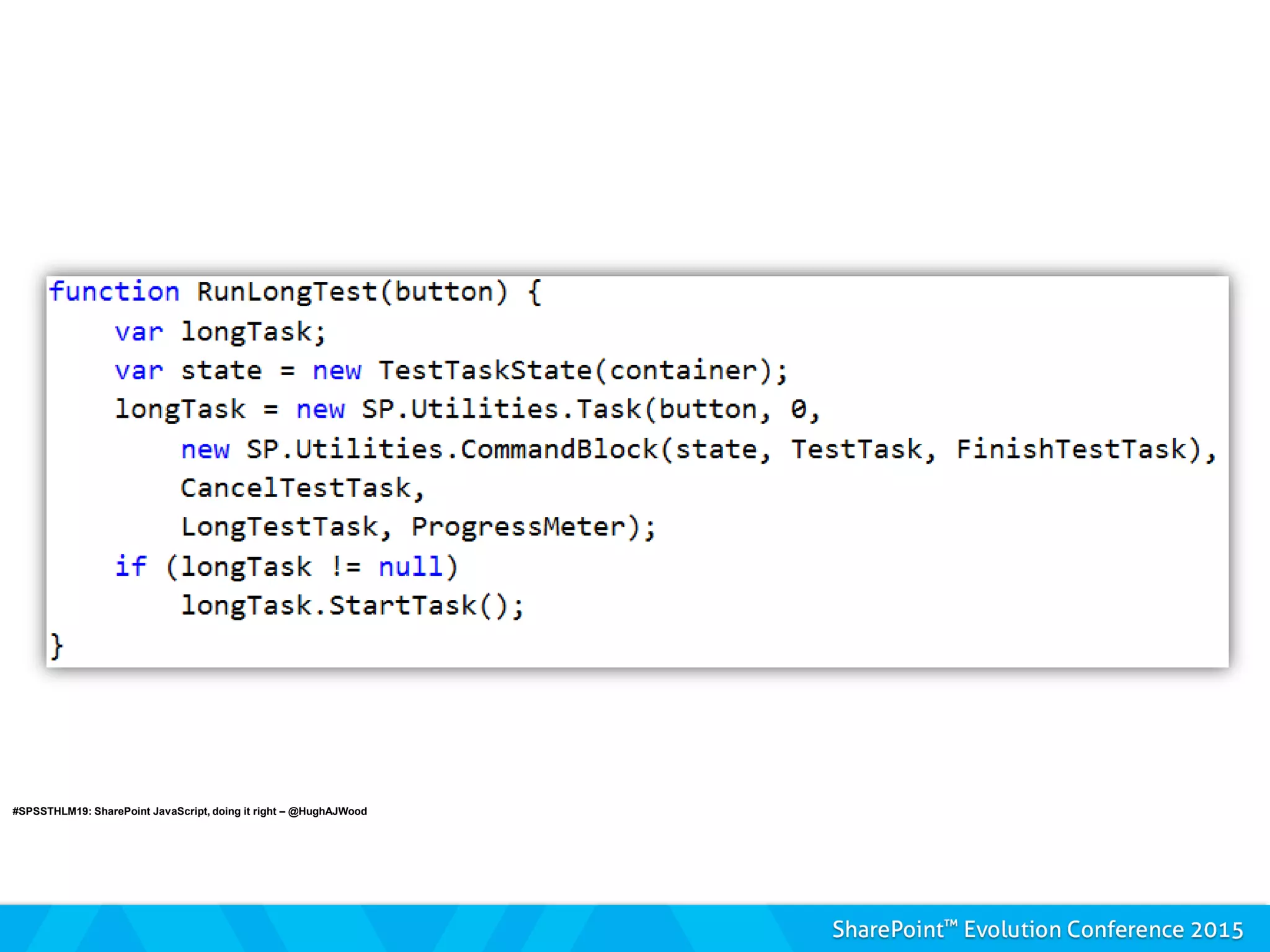
Cancellable Command API
Working on it…
This shouldn’t take long.
#SPSSTHLM19: SharePoint JavaScript, doing it right – @HughAJWood
Animation Engine
#SPSSTHLM19: SharePoint JavaScript, doing it right – @HughAJWood
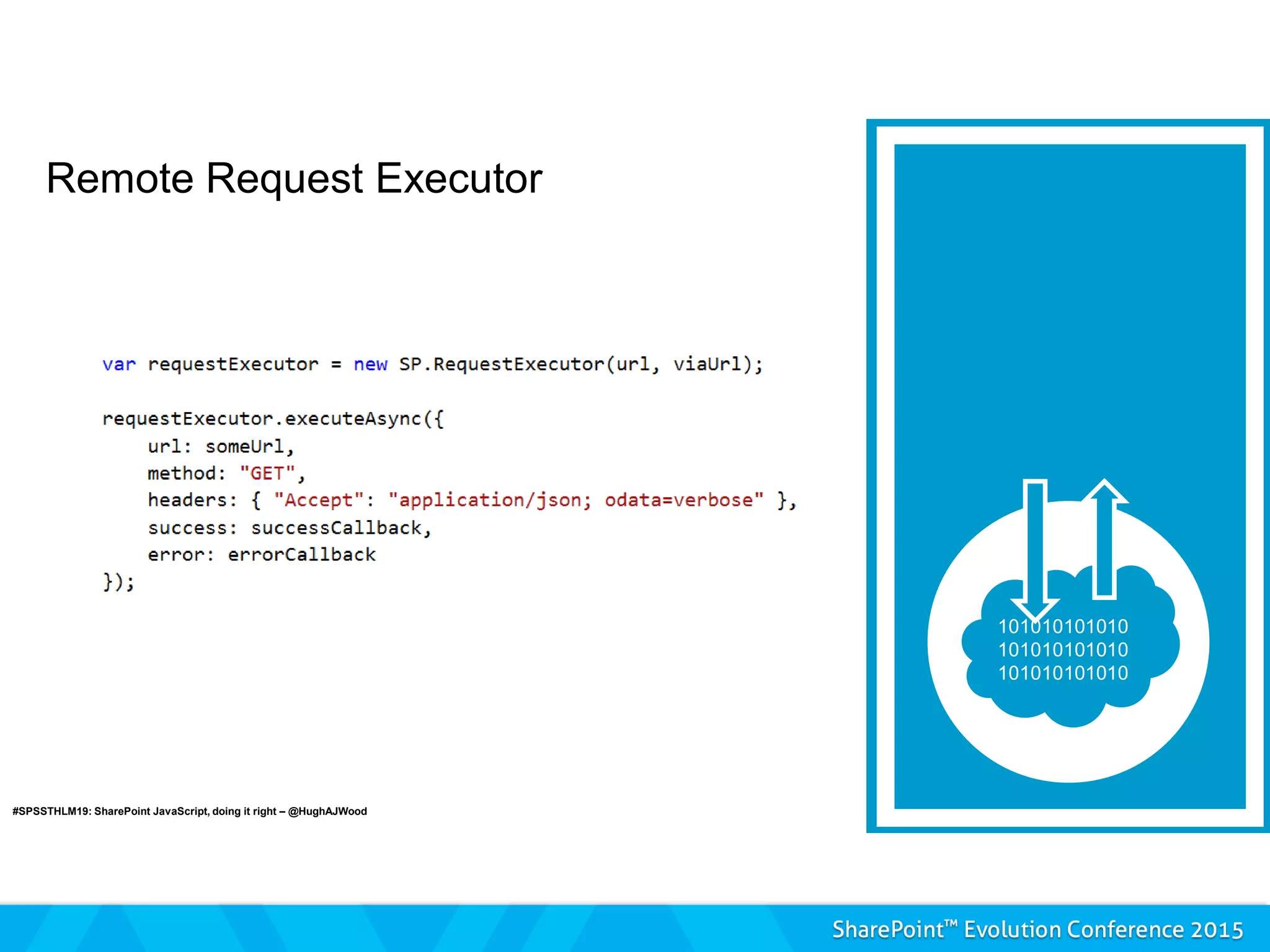
Remote Request Executor
#SPSSTHLM19: SharePoint JavaScript, doing it right – @HughAJWood
mQuery
m$
#SPSSTHLM19: SharePoint JavaScript, doing it right – @HughAJWood
GOTCHAS
 Private properties are extra private across
files - Handled
 Race conditions - Practice
 SharePoint probably already has a method
for that – Learn
 No documentation - Governance
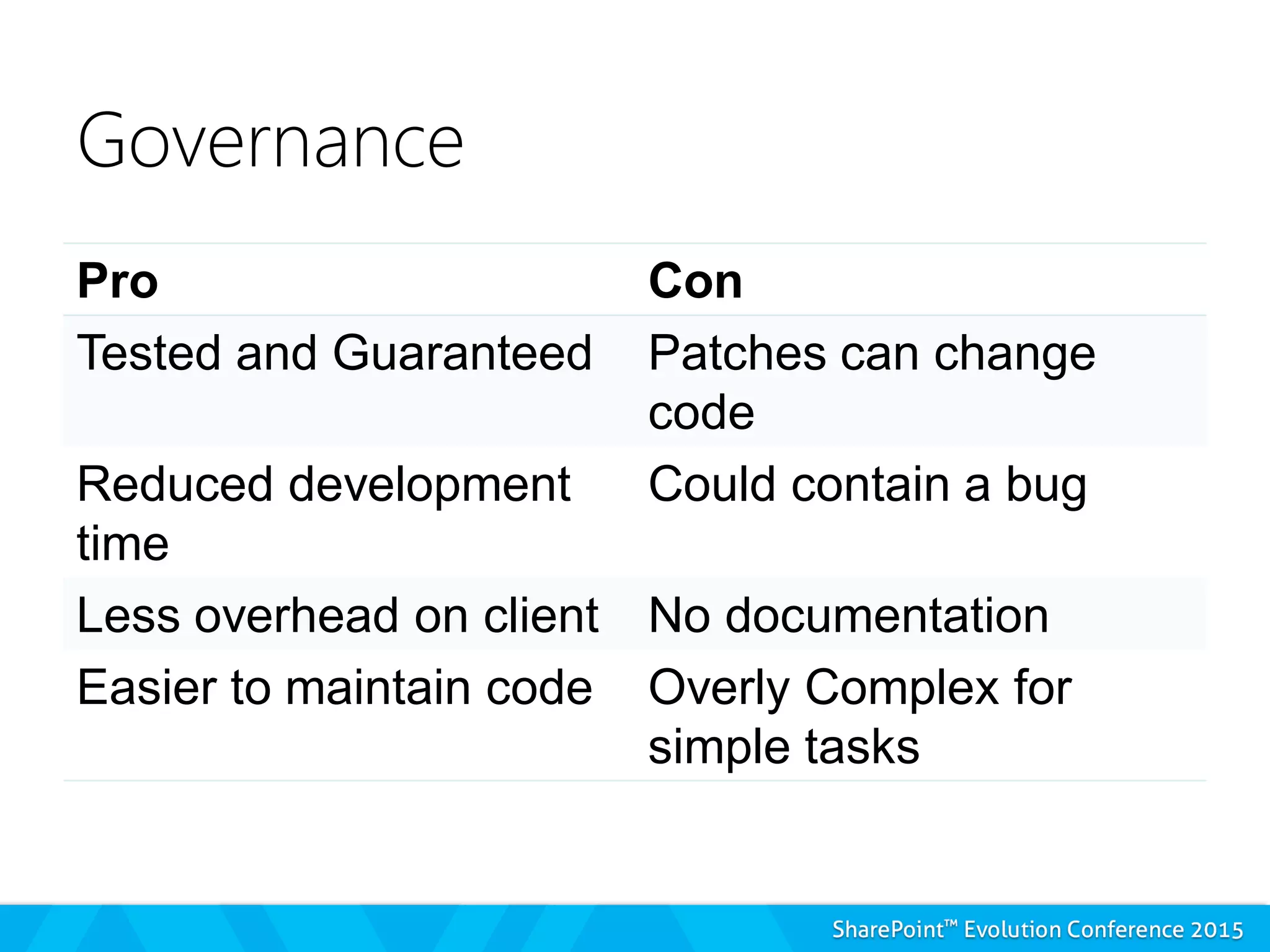
Governance
Pro Con
Tested and Guaranteed Patches can change
code
Reduced development
time
Could contain a bug
Less overhead on client No documentation
Easier to maintain code Overly Complex for
simple tasks
Wrapping it up




Ask me anything and
tell me what you want to hear
about.
Hugh Wood
www.spcaf.com/blog
@hughajwood

You don’t know js about share point – hugh wood

  • 1.
    You don’t knowJS about SharePoint – SharePoint JavaScript Context best practices for C# developers Hugh Wood
  • 2.
     Hugh Wood Rencore AB  www.SPCAF.com  Hugh.Wood@Rencore.se  Professional software developer since 2000, first wrote JS in `95, first wrote code in `87. Expert in compiler theory, code security and code performance.
  • 3.
    Agenda  Introduction tothe topic  JS File Structure  Garbage Collection  Dynamic Module Loading  Built in Helper Methods
  • 4.
  • 5.
    Why you shouldcare Source: Loggly
  • 6.
    C# JavaScript Multi-Paradigm Functional,Event Driven Strongly Typed OR Loosely Typed Loosely Typed (Strong types are coming 2015) ECMA-334 ECMAScript-5
  • 8.
  • 9.
    JavaScript File Structure The Module Pattern  It must provide public facing methods  A module must have an initialiser method  A module must have a finaliser method  Supporting members may require additional initialisation/finalisation code  Members are used to perform operations on elements external to the class
  • 10.
  • 11.
    ADM  Asynchronous DownloadManager  The technology behind MDS (Minimal Download Strategy)  It simulates full page load  Only loads parts of the page  Re-initialises the bootstrap
  • 12.
  • 13.
    ADM – Whatwe need to do  Register our namespace  Register the initialisation method
  • 14.
    Dynamic Module Loading Lazy loading external files  Same principle as a DLL  Asynchronous Module Definition  Not available in ECMA5  It will be available in ECMA6  SharePoint won’t be using ECMA6
  • 15.
    Dynamic Module Loading Scripts On Demand (SP.SOD)  Each script must: – Use a named method around the code – Register this method with SharePoint – Report it is ready when loaded – Register a module initialisation method if required
  • 16.
    Dynamic Module Loading Scripts On Demand (SP.SOD)  To load each script we must: – Register the script with SharePoint – Ask the script to be loaded – Give an action to be executed when the script has been loaded
  • 17.
    Scripts On Demand Available Methods for Scripts  Register SOD  Register SOD Dependency  Load by Key / Load Multiple  Execute or Delay until Script Loaded  Execute / Execute Function  Notify Script Loaded
  • 18.
  • 19.
    Where do weput our core module?  Core Module – Not on demand via CustomAction  Other parts – On demand as needed  ScriptLink  JS Link  Another JS file  NEVER from a Script Block
  • 20.
    But what canwe gain?  SP.Init – Learn this file.  Built in helper methods  SP.ScriptUtility  SP.ScriptHelpers  mQuery  SP.Utilities – Task Engine – Animation
  • 21.
    Cancellable Command API Workingon it… This shouldn’t take long. #SPSSTHLM19: SharePoint JavaScript, doing it right – @HughAJWood
  • 22.
    #SPSSTHLM19: SharePoint JavaScript,doing it right – @HughAJWood
  • 23.
    Animation Engine #SPSSTHLM19: SharePointJavaScript, doing it right – @HughAJWood
  • 24.
    #SPSSTHLM19: SharePoint JavaScript,doing it right – @HughAJWood
  • 25.
    Remote Request Executor #SPSSTHLM19:SharePoint JavaScript, doing it right – @HughAJWood
  • 26.
    #SPSSTHLM19: SharePoint JavaScript,doing it right – @HughAJWood
  • 27.
    mQuery m$ #SPSSTHLM19: SharePoint JavaScript,doing it right – @HughAJWood
  • 28.
    GOTCHAS  Private propertiesare extra private across files - Handled  Race conditions - Practice  SharePoint probably already has a method for that – Learn  No documentation - Governance
  • 29.
    Governance Pro Con Tested andGuaranteed Patches can change code Reduced development time Could contain a bug Less overhead on client No documentation Easier to maintain code Overly Complex for simple tasks
  • 30.
  • 31.
    Ask me anythingand tell me what you want to hear about. Hugh Wood www.spcaf.com/blog @hughajwood