

Voice User Interface Design tips for Alexa
2Who am I
Yuki Torigata
Lead Solutions architect, Classmethod Canada
May 2017 – Present
Developing Alexa skills
Solutions architect, Classmethod (Tokyo)
August 2014 – April 2017
3Agenda
What to expect from this session
• What is Alexa VUI Design
• Process of Designing VUI for Alexa skills
• VUI Design Tips for Alexa skills
4
1. What is Alexa VUI Design
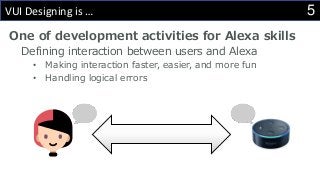
5VUI Designing is …
One of development activities for Alexa skills
Defining interaction between users and Alexa
• Making interaction faster, easier, and more fun
• Handling logical errors
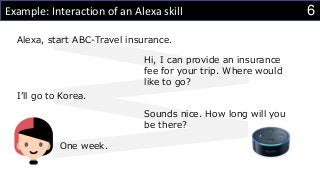
6Example: Interaction of an Alexa skill
Alexa, start ABC-Travel insurance.
Hi, I can provide an insurance
fee for your trip. Where would
like to go?
I’ll go to Korea.
Sounds nice. How long will you
be there?
One week.
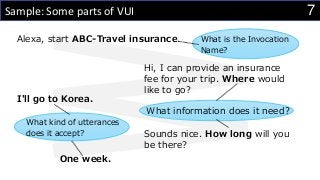
7Sample: Some parts of VUI
Alexa, start ABC-Travel insurance.
Hi, I can provide an insurance
fee for your trip. Where would
like to go?
I'll go to Korea.
Sounds nice. How long will you
be there?
What is the Invocation
Name?
What information does it need?
What kind of utterances
does it accept?
One week.
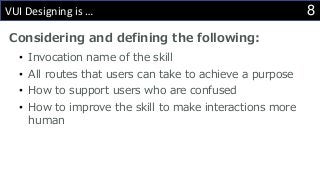
8VUI Designing is …
Considering and defining the following:
• Invocation name of the skill
• All routes that users can take to achieve a purpose
• How to support users who are confused
• How to improve the skill to make interactions more
human
9
2. Process of Designing VUI for Alexa Skills
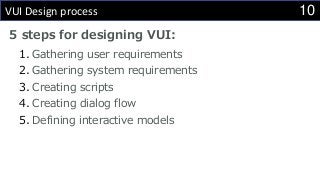
10VUI Design process
5 steps for designing VUI:
1. Gathering user requirements
2. Gathering system requirements
3. Creating scripts
4. Creating dialog flow
5. Defining interactive models
111. Gathering user requirements
Identifying the purpose of skill use
We want to answer the following questions:
• What is the purpose of the skill? Why will people want to
use it?
• What will the person be doing before, during, and after
interacting with the skill?
• What will people get from the skill that they cannot get
another way?
122. Gathering system requirements
Keep them connected to the user requirements
that you defined
Define the skill itself and things around the
system
 Identify the skill scope
 Defining Input / Output
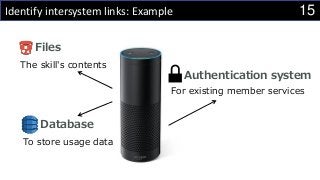
 Identify intersystem links
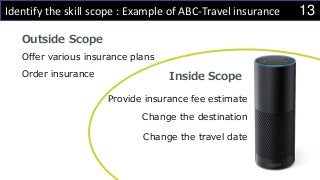
13Identify the skill scope : Example of ABC-Travel insurance
Inside Scope
Outside Scope
Order insurance
Provide insurance fee estimate
Change the destination
Change the travel date
Offer various insurance plans
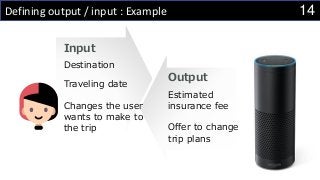
14Defining output / input : Example
Output
Input
Destination
Traveling date
Estimated
insurance fee
Offer to change
trip plans
Changes the user
wants to make to
the trip
15Identify intersystem links: Example
Files
Database
To store usage data
The skill's contents
For existing member services
Authentication system
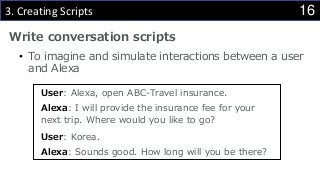
163. Creating Scripts
Write conversation scripts
• To imagine and simulate interactions between a user
and Alexa
User: Alexa, open ABC-Travel insurance.
Alexa: I will provide the insurance fee for your
next trip. Where would you like to go?
User: Korea.
Alexa: Sounds good. How long will you be there?
174. Creating Dialogue Flow
Extend conversation scripts
• Support more varieties of inputs
• Provide more user guidance
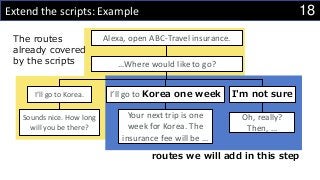
18Extend the scripts: Example
routes we will add in this step
Alexa, open ABC-Travel insurance.
…Where would like to go?
I’ll go to Korea. I’ll go to Korea one week I'm not sure
Sounds nice. How long
will you be there?
Your next trip is one
week for Korea. The
insurance fee will be …
Oh, really?
Then, …
The routes
already covered
by the scripts
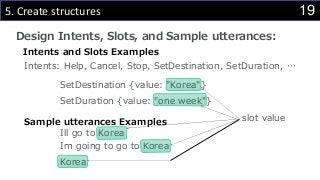
195. Create structures
Design Intents, Slots, and Sample utterances:
Ill go to Korea
Korea
Im going to go to Korea
SetDestination {value: "Korea"}
Intents: Help, Cancel, Stop, SetDestination, SetDuration, …
SetDuration {value: "one week"}
Intents and Slots Examples
Sample utterances Examples slot value
20
3. VUI Design Tips for Alexa Skills
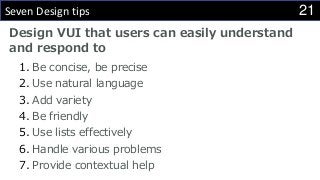
21Seven Design tips
Design VUI that users can easily understand
and respond to
1. Be concise, be precise
2. Use natural language
3. Add variety
4. Be friendly
5. Use lists effectively
6. Handle various problems
7. Provide contextual help
221. Be concise, be precise
Use One-breath test
• Check if you can say an Alexa phrase in a breath
• If you can, that is perfect!
• If you were short of breath…
• That is too long. Consider shortening the phrase
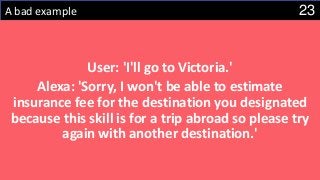
23A bad example
User: 'I'll go to Victoria.'
Alexa: 'Sorry, I won't be able to estimate
insurance fee for the destination you designated
because this skill is for a trip abroad so please try
again with another destination.'
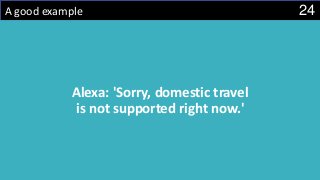
24A good example
Alexa: 'Sorry, domestic travel
is not supported right now.'
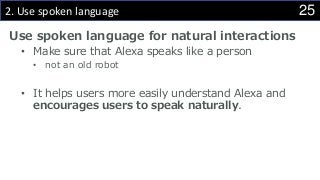
252. Use spoken language
Use spoken language for natural interactions
• Make sure that Alexa speaks like a person
• not an old robot
• It helps users more easily understand Alexa and
encourages users to speak naturally.
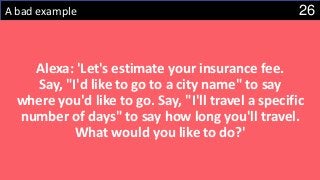
26A bad example
Alexa: 'Let's estimate your insurance fee.
Say, "I'd like to go to a city name" to say
where you'd like to go. Say, "I'll travel a specific
number of days" to say how long you'll travel.
What would you like to do?'
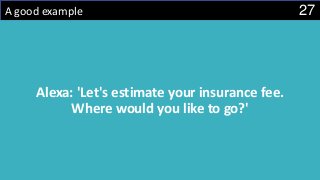
27A good example
Alexa: 'Let's estimate your insurance fee.
Where would you like to go?'
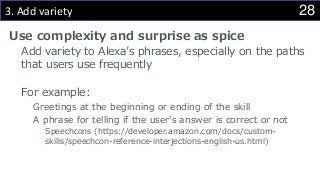
283. Add variety
Use complexity and surprise as spice
Add variety to Alexa’s phrases, especially on the paths
that users use frequently
For example:
Greetings at the beginning or ending of the skill
A phrase for telling if the user's answer is correct or not
Speechcons (https://developer.amazon.com/docs/custom-
skills/speechcon-reference-interjections-english-us.html)
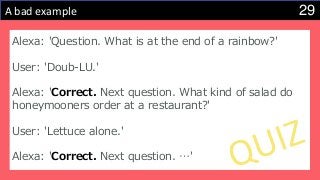
29A bad example
Alexa: 'Question. What is at the end of a rainbow?'
User: 'Doub-LU.'
Alexa: 'Correct. Next question. What kind of salad do
honeymooners order at a restaurant?'
User: 'Lettuce alone.'
Alexa: 'Correct. Next question. …'
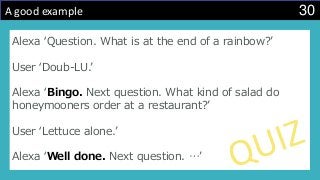
30A good example
Alexa ‘Question. What is at the end of a rainbow?’
User ‘Doub-LU.’
Alexa ‘Bingo. Next question. What kind of salad do
honeymooners order at a restaurant?’
User ‘Lettuce alone.’
Alexa ‘Well done. Next question. …’
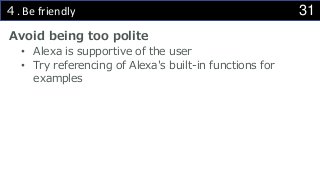
314. Be friendly
Avoid being too polite
• Alexa is supportive of the user
• Try referencing of Alexa's built-in functions for
examples
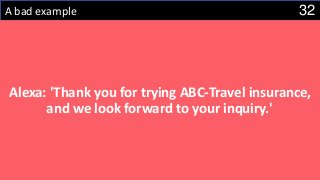
32A bad example
Alexa: 'Thank you for trying ABC-Travel insurance,
and we look forward to your inquiry.'
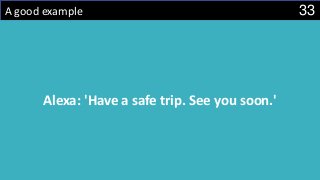
33A good example
Alexa: 'Have a safe trip. See you soon.'
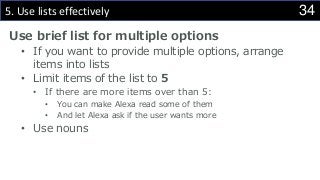
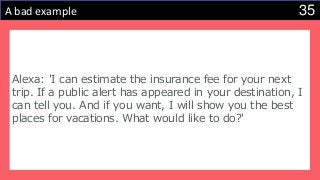
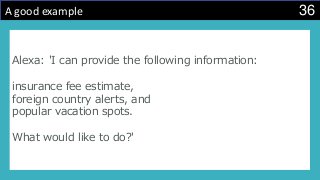
345. Use lists effectively
Use brief list for multiple options
• If you want to provide multiple options, arrange
items into lists
• Limit items of the list to 5
• If there are more items over than 5:
• You can make Alexa read some of them
• And let Alexa ask if the user wants more
• Use nouns
35A bad example
Alexa: 'I can estimate the insurance fee for your next
trip. If a public alert has appeared in your destination, I
can tell you. And if you want, I will show you the best
places for vacations. What would like to do?'
36A good example
Alexa: 'I can provide the following information:
insurance fee estimate,
foreign country alerts, and
popular vacation spots.
What would like to do?'
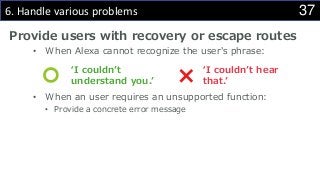
376. Handle various problems
Provide users with recovery or escape routes
• When Alexa cannot recognize the user's phrase:
• When an user requires an unsupported function:
• Provide a concrete error message
‘I couldn’t
understand you.’
‘I couldn’t hear
that.’
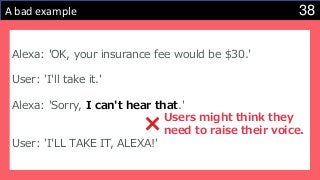
38A bad example
Alexa: 'OK, your insurance fee would be $30.'
User: 'I'll take it.'
Alexa: 'Sorry, I can't hear that.'
User: 'I'LL TAKE IT, ALEXA!'
Users might think they
need to raise their voice.
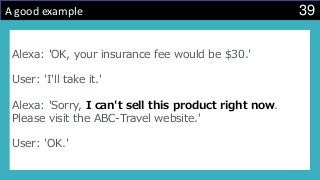
39A good example
Alexa: 'OK, your insurance fee would be $30.'
User: 'I'll take it.'
Alexa: 'Sorry, I can't sell this product right now.
Please visit the ABC-Travel website.'
User: 'OK.'
407. Help for users
Support the user with contextual help
• Check whether phrases in Help can help users in all
situations
• Do users know what they can say?
• Remove excessive extra information to avoid
confusion
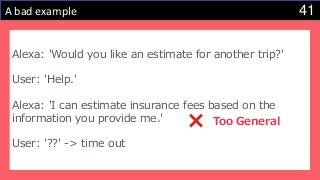
41A bad example
Alexa: 'Would you like an estimate for another trip?'
User: 'Help.'
Alexa: 'I can estimate insurance fees based on the
information you provide me.'
User: '??' -> time out
Too General
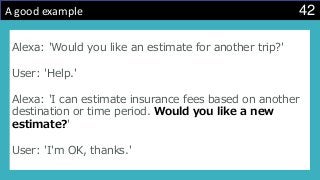
42A good example
Alexa: 'Would you like an estimate for another trip?'
User: 'Help.'
Alexa: 'I can estimate insurance fees based on another
destination or time period. Would you like a new
estimate?'
User: 'I'm OK, thanks.'
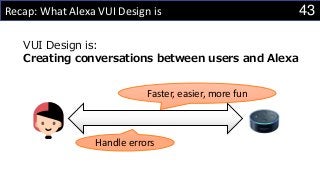
43Recap: What Alexa VUI Design is
Faster, easier, more fun
Handle errors
VUI Design is:
Creating conversations between users and Alexa
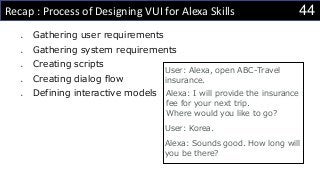
44Recap : Process of Designing VUI for Alexa Skills
 Gathering user requirements
 Gathering system requirements
 Creating scripts
 Creating dialog flow
 Defining interactive models
User: Alexa, open ABC-Travel
insurance.
Alexa: I will provide the insurance
fee for your next trip.
Where would you like to go?
User: Korea.
Alexa: Sounds good. How long will
you be there?
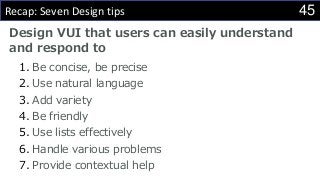
45Recap: Seven Design tips
Design VUI that users can easily understand
and respond to
1. Be concise, be precise
2. Use natural language
3. Add variety
4. Be friendly
5. Use lists effectively
6. Handle various problems
7. Provide contextual help
46Reference
Official documents, blog articles, and so on:
• Amazon Alexa Voice Design Guide
• http://developer.amazon.com/designing-for-voice/
• Alexa Blogs
• https://developer.amazon.com/blogs/alexa/
• Webinars
• ‘Voice Design 101’
• ‘Advanced Voice Design: Conversation and Memory’

Voice User Interface Design tips for Alexa

  • 1.
    Voice User InterfaceDesign tips for Alexa
  • 2.
    2Who am I YukiTorigata Lead Solutions architect, Classmethod Canada May 2017 – Present Developing Alexa skills Solutions architect, Classmethod (Tokyo) August 2014 – April 2017
  • 3.
    3Agenda What to expectfrom this session • What is Alexa VUI Design • Process of Designing VUI for Alexa skills • VUI Design Tips for Alexa skills
  • 4.
    4 1. What isAlexa VUI Design
  • 5.
    5VUI Designing is… One of development activities for Alexa skills Defining interaction between users and Alexa • Making interaction faster, easier, and more fun • Handling logical errors
  • 6.
    6Example: Interaction ofan Alexa skill Alexa, start ABC-Travel insurance. Hi, I can provide an insurance fee for your trip. Where would like to go? I’ll go to Korea. Sounds nice. How long will you be there? One week.
  • 7.
    7Sample: Some partsof VUI Alexa, start ABC-Travel insurance. Hi, I can provide an insurance fee for your trip. Where would like to go? I'll go to Korea. Sounds nice. How long will you be there? What is the Invocation Name? What information does it need? What kind of utterances does it accept? One week.
  • 8.
    8VUI Designing is… Considering and defining the following: • Invocation name of the skill • All routes that users can take to achieve a purpose • How to support users who are confused • How to improve the skill to make interactions more human
  • 9.
    9 2. Process ofDesigning VUI for Alexa Skills
  • 10.
    10VUI Design process 5steps for designing VUI: 1. Gathering user requirements 2. Gathering system requirements 3. Creating scripts 4. Creating dialog flow 5. Defining interactive models
  • 11.
    111. Gathering userrequirements Identifying the purpose of skill use We want to answer the following questions: • What is the purpose of the skill? Why will people want to use it? • What will the person be doing before, during, and after interacting with the skill? • What will people get from the skill that they cannot get another way?
  • 12.
    122. Gathering systemrequirements Keep them connected to the user requirements that you defined Define the skill itself and things around the system  Identify the skill scope  Defining Input / Output  Identify intersystem links
  • 13.
    13Identify the skillscope : Example of ABC-Travel insurance Inside Scope Outside Scope Order insurance Provide insurance fee estimate Change the destination Change the travel date Offer various insurance plans
  • 14.
    14Defining output /input : Example Output Input Destination Traveling date Estimated insurance fee Offer to change trip plans Changes the user wants to make to the trip
  • 15.
    15Identify intersystem links:Example Files Database To store usage data The skill's contents For existing member services Authentication system
  • 16.
    163. Creating Scripts Writeconversation scripts • To imagine and simulate interactions between a user and Alexa User: Alexa, open ABC-Travel insurance. Alexa: I will provide the insurance fee for your next trip. Where would you like to go? User: Korea. Alexa: Sounds good. How long will you be there?
  • 17.
    174. Creating DialogueFlow Extend conversation scripts • Support more varieties of inputs • Provide more user guidance
  • 18.
    18Extend the scripts:Example routes we will add in this step Alexa, open ABC-Travel insurance. …Where would like to go? I’ll go to Korea. I’ll go to Korea one week I'm not sure Sounds nice. How long will you be there? Your next trip is one week for Korea. The insurance fee will be … Oh, really? Then, … The routes already covered by the scripts
  • 19.
    195. Create structures DesignIntents, Slots, and Sample utterances: Ill go to Korea Korea Im going to go to Korea SetDestination {value: "Korea"} Intents: Help, Cancel, Stop, SetDestination, SetDuration, … SetDuration {value: "one week"} Intents and Slots Examples Sample utterances Examples slot value
  • 20.
    20 3. VUI DesignTips for Alexa Skills
  • 21.
    21Seven Design tips DesignVUI that users can easily understand and respond to 1. Be concise, be precise 2. Use natural language 3. Add variety 4. Be friendly 5. Use lists effectively 6. Handle various problems 7. Provide contextual help
  • 22.
    221. Be concise,be precise Use One-breath test • Check if you can say an Alexa phrase in a breath • If you can, that is perfect! • If you were short of breath… • That is too long. Consider shortening the phrase
  • 23.
    23A bad example User:'I'll go to Victoria.' Alexa: 'Sorry, I won't be able to estimate insurance fee for the destination you designated because this skill is for a trip abroad so please try again with another destination.'
  • 24.
    24A good example Alexa:'Sorry, domestic travel is not supported right now.'
  • 25.
    252. Use spokenlanguage Use spoken language for natural interactions • Make sure that Alexa speaks like a person • not an old robot • It helps users more easily understand Alexa and encourages users to speak naturally.
  • 26.
    26A bad example Alexa:'Let's estimate your insurance fee. Say, "I'd like to go to a city name" to say where you'd like to go. Say, "I'll travel a specific number of days" to say how long you'll travel. What would you like to do?'
  • 27.
    27A good example Alexa:'Let's estimate your insurance fee. Where would you like to go?'
  • 28.
    283. Add variety Usecomplexity and surprise as spice Add variety to Alexa’s phrases, especially on the paths that users use frequently For example: Greetings at the beginning or ending of the skill A phrase for telling if the user's answer is correct or not Speechcons (https://developer.amazon.com/docs/custom- skills/speechcon-reference-interjections-english-us.html)
  • 29.
    29A bad example Alexa:'Question. What is at the end of a rainbow?' User: 'Doub-LU.' Alexa: 'Correct. Next question. What kind of salad do honeymooners order at a restaurant?' User: 'Lettuce alone.' Alexa: 'Correct. Next question. …'
  • 30.
    30A good example Alexa‘Question. What is at the end of a rainbow?’ User ‘Doub-LU.’ Alexa ‘Bingo. Next question. What kind of salad do honeymooners order at a restaurant?’ User ‘Lettuce alone.’ Alexa ‘Well done. Next question. …’
  • 31.
    314. Be friendly Avoidbeing too polite • Alexa is supportive of the user • Try referencing of Alexa's built-in functions for examples
  • 32.
    32A bad example Alexa:'Thank you for trying ABC-Travel insurance, and we look forward to your inquiry.'
  • 33.
    33A good example Alexa:'Have a safe trip. See you soon.'
  • 34.
    345. Use listseffectively Use brief list for multiple options • If you want to provide multiple options, arrange items into lists • Limit items of the list to 5 • If there are more items over than 5: • You can make Alexa read some of them • And let Alexa ask if the user wants more • Use nouns
  • 35.
    35A bad example Alexa:'I can estimate the insurance fee for your next trip. If a public alert has appeared in your destination, I can tell you. And if you want, I will show you the best places for vacations. What would like to do?'
  • 36.
    36A good example Alexa:'I can provide the following information: insurance fee estimate, foreign country alerts, and popular vacation spots. What would like to do?'
  • 37.
    376. Handle variousproblems Provide users with recovery or escape routes • When Alexa cannot recognize the user's phrase: • When an user requires an unsupported function: • Provide a concrete error message ‘I couldn’t understand you.’ ‘I couldn’t hear that.’
  • 38.
    38A bad example Alexa:'OK, your insurance fee would be $30.' User: 'I'll take it.' Alexa: 'Sorry, I can't hear that.' User: 'I'LL TAKE IT, ALEXA!' Users might think they need to raise their voice.
  • 39.
    39A good example Alexa:'OK, your insurance fee would be $30.' User: 'I'll take it.' Alexa: 'Sorry, I can't sell this product right now. Please visit the ABC-Travel website.' User: 'OK.'
  • 40.
    407. Help forusers Support the user with contextual help • Check whether phrases in Help can help users in all situations • Do users know what they can say? • Remove excessive extra information to avoid confusion
  • 41.
    41A bad example Alexa:'Would you like an estimate for another trip?' User: 'Help.' Alexa: 'I can estimate insurance fees based on the information you provide me.' User: '??' -> time out Too General
  • 42.
    42A good example Alexa:'Would you like an estimate for another trip?' User: 'Help.' Alexa: 'I can estimate insurance fees based on another destination or time period. Would you like a new estimate?' User: 'I'm OK, thanks.'
  • 43.
    43Recap: What AlexaVUI Design is Faster, easier, more fun Handle errors VUI Design is: Creating conversations between users and Alexa
  • 44.
    44Recap : Processof Designing VUI for Alexa Skills  Gathering user requirements  Gathering system requirements  Creating scripts  Creating dialog flow  Defining interactive models User: Alexa, open ABC-Travel insurance. Alexa: I will provide the insurance fee for your next trip. Where would you like to go? User: Korea. Alexa: Sounds good. How long will you be there?
  • 45.
    45Recap: Seven Designtips Design VUI that users can easily understand and respond to 1. Be concise, be precise 2. Use natural language 3. Add variety 4. Be friendly 5. Use lists effectively 6. Handle various problems 7. Provide contextual help
  • 46.
    46Reference Official documents, blogarticles, and so on: • Amazon Alexa Voice Design Guide • http://developer.amazon.com/designing-for-voice/ • Alexa Blogs • https://developer.amazon.com/blogs/alexa/ • Webinars • ‘Voice Design 101’ • ‘Advanced Voice Design: Conversation and Memory’