Digital Cinema Mastering 101
I. Introduction
II. What is a DCP?
III. The Digital Cinema Mastering Workflow
IV. DCP Duplication and Distribution
Graef Allen
Dolby Laboratories, Burbank
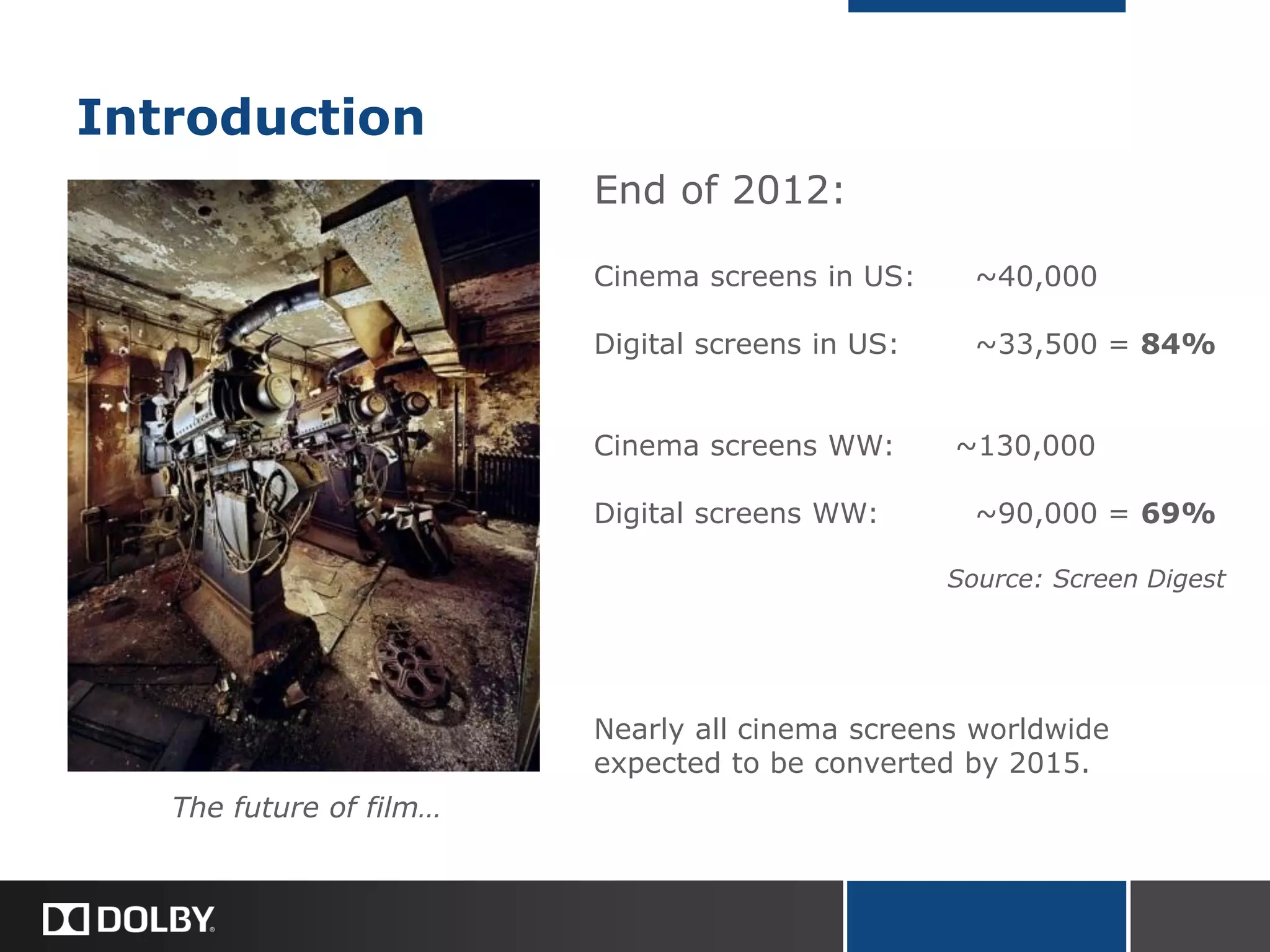
Introduction
The future of film…
End of 2012:
Cinema screens in US: ~40,000
Digital screens in US: ~33,500 = 84%
Cinema screens WW: ~130,000
Digital screens WW: ~90,000 = 69%
Source: Screen Digest
Nearly all cinema screens worldwide
expected to be converted by 2015.
Advantages
Broad Acceptance
 Cinemas (mainstream, art house)
 Film Festivals (Sundance, Cannes, Berlin, Telluride, SXSW…)
 AMPAS (Submission for Academy Award consideration)
Financial
Media Integrity
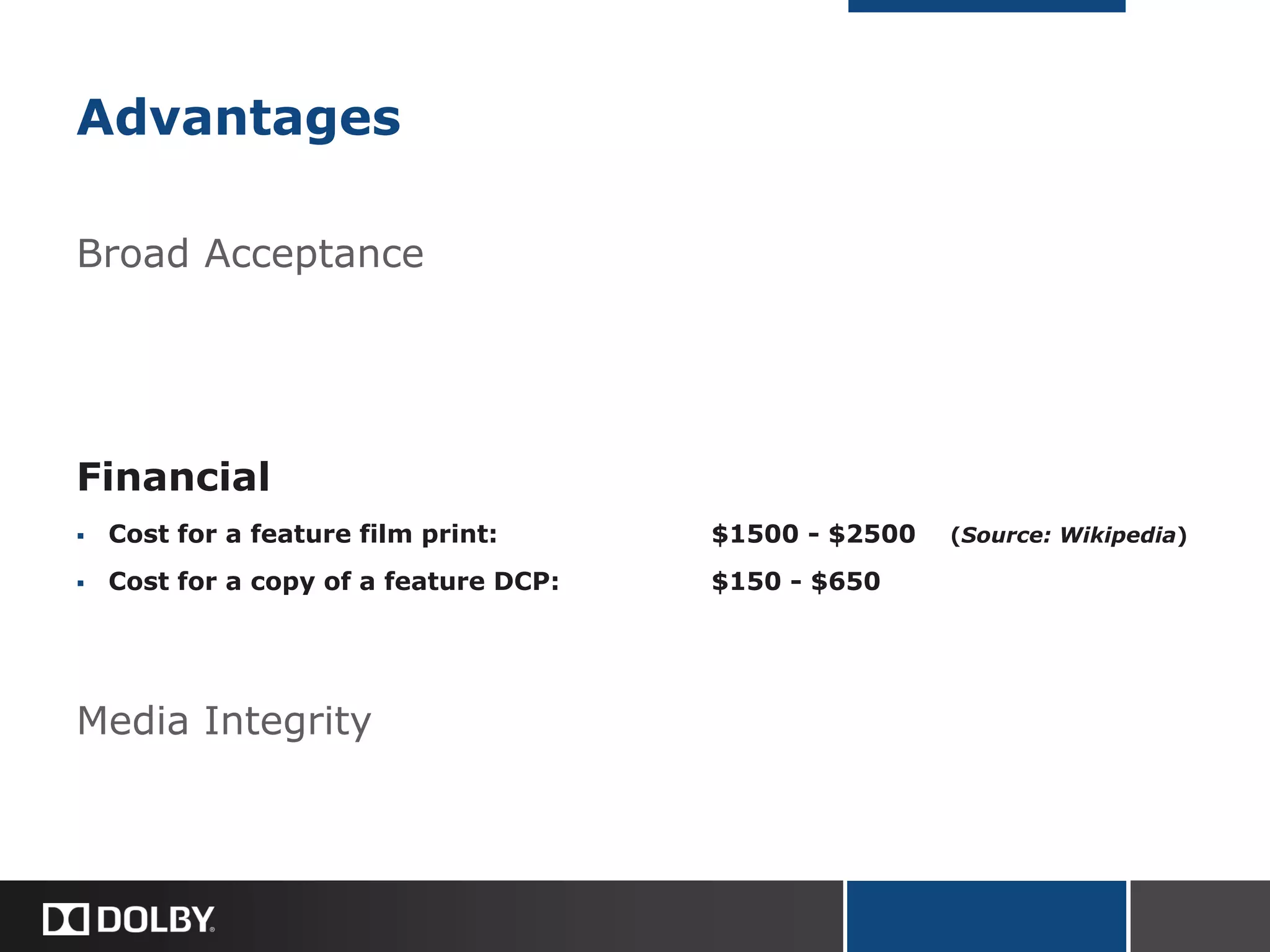
Advantages
Broad Acceptance
Financial
 Cost for a feature film print: $1500 - $2500 (Source: Wikipedia)
 Cost for a copy of a feature DCP: $150 - $650
Media Integrity
Virtual Print Fees
Ted Hope raised this issue in the Q&A, and it is definitely an important financial
consideration.
In addition to the costs for mastering and media, your distributor may be charged
virtual print fees, or “VPFs,” by theatres that book your film on DCP. VPFs are
collected by theatres to cover the cost of the upgrade to digital projection equipment.
Depending on the specific terms of your booking, the VPF could be as much as $1000
for a week-long engagement, or as little as $25 for a single off-peak screening (e.g.
Tuesday night).
A theatre that paid for its own digital equipment up front may not charge VPFs.
Virtual print fees will eventually fade away as equipment loans are paid off. New VPF
agreements have mostly ceased.
The VPF business model was introduced to spread the cost of equipment upgrades
between both exhibitors and distributors. VPF agreements probably helped to
accelerate the transition to digital cinema.
Advantages
Broad Acceptance
Financial
Media Integrity
 Perfect copies (hash check verification)
 Robust media, less fragile than 35mm film or Blu-ray
 Sound and picture as pristine on 100th screening as on 1st
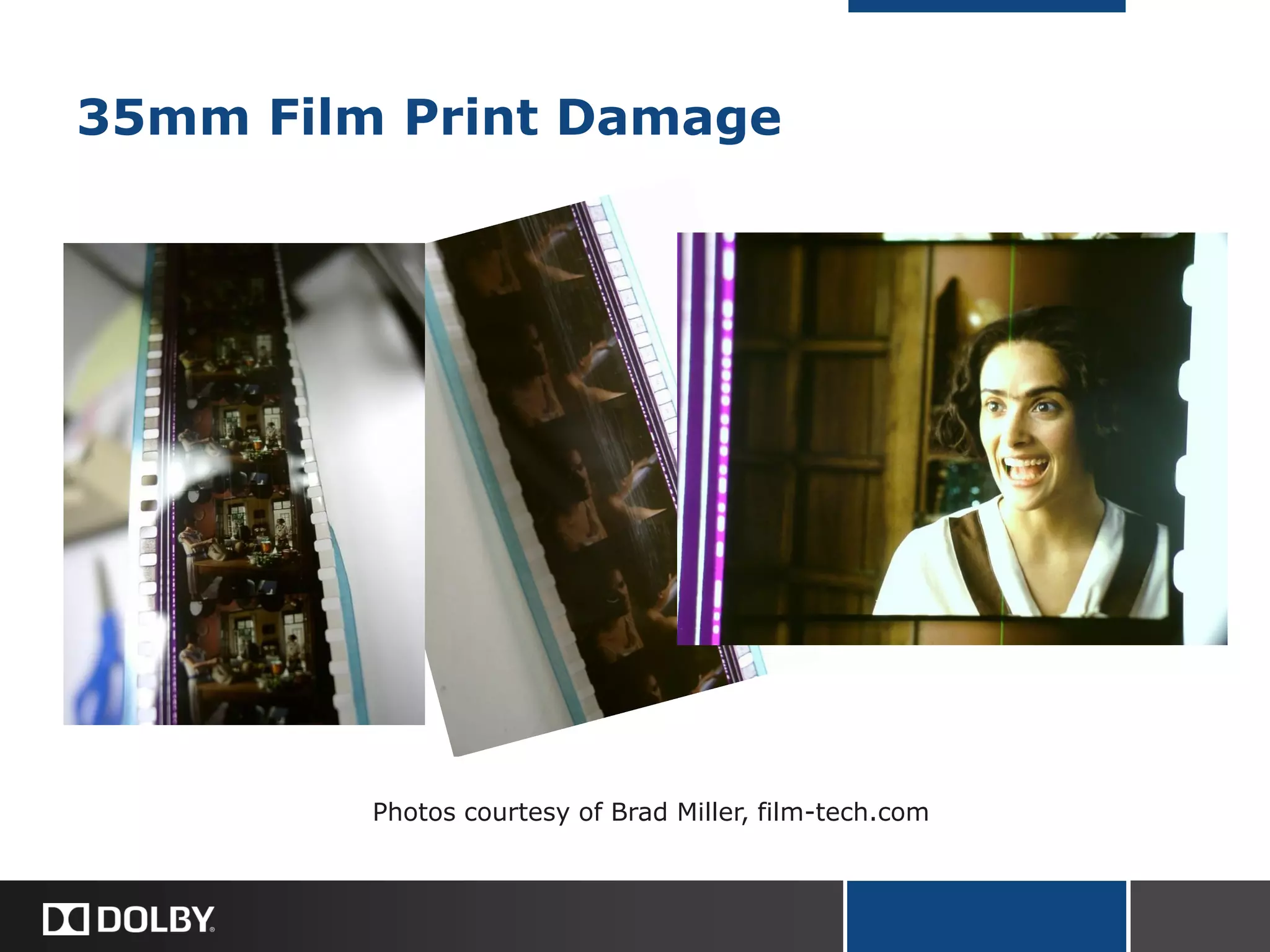
35mm Film Print Damage
Photos courtesy of Brad Miller, film-tech.com
Digital Cinema Mastering 101
I. Introduction
II. What is a DCP?
III. The Digital Cinema Mastering Workflow
IV. Digital Cinema Duplication and Distribution
Graef Allen
Dolby Laboratories, Burbank
II. What is a DCP?
DCP is a standardized delivery format. It is not a single file,
but a collection of digital files.
DCPs are intended to match or surpass the quality of 35mm
film prints.
 Standards set by DCI
Digital Cinema Initiatives, a studio consortium
Today’s DCPs: Interop
Tomorrow’s DCPs: SMPTE (Society of Motion Picture and Television Engineers)
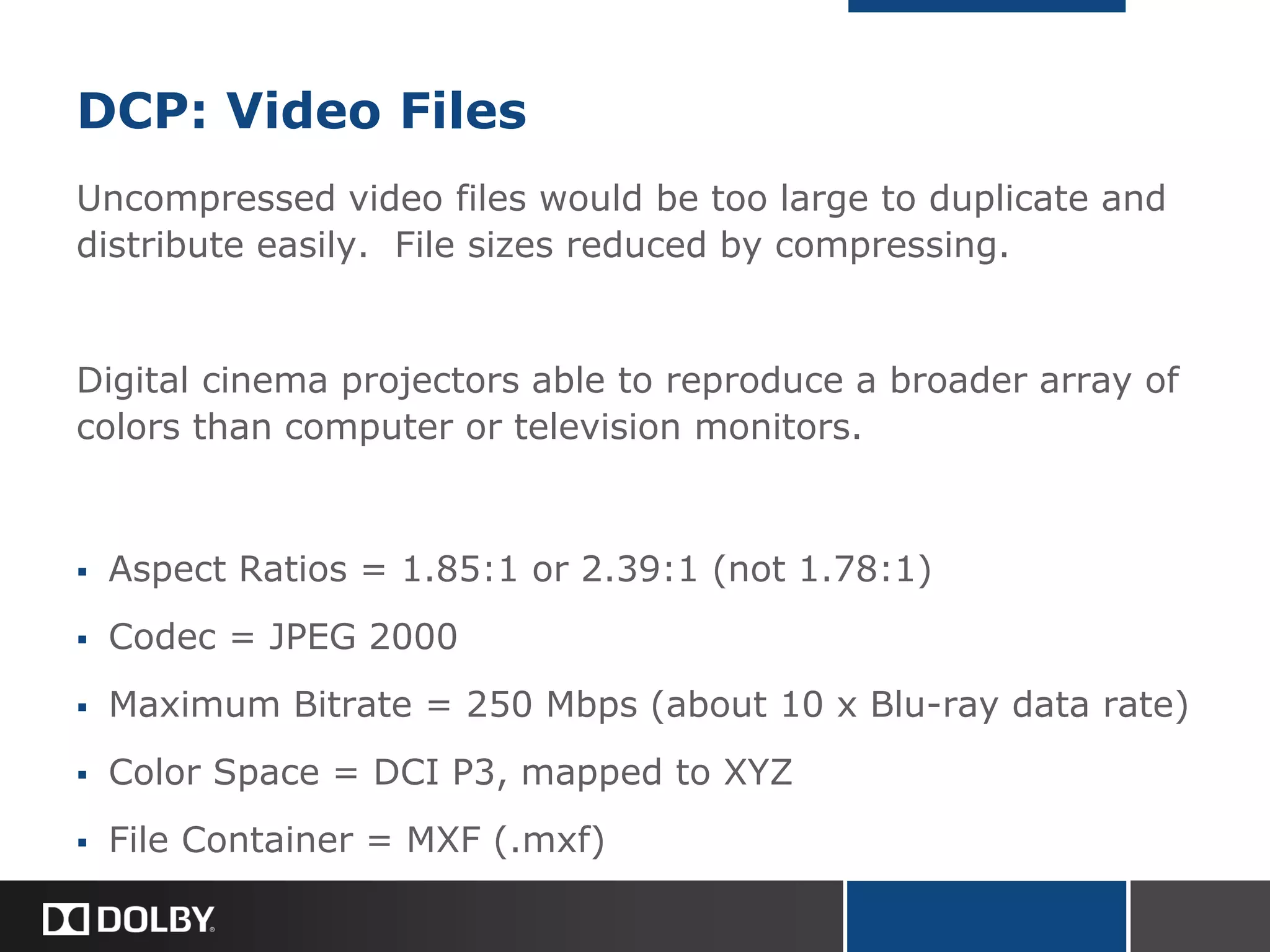
DCP: Video Files
Uncompressed video files would be too large to duplicate and
distribute easily. File sizes reduced by compressing.
Digital cinema projectors able to reproduce a broader array of
colors than computer or television monitors.
 Aspect Ratios = 1.85:1 or 2.39:1 (not 1.78:1)
 Codec = JPEG 2000
 Maximum Bitrate = 250 Mbps (about 10 x Blu-ray data rate)
 Color Space = DCI P3, mapped to XYZ
 File Container = MXF (.mxf)
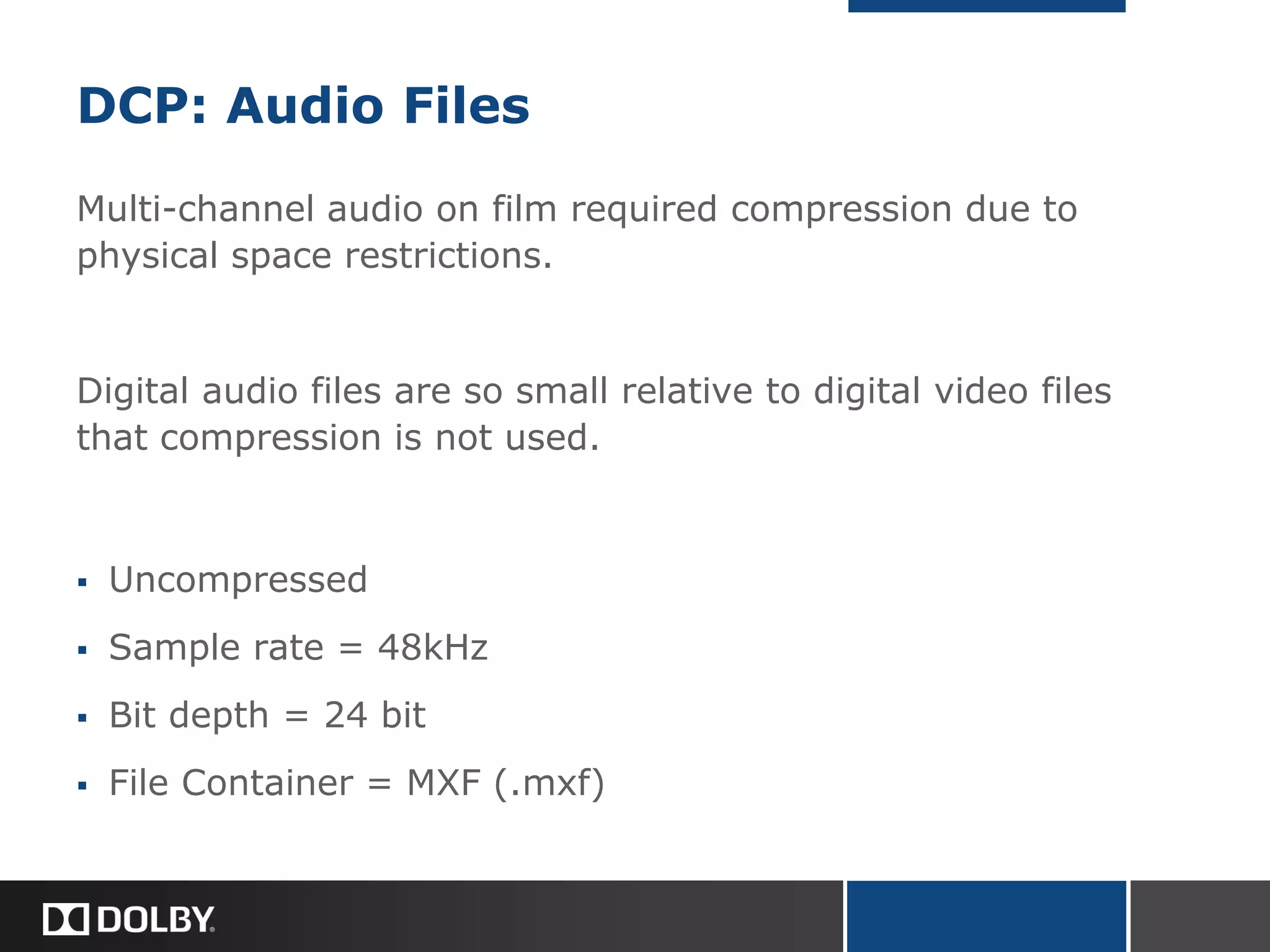
DCP: Audio Files
Multi-channel audio on film required compression due to
physical space restrictions.
Digital audio files are so small relative to digital video files
that compression is not used.
 Uncompressed
 Sample rate = 48kHz
 Bit depth = 24 bit
 File Container = MXF (.mxf)
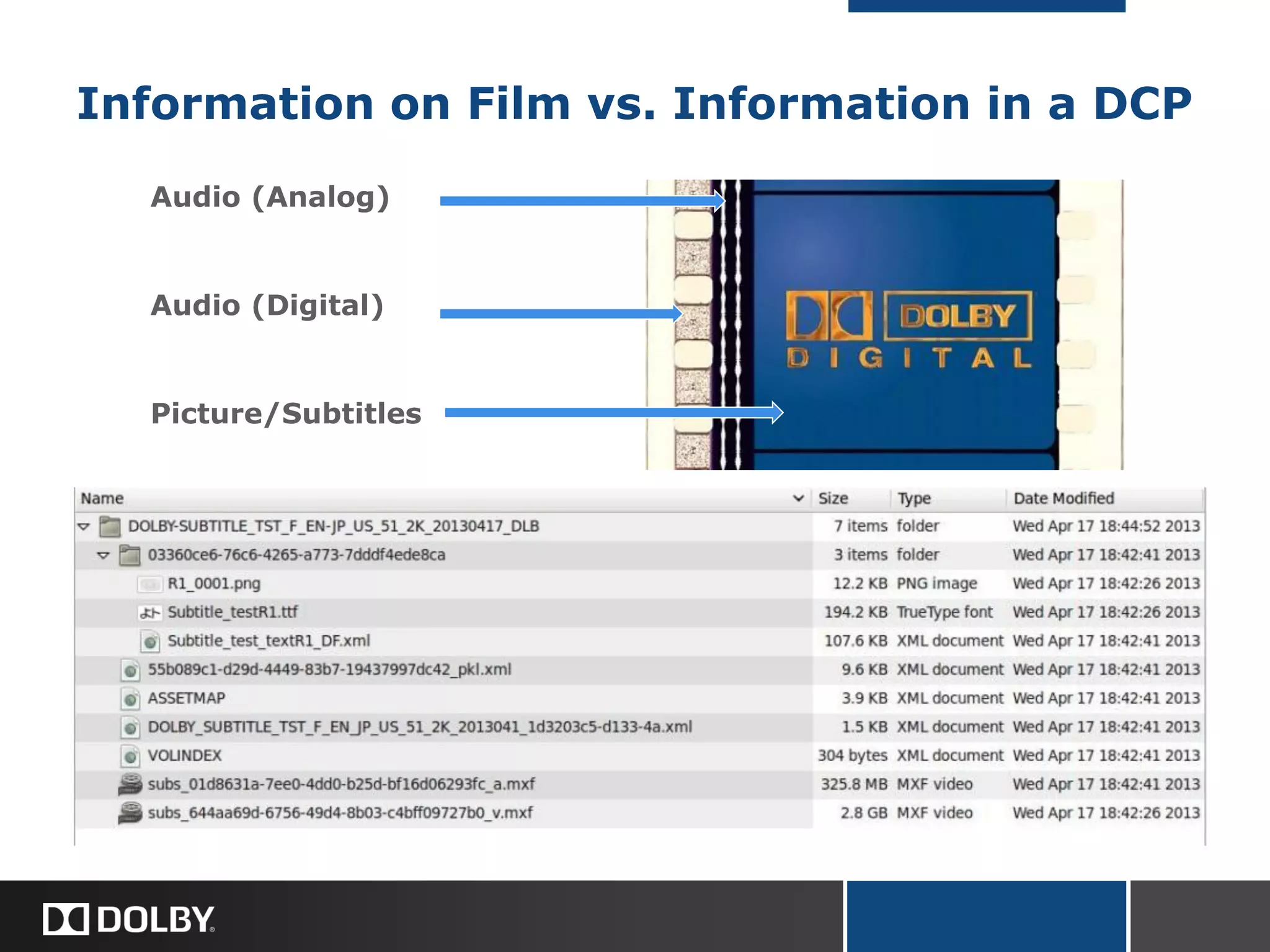
Information on Film vs. Information in a DCP
Audio (Analog)
Audio (Digital)
Picture/Subtitles
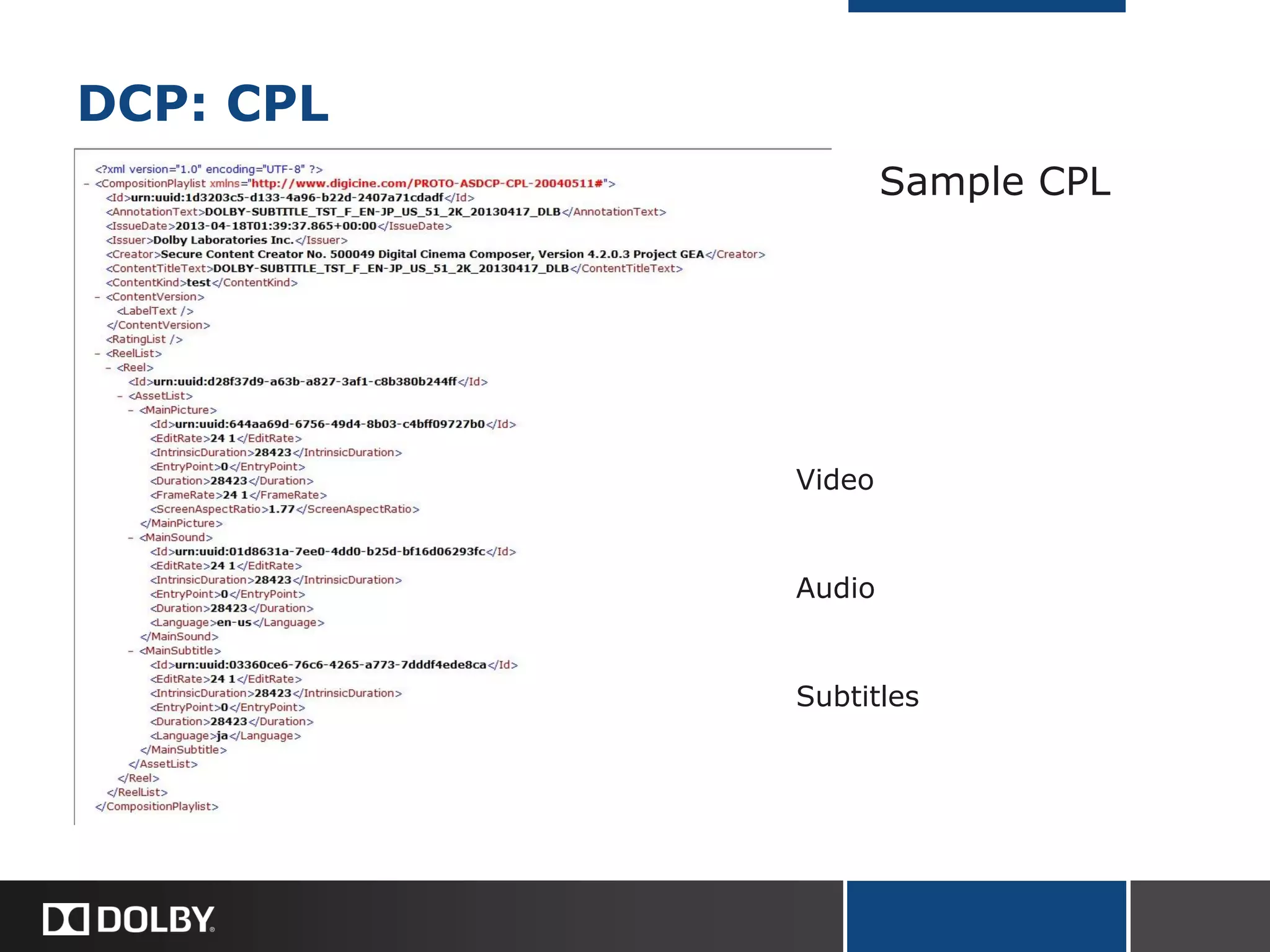
DCP: CPL
Sample CPL
Video
Audio
Subtitles
Digital Cinema Mastering 101
I. Introduction
II. What is a DCP?
III. The Digital Cinema Mastering Workflow
IV. DCP Duplication and Distribution
Graef Allen
Dolby Laboratories, Burbank
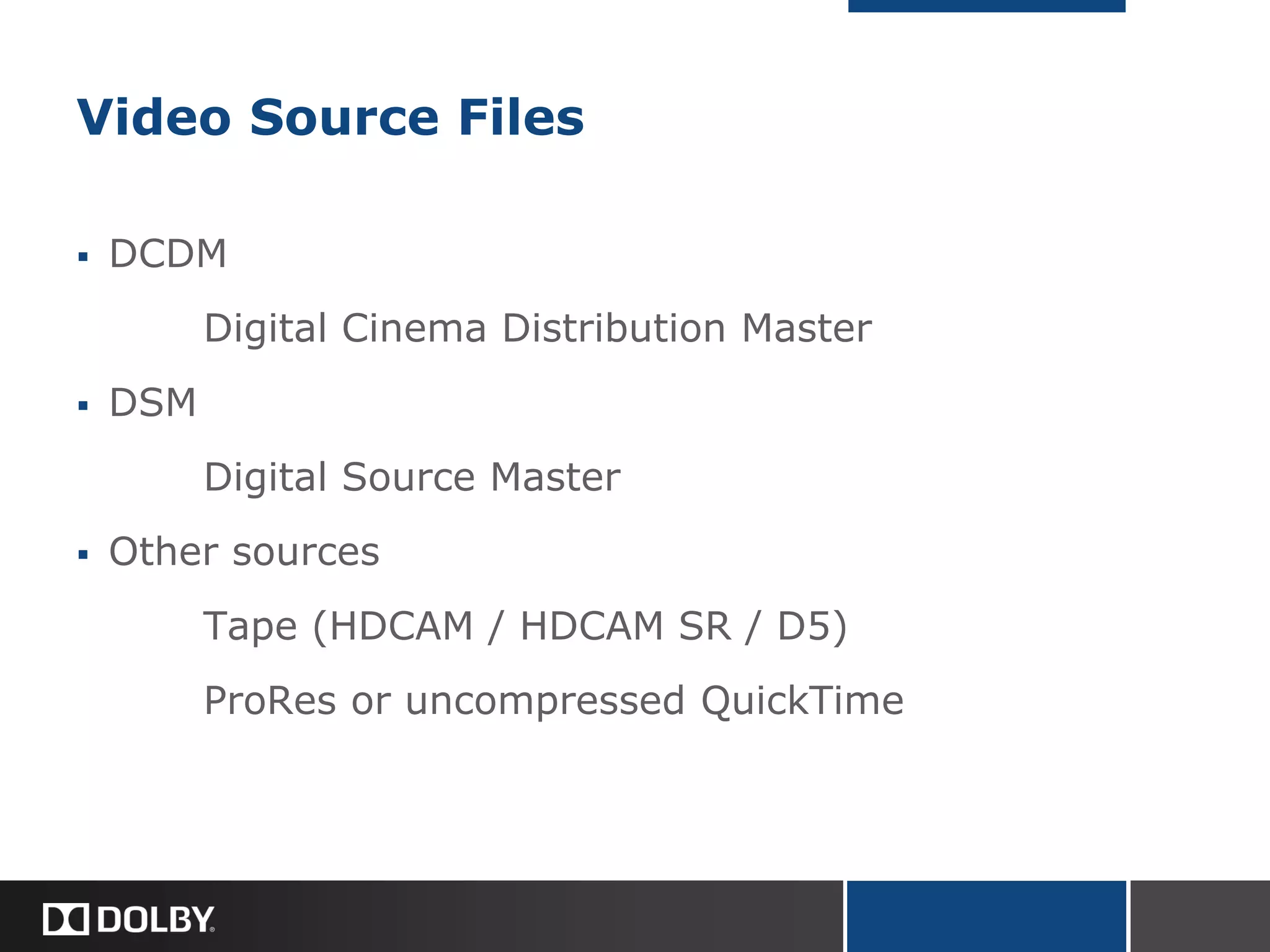
Video Source Files
 DCDM
Digital Cinema Distribution Master
 DSM
Digital Source Master
 Other sources
Tape (HDCAM / HDCAM SR / D5)
ProRes or uncompressed QuickTime
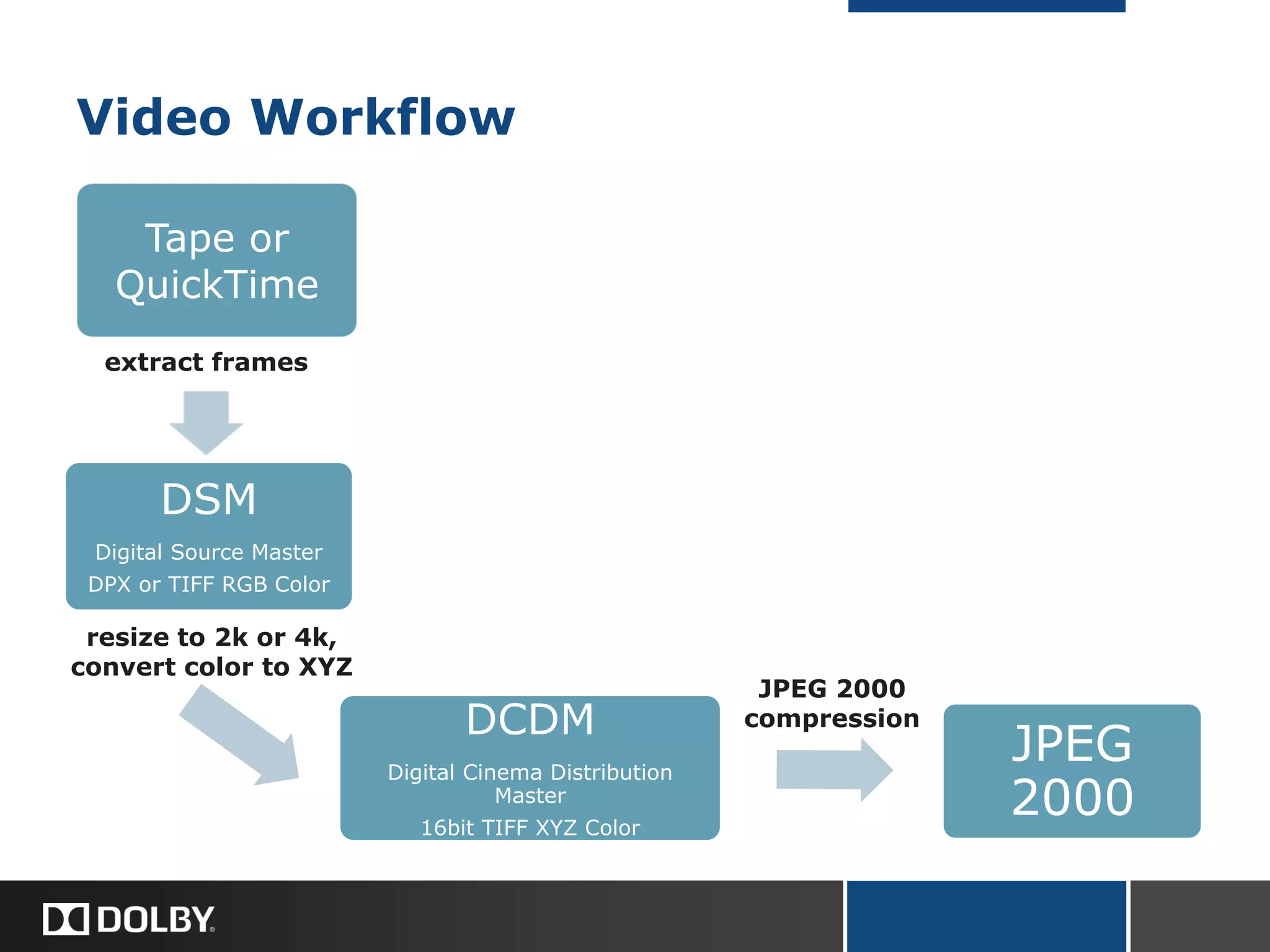
Video Workflow
DSM
Digital Source Master
DPX or TIFF RGB Color
DCDM
Digital Cinema Distribution
Master
16bit TIFF XYZ Color
JPEG
2000
Tape or
QuickTime
extract frames
resize to 2k or 4k,
convert color to XYZ
JPEG 2000
compression
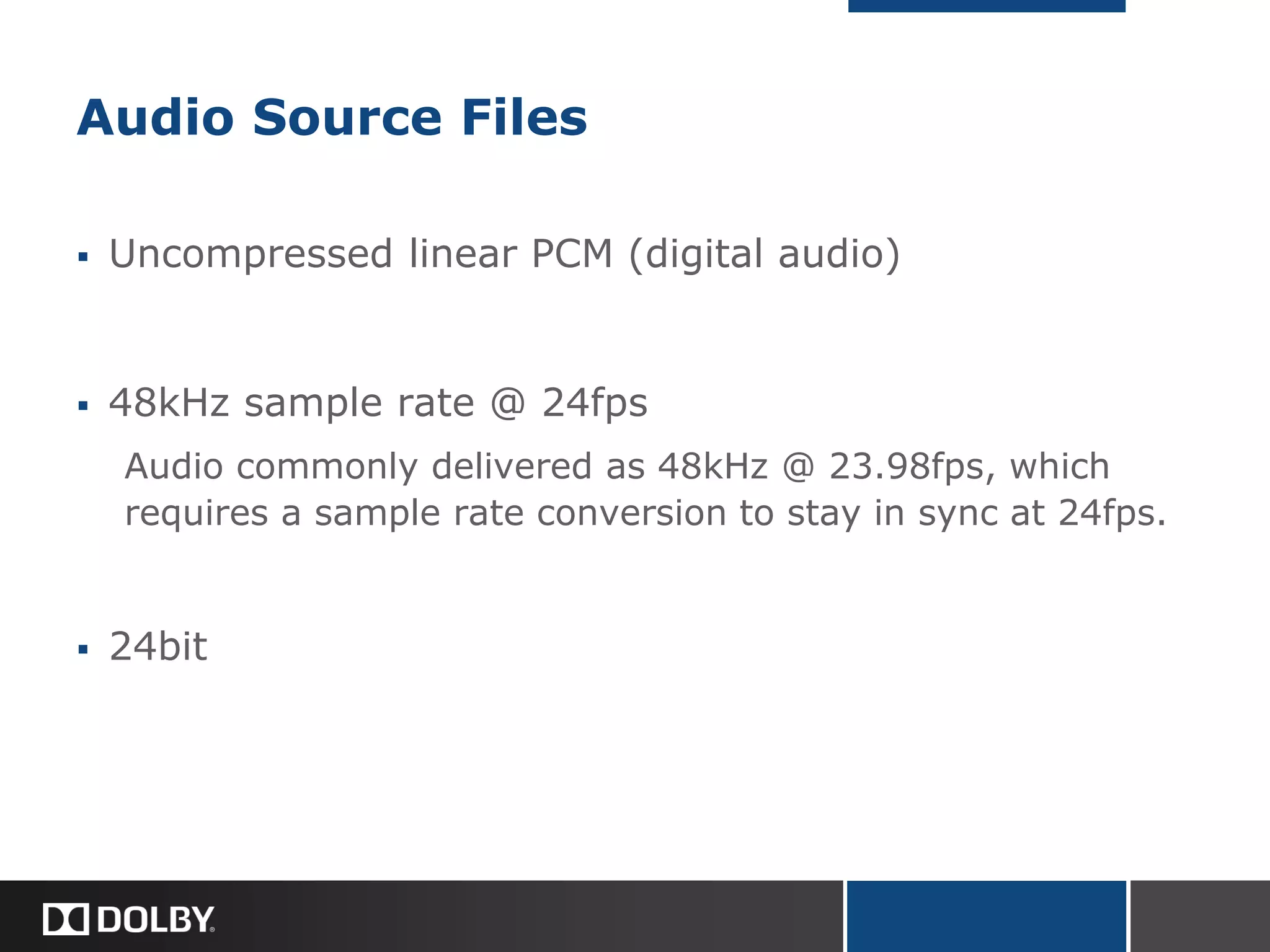
Audio Source Files
 Uncompressed linear PCM (digital audio)
 48kHz sample rate @ 24fps
Audio commonly delivered as 48kHz @ 23.98fps, which
requires a sample rate conversion to stay in sync at 24fps.
 24bit
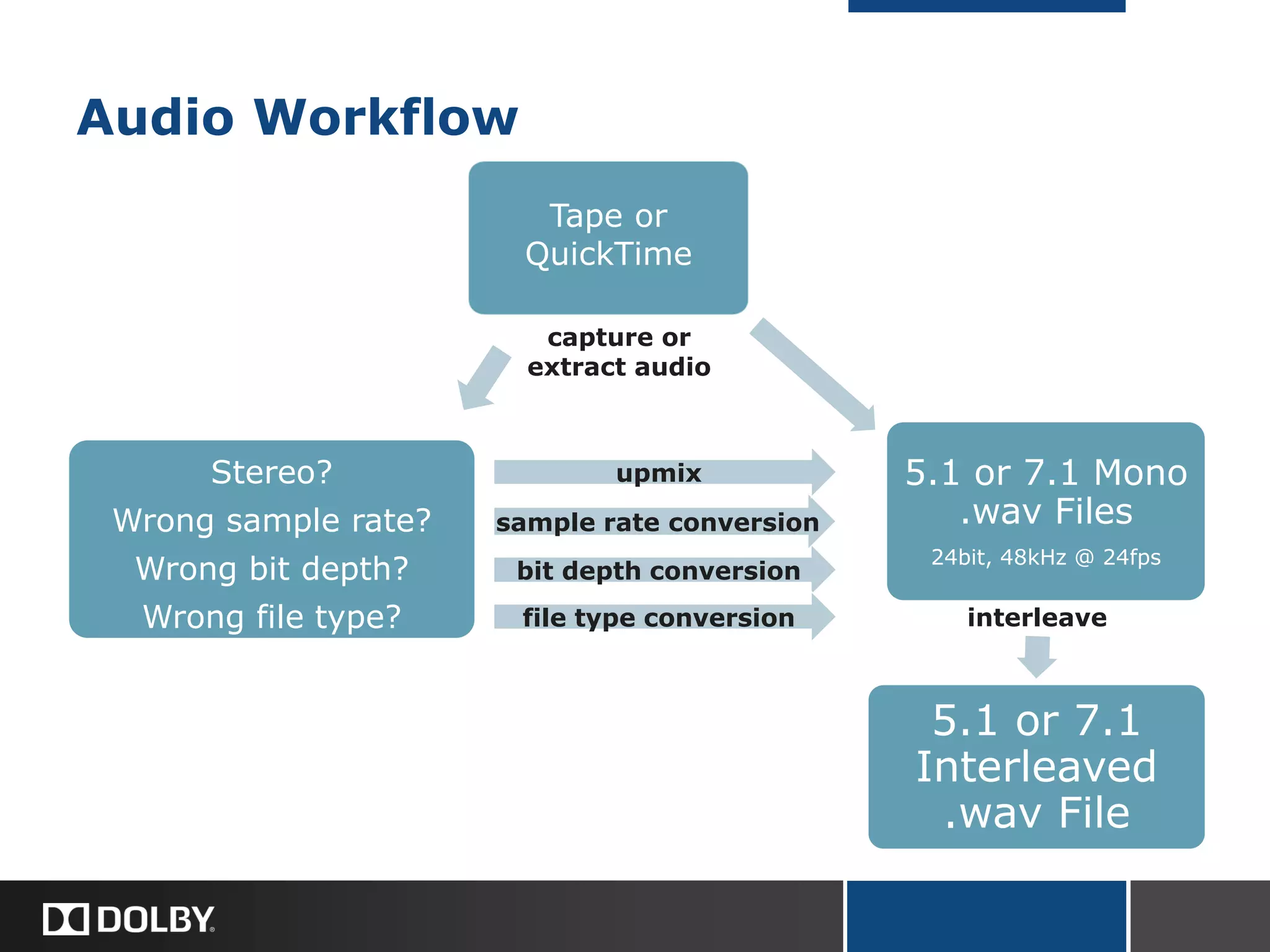
Audio Workflow
Stereo?
Wrong sample rate?
Wrong bit depth?
Wrong file type?
5.1 or 7.1 Mono
.wav Files
24bit, 48kHz @ 24fps
5.1 or 7.1
Interleaved
.wav File
Tape or
QuickTime
capture or
extract audio
bit depth conversion
sample rate conversion
upmix
interleavefile type conversion
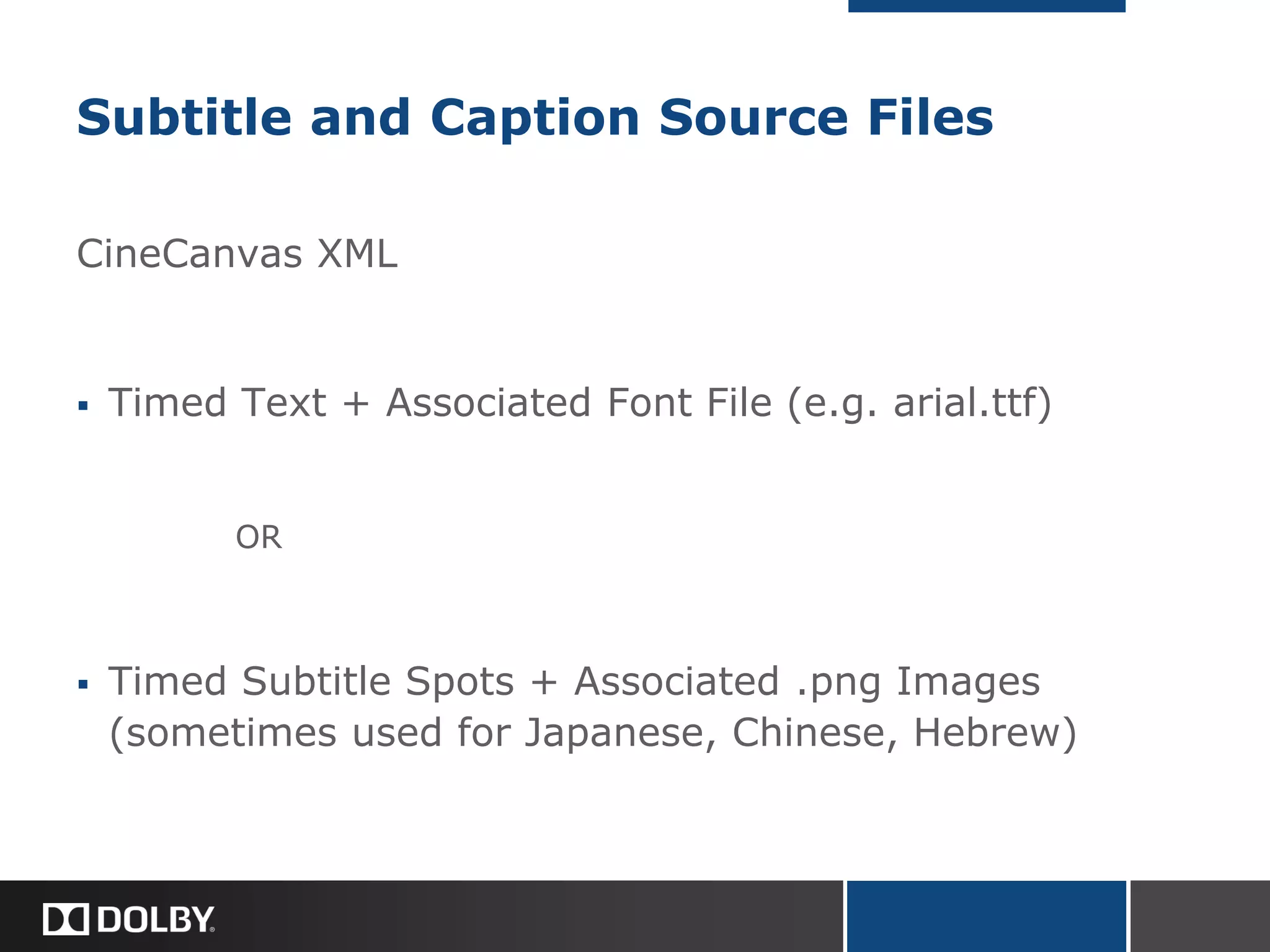
Subtitle and Caption Source Files
CineCanvas XML
 Timed Text + Associated Font File (e.g. arial.ttf)
OR
 Timed Subtitle Spots + Associated .png Images
(sometimes used for Japanese, Chinese, Hebrew)
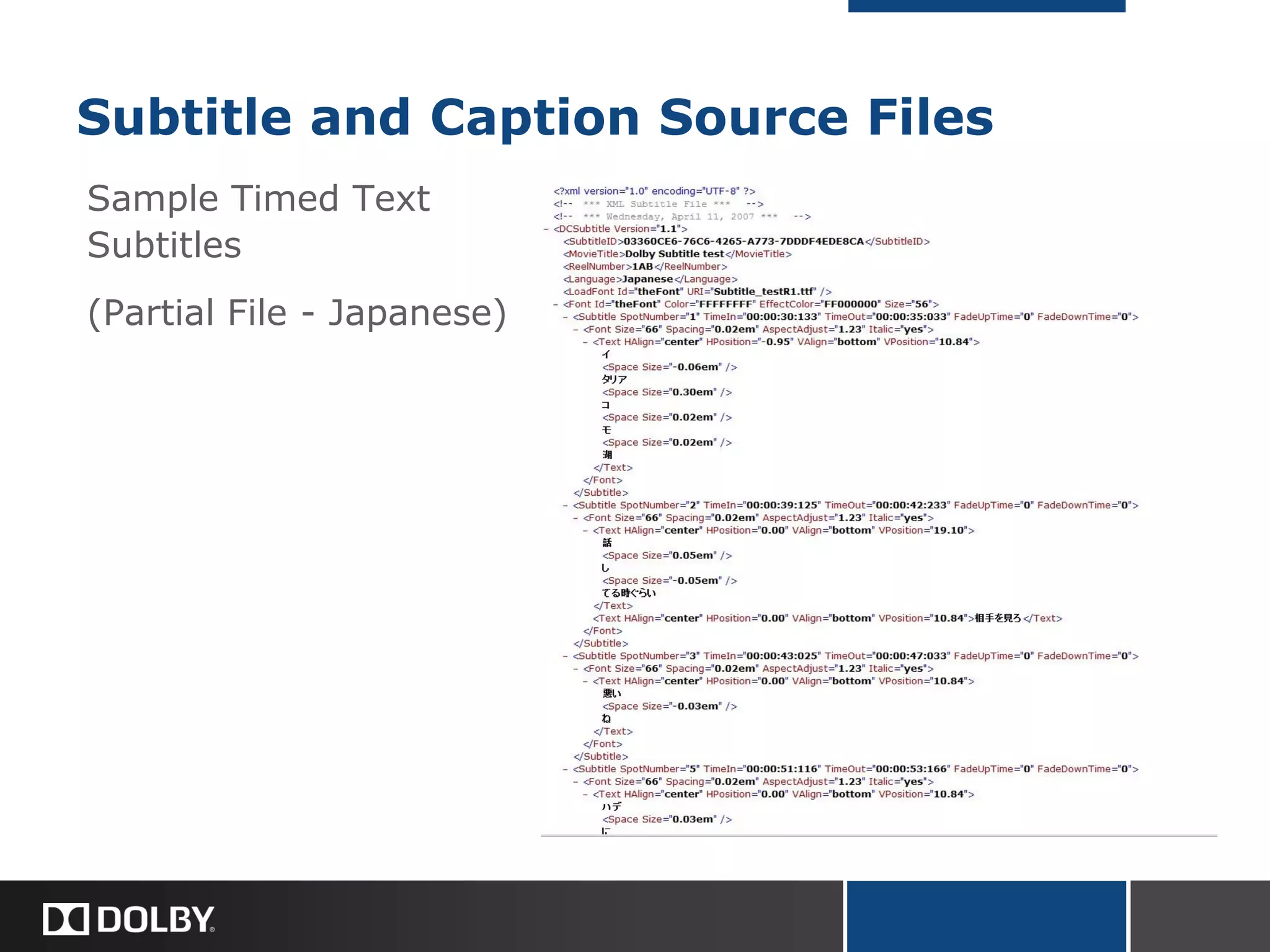
Subtitle and Caption Source Files
Sample Timed Text
Subtitles
(Partial File - Japanese)
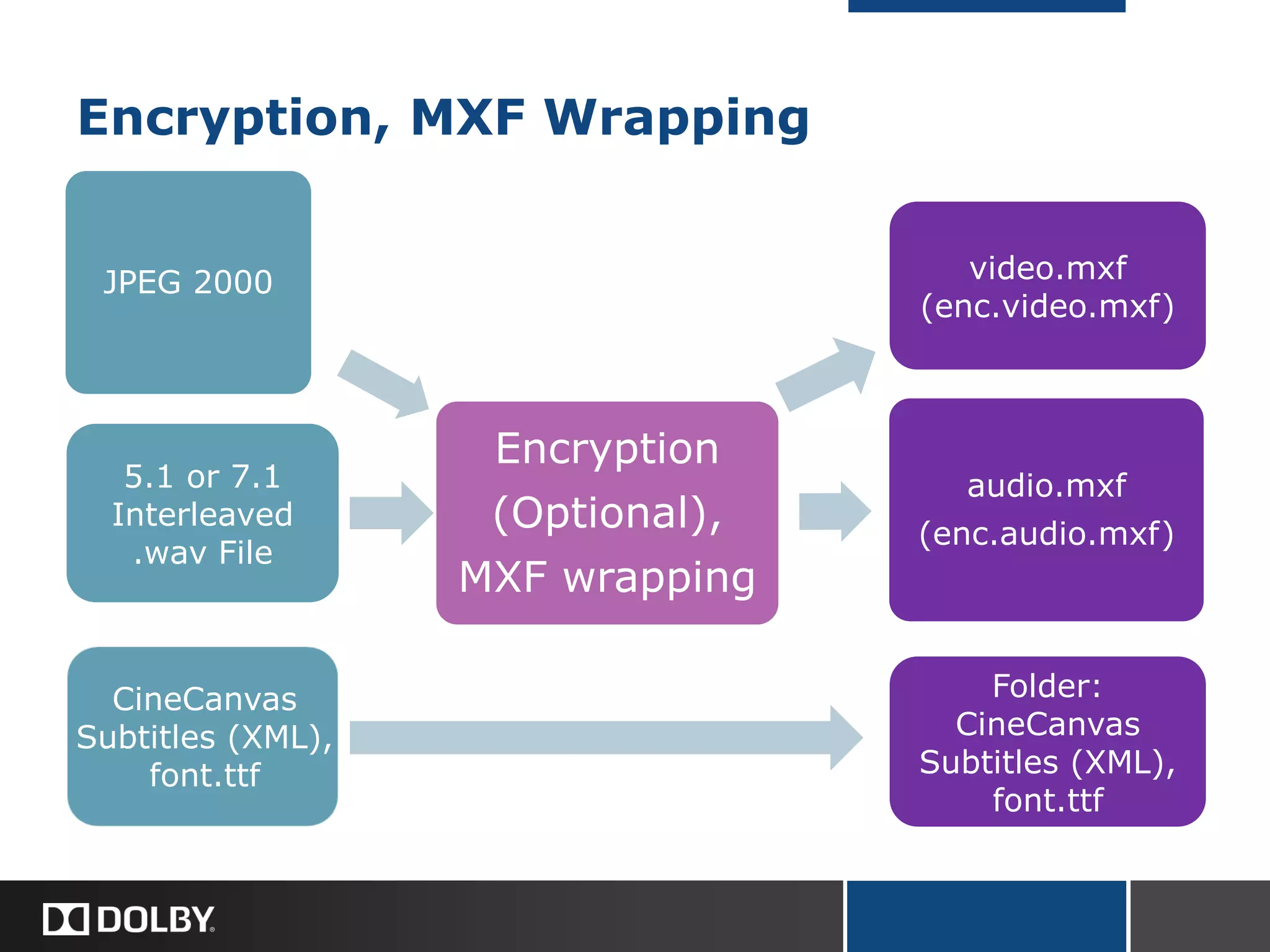
Encryption, MXF Wrapping
JPEG 2000
Encryption
(Optional),
MXF wrapping
audio.mxf
(enc.audio.mxf)
5.1 or 7.1
Interleaved
.wav File
CineCanvas
Subtitles (XML),
font.ttf
Folder:
CineCanvas
Subtitles (XML),
font.ttf
video.mxf
(enc.video.mxf)
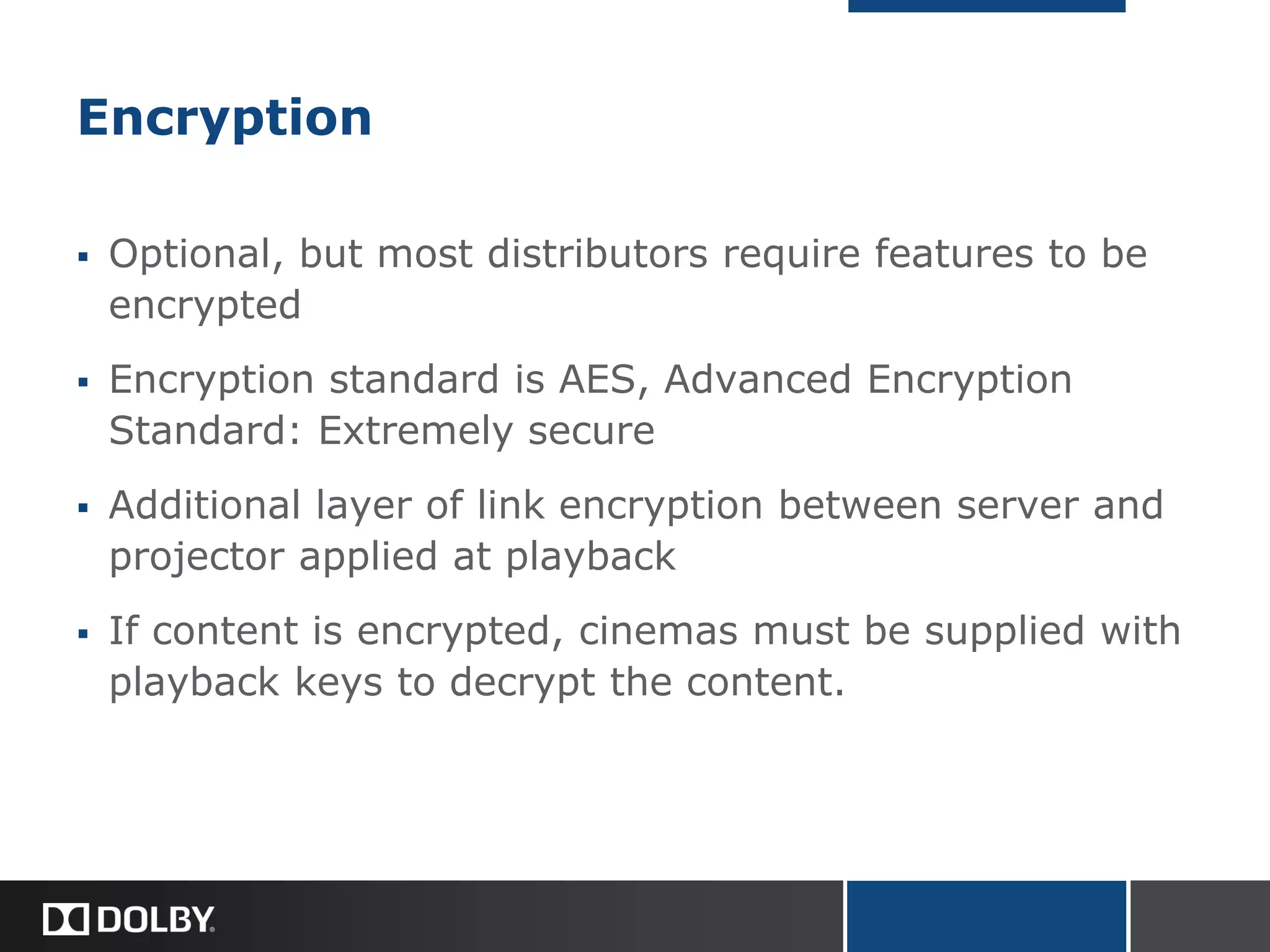
Encryption
 Optional, but most distributors require features to be
encrypted
 Encryption standard is AES, Advanced Encryption
Standard: Extremely secure
 Additional layer of link encryption between server and
projector applied at playback
 If content is encrypted, cinemas must be supplied with
playback keys to decrypt the content.
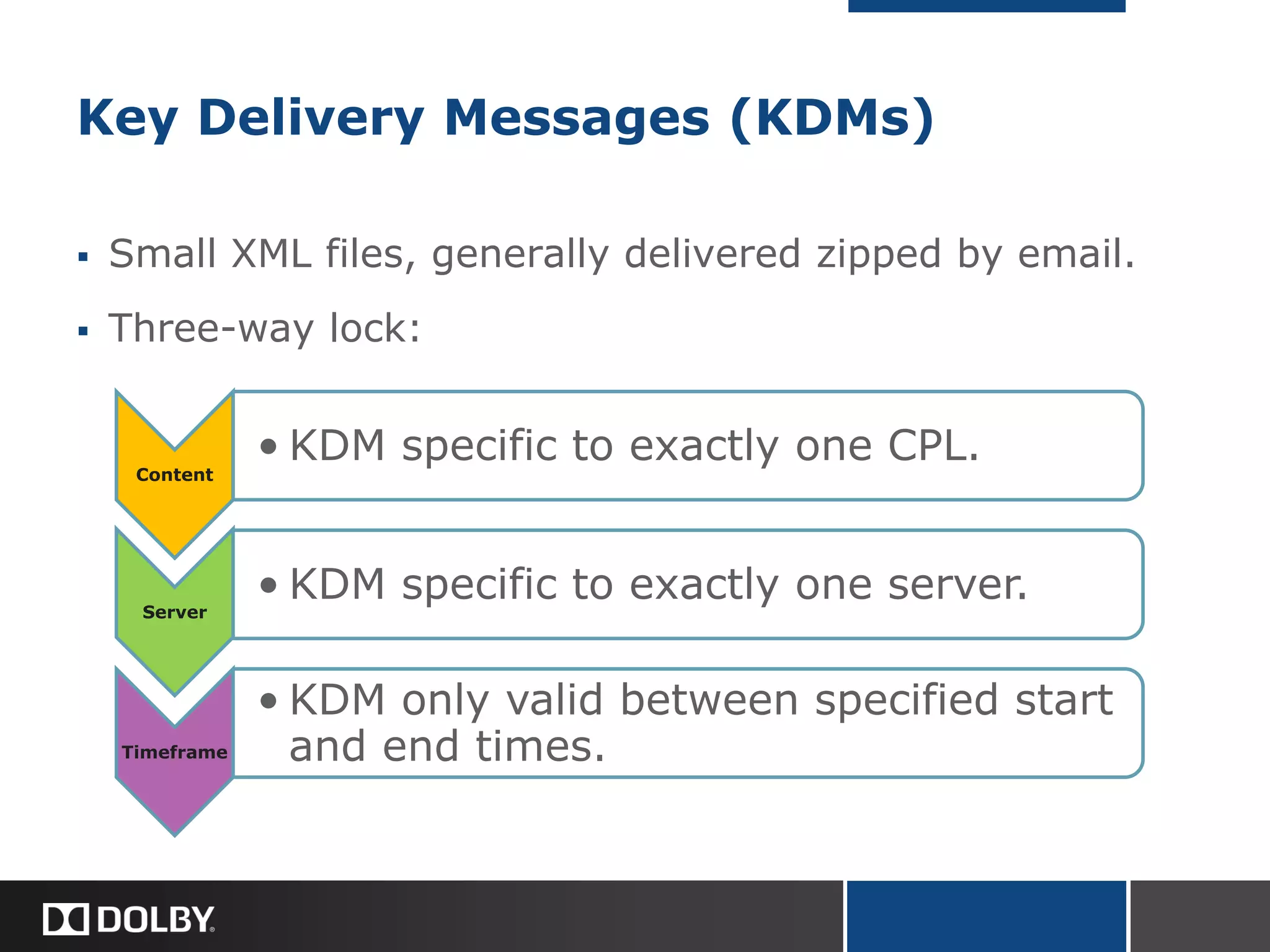
Key Delivery Messages (KDMs)
 Small XML files, generally delivered zipped by email.
 Three-way lock:
Content
• KDM specific to exactly one CPL.
Server
• KDM specific to exactly one server.
Timeframe
• KDM only valid between specified start
and end times.
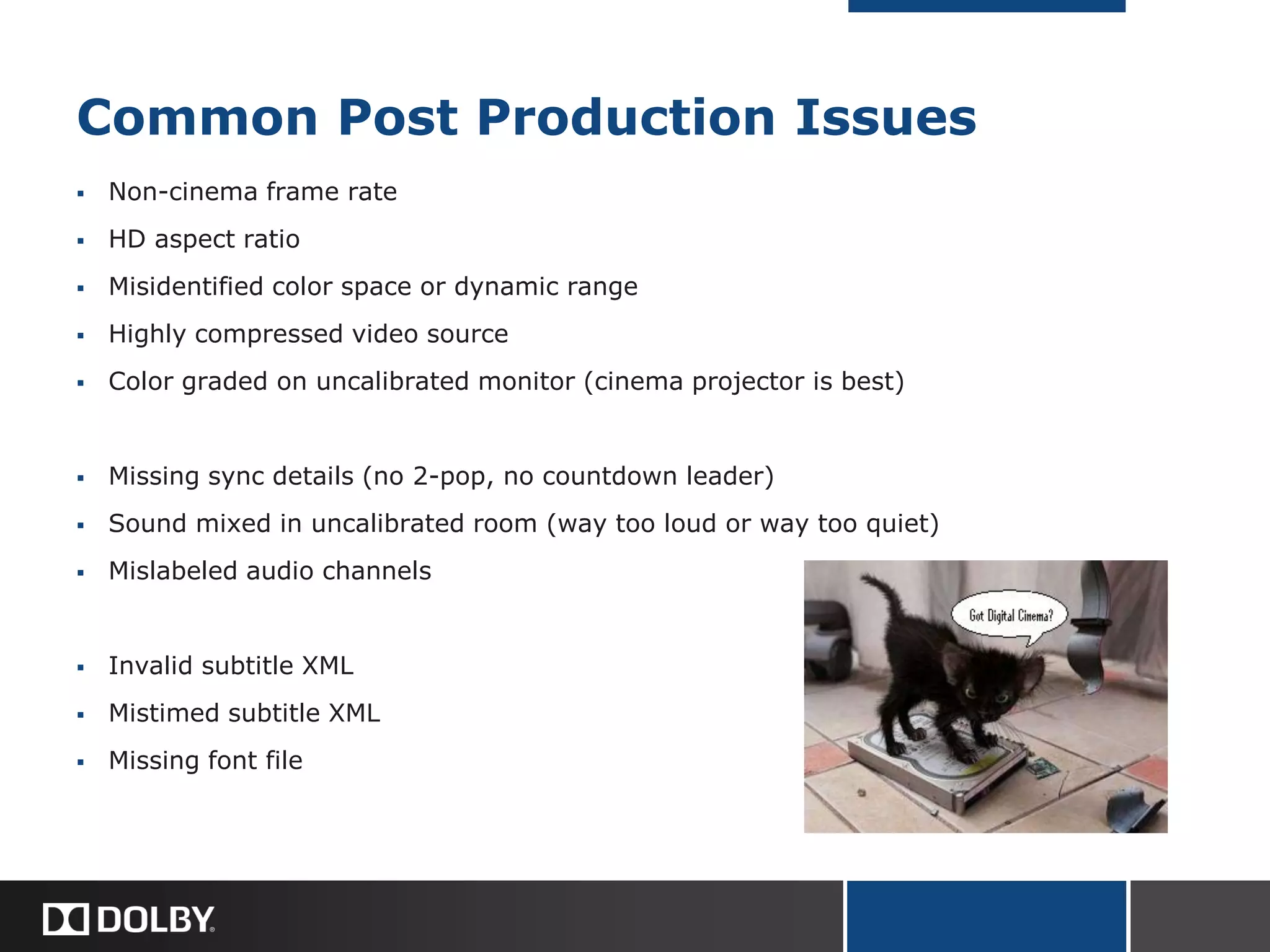
Common Post Production Issues
 Non-cinema frame rate
 HD aspect ratio
 Misidentified color space or dynamic range
 Highly compressed video source
 Color graded on uncalibrated monitor (cinema projector is best)
 Missing sync details (no 2-pop, no countdown leader)
 Sound mixed in uncalibrated room (way too loud or way too quiet)
 Mislabeled audio channels
 Invalid subtitle XML
 Mistimed subtitle XML
 Missing font file
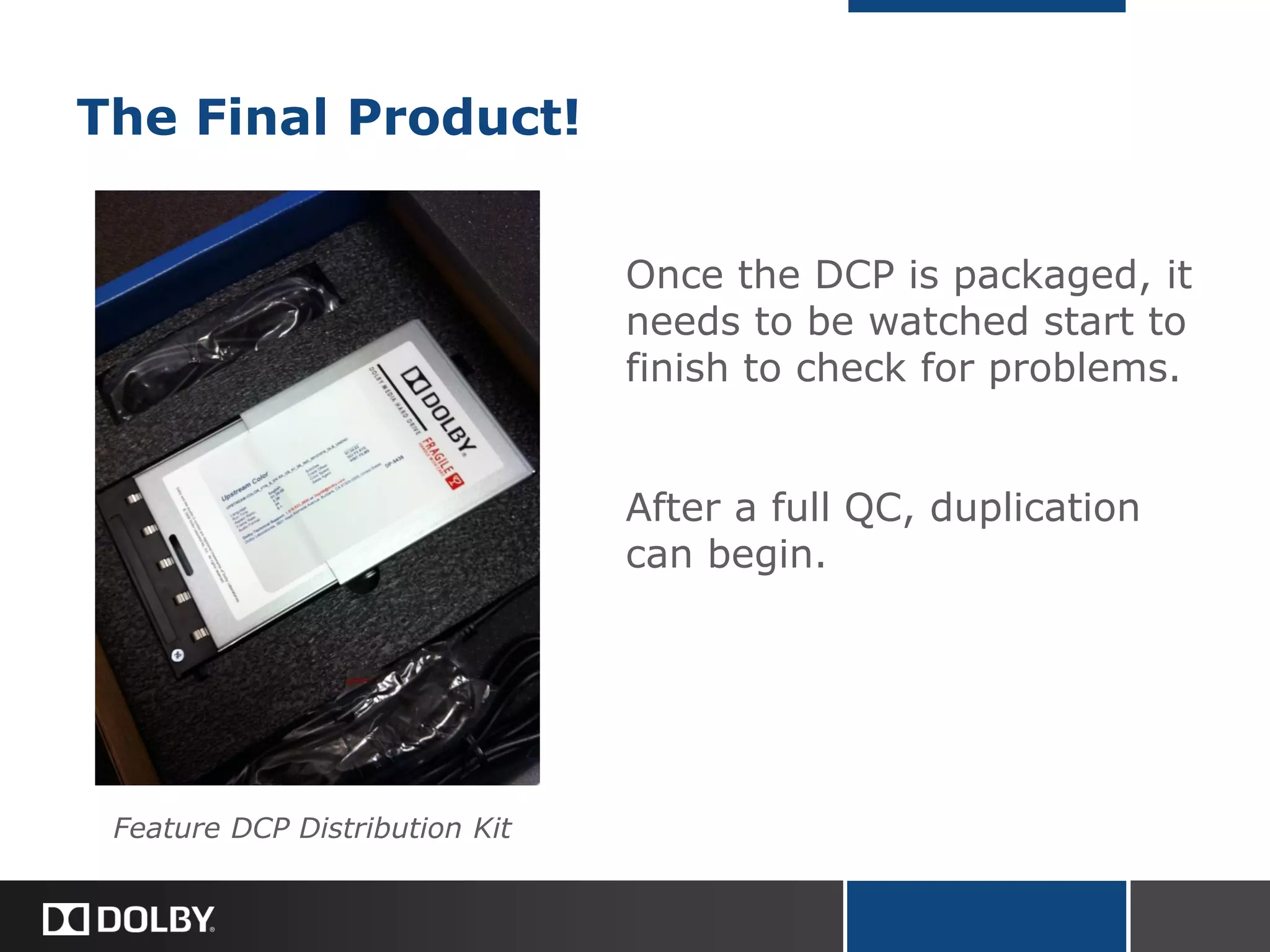
The Final Product!
Once the DCP is packaged, it
needs to be watched start to
finish to check for problems.
After a full QC, duplication
can begin.
Feature DCP Distribution Kit
Digital Cinema Mastering 101
I. Introduction
II. What is a DCP?
III. The Digital Cinema Mastering Workflow
IV. DCP Duplication and Distribution
Graef Allen
Dolby Laboratories, Burbank
Duplication
 Duplication done in batches
 Multiple identical copies created at once
 The smaller the master DCP, the faster each
duplication run will be
 Verification by hash check
Distribution
 Feature distribution on CRU Dataport HDD
 FedEx, UPS, DHL
 KDMs (Key Delivery Messages) sent via email
 Technical support should be made available, especially
if content encrypted.
 DCP’s modular structure (separate file for each
component) allows single-inventory distribution to
multiple territories.
Distribution SNAFUs
Problems can include…
 Lost shipments (uncommon)
 Damaged hard drives (uncommon)
 Misplaced hard drives (more
common)
 Server upgrades, new KDMs
needed (very common)
 Projector/server subtitle rendering
problems (uncommon)

Digital Cinema Mastering 101

  • 1.
    Digital Cinema Mastering101 I. Introduction II. What is a DCP? III. The Digital Cinema Mastering Workflow IV. DCP Duplication and Distribution Graef Allen Dolby Laboratories, Burbank
  • 2.
    Introduction The future offilm… End of 2012: Cinema screens in US: ~40,000 Digital screens in US: ~33,500 = 84% Cinema screens WW: ~130,000 Digital screens WW: ~90,000 = 69% Source: Screen Digest Nearly all cinema screens worldwide expected to be converted by 2015.
  • 3.
    Advantages Broad Acceptance  Cinemas(mainstream, art house)  Film Festivals (Sundance, Cannes, Berlin, Telluride, SXSW…)  AMPAS (Submission for Academy Award consideration) Financial Media Integrity
  • 4.
    Advantages Broad Acceptance Financial  Costfor a feature film print: $1500 - $2500 (Source: Wikipedia)  Cost for a copy of a feature DCP: $150 - $650 Media Integrity
  • 5.
    Virtual Print Fees TedHope raised this issue in the Q&A, and it is definitely an important financial consideration. In addition to the costs for mastering and media, your distributor may be charged virtual print fees, or “VPFs,” by theatres that book your film on DCP. VPFs are collected by theatres to cover the cost of the upgrade to digital projection equipment. Depending on the specific terms of your booking, the VPF could be as much as $1000 for a week-long engagement, or as little as $25 for a single off-peak screening (e.g. Tuesday night). A theatre that paid for its own digital equipment up front may not charge VPFs. Virtual print fees will eventually fade away as equipment loans are paid off. New VPF agreements have mostly ceased. The VPF business model was introduced to spread the cost of equipment upgrades between both exhibitors and distributors. VPF agreements probably helped to accelerate the transition to digital cinema.
  • 6.
    Advantages Broad Acceptance Financial Media Integrity Perfect copies (hash check verification)  Robust media, less fragile than 35mm film or Blu-ray  Sound and picture as pristine on 100th screening as on 1st
  • 7.
    35mm Film PrintDamage Photos courtesy of Brad Miller, film-tech.com
  • 8.
    Digital Cinema Mastering101 I. Introduction II. What is a DCP? III. The Digital Cinema Mastering Workflow IV. Digital Cinema Duplication and Distribution Graef Allen Dolby Laboratories, Burbank
  • 9.
    II. What isa DCP? DCP is a standardized delivery format. It is not a single file, but a collection of digital files. DCPs are intended to match or surpass the quality of 35mm film prints.  Standards set by DCI Digital Cinema Initiatives, a studio consortium Today’s DCPs: Interop Tomorrow’s DCPs: SMPTE (Society of Motion Picture and Television Engineers)
  • 10.
    DCP: Video Files Uncompressedvideo files would be too large to duplicate and distribute easily. File sizes reduced by compressing. Digital cinema projectors able to reproduce a broader array of colors than computer or television monitors.  Aspect Ratios = 1.85:1 or 2.39:1 (not 1.78:1)  Codec = JPEG 2000  Maximum Bitrate = 250 Mbps (about 10 x Blu-ray data rate)  Color Space = DCI P3, mapped to XYZ  File Container = MXF (.mxf)
  • 11.
    DCP: Audio Files Multi-channelaudio on film required compression due to physical space restrictions. Digital audio files are so small relative to digital video files that compression is not used.  Uncompressed  Sample rate = 48kHz  Bit depth = 24 bit  File Container = MXF (.mxf)
  • 12.
    Information on Filmvs. Information in a DCP Audio (Analog) Audio (Digital) Picture/Subtitles
  • 13.
  • 14.
    Digital Cinema Mastering101 I. Introduction II. What is a DCP? III. The Digital Cinema Mastering Workflow IV. DCP Duplication and Distribution Graef Allen Dolby Laboratories, Burbank
  • 15.
    Video Source Files DCDM Digital Cinema Distribution Master  DSM Digital Source Master  Other sources Tape (HDCAM / HDCAM SR / D5) ProRes or uncompressed QuickTime
  • 16.
    Video Workflow DSM Digital SourceMaster DPX or TIFF RGB Color DCDM Digital Cinema Distribution Master 16bit TIFF XYZ Color JPEG 2000 Tape or QuickTime extract frames resize to 2k or 4k, convert color to XYZ JPEG 2000 compression
  • 17.
    Audio Source Files Uncompressed linear PCM (digital audio)  48kHz sample rate @ 24fps Audio commonly delivered as 48kHz @ 23.98fps, which requires a sample rate conversion to stay in sync at 24fps.  24bit
  • 18.
    Audio Workflow Stereo? Wrong samplerate? Wrong bit depth? Wrong file type? 5.1 or 7.1 Mono .wav Files 24bit, 48kHz @ 24fps 5.1 or 7.1 Interleaved .wav File Tape or QuickTime capture or extract audio bit depth conversion sample rate conversion upmix interleavefile type conversion
  • 19.
    Subtitle and CaptionSource Files CineCanvas XML  Timed Text + Associated Font File (e.g. arial.ttf) OR  Timed Subtitle Spots + Associated .png Images (sometimes used for Japanese, Chinese, Hebrew)
  • 20.
    Subtitle and CaptionSource Files Sample Timed Text Subtitles (Partial File - Japanese)
  • 21.
    Encryption, MXF Wrapping JPEG2000 Encryption (Optional), MXF wrapping audio.mxf (enc.audio.mxf) 5.1 or 7.1 Interleaved .wav File CineCanvas Subtitles (XML), font.ttf Folder: CineCanvas Subtitles (XML), font.ttf video.mxf (enc.video.mxf)
  • 22.
    Encryption  Optional, butmost distributors require features to be encrypted  Encryption standard is AES, Advanced Encryption Standard: Extremely secure  Additional layer of link encryption between server and projector applied at playback  If content is encrypted, cinemas must be supplied with playback keys to decrypt the content.
  • 23.
    Key Delivery Messages(KDMs)  Small XML files, generally delivered zipped by email.  Three-way lock: Content • KDM specific to exactly one CPL. Server • KDM specific to exactly one server. Timeframe • KDM only valid between specified start and end times.
  • 24.
    Common Post ProductionIssues  Non-cinema frame rate  HD aspect ratio  Misidentified color space or dynamic range  Highly compressed video source  Color graded on uncalibrated monitor (cinema projector is best)  Missing sync details (no 2-pop, no countdown leader)  Sound mixed in uncalibrated room (way too loud or way too quiet)  Mislabeled audio channels  Invalid subtitle XML  Mistimed subtitle XML  Missing font file
  • 25.
    The Final Product! Oncethe DCP is packaged, it needs to be watched start to finish to check for problems. After a full QC, duplication can begin. Feature DCP Distribution Kit
  • 26.
    Digital Cinema Mastering101 I. Introduction II. What is a DCP? III. The Digital Cinema Mastering Workflow IV. DCP Duplication and Distribution Graef Allen Dolby Laboratories, Burbank
  • 27.
    Duplication  Duplication donein batches  Multiple identical copies created at once  The smaller the master DCP, the faster each duplication run will be  Verification by hash check
  • 28.
    Distribution  Feature distributionon CRU Dataport HDD  FedEx, UPS, DHL  KDMs (Key Delivery Messages) sent via email  Technical support should be made available, especially if content encrypted.  DCP’s modular structure (separate file for each component) allows single-inventory distribution to multiple territories.
  • 29.
    Distribution SNAFUs Problems caninclude…  Lost shipments (uncommon)  Damaged hard drives (uncommon)  Misplaced hard drives (more common)  Server upgrades, new KDMs needed (very common)  Projector/server subtitle rendering problems (uncommon)